Download to read offline


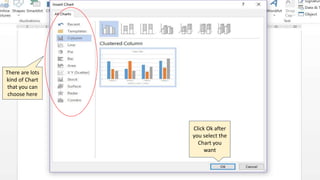
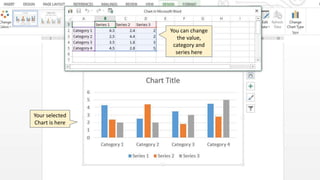
To create a chart in Word 2013, insert a chart by selecting Insert > Chart from the menu bar. This allows you to choose from different chart types. Once a chart is selected, click OK and it will be inserted into your document where you can edit the values, categories, and series.


