HOW TO ADD

“ My computer” To your Window 7/Vista Taskbar
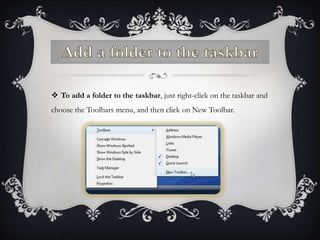
 To add a folder to the taskbar, just right-click on the taskbar and
choose the Toolbars menu, and then click on New Toolbar.
FOLDER

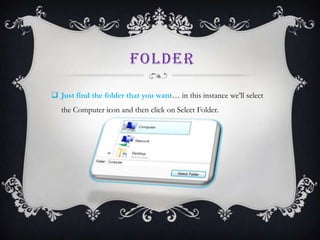
 Just find the folder that you want… in this instance we’ll select
   the Computer icon and then click on Select Folder.
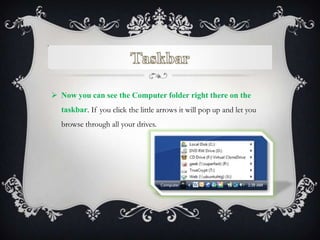
 Now you can see the Computer folder right there on the
  taskbar. If you click the little arrows it will pop up and let you
  browse through all your drives.
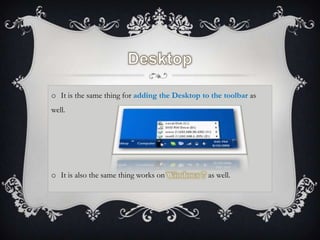
o It is the same thing for adding the Desktop to the toolbar as
well.


o It is also the same thing works on            as well.

How to add everything to taskbar

  • 1.
    HOW TO ADD “My computer” To your Window 7/Vista Taskbar
  • 2.
     To adda folder to the taskbar, just right-click on the taskbar and choose the Toolbars menu, and then click on New Toolbar.
  • 3.
    FOLDER  Just findthe folder that you want… in this instance we’ll select the Computer icon and then click on Select Folder.
  • 4.
     Now youcan see the Computer folder right there on the taskbar. If you click the little arrows it will pop up and let you browse through all your drives.
  • 5.
    o It isthe same thing for adding the Desktop to the toolbar as well. o It is also the same thing works on as well.