Download to read offline

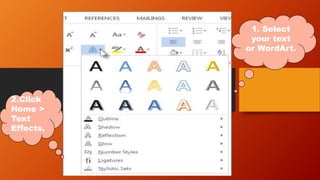
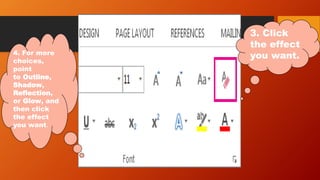
This document provides instructions for adding text effects like outlines, shadows, reflections, and glows in Microsoft Word. The instructions are to select the text or WordArt, click the Text Effects button under the Home tab, and then select the desired effect from the outline, shadow, reflection, or glow options for customized formatting.


