Download to read offline
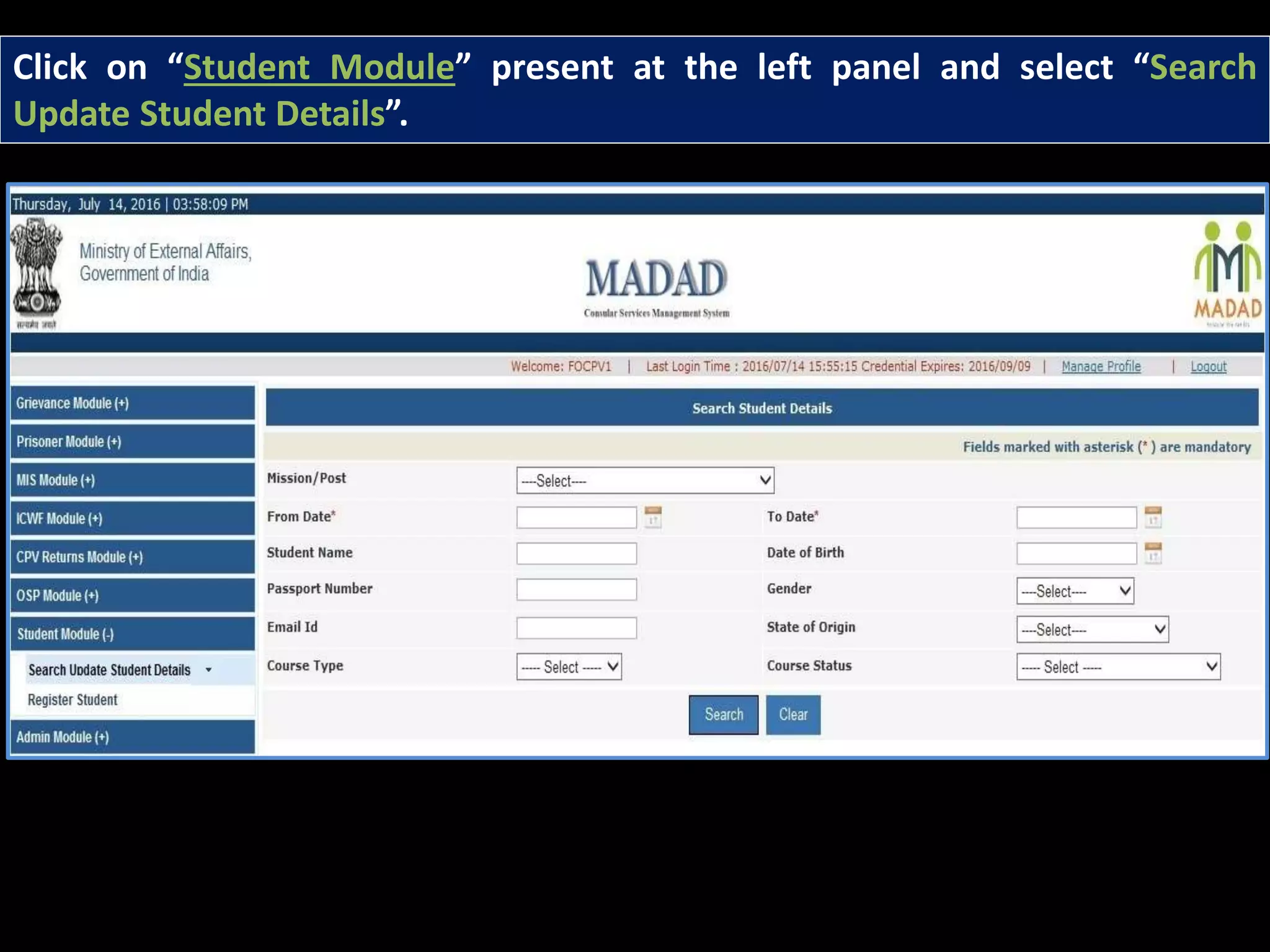
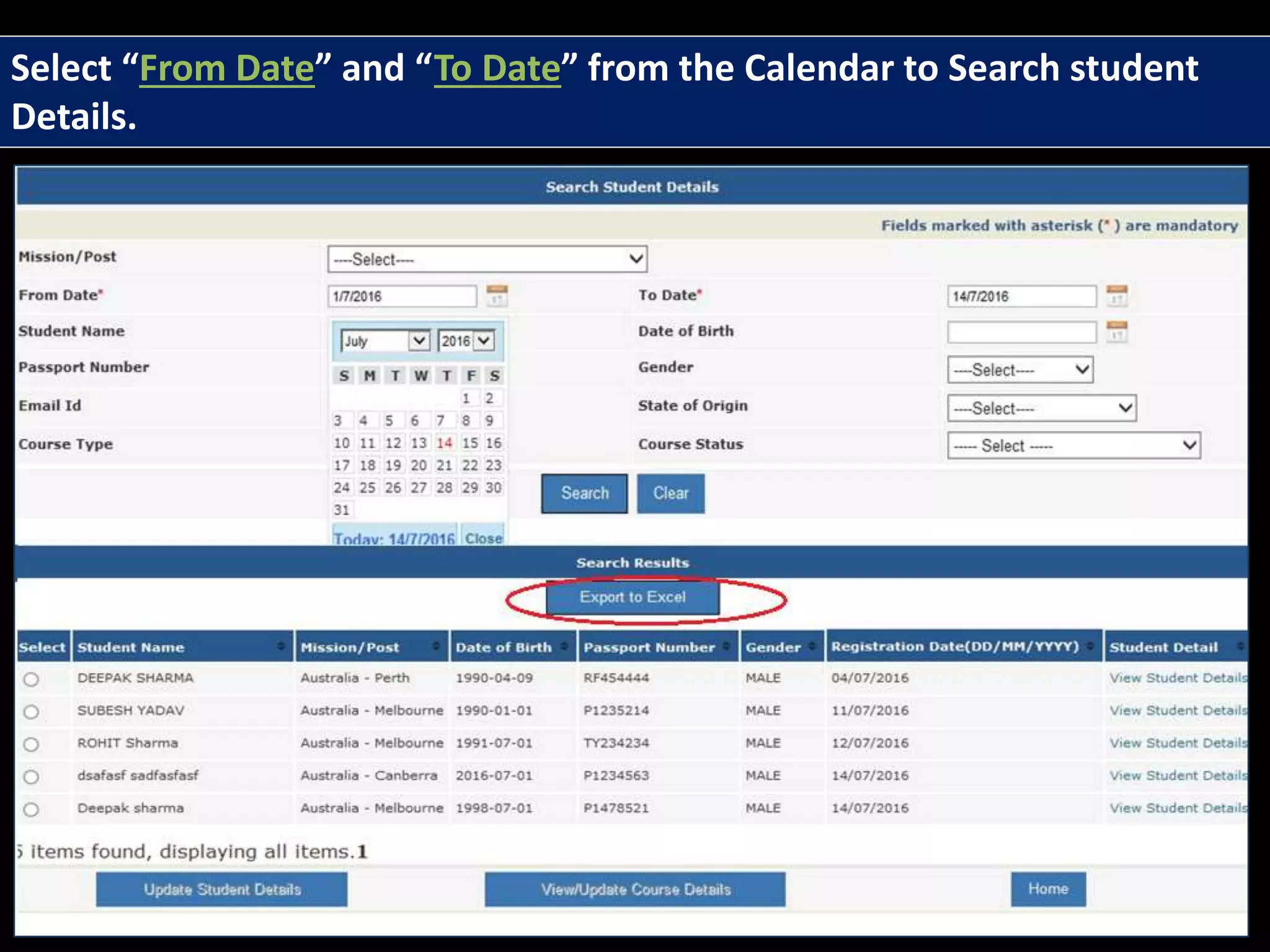
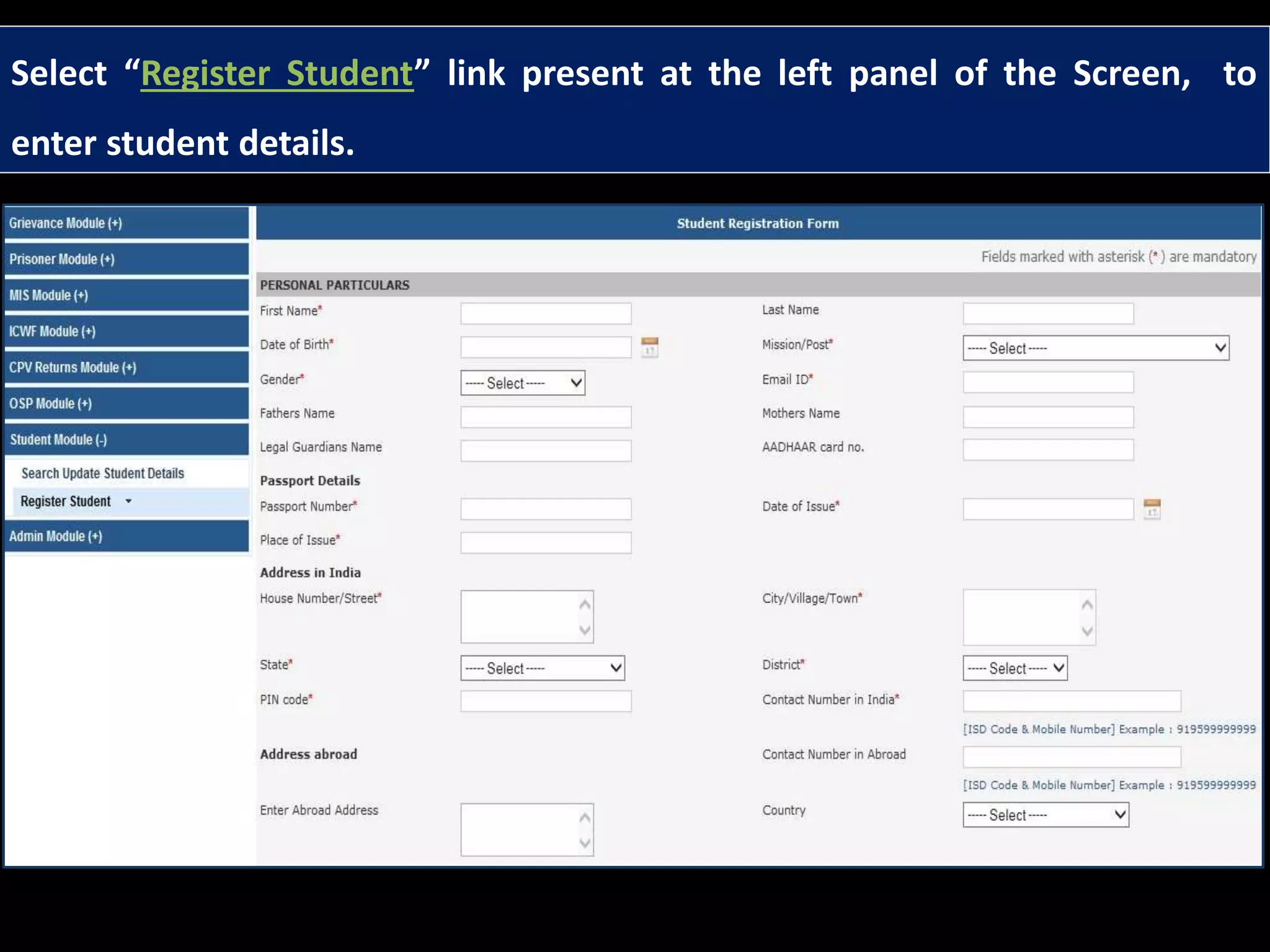
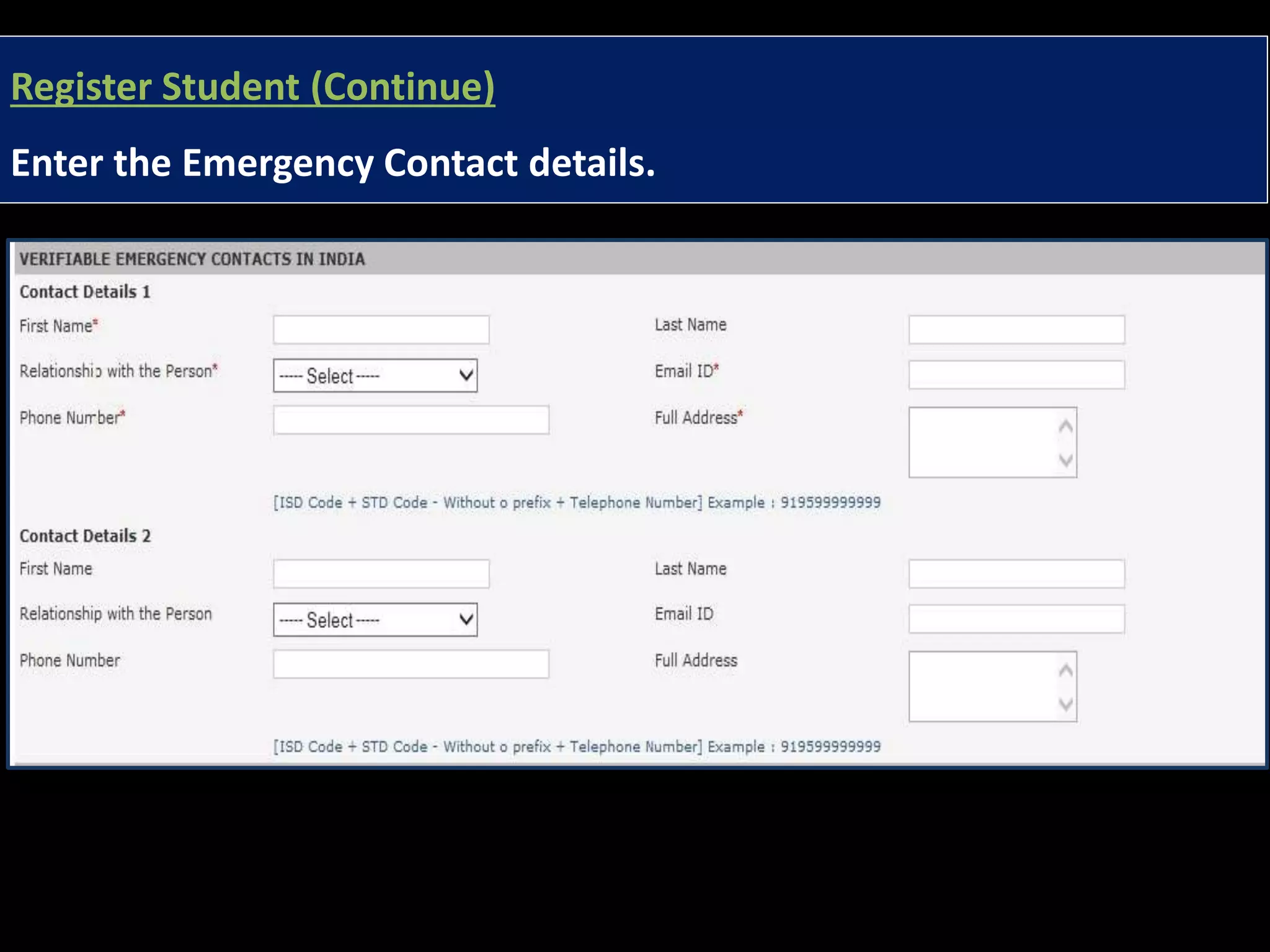
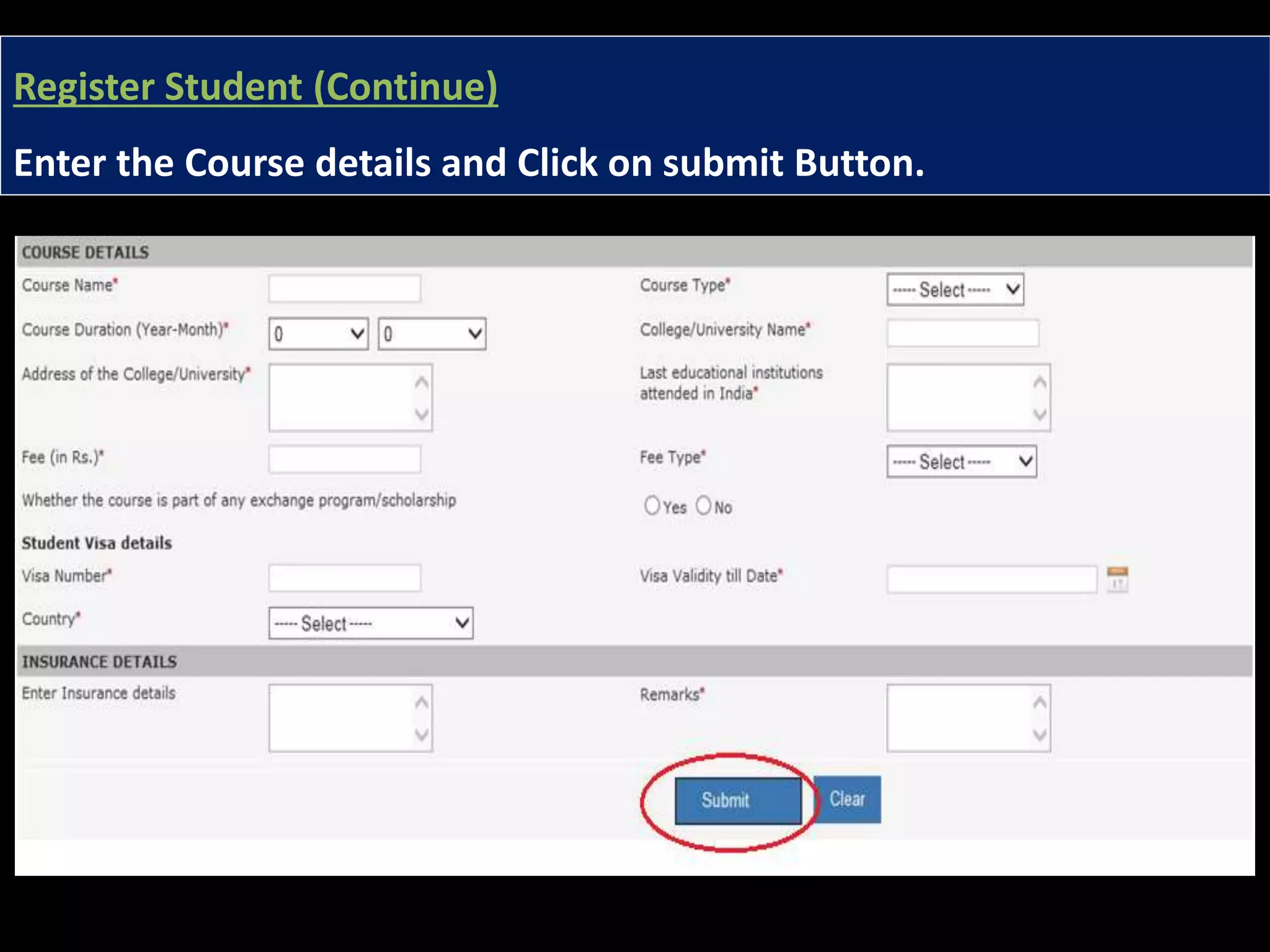

The document provides instructions for Madad users on how to view and update student course and contact details. Users need to access the 'student module,' search for student details by selecting date ranges, and enter required information using the 'register student' link. It concludes with a prompt to submit the entered student information.


