Angular Global Summit 2023
High ROI Testing in
Angular
@chrislydemann
christianlydemann.com
@chrislydemann
christianlydemann.com
What we’re going to cover
● My testing story
● Introduction: The high ROI testing strategy
● Cypress component testing
● Best practices
● Demo: Testing the CRUD use cases in a todo app
@chrislydemann
christianlydemann.com
Hands Up
- Type in the chat:
- Who here loves to write test?
- Who here spend a lot of time on
testing and wish it was easier?
@chrislydemann
christianlydemann.com
Christian Lüdemann
Angular consultant, speaker, trainer, blogger…
From Denmark 🇩🇰
Blog: https://christianlydemann.com
Github: https://github.com/lydemann
Twitter: @chrislydemann
Angular Blog
Check out my blog for practical Angular knowledge:
https://christianlydemann.com/blog
✅ New content every week
✅ Only practical and applicable knowledge
✅ Join more than 50.000+ monthly visitors
@chrislydemann
christianlydemann.com
Angular Architect Accelerator
✅ 8-weeks online Angular architecture
course
✅ Teaches you everything you need to
know to work as a high end Angular
architect
✅ End result: Get promoted, get remote
job or become a highly paid freelancer
with the course
Join the free warmup workshop before
next cohort:
christianlydemann.com/accelerator
@chrislydemann
christianlydemann.com
The Background For This Talk
● A lot of Angular devs are experiencing testing problems
● Either they are spending a lot of time on testing with little
value in return or omitting writing tests all together
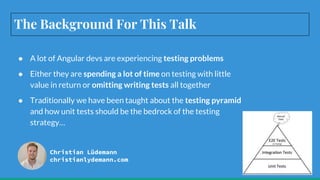
● Traditionally we have been taught about the testing pyramid
and how unit tests should be the bedrock of the testing
strategy…
Christian Lüdemann
christianlydemann.com
Lessons Learned
From 10.000 Unit
Tests In A Project
● While building a big platform for
banking apps a team of 50+
developers managed to write
10.000 to cover everything
● The unit tests provided very
little confidence in use cases
actually working thus still had to
overly rely on manual testing
● We found errors are usually
found in the integration points
so we had to change the
strategy…
Going Towards
Integration Tests
● Made famous in the React world,
“Write tests, not too many, mostly
integration” seemed like a solution to
our problem
● At that time, our best tool was Jest and
render the full route of a component
with all dependencies
○ Problematic with async timing
and JSDOM
○ Still gave more confidence
with less effort
● Now we have Cypress component tests
that overcome these problems
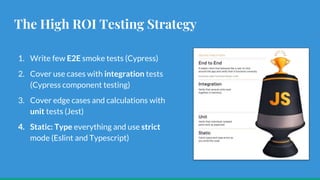
The High ROI Testing Strategy
1. Write few E2E smoke tests (Cypress)
2. Cover use cases with integration tests
(Cypress component testing)
3. Cover edge cases and calculations with
unit tests (Jest)
4. Static: Type everything and use strict
mode (Eslint and Typescript)
Getting Started With
Cypress Component
Testing
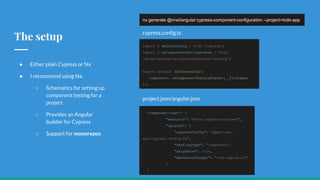
The setup
● Either plain Cypress or Nx
● I recommend using Nx:
○ Schematics for setting up
component testing for a
project
○ Provides an Angular
builder for Cypress
○ Support for monorepos
nx generate @nrwl/angular:cypress-component-configuration --project=todo-app
import { defineConfig } from 'cypress';
import { nxComponentTestingPreset } from
'@nrwl/angular/plugins/component-testing';
export default defineConfig({
component: nxComponentTestingPreset(__filename)
});
"component-test": {
"executor": "@nrwl/cypress:cypress",
"options": {
"cypressConfig": "apps/todo-
app/cypress.config.ts",
"testingType": "component",
"skipServe": true,
"devServerTarget": "todo-app:build"
}
}
project.json/angular.json
cypress.config.ts
The Ideal Way To
Write Integration
Tests
@chrislydemann
christianlydemann.com
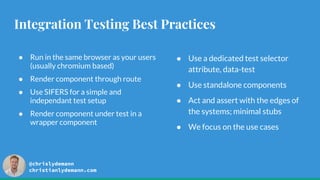
Integration Testing Best Practices
● Run in the same browser as your users
(usually chromium based)
● Render component through route
● Use SIFERS for a simple and
independant test setup
● Render component under test in a
wrapper component
● Use a dedicated test selector
attribute, data-test
● Use standalone components
● Act and assert with the edges of
the systems; minimal stubs
● We focus on the use cases
@chrislydemann
christianlydemann.com
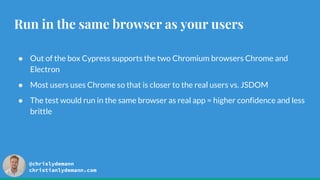
Run in the same browser as your users
● Out of the box Cypress supports the two Chromium browsers Chrome and
Electron
● Most users uses Chrome so that is closer to the real users vs. JSDOM
● The test would run in the same browser as real app = higher confidence and less
brittle
@chrislydemann
christianlydemann.com
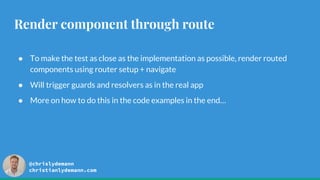
Render component through route
● To make the test as close as the implementation as possible, render routed
components using router setup + navigate
● Will trigger guards and resolvers as in the real app
● More on how to do this in the code examples in the end…
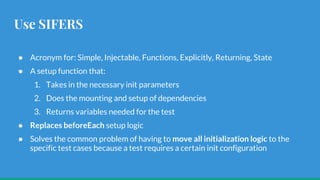
Use SIFERS
● Acronym for: Simple, Injectable, Functions, Explicitly, Returning, State
● A setup function that:
1. Takes in the necessary init parameters
2. Does the mounting and setup of dependencies
3. Returns variables needed for the test
● Replaces beforeEach setup logic
● Solves the common problem of having to move all initialization logic to the
specific test cases because a test requires a certain init configuration
Use SIFERS
const setup = (initTodoItems: TodoItem[] = []) => {
return mount(WrapperComponent, {
imports: [
RouterTestingModule.withRoutes([...appRoutes]),
AppModule,
TranslateModule.forRoot({
loader: {
provide: TranslateLoader,
useClass: CustomLoader,
},
}),
],
}).then(
async ({
fixture: {
debugElement: { injector },
},
}) => {
const ngZone = injector.get(NgZone);
const router = injector.get(Router);
const todoListResourceService = injector.get(TodoListResourcesService);
// or mock service worker
todoListResourceService.getTodos = () => {
return of(initTodoItems);
};
await ngZone.run(() => router.navigate(['']));
return {
ngZone,
router,
injector,
};
},
);
};
Use a wrapper component
● Rendering a wrapper component can
both contain router-outlet for routed
component
● Configure dependencies before the
component under test is loaded
@Component({
selector: 'app-wrapper-component',
template: '<router-outlet></router-outlet>',
})
class WrapperComponent {
constructor(translateService: TranslateService) {
(window as any).config = config;
translateService.addLangs(['en']);
translateService.setDefaultLang('en');
}
}
Use a dedicated test selector attribute
● Use a dedicated test attribute for
selecting elements in a test, eg.
data-test=”save-button”
● Makes it clear the element is used in
a test and the selector doesn’t
change for other reasons eg. id and
class
<input type="text" required name="todo-title"
[(ngModel)]="currentTodo.title"
class="form-control" data-test="todo-title"
/>
Use standalone
components
● Since Angular 14 components
can now import all needed
dependencies
● Mounting a component will
automatically contain all needed
dependencies
● No more need for NgModules
@Component({
selector: 'app-todo-list',
templateUrl: './todo-
list.component.html',
standalone: true,
imports: [SharedModule,
DuedateTodayCountPipe],
})
export class TodoListComponent { }
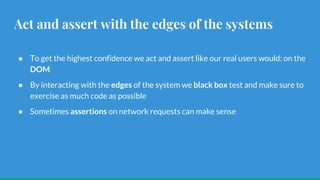
Act and assert with the edges of the systems
● To get the highest confidence we act and assert like our real users would: on the
DOM
● By interacting with the edges of the system we black box test and make sure to
exercise as much code as possible
● Sometimes assertions on network requests can make sense
@chrislydemann
christianlydemann.com
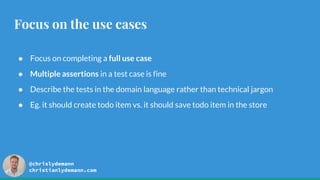
Focus on the use cases
● Focus on completing a full use case
● Multiple assertions in a test case is fine
● Describe the tests in the domain language rather than technical jargon
● Eg. it should create todo item vs. it should save todo item in the store
Let’s write tests for a
todo app…
@chrislydemann
christianlydemann.com
Creating SIFERS
setup
1. Input is todo items
2. Importing
RouterTestingModule and
AppModule
3. Setting mock responses
4. Triggering navigation
5. Returning dependencies needed
in test cases
const setup = (initTodoItems: TodoItem[] = []) => {
return mount(WrapperComponent, {
imports: [
RouterTestingModule.withRoutes([...appRoutes]),
AppModule,
TranslateModule.forRoot({
loader: {
provide: TranslateLoader,
useClass: CustomLoader,
},
}),
],
}).then(
async ({
fixture: {
debugElement: { injector },
},
}) => {
const ngZone = injector.get(NgZone);
const router = injector.get(Router);
const todoListResourceService = injector.get(TodoListResourcesService);
// or mock service worker
todoListResourceService.getTodos = () => {
return of(initTodoItems);
};
await ngZone.run(() => router.navigate(['']));
return {
ngZone,
router,
injector,
};
},
);
};
Create todo item
it('should create todo item', () => {
setup().then(({}) => {
const title = 'Some title';
cy.get('[data-test=todo-title]').type(title);
const description = 'Some description';
cy.get('[data-test=todo-description]').type(description);
const dueDate = new Date().toLocaleDateString('en-US');
cy.get('[data-test=todo-duedate]').type(dueDate);
cy.get('[data-test=create-todo-submit]').click();
cy.get('[data-test=todo-item]').shadow().contains(title);
cy.get('[data-test=todo-item]').shadow().contains(description);
const formattedDueDate = formatDate(dueDate, 'shortDate', 'en-US');
cy.get('[data-test=todo-item]').shadow().contains(formattedDueDate);
});
});
@chrislydemann
christianlydemann.com
Show todo item
it('should show todo item', () => {
const title = 'Item to show';
const description = 'This item should be shown';
const dueDate = new Date().toLocaleDateString('en-US');
setup([
{
id: '1',
title,
description,
dueDate,
} as TodoItem,
]).then(({}) => {
cy.get('[data-test=todo-item]').shadow().contains(title);
cy.get('[data-test=todo-item]').shadow().contains(description);
const formattedDueDate = formatDate(dueDate, 'shortDate', 'en-US');
cy.get('[data-test=todo-item]').shadow().contains(formattedDueDate);
});
});
@chrislydemann
christianlydemann.com
Update todo item
it('should update todo item', () => {
const title = 'Item to edited';
const description = 'This item should be edited';
const dueDate = new Date().toLocaleDateString('en-US');
setup([
{
id: '1',
title,
description,
dueDate,
} as TodoItem,
]).then(({}) => {
cy.get('[data-test=todo-item]')
.shadow()
.get('[data-test="edit-button"]')
.click();
const updatedTitle = 'Edited title';
cy.get('[data-test=todo-title]').clear().type(updatedTitle);
const updatedDescription = 'Edited description';
cy.get('[data-test=todo-description]').clear().type(updatedDescription);
const currentDate = new Date();
const updatedDueDate = new Date(
currentDate.setDate(currentDate.getDate() + 1),
).toLocaleDateString('en-US');
cy.get('[data-test=todo-duedate]').clear().type(updatedDueDate);
cy.get('[data-test=create-todo-submit]').click();
// Assert is updated
});
});
@chrislydemann
christianlydemann.com
Delete todo item
it('should delete todo item', () => {
const title = 'Item to delete';
const description = 'This item should be deleted';
setup([
{
title,
description,
} as TodoItem,
]).then(({}) => {
cy.get('[data-test=todo-item]').shadow().contains(title);
cy.get('[data-test=todo-
item]').shadow().contains(description);
cy.get('[data-test=todo-item]')
.shadow()
.get('[data-test="delete-button"]')
.click();
cy.get('[data-test=todo-item]').should('not.exist');
});
});
@chrislydemann
christianlydemann.com
Wrapping up
🎯 Focus on integration tests - Cypress Component test is a great tool for this
✅ Follow the best practices
😎 Start enjoying less time writing tests and higher confidence in them
Thanks for watching!
Slides will be shared on my Twitter: @chrislydemann
Questions?
@chrislydemann
christianlydemann.com

High ROI Testing in Angular.pptx

  • 1.
    Angular Global Summit2023 High ROI Testing in Angular @chrislydemann christianlydemann.com
  • 2.
    @chrislydemann christianlydemann.com What we’re goingto cover ● My testing story ● Introduction: The high ROI testing strategy ● Cypress component testing ● Best practices ● Demo: Testing the CRUD use cases in a todo app
  • 3.
    @chrislydemann christianlydemann.com Hands Up - Typein the chat: - Who here loves to write test? - Who here spend a lot of time on testing and wish it was easier?
  • 4.
    @chrislydemann christianlydemann.com Christian Lüdemann Angular consultant,speaker, trainer, blogger… From Denmark 🇩🇰 Blog: https://christianlydemann.com Github: https://github.com/lydemann Twitter: @chrislydemann
  • 5.
    Angular Blog Check outmy blog for practical Angular knowledge: https://christianlydemann.com/blog ✅ New content every week ✅ Only practical and applicable knowledge ✅ Join more than 50.000+ monthly visitors @chrislydemann christianlydemann.com
  • 6.
    Angular Architect Accelerator ✅8-weeks online Angular architecture course ✅ Teaches you everything you need to know to work as a high end Angular architect ✅ End result: Get promoted, get remote job or become a highly paid freelancer with the course Join the free warmup workshop before next cohort: christianlydemann.com/accelerator @chrislydemann christianlydemann.com
  • 7.
    The Background ForThis Talk ● A lot of Angular devs are experiencing testing problems ● Either they are spending a lot of time on testing with little value in return or omitting writing tests all together ● Traditionally we have been taught about the testing pyramid and how unit tests should be the bedrock of the testing strategy… Christian Lüdemann christianlydemann.com
  • 8.
    Lessons Learned From 10.000Unit Tests In A Project ● While building a big platform for banking apps a team of 50+ developers managed to write 10.000 to cover everything ● The unit tests provided very little confidence in use cases actually working thus still had to overly rely on manual testing ● We found errors are usually found in the integration points so we had to change the strategy…
  • 9.
    Going Towards Integration Tests ●Made famous in the React world, “Write tests, not too many, mostly integration” seemed like a solution to our problem ● At that time, our best tool was Jest and render the full route of a component with all dependencies ○ Problematic with async timing and JSDOM ○ Still gave more confidence with less effort ● Now we have Cypress component tests that overcome these problems
  • 10.
    The High ROITesting Strategy 1. Write few E2E smoke tests (Cypress) 2. Cover use cases with integration tests (Cypress component testing) 3. Cover edge cases and calculations with unit tests (Jest) 4. Static: Type everything and use strict mode (Eslint and Typescript)
  • 11.
  • 12.
    The setup ● Eitherplain Cypress or Nx ● I recommend using Nx: ○ Schematics for setting up component testing for a project ○ Provides an Angular builder for Cypress ○ Support for monorepos nx generate @nrwl/angular:cypress-component-configuration --project=todo-app import { defineConfig } from 'cypress'; import { nxComponentTestingPreset } from '@nrwl/angular/plugins/component-testing'; export default defineConfig({ component: nxComponentTestingPreset(__filename) }); "component-test": { "executor": "@nrwl/cypress:cypress", "options": { "cypressConfig": "apps/todo- app/cypress.config.ts", "testingType": "component", "skipServe": true, "devServerTarget": "todo-app:build" } } project.json/angular.json cypress.config.ts
  • 13.
    The Ideal WayTo Write Integration Tests
  • 14.
    @chrislydemann christianlydemann.com Integration Testing BestPractices ● Run in the same browser as your users (usually chromium based) ● Render component through route ● Use SIFERS for a simple and independant test setup ● Render component under test in a wrapper component ● Use a dedicated test selector attribute, data-test ● Use standalone components ● Act and assert with the edges of the systems; minimal stubs ● We focus on the use cases
  • 15.
    @chrislydemann christianlydemann.com Run in thesame browser as your users ● Out of the box Cypress supports the two Chromium browsers Chrome and Electron ● Most users uses Chrome so that is closer to the real users vs. JSDOM ● The test would run in the same browser as real app = higher confidence and less brittle
  • 16.
    @chrislydemann christianlydemann.com Render component throughroute ● To make the test as close as the implementation as possible, render routed components using router setup + navigate ● Will trigger guards and resolvers as in the real app ● More on how to do this in the code examples in the end…
  • 17.
    Use SIFERS ● Acronymfor: Simple, Injectable, Functions, Explicitly, Returning, State ● A setup function that: 1. Takes in the necessary init parameters 2. Does the mounting and setup of dependencies 3. Returns variables needed for the test ● Replaces beforeEach setup logic ● Solves the common problem of having to move all initialization logic to the specific test cases because a test requires a certain init configuration
  • 18.
    Use SIFERS const setup= (initTodoItems: TodoItem[] = []) => { return mount(WrapperComponent, { imports: [ RouterTestingModule.withRoutes([...appRoutes]), AppModule, TranslateModule.forRoot({ loader: { provide: TranslateLoader, useClass: CustomLoader, }, }), ], }).then( async ({ fixture: { debugElement: { injector }, }, }) => { const ngZone = injector.get(NgZone); const router = injector.get(Router); const todoListResourceService = injector.get(TodoListResourcesService); // or mock service worker todoListResourceService.getTodos = () => { return of(initTodoItems); }; await ngZone.run(() => router.navigate([''])); return { ngZone, router, injector, }; }, ); };
  • 19.
    Use a wrappercomponent ● Rendering a wrapper component can both contain router-outlet for routed component ● Configure dependencies before the component under test is loaded @Component({ selector: 'app-wrapper-component', template: '<router-outlet></router-outlet>', }) class WrapperComponent { constructor(translateService: TranslateService) { (window as any).config = config; translateService.addLangs(['en']); translateService.setDefaultLang('en'); } }
  • 20.
    Use a dedicatedtest selector attribute ● Use a dedicated test attribute for selecting elements in a test, eg. data-test=”save-button” ● Makes it clear the element is used in a test and the selector doesn’t change for other reasons eg. id and class <input type="text" required name="todo-title" [(ngModel)]="currentTodo.title" class="form-control" data-test="todo-title" />
  • 21.
    Use standalone components ● SinceAngular 14 components can now import all needed dependencies ● Mounting a component will automatically contain all needed dependencies ● No more need for NgModules @Component({ selector: 'app-todo-list', templateUrl: './todo- list.component.html', standalone: true, imports: [SharedModule, DuedateTodayCountPipe], }) export class TodoListComponent { }
  • 22.
    Act and assertwith the edges of the systems ● To get the highest confidence we act and assert like our real users would: on the DOM ● By interacting with the edges of the system we black box test and make sure to exercise as much code as possible ● Sometimes assertions on network requests can make sense
  • 23.
    @chrislydemann christianlydemann.com Focus on theuse cases ● Focus on completing a full use case ● Multiple assertions in a test case is fine ● Describe the tests in the domain language rather than technical jargon ● Eg. it should create todo item vs. it should save todo item in the store
  • 24.
    Let’s write testsfor a todo app…
  • 25.
    @chrislydemann christianlydemann.com Creating SIFERS setup 1. Inputis todo items 2. Importing RouterTestingModule and AppModule 3. Setting mock responses 4. Triggering navigation 5. Returning dependencies needed in test cases const setup = (initTodoItems: TodoItem[] = []) => { return mount(WrapperComponent, { imports: [ RouterTestingModule.withRoutes([...appRoutes]), AppModule, TranslateModule.forRoot({ loader: { provide: TranslateLoader, useClass: CustomLoader, }, }), ], }).then( async ({ fixture: { debugElement: { injector }, }, }) => { const ngZone = injector.get(NgZone); const router = injector.get(Router); const todoListResourceService = injector.get(TodoListResourcesService); // or mock service worker todoListResourceService.getTodos = () => { return of(initTodoItems); }; await ngZone.run(() => router.navigate([''])); return { ngZone, router, injector, }; }, ); };
  • 26.
    Create todo item it('shouldcreate todo item', () => { setup().then(({}) => { const title = 'Some title'; cy.get('[data-test=todo-title]').type(title); const description = 'Some description'; cy.get('[data-test=todo-description]').type(description); const dueDate = new Date().toLocaleDateString('en-US'); cy.get('[data-test=todo-duedate]').type(dueDate); cy.get('[data-test=create-todo-submit]').click(); cy.get('[data-test=todo-item]').shadow().contains(title); cy.get('[data-test=todo-item]').shadow().contains(description); const formattedDueDate = formatDate(dueDate, 'shortDate', 'en-US'); cy.get('[data-test=todo-item]').shadow().contains(formattedDueDate); }); });
  • 27.
    @chrislydemann christianlydemann.com Show todo item it('shouldshow todo item', () => { const title = 'Item to show'; const description = 'This item should be shown'; const dueDate = new Date().toLocaleDateString('en-US'); setup([ { id: '1', title, description, dueDate, } as TodoItem, ]).then(({}) => { cy.get('[data-test=todo-item]').shadow().contains(title); cy.get('[data-test=todo-item]').shadow().contains(description); const formattedDueDate = formatDate(dueDate, 'shortDate', 'en-US'); cy.get('[data-test=todo-item]').shadow().contains(formattedDueDate); }); });
  • 28.
    @chrislydemann christianlydemann.com Update todo item it('shouldupdate todo item', () => { const title = 'Item to edited'; const description = 'This item should be edited'; const dueDate = new Date().toLocaleDateString('en-US'); setup([ { id: '1', title, description, dueDate, } as TodoItem, ]).then(({}) => { cy.get('[data-test=todo-item]') .shadow() .get('[data-test="edit-button"]') .click(); const updatedTitle = 'Edited title'; cy.get('[data-test=todo-title]').clear().type(updatedTitle); const updatedDescription = 'Edited description'; cy.get('[data-test=todo-description]').clear().type(updatedDescription); const currentDate = new Date(); const updatedDueDate = new Date( currentDate.setDate(currentDate.getDate() + 1), ).toLocaleDateString('en-US'); cy.get('[data-test=todo-duedate]').clear().type(updatedDueDate); cy.get('[data-test=create-todo-submit]').click(); // Assert is updated }); });
  • 29.
    @chrislydemann christianlydemann.com Delete todo item it('shoulddelete todo item', () => { const title = 'Item to delete'; const description = 'This item should be deleted'; setup([ { title, description, } as TodoItem, ]).then(({}) => { cy.get('[data-test=todo-item]').shadow().contains(title); cy.get('[data-test=todo- item]').shadow().contains(description); cy.get('[data-test=todo-item]') .shadow() .get('[data-test="delete-button"]') .click(); cy.get('[data-test=todo-item]').should('not.exist'); }); });
  • 31.
    @chrislydemann christianlydemann.com Wrapping up 🎯 Focuson integration tests - Cypress Component test is a great tool for this ✅ Follow the best practices 😎 Start enjoying less time writing tests and higher confidence in them
  • 32.
    Thanks for watching! Slideswill be shared on my Twitter: @chrislydemann Questions? @chrislydemann christianlydemann.com