from m:g H e l l o   W o r l d !
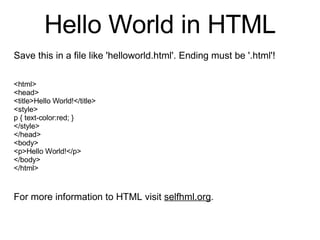
Hello World in HTML Save this in a file like 'helloworld.html'. Ending must be '.html'! <html> <head> <title>Hello World!</title> <style> p { text-color:red; } </style> </head> <body> <p>Hello World!</p> </body> </html> For more information to HTML visit  selfhml.org .
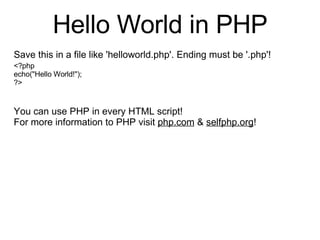
Hello World in PHP Save this in a file like 'helloworld.php'. Ending must be '.php'!   <?php echo(&quot;Hello World!&quot;); ?> You can use PHP in every HTML script!  For more information to PHP visit  php.com  &  selfphp.org !
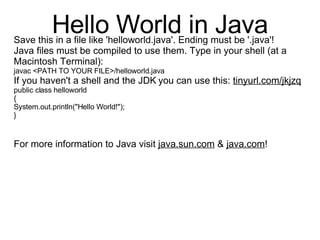
Hello World in Java Save this in a file like 'helloworld.java'. Ending must be '.java'! Java files must be compiled to use them. Type in your shell (at a Macintosh Terminal): javac <PATH TO YOUR FILE>/helloworld.java If you haven't a shell and the JDK   you can use this:  tinyurl.com/jkjzq public class helloworld { System.out.println(&quot;Hello World!&quot;); } For more information to Java visit  java.sun.com  &  java.com !
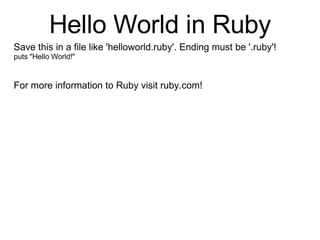
Hello World in Ruby Save this in a file like 'helloworld.ruby'. Ending must be '.ruby'! puts &quot;Hello World!&quot; For more information to Ruby visit ruby.com!

Hello World!

  • 1.
    from m:g He l l o W o r l d !
  • 2.
    Hello World inHTML Save this in a file like 'helloworld.html'. Ending must be '.html'! <html> <head> <title>Hello World!</title> <style> p { text-color:red; } </style> </head> <body> <p>Hello World!</p> </body> </html> For more information to HTML visit selfhml.org .
  • 3.
    Hello World inPHP Save this in a file like 'helloworld.php'. Ending must be '.php'! <?php echo(&quot;Hello World!&quot;); ?> You can use PHP in every HTML script! For more information to PHP visit php.com & selfphp.org !
  • 4.
    Hello World inJava Save this in a file like 'helloworld.java'. Ending must be '.java'! Java files must be compiled to use them. Type in your shell (at a Macintosh Terminal): javac <PATH TO YOUR FILE>/helloworld.java If you haven't a shell and the JDK you can use this: tinyurl.com/jkjzq public class helloworld { System.out.println(&quot;Hello World!&quot;); } For more information to Java visit java.sun.com & java.com !
  • 5.
    Hello World inRuby Save this in a file like 'helloworld.ruby'. Ending must be '.ruby'! puts &quot;Hello World!&quot; For more information to Ruby visit ruby.com!