1Run Database Services – Database Health Check
GRY
Database Health Check Automation
Run Database Services
Josh Collins
2Run Database Services – Database Health Check
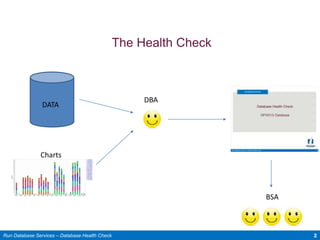
The Health Check
BSA
DATA
Charts
DBA
3Run Database Services – Database Health Check
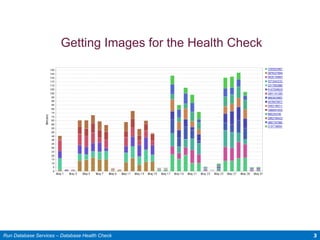
Getting Images for the Health Check
Performance charts are images from DPA
4Run Database Services – Database Health Check
• Ruby is an object oriented scripting language
• Ruby mimics user input and is very good at repetitive tasks such as
gathering data and forming a PowerPoint
• Ruby easy to use and very intuitive to programmers
Why Ruby
5Run Database Services – Database Health Check
• Eliminates hours of manual effort
• Allows the team to create more presentations with less effort
Why It Matters
6Run Database Services – Database Health Check
• 18 images for 1 health check ~ 17 minutes
• For 30 databases it would take a user an estimated 8.5 hours
• To get all of the images for the same 30 databases, it took the program 36
minutes.
Cost savings: $11,303 per year
Traction
7Run Database Services – Database Health Check
A Quick Demo

Health check automation

  • 1.
    1Run Database Services– Database Health Check GRY Database Health Check Automation Run Database Services Josh Collins
  • 2.
    2Run Database Services– Database Health Check The Health Check BSA DATA Charts DBA
  • 3.
    3Run Database Services– Database Health Check Getting Images for the Health Check Performance charts are images from DPA
  • 4.
    4Run Database Services– Database Health Check • Ruby is an object oriented scripting language • Ruby mimics user input and is very good at repetitive tasks such as gathering data and forming a PowerPoint • Ruby easy to use and very intuitive to programmers Why Ruby
  • 5.
    5Run Database Services– Database Health Check • Eliminates hours of manual effort • Allows the team to create more presentations with less effort Why It Matters
  • 6.
    6Run Database Services– Database Health Check • 18 images for 1 health check ~ 17 minutes • For 30 databases it would take a user an estimated 8.5 hours • To get all of the images for the same 30 databases, it took the program 36 minutes. Cost savings: $11,303 per year Traction
  • 7.
    7Run Database Services– Database Health Check A Quick Demo

Editor's Notes

  • #2 Hello, My name is Josh Collins and I am an intern here at Nationwide in the NF rapid response team in run distributed database services. Today I will be sharing with you a piece of what I have accomplished this summer, automating the database health check, which is a tool that the NF App. DBAs use to communicate the health of a database to the BSAs they support.
  • #3 Memory, number of CPUs, Number of nodes, Operating system Performance over the past year Performance metrics compared to other Nationwide databases Capacity trends Possible enhancements based on comparison to other Nationwide databases Hundreds of other data points
  • #4 Firefox will open and Ruby will take over the keyboard Ruby will navigate to Solarwinds Database Performance Analyzer (formerly Ignite) and enter the correct username and passwords Ruby will then navigate to and save the images as the correct name for the Excel macro to recognize them later on
  • #7 To gather the Images for 1 heath check on a RAC 1 node database it requires a user to manually save and name 18 images The typical amount of time it takes a user is around 17 minutes For the 30 databases that we have committed to presenting a health check for this year(each with 1-3 nodes) it would take a user an estimated 8.5 hours to grab all of the images. To get all of the images for the same 30 databases, it took the program 36 minutes. Cost savings: $11,303 per year Running 201 reports quarterly vs. 30 annually