Maven - more than a build tool  Using Maven for automated configuration management and deployment Harald Søvik Sr. Knowledge Engineer, Computas AS
Agenda  Goal and objectives Infrastructure Configure the AS Deploy to AS Manage AS lifecycle Drawbacks Future
Pragma: “ The software” is  code and build code checked out from your VCS  that can be assembled  in a repeatable manner and deployed to an application server
Strategical goal: Automate manual, labourous tasks to reduce time spent on non-productive work in a software development project. Tactical goal: Automate configuration management of a system installation on a remote or local host. Automate deployment of any version of the software to a defined envionment. Automate the life cycle of application servers
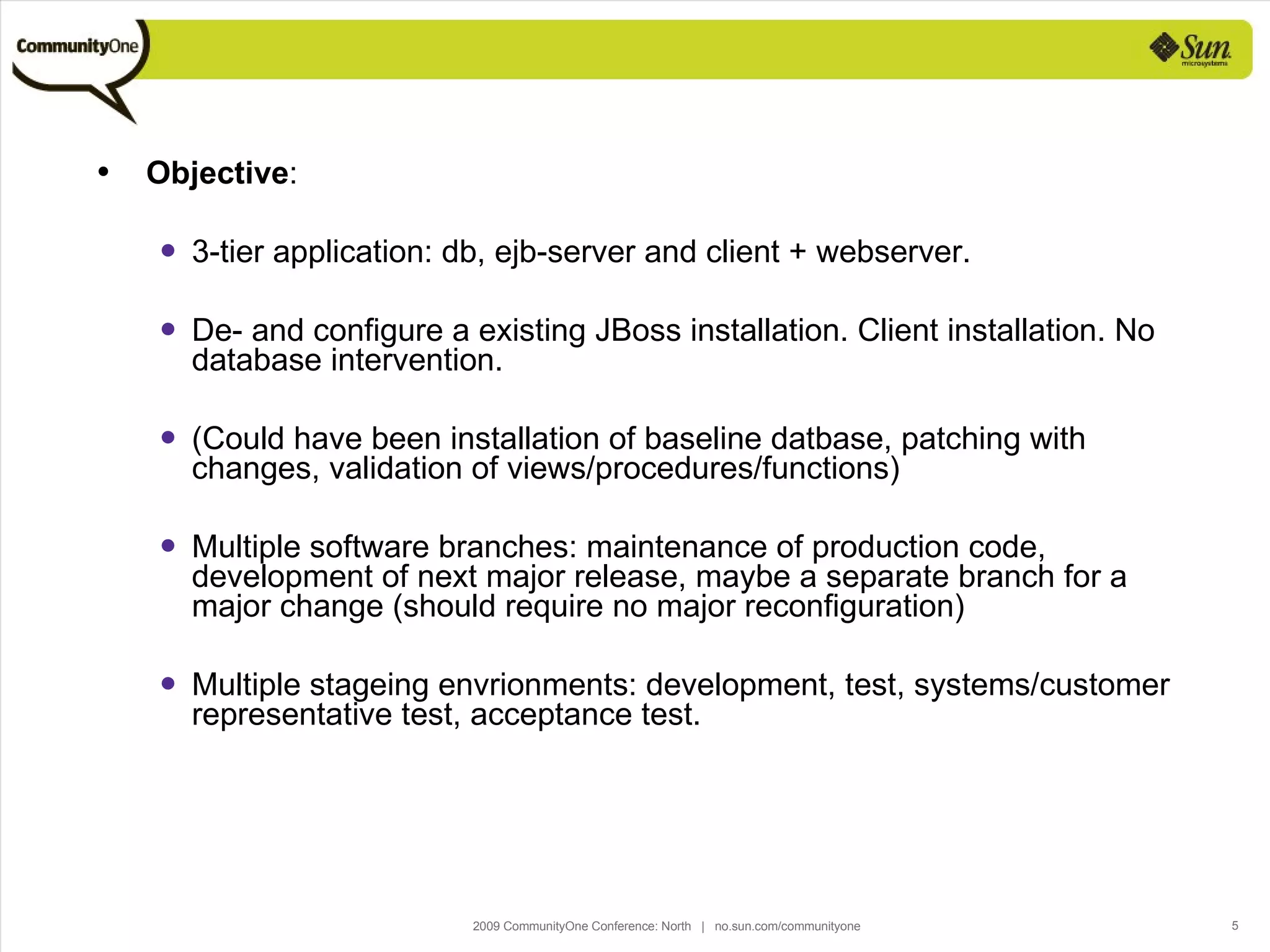
Objective : 3-tier application: db, ejb-server and client + webserver.  De- and configure a existing JBoss installation. Client installation. No database intervention.  (Could have been installation of baseline datbase, patching with changes, validation of views/procedures/functions) Multiple software branches: maintenance of production code, development of next major release, maybe a separate branch for a major change (should require no major reconfiguration) Multiple stageing envrionments: development, test, systems/customer representative test, acceptance test.
Agenda  Goal and objectives Infrastructure Configure the AS Deploy to AS Manage AS lifecycle Drawbacks Future
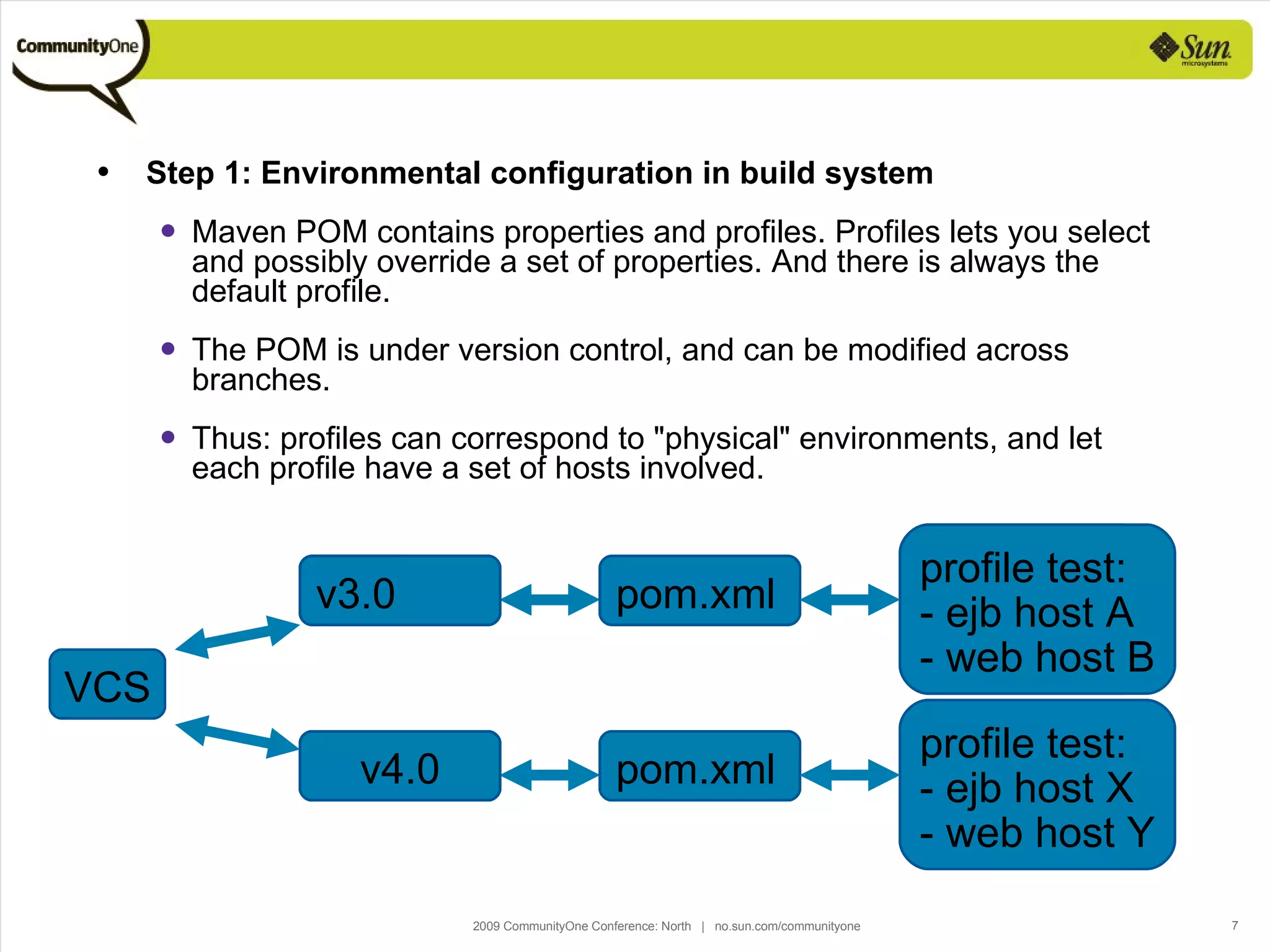
Step 1: Environmental configuration in build system Maven POM contains properties and profiles. Profiles lets you select and possibly override a set of properties. And there is always the default profile. The POM is under version control, and can be modified across branches. Thus: profiles can correspond to "physical" environments, and let each profile have a set of hosts involved. VCS VCS VCS Branch A pom.xml Branch A profile test: - host a - host b VCS VCS Branch A pom.xml Branch A VCS VCS Branch A pom.xml Branch A profile test: - ejb host A - web host B VCS VCS Branch A pom.xml v3.0 VCS VCS Branch A pom.xml Branch A profile test: - host a - host b VCS VCS Branch A pom.xml Branch A VCS VCS Branch A pom.xml Branch A profile test: - ejb host X - web host Y VCS VCS Branch A pom.xml v4.0
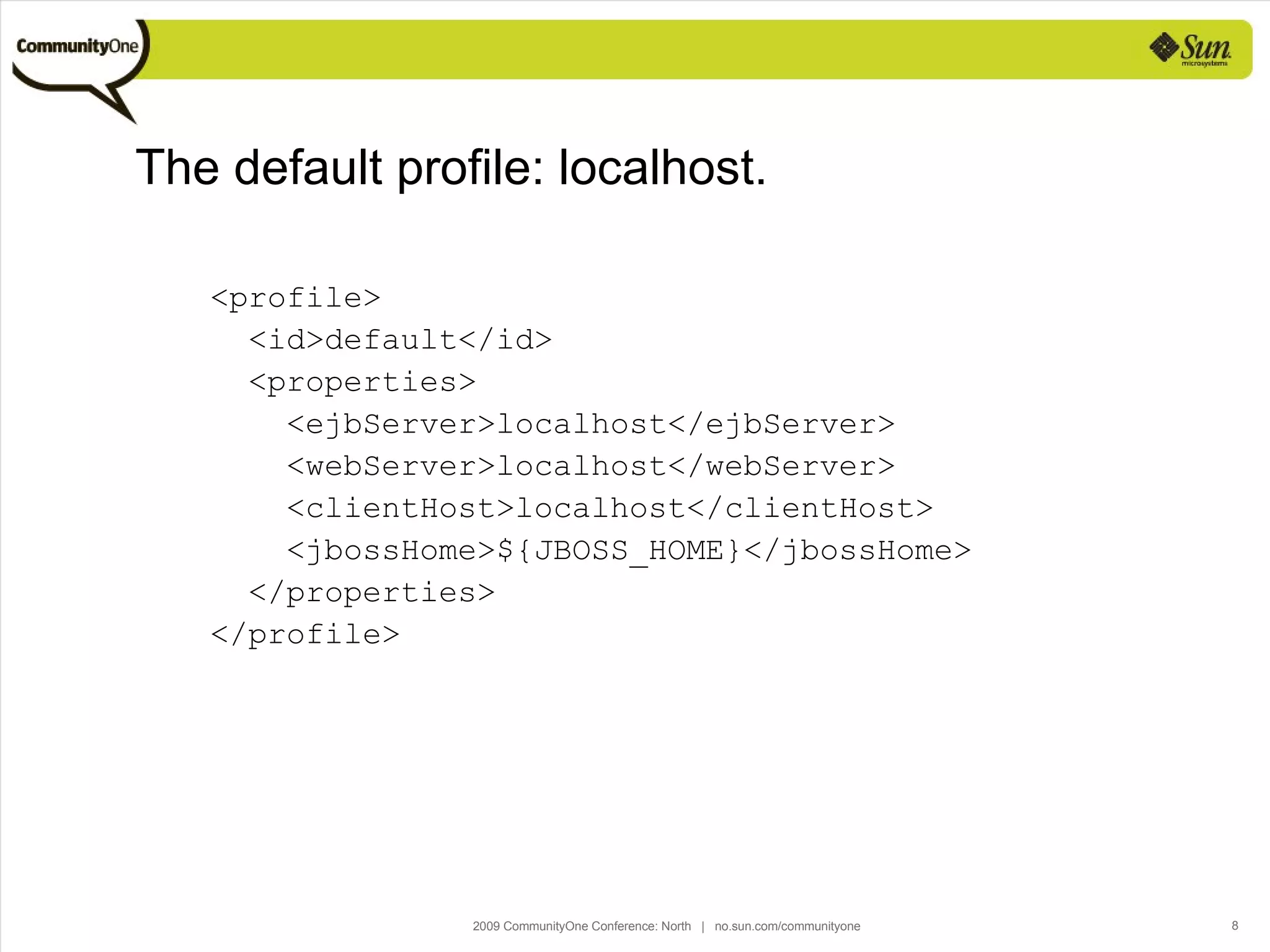
The default profile: localhost. <profile> <id>default</id> <properties> <ejbServer>localhost</ejbServer> <webServer>localhost</webServer> <clientHost>localhost</clientHost> <jbossHome>${JBOSS_HOME}</jbossHome> </properties> </profile>
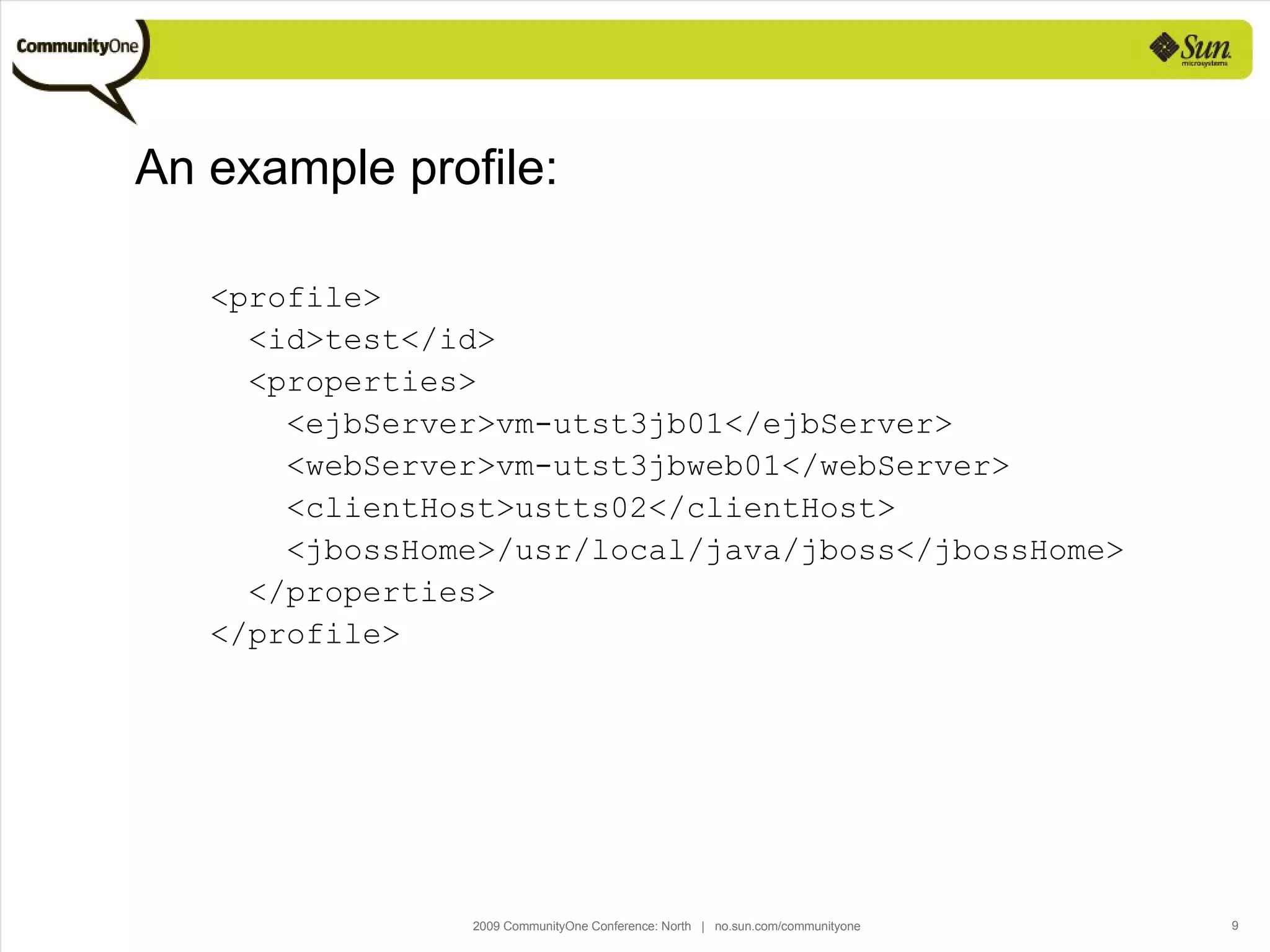
An example profile: <profile> <id>test</id> <properties> <ejbServer>vm-utst3jb01</ejbServer> <webServer>vm-utst3jbweb01</webServer> <clientHost>ustts02</clientHost> <jbossHome>/usr/local/java/jboss</jbossHome> </properties> </profile>
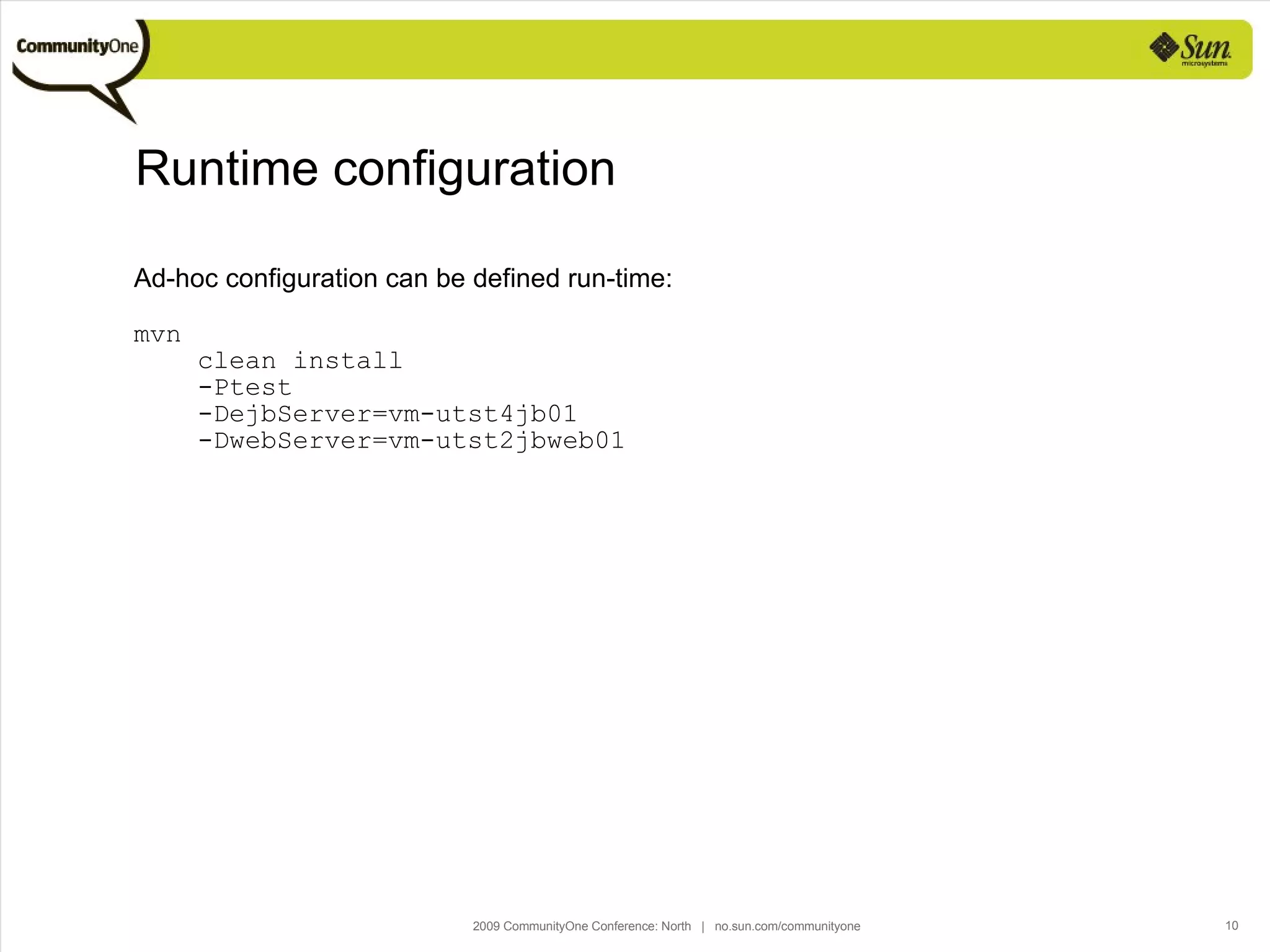
Runtime configuration Ad-hoc configuration can be defined run-time: mvn  clean install  -Ptest  -DejbServer=vm-utst4jb01  -DwebServer=vm-utst2jbweb01
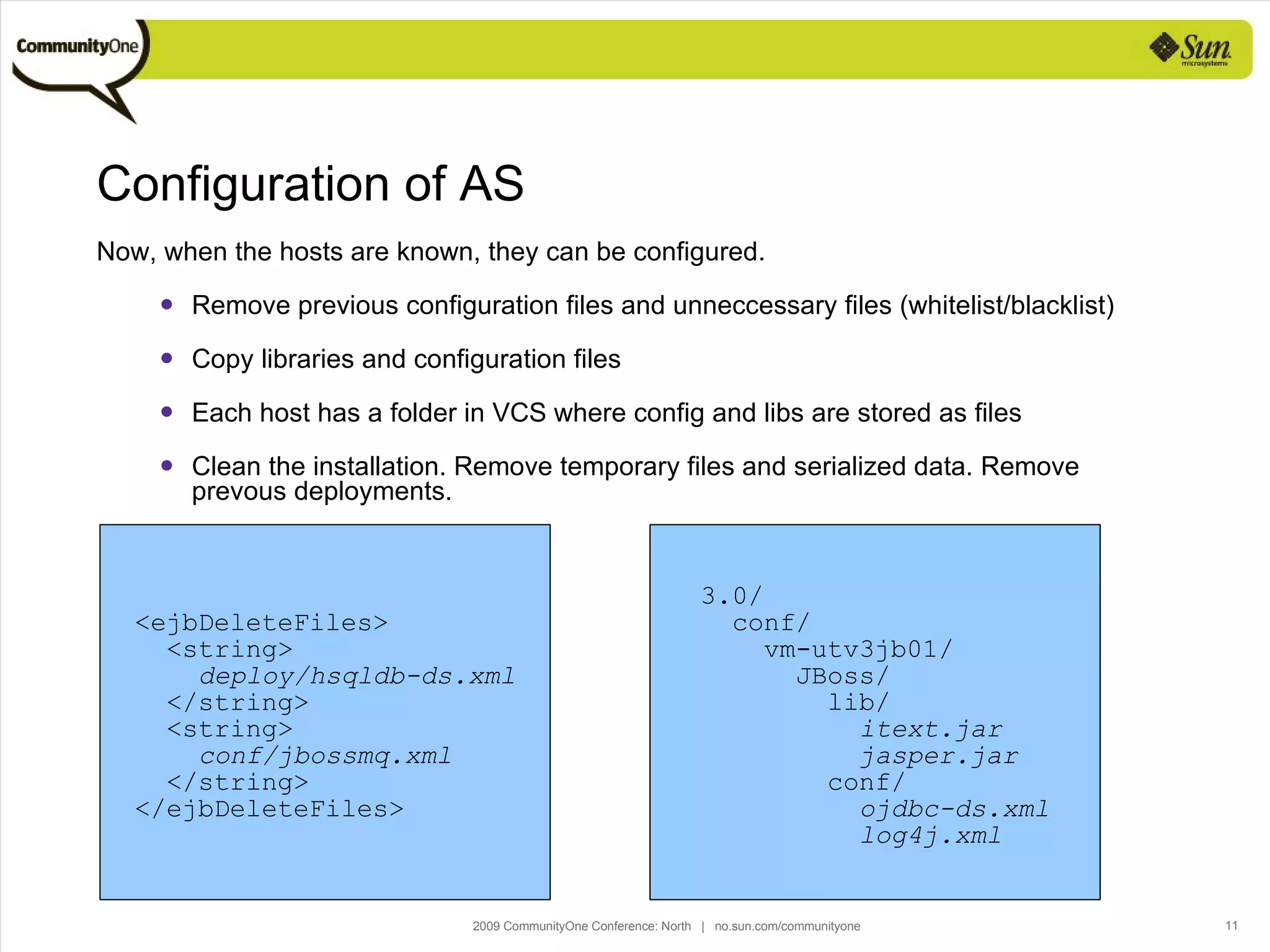
Configuration of AS Now, when the hosts are known, they can be configured. Remove previous configuration files and unneccessary files (whitelist/blacklist) Copy libraries and configuration files Each host has a folder in VCS where config and libs are stored as files Clean the installation. Remove temporary files and serialized data. Remove prevous deployments. <ejbDeleteFiles> <string> deploy/hsqldb-ds.xml </string> <string> conf/jbossmq.xml </string> </ejbDeleteFiles> 3.0/ conf/ vm-utv3jb01/  JBoss/ lib/ itext.jar jasper.jar conf/ ojdbc-ds.xml log4j.xml
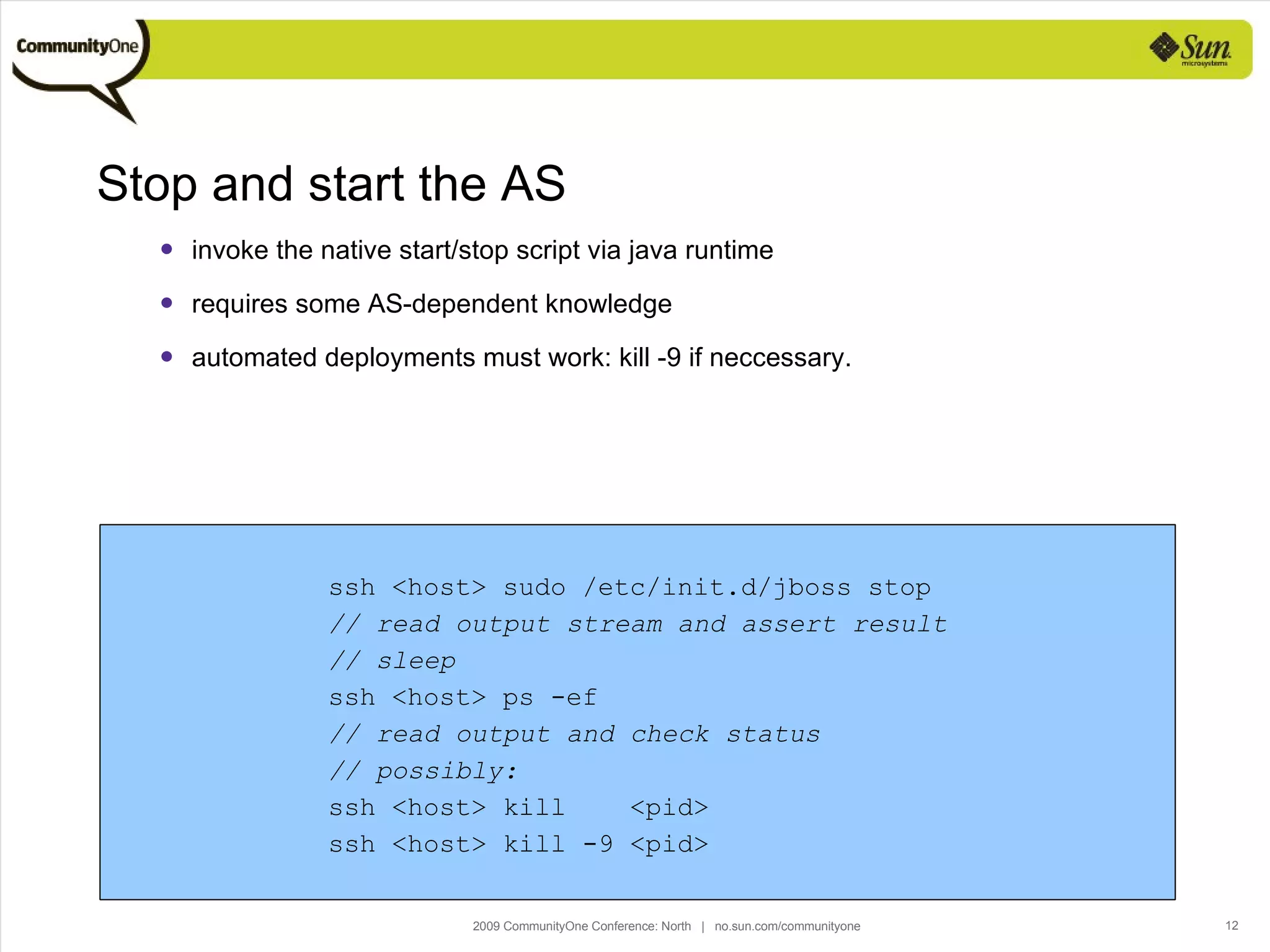
Stop and start the AS invoke the native start/stop script via java runtime requires some AS-dependent knowledge automated deployments must work: kill -9 if neccessary. ssh <host> sudo /etc/init.d/jboss stop // read output stream and assert result // sleep ssh <host> ps -ef // read output and check status // possibly: ssh <host> kill  <pid> ssh <host> kill -9 <pid>
Deployment copy the application file to the application server locally, you can use java.io  scp to a remote server (but requires stuff beyond maven) optionally  scp in java  integrate with AS hot deploy
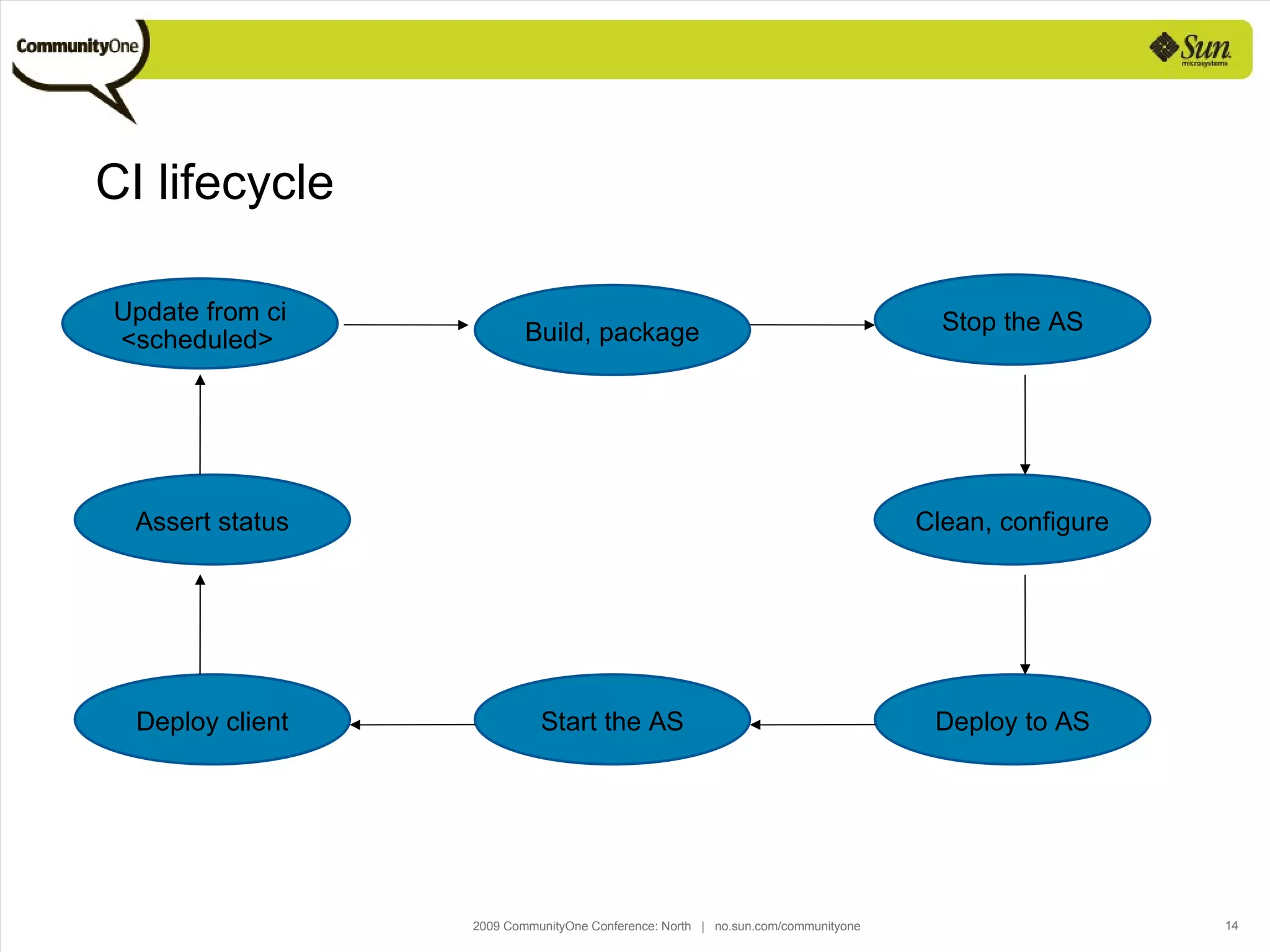
CI lifecycle Update from ci <scheduled> Build, package Stop the AS Clean, configure Deploy to AS Start the AS Deploy client Assert status
Agenda  Goal and objectives Infrastructure Configure the AS Deploy to AS Manage AS lifecycle Drawbacks Future
Drawbacks : developers become oblivious to AS configuration/deployment very generic - has few shortcuts somewhat time consuming, but good for CI already implemented by i.e. oracle grid control
Agenda  Goal and objectives Infrastructure Configure the AS Deploy to AS Manage AS lifecycle Drawbacks Future
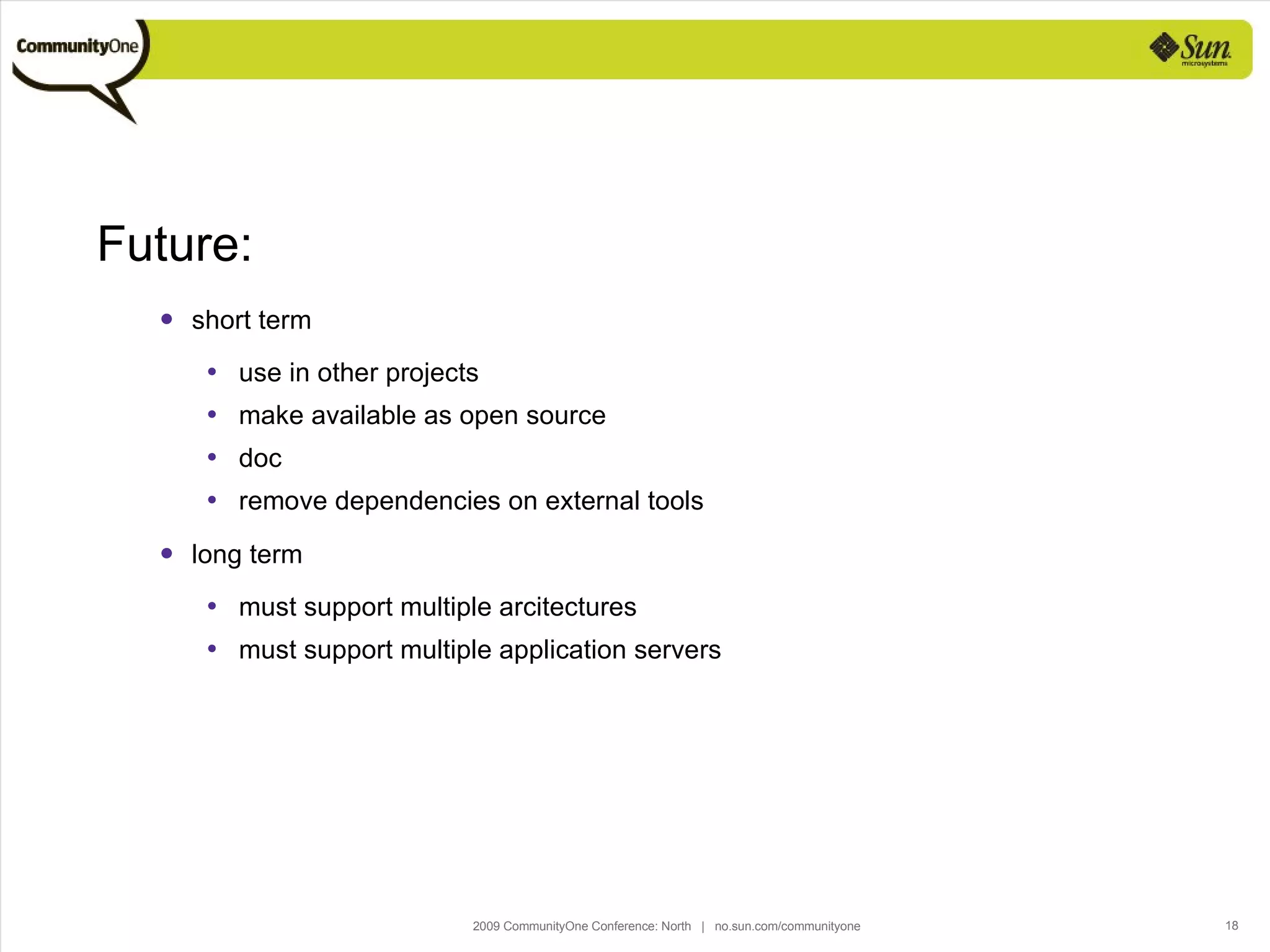
Future: short term use in other projects make available as open source doc remove dependencies on external tools long term must support multiple arcitectures must support multiple application servers
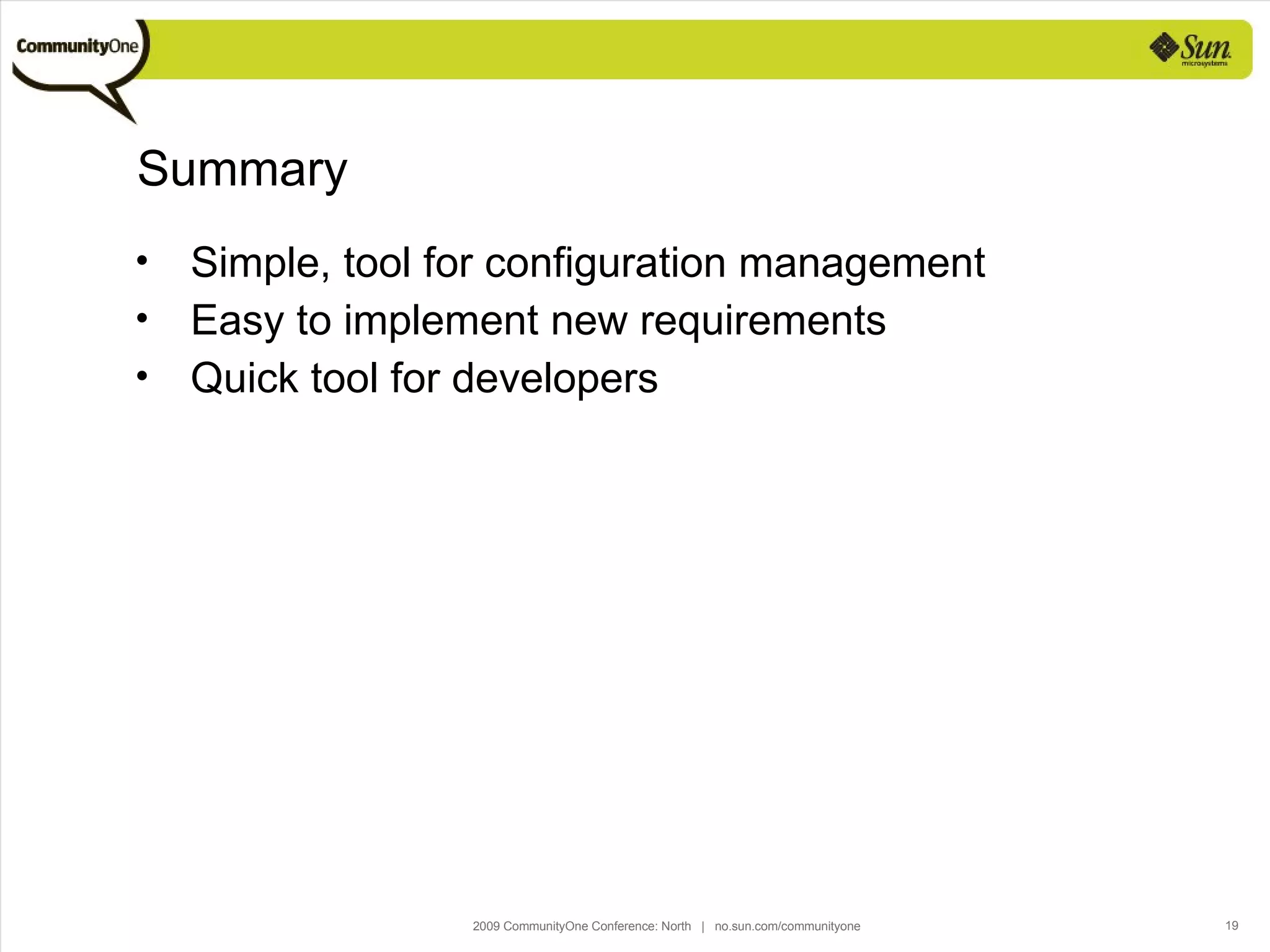
Summary Simple, tool for configuration management Easy to implement new requirements Quick tool for developers
For More Information [email_address] http://www.computas.com
Maven – more than a build tool Harald Søvik [email_address] Using Maven for automated configuration management and deployment

Maven 2 - more than a build tool

  • 1.
    Maven - morethan a build tool Using Maven for automated configuration management and deployment Harald Søvik Sr. Knowledge Engineer, Computas AS
  • 2.
    Agenda Goaland objectives Infrastructure Configure the AS Deploy to AS Manage AS lifecycle Drawbacks Future
  • 3.
    Pragma: “ Thesoftware” is code and build code checked out from your VCS that can be assembled in a repeatable manner and deployed to an application server
  • 4.
    Strategical goal: Automatemanual, labourous tasks to reduce time spent on non-productive work in a software development project. Tactical goal: Automate configuration management of a system installation on a remote or local host. Automate deployment of any version of the software to a defined envionment. Automate the life cycle of application servers
  • 5.
    Objective : 3-tierapplication: db, ejb-server and client + webserver. De- and configure a existing JBoss installation. Client installation. No database intervention. (Could have been installation of baseline datbase, patching with changes, validation of views/procedures/functions) Multiple software branches: maintenance of production code, development of next major release, maybe a separate branch for a major change (should require no major reconfiguration) Multiple stageing envrionments: development, test, systems/customer representative test, acceptance test.
  • 6.
    Agenda Goaland objectives Infrastructure Configure the AS Deploy to AS Manage AS lifecycle Drawbacks Future
  • 7.
    Step 1: Environmentalconfiguration in build system Maven POM contains properties and profiles. Profiles lets you select and possibly override a set of properties. And there is always the default profile. The POM is under version control, and can be modified across branches. Thus: profiles can correspond to &quot;physical&quot; environments, and let each profile have a set of hosts involved. VCS VCS VCS Branch A pom.xml Branch A profile test: - host a - host b VCS VCS Branch A pom.xml Branch A VCS VCS Branch A pom.xml Branch A profile test: - ejb host A - web host B VCS VCS Branch A pom.xml v3.0 VCS VCS Branch A pom.xml Branch A profile test: - host a - host b VCS VCS Branch A pom.xml Branch A VCS VCS Branch A pom.xml Branch A profile test: - ejb host X - web host Y VCS VCS Branch A pom.xml v4.0
  • 8.
    The default profile:localhost. <profile> <id>default</id> <properties> <ejbServer>localhost</ejbServer> <webServer>localhost</webServer> <clientHost>localhost</clientHost> <jbossHome>${JBOSS_HOME}</jbossHome> </properties> </profile>
  • 9.
    An example profile:<profile> <id>test</id> <properties> <ejbServer>vm-utst3jb01</ejbServer> <webServer>vm-utst3jbweb01</webServer> <clientHost>ustts02</clientHost> <jbossHome>/usr/local/java/jboss</jbossHome> </properties> </profile>
  • 10.
    Runtime configuration Ad-hocconfiguration can be defined run-time: mvn clean install -Ptest -DejbServer=vm-utst4jb01 -DwebServer=vm-utst2jbweb01
  • 11.
    Configuration of ASNow, when the hosts are known, they can be configured. Remove previous configuration files and unneccessary files (whitelist/blacklist) Copy libraries and configuration files Each host has a folder in VCS where config and libs are stored as files Clean the installation. Remove temporary files and serialized data. Remove prevous deployments. <ejbDeleteFiles> <string> deploy/hsqldb-ds.xml </string> <string> conf/jbossmq.xml </string> </ejbDeleteFiles> 3.0/ conf/ vm-utv3jb01/ JBoss/ lib/ itext.jar jasper.jar conf/ ojdbc-ds.xml log4j.xml
  • 12.
    Stop and startthe AS invoke the native start/stop script via java runtime requires some AS-dependent knowledge automated deployments must work: kill -9 if neccessary. ssh <host> sudo /etc/init.d/jboss stop // read output stream and assert result // sleep ssh <host> ps -ef // read output and check status // possibly: ssh <host> kill <pid> ssh <host> kill -9 <pid>
  • 13.
    Deployment copy theapplication file to the application server locally, you can use java.io scp to a remote server (but requires stuff beyond maven) optionally scp in java integrate with AS hot deploy
  • 14.
    CI lifecycle Updatefrom ci <scheduled> Build, package Stop the AS Clean, configure Deploy to AS Start the AS Deploy client Assert status
  • 15.
    Agenda Goaland objectives Infrastructure Configure the AS Deploy to AS Manage AS lifecycle Drawbacks Future
  • 16.
    Drawbacks : developersbecome oblivious to AS configuration/deployment very generic - has few shortcuts somewhat time consuming, but good for CI already implemented by i.e. oracle grid control
  • 17.
    Agenda Goaland objectives Infrastructure Configure the AS Deploy to AS Manage AS lifecycle Drawbacks Future
  • 18.
    Future: short termuse in other projects make available as open source doc remove dependencies on external tools long term must support multiple arcitectures must support multiple application servers
  • 19.
    Summary Simple, toolfor configuration management Easy to implement new requirements Quick tool for developers
  • 20.
    For More Information[email_address] http://www.computas.com
  • 21.
    Maven – morethan a build tool Harald Søvik [email_address] Using Maven for automated configuration management and deployment