Guvnor

Jervis Liu
What is Guvnor?

● Business Knowledge Management System
● Application to manage business knowledge
   ○ Business Rules (BRMS)
   ○ Business Workflows (BWMS)
● Accessible through
   ○ Browser
   ○ REST webservice
Why would I need a BRMS
     like Guvnor?
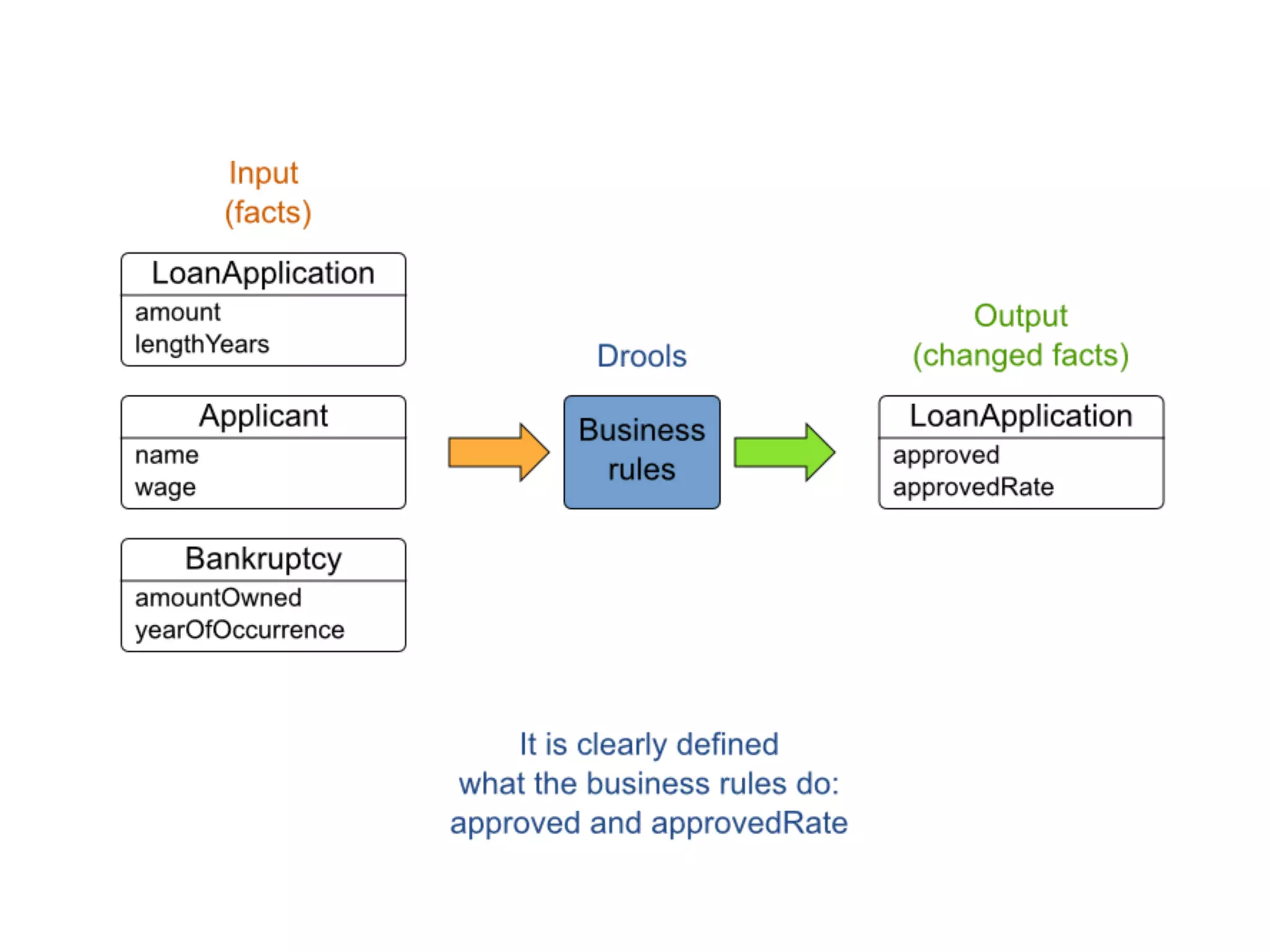
Use case: mortgage

● Mortgage approval
● Mortgage rate calculation
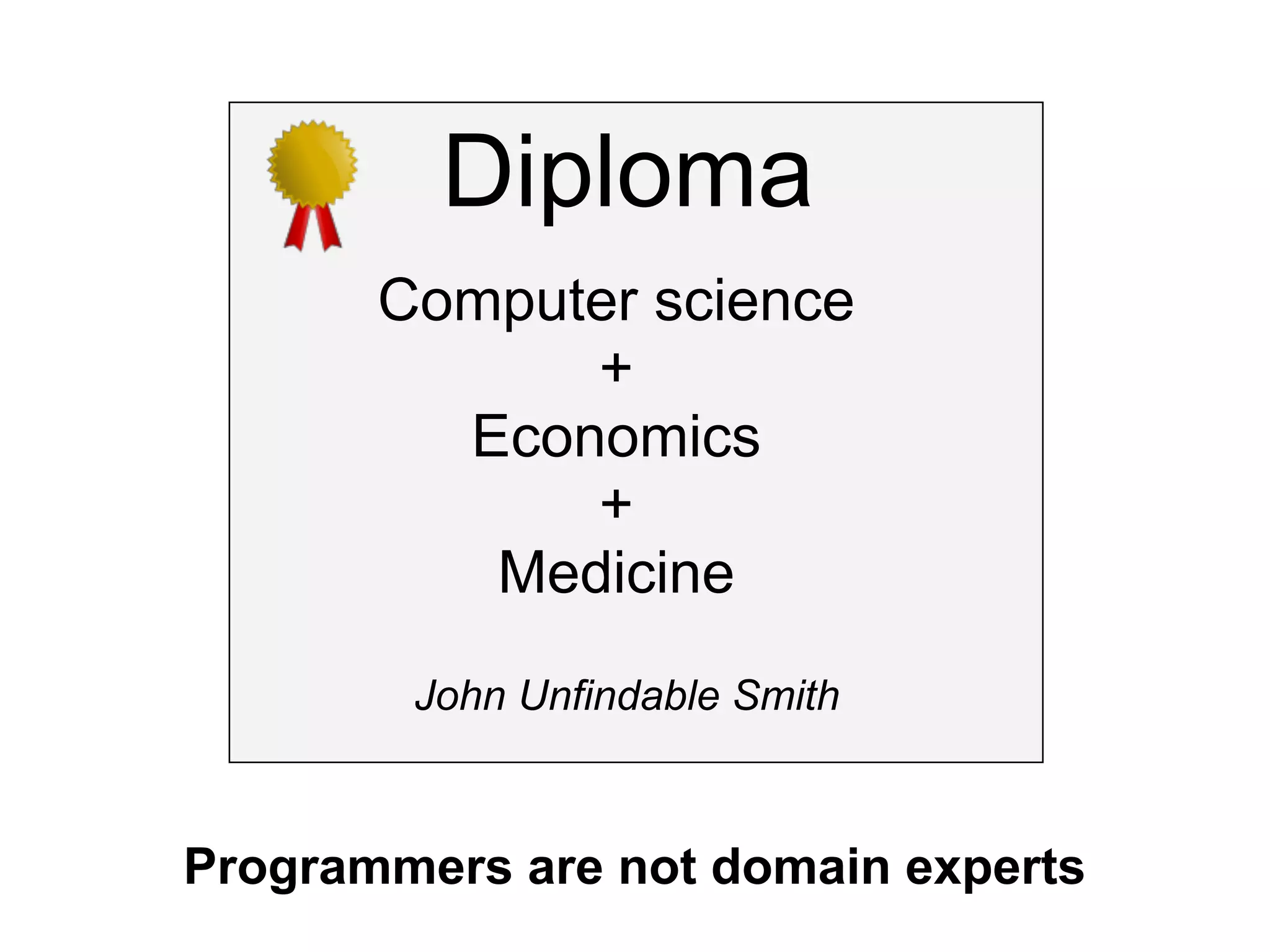
Diploma
       Computer science
             +
         Economics
             +
          Medicine
        John Unfindable Smith


Programmers are not domain experts
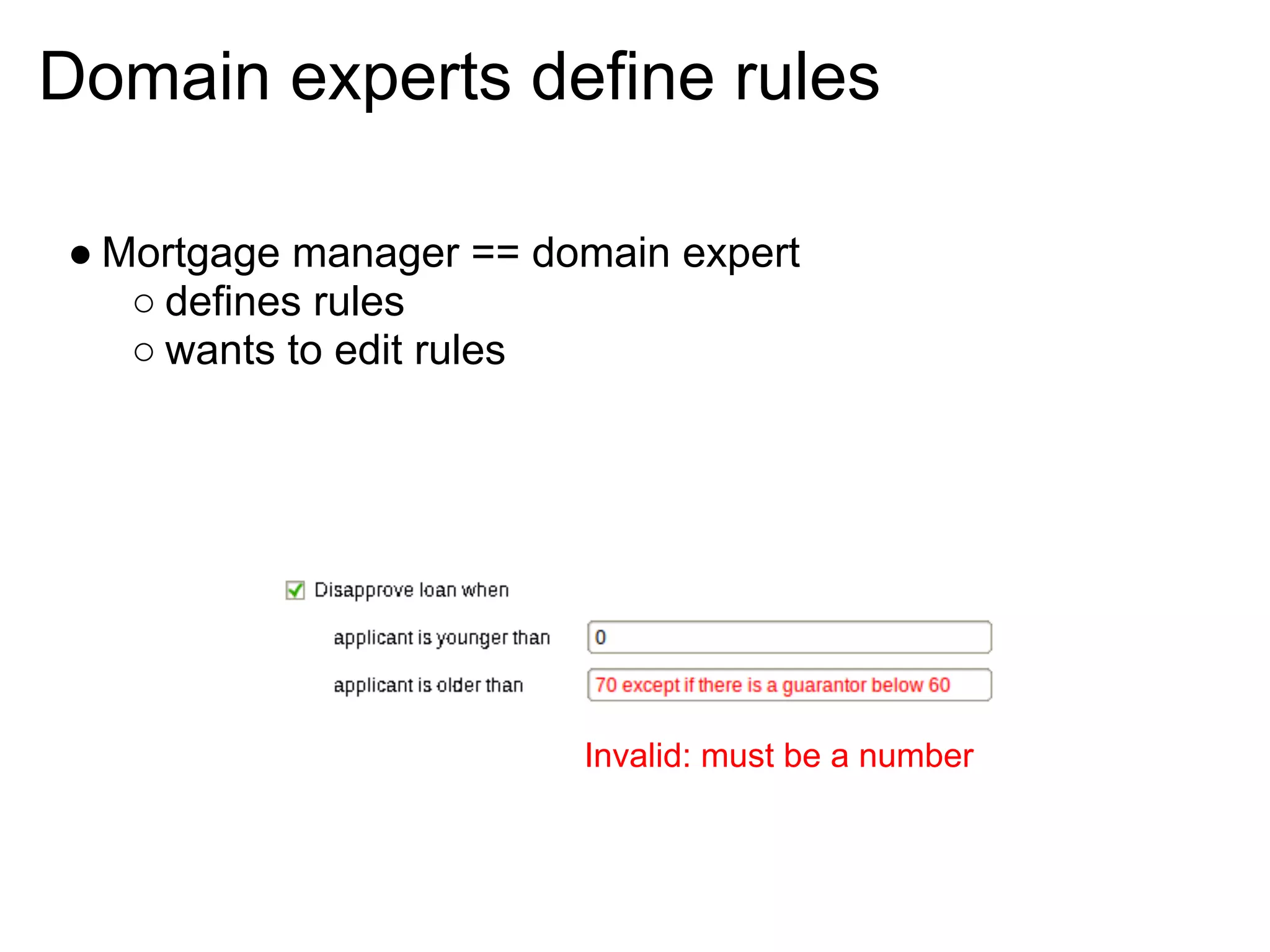
Domain experts define rules

● Mortgage manager == domain expert
   ○ defines rules
   ○ wants to edit rules


                        Invalid: must be a number
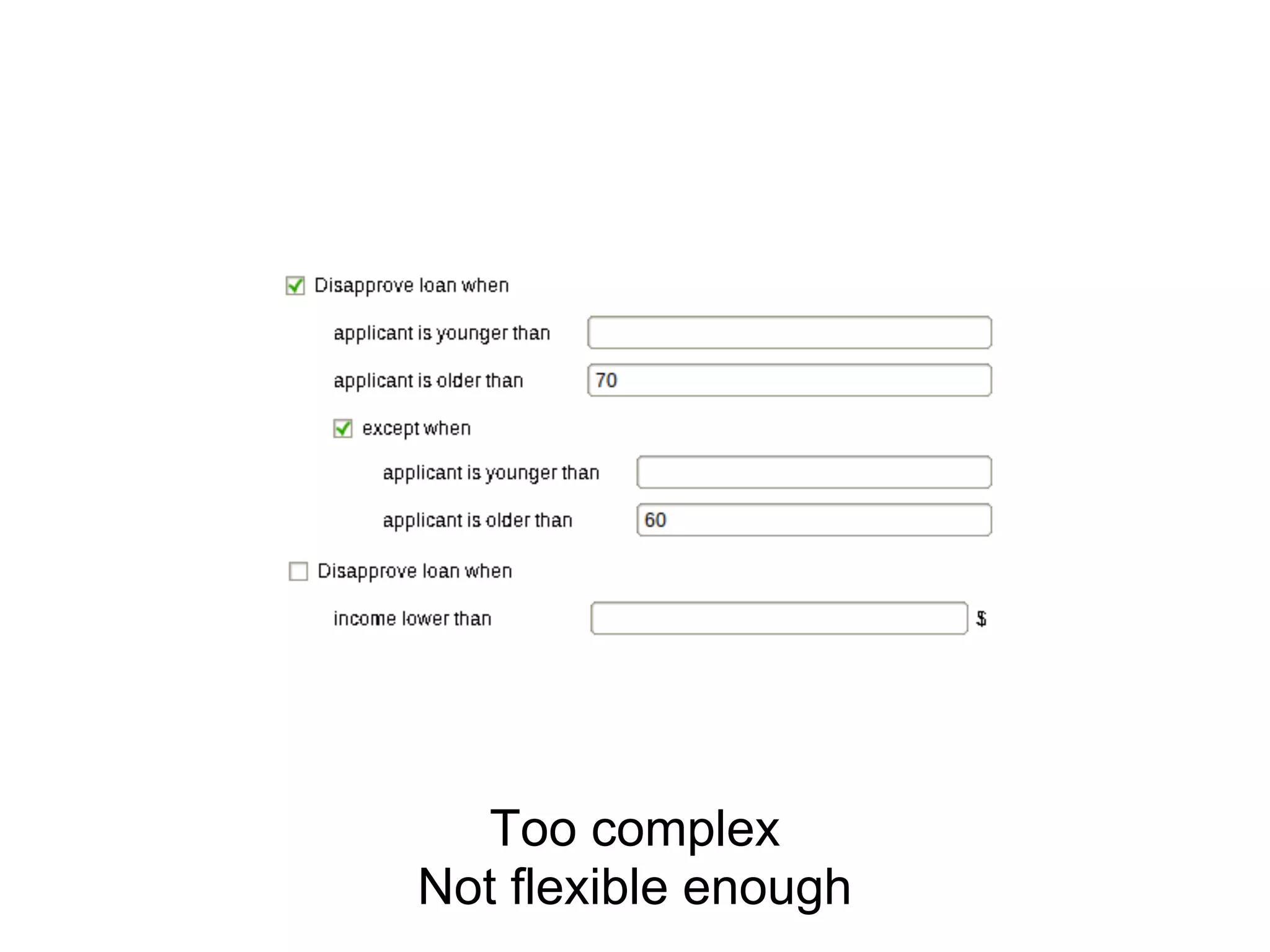
Too complex
Not flexible enough
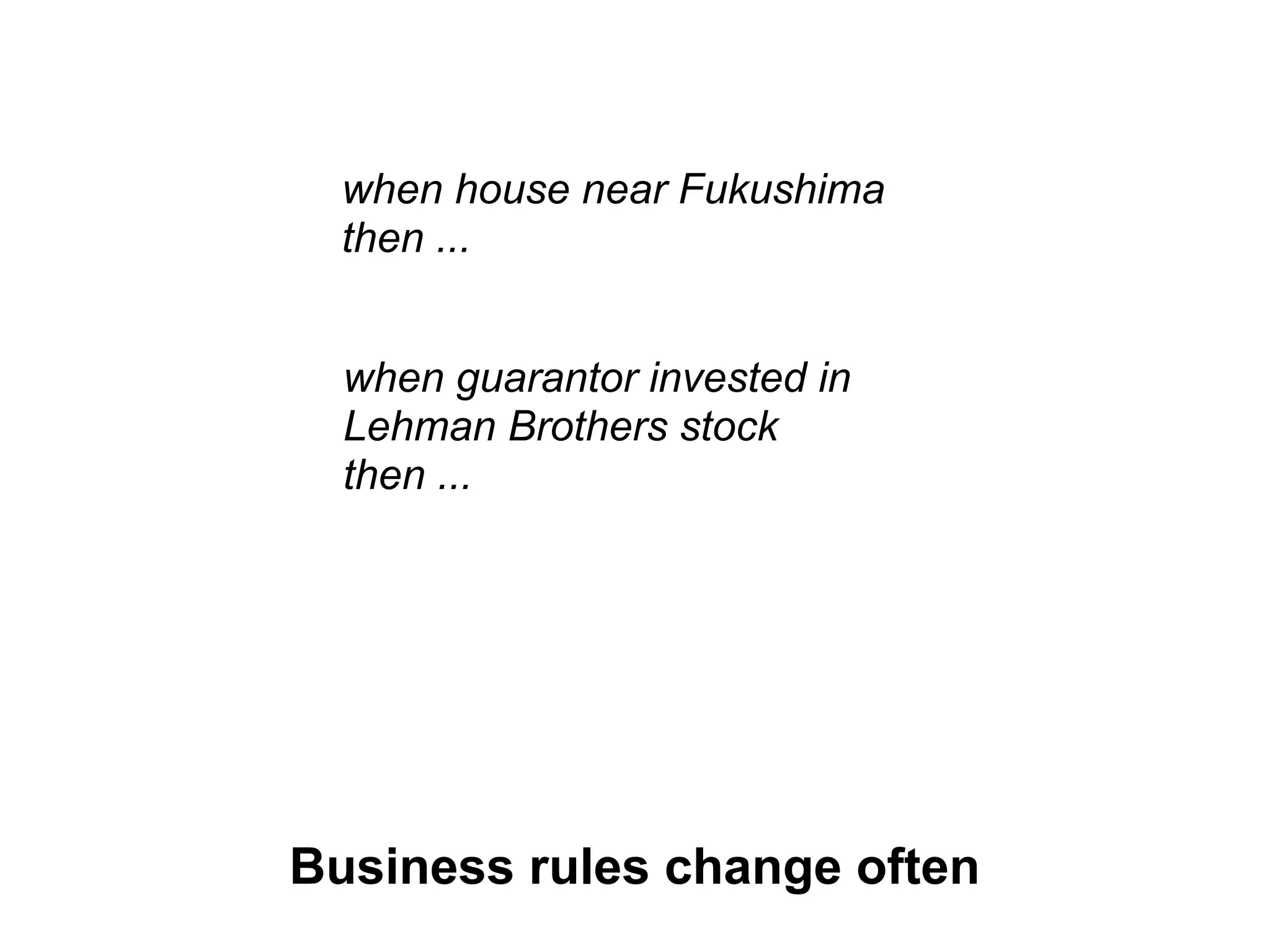
when house near Fukushima
  then ...


  when guarantor invested in
  Lehman Brothers stock
  then ...


Business rules change often
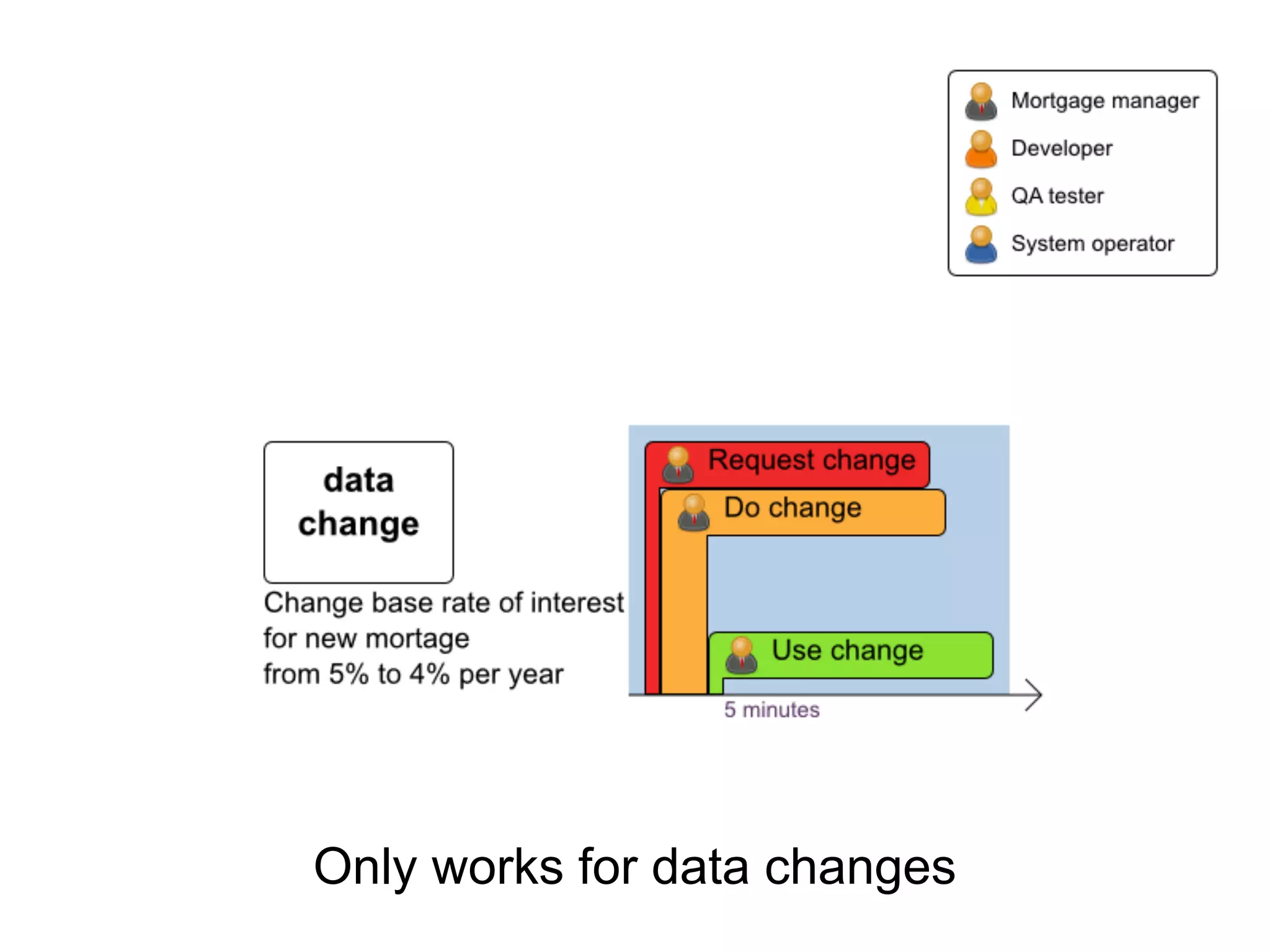
Only works for data changes
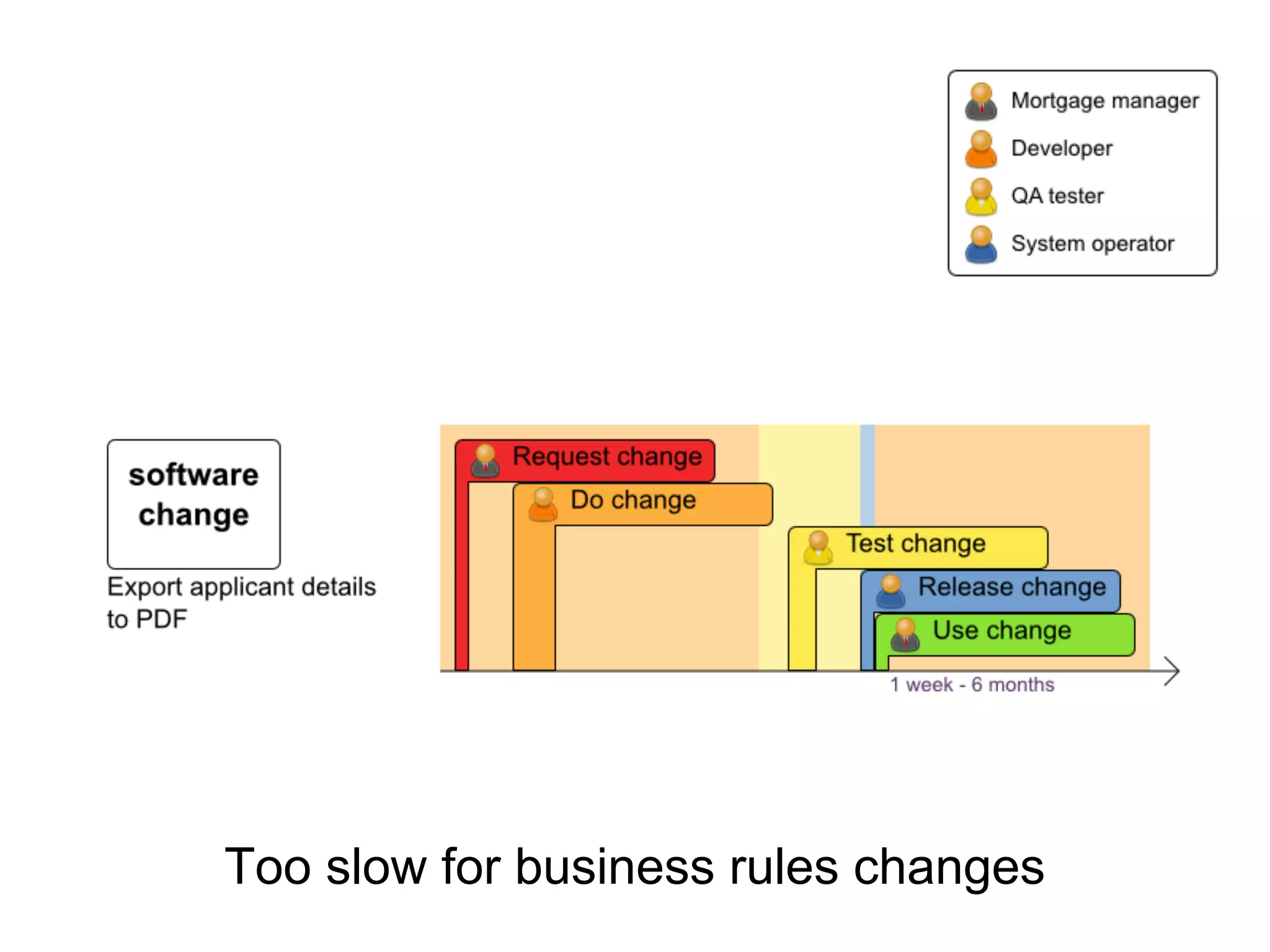
Too slow for business rules changes
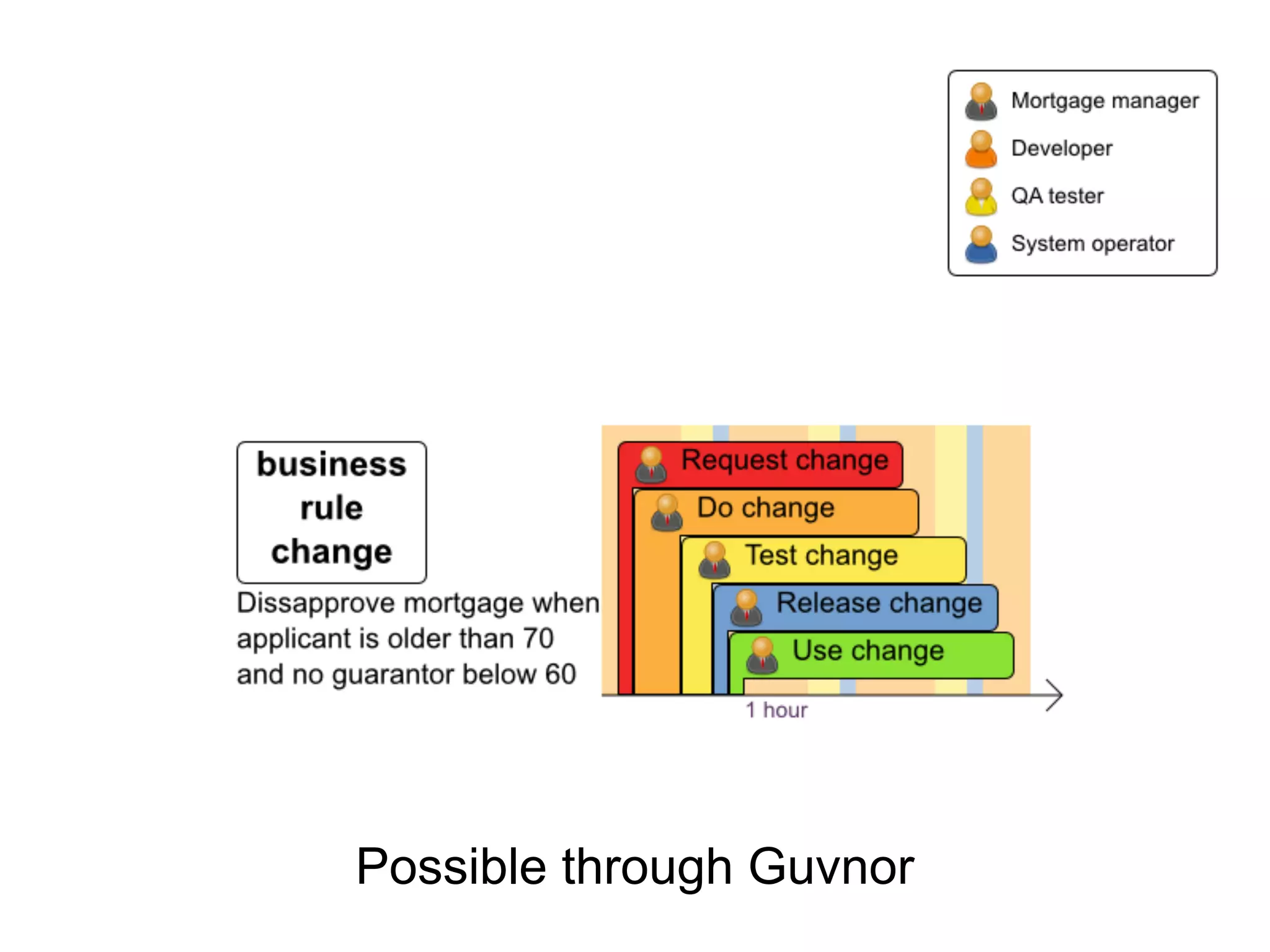
Possible through Guvnor
How do I define my data
       model?
Business Model

● POJO model
Upload a Java JAR file into Guvnor

● Declarative model
Declare a model within Guvnor

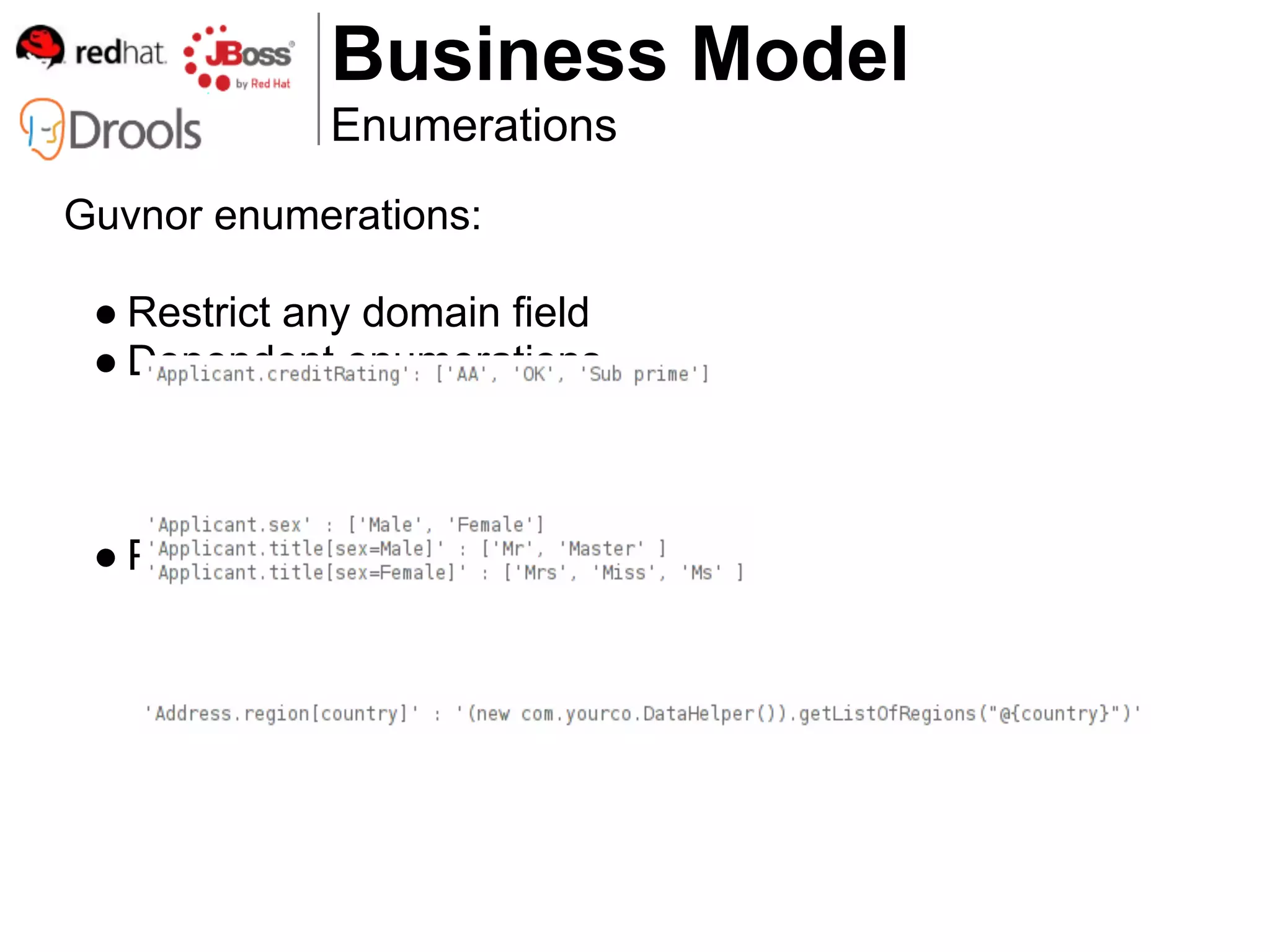
● Enumerations
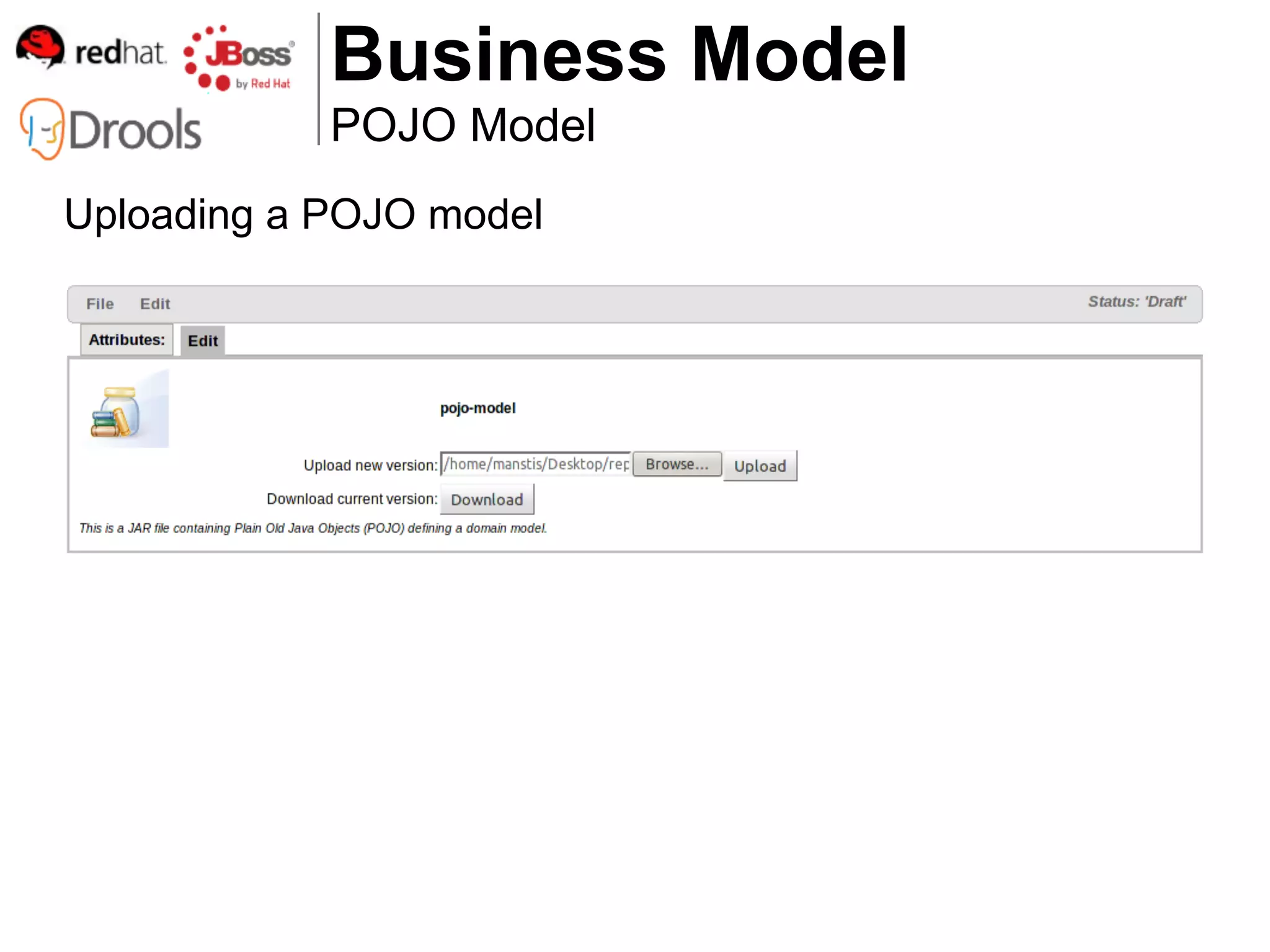
Business Model
            POJO Model
Uploading a POJO model
Business Model
               Declarative model
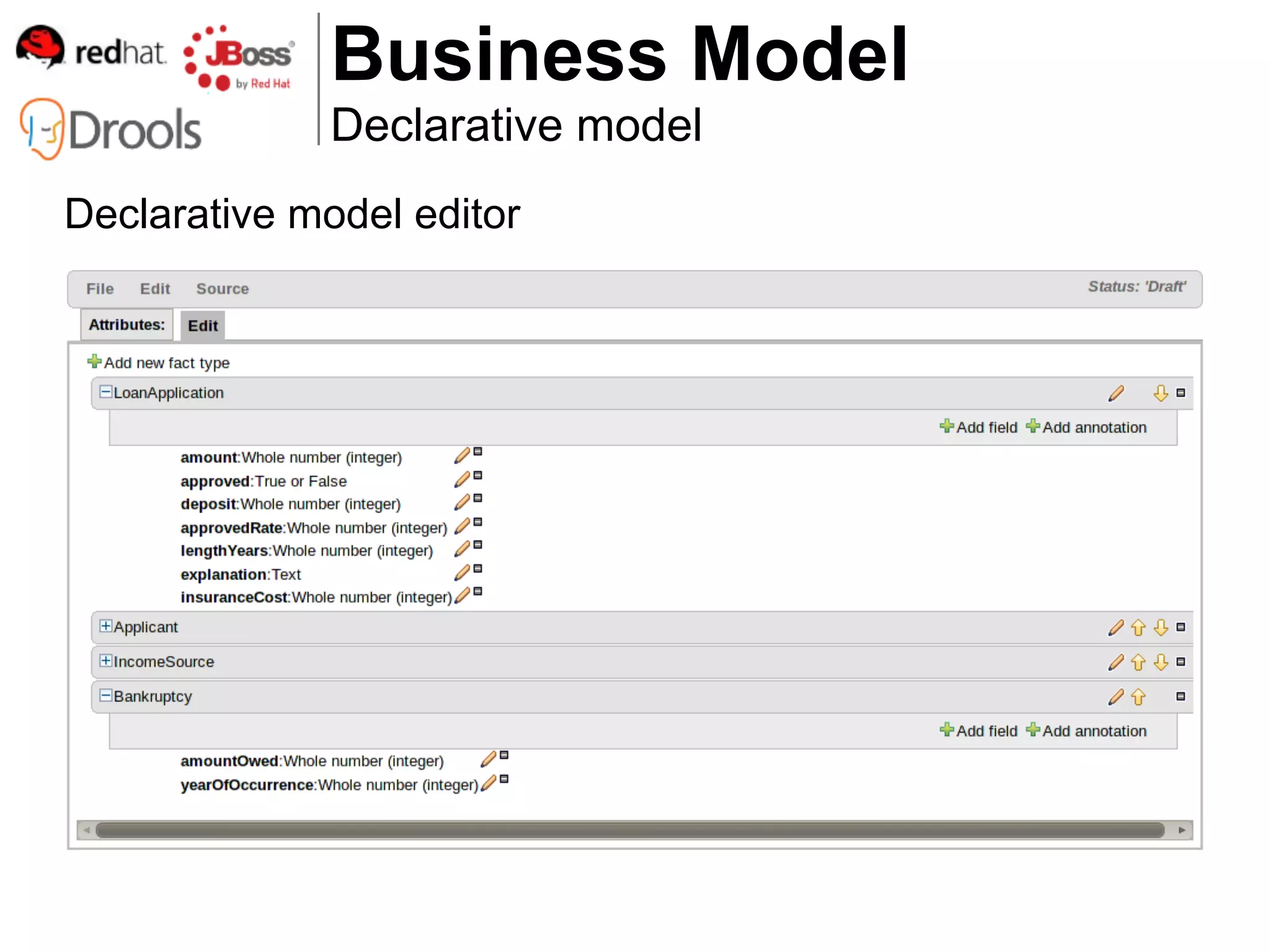
Declarative model editor

 ● Add CEP support to your classes
    1. @role(event) annotation
    2. Add to POJOs or declared types

 ● Example types:
    1. Loan Application
    2. Applicant
    3. ...
 ● Example fields:
    1. LoanApplication.amount
    2. LoanApplication.approved
Business Model
              Declarative model
Declarative model editor
Business Model
              Declarative model
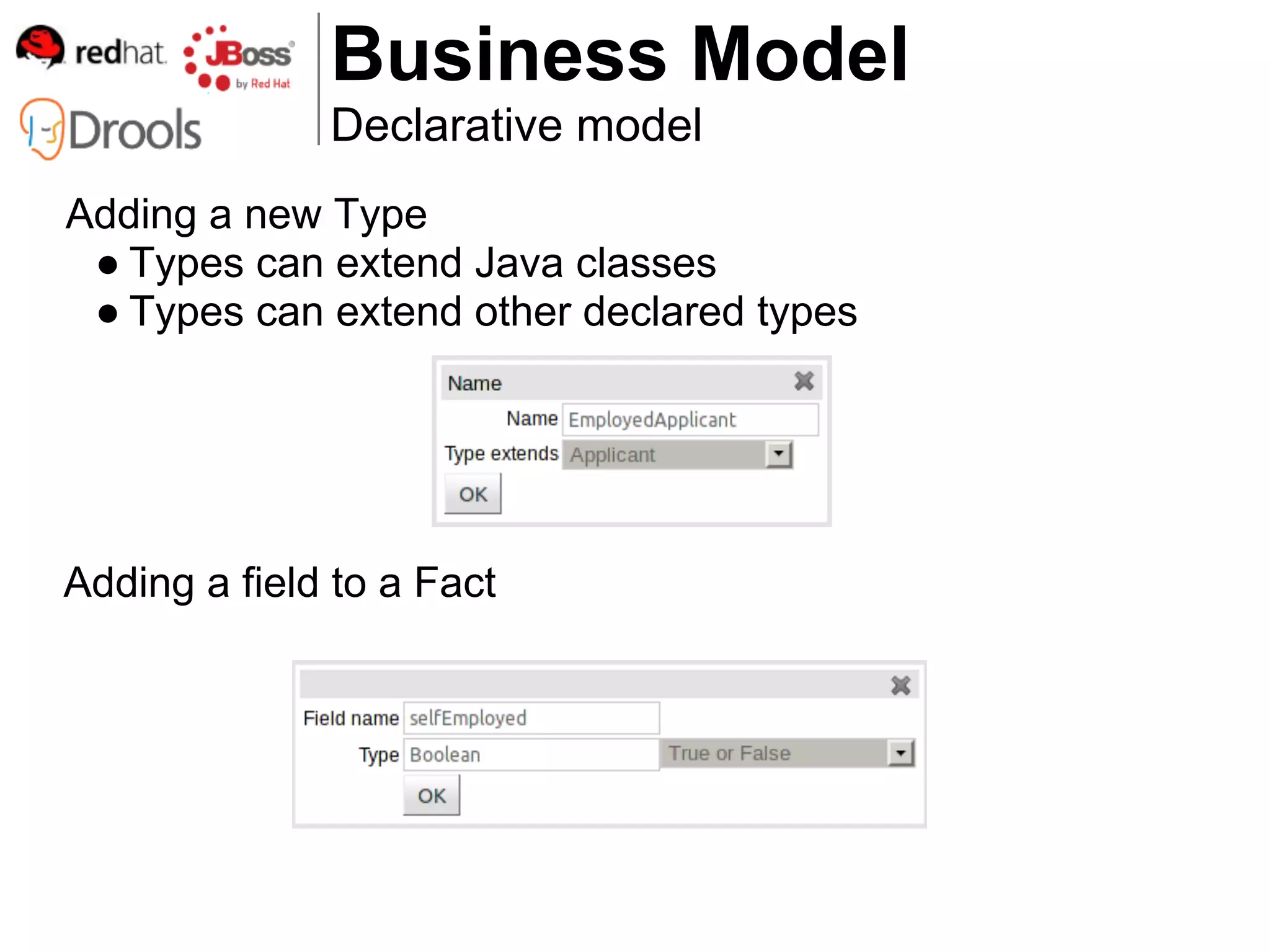
Adding a new Type
 ● Types can extend Java classes
 ● Types can extend other declared types


Adding a field to a Fact
Business Model
              Enumerations

● Java enumerations
Defined in POJO model

● Guvnor enumerations
Defined declaratively in Guvnor
Business Model
             Enumerations
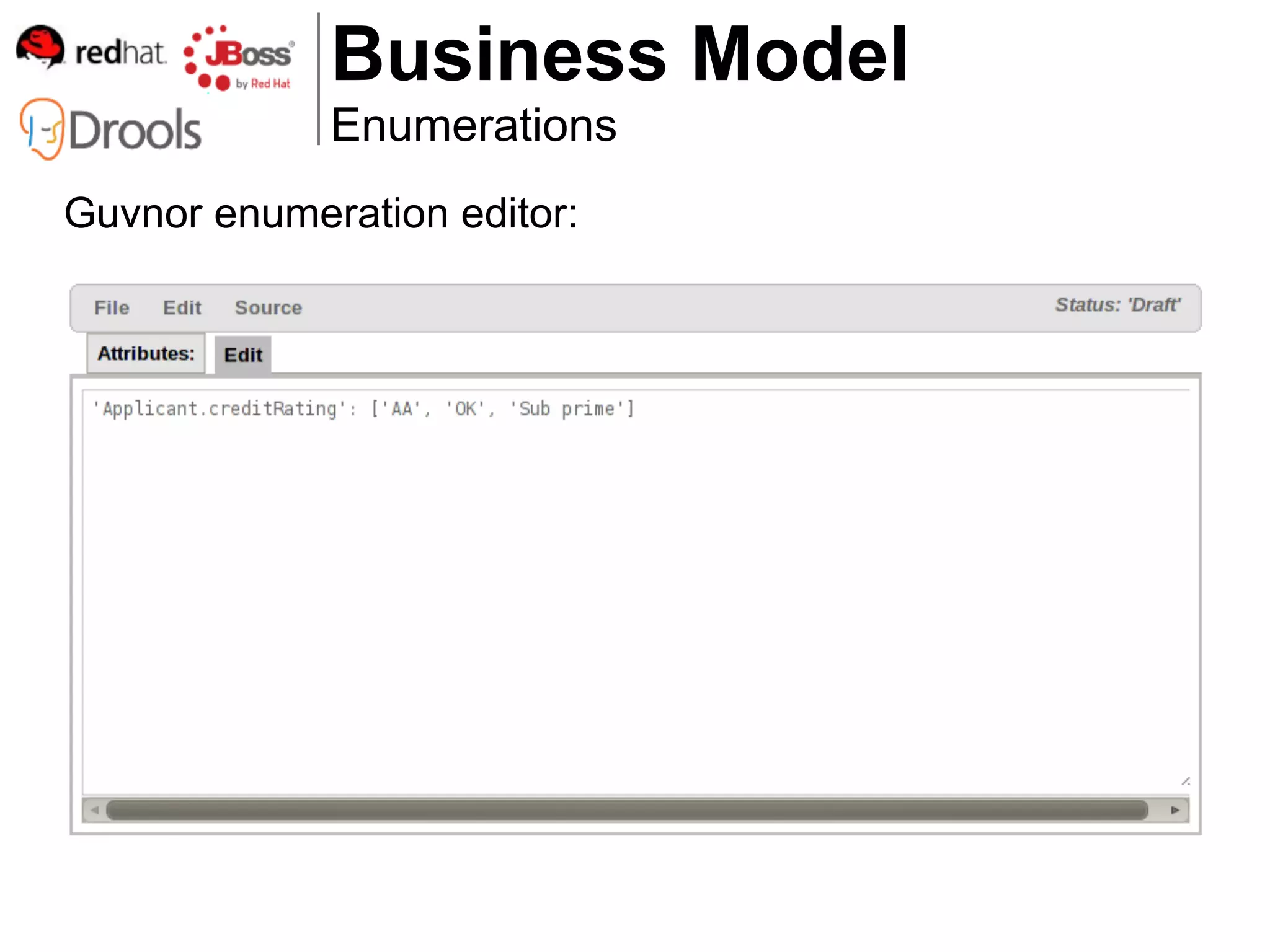
Guvnor enumeration editor:
Business Model
             Enumerations
Guvnor enumerations:

 ● Restrict any domain field
 ● Dependent enumerations


 ● Pull content from external source
Authoring rules


How do I define my business
          rules?
Authoring rules

● Web-based editor
● Web-based templates
● Web-based decision tables
● Domain Specific Language
● Free-form DRL
Authoring rules
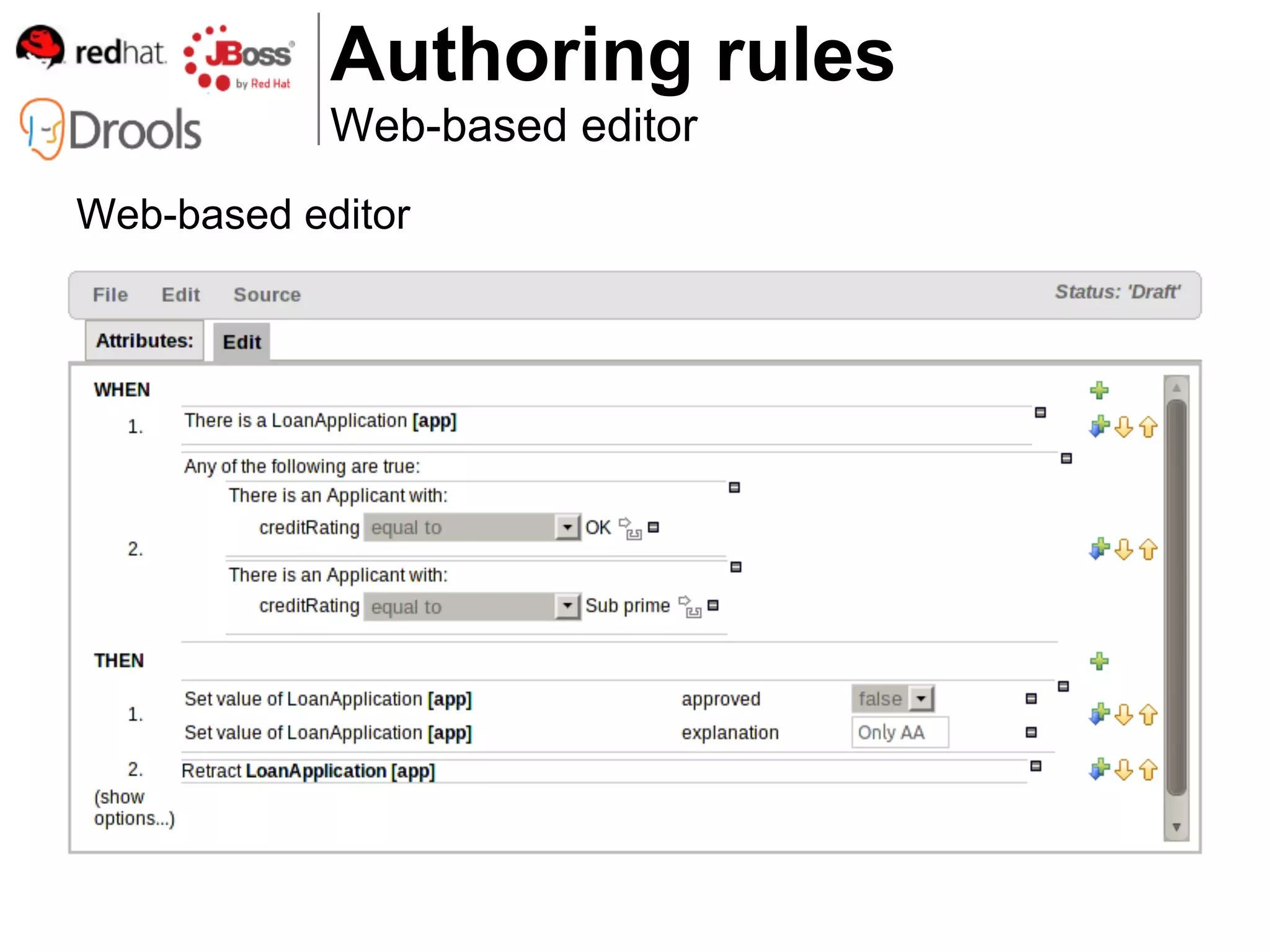
            Web-based editor
Web-based editor:

 ● Visually define individual rules quickly and easily

 ● Supports a wide sub-set of Drools Expert DRL features
    1. all of the following are true
    2. any of the following are true
    3. nested model accessors
    4. from
    5. accumulate
    6. collect
    7. CEP
    8. etc
Authoring rules
            Web-based editor
Web-based editor
Authoring rules
            Web-based templates
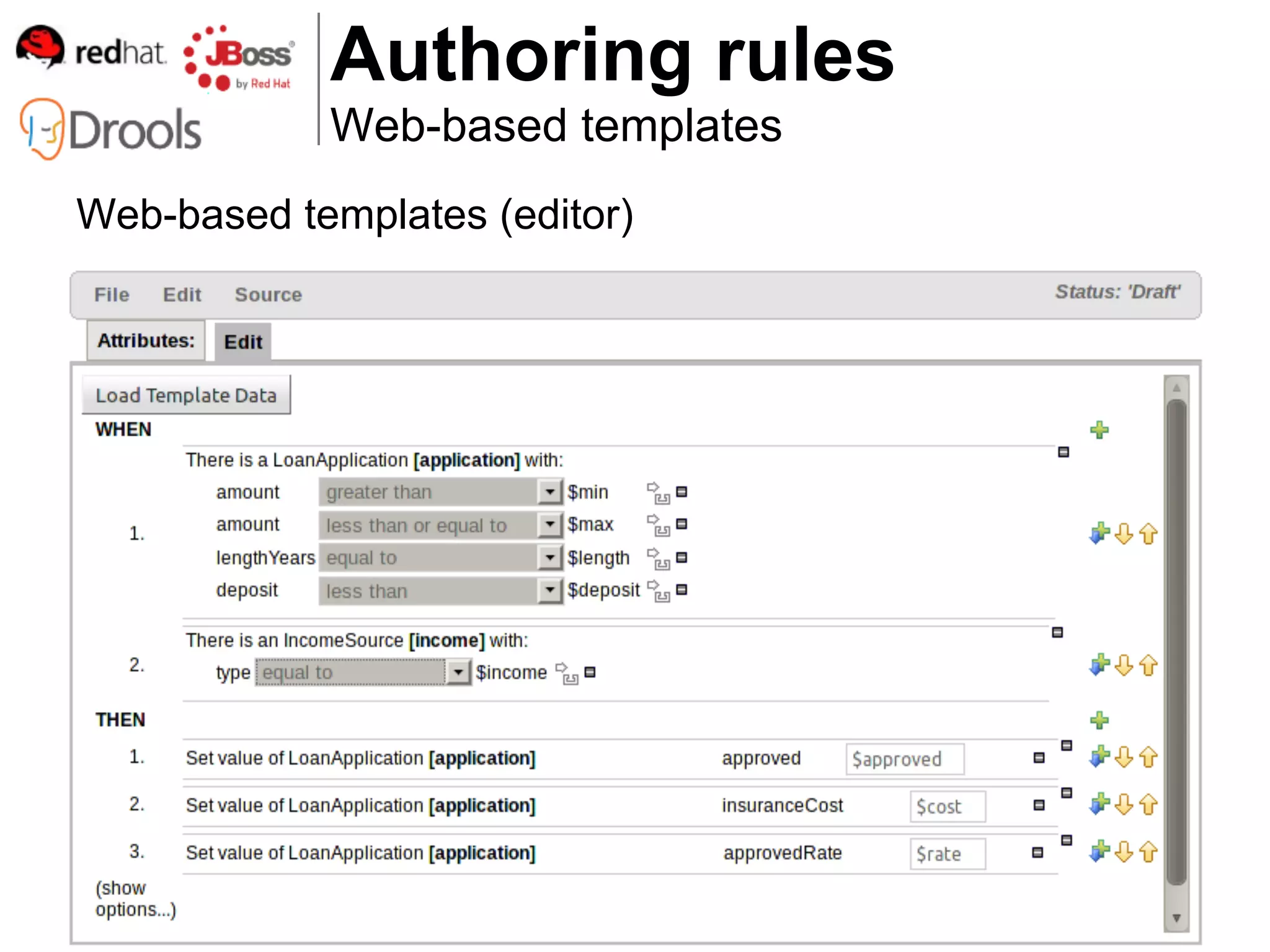
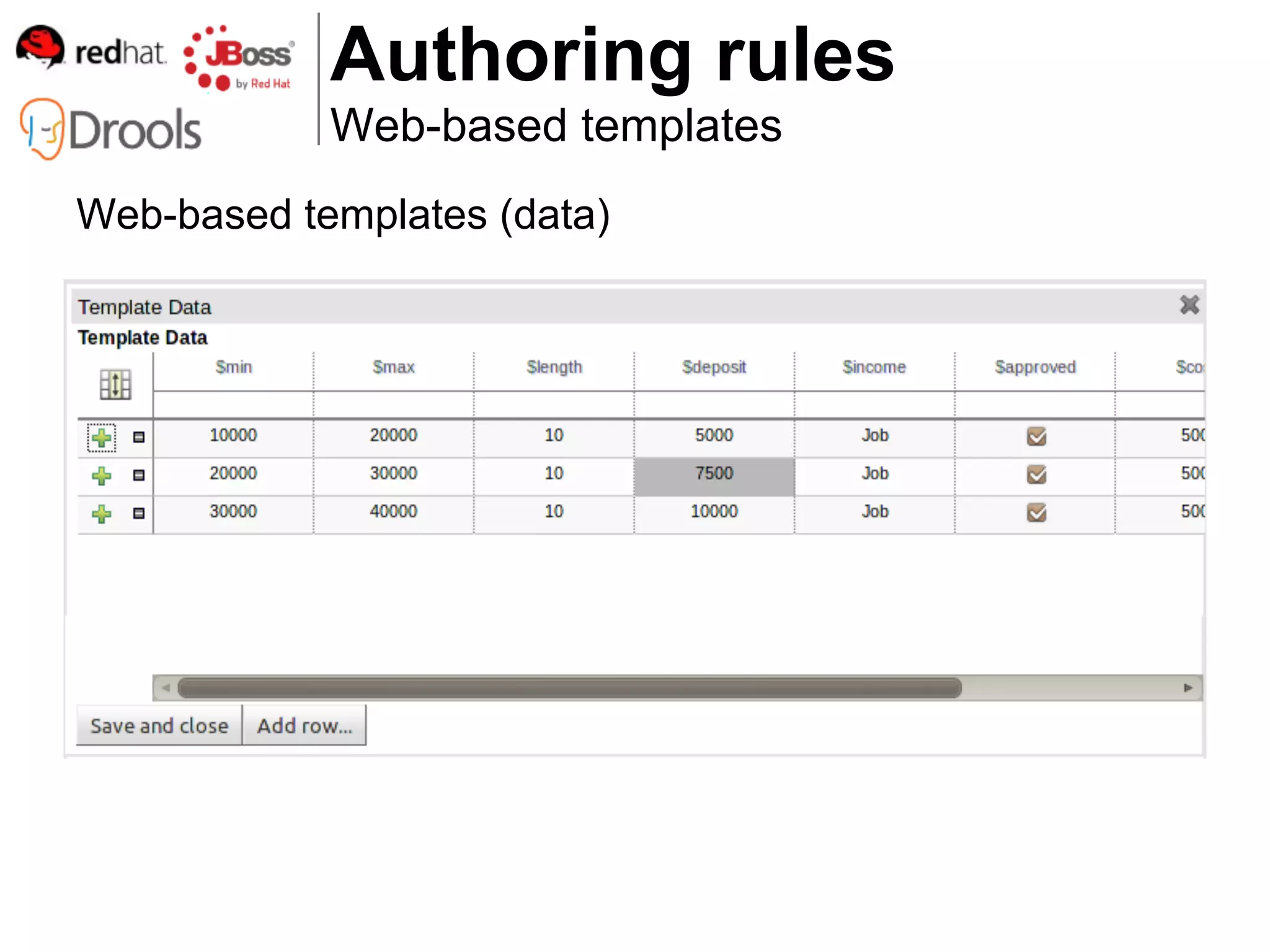
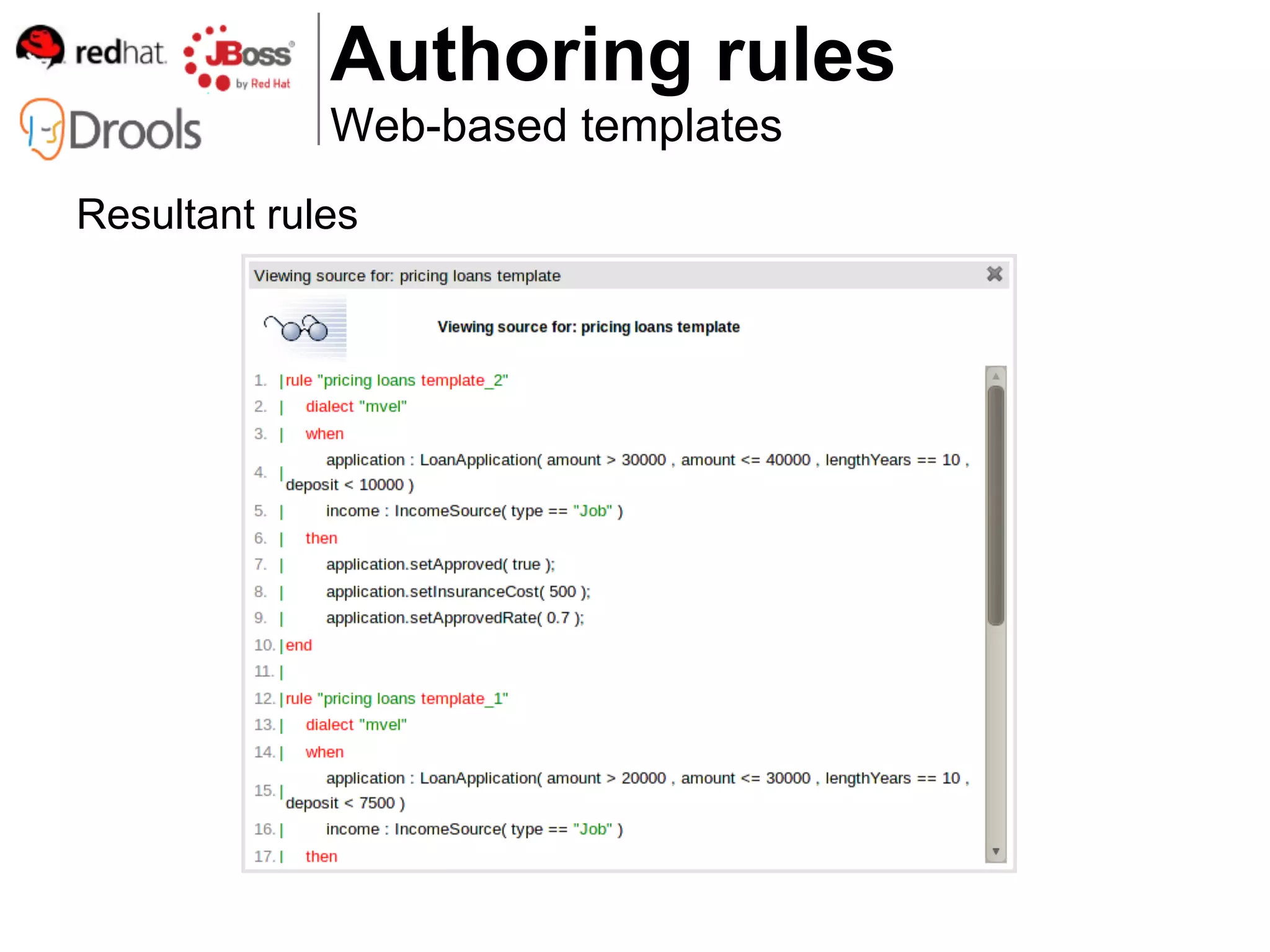
Web-based templates:

 ● Visually define multiple rules quickly and easily

 ● Extension of Web-based editor

 ● Define parameters in rules

 ● Backed by a table of data to build individual rules
Authoring rules
            Web-based templates
Web-based templates (editor)
Authoring rules
            Web-based templates
Web-based templates (data)
Authoring rules
             Web-based templates
Resultant rules
Authoring rules
                          Web-based decision tables
Web-based decision tables:

   ● Visually define multiple rules quickly and easily
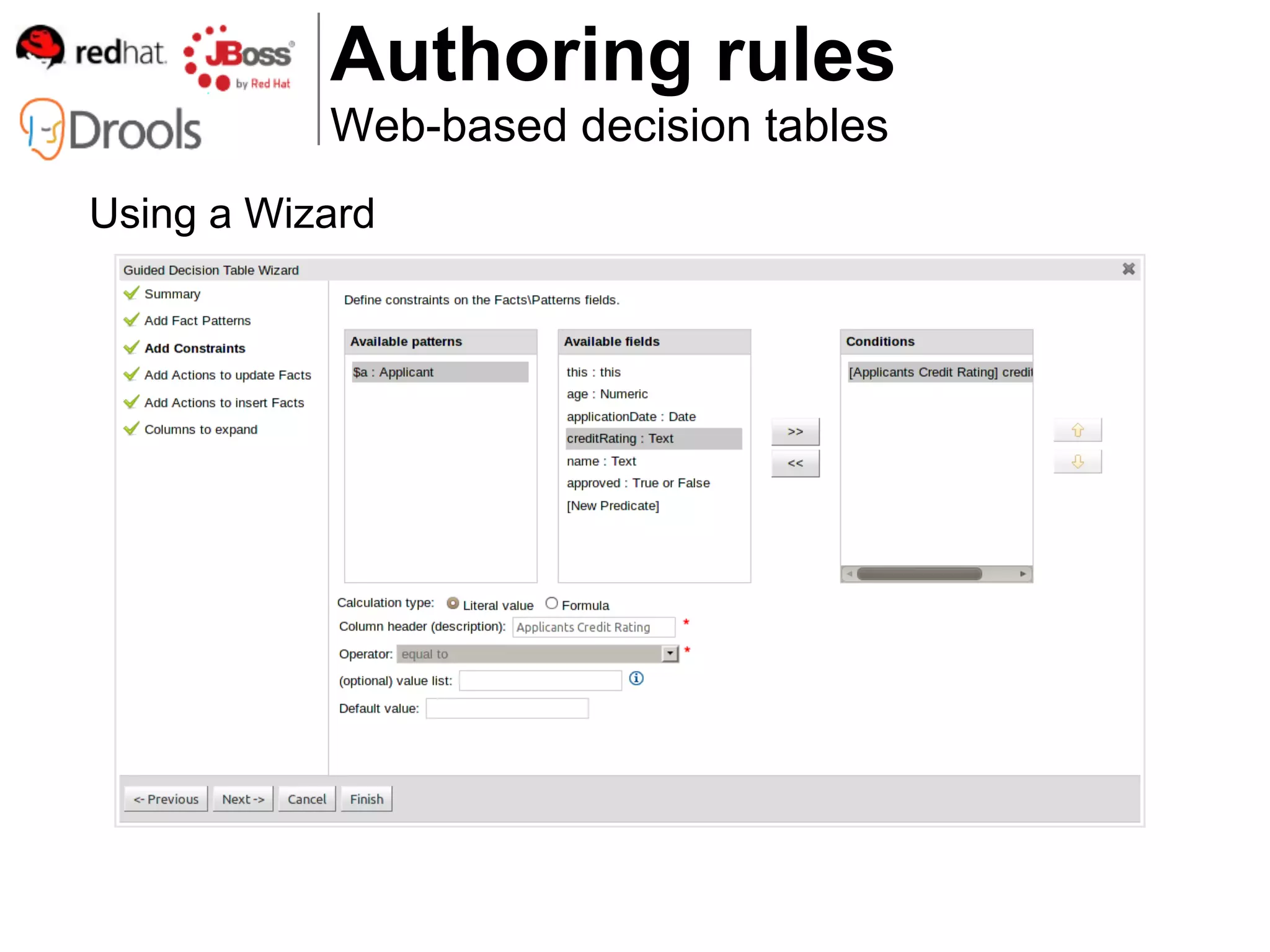
   ● Rapid construction using Wizard
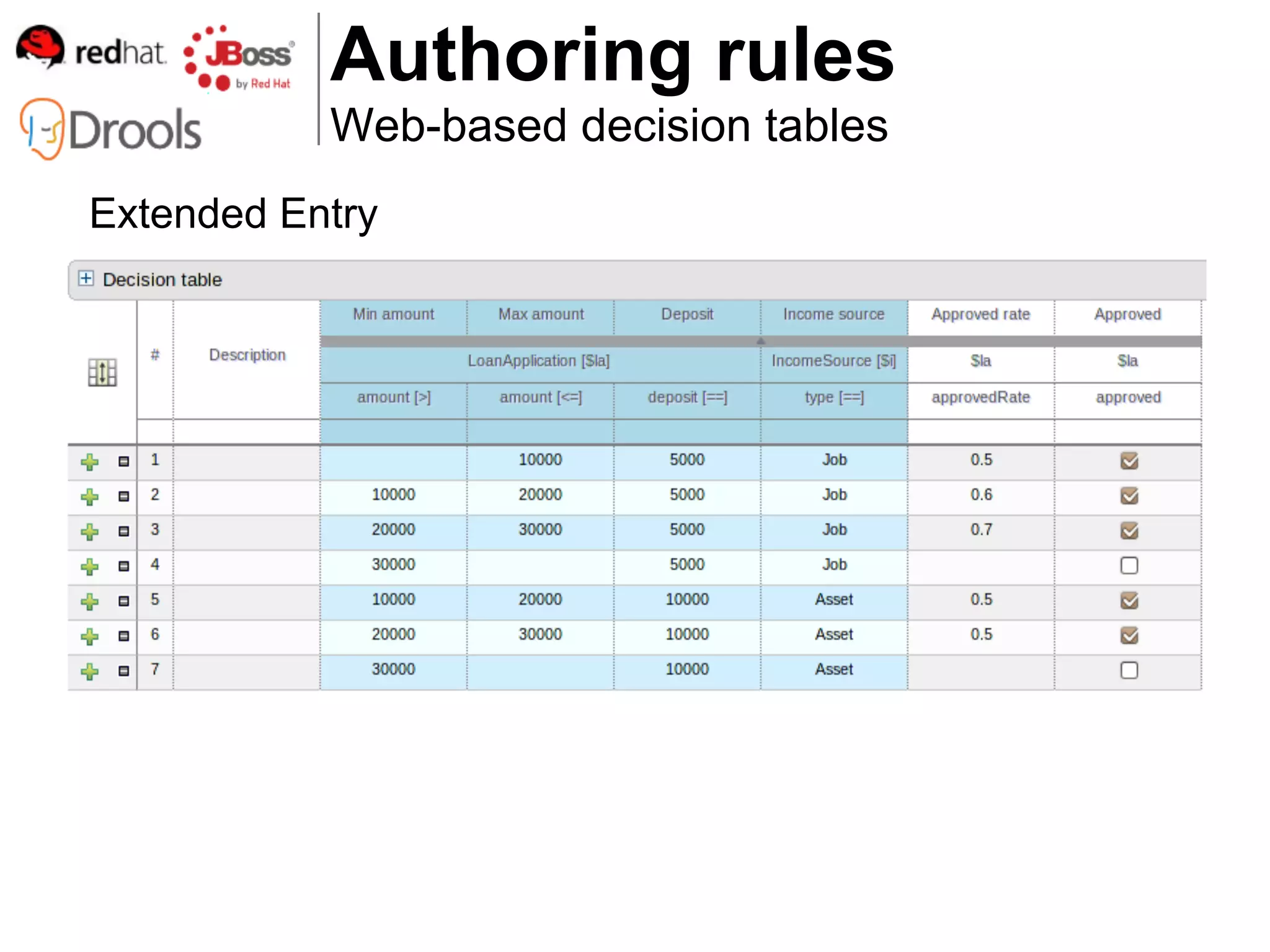
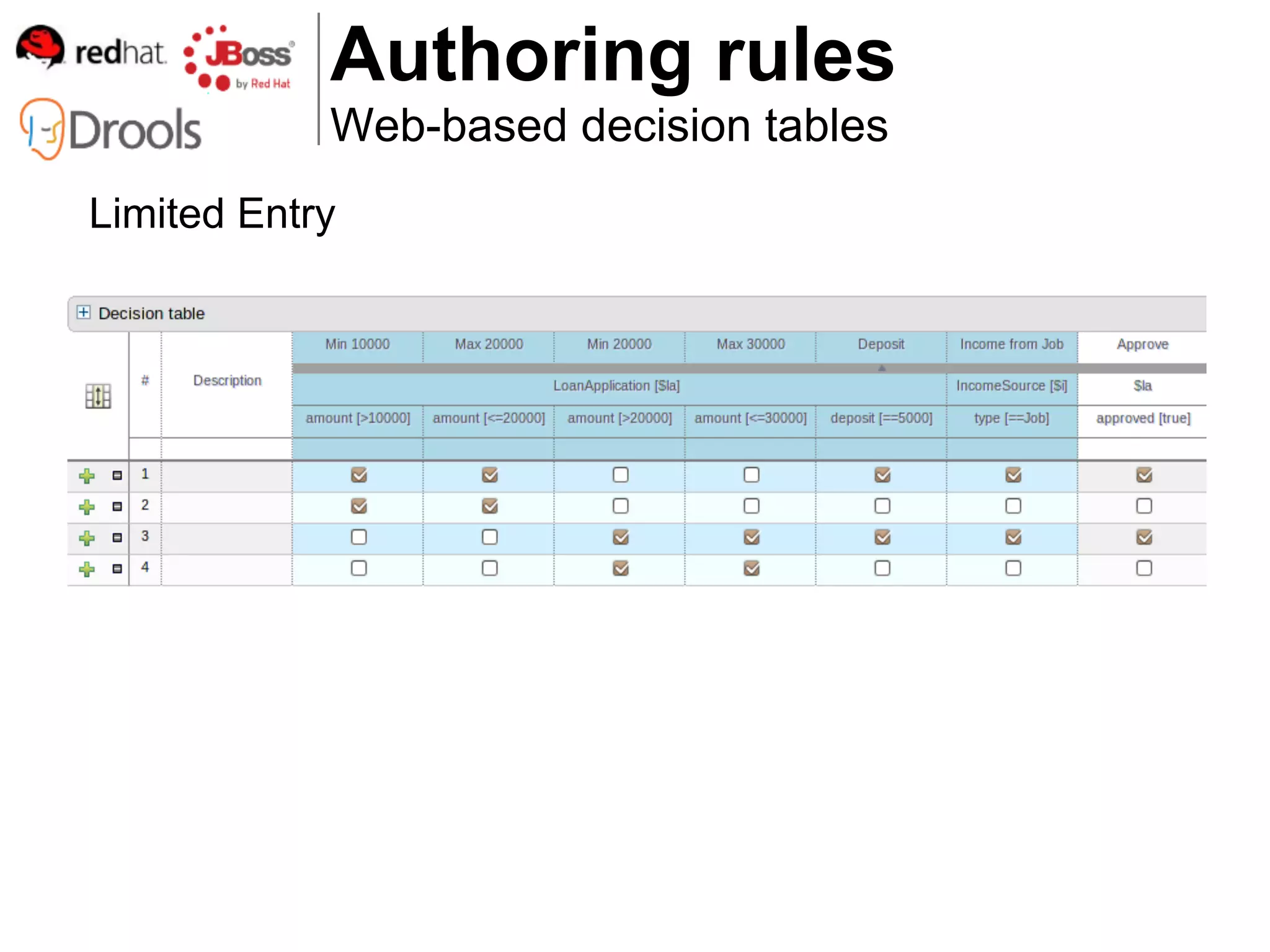
   ● Extended entry
Values are held in the decision table


   ● Limited entry
Values are held in the column definition


   ● Expanded form
   ● Mergable cells
   ● Grouping of rows
Authoring rules
           Web-based decision tables
Using a Wizard
Authoring rules
           Web-based decision tables
Extended Entry
Authoring rules
            Web-based decision tables
Limited Entry
Authoring rules
                Web-based decision tables
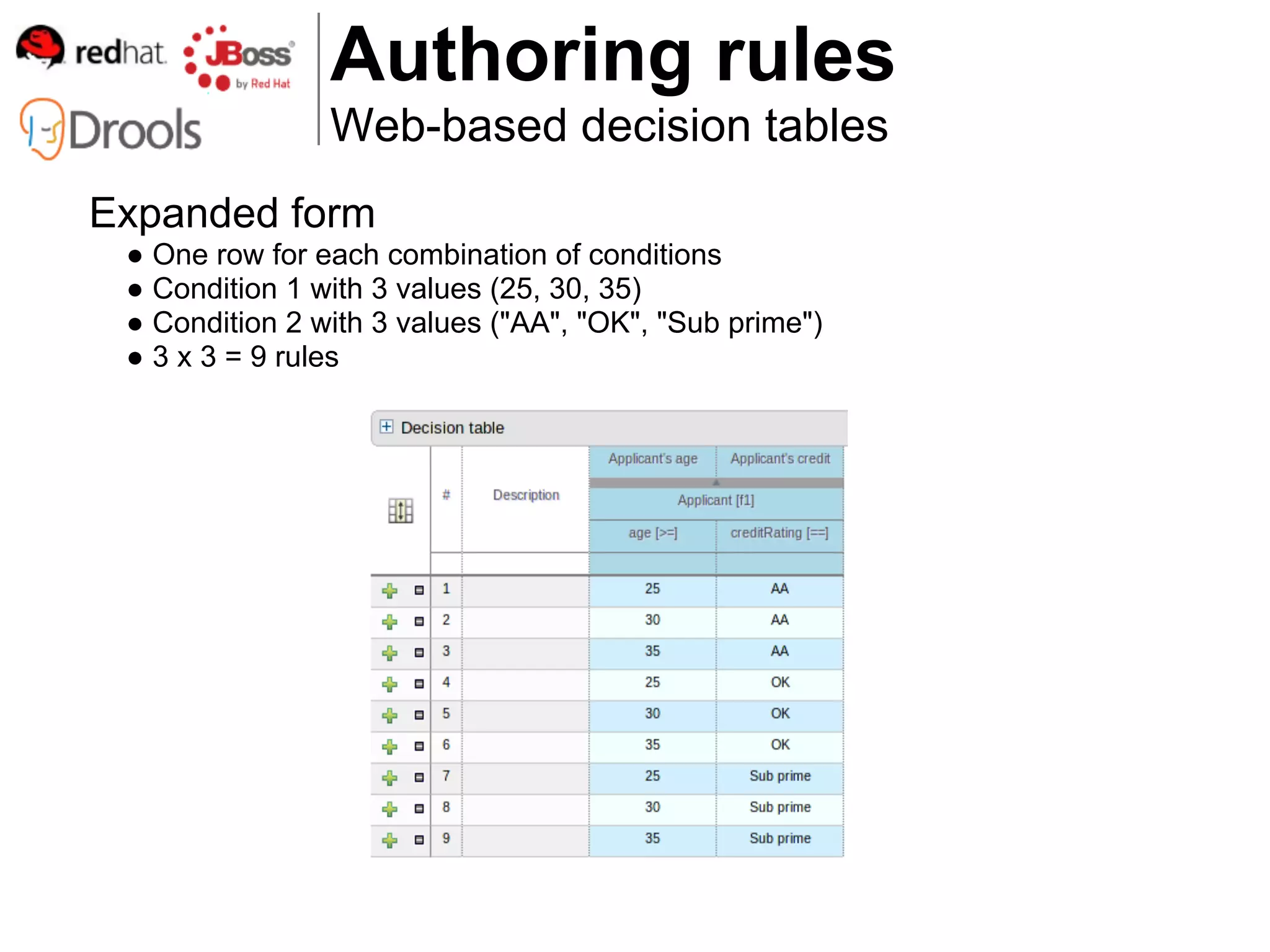
Expanded form
 ● One row for each combination of conditions
 ● Condition 1 with 3 values (25, 30, 35)
 ● Condition 2 with 3 values ("AA", "OK", "Sub prime")
 ● 3 x 3 = 9 rules
Authoring rules
            Web-based decision tables
Merging cells


Grouping cells
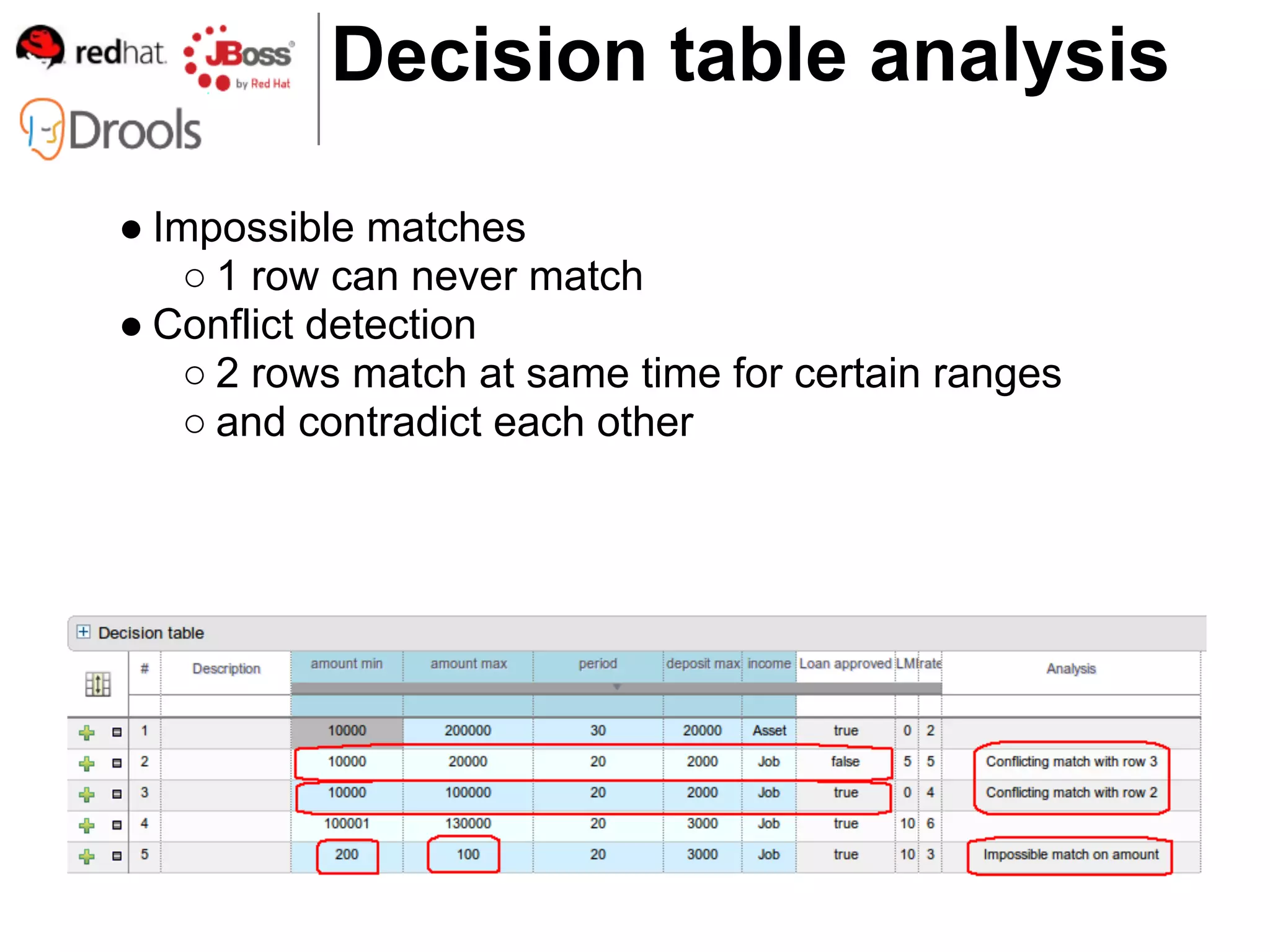
Decision table analysis

● Impossible matches
    ○ 1 row can never match
● Conflict detection
    ○ 2 rows match at same time for certain ranges
    ○ and contradict each other
Authoring rules
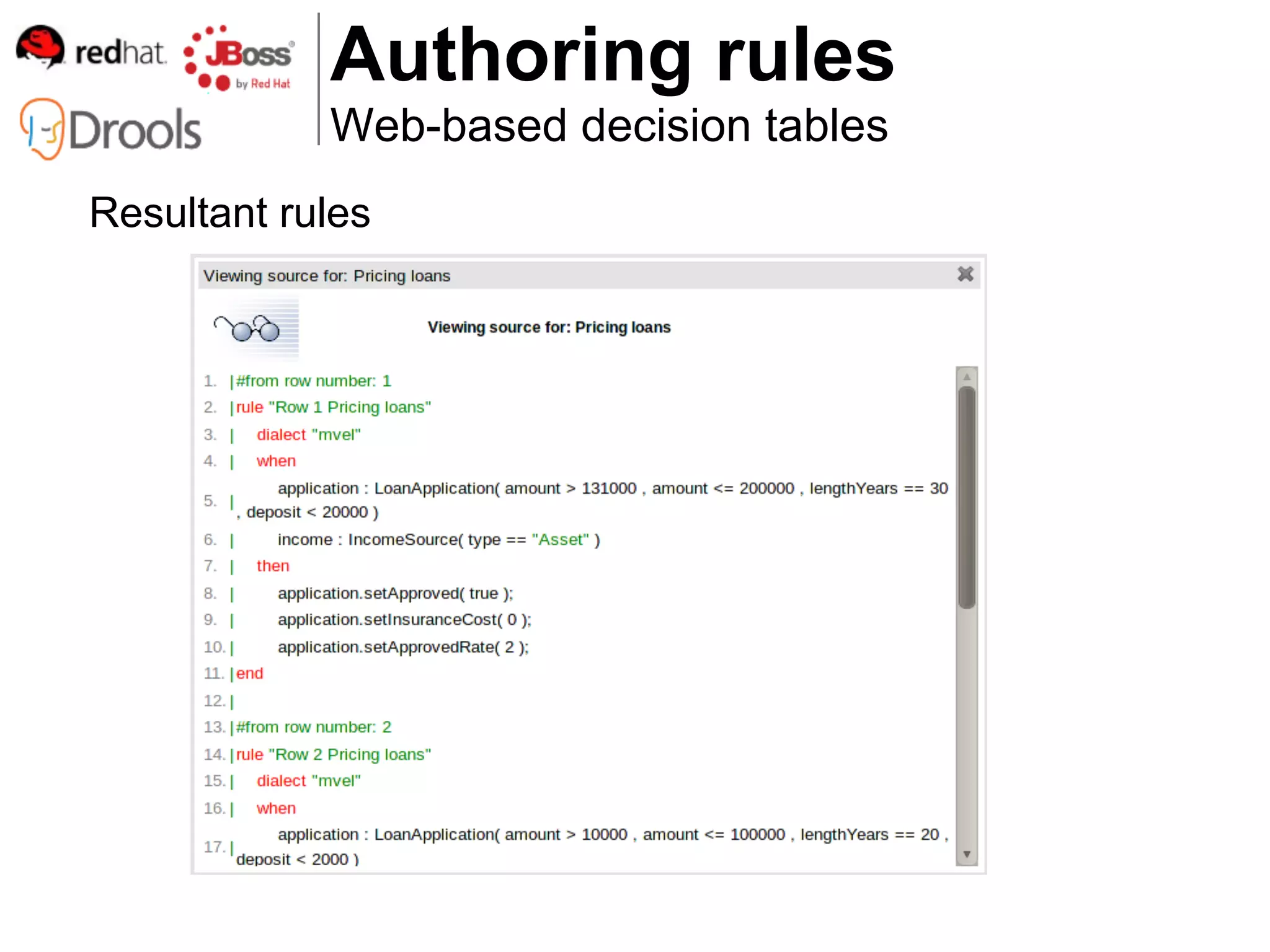
            Web-based decision tables
Resultant rules
Authoring rules
            Domain Specific Language
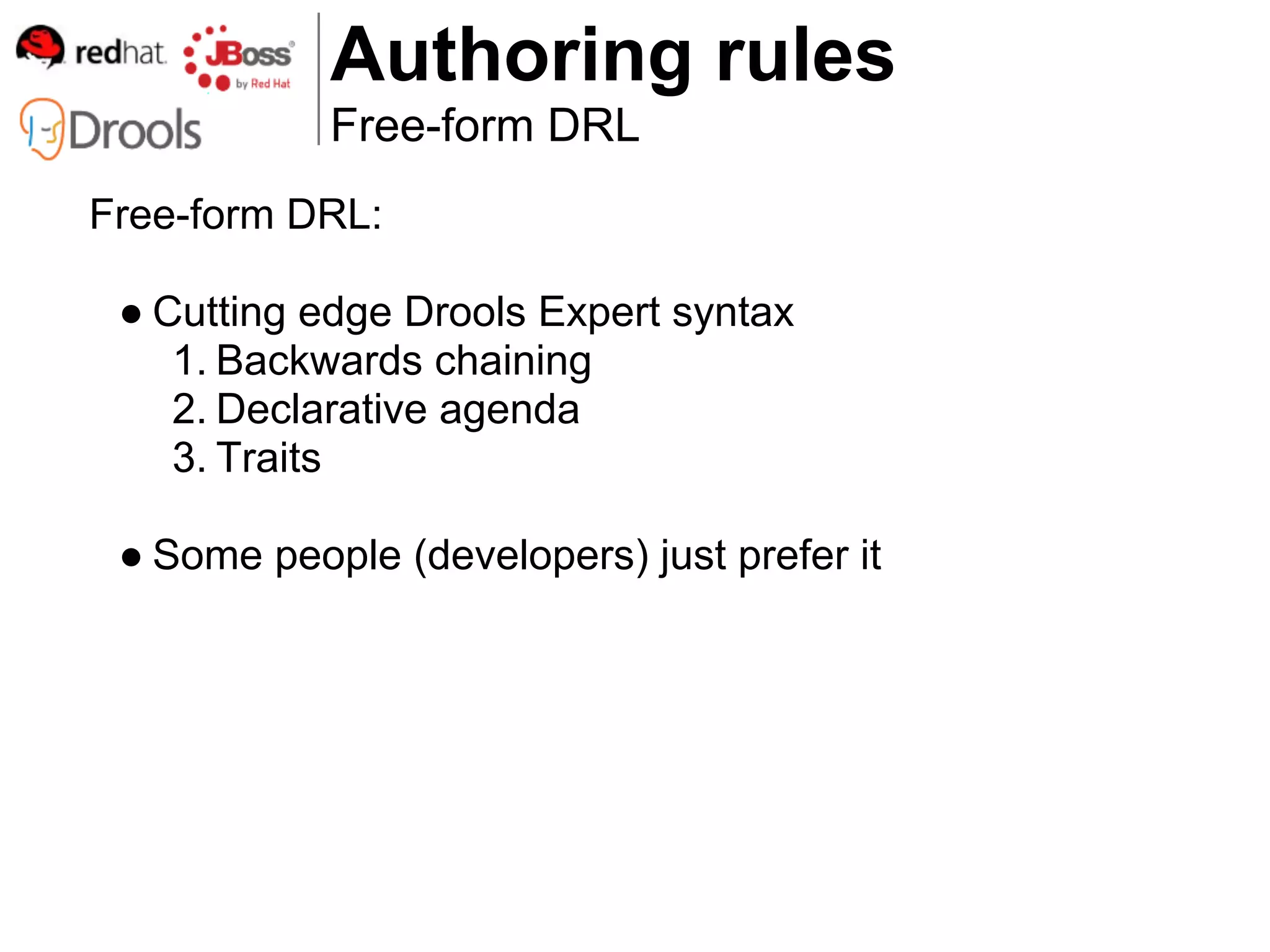
Domain Specific Language:

 ● Define domain specific sentences for use in rules


 ● Include DSL sentences in rules
Authoring rules
            Free-form DRL
Free-form DRL:

 ● Cutting edge Drools Expert syntax
    1. Backwards chaining
    2. Declarative agenda
    3. Traits

 ● Some people (developers) just prefer it
How do I check the quality of
         my rules?
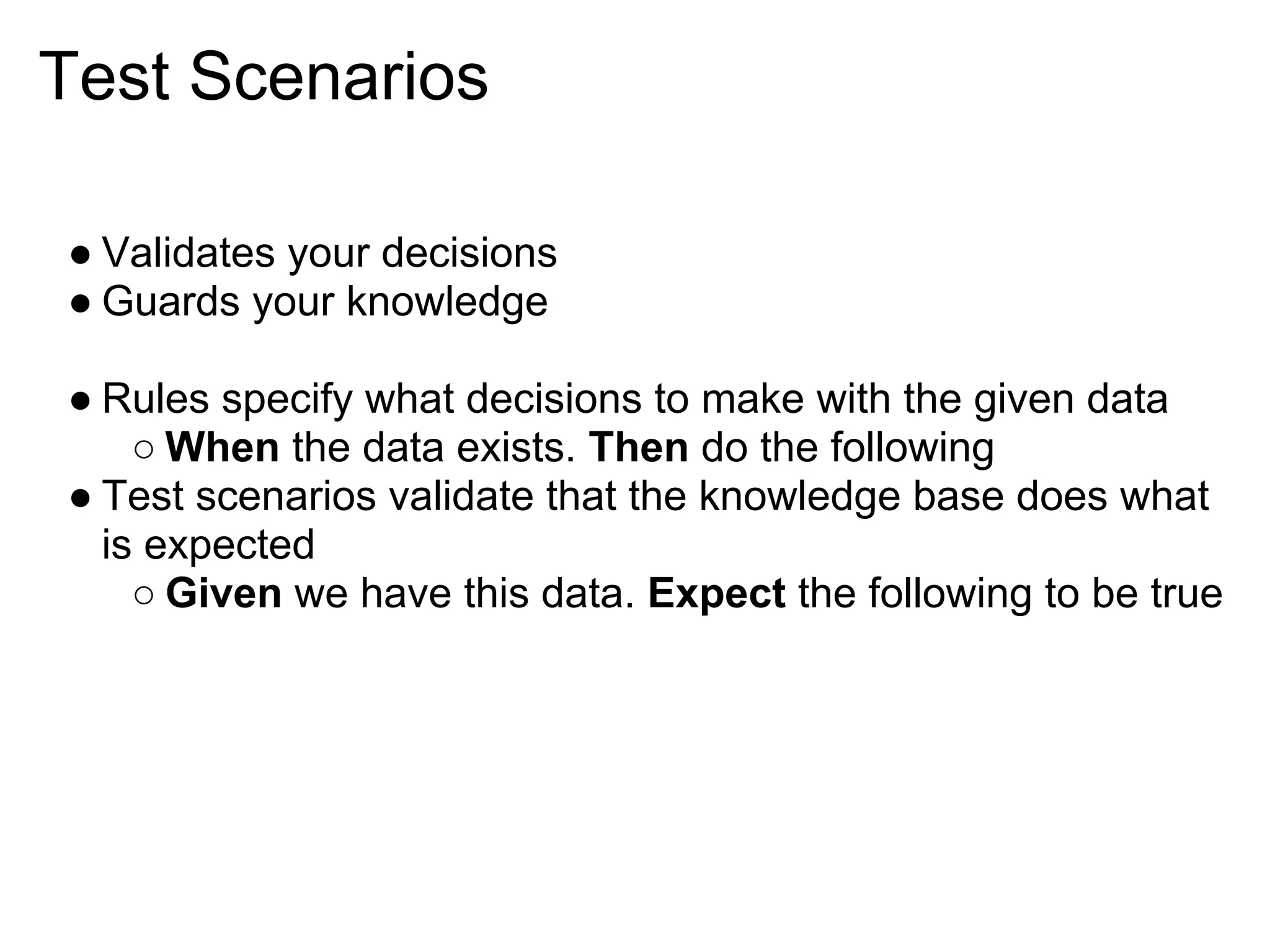
Test Scenarios

● Validates your decisions
● Guards your knowledge

● Rules specify what decisions to make with the given data
    ○ When the data exists. Then do the following
● Test scenarios validate that the knowledge base does what
  is expected
    ○ Given we have this data. Expect the following to be true
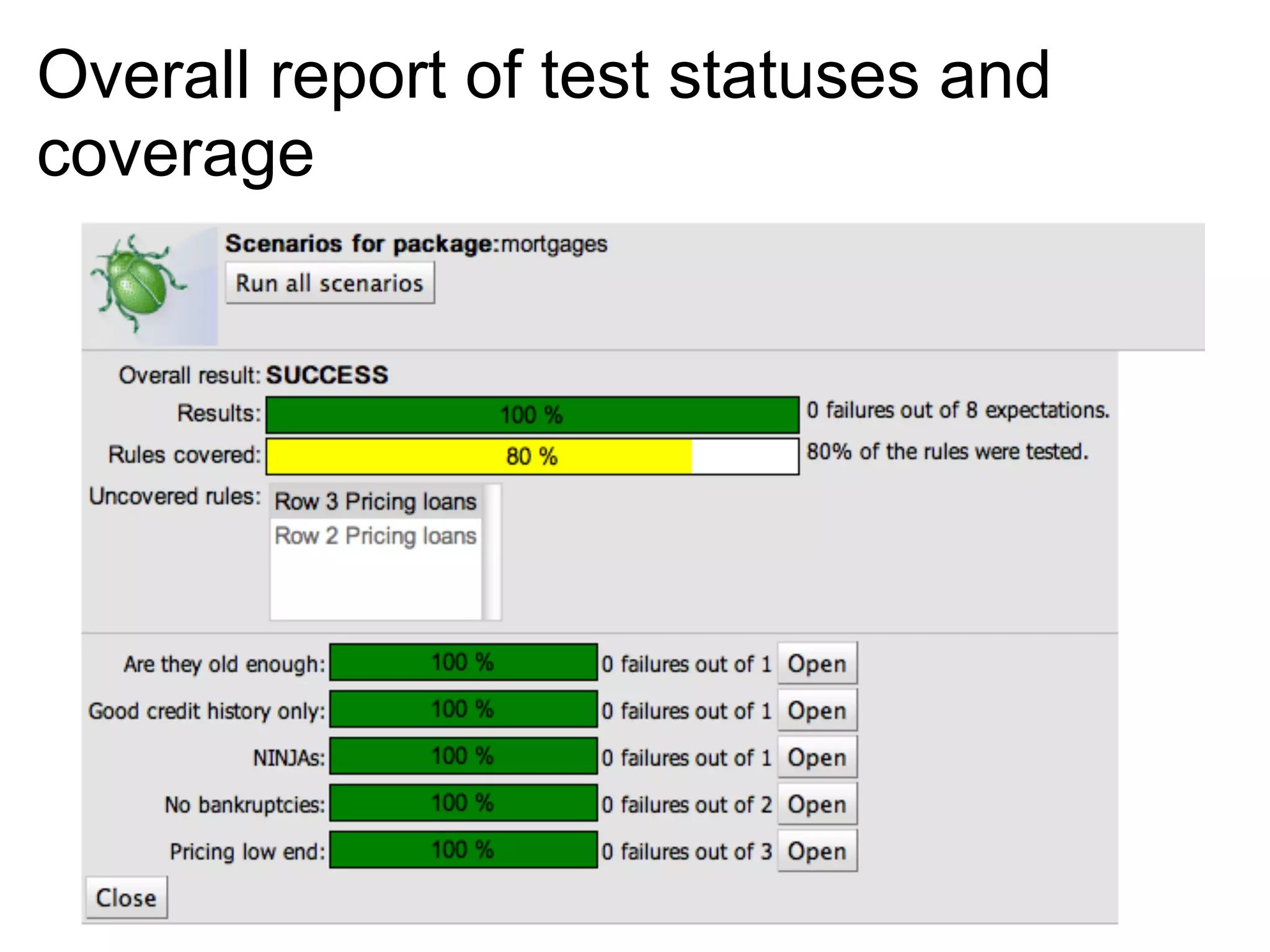
Overall report of test statuses and
coverage
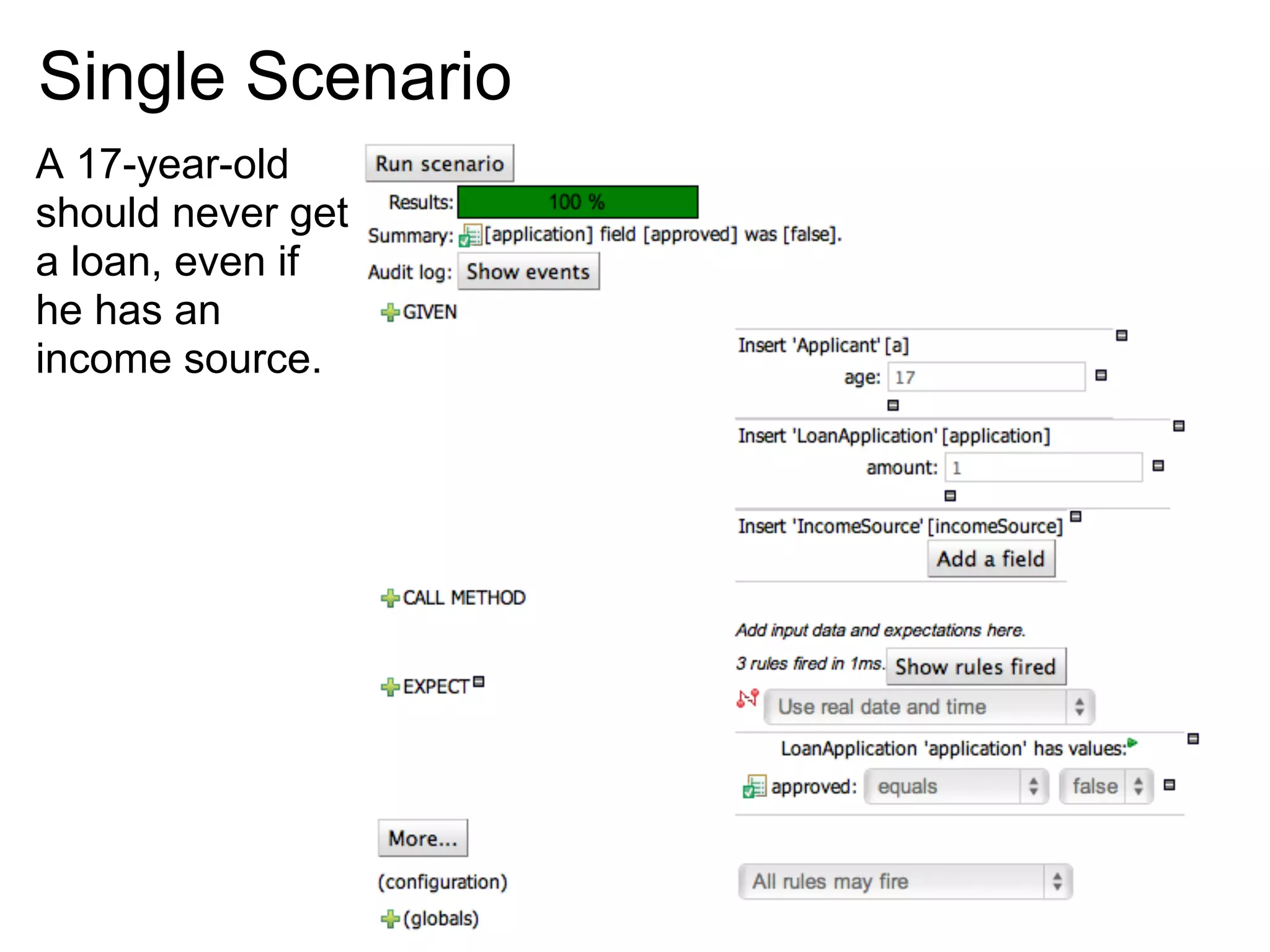
Single Scenario
A 17-year-old
should never get
a loan, even if
he has an
income source.
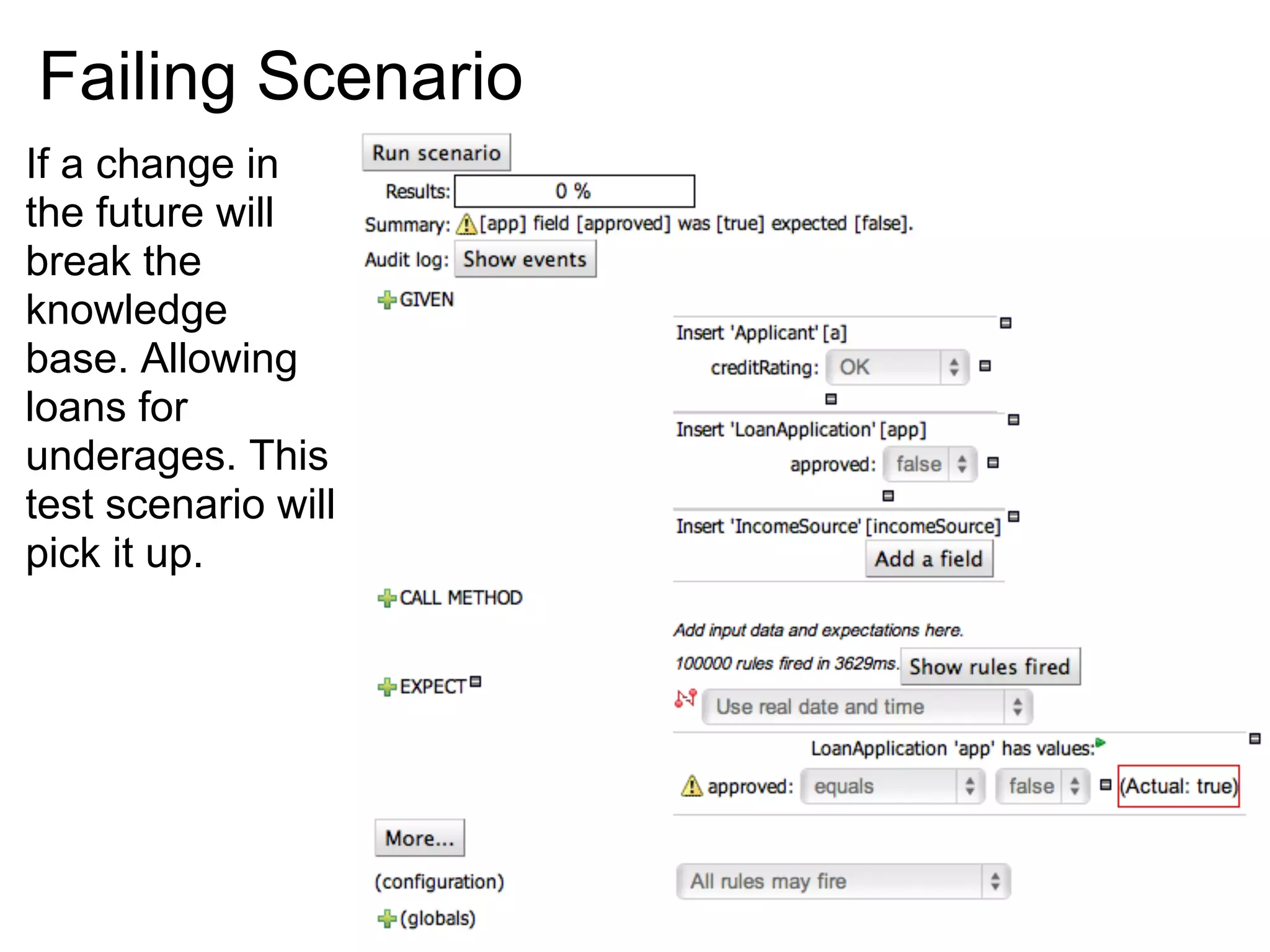
Failing Scenario
If a change in
the future will
break the
knowledge
base. Allowing
loans for
underages. This
test scenario will
pick it up.
Rule Analysis

● Looks for errors in the rule logic and mistakes made by the
  rule authors
    ○ Redundant and subsumptant rules
    ○ Missing ranges
    ○ Rules that can never fire
    ○ Rules that always fire
    ○ Rule optimization
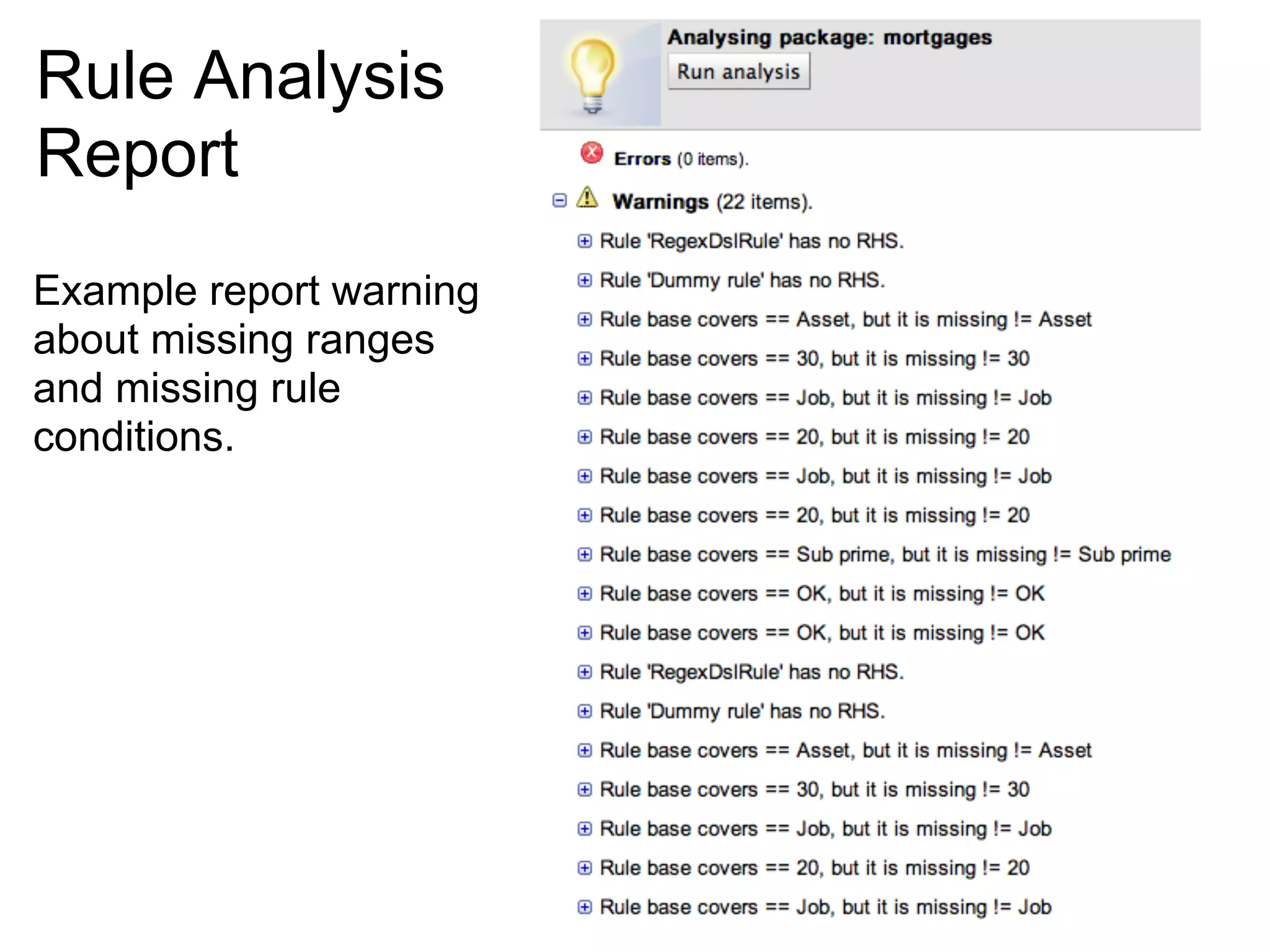
Rule Analysis
Report
Example report warning
about missing ranges
and missing rule
conditions.
How do I define workflows?
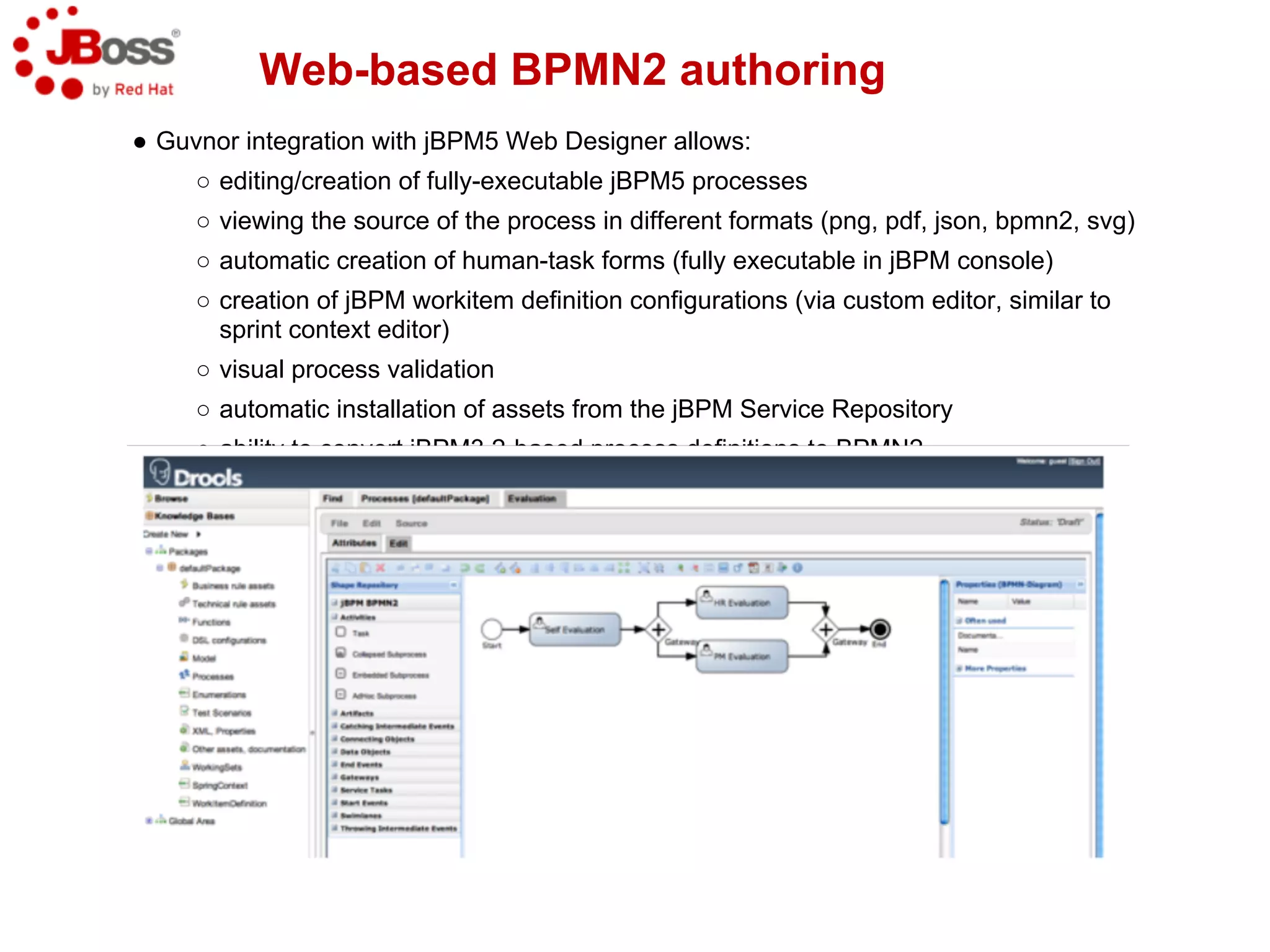
Web-based BPMN2 authoring
● Guvnor integration with jBPM5 Web Designer allows:
     ○ editing/creation of fully-executable jBPM5 processes
     ○ viewing the source of the process in different formats (png, pdf, json, bpmn2, svg)
     ○ automatic creation of human-task forms (fully executable in jBPM console)
     ○ creation of jBPM workitem definition configurations (via custom editor, similar to
       sprint context editor)
     ○ visual process validation
     ○ automatic installation of assets from the jBPM Service Repository
     ○ ability to convert jBPM3.2-based process definitions to BPMN2
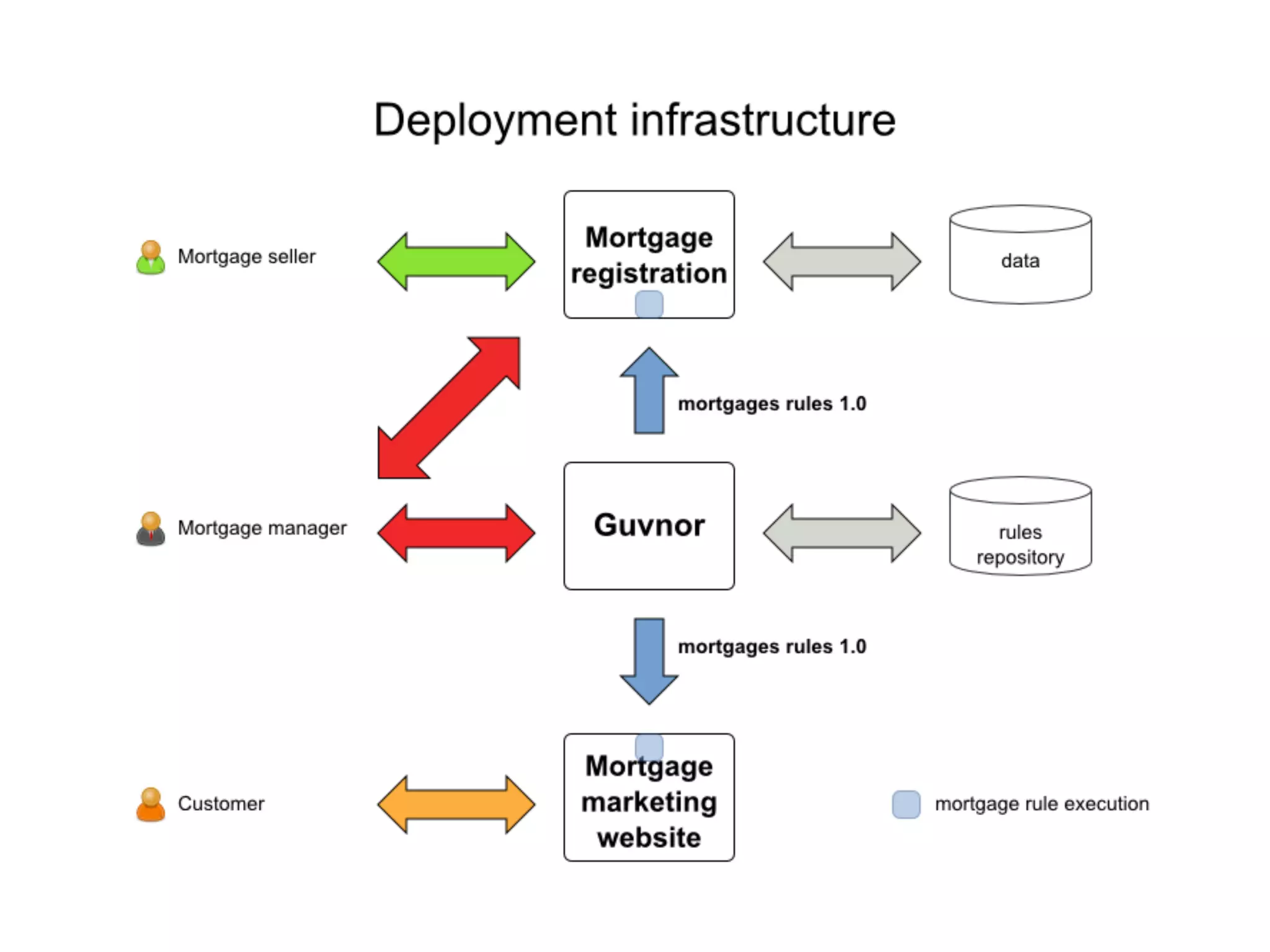
Where does Guvnor fit into my
       infrastructure?
Jackrabbit Repository Configuration

● All assets are stored in a content repository (JCR 2.0
  compliant)
● Configuring different repositories is possible
● Default repository implementation is Apache Jackrabbit

● Jackrabbit allows repository to be stored
   ○ File System (default)
   ○ External Database (Oracle, MySQL, etc)
● Configuring Jackrabbit is often tedious mainly because of
  limited or not-existing documentation
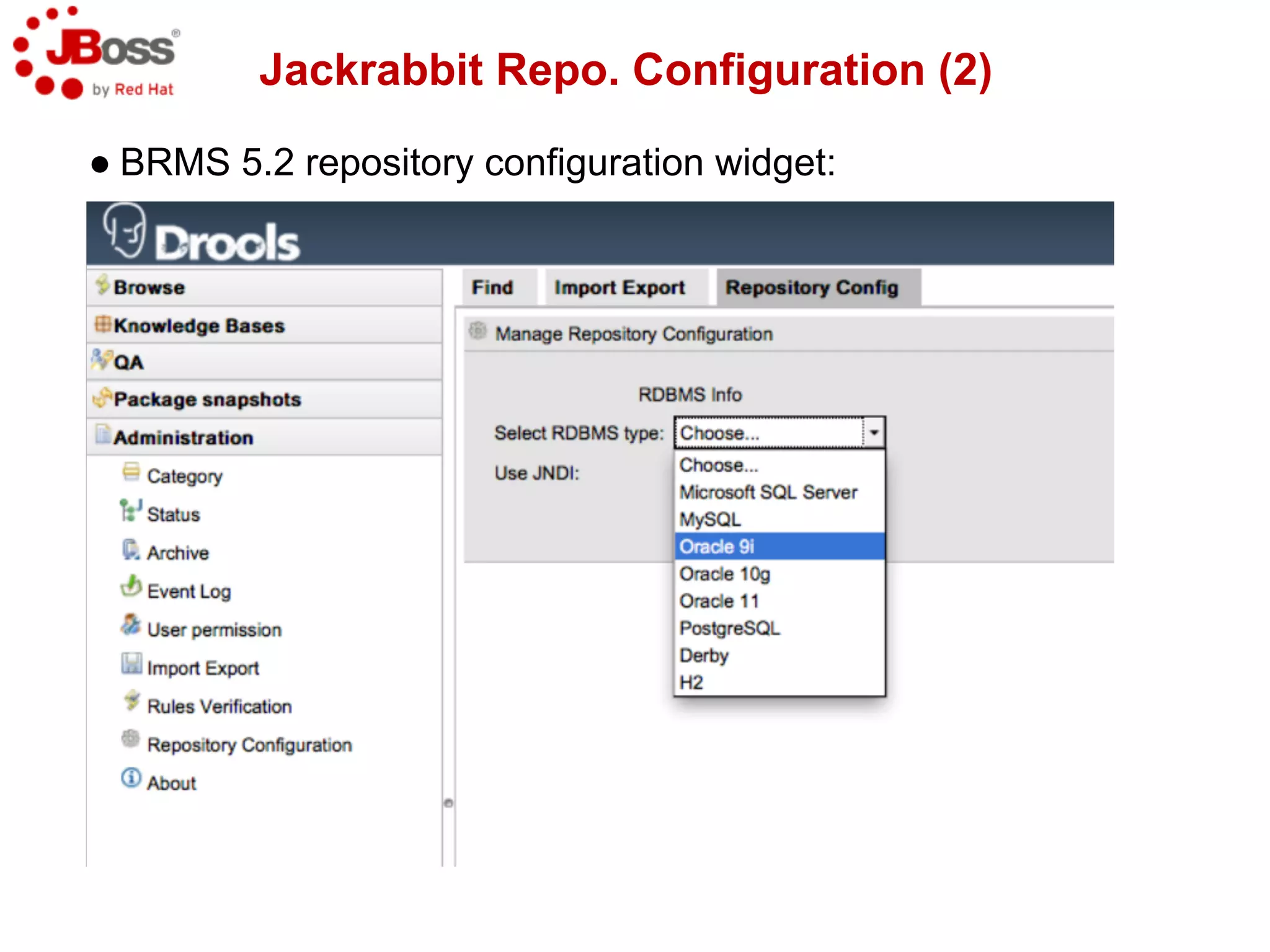
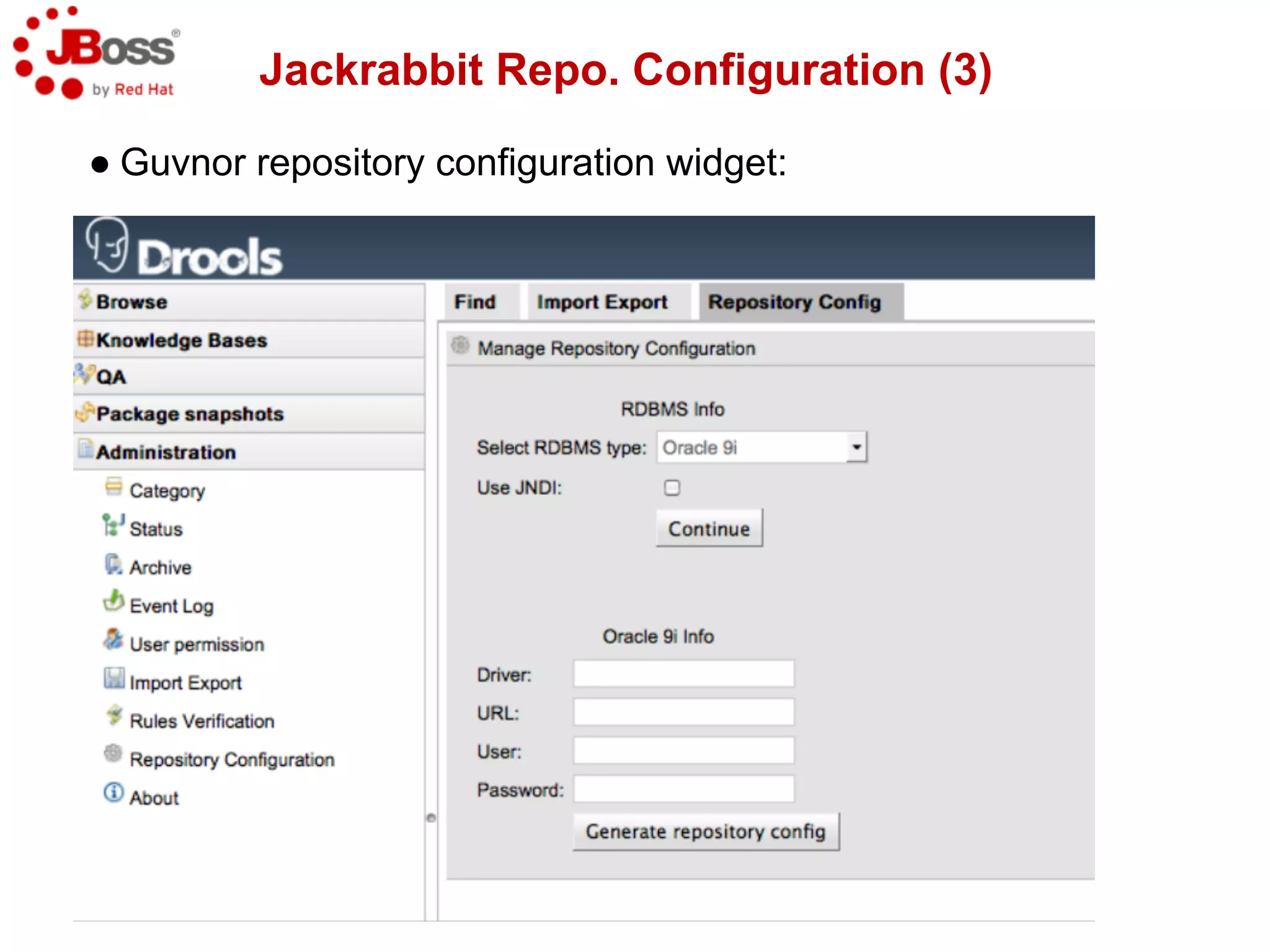
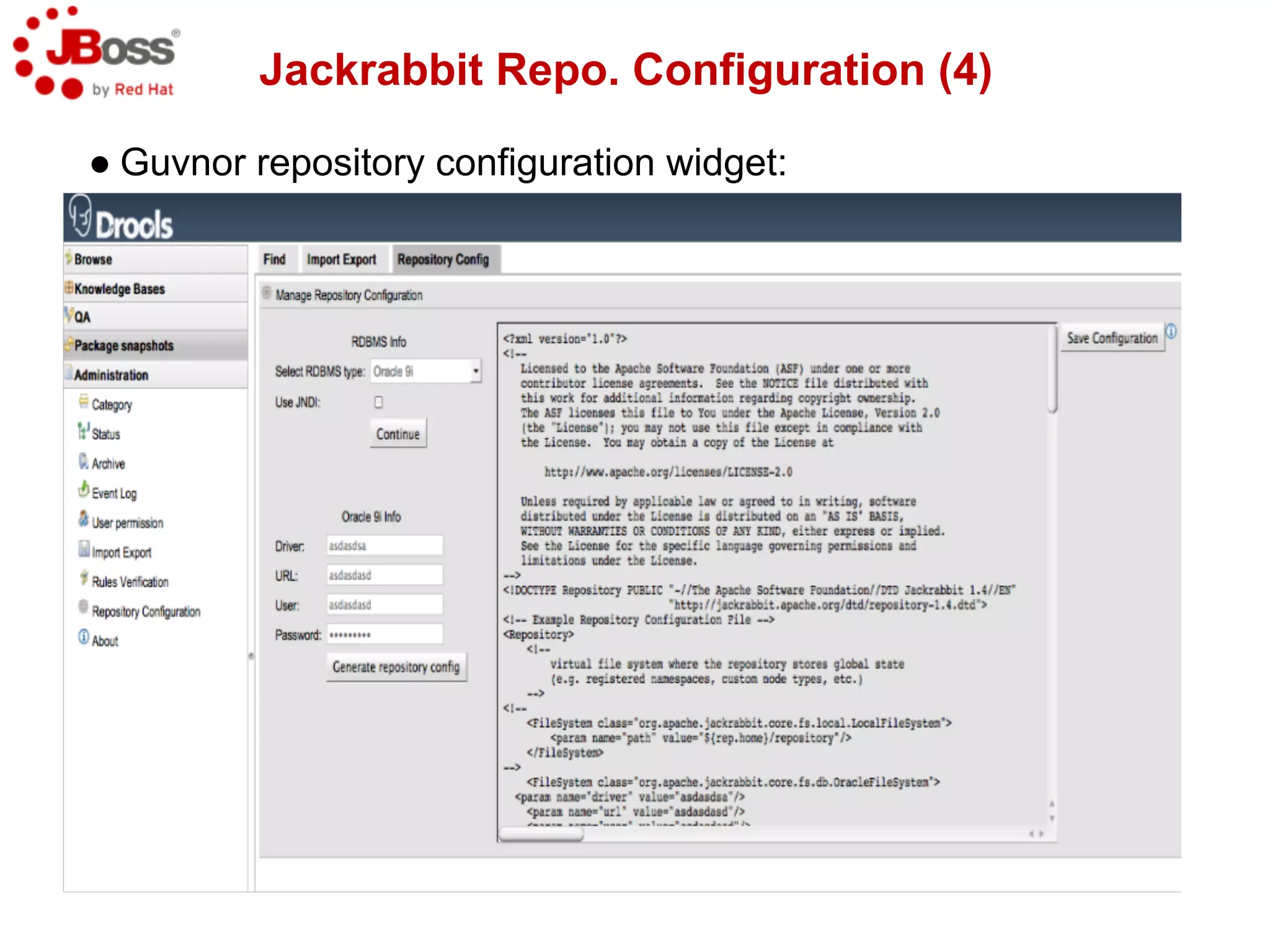
● Guvnor Admin section includes a repository configuration
  widget that helps with configuration creation.
Jackrabbit Repo. Configuration (2)

● BRMS 5.2 repository configuration widget:
Jackrabbit Repo. Configuration (3)

● Guvnor repository configuration widget:
Jackrabbit Repo. Configuration (4)

● Guvnor repository configuration widget:
How do I release the
   knowledge?
Releasing the knowledge
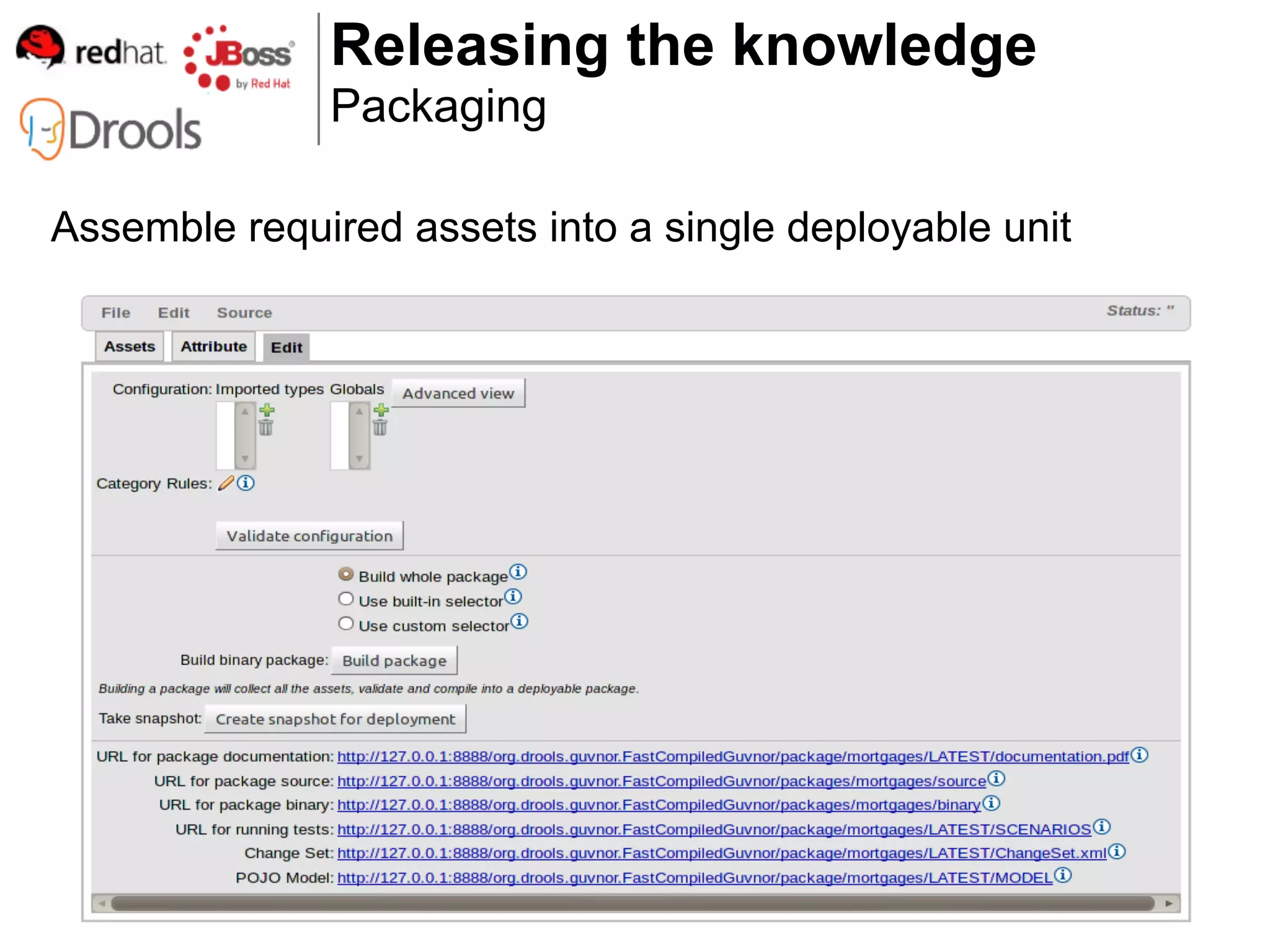
              Packaging

Assemble required assets into a single deployable unit
Releasing the knowledge
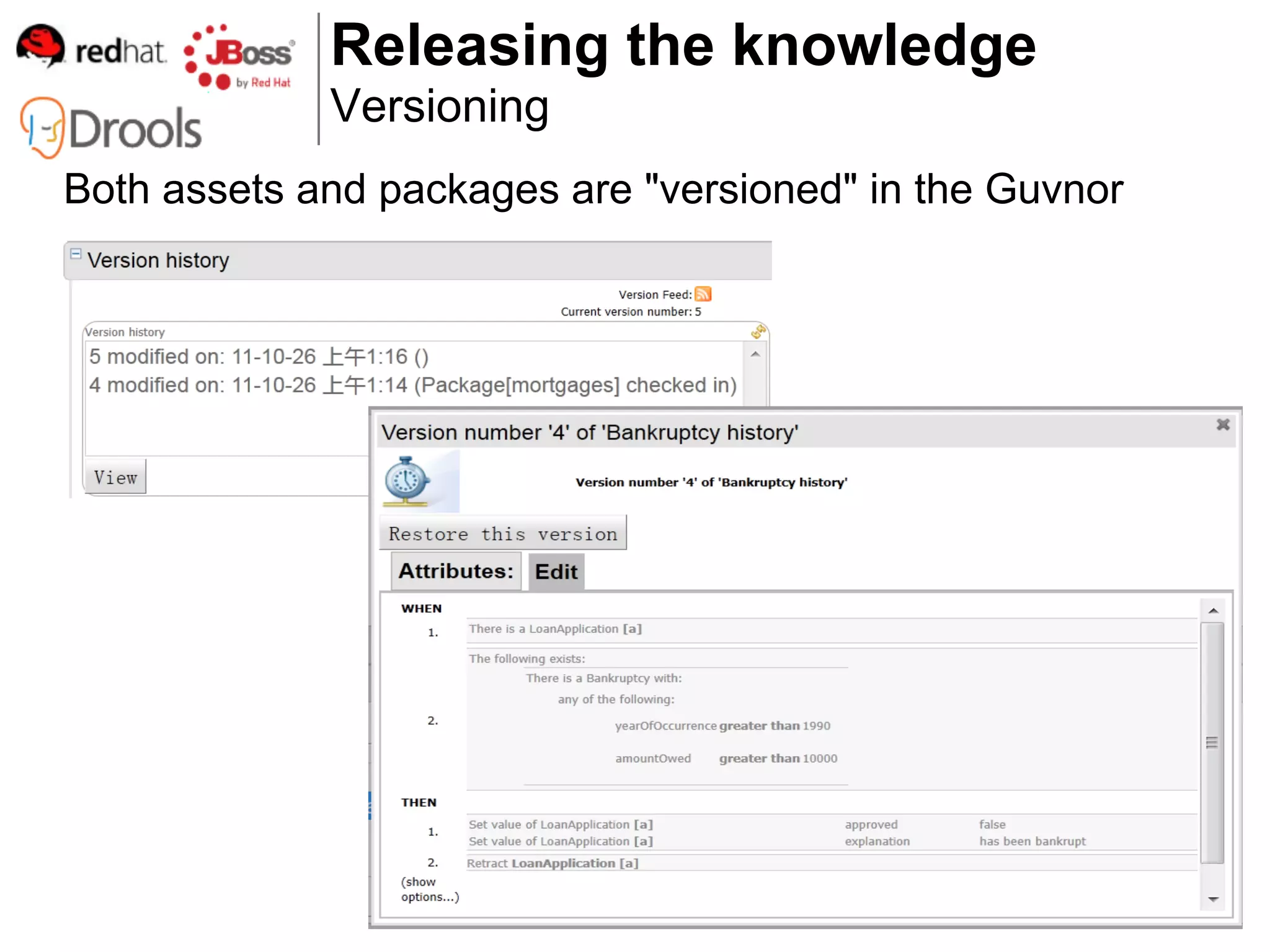
             Versioning
Both assets and packages are "versioned" in the Guvnor
Releasing the knowledge
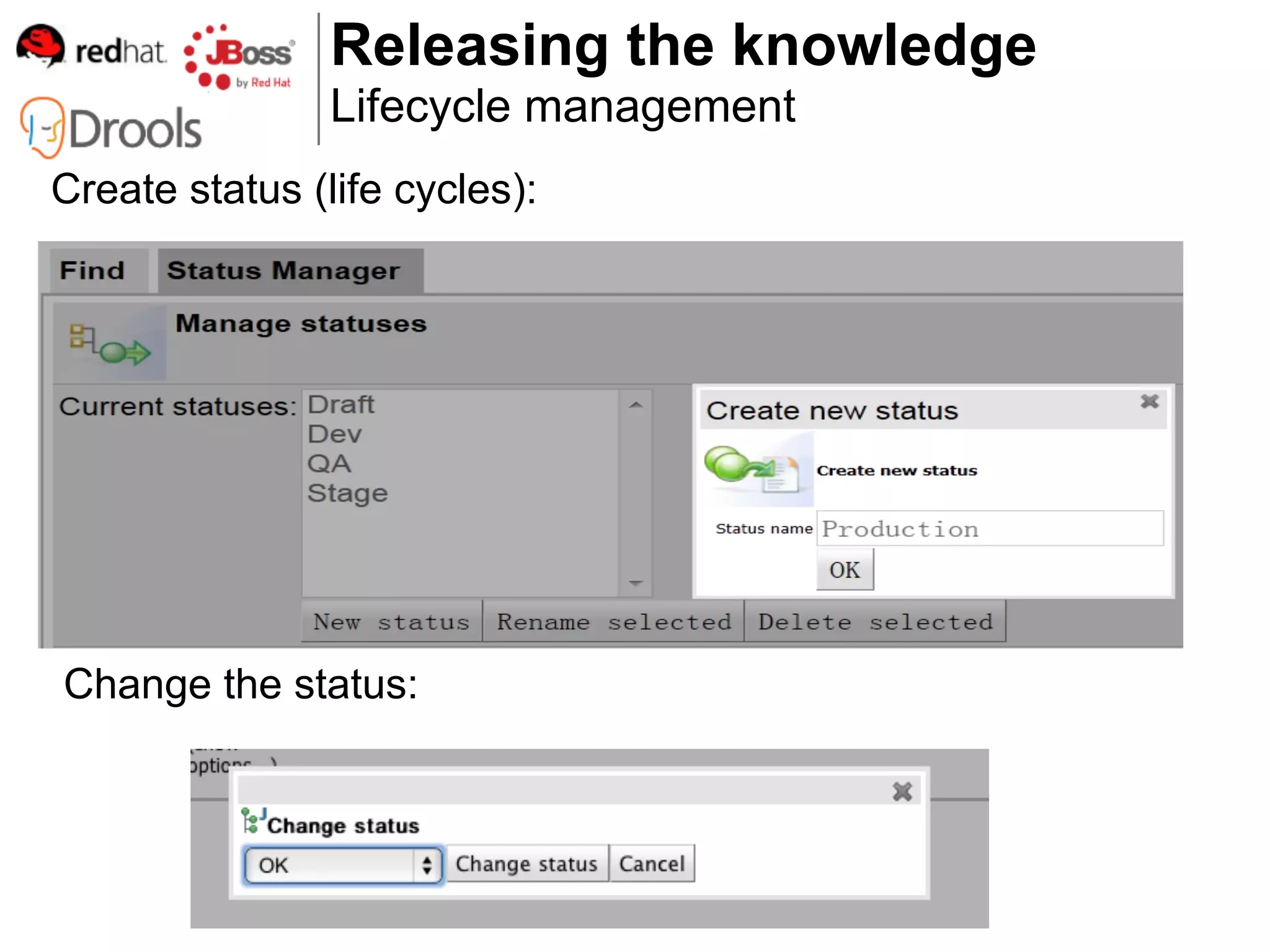
                Lifecycle management
Create status (life cycles):


Change the status:
How do I use the knowledge?
Using the knowledge
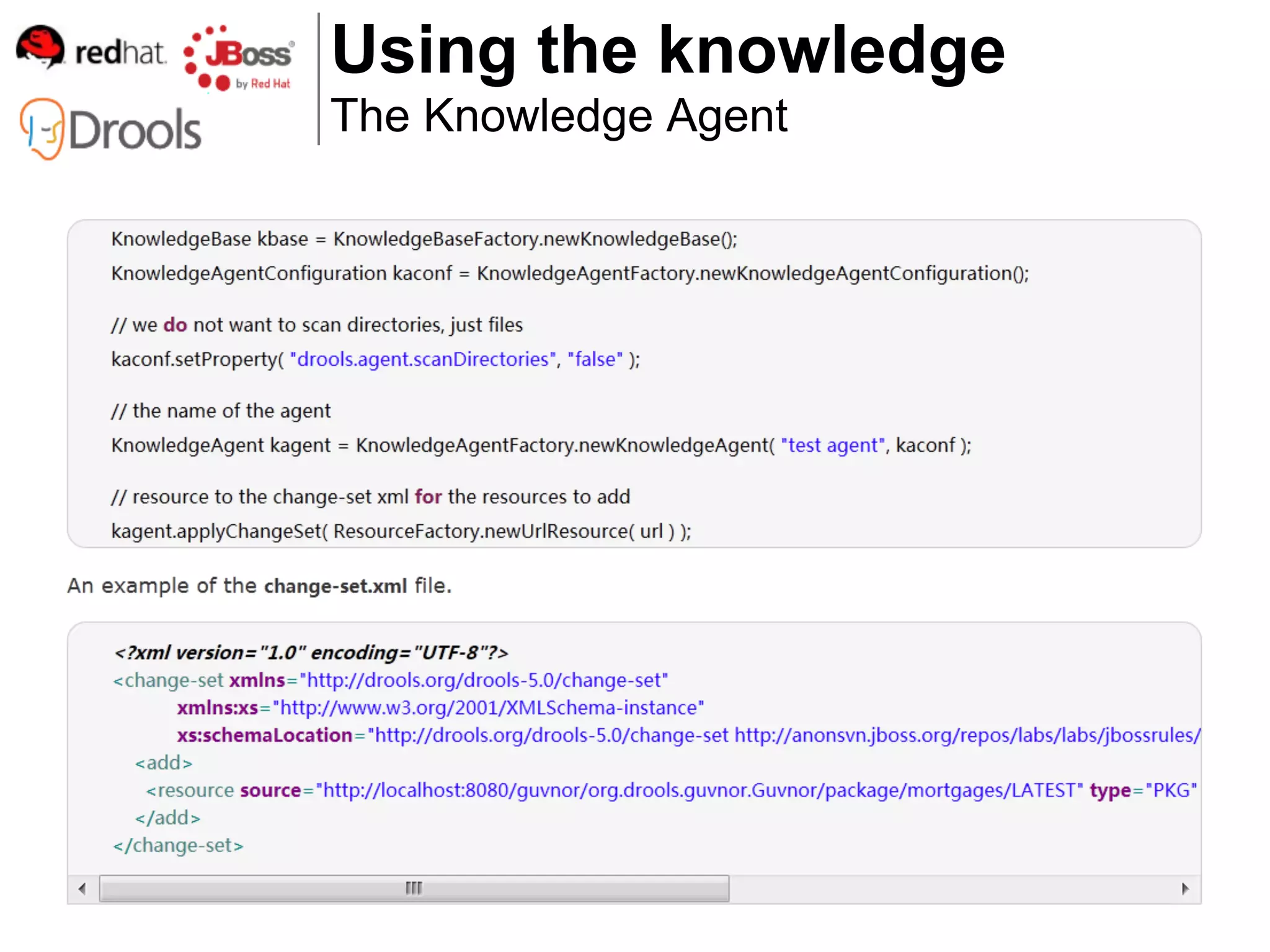
The Knowledge Agent
Using the knowledge
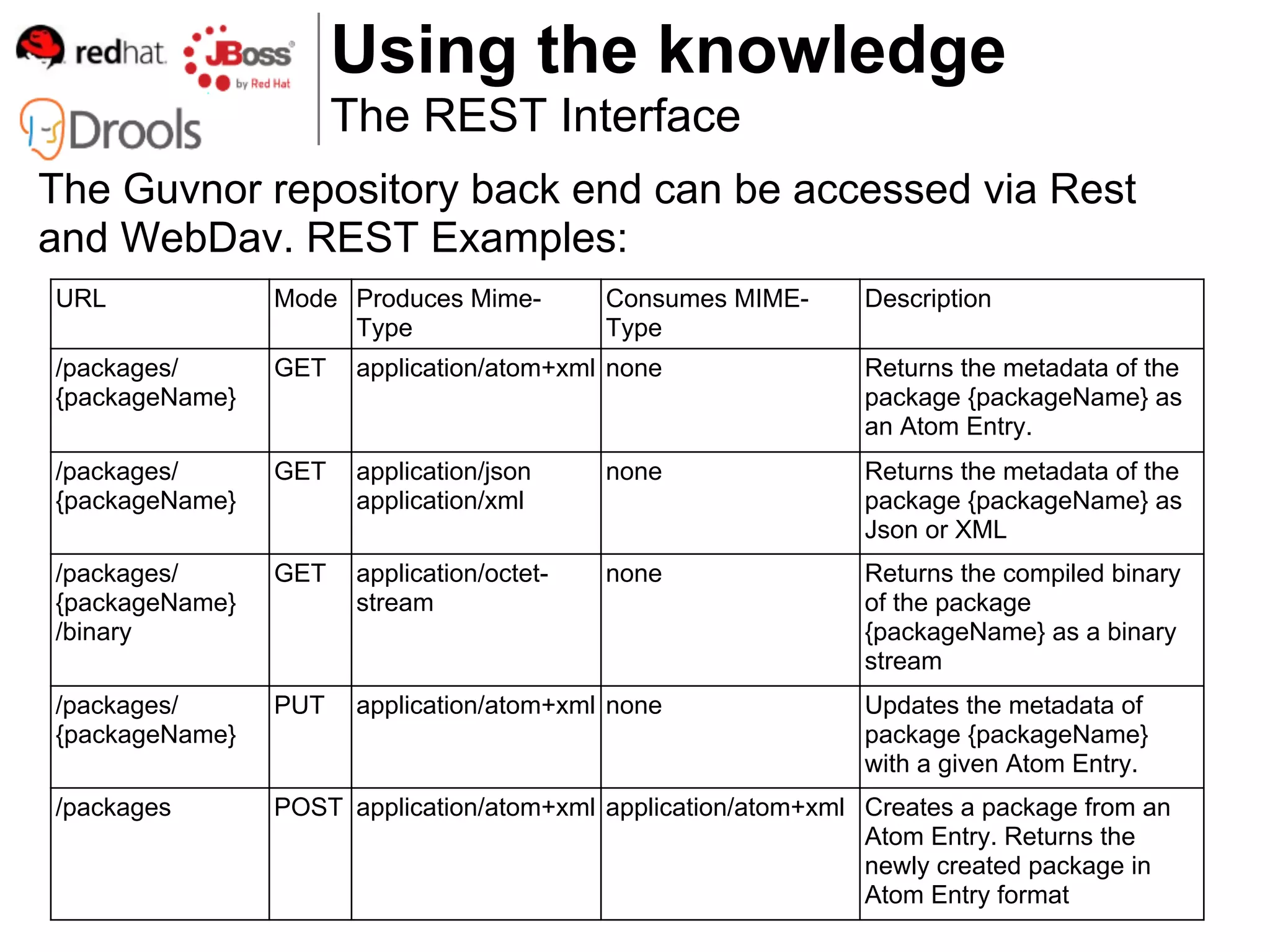
                      The REST Interface
The Guvnor repository back end can be accessed via Rest
and WebDav. REST Examples:
URL             Mode Produces Mime-         Consumes MIME-     Description
                     Type                   Type
/packages/      GET    application/atom+xml none               Returns the metadata of the
{packageName}                                                  package {packageName} as
                                                               an Atom Entry.
/packages/      GET    application/json     none               Returns the metadata of the
{packageName}          application/xml                         package {packageName} as
                                                               Json or XML
/packages/      GET    application/octet-   none               Returns the compiled binary
{packageName}          stream                                  of the package
/binary                                                        {packageName} as a binary
                                                               stream
/packages/      PUT    application/atom+xml none               Updates the metadata of
{packageName}                                                  package {packageName}
                                                               with a given Atom Entry.
/packages       POST application/atom+xml application/atom+xml Creates a package from an
                                                               Atom Entry. Returns the
                                                               newly created package in
                                                               Atom Entry format
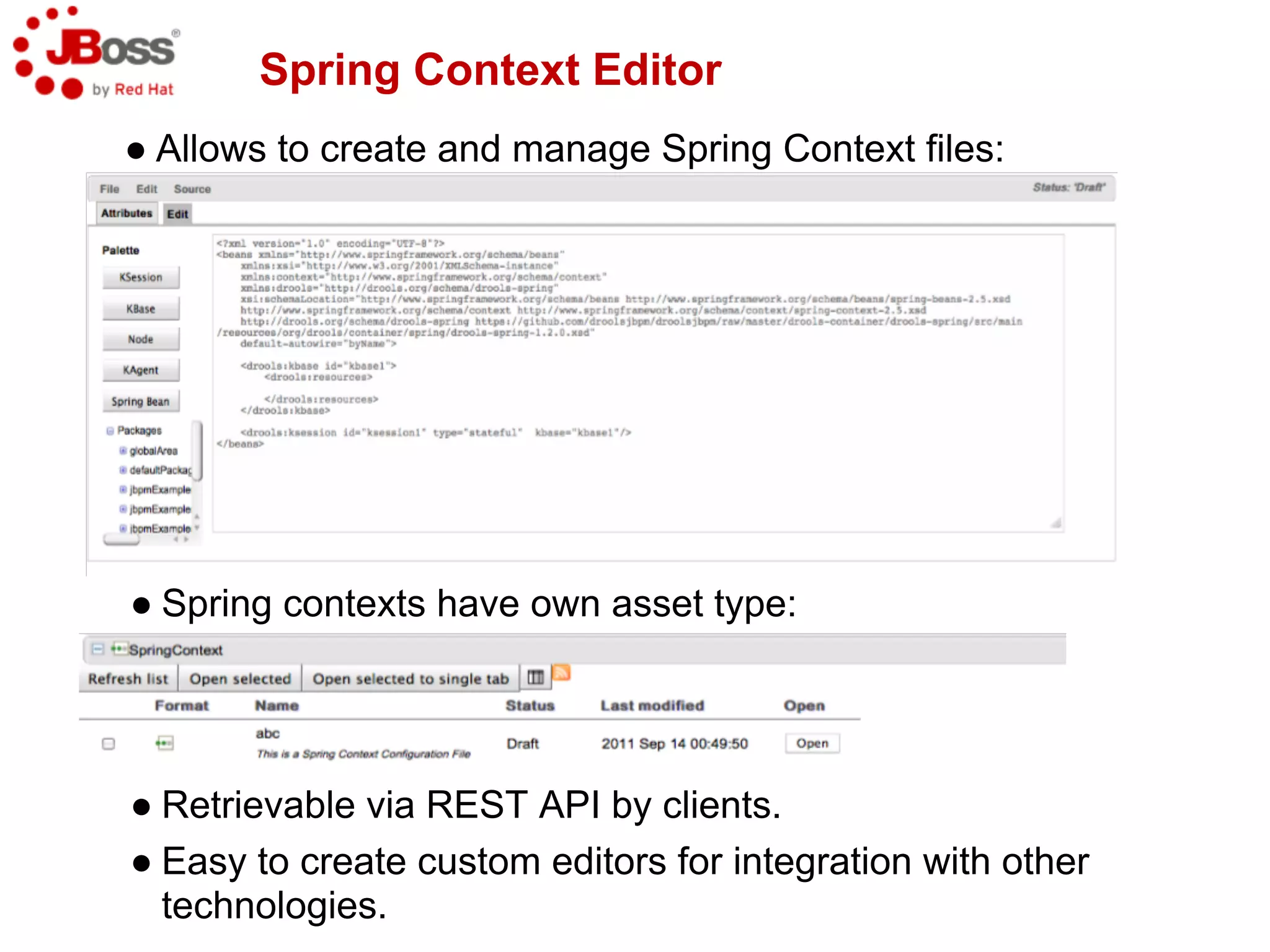
Spring Context Editor
● Allows to create and manage Spring Context files:


● Spring contexts have own asset type:


● Retrievable via REST API by clients.
● Easy to create custom editors for integration with other
  technologies.
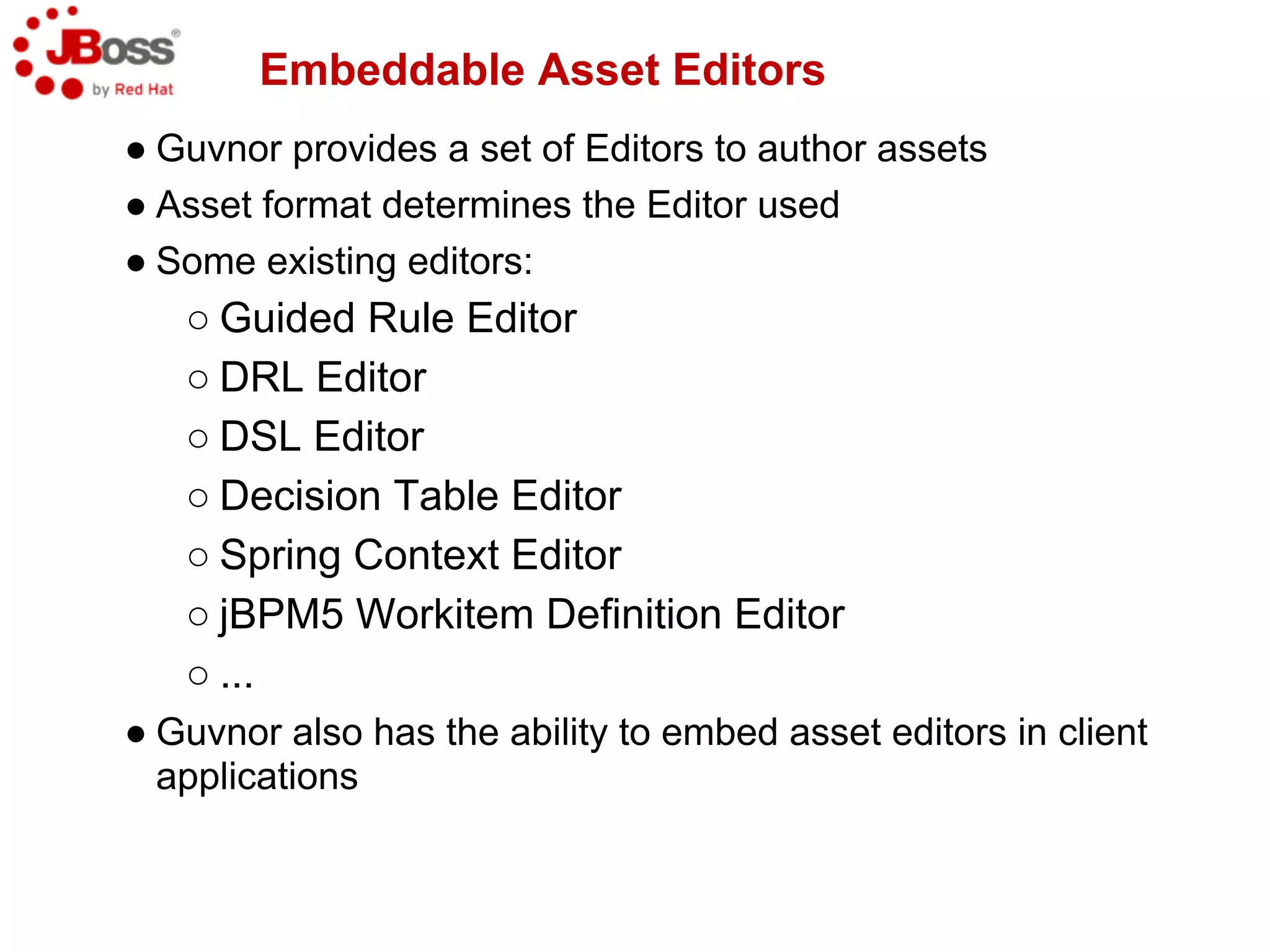
Embeddable Asset Editors
● Guvnor provides a set of Editors to author assets
● Asset format determines the Editor used
● Some existing editors:
   ○ Guided Rule Editor
   ○ DRL Editor
   ○ DSL Editor
   ○ Decision Table Editor
   ○ Spring Context Editor
   ○ jBPM5 Workitem Definition Editor
   ○ ...
● Guvnor also has the ability to embed asset editors in client
  applications
Embeddable Asset Editors (2)
● Embedding enabled via StandaloneEditorServlet
● Client applications must perform request to
  /standaloneEditorServlet and can interact with the
  embedded editor(s) via JavaScript.
   ○ Restriction – since JavaScript is used, client
     application must run on the same server as
     Guvnor (cross-domain interaction only)
● 100% community contribution
● Three interaction modes available:
   ○ Guided Rule editing mode (new or existing
     assets)
   ○ Asset Editor (existing assets only)
   ○ New asset mode
Questions

http://www.jboss.org/drools

Guvnor presentation jervis liu

  • 1.
  • 2.
    What is Guvnor? ●Business Knowledge Management System ● Application to manage business knowledge ○ Business Rules (BRMS) ○ Business Workflows (BWMS) ● Accessible through ○ Browser ○ REST webservice
  • 3.
    Why would Ineed a BRMS like Guvnor?
  • 4.
    Use case: mortgage ●Mortgage approval ● Mortgage rate calculation
  • 6.
    Diploma Computer science + Economics + Medicine John Unfindable Smith Programmers are not domain experts
  • 7.
    Domain experts definerules ● Mortgage manager == domain expert ○ defines rules ○ wants to edit rules Invalid: must be a number
  • 8.
  • 9.
    when house nearFukushima then ... when guarantor invested in Lehman Brothers stock then ... Business rules change often
  • 10.
    Only works fordata changes
  • 11.
    Too slow forbusiness rules changes
  • 12.
  • 13.
    How do Idefine my data model?
  • 14.
    Business Model ● POJOmodel Upload a Java JAR file into Guvnor ● Declarative model Declare a model within Guvnor ● Enumerations
  • 15.
    Business Model POJO Model Uploading a POJO model
  • 16.
    Business Model Declarative model Declarative model editor ● Add CEP support to your classes 1. @role(event) annotation 2. Add to POJOs or declared types ● Example types: 1. Loan Application 2. Applicant 3. ... ● Example fields: 1. LoanApplication.amount 2. LoanApplication.approved
  • 17.
    Business Model Declarative model Declarative model editor
  • 18.
    Business Model Declarative model Adding a new Type ● Types can extend Java classes ● Types can extend other declared types Adding a field to a Fact
  • 19.
    Business Model Enumerations ● Java enumerations Defined in POJO model ● Guvnor enumerations Defined declaratively in Guvnor
  • 20.
    Business Model Enumerations Guvnor enumeration editor:
  • 21.
    Business Model Enumerations Guvnor enumerations: ● Restrict any domain field ● Dependent enumerations ● Pull content from external source
  • 22.
    Authoring rules How doI define my business rules?
  • 23.
    Authoring rules ● Web-basededitor ● Web-based templates ● Web-based decision tables ● Domain Specific Language ● Free-form DRL
  • 24.
    Authoring rules Web-based editor Web-based editor: ● Visually define individual rules quickly and easily ● Supports a wide sub-set of Drools Expert DRL features 1. all of the following are true 2. any of the following are true 3. nested model accessors 4. from 5. accumulate 6. collect 7. CEP 8. etc
  • 25.
    Authoring rules Web-based editor Web-based editor
  • 26.
    Authoring rules Web-based templates Web-based templates: ● Visually define multiple rules quickly and easily ● Extension of Web-based editor ● Define parameters in rules ● Backed by a table of data to build individual rules
  • 27.
    Authoring rules Web-based templates Web-based templates (editor)
  • 28.
    Authoring rules Web-based templates Web-based templates (data)
  • 29.
    Authoring rules Web-based templates Resultant rules
  • 30.
    Authoring rules Web-based decision tables Web-based decision tables: ● Visually define multiple rules quickly and easily ● Rapid construction using Wizard ● Extended entry Values are held in the decision table ● Limited entry Values are held in the column definition ● Expanded form ● Mergable cells ● Grouping of rows
  • 31.
    Authoring rules Web-based decision tables Using a Wizard
  • 32.
    Authoring rules Web-based decision tables Extended Entry
  • 33.
    Authoring rules Web-based decision tables Limited Entry
  • 34.
    Authoring rules Web-based decision tables Expanded form ● One row for each combination of conditions ● Condition 1 with 3 values (25, 30, 35) ● Condition 2 with 3 values ("AA", "OK", "Sub prime") ● 3 x 3 = 9 rules
  • 35.
    Authoring rules Web-based decision tables Merging cells Grouping cells
  • 36.
    Decision table analysis ●Impossible matches ○ 1 row can never match ● Conflict detection ○ 2 rows match at same time for certain ranges ○ and contradict each other
  • 37.
    Authoring rules Web-based decision tables Resultant rules
  • 38.
    Authoring rules Domain Specific Language Domain Specific Language: ● Define domain specific sentences for use in rules ● Include DSL sentences in rules
  • 39.
    Authoring rules Free-form DRL Free-form DRL: ● Cutting edge Drools Expert syntax 1. Backwards chaining 2. Declarative agenda 3. Traits ● Some people (developers) just prefer it
  • 40.
    How do Icheck the quality of my rules?
  • 41.
    Test Scenarios ● Validatesyour decisions ● Guards your knowledge ● Rules specify what decisions to make with the given data ○ When the data exists. Then do the following ● Test scenarios validate that the knowledge base does what is expected ○ Given we have this data. Expect the following to be true
  • 42.
    Overall report oftest statuses and coverage
  • 43.
    Single Scenario A 17-year-old shouldnever get a loan, even if he has an income source.
  • 44.
    Failing Scenario If achange in the future will break the knowledge base. Allowing loans for underages. This test scenario will pick it up.
  • 45.
    Rule Analysis ● Looksfor errors in the rule logic and mistakes made by the rule authors ○ Redundant and subsumptant rules ○ Missing ranges ○ Rules that can never fire ○ Rules that always fire ○ Rule optimization
  • 46.
    Rule Analysis Report Example reportwarning about missing ranges and missing rule conditions.
  • 47.
    How do Idefine workflows?
  • 48.
    Web-based BPMN2 authoring ●Guvnor integration with jBPM5 Web Designer allows: ○ editing/creation of fully-executable jBPM5 processes ○ viewing the source of the process in different formats (png, pdf, json, bpmn2, svg) ○ automatic creation of human-task forms (fully executable in jBPM console) ○ creation of jBPM workitem definition configurations (via custom editor, similar to sprint context editor) ○ visual process validation ○ automatic installation of assets from the jBPM Service Repository ○ ability to convert jBPM3.2-based process definitions to BPMN2
  • 49.
    Where does Guvnorfit into my infrastructure?
  • 51.
    Jackrabbit Repository Configuration ●All assets are stored in a content repository (JCR 2.0 compliant) ● Configuring different repositories is possible ● Default repository implementation is Apache Jackrabbit ● Jackrabbit allows repository to be stored ○ File System (default) ○ External Database (Oracle, MySQL, etc) ● Configuring Jackrabbit is often tedious mainly because of limited or not-existing documentation ● Guvnor Admin section includes a repository configuration widget that helps with configuration creation.
  • 52.
    Jackrabbit Repo. Configuration(2) ● BRMS 5.2 repository configuration widget:
  • 53.
    Jackrabbit Repo. Configuration(3) ● Guvnor repository configuration widget:
  • 54.
    Jackrabbit Repo. Configuration(4) ● Guvnor repository configuration widget:
  • 55.
    How do Irelease the knowledge?
  • 56.
    Releasing the knowledge Packaging Assemble required assets into a single deployable unit
  • 57.
    Releasing the knowledge Versioning Both assets and packages are "versioned" in the Guvnor
  • 58.
    Releasing the knowledge Lifecycle management Create status (life cycles): Change the status:
  • 59.
    How do Iuse the knowledge?
  • 60.
    Using the knowledge TheKnowledge Agent
  • 61.
    Using the knowledge The REST Interface The Guvnor repository back end can be accessed via Rest and WebDav. REST Examples: URL Mode Produces Mime- Consumes MIME- Description Type Type /packages/ GET application/atom+xml none Returns the metadata of the {packageName} package {packageName} as an Atom Entry. /packages/ GET application/json none Returns the metadata of the {packageName} application/xml package {packageName} as Json or XML /packages/ GET application/octet- none Returns the compiled binary {packageName} stream of the package /binary {packageName} as a binary stream /packages/ PUT application/atom+xml none Updates the metadata of {packageName} package {packageName} with a given Atom Entry. /packages POST application/atom+xml application/atom+xml Creates a package from an Atom Entry. Returns the newly created package in Atom Entry format
  • 62.
    Spring Context Editor ●Allows to create and manage Spring Context files: ● Spring contexts have own asset type: ● Retrievable via REST API by clients. ● Easy to create custom editors for integration with other technologies.
  • 63.
    Embeddable Asset Editors ●Guvnor provides a set of Editors to author assets ● Asset format determines the Editor used ● Some existing editors: ○ Guided Rule Editor ○ DRL Editor ○ DSL Editor ○ Decision Table Editor ○ Spring Context Editor ○ jBPM5 Workitem Definition Editor ○ ... ● Guvnor also has the ability to embed asset editors in client applications
  • 64.
    Embeddable Asset Editors(2) ● Embedding enabled via StandaloneEditorServlet ● Client applications must perform request to /standaloneEditorServlet and can interact with the embedded editor(s) via JavaScript. ○ Restriction – since JavaScript is used, client application must run on the same server as Guvnor (cross-domain interaction only) ● 100% community contribution ● Three interaction modes available: ○ Guided Rule editing mode (new or existing assets) ○ Asset Editor (existing assets only) ○ New asset mode
  • 65.