




GREEN CODE LAB
CHALLENGE 2015
Subject
GREEN CODE LAB
CHALLENGE 2015
Subject
Important dates
Wednesday 2 19h
Friday 12h
Friday 16h
Friday 16h – 18h
Friday 18h
Subject reception
End of best practices
Stop coding
Have rest !
Ceremony
A 24/24 challenge
• The platform will run continuously for 48h
• Check with the your manager if you can stay at night
• If your site is closed … code from home or sleep !
• Please be on site on regular hours (9h-18h) for video-conference,
testimonies, etc.
Introduction
• You have just subscribed to the Green Code Lab Challenge.
Welcome to this really great adventure.
• As the first software Eco Design software in the world, the Green
Code Lab Challenge aims to raise computer engineering students,
professionals and researchers awareness on software Eco Design
meanings. For 48H, student teams from France and all over the
Europe will challenge each other to provide an ressources and energy
consumption optimized applica.
• The Green Code Lab challenge is, powered and organized by ESAIP,
Green Lab Center and Open Odyssey. It will be live broadcasted
through a videoconferencing solution and the official website.
Check your mail !
• We use mail to send you important information:
• Check your spam folder
• You have received a mail with a preliminary subject mid november
• You will receive at the same address :
• Connexion infos a few days before the challenge
• The subject (slideshare link) Dec. 2nd between 6 & 7 pm
Check your mail
• After the closure of the challenge (Friday 16h)
• Survey your mail because we need perhaps to ask you
some questions
The tech team
• To help you they provide there tools and skills
GREEN CODE LAB
CHALLENGE 2015
Subject
Subject
Internet
Subject : IoT Self Survey 1/2
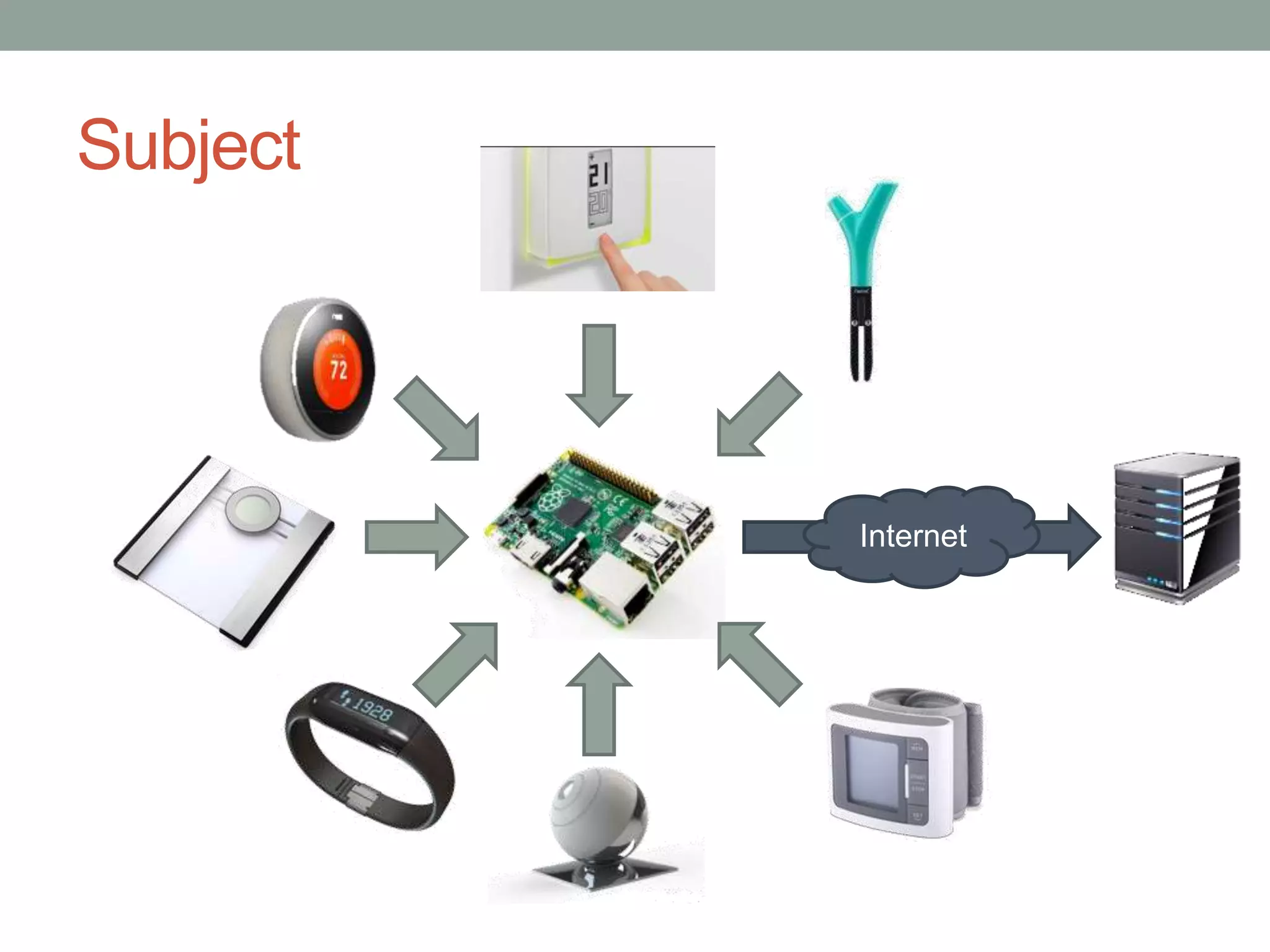
• IoT devices use to send data (measures, photos…) to
Cloud servers
• IoT devices may also send status and system messages
• Warnings
• Power up/down
• Notifications
Subject : IoT Self Survey 2/2
• We collect those status messages on a Raspberry Pi
nano-computer
• The Raspberry send these datas to a central server
• This may use as few energy and network data as possible
Subject
• Write this collect-and-send service
• Functional without data loss
• Power efficient on the Pi and the server
• Network efficient between the Pi and the server
• While spreading and justifying your practices
GREEN CODE LAB
CHALLENGE 2015
Needed dev environment & hotline
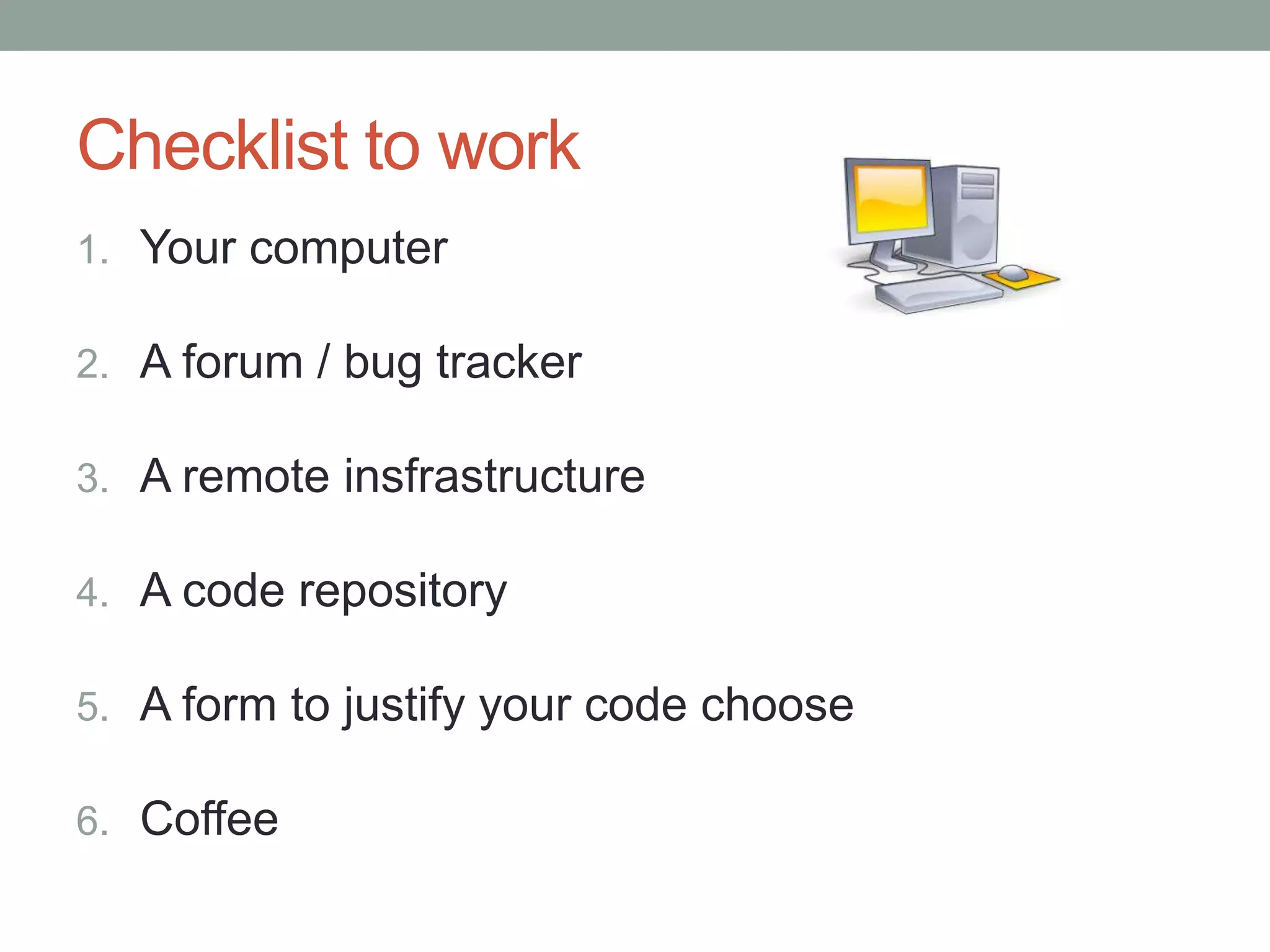
1. Your computer
2. A forum / bug tracker
3. A remote insfrastructure
4. A code repository
5. A form to justify your code choose
6. Coffee
Checklist to work
Your environment
• You may need :
• SSH tools (putty, bitvise tunnelier)
• Any appropriate developpement tool (IDE, ... )
• Any appropriate measurement tool
• Caffeine
• We provide :
• A dedicated Raspberry Pi B+
• A dedicated Virtual Machine
• A Bitbucket space to share your code with us
Recommended readings :
• Book in French : http://greencodelab.fr/Livre
• Web performance : http://www.stevesouders.com/
• Google Best practices :
https://developers.google.com/speed/pagespeed/?hl=fr
• Green Code Lab Blog http://greencodelab.fr/en
• Web Energy Archive scientific publication :
http://www.greenlabcenter.com/wp-
content/uploads/2014/10/213.pdf
• Follow https://twitter.com/Green_spector and read
archives, lot of best practices
• During challenge, conferences will be broadcast. Be
connected … to have some advices!
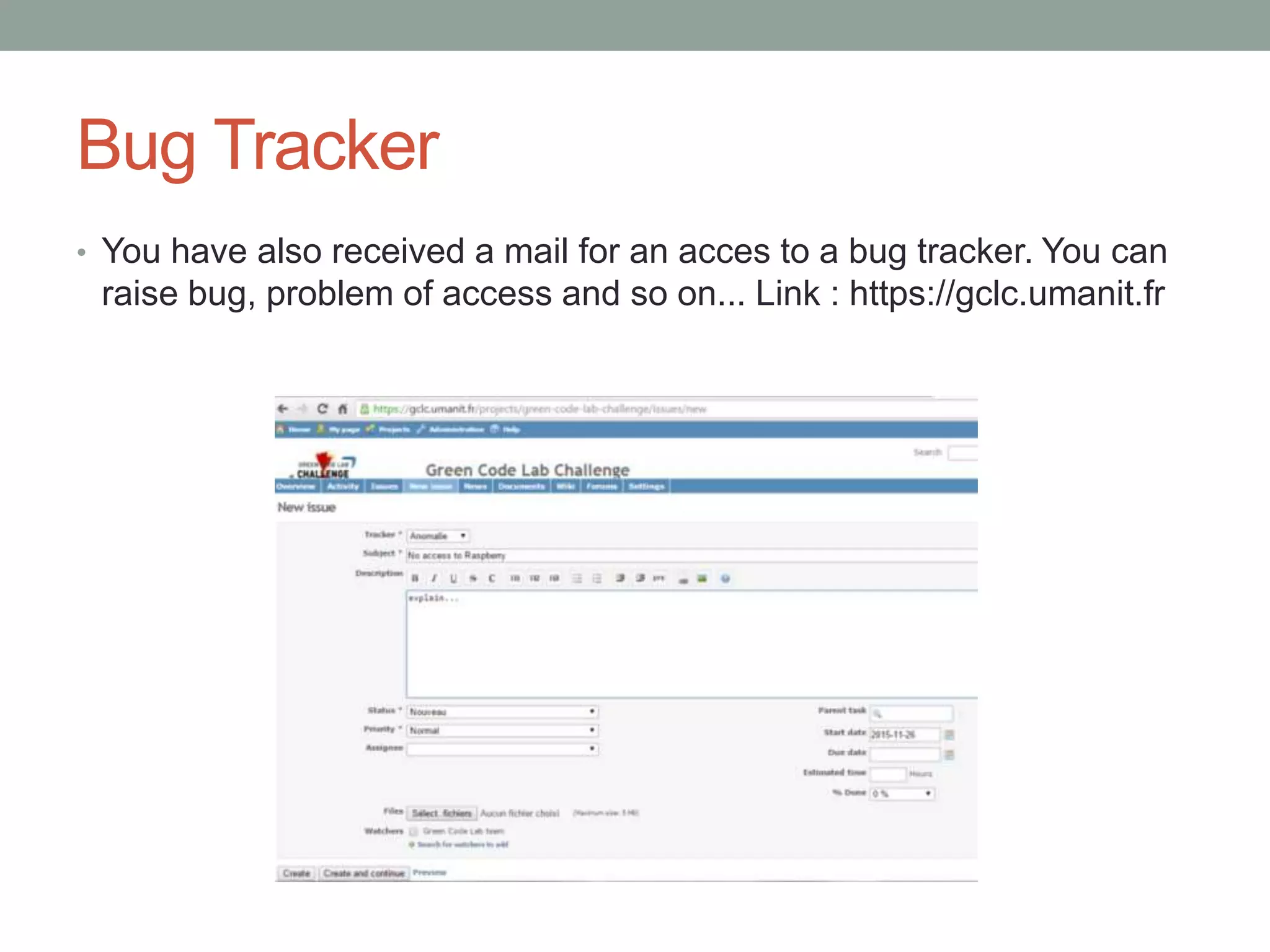
Bug Tracker
• You have also received a mail for an acces to a bug tracker. You can
raise bug, problem of access and so on... Link : https://gclc.umanit.fr
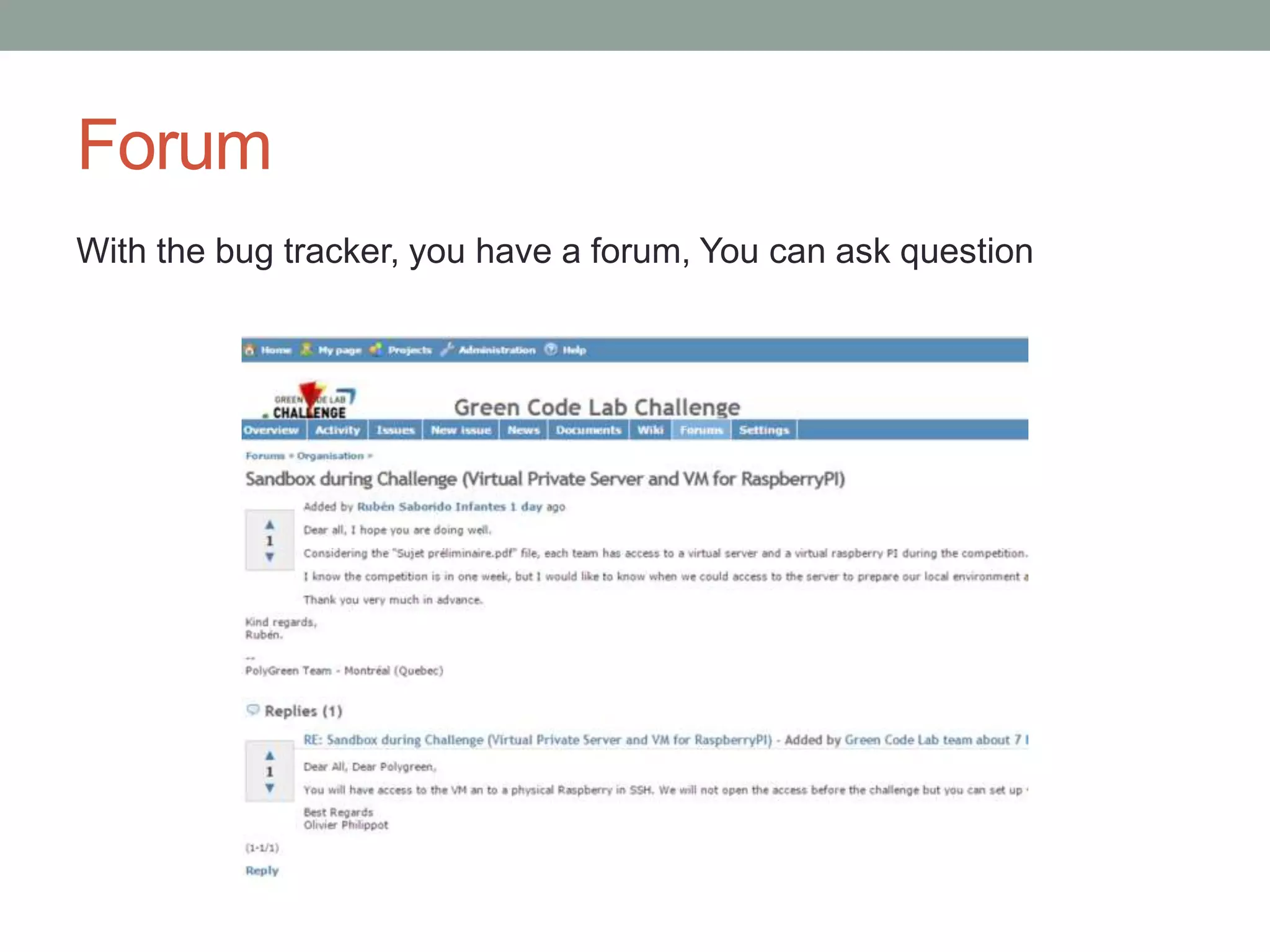
Forum
With the bug tracker, you have a forum, You can ask question
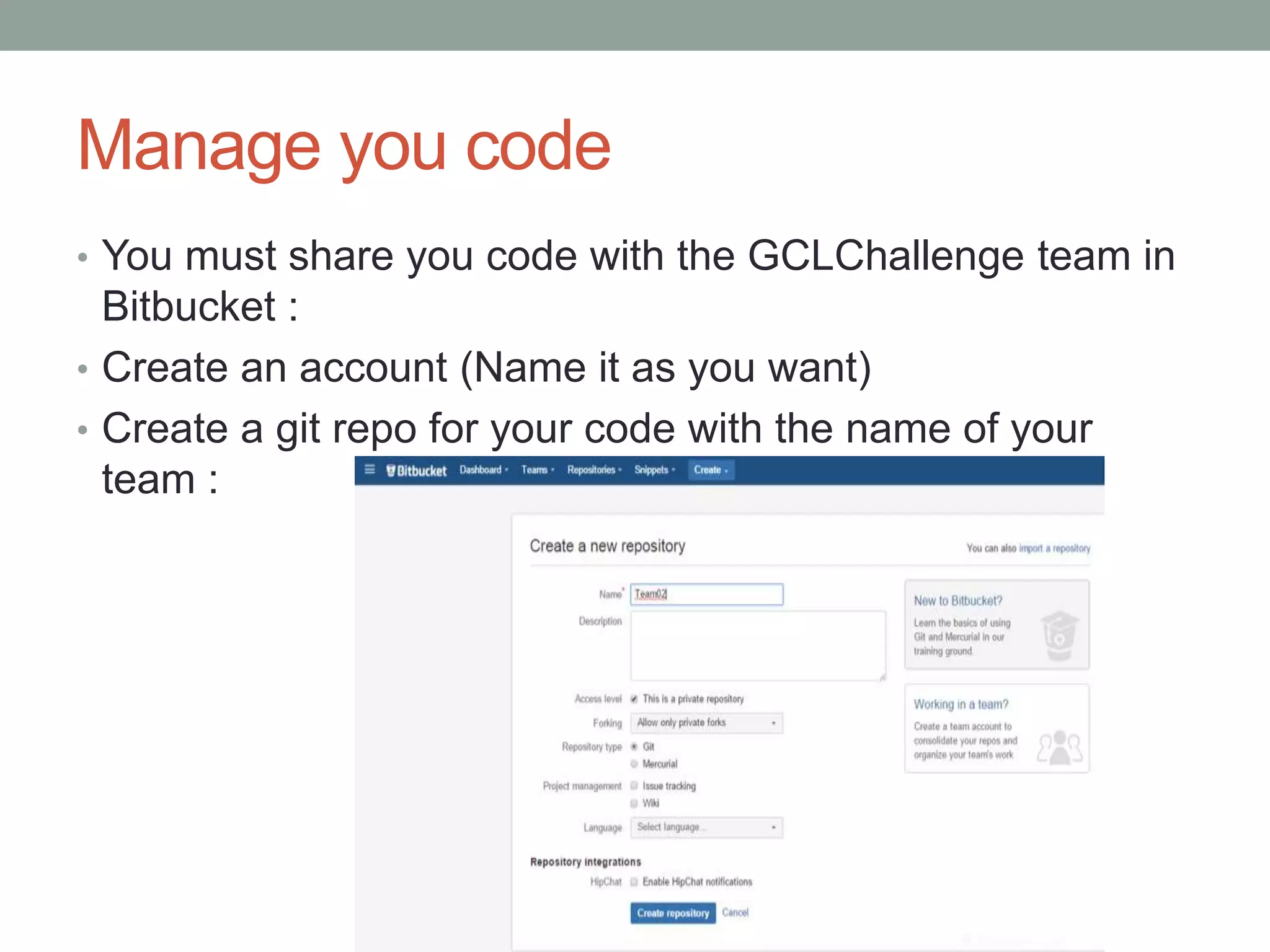
Manage you code
• You must share you code with the GCLChallenge team in
Bitbucket :
• Create an account (Name it as you want)
• Create a git repo for your code with the name of your
team :
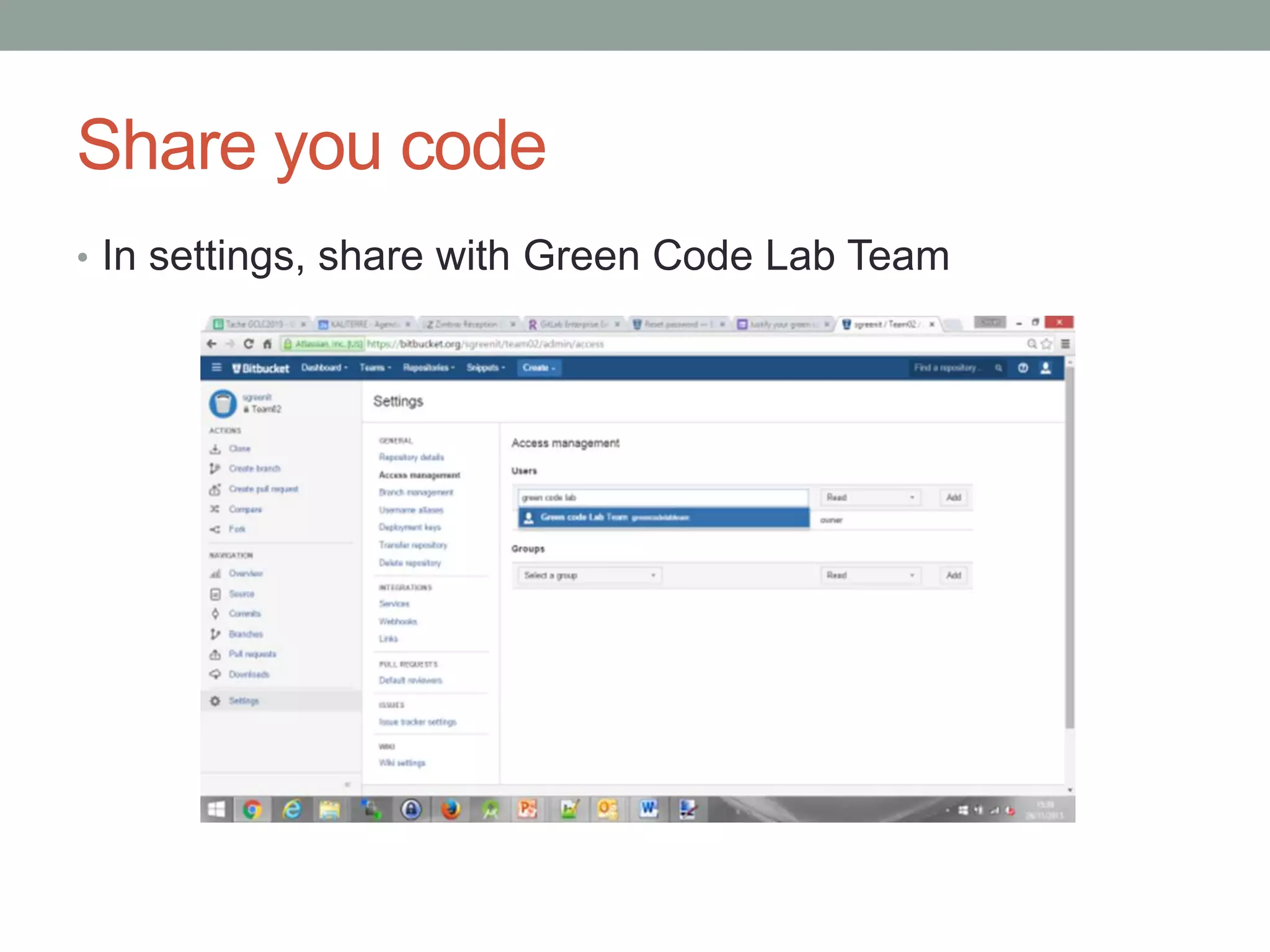
Share you code
• In settings, share with Green Code Lab Team
GREEN CODE LAB
CHALLENGE 2015
Platform
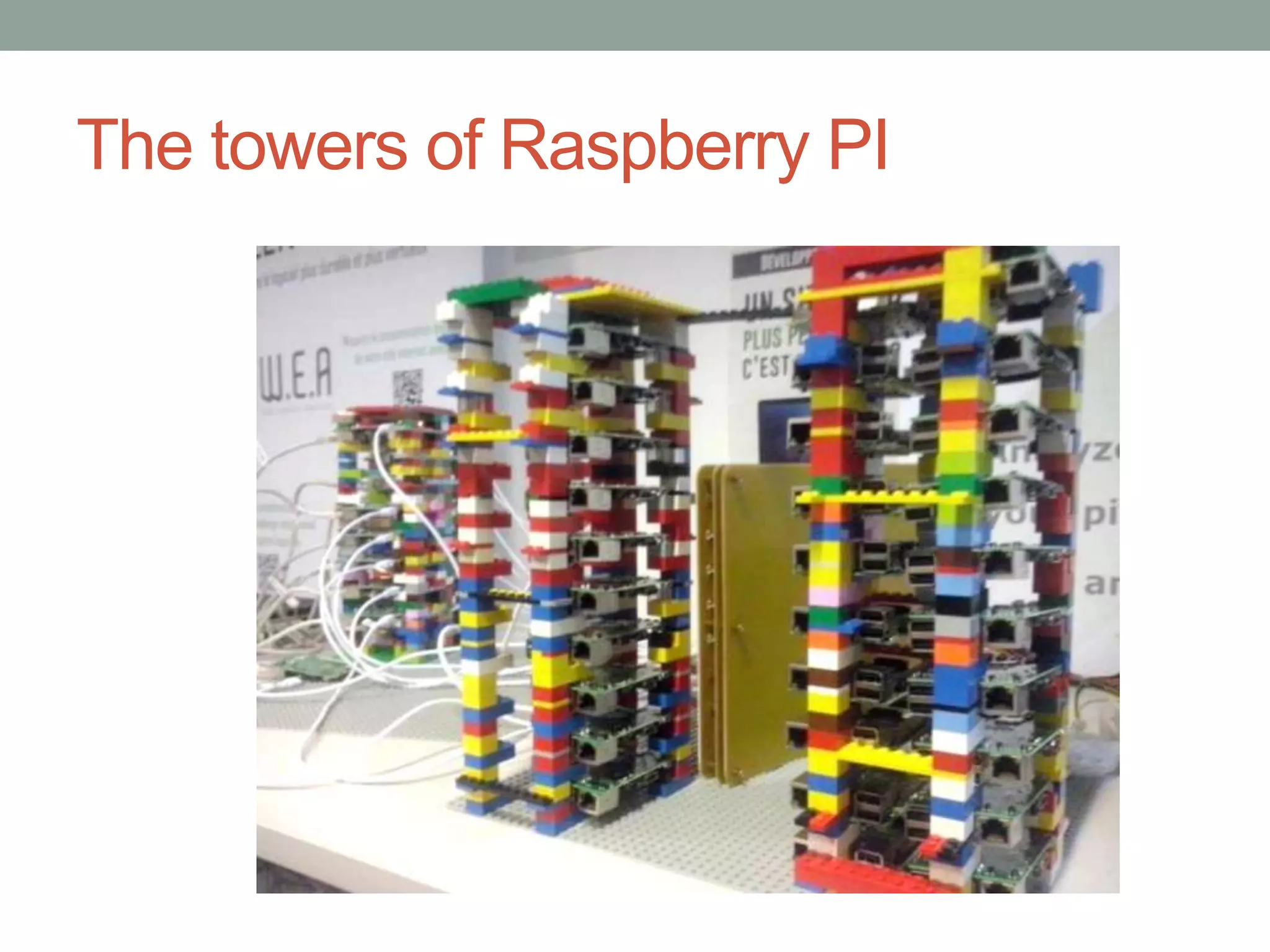
The towers of Raspberry PI
Environment details
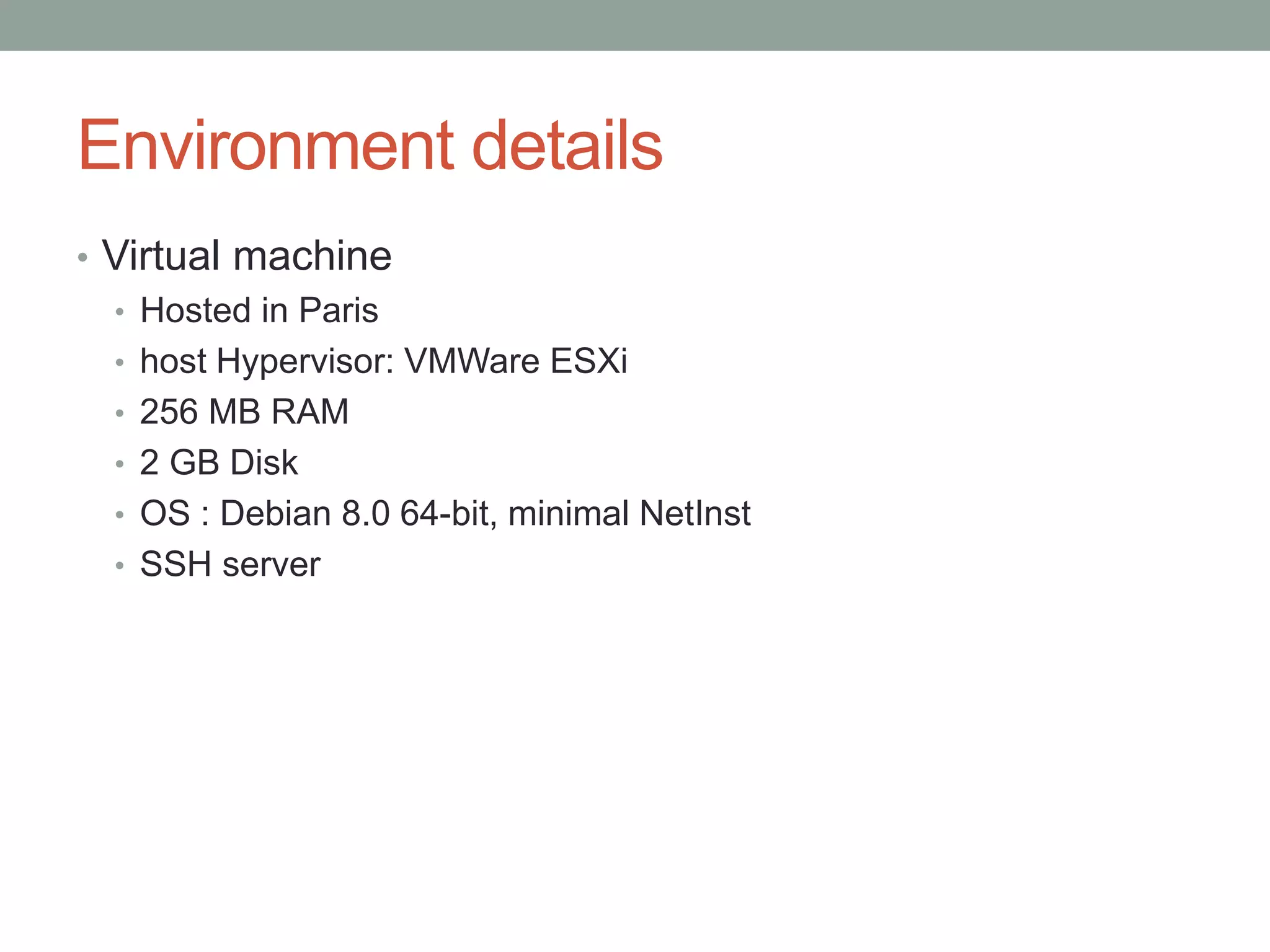
• Virtual machine
• Hosted in Paris
• host Hypervisor: VMWare ESXi
• 256 MB RAM
• 2 GB Disk
• OS : Debian 8.0 64-bit, minimal NetInst
• SSH server
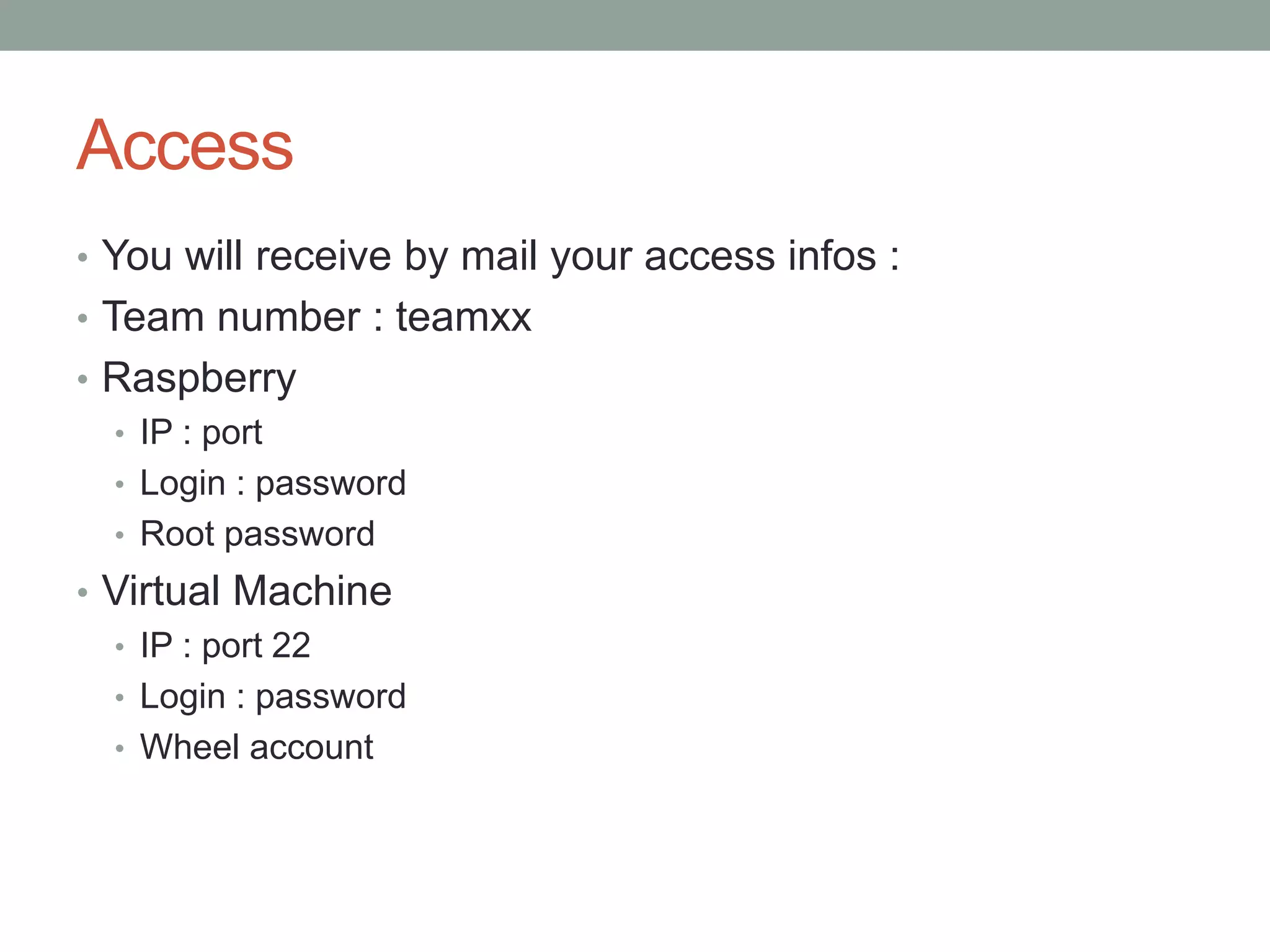
Access
• You will receive by mail your access infos :
• Team number : teamxx
• Raspberry
• IP : port
• Login : password
• Root password
• Virtual Machine
• IP : port 22
• Login : password
• Wheel account
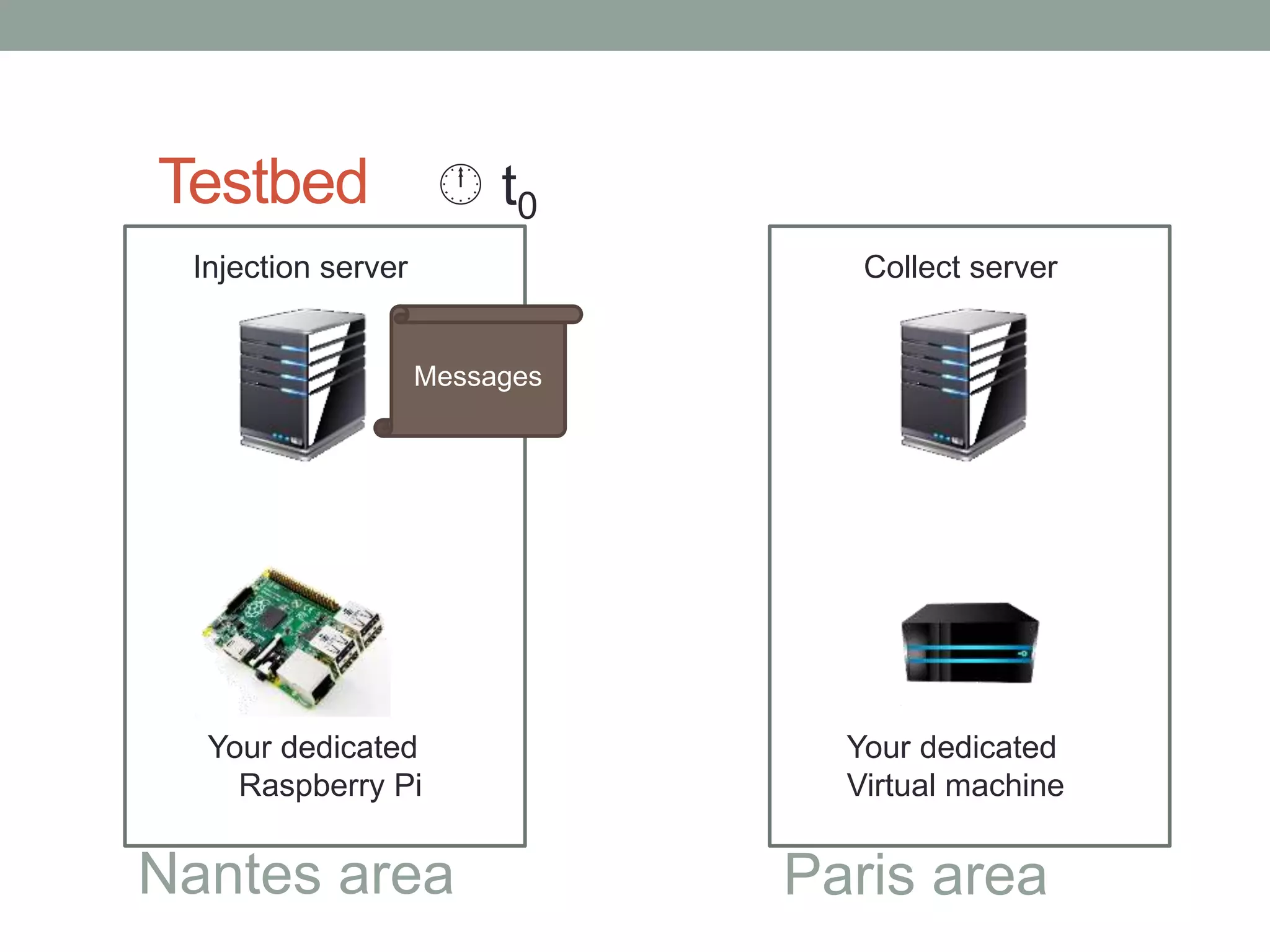
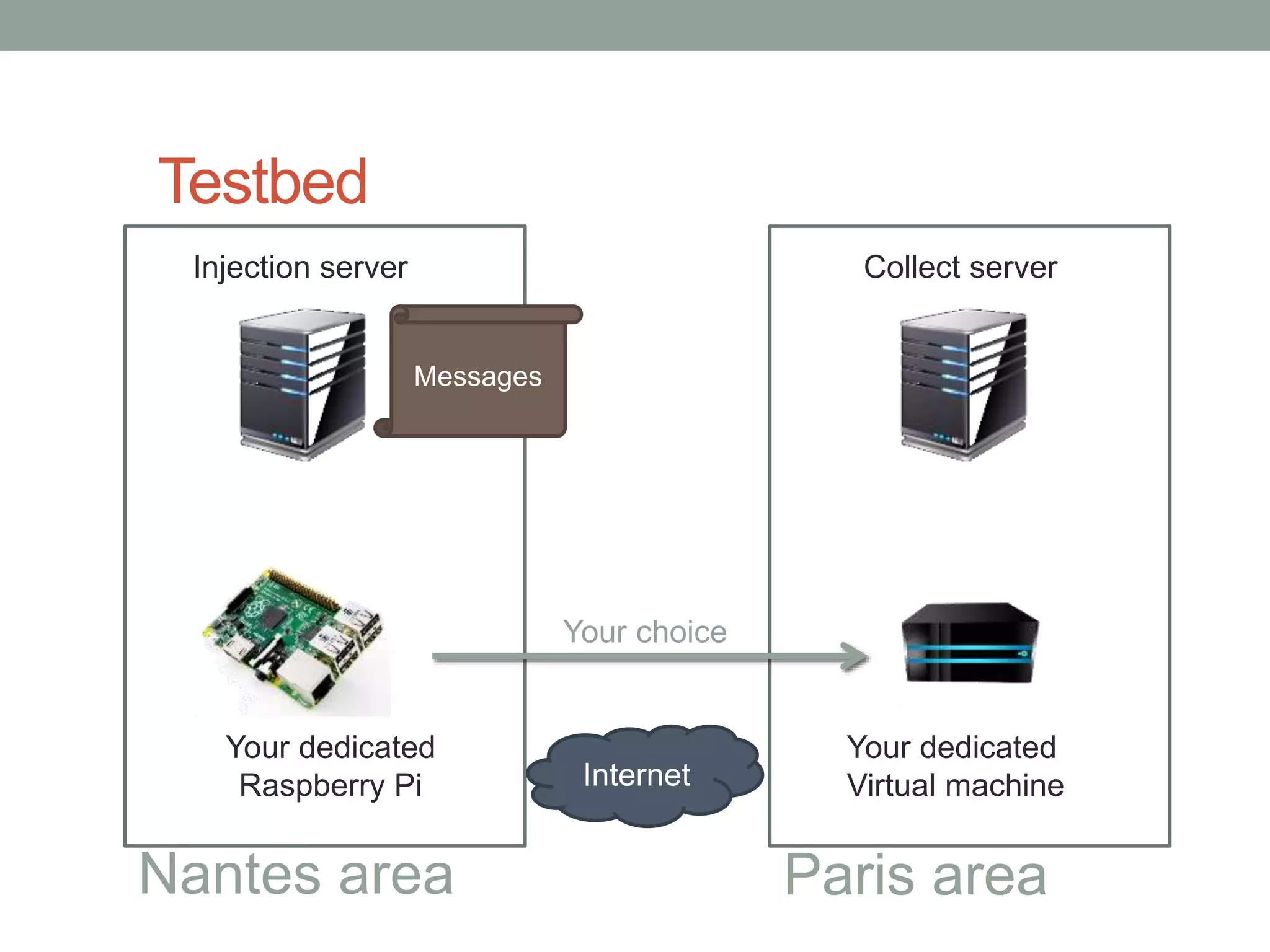
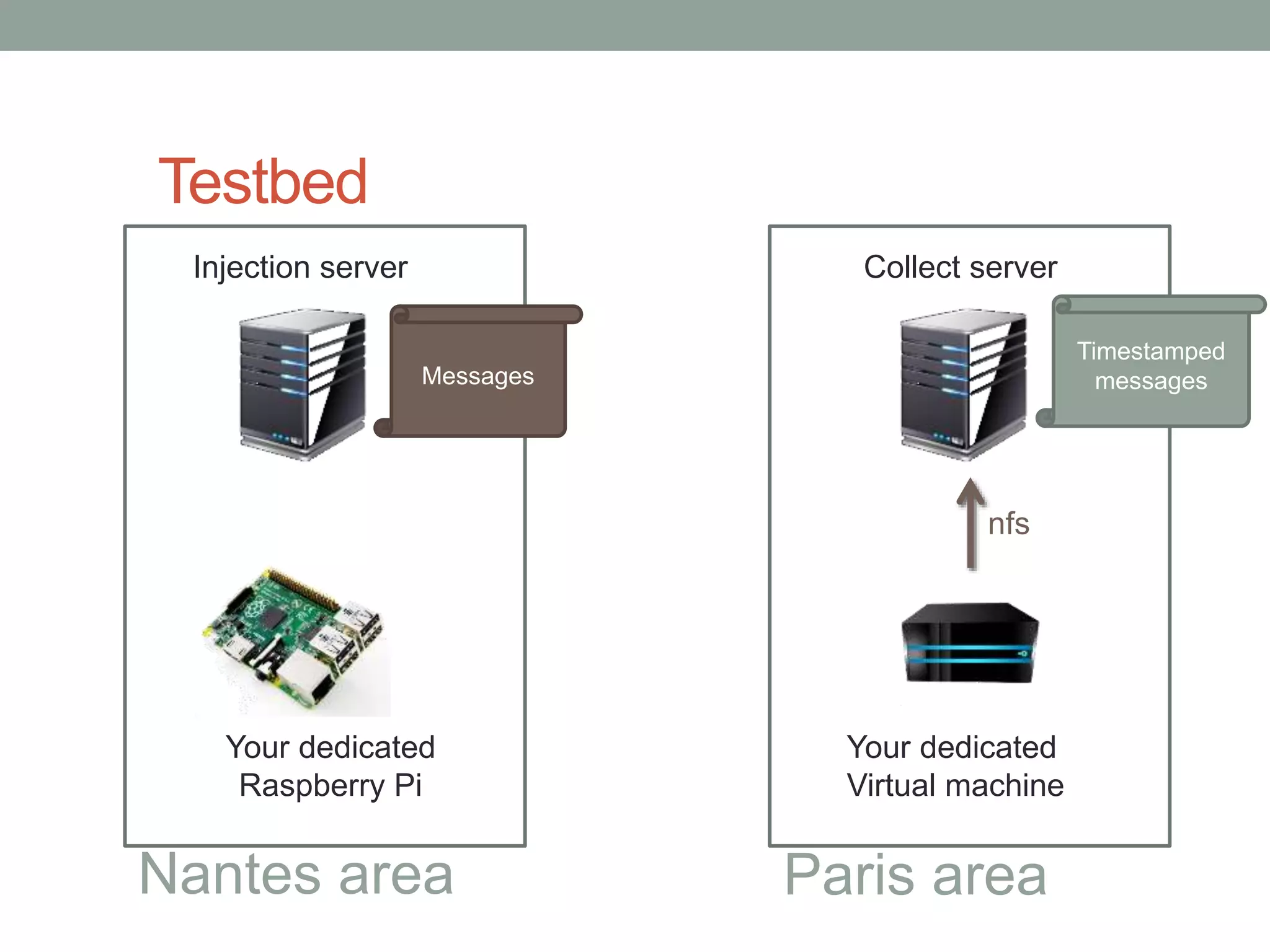
Testbed
Injection server
Your dedicated
Raspberry Pi
Your dedicated
Virtual machine
Collect server
Nantes area Paris area
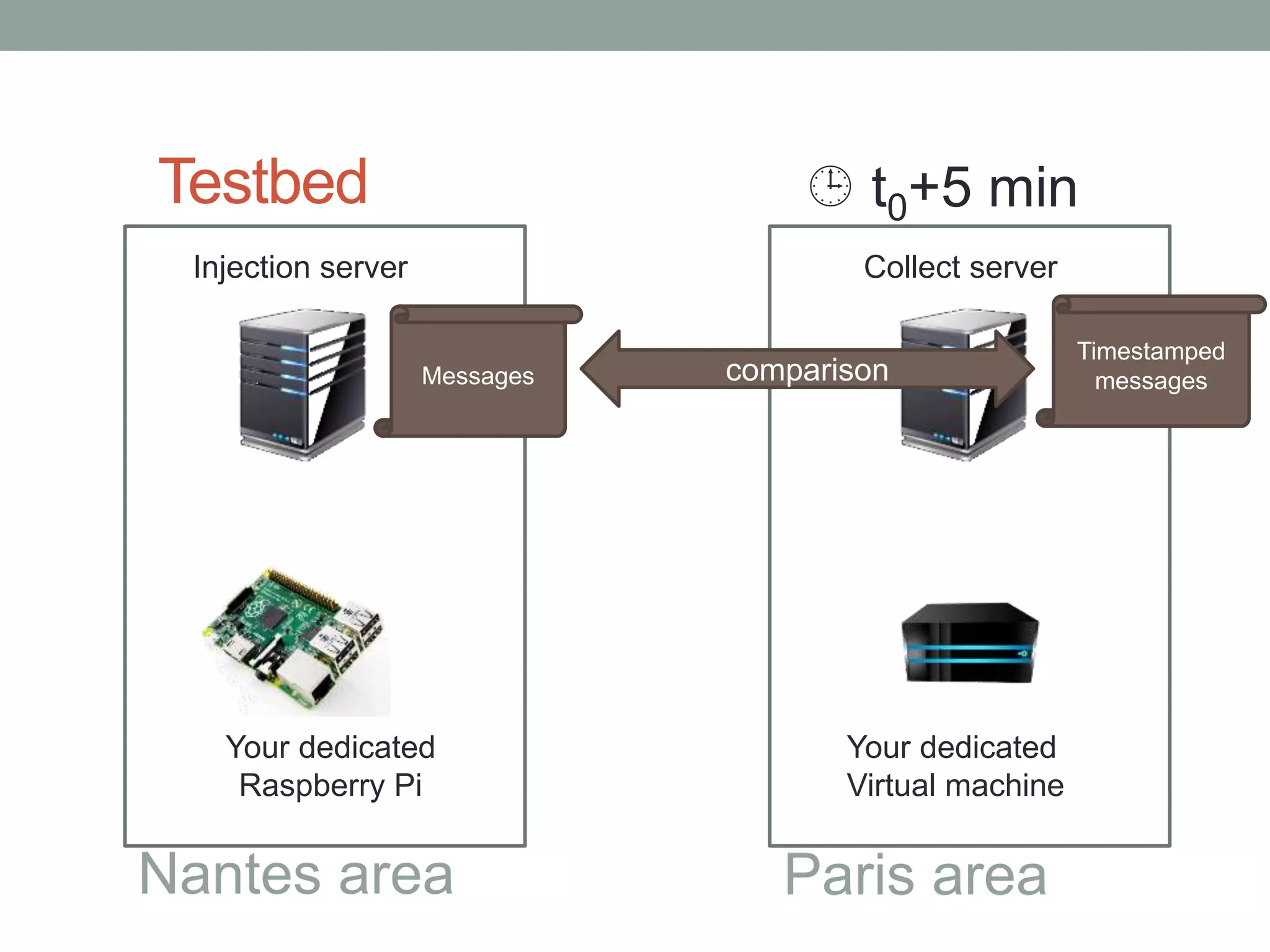
Messages
 t0
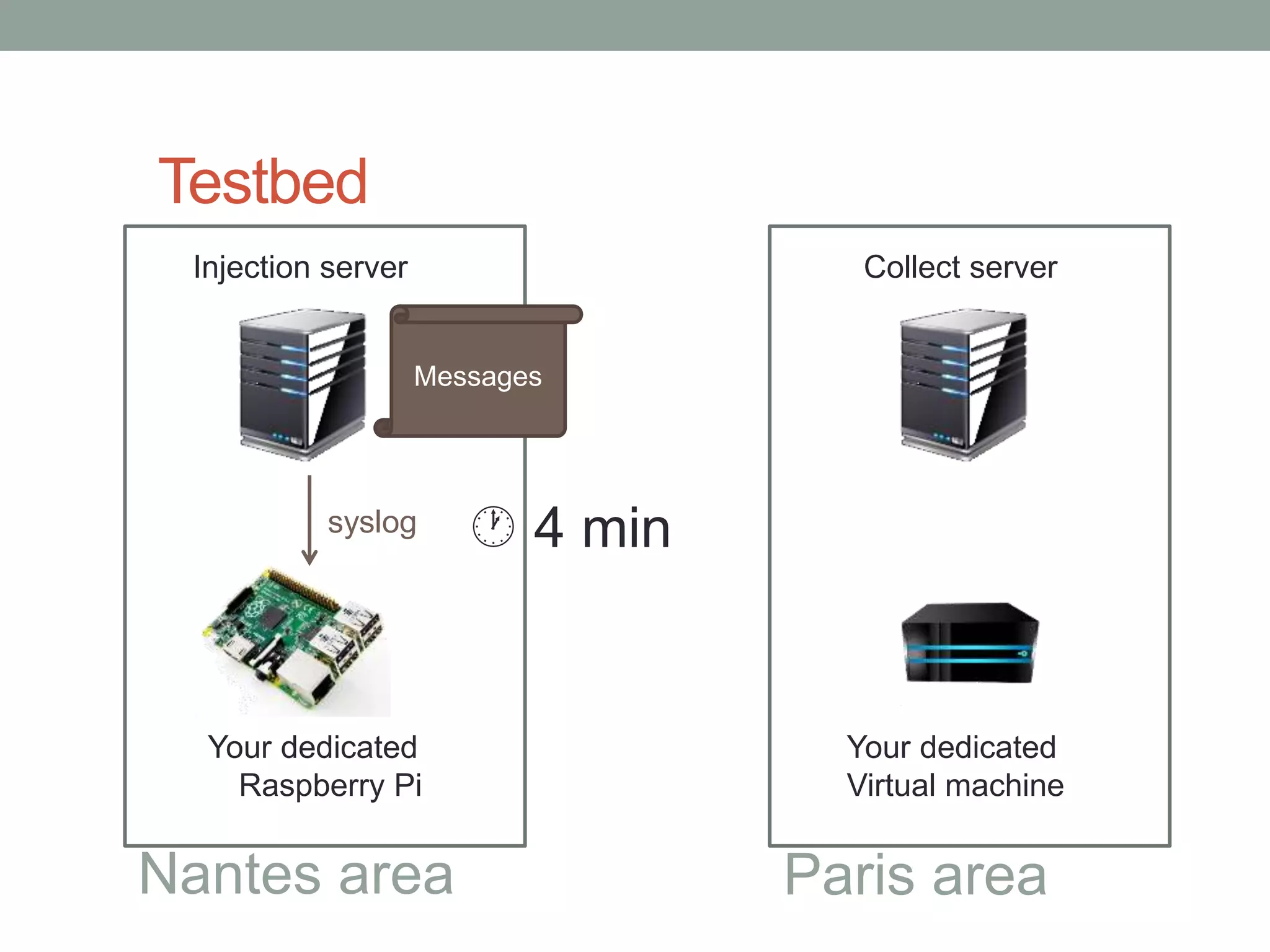
Testbed
Injection server
Your dedicated
Raspberry Pi
Your dedicated
Virtual machine
Collect server
Nantes area Paris area
Messages
syslog  4 min
Testbed
Injection server
Your dedicated
Raspberry Pi
Your dedicated
Virtual machine
Collect server
Nantes area Paris area
Messages
Your choice
Internet
Testbed
Injection server
Your dedicated
Raspberry Pi
Your dedicated
Virtual machine
Collect server
Nantes area Paris area
Messages
nfs
Timestamped
messages
Testbed
Injection server
Your dedicated
Raspberry Pi
Your dedicated
Virtual machine
Collect server
Nantes area Paris area
Messages
Timestamped
messagescomparison
 t0+5 min
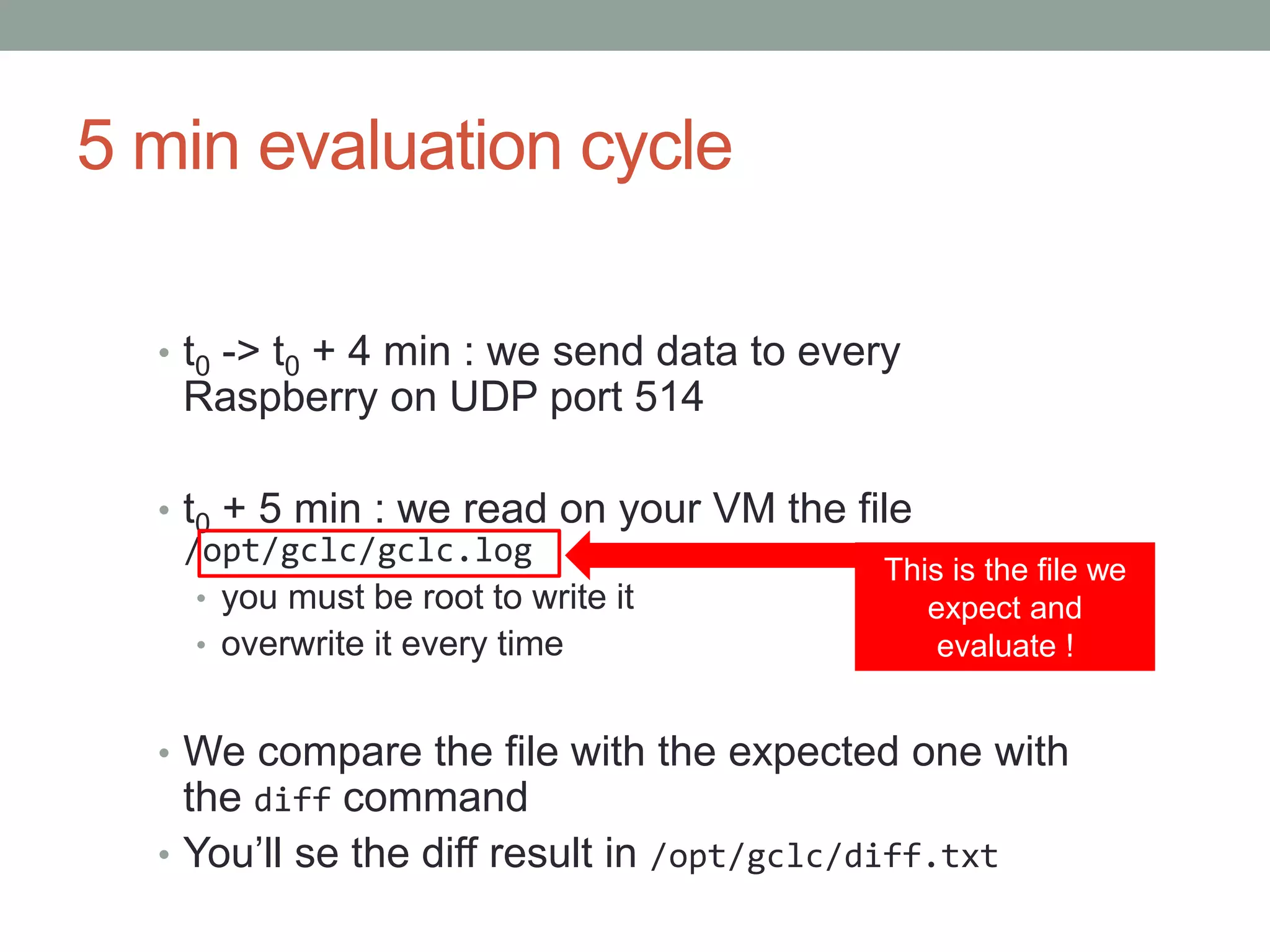
5 min evaluation cycle
• t0 -> t0 + 4 min : we send data to every
Raspberry on UDP port 514
• t0 + 5 min : we read on your VM the file
/opt/gclc/gclc.log
• you must be root to write it
• overwrite it every time
• We compare the file with the expected one with
the diff command
• You’ll se the diff result in /opt/gclc/diff.txt
This is the file we
expect and
evaluate !
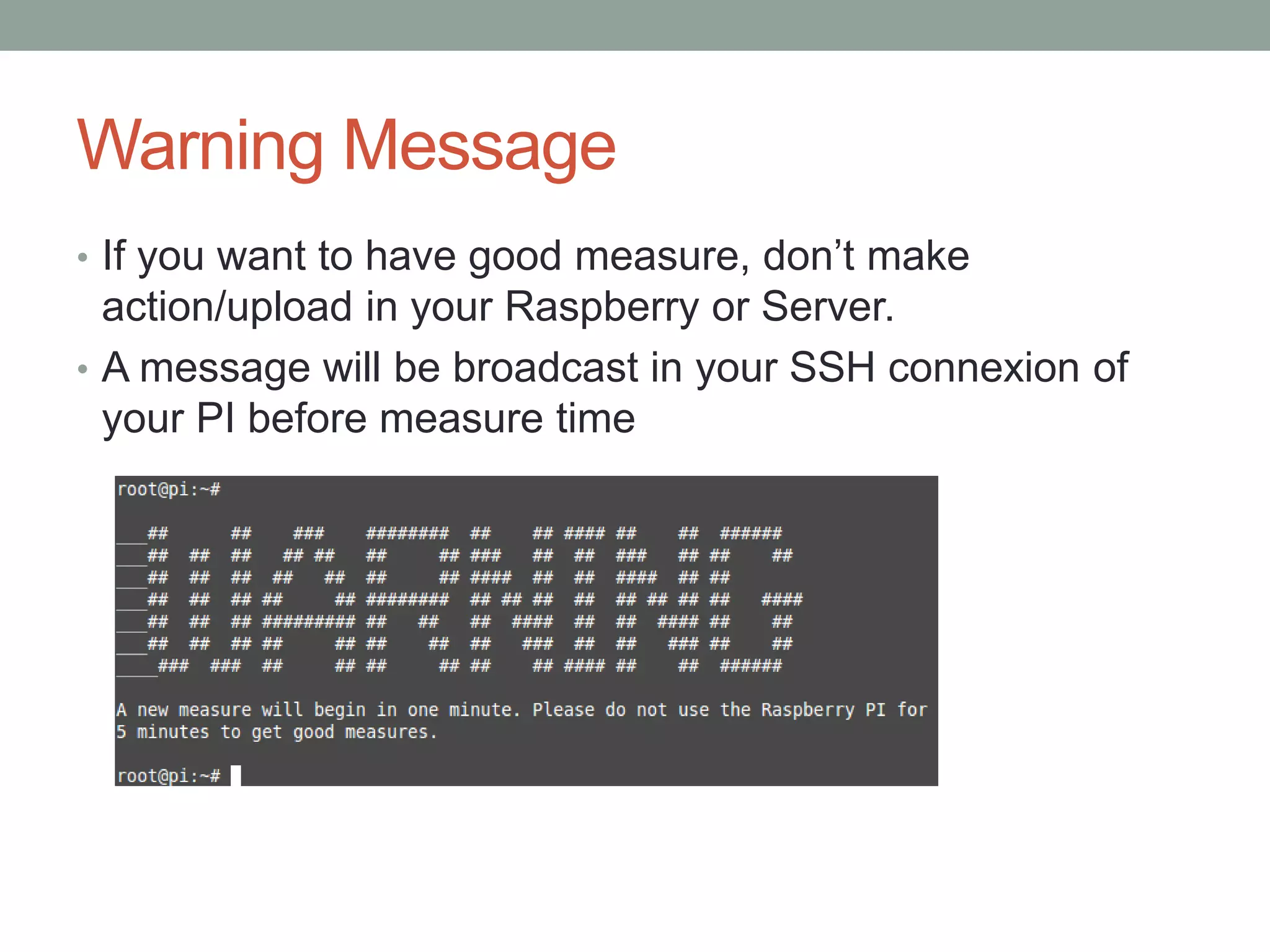
Warning Message
• If you want to have good measure, don’t make
action/upload in your Raspberry or Server.
• A message will be broadcast in your SSH connexion of
your PI before measure time
!!!!!! Launch of your application
• You need to launch your application as a deamon :
• How to start your daemon:
• 1 - Put all the needed commands in a file called
startservice.sh
• 2 - First line of this file can be #!/bin/sh
• 3 - Add the execution permission on this script with the
command: chmod +x startservice.sh
• 4 - Run it with the command: ./startservice.sh
• If you don’t do that, you will be eliminate
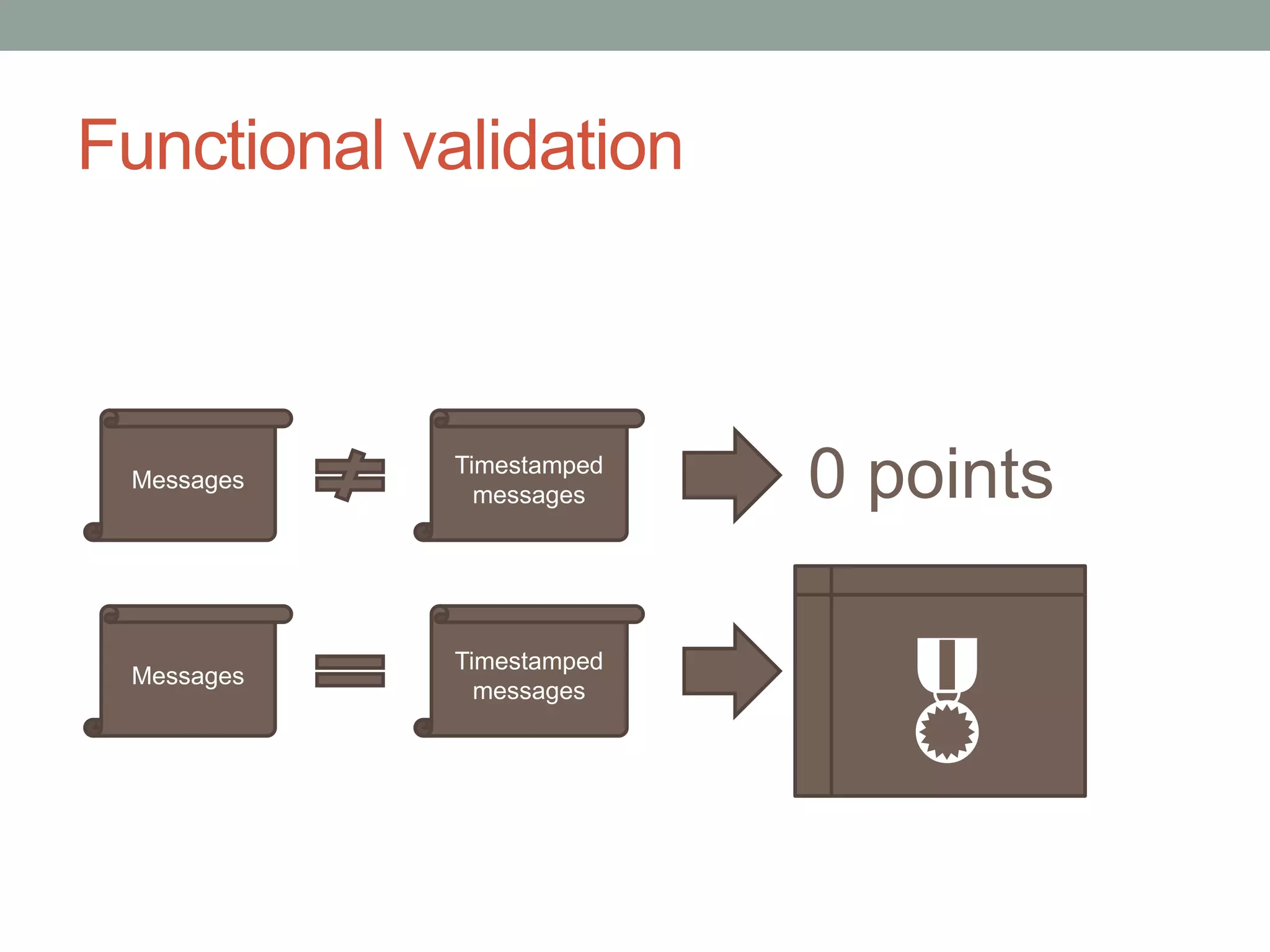
Functional validation
Messages
Timestamped
messages
Messages
Timestamped
messages
0 points

Functional validation
• Data on your VM must be identical to the injected data
• Timestamps must be identical and with correct
time/timezone
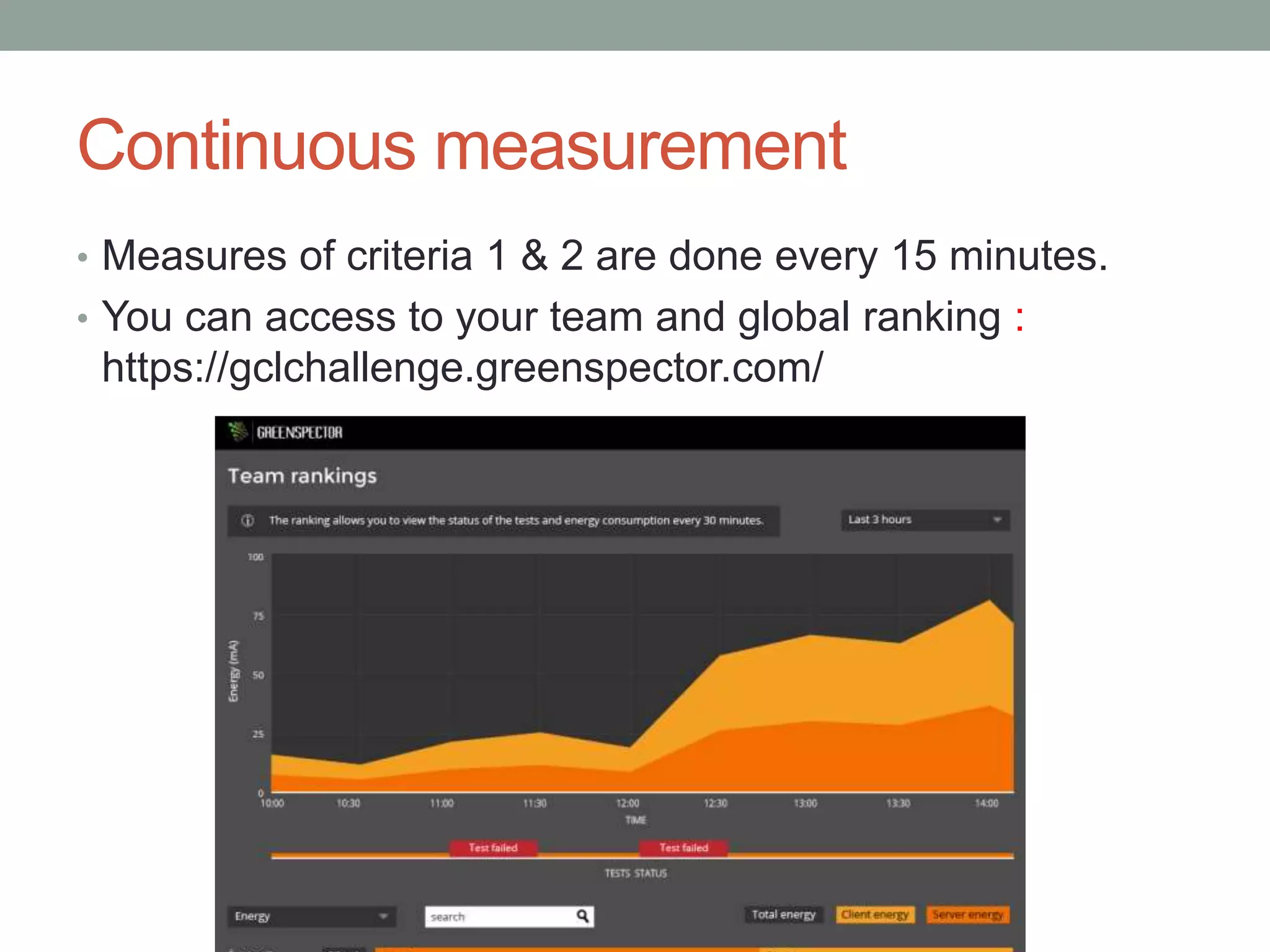
Continuous measurement
• Measures of criteria 1 & 2 are done every 15 minutes.
• You can access to your team and global ranking :
https://gclchallenge.greenspector.com/
Continuous evaluation
• Your solution will be evaluated every 15 minutes
• Expected result is OK/KO
• Power consumption
• Network consumption
• You’ll have live access to your evaluation and ranking




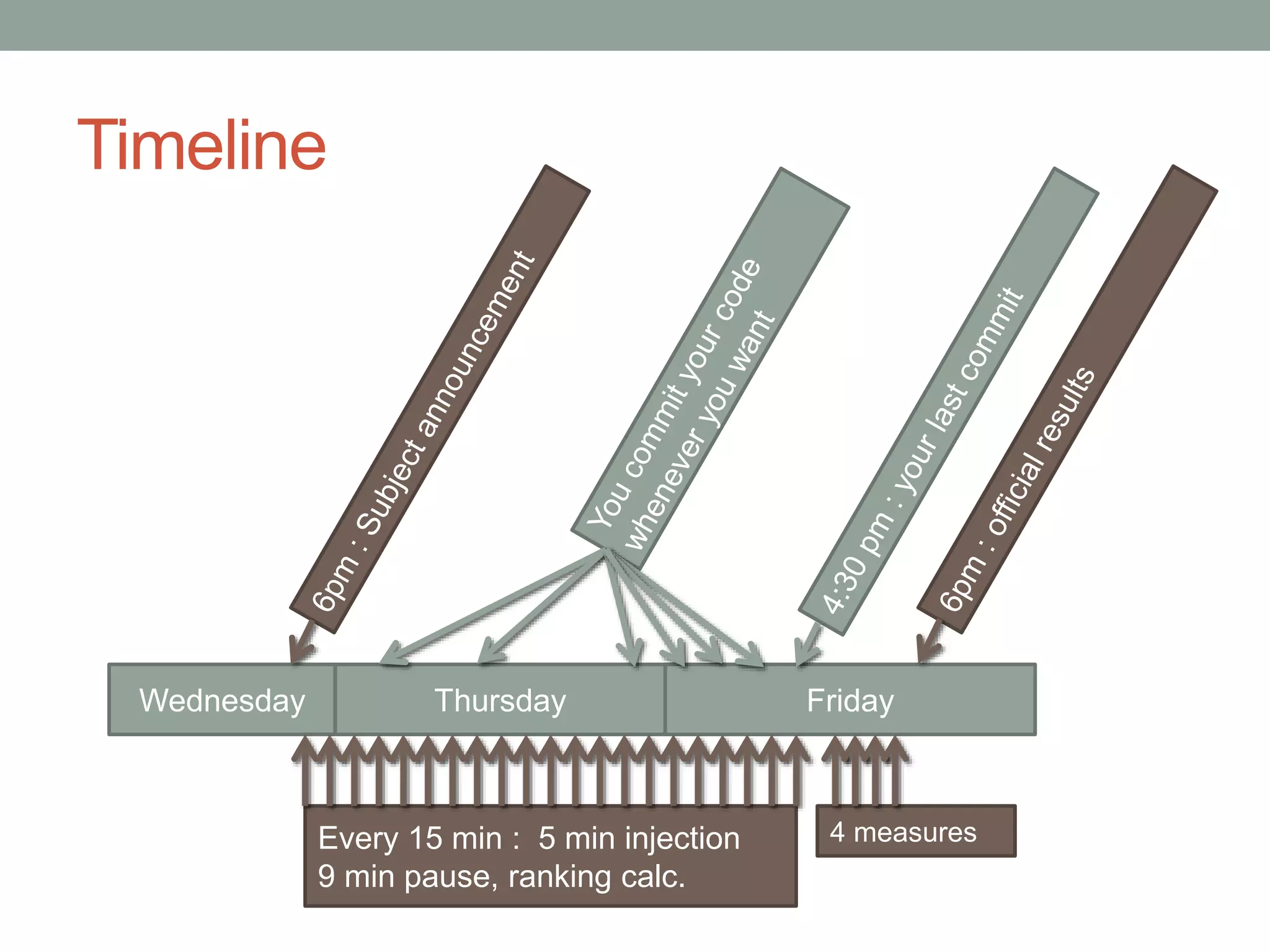
Timeline
Wednesday FridayThursday
Every 15 min : 5 min injection
9 min pause, ranking calc.
4 measures
GREEN CODE LAB
CHALLENGE 2015
Evaluation
Evaluation criteria
• 1 : power efficiency on Raspberry & VM
• 2 : network efficiency between Raspberry & VM
• 3 : diffusion of best practices among other teams
• 4 : justification of best practices
• 5 : communication
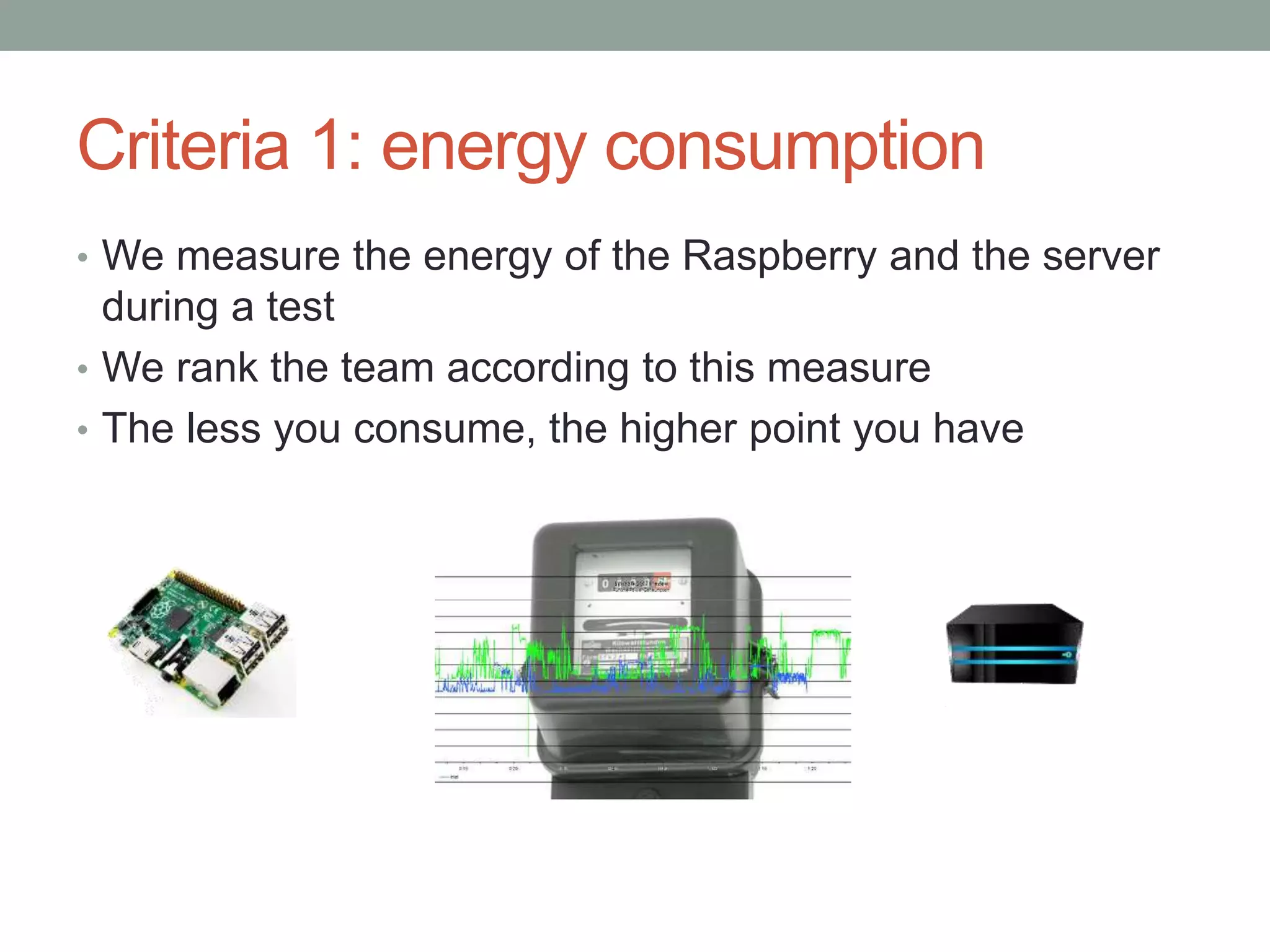
Criteria 1: energy consumption
• We measure the energy of the Raspberry and the server
during a test
• We rank the team according to this measure
• The less you consume, the higher point you have
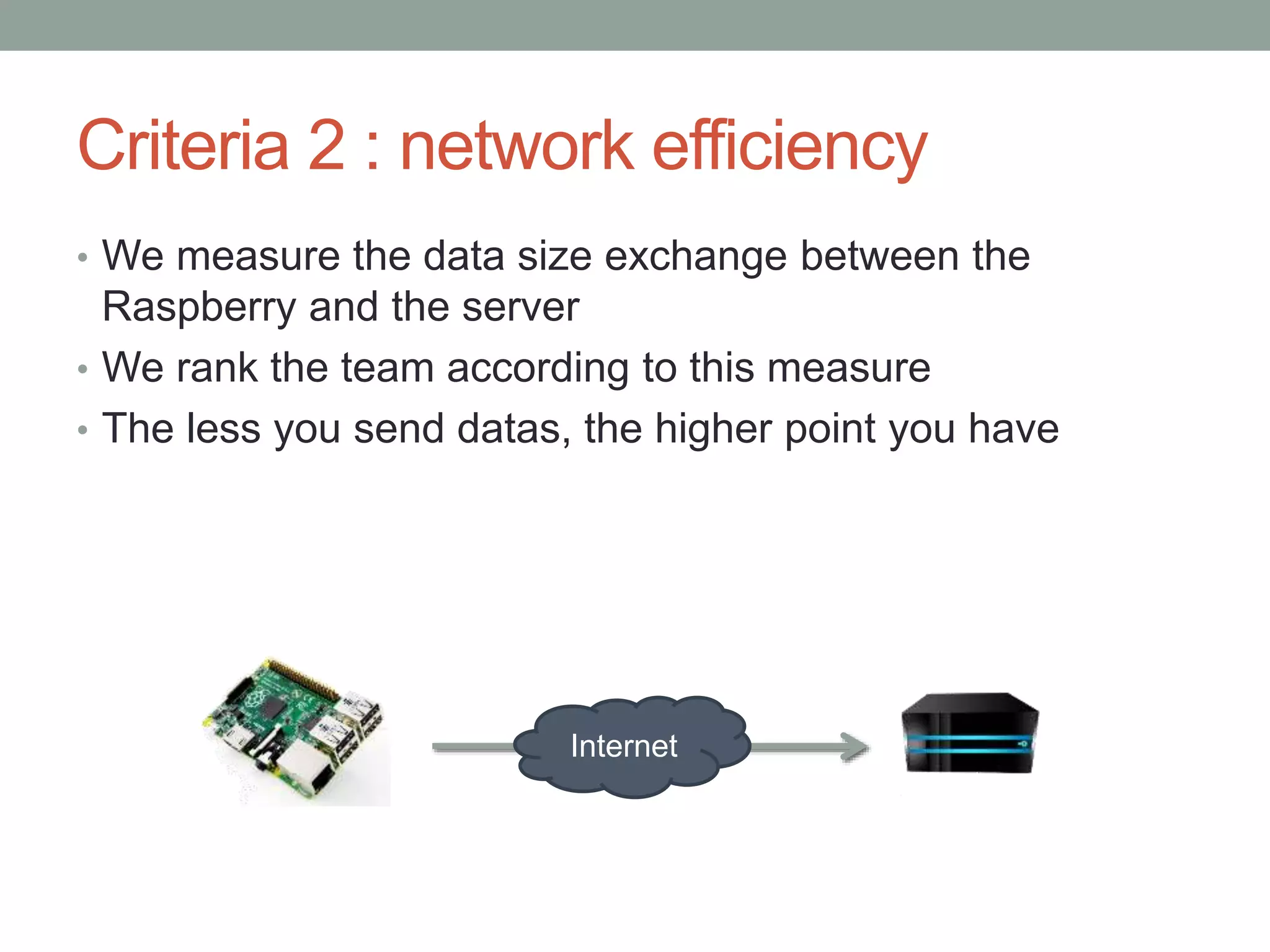
Criteria 2 : network efficiency
• We measure the data size exchange between the
Raspberry and the server
• We rank the team according to this measure
• The less you send datas, the higher point you have
Internet
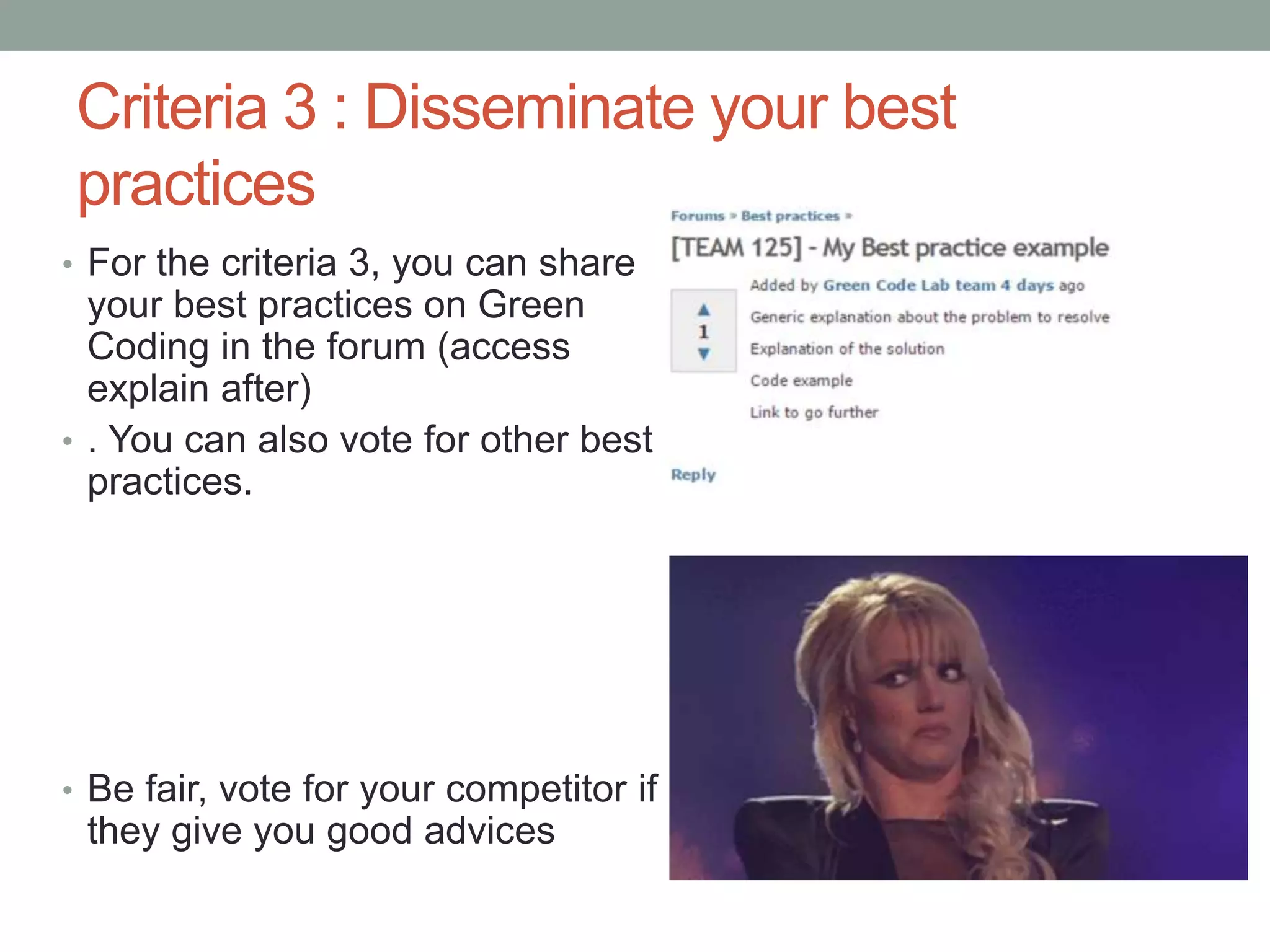
Criteria 3 : Disseminate your best
practices
• For the criteria 3, you can share
your best practices on Green
Coding in the forum (access
explain after)
• . You can also vote for other best
practices.
• Be fair, vote for your competitor if
they give you good advices
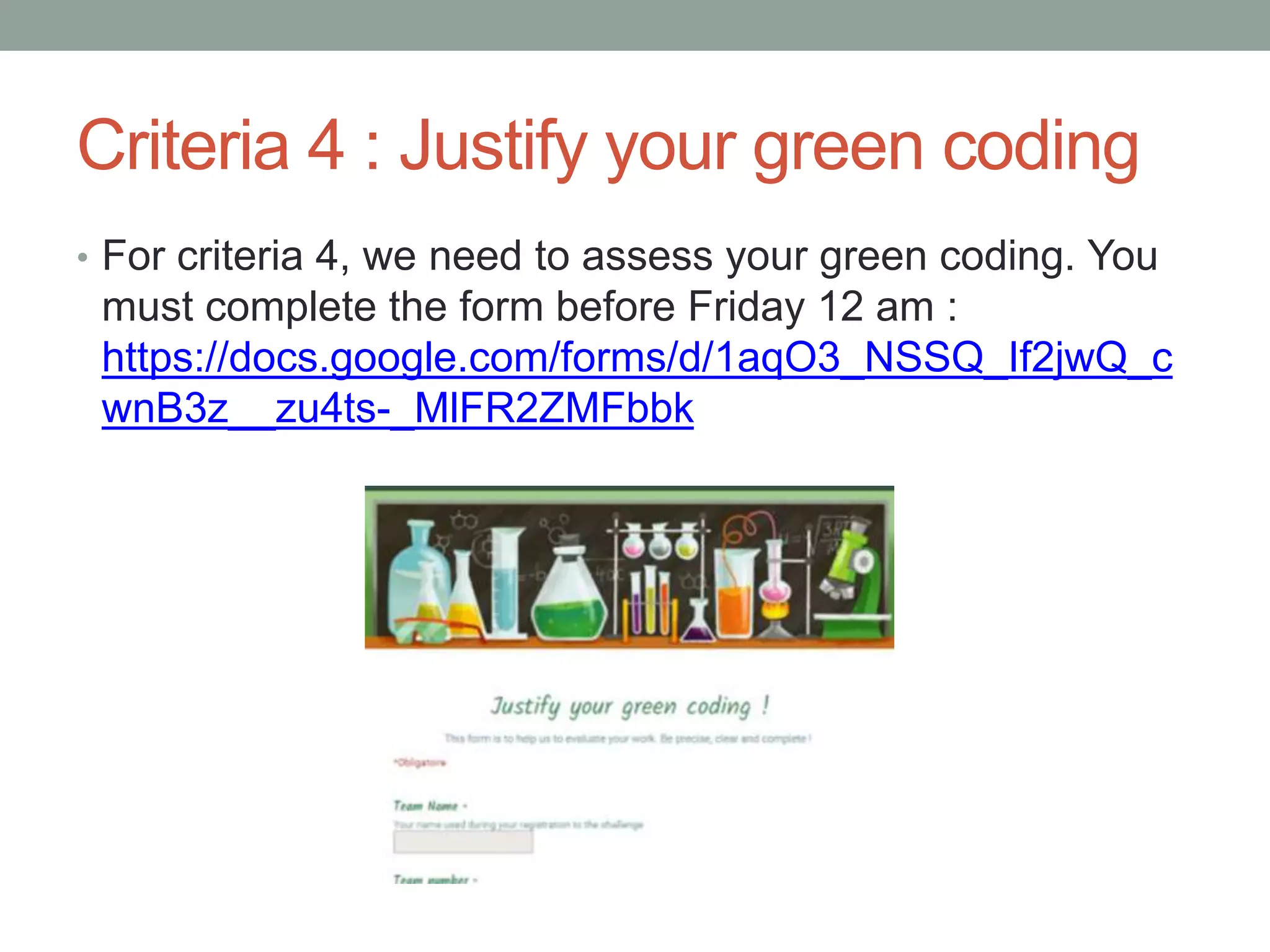
Criteria 4 : Justify your green coding
• For criteria 4, we need to assess your green coding. You
must complete the form before Friday 12 am :
https://docs.google.com/forms/d/1aqO3_NSSQ_If2jwQ_c
wnB3z__zu4ts-_MlFR2ZMFbbk
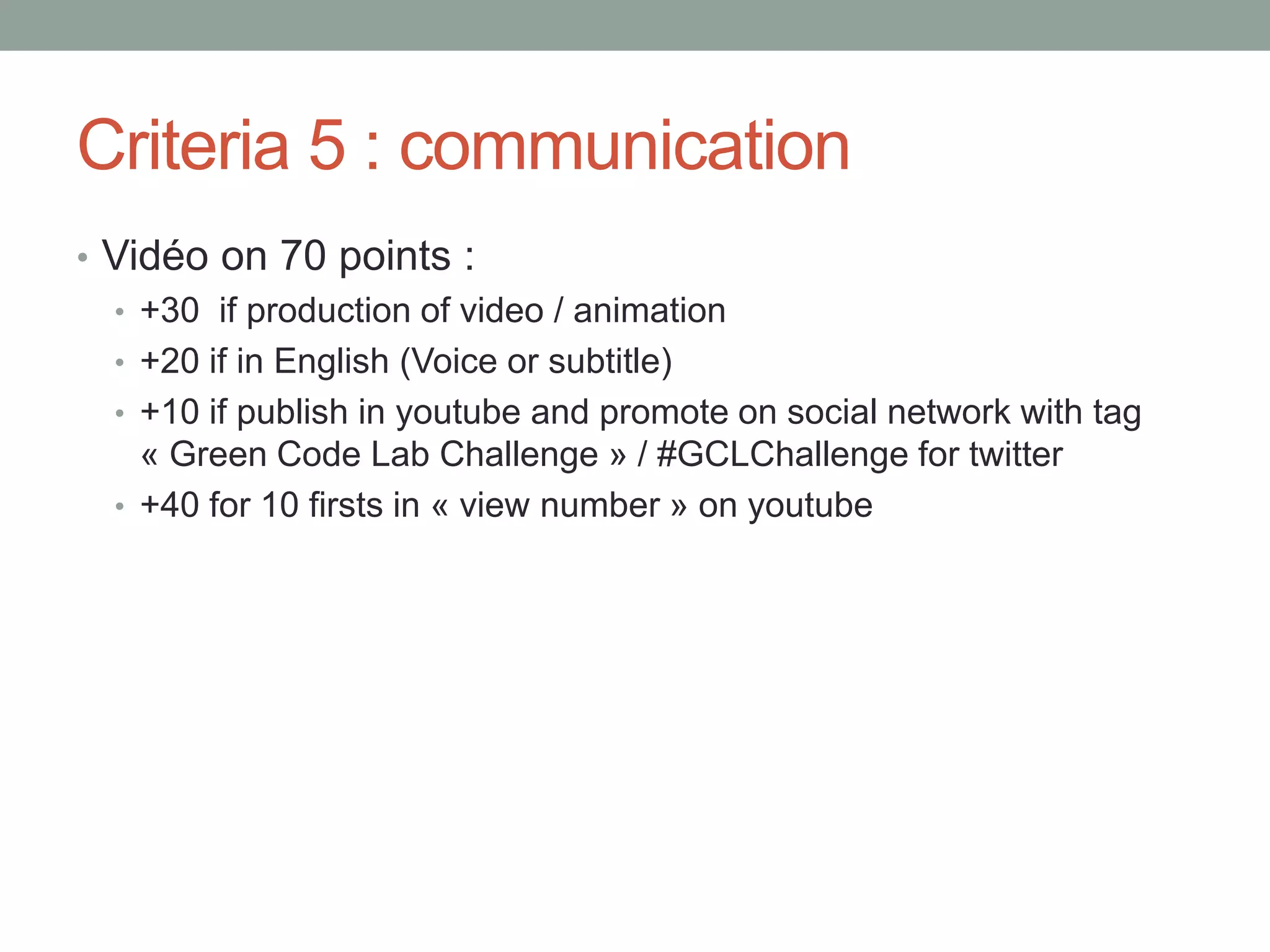
Criteria 5 : communication
• Vidéo on 70 points :
• +30 if production of video / animation
• +20 if in English (Voice or subtitle)
• +10 if publish in youtube and promote on social network with tag
« Green Code Lab Challenge » / #GCLChallenge for twitter
• +40 for 10 firsts in « view number » on youtube
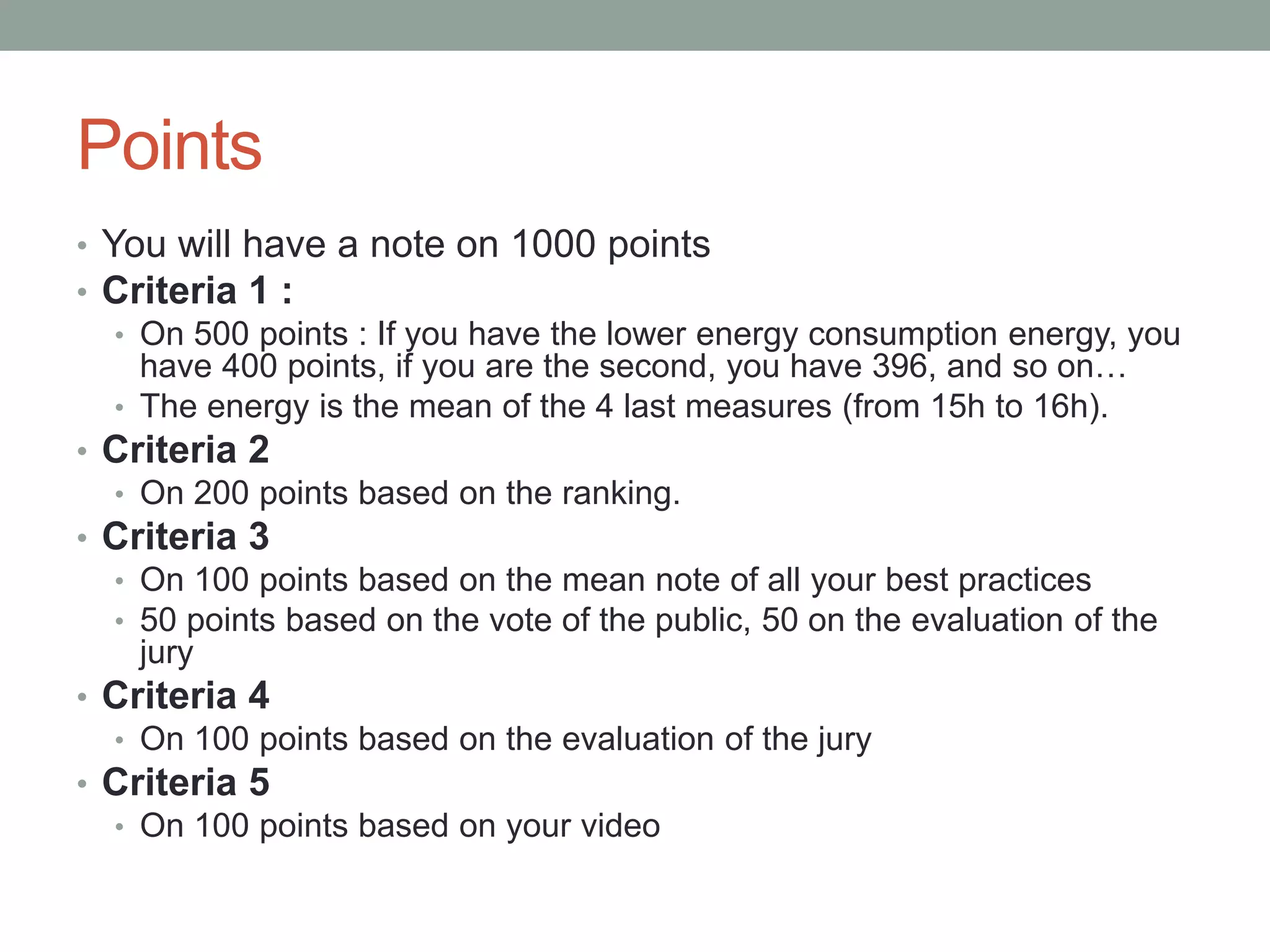
Points
• You will have a note on 1000 points
• Criteria 1 :
• On 500 points : If you have the lower energy consumption energy, you
have 400 points, if you are the second, you have 396, and so on…
• The energy is the mean of the 4 last measures (from 15h to 16h).
• Criteria 2
• On 200 points based on the ranking.
• Criteria 3
• On 100 points based on the mean note of all your best practices
• 50 points based on the vote of the public, 50 on the evaluation of the
jury
• Criteria 4
• On 100 points based on the evaluation of the jury
• Criteria 5
• On 100 points based on your video
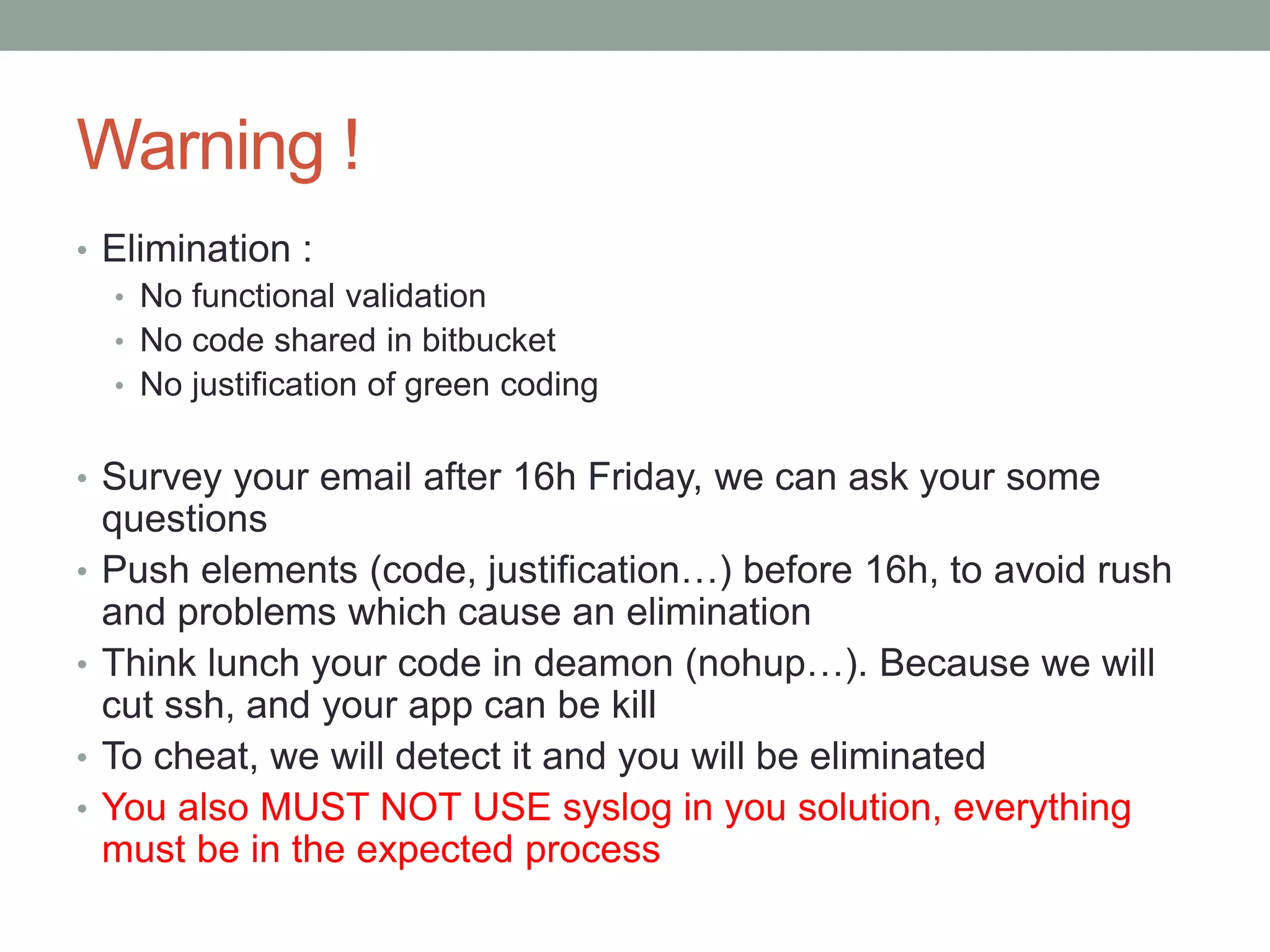
Warning !
• Elimination :
• No functional validation
• No code shared in bitbucket
• No justification of green coding
• Survey your email after 16h Friday, we can ask your some
questions
• Push elements (code, justification…) before 16h, to avoid rush
and problems which cause an elimination
• Think lunch your code in deamon (nohup…). Because we will
cut ssh, and your app can be kill
• To cheat, we will detect it and you will be eliminated
• You also MUST NOT USE syslog in you solution, everything
must be in the expected process
GREEN CODE LAB
CHALLENGE 2015
Syslog insights
Syslog message format
• When a syslog service receive a message, it prepends it
a timestamp :
• Received message :
HELLO
• Stored message :
Nov 25 11:09:12 HELLO
Syslog protocol
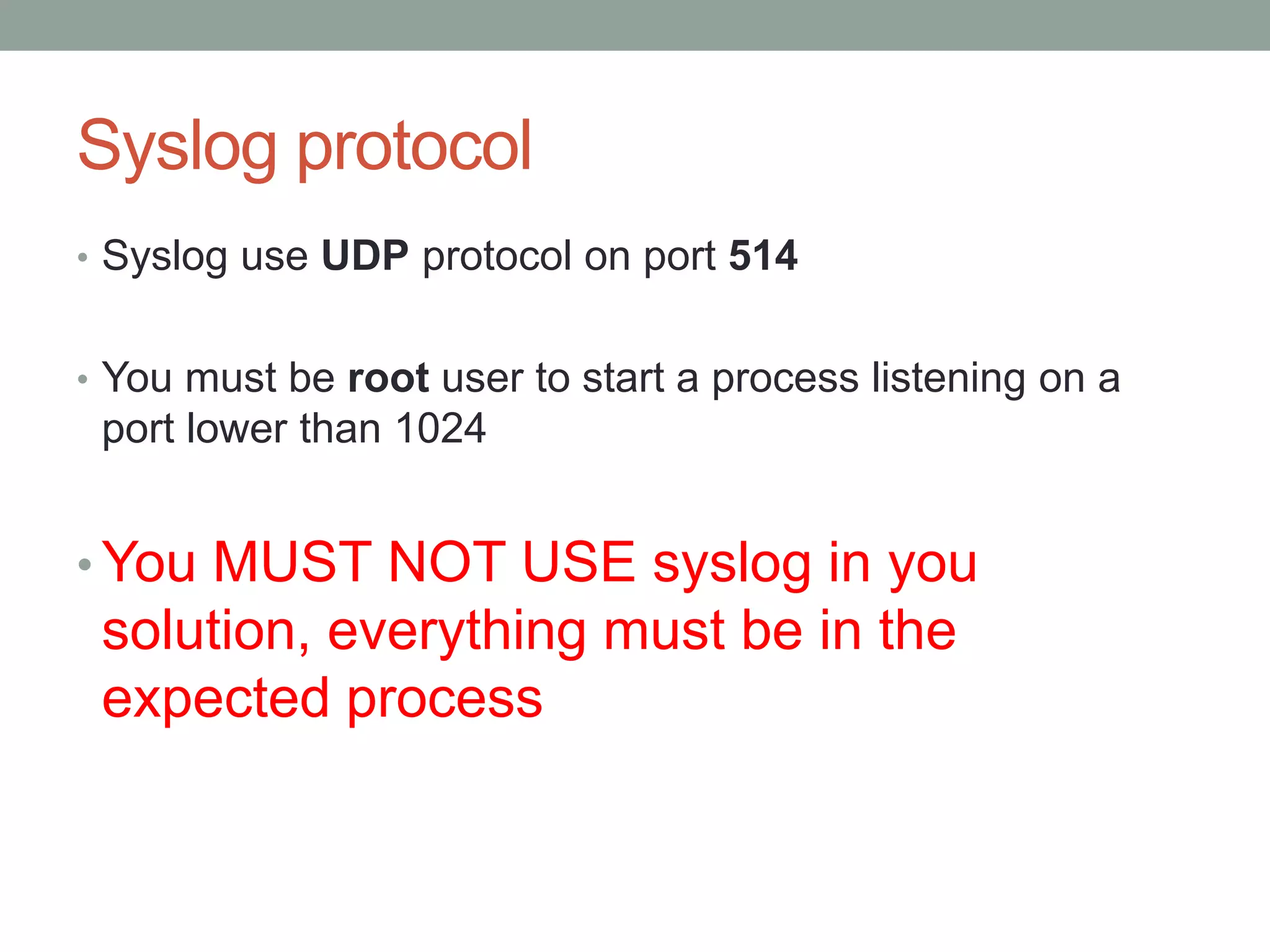
• Syslog use UDP protocol on port 514
• You must be root user to start a process listening on a
port lower than 1024
• You MUST NOT USE syslog in you
solution, everything must be in the
expected process
Linux environment
• Many IoT devices use Linux, because it’s a versatile and
efficient OS, even on small devices.
Quickstart
• Syslog is widely used in Unix environment
• In fact, it’s already installed on your Raspberry Linux OS !
• You just have to reconfigure it (see next slides)
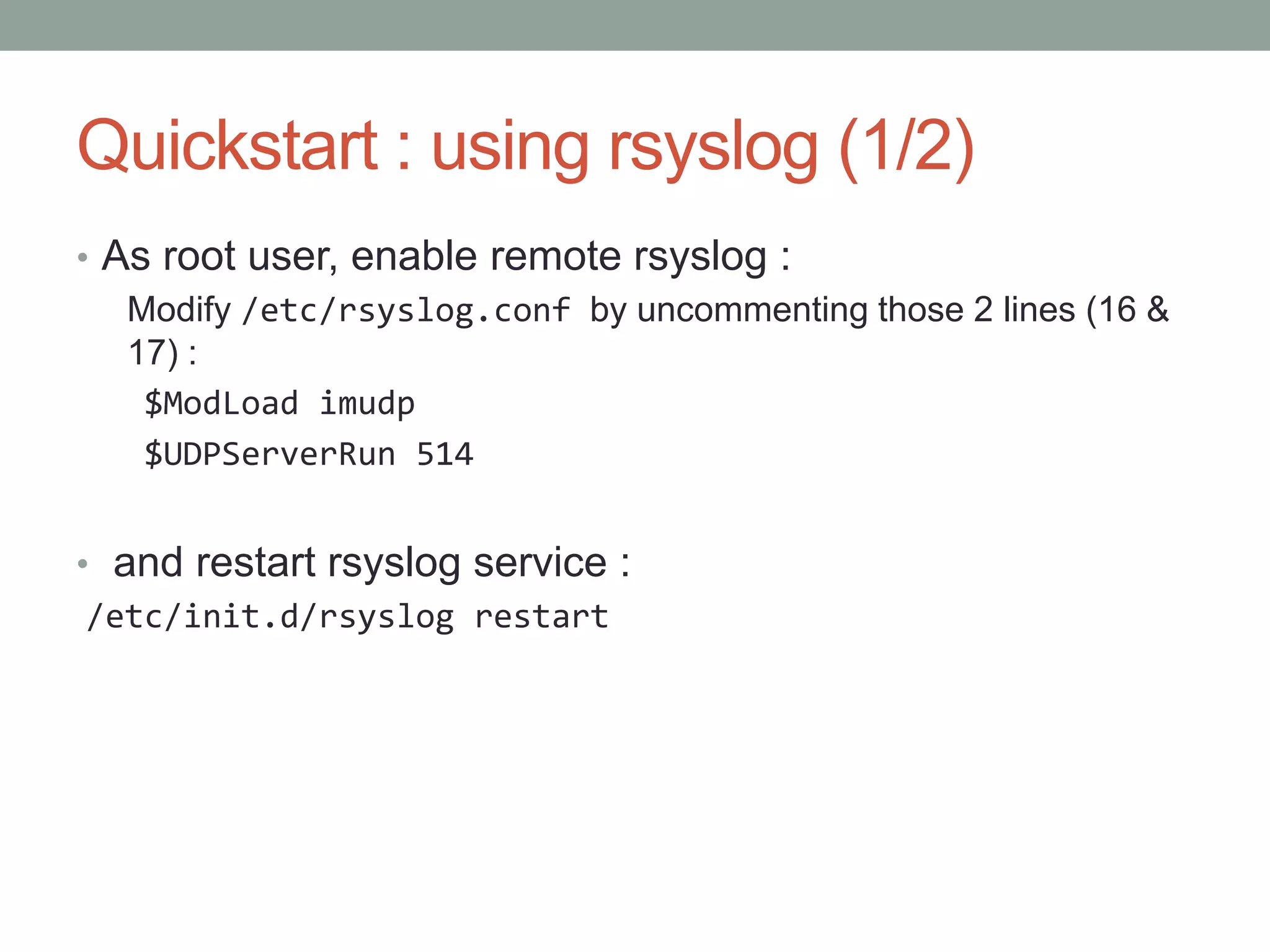
Quickstart : using rsyslog (1/2)
• As root user, enable remote rsyslog :
Modify /etc/rsyslog.conf by uncommenting those 2 lines (16 &
17) :
$ModLoad imudp
$UDPServerRun 514
• and restart rsyslog service :
/etc/init.d/rsyslog restart
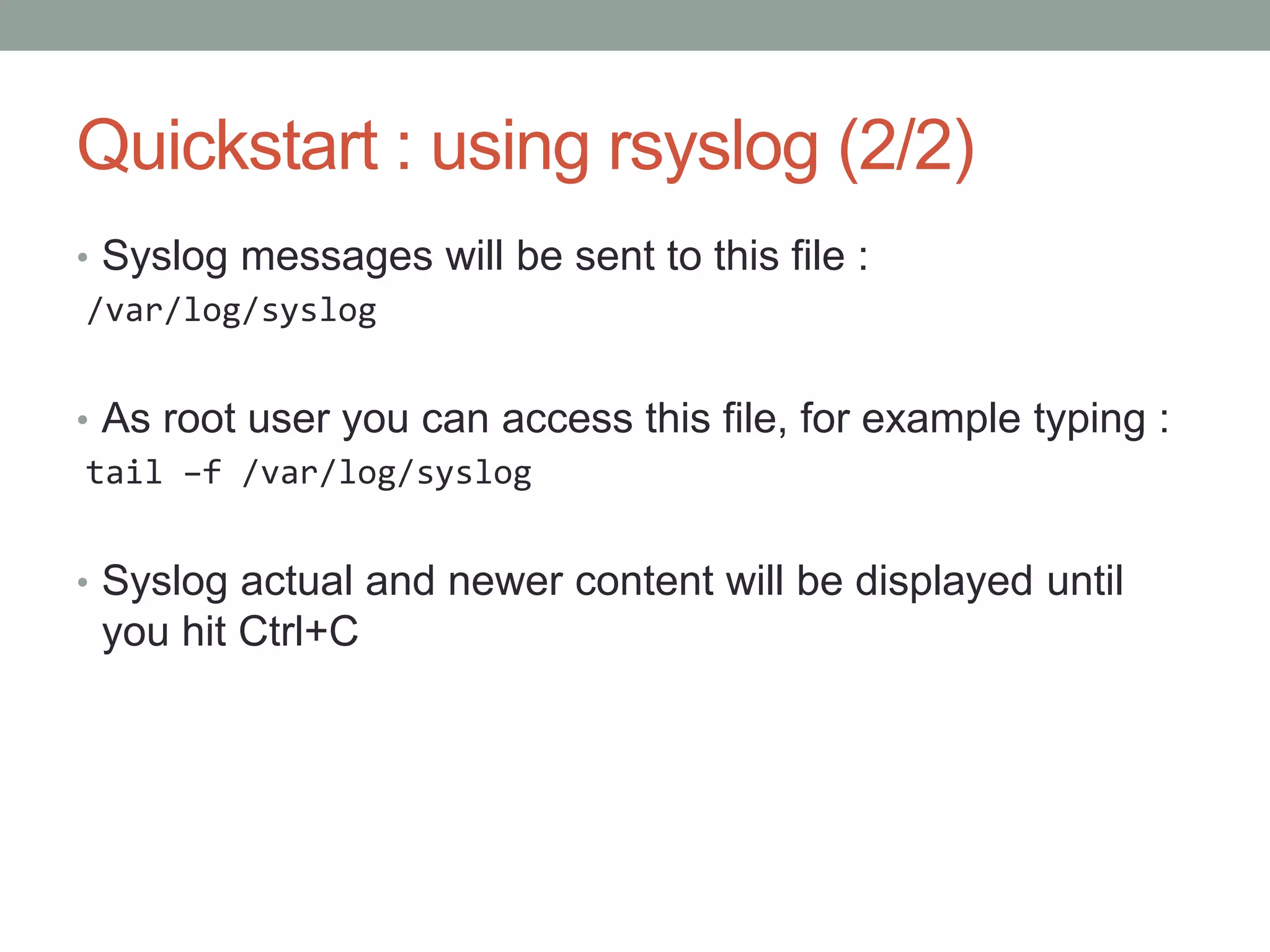
Quickstart : using rsyslog (2/2)
• Syslog messages will be sent to this file :
/var/log/syslog
• As root user you can access this file, for example typing :
tail –f /var/log/syslog
• Syslog actual and newer content will be displayed until
you hit Ctrl+C
GREEN CODE LAB
CHALLENGE 2015
Hints
Advice 1 : Avoid Tunnel Effect
• Push on the infrastructure your code regularely
• Have functionnal application
Advice 2 : Have fun, don’t suffer
You are here to learn, to discover eco-design, to have fun
Advice 3 : Don’t cheat
• We will detected every intrusion test, cheat… and you will
be eliminated
Advice 4 : Organization and agility
GO !

Green Code Lab Challenge 2015 Subject Details

  • 1.
  • 2.
  • 3.
    Important dates Wednesday 219h Friday 12h Friday 16h Friday 16h – 18h Friday 18h Subject reception End of best practices Stop coding Have rest ! Ceremony
  • 4.
    A 24/24 challenge •The platform will run continuously for 48h • Check with the your manager if you can stay at night • If your site is closed … code from home or sleep ! • Please be on site on regular hours (9h-18h) for video-conference, testimonies, etc.
  • 5.
    Introduction • You havejust subscribed to the Green Code Lab Challenge. Welcome to this really great adventure. • As the first software Eco Design software in the world, the Green Code Lab Challenge aims to raise computer engineering students, professionals and researchers awareness on software Eco Design meanings. For 48H, student teams from France and all over the Europe will challenge each other to provide an ressources and energy consumption optimized applica. • The Green Code Lab challenge is, powered and organized by ESAIP, Green Lab Center and Open Odyssey. It will be live broadcasted through a videoconferencing solution and the official website.
  • 6.
    Check your mail! • We use mail to send you important information: • Check your spam folder • You have received a mail with a preliminary subject mid november • You will receive at the same address : • Connexion infos a few days before the challenge • The subject (slideshare link) Dec. 2nd between 6 & 7 pm
  • 7.
    Check your mail •After the closure of the challenge (Friday 16h) • Survey your mail because we need perhaps to ask you some questions
  • 8.
    The tech team •To help you they provide there tools and skills
  • 9.
  • 10.
  • 11.
    Subject : IoTSelf Survey 1/2 • IoT devices use to send data (measures, photos…) to Cloud servers • IoT devices may also send status and system messages • Warnings • Power up/down • Notifications
  • 12.
    Subject : IoTSelf Survey 2/2 • We collect those status messages on a Raspberry Pi nano-computer • The Raspberry send these datas to a central server • This may use as few energy and network data as possible
  • 13.
    Subject • Write thiscollect-and-send service • Functional without data loss • Power efficient on the Pi and the server • Network efficient between the Pi and the server • While spreading and justifying your practices
  • 14.
    GREEN CODE LAB CHALLENGE2015 Needed dev environment & hotline
  • 15.
    1. Your computer 2.A forum / bug tracker 3. A remote insfrastructure 4. A code repository 5. A form to justify your code choose 6. Coffee Checklist to work
  • 16.
    Your environment • Youmay need : • SSH tools (putty, bitvise tunnelier) • Any appropriate developpement tool (IDE, ... ) • Any appropriate measurement tool • Caffeine • We provide : • A dedicated Raspberry Pi B+ • A dedicated Virtual Machine • A Bitbucket space to share your code with us
  • 17.
    Recommended readings : •Book in French : http://greencodelab.fr/Livre • Web performance : http://www.stevesouders.com/ • Google Best practices : https://developers.google.com/speed/pagespeed/?hl=fr • Green Code Lab Blog http://greencodelab.fr/en • Web Energy Archive scientific publication : http://www.greenlabcenter.com/wp- content/uploads/2014/10/213.pdf • Follow https://twitter.com/Green_spector and read archives, lot of best practices • During challenge, conferences will be broadcast. Be connected … to have some advices!
  • 18.
    Bug Tracker • Youhave also received a mail for an acces to a bug tracker. You can raise bug, problem of access and so on... Link : https://gclc.umanit.fr
  • 19.
    Forum With the bugtracker, you have a forum, You can ask question
  • 20.
    Manage you code •You must share you code with the GCLChallenge team in Bitbucket : • Create an account (Name it as you want) • Create a git repo for your code with the name of your team :
  • 21.
    Share you code •In settings, share with Green Code Lab Team
  • 22.
  • 23.
    The towers ofRaspberry PI
  • 24.
    Environment details • Virtualmachine • Hosted in Paris • host Hypervisor: VMWare ESXi • 256 MB RAM • 2 GB Disk • OS : Debian 8.0 64-bit, minimal NetInst • SSH server
  • 25.
    Access • You willreceive by mail your access infos : • Team number : teamxx • Raspberry • IP : port • Login : password • Root password • Virtual Machine • IP : port 22 • Login : password • Wheel account
  • 26.
    Testbed Injection server Your dedicated RaspberryPi Your dedicated Virtual machine Collect server Nantes area Paris area Messages  t0
  • 27.
    Testbed Injection server Your dedicated RaspberryPi Your dedicated Virtual machine Collect server Nantes area Paris area Messages syslog  4 min
  • 28.
    Testbed Injection server Your dedicated RaspberryPi Your dedicated Virtual machine Collect server Nantes area Paris area Messages Your choice Internet
  • 29.
    Testbed Injection server Your dedicated RaspberryPi Your dedicated Virtual machine Collect server Nantes area Paris area Messages nfs Timestamped messages
  • 30.
    Testbed Injection server Your dedicated RaspberryPi Your dedicated Virtual machine Collect server Nantes area Paris area Messages Timestamped messagescomparison  t0+5 min
  • 31.
    5 min evaluationcycle • t0 -> t0 + 4 min : we send data to every Raspberry on UDP port 514 • t0 + 5 min : we read on your VM the file /opt/gclc/gclc.log • you must be root to write it • overwrite it every time • We compare the file with the expected one with the diff command • You’ll se the diff result in /opt/gclc/diff.txt This is the file we expect and evaluate !
  • 32.
    Warning Message • Ifyou want to have good measure, don’t make action/upload in your Raspberry or Server. • A message will be broadcast in your SSH connexion of your PI before measure time
  • 33.
    !!!!!! Launch ofyour application • You need to launch your application as a deamon : • How to start your daemon: • 1 - Put all the needed commands in a file called startservice.sh • 2 - First line of this file can be #!/bin/sh • 3 - Add the execution permission on this script with the command: chmod +x startservice.sh • 4 - Run it with the command: ./startservice.sh • If you don’t do that, you will be eliminate
  • 34.
  • 35.
    Functional validation • Dataon your VM must be identical to the injected data • Timestamps must be identical and with correct time/timezone
  • 36.
    Continuous measurement • Measuresof criteria 1 & 2 are done every 15 minutes. • You can access to your team and global ranking : https://gclchallenge.greenspector.com/
  • 37.
    Continuous evaluation • Yoursolution will be evaluated every 15 minutes • Expected result is OK/KO • Power consumption • Network consumption • You’ll have live access to your evaluation and ranking    
  • 38.
    Timeline Wednesday FridayThursday Every 15min : 5 min injection 9 min pause, ranking calc. 4 measures
  • 39.
    GREEN CODE LAB CHALLENGE2015 Evaluation
  • 40.
    Evaluation criteria • 1: power efficiency on Raspberry & VM • 2 : network efficiency between Raspberry & VM • 3 : diffusion of best practices among other teams • 4 : justification of best practices • 5 : communication
  • 41.
    Criteria 1: energyconsumption • We measure the energy of the Raspberry and the server during a test • We rank the team according to this measure • The less you consume, the higher point you have
  • 42.
    Criteria 2 :network efficiency • We measure the data size exchange between the Raspberry and the server • We rank the team according to this measure • The less you send datas, the higher point you have Internet
  • 43.
    Criteria 3 :Disseminate your best practices • For the criteria 3, you can share your best practices on Green Coding in the forum (access explain after) • . You can also vote for other best practices. • Be fair, vote for your competitor if they give you good advices
  • 44.
    Criteria 4 :Justify your green coding • For criteria 4, we need to assess your green coding. You must complete the form before Friday 12 am : https://docs.google.com/forms/d/1aqO3_NSSQ_If2jwQ_c wnB3z__zu4ts-_MlFR2ZMFbbk
  • 45.
    Criteria 5 :communication • Vidéo on 70 points : • +30 if production of video / animation • +20 if in English (Voice or subtitle) • +10 if publish in youtube and promote on social network with tag « Green Code Lab Challenge » / #GCLChallenge for twitter • +40 for 10 firsts in « view number » on youtube
  • 46.
    Points • You willhave a note on 1000 points • Criteria 1 : • On 500 points : If you have the lower energy consumption energy, you have 400 points, if you are the second, you have 396, and so on… • The energy is the mean of the 4 last measures (from 15h to 16h). • Criteria 2 • On 200 points based on the ranking. • Criteria 3 • On 100 points based on the mean note of all your best practices • 50 points based on the vote of the public, 50 on the evaluation of the jury • Criteria 4 • On 100 points based on the evaluation of the jury • Criteria 5 • On 100 points based on your video
  • 47.
    Warning ! • Elimination: • No functional validation • No code shared in bitbucket • No justification of green coding • Survey your email after 16h Friday, we can ask your some questions • Push elements (code, justification…) before 16h, to avoid rush and problems which cause an elimination • Think lunch your code in deamon (nohup…). Because we will cut ssh, and your app can be kill • To cheat, we will detect it and you will be eliminated • You also MUST NOT USE syslog in you solution, everything must be in the expected process
  • 48.
    GREEN CODE LAB CHALLENGE2015 Syslog insights
  • 49.
    Syslog message format •When a syslog service receive a message, it prepends it a timestamp : • Received message : HELLO • Stored message : Nov 25 11:09:12 HELLO
  • 50.
    Syslog protocol • Sysloguse UDP protocol on port 514 • You must be root user to start a process listening on a port lower than 1024 • You MUST NOT USE syslog in you solution, everything must be in the expected process
  • 51.
    Linux environment • ManyIoT devices use Linux, because it’s a versatile and efficient OS, even on small devices.
  • 52.
    Quickstart • Syslog iswidely used in Unix environment • In fact, it’s already installed on your Raspberry Linux OS ! • You just have to reconfigure it (see next slides)
  • 53.
    Quickstart : usingrsyslog (1/2) • As root user, enable remote rsyslog : Modify /etc/rsyslog.conf by uncommenting those 2 lines (16 & 17) : $ModLoad imudp $UDPServerRun 514 • and restart rsyslog service : /etc/init.d/rsyslog restart
  • 54.
    Quickstart : usingrsyslog (2/2) • Syslog messages will be sent to this file : /var/log/syslog • As root user you can access this file, for example typing : tail –f /var/log/syslog • Syslog actual and newer content will be displayed until you hit Ctrl+C
  • 55.
  • 56.
    Advice 1 :Avoid Tunnel Effect • Push on the infrastructure your code regularely • Have functionnal application
  • 57.
    Advice 2 :Have fun, don’t suffer You are here to learn, to discover eco-design, to have fun
  • 58.
    Advice 3 :Don’t cheat • We will detected every intrusion test, cheat… and you will be eliminated
  • 59.
    Advice 4 :Organization and agility
  • 60.