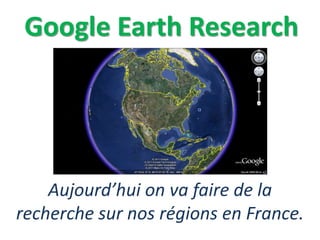
Google Earth Research
Aujourd’hui on va faire de la
recherche sur nos régions en France.
Citing Your Research
• You need a total of three cited sources
• One of your sources may not be from the
internet
• Sources must be cited in MLA format on a
separate “Work Cited” slide in your
PowerPoint presentation
• www.noodletools.com
• www.easybib.com
Taking a Screenshot
• The screenshot process is different for each type of
computer or operating system
• Many PCs have a button on the top of the keyboard
called “Print Screen” or “PRTSC”, pressing this key
once takes a screenshot or picture of your entire
desktop.
• The image from the screenshot is saved to your
“clipboard” and you may paste this image to a Word
Document by right-clicking or pressing “Ctrl + V” in a
blank document.
• Once your image is pasted in Word, you can select
your image, and click on “Format” to crop, enlarge,
or decrease the size, height, or width of your image.
Websites for Research
https://www.cia.gov/library/publications/the-world-factbook/
Facts about countries – good for geography
http://www.meteofrance.com/accueil
Weather in French – good source for French research
http://about-france.com/regions.htm
Facts about France by region
http://www.bonjourlafrance.com/france-regions/index.htm
Facts about France by region

Google Earth Research

  • 1.
    Google Earth Research Aujourd’huion va faire de la recherche sur nos régions en France.
  • 2.
    Citing Your Research •You need a total of three cited sources • One of your sources may not be from the internet • Sources must be cited in MLA format on a separate “Work Cited” slide in your PowerPoint presentation • www.noodletools.com • www.easybib.com
  • 3.
    Taking a Screenshot •The screenshot process is different for each type of computer or operating system • Many PCs have a button on the top of the keyboard called “Print Screen” or “PRTSC”, pressing this key once takes a screenshot or picture of your entire desktop. • The image from the screenshot is saved to your “clipboard” and you may paste this image to a Word Document by right-clicking or pressing “Ctrl + V” in a blank document. • Once your image is pasted in Word, you can select your image, and click on “Format” to crop, enlarge, or decrease the size, height, or width of your image.
  • 4.
    Websites for Research https://www.cia.gov/library/publications/the-world-factbook/ Factsabout countries – good for geography http://www.meteofrance.com/accueil Weather in French – good source for French research http://about-france.com/regions.htm Facts about France by region http://www.bonjourlafrance.com/france-regions/index.htm Facts about France by region