GOOGLE CHROME OS
by: -jyothish sirigidi
CONTENTS
 Introduction
 Invention of os
 Architecture
 Chrome os devices
 Comparision with different os
 Apllications
 Limitations
 Conclusion
 References
INTRODUCTION
• Google Chrome OS can be called even as an Internet
OS as it has emerged as the first OS that is completely
dedicated to the internet
• Definition:-
• Google Chrome operating system (OS) is a Linux-
based operating system from Google that is designed
for Web-based applications and cloud computing. It
stores data based on the principle of cloud
computing i.e storing every data in the internet
rather than storing in a hard disk. The only software
application Google Chrome OS runs locally is Google
chrome.
ARCHITECTURE
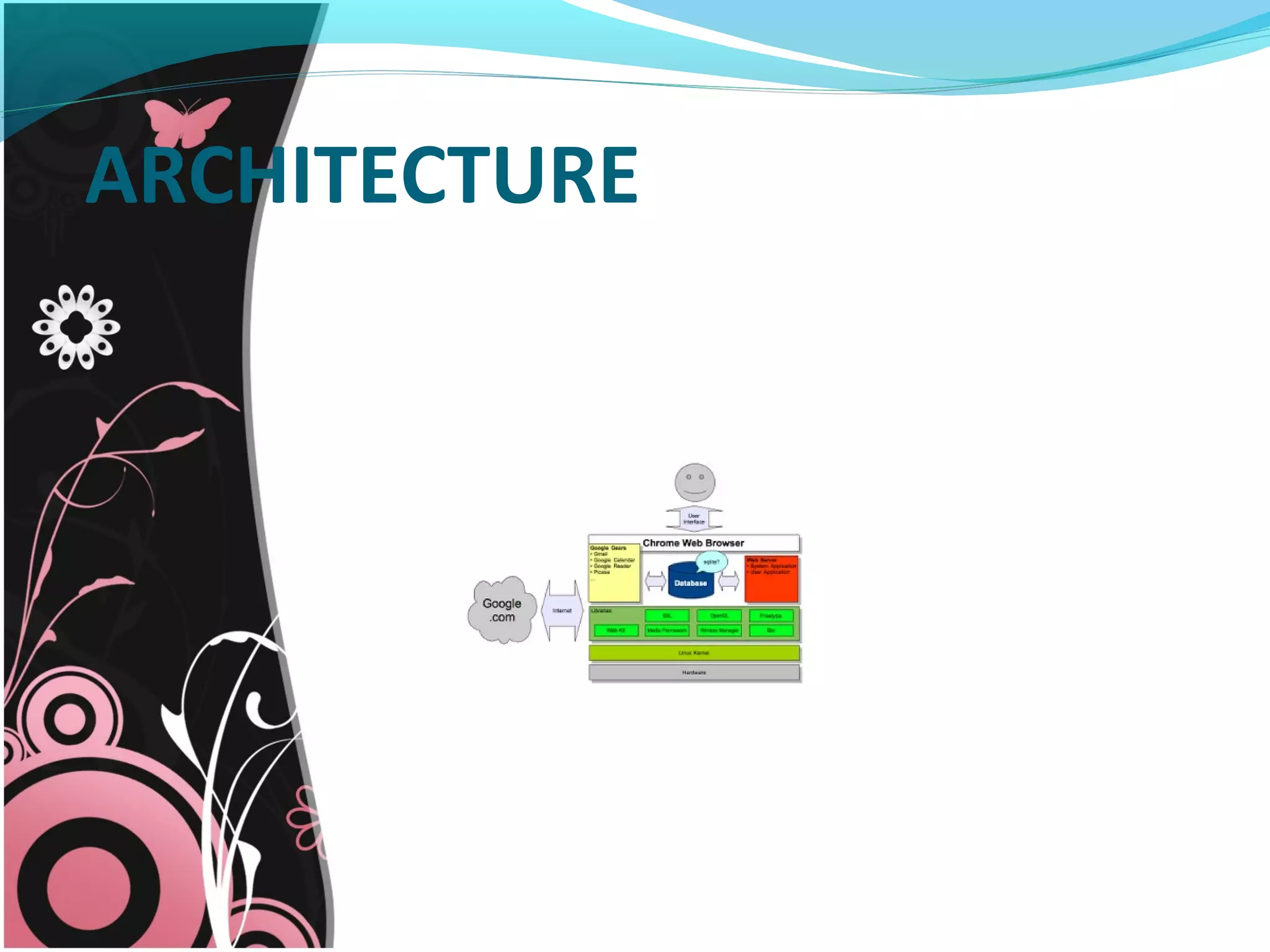
 In preliminary design documents, Google
describes a three-tier architecture: firmware, web
browser and window manager, and system-level
software and userland services.
 Firmware
 System-level Software
 Window manager
ARCHITECTURE
CHROME OS DEVICES Chrome OS is hardware specific thus it
only works on a narrow range of devices.
Currently, devices that uses Chrome OS
are,
Chromebook
Chromebox
CHROMEBOOK
Definition:- A Chromebook is a personal
computer running Chrome OS as its
operating system. The devices are
designed to be used while connected to
the Internet and support applications
that reside on the Web, rather than
traditional applications that reside on the
machine itself.
Cr-48 prototype
Commercial machines
CHROMEBOX
• A computer based on smartphone style
technology is chromebox.
• Chromeboxes are the desktop variants of
Chromebooks.
• Chromeboxes employ solid state memory
and support Web applications, but require
an external monitor, keyboard, and pointing
device. Samsung released the first
Chromebox.
• The Chromebox is small enough to put on a
desk, in a bookshelf or next to the couch. It is
categorized as small form-factor PCs which
features a power switch , built-in Wi-Fi and a
set of ports like Ethernet ,USB, DVI-D,
DisplayPorts, audio etc.
•
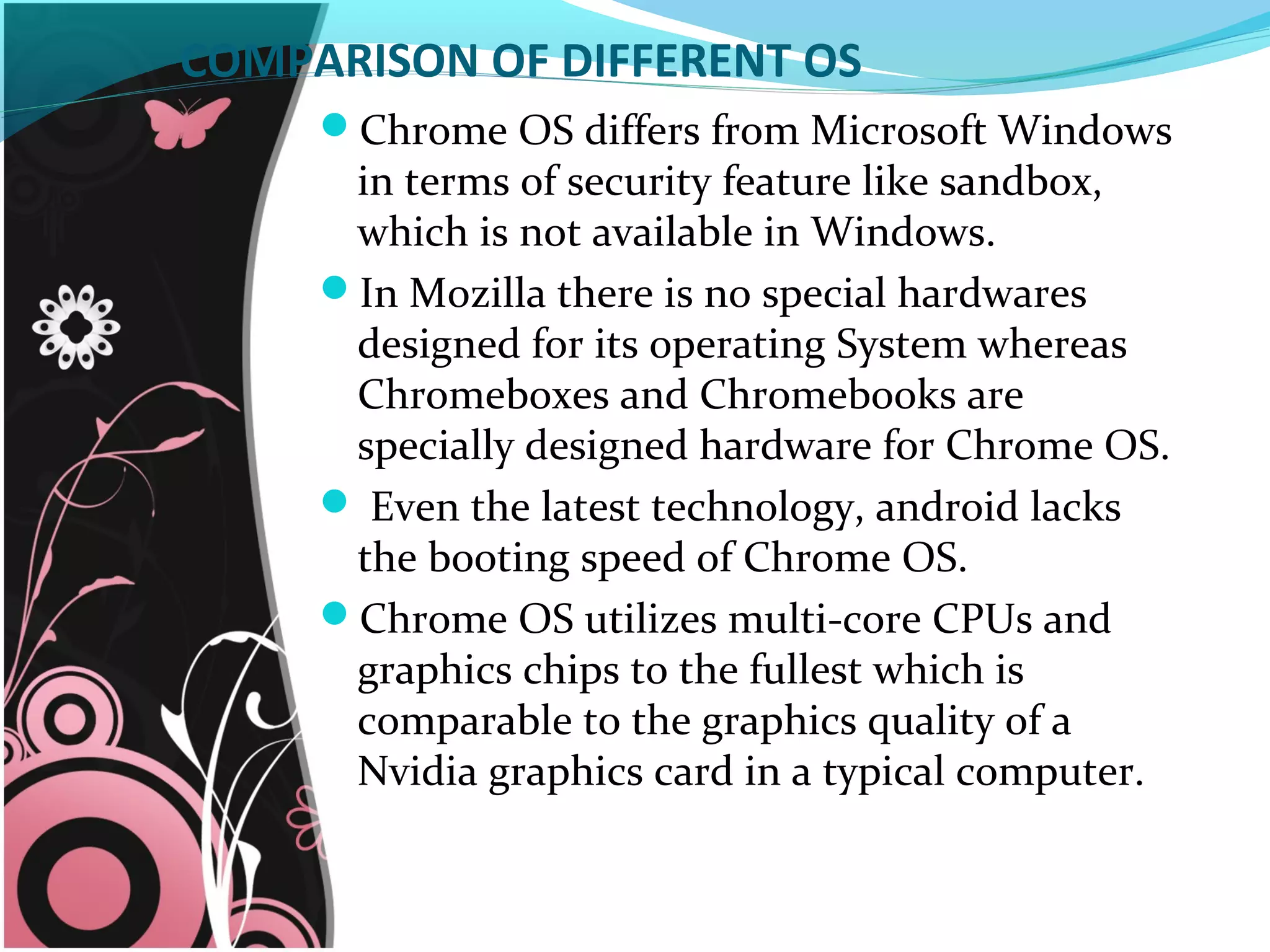
COMPARISON OF DIFFERENT OS
Chrome OS differs from Microsoft Windows
in terms of security feature like sandbox,
which is not available in Windows.
In Mozilla there is no special hardwares
designed for its operating System whereas
Chromeboxes and Chromebooks are
specially designed hardware for Chrome OS.
 Even the latest technology, android lacks
the booting speed of Chrome OS.
Chrome OS utilizes multi-core CPUs and
graphics chips to the fullest which is
comparable to the graphics quality of a
Nvidia graphics card in a typical computer.
APPLICATIONS
●     Education Sector●     Education Sector
Education Sector:-
Chromebooks reduced the need for additional IT staff to
support their deployments, requiring approximately 69% less
labor to deploy and 92% less labor to support than desktop PCs,
laptop PCs, or netbooks.
Chromebooks' high reliability increased actual teaching and
educational administration time by reducing the time lost in
managing desktop PCs, laptop PCs, or netbooks by 82%.
APPLICATIONS
Tourism Sector:-
Due to chrome devices’ light weight and mobility,
they could be carried anywhere across the globe.
From the Google chrome store, a huge range of
travel applications can be downloaded and can be
accessed from anywhere on the globe.
We need not carry the device along with us since
everything on the machine is on the cloud such
that they can be accessed even from chrome
devices that are rented in another country.
ADVANTAGES
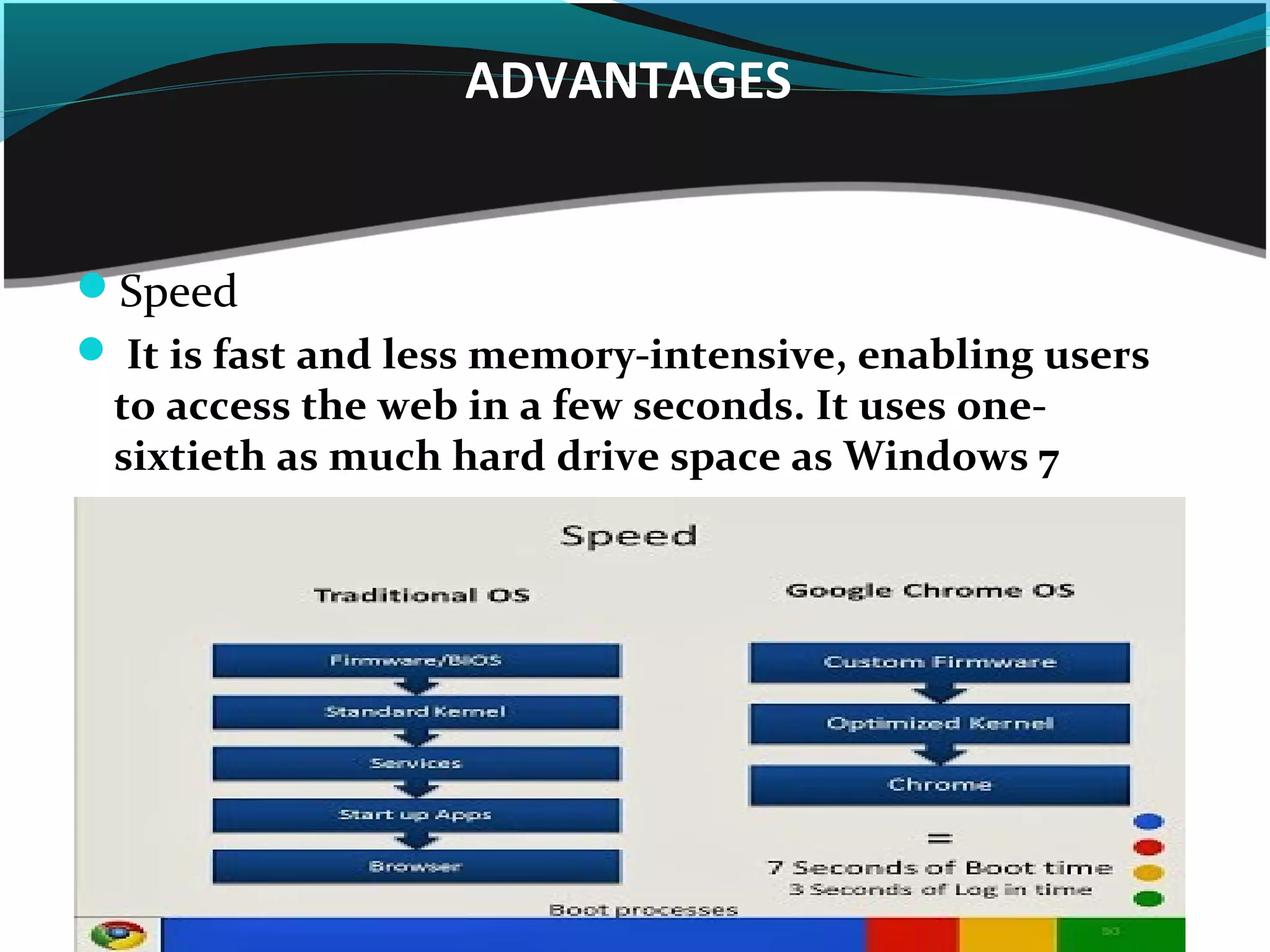
Speed
 It is fast and less memory-intensive, enabling users
to access the web in a few seconds. It uses one-
sixtieth as much hard drive space as Windows 7
ADVANTAGES
Other advantages
Security
Appearing as traditional Local Features
Automatic updates
Synchronisation
Simplicity
LIMITATIONS
    
Hardware specific
Less physical data storage
Less connectivity
Virtual Private Network(VPN) software cannot be
used
Only web based applications are supported
 Software usage Limitation
Boon for small scale businesses:-
We feel that Google chrome OS is a boon for small-scale
businesses. As compared to android, chrome OS offers
much more speed and reliability and that too in a cost that
is much cheaper than other conventional operating
systems.
Chrome box replacing setup box:-
• Chrome boxes can replace digital setup-boxes and
Channels from any part of the globe can be viewed. This
helps the convergence of the television media and the
computer with internet facilities more affordable.
CONCLUSION
• Google chrome OS seems to be a promising
technology in the global market.
• More people who cannot afford computer will
need something cheap. Google chrome OS will be
a boon to these people.
• It uses a simple design that makes upgrades in
invasive features easier.
REFERENCES
 1. www.webopedia.com/TERM/C/chromebook.html
 2. http://hardware.slashdot.org/story/13/07/12/2311251/limitations-and-all-
chromebooks-appear-to-be-selling
 3. http://www.slideshare.net/viveksreedharan88/google-chomebook-
10644377?from_search=16
 4. http://foxicsdanfriedland.wordpress.com/2012/09/13/advantages-and-
disadvantages/
 5. http://computer.howstuffworks.com/google-chrome-os.htm
 6. http://gigaom.com/2013/08/13/4-new-features-in-chrome-os-that-
improve-the-desktop-experience/
 7. http://www.slideshare.net/melodyhe121/chrome-os-presentation
       8. http://www.slideshare.net/saurabhjinturkar/introduction-to-
google-chrome-os-final

ANY
Queries ?...
THANK
« You »

Google chrome OS

  • 1.
    GOOGLE CHROME OS by:-jyothish sirigidi
  • 2.
    CONTENTS  Introduction  Inventionof os  Architecture  Chrome os devices  Comparision with different os  Apllications  Limitations  Conclusion  References
  • 3.
    INTRODUCTION • Google ChromeOS can be called even as an Internet OS as it has emerged as the first OS that is completely dedicated to the internet • Definition:- • Google Chrome operating system (OS) is a Linux- based operating system from Google that is designed for Web-based applications and cloud computing. It stores data based on the principle of cloud computing i.e storing every data in the internet rather than storing in a hard disk. The only software application Google Chrome OS runs locally is Google chrome.
  • 4.
    ARCHITECTURE  In preliminarydesign documents, Google describes a three-tier architecture: firmware, web browser and window manager, and system-level software and userland services.  Firmware  System-level Software  Window manager
  • 5.
  • 6.
    CHROME OS DEVICESChrome OS is hardware specific thus it only works on a narrow range of devices. Currently, devices that uses Chrome OS are, Chromebook Chromebox
  • 7.
    CHROMEBOOK Definition:- A Chromebookis a personal computer running Chrome OS as its operating system. The devices are designed to be used while connected to the Internet and support applications that reside on the Web, rather than traditional applications that reside on the machine itself. Cr-48 prototype Commercial machines
  • 8.
    CHROMEBOX • A computerbased on smartphone style technology is chromebox. • Chromeboxes are the desktop variants of Chromebooks. • Chromeboxes employ solid state memory and support Web applications, but require an external monitor, keyboard, and pointing device. Samsung released the first Chromebox. • The Chromebox is small enough to put on a desk, in a bookshelf or next to the couch. It is categorized as small form-factor PCs which features a power switch , built-in Wi-Fi and a set of ports like Ethernet ,USB, DVI-D, DisplayPorts, audio etc. •
  • 9.
    COMPARISON OF DIFFERENTOS Chrome OS differs from Microsoft Windows in terms of security feature like sandbox, which is not available in Windows. In Mozilla there is no special hardwares designed for its operating System whereas Chromeboxes and Chromebooks are specially designed hardware for Chrome OS.  Even the latest technology, android lacks the booting speed of Chrome OS. Chrome OS utilizes multi-core CPUs and graphics chips to the fullest which is comparable to the graphics quality of a Nvidia graphics card in a typical computer.
  • 11.
    APPLICATIONS ●     Education Sector●     Education Sector EducationSector:- Chromebooks reduced the need for additional IT staff to support their deployments, requiring approximately 69% less labor to deploy and 92% less labor to support than desktop PCs, laptop PCs, or netbooks. Chromebooks' high reliability increased actual teaching and educational administration time by reducing the time lost in managing desktop PCs, laptop PCs, or netbooks by 82%.
  • 12.
    APPLICATIONS Tourism Sector:- Due tochrome devices’ light weight and mobility, they could be carried anywhere across the globe. From the Google chrome store, a huge range of travel applications can be downloaded and can be accessed from anywhere on the globe. We need not carry the device along with us since everything on the machine is on the cloud such that they can be accessed even from chrome devices that are rented in another country.
  • 13.
    ADVANTAGES Speed  It isfast and less memory-intensive, enabling users to access the web in a few seconds. It uses one- sixtieth as much hard drive space as Windows 7
  • 14.
    ADVANTAGES Other advantages Security Appearing astraditional Local Features Automatic updates Synchronisation Simplicity
  • 15.
    LIMITATIONS      Hardware specific Less physicaldata storage Less connectivity Virtual Private Network(VPN) software cannot be used Only web based applications are supported  Software usage Limitation
  • 16.
    Boon for smallscale businesses:- We feel that Google chrome OS is a boon for small-scale businesses. As compared to android, chrome OS offers much more speed and reliability and that too in a cost that is much cheaper than other conventional operating systems. Chrome box replacing setup box:- • Chrome boxes can replace digital setup-boxes and Channels from any part of the globe can be viewed. This helps the convergence of the television media and the computer with internet facilities more affordable.
  • 17.
    CONCLUSION • Google chromeOS seems to be a promising technology in the global market. • More people who cannot afford computer will need something cheap. Google chrome OS will be a boon to these people. • It uses a simple design that makes upgrades in invasive features easier.
  • 18.
    REFERENCES  1. www.webopedia.com/TERM/C/chromebook.html 2. http://hardware.slashdot.org/story/13/07/12/2311251/limitations-and-all- chromebooks-appear-to-be-selling  3. http://www.slideshare.net/viveksreedharan88/google-chomebook- 10644377?from_search=16  4. http://foxicsdanfriedland.wordpress.com/2012/09/13/advantages-and- disadvantages/  5. http://computer.howstuffworks.com/google-chrome-os.htm  6. http://gigaom.com/2013/08/13/4-new-features-in-chrome-os-that- improve-the-desktop-experience/  7. http://www.slideshare.net/melodyhe121/chrome-os-presentation        8. http://www.slideshare.net/saurabhjinturkar/introduction-to- google-chrome-os-final 
  • 19.
  • 20.