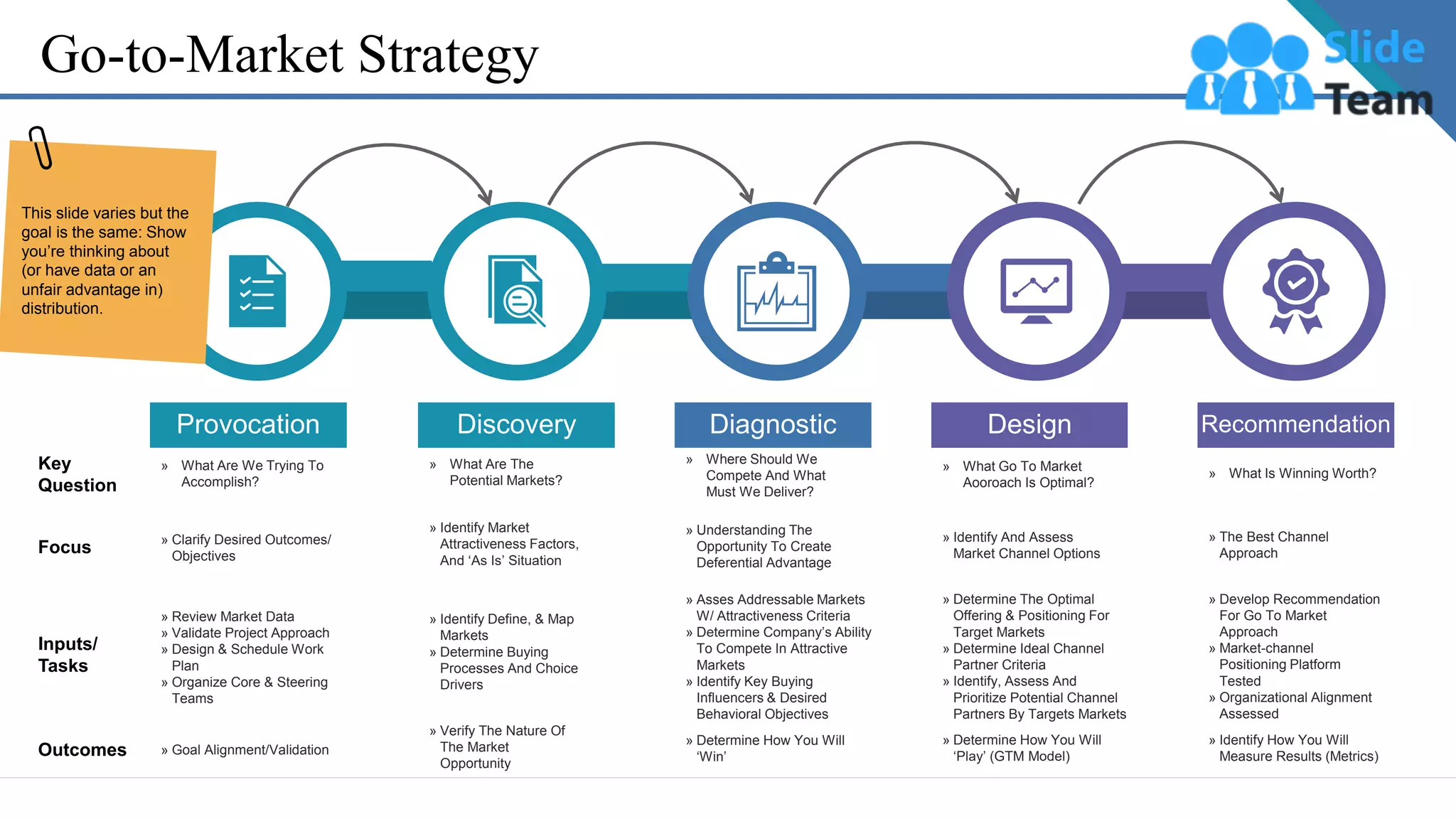
Go-to-Market Strategy
Key
Question
Focus
Inputs/
Tasks
Outcomes
Discovery
» Verify The Nature Of
The Market
Opportunity
» Identify Define, & Map
Markets
» Determine Buying
Processes And Choice
Drivers
» Identify Market
Attractiveness Factors,
And ‘As Is’ Situation
» What Are The
Potential Markets?
Diagnostic
» Determine How You Will
‘Win’
» Asses Addressable Markets
W/ Attractiveness Criteria
» Determine Company’s Ability
To Compete In Attractive
Markets
» Identify Key Buying
Influencers & Desired
Behavioral Objectives
» Understanding The
Opportunity To Create
Deferential Advantage
» Where Should We
Compete And What
Must We Deliver?
Design
» Determine How You Will
‘Play’ (GTM Model)
» Determine The Optimal
Offering & Positioning For
Target Markets
» Determine Ideal Channel
Partner Criteria
» Identify, Assess And
Prioritize Potential Channel
Partners By Targets Markets
» Identify And Assess
Market Channel Options
» What Go To Market
Aooroach Is Optimal?
Recommendation
» Identify How You Will
Measure Results (Metrics)
» Develop Recommendation
For Go To Market
Approach
» Market-channel
Positioning Platform
Tested
» Organizational Alignment
Assessed
» The Best Channel
Approach
» What Is Winning Worth?
Provocation
» Goal Alignment/Validation
» Review Market Data
» Validate Project Approach
» Design & Schedule Work
Plan
» Organize Core & Steering
Teams
» Clarify Desired Outcomes/
Objectives
» What Are We Trying To
Accomplish?
This slide varies but the
goal is the same: Show
you’re thinking about
(or have data or an
unfair advantage in)
distribution.
Instructions To Edit This Slide
This slide has been made in PowerPoint using basic PowerPoint shapes, and all graphics are 100%
editable in PowerPoint.
You can change color, size and orientation of any element to your liking, and add/edit any piece of text
anywhere.
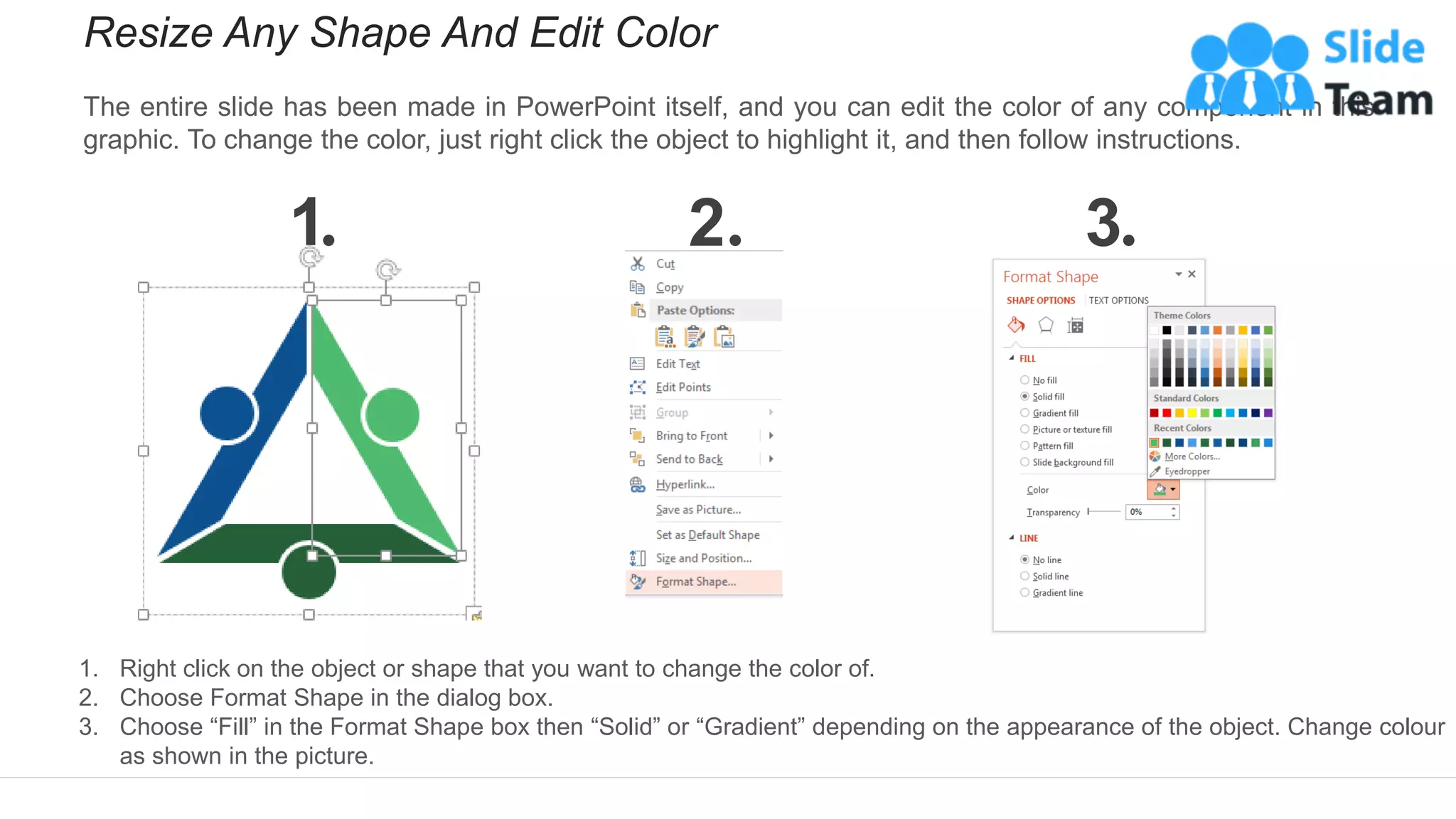
Resize Any Shape And Edit Color
The entire slide has been made in PowerPoint itself, and you can edit the color of any component in this
graphic. To change the color, just right click the object to highlight it, and then follow instructions.
1 2 3
1. Right click on the object or shape that you want to change the color of.
2. Choose Format Shape in the dialog box.
3. Choose “Fill” in the Format Shape box then “Solid” or “Gradient” depending on the appearance of the object. Change colour
as shown in the picture.
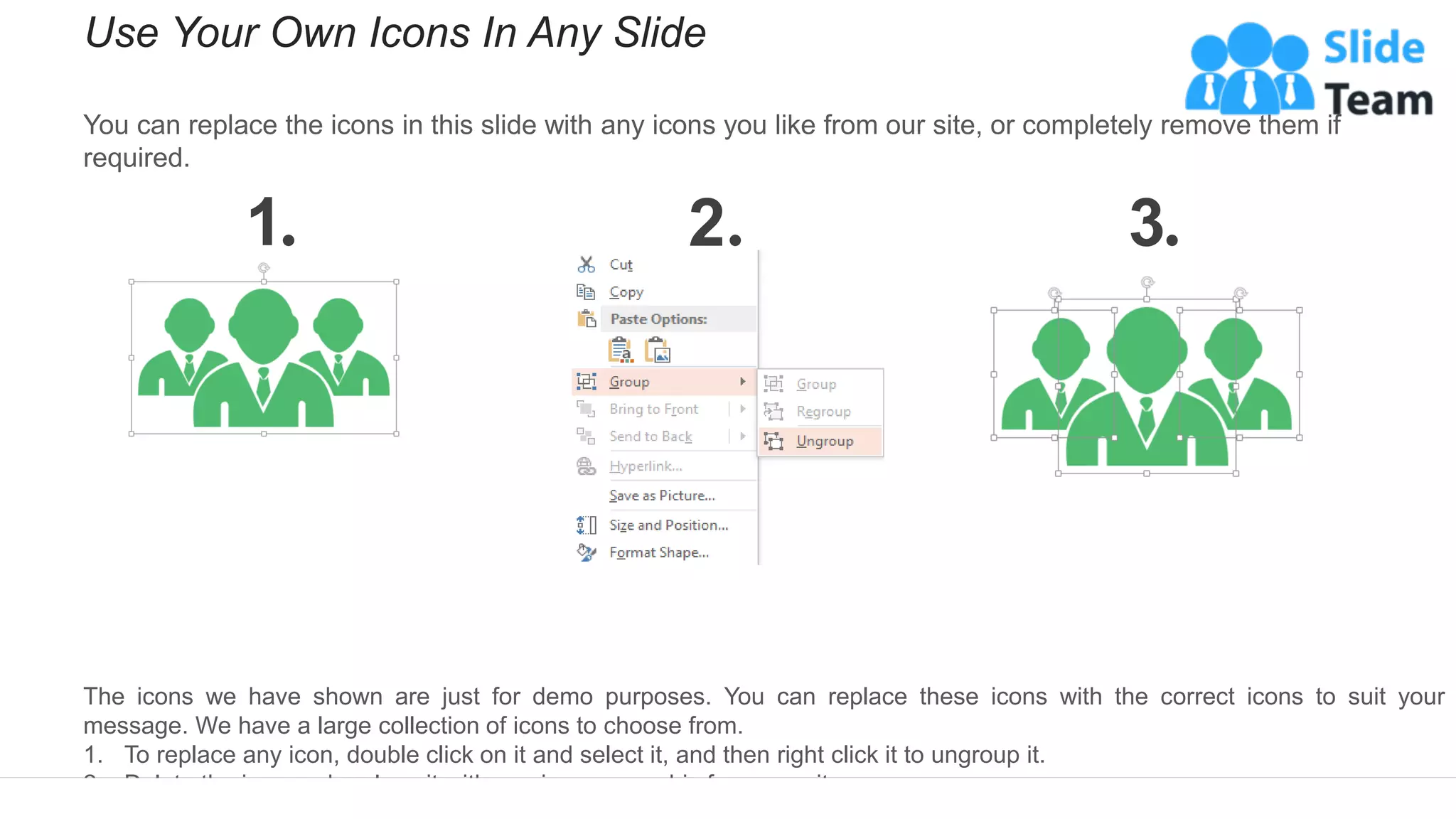
Use Your Own Icons In Any Slide
You can replace the icons in this slide with any icons you like from our site, or completely remove them if
required.
1 2 3
The icons we have shown are just for demo purposes. You can replace these icons with the correct icons to suit your
message. We have a large collection of icons to choose from.
1. To replace any icon, double click on it and select it, and then right click it to ungroup it.
2. Delete the icon and replace it with any icon or graphic from our site.
Select From Thousands Of Editable Icons On Every Topic
These icons are available at the Icons section on www.slideteam.net

Go To Market Strategy Example Ppt Presentation

  • 1.
    Go-to-Market Strategy Key Question Focus Inputs/ Tasks Outcomes Discovery » VerifyThe Nature Of The Market Opportunity » Identify Define, & Map Markets » Determine Buying Processes And Choice Drivers » Identify Market Attractiveness Factors, And ‘As Is’ Situation » What Are The Potential Markets? Diagnostic » Determine How You Will ‘Win’ » Asses Addressable Markets W/ Attractiveness Criteria » Determine Company’s Ability To Compete In Attractive Markets » Identify Key Buying Influencers & Desired Behavioral Objectives » Understanding The Opportunity To Create Deferential Advantage » Where Should We Compete And What Must We Deliver? Design » Determine How You Will ‘Play’ (GTM Model) » Determine The Optimal Offering & Positioning For Target Markets » Determine Ideal Channel Partner Criteria » Identify, Assess And Prioritize Potential Channel Partners By Targets Markets » Identify And Assess Market Channel Options » What Go To Market Aooroach Is Optimal? Recommendation » Identify How You Will Measure Results (Metrics) » Develop Recommendation For Go To Market Approach » Market-channel Positioning Platform Tested » Organizational Alignment Assessed » The Best Channel Approach » What Is Winning Worth? Provocation » Goal Alignment/Validation » Review Market Data » Validate Project Approach » Design & Schedule Work Plan » Organize Core & Steering Teams » Clarify Desired Outcomes/ Objectives » What Are We Trying To Accomplish? This slide varies but the goal is the same: Show you’re thinking about (or have data or an unfair advantage in) distribution.
  • 2.
    Instructions To EditThis Slide This slide has been made in PowerPoint using basic PowerPoint shapes, and all graphics are 100% editable in PowerPoint. You can change color, size and orientation of any element to your liking, and add/edit any piece of text anywhere.
  • 3.
    Resize Any ShapeAnd Edit Color The entire slide has been made in PowerPoint itself, and you can edit the color of any component in this graphic. To change the color, just right click the object to highlight it, and then follow instructions. 1 2 3 1. Right click on the object or shape that you want to change the color of. 2. Choose Format Shape in the dialog box. 3. Choose “Fill” in the Format Shape box then “Solid” or “Gradient” depending on the appearance of the object. Change colour as shown in the picture.
  • 4.
    Use Your OwnIcons In Any Slide You can replace the icons in this slide with any icons you like from our site, or completely remove them if required. 1 2 3 The icons we have shown are just for demo purposes. You can replace these icons with the correct icons to suit your message. We have a large collection of icons to choose from. 1. To replace any icon, double click on it and select it, and then right click it to ungroup it. 2. Delete the icon and replace it with any icon or graphic from our site.
  • 5.
    Select From ThousandsOf Editable Icons On Every Topic These icons are available at the Icons section on www.slideteam.net