


Gnu Privacy Guard
Outline
Why Privacy? 
PGP  is Pretty Good Privacy with IDEA. 
What is Gnu Privacy Guard?
Cryposystems are Mathematical. The Algos used:­
Getting Started with GnuPG.
Exploring the options.
Open PGP Specification – RFC 2440
I need your Public Key, Bob; says Alice.
GPG + Mutt.
Privacy and Security
If Privacy can be outlawed then, only outlaws will have privacy. 
– Phillip Zimmermann          

                                                             “Why I wrote PGP”
Network security problems and privacy is essentially about
 Secrecy

 Authentication

 Non Repudiation

 Integrity Control

What is GnuPrivacy Guard (GPG)?
●

●

●

●

Free Software Replacement of PGP.
It does not use the Patented IDEA Algorithm for encryption (As 
used by PGP)
Supported by German Ministry of Economics and Commerce.  
Free Software available by default under all major distros of 
Linux, FreeBSD,Solaris and other unices.
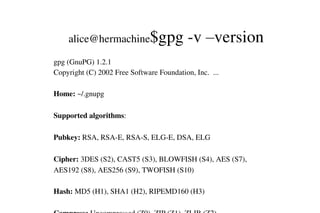
alice@hermachine$gpg ­v –version
gpg (GnuPG) 1.2.1
Copyright (C) 2002 Free Software Foundation, Inc.  ...
Home: ~/.gnupg
Supported algorithms:
Pubkey: RSA, RSA­E, RSA­S, ELG­E, DSA, ELG
Cipher: 3DES (S2), CAST5 (S3), BLOWFISH (S4), AES (S7), 
AES192 (S8), AES256 (S9), TWOFISH (S10)
Hash: MD5 (H1), SHA1 (H2), RIPEMD160 (H3)
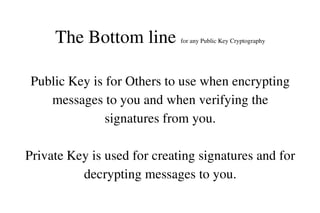
The Bottom line 

for any Public Key Cryptography

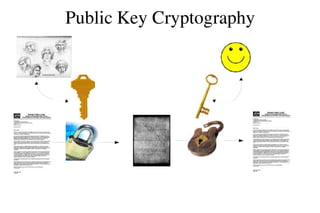
Public Key is for Others to use when encrypting 
messages to you and when verifying the 
signatures from you.
Private Key is used for creating signatures and for 
decrypting messages to you.
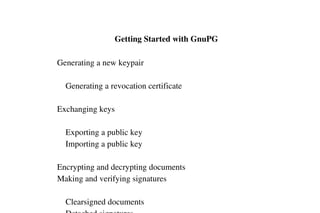
 Getting Started with GnuPG
    Generating a new keypair
        Generating a revocation certificate
    Exchanging keys
        Exporting a public key
        Importing a public key
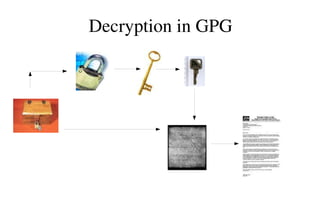
    Encrypting and decrypting documents
    Making and verifying signatures
        Clearsigned documents
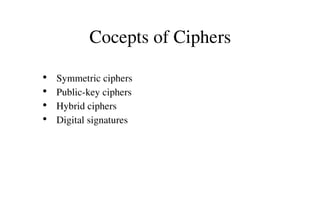
Cocepts of Ciphers
    Symmetric ciphers
●
    Public­key ciphers
●
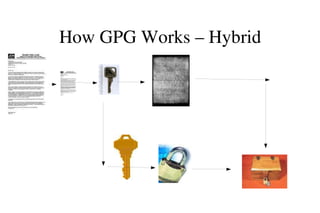
    Hybrid ciphers
●
    Digital signatures
●
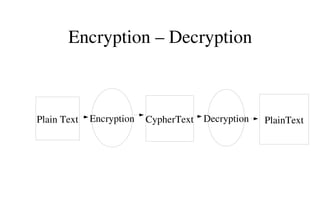
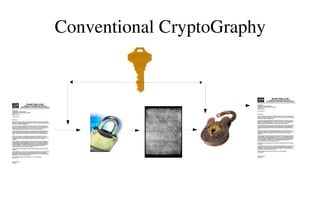
Encryption – Decryption

Plain Text

Encryption

CypherText Decryption

PlainText
Conventional CryptoGraphy
Public Key Cryptography
How GPG Works – Hybrid
Decryption in GPG
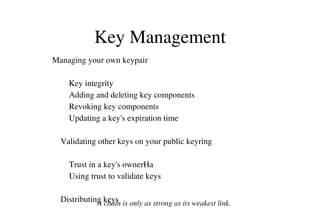
Key Management
Managing your own keypair
        Key integrity
        Adding and deleting key components
        Revoking key components
        Updating a key's expiration time
    Validating other keys on your public keyring
        Trust in a key's ownerHa
        Using trust to validate keys
    Distributing keys
A chain is only as strong as its weakest link.
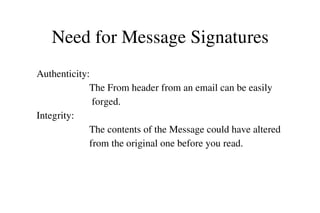
Need for Message Signatures
Authenticity:
                     The From header from an email can be easily       
                      forged.
Integrity:
                     The contents of the Message could have altered    
                     from the original one before you read.
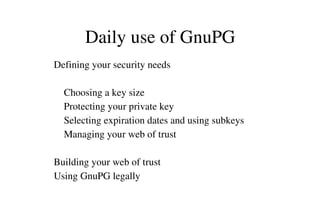
Daily use of GnuPG
    Defining your security needs
        Choosing a key size
        Protecting your private key
        Selecting expiration dates and using subkeys
        Managing your web of trust
    Building your web of trust
    Using GnuPG legally
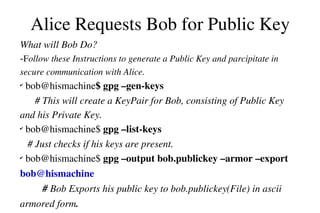
Alice Requests Bob for Public Key
What will Bob Do?
­Follow these Instructions to generate a Public Key and parcipitate in 
secure communication with Alice.

 bob@hismachine$ gpg –gen­keys
# This will create a KeyPair for Bob, consisting of Public Key 
and his Private Key.
✔
 bob@hismachine$ gpg –list­keys                                                     
   # Just checks if his keys are present.
✔
 bob@hismachine$ gpg –output bob.publickey –armor –export 
✔

bob@hismachine                                                                                
         # Bob Exports his public key to bob.publickey(File) in ascii 
armored form.
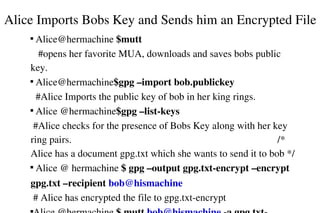
Alice Imports Bobs Key and Sends him an Encrypted File
 Alice@hermachine $mutt                                                             
   #opens her favorite MUA, downloads and saves bobs public 
key.

 Alice@hermachine$gpg –import bob.publickey                         
  #Alice Imports the public key of bob in her king rings.

 Alice @hermachine$gpg –list­keys                                              
 #Alice checks for the presence of Bobs Key along with her key 
ring pairs.                                                                                  /* 
Alice has a document gpg.txt which she wants to send it to bob */

 Alice @ hermachine $ gpg –output gpg.txt­encrypt –encrypt 


gpg.txt –recipient bob@hismachine                                             
 # Alice has encrypted the file to gpg.txt­encrypt

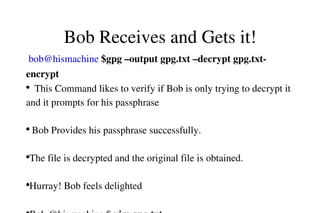
Bob Receives and Gets it!
 bob@hismachine $gpg –output gpg.txt –decrypt gpg.txt­
encrypt
●
  This Command likes to verify if Bob is only trying to decrypt it 
and it prompts for his passphrase                                                      
 
●
 Bob Provides his passphrase successfully.                                     
                 
●
The file is decrypted and the original file is obtained.                    
       
●
Hurray! Bob feels delighted                                                             
          
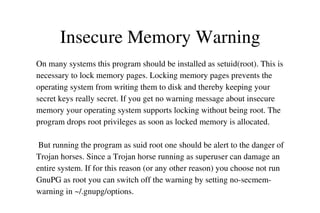
Insecure Memory Warning
On many systems this program should be installed as setuid(root). This is 
necessary to lock memory pages. Locking memory pages prevents the 
operating system from writing them to disk and thereby keeping your 
secret keys really secret. If you get no warning message about insecure 
memory your operating system supports locking without being root. The 
program drops root privileges as soon as locked memory is allocated.
 But running the program as suid root one should be alert to the danger of 
Trojan horses. Since a Trojan horse running as superuser can damage an 
entire system. If for this reason (or any other reason) you choose not run 
GnuPG as root you can switch off the warning by setting no­secmem­
warning in ~/.gnupg/options.
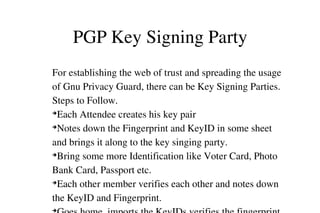
PGP Key Signing Party
For establishing the web of trust and spreading the usage 
of Gnu Privacy Guard, there can be Key Signing Parties.
Steps to Follow.
➔
Each Attendee creates his key pair
➔
Notes down the Fingerprint and KeyID in some sheet 
and brings it along to the key singing party.
➔
Bring some more Identification like Voter Card, Photo 
Bank Card, Passport etc.
➔
Each other member verifies each other and notes down 
the KeyID and Fingerprint.
➔
RFC 2440
OpenPGP Message Format
Popularity of the PGP Software in Secure Communication 
led way to the Internet Draft RFC 2440 establishing 
OpenPGP message Format for Communication in the 
Internet.
GPG (expect for few options) complies with the OpenPGP 
messaging format.
General Functions
Data Element Formats
Packet Syntax,Tags,Types
Public Keys and all other algorithms needed for Secure 
KeyManagement Tools
GPA – Privacy Assistant – Gnome.
●
KGPG – Standard and comes with FC2. 
●
SeaHorse – For Gnome
●
Pgp dump – Paste your ASCII Armored key and Show the 
packets.
●
Keylookup – Utility to fetch keys from keyserver.  
Libraries
●
 Libgcrypt   
●
         A general purpose cryptographic library based on the 
code from GnuPG. It provides functions for all 
cryptographic building blocks: symmetric ciphers, hash 
algorithms, MACs, public key algorithms, large integer 
functions, random numbers and a lot of supporting 
●
References
www.gnupg.org
           FAQ
           HowTos
           Gnu Privacy Handbook
           Mailing Lists
www.pgp.com
www.google.com 
Thats all folks!
Key ID : 4C88D59C
Key Fingerprint:
6C8E 0A4A 64BF 9C70 6034  FD5A 1931 DE09 4C88 D59C
Key Server: gpg.mit.edu 

O.R.Senthil Kumaran 
Senthil_OR@Dell.com                         
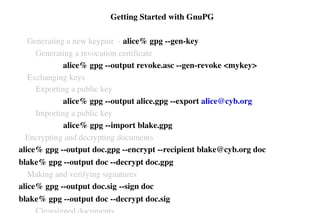
 Getting Started with GnuPG
    Generating a new keypair  ­ alice% gpg ­­gen­key
        Generating a revocation certificate 
                     alice% gpg ­­output revoke.asc ­­gen­revoke <mykey>
    Exchanging keys
        Exporting a public key
                     alice% gpg ­­output alice.gpg ­­export alice@cyb.org
        Importing a public key
alice% gpg ­­import blake.gpg
   Encrypting and decrypting documents
alice% gpg ­­output doc.gpg ­­encrypt ­­recipient blake@cyb.org doc
blake% gpg ­­output doc ­­decrypt doc.gpg
    Making and verifying signatures
alice% gpg ­­output doc.sig ­­sign doc
blake% gpg ­­output doc ­­decrypt doc.sig

Gnu Privacy Guard - Intro