Git essentials
By Shailesh Kalamkar.
Introduction
What is Git ?
Why git ?
Importance of Git.
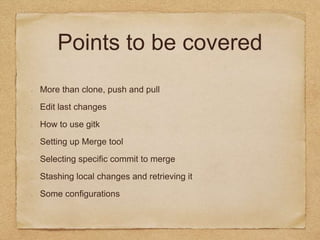
Points to be covered
More than clone, push and pull
Edit last changes
How to use gitk
Setting up Merge tool
Selecting specific commit to merge
Stashing local changes and retrieving it
Some configurations
Edit last changes
Missed a file to commit/wrong commit msg ?
$ git commit -m 'initial commit'
$ git add forgotten_file
$ git commit —amend
Undo last commit
$ git reset --soft HEAD^ # use --soft if you want to keep your changes
$ git reset --hard HEAD^ # use --hard if you don't care about keeping the changes you made
Why to use Gitk?
Go for gitk >> Demo
Setting up merge tool
Use merging tools - example Kdiff3
Make sure that you have merge tool installed
$ git config --global merge.tool kdiff3
When conflict occurs just fire following
command
$ git mergetool
Select specific commit to
merge
Go for cherry pick
$ git cherry-pick a74cc83
Stashing local changes
Don’t worry you can stash your changes
Commands
$ git stash #stashing the changes
$ git stash pop #retrieving the changes
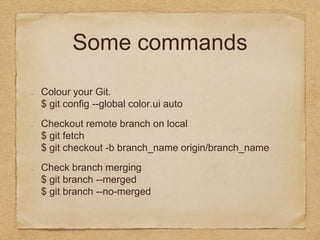
Some commands
Colour your Git.
$ git config --global color.ui auto
Checkout remote branch on local
$ git fetch
$ git checkout -b branch_name origin/branch_name
Check branch merging
$ git branch --merged
$ git branch --no-merged
Thank you!

Git essentials

  • 1.
  • 2.
    Introduction What is Git? Why git ? Importance of Git.
  • 3.
    Points to becovered More than clone, push and pull Edit last changes How to use gitk Setting up Merge tool Selecting specific commit to merge Stashing local changes and retrieving it Some configurations
  • 4.
    Edit last changes Misseda file to commit/wrong commit msg ? $ git commit -m 'initial commit' $ git add forgotten_file $ git commit —amend Undo last commit $ git reset --soft HEAD^ # use --soft if you want to keep your changes $ git reset --hard HEAD^ # use --hard if you don't care about keeping the changes you made
  • 5.
    Why to useGitk? Go for gitk >> Demo
  • 6.
    Setting up mergetool Use merging tools - example Kdiff3 Make sure that you have merge tool installed $ git config --global merge.tool kdiff3 When conflict occurs just fire following command $ git mergetool
  • 7.
    Select specific committo merge Go for cherry pick $ git cherry-pick a74cc83
  • 8.
    Stashing local changes Don’tworry you can stash your changes Commands $ git stash #stashing the changes $ git stash pop #retrieving the changes
  • 9.
    Some commands Colour yourGit. $ git config --global color.ui auto Checkout remote branch on local $ git fetch $ git checkout -b branch_name origin/branch_name Check branch merging $ git branch --merged $ git branch --no-merged
  • 10.