Getting started with the Salesforce CLI
Part - 1
What is CLI short for?
Command Line Interface
Getting started with the Salesforce CLI
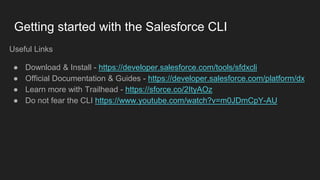
Useful Links
● Download & Install - https://developer.salesforce.com/tools/sfdxcli
● Official Documentation & Guides - https://developer.salesforce.com/platform/dx
● Learn more with Trailhead - https://sforce.co/2ItyAOz
● Do not fear the CLI https://www.youtube.com/watch?v=m0JDmCpY-AU
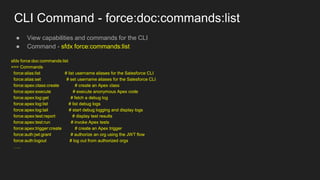
CLI Command - force:doc:commands:list
● View capabilities and commands for the CLI
● Command - sfdx force:commands:list
sfdx force:doc:commands:list
=== Commands
force:alias:list # list username aliases for the Salesforce CLI
force:alias:set # set username aliases for the Salesforce CLI
force:apex:class:create # create an Apex class
force:apex:execute # execute anonymous Apex code
force:apex:log:get # fetch a debug log
force:apex:log:list # list debug logs
force:apex:log:tail # start debug logging and display logs
force:apex:test:report # display test results
force:apex:test:run # invoke Apex tests
force:apex:trigger:create # create an Apex trigger
force:auth:jwt:grant # authorize an org using the JWT flow
force:auth:logout # log out from authorized orgs
…..
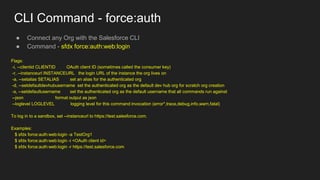
CLI Command - force:auth
● Connect any Org with the Salesforce CLI
● Command - sfdx force:auth:web:login
Flags:
-i, --clientid CLIENTID OAuth client ID (sometimes called the consumer key)
-r, --instanceurl INSTANCEURL the login URL of the instance the org lives on
-a, --setalias SETALIAS set an alias for the authenticated org
-d, --setdefaultdevhubusername set the authenticated org as the default dev hub org for scratch org creation
-s, --setdefaultusername set the authenticated org as the default username that all commands run against
--json format output as json
--loglevel LOGLEVEL logging level for this command invocation (error*,trace,debug,info,warn,fatal)
To log in to a sandbox, set --instanceurl to https://test.salesforce.com.
Examples:
$ sfdx force:auth:web:login -a TestOrg1
$ sfdx force:auth:web:login -i <OAuth client id>
$ sfdx force:auth:web:login -r https://test.salesforce.com
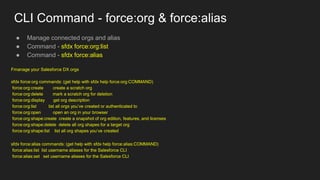
CLI Command - force:org & force:alias
● Manage connected orgs and alias
● Command - sfdx force:org:list
● Command - sfdx force:alias
Fmanage your Salesforce DX orgs
sfdx force:org commands: (get help with sfdx help force:org:COMMAND)
force:org:create create a scratch org
force:org:delete mark a scratch org for deletion
force:org:display get org description
force:org:list list all orgs you’ve created or authenticated to
force:org:open open an org in your browser
force:org:shape:create create a snapshot of org edition, features, and licenses
force:org:shape:delete delete all org shapes for a target org
force:org:shape:list list all org shapes you’ve created
sfdx force:alias commands: (get help with sfdx help force:alias:COMMAND)
force:alias:list list username aliases for the Salesforce CLI
force:alias:set set username aliases for the Salesforce CLI
Getting started with the Salesforce CLI
Part - 2
Getting started with the Salesforce CLI
Part - 3
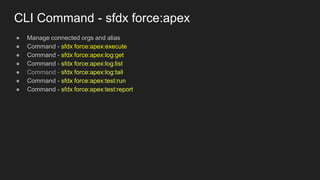
CLI Command - sfdx force:apex
● Manage connected orgs and alias
● Command - sfdx force:apex:execute
● Command - sfdx force:apex:log:get
● Command - sfdx force:apex:log:list
● Command - sfdx force:apex:log:tail
● Command - sfdx force:apex:test:run
● Command - sfdx force:apex:test:report
Getting started with Salesforce DX & CLI
Part - 4
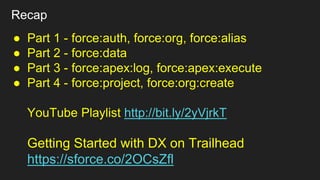
Recap
● Part 1 - force:auth, force:org, force:alias
● Part 2 - force:data
● Part 3 - force:apex:log, force:apex:execute
● Part 4 - force:project, force:org:create
YouTube Playlist http://bit.ly/2yVjrkT
Getting Started with DX on Trailhead
https://sforce.co/2OCsZfl
CLI Command - force:project
● Prerequisites
○ Download & Install VSCode - https://code.visualstudio.com/
■ CMD+P to Install ‘Code’ into the command path
○ Download & Install SFDX CLI
■ Download from here https://developer.salesforce.com/tools/sfdxcli
■ Install via the command line npm install --global sfdx-cli
■ VSCode Extensions - http://bit.ly/2J7DT6P
● Create Project Scaffolding
■ sfdx force:project:create -n MyScratchOrgDev
■ sfdc force:project:create -n MySandboxOrgDev -x (**new for Winter 19**)
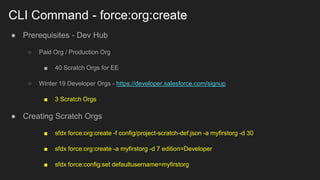
CLI Command - force:org:create
● Prerequisites - Dev Hub
○ Paid Org / Production Org
■ 40 Scratch Orgs for EE
○ Winter 19 Developer Orgs - https://developer.salesforce.com/signup
■ 3 Scratch Orgs
● Creating Scratch Orgs
■ sfdx force:org:create -f config/project-scratch-def.json -a myfirstorg -d 30
■ sfdx force:org:create -a myfirstorg -d 7 edition=Developer
■ sfdx force:config:set defaultusername=myfirstorg

Getting started with Salesforce DX & CLI

  • 1.
    Getting started withthe Salesforce CLI Part - 1
  • 2.
    What is CLIshort for? Command Line Interface
  • 3.
    Getting started withthe Salesforce CLI Useful Links ● Download & Install - https://developer.salesforce.com/tools/sfdxcli ● Official Documentation & Guides - https://developer.salesforce.com/platform/dx ● Learn more with Trailhead - https://sforce.co/2ItyAOz ● Do not fear the CLI https://www.youtube.com/watch?v=m0JDmCpY-AU
  • 4.
    CLI Command -force:doc:commands:list ● View capabilities and commands for the CLI ● Command - sfdx force:commands:list sfdx force:doc:commands:list === Commands force:alias:list # list username aliases for the Salesforce CLI force:alias:set # set username aliases for the Salesforce CLI force:apex:class:create # create an Apex class force:apex:execute # execute anonymous Apex code force:apex:log:get # fetch a debug log force:apex:log:list # list debug logs force:apex:log:tail # start debug logging and display logs force:apex:test:report # display test results force:apex:test:run # invoke Apex tests force:apex:trigger:create # create an Apex trigger force:auth:jwt:grant # authorize an org using the JWT flow force:auth:logout # log out from authorized orgs …..
  • 5.
    CLI Command -force:auth ● Connect any Org with the Salesforce CLI ● Command - sfdx force:auth:web:login Flags: -i, --clientid CLIENTID OAuth client ID (sometimes called the consumer key) -r, --instanceurl INSTANCEURL the login URL of the instance the org lives on -a, --setalias SETALIAS set an alias for the authenticated org -d, --setdefaultdevhubusername set the authenticated org as the default dev hub org for scratch org creation -s, --setdefaultusername set the authenticated org as the default username that all commands run against --json format output as json --loglevel LOGLEVEL logging level for this command invocation (error*,trace,debug,info,warn,fatal) To log in to a sandbox, set --instanceurl to https://test.salesforce.com. Examples: $ sfdx force:auth:web:login -a TestOrg1 $ sfdx force:auth:web:login -i <OAuth client id> $ sfdx force:auth:web:login -r https://test.salesforce.com
  • 6.
    CLI Command -force:org & force:alias ● Manage connected orgs and alias ● Command - sfdx force:org:list ● Command - sfdx force:alias Fmanage your Salesforce DX orgs sfdx force:org commands: (get help with sfdx help force:org:COMMAND) force:org:create create a scratch org force:org:delete mark a scratch org for deletion force:org:display get org description force:org:list list all orgs you’ve created or authenticated to force:org:open open an org in your browser force:org:shape:create create a snapshot of org edition, features, and licenses force:org:shape:delete delete all org shapes for a target org force:org:shape:list list all org shapes you’ve created sfdx force:alias commands: (get help with sfdx help force:alias:COMMAND) force:alias:list list username aliases for the Salesforce CLI force:alias:set set username aliases for the Salesforce CLI
  • 7.
    Getting started withthe Salesforce CLI Part - 2
  • 8.
    Getting started withthe Salesforce CLI Part - 3
  • 9.
    CLI Command -sfdx force:apex ● Manage connected orgs and alias ● Command - sfdx force:apex:execute ● Command - sfdx force:apex:log:get ● Command - sfdx force:apex:log:list ● Command - sfdx force:apex:log:tail ● Command - sfdx force:apex:test:run ● Command - sfdx force:apex:test:report
  • 10.
    Getting started withSalesforce DX & CLI Part - 4
  • 11.
    Recap ● Part 1- force:auth, force:org, force:alias ● Part 2 - force:data ● Part 3 - force:apex:log, force:apex:execute ● Part 4 - force:project, force:org:create YouTube Playlist http://bit.ly/2yVjrkT Getting Started with DX on Trailhead https://sforce.co/2OCsZfl
  • 12.
    CLI Command -force:project ● Prerequisites ○ Download & Install VSCode - https://code.visualstudio.com/ ■ CMD+P to Install ‘Code’ into the command path ○ Download & Install SFDX CLI ■ Download from here https://developer.salesforce.com/tools/sfdxcli ■ Install via the command line npm install --global sfdx-cli ■ VSCode Extensions - http://bit.ly/2J7DT6P ● Create Project Scaffolding ■ sfdx force:project:create -n MyScratchOrgDev ■ sfdc force:project:create -n MySandboxOrgDev -x (**new for Winter 19**)
  • 13.
    CLI Command -force:org:create ● Prerequisites - Dev Hub ○ Paid Org / Production Org ■ 40 Scratch Orgs for EE ○ Winter 19 Developer Orgs - https://developer.salesforce.com/signup ■ 3 Scratch Orgs ● Creating Scratch Orgs ■ sfdx force:org:create -f config/project-scratch-def.json -a myfirstorg -d 30 ■ sfdx force:org:create -a myfirstorg -d 7 edition=Developer ■ sfdx force:config:set defaultusername=myfirstorg