GETTING STARTED WITH THE
ACADEMIC COMMONS
A CUNY Wordpress Installation
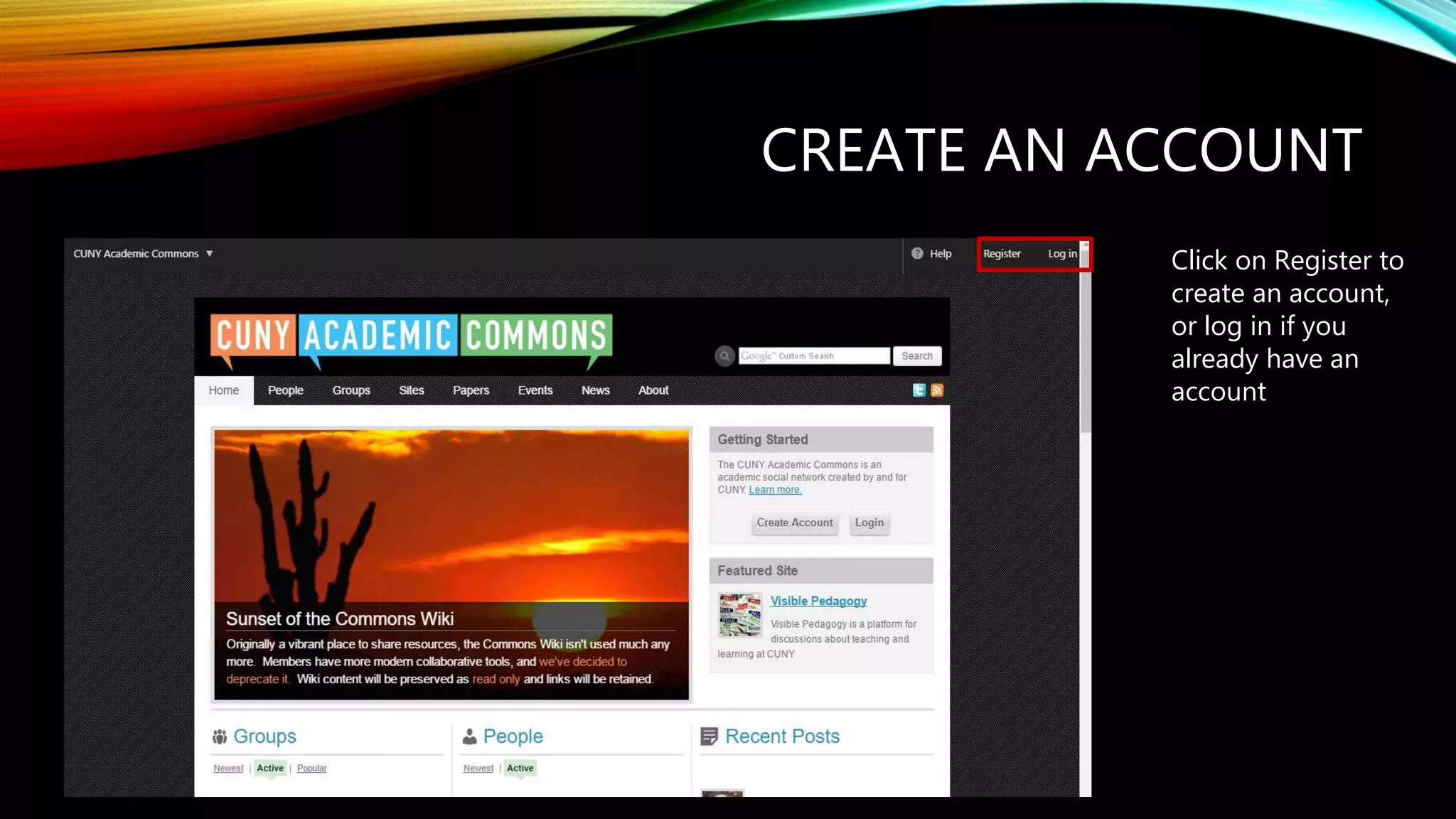
CREATE AN ACCOUNT
Click on Register to
create an account,
or log in if you
already have an
account
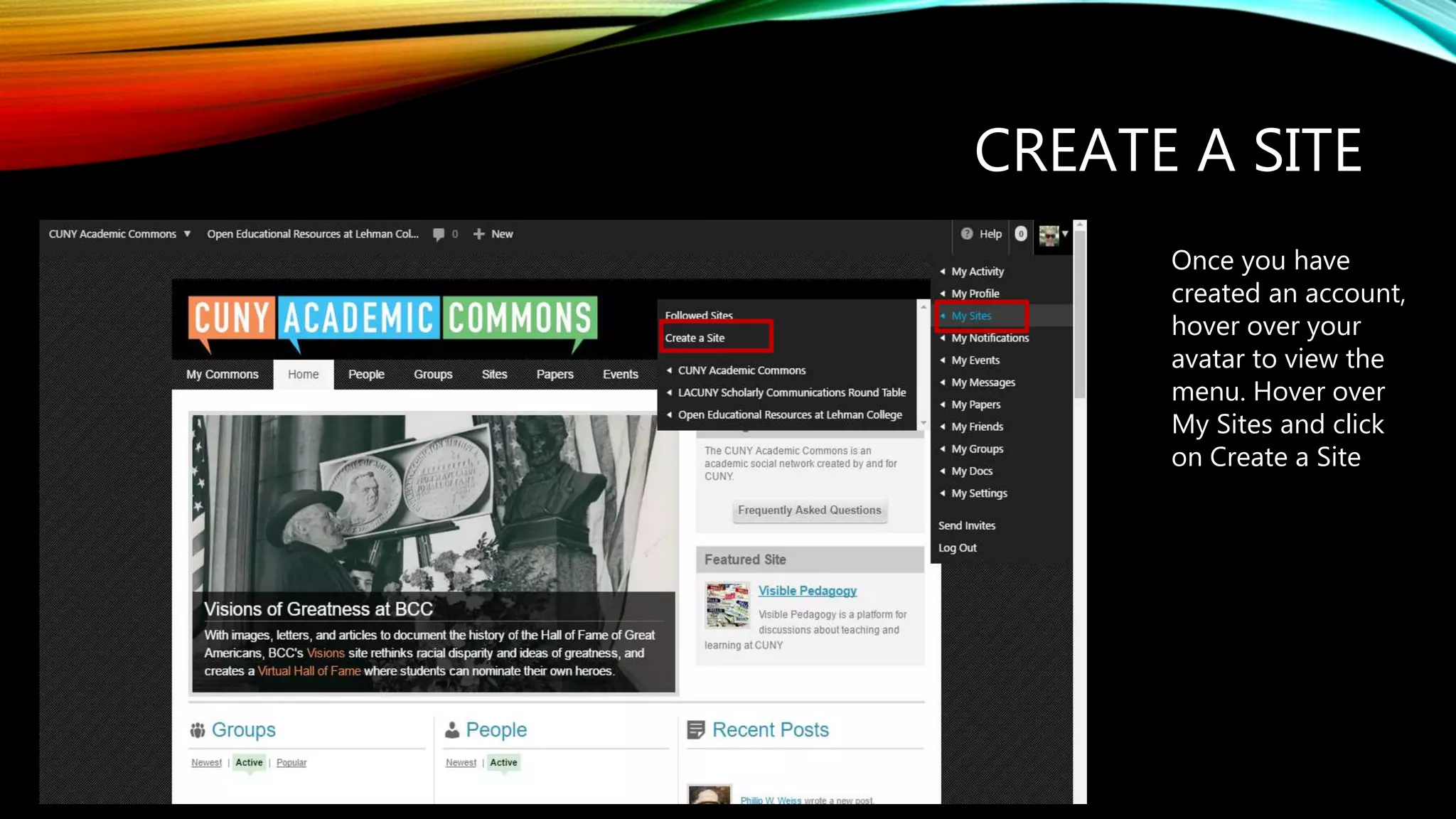
CREATE A SITE
Once you have
created an account,
hover over your
avatar to view the
menu. Hover over
My Sites and click
on Create a Site
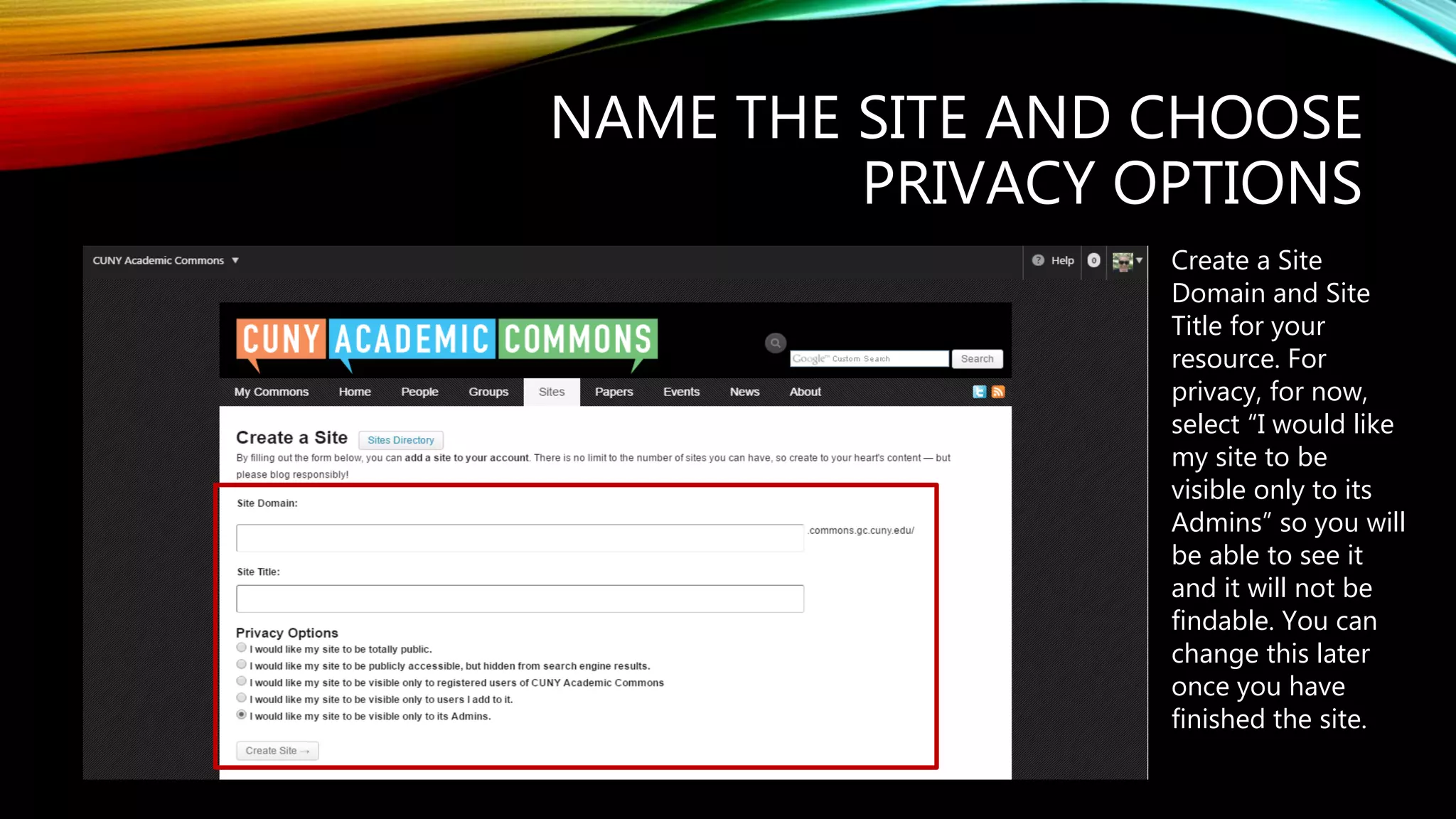
NAME THE SITE AND CHOOSE
PRIVACY OPTIONS
Create a Site
Domain and Site
Title for your
resource. For
privacy, for now,
select “I would like
my site to be
visible only to its
Admins” so you will
be able to see it
and it will not be
findable. You can
change this later
once you have
finished the site.
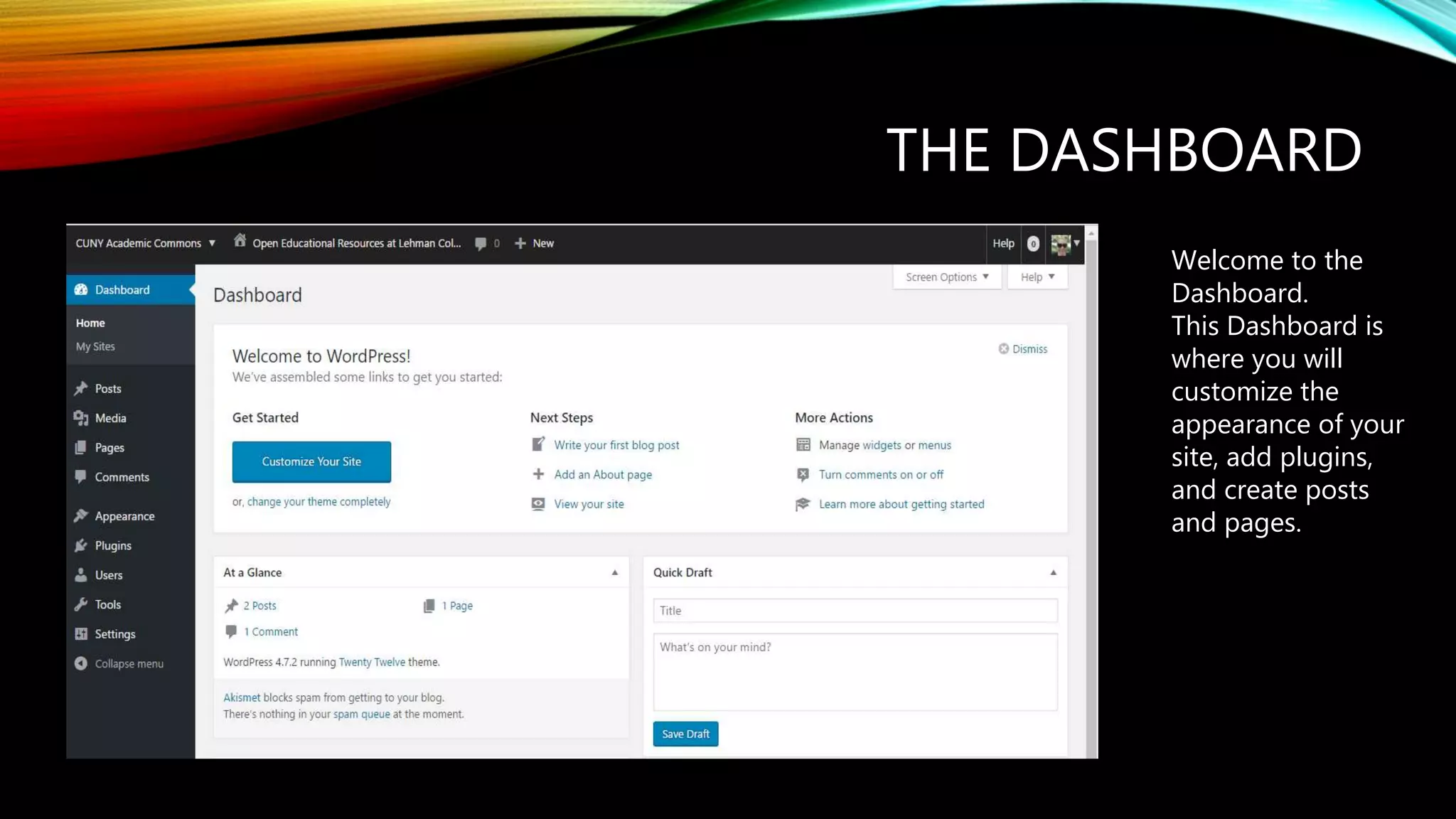
THE DASHBOARD
Welcome to the
Dashboard.
This Dashboard is
where you will
customize the
appearance of your
site, add plugins,
and create posts
and pages.
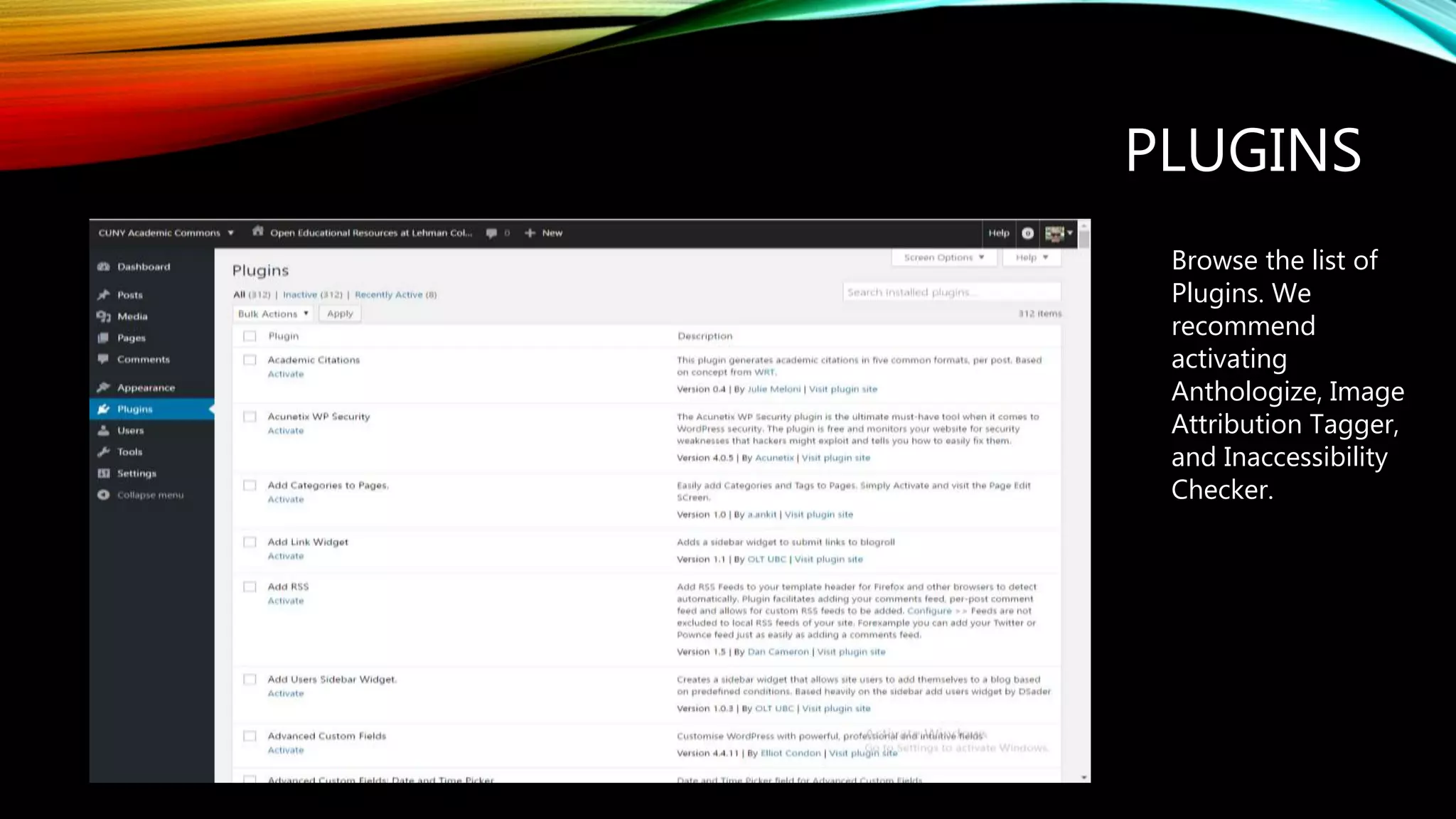
PLUGINS
Browse the list of
Plugins. We
recommend
activating
Anthologize, Image
Attribution Tagger,
and Inaccessibility
Checker.

Getting Started with CUNY Academic Commons

  • 1.
    GETTING STARTED WITHTHE ACADEMIC COMMONS A CUNY Wordpress Installation
  • 2.
    CREATE AN ACCOUNT Clickon Register to create an account, or log in if you already have an account
  • 3.
    CREATE A SITE Onceyou have created an account, hover over your avatar to view the menu. Hover over My Sites and click on Create a Site
  • 4.
    NAME THE SITEAND CHOOSE PRIVACY OPTIONS Create a Site Domain and Site Title for your resource. For privacy, for now, select “I would like my site to be visible only to its Admins” so you will be able to see it and it will not be findable. You can change this later once you have finished the site.
  • 5.
    THE DASHBOARD Welcome tothe Dashboard. This Dashboard is where you will customize the appearance of your site, add plugins, and create posts and pages.
  • 6.
    PLUGINS Browse the listof Plugins. We recommend activating Anthologize, Image Attribution Tagger, and Inaccessibility Checker.