Web Bluetooth
Get Connected
Uri Shaked
@UriShaked
CodeMotion TLV
Mar 2017
@UriShaked
Meet The Speaker
• Google Developer Expert
@UriShaked
Meet The Speaker
• Google Developer Expert
• I love Robotics and Electronics
@UriShaked
Meet The Speaker
• Google Developer Expert
• I love Robotics and Electronics
• I dance Salsa and play the Peruvian pan flute
@UriShaked
Meet The Speaker
• Google Developer Expert
• I love Robotics and Electronics
• I dance Salsa and play the Peruvian pan flute
• I work for BlackBerry
@UriShaked
Agenda
• Bluetooth Basics
• Web Bluetooth
• Live Demos
@UriShaked
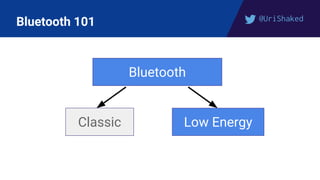
Bluetooth 101
Bluetooth
Classic Low Energy
@UriShaked
Bluetooth Low Energy (Smart)
• Low Energy Profile
• Low bandwidth, small packets (max 20 bytes payload)
• Low Latency (< 10ms)
• Simple pairing, connection-less mode
@UriShaked
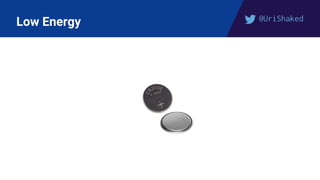
Low Energy
@UriShaked
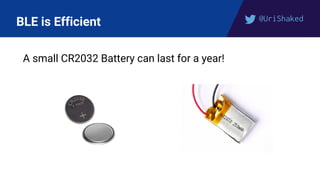
BLE is Efficient
A small CR2032 Battery can last for a year!
@UriShaked
BLE === GATT
Remember:
GATT == Bluetooth Low Energy
@UriShaked
Bluetooth Services
BLE Devices expose one or more Services, e.g.:
● Battery Level
● Heart Rate
● Environmental Sensing (Temperature, Humidity, etc.)
@UriShaked
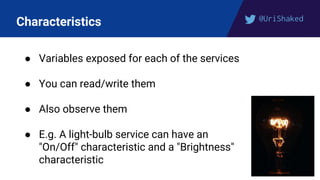
Characteristics
● Variables exposed for each of the services
● You can read/write them
● Also observe them
● E.g. A light-bulb service can have an
"On/Off" characteristic and a "Brightness"
characteristic
@UriShaked
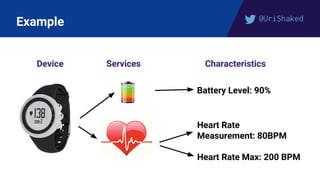
Example
Device Services Characteristics
Battery Level: 90%
Heart Rate
Measurement: 80BPM
Heart Rate Max: 200 BPM
@UriShaked
Web Bluetooth
• Control BLE devices directly from the web
• HTTPS only
• Security-First, User interaction + approval required
• ES6 Promise-based API
@UriShaked
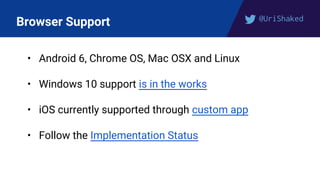
Browser Support
• Android 6, Chrome OS, Mac OSX and Linux
• Windows 10 support is in the works
• iOS currently supported through custom app
• Follow the Implementation Status
@UriShaked
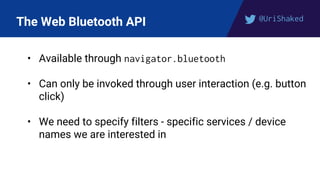
The Web Bluetooth API
• Available through navigator.bluetooth
• Can only be invoked through user interaction (e.g. button
click)
• We need to specify filters - specific services / device
names we are interested in
@UriShaked
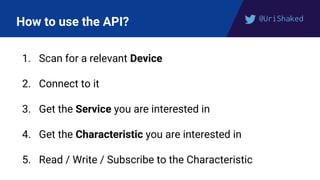
How to use the API?
1. Scan for a relevant Device
2. Connect to it
3. Get the Service you are interested in
4. Get the Characteristic you are interested in
5. Read / Write / Subscribe to the Characteristic
@UriShaked
Step 1 - Find a matching Device
navigator.bluetooth.requestDevice(
{ filters: [{ services: ["battery_service"] }]
})
● Asks the user to choose a device from a list
● Returns a promise for the selected Device object
@UriShaked
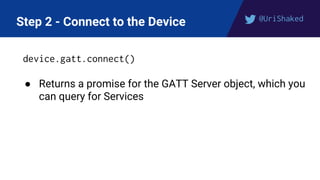
Step 2 - Connect to the Device
device.gatt.connect()
● Returns a promise for the GATT Server object, which you
can query for Services
@UriShaked
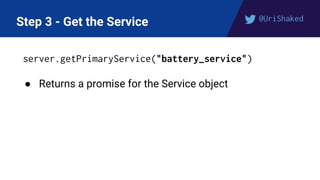
Step 3 - Get the Service
server.getPrimaryService("battery_service")
● Returns a promise for the Service object
@UriShaked
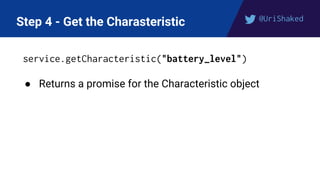
Step 4 - Get the Charasteristic
service.getCharacteristic("battery_level")
● Returns a promise for the Characteristic object
@UriShaked
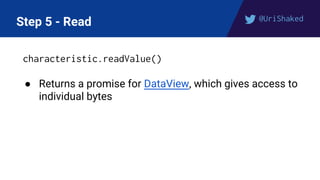
Step 5 - Read
characteristic.readValue()
● Returns a promise for DataView, which gives access to
individual bytes
@UriShaked
Step 5 - Write
const data = new Uint8Array([0x55, 0x70])
characteristic.writeValue(data)
● Returns a promise which will be resolved after the value
has been written
@UriShaked
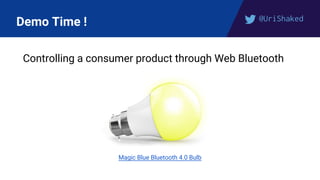
Demo Time !
Controlling a consumer product through Web Bluetooth
Magic Blue Bluetooth 4.0 Bulb
@UriShaked
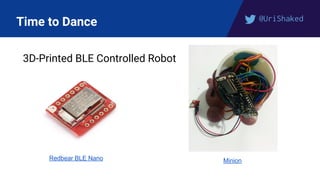
Time to Dance
3D-Printed BLE Controlled Robot
Redbear BLE Nano Minion
@UriShaked
Learn More...
medium.com/@urish
@UriShaked
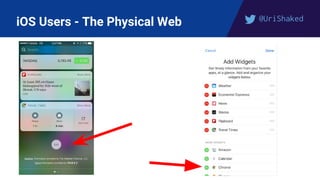
iOS Users - The Physical Web
@UriShaked
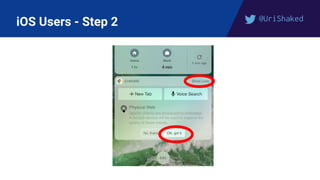
iOS Users - Step 2
@UriShaked
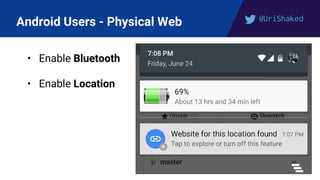
Android Users - Physical Web
• Enable Bluetooth
• Enable Location
@UriShaked
Learn More...
medium.com/@urish
See you next time!
@UriShaked
Thank you !

Getting Physical with Web Bluetooth - Uri Shaked, BlackBerry