Genealogy Basics
How to get started researching
your family history.
Presented by: Elaine Jones Hayes
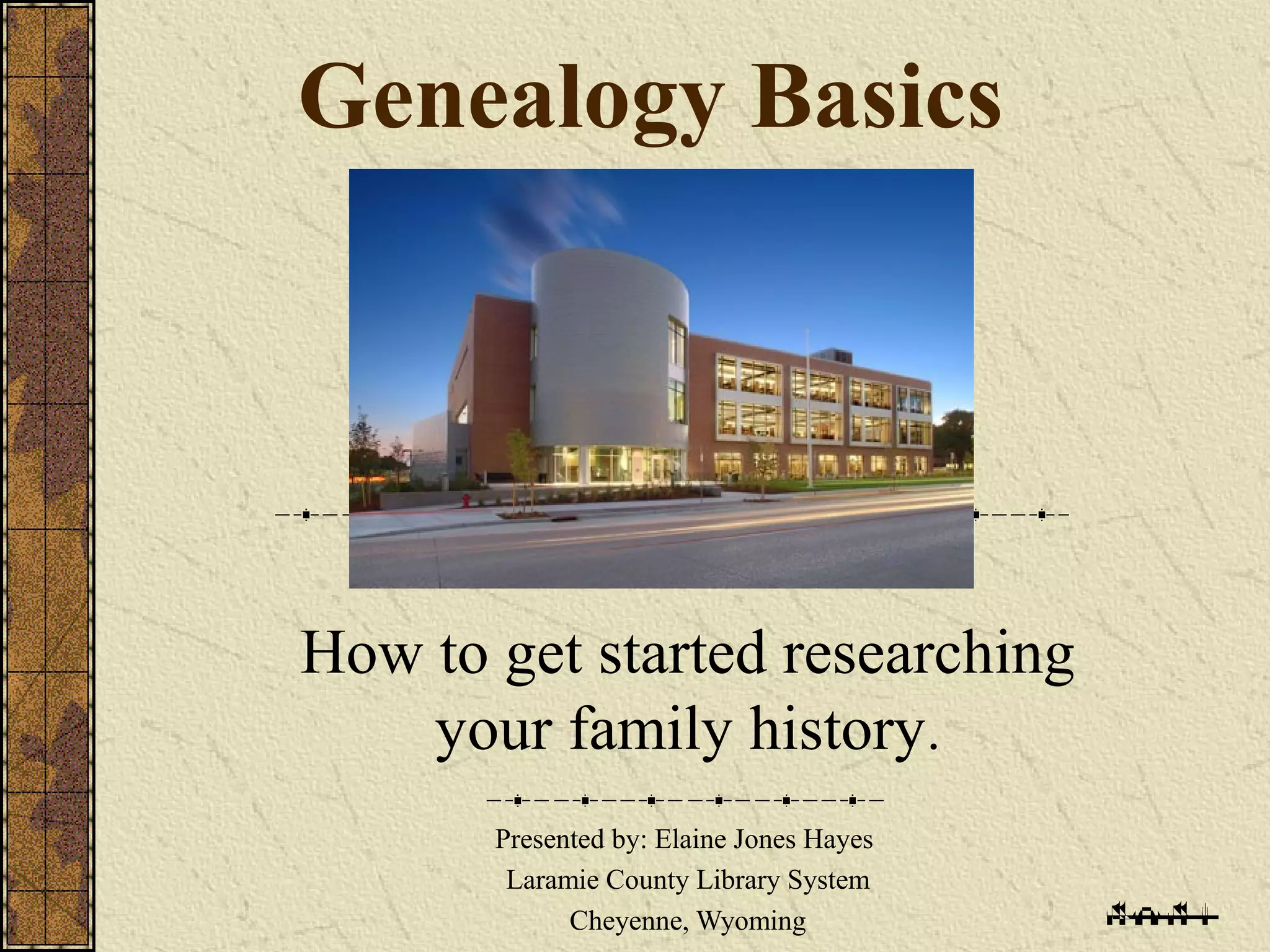
Laramie County Library System
Cheyenne, Wyoming
Genealogy Basics Overview:
Record What You Already Know.
Read a Genealogy How-To Book.
Begin Your Research at Home.
Look for Compiled (published) Information.
Research one Ancestral Line at a Time.
Look for Original Records.
Record What You Already
Know.
Write surnames in capital letters
William James THOMAS
Write dates military style
10 Aug 2006
Write names of places from smallest to
largest
Cheyenne, Laramie, Wyoming, USA
Work Backwards
From Known to Unknown.
Work backwards from the present to the
past, one generation at a time.
This will help you keep from making
mistakes.
Dates and places of events are just as
important as names.
What are you looking for?:
Who
A full name, use a woman’s maiden name if known.
What
The event: birth, death, marriage, etc.
Where
A very important thing you need to know is the
place where a person was born, married, lived or
died, etc.
When
An (at least) approximate date for a vital event
(birth, death, marriage, etc.)
How do I keep track of all of
this information?
Paper forms and filing cabinets
Genealogy specific software
Storage on your computer, on flash drives,
external hard drives, in the “cloud”, etc.
Stored in a shared family tree in a
database such as Ancestry.com or
FamilySearch.org.
Using paper forms:
Use pedigree (or ancestry) charts, family
group sheets, research logs, to get organized.
Paper genealogical forms are available for you
in the LCLS Genealogy Room or at:
www.cyndislist.com/supplies.htm
www.laramiecountylibrary.org/specialcollections/gett
www.familytreemagazine.com/FREEFORMS
Genealogy Software Programs:
FREE:
Legacy Family Tree – Standard edition
www.legacyfamilytree.com
Gramps gramps-project.org
Family Tree Legends www.familytreelegends.com
For a small cost ($25-$50):
Family Tree Maker – Generations, Legacy Family Tree –
Deluxe edition, The Master Genealogist (TMG),
RootsMagic, etc.
For the Mac:
Reunion, MacFamilyTree, Genealogy Pro, Heredis,
iFamily, etc.
Family Tree at FamilySearch.org:
Family tree at Ancestry.com:
Read a Genealogy How-to Book:
See my genealogy bibliography handout
Books are in the 929s on the 3rd
Floor
Use Home Sources:
These may be in your home or
the home of a relative:
Birth, marriage and death certificates
Deeds, wills, & titles
Diaries, journals, & birthday calendars
Family Bibles and Family trees
Funeral cards
Newspaper clippings
Military Service Records (and more - see handout)
Look for Compiled Information:
Learn what information on the family has
already appeared in books and periodicals.
These resources are published as periodicals,
books, e-books and computer databases or
websites.
Evaluate Compiled Information:
Evaluate Written and Oral Evidence
Remember the old adage: Just because
it's in print (or online, or what Grandma
told you) doesn't make it true.
Be particularly wary of copying other’s
research.
Finding Published Genealogies:
Look in WorldCat for books in other libraries.
From the www.laramiecountylibrary.org, click on
“WYLD Catalog”, then “Databases” .
Then choose “WorldCat”. You’ll need a library card
number and PIN. The default PIN is WYLD.
Ask the 3rd
floor “Ask Here” desk to ILL
(Interlibrary Loan) the book for you.
More Places to Find Published
Genealogies (Family Histories):
The LDS Family History Library
www.familysearch.org
Google Books at books.google.com.
Ancestry Library and Heritage Quest databases:
Genealogy
Periodicals:
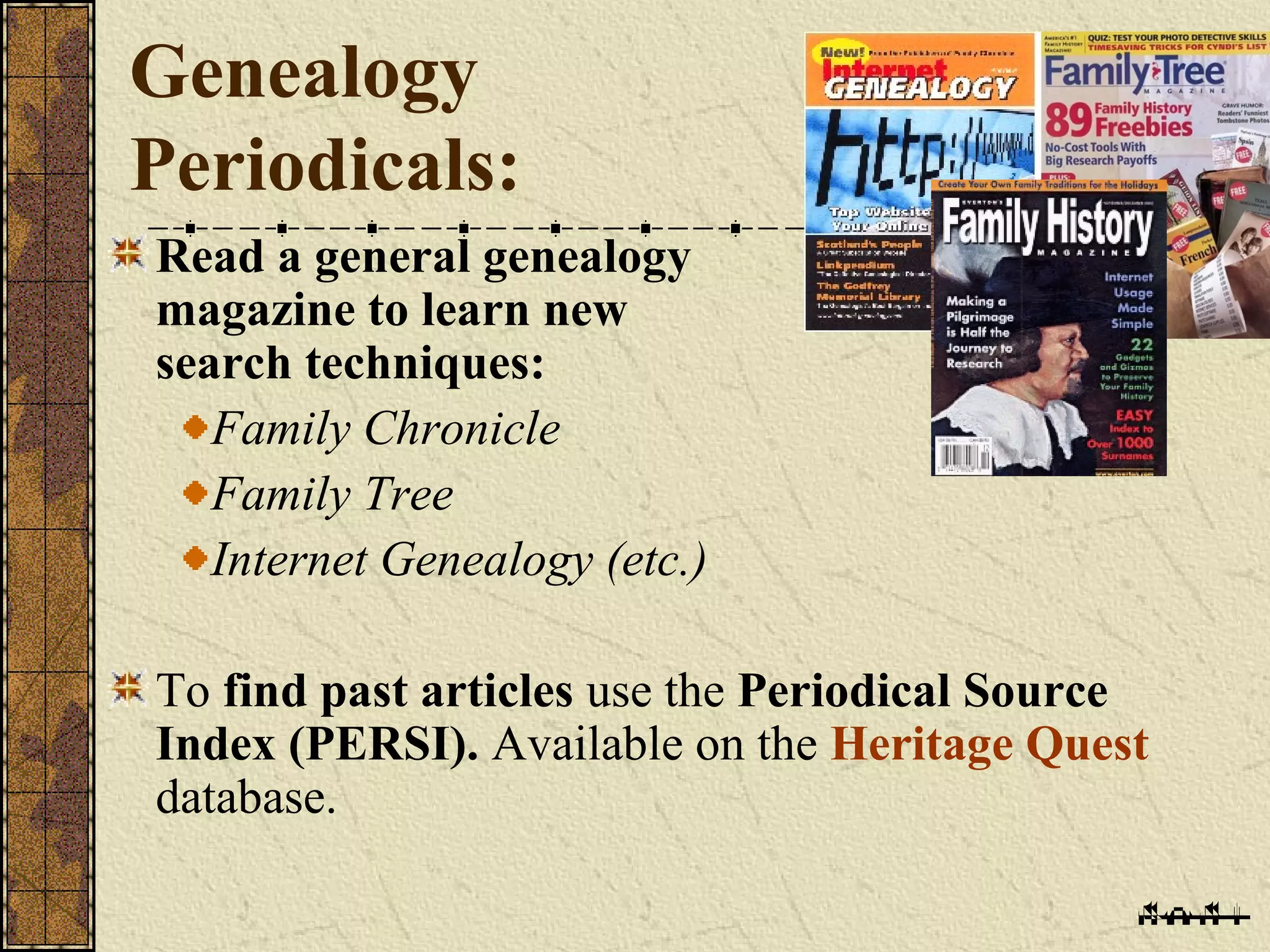
Read a general genealogy
magazine to learn new
search techniques:
Family Chronicle
Family Tree
Internet Genealogy (etc.)
To find past articles use the Periodical Source
Index (PERSI). Available on the Heritage Quest
database.
Look for Original Records:
Primary Sources
A primary source is one created by an
eyewitness of an event.
A secondary source is based on evidence
gathered after an event occurred by a
person who was not an eyewitness.
Census Records:
One of the best original records
In the U.S., a census has been taken every
10 years from 1790 through 2010.
1790 to 1940 censuses are available to
genealogists to search.
More about the
U.S. Federal Census:
1790 through 1840 censuses listed head of
household plus number of others living
there.
Beginning in 1850, census lists all names,
ages, places of birth, occupations, etc.
U.S. Federal Census cont.
1870 census indicates if the individual’s
parents were foreign born.
1880 and later censuses added:
Birthplaces (country or state only) of
each person’s parents.
U.S. Federal Census cont.
1890 federal census was (mostly) destroyed
by fire.
1900 and 1910 censuses include:
the age of each individual, how many years he
had been married, year of immigration,
citizenship status.
U.S. Federal Census cont.
1920 and 1930 censuses also:
age & lists the year of naturalization.
Start with 1940 and work backwards.
Searching
the U.S. Census:
Start with most recent census (1940) and work
backwards.
Note similar names living nearby.
Watch for spelling errors. Do not be wedded to one
surname spelling.
Always keep track of the source.
Searching Census Information
on Computer Databases:
Census Information is available at:
Ancestry.com, Ancestry Library
Heritage Quest , familysearch.org and
elsewhere.
Heritage Quest can be searched at home with
your library card # and PIN #. The default
PIN is wyld.
Ancestry Library:
Ancestry Library
is the library version of Ancestry.com
(a paid subscription
website).
Available for searching only in the
library.
Heritage Quest:
Heritage Quest
is another great genealogy
database
provided through Wyoming libraries. It also
provides access to 1790-1940 census
images (and much more).
Vital Records:
Vital records are civil records of births,
marriage, deaths, etc.
Keeping vital records only began after the
mid 19th
or early in the 20th
century.
Start with yourself and work backwards.
Then obtain birth, marriage and, if applicable,
death certificates for your parents, then
grandparents, etc.,
Birth Certificates:
Birth certificates reveal:
Baby’s name, birth date and parents
Birthplaces of both parents, their
age, their occupations, and their
address
The number of other children
Death Certificates:
Death certificates can reveal:
Place and cause of death.
Name of deceased’s parents,
Residence at time of death,
Exact date of death, and date of burial
Name of informant and relationship to
deceased
Funeral home that handled the arrangements,
name of cemetery
Marriage Records:
Before the 1850’s look for them with town clerks in
New England and county clerks.
After 1850s at State Board of Health/Bureau of
Vital Statistics.
Other sources of marriage records:
Justice of the Peace registers
Church records
Where to Write for Vital
Records.
“Google it” or use another search engine but
look for official government websites (.gov or
state.gov).
Websites such as “Where To Write for Vital
Records”
http://www.cdc.gov/nchs/w2w.htm
Social Security
Death Index:
Available at
www.familysearch.org
www.ancestry.com and Ancestry Library
Edition.
With their Social Security number you can
write for a copy of the deceased’s “Application
for a social security card,” form SS5.
The Original
SS Card Application:
To obtain a copy, write to:
Social Security Administration
OEO FOIA Workgroup
300 N. Green Street
P.O. Box 33022
Baltimore, Maryland 21290-3022
Summary:
1. Record What You Know.
 Begin With Yourself and Work Backwards
1. Read a How-to Book.
2. Begin Your Research At Home.
3. Look for compiled information.
4. Research one ancestral line at a time.
5. Look for Original Records:
 Census Records
 Vital Records
 Social Security Death Index
The Family and Local History
Room at LCLS:
The Genealogy Room (3rd
Floor) is open:
Monday – Thursday
• 10:00 to 9:00
Friday –Saturday
• 10:00 to 6:00
Sundays
• 1:00-5:00
If no volunteer or staff person is available, ask for
help at the 3rd
Floor “Ask Here” Desk.
Thanks for attending:
Other upcoming genealogy classes:
Cheyenne Genealogy Society - Research Night –
February 10th
Genealogy: Beyond the Basics – February 23rd
We will repeat the basic series (Basics and
Beyond the Basics) in February, June and
October every year. Handouts are also available
on the LCLS website.

Genealogy Basics

  • 1.
    Genealogy Basics How toget started researching your family history. Presented by: Elaine Jones Hayes Laramie County Library System Cheyenne, Wyoming
  • 2.
    Genealogy Basics Overview: RecordWhat You Already Know. Read a Genealogy How-To Book. Begin Your Research at Home. Look for Compiled (published) Information. Research one Ancestral Line at a Time. Look for Original Records.
  • 3.
    Record What YouAlready Know. Write surnames in capital letters William James THOMAS Write dates military style 10 Aug 2006 Write names of places from smallest to largest Cheyenne, Laramie, Wyoming, USA
  • 6.
    Work Backwards From Knownto Unknown. Work backwards from the present to the past, one generation at a time. This will help you keep from making mistakes. Dates and places of events are just as important as names.
  • 7.
    What are youlooking for?: Who A full name, use a woman’s maiden name if known. What The event: birth, death, marriage, etc. Where A very important thing you need to know is the place where a person was born, married, lived or died, etc. When An (at least) approximate date for a vital event (birth, death, marriage, etc.)
  • 8.
    How do Ikeep track of all of this information? Paper forms and filing cabinets Genealogy specific software Storage on your computer, on flash drives, external hard drives, in the “cloud”, etc. Stored in a shared family tree in a database such as Ancestry.com or FamilySearch.org.
  • 9.
    Using paper forms: Usepedigree (or ancestry) charts, family group sheets, research logs, to get organized. Paper genealogical forms are available for you in the LCLS Genealogy Room or at: www.cyndislist.com/supplies.htm www.laramiecountylibrary.org/specialcollections/gett www.familytreemagazine.com/FREEFORMS
  • 10.
    Genealogy Software Programs: FREE: LegacyFamily Tree – Standard edition www.legacyfamilytree.com Gramps gramps-project.org Family Tree Legends www.familytreelegends.com For a small cost ($25-$50): Family Tree Maker – Generations, Legacy Family Tree – Deluxe edition, The Master Genealogist (TMG), RootsMagic, etc. For the Mac: Reunion, MacFamilyTree, Genealogy Pro, Heredis, iFamily, etc.
  • 11.
    Family Tree atFamilySearch.org:
  • 12.
    Family tree atAncestry.com:
  • 13.
    Read a GenealogyHow-to Book: See my genealogy bibliography handout Books are in the 929s on the 3rd Floor
  • 14.
    Use Home Sources: Thesemay be in your home or the home of a relative: Birth, marriage and death certificates Deeds, wills, & titles Diaries, journals, & birthday calendars Family Bibles and Family trees Funeral cards Newspaper clippings Military Service Records (and more - see handout)
  • 15.
    Look for CompiledInformation: Learn what information on the family has already appeared in books and periodicals. These resources are published as periodicals, books, e-books and computer databases or websites.
  • 16.
    Evaluate Compiled Information: EvaluateWritten and Oral Evidence Remember the old adage: Just because it's in print (or online, or what Grandma told you) doesn't make it true. Be particularly wary of copying other’s research.
  • 17.
    Finding Published Genealogies: Lookin WorldCat for books in other libraries. From the www.laramiecountylibrary.org, click on “WYLD Catalog”, then “Databases” . Then choose “WorldCat”. You’ll need a library card number and PIN. The default PIN is WYLD. Ask the 3rd floor “Ask Here” desk to ILL (Interlibrary Loan) the book for you.
  • 18.
    More Places toFind Published Genealogies (Family Histories): The LDS Family History Library www.familysearch.org Google Books at books.google.com. Ancestry Library and Heritage Quest databases:
  • 19.
    Genealogy Periodicals: Read a generalgenealogy magazine to learn new search techniques: Family Chronicle Family Tree Internet Genealogy (etc.) To find past articles use the Periodical Source Index (PERSI). Available on the Heritage Quest database.
  • 20.
    Look for OriginalRecords: Primary Sources A primary source is one created by an eyewitness of an event. A secondary source is based on evidence gathered after an event occurred by a person who was not an eyewitness.
  • 21.
    Census Records: One ofthe best original records In the U.S., a census has been taken every 10 years from 1790 through 2010. 1790 to 1940 censuses are available to genealogists to search.
  • 22.
    More about the U.S.Federal Census: 1790 through 1840 censuses listed head of household plus number of others living there. Beginning in 1850, census lists all names, ages, places of birth, occupations, etc.
  • 23.
    U.S. Federal Censuscont. 1870 census indicates if the individual’s parents were foreign born. 1880 and later censuses added: Birthplaces (country or state only) of each person’s parents.
  • 24.
    U.S. Federal Censuscont. 1890 federal census was (mostly) destroyed by fire. 1900 and 1910 censuses include: the age of each individual, how many years he had been married, year of immigration, citizenship status.
  • 25.
    U.S. Federal Censuscont. 1920 and 1930 censuses also: age & lists the year of naturalization. Start with 1940 and work backwards.
  • 26.
    Searching the U.S. Census: Startwith most recent census (1940) and work backwards. Note similar names living nearby. Watch for spelling errors. Do not be wedded to one surname spelling. Always keep track of the source.
  • 27.
    Searching Census Information onComputer Databases: Census Information is available at: Ancestry.com, Ancestry Library Heritage Quest , familysearch.org and elsewhere. Heritage Quest can be searched at home with your library card # and PIN #. The default PIN is wyld.
  • 28.
    Ancestry Library: Ancestry Library isthe library version of Ancestry.com (a paid subscription website). Available for searching only in the library.
  • 32.
    Heritage Quest: Heritage Quest isanother great genealogy database provided through Wyoming libraries. It also provides access to 1790-1940 census images (and much more).
  • 34.
    Vital Records: Vital recordsare civil records of births, marriage, deaths, etc. Keeping vital records only began after the mid 19th or early in the 20th century. Start with yourself and work backwards. Then obtain birth, marriage and, if applicable, death certificates for your parents, then grandparents, etc.,
  • 35.
    Birth Certificates: Birth certificatesreveal: Baby’s name, birth date and parents Birthplaces of both parents, their age, their occupations, and their address The number of other children
  • 36.
    Death Certificates: Death certificatescan reveal: Place and cause of death. Name of deceased’s parents, Residence at time of death, Exact date of death, and date of burial Name of informant and relationship to deceased Funeral home that handled the arrangements, name of cemetery
  • 37.
    Marriage Records: Before the1850’s look for them with town clerks in New England and county clerks. After 1850s at State Board of Health/Bureau of Vital Statistics. Other sources of marriage records: Justice of the Peace registers Church records
  • 38.
    Where to Writefor Vital Records. “Google it” or use another search engine but look for official government websites (.gov or state.gov). Websites such as “Where To Write for Vital Records” http://www.cdc.gov/nchs/w2w.htm
  • 39.
    Social Security Death Index: Availableat www.familysearch.org www.ancestry.com and Ancestry Library Edition. With their Social Security number you can write for a copy of the deceased’s “Application for a social security card,” form SS5.
  • 40.
    The Original SS CardApplication: To obtain a copy, write to: Social Security Administration OEO FOIA Workgroup 300 N. Green Street P.O. Box 33022 Baltimore, Maryland 21290-3022
  • 41.
    Summary: 1. Record WhatYou Know.  Begin With Yourself and Work Backwards 1. Read a How-to Book. 2. Begin Your Research At Home. 3. Look for compiled information. 4. Research one ancestral line at a time. 5. Look for Original Records:  Census Records  Vital Records  Social Security Death Index
  • 42.
    The Family andLocal History Room at LCLS: The Genealogy Room (3rd Floor) is open: Monday – Thursday • 10:00 to 9:00 Friday –Saturday • 10:00 to 6:00 Sundays • 1:00-5:00 If no volunteer or staff person is available, ask for help at the 3rd Floor “Ask Here” Desk.
  • 43.
    Thanks for attending: Otherupcoming genealogy classes: Cheyenne Genealogy Society - Research Night – February 10th Genealogy: Beyond the Basics – February 23rd We will repeat the basic series (Basics and Beyond the Basics) in February, June and October every year. Handouts are also available on the LCLS website.

Editor's Notes

  • #3 Start with yourself and work backwards. Examples of Original Records: Vital Records Census Records Social Security Death Index
  • #4 Using a Pedigrees Chart and Family Group Sheets:
  • #5 Begin with yourself and work backwards one generation at a time. You are number 1. Your father is number 2. Your mother is number 3. Use maiden names.
  • #6 A family group includes parents, children, and the spouse of each of those children. Prepare a family group sheet for each couple with children, formally married, divorced or not. Include all children alive or deceased. Include adopted children, but indicate adopted. Show where you found the information.
  • #7 Work backwards from the present to the past, one generation at a time. This will help you keep from making mistakes. Dates and places of events are just as important as names. For every generation back the number of ancestors doubles. Know the history of where your ancestors lived. The more general history you know of the time and place your ancestors lived the easier your research will be.
  • #9 Paper forms and filing cabinets Using genealogy specific software Storage on your computer, on flash drives, external hard drives, in the “cloud”, etc. Keeping information in a shared family tree in a database such as Ancestry.com or FamilySearch.org. You can do all or some of all of the above.
  • #16 Published information on your family could appear in four types of resources: biographies, Genealogies (histories of specific families), local histories, and published original records (published vital records). These resources are published as periodicals, books, e-books and computer databases or websites.
  • #17 Look to see if the book is documented; that is, did the author cite a source for each fact? Spot check some of the author's sources. Are you able to find a document based on the footnotes or endnotes? Be wary of the hints from Ancestry that come directly from someone else’s family tree with no documentation.
  • #18 We charge $2 for ILLs plus the lending library may also charge an additional fee.
  • #19 The LDS Family History Library in Salt Lake City is the largest genealogy library in the world. Go to www.familysearch.org and click on the Library tab. Items with film notes can be ordered from familysearch and viewed at the Laramie County Library for $7.50 per film (paid for by credit/debit card on their website). Google Books at books.google.com. Ancestry Library is available at Laramie County Library Heritage Quest can be accessed at home with a library card # and PIN. (the default PIN is wyld).
  • #20 To find past articles about kin and their home towns published in magazines, journals and newsletters use the Periodical Source Index (PERSI). Available on Heritage Quest database. Over 200 periodical titles published from 1986 to the 2009, are included in the database.
  • #21 A primary source is one created by an eyewitness of an event. Vital records (birth, marriage & death certificates) and census records are usually primary sources. A secondary source is based on evidence gathered after an event occurred by a person who was not an eyewitness. Some sources contain both primary and secondary information. Newspaper clippings are secondary sources. Vital records or census report can be both.
  • #22 All censuses taken after 1940 (1950-2010) are still confidential and the information they contain is not open to the public. There is a 72 year privacy rule. The 1950 census will be available in 2022. Census records are an extremely valuable tool in genealogy research. They are one of the easiest types of records to use and one of the most accessible for all family historians. Census records lead to other civil and religious records. They narrow down the timeframe and places to search for civil and religious records. Both federal and state censuses are available to researchers.
  • #27 Look at the census for the state where your ancestor lived when the census was taken Start with most recent census (1940) and work backwards. Note similar names living nearby—in the same county and in neighboring counties. Watch for spelling errors and variations, and over-sight. Do not be wedded to one surname spelling. Scan, photocopy or otherwise record the information you find, especially the year of the census. Always keep track of the source.
  • #28 Census Information is available in the library on Ancestry Library and Heritage Quest databases. Some can also be found at familysearch.org and elsewhere. Heritage Quest can be searched at home with your library card # and PIN #. The default PIN is wyld.
  • #29 Ancestry Library is the library version of Ancestry.com (a paid subscription website). A wealth of genealogy information available including scanned images of the original census reports. Available for searching only in the library.
  • #33 It can be accessed through the Laramie County Library System’s website at www.laramiecountylibrary.org with your library card # (2900920xxxxxxxx) and your PIN (default is wyld).
  • #35 You can find some vital record information on databases such as Ancestry Library or at individual websites such as those from the LDS Family History Library, state archives, or universities. But often you will have to write to the county or state where the records are held and pay money to get copies.
  • #38 Beginning in the 1600s, town clerks in New England and county clerks elsewhere (1700s) primarily maintained marriage records. After 1850s at State Board of Health/Bureau of Vital Statistics. Church records, especially New England, Quaker, and German.
  • #40 The database contains information provided by the Social Security Administration and contained 123 million records as of October 2014.
  • #41 Gives the name of the person's father, maiden name of mother, date of birth, address at time of application, occupation, and name and address of employer. This is primary evidence because it was written by the person himself.