Google Developer Groups
On Campus
CSS
CASCADING STYLE SHEETS
Google Developer Groups
On Campus
WHAT IS CSS ??
CSS (Cascading Style Sheets) is used to make
websites look good by controlling how text, colors,
and layouts appear on the screen.
Definition: CSS is a stylesheet language used to
describe the presentation of a document written
in HTML or XML.
Purpose: Controls the layout, colors, fonts, and
more to make web pages visually appealing.
Google Developer Groups
On Campus
WHY USE
CSS ??
We use CSS to make websites look attractive,
organized, and easy to use by customizing colors,
fonts, layouts, and styles, instead of having plain,
boring text and images.
• Separates content from design.
• Enables reusability and consistency across multiple
web pages.
• Enhances user experience with responsive design.
CSS makes it easier to update and manage the design of a
website because changes can be made in one place and
applied across multiple pages.
Google Developer Groups
On Campus
HOW TO USE CSS ??
• CSS works by targeting HTML elements and applying visual styles based on
selectors.
• It enables detailed customization of layout, appearance, and behavior.
• Key concepts include the "cascading" nature of rules (where more specific
or later rules take precedence), the inheritance of styles, and the box model
for element dimensions.
• CSS also helps with positioning and layout using methods like Flexbox
and Grid, allows for responsive designs using media queries, and
provides dynamic effects like animations and transitions.
• Through these features, CSS makes websites flexible, visually appealing,
and interactive.
Google Developer Groups
On Campus
TYPES OF CSS :-
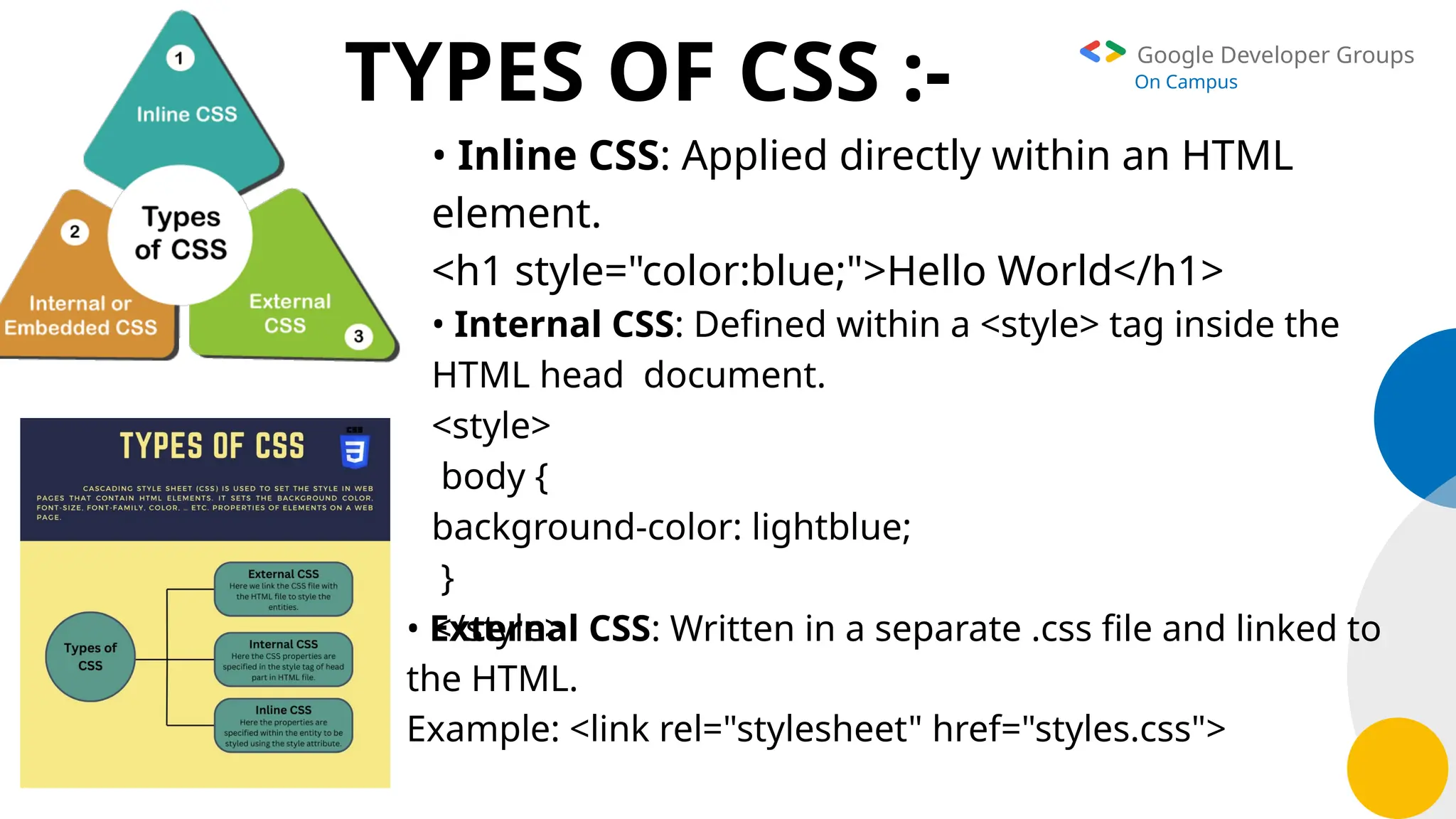
• Inline CSS: Applied directly within an HTML
element.
<h1 style="color:blue;">Hello World</h1>
• Internal CSS: Defined within a <style> tag inside the
HTML head document.
<style>
body {
background-color: lightblue;
}
</style>
• External CSS: Written in a separate .css file and linked to
the HTML.
Example: <link rel="stylesheet" href="styles.css">
Google Developer Groups
On Campus
CSS
SYNTAX :-
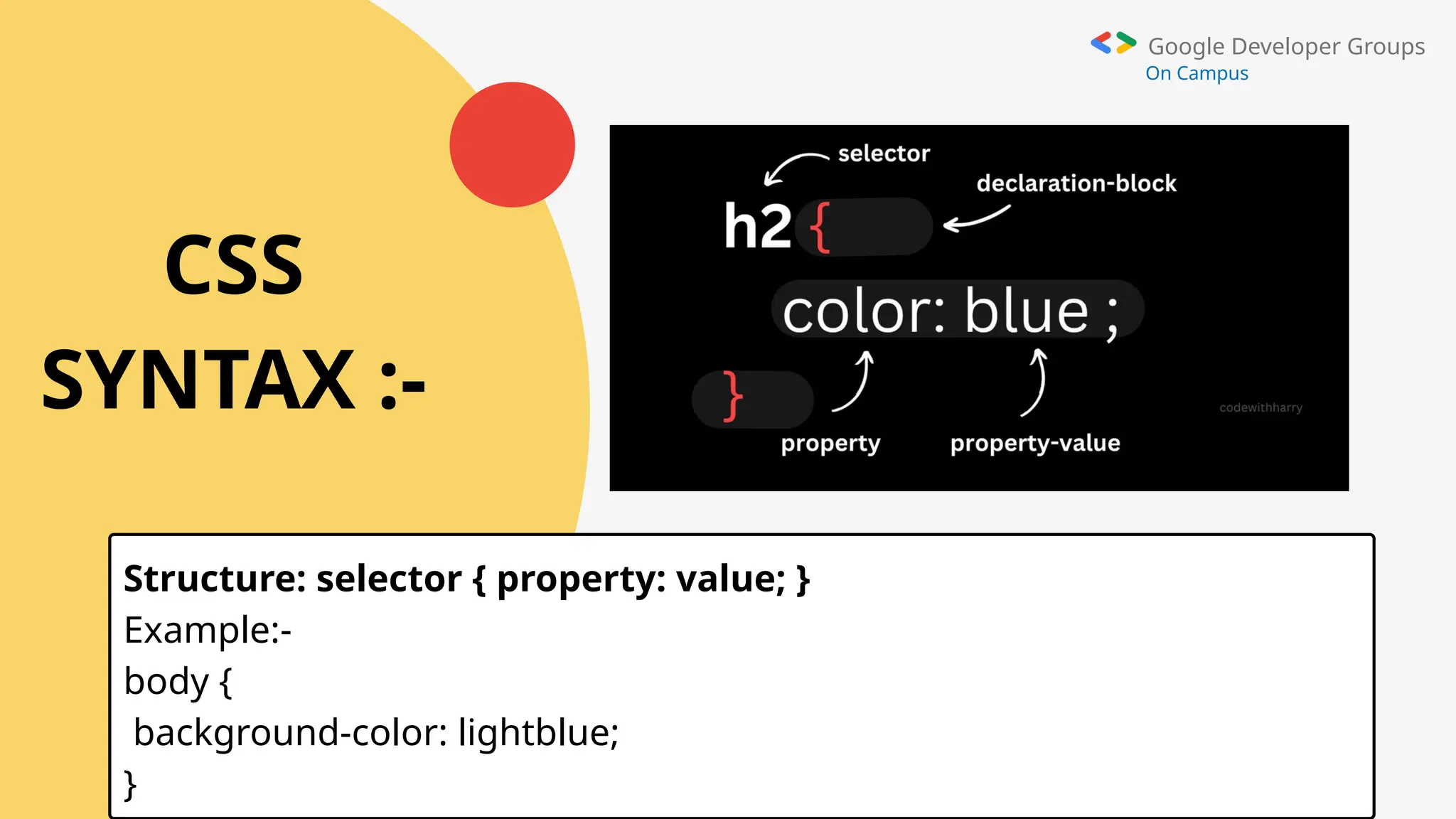
Structure: selector { property: value; }
Example:-
body {
background-color: lightblue;
}
Google Developer Groups
On Campus
KEY FEATURES :-
• Selectors: Classes, IDs, element types,
etc.
• Box Model: Margin, border, padding,
and content.
• Flexbox & Grid: Modern layout
techniques.
• Media Queries: Responsive designs for
different devices.
Google Developer Groups
On Campus
SELECTORS :-
• CSS selectors are patterns used to target and style specific HTML elements.
• Common types include the universal selector (*) to style all elements, type
selectors to target specific tags (e.g., p or h1), class selectors (.classname) for
elements with a shared class, and ID selectors (#idname) for unique
elements.
• Advanced selectors include descendant selectors for nested elements,
sibling selectors for adjacent or general siblings, and attribute selectors to
style elements based on attributes.
• Pseudo-classes target elements in specific states
(e.g., :hover), while pseudo-elements style parts of elements (e.g., ::first-line).
Google Developer Groups
On Campus
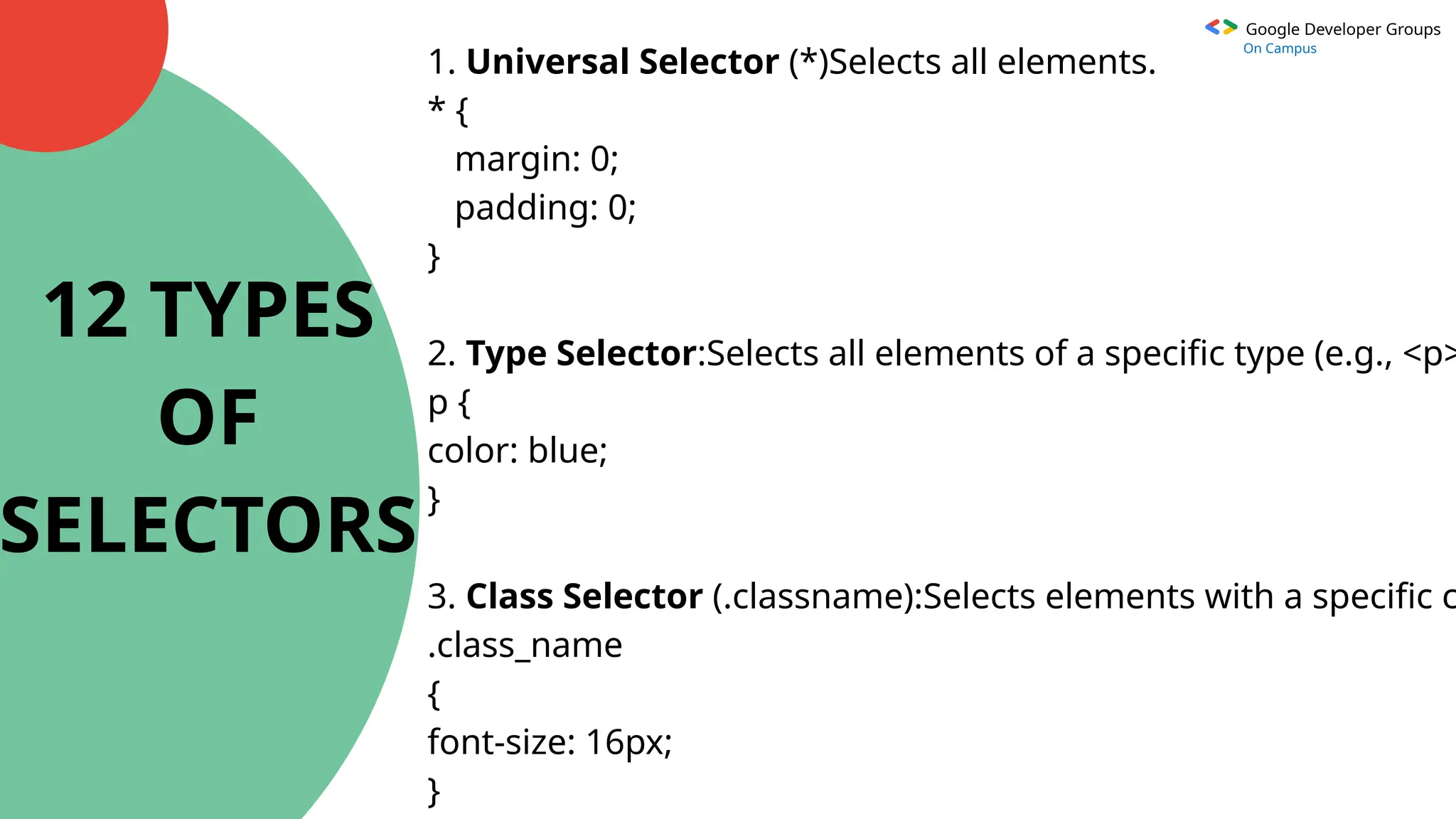
1. Universal Selector (*)Selects all elements.
* {
margin: 0;
padding: 0;
}
2. Type Selector:Selects all elements of a specific type (e.g., <p>
p {
color: blue;
}
3. Class Selector (.classname):Selects elements with a specific c
.class_name
{
font-size: 16px;
}
12 TYPES
OF
SELECTORS
Google Developer Groups
On Campus
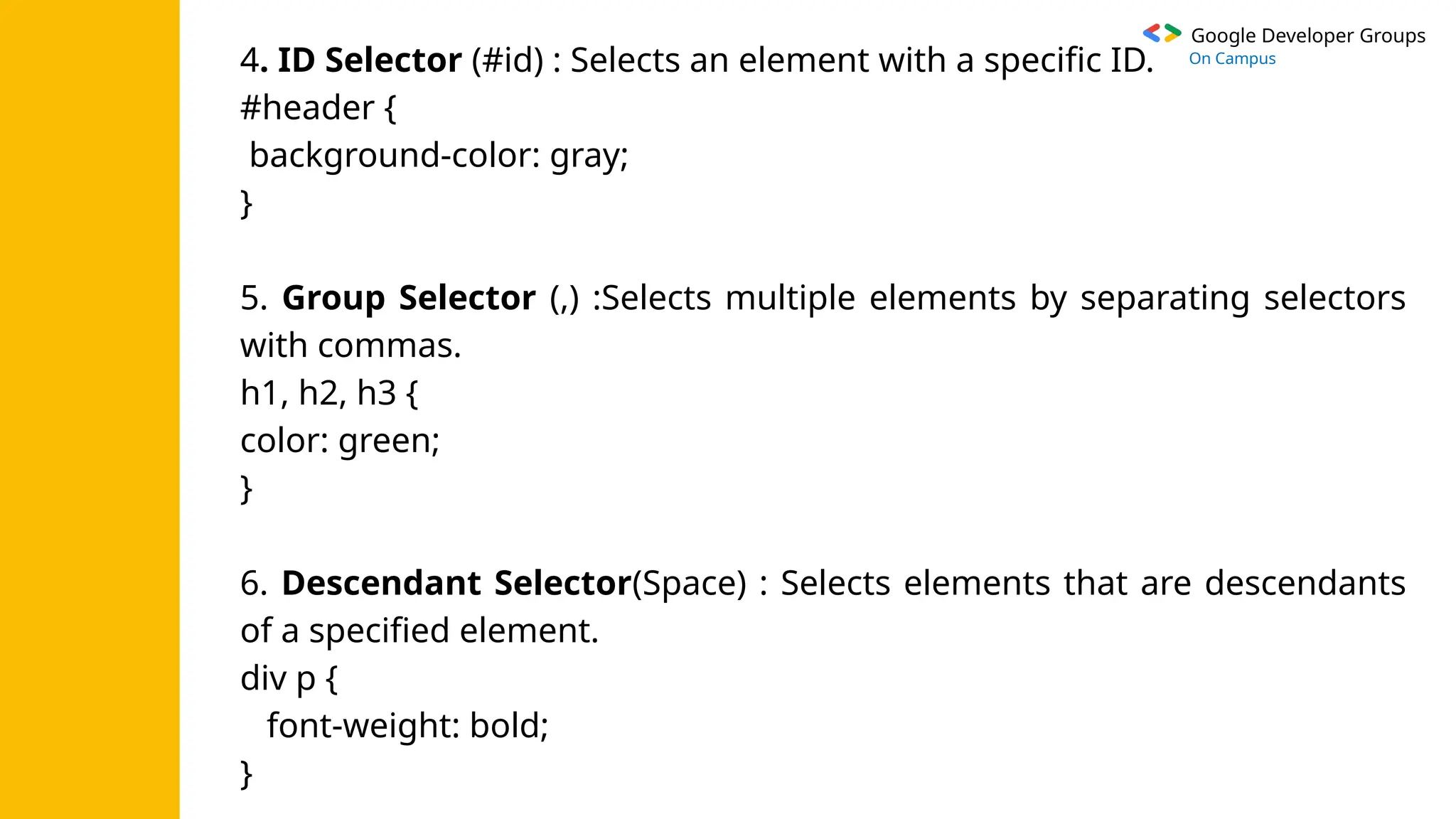
4. ID Selector (#id) : Selects an element with a specific ID.
#header {
background-color: gray;
}
5. Group Selector (,) :Selects multiple elements by separating selectors
with commas.
h1, h2, h3 {
color: green;
}
6. Descendant Selector(Space) : Selects elements that are descendants
of a specified element.
div p {
font-weight: bold;
}
Google Developer Groups
On Campus
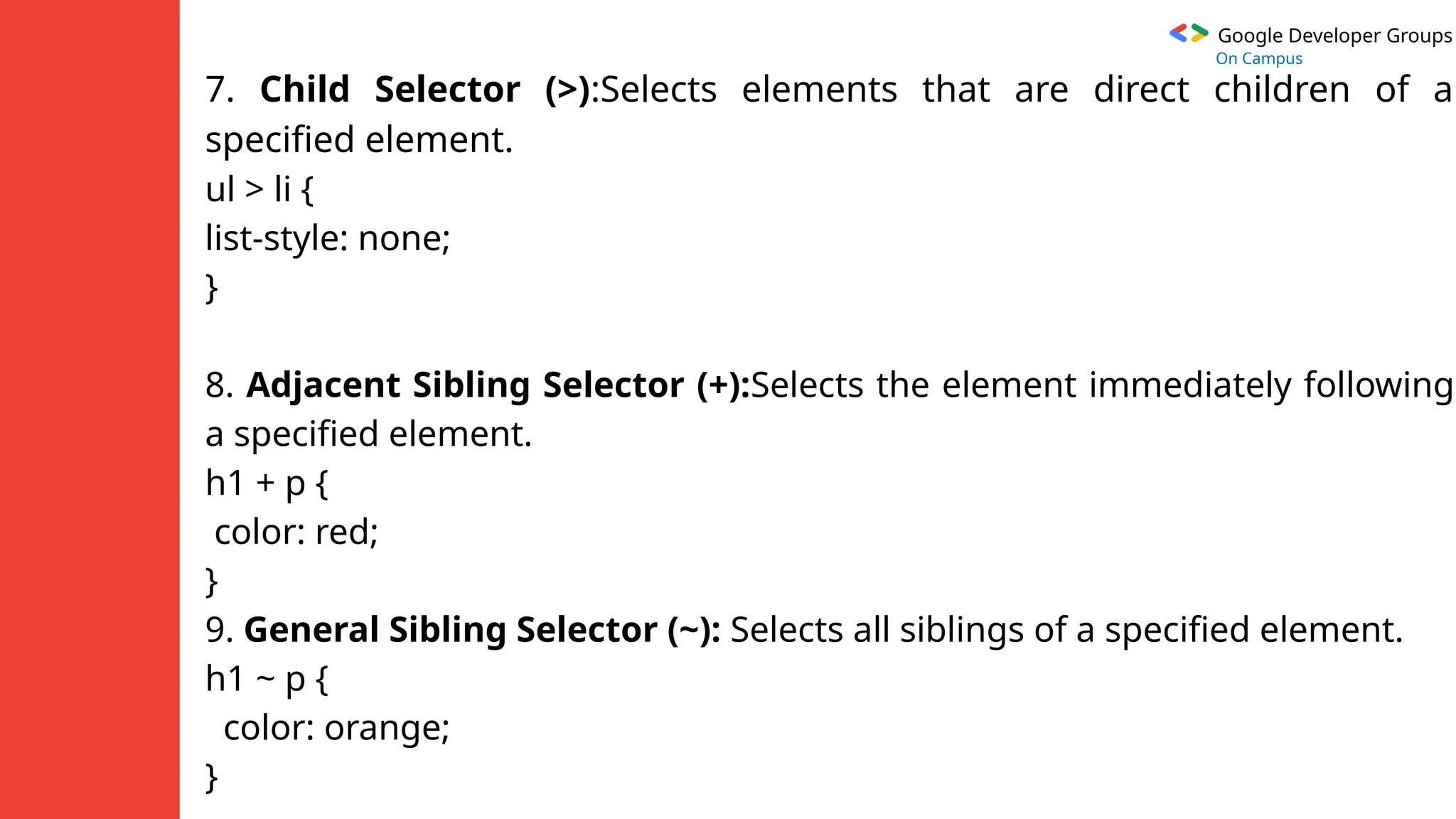
7. Child Selector (>):Selects elements that are direct children of a
specified element.
ul > li {
list-style: none;
}
8. Adjacent Sibling Selector (+):Selects the element immediately following
a specified element.
h1 + p {
color: red;
}
9. General Sibling Selector (~): Selects all siblings of a specified element.
h1 ~ p {
color: orange;
}
Google Developer Groups
On Campus
10. Attribute Selector ([attribute]): Selects elements with a specific
attribute.
input[type="text"] {
border: 1px solid black;
}
11. Pseudo-class Selector (:pseudo-class): Selects elements in a specific
state.
a:hover {
color: purple;
}
12. Pseudo-element Selector (::pseudo-element):Selects and styles
specific parts of an element.
p::first-line {
Google Developer Groups
On Campus
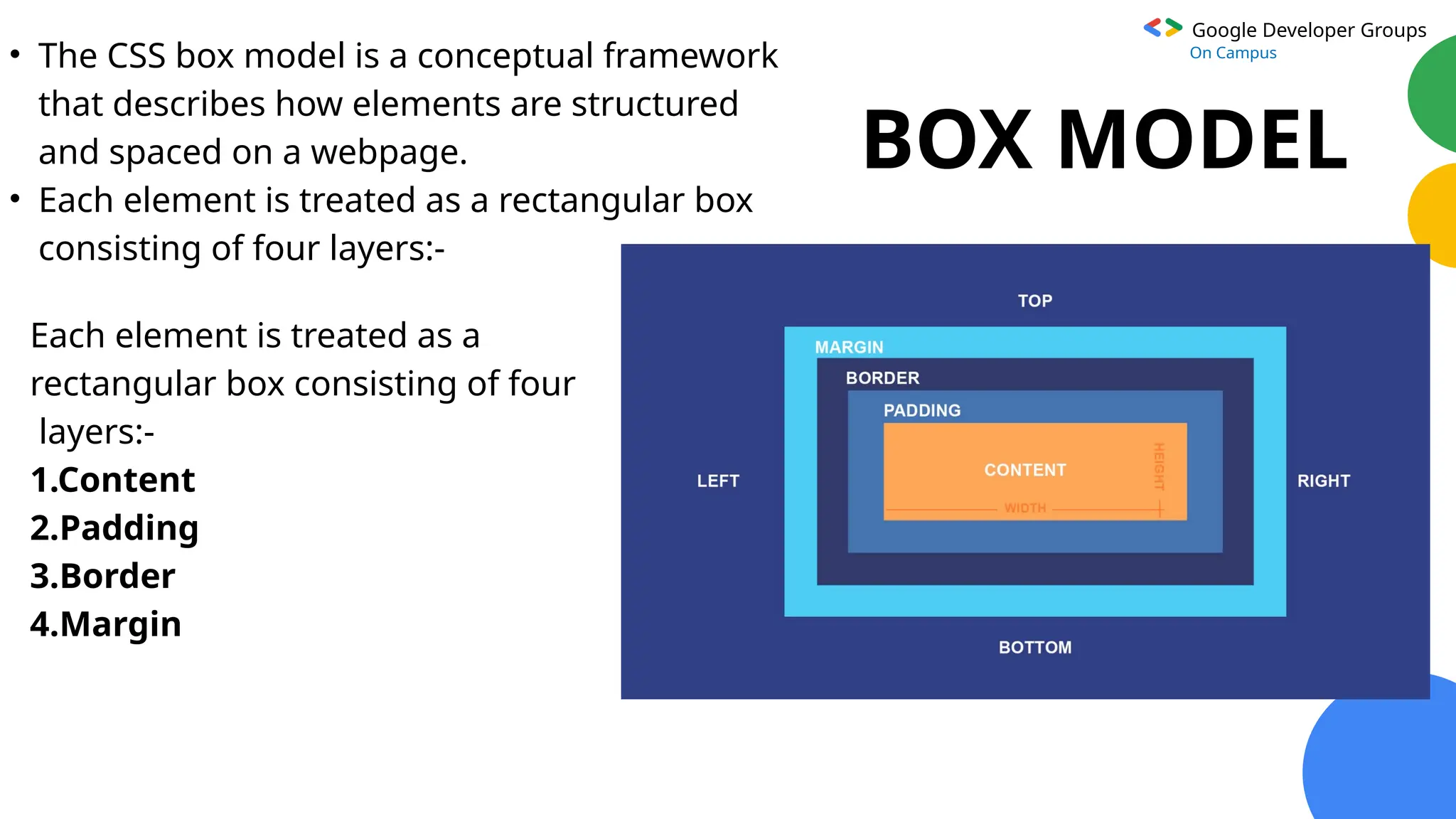
BOX MODEL
• The CSS box model is a conceptual framework
that describes how elements are structured
and spaced on a webpage.
• Each element is treated as a rectangular box
consisting of four layers:-
Each element is treated as a
rectangular box consisting of four
layers:-
1.Content
2.Padding
3.Border
4.Margin
Google Developer Groups
On Campus
FLEXBOX& GRID
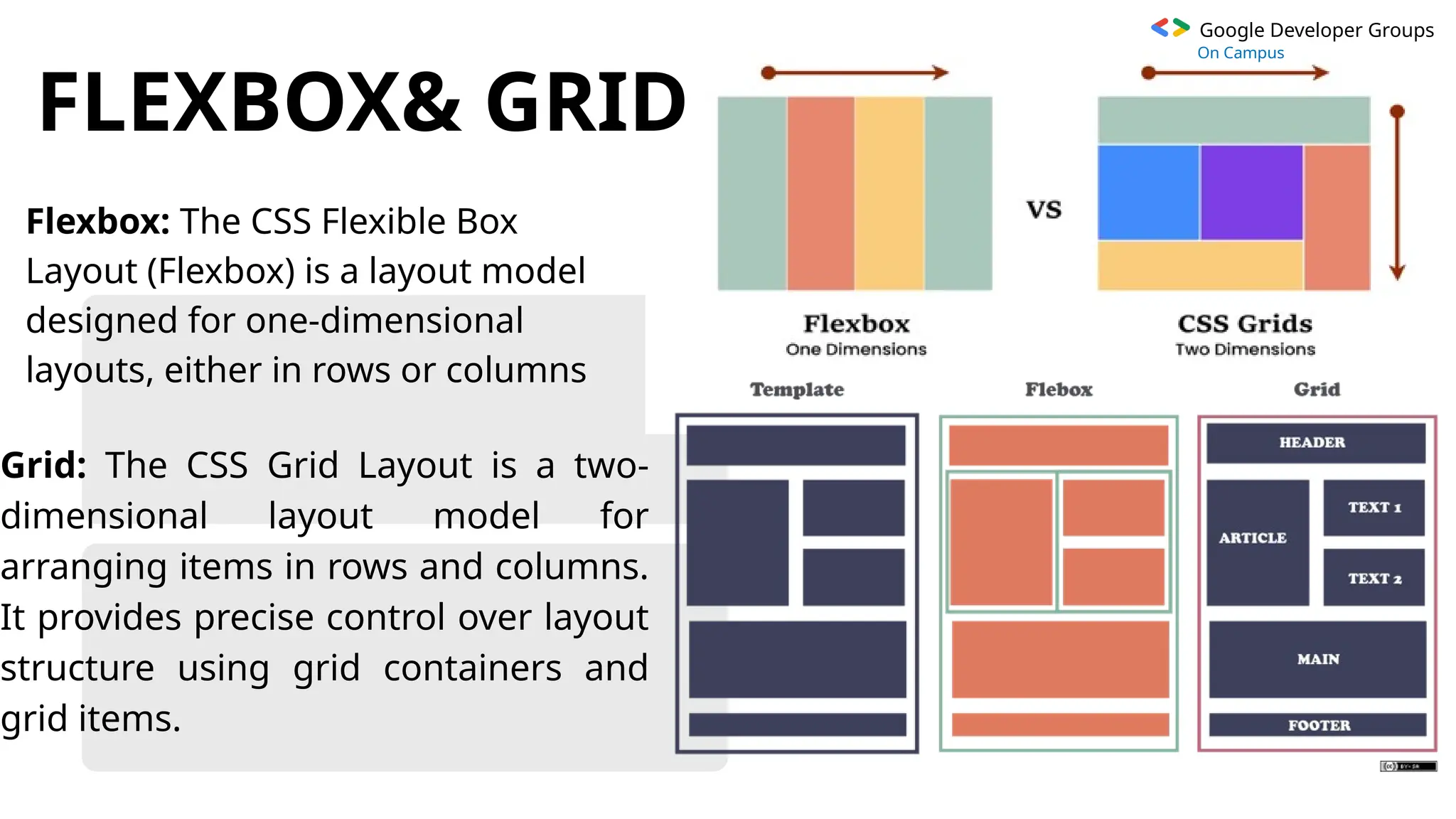
Flexbox: The CSS Flexible Box
Layout (Flexbox) is a layout model
designed for one-dimensional
layouts, either in rows or columns
Grid: The CSS Grid Layout is a two-
dimensional layout model for
arranging items in rows and columns.
It provides precise control over layout
structure using grid containers and
grid items.
Google Developer Groups
On Campus
MEDIA
QUERIES
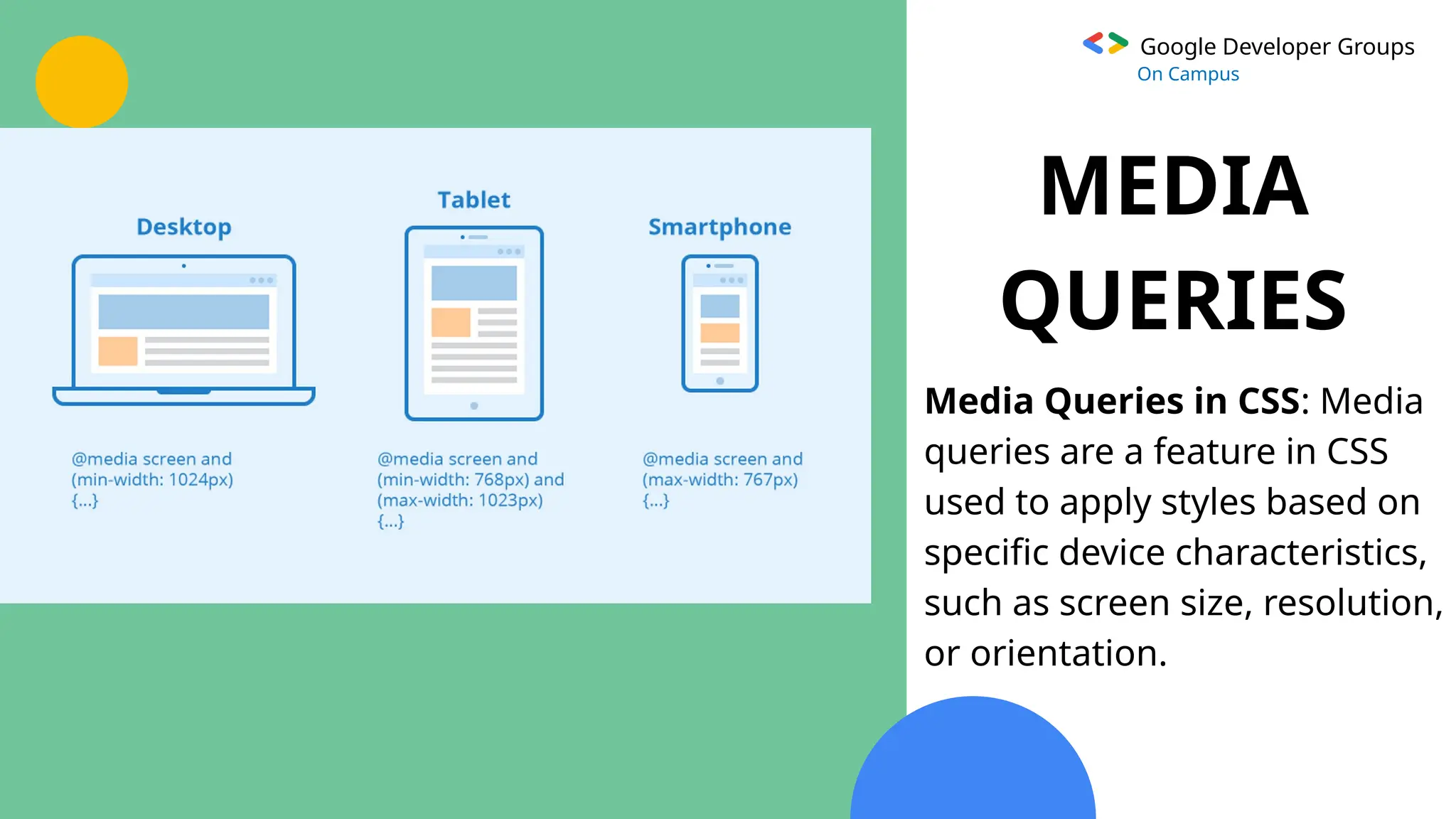
Media Queries in CSS: Media
queries are a feature in CSS
used to apply styles based on
specific device characteristics,
such as screen size, resolution,
or orientation.
Google Developer Groups
On Campus
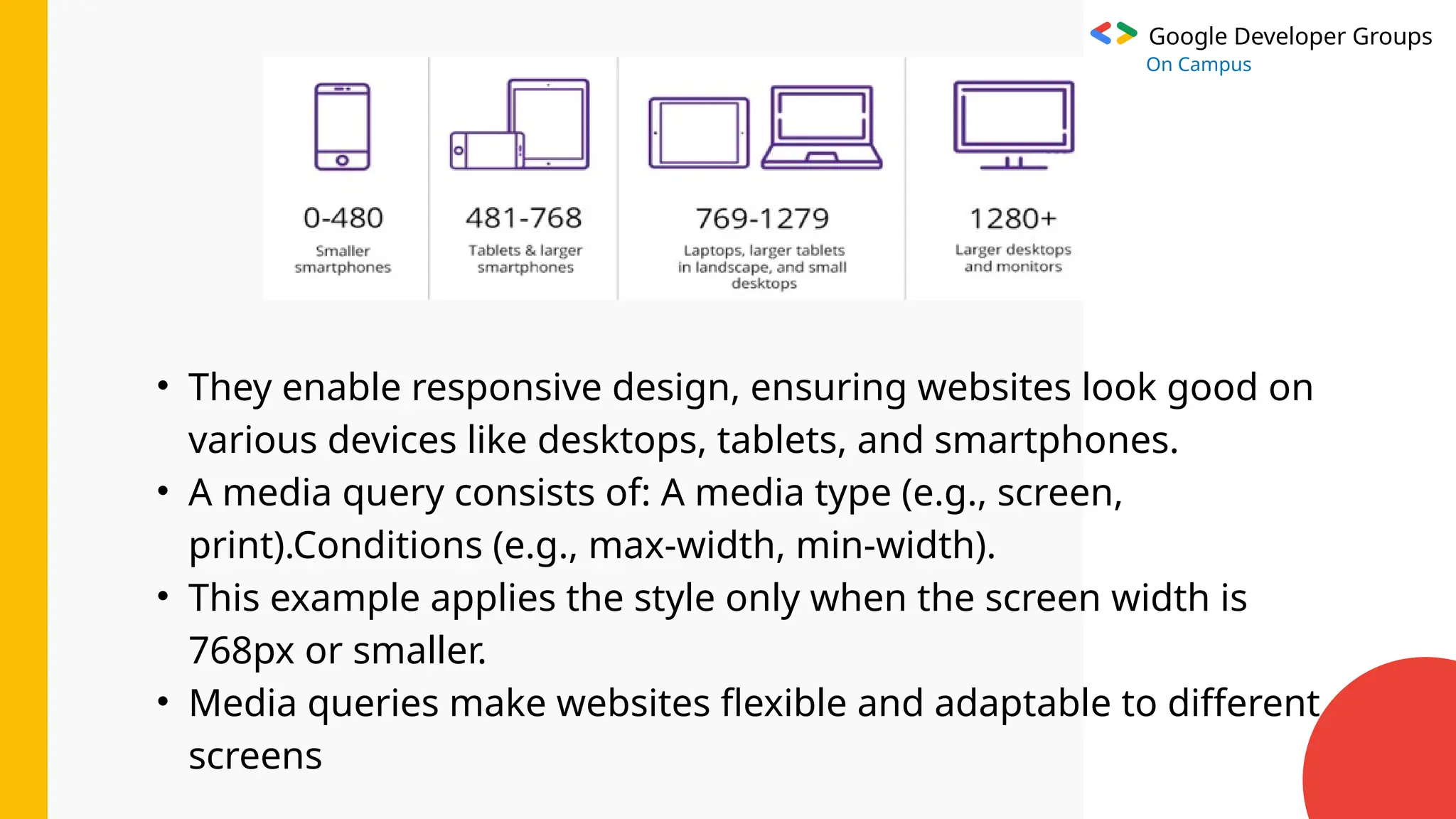
• They enable responsive design, ensuring websites look good on
various devices like desktops, tablets, and smartphones.
• A media query consists of: A media type (e.g., screen,
print).Conditions (e.g., max-width, min-width).
• This example applies the style only when the screen width is
768px or smaller.
• Media queries make websites flexible and adaptable to different
screens
Google Developer Groups
On Campus
Advantages of CSS
• CSS saves time
• Pages load faster
• Easy maintenance
• Superior styles to HTMl
• Multiple Device compatibility
• Global Web standards
• Offline Browsing
• Platform Independence
Google Developer Groups
On Campus
Google Developer Groups
On Campus
Google Developer Groups
On Campus
Thank You

GDG CSS TECH WINTER BREAK VIEW PPT.pptxx

  • 1.
    Google Developer Groups OnCampus CSS CASCADING STYLE SHEETS
  • 2.
    Google Developer Groups OnCampus WHAT IS CSS ?? CSS (Cascading Style Sheets) is used to make websites look good by controlling how text, colors, and layouts appear on the screen. Definition: CSS is a stylesheet language used to describe the presentation of a document written in HTML or XML. Purpose: Controls the layout, colors, fonts, and more to make web pages visually appealing.
  • 3.
    Google Developer Groups OnCampus WHY USE CSS ?? We use CSS to make websites look attractive, organized, and easy to use by customizing colors, fonts, layouts, and styles, instead of having plain, boring text and images. • Separates content from design. • Enables reusability and consistency across multiple web pages. • Enhances user experience with responsive design. CSS makes it easier to update and manage the design of a website because changes can be made in one place and applied across multiple pages.
  • 4.
    Google Developer Groups OnCampus HOW TO USE CSS ?? • CSS works by targeting HTML elements and applying visual styles based on selectors. • It enables detailed customization of layout, appearance, and behavior. • Key concepts include the "cascading" nature of rules (where more specific or later rules take precedence), the inheritance of styles, and the box model for element dimensions. • CSS also helps with positioning and layout using methods like Flexbox and Grid, allows for responsive designs using media queries, and provides dynamic effects like animations and transitions. • Through these features, CSS makes websites flexible, visually appealing, and interactive.
  • 5.
    Google Developer Groups OnCampus TYPES OF CSS :- • Inline CSS: Applied directly within an HTML element. <h1 style="color:blue;">Hello World</h1> • Internal CSS: Defined within a <style> tag inside the HTML head document. <style> body { background-color: lightblue; } </style> • External CSS: Written in a separate .css file and linked to the HTML. Example: <link rel="stylesheet" href="styles.css">
  • 6.
    Google Developer Groups OnCampus CSS SYNTAX :- Structure: selector { property: value; } Example:- body { background-color: lightblue; }
  • 7.
    Google Developer Groups OnCampus KEY FEATURES :- • Selectors: Classes, IDs, element types, etc. • Box Model: Margin, border, padding, and content. • Flexbox & Grid: Modern layout techniques. • Media Queries: Responsive designs for different devices.
  • 8.
    Google Developer Groups OnCampus SELECTORS :- • CSS selectors are patterns used to target and style specific HTML elements. • Common types include the universal selector (*) to style all elements, type selectors to target specific tags (e.g., p or h1), class selectors (.classname) for elements with a shared class, and ID selectors (#idname) for unique elements. • Advanced selectors include descendant selectors for nested elements, sibling selectors for adjacent or general siblings, and attribute selectors to style elements based on attributes. • Pseudo-classes target elements in specific states (e.g., :hover), while pseudo-elements style parts of elements (e.g., ::first-line).
  • 9.
    Google Developer Groups OnCampus 1. Universal Selector (*)Selects all elements. * { margin: 0; padding: 0; } 2. Type Selector:Selects all elements of a specific type (e.g., <p> p { color: blue; } 3. Class Selector (.classname):Selects elements with a specific c .class_name { font-size: 16px; } 12 TYPES OF SELECTORS
  • 10.
    Google Developer Groups OnCampus 4. ID Selector (#id) : Selects an element with a specific ID. #header { background-color: gray; } 5. Group Selector (,) :Selects multiple elements by separating selectors with commas. h1, h2, h3 { color: green; } 6. Descendant Selector(Space) : Selects elements that are descendants of a specified element. div p { font-weight: bold; }
  • 11.
    Google Developer Groups OnCampus 7. Child Selector (>):Selects elements that are direct children of a specified element. ul > li { list-style: none; } 8. Adjacent Sibling Selector (+):Selects the element immediately following a specified element. h1 + p { color: red; } 9. General Sibling Selector (~): Selects all siblings of a specified element. h1 ~ p { color: orange; }
  • 12.
    Google Developer Groups OnCampus 10. Attribute Selector ([attribute]): Selects elements with a specific attribute. input[type="text"] { border: 1px solid black; } 11. Pseudo-class Selector (:pseudo-class): Selects elements in a specific state. a:hover { color: purple; } 12. Pseudo-element Selector (::pseudo-element):Selects and styles specific parts of an element. p::first-line {
  • 13.
    Google Developer Groups OnCampus BOX MODEL • The CSS box model is a conceptual framework that describes how elements are structured and spaced on a webpage. • Each element is treated as a rectangular box consisting of four layers:- Each element is treated as a rectangular box consisting of four layers:- 1.Content 2.Padding 3.Border 4.Margin
  • 14.
    Google Developer Groups OnCampus FLEXBOX& GRID Flexbox: The CSS Flexible Box Layout (Flexbox) is a layout model designed for one-dimensional layouts, either in rows or columns Grid: The CSS Grid Layout is a two- dimensional layout model for arranging items in rows and columns. It provides precise control over layout structure using grid containers and grid items.
  • 15.
    Google Developer Groups OnCampus MEDIA QUERIES Media Queries in CSS: Media queries are a feature in CSS used to apply styles based on specific device characteristics, such as screen size, resolution, or orientation.
  • 16.
    Google Developer Groups OnCampus • They enable responsive design, ensuring websites look good on various devices like desktops, tablets, and smartphones. • A media query consists of: A media type (e.g., screen, print).Conditions (e.g., max-width, min-width). • This example applies the style only when the screen width is 768px or smaller. • Media queries make websites flexible and adaptable to different screens
  • 17.
    Google Developer Groups OnCampus Advantages of CSS • CSS saves time • Pages load faster • Easy maintenance • Superior styles to HTMl • Multiple Device compatibility • Global Web standards • Offline Browsing • Platform Independence
  • 18.
  • 19.
  • 20.