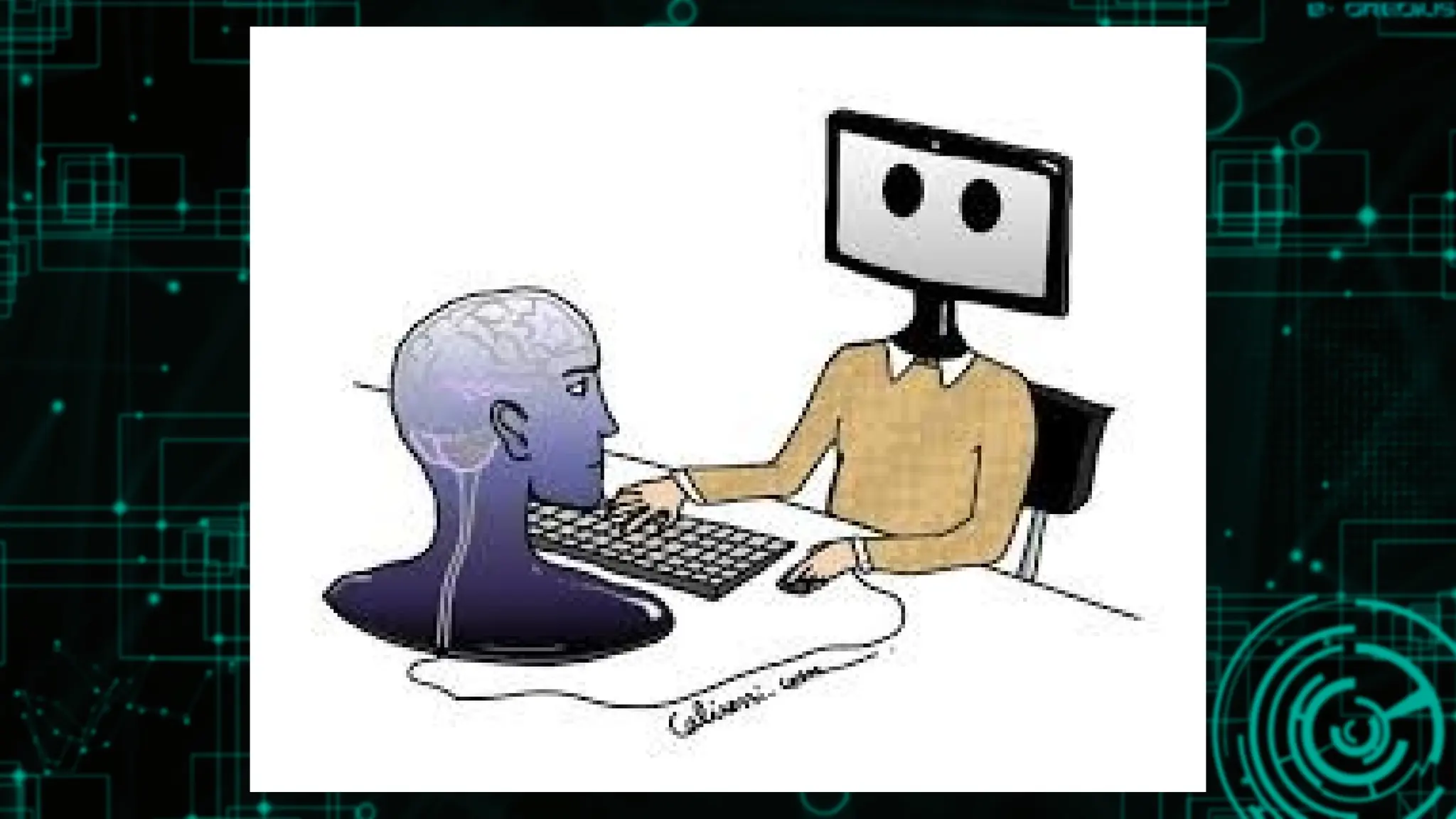
Human Computer
Interaction?
is thestudy of how people
design, implement, and use
interactive computer systems
and how computers affect
individuals, organizations, and
society.
5.
HCI means howhuman
interacts with computer?
Not primarily the study of Human
Not primarily the study of
Computer
The study of BRIDGE between
Human and Computer
6.
Difference between a
Computerand a Human?
Humans create computers.
Computers do not create humans.
Humans appreciate beauty.
Computers don't and can't - they
don't think, they only follow
coded instructions.
7.
Difference between a
Computerand a Human?
Humans love.
Computers don't and can't - they
have no feelings. They only follow
coded instructions.
Humans can choose their beliefs.
Computers don't and can't. They only
follow coded instructions.
8.
Difference between a
Computerand a Human?
Humans are aware of their own existence.
Computers are not. They only follow
coded instructions.
Humans are spiritual entities in a physical
body.
Computers are physical entities with no
spirit or soul.
10.
Humans are limitedin their
capacity to store and process
information while computer
can store information. All the
ideas, concepts by the
developer is being stored to
the computer.
11.
Information is receivedand
responses given via a number of
input and output channels:
• VISUAL CHANNEL
• AUDITORY CHANNEL
• HAPTIC CHANNEL
• MOVEMENT
12.
Information is storedin memory:
• SENSORY MEMORY
• SHORT-TERM (WORKING) MEMORY
• LONG-TERM MEMORY
13.
Information is processedand
applied:
• – REASONING
• – PROBLEM SOLVING
• – SKILL ACQUISITION
• – ERROR
Emotion influences human
capabilities.
1992
Association for Computing
Machinery(ACM):
HCI is concerned with the design,
evaluation & implementation of
interactive computer systems for
human use & with the study of major
phenomena surrounding them
16.
1998
HCI is studyof people, computer
technology and the ways these
influence each other. We study HCI
to determine how we can make this
computer technology more usable
by people”
17.
2002
HCI is thestudy and practice of
usability. It is about understanding
and creating software and other
technology that people will want to
use, will be able to use, and will find
effective when used.
18.
Hey!
In the past,computers
were expensive & used
by technical people only
Now, computers are
cheap and used by non-
technical people
(different needs,
knowledge, skills)
19.
Hey!
Computer and software
manufacturershave
noticed the importance
of making computers
“user-friendly”: easy to
use, save people time,
and very useful to
everyone
20.
User-friendly describes a
hardwaredevice or software
interface that is easy to use. It
is "friendly" to the user,
meaning it is not difficult to
learn or understand.
21.
the following areseveral common
attributes found in user-friendly
interfaces.
• SIMPLE
• CLEAN
• INTUITIVE
• RELIABLE
22.
Simple
A user-friendly interfaceis
not overly complex, but
instead is straightforward,
providing quick access to
common features or
commands
23.
Clean
A good userinterface is
well-organized, making
it easy to locate different
tools and options.
24.
Intuitive
In order tobe user-friendly,
an interface must be make
sense to the average user
and should require minimal
explanation for how to use it.
25.
Reliable
An unreliable productis not
user-friendly, since it will
cause undue frustration for the
user. A user-friendly product is
reliable and does not
malfunction or crash.
26.
User-friendly products aretypically
more successful than those with
complex. Customers often avoid
unreliable products, such as software
programs that are full of bugs. In order
to ensure a good user experience,
companies often thoroughly test their
products before releasing them to the
public.
WHAT IS AGOOD DESIGN?
Good design makes a product useful. A
product is bought to be used. It has to satisfy
certain criteria, not only functional, but also
psychological and aesthetic. Good
design emphasizes the usefulness of a
product whilst disregarding anything that
could possibly detract from it. Good
design is aesthetic
29.
What are thefeatures of good user interface
design?
A good interface design should be attractive. It
means that the use of that interfaces enjoyable.
The design should include cool user-
friendly features with the visual appeal. Clarity is
the most important characteristics of user
interface design.
30.
What are thequalities of good design?
A good design is aesthetic because it helps to
generate a positive response from people, and
aesthetics cover three fundamental human
cravings: BALANCE, STRUCTURE, and
COMPLETION. A product needs to look good and
feel good, and has to be sturdy enough to
withstand abuse.
31.
THE 10 CHARACTERISTICSOF GOOD DESIGN
INNOVATIVE
USEFUL
AESTHETIC
UNDERSTANDABLE
UNOBTRUSIVE
HONEST
LONG LASTING
THOROUGH - DOWN TO THE LAST DETAIL.
ENVIRONMENTALLY FRIENDLY
GOOD DESIGN IS AS LITTLE DESIGN AS POSSIBLE
Ease of
Learning
Ease oflearning – the
system should be easy to
learn so that the user can
rapidly start getting some
work done with the system
36.
Memorabil
ity Interfaces thathave high
memorability will be easier
to learn and use. Factors
which affect memorability
include
37.
Memorabil
ity
ƒ LOCATION: Itwill be easier to
remember if a particular object is
placed in a consistent location, e.g.,
always putting the search box in the
upper right-hand corner of a Web
page
38.
Memorabil
ity
ƒ LOGICAL GROUPING:It will be
easier to remember if things are
grouped logically, e.g., putting
related options together in a menu
Predicta
bility
It involves aperson’s expectations
and his/her ability to determine the
results of actions ahead of time. It
includes:
1. CONSISTENCY 2.GENERALIZABILTY
3.FAMILIARITY 4.CONVENTIONS
Predicta
bility
CONVENTIONS
Allow us touse our intuitions which are
based on previous experience and logic;
if something is consistently done in a
particular way, it will eventually become
the conventional way of doing it
46.
Simplicit
y If thingsare simple they will
be easy to understand and
thus easy to learn and
remember
47.
Simplicit
y It includes:
ƒPROGRESSIVE DISCLOSURE – Show the
user only what is necessary
CONSTRAINTS – Involve limiting the
actions that can be performed in a
particular design
48.
Flexibilit
y Allow moreuser control &
accommodates variations
in user skill and
preferences, i.e., give users
choices