What are Hooks?
Hooksare a way to be able to use the full functionality of React in
a more functional programming kind of way
You no longer require JavaScript classes to write fully fledged
React Components
I have not taught ES6 classes nor React Class components
because of this move
3.
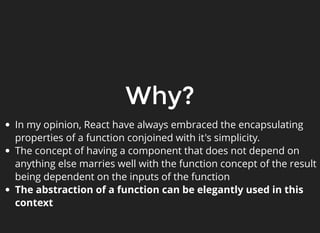
Why?
In my opinion,React have always embraced the encapsulating
properties of a function conjoined with it's simplicity.
The concept of having a component that does not depend on
anything else marries well with the function concept of the result
being dependent on the inputs of the function
The abstraction of a function can be elegantly used in this
context
4.
But why hooks?
Functionalcomponents already did exist in React before hooks
However they were limited in what they can do
They can accept properties and render HTML based on their
properties
But they couldn't tie into some of the more fundamental and
advanced features of React
Class based components could define special functions that
had special properties that "hooked" into React functionality
But with hooks, functions also have the same ability
5.
Let's start withan
example: useState
import React, { useState } from 'react';
function Example() {
// Declare a new state variable, which we'll call "count"
const [count, setCount] = useState(0);
return (
<div>
<p>You clicked {count} times</p>
<button onClick={() => setCount(count + 1)}>
Click me
</button>
</div>
);
}
1
2
3
4
5
6
7
8
9
10
11
12
13
14
15
6.
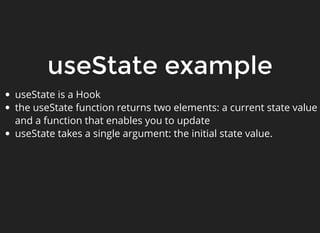
useState example
useState isa Hook
the useState function returns two elements: a current state value
and a function that enables you to update
useState takes a single argument: the initial state value.
7.
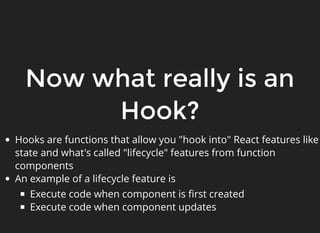
Now what reallyis an
Hook?
Hooks are functions that allow you "hook into" React features like
state and what's called "lifecycle" features from function
components
An example of a lifecycle feature is
Execute code when component is first created
Execute code when component updates
8.
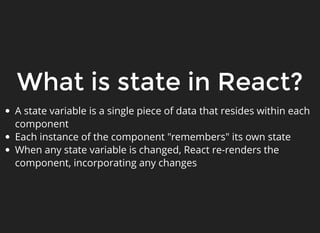
What is statein React?
A state variable is a single piece of data that resides within each
component
Each instance of the component "remembers" its own state
When any state variable is changed, React re-renders the
component, incorporating any changes
9.
Let's go backto our
example
import React, { useState } from 'react';
function Example() {
// Declare a new state variable, which we'll call "count"
const [count, setCount] = useState(0);
return (
<div>
<p>You clicked {count} times</p>
<button onClick={() => setCount(count + 1)}>
Click me
</button>
</div>
);
}
1
2
3
4
5
6
7
8
9
10
11
12
13
14
15
10.
What's happening here?
Inour Example component, we set a single element of state
called count
We have access to the current value of count using the "count"
variable, and the function "setCount" that takes one parameter
(future state) that can change the count variable
count, and setCount are declared as const to declaratively state
that they cannot be changed. You cannot change count by
assigning it to another value. But you must use the setCount
function to change the count value
Using the setCount function is important: when state is changed
using this function React knows to render the component again
after the variable has changed
11.
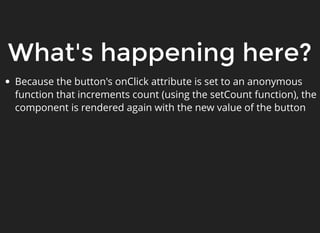
What's happening here?
Becausethe button's onClick attribute is set to an anonymous
function that increments count (using the setCount function), the
component is rendered again with the new value of the button
12.
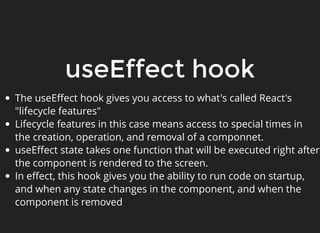
useEffect hook
The useEffecthook gives you access to what's called React's
"lifecycle features"
Lifecycle features in this case means access to special times in
the creation, operation, and removal of a componnet.
useEffect state takes one function that will be executed right after
the component is rendered to the screen.
In effect, this hook gives you the ability to run code on startup,
and when any state changes in the component, and when the
component is removed
13.
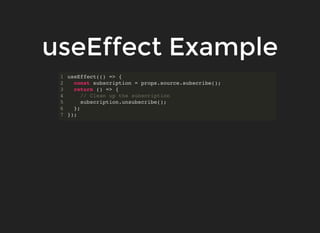
useEffect Example
useEffect(() =>{
const subscription = props.source.subscribe();
return () => {
// Clean up the subscription
subscription.unsubscribe();
};
});
1
2
3
4
5
6
7
14.
useEffect Example
useEffect hereis passed a function that contains two statements:
First, it is subscribing to whatever props.source.subscribe() is.
This will be done any time this component is rendered to the
screen
Second, if this component is removed, then the function that is
returned will execute (the unsubscribe action)
This function it is returning enables you to clean up any actions
that may not be needed anymore
15.
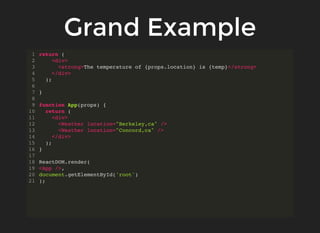
Grand Example
import React,{ useState, useEffect } from 'react';
import ReactDOM from 'react-dom';
function Weather(props) {
const [temp, setTemp] = useState(0);
let getWeatherData = async () => {
let response = await fetch(`https://api.openweathermap.org/data/2.5/weather?
if (!response.ok) {
throw new Error(`HTTP error! status: ${response.status}`);
} else {
return response.json();
}
}
useEffect(() => {
getWeatherData().then((response) => {
setTemp(response.main.temp);
}).catch(e => console.log(e));;
})
1
2
3
4
5
6
7
8
9
10
11
12
13
14
15
16
17
18
19
20
21
22
23
24
25
Grand Example
Note weare using both useState to keep the state of
the temperature and useEffect to make an API call to
the weather endpoint to get the weather
The function in useEffect is executed on every render,
but since we only pass a property of the current
location, it only needs to be rendered once



![Let's start with an
example: useState
import React, { useState } from 'react';
function Example() {
// Declare a new state variable, which we'll call "count"
const [count, setCount] = useState(0);
return (
<div>
<p>You clicked {count} times</p>
<button onClick={() => setCount(count + 1)}>
Click me
</button>
</div>
);
}
1
2
3
4
5
6
7
8
9
10
11
12
13
14
15](https://image.slidesharecdn.com/frontend-webarch-react-hooks-1-251118080241-44db5f40/85/frontend-webarch-react-hooks-tutur-1-pdf-5-320.jpg)
![Let's go back to our
example
import React, { useState } from 'react';
function Example() {
// Declare a new state variable, which we'll call "count"
const [count, setCount] = useState(0);
return (
<div>
<p>You clicked {count} times</p>
<button onClick={() => setCount(count + 1)}>
Click me
</button>
</div>
);
}
1
2
3
4
5
6
7
8
9
10
11
12
13
14
15](https://image.slidesharecdn.com/frontend-webarch-react-hooks-1-251118080241-44db5f40/85/frontend-webarch-react-hooks-tutur-1-pdf-9-320.jpg)


![Grand Example
import React, { useState, useEffect } from 'react';
import ReactDOM from 'react-dom';
function Weather(props) {
const [temp, setTemp] = useState(0);
let getWeatherData = async () => {
let response = await fetch(`https://api.openweathermap.org/data/2.5/weather?
if (!response.ok) {
throw new Error(`HTTP error! status: ${response.status}`);
} else {
return response.json();
}
}
useEffect(() => {
getWeatherData().then((response) => {
setTemp(response.main.temp);
}).catch(e => console.log(e));;
})
1
2
3
4
5
6
7
8
9
10
11
12
13
14
15
16
17
18
19
20
21
22
23
24
25](https://image.slidesharecdn.com/frontend-webarch-react-hooks-1-251118080241-44db5f40/85/frontend-webarch-react-hooks-tutur-1-pdf-15-320.jpg)