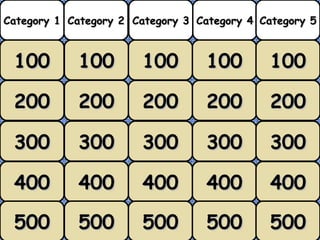
100 100 100 100 100 200 200 200 200 200 300 300 300 300 300 400 400 400 400 400 500 500 500 500 500 Category 1 Category 2 Category 3 Category 4 Category 5
Category 1 Four months = … parts of 4 years Question Answer 100
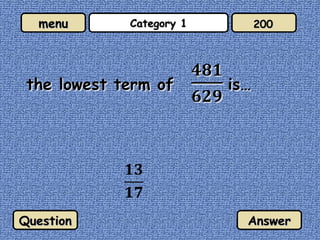
Category 1 Question Answer 200
Category 1 ¾ > x > ½  , the value of x is… Question Answer 300
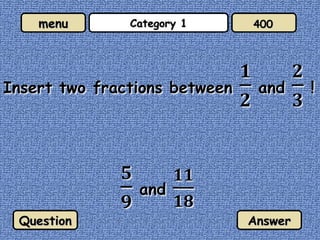
Category 1 Question Answer 400
Category 1 Question Answer 500
Category 2 Question Answer 100
Category 2 0.538 Question Answer 200
Category 2 Change  8¾  % to proper fractions! Question Answer 300
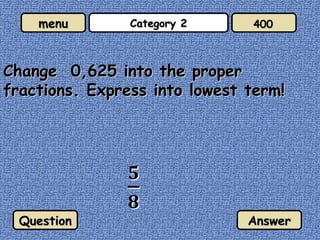
Category 2 Change  0,625 into the proper fractions. Express into lowest term! Question Answer 400
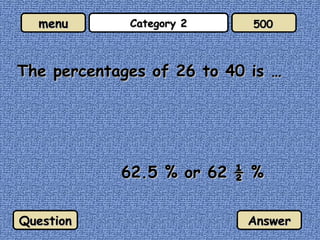
Category 2 The percentages of 26 to 40 is … 62.5 % or 62 ½ % Question Answer 500
Category 3 Express 0.007824 in standard form! 7.824 x 10 -3 Question Answer 100
Category 3 Express 100000000000 as the standard form.. 1 x 10 11 Question Answer 200
Category 3 0.00002341 x 10 5  if rewrite as decimals form is… 2.341 Question Answer 300
Category 3 Express 0.00027832 in standard form to two decimal palces! 2.78 x 10 -4 Question Answer 400
Category 3 Simplify 2 x 10 -3  + 1,2 x 10 -4 2,12 x 10 -3 Question Answer 500
Category 4 1 Question Answer 100
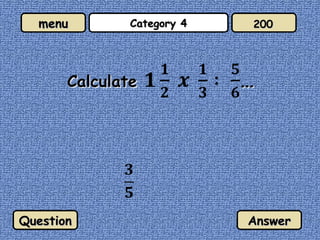
Category 4 Question Answer 200
Category 4 Question Answer 300
Category 4 Question Answer 400
Category 4 4 Question Answer 500
Category 5 10 2 Question Answer 100
Category 5 Question Answer 200
Category 5 A class consist of 30 students. 18 students of them are boys. Find the percentage of girls in the class. 40 % Question Answer 300
Category 5 A man bought a sport shoes with  10 %  free. How much did He have to pay if the normal price is  Rp 375,000? Rp 375,000 – Rp 37.500 = Rp 337.500 Question Answer 400
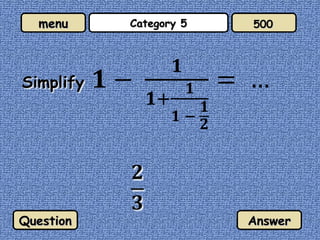
Category 5 Question Answer 500
You can place pictures between the Question and Answer but you must make sure that you ‘Entrance’ it with Custom Animation and place this entrance command as part of the ‘trigger’ for Question or Answer

Fractions jeopardy

Editor's Notes

  • #2 Instructions: On the menu write your own categories in the headings provided For each question simply change the text in the Question and Answer text boxes. When the slide is in full screen mode neither can be seen until the two blue buttons are pressed. In this way you can choose to give either the question or the answer first. You can place pictures between the Question and Answer but you must make sure that you ‘Entrance’ it with Custom Animation and place this entrance command as part of the ‘trigger’ for Question or Answer To return to the main menu, click the menu button To move to the next question, click the numbered button at the top right and this will take you there without going to the menu.