Bookmarklets as
   Applications
                Fluent 2012

   Gary Flake, CEO / Founder
        flake@clipboard.com


               Select. Collect. Reflect.
Bookmarklet Demo


          Select. Collect. Reflect.
How it works


      Select. Collect. Reflect.
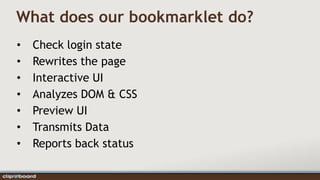
What does our bookmarklet do?
•   Check login state
•   Rewrites the page
•   Interactive UI
•   Analyzes DOM & CSS
•   Preview UI
•   Transmits Data
•   Reports back status
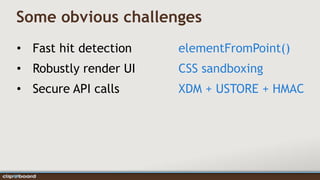
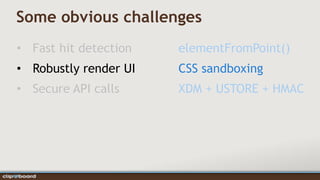
Some obvious challenges
• Fast hit detection   elementFromPoint()
• Robustly render UI   CSS sandboxing
• Secure API calls     XDM + USTORE + HMAC
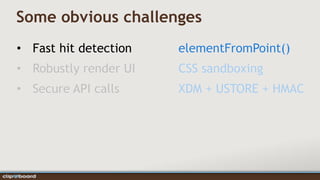
Some obvious challenges
• Fast hit detection   elementFromPoint()
• Robustly render UI   CSS sandboxing
• Secure API calls     XDM + USTORE + HMAC
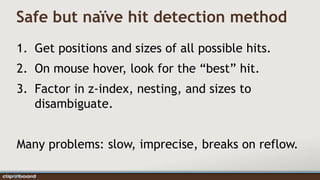
Safe but naïve hit detection method
1. Get positions and sizes of all possible hits.
2. On mouse hover, look for the “best” hit.
3. Factor in z-index, nesting, and sizes to
   disambiguate.


Many problems: slow, imprecise, breaks on reflow.
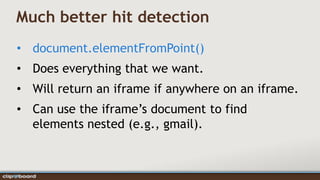
Much better hit detection
• document.elementFromPoint()
• Does everything that we want.
• Will return an iframe if anywhere on an iframe.
• Can use the iframe’s document to find
  elements nested (e.g., gmail).
Some obvious challenges
• Fast hit detection   elementFromPoint()
• Robustly render UI   CSS sandboxing
• Secure API calls     XDM + USTORE + HMAC
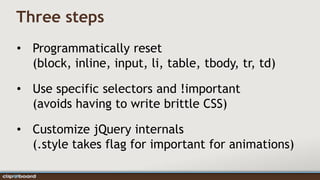
Three steps
• Programmatically reset
  (block, inline, input, li, table, tbody, tr, td)

• Use specific selectors and !important
  (avoids having to write brittle CSS)

• Customize jQuery internals
  (.style takes flag for important for animations)
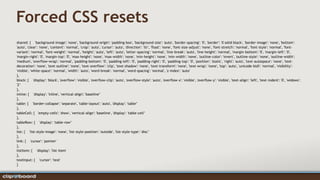
Forced CSS resets
shared: { 'background-image': 'none', 'background-origin': 'padding-box', 'background-size': 'auto', 'border-spacing': '0', 'border': '0 solid black', 'border-image': 'none', 'bottom':
'auto', 'clear': 'none', 'content': 'normal', 'crop': 'auto', 'cursor': 'auto', 'direction': 'ltr', 'float': 'none', 'font-size-adjust': 'none', 'font-stretch': 'normal', 'font-style': 'normal', 'font-
variant': 'normal', 'font-weight': 'normal', 'height': 'auto', 'left': 'auto', 'letter-spacing': 'normal', 'line-break': 'auto', 'line-height': 'normal', 'margin-bottom': '0', 'margin-left': '0',
'margin-right': '0', 'margin-top': '0', 'max-height': 'none', 'max-width': 'none', 'min-height': 'none', 'min-width': 'none', 'outline-color': 'invert', 'outline-style': 'none', 'outline-width':
'medium', 'overflow-wrap': 'normal', 'padding-bottom': '0', 'padding-left': '0', 'padding-right': '0', 'padding-top': '0', 'position': 'static', 'right': 'auto', 'text-autospace': 'none', 'text-
decoration': 'none', 'text-outline': 'none', 'text-overflow': 'clip', 'text-shadow': 'none', 'text-transform': 'none', 'text-wrap': 'none', 'top': 'auto', 'unicode-bidi': 'normal', 'visibility':
'visible', 'white-space': 'normal', 'width': 'auto', 'word-break': 'normal', 'word-spacing': 'normal', 'z-index': 'auto'
},
block: { 'display': 'block', 'overflow': 'visible', 'overflow-clip': 'auto', 'overflow-style': 'auto', 'overflow-x': 'visible', 'overflow-y': 'visible', 'text-align': 'left', 'text-indent': '0', 'widows':
'2’
},
inline: { 'display': 'inline', 'vertical-align': 'baseline’
},
table: { 'border-collapse': 'separate', 'table-layout': 'auto', 'display': 'table’
},
tableCell: { 'empty-cells': 'show', 'vertical-align': 'baseline', 'display': 'table-cell’
},
tableRow: { 'display': 'table-row’
},
list: { 'list-style-image': 'none', 'list-style-position': 'outside', 'list-style-type': 'disc’
},
link: { 'cursor': 'pointer'
},
listItem: { 'display': 'list-item'
},
textInput: { 'cursor': 'text'
}
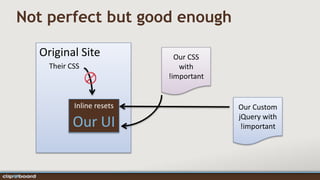
Not perfect but good enough

  Original Site              Our CSS
    Their CSS                 with
                           !important


           Inline resets                Our Custom
                                        jQuery with
           Our UI                        !important
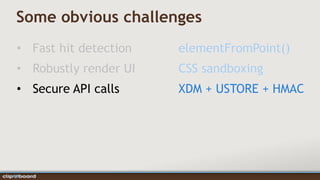
Some obvious challenges
• Fast hit detection   elementFromPoint()
• Robustly render UI   CSS sandboxing
• Secure API calls     XDM + USTORE + HMAC
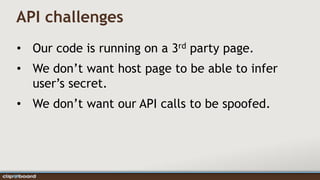
API challenges
• Our code is running on a 3rd party page.
• We don’t want host page to be able to infer
  user’s secret.
• We don’t want our API calls to be spoofed.
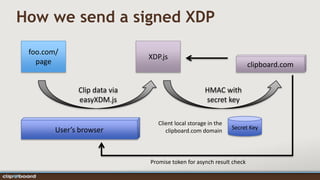
How we send a signed XDP

 foo.com/
                              XDP.js
   page                                                               clipboard.com


              Clip data via                         HMAC with
              easyXDM.js                            secret key

                                 Client local storage in the
        User’s browser                                         Secret Key
                                    clipboard.com domain


                              Promise token for asynch result check
Doing it yourself


          Select. Collect. Reflect.
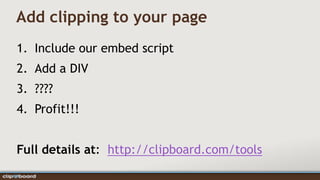
Add clipping to your page
1. Include our embed script
2. Add a DIV
3. ????
4. Profit!!!


Full details at: http://clipboard.com/tools
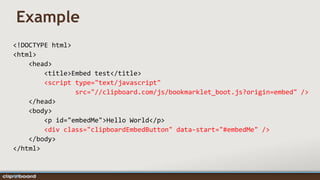
Example
<!DOCTYPE html>
<html>
    <head>
        <title>Embed test</title>
        <script type="text/javascript"
                src="//clipboard.com/js/bookmarklet_boot.js?origin=embed" />
    </head>
    <body>
        <p id="embedMe">Hello World</p>
        <div class="clipboardEmbedButton" data-start="#embedMe" />
    </body>
</html>
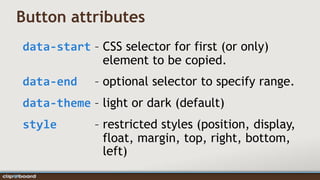
Button attributes
data-start – CSS selector for first (or only)
             element to be copied.
data-end     – optional selector to specify range.
data-theme – light or dark (default)
style        – restricted styles (position, display,
               float, margin, top, right, bottom,
               left)
Closing Remarks


         Select. Collect. Reflect.
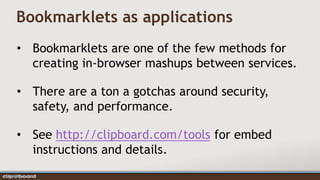
Bookmarklets as applications
• Bookmarklets are one of the few methods for
  creating in-browser mashups between services.

• There are a ton a gotchas around security,
  safety, and performance.

• See http://clipboard.com/tools for embed
  instructions and details.
Thanks!


 Select. Collect. Reflect.
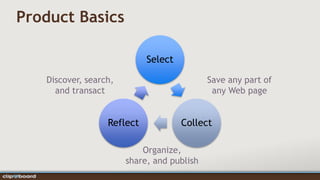
Product Basics

                            Select

   Discover, search,                        Save any part of
     and transact                            any Web page


                  Reflect            Collect

                           Organize,
                       share, and publish
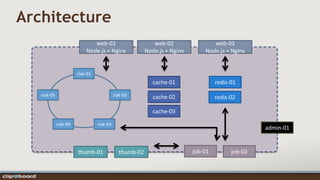
Architecture
                              web-01                       web-02                web-03
                           Node.js + Nginx              Node.js + Nginx       Node.js + Nginx


                       riak-01
                                                           cache-01                redis-01
   riak-05                                 riak-02         cache-02                redis-02

                                                           cache-03

             riak-04             riak-03
                                                                                                  admin-01


                       thumb-01              thumb-02                     job-01         job-02

Fluent 2012 v2

  • 1.
    Bookmarklets as Applications Fluent 2012 Gary Flake, CEO / Founder flake@clipboard.com Select. Collect. Reflect.
  • 2.
    Bookmarklet Demo Select. Collect. Reflect.
  • 3.
    How it works Select. Collect. Reflect.
  • 4.
    What does ourbookmarklet do? • Check login state • Rewrites the page • Interactive UI • Analyzes DOM & CSS • Preview UI • Transmits Data • Reports back status
  • 5.
    Some obvious challenges •Fast hit detection elementFromPoint() • Robustly render UI CSS sandboxing • Secure API calls XDM + USTORE + HMAC
  • 6.
    Some obvious challenges •Fast hit detection elementFromPoint() • Robustly render UI CSS sandboxing • Secure API calls XDM + USTORE + HMAC
  • 7.
    Safe but naïvehit detection method 1. Get positions and sizes of all possible hits. 2. On mouse hover, look for the “best” hit. 3. Factor in z-index, nesting, and sizes to disambiguate. Many problems: slow, imprecise, breaks on reflow.
  • 8.
    Much better hitdetection • document.elementFromPoint() • Does everything that we want. • Will return an iframe if anywhere on an iframe. • Can use the iframe’s document to find elements nested (e.g., gmail).
  • 9.
    Some obvious challenges •Fast hit detection elementFromPoint() • Robustly render UI CSS sandboxing • Secure API calls XDM + USTORE + HMAC
  • 10.
    Three steps • Programmaticallyreset (block, inline, input, li, table, tbody, tr, td) • Use specific selectors and !important (avoids having to write brittle CSS) • Customize jQuery internals (.style takes flag for important for animations)
  • 11.
    Forced CSS resets shared:{ 'background-image': 'none', 'background-origin': 'padding-box', 'background-size': 'auto', 'border-spacing': '0', 'border': '0 solid black', 'border-image': 'none', 'bottom': 'auto', 'clear': 'none', 'content': 'normal', 'crop': 'auto', 'cursor': 'auto', 'direction': 'ltr', 'float': 'none', 'font-size-adjust': 'none', 'font-stretch': 'normal', 'font-style': 'normal', 'font- variant': 'normal', 'font-weight': 'normal', 'height': 'auto', 'left': 'auto', 'letter-spacing': 'normal', 'line-break': 'auto', 'line-height': 'normal', 'margin-bottom': '0', 'margin-left': '0', 'margin-right': '0', 'margin-top': '0', 'max-height': 'none', 'max-width': 'none', 'min-height': 'none', 'min-width': 'none', 'outline-color': 'invert', 'outline-style': 'none', 'outline-width': 'medium', 'overflow-wrap': 'normal', 'padding-bottom': '0', 'padding-left': '0', 'padding-right': '0', 'padding-top': '0', 'position': 'static', 'right': 'auto', 'text-autospace': 'none', 'text- decoration': 'none', 'text-outline': 'none', 'text-overflow': 'clip', 'text-shadow': 'none', 'text-transform': 'none', 'text-wrap': 'none', 'top': 'auto', 'unicode-bidi': 'normal', 'visibility': 'visible', 'white-space': 'normal', 'width': 'auto', 'word-break': 'normal', 'word-spacing': 'normal', 'z-index': 'auto' }, block: { 'display': 'block', 'overflow': 'visible', 'overflow-clip': 'auto', 'overflow-style': 'auto', 'overflow-x': 'visible', 'overflow-y': 'visible', 'text-align': 'left', 'text-indent': '0', 'widows': '2’ }, inline: { 'display': 'inline', 'vertical-align': 'baseline’ }, table: { 'border-collapse': 'separate', 'table-layout': 'auto', 'display': 'table’ }, tableCell: { 'empty-cells': 'show', 'vertical-align': 'baseline', 'display': 'table-cell’ }, tableRow: { 'display': 'table-row’ }, list: { 'list-style-image': 'none', 'list-style-position': 'outside', 'list-style-type': 'disc’ }, link: { 'cursor': 'pointer' }, listItem: { 'display': 'list-item' }, textInput: { 'cursor': 'text' }
  • 12.
    Not perfect butgood enough Original Site Our CSS Their CSS with !important Inline resets Our Custom jQuery with Our UI !important
  • 13.
    Some obvious challenges •Fast hit detection elementFromPoint() • Robustly render UI CSS sandboxing • Secure API calls XDM + USTORE + HMAC
  • 14.
    API challenges • Ourcode is running on a 3rd party page. • We don’t want host page to be able to infer user’s secret. • We don’t want our API calls to be spoofed.
  • 15.
    How we senda signed XDP foo.com/ XDP.js page clipboard.com Clip data via HMAC with easyXDM.js secret key Client local storage in the User’s browser Secret Key clipboard.com domain Promise token for asynch result check
  • 16.
    Doing it yourself Select. Collect. Reflect.
  • 17.
    Add clipping toyour page 1. Include our embed script 2. Add a DIV 3. ???? 4. Profit!!! Full details at: http://clipboard.com/tools
  • 18.
    Example <!DOCTYPE html> <html> <head> <title>Embed test</title> <script type="text/javascript" src="//clipboard.com/js/bookmarklet_boot.js?origin=embed" /> </head> <body> <p id="embedMe">Hello World</p> <div class="clipboardEmbedButton" data-start="#embedMe" /> </body> </html>
  • 19.
    Button attributes data-start –CSS selector for first (or only) element to be copied. data-end – optional selector to specify range. data-theme – light or dark (default) style – restricted styles (position, display, float, margin, top, right, bottom, left)
  • 20.
    Closing Remarks Select. Collect. Reflect.
  • 21.
    Bookmarklets as applications •Bookmarklets are one of the few methods for creating in-browser mashups between services. • There are a ton a gotchas around security, safety, and performance. • See http://clipboard.com/tools for embed instructions and details.
  • 22.
  • 23.
    Product Basics Select Discover, search, Save any part of and transact any Web page Reflect Collect Organize, share, and publish
  • 24.
    Architecture web-01 web-02 web-03 Node.js + Nginx Node.js + Nginx Node.js + Nginx riak-01 cache-01 redis-01 riak-05 riak-02 cache-02 redis-02 cache-03 riak-04 riak-03 admin-01 thumb-01 thumb-02 job-01 job-02