Introduction
of
Programming
Languages
A programming language is a set of rules that provides a way
of telling a computer what operations to perform
A programming language is a set of rules for
communicating an algorithm
Medium of communication between computer and the user
containing words, symbols and syntax rules
Each language has its own vocabulary and rules.
PROGRAMMING LANGUAGE
A programming language is a notation for writing programs, which are
specifications of a computation or algorithm
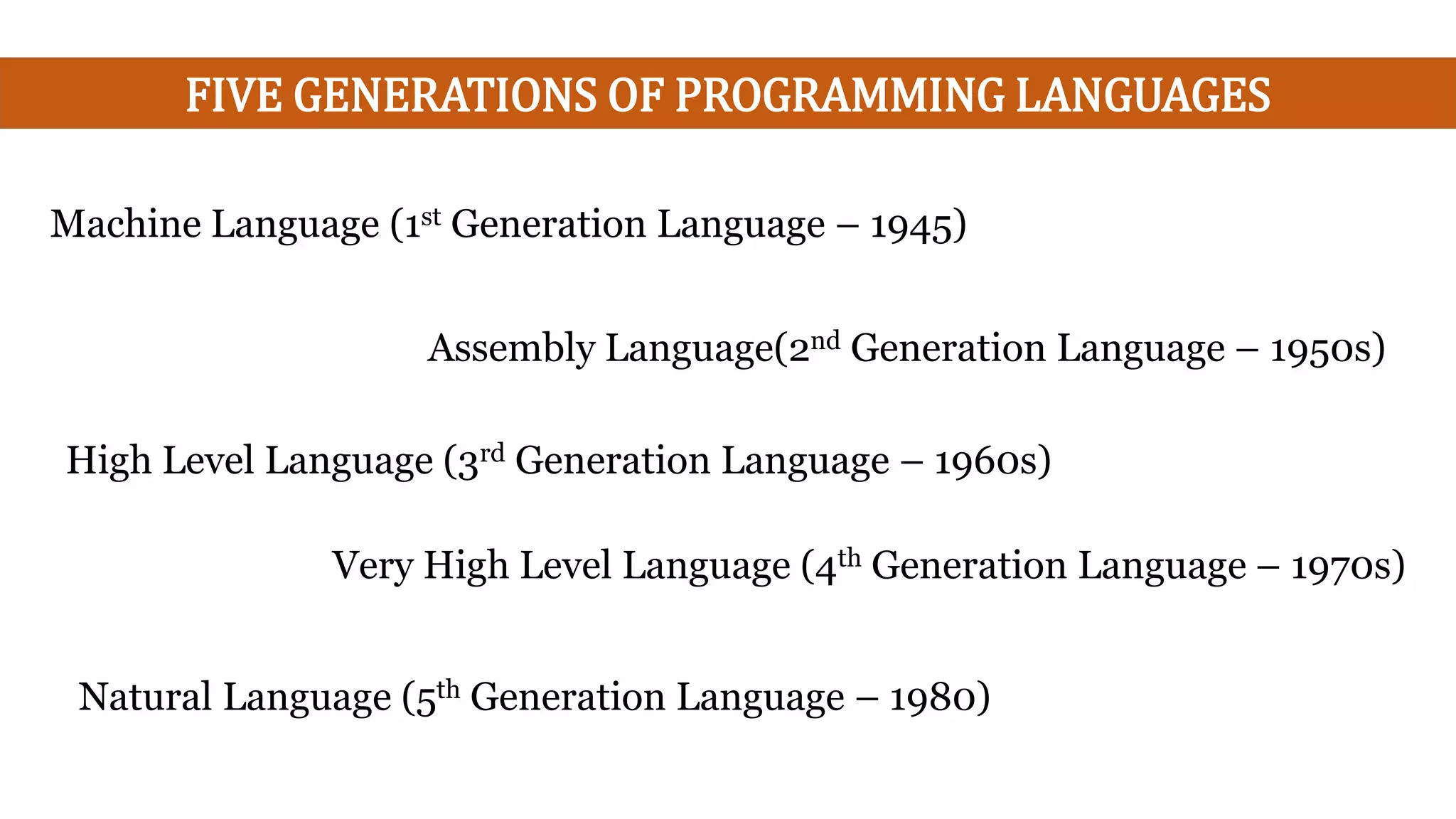
FIVE GENERATIONS OF PROGRAMMING LANGUAGES
Natural Language (5th Generation Language – 1980)
Machine Language (1st Generation Language – 1945)
Assembly Language(2nd Generation Language – 1950s)
High Level Language (3rd Generation Language – 1960s)
Very High Level Language (4th Generation Language – 1970s)
MACHINE LANGUAGE (1ST GENERATION LANGUAGE – 1945)
The set of instruction codes, in binary, which can be directly understood by
the CPU without translating the program.
An instruction has two parts:
Op-Code: First part of instruction which tells the computer what function
to perform.
Operand: Second part of instruction, tells the computer where to find or
store data or instructions that are to be manipulated.
• The lowest-level, programming language.
• Machine Dependent.
• Difficult to program.
• Error Prone.
• Difficult to modify.
ASSEMBLY LANGUAGE(2ND GENERATION LANGUAGE – 1950S)
A low-level language.
Allows the programmer to use abbreviations or words instead of binary
numbers, known as mnemonics.
A program called an assembler transforms
assembly language into machine code.
Readability is more than machine language.
Easy to understand and use. Easy to locate and correct errors. Easier to
modify.
Limitations:
Machine dependent.
Knowledge of hardware.
Machine level coding.
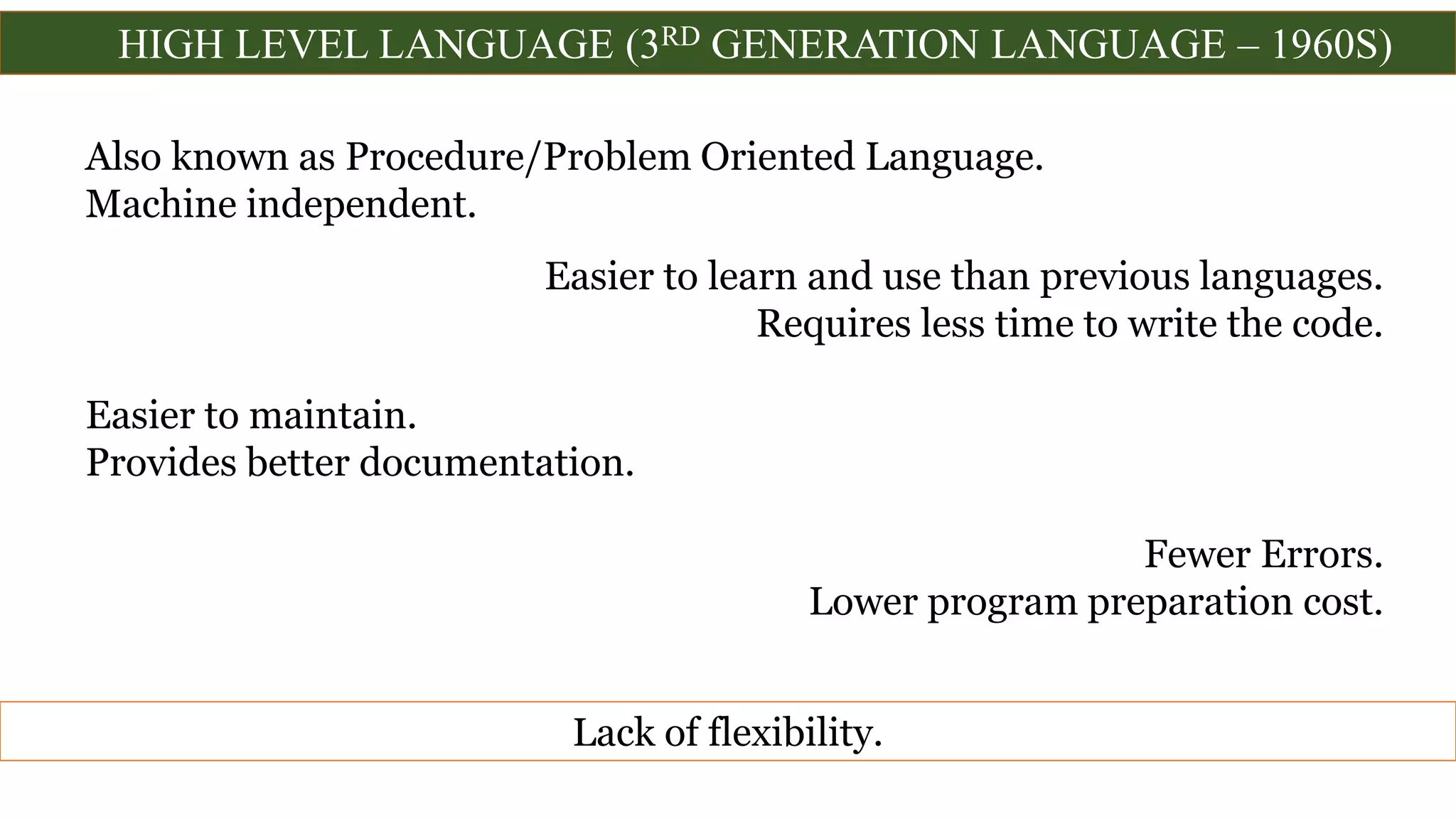
HIGH LEVEL LANGUAGE (3RD GENERATION LANGUAGE – 1960S)
Also known as Procedure/Problem Oriented Language.
Machine independent.
Easier to learn and use than previous languages.
Requires less time to write the code.
Easier to maintain.
Provides better documentation.
Fewer Errors.
Lower program preparation cost.
Lack of flexibility.
HIGH LEVEL LANGUAGE (3RD GENERATION LANGUAGE – 1960S)
• FORTRAN Formula Translation Language
• COBOL Common Business Oriented Language
• ALGOL Algorithmic Language
• RPG Report Program Generator
• APL A Programming Language
• BASIC Beginners All Purpose Symbolic Instruction Code
• PL/I Programming Language I
• PASCAL Named after Blaise Pascal, a French Philosopher
• Ada Named after Lady Lovelace Ada
• C General Purpose Programming Language
• C++ Object Oriented Programming Language
• JAVA Object Oriented Programming Language
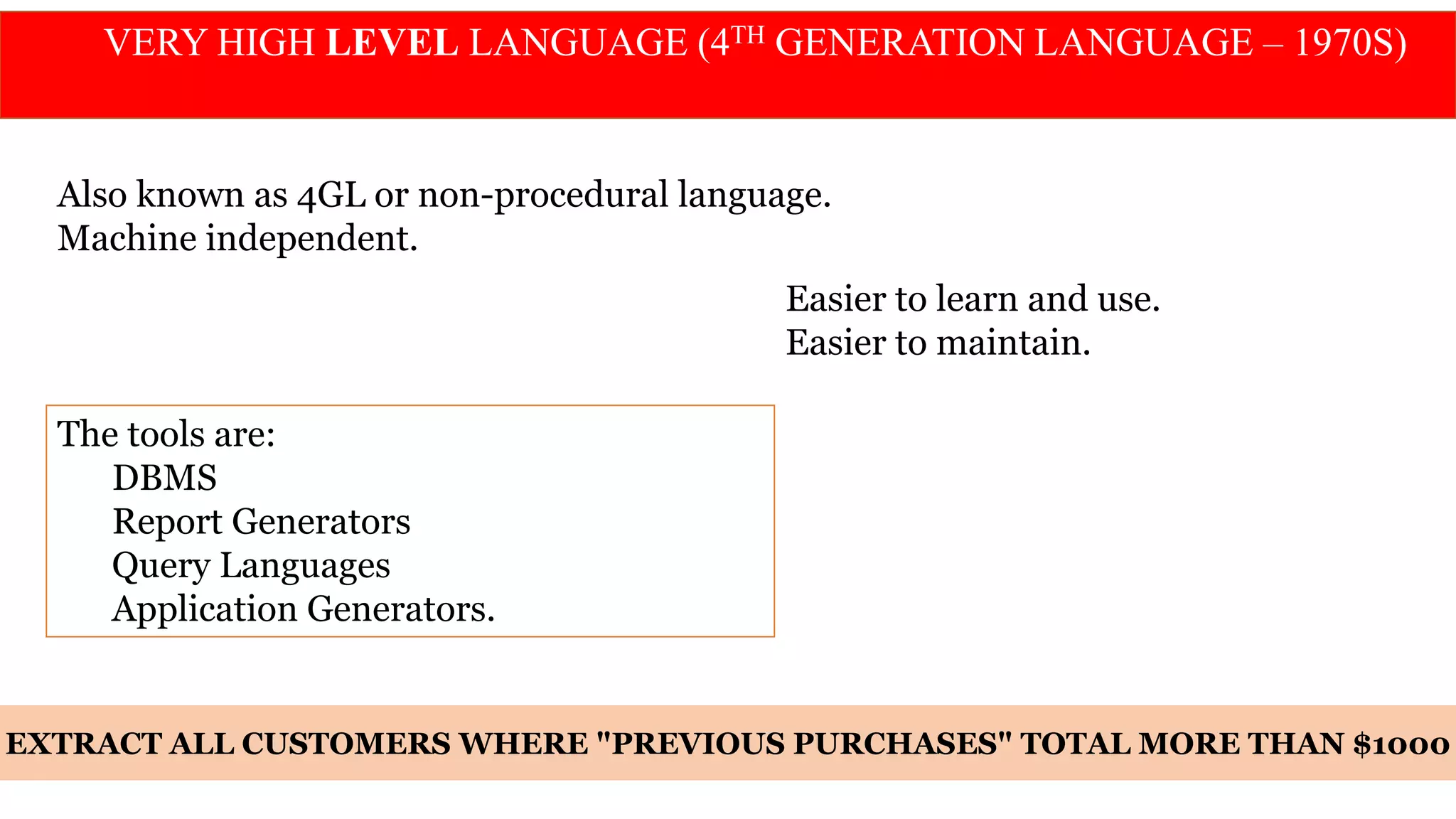
VERY HIGH LEVEL LANGUAGE (4TH GENERATION LANGUAGE – 1970S)
Also known as 4GL or non-procedural language.
Machine independent.
Easier to learn and use.
Easier to maintain.
The tools are:
DBMS
Report Generators
Query Languages
Application Generators.
EXTRACT ALL CUSTOMERS WHERE "PREVIOUS PURCHASES" TOTAL MORE THAN $1000
5TH GENERATION LANGUAGE – 1980
Fifth-generation languages are designed to make the computer solve a given problem
without the programmer.
Natural Languages
Programming Languages: that use human language to give people more natural
connection with computers with 4GLs.
Using AI (Artificial Intelligence), the attempt to make computers which will have
human like qualities such as learning, reasoning, communicating, seeing and hearing
etc.
Prolog, OPS5 and Mercury are the best known 5th generation languages.
Fifth - Generation language is Programming that uses a visual or graphical
development interface to create source language that is usually compiled with a 3GL
or 4GL language compiler.
Introduction
to
C
 C is a general-purpose, high-level language that was originally developed by
Dennis M. Ritchie to develop the UNIX operating system at Bell Labs.
 In 1972, Dennis Ritchie at Bell Laboratories wrote C Language which
caused a revolution in computing world.
 Most of the programs of UNIX are written and run with the help of 'C'.
Introduction
C has now become a widely used professional language for
various reasons −
• Easy to learn
• Structured language
• It produces efficient programs
• It can handle low-level activities
• It can be compiled on a variety of computer platforms.
C is often called a "Middle Level" programming language.
Most high-level languages provides everything the programmer might want to do
already built into the language.
A low level language (e.g. assembler) provides nothing other than
access to the machines basic instruction set.
A middle level language, such as C, probably doesn't supply all the constructs found in
high-languages - but it provides you with all the building blocks that you will need to
produce the results you want!
Why Name 'C' was given to this language?
• Many of the ideas of C language were derived and taken from 'B'
language.
• BCPL ("Basic Combined Programming Language") is previous
version of 'B' language.
• As many features came from B it was named as 'C'.
Why C
1. The portability of the compiler;
2. The standard library concept;
3. A powerful and varied repertoire of operators;
4. An elegant syntax;
5. Ready access to the hardware when needed;
6. Ease with which applications can be optimised by hand-coding isolated
procedures
Uses of C
 Operating Systems
 Language Compilers
 Assemblers
 Text Editors
 Print Spoolers
 Network Drivers
 Modern Programs
 Data Bases
 Language Interpreters
 Utilities
C's Character Set
Alphabets
Digits
Special Characters in C Programming
, < > . _
( ) ; $ :
% [ ] # ?
' & { } "
^ ! * / |
-  ~ +
Special Characters
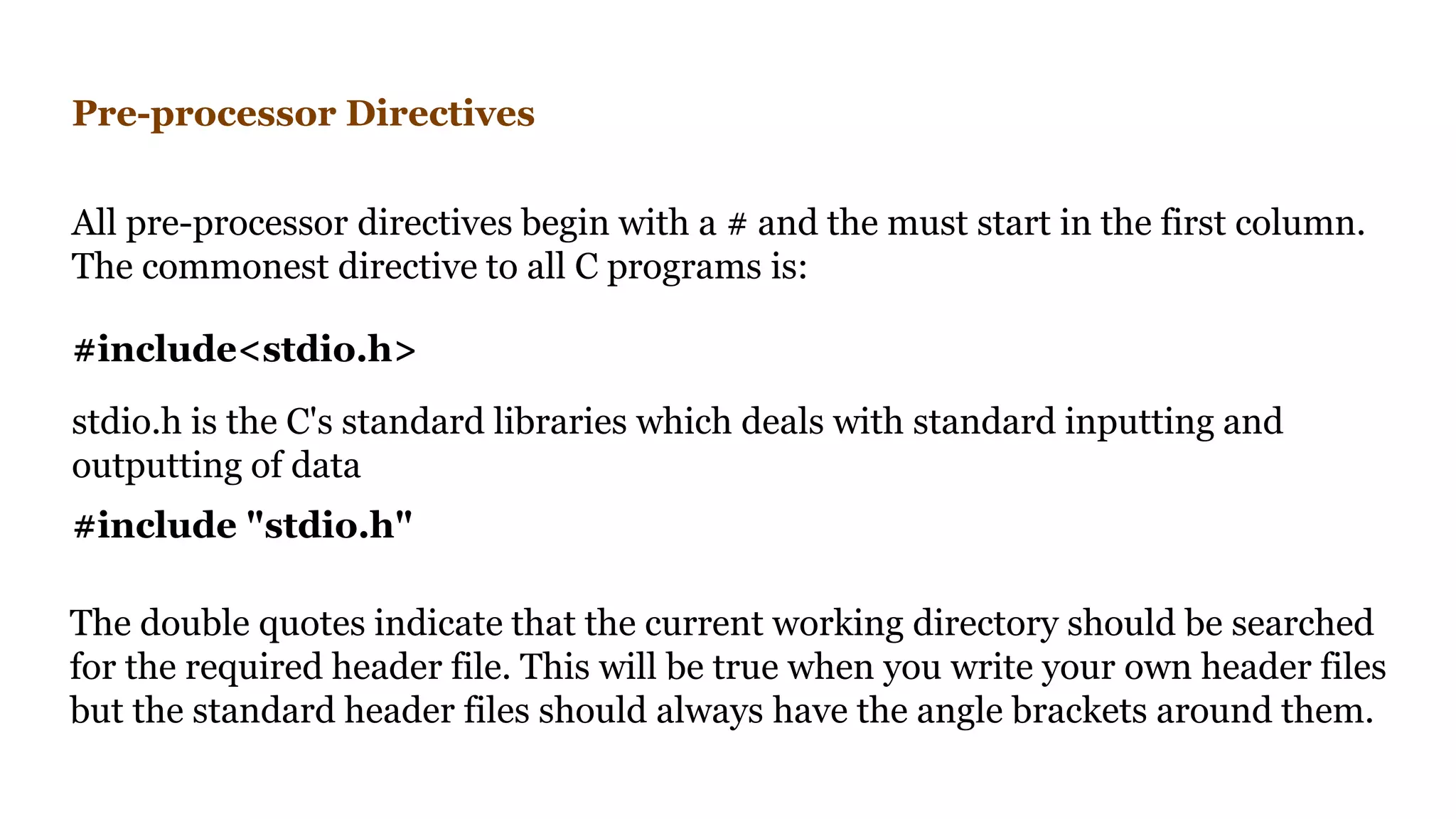
Pre-processor Directives
All pre-processor directives begin with a # and the must start in the first column.
The commonest directive to all C programs is:
#include "stdio.h"
The double quotes indicate that the current working directory should be searched
for the required header file. This will be true when you write your own header files
but the standard header files should always have the angle brackets around them.
#include<stdio.h>
stdio.h is the C's standard libraries which deals with standard inputting and
outputting of data
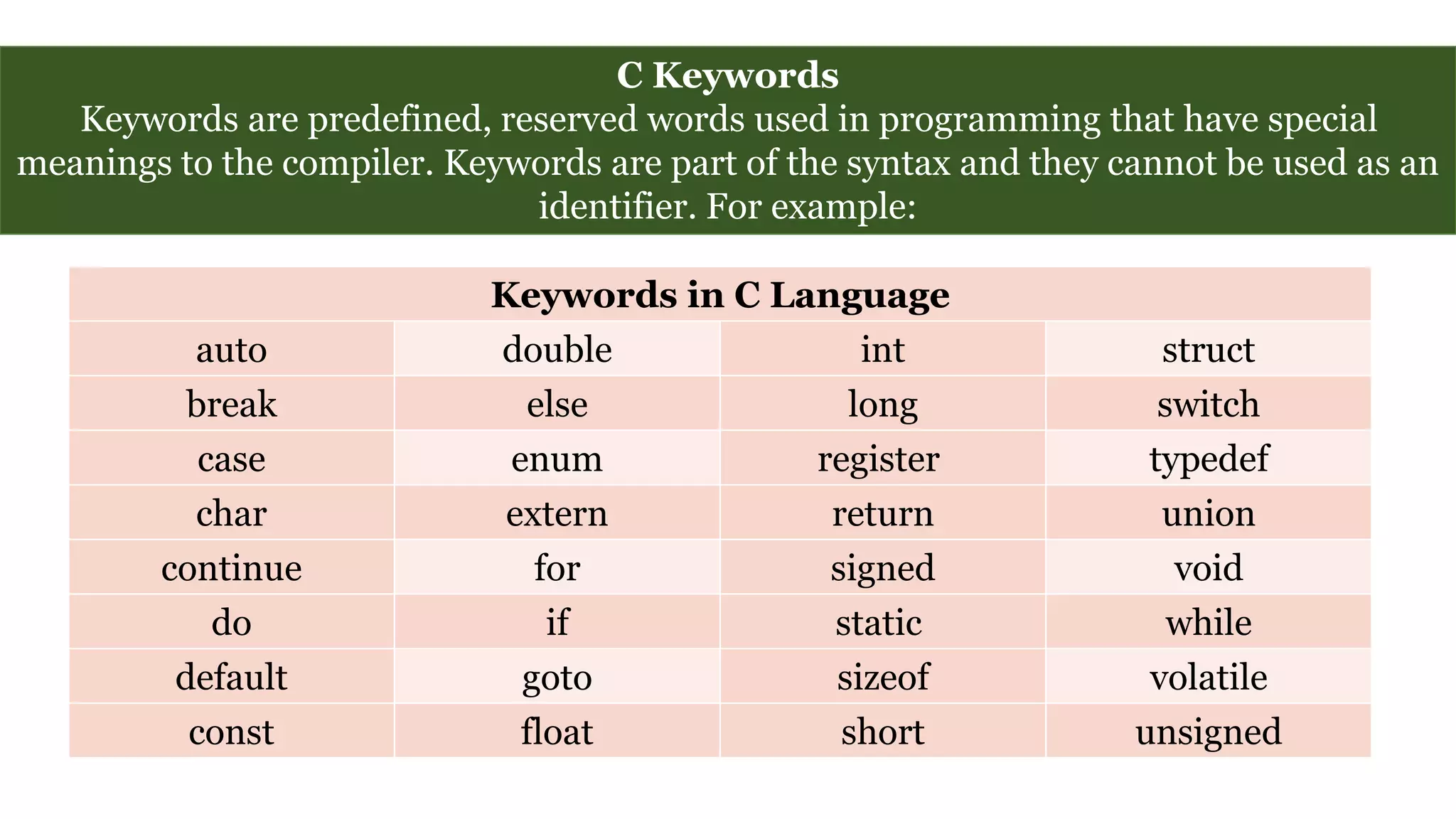
C Keywords
Keywords are predefined, reserved words used in programming that have special
meanings to the compiler. Keywords are part of the syntax and they cannot be used as an
identifier. For example:
Keywords in C Language
auto double int struct
break else long switch
case enum register typedef
char extern return union
continue for signed void
do if static while
default goto sizeof volatile
const float short unsigned
C Identifiers
Identifier refers to name given to entities such as variables, functions, structures etc.
Identifier must be unique. They are
created to give unique name to a entity to
identify it during the execution of the
program. For example:
int money;
double accountBalance;
Here, money and accountBalance are
identifiers.
Identifier names must be different from keywords. You cannot use int as an
identifier because int is a keyword.
Rules for writing an identifier
1.A valid identifier can have letters (both uppercase and lowercase letters), digits and
underscores.
2.The first letter of an identifier should be either a letter or an underscore. However, it is
discouraged to start an identifier name with an underscore.
3.There is no rule on length of an identifier. However, the first 31 characters of identifiers
are discriminated by the compiler.
Data Types
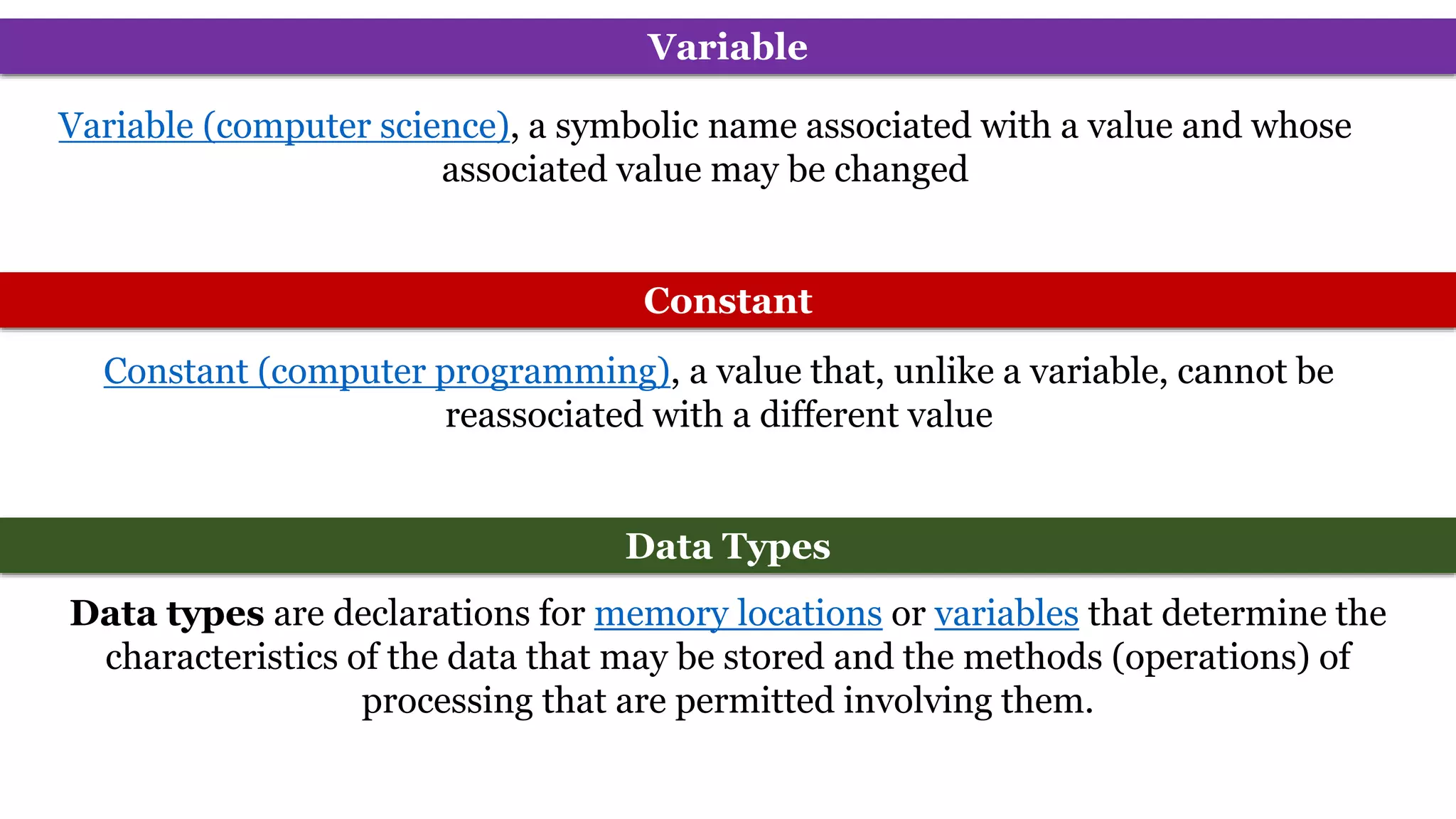
Data types are declarations for memory locations or variables that determine the
characteristics of the data that may be stored and the methods (operations) of
processing that are permitted involving them.
Variable (computer science), a symbolic name associated with a value and whose
associated value may be changed
Variable
Constant (computer programming), a value that, unlike a variable, cannot be
reassociated with a different value
Constant
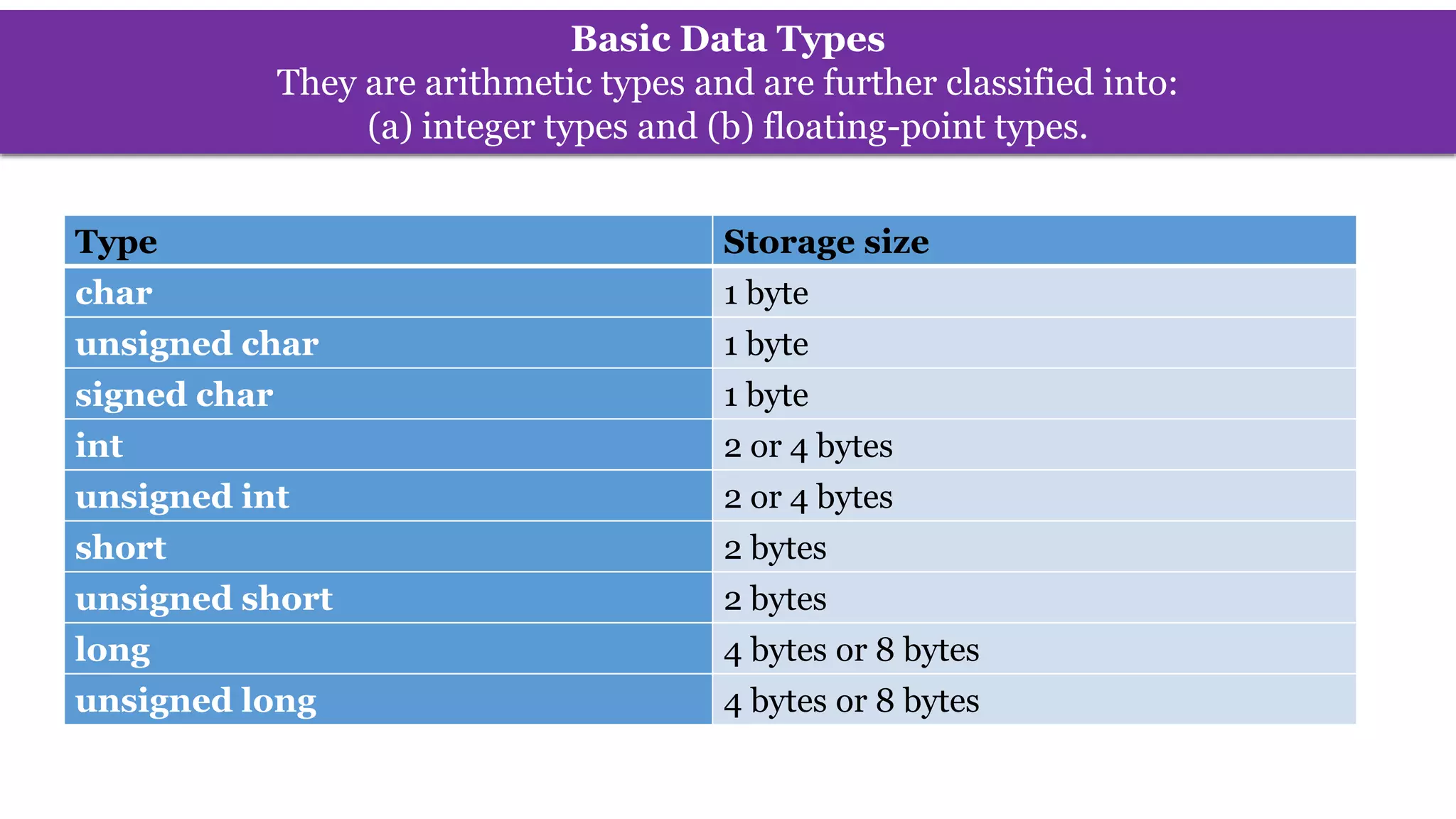
Basic Data Types
They are arithmetic types and are further classified into:
(a) integer types and (b) floating-point types.
Type Storage size
char 1 byte
unsigned char 1 byte
signed char 1 byte
int 2 or 4 bytes
unsigned int 2 or 4 bytes
short 2 bytes
unsigned short 2 bytes
long 4 bytes or 8 bytes
unsigned long 4 bytes or 8 bytes
Format Specifier
Format specifiers defines the type of data to be printed on standard output. Whether to
print formatted output or to take formatted input we need format specifiers.
Type Format Specifier
char %c
unsigned char %c
signed char %c
int %d or %i
unsigned int %u
short %hd or %hi
unsigned short %hu
long %li or %ld
unsigned long %lu
Integer Data Types
To get the exact size of a type or a variable on a particular platform, you can use the sizeof
operator. The expressions sizeof(type) yields the storage size of the object or type in bytes.
#include <stdio.h>
void main()
{
printf("int %d n",sizeof(int));
printf("char %d n",sizeof(char));
printf("unsigned int %d n",sizeof(unsigned int));
printf("signed int %d n",sizeof(signed int));
printf("long %d n",sizeof(long));
}
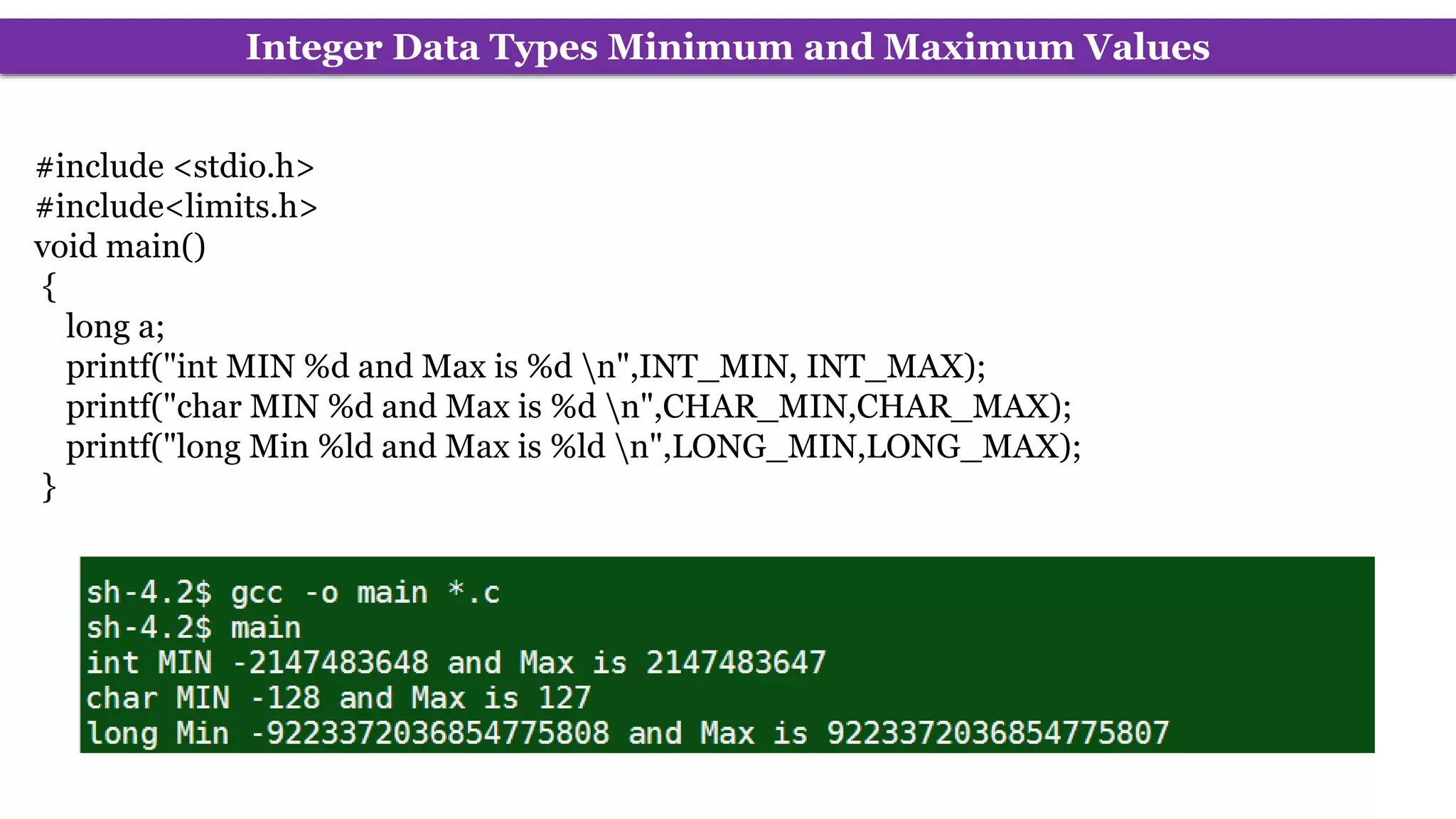
Integer Data Types Minimum and Maximum Values
#include <stdio.h>
#include<limits.h>
void main()
{
long a;
printf("int MIN %d and Max is %d n",INT_MIN, INT_MAX);
printf("char MIN %d and Max is %d n",CHAR_MIN,CHAR_MAX);
printf("long Min %ld and Max is %ld n",LONG_MIN,LONG_MAX);
}
Floating-Point Types
Type Storage size Format Specifier
float 4 byte %f
double 8 byte %f, %E for Scientific notation
long double 16 byte %Lf, %LE
#include <stdio.h>
#include<float.h>
int main()
{
printf("Float Min %E Max is %E and Precision is %dn",FLT_MIN,FLT_MAX,FLT_DIG);
printf("double Min %E Max is %E and Precision is %dn",DBL_MIN,DBL_MAX,DBL_DIG);
printf("Long double Min %LE Max is %LE and Precision is %dn",LDBL_MIN,LDBL_MAX,LDBL_DIG);
return 0;
}
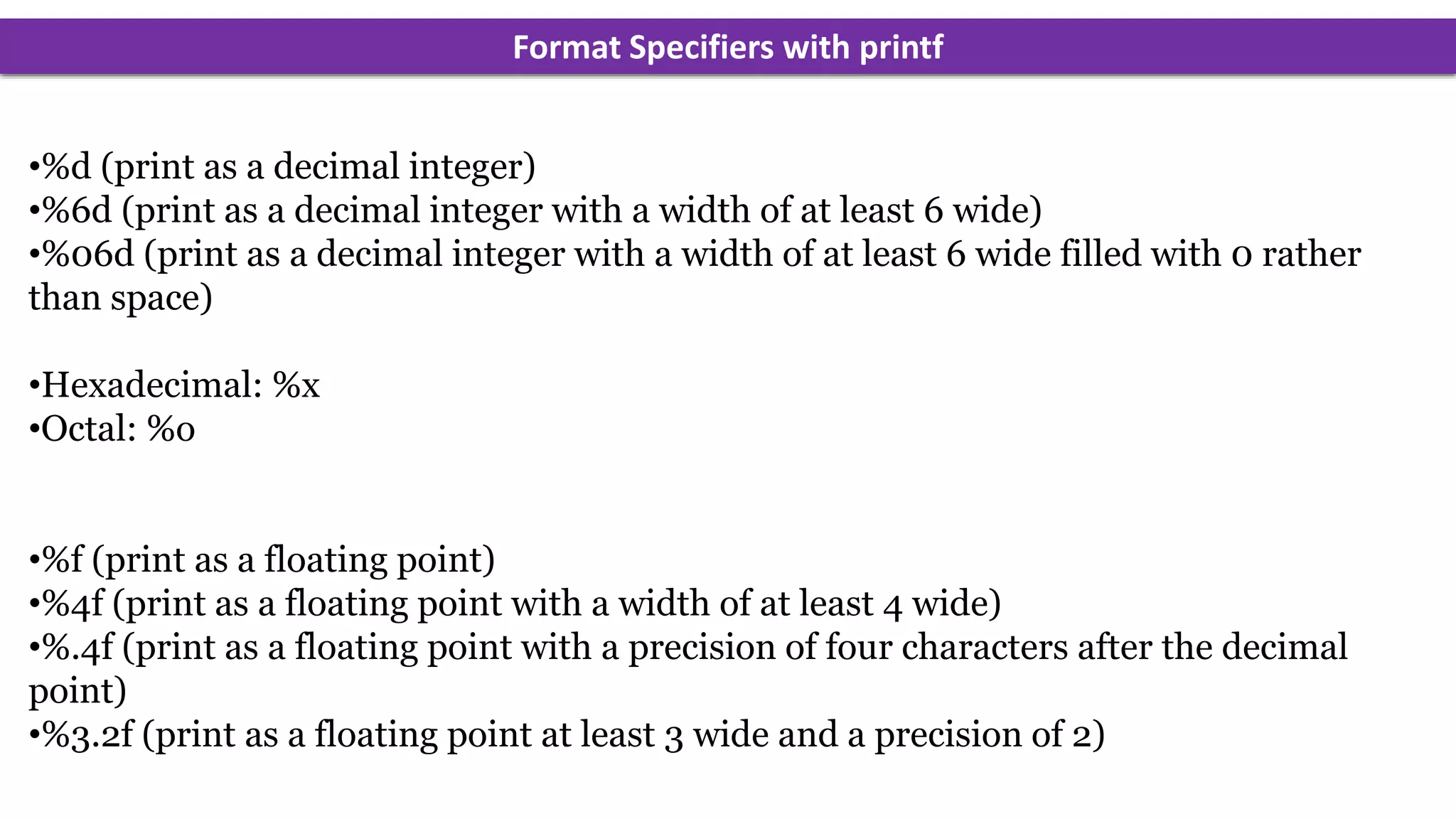
Format Specifiers with printf
•%d (print as a decimal integer)
•%6d (print as a decimal integer with a width of at least 6 wide)
•%06d (print as a decimal integer with a width of at least 6 wide filled with 0 rather
than space)
•Hexadecimal: %x
•Octal: %o
•%f (print as a floating point)
•%4f (print as a floating point with a width of at least 4 wide)
•%.4f (print as a floating point with a precision of four characters after the decimal
point)
•%3.2f (print as a floating point at least 3 wide and a precision of 2)
String Format Specifiers with printf
%s statement prints the string
%15s statement prints the string, but print 15 characters. If the string is smaller the
“empty” positions will be filled with “whitespace.”
%.10s statement prints the string, but print only 10 characters of the string. In case the
string is shorter than 10, the whole string is printed.
%-10s statement prints the string, but prints at least 10 characters. If the string is smaller
“whitespace” is added at the end.
%15.10s statement prints the string, but print 15 characters.
If the string is smaller the “empty” positions will be filled with “whitespace.” But it
will only print a maximum of 10 characters.
%-15.10s statement prints the string, but it does the exact same thing as the previous
statement, accept the “whitespace” is added at the end.

FINAL.ppt

  • 1.
  • 2.
    A programming languageis a set of rules that provides a way of telling a computer what operations to perform A programming language is a set of rules for communicating an algorithm Medium of communication between computer and the user containing words, symbols and syntax rules Each language has its own vocabulary and rules. PROGRAMMING LANGUAGE A programming language is a notation for writing programs, which are specifications of a computation or algorithm
  • 3.
    FIVE GENERATIONS OFPROGRAMMING LANGUAGES Natural Language (5th Generation Language – 1980) Machine Language (1st Generation Language – 1945) Assembly Language(2nd Generation Language – 1950s) High Level Language (3rd Generation Language – 1960s) Very High Level Language (4th Generation Language – 1970s)
  • 4.
    MACHINE LANGUAGE (1STGENERATION LANGUAGE – 1945) The set of instruction codes, in binary, which can be directly understood by the CPU without translating the program. An instruction has two parts: Op-Code: First part of instruction which tells the computer what function to perform. Operand: Second part of instruction, tells the computer where to find or store data or instructions that are to be manipulated. • The lowest-level, programming language. • Machine Dependent. • Difficult to program. • Error Prone. • Difficult to modify.
  • 5.
    ASSEMBLY LANGUAGE(2ND GENERATIONLANGUAGE – 1950S) A low-level language. Allows the programmer to use abbreviations or words instead of binary numbers, known as mnemonics. A program called an assembler transforms assembly language into machine code. Readability is more than machine language. Easy to understand and use. Easy to locate and correct errors. Easier to modify. Limitations: Machine dependent. Knowledge of hardware. Machine level coding.
  • 6.
    HIGH LEVEL LANGUAGE(3RD GENERATION LANGUAGE – 1960S) Also known as Procedure/Problem Oriented Language. Machine independent. Easier to learn and use than previous languages. Requires less time to write the code. Easier to maintain. Provides better documentation. Fewer Errors. Lower program preparation cost. Lack of flexibility.
  • 7.
    HIGH LEVEL LANGUAGE(3RD GENERATION LANGUAGE – 1960S) • FORTRAN Formula Translation Language • COBOL Common Business Oriented Language • ALGOL Algorithmic Language • RPG Report Program Generator • APL A Programming Language • BASIC Beginners All Purpose Symbolic Instruction Code • PL/I Programming Language I • PASCAL Named after Blaise Pascal, a French Philosopher • Ada Named after Lady Lovelace Ada • C General Purpose Programming Language • C++ Object Oriented Programming Language • JAVA Object Oriented Programming Language
  • 8.
    VERY HIGH LEVELLANGUAGE (4TH GENERATION LANGUAGE – 1970S) Also known as 4GL or non-procedural language. Machine independent. Easier to learn and use. Easier to maintain. The tools are: DBMS Report Generators Query Languages Application Generators. EXTRACT ALL CUSTOMERS WHERE "PREVIOUS PURCHASES" TOTAL MORE THAN $1000
  • 9.
    5TH GENERATION LANGUAGE– 1980 Fifth-generation languages are designed to make the computer solve a given problem without the programmer. Natural Languages Programming Languages: that use human language to give people more natural connection with computers with 4GLs. Using AI (Artificial Intelligence), the attempt to make computers which will have human like qualities such as learning, reasoning, communicating, seeing and hearing etc. Prolog, OPS5 and Mercury are the best known 5th generation languages. Fifth - Generation language is Programming that uses a visual or graphical development interface to create source language that is usually compiled with a 3GL or 4GL language compiler.
  • 10.
  • 11.
     C isa general-purpose, high-level language that was originally developed by Dennis M. Ritchie to develop the UNIX operating system at Bell Labs.  In 1972, Dennis Ritchie at Bell Laboratories wrote C Language which caused a revolution in computing world.  Most of the programs of UNIX are written and run with the help of 'C'. Introduction C has now become a widely used professional language for various reasons − • Easy to learn • Structured language • It produces efficient programs • It can handle low-level activities • It can be compiled on a variety of computer platforms.
  • 12.
    C is oftencalled a "Middle Level" programming language. Most high-level languages provides everything the programmer might want to do already built into the language. A low level language (e.g. assembler) provides nothing other than access to the machines basic instruction set. A middle level language, such as C, probably doesn't supply all the constructs found in high-languages - but it provides you with all the building blocks that you will need to produce the results you want!
  • 13.
    Why Name 'C'was given to this language? • Many of the ideas of C language were derived and taken from 'B' language. • BCPL ("Basic Combined Programming Language") is previous version of 'B' language. • As many features came from B it was named as 'C'.
  • 14.
    Why C 1. Theportability of the compiler; 2. The standard library concept; 3. A powerful and varied repertoire of operators; 4. An elegant syntax; 5. Ready access to the hardware when needed; 6. Ease with which applications can be optimised by hand-coding isolated procedures
  • 15.
    Uses of C Operating Systems  Language Compilers  Assemblers  Text Editors  Print Spoolers  Network Drivers  Modern Programs  Data Bases  Language Interpreters  Utilities
  • 16.
    C's Character Set Alphabets Digits SpecialCharacters in C Programming , < > . _ ( ) ; $ : % [ ] # ? ' & { } " ^ ! * / | - ~ + Special Characters
  • 17.
    Pre-processor Directives All pre-processordirectives begin with a # and the must start in the first column. The commonest directive to all C programs is: #include "stdio.h" The double quotes indicate that the current working directory should be searched for the required header file. This will be true when you write your own header files but the standard header files should always have the angle brackets around them. #include<stdio.h> stdio.h is the C's standard libraries which deals with standard inputting and outputting of data
  • 18.
    C Keywords Keywords arepredefined, reserved words used in programming that have special meanings to the compiler. Keywords are part of the syntax and they cannot be used as an identifier. For example: Keywords in C Language auto double int struct break else long switch case enum register typedef char extern return union continue for signed void do if static while default goto sizeof volatile const float short unsigned
  • 19.
    C Identifiers Identifier refersto name given to entities such as variables, functions, structures etc. Identifier must be unique. They are created to give unique name to a entity to identify it during the execution of the program. For example: int money; double accountBalance; Here, money and accountBalance are identifiers. Identifier names must be different from keywords. You cannot use int as an identifier because int is a keyword. Rules for writing an identifier 1.A valid identifier can have letters (both uppercase and lowercase letters), digits and underscores. 2.The first letter of an identifier should be either a letter or an underscore. However, it is discouraged to start an identifier name with an underscore. 3.There is no rule on length of an identifier. However, the first 31 characters of identifiers are discriminated by the compiler.
  • 20.
    Data Types Data typesare declarations for memory locations or variables that determine the characteristics of the data that may be stored and the methods (operations) of processing that are permitted involving them. Variable (computer science), a symbolic name associated with a value and whose associated value may be changed Variable Constant (computer programming), a value that, unlike a variable, cannot be reassociated with a different value Constant
  • 21.
    Basic Data Types Theyare arithmetic types and are further classified into: (a) integer types and (b) floating-point types. Type Storage size char 1 byte unsigned char 1 byte signed char 1 byte int 2 or 4 bytes unsigned int 2 or 4 bytes short 2 bytes unsigned short 2 bytes long 4 bytes or 8 bytes unsigned long 4 bytes or 8 bytes
  • 22.
    Format Specifier Format specifiersdefines the type of data to be printed on standard output. Whether to print formatted output or to take formatted input we need format specifiers. Type Format Specifier char %c unsigned char %c signed char %c int %d or %i unsigned int %u short %hd or %hi unsigned short %hu long %li or %ld unsigned long %lu
  • 23.
    Integer Data Types Toget the exact size of a type or a variable on a particular platform, you can use the sizeof operator. The expressions sizeof(type) yields the storage size of the object or type in bytes. #include <stdio.h> void main() { printf("int %d n",sizeof(int)); printf("char %d n",sizeof(char)); printf("unsigned int %d n",sizeof(unsigned int)); printf("signed int %d n",sizeof(signed int)); printf("long %d n",sizeof(long)); }
  • 24.
    Integer Data TypesMinimum and Maximum Values #include <stdio.h> #include<limits.h> void main() { long a; printf("int MIN %d and Max is %d n",INT_MIN, INT_MAX); printf("char MIN %d and Max is %d n",CHAR_MIN,CHAR_MAX); printf("long Min %ld and Max is %ld n",LONG_MIN,LONG_MAX); }
  • 25.
    Floating-Point Types Type Storagesize Format Specifier float 4 byte %f double 8 byte %f, %E for Scientific notation long double 16 byte %Lf, %LE #include <stdio.h> #include<float.h> int main() { printf("Float Min %E Max is %E and Precision is %dn",FLT_MIN,FLT_MAX,FLT_DIG); printf("double Min %E Max is %E and Precision is %dn",DBL_MIN,DBL_MAX,DBL_DIG); printf("Long double Min %LE Max is %LE and Precision is %dn",LDBL_MIN,LDBL_MAX,LDBL_DIG); return 0; }
  • 26.
    Format Specifiers withprintf •%d (print as a decimal integer) •%6d (print as a decimal integer with a width of at least 6 wide) •%06d (print as a decimal integer with a width of at least 6 wide filled with 0 rather than space) •Hexadecimal: %x •Octal: %o •%f (print as a floating point) •%4f (print as a floating point with a width of at least 4 wide) •%.4f (print as a floating point with a precision of four characters after the decimal point) •%3.2f (print as a floating point at least 3 wide and a precision of 2)
  • 27.
    String Format Specifierswith printf %s statement prints the string %15s statement prints the string, but print 15 characters. If the string is smaller the “empty” positions will be filled with “whitespace.” %.10s statement prints the string, but print only 10 characters of the string. In case the string is shorter than 10, the whole string is printed. %-10s statement prints the string, but prints at least 10 characters. If the string is smaller “whitespace” is added at the end. %15.10s statement prints the string, but print 15 characters. If the string is smaller the “empty” positions will be filled with “whitespace.” But it will only print a maximum of 10 characters. %-15.10s statement prints the string, but it does the exact same thing as the previous statement, accept the “whitespace” is added at the end.