What is SoftwareEngineering
• Software engineering is the structured approach to designing,
developing, testing, and maintaining software systems.
• The IEEE definition of Software Engineering
– Software Engineering: The application of a systematic, disciplined,
quantifiable approach to the development, operation, and
maintenance of software; that is, the application of engineering to
software.
2
3.
Importance of SoftwareEngineering
1. We need to be able to produce reliable and trustworthy systems
economically and quickly.
2. Failure to use software engineering method leads to higher costs for
testing, quality assurance, and long-term maintenance.
3
4.
Benefits of SoftwareEngineering
4
• Improved software quality
• Enhanced productivity and efficiency
• Facilitates team collaboration
• Ensures timely delivery within budget
5.
Software Myths
Few commonmyths:
• Management Myths
• User Myths
• Developer Myths
7/18/2022 Software Engineering and Project Management - UNIT I 5
6.
Management Myths
Myth: Themembers of an organization can acquire all-the information, they require from a manual,
which contains standards, procedures, and principles.
• Reality:
1. Standards are often incomplete, inadaptable, and outdated.
2. Developers are often unaware of all the established standards.
3.Developers rarely follow all the known standards because not all the standards tend to
decrease the delivery time of software while maintaining its quality.
Myth: If the project is behind schedule, increasing the number of programmers can reduce the time
gap.
• Reality:
1. Adding more manpower to project, that is behind schedule, further delays the project.
2.New workers take longer to learn about project compared to those already working on the
project.
7/18/2022 Software Engineering and Project Management - UNIT I
6
7.
User Myths
Myth: Ifthe project is outsourced to a third party, the management can relax and let
the other firm develop software for them.
• Reality: Outsourcing software to a third party does not help the organization, which
is incompetent in managing and controlling the software project internally. The
organization invariably suffers when it out sources the software project.
Myth: Brief requirement stated in the initial process is enough to start development;
detailed requirements can be added at the later stages.
• Reality:
1.Starting development with incomplete and ambiguous requirements often lead
to software failure. Instead, a complete and formal description of requirements is
essential before starting development.
2.Adding requirements at a later stage often requires repeating the entire
development process.
7/18/2022
Software Engineering and Project Management - UNIT I
7
8.
User Myths
Myth: Softwareis flexible; hence software requirement changes can be added during
any phase of the development process.
• Reality: Incorporating change requests earlier in the development process costs
lesser than those that occurs at later stages. This is because incorporating changes
later may require redesigning and extra resources.
7/18/2022 Software Engineering and Project Management - UNIT I
8
9.
Developer Myths
Myth: Softwaredevelopment is considered complete when the code is delivered.
• Reality: 50% to 70% of all the efforts are exhausted after the software is delivered to the
user.
Myth: The success of a software project depends on the quality of the product produced.
• Reality: The quality of programs is not the only factor that makes the project successful
instead the documentation and software configuration also play a crucial role.
Myth: Software engineering requires unnecessary documentation, which slows down the
project.
• Reality: Software engineering is about creating quality at every level of the software
project. Proper documentation enhances quality which results in reducing the amount of
rework.
7/18/2022 Software Engineering and Project Management - UNIT I
9
10.
Developer Myths
Myth: Theonly product that is delivered after the completion of a project is the working
program(s).
• Reality: The deliverables of a successful project includes not only the working program but
also the documentation to guide the users for using the software.
Myth: Software quality can be assessed only after the program is executed.
• Reality: The quality of software can be measured during any phase of development
process by applying some quality assurance mechanism.
• One such mechanism is formal technical review that can be effectively used during each phase of
development to uncover certain errors.
7/18/2022
Software Engineering and Project Management - UNIT I 10
11.
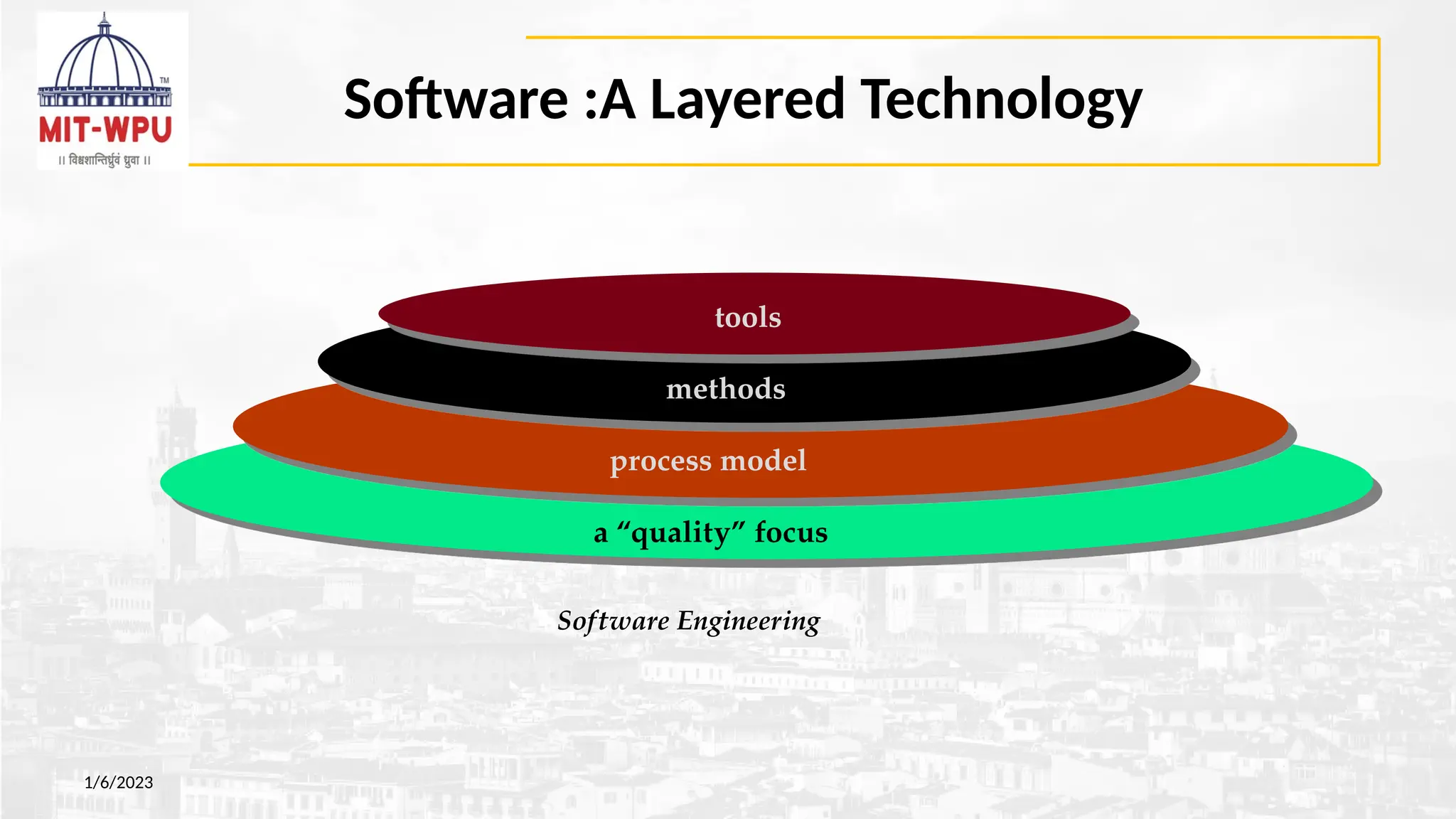
Software :A LayeredTechnology
Software Engineering
a “quality” focus
process model
methods
tools
1/6/2023
12.
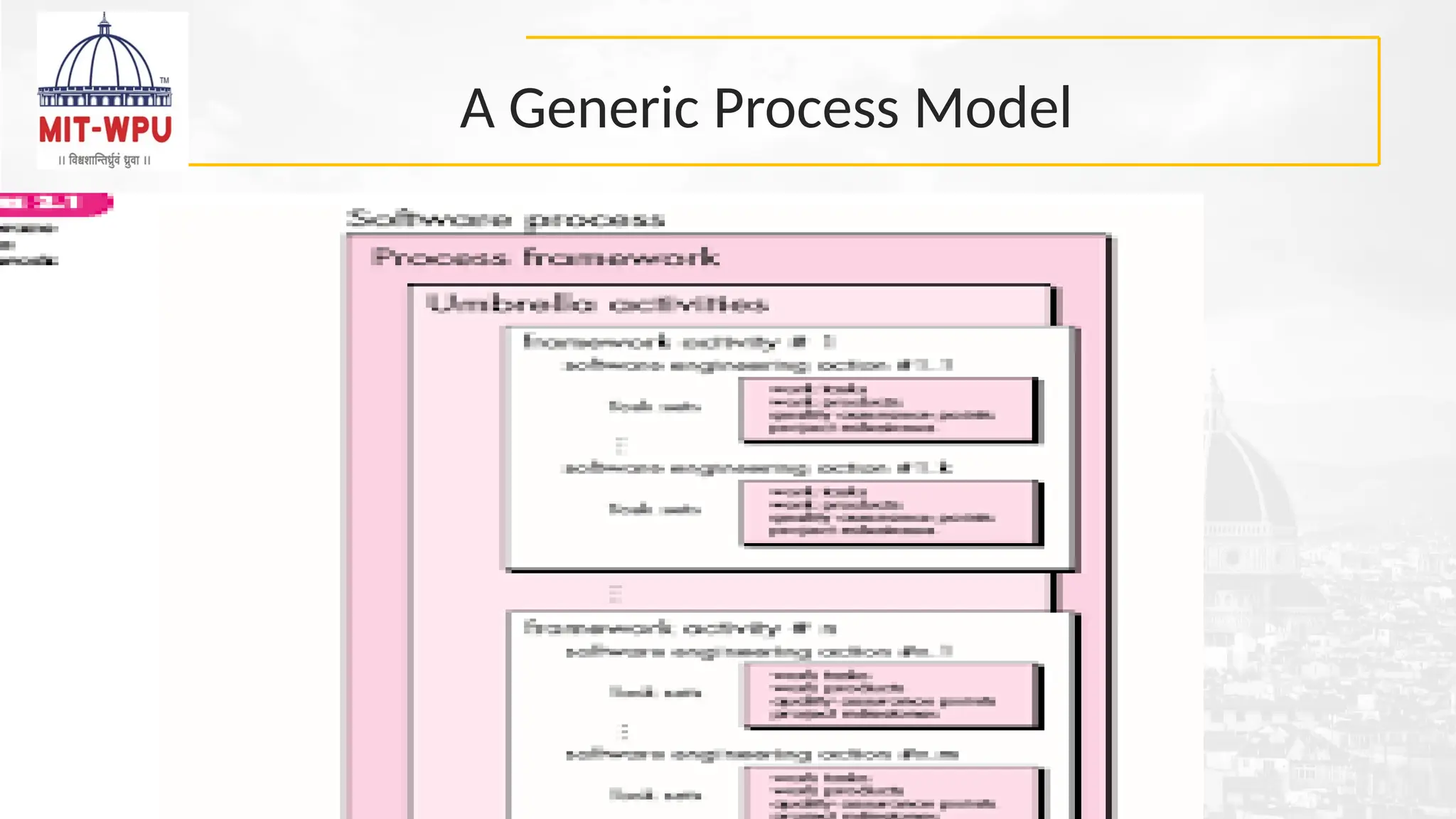
Process Framework
• Aprocess framework establishes the foundation for a complete software
process by identifying a small number of framework activities that are
applicable to all software projects, regardless of size or complexity.
• It also includes a set of umbrella activities that are applicable across the
entire software process.
• Each framework activity is populated by a set of software engineering
actions – a collection of related tasks that produces a major software
engineering work product (e.g. design is a software engineering action).
• Each action is populated with individual work tasks that accomplish some
part of the work implied by the action.
1/6/2023
13.
Software Engineering Process
13
Whatis a Software Engineering Process?
• A defined set of activities to develop software
• Ensures quality, predictability, and efficiency
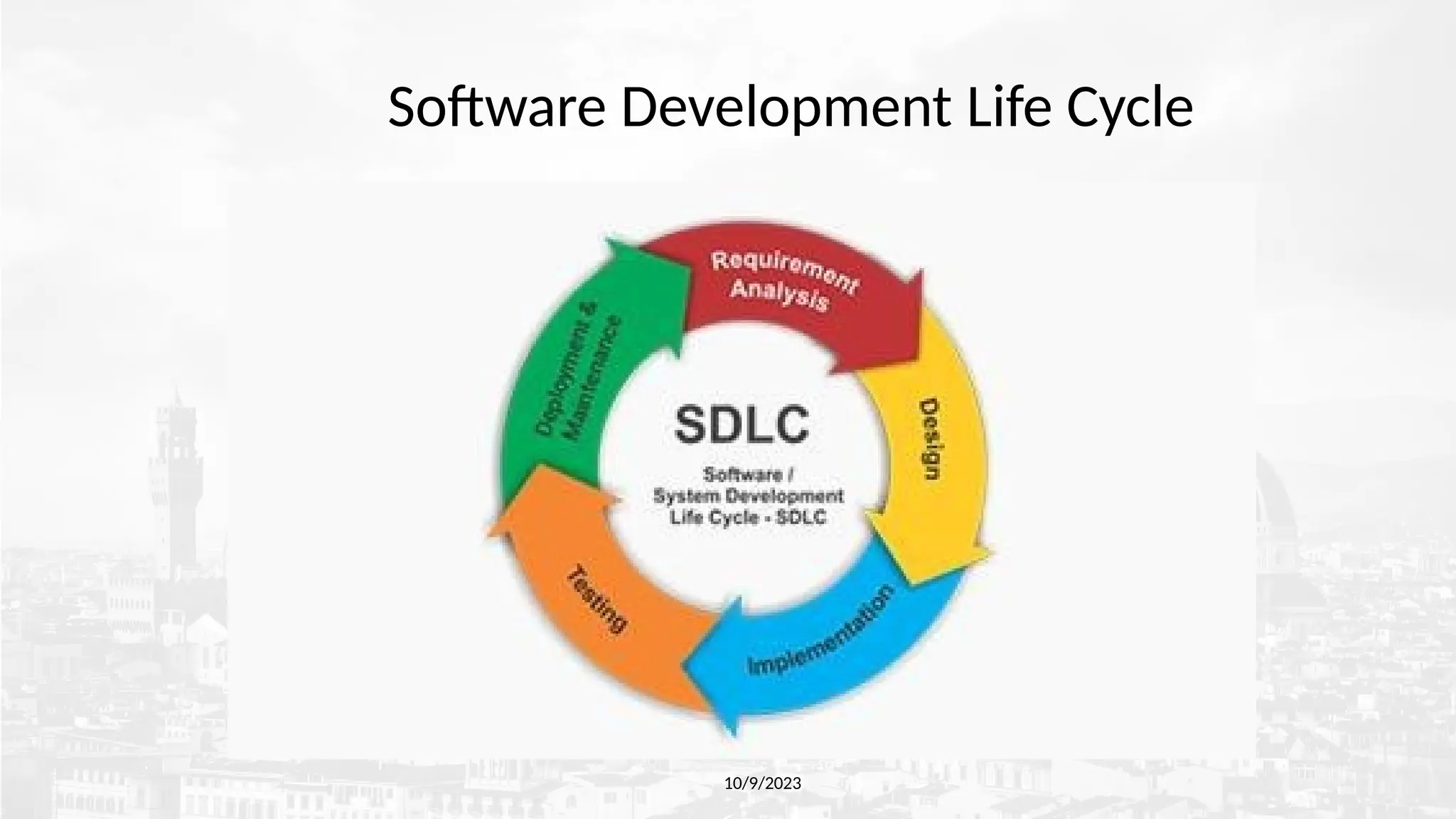
• Also known as Software Development Life Cycle (SDLC)
14.
Objectives of SoftwareProcess
14
•Deliver high-quality software
•Meet customer requirements
•Ensure on-time and on-budget delivery
•Facilitate maintenance and scalability
Software Process Models
•WATERFALL MODEL
• INCREMENTAL PROCESS MODEL
• The Incremental Model
• The RAD Model
• EVOLUTIONARY PROCESS MODELS
• Prototyping.
• The Spiral model
• The Concurrent Development Model
• THE UNIFIED PROCESS .
• AGILE PROCESS/MODEL
18
19.
The Waterfall Model
1/6/2023
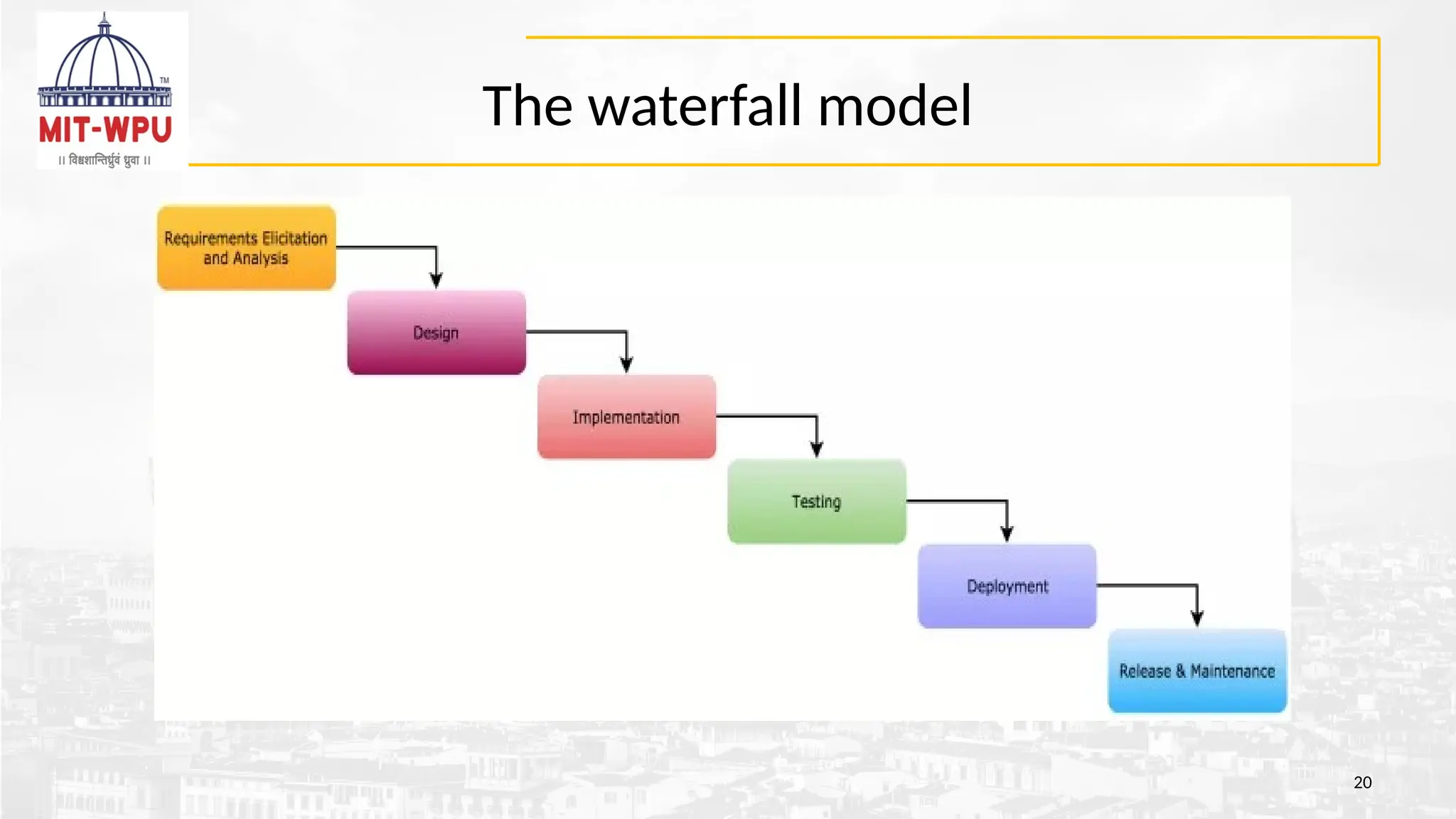
•Firstprocess model introduced (1970 by Winston Royce)
•Linear and sequential approach
•Each phase must be completed before the next begins
•Suitable for well-understood projects
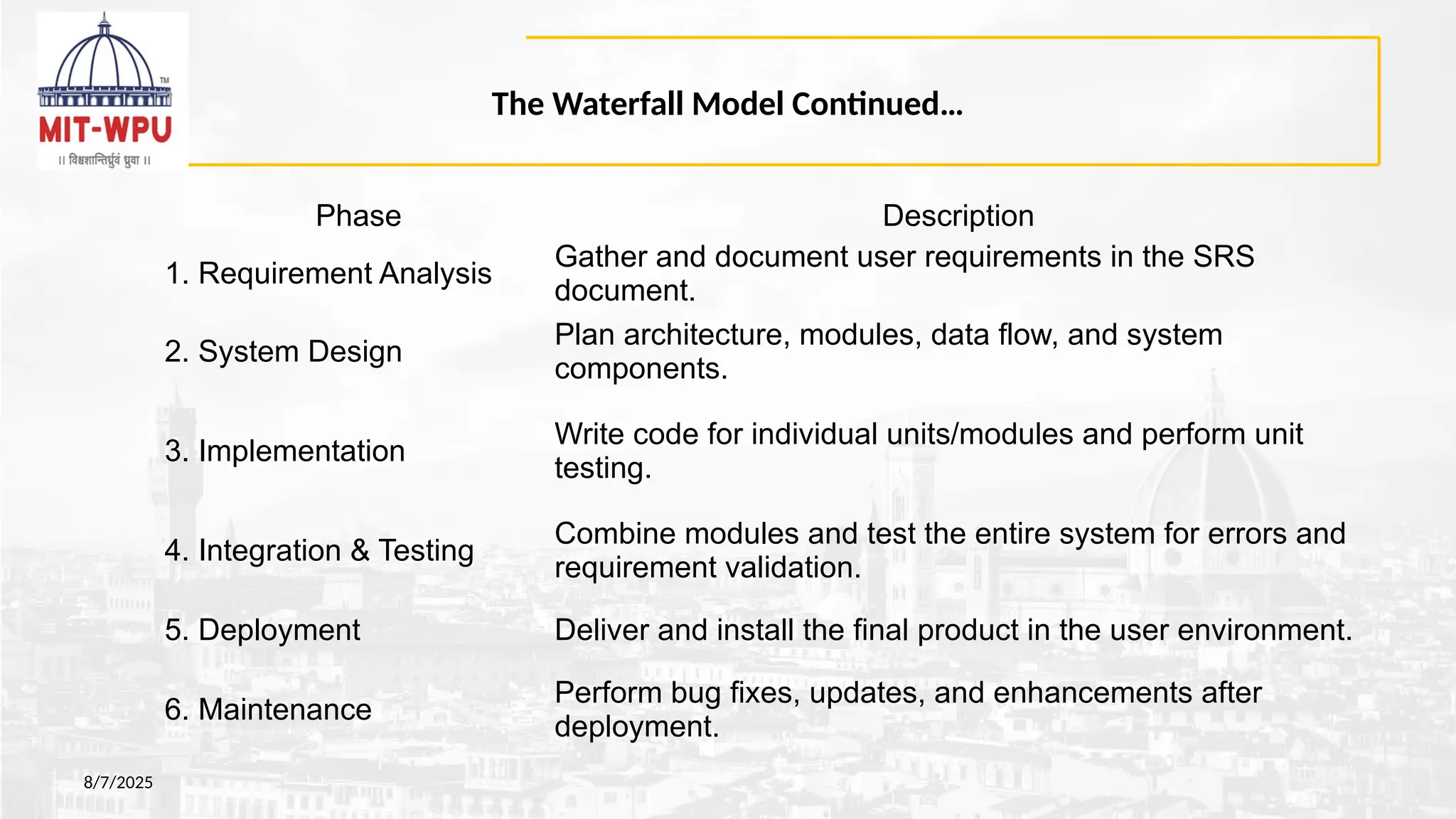
The Waterfall ModelContinued…
8/7/2025
Phase Description
1. Requirement Analysis
Gather and document user requirements in the SRS
document.
2. System Design
Plan architecture, modules, data flow, and system
components.
3. Implementation
Write code for individual units/modules and perform unit
testing.
4. Integration & Testing
Combine modules and test the entire system for errors and
requirement validation.
5. Deployment Deliver and install the final product in the user environment.
6. Maintenance
Perform bug fixes, updates, and enhancements after
deployment.
22.
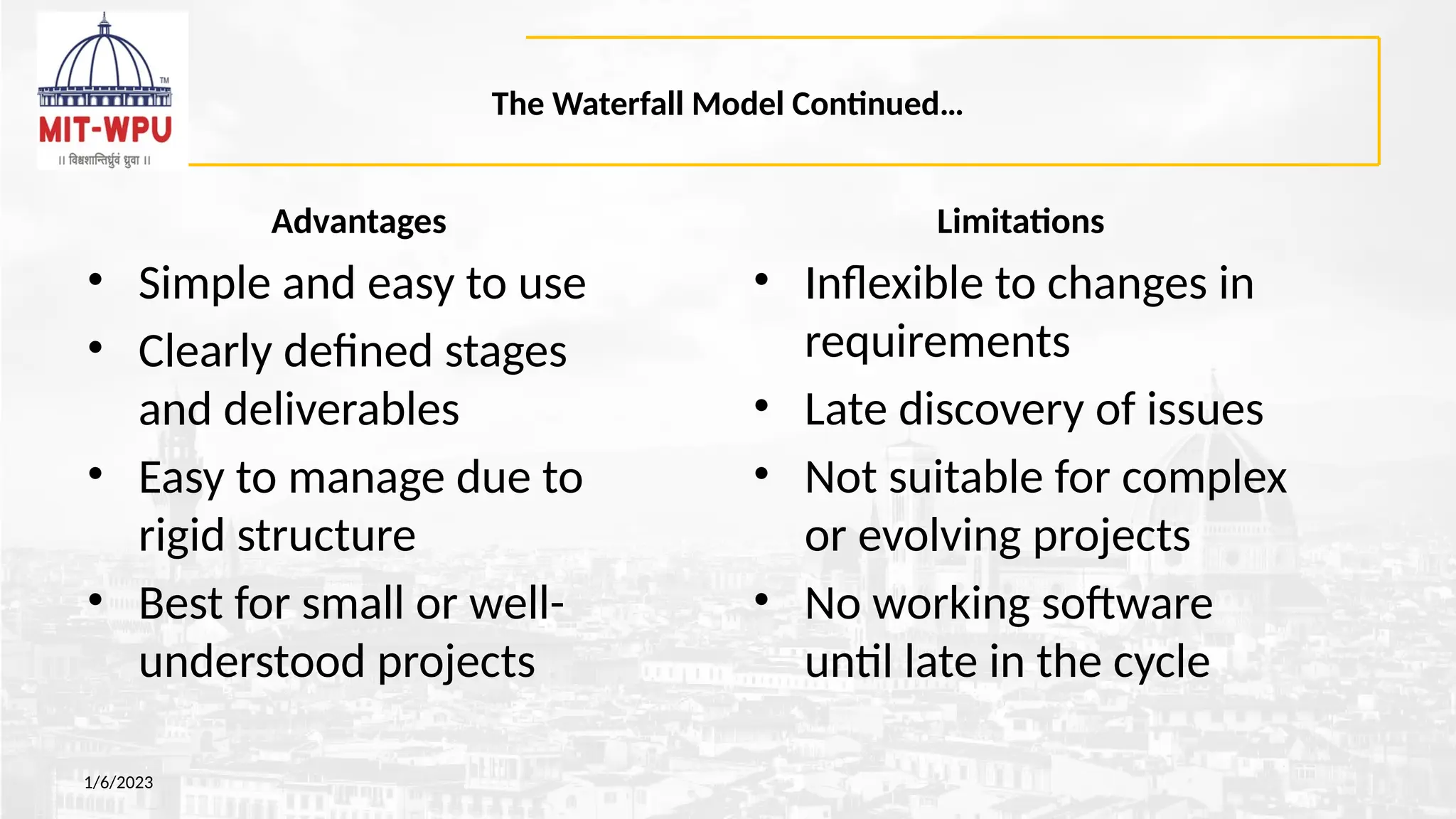
The Waterfall ModelContinued…
Advantages
• Simple and easy to use
• Clearly defined stages
and deliverables
• Easy to manage due to
rigid structure
• Best for small or well-
understood projects
1/6/2023
Limitations
• Inflexible to changes in
requirements
• Late discovery of issues
• Not suitable for complex
or evolving projects
• No working software
until late in the cycle
23.
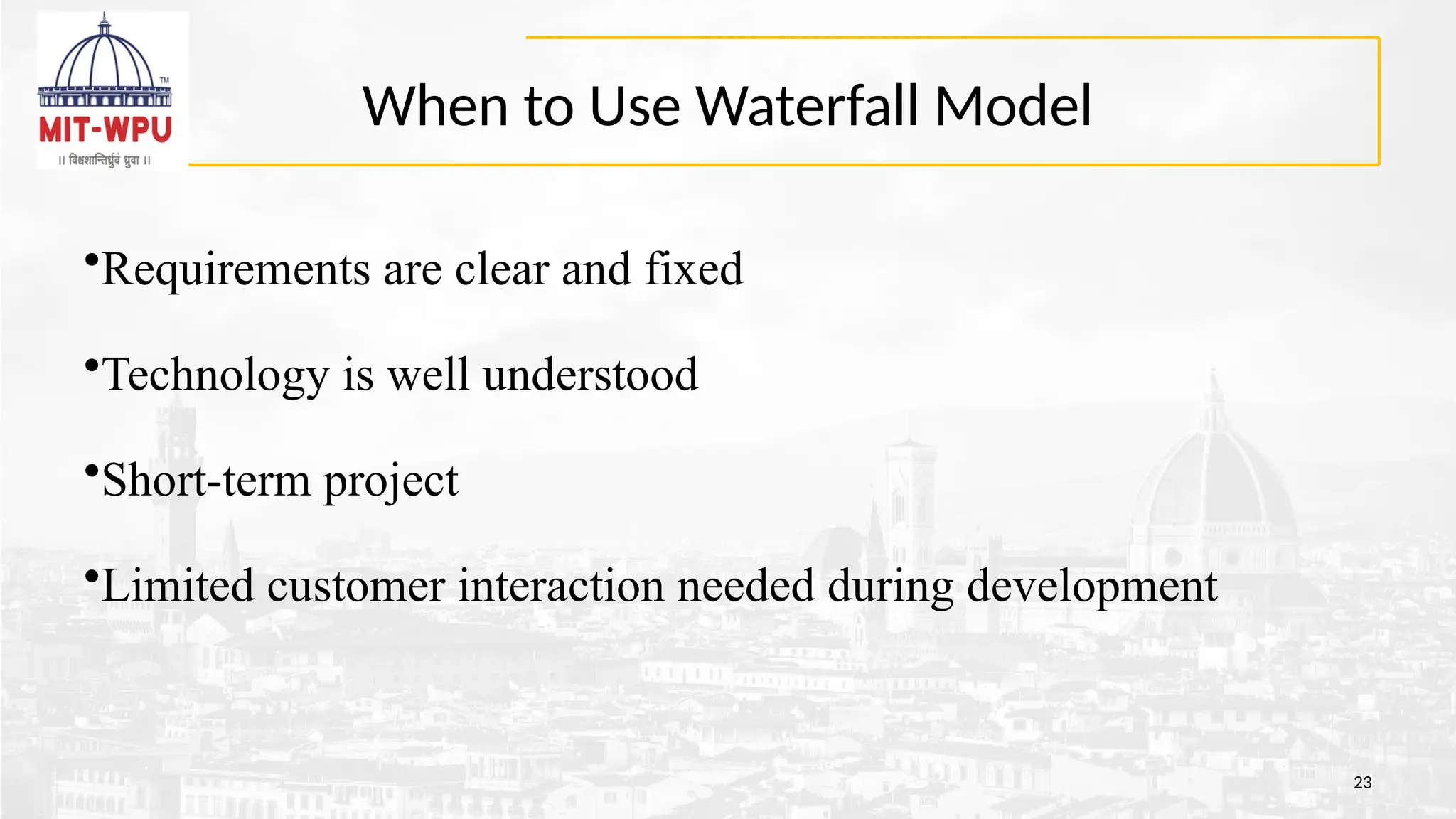
When to UseWaterfall Model
23
•Requirements are clear and fixed
•Technology is well understood
•Short-term project
•Limited customer interaction needed during development
Incremental model
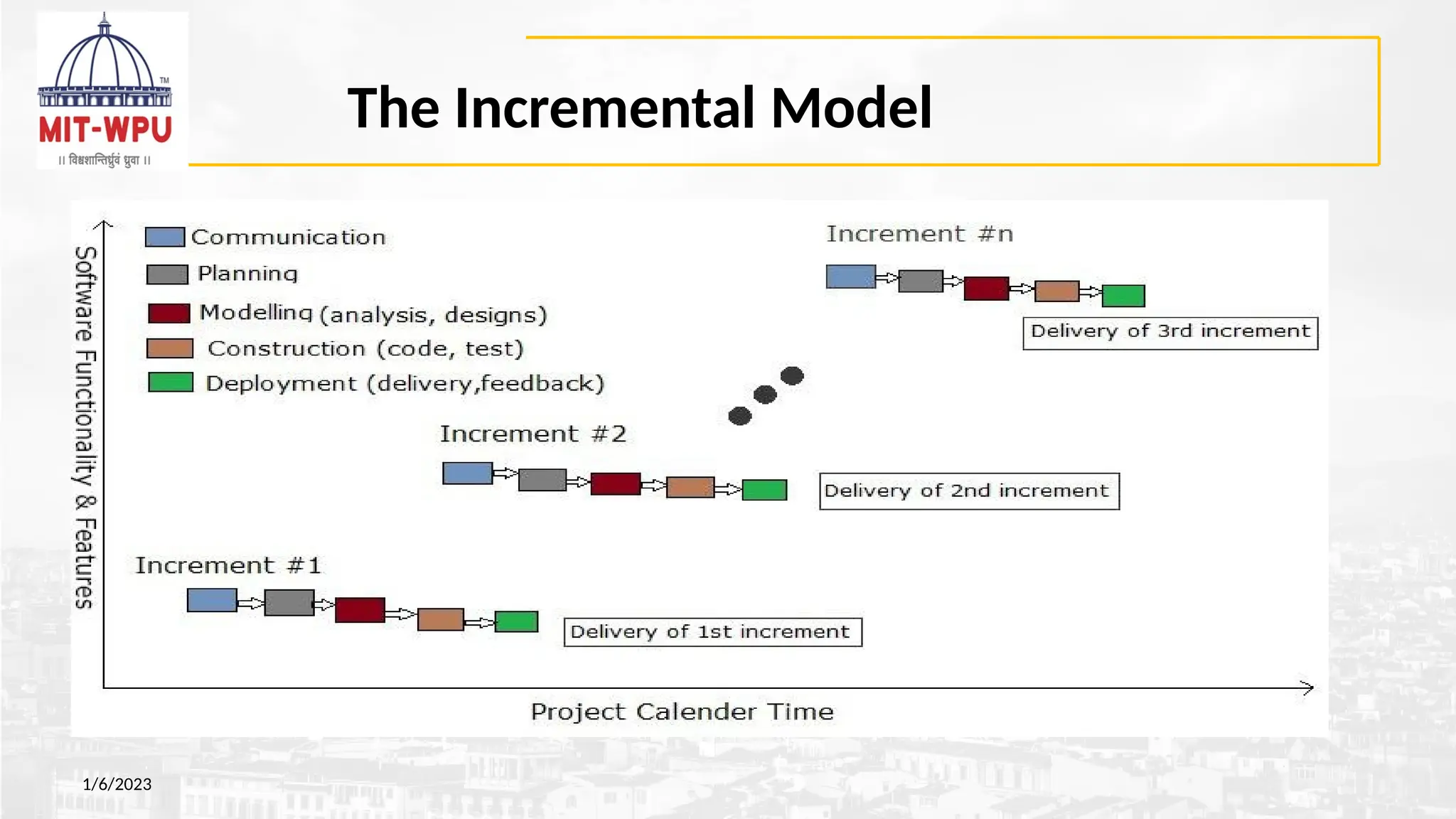
• Theincremental model applies the waterfall model incrementally.
• The series of releases is referred to as “increments”, each increment providing more
functionality to the customers.
• The product is defined as finished only when it satisfies all of its requirements.
• It involves both development and maintenance.
• After the first increment, a core product is delivered, which can already be used by the
customer. Based on customer feedback, a plan is developed for the next increments, and
modifications are made accordingly.
• The incremental philosophy is also used in the agile process model.
1/6/2023
26.
Incremental model: Characteristics
1.System is broken down into many mini development projects.
2. Partial systems are built to produce the final system.
3. First tackled highest priority requirements.
4. The requirement of a portion is frozen once the incremented
portion is developed.
1/6/2023
27.
Incremental Model :Tasks involved
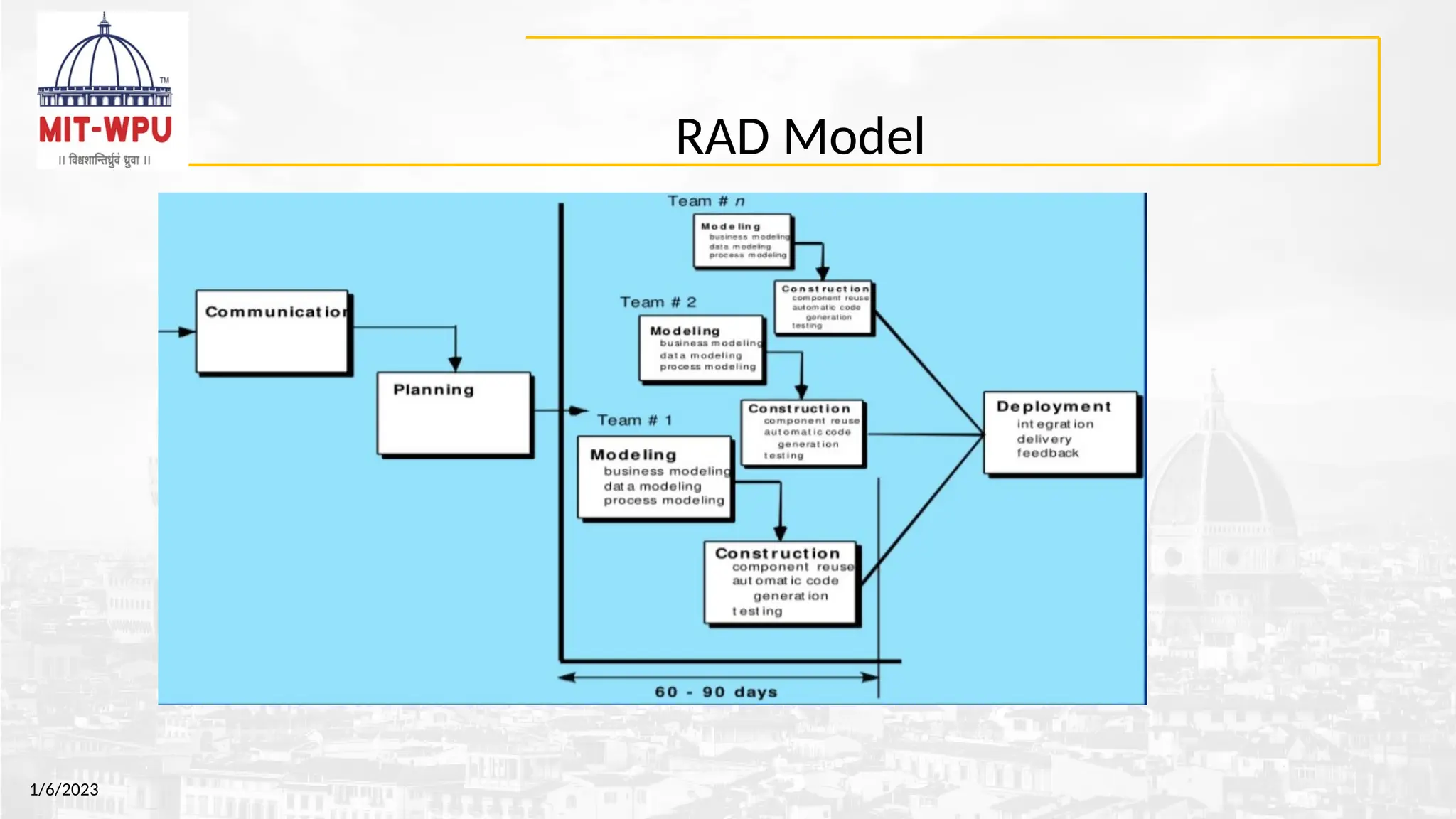
• Communication: helps to understand the objective.
• Planning: required as many people (software teams) work on
the same project but different function at same time.
• Modeling: involves business modeling, data modeling, and
process modeling.
• Construction: this involves the reuse software components
and automatic code.
• Deployment: integration of all the increments
27
28.
Incremental model Continued…
Advantages
•Generates working software
quickly and early during the
software life cycle.
• This model is more flexible – less
costly to change scope and
requirements.
• It is easier to test and debug
during a smaller iteration.
• In this model customer can
respond to each built.
• Lowers initial delivery cost.
1/6/2023
Limitations
• Needs good planning and design.
• Needs a clear and complete
definition of the whole system
before it can be broken down and
built incrementally.
• Total cost is higher than other
traditional model
29.
When to useIncremental Model ?
• When the requirements of the complete system are clearly defined and
understood.
• Major requirements are defined; however, some details can evolve with
time.
• There is a need to get a product to the market early.
• A new technology is being used
• Resources with needed skill set are not available
• There are some high risk features and goals.
• The Incremental development is particularly useful when less no. of
software engineers are available.
1/6/2023
30.
RAD Model
• RADis a Rapid Application Development model.
• Using the RAD model, software product is developed in a short period of
time.
• The initial activity starts with the communication between customer and
developer.
• Planning depends upon the initial requirements and then the
requirements are divided into groups.
• Planning is more important to work together on different modules
• Rapid application development emphasizes working software and user
feedback over strict planning and requirements recording.
1/6/2023
RAD Model
1. Figureout the requirements : Identify why the software or app is built and what the
project is supposed to accomplish.
Involve users, developers, and designers to discuss the purpose of the system and a
estimated project timeline. The budget is a strong constraint.
2. Build prototypes: Team will start working on building functional models right away.
The engineers and designers will create and improve upon working prototypes
3. Get user feedback :
RAD calls for ongoing collaboration between your team and users in order to create a
high-quality system. The users will be the ones providing feedback to improve your
prototypes.
1/6/2023
33.
RAD Model Continued…
1/6/2023
4.Do it again : Repeat steps two and three until you feel like your project is
done or until you have all working parts assembled together to meet a client’s
requirements.
5. Test, test, test :
Run the system through different scenarios and make sure it accomplishes the
system’s goal.
34.
RAD Model Continued…
Advantages
•Fordeveloping a large, complicated software,
it helps to form more specialized teams.
•The process of application development and
delivery are fast.
•This model is flexible, if any changes are
required.
•Reviews are taken from the clients at the
staring of the development hence there are
lesser chances to miss the requirements.
•Always having something to show your client
means you can get their feedback and quickly
implement any changes
8/7/2025
Limitations
•The feedback from the user is
required at every development phase.
•This model is not a good choice for
long term and large projects.
35.
When is RADuseful?
• When a quick delivery of a product is needed for a customer.
• When there are going to be changes made to the prototype throughout the process
before the final product is completed.
• When there are plenty of knowledgeable developers and engineers on hand and the
customer must also remain committed to the process and the schedule.
• When either of these two components is not available, the RAD formula can fail.
• Eg. In the investment banking (IB) industry, most notably when applied to trading
systems
1/6/2023
36.
Evolutionary Process Models
•There are two common evolutionary process models.
– Prototyping model
– Spiral model
Note: Incremental model also has evolutionary nature.
36
37.
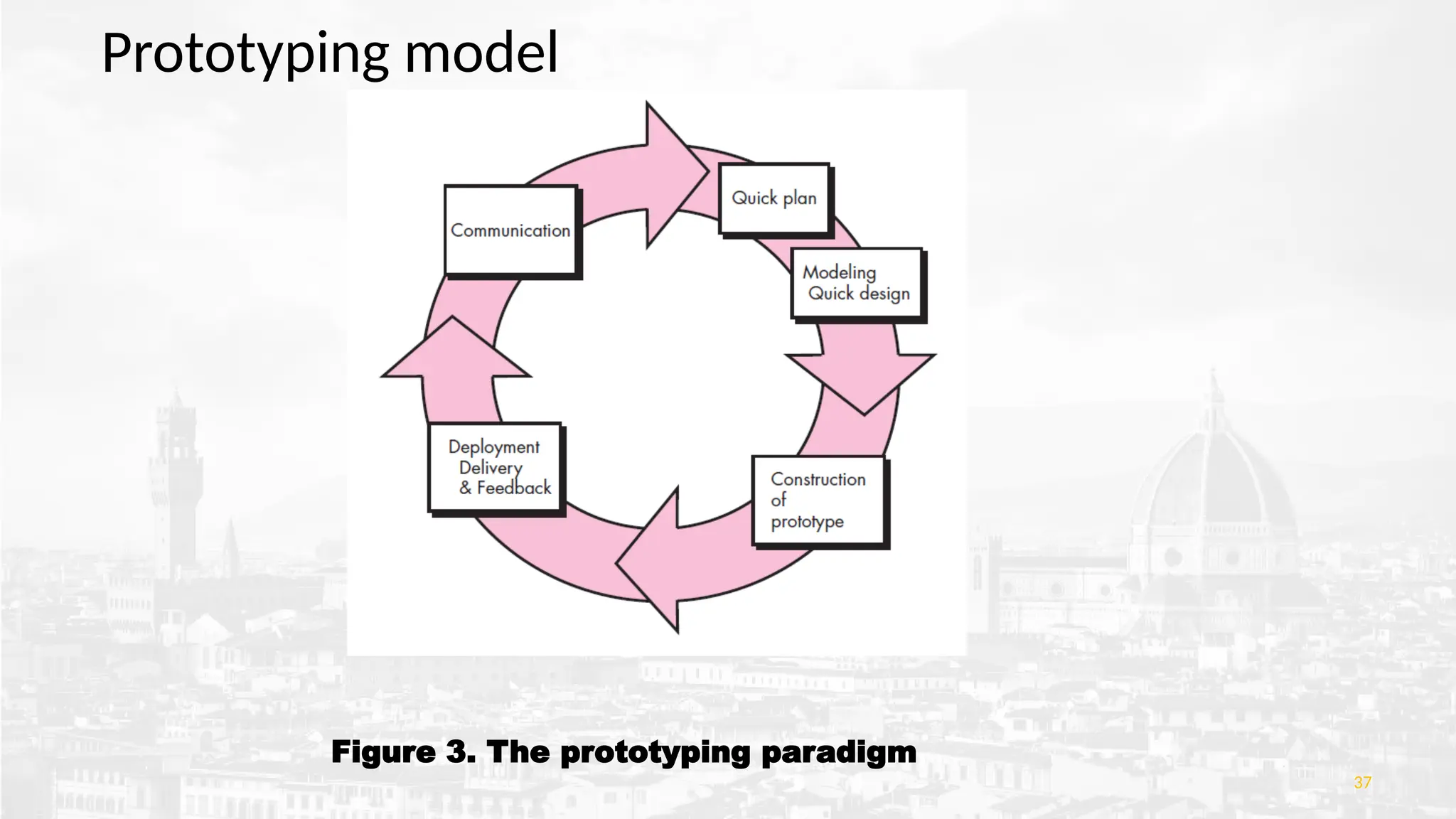
Figure 3. Theprototyping paradigm
37
Prototyping model
38.
Prototyping model cont...
•A prototyping iteration is planned quickly, and modeling occurs.
• A quick design focuses on a representation of those aspects of the
software that will be visible to end users (e.g., human interface layout
or output display formats).
• The prototype is deployed and evaluated by stakeholders, who provide
feedback.
38
39.
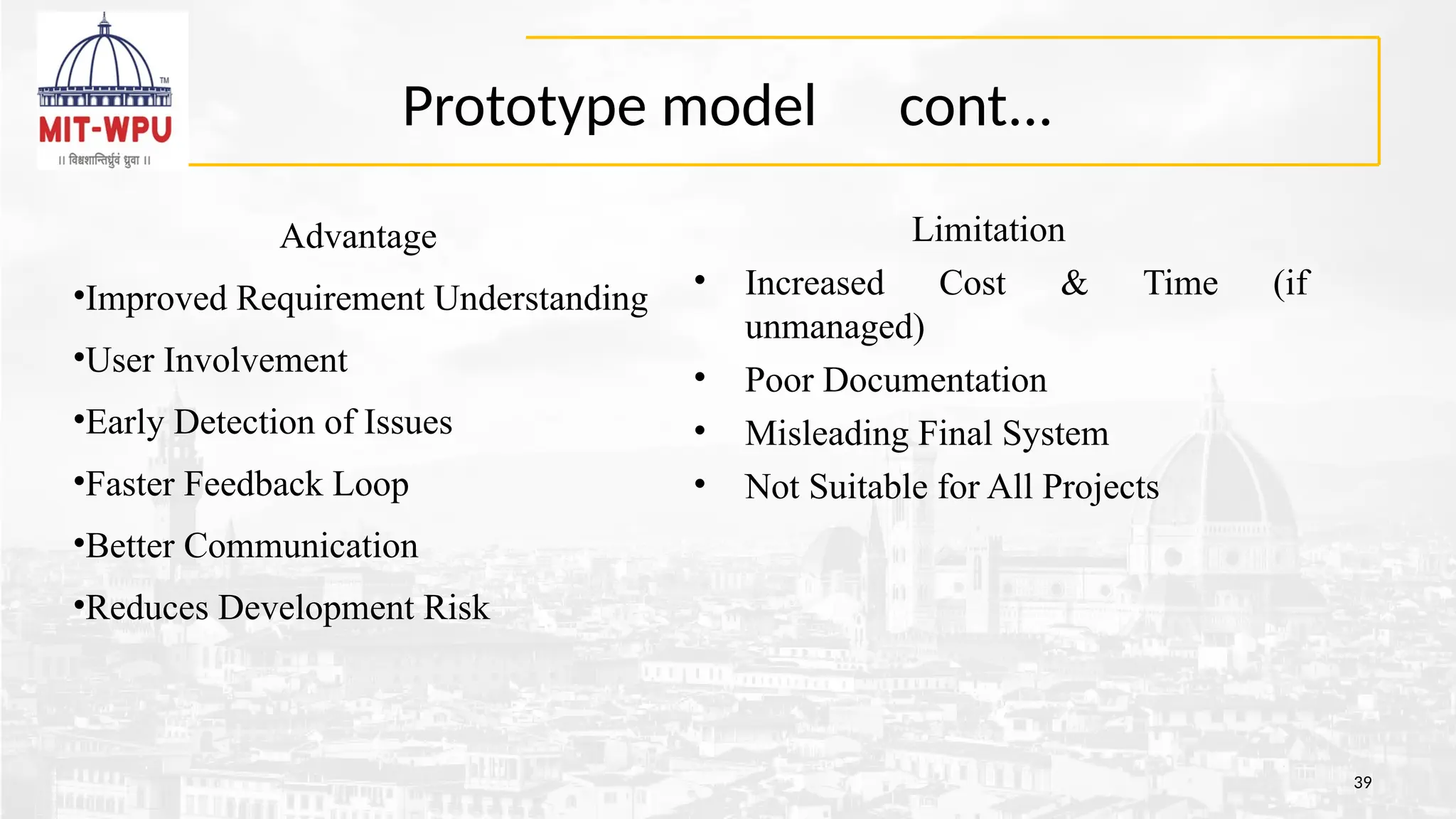
Prototype model cont...
39
Limitation
•Increased Cost & Time (if
unmanaged)
• Poor Documentation
• Misleading Final System
• Not Suitable for All Projects
Advantage
•Improved Requirement Understanding
•User Involvement
•Early Detection of Issues
•Faster Feedback Loop
•Better Communication
•Reduces Development Risk
Spiral Model
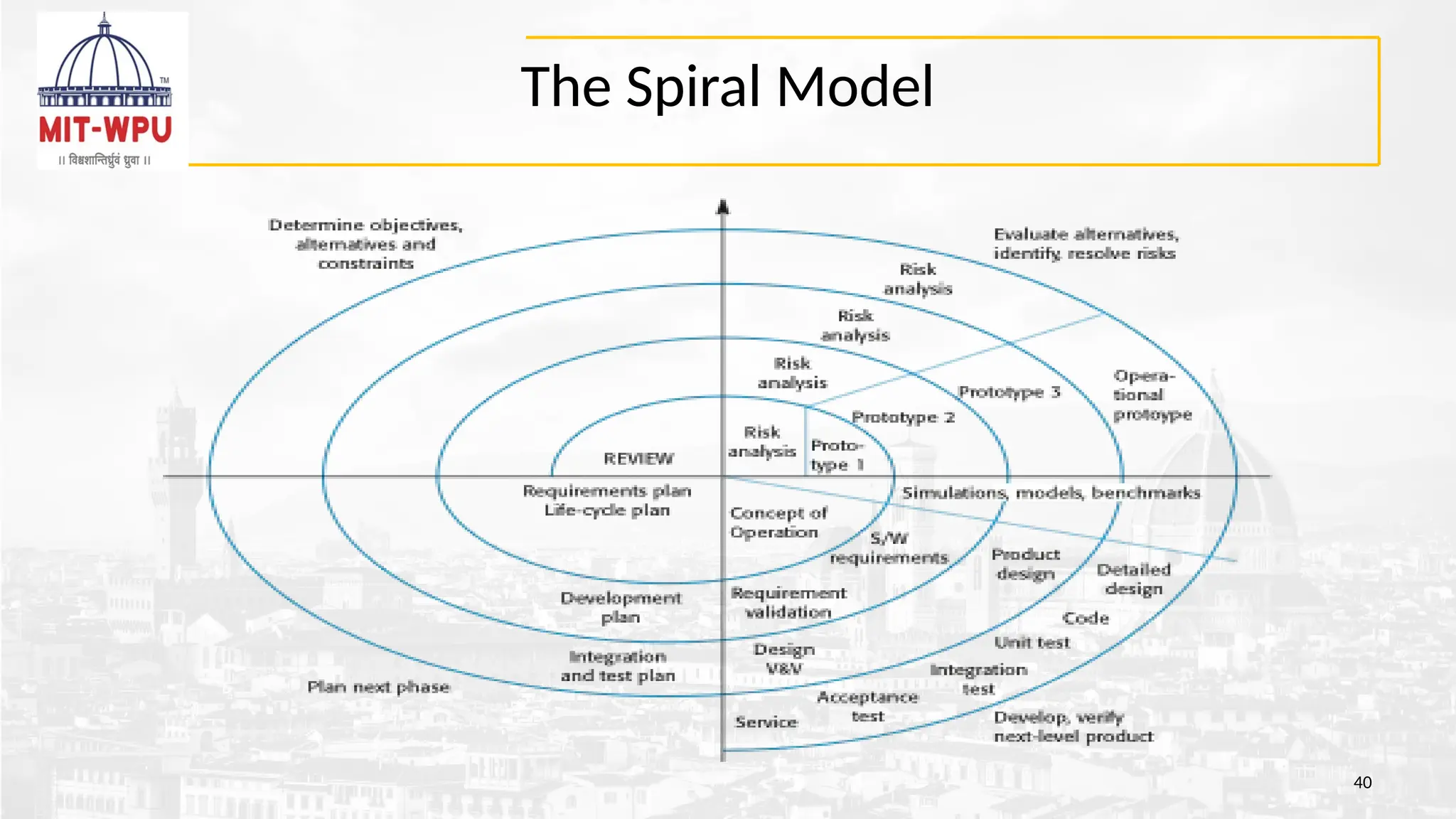
• Embracesan iterative, evolutionary development strategy
• Ideal for projects where requirements are unclear and risk factors are significant
• The innermost loops concentrate on gathering software needs and assessing
project risks; prototyping may be integrated here
• Subsequent outer loops adopt a traditional waterfall methodology once
requirements are established, while still allowing for incremental software
enhancements
• Functions as a risk-centric framework, with a critical go/no-go evaluation conducted
after each full cycle to address identified risks
• Demands strong proficiency in evaluating and managing risks
• Particularly suited for complex, large-scale software engineering endeavors
1/6/2023
42.
Spiral Model
1/6/2023
•Planning –Define objectives, alternatives, and constraints.
•Risk Analysis – Identify and mitigate potential risks.
•Engineering – Develop and verify the next product version.
•Evaluation – Get customer feedback and plan the next iteration.
43.
Spiral Model cont...
43
Limitation
•Canbe complex to manage.
•Costly for small projects.
•Requires expertise in risk
assessment.
•Not suitable for projects with low risk
or fixed scope
Advantage
•Handles uncertainty and risk effectively.
•Promotes early user feedback.
•Encourages incremental releases and
prototyping.
•Flexible for changing requirements
•.
•.
44.
What is theUnified Process?
44
•A modern iterative and incremental software development process.
•Derived from Unified Modeling Language (UML) practices.
•Integrates best features of Waterfall, Iterative, and Spiral models.
•Supports modular and scalable software design.
•Tailored for object-oriented development.
45.
Characteristics of UnifiedProcess
45
•Iterative: Progress through repeated cycles.
•Incremental: System grows by adding functionality in steps.
•Use-case driven: Focuses on user interactions and system behavior.
•Architecture-centric: Emphasizes well-defined system architecture.
•Risk-focused: Risks are assessed and mitigated early and often.
46.
Three Perspectives ofUP
46
• 1.Dynamic Perspective
Shows phases over time (e.g., Inception → Elaboration → Construction →
Transition).
• 2. Static Perspective
Focuses on activities (e.g., requirements, design, implementation, testing).
• 3. Practice Perspective
Highlights best practices (e.g., continuous integration, version control, iterative
planning).
Note These perspectives ensure a complete and balanced view of the development
process.
47.
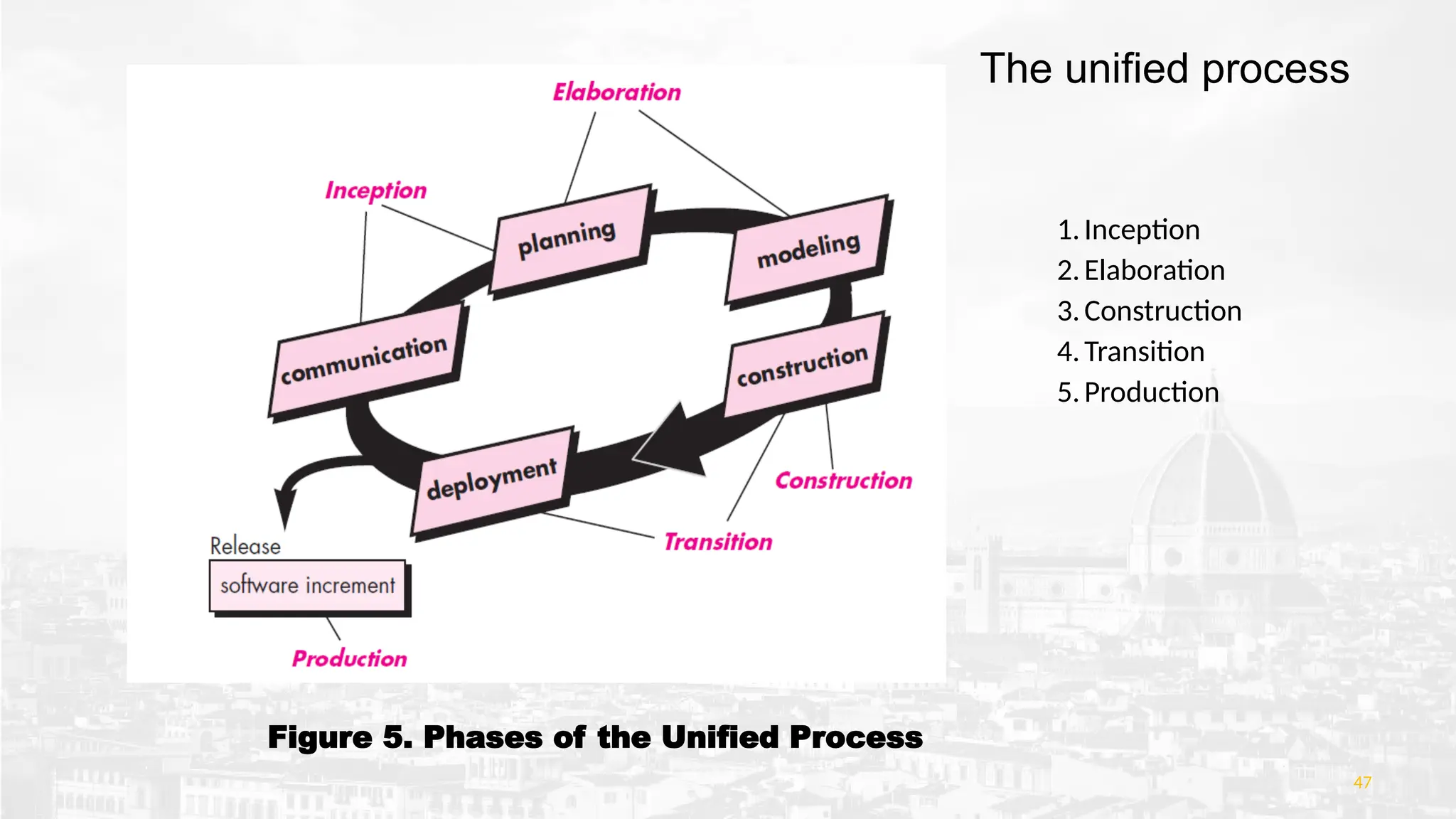
Figure 5. Phasesof the Unified Process
47
1.Inception
2.Elaboration
3.Construction
4.Transition
5.Production
The unified process
The unified processcont...
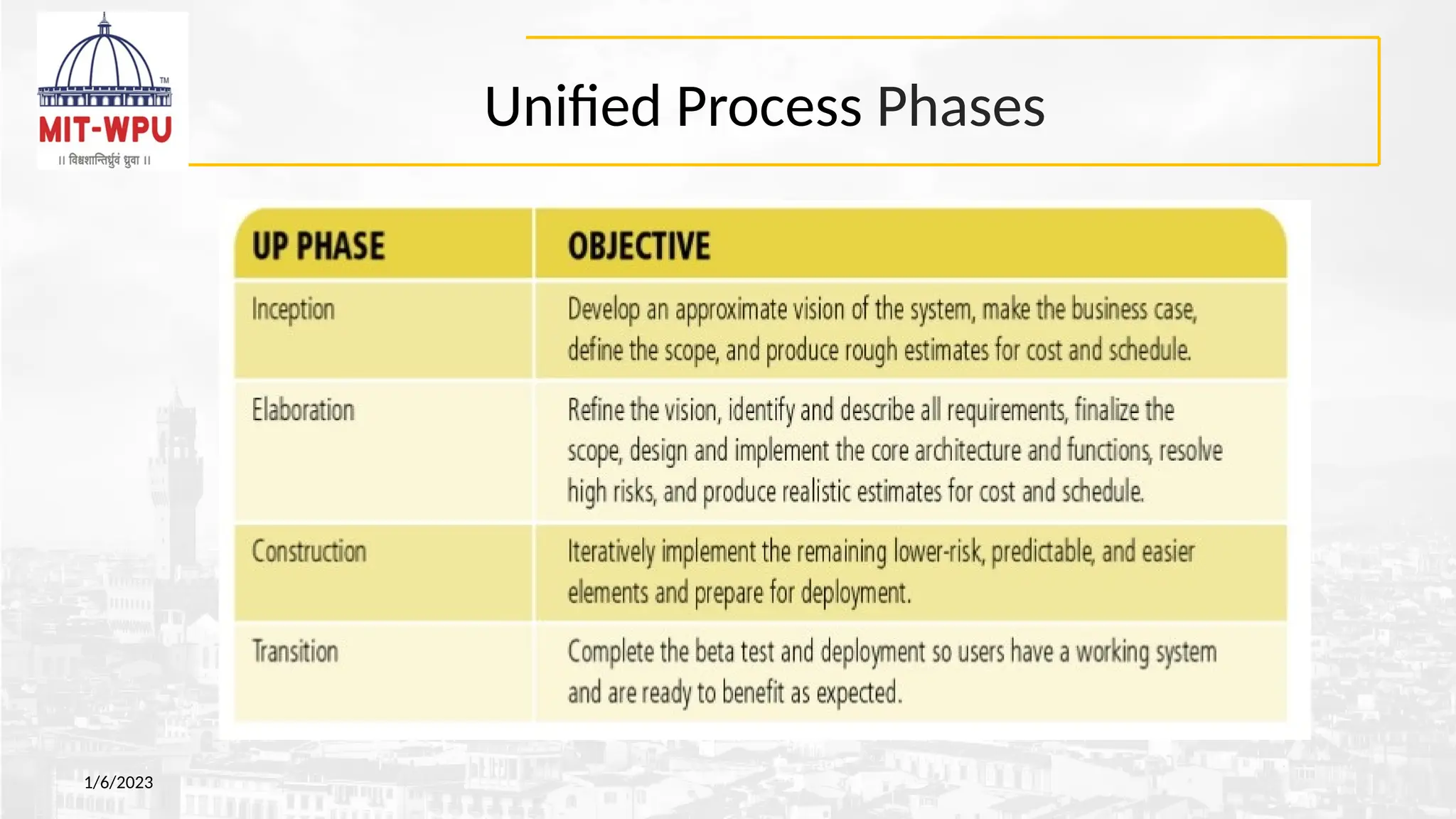
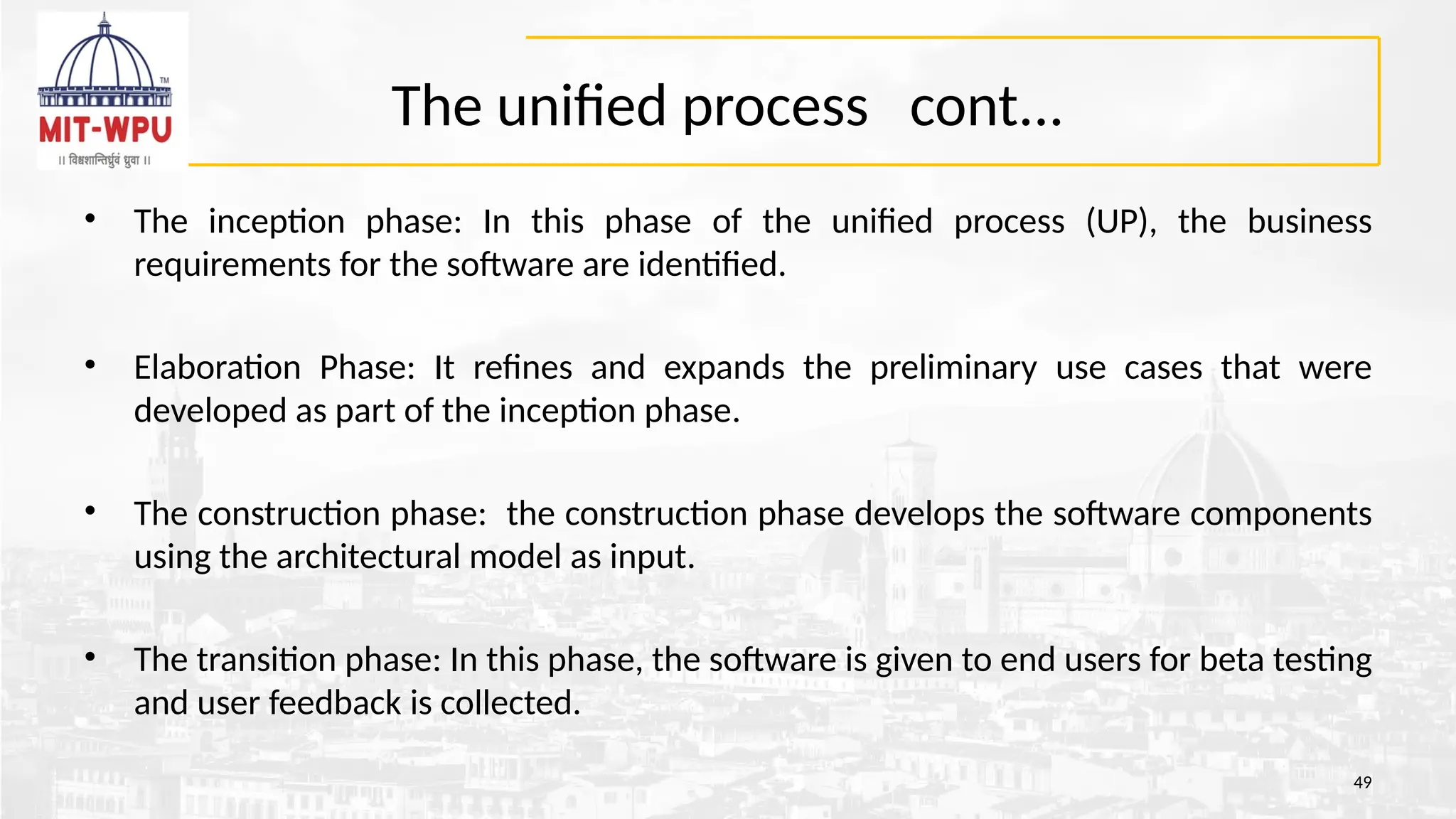
• The inception phase: In this phase of the unified process (UP), the business
requirements for the software are identified.
• Elaboration Phase: It refines and expands the preliminary use cases that were
developed as part of the inception phase.
• The construction phase: the construction phase develops the software components
using the architectural model as input.
• The transition phase: In this phase, the software is given to end users for beta testing
and user feedback is collected.
49
50.
Unified Process Modelcont...
50
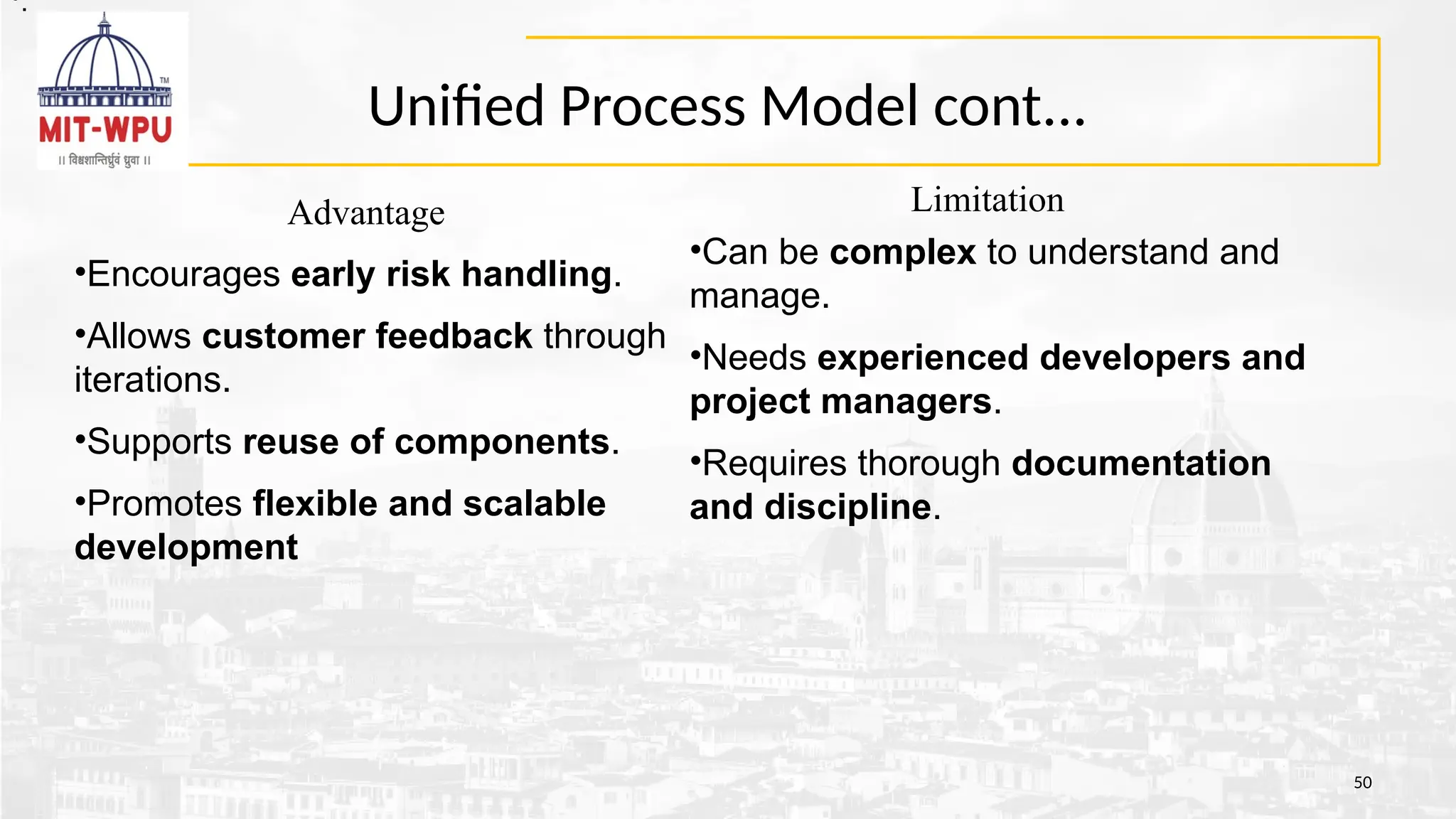
Limitation
•Can be complex to understand and
manage.
•Needs experienced developers and
project managers.
•Requires thorough documentation
and discipline.
Advantage
•Encourages early risk handling.
•Allows customer feedback through
iterations.
•Supports reuse of components.
•Promotes flexible and scalable
development
•.
•.
51.
Quiz
• Q1: Whichprocess model is best suited when requirements
are well understood and unlikely to change significantly during
development? [GATE CSE 2015 - 1 Mark]
A. Spiral Model
B. Waterfall Model
C. Agile Model
D. RAD Model
51
52.
Quiz
• GATE CSE2008 – 2 Marks
Q.2 Match the software process models in List I with their characteristics in List II:
• List I – Software Process Models
P. Waterfall Model
Q. Prototyping Model
R. Spiral Model
S. Evolutionary Model
• List II – Characteristics
1.Develop the software incrementally as the user requirements evolve.
2.Identify risks, evaluate them, and develop to handle them.
3.Provides a working version early for user feedback.
4.Separate phases such as specification and development.
52
Case Study :Problem Statement
• Develop a web-based Attendance Management System
(SAMS) for a college. It should allow faculty to mark
attendance, generate reports, and send alerts to defaulters.
Students should be able to view their attendance status.
• Apply Unified Process Model
55.
Inception Phase (Whatto build?)
•Goal: Understand the scope and feasibility.
•Activities:
•Identify key stakeholders (faculty, admin, students).
•Capture use cases like "Mark Attendance", "View Report", "Send Alert".
•Estimate budget and schedule.
•Deliverables:
•Vision Document
•Initial Use Case Diagram
•Feasibility Analysis
56.
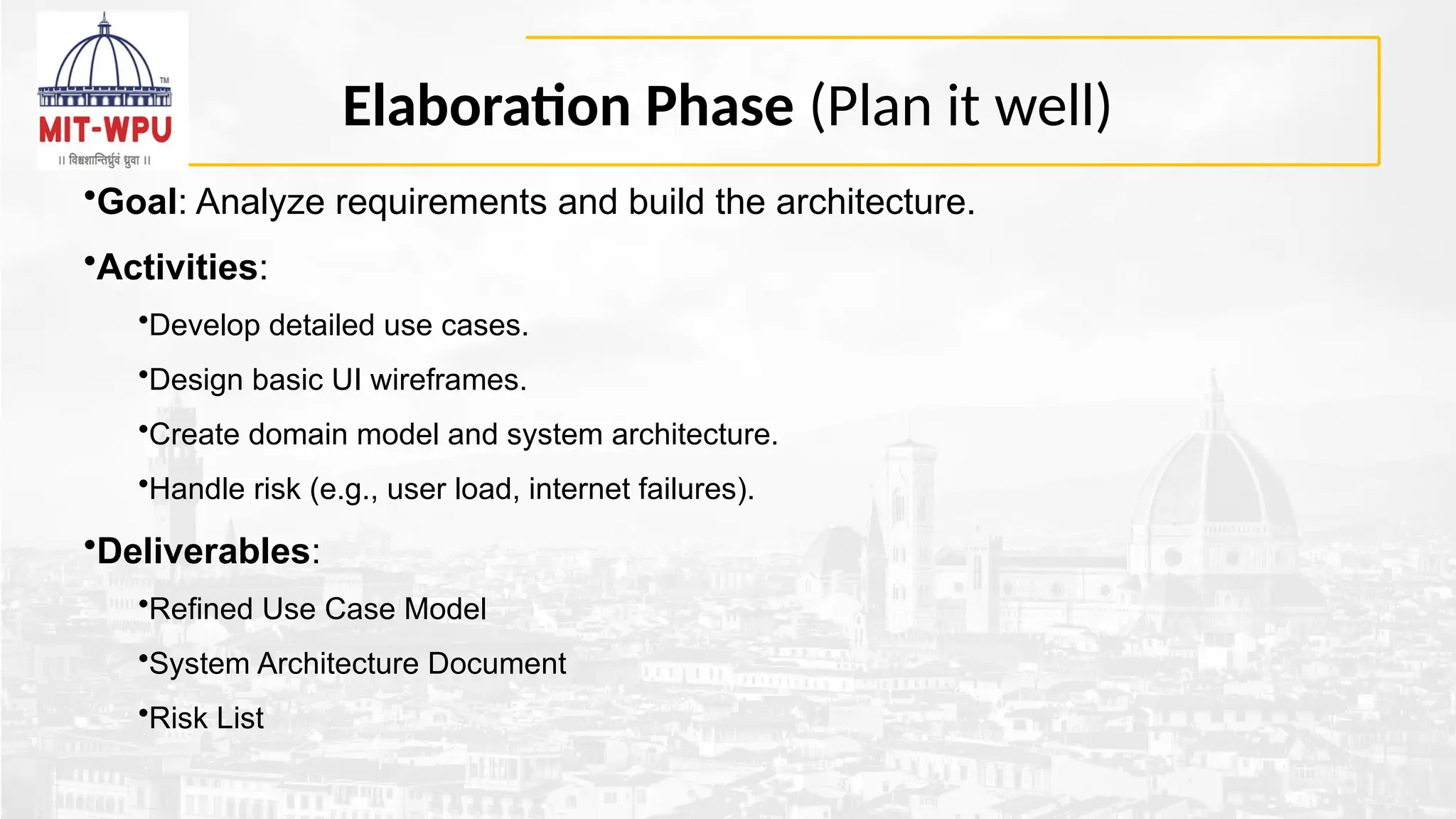
Elaboration Phase (Planit well)
•Goal: Analyze requirements and build the architecture.
•Activities:
•Develop detailed use cases.
•Design basic UI wireframes.
•Create domain model and system architecture.
•Handle risk (e.g., user load, internet failures).
•Deliverables:
•Refined Use Case Model
•System Architecture Document
•Risk List
57.
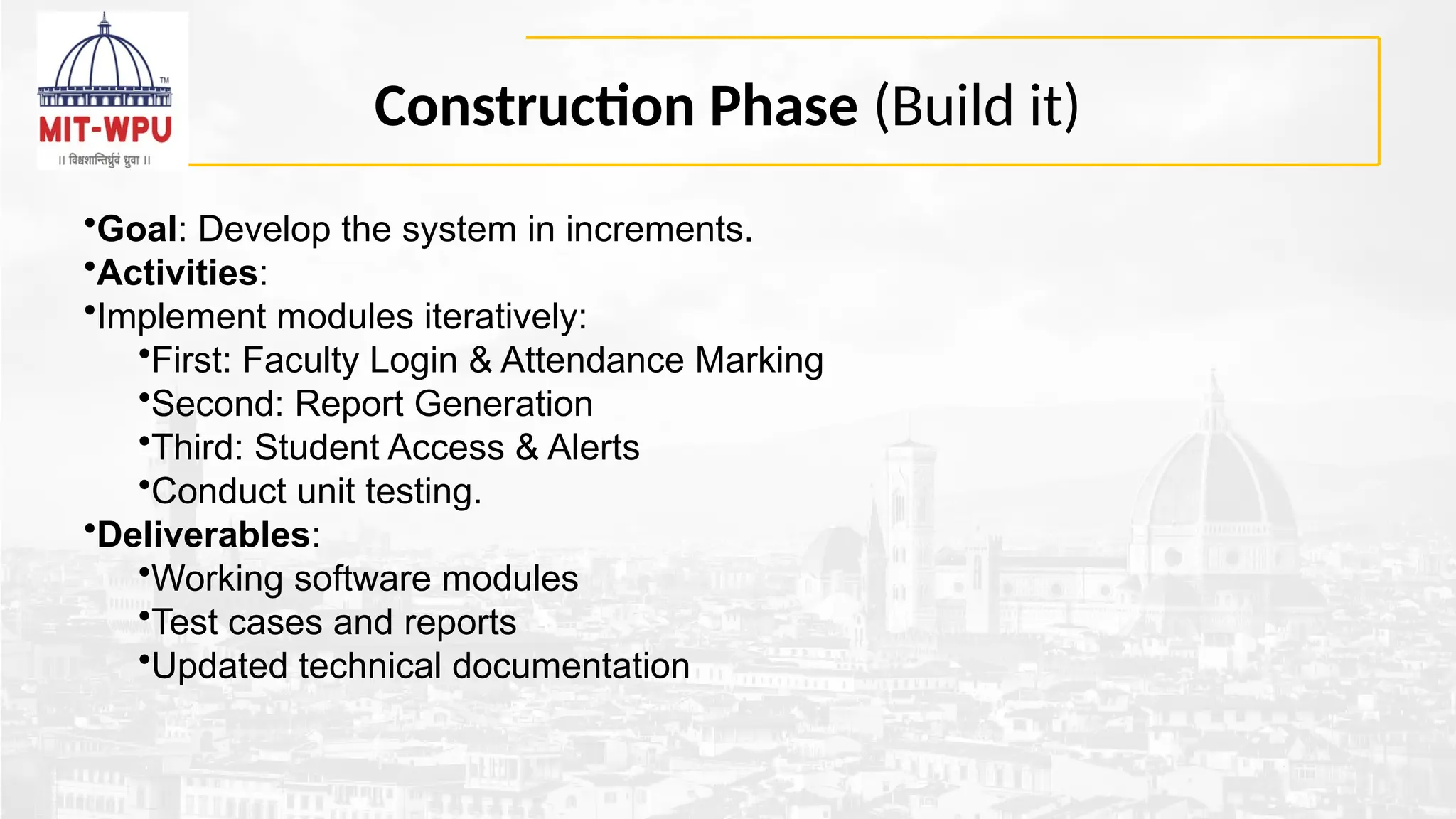
Construction Phase (Buildit)
•Goal: Develop the system in increments.
•Activities:
•Implement modules iteratively:
•First: Faculty Login & Attendance Marking
•Second: Report Generation
•Third: Student Access & Alerts
•Conduct unit testing.
•Deliverables:
•Working software modules
•Test cases and reports
•Updated technical documentation
58.
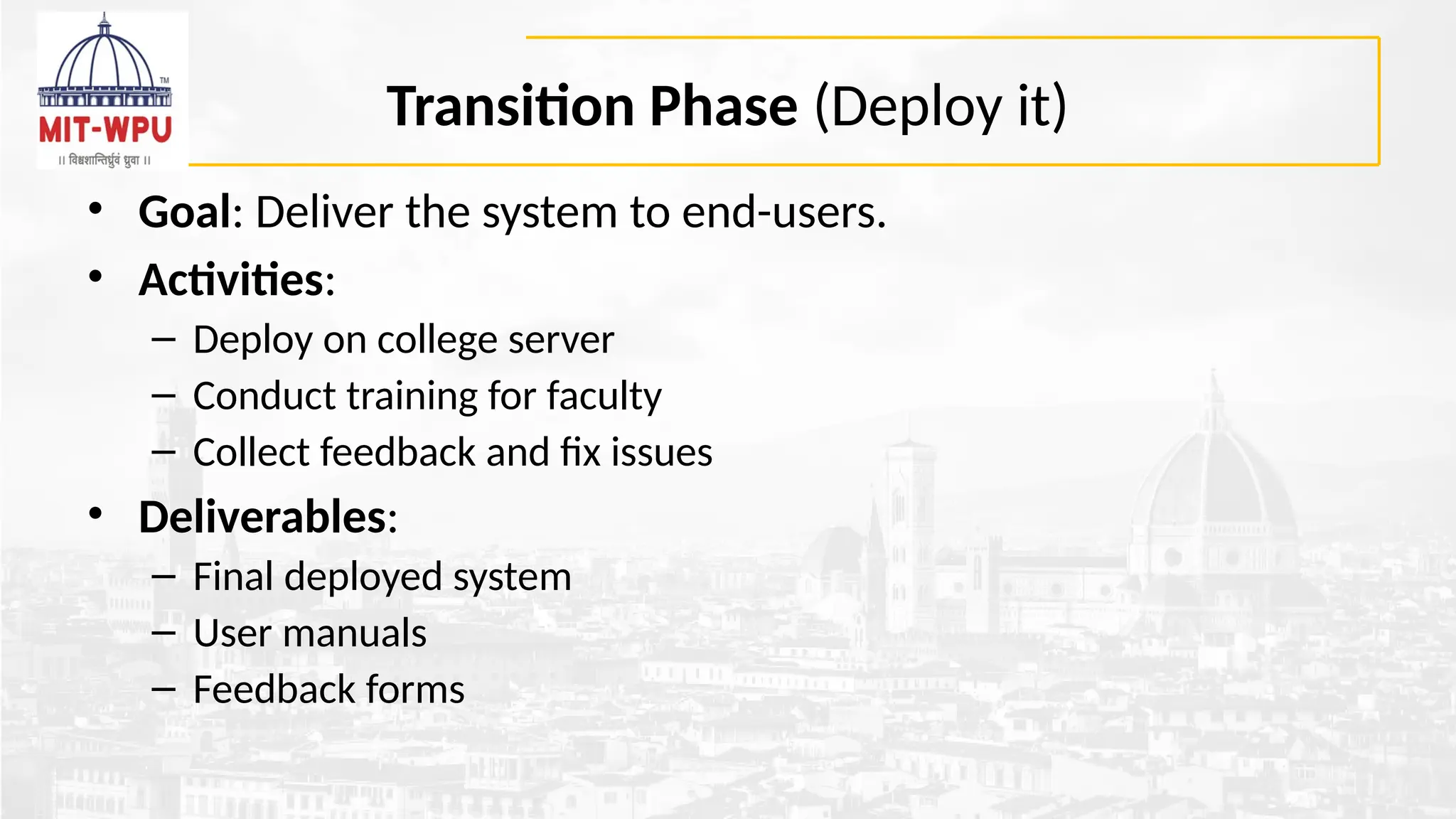
Transition Phase (Deployit)
• Goal: Deliver the system to end-users.
• Activities:
– Deploy on college server
– Conduct training for faculty
– Collect feedback and fix issues
• Deliverables:
– Final deployed system
– User manuals
– Feedback forms
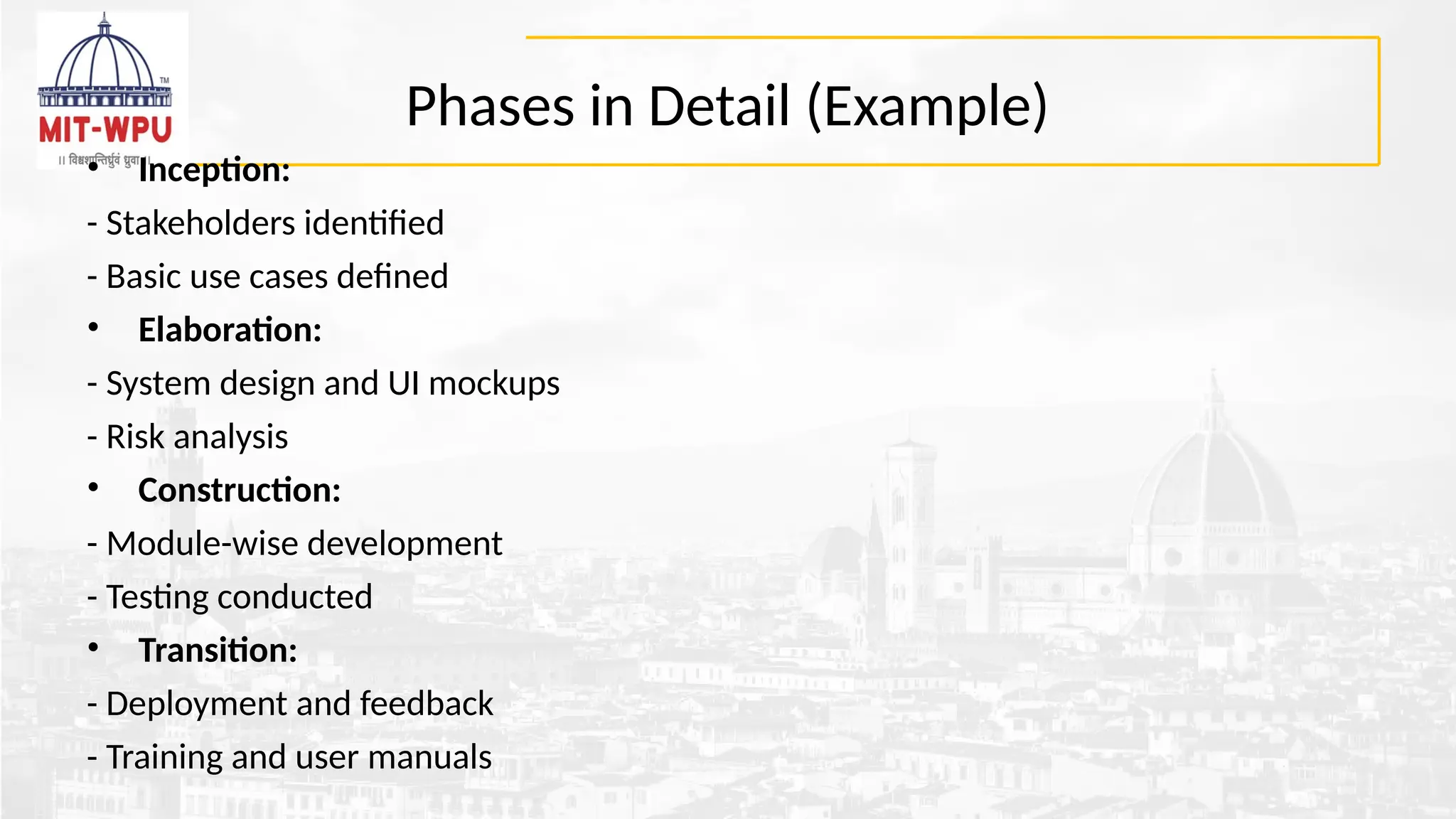
Phases in Detail(Example)
• Inception:
- Stakeholders identified
- Basic use cases defined
• Elaboration:
- System design and UI mockups
- Risk analysis
• Construction:
- Module-wise development
- Testing conducted
• Transition:
- Deployment and feedback
- Training and user manuals
61.
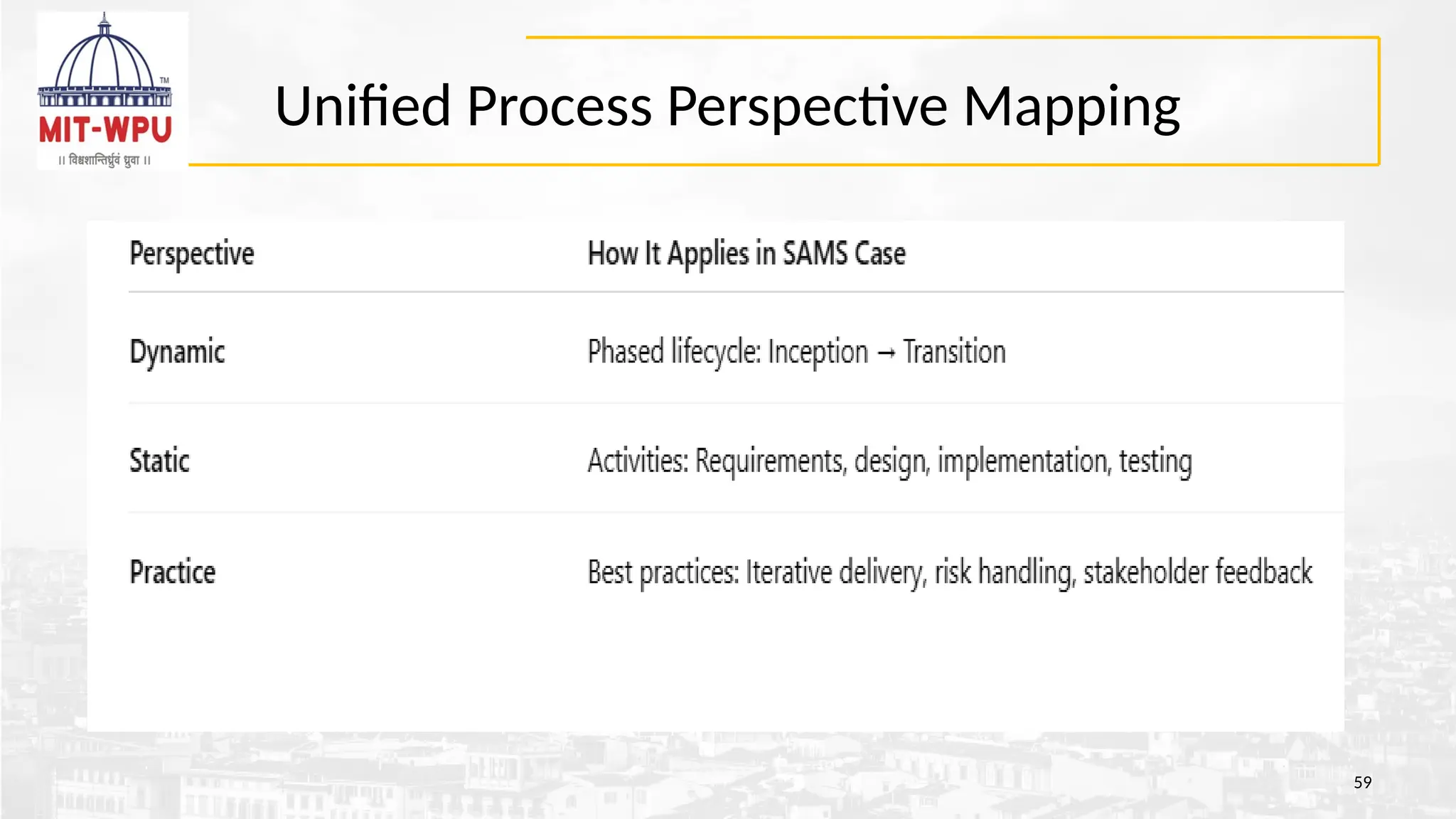
Unified Process Perspectives
•Dynamic Perspective: Lifecycle from Inception to Transition
• Static Perspective: Activities like requirements, design, testing
• Practice Perspective: Best practices – iterative builds, risk
management
62.
Learning Outcomes
• -Understand iterative software development
• - Apply use-case and architecture-first design
• - Learn risk management and stakeholder engagement
• - Map phases to real-world application development
63.
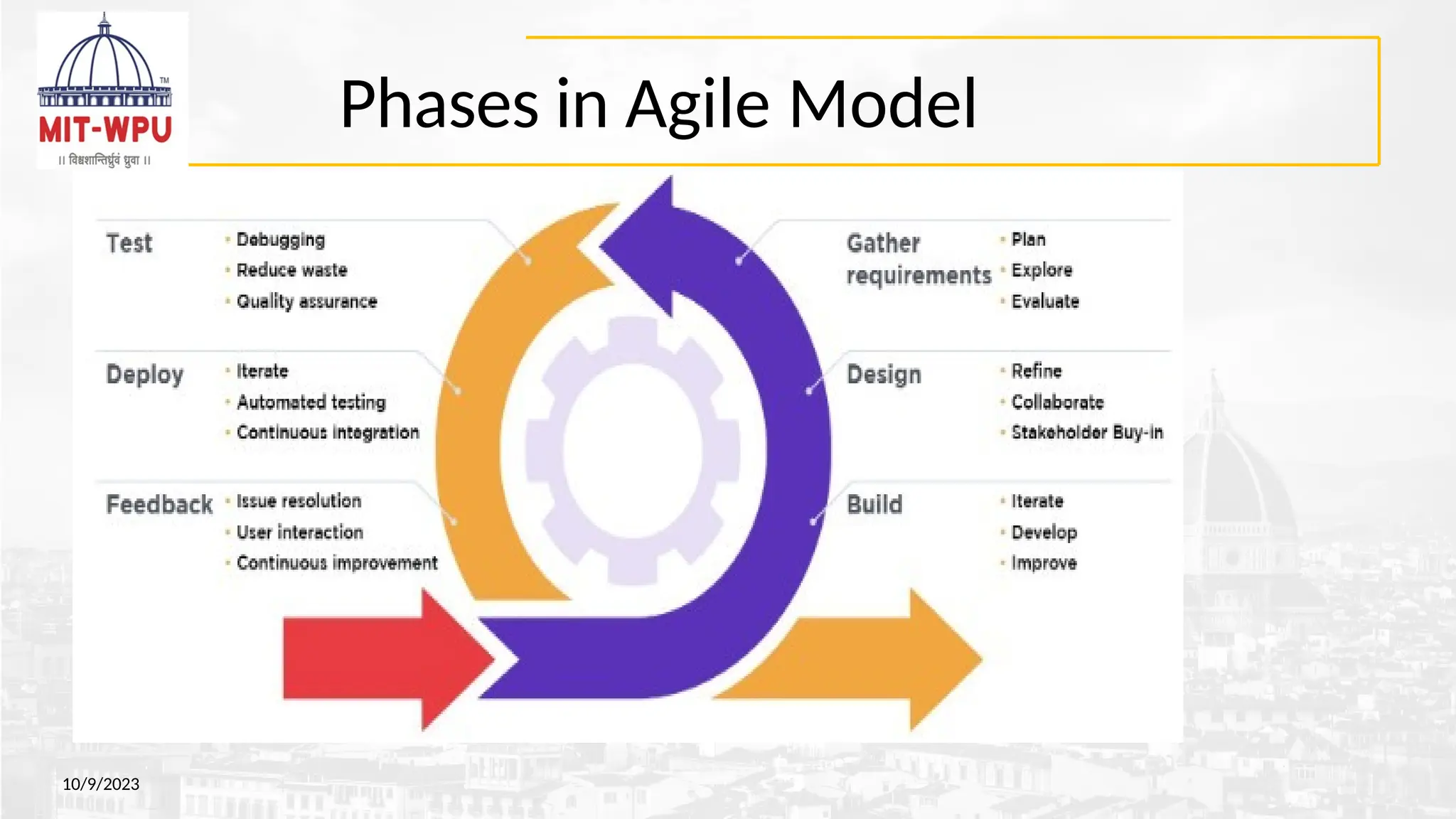
Agile Process Model
•is an iterative and incremental approach focused on flexibility
and rapid delivery of working software.
• It breaks down projects into smaller, manageable iterations
(often called sprints) where teams plan, design, code, test, and
demonstrate a working product.
• This allows for continuous feedback, adaptation to change,
and a focus on delivering value to the customer iteratively.
63
64.
Key characteristics ofAgile Model
10/9/2023
Iterative and Incremental:
Software is developed in short cycles (iterations), with each cycle producing a working increment
of the product.
Adaptive:
Agile methodologies are designed to be flexible and respond to changing requirements throughout
the development process.
Customer Collaboration:
Close collaboration with the customer is essential to gather feedback and ensure the product
meets their needs.
Focus on Working Software:
The primary goal is to deliver working software frequently, rather than focusing solely on
documentation.
Continuous Improvement:
Agile encourages continuous improvement through regular retrospectives and feedback
65.
Agile Manifesto –12 key principles
10/9/2023
1. Our highest priority is to satisfy the customer through early and
continuous delivery of valuable software.
2. Welcome changing requirements, even late in development. Agile
processes harness change for the customer's competitive advantage.
3. Deliver working software frequently, from a couple of weeks to a
couple of months, with a preference to the shorter timescale.
4. Business people and developers must work together daily throughout
the project.
5. Build projects around motivated individuals. Give them the environment
and support they need, and trust them to get the job done.
6. The most efficient and effective method of conveying information to
and within a development team is face–to–face conversation.
66.
Agile Manifesto
10/9/2023
7. Workingsoftware is the primary measure of progress.
8. Agile processes promote sustainable development. The sponsors,
developers, and users should be able to maintain a constant pace
indefinitely.
9. Continuous attention to technical excellence and good design enhances
agility.
10. Simplicity – the art of maximizing the amount of work not done – is
essential.
11. The best architectures, requirements, and designs emerge from self–
organizing teams.
12. At regular intervals, the team reflects on how to become more
effective, then tunes and adjusts its behavior accordingly.
Agile process models
Mostcommon agile models are:
• Extreme Programming (XP)
• Scrum
• Dynamic Systems Development Method (DSDM)
• Lean Software Development (LSD)
• Crystal
• Feature Drive Development (FDD)
• Agile Modeling (AM)
• Agile Unified Process (AUP)
68
69.
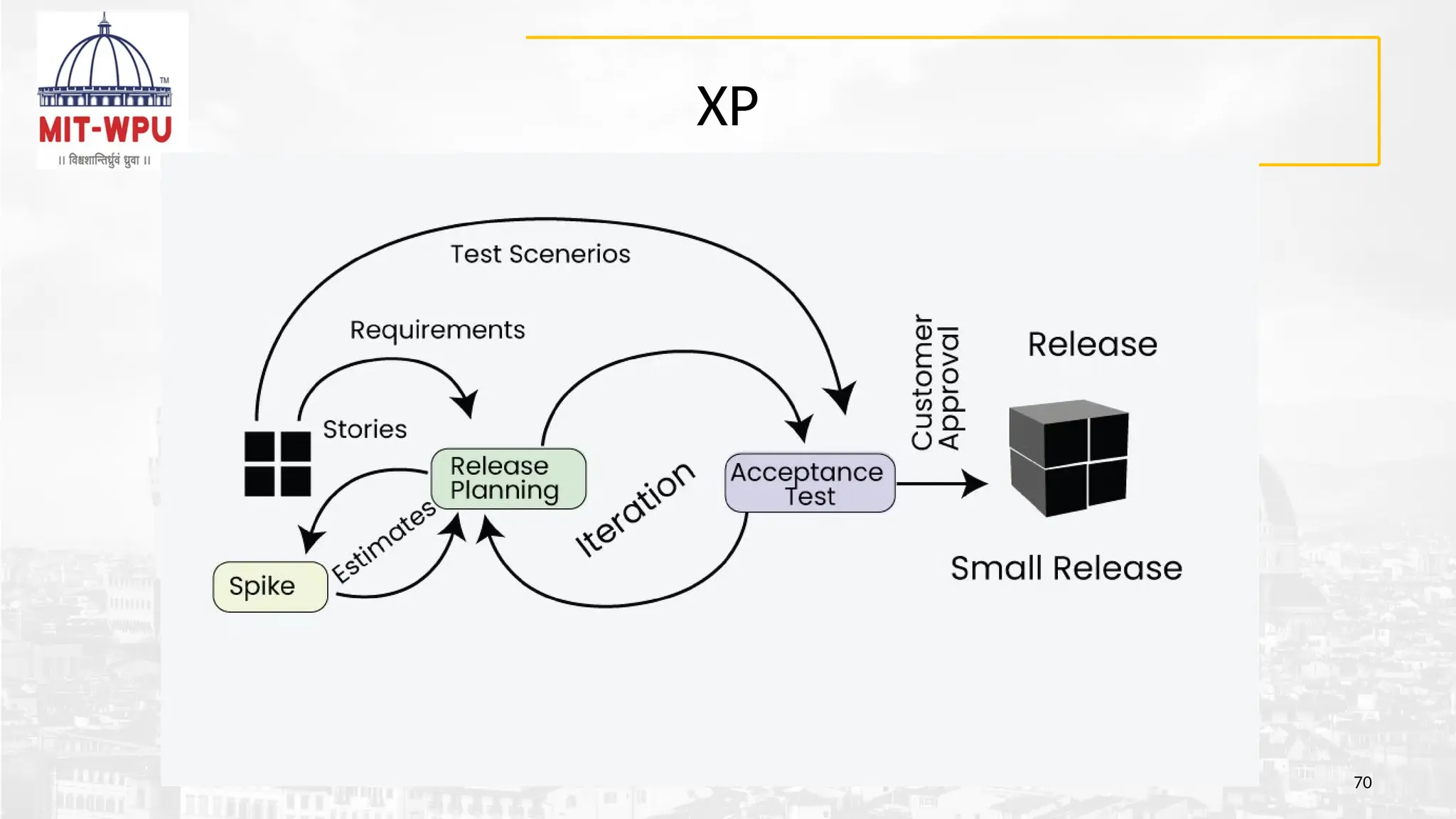
Extreme Programming XP
•Agile software development methodology focused on delivering high-quality software through
frequent feedback, collaboration, and adaptation.
• XP works on :
1. Small, Iterative Releases: Software is released in small, frequent iterations, allowing for feedback and adaptation.
2. Customer Collaboration:
3. Pair Programming: Two programmers work together on the same code, enhancing code quality and knowledge
sharing.
4. Test-Driven Development: Tests are written before the code, guiding development and ensuring code functionality.
5. Refactoring: Code is continuously improved and restructured to maintain its simplicity and quality.
6. Continuous Integration: Code changes are integrated frequently, minimizing integration issues.
7. Simple Design: Focus is on implementing the necessary features, keeping the design simple and adaptable.
8. Collective Code Ownership: Any team member can modify any code, promoting shared responsibility and
knowledge.
69
Applications of ExtremeProgramming (XP)
• Small projects: Useful in small projects consisting of small teams as face-to-face
meeting is easier to achieve.
• Projects involving new technology or Research projects: as it faces changing
requirements rapidly and technical problems.
• Web development projects: for web development projects as the development
process is iterative and requires frequent testing
• Collaborative projects: The XP model is useful for collaborative projects that
require close collaboration between the development team and the customer.
• Projects with tight deadlines: The XP model can be used in projects that have a
tight deadline, as it emphasizes simplicity and iterative development.
• Projects with rapidly changing requirements
71
72.
Scrum
• Scrum isa team-based way of working where people build
things step by step, in short time frames (called sprints), while
regularly checking progress and improving as they go.
72
Dynamic Systems DevelopmentMethod DSDM
• DSDM, or, is an agile project management framework that emphasizes delivering
business value iteratively and incrementally, with a focus on time and budget constraints.
• Key Principles:
•Business Focus: Prioritizing projects that align with clear business goals and
delivering frequent value.
•On-time Delivery: Utilizing timeboxing to manage tasks and ensure timely
completion of projects.
•Collaboration: Encouraging active stakeholder involvement and teamwork.
•Iterative Development: Working in cycles with frequent feedback and adjustments.
•Prioritization: Using MoSCoW (Must have, Should have, Could have, Won't have) to
prioritize features and requirements.
74
75.
Lean Software DevelopmentLSD
• Is an agile methodology focused on streamlining the software development process by
minimizing waste, optimizing resource usage, and maximizing value delivery.
• Core Principles of Lean Software Development:
• Eliminate Waste: Identifying and removing any activities or resources that don't add value to the
final product or customer experience.
• Amplify Learning: Embracing a culture of continuous learning and feedback,
• Decide as Late as Possible: Delaying decisions until the last responsible moment to leverage new
information and avoid unnecessary planning.
• Deliver as Fast as Possible: Focusing on rapid delivery of value to the customer .
• Empower the Team: Fostering a culture of autonomy and self-organization within the
development team.
• Build Integrity In: Emphasizing quality throughout the development process to minimize rework
• See the Whole: Considering the entire development process and its impact on the overall
business goals. 75
76.
Key terms inAgile Methodology
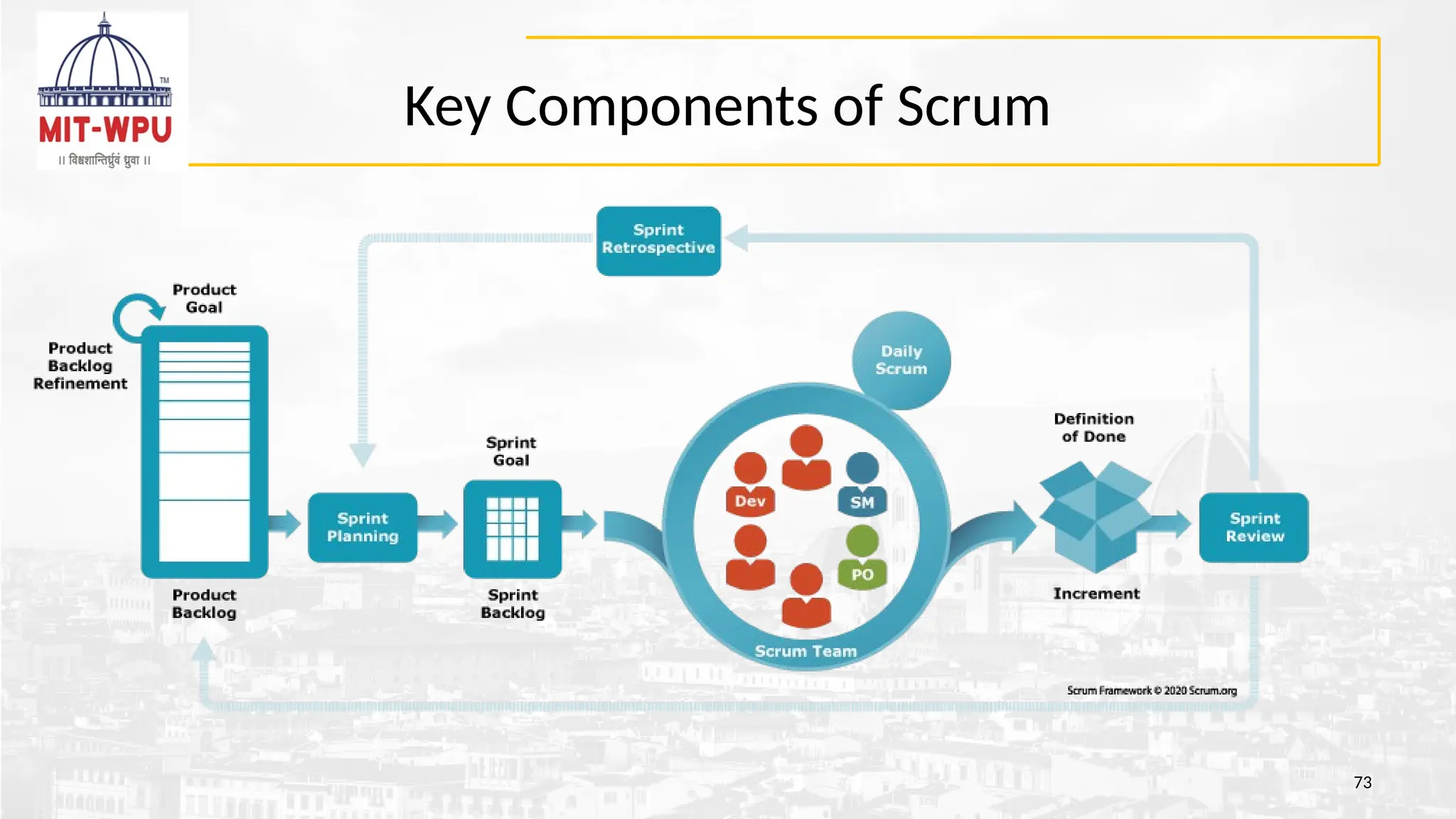
• Daily Scrum : Is a short, 15-minute meeting to discuss the day ahead. The Scrum Master
leads the Scrum team by discussing what they did yesterday, what they plan to do
today, and any issues . Typically, the team stands for this meeting to improve focus.
• Epics : An epic is a large project (for example, a major software feature) that is broken
down into smaller chunks called user stories.
• Gantt chart : A Gantt chart is a horizontal visual diagram that lays out the work to be
done and the schedule for its completion.
• Kanban :Kanban is a workflow management method that was originally developed by an
engineer at Toyota to improve manufacturing efficiency. I
• Lean : Lean is a work management philosophy focused on minimizing wasted resources
(while still maximizing value to the customer).
• Product manager : Product managers are responsible for assisting the Agile team as they
work through a project. 76
77.
Key terms inAgile Methodology
• Scrum : Scrum is a project management method that falls under the larger Agile
umbrella.
• Scrum Master :The Scrum Master is the facilitator who keeps the Scrum team on
track.
• Sprint : A sprint is a specific time period during which Scrum teams tackle predefined
objectives. Stakeholder
• Stakeholders are anyone outside the Agile team who has a connection to the project.
• Story points : Story points are a measuring tool to help define the difficulty of
implementing a user story.
• User story : A user story is a specific product feature that customers would find useful
or helpful (hence, user story)
77
78.
When To Usethe Agile Model?
• When new changes need to be implemented.
• New changes can be implemented at a very low cost due to the frequency
of new increments.
• Implementing a new feature requires developers to lose only a few days or
even just hours of work to get it back and implemented.
• very limited planning is required to start a project.
• Agile believes that the needs of end users are always changing in the
dynamic business and IT world.
• Changes can be discussed and features can be redesigned or removed
based on feedback.
78
79.
Disadvantages of theAgile Model
• The lack of formal documents creates confusion and important
decisions taken during different phases can be misinterpreted
• It is not suitable for handling complex dependencies.
• The agile model depends highly on customer interactions
• Agile development models often involve working in short sprints,
which can make it difficult to plan and forecast project timelines
and deliverables.
• Agile development models require a high degree of expertise from
team members,
79
80.
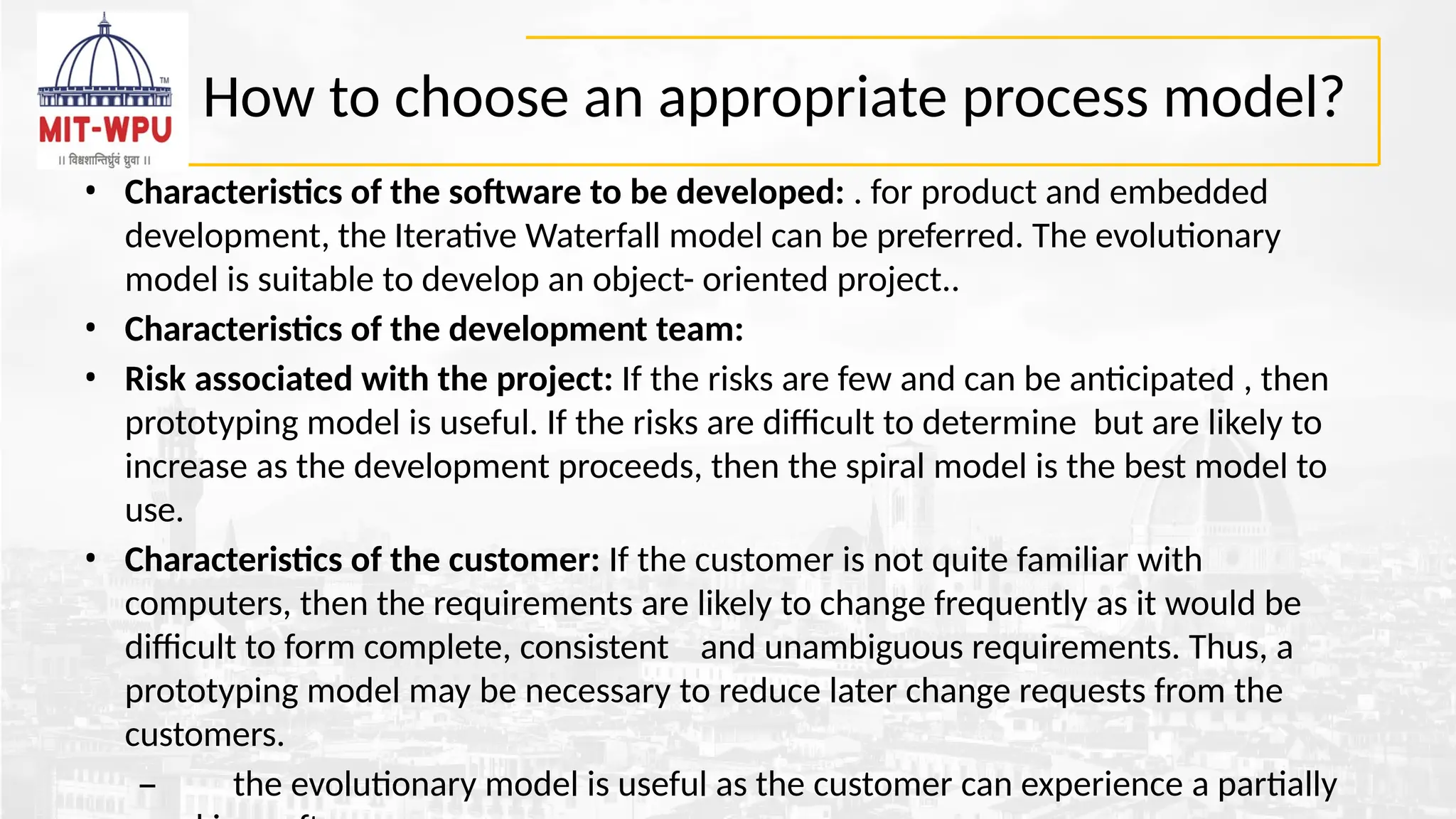
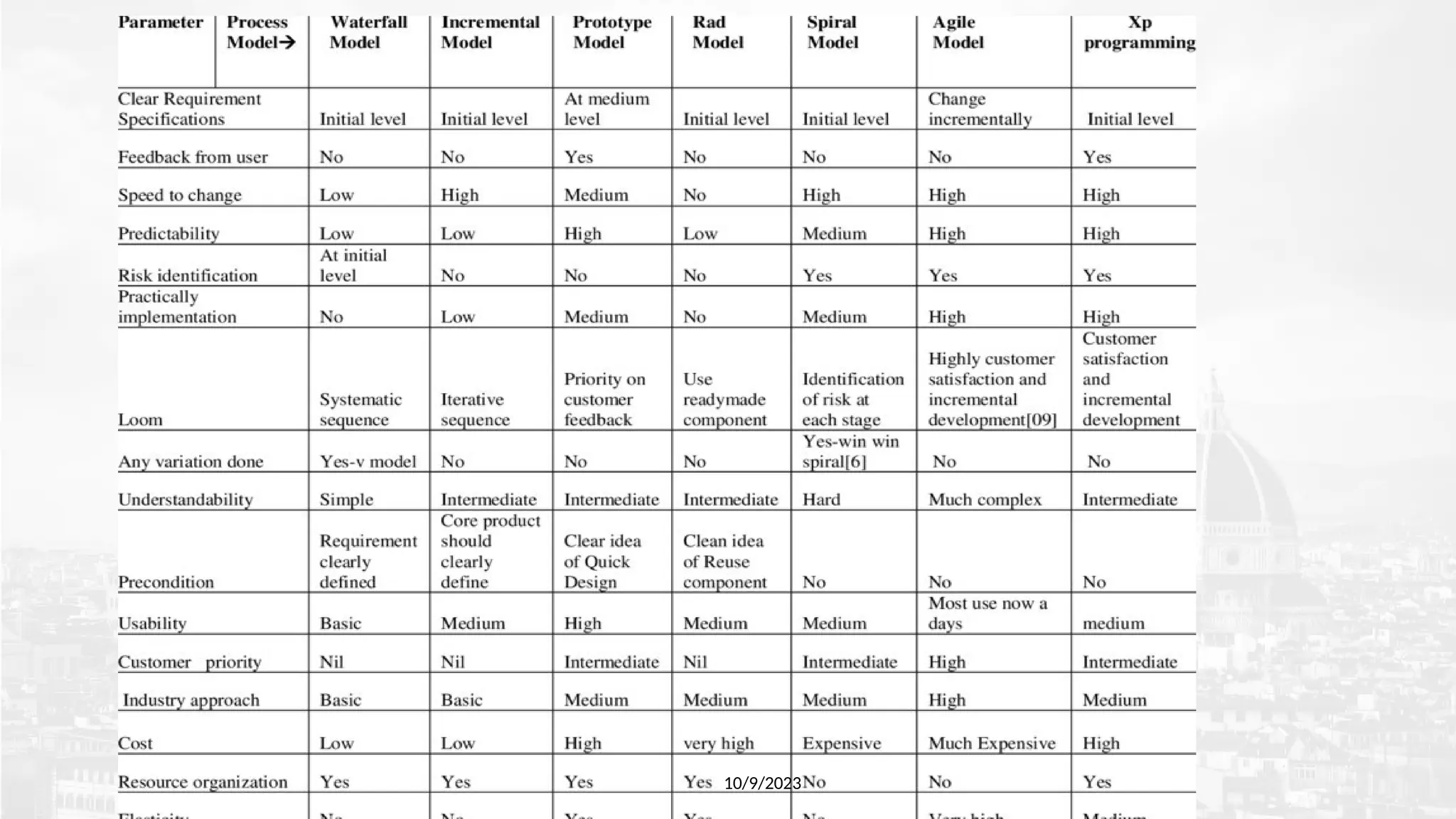
How to choosean appropriate process model?
• Characteristics of the software to be developed: . for product and embedded
development, the Iterative Waterfall model can be preferred. The evolutionary
model is suitable to develop an object- oriented project..
• Characteristics of the development team:
• Risk associated with the project: If the risks are few and can be anticipated , then
prototyping model is useful. If the risks are difficult to determine but are likely to
increase as the development proceeds, then the spiral model is the best model to
use.
• Characteristics of the customer: If the customer is not quite familiar with
computers, then the requirements are likely to change frequently as it would be
difficult to form complete, consistent and unambiguous requirements. Thus, a
prototyping model may be necessary to reduce later change requests from the
customers.
– the evolutionary model is useful as the customer can experience a partially
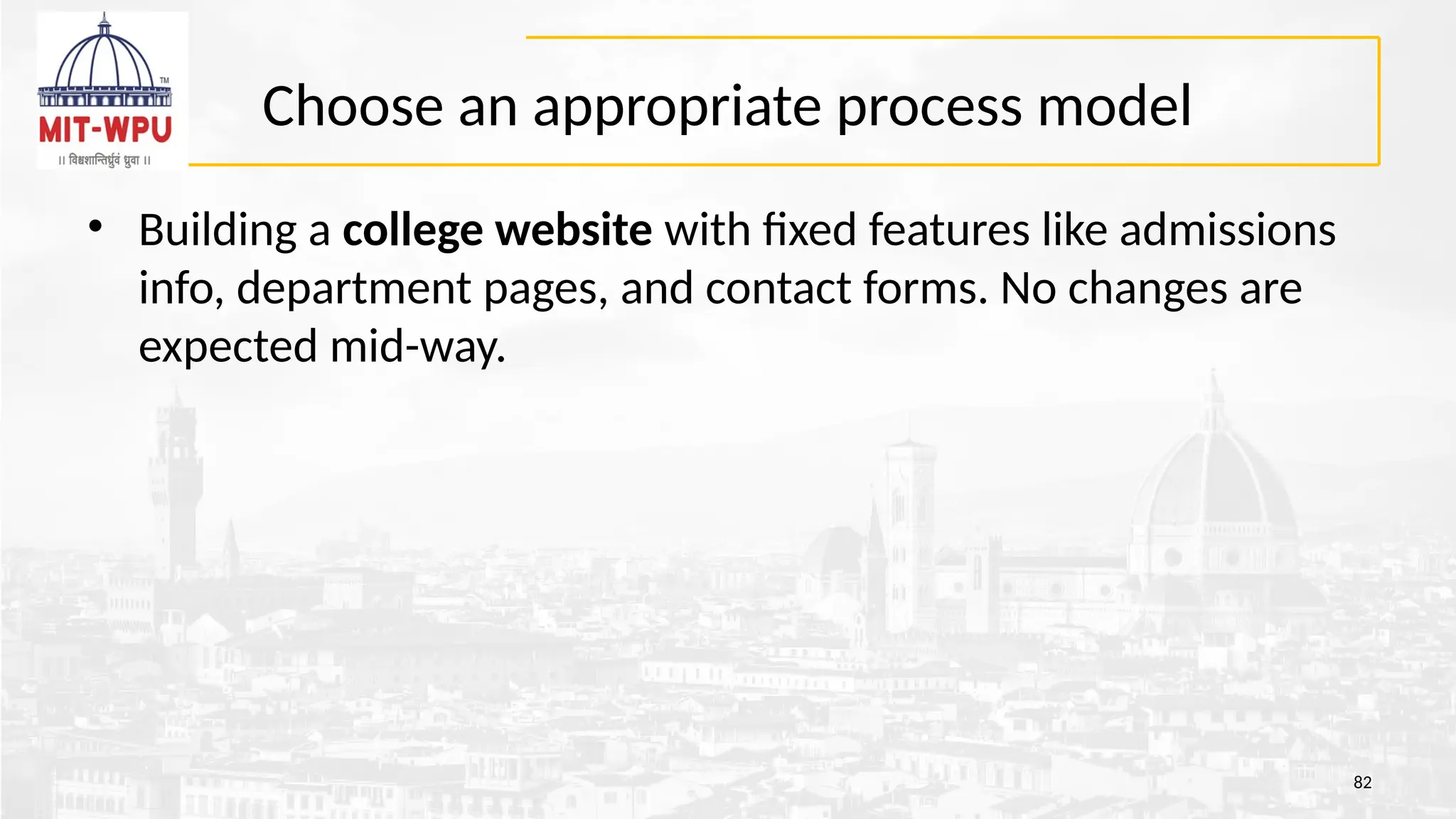
Choose an appropriateprocess model
• Building a college website with fixed features like admissions
info, department pages, and contact forms. No changes are
expected mid-way.
82
Choose an appropriateprocess model
• A defense contractor is developing a missile guidance control
system. The system is large, complex, and safety-critical.
Requirements are partially known and will evolve over time.
There are high risks involved in terms of technology,
performance, and cost. The client wants risk assessment at
every stage before proceeding further.
84
85.
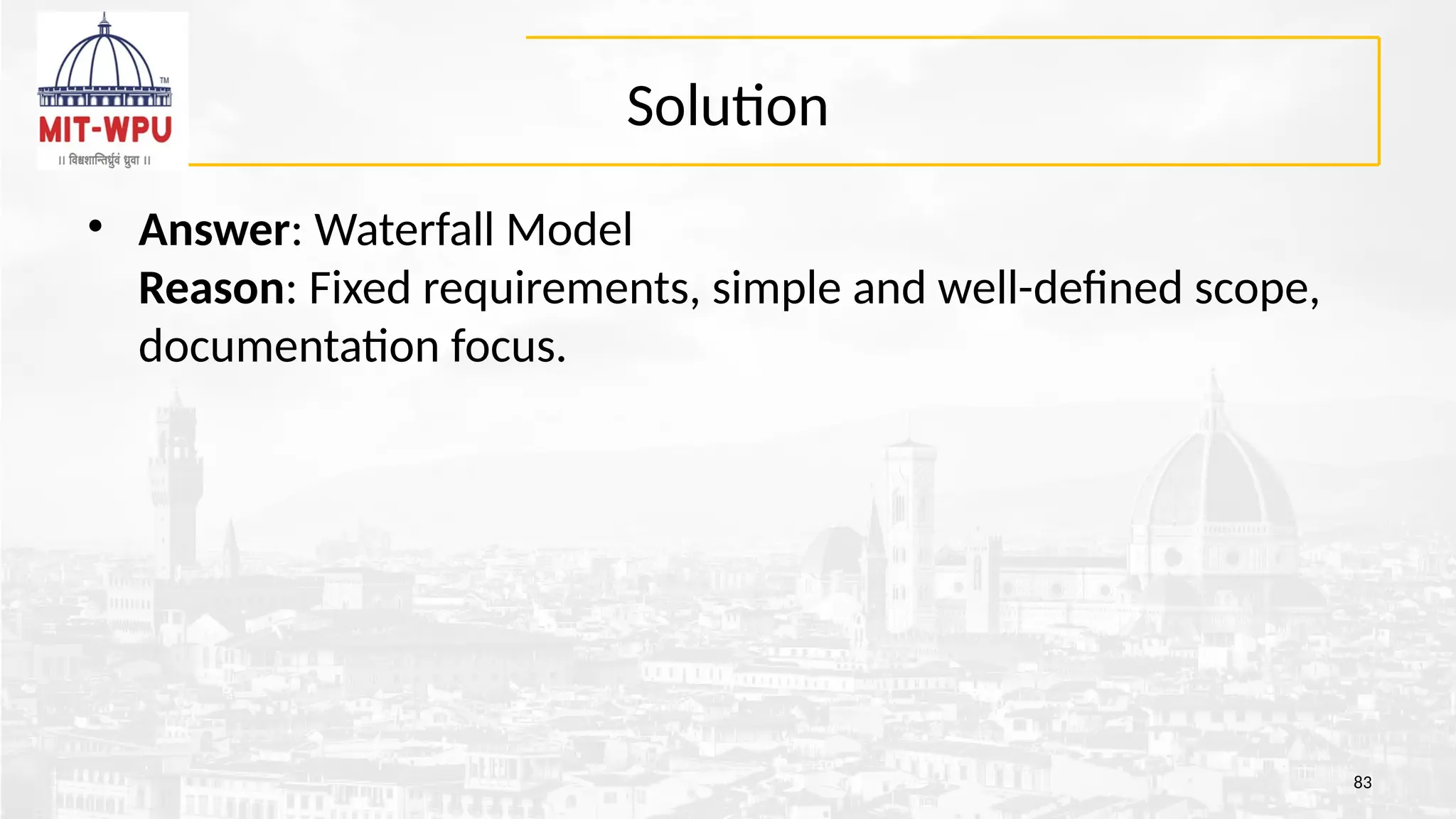
Solution
• Selected Model:Spiral Model
• Justification:
• Spiral model emphasizes risk analysis at every phase — ideal for high-risk,
safety-critical systems.
• It supports iterative development, allowing refinement of requirements in
each loop.
• The model is flexible for large and evolving projects, combining features of
both Waterfall and Prototype models.
• At each spiral phase, a working prototype is reviewed, improving design
accuracy and stakeholder confidence.
85
86.
Choose an appropriateprocess model
• A startup wants to build an online learning platform with
video courses, quizzes, and doubt-solving features. The
requirements are not fully clear at the start, as the company
wants to experiment based on student feedback. They plan to
release a basic version quickly and then add new features over
time.
86
87.
Solution
• Selected Model:Agile Model
• Justification:
• Requirements are evolving and feedback-driven — Agile allows
flexibility.
• The team wants to release a basic version quickly, which fits Agile’s
iterative approach.
• Agile supports frequent updates, ideal for adding features over time.
• Continuous customer interaction is supported through sprint reviews
and feedback loops.
87
What is RequirementsEngineering?
10/9/2023
• Requirements are description of features and functionalities of the
system and convey the expectations of users from the software
product.
• Requirements engineering refers to the process of defining,
documenting and maintaining requirements in the engineering design
process.
• It is a common role in systems engineering and software engineering.
• The requirements can be obvious or hidden, known or unknown,
expected or unexpected from client’s point of view.
Is Requirements EngineeringThat Important?
• Analysts report that as many as 71 percent of software projects that fail
do so because of poor requirements management”
• Case Study :In September 1999, NASA's $125 million Mars Climate Orbiter probe was
destroyed when it tried to enter orbit 100 kilometers too close to Mars. The now notorious error
was due to incompatible specifications; the attitude-control system was specified using imperial
units but its navigation software used metric units.
94
95.
Is Requirements EngineeringThat Important?
• Case Study : London Ambulance Service Computer-Aided Dispatch
System (LASCAD, 1992)
• In October 1992, London launched a new ambulance dispatch system to speed up response
times.Instead, the system slowed dispatching and repeatedly crashed—reports suggested
ambulance waits as long as 11 hours Project Management
Institute+10SciELO+10SciELO+10Wikipedia.The root cause? Requirements focused on functionality
over performance—no measurable response time goals—leading to a system that technically
"worked" but failed in practice .
95
96.
Is Requirements EngineeringThat Important?
• Case Study : Healthcare.gov Launch (October 2013)
• Had over 50 contractors, but specifications were delayed—some announced just weeks before
launch.
• The waterfall model was used instead of iterative development, exposing integration issues too late.
• No clear performance requirements for high traffic resulted in major glitches, log in failures, and
‑
incomplete user journeys.
96
User and SystemRequirements
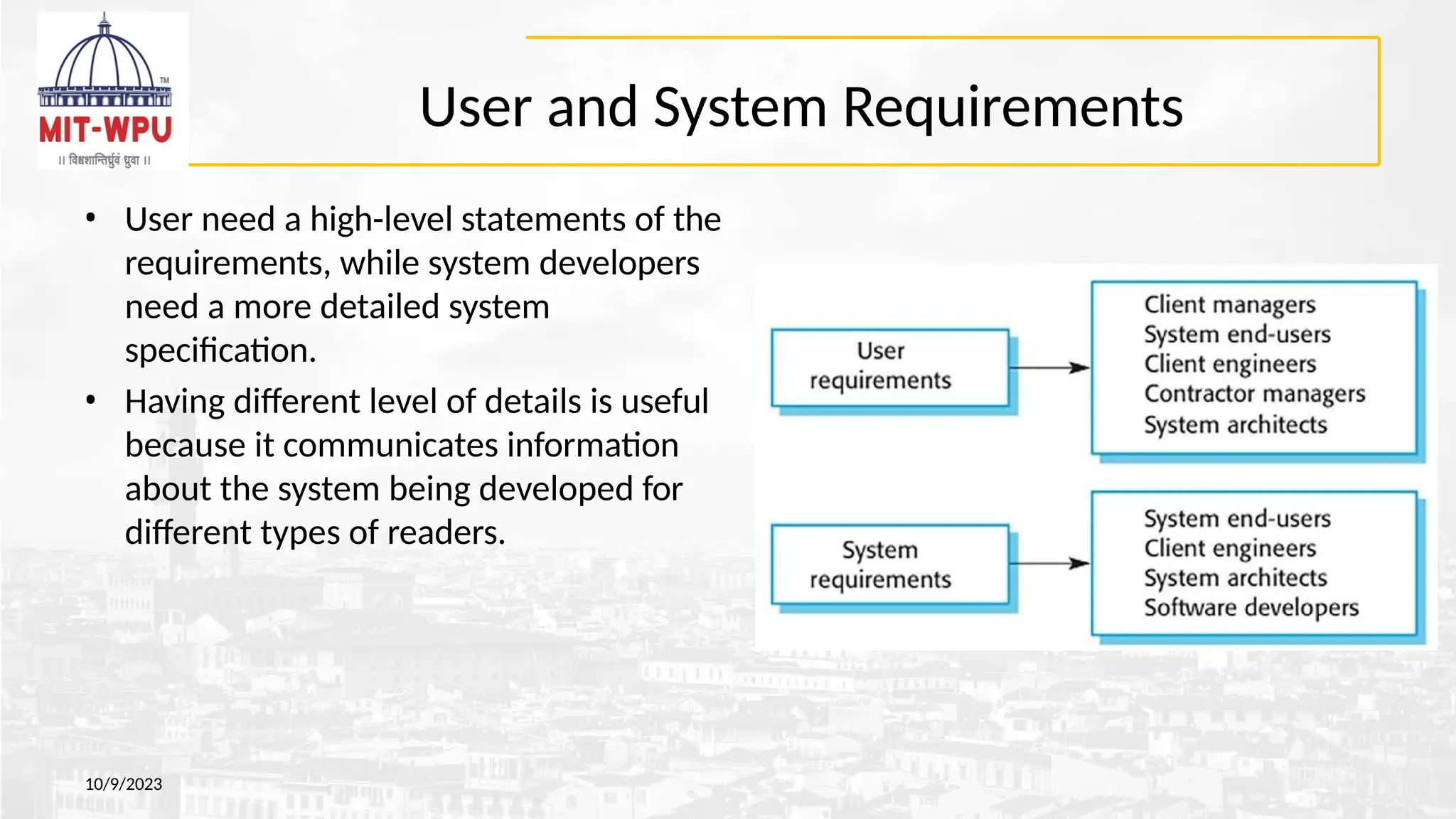
• User need a high-level statements of the
requirements, while system developers
need a more detailed system
specification.
• Having different level of details is useful
because it communicates information
about the system being developed for
different types of readers.
10/9/2023
99.
User and SystemRequirements
10/9/2023
• User Requirements : describes the services that the system should provide and the
constrains under which it must operate.
– more of generic requirements and Readable by everybody
– Services and constraints of the system
– In natural language or diagrams
– Serve business objectives
• System Requirements : gives a more detailed description of the system services and
the operational constrains (how system will be used, programming languages etc)
– This level of detail is needed by those who are involved in the system development
– Useful for the design and development
– Precise and cover all cases
– Structured presentation
100.
Example
10/9/2023
• User requirement:The library system should provide a way to
allow a patron to borrow a book from the library.
• System requirement: The library system should provide a withdraw
interaction that allows a patron to withdraw a book given the isbn and
copy number of the book to be withdrawn. The interaction fails if: the
book is already withdrawn, the book is not in the library's collection,
the patron has already withdrawn 5 books, the book is on hold by
someone else.
• Software Specification: A detailed software description which can
serve as a basis for a design or implementation. Written for developers
101.
What is NOTa requirement?
• A non-requirement in software engineering is anything that
isn't a specific, measurable, achievable, relevant, and time-
bound (SMART) need or expectation for the software.
101
102.
Bad Requirements
10/9/2023
• MissingRequirements –A functionality that is totally missing from the
documentation.
• “Error messaging” in case of data validation
• not detailing the need for a certain link available as per the access rules on an application.
• Conflicting Requirements – When two or more requirements expect the system
to do different things that can’t possibly be done at the same time.
• the business stakeholder might want to retrieve a 1000 records at a time in real-time whereas the
technology stakeholder knows this is practically impossible and not feasible.
• Incomplete/Unclear Requirements – Requirements that lack all the necessary
information constitute this lot.
– “The system should have the capability to filter search results”. The details around filter
criteria is not been provided and thus raises unnecessary queries.
• Ambiguous Requirements – A requirement statement that can be interpreted in
different ways by different people.
103.
Ambiguous Requirements
10/9/2023
• Aclient needed to be able to upload "large files." A solution was
found where the platform could handle the "large files." Client was
assured a solution was found and testing began. Client gave a
feedback that the solution was not meeting their needs, was freezing
and full of bugs.
– To the client "large" meant 20-50GB and to our team and the platform provider
"large" meant up to 5GB.
• Trigger an automatic log out when a user attempts to download up to
5 times. Display is up to large screen size.
– Is this 5 times including the 5th time or 4 times?
– the page has a document that is in 5 parts
– For the screen size, 720px may be large for some and 1280 may be large for
some.
104.
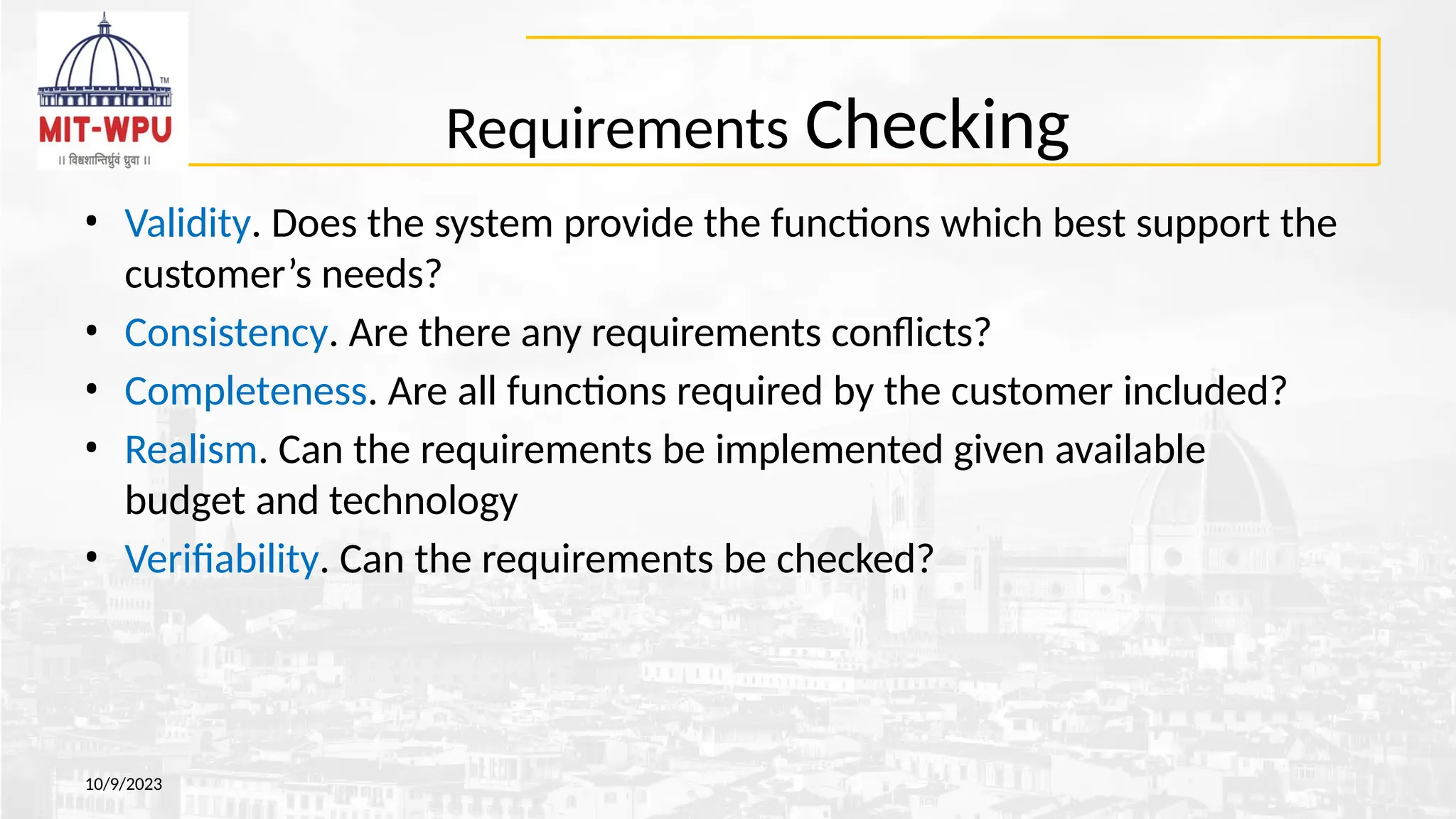
Requirements Checking
10/9/2023
• Validity.Does the system provide the functions which best support the
customer’s needs?
• Consistency. Are there any requirements conflicts?
• Completeness. Are all functions required by the customer included?
• Realism. Can the requirements be implemented given available
budget and technology
• Verifiability. Can the requirements be checked?
105.
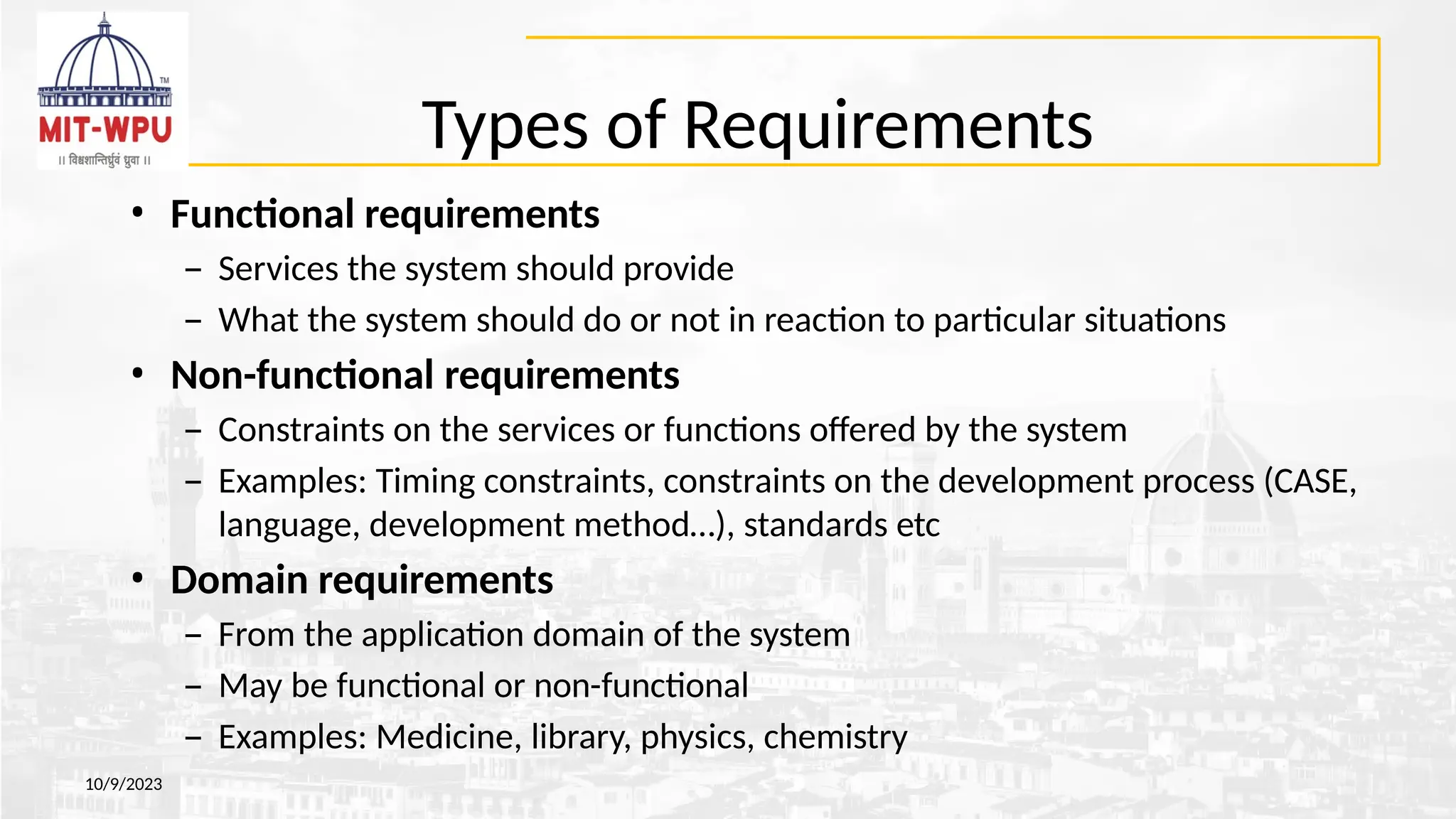
Types of Requirements
10/9/2023
•Functional requirements
– Services the system should provide
– What the system should do or not in reaction to particular situations
• Non-functional requirements
– Constraints on the services or functions offered by the system
– Examples: Timing constraints, constraints on the development process (CASE,
language, development method…), standards etc
• Domain requirements
– From the application domain of the system
– May be functional or non-functional
– Examples: Medicine, library, physics, chemistry
106.
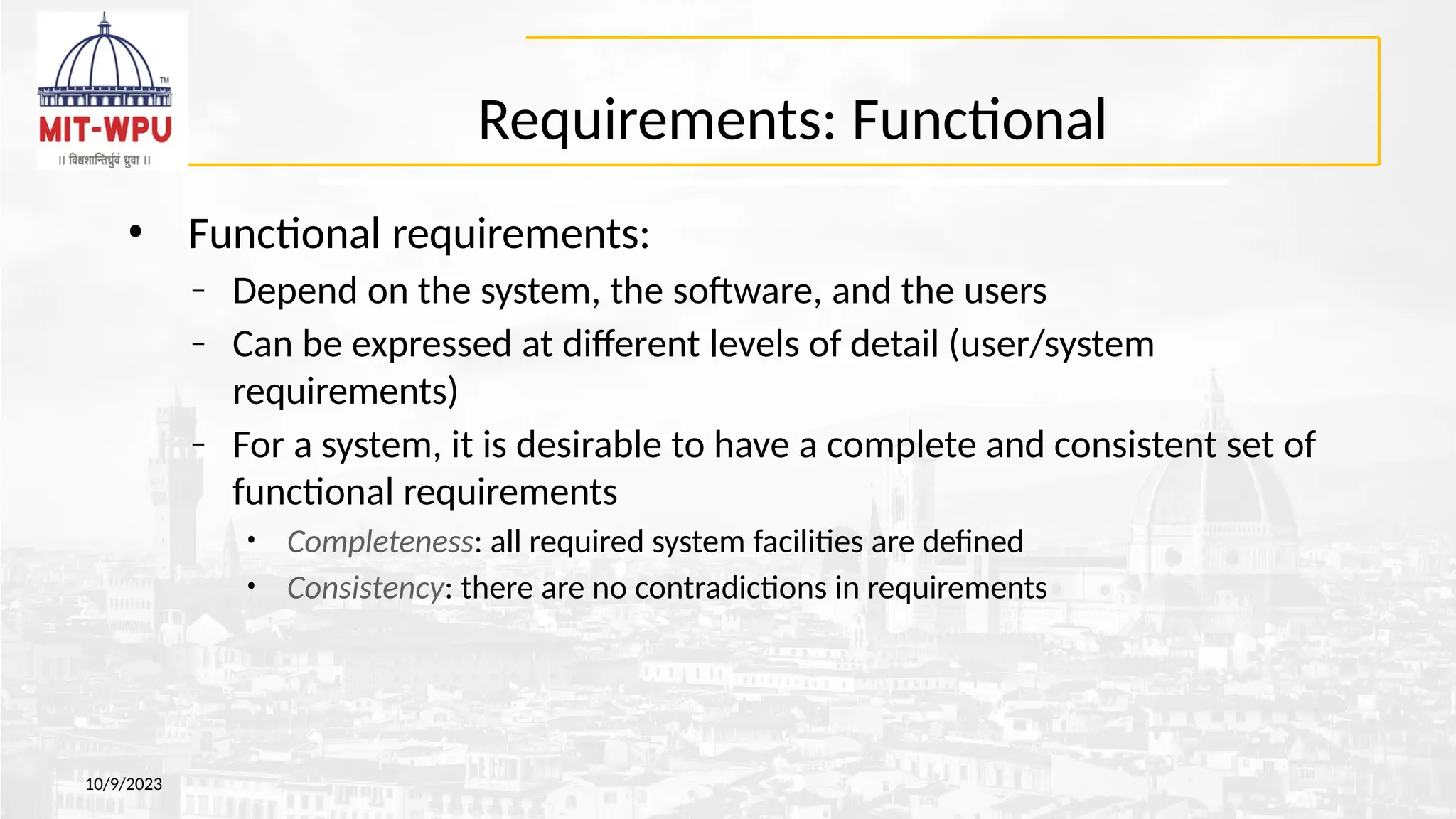
Requirements: Functional
• Functionalrequirements:
– Depend on the system, the software, and the users
– Can be expressed at different levels of detail (user/system
requirements)
– For a system, it is desirable to have a complete and consistent set of
functional requirements
• Completeness: all required system facilities are defined
• Consistency: there are no contradictions in requirements
10/9/2023
107.
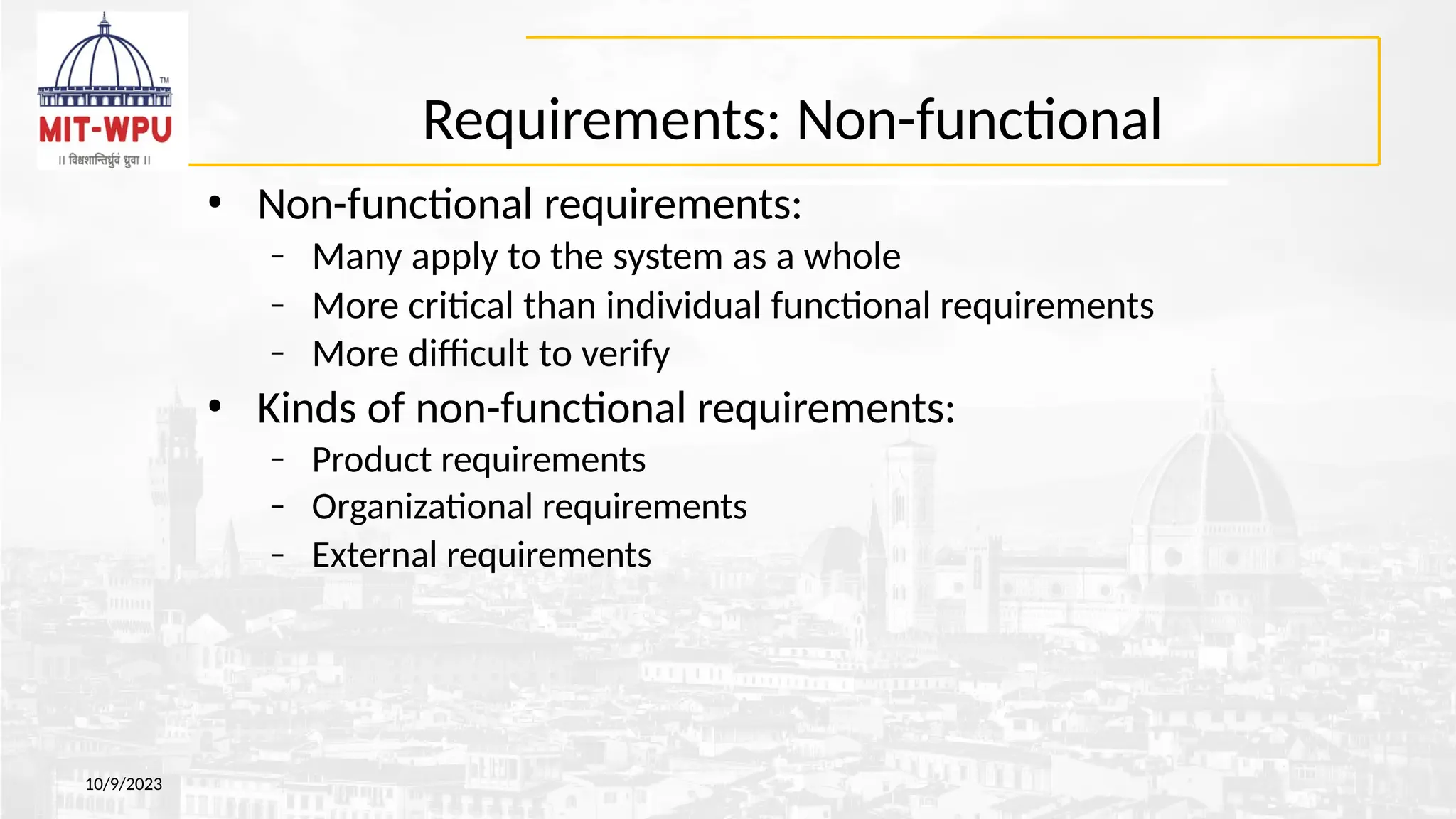
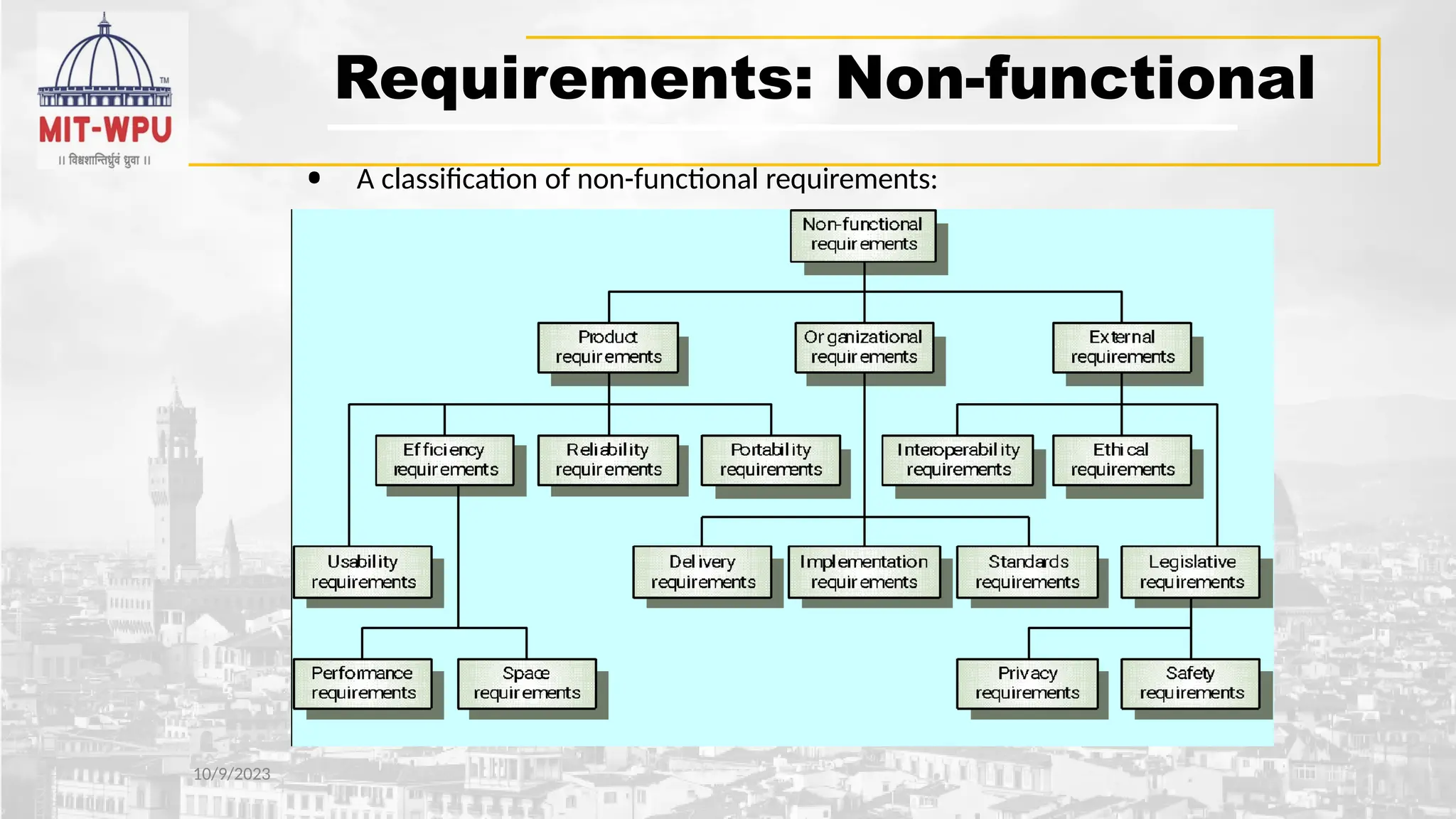
Requirements: Non-functional
• Non-functionalrequirements:
– Many apply to the system as a whole
– More critical than individual functional requirements
– More difficult to verify
• Kinds of non-functional requirements:
– Product requirements
– Organizational requirements
– External requirements
10/9/2023
Requirement Engineering Process
10/9/2023
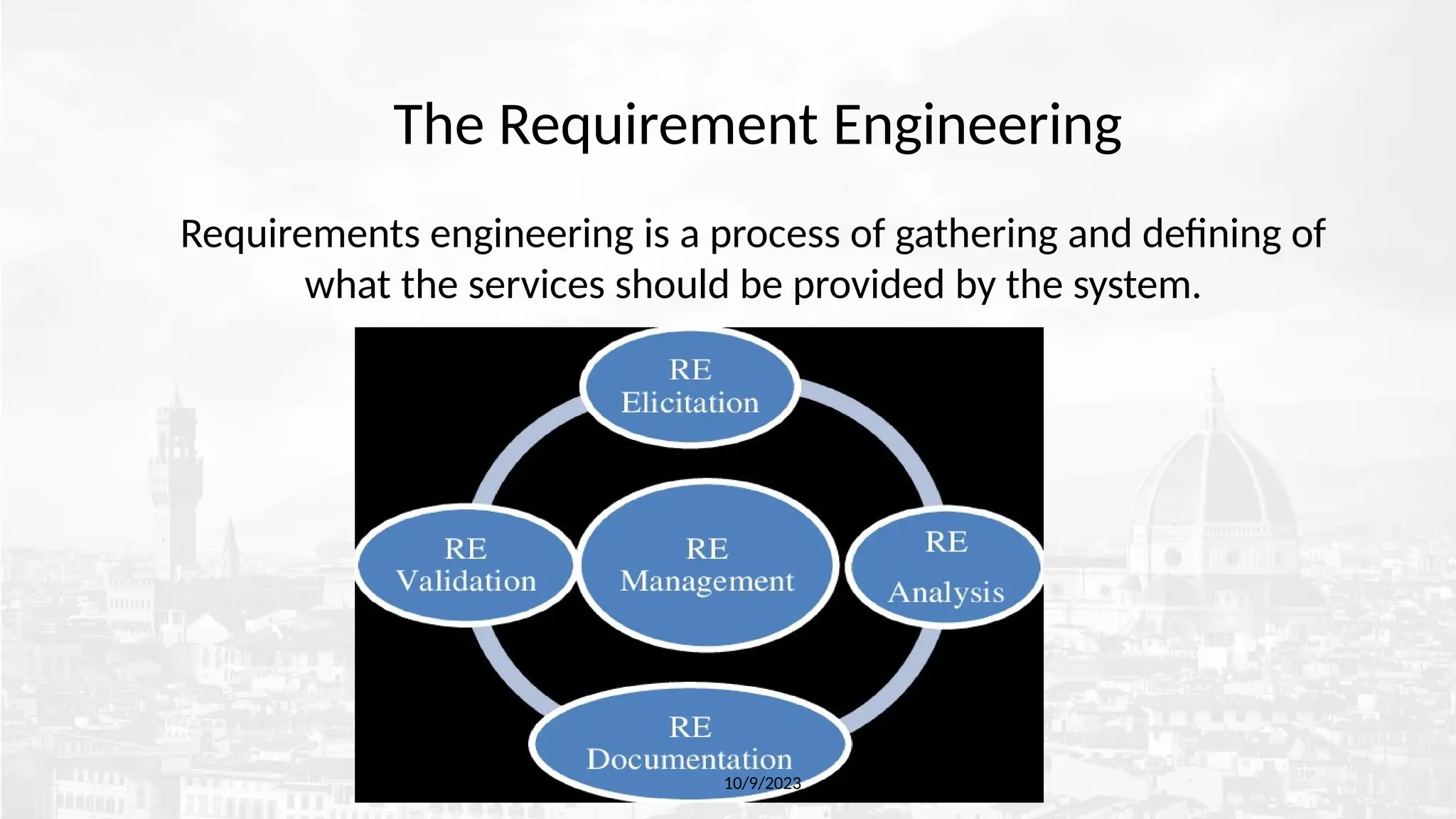
•The requirement engineering process is the overarching framework
encompassing all activities involved in gathering, analyzing, specifying,
validating, and managing requirements.
• A process of gathering and defining service provided by the system.
– It ensures your software will meet the user expectations, and ending up with a high
quality software.
– It’s a critical stage of the software process as errors at this stage will reflect later on the
next stages, which definitely will cause you a higher costs.
• At the end of this stage an SRS is produced and validated with the
stakeholders.
Requirement Engineering Process
10/9/2023
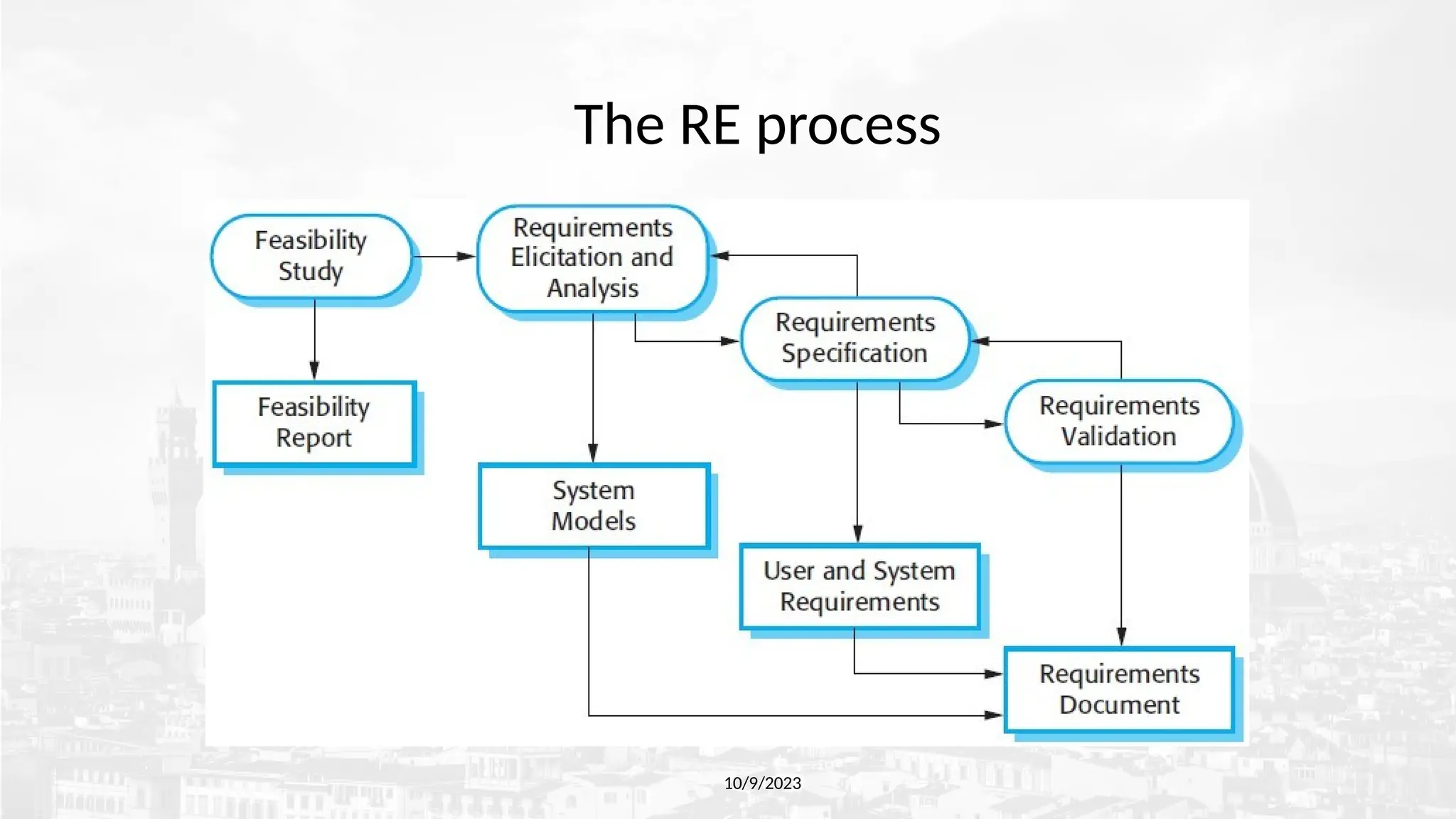
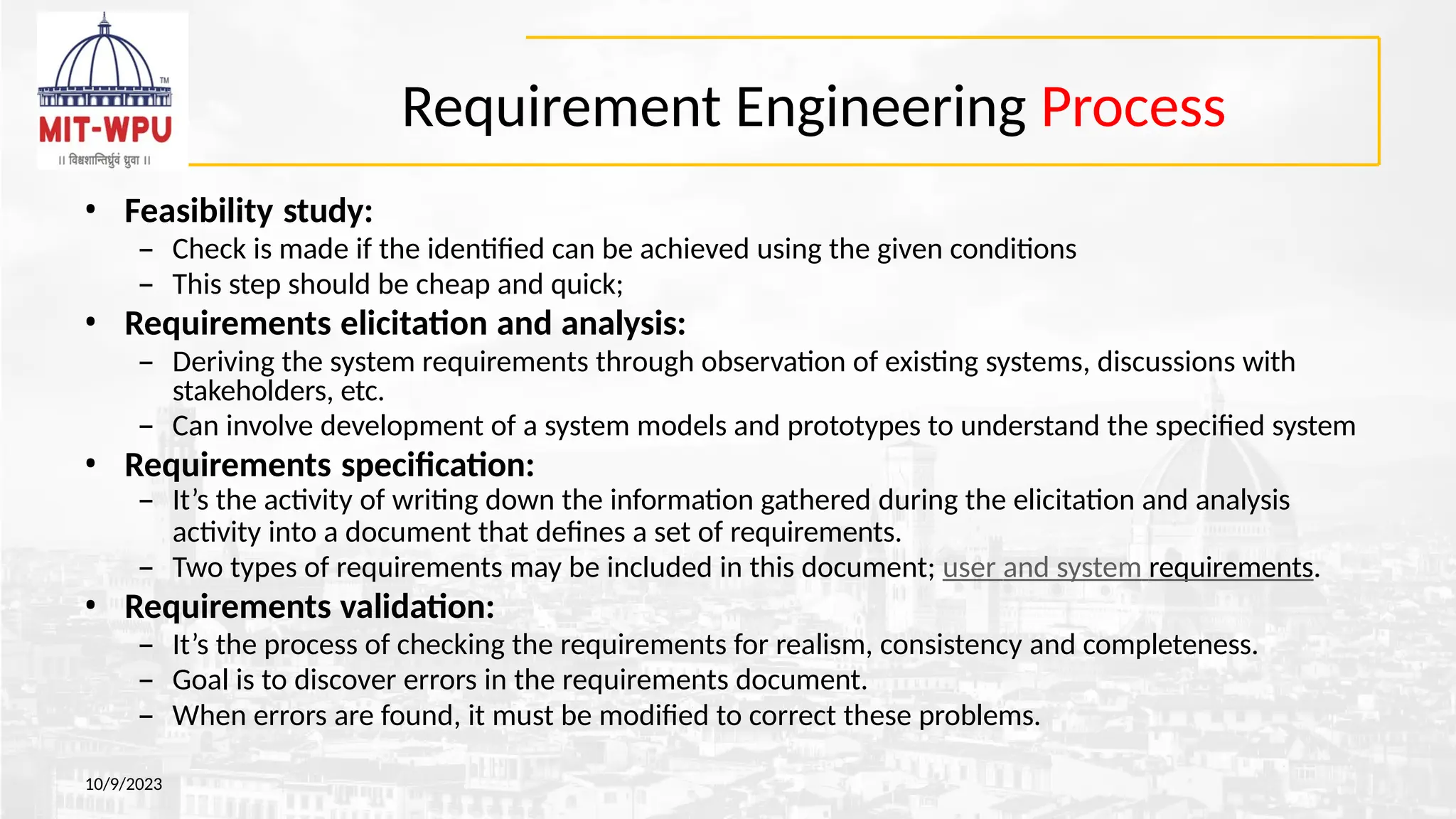
•Feasibility study:
– Check is made if the identified can be achieved using the given conditions
– This step should be cheap and quick;
• Requirements elicitation and analysis:
– Deriving the system requirements through observation of existing systems, discussions with
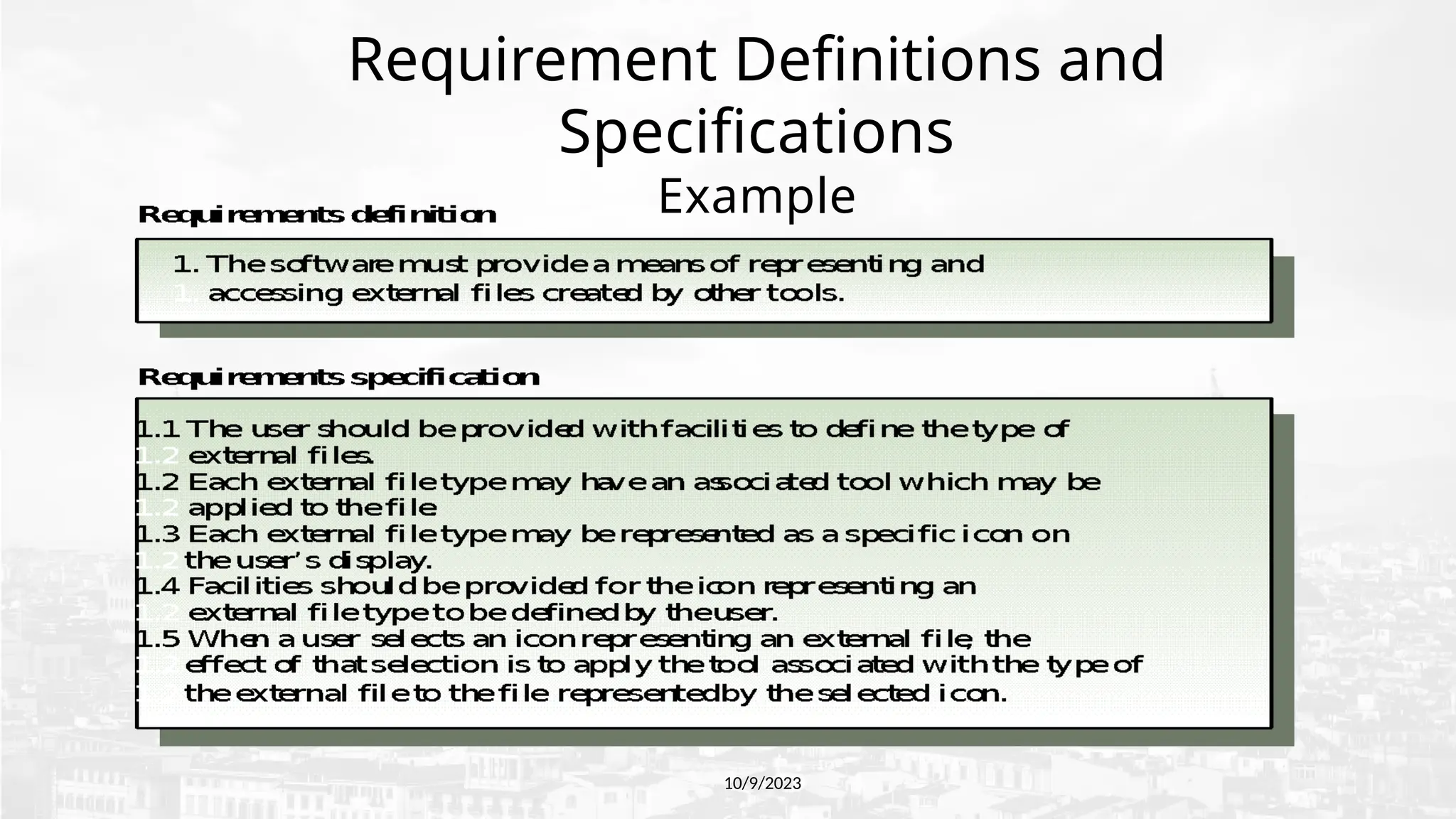
stakeholders, etc.
– Can involve development of a system models and prototypes to understand the specified system
• Requirements specification:
– It’s the activity of writing down the information gathered during the elicitation and analysis
activity into a document that defines a set of requirements.
– Two types of requirements may be included in this document; user and system requirements.
• Requirements validation:
– It’s the process of checking the requirements for realism, consistency and completeness.
– Goal is to discover errors in the requirements document.
– When errors are found, it must be modified to correct these problems.
112.
Requirement Engineering Steps
10/9/2023
•The requirement engineering steps are the specific, individual actions or
phases within that process.
• Requirement engineering typically involves six key steps:
o inception,
o elicitation,
o elaboration,
o negotiation,
o specification, and
o validation.
• These steps ensure that the project's scope and objectives are clearly
defined, requirements are gathered and refined, conflicts are resolved,
and the final requirements are documented and validated.
113.
Requirement Engineering Steps
10/9/2023
•RE has overlapping steps :
– Inception - in which the nature and scope of the system is defined.
– Elicitation - in which the requirements for the software are initially
gathered.
– Elaboration - in which the gathered requirements are refined.
– Negotiation -in which the priorities of each requirement is
determined, the essential requirements are noted, and, conflicts
between requirements are resolved.
– Specification - in which the requirements are gathered into a single
product, being the result of the requirements engineering.
– Validation - in which the quality of the requirements (i.e., are they
unambiguous, consistent, complete, etc.), and the developer's
interpretation of them, are assessed.
114.
Requirements Engineering Steps
10/9/2023
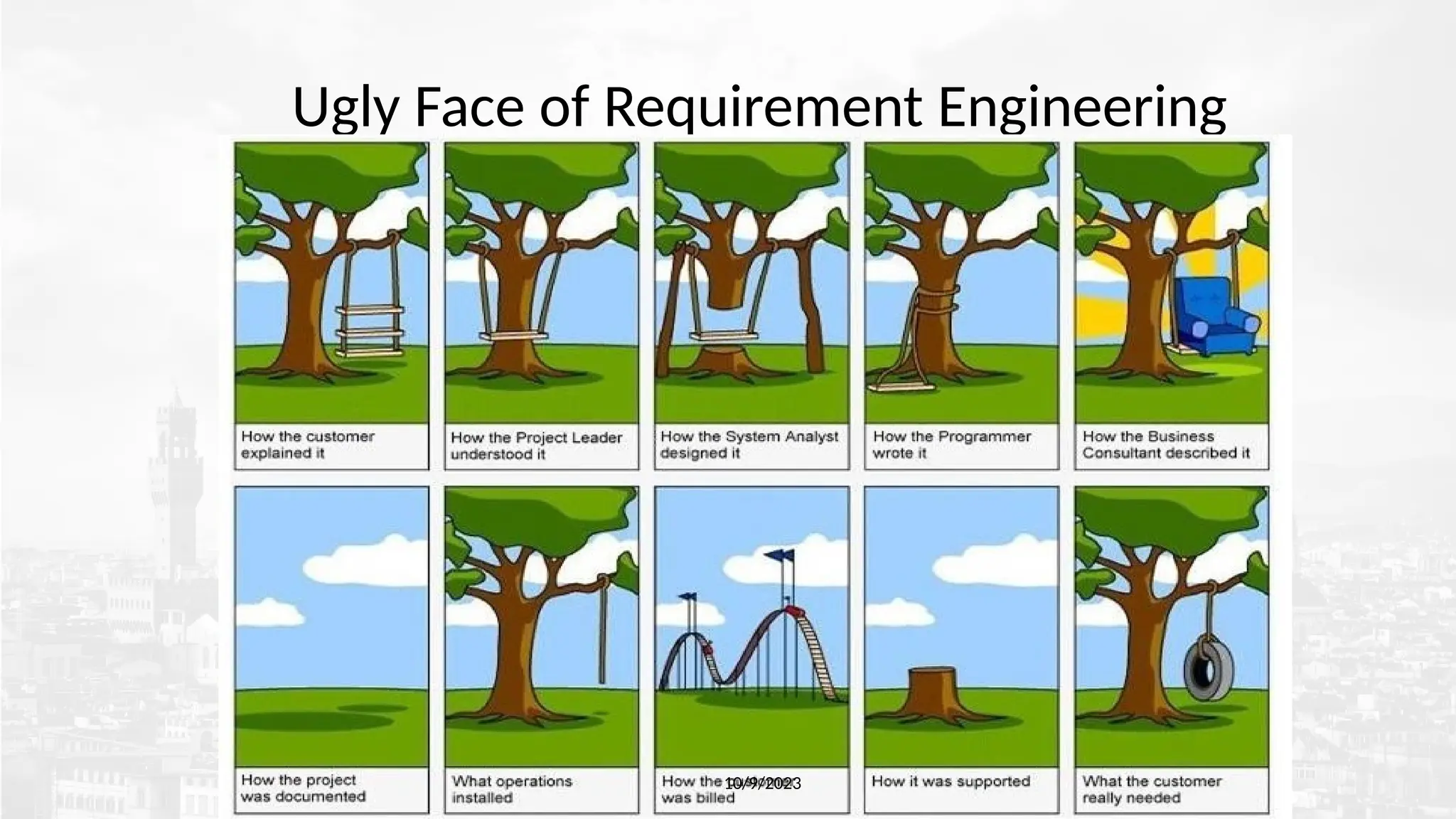
•Inception— Ask a set of questions that establish …
– Basic understanding of the problem
– The nature of the solution that is desired
– The effectiveness of preliminary communication and collaboration between the
customer and the developer
– The people who want a solution -Identify Stakeholders : Stakeholders can affect
or be affected by the application’s actions, objectives and policies. End
Users,
Build Team and Authorities
– Recognize multiple points of view
115.
Requirements Engineering- Steps
10/9/2023
•Elicitation
– Elicit requirements , identify problems from all stakeholders
– Propose elements of the solution
– The scope and negotiate different approaches,,
– Understanding of the problem and volatility (requirements change over time )
– Specify a preliminary set of solution requirements
116.
Requirements Engineering- Steps
10/9/2023
•Elaboration
– Create an analysis model that identifies data, function and behavioral
requirements.
– It is driven by the creation and refinement of user scenarios that describe how the
end-user will act with the system.
117.
Requirements Engineering- Steps
10/9/2023
•Negotiation
– Identify Conflicting Requirements and reconcile these conflicts
through a process of negotiation.
– Stakeholders are asked to rank requirements and then discuss conflicts in
priority.
– Risks in each requirement are identified and analyzed.
– Agree on a deliverable system that is realistic for developers and customers.
• Specification : SRS or a prototype
– It is the final work produced by the RE. It is serves as the
foundation for subsequent S.E. activities.
118.
Software Requirements SpecificationTemplate
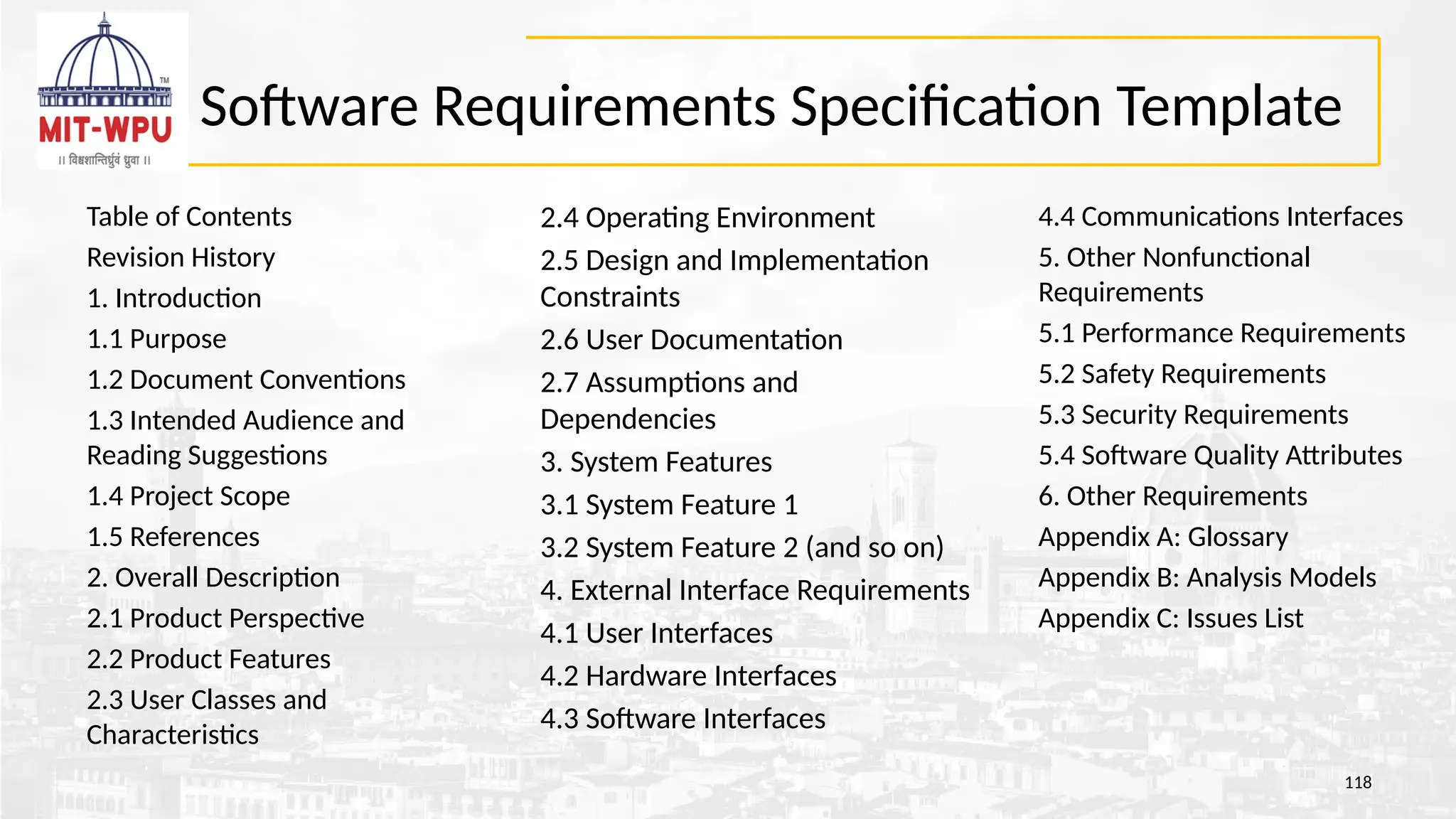
Table of Contents
Revision History
1. Introduction
1.1 Purpose
1.2 Document Conventions
1.3 Intended Audience and
Reading Suggestions
1.4 Project Scope
1.5 References
2. Overall Description
2.1 Product Perspective
2.2 Product Features
2.3 User Classes and
Characteristics
118
2.4 Operating Environment
2.5 Design and Implementation
Constraints
2.6 User Documentation
2.7 Assumptions and
Dependencies
3. System Features
3.1 System Feature 1
3.2 System Feature 2 (and so on)
4. External Interface Requirements
4.1 User Interfaces
4.2 Hardware Interfaces
4.3 Software Interfaces
4.4 Communications Interfaces
5. Other Nonfunctional
Requirements
5.1 Performance Requirements
5.2 Safety Requirements
5.3 Security Requirements
5.4 Software Quality Attributes
6. Other Requirements
Appendix A: Glossary
Appendix B: Analysis Models
Appendix C: Issues List
119.
• Validation
– Areview mechanism that looks for
• Errors in content or interpretation
• Areas where clarification may be required
• Missing information
• Inconsistencies (a major problem when large products or systems are engineered)
• Conflicting or unrealistic (unachievable) requirements.
• .
10/9/2023
120.
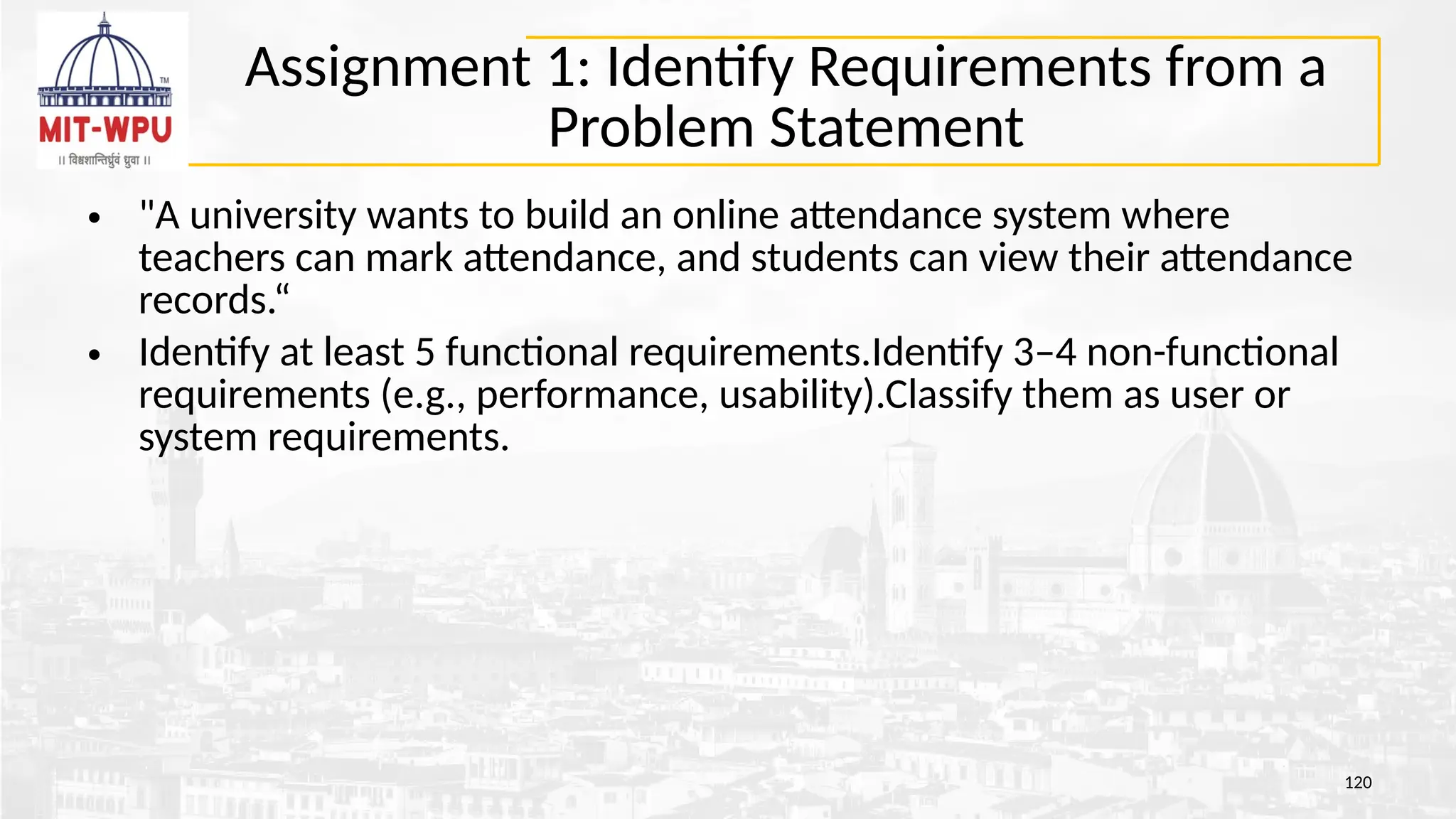
Assignment 1: IdentifyRequirements from a
Problem Statement
• "A university wants to build an online attendance system where
teachers can mark attendance, and students can view their attendance
records.“
• Identify at least 5 functional requirements.Identify 3–4 non-functional
requirements (e.g., performance, usability).Classify them as user or
system requirements.
120
121.
Solution
121
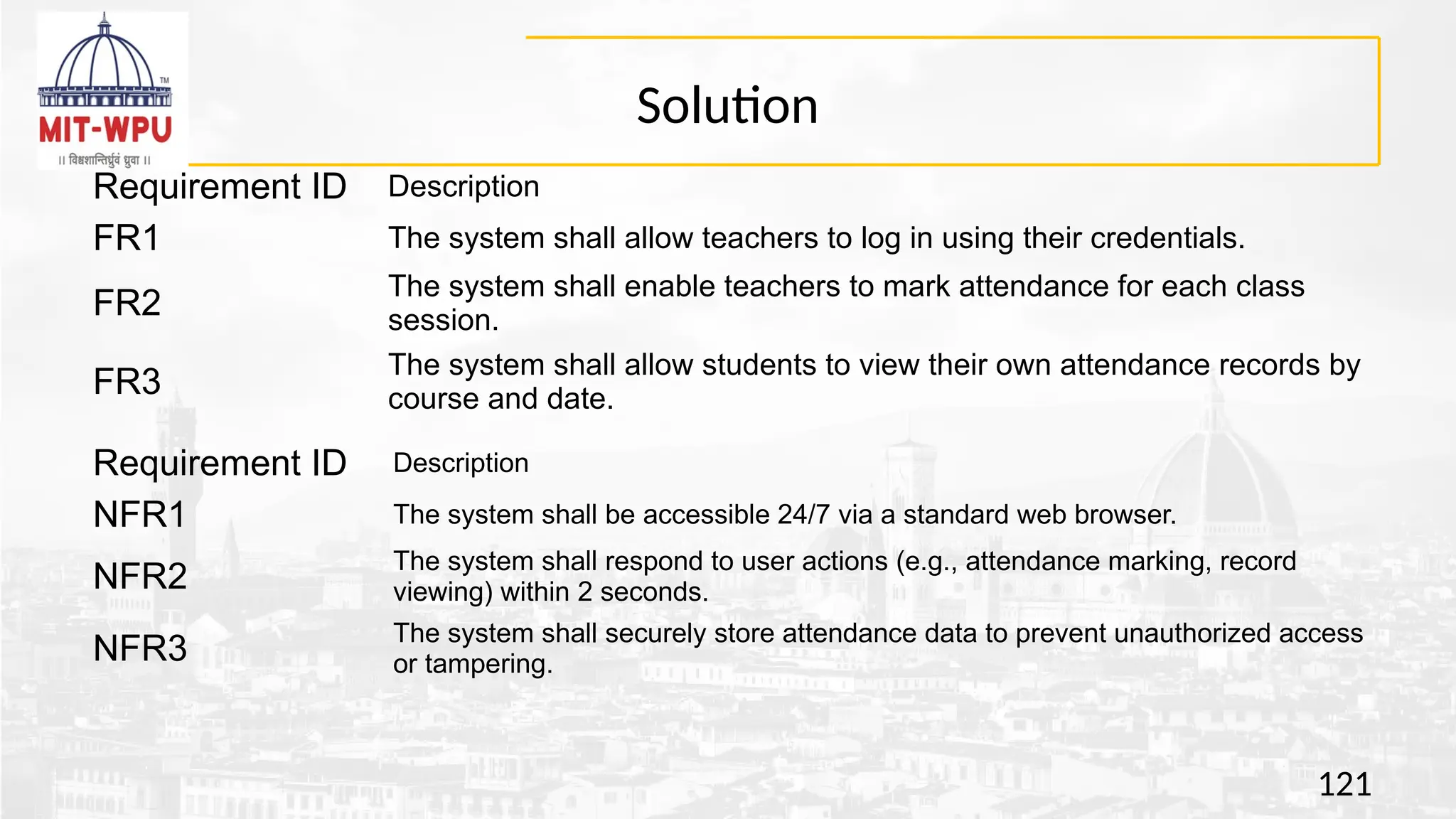
Requirement ID Description
FR1The system shall allow teachers to log in using their credentials.
FR2
The system shall enable teachers to mark attendance for each class
session.
FR3
The system shall allow students to view their own attendance records by
course and date.
Requirement ID Description
NFR1 The system shall be accessible 24/7 via a standard web browser.
NFR2
The system shall respond to user actions (e.g., attendance marking, record
viewing) within 2 seconds.
NFR3
The system shall securely store attendance data to prevent unauthorized access
or tampering.
122.
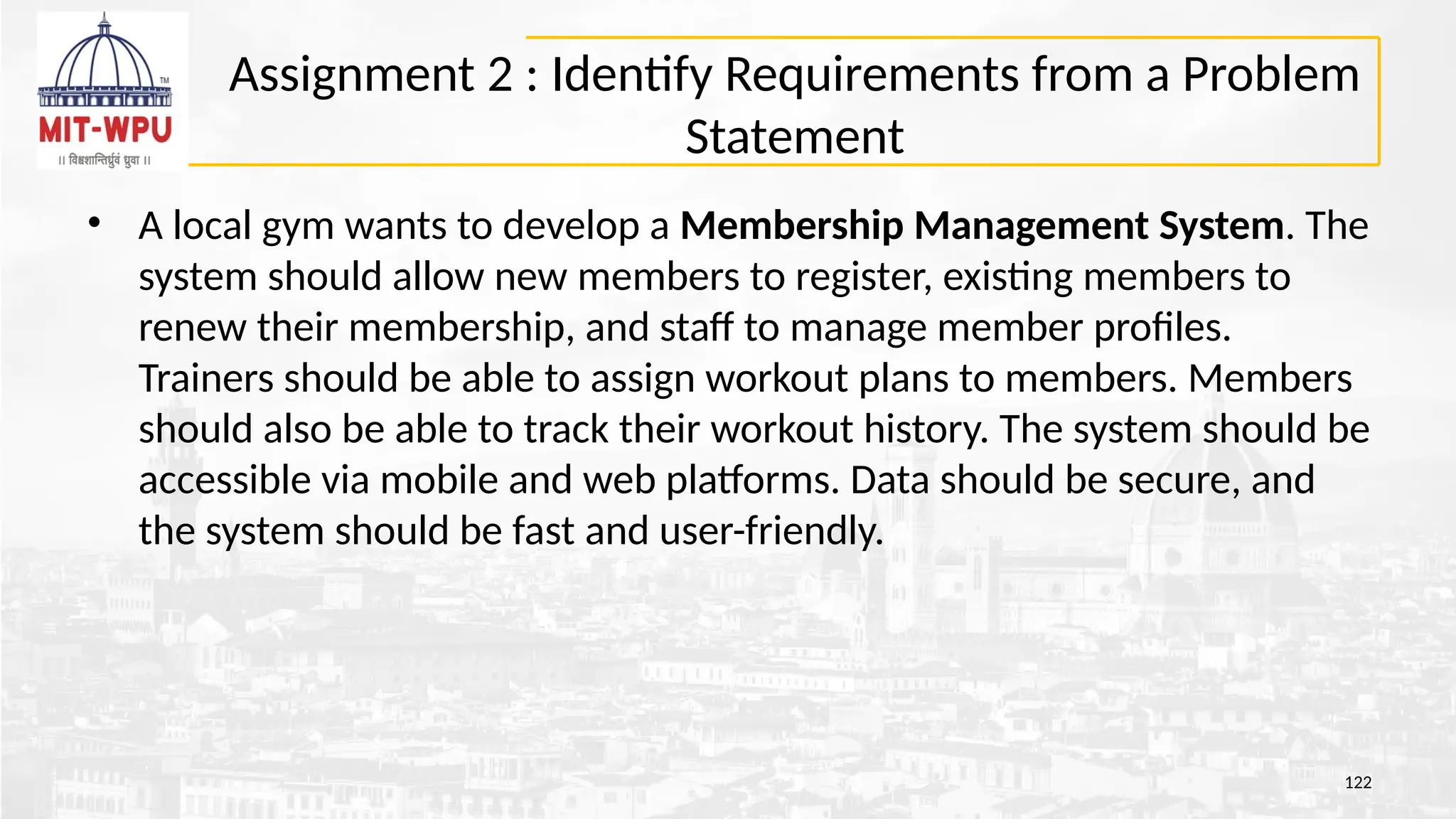
Assignment 2 :Identify Requirements from a Problem
Statement
• A local gym wants to develop a Membership Management System. The
system should allow new members to register, existing members to
renew their membership, and staff to manage member profiles.
Trainers should be able to assign workout plans to members. Members
should also be able to track their workout history. The system should be
accessible via mobile and web platforms. Data should be secure, and
the system should be fast and user-friendly.
122
123.
Solution
123
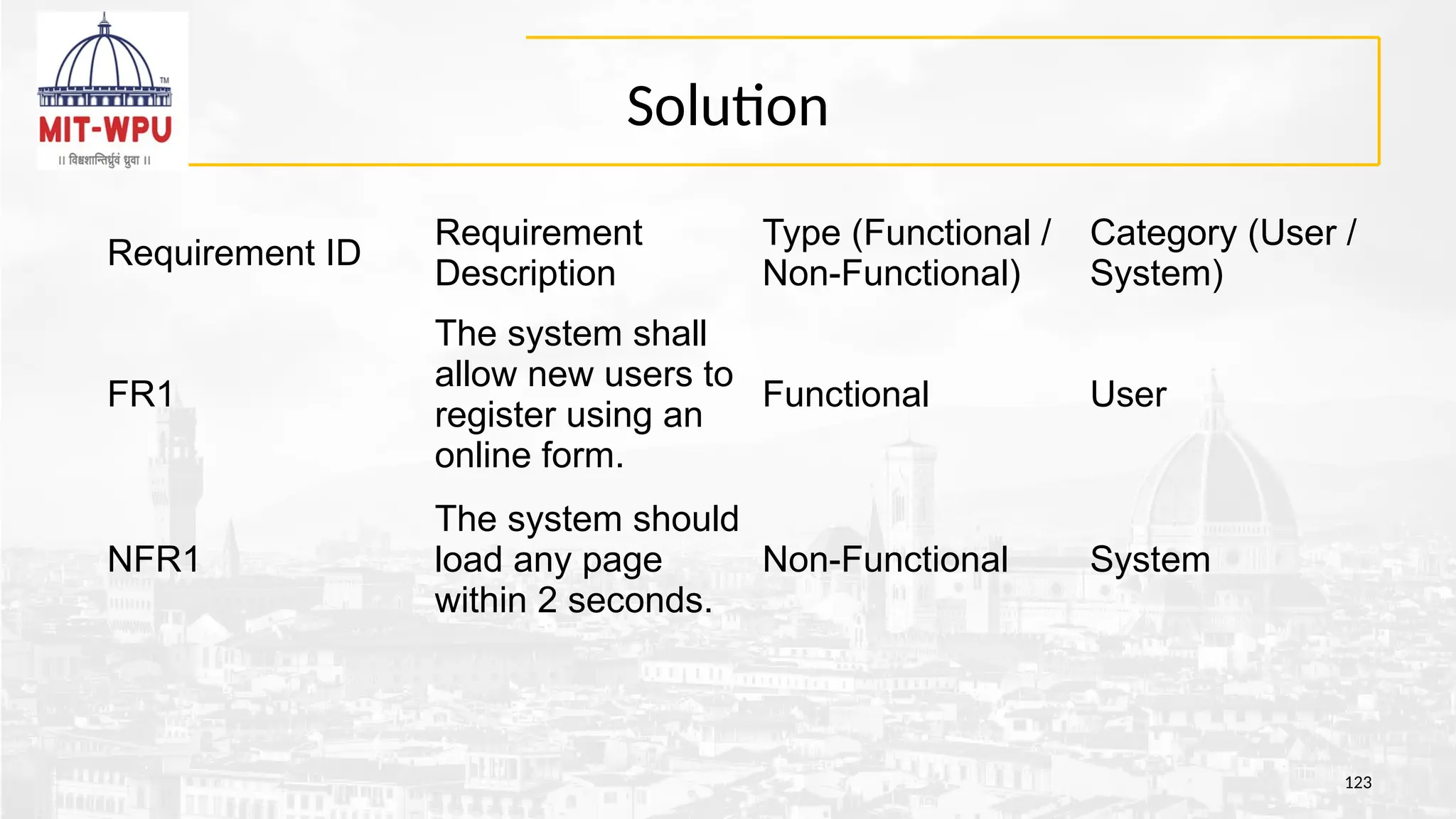
Requirement ID
Requirement
Description
Type (Functional/
Non-Functional)
Category (User /
System)
FR1
The system shall
allow new users to
register using an
online form.
Functional User
NFR1
The system should
load any page
within 2 seconds.
Non-Functional System
124.
Assignment 3: RewriteRequirements Clearly
124
Poor Requirement
The system should be fast.
Users should be able to do transactions.
The application will work on all devices.
125.
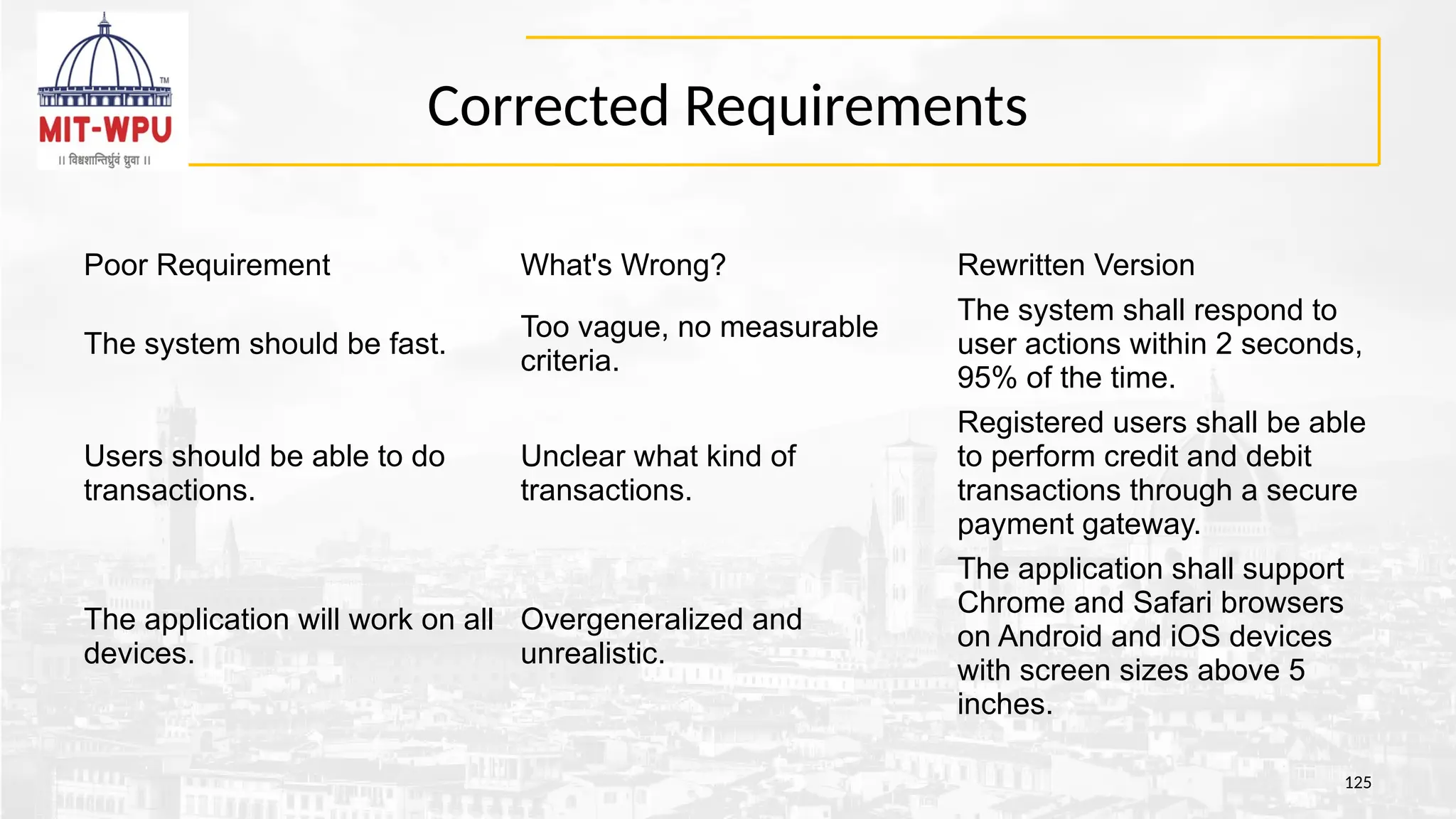
Corrected Requirements
125
Poor RequirementWhat's Wrong? Rewritten Version
The system should be fast.
Too vague, no measurable
criteria.
The system shall respond to
user actions within 2 seconds,
95% of the time.
Users should be able to do
transactions.
Unclear what kind of
transactions.
Registered users shall be able
to perform credit and debit
transactions through a secure
payment gateway.
The application will work on all
devices.
Overgeneralized and
unrealistic.
The application shall support
Chrome and Safari browsers
on Android and iOS devices
with screen sizes above 5
inches.
126.
SRS document
• Overviewof the SRS (Software Requirements Specification)
format and contents, based on the IEEE 830 standard,
126
127.
References
• Roger SPressman, Software Engineering: A Practitioner’s Approach,
Mcgraw-Hill, ISBN: 0073375977, Seventh Edition, 2014
• Ian Sommerville, ― Software Engineering‖, Addison and Wesley. 9th Ed., 2011.
• Pankaj Jalote, Software Engineering: A Precise Approach, Wiley
India.2010.
10/9/2023
Disclaimer:
a. Information included in this slides came from multiple sources. We have tried our best to cite the sources. Please refer to
the References to learn about the sources, when applicable.
b. The slides should be used only for academic purposes (e.g., in teaching a class), and should not be used for commercial
purposes.
![Quiz
• Q1: Which process model is best suited when requirements
are well understood and unlikely to change significantly during
development? [GATE CSE 2015 - 1 Mark]
A. Spiral Model
B. Waterfall Model
C. Agile Model
D. RAD Model
51](https://image.slidesharecdn.com/finalsemuniti-250818010423-5d2c2a10/75/Final-SEM-Unit-1-for-mit-wpu-at-pune-pptx-51-2048.jpg)