Time: 30 min
FEEDBACK CAPTURE GRID
Use a feedback capture grid to facilitate real-time capture, or post-mortem unpacking, of feedback on presentations and prototypes – times
when presenter-critiquer interaction is anticipated. This can be used either to give feedback on progress within the design team or to capture
a user’s feedback about a prototype. Using the grid will help you be systematic about feedback, and more intentional about capturing
thoughts in the four different areas.
Instructions:
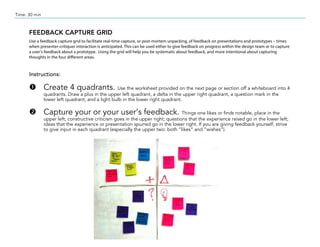
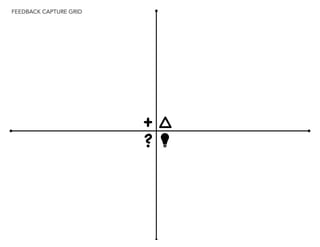
Œ Create 4 quadrants. Use the worksheet provided on the next page or section off a whiteboard into 4
quadrants. Draw a plus in the upper left quadrant, a delta in the upper right quadrant, a question mark in the
lower left quadrant, and a light bulb in the lower right quadrant.
 Capture your or your user’s feedback. Things one likes or finds notable, place in the
upper left; constructive criticism goes in the upper right; questions that the experience raised go in the lower left;
ideas that the experience or presentation spurred go in the lower right. If you are giving feedback yourself, strive
to give input in each quadrant (especially the upper two: both “likes” and “wishes”).
FEEDBACK CAPTURE GRID
+
?


Feedback capture grid

  • 1.
    Time: 30 min FEEDBACKCAPTURE GRID Use a feedback capture grid to facilitate real-time capture, or post-mortem unpacking, of feedback on presentations and prototypes – times when presenter-critiquer interaction is anticipated. This can be used either to give feedback on progress within the design team or to capture a user’s feedback about a prototype. Using the grid will help you be systematic about feedback, and more intentional about capturing thoughts in the four different areas. Instructions: Œ Create 4 quadrants. Use the worksheet provided on the next page or section off a whiteboard into 4 quadrants. Draw a plus in the upper left quadrant, a delta in the upper right quadrant, a question mark in the lower left quadrant, and a light bulb in the lower right quadrant.  Capture your or your user’s feedback. Things one likes or finds notable, place in the upper left; constructive criticism goes in the upper right; questions that the experience raised go in the lower left; ideas that the experience or presentation spurred go in the lower right. If you are giving feedback yourself, strive to give input in each quadrant (especially the upper two: both “likes” and “wishes”).
  • 2.