Set up your  business fan page how-to for business
sign up or log in © Jay Massey 2010 Facebook “How-to” for  Business
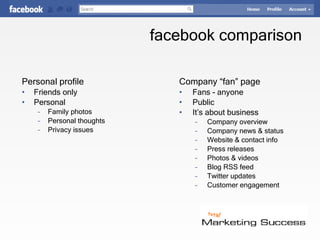
facebook comparison  Personal profile Friends only Personal  Family photos Personal thoughts Privacy issues Company “fan” page Fans - anyone Public It’s about business Company overview  Company news & status Website & contact info Press releases Photos & videos Blog RSS feed Twitter updates Customer engagement © Jay Massey 2010 Facebook “How-to” for  Business
start Log in to  Facebook.com Go to  http://Facebook.com/Pages/ Click on © Jay Massey 2010 Facebook “How-to” for  Business
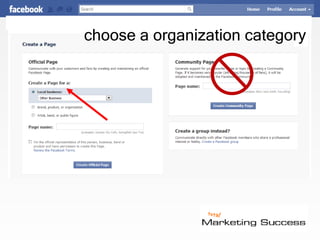
choose a organization category © Jay Massey 2010 Facebook “How-to” for  Business
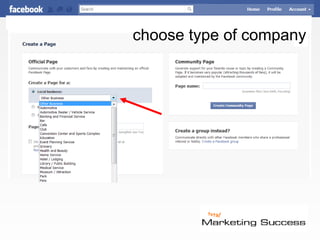
choose type of company © Jay Massey 2010 Facebook “How-to” for  Business
adding content skip
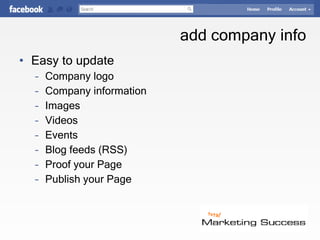
add company info Easy to update Company logo Company information Images Videos Events Blog feeds (RSS)  Proof your Page Publish your Page © Jay Massey 2010 Facebook “How-to” for  Business
summary
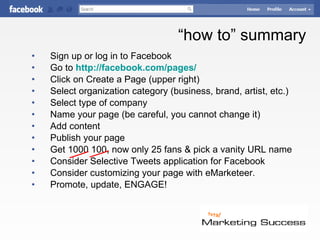
“ how to” summary Sign up or log in to Facebook Go to  http://facebook.com/pages/ Click on Create a Page (upper right) Select organization category (business, brand, artist, etc.) Select type of company Name your page (be careful, you cannot change it) Add content Publish your page Get 1000 100, now only 25 fans & pick a vanity URL name Consider Selective Tweets application for Facebook Consider customizing your page with  eMarketeer. Promote, update, ENGAGE! © Jay Massey 2010 Facebook “How-to” for  Business

Fanpage setup

  • 1.
    Set up your business fan page how-to for business
  • 2.
    sign up orlog in © Jay Massey 2010 Facebook “How-to” for Business
  • 3.
    facebook comparison Personal profile Friends only Personal Family photos Personal thoughts Privacy issues Company “fan” page Fans - anyone Public It’s about business Company overview Company news & status Website & contact info Press releases Photos & videos Blog RSS feed Twitter updates Customer engagement © Jay Massey 2010 Facebook “How-to” for Business
  • 4.
    start Log into Facebook.com Go to http://Facebook.com/Pages/ Click on © Jay Massey 2010 Facebook “How-to” for Business
  • 5.
    choose a organizationcategory © Jay Massey 2010 Facebook “How-to” for Business
  • 6.
    choose type ofcompany © Jay Massey 2010 Facebook “How-to” for Business
  • 7.
  • 8.
    add company infoEasy to update Company logo Company information Images Videos Events Blog feeds (RSS) Proof your Page Publish your Page © Jay Massey 2010 Facebook “How-to” for Business
  • 9.
  • 10.
    “ how to”summary Sign up or log in to Facebook Go to http://facebook.com/pages/ Click on Create a Page (upper right) Select organization category (business, brand, artist, etc.) Select type of company Name your page (be careful, you cannot change it) Add content Publish your page Get 1000 100, now only 25 fans & pick a vanity URL name Consider Selective Tweets application for Facebook Consider customizing your page with eMarketeer. Promote, update, ENGAGE! © Jay Massey 2010 Facebook “How-to” for Business