A guide for our parents
by the 7th and 8th grade classes

FACEBOOK SAFETY, 2011
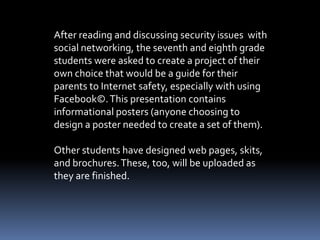
After reading and discussing security issues with
social networking, the seventh and eighth grade
students were asked to create a project of their
own choice that would be a guide for their
parents to Internet safety, especially with using
Facebook©. This presentation contains
informational posters (anyone choosing to
design a poster needed to create a set of them).

Other students have designed web pages, skits,
and brochures. These, too, will be uploaded as
they are finished.
[SAS1]


         Always
         Logout!
                   Logging Out and Changing Password
                   1. Always logout when at a friend’s house.
                   2. Change your password often.
                   3. Make sure your passwords strong.
                   4. Don’t tell your friends you password.
[SAS1]


             Avoid Scammers
       1. They want to access your information.
       2. They want to sell your information or even scam
your friends.
       3. Never click on links that you don’t know is safe.
       4. If you’re being scammed it will never direct you the
facebook homepage.
[SAS1]


         Tips To Keep Your Facebook Safe
         •Only friend people you know.
         •Create a good password and only use it for facebook.
         •Don’t share your password.
         •Change your password on a regular basis.
         •Only download Apps from sites you trust.
         •Keep your anti-virus software updated.
         •Keep your browser and other applications up to date also.
         •Use a one-time password when your at a friends house.
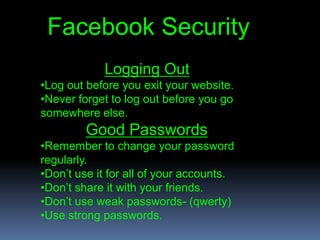
Facebook Security
            Logging Out
•Log out before you exit your website.
•Never forget to log out before you go
somewhere else.
         Good Passwords
•Remember to change your password
regularly.
•Don’t use it for all of your accounts.
•Don’t share it with your friends.
•Don’t use weak passwords- (qwerty)
•Use strong passwords.
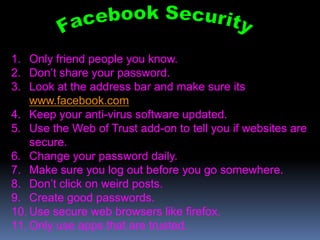
1. Only friend people you know.
2. Don’t share your password.
3. Look at the address bar and make sure its
    www.facebook.com
4. Keep your anti-virus software updated.
5. Use the Web of Trust add-on to tell you if websites are
    secure.
6. Change your password daily.
7. Make sure you log out before you go somewhere.
8. Don’t click on weird posts.
9. Create good passwords.
10. Use secure web browsers like firefox.
11. Only use apps that are trusted.
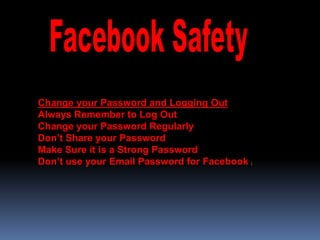
Change your Password and Logging Out
Always Remember to Log Out
Change your Password Regularly
Don’t Share your Password
Make Sure it is a Strong Password
Don’t use your Email Password for Facebook   [
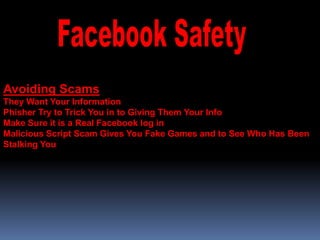
Avoiding Scams
They Want Your Information
Phisher Try to Trick You in to Giving Them Your Info
Make Sure it is a Real Facebook log in
Malicious Script Scam Gives You Fake Games and to See Who Has Been
Stalking You
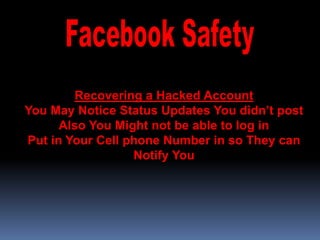
Recovering a Hacked Account
You May Notice Status Updates You didn’t post
      Also You Might not be able to log in
Put in Your Cell phone Number in so They can
                  Notify You
Information for this presentation was obtained from the following
source:


McCarthy, Linda, Keith Watson, and Denise Weldon-Siviy.
"OwnYourSpace: A Guide to Facebook Security |
Facebook." Welcome to Facebook - Log In, Sign Up or Learn
More. Facebook.com, 18 Aug. 2011. Web. 02 Dec. 2011.
<http://www.facebook.com/note.php?note_id=101502618
46610766>.

Facebook safety, 2011

  • 1.
    A guide forour parents by the 7th and 8th grade classes FACEBOOK SAFETY, 2011
  • 2.
    After reading anddiscussing security issues with social networking, the seventh and eighth grade students were asked to create a project of their own choice that would be a guide for their parents to Internet safety, especially with using Facebook©. This presentation contains informational posters (anyone choosing to design a poster needed to create a set of them). Other students have designed web pages, skits, and brochures. These, too, will be uploaded as they are finished.
  • 3.
    [SAS1] Always Logout! Logging Out and Changing Password 1. Always logout when at a friend’s house. 2. Change your password often. 3. Make sure your passwords strong. 4. Don’t tell your friends you password.
  • 4.
    [SAS1] Avoid Scammers 1. They want to access your information. 2. They want to sell your information or even scam your friends. 3. Never click on links that you don’t know is safe. 4. If you’re being scammed it will never direct you the facebook homepage.
  • 5.
    [SAS1] Tips To Keep Your Facebook Safe •Only friend people you know. •Create a good password and only use it for facebook. •Don’t share your password. •Change your password on a regular basis. •Only download Apps from sites you trust. •Keep your anti-virus software updated. •Keep your browser and other applications up to date also. •Use a one-time password when your at a friends house.
  • 6.
    Facebook Security Logging Out •Log out before you exit your website. •Never forget to log out before you go somewhere else. Good Passwords •Remember to change your password regularly. •Don’t use it for all of your accounts. •Don’t share it with your friends. •Don’t use weak passwords- (qwerty) •Use strong passwords.
  • 7.
    1. Only friendpeople you know. 2. Don’t share your password. 3. Look at the address bar and make sure its www.facebook.com 4. Keep your anti-virus software updated. 5. Use the Web of Trust add-on to tell you if websites are secure. 6. Change your password daily. 7. Make sure you log out before you go somewhere. 8. Don’t click on weird posts. 9. Create good passwords. 10. Use secure web browsers like firefox. 11. Only use apps that are trusted.
  • 8.
    Change your Passwordand Logging Out Always Remember to Log Out Change your Password Regularly Don’t Share your Password Make Sure it is a Strong Password Don’t use your Email Password for Facebook [
  • 9.
    Avoiding Scams They WantYour Information Phisher Try to Trick You in to Giving Them Your Info Make Sure it is a Real Facebook log in Malicious Script Scam Gives You Fake Games and to See Who Has Been Stalking You
  • 10.
    Recovering a HackedAccount You May Notice Status Updates You didn’t post Also You Might not be able to log in Put in Your Cell phone Number in so They can Notify You
  • 11.
    Information for thispresentation was obtained from the following source: McCarthy, Linda, Keith Watson, and Denise Weldon-Siviy. "OwnYourSpace: A Guide to Facebook Security | Facebook." Welcome to Facebook - Log In, Sign Up or Learn More. Facebook.com, 18 Aug. 2011. Web. 02 Dec. 2011. <http://www.facebook.com/note.php?note_id=101502618 46610766>.

Editor's Notes