Parent-Child Features


Parent Page Locations tab
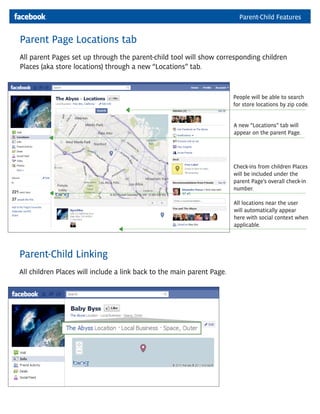
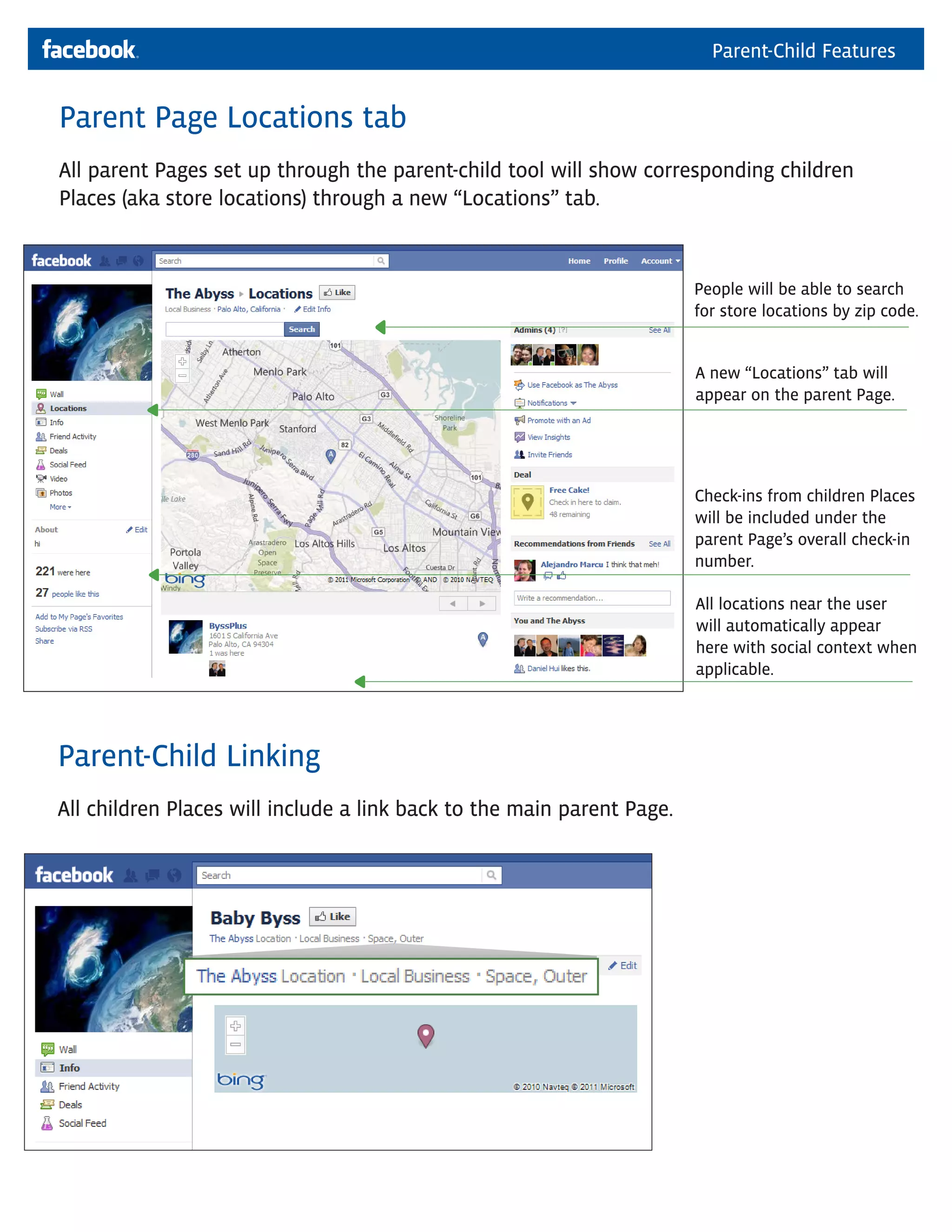
All parent Pages set up through the parent-child tool will show corresponding children
Places (aka store locations) through a new “Locations” tab.


                                                                        People will be able to search
                                                                        for store locations by zip code.


                                                                        A new “Locations” tab will
                                                                        appear on the parent Page.


                                                                        Check-ins from children Places
                                                                        will be included under the
                                                                        parent Page’s overall check-in
                                                                        number.

                                                                        All locations near the user
                                                                        will automatically appear
                                                                        here with social context when
                                                                        applicable.


Parent-Child Linking
All children Places will include a link back to the main parent Page.
Parent-Child Features


Parent Page Locations Tab: Admin view
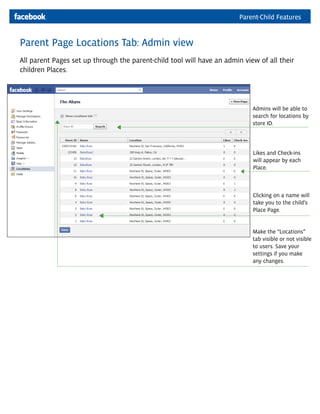
All parent Pages set up through the parent-child tool will have an admin view of all their
children Places.


                                                                            Admins will be able to
                                                                            search for locations by
                                                                            store ID.


                                                                            Likes and Check-ins
                                                                            will appear by each
                                                                            Place.


                                                                            Clicking on a name will
                                                                            take you to the child’s
                                                                            Place Page.


                                                                            Make the “Locations”
                                                                            tab visible or not visible
                                                                            to users. Save your
                                                                            settings if you make
                                                                            any changes.

Facebook Places: Parent Location Tab

  • 1.
    Parent-Child Features Parent PageLocations tab All parent Pages set up through the parent-child tool will show corresponding children Places (aka store locations) through a new “Locations” tab. People will be able to search for store locations by zip code. A new “Locations” tab will appear on the parent Page. Check-ins from children Places will be included under the parent Page’s overall check-in number. All locations near the user will automatically appear here with social context when applicable. Parent-Child Linking All children Places will include a link back to the main parent Page.
  • 2.
    Parent-Child Features Parent PageLocations Tab: Admin view All parent Pages set up through the parent-child tool will have an admin view of all their children Places. Admins will be able to search for locations by store ID. Likes and Check-ins will appear by each Place. Clicking on a name will take you to the child’s Place Page. Make the “Locations” tab visible or not visible to users. Save your settings if you make any changes.