Exploring the Google Analytics API
Vanessa Sabino
@bani
Google Analytics
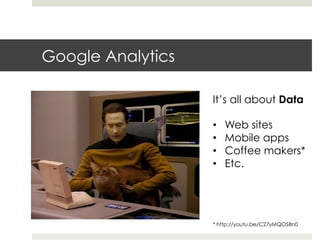
It’s all about Data
•  Web sites
•  Mobile apps
•  Coffee makers*
•  Etc.
* http://youtu.be/C27yMQOS8n0
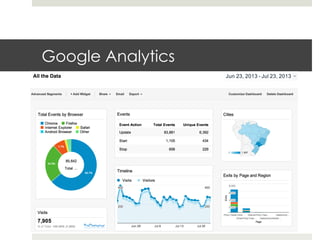
Google Analytics
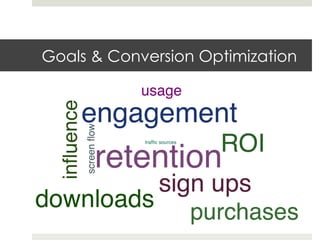
Goals & Conversion Optimization
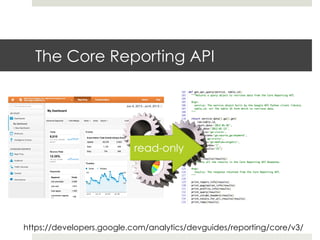
The Core Reporting API
https://developers.google.com/analytics/devguides/reporting/core/v3/
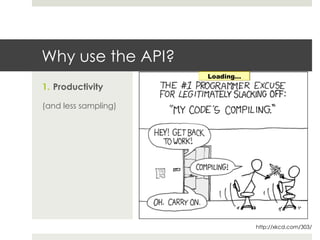
Why use the API?
1.  Productivity
(and less sampling)
http://xkcd.com/303/
Why use the API?
1.  Productivity
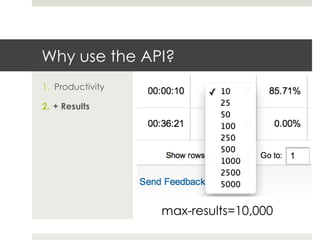
2.  + Results
max-results=10,000
Why use the API?
1.  Productivity
2.  + Results
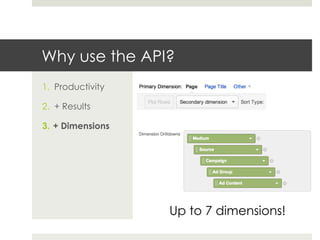
3.  + Dimensions
Up to 7 dimensions!
Why use the API?
1.  Productivity
2.  + Results
3.  + Dimensions
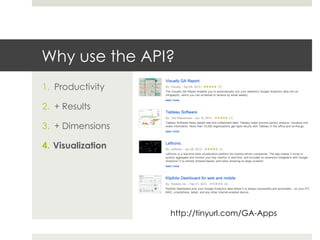
4.  Visualization
http://tinyurl.com/GA-Apps
Why use the API?
1.  Productivity
2.  + Results
3.  + Dimensions
4.  Visualization
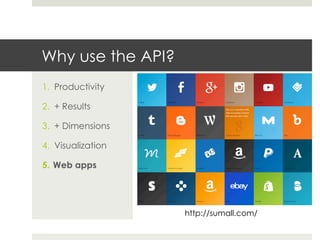
5.  Web apps
http://sumall.com/
Why use the API?
1.  Productivity
2.  + Results
3.  + Dimensions
4.  Visualization
5.  Web apps
6.  Data storage
API Concepts
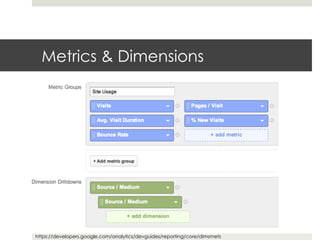
Metrics & Dimensions
https://developers.google.com/analytics/devguides/reporting/core/dimsmets
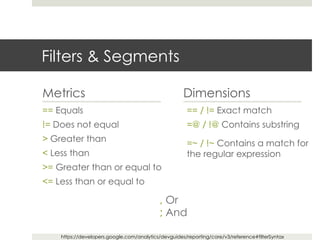
Filters & Segments
Metrics
== Equals
!= Does not equal
> Greater than
< Less than
>= Greater than or equal to
<= Less than or equal to
Dimensions
== / != Exact match
=@ / !@ Contains substring
=~ / !~ Contains a match for
the regular expression
, Or
; And
https://developers.google.com/analytics/devguides/reporting/core/v3/reference#filterSyntax
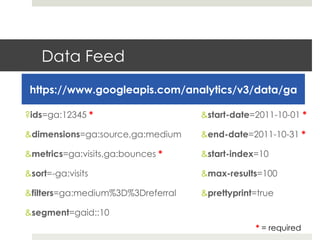
Data Feed
https://www.googleapis.com/analytics/v3/data/ga
?ids=ga:12345 *
&dimensions=ga:source,ga:medium
&metrics=ga:visits,ga:bounces *
&sort=-ga:visits
&filters=ga:medium%3D%3Dreferral
&segment=gaid::10
&start-date=2011-10-01 *
&end-date=2011-10-31 *
&start-index=10
&max-results=100
&prettyprint=true
* = required
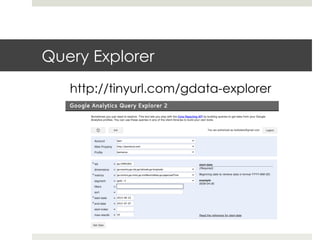
Query Explorer
http://tinyurl.com/gdata-explorer
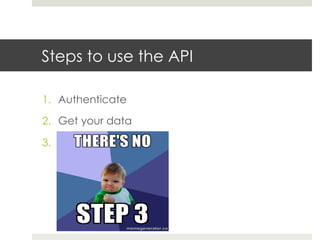
Steps to use the API
1.  Authenticate
2.  Get your data
3. 
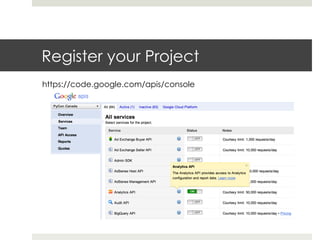
Register your Project
https://code.google.com/apis/console
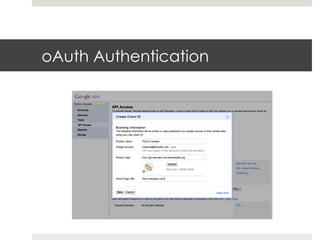
oAuth Authentication
client_secrets.json
{	


  "installed":	
  {	


  "auth_uri":"https://accounts.google.com/o/oauth2/auth",	


  "client_secret":"CleKR0UzPYhfTbjPb3TgeQRBw",	


  "token_uri":"https://accounts.google.com/o/oauth2/token",	


  "client_email":"",	


  "redirect_uris":["urn:ietf:wg:oauth:2.0:oob","oob"],	


  "client_x509_cert_url":"",	


  "client_id":"395901729588.apps.googleusercontent.com",	


  "auth_provider_x509_cert_url":"https://www.googleapis.com/oauth2/v1/
certs"	


  }	
  
}	
  
Python Library
¤ Python: Versions 2.5, 2.6, or 2.7
¤ easy_install / pip google-api-python-client
¤ Download file for Google AppEngine
¤  https://developers.google.com/api-client-library/
python/start/installation
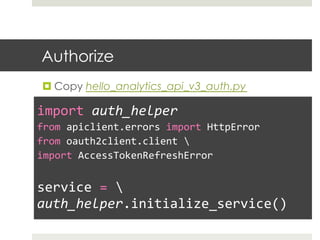
Authorize
¤ Copy hello_analytics_api_v3_auth.py
	
  
import	
  auth_helper	
  
from	
  apiclient.errors	
  import	
  HttpError	
  
from	
  oauth2client.client	
  	
  
import	
  AccessTokenRefreshError	


service	
  =	
  	
  
auth_helper.initialize_service()	
  
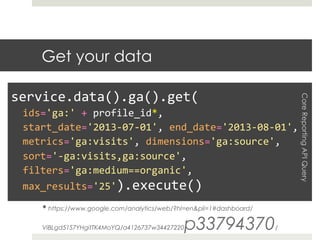
Get your data
* https://www.google.com/analytics/web/?hl=en&pli=1#dashboard/
ViBLgd51S7YHgitTK4MoYQ/a4126737w34427220p33794370/
	
  
service.data().ga().get(	


  ids='ga:'	
  +	
  profile_id*,	


  start_date='2013-­‐07-­‐01',	
  end_date='2013-­‐08-­‐01',	


  metrics='ga:visits',	
  dimensions='ga:source',	


  sort='-­‐ga:visits,ga:source',	


  filters='ga:medium==organic',	


  max_results='25').execute()	
  
CoreReportingAPIQuery
Handle the results
	
  
for	
  row	
  in	
  results.get('rows'):	


  output	
  =	
  []	


  for	
  cell	
  in	
  row:	


  output.append('%16s'	
  %	
  cell)	


  print	
  ''.join(output)	
  
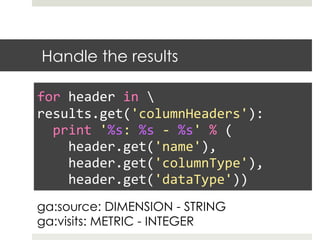
Handle the results
	
  
for	
  header	
  in	
  	
  
results.get('columnHeaders'):	


  print	
  '%s:	
  %s	
  -­‐	
  %s'	
  %	
  (	


  header.get('name'),	


  header.get('columnType'),	


  header.get('dataType'))	
  
ga:source: DIMENSION - STRING
ga:visits: METRIC - INTEGER
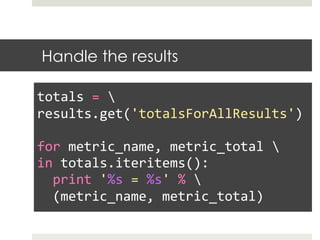
Handle the results
	
  
totals	
  =	
  	
  
results.get('totalsForAllResults')	


for	
  metric_name,	
  metric_total	
  	
  
in	
  totals.iteritems():	


  print	
  '%s	
  =	
  %s'	
  %	


  (metric_name,	
  metric_total)	
  
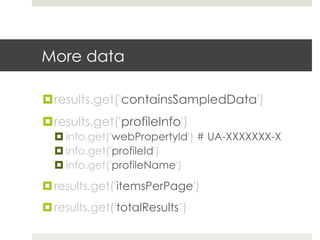
More data
¤ results.get('containsSampledData')
¤ results.get('profileInfo')
¤ info.get('webPropertyId') # UA-XXXXXXX-X
¤ info.get('profileId')
¤ info.get('profileName')
¤ results.get('itemsPerPage')
¤ results.get('totalResults’)
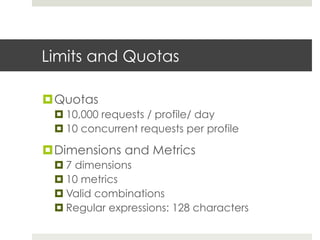
Limits and Quotas
¤ Quotas
¤ 10,000 requests / profile/ day
¤ 10 concurrent requests per profile
¤ Dimensions and Metrics
¤ 7 dimensions
¤ 10 metrics
¤ Valid combinations
¤ Regular expressions: 128 characters
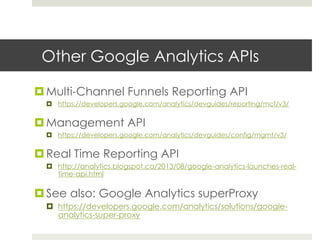
Other Google Analytics APIs
¤ Multi-Channel Funnels Reporting API
¤  https://developers.google.com/analytics/devguides/reporting/mcf/v3/
¤ Management API
¤  https://developers.google.com/analytics/devguides/config/mgmt/v3/
¤ Real Time Reporting API
¤  http://analytics.blogspot.ca/2013/08/google-analytics-launches-real-
time-api.html
¤ See also: Google Analytics superProxy
¤  https://developers.google.com/analytics/solutions/google-
analytics-super-proxy
Thank you
Vanessa Sabino
@bani
vanessa@weureka.com
http://www.slideshare.net/vanessasabino/

Exploring the Google Analytics API

  • 1.
    Exploring the GoogleAnalytics API Vanessa Sabino @bani
  • 2.
    Google Analytics It’s allabout Data •  Web sites •  Mobile apps •  Coffee makers* •  Etc. * http://youtu.be/C27yMQOS8n0
  • 3.
  • 4.
    Goals & ConversionOptimization
  • 5.
    The Core ReportingAPI https://developers.google.com/analytics/devguides/reporting/core/v3/
  • 6.
    Why use theAPI? 1.  Productivity (and less sampling) http://xkcd.com/303/
  • 7.
    Why use theAPI? 1.  Productivity 2.  + Results max-results=10,000
  • 8.
    Why use theAPI? 1.  Productivity 2.  + Results 3.  + Dimensions Up to 7 dimensions!
  • 9.
    Why use theAPI? 1.  Productivity 2.  + Results 3.  + Dimensions 4.  Visualization http://tinyurl.com/GA-Apps
  • 10.
    Why use theAPI? 1.  Productivity 2.  + Results 3.  + Dimensions 4.  Visualization 5.  Web apps http://sumall.com/
  • 11.
    Why use theAPI? 1.  Productivity 2.  + Results 3.  + Dimensions 4.  Visualization 5.  Web apps 6.  Data storage
  • 12.
  • 13.
  • 14.
    Filters & Segments Metrics ==Equals != Does not equal > Greater than < Less than >= Greater than or equal to <= Less than or equal to Dimensions == / != Exact match =@ / !@ Contains substring =~ / !~ Contains a match for the regular expression , Or ; And https://developers.google.com/analytics/devguides/reporting/core/v3/reference#filterSyntax
  • 15.
    Data Feed https://www.googleapis.com/analytics/v3/data/ga ?ids=ga:12345 * &dimensions=ga:source,ga:medium &metrics=ga:visits,ga:bounces* &sort=-ga:visits &filters=ga:medium%3D%3Dreferral &segment=gaid::10 &start-date=2011-10-01 * &end-date=2011-10-31 * &start-index=10 &max-results=100 &prettyprint=true * = required
  • 16.
  • 17.
    Steps to usethe API 1.  Authenticate 2.  Get your data 3. 
  • 18.
  • 19.
  • 20.
    client_secrets.json {      "installed":  {          "auth_uri":"https://accounts.google.com/o/oauth2/auth",          "client_secret":"CleKR0UzPYhfTbjPb3TgeQRBw",          "token_uri":"https://accounts.google.com/o/oauth2/token",          "client_email":"",          "redirect_uris":["urn:ietf:wg:oauth:2.0:oob","oob"],          "client_x509_cert_url":"",          "client_id":"395901729588.apps.googleusercontent.com",          "auth_provider_x509_cert_url":"https://www.googleapis.com/oauth2/v1/ certs"      }   }  
  • 21.
    Python Library ¤ Python: Versions2.5, 2.6, or 2.7 ¤ easy_install / pip google-api-python-client ¤ Download file for Google AppEngine ¤  https://developers.google.com/api-client-library/ python/start/installation
  • 22.
    Authorize ¤ Copy hello_analytics_api_v3_auth.py   import  auth_helper   from  apiclient.errors  import  HttpError   from  oauth2client.client     import  AccessTokenRefreshError     service  =     auth_helper.initialize_service()  
  • 23.
    Get your data *https://www.google.com/analytics/web/?hl=en&pli=1#dashboard/ ViBLgd51S7YHgitTK4MoYQ/a4126737w34427220p33794370/   service.data().ga().get(      ids='ga:'  +  profile_id*,      start_date='2013-­‐07-­‐01',  end_date='2013-­‐08-­‐01',      metrics='ga:visits',  dimensions='ga:source',      sort='-­‐ga:visits,ga:source',      filters='ga:medium==organic',      max_results='25').execute()   CoreReportingAPIQuery
  • 24.
    Handle the results   for  row  in  results.get('rows'):      output  =  []      for  cell  in  row:          output.append('%16s'  %  cell)      print  ''.join(output)  
  • 25.
    Handle the results   for  header  in     results.get('columnHeaders'):      print  '%s:  %s  -­‐  %s'  %  (          header.get('name'),          header.get('columnType'),          header.get('dataType'))   ga:source: DIMENSION - STRING ga:visits: METRIC - INTEGER
  • 26.
    Handle the results   totals  =     results.get('totalsForAllResults')     for  metric_name,  metric_total     in  totals.iteritems():      print  '%s  =  %s'  %        (metric_name,  metric_total)  
  • 27.
    More data ¤ results.get('containsSampledData') ¤ results.get('profileInfo') ¤ info.get('webPropertyId') #UA-XXXXXXX-X ¤ info.get('profileId') ¤ info.get('profileName') ¤ results.get('itemsPerPage') ¤ results.get('totalResults’)
  • 28.
    Limits and Quotas ¤ Quotas ¤ 10,000requests / profile/ day ¤ 10 concurrent requests per profile ¤ Dimensions and Metrics ¤ 7 dimensions ¤ 10 metrics ¤ Valid combinations ¤ Regular expressions: 128 characters
  • 29.
    Other Google AnalyticsAPIs ¤ Multi-Channel Funnels Reporting API ¤  https://developers.google.com/analytics/devguides/reporting/mcf/v3/ ¤ Management API ¤  https://developers.google.com/analytics/devguides/config/mgmt/v3/ ¤ Real Time Reporting API ¤  http://analytics.blogspot.ca/2013/08/google-analytics-launches-real- time-api.html ¤ See also: Google Analytics superProxy ¤  https://developers.google.com/analytics/solutions/google- analytics-super-proxy
  • 31.