SSL-III
Objectives
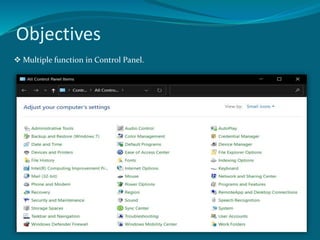
 Multiple function in Control Panel.
System
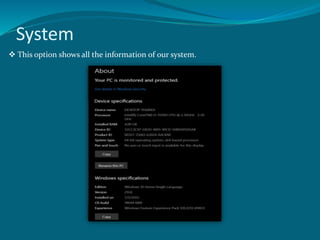
 This option shows all the information of our system.
Administrative Tools
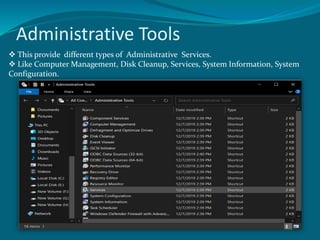
 This provide different types of Administrative Services.
 Like Computer Management, Disk Cleanup, Services, System Information, System
Configuration.
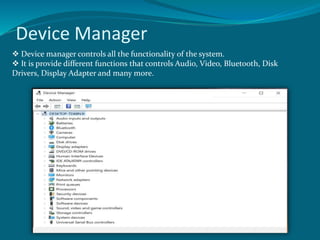
Device Manager
 Device manager controls all the functionality of the system.
 It is provide different functions that controls Audio, Video, Bluetooth, Disk
Drivers, Display Adapter and many more.
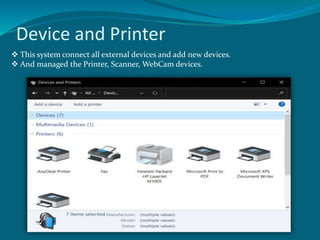
Device and Printer
 This system connect all external devices and add new devices.
 And managed the Printer, Scanner, WebCam devices.
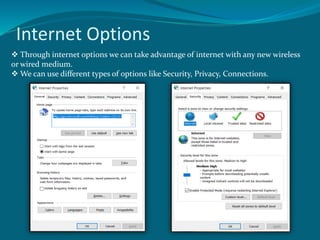
Internet Options
 Through internet options we can take advantage of internet with any new wireless
or wired medium.
 We can use different types of options like Security, Privacy, Connections.
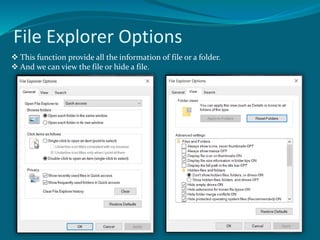
File Explorer Options
 This function provide all the information of file or a folder.
 And we can view the file or hide a file.
Fonts
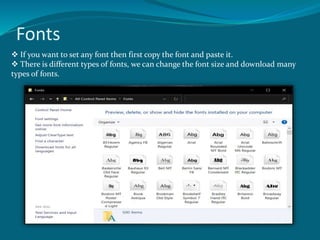
 If you want to set any font then first copy the font and paste it.
 There is different types of fonts, we can change the font size and download many
types of fonts.
Programs and Features
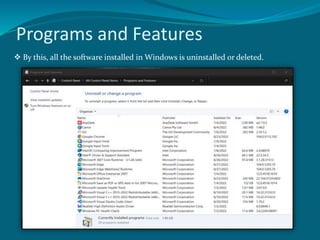
 By this, all the software installed in Windows is uninstalled or deleted.

Explain_Windows-10_Contol_Panel.pptx

  • 1.
  • 2.
  • 3.
    System  This optionshows all the information of our system.
  • 4.
    Administrative Tools  Thisprovide different types of Administrative Services.  Like Computer Management, Disk Cleanup, Services, System Information, System Configuration.
  • 5.
    Device Manager  Devicemanager controls all the functionality of the system.  It is provide different functions that controls Audio, Video, Bluetooth, Disk Drivers, Display Adapter and many more.
  • 6.
    Device and Printer This system connect all external devices and add new devices.  And managed the Printer, Scanner, WebCam devices.
  • 7.
    Internet Options  Throughinternet options we can take advantage of internet with any new wireless or wired medium.  We can use different types of options like Security, Privacy, Connections.
  • 8.
    File Explorer Options This function provide all the information of file or a folder.  And we can view the file or hide a file.
  • 9.
    Fonts  If youwant to set any font then first copy the font and paste it.  There is different types of fonts, we can change the font size and download many types of fonts.
  • 10.
    Programs and Features By this, all the software installed in Windows is uninstalled or deleted.