Download as PDF, PPTX
![Hyperlink
• Hyperlink between sheets/worksheets
=Sheet1!C5
• Hyperlink between excel file/workbooks
='[workbook1.xlsx]Sheet3'!$C$2)
Equal to sign –
quote –
square bracket open- filename-square bracket close-
sheet name-
quote –
exclamation-dollar sign-absolute referencing with cell
address](https://image.slidesharecdn.com/excelhyperlink-230112085415-9c9ee54f/85/EXcel_Hyperlink-pdf-1-320.jpg)
![Hyperlink
• Hyperlink between sheets/worksheets
=Sheet1!C5
• Hyperlink between excel file/workbooks
='[workbook1.xlsx]Sheet3'!$C$2)
Equal to sign –
quote –
square bracket open- filename-square bracket close-
sheet name-
quote –
exclamation-dollar sign-absolute referencing with cell
address](https://image.slidesharecdn.com/excelhyperlink-230112085415-9c9ee54f/75/EXcel_Hyperlink-pdf-1-2048.jpg)
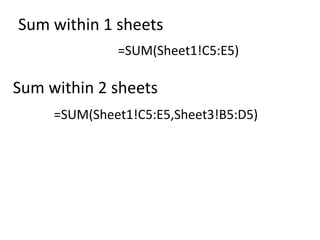
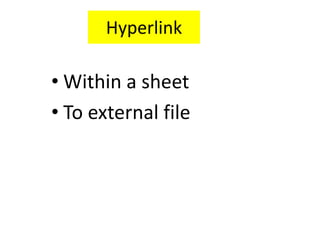

This document provides instructions for creating hyperlinks and formulas for summing values within and between Excel worksheets and workbooks. Hyperlinks between sheets use an exclamation point and cell reference, while those between workbooks use square brackets around the filename. Formulas to sum ranges can refer to cells on the same sheet or multiple sheets, with or without specifying another workbook, using commas to separate ranges.


