From ExcelRoadMap.com
Understanding the Basic Layout of Excel
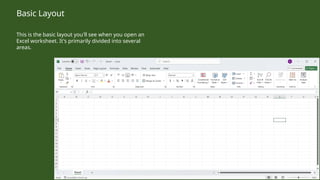
This is the basic layout you'll see when you open an
Excel worksheet. It's primarily divided into several
areas.
Basic Layout
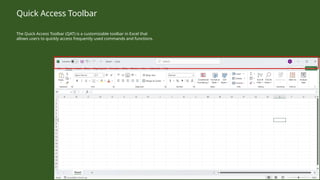
The Quick Access Toolbar (QAT) is a customizable toolbar in Excel that
allows users to quickly access frequently used commands and functions.
Quick Access Toolbar
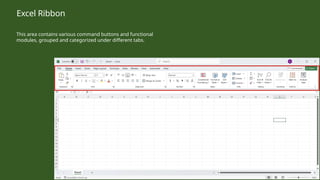
This area contains various command buttons and functional
modules, grouped and categorized under different tabs.
Excel Ribbon
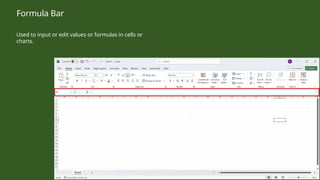
Used to input or edit values or formulas in cells or
charts.
Formula Bar
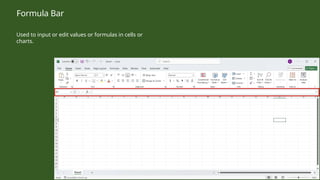
Used to input or edit values or formulas in cells or
charts.
Formula Bar
Continue…

Excel Tutorial: Understanding the Basic Layout of Excel

  • 1.
  • 2.
    This is thebasic layout you'll see when you open an Excel worksheet. It's primarily divided into several areas. Basic Layout
  • 3.
    The Quick AccessToolbar (QAT) is a customizable toolbar in Excel that allows users to quickly access frequently used commands and functions. Quick Access Toolbar
  • 4.
    This area containsvarious command buttons and functional modules, grouped and categorized under different tabs. Excel Ribbon
  • 5.
    Used to inputor edit values or formulas in cells or charts. Formula Bar
  • 6.
    Used to inputor edit values or formulas in cells or charts. Formula Bar
  • 7.