Rapid App Development
with RubyMotion
Stefán Hafliðason
http://stefan.haflidason.com
@styrmis
External libraries that make development even easier
• Promises increased developer productivity
• Brings the flexibility of Ruby to iOS and OSX development
• Bridges directly to Obj-C libraries: no intermediate glue
code
• A REPL for working with your app live!
• Make tweaks quickly
• Build whole views programmatically on the fly
Why
RubyMotion?
RubyMotion +
3rd Party Libs
• Stock RubyMotion makes life (generally) easier
• Like Rails, there’s a healthy (and growing)
ecosystem of libraries
• These libraries can help speed up development
even further
• If the cost of experimenting is reduced, we’re
more likely to try out new ideas, and that’s my
goal.
What are we looking for?
• Non-Polluting!
• Zero/Minimal pollution of our current namespace.
• Minimal Magic!
• Because when magic breaks, we’ll need to fix it.
• Allows fallback to ‘plain’ RubyMotion
• There when you need it, unobtrusive when you
don’t.
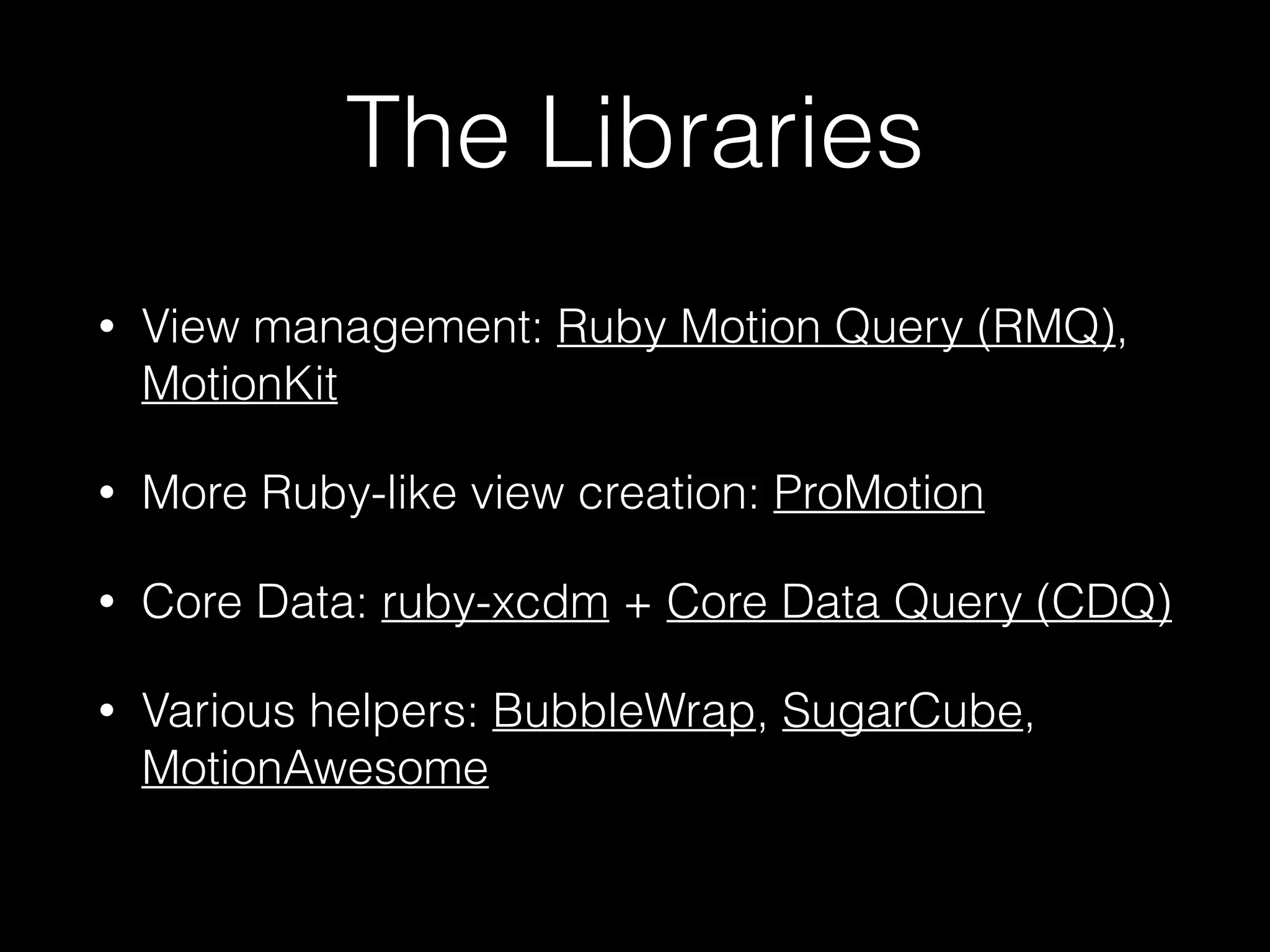
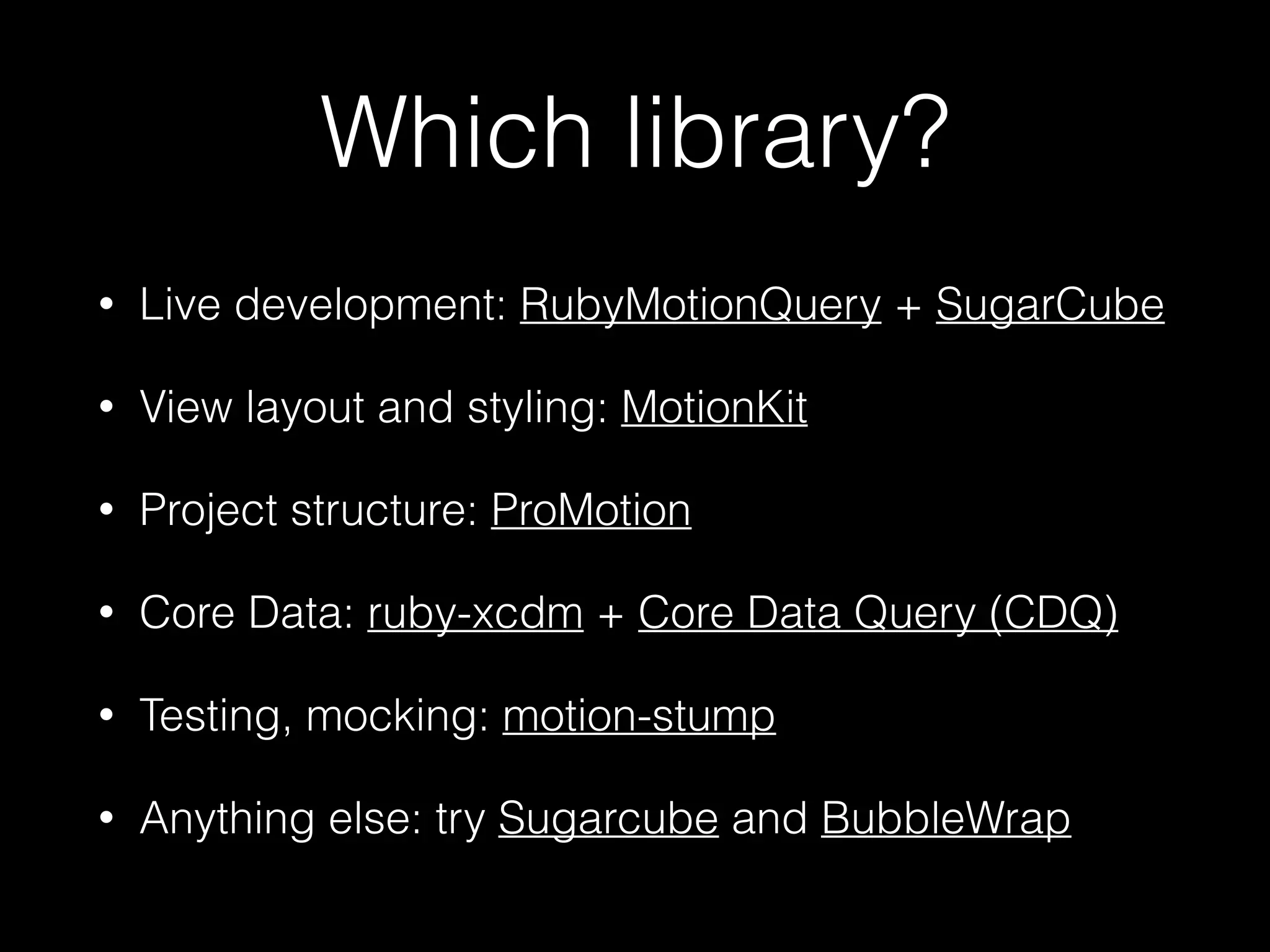
The Libraries
• View management: Ruby Motion Query (RMQ),
MotionKit
• More Ruby-like view creation: ProMotion!
• Core Data: ruby-xcdm + Core Data Query (CDQ)
• Various helpers: BubbleWrap, SugarCube,
MotionAwesome
Ruby Motion Query
• “It’s like jQuery for RubyMotion. Stylesheets,
templates, events, and more”
• Supercharges the REPL/console
• Easy to add, access and modify views
• Also: event binding, styling, animation and
more.
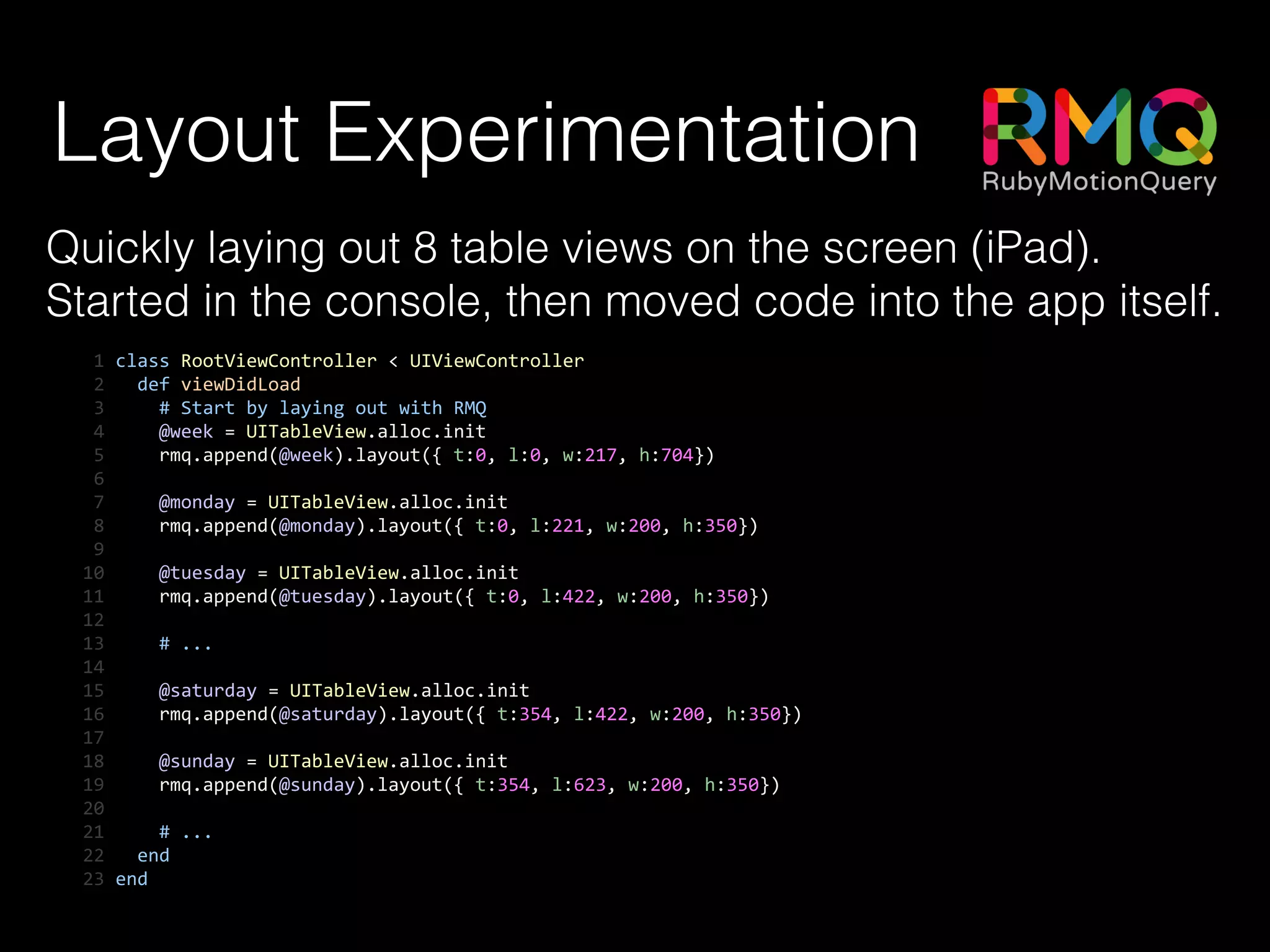
Layout Experimentation
Quickly laying out 8 table views on the screen (iPad).
Started in the console, then moved code into the app itself.
	
  1	
  class	
  RootViewController	
  <	
  UIViewController	
  
	
  2	
  	
  	
  def	
  viewDidLoad	
  
	
  3	


  #	
  Start	
  by	
  laying	
  out	
  with	
  RMQ	
  
	
  4	


  @week	
  =	
  UITableView.alloc.init	
  
	
  5	


  rmq.append(@week).layout({	
  t:0,	
  l:0,	
  w:217,	
  h:704})	
  
	
  6	


  7	


  @monday	
  =	
  UITableView.alloc.init	
  
	
  8	


  rmq.append(@monday).layout({	
  t:0,	
  l:221,	
  w:200,	
  h:350})	
  
	
  9	
  	
  
10	


  @tuesday	
  =	
  UITableView.alloc.init	
  
11	


  rmq.append(@tuesday).layout({	
  t:0,	
  l:422,	
  w:200,	
  h:350})	
  
12	
  	
  
13	


  #	
  ...	
  
14	
  	
  
15	


  @saturday	
  =	
  UITableView.alloc.init	
  
16	


  rmq.append(@saturday).layout({	
  t:354,	
  l:422,	
  w:200,	
  h:350})	
  
17	
  	
  
18	


  @sunday	
  =	
  UITableView.alloc.init	
  
19	


  rmq.append(@sunday).layout({	
  t:354,	
  l:623,	
  w:200,	
  h:350})	
  
20	
  	
  
21	


  #	
  ...	
  
22	
  	
  	
  end	
  
23	
  end
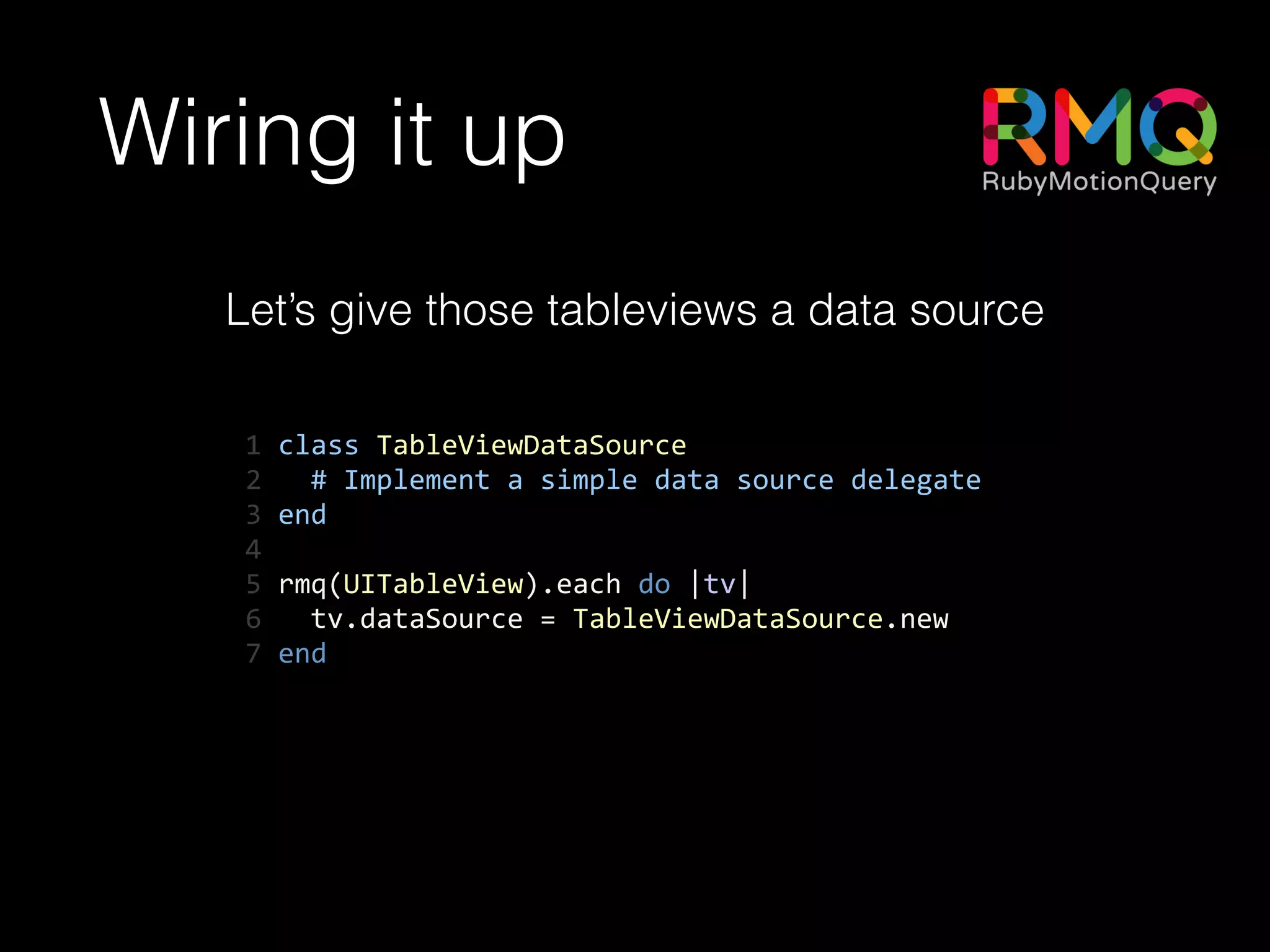
Wiring it up
Let’s give those tableviews a data source
1	
  class	
  TableViewDataSource	
  
2	
  	
  	
  #	
  Implement	
  a	
  simple	
  data	
  source	
  delegate	
  
3	
  end	
  
4	
  	
  
5	
  rmq(UITableView).each	
  do	
  |tv|	
  
6	
  	
  	
  tv.dataSource	
  =	
  TableViewDataSource.new	
  
7	
  end
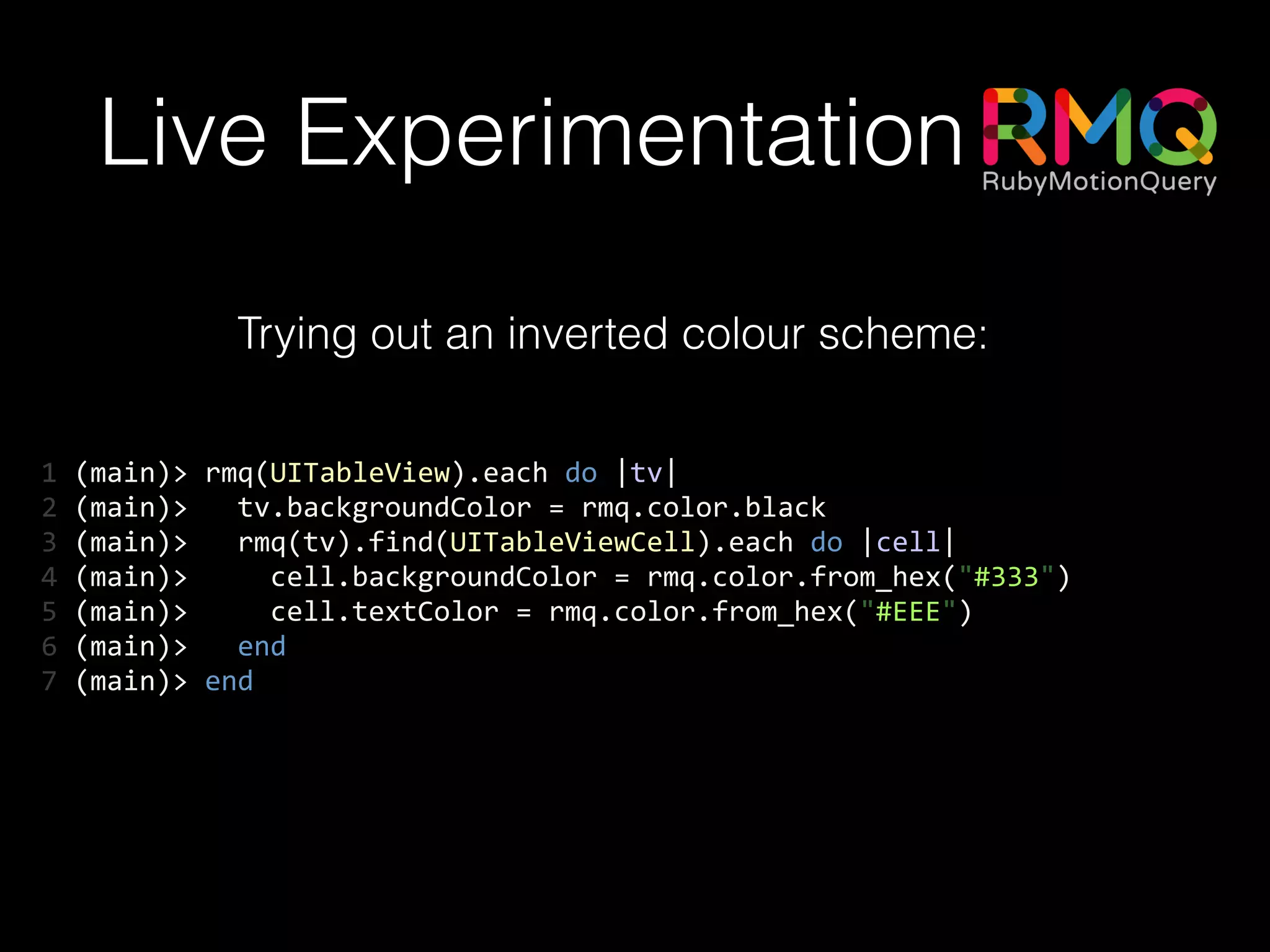
Live Experimentation
Trying out an inverted colour scheme:
1	
  (main)>	
  rmq(UITableView).each	
  do	
  |tv|	
  
2	
  (main)>	
  	
  	
  tv.backgroundColor	
  =	
  rmq.color.black	
  
3	
  (main)>	
  	
  	
  rmq(tv).find(UITableViewCell).each	
  do	
  |cell|	
  
4	
  (main)>	


  cell.backgroundColor	
  =	
  rmq.color.from_hex("#333")	
  
5	
  (main)>	


  cell.textColor	
  =	
  rmq.color.from_hex("#EEE")	
  
6	
  (main)>	
  	
  	
  end	
  
7	
  (main)>	
  end
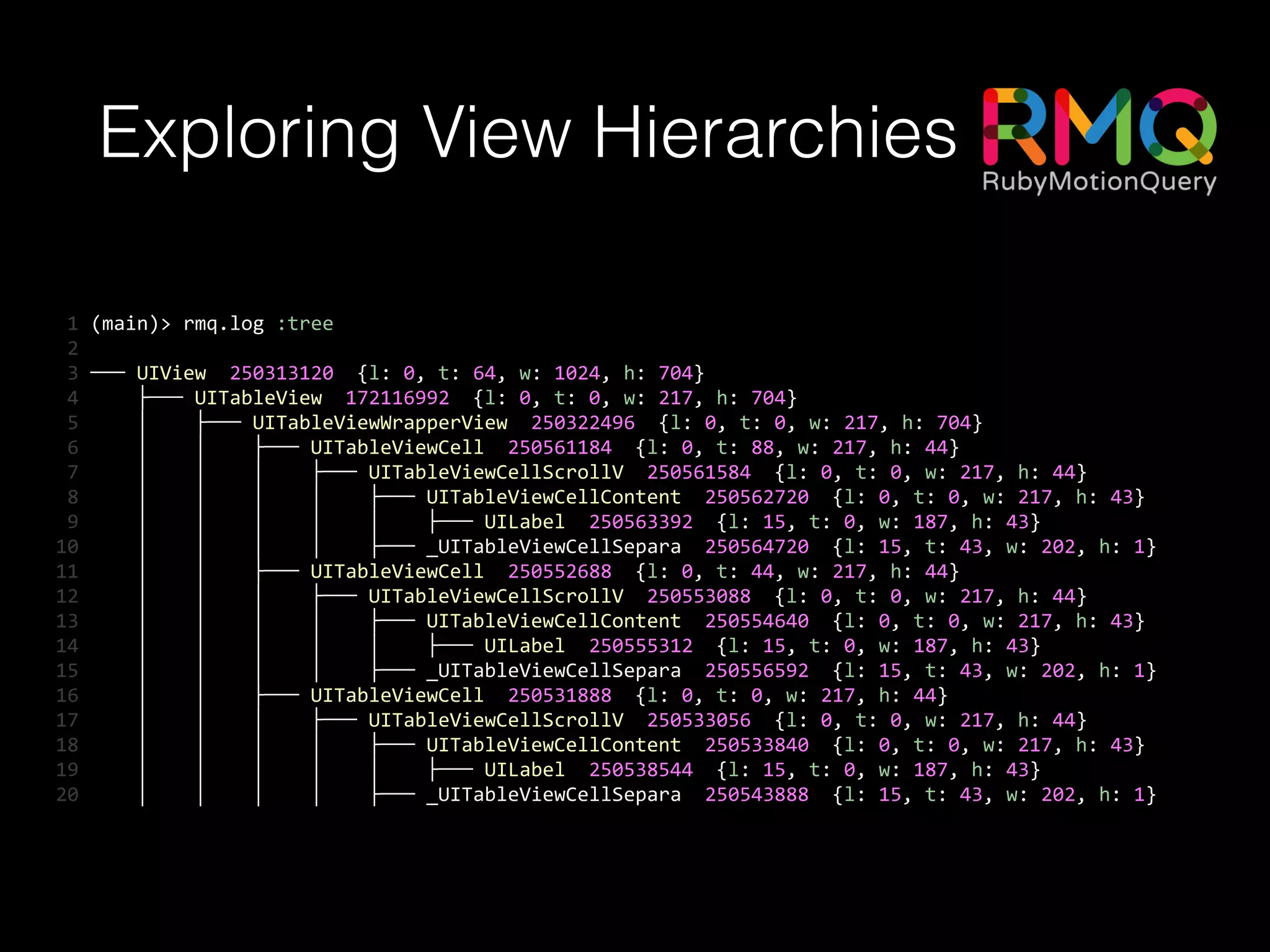
Exploring View Hierarchies
	
  1	
  (main)>	
  rmq.log	
  :tree	
  
	
  2	


  3	
  ───	
  UIView	
  	
  250313120	
  	
  {l:	
  0,	
  t:	
  64,	
  w:	
  1024,	
  h:	
  704}	
  
	
  4	


  ├───	
  UITableView	
  	
  172116992	
  	
  {l:	
  0,	
  t:	
  0,	
  w:	
  217,	
  h:	
  704}	
  
	
  5	


  │	


  ├───	
  UITableViewWrapperView	
  	
  250322496	
  	
  {l:	
  0,	
  t:	
  0,	
  w:	
  217,	
  h:	
  704}	
  
	
  6	


  │	


  │	


  ├───	
  UITableViewCell	
  	
  250561184	
  	
  {l:	
  0,	
  t:	
  88,	
  w:	
  217,	
  h:	
  44}	
  
	
  7	


  │	


  │	


  │	


  ├───	
  UITableViewCellScrollV	
  	
  250561584	
  	
  {l:	
  0,	
  t:	
  0,	
  w:	
  217,	
  h:	
  44}	
  
	
  8	


  │	


  │	


  │	


  │	


  ├───	
  UITableViewCellContent	
  	
  250562720	
  	
  {l:	
  0,	
  t:	
  0,	
  w:	
  217,	
  h:	
  43}	
  
	
  9	


  │	


  │	


  │	


  │	


  │	


  ├───	
  UILabel	
  	
  250563392	
  	
  {l:	
  15,	
  t:	
  0,	
  w:	
  187,	
  h:	
  43}	
  
10	


  │	


  │	


  │	


  │	


  ├───	
  _UITableViewCellSepara	
  	
  250564720	
  	
  {l:	
  15,	
  t:	
  43,	
  w:	
  202,	
  h:	
  1}	
  
11	


  │	


  │	


  ├───	
  UITableViewCell	
  	
  250552688	
  	
  {l:	
  0,	
  t:	
  44,	
  w:	
  217,	
  h:	
  44}	
  
12	


  │	


  │	


  │	


  ├───	
  UITableViewCellScrollV	
  	
  250553088	
  	
  {l:	
  0,	
  t:	
  0,	
  w:	
  217,	
  h:	
  44}	
  
13	


  │	


  │	


  │	


  │	


  ├───	
  UITableViewCellContent	
  	
  250554640	
  	
  {l:	
  0,	
  t:	
  0,	
  w:	
  217,	
  h:	
  43}	
  
14	


  │	


  │	


  │	


  │	


  │	


  ├───	
  UILabel	
  	
  250555312	
  	
  {l:	
  15,	
  t:	
  0,	
  w:	
  187,	
  h:	
  43}	
  
15	


  │	


  │	


  │	


  │	


  ├───	
  _UITableViewCellSepara	
  	
  250556592	
  	
  {l:	
  15,	
  t:	
  43,	
  w:	
  202,	
  h:	
  1}	
  
16	


  │	


  │	


  ├───	
  UITableViewCell	
  	
  250531888	
  	
  {l:	
  0,	
  t:	
  0,	
  w:	
  217,	
  h:	
  44}	
  
17	


  │	


  │	


  │	


  ├───	
  UITableViewCellScrollV	
  	
  250533056	
  	
  {l:	
  0,	
  t:	
  0,	
  w:	
  217,	
  h:	
  44}	
  
18	


  │	


  │	


  │	


  │	


  ├───	
  UITableViewCellContent	
  	
  250533840	
  	
  {l:	
  0,	
  t:	
  0,	
  w:	
  217,	
  h:	
  43}	
  
19	


  │	


  │	


  │	


  │	


  │	


  ├───	
  UILabel	
  	
  250538544	
  	
  {l:	
  15,	
  t:	
  0,	
  w:	
  187,	
  h:	
  43}	
  
20	


  │	


  │	


  │	


  │	


  ├───	
  _UITableViewCellSepara	
  	
  250543888	
  	
  {l:	
  15,	
  t:	
  43,	
  w:	
  202,	
  h:	
  1}
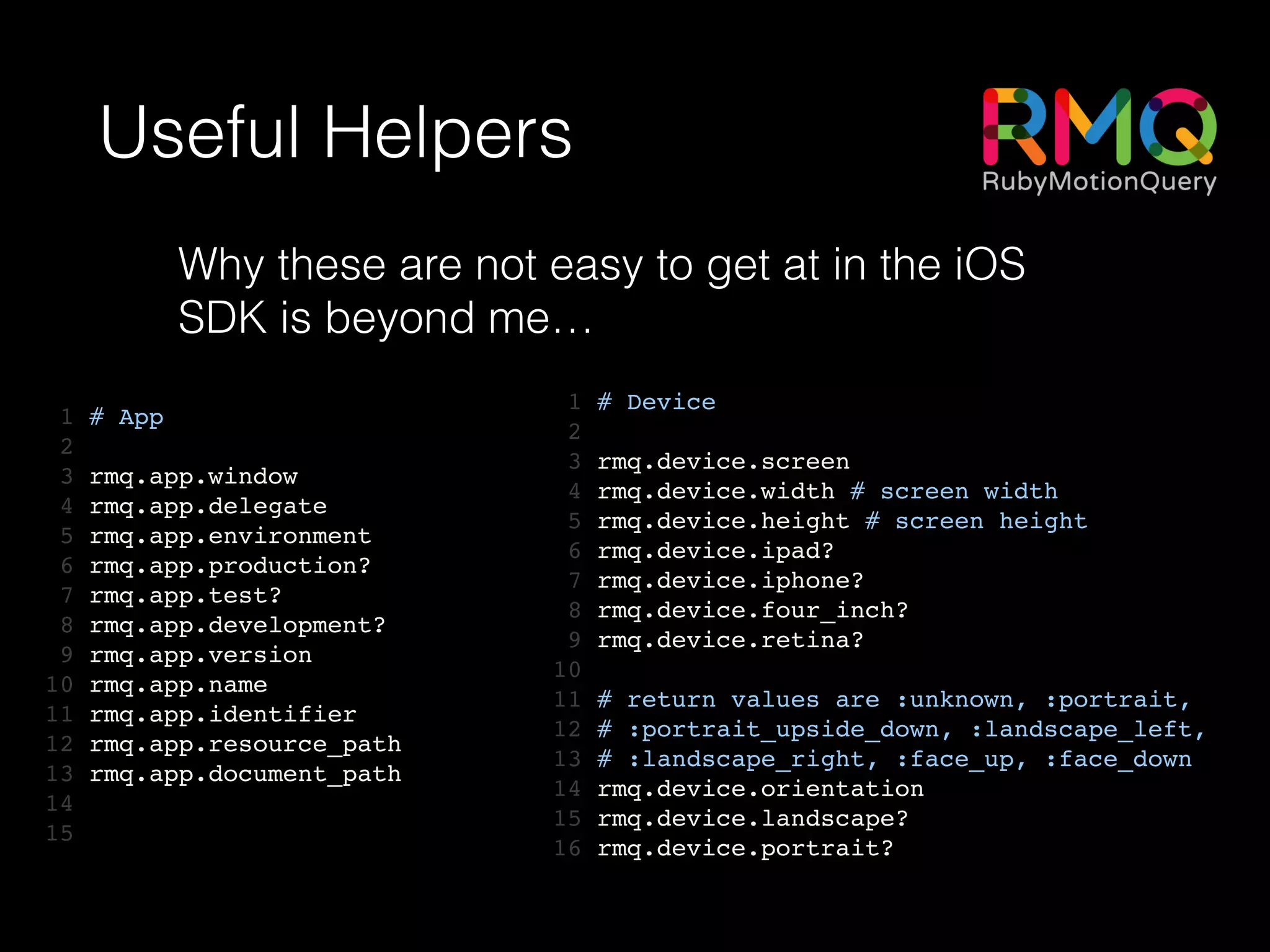
Useful Helpers
1 # App!
2 !
3 rmq.app.window!
4 rmq.app.delegate!
5 rmq.app.environment!
6 rmq.app.production?!
7 rmq.app.test?!
8 rmq.app.development?!
9 rmq.app.version!
10 rmq.app.name!
11 rmq.app.identifier!
12 rmq.app.resource_path!
13 rmq.app.document_path!
14 !
15
1 # Device!
2 !
3 rmq.device.screen!
4 rmq.device.width # screen width!
5 rmq.device.height # screen height!
6 rmq.device.ipad?!
7 rmq.device.iphone?!
8 rmq.device.four_inch?!
9 rmq.device.retina?!
10 !
11 # return values are :unknown, :portrait,!
12 # :portrait_upside_down, :landscape_left,!
13 # :landscape_right, :face_up, :face_down!
14 rmq.device.orientation!
15 rmq.device.landscape?!
16 rmq.device.portrait?
Why these are not easy to get at in the iOS
SDK is beyond me…
1 class LoginLayout < MotionKit::Layout	
2 include LoginStyles	
3 	
4 def layout	
5 add UIImageView, :logo do	
6 frame [[0, 0], ['100%', :scale]]	
7 end	
8 	
9 add UIView, :button_container do	
10 frame from_bottom(height: 50, width: '100%')	
11 add UIButton, :login_button do	
12 background_color superview.backgroundColor	
13 frame [[ 10, 5 ], [ 50, parent.height - 10 ]]	
14 end	
15 end	
16 	
17 add UIView, :inputs do	
18 frame x: 0, y: 0, width: '100%', height: '100% - 50'	
19 autoresizing_mask :pin_to_top, :flexible_height, :flexible_width	
20 add UITextField, :username_input do	
21 frame [[10, 10], ['100% - 10', :auto]]	
22 end	
23 add UITextField, :password_input do	
24 frame below(:username_input, margin: 8)	
25 end	
26 end	
27 end	
28 end
• Flexible DSL for view
layouts
• Simpler handling of device
rotation
• Support for constraints /
Auto Layout
• Build your own DSL on top
ProMotion
1 class HelpScreen < PM::TableScreen	
2 title "Table Screen"	
3 	
4 def table_data	
5 [{	
6 title: "Help",	
7 cells: [	
8 { title: "About this app", action: :tapped_about },	
9 { title: "Log out", action: :log_out }	
10 ]	
11 }]	
12 end	
13 	
14 def tapped_about(args={})	
15 open AboutScreen	
16 end	
17 	
18 def log_out	
19 # Log out!	
20 end	
21 end
• Aims to remove as much
boilerplate code as possible
• More intuitive, Ruby-style view
controller building
• Built-in classes for common view
types
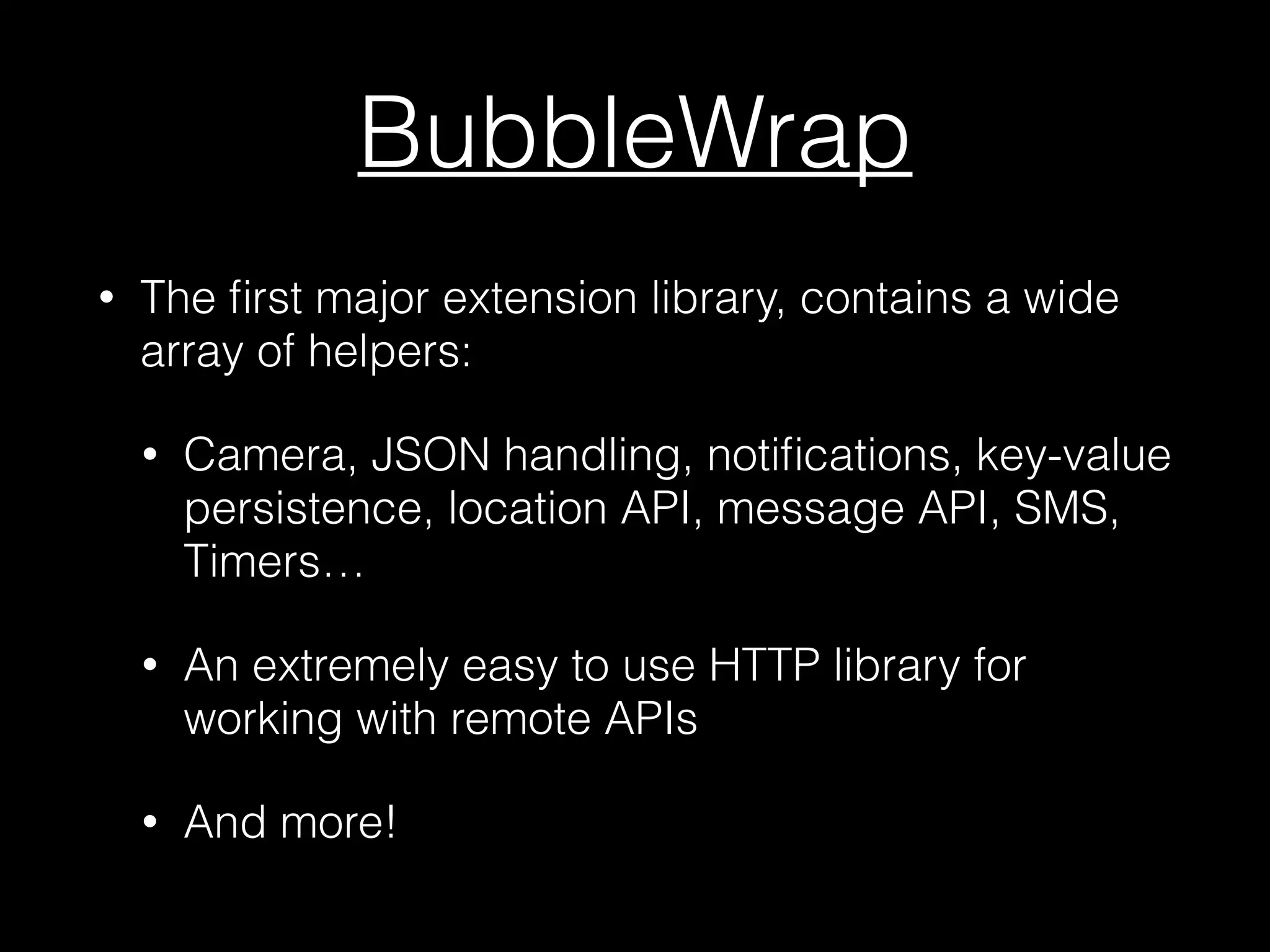
BubbleWrap
• The first major extension library, contains a wide
array of helpers:
• Camera, JSON handling, notifications, key-value
persistence, location API, message API, SMS,
Timers…
• An extremely easy to use HTTP library for
working with remote APIs
• And more!
SugarCube: Sugar coating for verbose APIs
1	
  (main)>	
  tree	
  
2	
  	
  	
  0:	
  .	
  UIWindow(#d282f80,	
  [[0.0,	
  0.0],	
  [768.0,	
  1024.0]])	
  
3	
  	
  	
  1:	
  `-­‐-­‐	
  UILayoutContainerView(#9d23f70,	
  [[0.0,	
  0.0],	
  [768.0,	
  1024.0]])	
  
4	
  	
  	
  2:	


  +-­‐-­‐	
  UINavigationTransitionView(#a28bf30,	
  [[0.0,	
  0.0],	
  [1024.0,	
  768.0]])	
  
5	
  	
  	
  3:	


  |	
  	
  	
  `-­‐-­‐	
  UIViewControllerWrapperView(#a2c2b20,	
  [[0.0,	
  0.0],	
  [1024.0,	
  768.0]])	
  
6	
  	
  	
  4:	


  |	


  `-­‐-­‐	
  UIView(#a2b23f0,	
  [[0.0,	
  64.0],	
  [1024.0,	
  704.0]])	
  
7	
  	
  	
  5:	


  |	


  +-­‐-­‐	
  UITableView(#aa7f200,	
  [[0.0,	
  0.0],	
  [217.0,	
  704.0]])
1 (main)> a 4 # alias for 'adjust'!
2 => UIView(#a2b23f0, [[0.0, 64.0], [1024.0, 704.0]]), child of
UIViewControllerWrapperView(#a2c2b20)!
3 (main)> d 100 # alias for 'down'!
4 [[0.0, 164.0], [1024.0, 704.0]]!
5 => UIView(#a2b23f0, [[0.0, 164.0], [1024.0, 704.0]]), child of
UIViewControllerWrapperView(#a2c2b20)!
6 (main)> thinner 50!
7 [[0.0, 164.0], [974.0, 704.0]]
Quick aliases for adjusting any view quickly, e.g. up, down, left,
right, thinner, wider, taller, shorter…
SugarCube: Sugar coating for verbose APIs
1 (main)> tree root!
2 0: . #<UINavigationController:0x9d243c0>!
3 1: -- #<RootViewController:0x9d24650>!
4 !
5 => #<UINavigationController:0x9d243c0>!
6 (main)> a 1!
7 => #<RootViewController:0x9d24650>!
8 (main)> $sugarcube_view!
9 => #<RootViewController:0x9d24650>!
10 (main)> $sugarcube_view.any_public_method
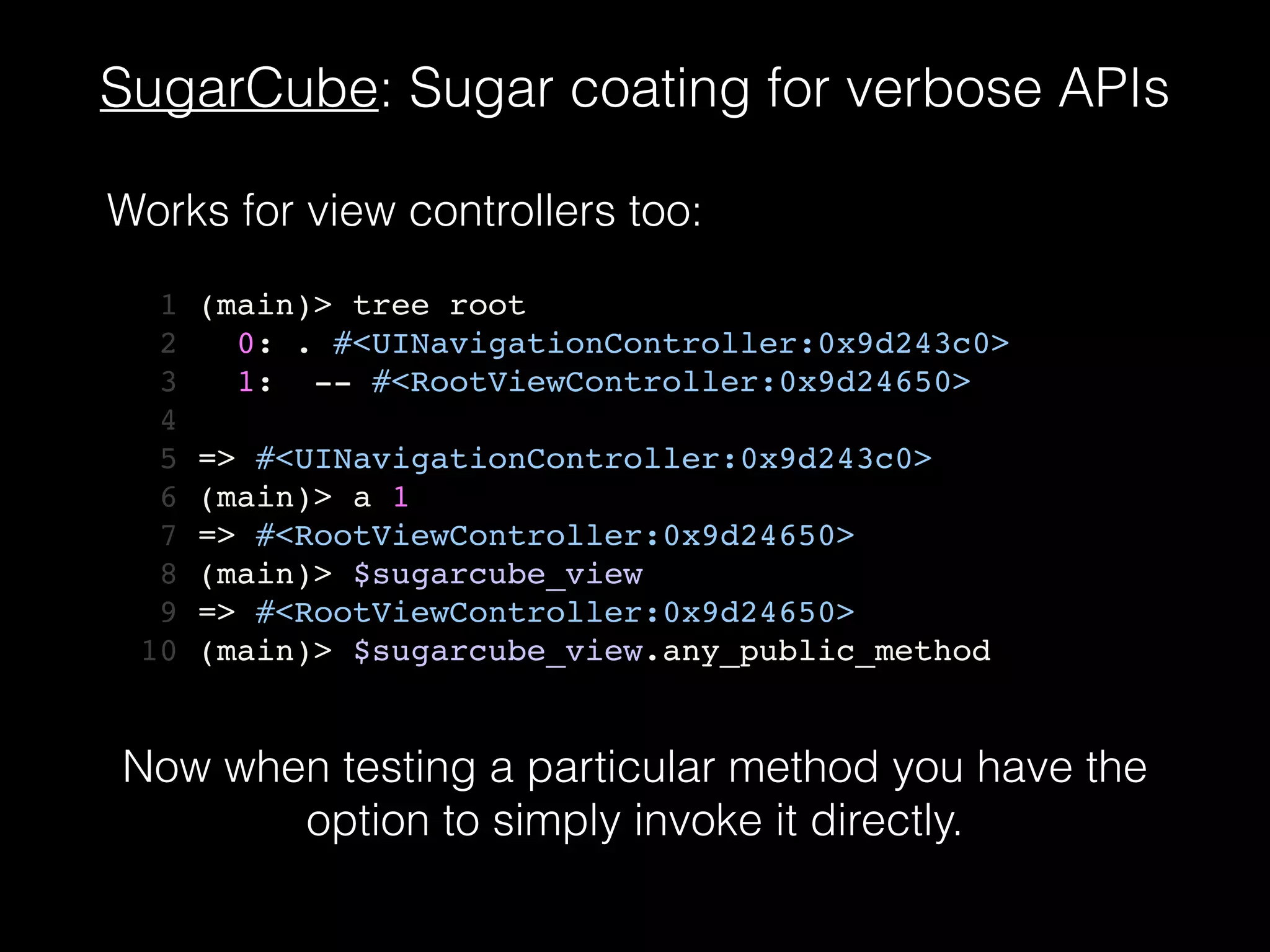
Works for view controllers too:
Now when testing a particular method you have the
option to simply invoke it directly.
MotionAwesome
1	
  label(:check_square_o,	
  size:	
  18,	
  text:	
  @items[indexPath.row])	
  do	
  |label|	
  
2	
  	
  	
  view	
  =	
  UIView.alloc.initWithFrame(cell.contentView.frame)	
  
3	
  	
  	
  rmq(label).layout({	
  l:10,	
  t:10,	
  w:200,	
  h:25	
  })	
  
4	
  	
  	
  view.addSubview(label)	
  
5	
  	
  	
  cell.contentView.addSubview(view)	
  
6	
  end
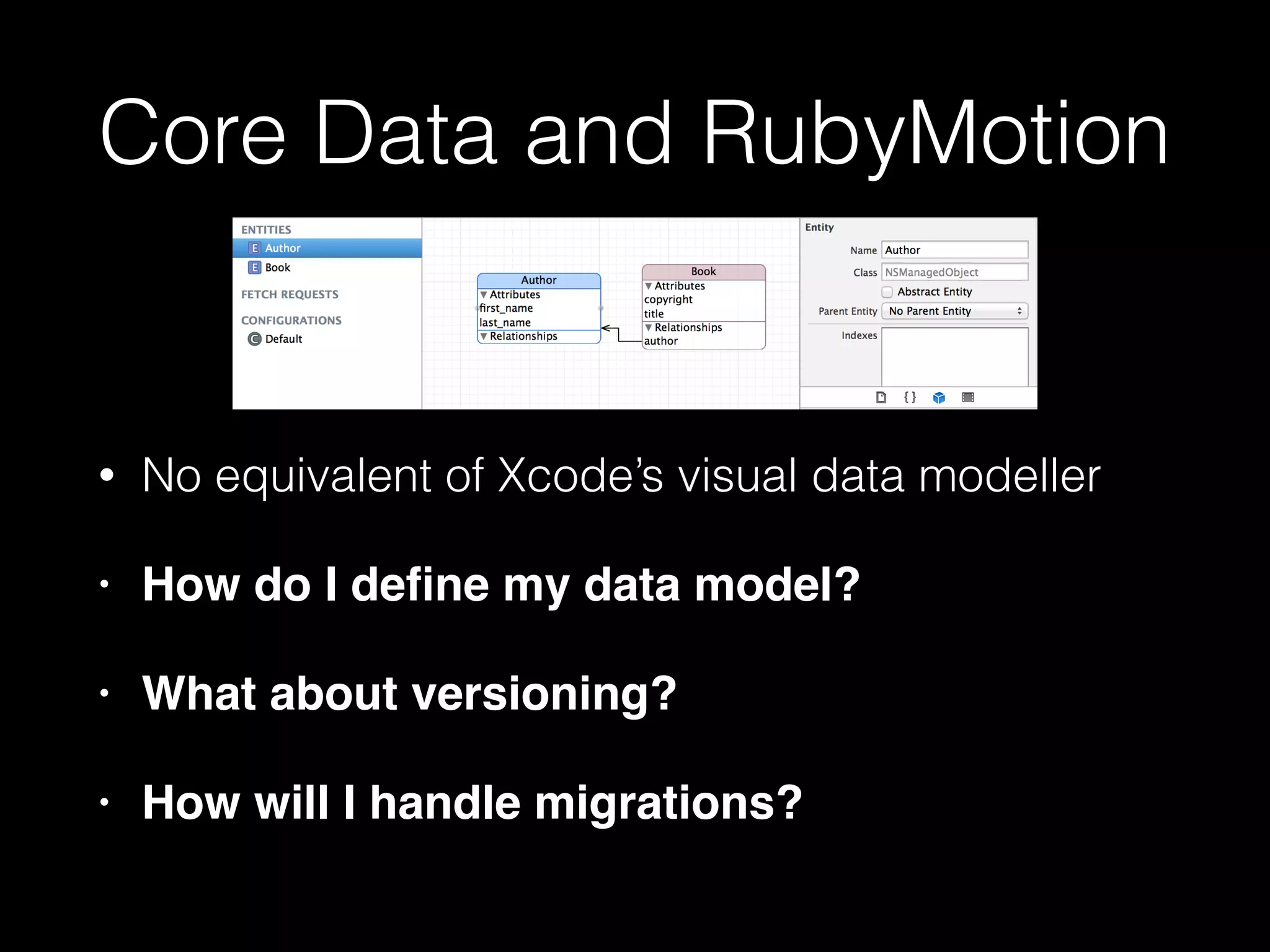
Core Data and RubyMotion
• No equivalent of Xcode’s visual data modeller
• How do I define my data model?!
• What about versioning?!
• How will I handle migrations?
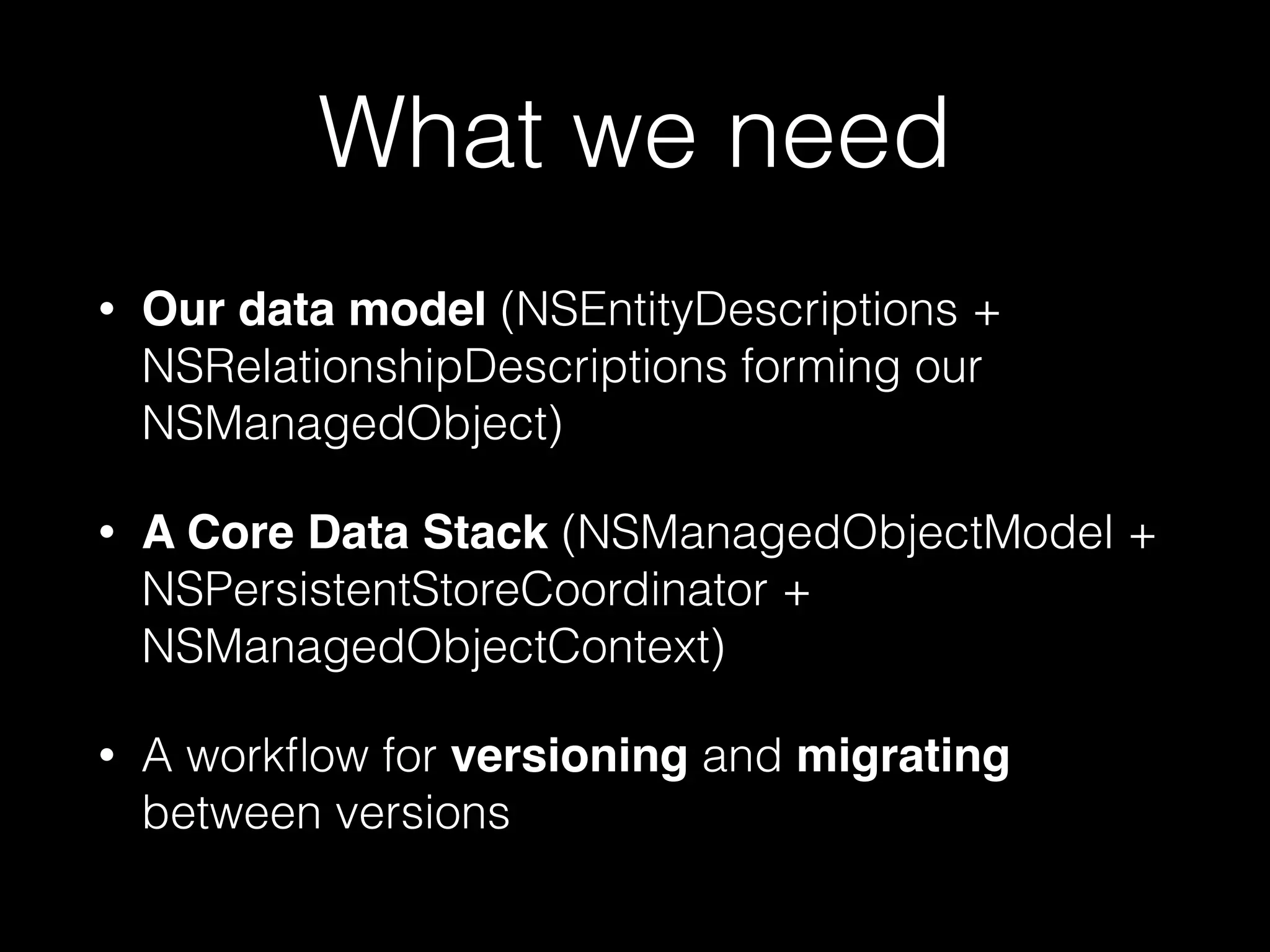
What we need
• Our data model (NSEntityDescriptions +
NSRelationshipDescriptions forming our
NSManagedObject)
• A Core Data Stack (NSManagedObjectModel +
NSPersistentStoreCoordinator +
NSManagedObjectContext)
• A workflow for versioning and migrating
between versions
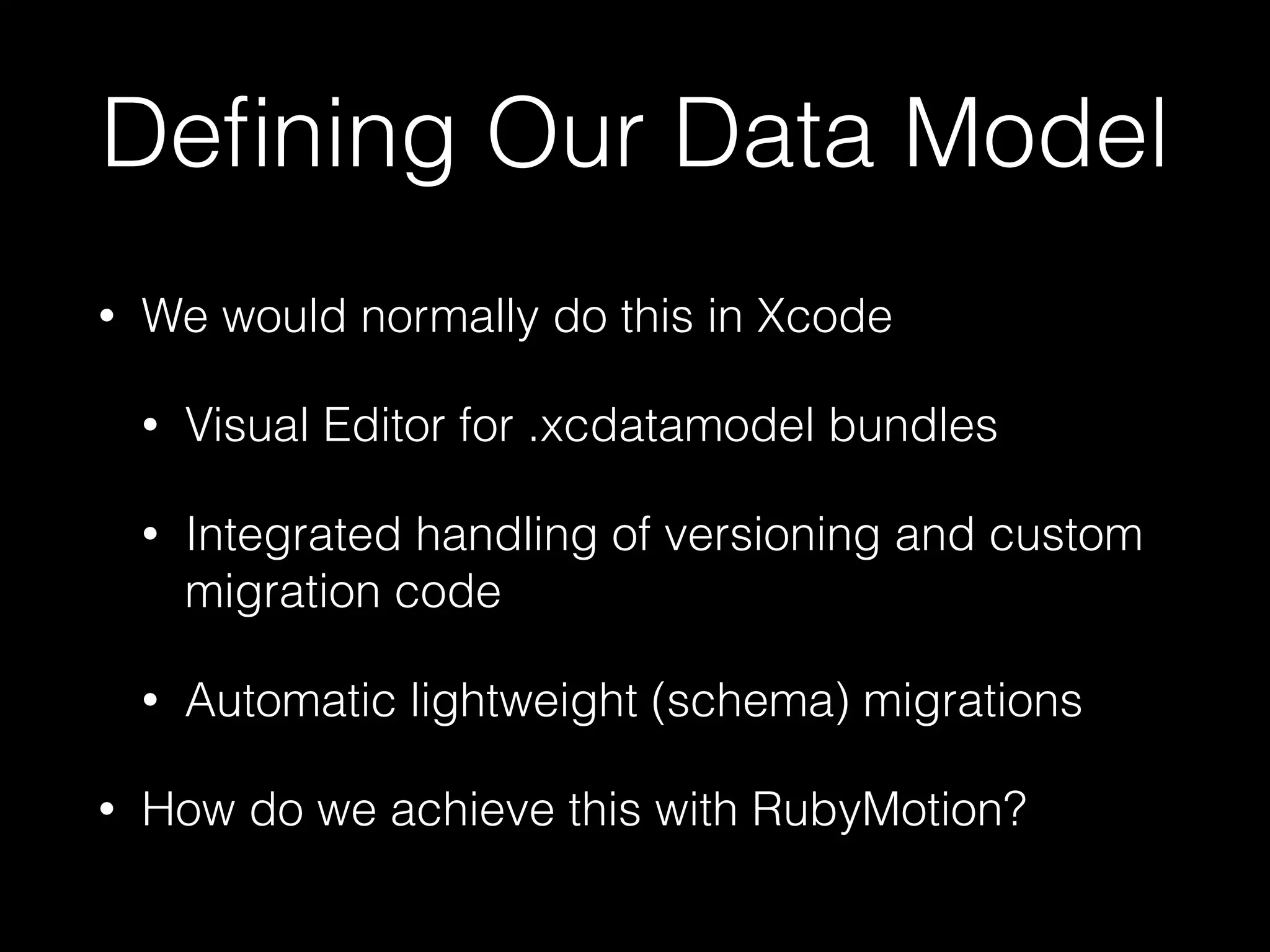
Defining Our Data Model
• We would normally do this in Xcode
• Visual Editor for .xcdatamodel bundles
• Integrated handling of versioning and custom
migration code
• Automatic lightweight (schema) migrations
• How do we achieve this with RubyMotion?
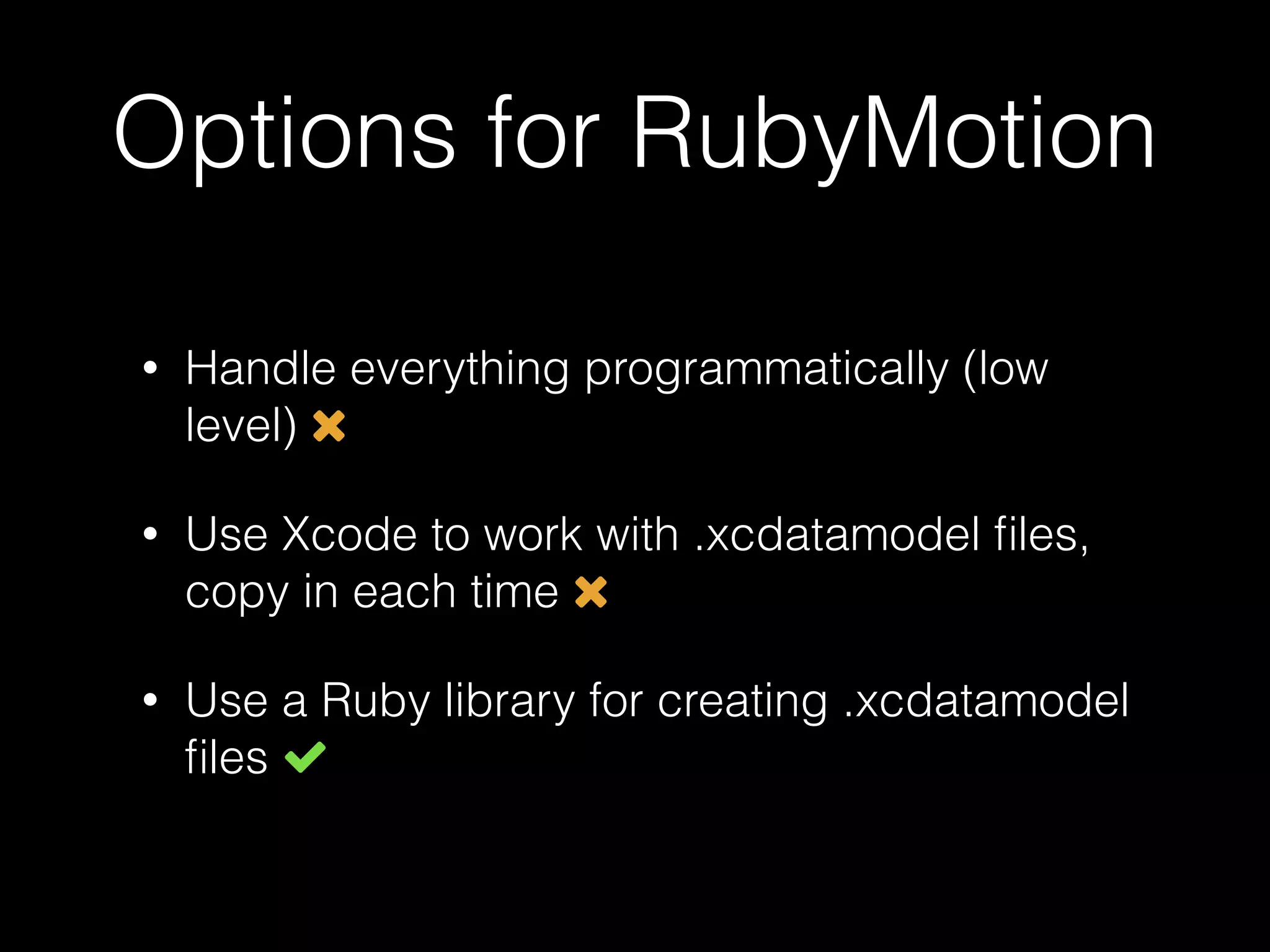
Options for RubyMotion
• Handle everything programmatically (low
level)
• Use Xcode to work with .xcdatamodel files,
copy in each time
• Use a Ruby library for creating .xcdatamodel
files
Handling Everything
Programmatically
entity = NSEntityDescription.alloc.init	
entity.name = 'Task'	
entity.managedObjectClassName = 'Task'	
entity.properties =	
[ 'task_description', NSStringAttributeType,	
'completed', NSBooleanAttributeType ].each_slice(2).map do |name, type|	
property = NSAttributeDescription.alloc.init	
property.name = name	
property.attributeType = type	
property.optional = false	
property	
end
Handling Everything
Programmatically
entity = NSEntityDescription.alloc.init	
entity.name = 'Task'	
entity.managedObjectClassName = 'Task'	
entity.properties =	
[ 'task_description', NSStringAttributeType,	
'completed', NSBooleanAttributeType ].each_slice(2).map do |name, type|	
property = NSAttributeDescription.alloc.init	
property.name = name	
property.attributeType = type	
property.optional = false	
property	
end
Not all that bad, but we want to use .xcdatamodel files so
that we can benefit from versioning, automatic schema
migrations…
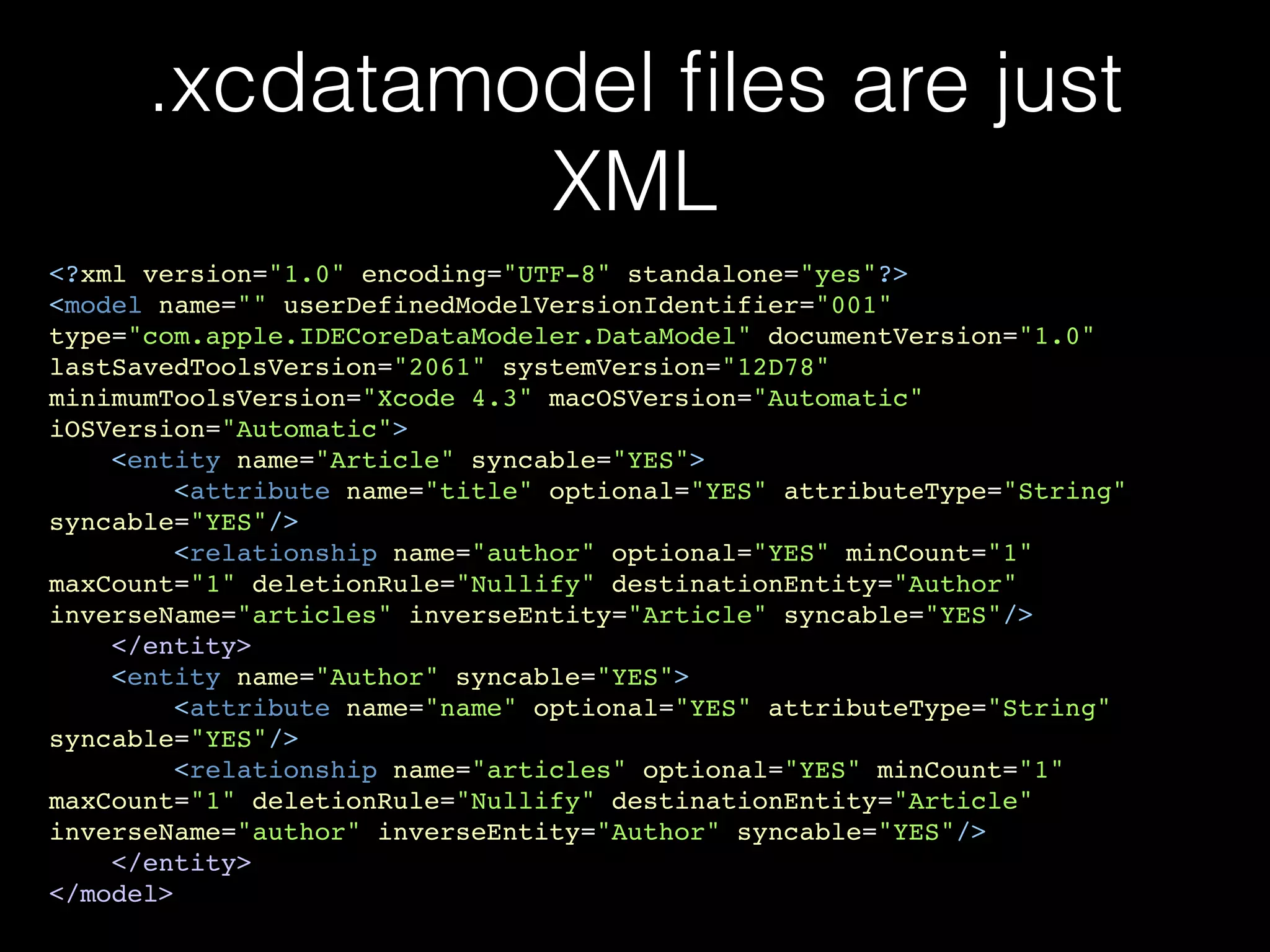
.xcdatamodel files are just
XML
<?xml version="1.0" encoding="UTF-8" standalone="yes"?>!
<model name="" userDefinedModelVersionIdentifier="001"
type="com.apple.IDECoreDataModeler.DataModel" documentVersion="1.0"
lastSavedToolsVersion="2061" systemVersion="12D78"
minimumToolsVersion="Xcode 4.3" macOSVersion="Automatic"
iOSVersion="Automatic">!
<entity name="Article" syncable="YES">!
<attribute name="title" optional="YES" attributeType="String"
syncable="YES"/>!
<relationship name="author" optional="YES" minCount="1"
maxCount="1" deletionRule="Nullify" destinationEntity="Author"
inverseName="articles" inverseEntity="Article" syncable="YES"/>!
</entity>!
<entity name="Author" syncable="YES">!
<attribute name="name" optional="YES" attributeType="String"
syncable="YES"/>!
<relationship name="articles" optional="YES" minCount="1"
maxCount="1" deletionRule="Nullify" destinationEntity="Article"
inverseName="author" inverseEntity="Author" syncable="YES"/>!
</entity>!
</model>
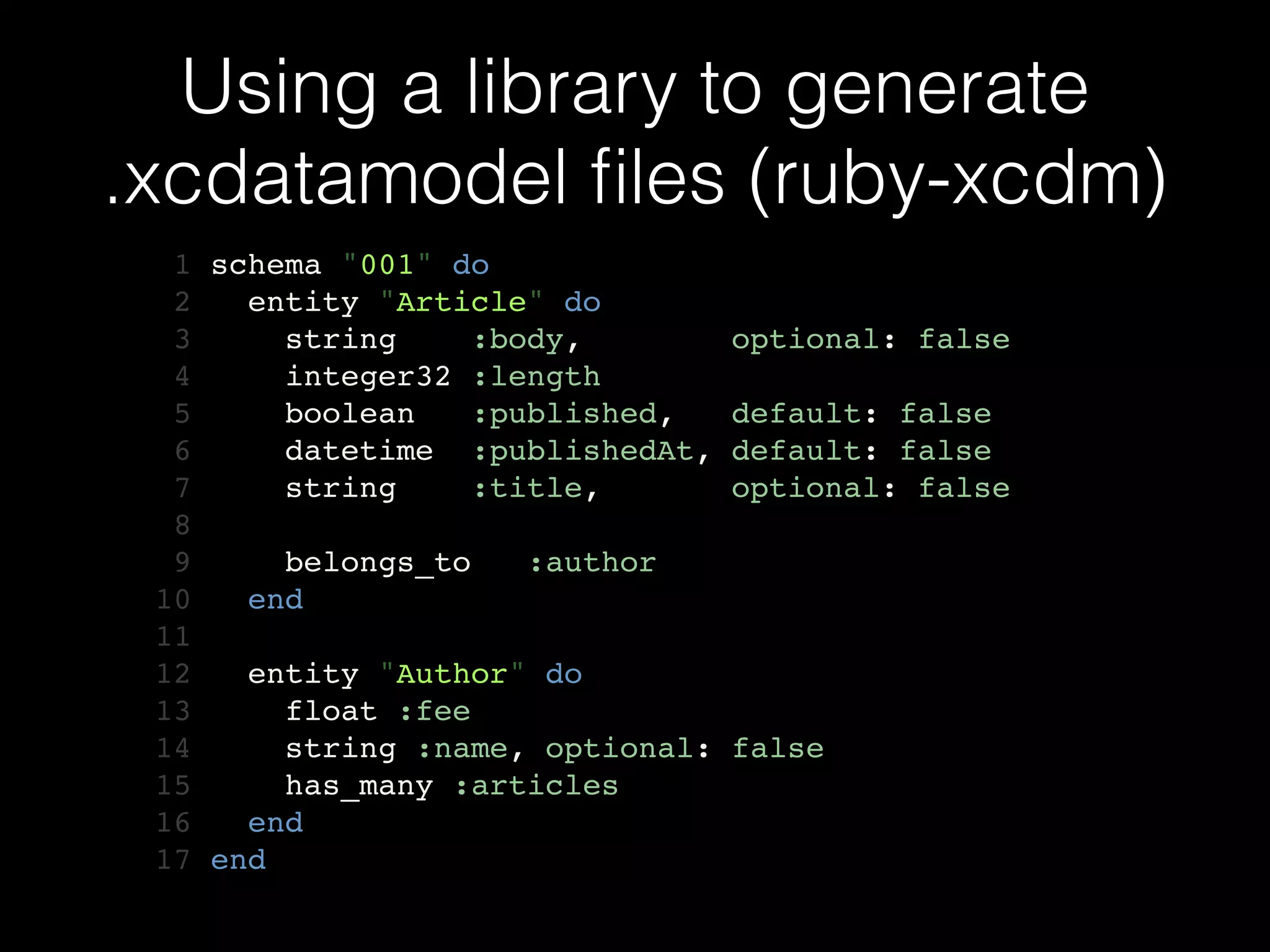
Using a library to generate
.xcdatamodel files (ruby-xcdm)
1 schema "001" do!
2 entity "Article" do!
3 string :body, optional: false!
4 integer32 :length!
5 boolean :published, default: false!
6 datetime :publishedAt, default: false!
7 string :title, optional: false!
8 !
9 belongs_to :author!
10 end!
11 !
12 entity "Author" do!
13 float :fee!
14 string :name, optional: false!
15 has_many :articles!
16 end!
17 end
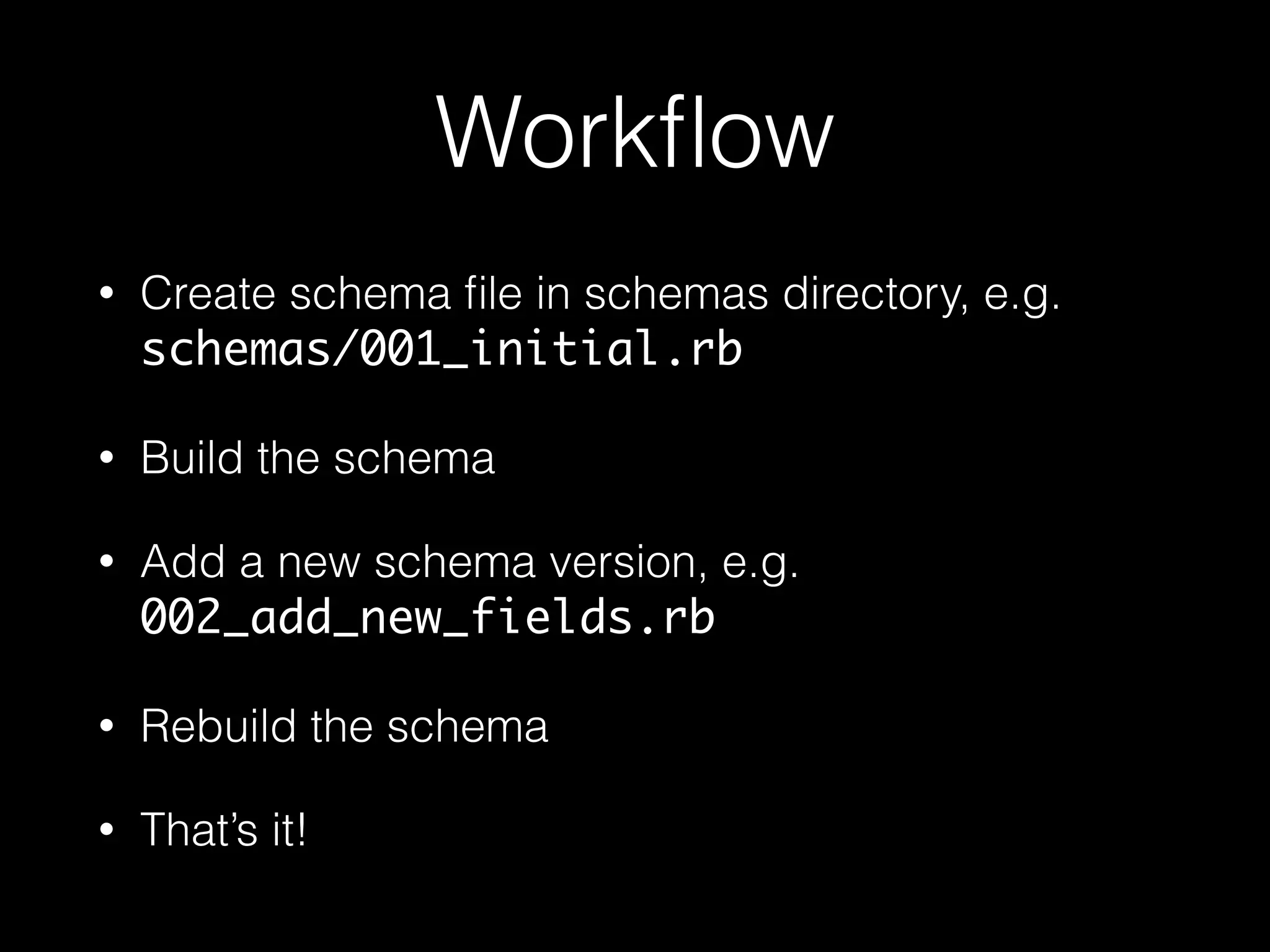
Workflow
• Create schema file in schemas directory, e.g.
schemas/001_initial.rb
• Build the schema
• Add a new schema version, e.g.
002_add_new_fields.rb
• Rebuild the schema
• That’s it!
Workflow
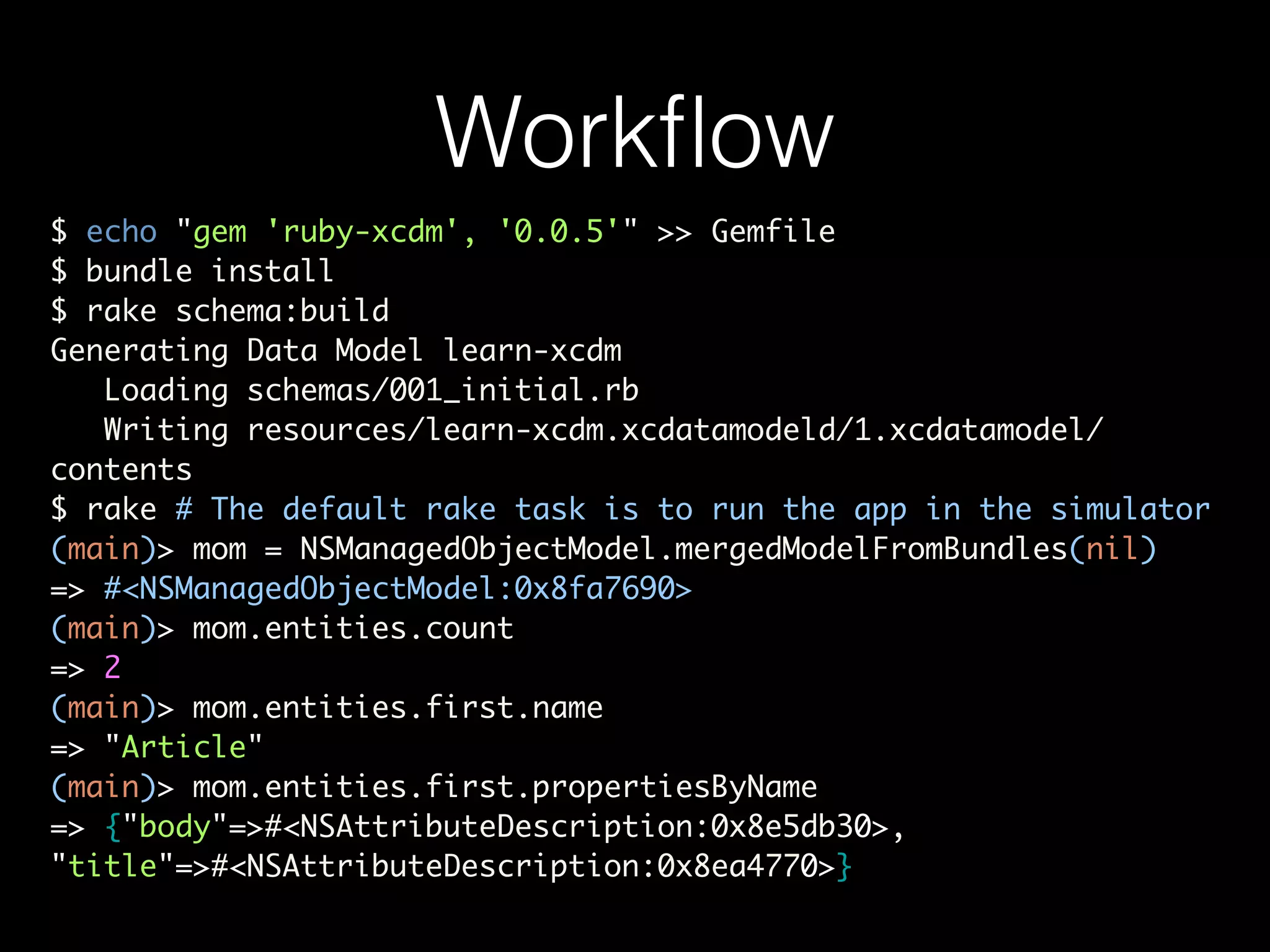
$ echo "gem 'ruby-xcdm', '0.0.5'" >> Gemfile	
$ bundle install	
$ rake schema:build	
Generating Data Model learn-xcdm	
Loading schemas/001_initial.rb	
Writing resources/learn-xcdm.xcdatamodeld/1.xcdatamodel/
contents	
$ rake # The default rake task is to run the app in the simulator	
(main)> mom = NSManagedObjectModel.mergedModelFromBundles(nil)	
=> #<NSManagedObjectModel:0x8fa7690>	
(main)> mom.entities.count	
=> 2	
(main)> mom.entities.first.name	
=> "Article"	
(main)> mom.entities.first.propertiesByName	
=> {"body"=>#<NSAttributeDescription:0x8e5db30>,
"title"=>#<NSAttributeDescription:0x8ea4770>}
Advantages of using ruby-
xcdm
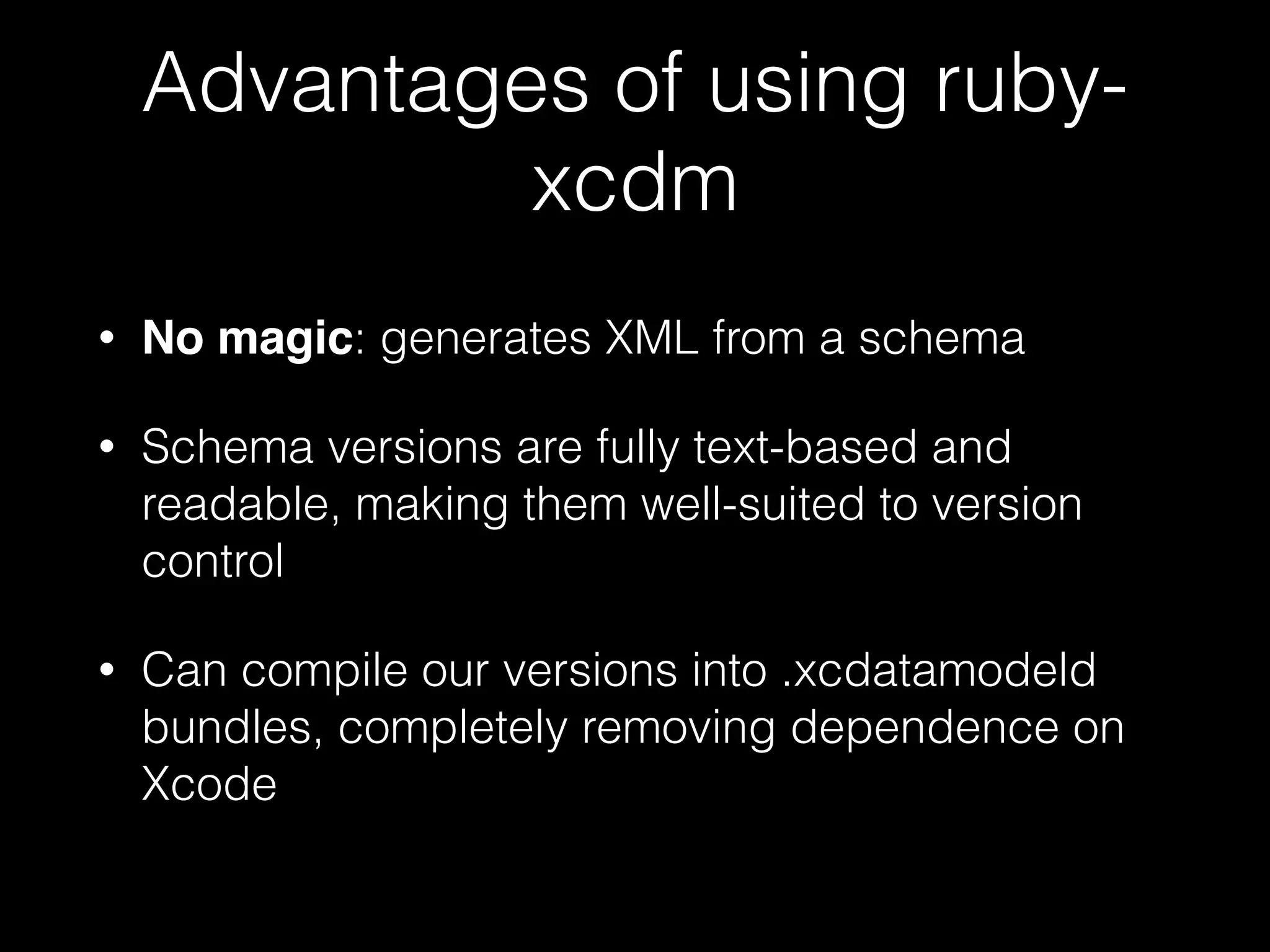
• No magic: generates XML from a schema
• Schema versions are fully text-based and
readable, making them well-suited to version
control
• Can compile our versions into .xcdatamodeld
bundles, completely removing dependence on
Xcode
Basic Core Data Stack
1 model = NSManagedObjectModel.mergedModelFromBundles(nil)	
2 	
3 store = NSPersistentStoreCoordinator.alloc.initWithManagedObjectModel(model)	
4 store_path = File.join(NSHomeDirectory(), 'Documents', 'LearnXcdm.sqlite')	
5 store_url = NSURL.fileURLWithPath(store_path)	
6 	
7 options = { NSMigratePersistentStoresAutomaticallyOption => true,	
8 NSInferMappingModelAutomaticallyOption => true }	
9 	
10 error_ptr = Pointer.new(:object)	
11 	
12 unless store.addPersistentStoreWithType(NSSQLiteStoreType,	
13 configuration: nil,	
14 URL: store_url,	
15 options: options,	
16 error: error_ptr)	
17 raise "[ERROR] Failed to create persistent store: #{error_ptr[0].description}"	
18 end	
19 	
20 @context = NSManagedObjectContext.alloc.init	
21 @context.persistentStoreCoordinator = store
Core Data Query
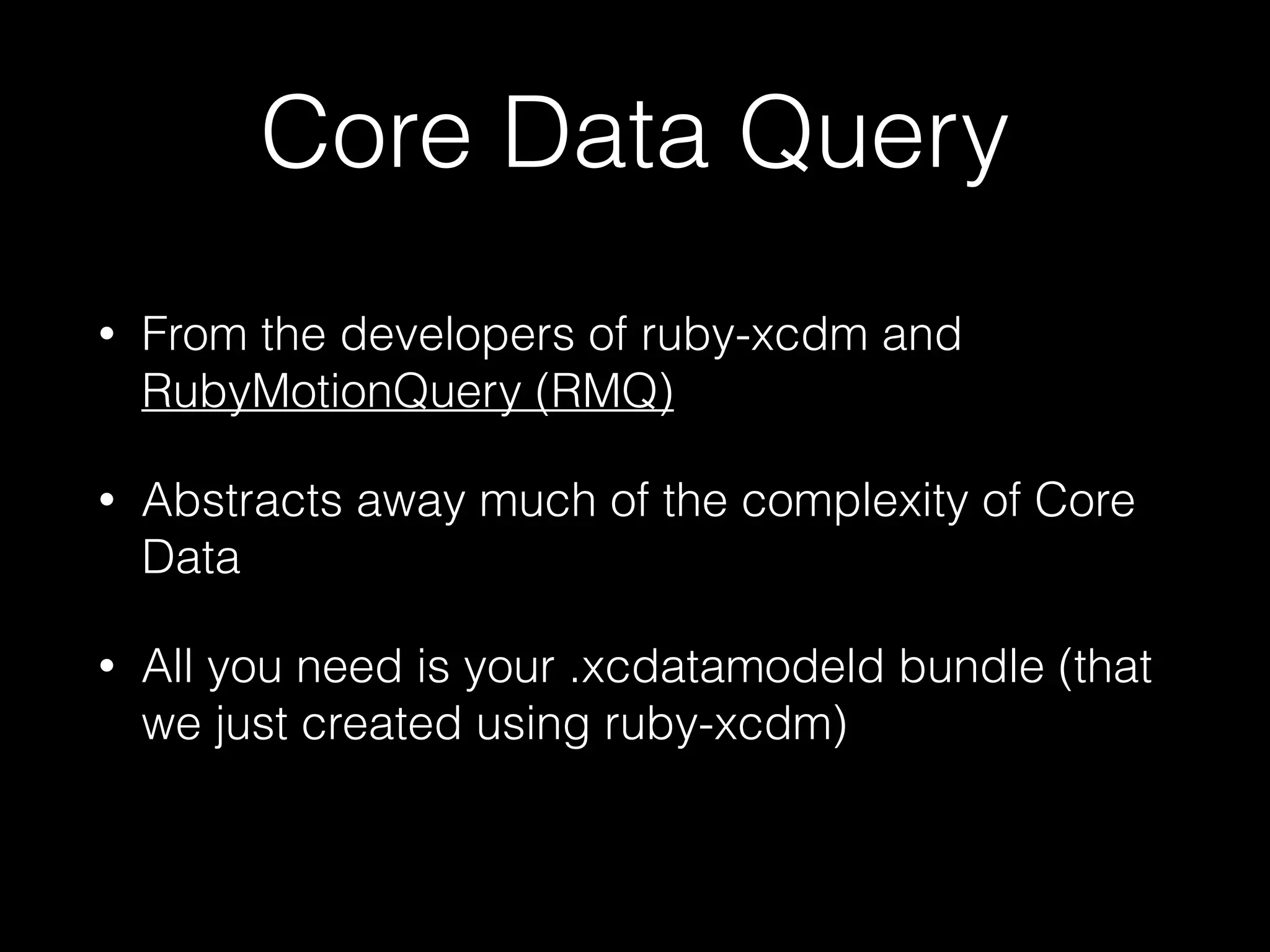
• From the developers of ruby-xcdm and
RubyMotionQuery (RMQ)
• Abstracts away much of the complexity of Core
Data
• All you need is your .xcdatamodeld bundle (that
we just created using ruby-xcdm)
Core Data Query in Action
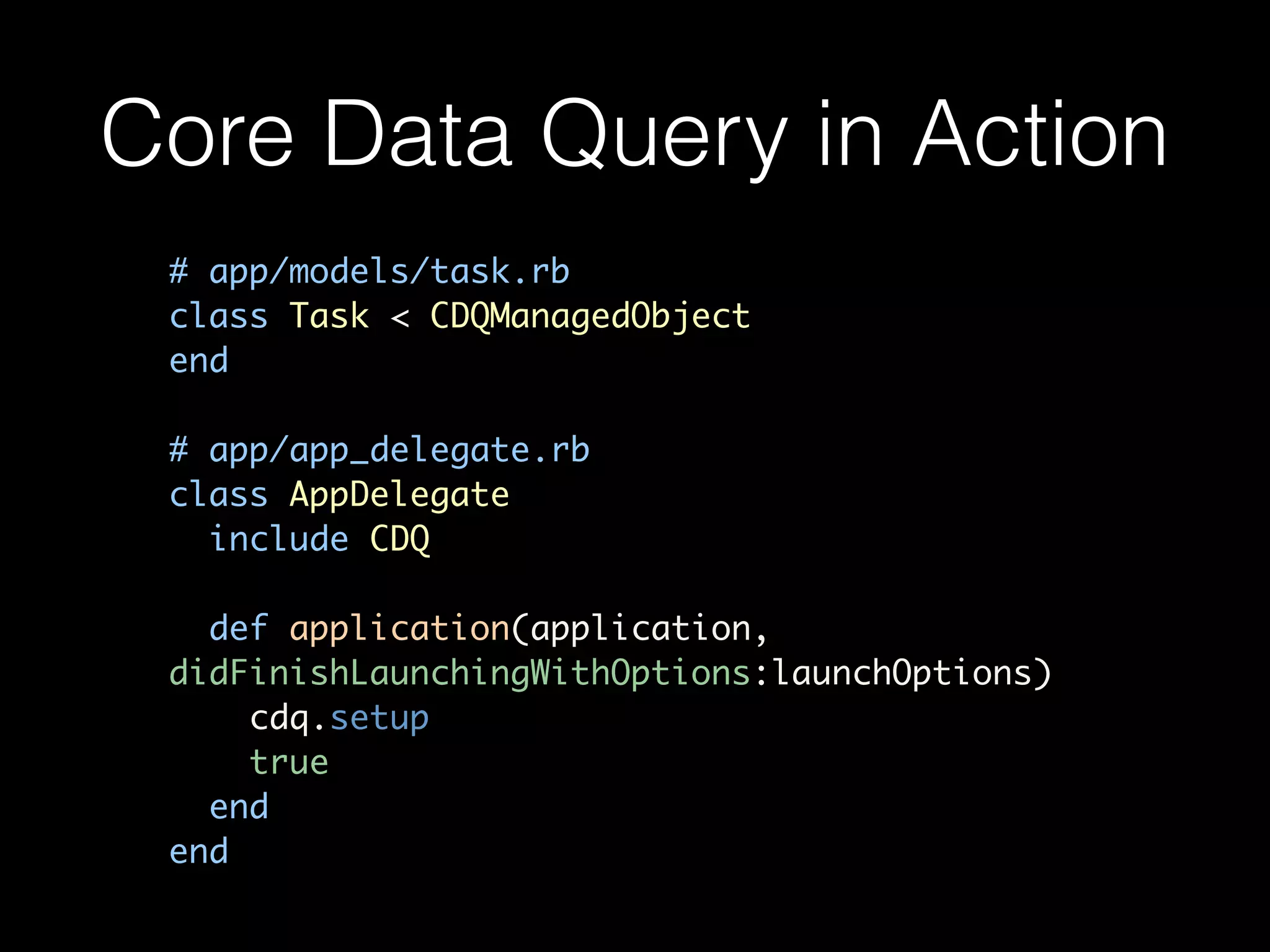
# app/models/task.rb	
class Task < CDQManagedObject	
end	
!
# app/app_delegate.rb	
class AppDelegate	
include CDQ	
!
def application(application,
didFinishLaunchingWithOptions:launchOptions)	
cdq.setup	
true	
end	
end
Core Data Query in Action
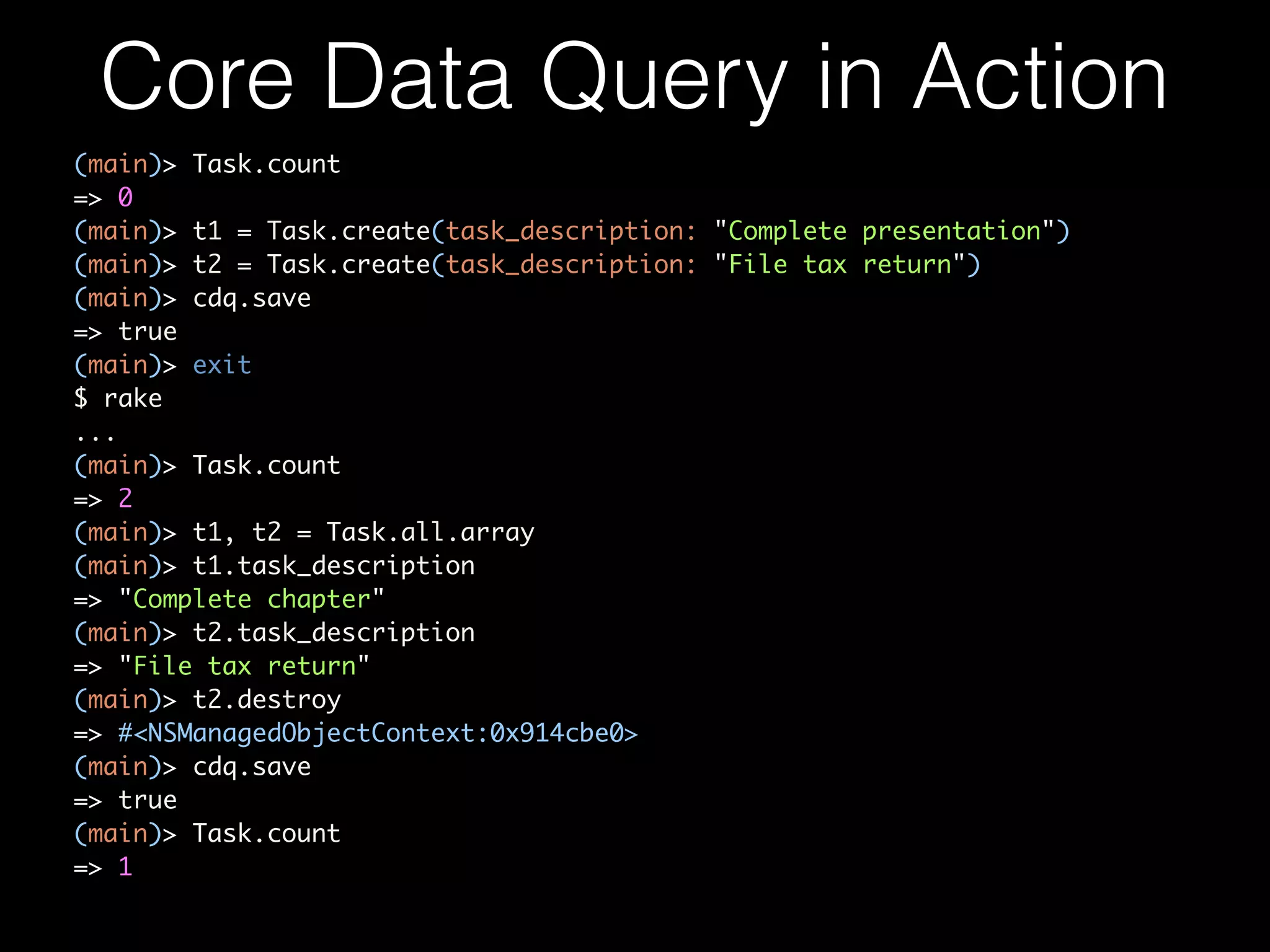
(main)> Task.count	
=> 0	
(main)> t1 = Task.create(task_description: "Complete presentation")	
(main)> t2 = Task.create(task_description: "File tax return")	
(main)> cdq.save	
=> true	
(main)> exit	
$ rake	
...	
(main)> Task.count	
=> 2	
(main)> t1, t2 = Task.all.array	
(main)> t1.task_description	
=> "Complete chapter"	
(main)> t2.task_description	
=> "File tax return"	
(main)> t2.destroy	
=> #<NSManagedObjectContext:0x914cbe0>	
(main)> cdq.save	
=> true	
(main)> Task.count	
=> 1
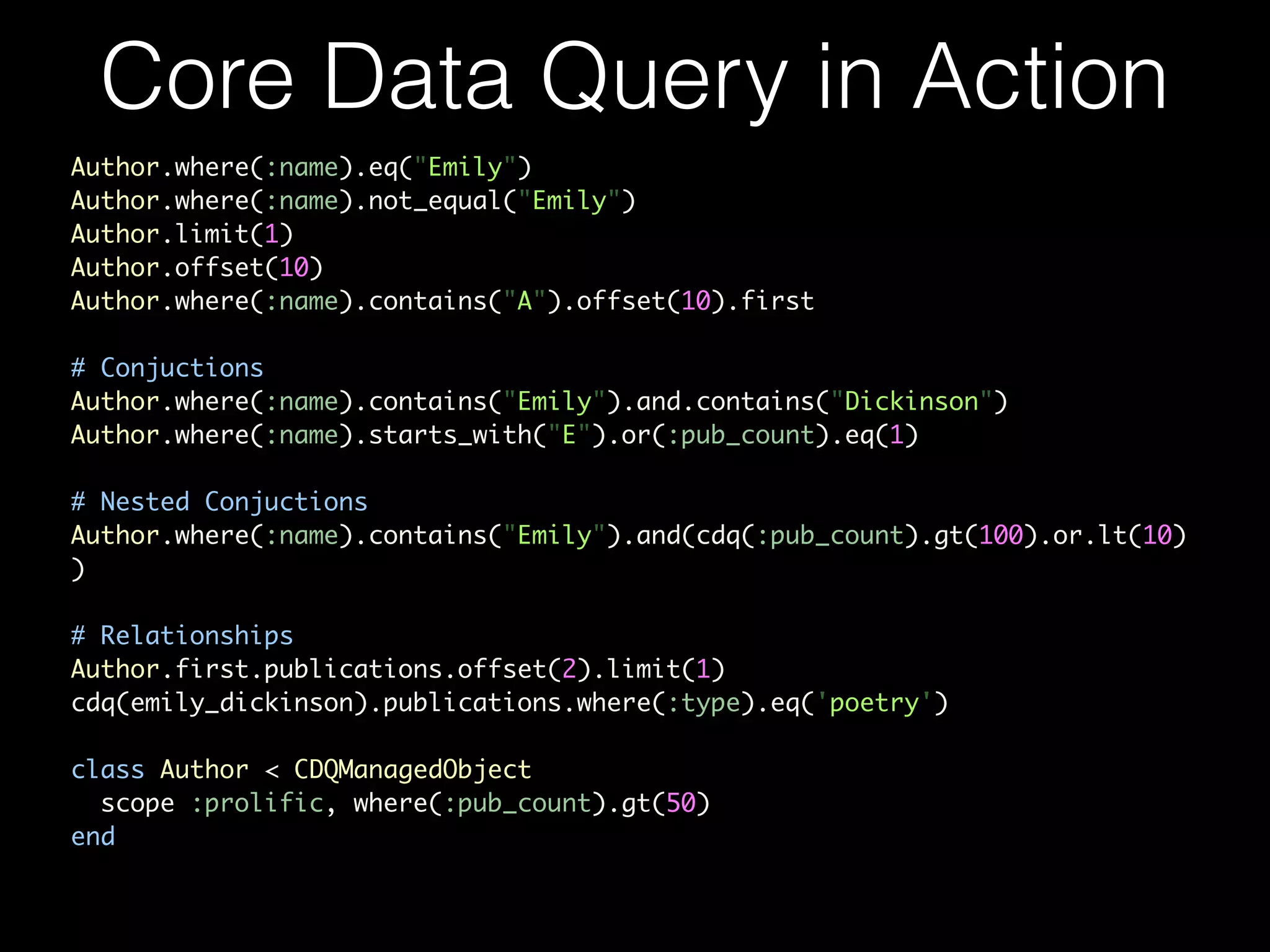
Author.where(:name).eq("Emily")	
Author.where(:name).not_equal("Emily")	
Author.limit(1)	
Author.offset(10)	
Author.where(:name).contains("A").offset(10).first	
!
# Conjuctions	
Author.where(:name).contains("Emily").and.contains("Dickinson")	
Author.where(:name).starts_with("E").or(:pub_count).eq(1)	
!
# Nested Conjuctions	
Author.where(:name).contains("Emily").and(cdq(:pub_count).gt(100).or.lt(10)
)	
!
# Relationships	
Author.first.publications.offset(2).limit(1)	
cdq(emily_dickinson).publications.where(:type).eq('poetry')	
!
class Author < CDQManagedObject	
scope :prolific, where(:pub_count).gt(50)	
end
Core Data Query in Action
Curious about Core Data
and RubyMotion?
A book on this is available on
Leanpub, covers how to use the
Core Data stack with RubyMotion
and how to use libraries like
CoreDataQuery to make
developing Core Data-driven apps
easier.
RubyMotion
vs
Swift
• Entirely complementary: there’s a place for both
• I will be coding in Swift instead of Obj-C
• Not instead of Ruby(Motion)…
• Same base (LLVM), can use best tool for the job
in each case.
Which library?
• Live development: RubyMotionQuery + SugarCube
• View layout and styling: MotionKit
• Project structure: ProMotion
• Core Data: ruby-xcdm + Core Data Query (CDQ)!
• Testing, mocking: motion-stump!
• Anything else: try Sugarcube and BubbleWrap
Next Steps
• In the coming weeks I’ll be researching and writing about:
• Libraries that I didn’t cover in depth today such as MotionKit,
ProMotion, BubbleWrap and motion-stump.
• How to best handle heavyweight/data migrations in RubyMotion
(Core Data)
• Deconstructing the one bit of ‘magic’ in Core Data Query
• How to write a ruby gem and contribute to the RubyMotion
ecosystem.
Stefán Hafliðason
http://stefan.haflidason.com
@styrmis

(Even more) Rapid App Development with RubyMotion

  • 1.
    Rapid App Development withRubyMotion Stefán Hafliðason http://stefan.haflidason.com @styrmis External libraries that make development even easier
  • 2.
    • Promises increaseddeveloper productivity • Brings the flexibility of Ruby to iOS and OSX development • Bridges directly to Obj-C libraries: no intermediate glue code • A REPL for working with your app live! • Make tweaks quickly • Build whole views programmatically on the fly Why RubyMotion?
  • 3.
    RubyMotion + 3rd PartyLibs • Stock RubyMotion makes life (generally) easier • Like Rails, there’s a healthy (and growing) ecosystem of libraries • These libraries can help speed up development even further • If the cost of experimenting is reduced, we’re more likely to try out new ideas, and that’s my goal.
  • 4.
    What are welooking for? • Non-Polluting! • Zero/Minimal pollution of our current namespace. • Minimal Magic! • Because when magic breaks, we’ll need to fix it. • Allows fallback to ‘plain’ RubyMotion • There when you need it, unobtrusive when you don’t.
  • 5.
    The Libraries • Viewmanagement: Ruby Motion Query (RMQ), MotionKit • More Ruby-like view creation: ProMotion! • Core Data: ruby-xcdm + Core Data Query (CDQ) • Various helpers: BubbleWrap, SugarCube, MotionAwesome
  • 6.
    Ruby Motion Query •“It’s like jQuery for RubyMotion. Stylesheets, templates, events, and more” • Supercharges the REPL/console • Easy to add, access and modify views • Also: event binding, styling, animation and more.
  • 7.
    Layout Experimentation Quickly layingout 8 table views on the screen (iPad). Started in the console, then moved code into the app itself.  1  class  RootViewController  <  UIViewController    2      def  viewDidLoad    3          #  Start  by  laying  out  with  RMQ    4          @week  =  UITableView.alloc.init    5          rmq.append(@week).layout({  t:0,  l:0,  w:217,  h:704})    6      7          @monday  =  UITableView.alloc.init    8          rmq.append(@monday).layout({  t:0,  l:221,  w:200,  h:350})    9     10          @tuesday  =  UITableView.alloc.init   11          rmq.append(@tuesday).layout({  t:0,  l:422,  w:200,  h:350})   12     13          #  ...   14     15          @saturday  =  UITableView.alloc.init   16          rmq.append(@saturday).layout({  t:354,  l:422,  w:200,  h:350})   17     18          @sunday  =  UITableView.alloc.init   19          rmq.append(@sunday).layout({  t:354,  l:623,  w:200,  h:350})   20     21          #  ...   22      end   23  end
  • 8.
    Wiring it up Let’sgive those tableviews a data source 1  class  TableViewDataSource   2      #  Implement  a  simple  data  source  delegate   3  end   4     5  rmq(UITableView).each  do  |tv|   6      tv.dataSource  =  TableViewDataSource.new   7  end
  • 9.
    Live Experimentation Trying outan inverted colour scheme: 1  (main)>  rmq(UITableView).each  do  |tv|   2  (main)>      tv.backgroundColor  =  rmq.color.black   3  (main)>      rmq(tv).find(UITableViewCell).each  do  |cell|   4  (main)>          cell.backgroundColor  =  rmq.color.from_hex("#333")   5  (main)>          cell.textColor  =  rmq.color.from_hex("#EEE")   6  (main)>      end   7  (main)>  end
  • 10.
    Exploring View Hierarchies  1  (main)>  rmq.log  :tree    2      3  ───  UIView    250313120    {l:  0,  t:  64,  w:  1024,  h:  704}    4          ├───  UITableView    172116992    {l:  0,  t:  0,  w:  217,  h:  704}    5          │        ├───  UITableViewWrapperView    250322496    {l:  0,  t:  0,  w:  217,  h:  704}    6          │        │        ├───  UITableViewCell    250561184    {l:  0,  t:  88,  w:  217,  h:  44}    7          │        │        │        ├───  UITableViewCellScrollV    250561584    {l:  0,  t:  0,  w:  217,  h:  44}    8          │        │        │        │        ├───  UITableViewCellContent    250562720    {l:  0,  t:  0,  w:  217,  h:  43}    9          │        │        │        │        │        ├───  UILabel    250563392    {l:  15,  t:  0,  w:  187,  h:  43}   10          │        │        │        │        ├───  _UITableViewCellSepara    250564720    {l:  15,  t:  43,  w:  202,  h:  1}   11          │        │        ├───  UITableViewCell    250552688    {l:  0,  t:  44,  w:  217,  h:  44}   12          │        │        │        ├───  UITableViewCellScrollV    250553088    {l:  0,  t:  0,  w:  217,  h:  44}   13          │        │        │        │        ├───  UITableViewCellContent    250554640    {l:  0,  t:  0,  w:  217,  h:  43}   14          │        │        │        │        │        ├───  UILabel    250555312    {l:  15,  t:  0,  w:  187,  h:  43}   15          │        │        │        │        ├───  _UITableViewCellSepara    250556592    {l:  15,  t:  43,  w:  202,  h:  1}   16          │        │        ├───  UITableViewCell    250531888    {l:  0,  t:  0,  w:  217,  h:  44}   17          │        │        │        ├───  UITableViewCellScrollV    250533056    {l:  0,  t:  0,  w:  217,  h:  44}   18          │        │        │        │        ├───  UITableViewCellContent    250533840    {l:  0,  t:  0,  w:  217,  h:  43}   19          │        │        │        │        │        ├───  UILabel    250538544    {l:  15,  t:  0,  w:  187,  h:  43}   20          │        │        │        │        ├───  _UITableViewCellSepara    250543888    {l:  15,  t:  43,  w:  202,  h:  1}
  • 11.
    Useful Helpers 1 #App! 2 ! 3 rmq.app.window! 4 rmq.app.delegate! 5 rmq.app.environment! 6 rmq.app.production?! 7 rmq.app.test?! 8 rmq.app.development?! 9 rmq.app.version! 10 rmq.app.name! 11 rmq.app.identifier! 12 rmq.app.resource_path! 13 rmq.app.document_path! 14 ! 15 1 # Device! 2 ! 3 rmq.device.screen! 4 rmq.device.width # screen width! 5 rmq.device.height # screen height! 6 rmq.device.ipad?! 7 rmq.device.iphone?! 8 rmq.device.four_inch?! 9 rmq.device.retina?! 10 ! 11 # return values are :unknown, :portrait,! 12 # :portrait_upside_down, :landscape_left,! 13 # :landscape_right, :face_up, :face_down! 14 rmq.device.orientation! 15 rmq.device.landscape?! 16 rmq.device.portrait? Why these are not easy to get at in the iOS SDK is beyond me…
  • 12.
    1 class LoginLayout< MotionKit::Layout 2 include LoginStyles 3 4 def layout 5 add UIImageView, :logo do 6 frame [[0, 0], ['100%', :scale]] 7 end 8 9 add UIView, :button_container do 10 frame from_bottom(height: 50, width: '100%') 11 add UIButton, :login_button do 12 background_color superview.backgroundColor 13 frame [[ 10, 5 ], [ 50, parent.height - 10 ]] 14 end 15 end 16 17 add UIView, :inputs do 18 frame x: 0, y: 0, width: '100%', height: '100% - 50' 19 autoresizing_mask :pin_to_top, :flexible_height, :flexible_width 20 add UITextField, :username_input do 21 frame [[10, 10], ['100% - 10', :auto]] 22 end 23 add UITextField, :password_input do 24 frame below(:username_input, margin: 8) 25 end 26 end 27 end 28 end • Flexible DSL for view layouts • Simpler handling of device rotation • Support for constraints / Auto Layout • Build your own DSL on top
  • 13.
    ProMotion 1 class HelpScreen< PM::TableScreen 2 title "Table Screen" 3 4 def table_data 5 [{ 6 title: "Help", 7 cells: [ 8 { title: "About this app", action: :tapped_about }, 9 { title: "Log out", action: :log_out } 10 ] 11 }] 12 end 13 14 def tapped_about(args={}) 15 open AboutScreen 16 end 17 18 def log_out 19 # Log out! 20 end 21 end • Aims to remove as much boilerplate code as possible • More intuitive, Ruby-style view controller building • Built-in classes for common view types
  • 14.
    BubbleWrap • The firstmajor extension library, contains a wide array of helpers: • Camera, JSON handling, notifications, key-value persistence, location API, message API, SMS, Timers… • An extremely easy to use HTTP library for working with remote APIs • And more!
  • 15.
    SugarCube: Sugar coatingfor verbose APIs 1  (main)>  tree   2      0:  .  UIWindow(#d282f80,  [[0.0,  0.0],  [768.0,  1024.0]])   3      1:  `-­‐-­‐  UILayoutContainerView(#9d23f70,  [[0.0,  0.0],  [768.0,  1024.0]])   4      2:          +-­‐-­‐  UINavigationTransitionView(#a28bf30,  [[0.0,  0.0],  [1024.0,  768.0]])   5      3:          |      `-­‐-­‐  UIViewControllerWrapperView(#a2c2b20,  [[0.0,  0.0],  [1024.0,  768.0]])   6      4:          |              `-­‐-­‐  UIView(#a2b23f0,  [[0.0,  64.0],  [1024.0,  704.0]])   7      5:          |                      +-­‐-­‐  UITableView(#aa7f200,  [[0.0,  0.0],  [217.0,  704.0]]) 1 (main)> a 4 # alias for 'adjust'! 2 => UIView(#a2b23f0, [[0.0, 64.0], [1024.0, 704.0]]), child of UIViewControllerWrapperView(#a2c2b20)! 3 (main)> d 100 # alias for 'down'! 4 [[0.0, 164.0], [1024.0, 704.0]]! 5 => UIView(#a2b23f0, [[0.0, 164.0], [1024.0, 704.0]]), child of UIViewControllerWrapperView(#a2c2b20)! 6 (main)> thinner 50! 7 [[0.0, 164.0], [974.0, 704.0]] Quick aliases for adjusting any view quickly, e.g. up, down, left, right, thinner, wider, taller, shorter…
  • 16.
    SugarCube: Sugar coatingfor verbose APIs 1 (main)> tree root! 2 0: . #<UINavigationController:0x9d243c0>! 3 1: -- #<RootViewController:0x9d24650>! 4 ! 5 => #<UINavigationController:0x9d243c0>! 6 (main)> a 1! 7 => #<RootViewController:0x9d24650>! 8 (main)> $sugarcube_view! 9 => #<RootViewController:0x9d24650>! 10 (main)> $sugarcube_view.any_public_method Works for view controllers too: Now when testing a particular method you have the option to simply invoke it directly.
  • 17.
    MotionAwesome 1  label(:check_square_o,  size:  18,  text:  @items[indexPath.row])  do  |label|   2      view  =  UIView.alloc.initWithFrame(cell.contentView.frame)   3      rmq(label).layout({  l:10,  t:10,  w:200,  h:25  })   4      view.addSubview(label)   5      cell.contentView.addSubview(view)   6  end
  • 18.
    Core Data andRubyMotion • No equivalent of Xcode’s visual data modeller • How do I define my data model?! • What about versioning?! • How will I handle migrations?
  • 19.
    What we need •Our data model (NSEntityDescriptions + NSRelationshipDescriptions forming our NSManagedObject) • A Core Data Stack (NSManagedObjectModel + NSPersistentStoreCoordinator + NSManagedObjectContext) • A workflow for versioning and migrating between versions
  • 20.
    Defining Our DataModel • We would normally do this in Xcode • Visual Editor for .xcdatamodel bundles • Integrated handling of versioning and custom migration code • Automatic lightweight (schema) migrations • How do we achieve this with RubyMotion?
  • 21.
    Options for RubyMotion •Handle everything programmatically (low level) • Use Xcode to work with .xcdatamodel files, copy in each time • Use a Ruby library for creating .xcdatamodel files
  • 22.
    Handling Everything Programmatically entity =NSEntityDescription.alloc.init entity.name = 'Task' entity.managedObjectClassName = 'Task' entity.properties = [ 'task_description', NSStringAttributeType, 'completed', NSBooleanAttributeType ].each_slice(2).map do |name, type| property = NSAttributeDescription.alloc.init property.name = name property.attributeType = type property.optional = false property end
  • 23.
    Handling Everything Programmatically entity =NSEntityDescription.alloc.init entity.name = 'Task' entity.managedObjectClassName = 'Task' entity.properties = [ 'task_description', NSStringAttributeType, 'completed', NSBooleanAttributeType ].each_slice(2).map do |name, type| property = NSAttributeDescription.alloc.init property.name = name property.attributeType = type property.optional = false property end Not all that bad, but we want to use .xcdatamodel files so that we can benefit from versioning, automatic schema migrations…
  • 24.
    .xcdatamodel files arejust XML <?xml version="1.0" encoding="UTF-8" standalone="yes"?>! <model name="" userDefinedModelVersionIdentifier="001" type="com.apple.IDECoreDataModeler.DataModel" documentVersion="1.0" lastSavedToolsVersion="2061" systemVersion="12D78" minimumToolsVersion="Xcode 4.3" macOSVersion="Automatic" iOSVersion="Automatic">! <entity name="Article" syncable="YES">! <attribute name="title" optional="YES" attributeType="String" syncable="YES"/>! <relationship name="author" optional="YES" minCount="1" maxCount="1" deletionRule="Nullify" destinationEntity="Author" inverseName="articles" inverseEntity="Article" syncable="YES"/>! </entity>! <entity name="Author" syncable="YES">! <attribute name="name" optional="YES" attributeType="String" syncable="YES"/>! <relationship name="articles" optional="YES" minCount="1" maxCount="1" deletionRule="Nullify" destinationEntity="Article" inverseName="author" inverseEntity="Author" syncable="YES"/>! </entity>! </model>
  • 25.
    Using a libraryto generate .xcdatamodel files (ruby-xcdm) 1 schema "001" do! 2 entity "Article" do! 3 string :body, optional: false! 4 integer32 :length! 5 boolean :published, default: false! 6 datetime :publishedAt, default: false! 7 string :title, optional: false! 8 ! 9 belongs_to :author! 10 end! 11 ! 12 entity "Author" do! 13 float :fee! 14 string :name, optional: false! 15 has_many :articles! 16 end! 17 end
  • 26.
    Workflow • Create schemafile in schemas directory, e.g. schemas/001_initial.rb • Build the schema • Add a new schema version, e.g. 002_add_new_fields.rb • Rebuild the schema • That’s it!
  • 27.
    Workflow $ echo "gem'ruby-xcdm', '0.0.5'" >> Gemfile $ bundle install $ rake schema:build Generating Data Model learn-xcdm Loading schemas/001_initial.rb Writing resources/learn-xcdm.xcdatamodeld/1.xcdatamodel/ contents $ rake # The default rake task is to run the app in the simulator (main)> mom = NSManagedObjectModel.mergedModelFromBundles(nil) => #<NSManagedObjectModel:0x8fa7690> (main)> mom.entities.count => 2 (main)> mom.entities.first.name => "Article" (main)> mom.entities.first.propertiesByName => {"body"=>#<NSAttributeDescription:0x8e5db30>, "title"=>#<NSAttributeDescription:0x8ea4770>}
  • 28.
    Advantages of usingruby- xcdm • No magic: generates XML from a schema • Schema versions are fully text-based and readable, making them well-suited to version control • Can compile our versions into .xcdatamodeld bundles, completely removing dependence on Xcode
  • 29.
    Basic Core DataStack 1 model = NSManagedObjectModel.mergedModelFromBundles(nil) 2 3 store = NSPersistentStoreCoordinator.alloc.initWithManagedObjectModel(model) 4 store_path = File.join(NSHomeDirectory(), 'Documents', 'LearnXcdm.sqlite') 5 store_url = NSURL.fileURLWithPath(store_path) 6 7 options = { NSMigratePersistentStoresAutomaticallyOption => true, 8 NSInferMappingModelAutomaticallyOption => true } 9 10 error_ptr = Pointer.new(:object) 11 12 unless store.addPersistentStoreWithType(NSSQLiteStoreType, 13 configuration: nil, 14 URL: store_url, 15 options: options, 16 error: error_ptr) 17 raise "[ERROR] Failed to create persistent store: #{error_ptr[0].description}" 18 end 19 20 @context = NSManagedObjectContext.alloc.init 21 @context.persistentStoreCoordinator = store
  • 30.
    Core Data Query •From the developers of ruby-xcdm and RubyMotionQuery (RMQ) • Abstracts away much of the complexity of Core Data • All you need is your .xcdatamodeld bundle (that we just created using ruby-xcdm)
  • 31.
    Core Data Queryin Action # app/models/task.rb class Task < CDQManagedObject end ! # app/app_delegate.rb class AppDelegate include CDQ ! def application(application, didFinishLaunchingWithOptions:launchOptions) cdq.setup true end end
  • 32.
    Core Data Queryin Action (main)> Task.count => 0 (main)> t1 = Task.create(task_description: "Complete presentation") (main)> t2 = Task.create(task_description: "File tax return") (main)> cdq.save => true (main)> exit $ rake ... (main)> Task.count => 2 (main)> t1, t2 = Task.all.array (main)> t1.task_description => "Complete chapter" (main)> t2.task_description => "File tax return" (main)> t2.destroy => #<NSManagedObjectContext:0x914cbe0> (main)> cdq.save => true (main)> Task.count => 1
  • 33.
    Author.where(:name).eq("Emily") Author.where(:name).not_equal("Emily") Author.limit(1) Author.offset(10) Author.where(:name).contains("A").offset(10).first ! # Conjuctions Author.where(:name).contains("Emily").and.contains("Dickinson") Author.where(:name).starts_with("E").or(:pub_count).eq(1) ! # NestedConjuctions Author.where(:name).contains("Emily").and(cdq(:pub_count).gt(100).or.lt(10) ) ! # Relationships Author.first.publications.offset(2).limit(1) cdq(emily_dickinson).publications.where(:type).eq('poetry') ! class Author < CDQManagedObject scope :prolific, where(:pub_count).gt(50) end Core Data Query in Action
  • 34.
    Curious about CoreData and RubyMotion? A book on this is available on Leanpub, covers how to use the Core Data stack with RubyMotion and how to use libraries like CoreDataQuery to make developing Core Data-driven apps easier.
  • 35.
    RubyMotion vs Swift • Entirely complementary:there’s a place for both • I will be coding in Swift instead of Obj-C • Not instead of Ruby(Motion)… • Same base (LLVM), can use best tool for the job in each case.
  • 36.
    Which library? • Livedevelopment: RubyMotionQuery + SugarCube • View layout and styling: MotionKit • Project structure: ProMotion • Core Data: ruby-xcdm + Core Data Query (CDQ)! • Testing, mocking: motion-stump! • Anything else: try Sugarcube and BubbleWrap
  • 37.
    Next Steps • Inthe coming weeks I’ll be researching and writing about: • Libraries that I didn’t cover in depth today such as MotionKit, ProMotion, BubbleWrap and motion-stump. • How to best handle heavyweight/data migrations in RubyMotion (Core Data) • Deconstructing the one bit of ‘magic’ in Core Data Query • How to write a ruby gem and contribute to the RubyMotion ecosystem. Stefán Hafliðason http://stefan.haflidason.com @styrmis