“Enter the
MediaTombRaider”
Adventures in Home Theatre Media Streaming
What is MediaTomb?

“MediaTomb is an open source (GPL) UPnP
MediaServer with a nice web user interface,
it allows you to stream your digital media
through your home network and listen to/
watch it on a variety of UPnP compatible
devices.”
What is UPnP?
“Universal Plug and Play (UPnP) is a set of
networking protocols for primarily residential
networks without expert administrators that
permits networked devices, such as personal
computers, printers, Internet gateways, Wi-Fi
access points and mobile devices to seamlessly
discover each other's presence on the network
and establish functional network services for
data sharing, communications, and
entertainment.”
In Plain English

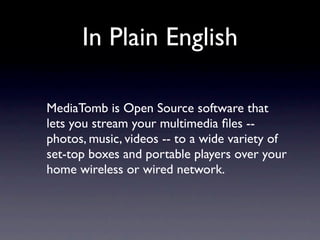
MediaTomb is Open Source software that
lets you stream your multimedia files --
photos, music, videos -- to a wide variety of
set-top boxes and portable players over your
home wireless or wired network.
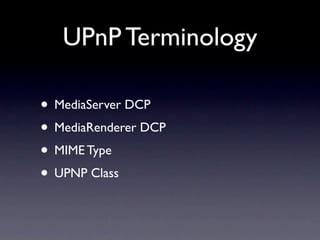
UPnP Terminology

• MediaServer DCP
• MediaRenderer DCP
• MIME Type
• UPNP Class
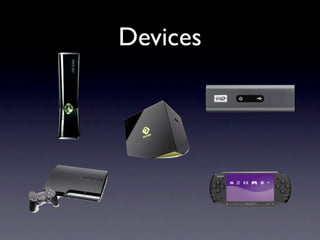
Devices
What You Need


• Works on Linux, Mac, BSD, and many
  embedded devices
• Available in most package managers
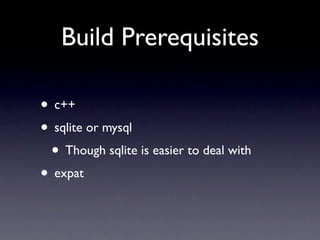
Build Prerequisites

• c++
• sqlite or mysql
 • Though sqlite is easier to deal with
• expat
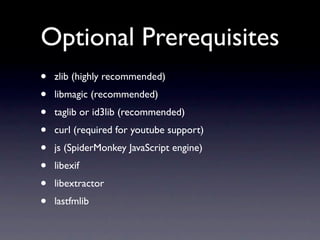
Optional Prerequisites
•   zlib (highly recommended)
•   libmagic (recommended)
•   taglib or id3lib (recommended)
•   curl (required for youtube support)
•   js (SpiderMonkey JavaScript engine)
•   libexif
•   libextractor
•   lastfmlib
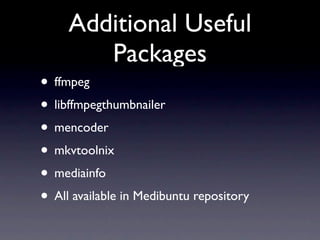
Additional Useful
        Packages
• ffmpeg
• libffmpegthumbnailer
• mencoder
• mkvtoolnix
• mediainfo
• All available in Medibuntu repository
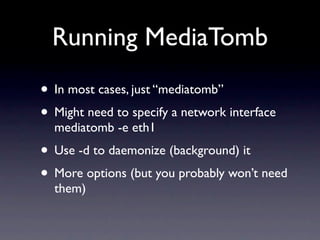
Running MediaTomb
• In most cases, just “mediatomb”
• Might need to specify a network interface
  mediatomb -e eth1
• Use -d to daemonize (background) it
• More options (but you probably won’t need
  them)
Configuring MediaTomb
•   Creates a default configuration on first run
•   $HOME/.mediatomb
•   config.xml - this is the main config file
•   mediatomb.db - database (SQlite) that contains your
    media library
•   In many cases the default configuration will be “good
    enough”
•   Might need to be tweaked for certain odd devices
    •   Check MediaTomb website or config file comments
Config File Sections
• server - general server configuration
• import - how to aggregate content
 • mappings - determine file extension to
    media type mapping
• transcoding - if transcoding is desired, this
  section controls how it’s done
Importing
•   By default imports identically to the way files
    are laid out on disk
•   Optional JavaScript support lets you change this
    •   MP3s organized by artist/album
    •   Movies organized by genre
    •   Photos by the date they were taken
    •   ...etc...
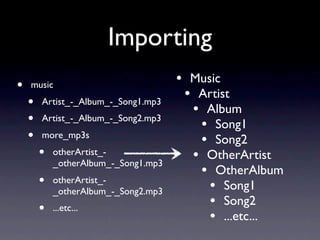
Importing
•   music                             • Music
                                       • Artist
    •   Artist_-_Album_-_Song1.mp3
                                        • Album
    •   Artist_-_Album_-_Song2.mp3
                                         • Song1
    •   more_mp3s
                                         • Song2
        •   otherArtist_-
                                        • OtherArtist
            _otherAlbum_-_Song1.mp3
                                         • OtherAlbum
        •   otherArtist_-
                                           • Song1
            _otherAlbum_-_Song2.mp3
        •   ...etc...
                                           • Song2
                                           • ...etc...
Transcoding
•   MediaTomb only streams a file bit-by-bit to your
    playback device. It doesn’t care about file
    formats, bit rates, codecs, etc.
•   If your device can’t play the file you’re sending it
    natively, then transcoding is required
•   MediaTomb website/wiki is the best resource on
    how to set this up
•   PS3 is the most common, and has many good pre-
    canned setups
The Web UI
Demos
Questions
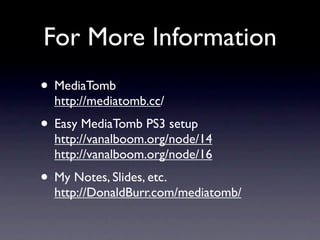
For More Information
• MediaTomb
  http://mediatomb.cc/
• Easy MediaTomb PS3 setup
  http://vanalboom.org/node/14
  http://vanalboom.org/node/16
• My Notes, Slides, etc.
  http://DonaldBurr.com/mediatomb/
Thanks for coming!

Enter the MediaTombRaider

  • 1.
  • 2.
    What is MediaTomb? “MediaTombis an open source (GPL) UPnP MediaServer with a nice web user interface, it allows you to stream your digital media through your home network and listen to/ watch it on a variety of UPnP compatible devices.”
  • 3.
    What is UPnP? “UniversalPlug and Play (UPnP) is a set of networking protocols for primarily residential networks without expert administrators that permits networked devices, such as personal computers, printers, Internet gateways, Wi-Fi access points and mobile devices to seamlessly discover each other's presence on the network and establish functional network services for data sharing, communications, and entertainment.”
  • 4.
    In Plain English MediaTombis Open Source software that lets you stream your multimedia files -- photos, music, videos -- to a wide variety of set-top boxes and portable players over your home wireless or wired network.
  • 5.
    UPnP Terminology • MediaServerDCP • MediaRenderer DCP • MIME Type • UPNP Class
  • 6.
  • 7.
    What You Need •Works on Linux, Mac, BSD, and many embedded devices • Available in most package managers
  • 8.
    Build Prerequisites • c++ •sqlite or mysql • Though sqlite is easier to deal with • expat
  • 9.
    Optional Prerequisites • zlib (highly recommended) • libmagic (recommended) • taglib or id3lib (recommended) • curl (required for youtube support) • js (SpiderMonkey JavaScript engine) • libexif • libextractor • lastfmlib
  • 10.
    Additional Useful Packages • ffmpeg • libffmpegthumbnailer • mencoder • mkvtoolnix • mediainfo • All available in Medibuntu repository
  • 11.
    Running MediaTomb • Inmost cases, just “mediatomb” • Might need to specify a network interface mediatomb -e eth1 • Use -d to daemonize (background) it • More options (but you probably won’t need them)
  • 12.
    Configuring MediaTomb • Creates a default configuration on first run • $HOME/.mediatomb • config.xml - this is the main config file • mediatomb.db - database (SQlite) that contains your media library • In many cases the default configuration will be “good enough” • Might need to be tweaked for certain odd devices • Check MediaTomb website or config file comments
  • 13.
    Config File Sections •server - general server configuration • import - how to aggregate content • mappings - determine file extension to media type mapping • transcoding - if transcoding is desired, this section controls how it’s done
  • 14.
    Importing • By default imports identically to the way files are laid out on disk • Optional JavaScript support lets you change this • MP3s organized by artist/album • Movies organized by genre • Photos by the date they were taken • ...etc...
  • 15.
    Importing • music • Music • Artist • Artist_-_Album_-_Song1.mp3 • Album • Artist_-_Album_-_Song2.mp3 • Song1 • more_mp3s • Song2 • otherArtist_- • OtherArtist _otherAlbum_-_Song1.mp3 • OtherAlbum • otherArtist_- • Song1 _otherAlbum_-_Song2.mp3 • ...etc... • Song2 • ...etc...
  • 16.
    Transcoding • MediaTomb only streams a file bit-by-bit to your playback device. It doesn’t care about file formats, bit rates, codecs, etc. • If your device can’t play the file you’re sending it natively, then transcoding is required • MediaTomb website/wiki is the best resource on how to set this up • PS3 is the most common, and has many good pre- canned setups
  • 17.
  • 18.
  • 19.
  • 20.
  • 21.
    For More Information •MediaTomb http://mediatomb.cc/ • Easy MediaTomb PS3 setup http://vanalboom.org/node/14 http://vanalboom.org/node/16 • My Notes, Slides, etc. http://DonaldBurr.com/mediatomb/
  • 22.