ENHANCING THE HELLO
WORLD REST API TO
RETURN A BEAN
After completing simple HelloWorld application
using spring boot we turn into some complexity
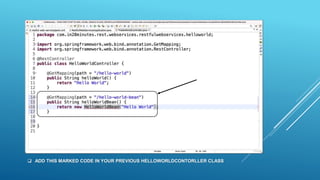
 ADD THIS MARKED CODE IN YOUR PREVIOUS HELLOWORLDCONTORLLER CLASS
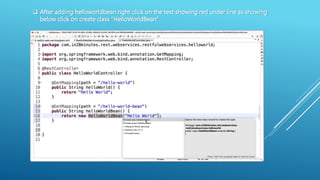
 After adding helloworldbean right click on the text showing red under line as showing
below click on create class “HelloWorldBean”
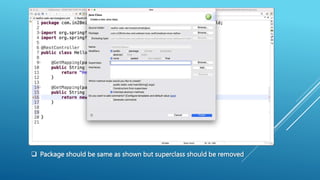
 Package should be same as shown but superclass should be removed
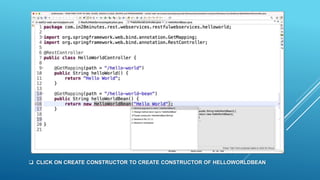
 CLICK ON CREATE CONSTRUCTOR TO CREATE CONSTRUCTOR OF HELLOWORLDBEAN
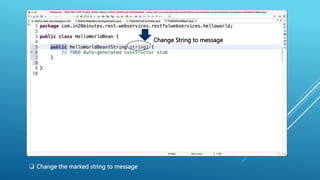
Change String to message
 Change the marked string to message
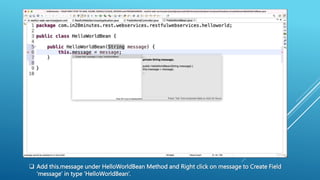
 Add this.message under HelloWorldBean Method and Right click on message to Create Field
‘message’ in type ‘HelloWorldBean’.
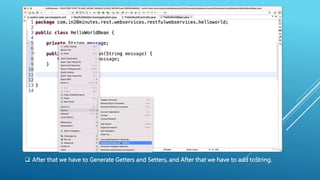
 After that we have to Generate Getters and Setters, and After that we have to add toString.
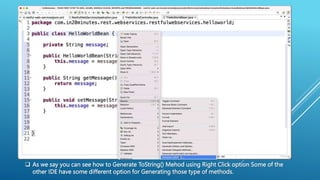
 As we say you can see how to Generate ToString() Mehod using Right Click option Some of the
other IDE have some different option for Generating those type of methods.
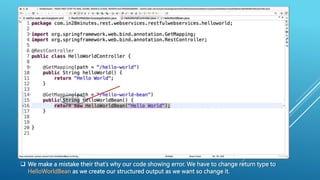
 We make a mistake their that’s why our code showing error. We have to change return type to
HelloWorldBean as we create our structured output as we want so change it.
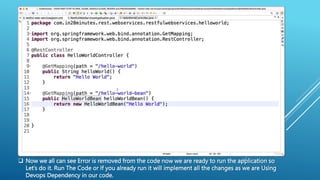
 Now we all can see Error is removed from the code now we are ready to run the application so
Let’s do it. Run The Code or If you already run it will implement all the changes as we are Using
Devops Dependency in our code.
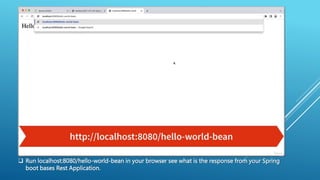
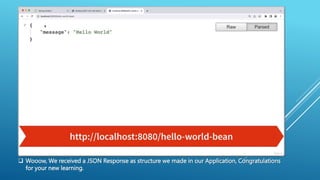
 Run localhost:8080/hello-world-bean in your browser see what is the response from your Spring
boot bases Rest Application.
 Wooow, We received a JSON Response as structure we made in our Application, Congratulations
for your new learning.
Thank You!!
Regards Akash Gupta

Enhancing the Hello World REST API to return a Bean.pptx

  • 1.
    ENHANCING THE HELLO WORLDREST API TO RETURN A BEAN After completing simple HelloWorld application using spring boot we turn into some complexity
  • 2.
     ADD THISMARKED CODE IN YOUR PREVIOUS HELLOWORLDCONTORLLER CLASS
  • 3.
     After addinghelloworldbean right click on the text showing red under line as showing below click on create class “HelloWorldBean”
  • 4.
     Package shouldbe same as shown but superclass should be removed
  • 5.
     CLICK ONCREATE CONSTRUCTOR TO CREATE CONSTRUCTOR OF HELLOWORLDBEAN
  • 6.
    Change String tomessage  Change the marked string to message
  • 7.
     Add this.messageunder HelloWorldBean Method and Right click on message to Create Field ‘message’ in type ‘HelloWorldBean’.
  • 8.
     After thatwe have to Generate Getters and Setters, and After that we have to add toString.
  • 9.
     As wesay you can see how to Generate ToString() Mehod using Right Click option Some of the other IDE have some different option for Generating those type of methods.
  • 10.
     We makea mistake their that’s why our code showing error. We have to change return type to HelloWorldBean as we create our structured output as we want so change it.
  • 11.
     Now weall can see Error is removed from the code now we are ready to run the application so Let’s do it. Run The Code or If you already run it will implement all the changes as we are Using Devops Dependency in our code.
  • 12.
     Run localhost:8080/hello-world-beanin your browser see what is the response from your Spring boot bases Rest Application.
  • 13.
     Wooow, Wereceived a JSON Response as structure we made in our Application, Congratulations for your new learning.
  • 14.