ENHANCED WEB DESIGN
Lesson 1
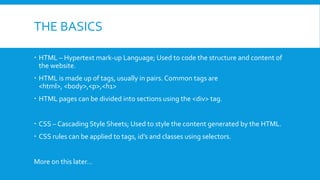
THE BASICS
 HTML – Hypertext mark-up Language; Used to code the structure and content of
the website.
 HTML is made up of tags, usually in pairs. Common tags are
<html>, <body>,<p>,<h1>
 HTML pages can be divided into sections using the <div> tag.
 CSS – Cascading Style Sheets; Used to style the content generated by the HTML.
 CSS rules can be applied to tags, id’s and classes using selectors.
More on this later…
SETTING UP OUR DEVELOPMENT
ENVIRONMENT
 1. Open Internet Explorer.
 2. Go to http://www.apachefriends.org/en/xampp.html
 3. Click on XAMMP for windows.
 4. Click on XAMMP under the download section.
 5. Click on Installer and save the installer to your computer.
 6. Run the installer.
XAMPP
 XAMPP is what is called a server stack. It contains all the technologies needed to
run a webserver locally on your PC.
 XAMPP stands for:
Letter Meaning What it is
X Cross Platform Runs on Windows, Unix, Linux and Mac OS’s
A Apache Webserver
M MySQL Database Engine
P PHP Server Side Scripting Language
P Perl CGI scripting language
WHAT DOESTHIS ALLOW USTO DO?
 View webpages as they would be seen on the internet without the need for
hosting.
 Use server side scripting languages such as PHP, CGI etc
 Create database driven websites.
 Use CMS systems such asWordpress, Joomla and Drupal.
LETS SEE IF IT WORKS!
1. Open notepad
2. Create a basic webpage:
e.g.
3. Save you document as index.html to c:xampphtdocs
4. Open Internet Explorer and browse to http://localhost
<html>
<head>
<title>MyWebpage</title>
</head>
<body>
<h1>Our server stack works!!!</h1>
</body>
</html>
WHATWOULDYOU LIKETO LEARN?
 Photoshop mock-ups?
 HTML and CSS?
 Setting up a site using a CMS?
 Use a PHP framework?
 Any other ideas??

Enhanced web design

  • 1.
  • 2.
    THE BASICS  HTML– Hypertext mark-up Language; Used to code the structure and content of the website.  HTML is made up of tags, usually in pairs. Common tags are <html>, <body>,<p>,<h1>  HTML pages can be divided into sections using the <div> tag.  CSS – Cascading Style Sheets; Used to style the content generated by the HTML.  CSS rules can be applied to tags, id’s and classes using selectors. More on this later…
  • 3.
    SETTING UP OURDEVELOPMENT ENVIRONMENT  1. Open Internet Explorer.  2. Go to http://www.apachefriends.org/en/xampp.html  3. Click on XAMMP for windows.  4. Click on XAMMP under the download section.  5. Click on Installer and save the installer to your computer.  6. Run the installer.
  • 4.
    XAMPP  XAMPP iswhat is called a server stack. It contains all the technologies needed to run a webserver locally on your PC.  XAMPP stands for: Letter Meaning What it is X Cross Platform Runs on Windows, Unix, Linux and Mac OS’s A Apache Webserver M MySQL Database Engine P PHP Server Side Scripting Language P Perl CGI scripting language
  • 5.
    WHAT DOESTHIS ALLOWUSTO DO?  View webpages as they would be seen on the internet without the need for hosting.  Use server side scripting languages such as PHP, CGI etc  Create database driven websites.  Use CMS systems such asWordpress, Joomla and Drupal.
  • 6.
    LETS SEE IFIT WORKS! 1. Open notepad 2. Create a basic webpage: e.g. 3. Save you document as index.html to c:xampphtdocs 4. Open Internet Explorer and browse to http://localhost <html> <head> <title>MyWebpage</title> </head> <body> <h1>Our server stack works!!!</h1> </body> </html>
  • 7.
    WHATWOULDYOU LIKETO LEARN? Photoshop mock-ups?  HTML and CSS?  Setting up a site using a CMS?  Use a PHP framework?  Any other ideas??