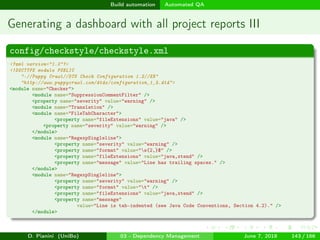
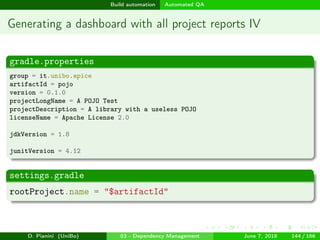
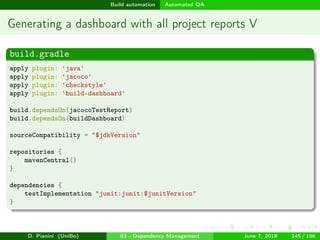
images/logo
Developing, maintaining, and sharing software tools for research
Enforce reproducibility: dependency management and build automation
Danilo Pianini
danilo.pianini@unibo.it
Alma Mater Studiorum—Università di Bologna
Ph.D. course in Data Science and Computation
June 7, 2018 - Bologna (Italy)
D. Pianini (UniBo) 03 - Dependency Management June 7, 2018 1 / 166
images/logo
Outline
1 Dependency Management
Concept
Example
Dependency trees
Preventing dependency hells
2 Build automation
Introduction to Gradle
Gradle basics
Java
Kotlin, Scala, Groovy, and other JVM languages
C/C++
Other languages
Automated QA
Automated documentation and packaging
D. Pianini (UniBo) 03 - Dependency Management June 7, 2018 2 / 166
images/logo
Dependency Management Concept
Outline
1 Dependency Management
Concept
Example
Dependency trees
Preventing dependency hells
2 Build automation
Introduction to Gradle
Gradle basics
Java
Kotlin, Scala, Groovy, and other JVM languages
C/C++
Other languages
Automated QA
Automated documentation and packaging
D. Pianini (UniBo) 03 - Dependency Management June 7, 2018 3 / 166
images/logo
Dependency Management Concept
The concept of dependency
Any software depends on other software
All the runtime base libraries (think of java.lang.* and System.*)
All the other core libraries
Possibly, external resources (e.g., images, sounds, translation files...)
Normally, this software depends on other software
That depend on other software
That depend on other software, and so on...
A normal applications has a tree of dependencies
D. Pianini (UniBo) 03 - Dependency Management June 7, 2018 3 / 166
images/logo
Dependency Management Example
Outline
1 Dependency Management
Concept
Example
Dependency trees
Preventing dependency hells
2 Build automation
Introduction to Gradle
Gradle basics
Java
Kotlin, Scala, Groovy, and other JVM languages
C/C++
Other languages
Automated QA
Automated documentation and packaging
D. Pianini (UniBo) 03 - Dependency Management June 7, 2018 4 / 166
images/logo
Dependency Management Example
Example: print titles
Requirements
Write a program that:
Visits TheTVDB.org (public TV Series database)
Searches for a series
Download the titles of all the episodes
Prints them on screen
Questions
Estimate how much code (in Java) you’d need to write
How much code can be just inherited from existing, public libraries?
D. Pianini (UniBo) 03 - Dependency Management June 7, 2018 4 / 166
images/logo
Dependency Management Example
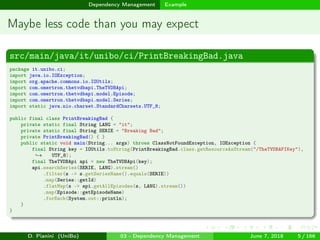
Maybe less code than you may expect
src/main/java/it/unibo/ci/PrintBreakingBad.java
package it.unibo.ci;
import java.io.IOException;
import org.apache.commons.io.IOUtils;
import com.omertron.thetvdbapi.TheTVDBApi;
import com.omertron.thetvdbapi.model.Episode;
import com.omertron.thetvdbapi.model.Series;
import static java.nio.charset.StandardCharsets.UTF_8;
public final class PrintBreakingBad {
private static final String LANG = "it";
private static final String SERIE = "Breaking Bad";
private PrintBreakingBad() { }
public static void main(String... args) throws ClassNotFoundException, IOException {
final String key = IOUtils.toString(PrintBreakingBad.class.getResourceAsStream("/TheTVDBAPIKey"),
UTF_8);→
final TheTVDBApi api = new TheTVDBApi(key);
api.searchSeries(SERIE, LANG).stream()
.filter(s -> s.getSeriesName().equals(SERIE))
.map(Series::getId)
.flatMap(s -> api.getAllEpisodes(s, LANG).stream())
.map(Episode::getEpisodeName)
.forEach(System.out::println);
}
}
D. Pianini (UniBo) 03 - Dependency Management June 7, 2018 5 / 166
images/logo
Dependency Management Example
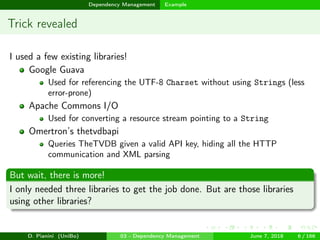
Trick revealed
I used a few existing libraries!
Google Guava
Used for referencing the UTF-8 Charset without using Strings (less
error-prone)
Apache Commons I/O
Used for converting a resource stream pointing to a String
Omertron’s thetvdbapi
Queries TheTVDB given a valid API key, hiding all the HTTP
communication and XML parsing
But wait, there is more!
I only needed three libraries to get the job done. But are those libraries
using other libraries?
D. Pianini (UniBo) 03 - Dependency Management June 7, 2018 6 / 166
images/logo
Dependency Management Dependency trees
Outline
1 Dependency Management
Concept
Example
Dependency trees
Preventing dependency hells
2 Build automation
Introduction to Gradle
Gradle basics
Java
Kotlin, Scala, Groovy, and other JVM languages
C/C++
Other languages
Automated QA
Automated documentation and packaging
D. Pianini (UniBo) 03 - Dependency Management June 7, 2018 7 / 166
images/logo
Dependency Management Dependency trees
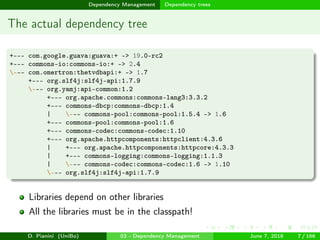
The actual dependency tree
+--- com.google.guava:guava:+ -> 19.0-rc2
+--- commons-io:commons-io:+ -> 2.4
--- com.omertron:thetvdbapi:+ -> 1.7
+--- org.slf4j:slf4j-api:1.7.9
--- org.yamj:api-common:1.2
+--- org.apache.commons:commons-lang3:3.3.2
+--- commons-dbcp:commons-dbcp:1.4
| --- commons-pool:commons-pool:1.5.4 -> 1.6
+--- commons-pool:commons-pool:1.6
+--- commons-codec:commons-codec:1.10
+--- org.apache.httpcomponents:httpclient:4.3.6
| +--- org.apache.httpcomponents:httpcore:4.3.3
| +--- commons-logging:commons-logging:1.1.3
| --- commons-codec:commons-codec:1.6 -> 1.10
--- org.slf4j:slf4j-api:1.7.9
Libraries depend on other libraries
All the libraries must be in the classpath!
D. Pianini (UniBo) 03 - Dependency Management June 7, 2018 7 / 166
images/logo
Dependency Management Preventing dependency hells
Outline
1 Dependency Management
Concept
Example
Dependency trees
Preventing dependency hells
2 Build automation
Introduction to Gradle
Gradle basics
Java
Kotlin, Scala, Groovy, and other JVM languages
C/C++
Other languages
Automated QA
Automated documentation and packaging
D. Pianini (UniBo) 03 - Dependency Management June 7, 2018 8 / 166
images/logo
Dependency Management Preventing dependency hells
Towards a dependency hell I
This was a toy program, consisting of a single Java source file of some
twenty lines of code.
Regardless, it requires 12 external libraries in order to run.
Libraries explosion
It is very common for a non-toy project to get past 50 dependencies
Alchemist, big but not huge, counts more than 120 dependencies
Hard to search, download and verify compatibilities by hand
Version conflicts soon arise
one of your direct dependencies uses library A at version 1
another uses library A at version 2
you have a so-called transitive dependency conflict on A
Upgrading by hand requires, time, effort and tons of testing
D. Pianini (UniBo) 03 - Dependency Management June 7, 2018 8 / 166
images/logo
Dependency Management Preventing dependency hells
Towards a dependency hell II
Source import
Duplication
More library code than product code
Extremely difficult to update
Style inconsistencies
Different quality metrics
Duplication
Unmaintainable
D. Pianini (UniBo) 03 - Dependency Management June 7, 2018 9 / 166
images/logo
Dependency Management Preventing dependency hells
Towards a dependency hell III
Binary import (copy of so/dll/jar in the repo)
At every update, a new jar must be included, along with all its
dependencies
Being a compressed binary file, its hard to write diffs
Git must store a copy of the file for each version (even if very little
changed actually)
The repository size explodes
Take a look at [tt] for an anti-pattern
Trust me, you want an automated tool to get you out of this hell.
D. Pianini (UniBo) 03 - Dependency Management June 7, 2018 10 / 166
images/logo
Dependency Management Preventing dependency hells
Desiderata
Declarative dependency specification
Automatic fetch and retrieve of the required dependencies
Automatic and configurable version conflict resolution
Multiple dependency scopes:
We need JUnit for our tests, but we don’t want any of our production
sources to use its APIs (test scope differs from compile scope)
also, we don’t want to embed JUnit in our production dependency set
(test scope differs from runtime scope)
We need Logback [tea] for our runtime, but we want our code to
depend only on the SLF4J APIs for reusability (runtime scope larger
than compile scope)
We want ANTLR4 [Par13] for generating some source code, but we
only want its runtime once this phase is concluded (custom scope)
Configurable software sources
D. Pianini (UniBo) 03 - Dependency Management June 7, 2018 11 / 166
images/logo
Dependency Management Preventing dependency hells
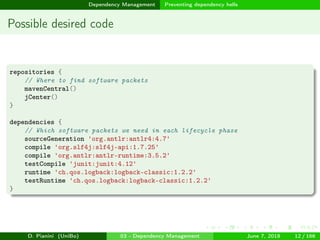
Possible desired code
repositories {
// Where to find software packets
mavenCentral()
jCenter()
}
dependencies {
// Which software packets we need in each lifecycle phase
sourceGeneration 'org.antlr:antlr4:4.7'
compile 'org.slf4j:slf4j-api:1.7.25'
compile 'org.antlr:antlr-runtime:3.5.2'
testCompile 'junit:junit:4.12'
runtime 'ch.qos.logback:logback-classic:1.2.2'
testRuntime 'ch.qos.logback:logback-classic:1.2.2'
}
D. Pianini (UniBo) 03 - Dependency Management June 7, 2018 12 / 166
images/logo
Build automation
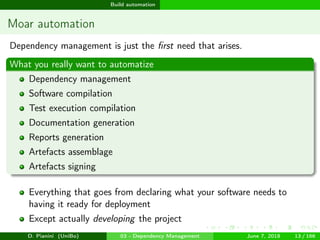
Moar automation
Dependency management is just the first need that arises.
What you really want to automatize
Dependency management
Software compilation
Test execution compilation
Documentation generation
Reports generation
Artefacts assemblage
Artefacts signing
Everything that goes from declaring what your software needs to
having it ready for deployment
Except actually developing the project
D. Pianini (UniBo) 03 - Dependency Management June 7, 2018 13 / 166
images/logo
Build automation
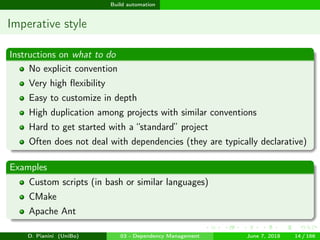
Imperative style
Instructions on what to do
No explicit convention
Very high flexibility
Easy to customize in depth
High duplication among projects with similar conventions
Hard to get started with a “standard” project
Often does not deal with dependencies (they are typically declarative)
Examples
Custom scripts (in bash or similar languages)
CMake
Apache Ant
D. Pianini (UniBo) 03 - Dependency Management June 7, 2018 14 / 166
images/logo
Build automation
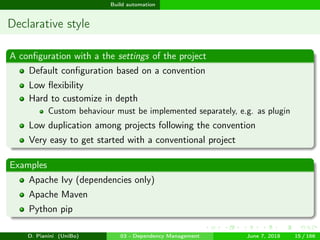
Declarative style
A configuration with a the settings of the project
Default configuration based on a convention
Low flexibility
Hard to customize in depth
Custom behaviour must be implemented separately, e.g. as plugin
Low duplication among projects following the convention
Very easy to get started with a conventional project
Examples
Apache Ivy (dependencies only)
Apache Maven
Python pip
D. Pianini (UniBo) 03 - Dependency Management June 7, 2018 15 / 166
images/logo
Build automation Introduction to Gradle
Outline
1 Dependency Management
Concept
Example
Dependency trees
Preventing dependency hells
2 Build automation
Introduction to Gradle
Gradle basics
Java
Kotlin, Scala, Groovy, and other JVM languages
C/C++
Other languages
Automated QA
Automated documentation and packaging
D. Pianini (UniBo) 03 - Dependency Management June 7, 2018 16 / 166
images/logo
Build automation Introduction to Gradle
Gradle I
Idea
Pick the best of “declarative” build systems, such as Apache Maven
Dependency resolution
Conventions for easily building “standard” projects
Extensibility by plugin
Pick the best from “imperative” build systems, such as Apache Ant.
Extreme flexibility
Customization by scripting
D. Pianini (UniBo) 03 - Dependency Management June 7, 2018 16 / 166
images/logo
Build automation Introduction to Gradle
Gradle II
Features
The build is written in a Groovy based DSL
Inherits from Ant the concept of “target” (renamed as “task”)
Automagic resolution of the order in which tasks should be executed
Built-in dependency resolution as Maven (SBT and Ant rely on
Apache Ivy)
Incremental builds
Parallel task execution
Supports many languages
Java, Scala, Groovy, and C/C++ are first class citizens
Others supported via plugin
Maven-style extensibility via plugins
D. Pianini (UniBo) 03 - Dependency Management June 7, 2018 17 / 166
images/logo
Build automation Introduction to Gradle
Gradle III
Diffusion
Replacing Ant+Ivy and Maven as reference build system for Java and
other JVM based languages
Gaining momentum also in the C/C++ community (assembler, c, cpp,
objective-c, and objective-cpp are set to be included in the base
distribution)
Selected by Google as preferred build system for Android
Android Studio by default configures a Gradle build under the hood
Well integrated in several IDEs (Eclipse, IntelliJ, Visual Studio, XCode)
D. Pianini (UniBo) 03 - Dependency Management June 7, 2018 18 / 166
images/logo
Build automation Introduction to Gradle
Gradle IV
Details
Created in 2008 by Gradleware
Mostly implemented in Java 5, with an outer layer in Groovy
Free - both as in freedom (Apache License 2.0) and as in beer (no fees
required)
Source code available on GitHub
Thorough documentation - though some advanced use requires some
good personal initiative...
D. Pianini (UniBo) 03 - Dependency Management June 7, 2018 19 / 166
images/logo
Build automation Introduction to Gradle
Under the hood
The Gradle build script is a valid Groovy script (if you consider the
Gradle API)
Anything that has not a valid Groovy syntax is not a valid Gradle build
script
Groovy makes it easy to create DSLs, Gradle is built relying on such a
feature
Everything you write is actually proper Groovy code (method calls,
closures, and so on), but (you’ll see) that aspect is very nicely hidden
At the high level, the feeling is to just have to configure an existing
plugin, much like Maven, for most of the things you normally do
When needed, it is easy to configure custom behavior, or fiddle with
the internals, in a functional or imperative fashion
D. Pianini (UniBo) 03 - Dependency Management June 7, 2018 20 / 166
images/logo
Build automation Gradle basics
Outline
1 Dependency Management
Concept
Example
Dependency trees
Preventing dependency hells
2 Build automation
Introduction to Gradle
Gradle basics
Java
Kotlin, Scala, Groovy, and other JVM languages
C/C++
Other languages
Automated QA
Automated documentation and packaging
D. Pianini (UniBo) 03 - Dependency Management June 7, 2018 21 / 166
images/logo
Build automation Gradle basics
Gradle concepts
Project - from the Gradle documentation
What a project represents depends on what it is that you are doing with
Gradle. For example, a project might represent a library JAR or a web
application. It might represent a distribution ZIP assembled from the JARs
produced by other projects.
A project does not necessarily represent a thing to be built. It might
represent a thing to be done, such as deploying your application to staging
or production environments.
Task - from the Gradle documentation
Each project is made up of one or more tasks.
A task represents some atomic piece of work which a build performs.
This might be compiling some classes, creating a JAR, generating Javadoc,
or publishing some archives to a repository.
D. Pianini (UniBo) 03 - Dependency Management June 7, 2018 21 / 166
images/logo
Build automation Gradle basics
My first Gradle build I
Takeaways
A Gradle build is configured in the build.gradle file.
build.gradle
task hello {
doLast {
println 'Hello world!'
}
}
D. Pianini (UniBo) 03 - Dependency Management June 7, 2018 22 / 166
images/logo
Build automation Gradle basics
My first Gradle build II
gradle tasks –all
> Task :tasks
------------------------------------------------------------
All tasks runnable from root project
------------------------------------------------------------
Build Setup tasks
-----------------
init - Initializes a new Gradle build.
wrapper - Generates Gradle wrapper files.
Help tasks
----------
buildEnvironment - Displays all buildscript dependencies declared in root project '02-SimpleTask'.
components - Displays the components produced by root project '02-SimpleTask'. [incubating]
dependencies - Displays all dependencies declared in root project '02-SimpleTask'.
dependencyInsight - Displays the insight into a specific dependency in root project '02-SimpleTask'.
dependentComponents - Displays the dependent components of components in root project '02-SimpleTask'. [incubating]
help - Displays a help message.
model - Displays the configuration model of root project '02-SimpleTask'. [incubating]
projects - Displays the sub-projects of root project '02-SimpleTask'.
properties - Displays the properties of root project '02-SimpleTask'.
tasks - Displays the tasks runnable from root project '02-SimpleTask'.
Other tasks
-----------
hello
BUILD SUCCESSFUL in 0s
1 actionable task: 1 executed
D. Pianini (UniBo) 03 - Dependency Management June 7, 2018 23 / 166
images/logo
Build automation Gradle basics
My first Gradle build III
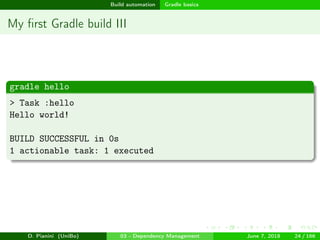
gradle hello
> Task :hello
Hello world!
BUILD SUCCESSFUL in 0s
1 actionable task: 1 executed
D. Pianini (UniBo) 03 - Dependency Management June 7, 2018 24 / 166
images/logo
Build automation Gradle basics
Build scripts are code I
Takeaways
Groovy can be fully exploited to write programs inside your build script
Arbitrary operations can be (pre-/ap-)pended to existing tasks
D. Pianini (UniBo) 03 - Dependency Management June 7, 2018 25 / 166
images/logo
Build automation Gradle basics
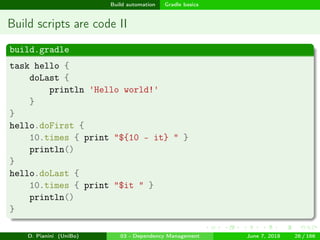
Build scripts are code II
build.gradle
task hello {
doLast {
println 'Hello world!'
}
}
hello.doFirst {
10.times { print "${10 - it} " }
println()
}
hello.doLast {
10.times { print "$it " }
println()
}
D. Pianini (UniBo) 03 - Dependency Management June 7, 2018 26 / 166
images/logo
Build automation Gradle basics
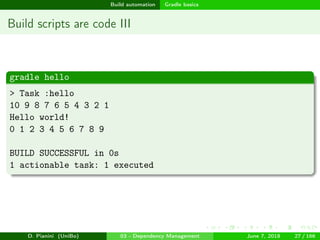
Build scripts are code III
gradle hello
> Task :hello
10 9 8 7 6 5 4 3 2 1
Hello world!
0 1 2 3 4 5 6 7 8 9
BUILD SUCCESSFUL in 0s
1 actionable task: 1 executed
D. Pianini (UniBo) 03 - Dependency Management June 7, 2018 27 / 166
images/logo
Build automation Gradle basics
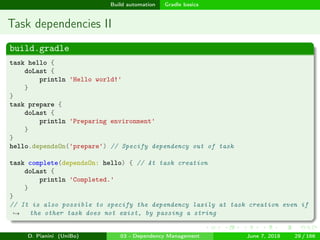
Task dependencies I
Takeaways
Tasks depends on other tasks
Dependencies can be defined manually
Dependencies can be defined lazily (for tasks that do not yet exist)
Dependencies can be defined at task definition or later
Gradle resolves dependencies automatically
D. Pianini (UniBo) 03 - Dependency Management June 7, 2018 28 / 166
images/logo
Build automation Gradle basics
Task dependencies II
build.gradle
task hello {
doLast {
println 'Hello world!'
}
}
task prepare {
doLast {
println 'Preparing environment'
}
}
hello.dependsOn('prepare') // Specify dependency out of task
task complete(dependsOn: hello) { // At task creation
doLast {
println 'Completed.'
}
}
// It is also possible to specify the dependency lazily at task creation even if
the other task does not exist, by passing a string→
D. Pianini (UniBo) 03 - Dependency Management June 7, 2018 29 / 166
images/logo
Build automation Gradle basics
Task dependencies III
gradle tasks –all
> Task :tasks
------------------------------------------------------------
All tasks runnable from root project
------------------------------------------------------------
Build Setup tasks
-----------------
init - Initializes a new Gradle build.
wrapper - Generates Gradle wrapper files.
Help tasks
----------
buildEnvironment - Displays all buildscript dependencies declared in root project '04-TaskDependencies'.
components - Displays the components produced by root project '04-TaskDependencies'. [incubating]
dependencies - Displays all dependencies declared in root project '04-TaskDependencies'.
dependencyInsight - Displays the insight into a specific dependency in root project '04-TaskDependencies'.
dependentComponents - Displays the dependent components of components in root project '04-TaskDependencies'. [incubating]
help - Displays a help message.
model - Displays the configuration model of root project '04-TaskDependencies'. [incubating]
projects - Displays the sub-projects of root project '04-TaskDependencies'.
properties - Displays the properties of root project '04-TaskDependencies'.
tasks - Displays the tasks runnable from root project '04-TaskDependencies'.
Other tasks
-----------
complete
hello
prepare
BUILD SUCCESSFUL in 0s
1 actionable task: 1 executed
D. Pianini (UniBo) 03 - Dependency Management June 7, 2018 30 / 166
images/logo
Build automation Gradle basics
Task dependencies IV
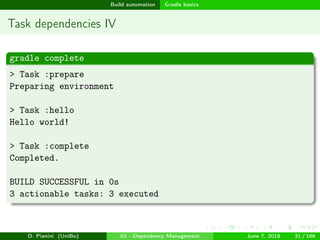
gradle complete
> Task :prepare
Preparing environment
> Task :hello
Hello world!
> Task :complete
Completed.
BUILD SUCCESSFUL in 0s
3 actionable tasks: 3 executed
D. Pianini (UniBo) 03 - Dependency Management June 7, 2018 31 / 166
images/logo
Build automation Gradle basics
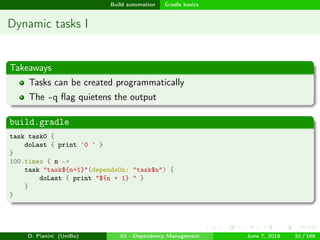
Dynamic tasks I
Takeaways
Tasks can be created programmatically
The -q flag quietens the output
build.gradle
task task0 {
doLast { print '0 ' }
}
100.times { n ->
task "task${n+1}"(dependsOn: "task$n") {
doLast { print "${n + 1} " }
}
}
D. Pianini (UniBo) 03 - Dependency Management June 7, 2018 32 / 166
images/logo
Build automation Gradle basics
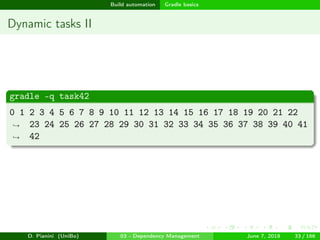
Dynamic tasks II
gradle -q task42
0 1 2 3 4 5 6 7 8 9 10 11 12 13 14 15 16 17 18 19 20 21 22
23 24 25 26 27 28 29 30 31 32 33 34 35 36 37 38 39 40 41
42
→
→
D. Pianini (UniBo) 03 - Dependency Management June 7, 2018 33 / 166
images/logo
Build automation Gradle basics
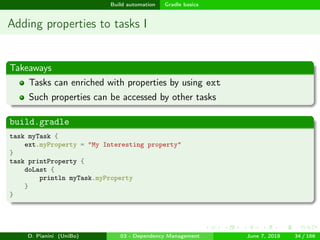
Adding properties to tasks I
Takeaways
Tasks can enriched with properties by using ext
Such properties can be accessed by other tasks
build.gradle
task myTask {
ext.myProperty = "My Interesting property"
}
task printProperty {
doLast {
println myTask.myProperty
}
}
D. Pianini (UniBo) 03 - Dependency Management June 7, 2018 34 / 166
images/logo
Build automation Gradle basics
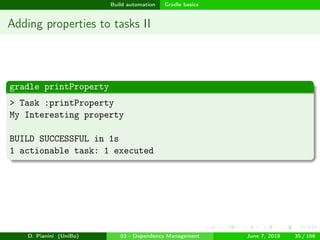
Adding properties to tasks II
gradle printProperty
> Task :printProperty
My Interesting property
BUILD SUCCESSFUL in 1s
1 actionable task: 1 executed
D. Pianini (UniBo) 03 - Dependency Management June 7, 2018 35 / 166
images/logo
Build automation Gradle basics
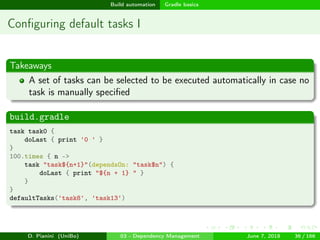
Configuring default tasks I
Takeaways
A set of tasks can be selected to be executed automatically in case no
task is manually specified
build.gradle
task task0 {
doLast { print '0 ' }
}
100.times { n ->
task "task${n+1}"(dependsOn: "task$n") {
doLast { print "${n + 1} " }
}
}
defaultTasks('task8', 'task13')
D. Pianini (UniBo) 03 - Dependency Management June 7, 2018 36 / 166
images/logo
Build automation Gradle basics
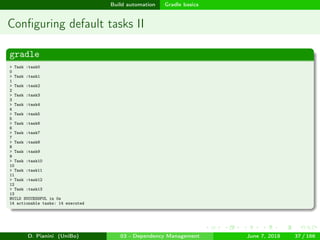
Configuring default tasks II
gradle
> Task :task0
0
> Task :task1
1
> Task :task2
2
> Task :task3
3
> Task :task4
4
> Task :task5
5
> Task :task6
6
> Task :task7
7
> Task :task8
8
> Task :task9
9
> Task :task10
10
> Task :task11
11
> Task :task12
12
> Task :task13
13
BUILD SUCCESSFUL in 0s
14 actionable tasks: 14 executed
D. Pianini (UniBo) 03 - Dependency Management June 7, 2018 37 / 166
images/logo
Build automation Gradle basics
Using plugins I
Takeaways
A plugin is a container of tasks
A huge number of plugins exist
Plugin configuration happens in a buildscript block
Repositories where to download plugins are specified in a
repositories block
Usually repositories are in Maven (Ivy) format, there is specific support
for that
The plugin executables must be specified in a classpath block
Plugins, once included, need to be applied explicitly
Once applied, tasks and configurations introduced by the plugin are
available for the buildscript
D. Pianini (UniBo) 03 - Dependency Management June 7, 2018 38 / 166
images/logo
Build automation Gradle basics
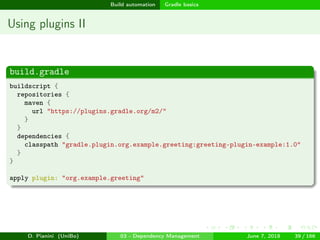
Using plugins II
build.gradle
buildscript {
repositories {
maven {
url "https://plugins.gradle.org/m2/"
}
}
dependencies {
classpath "gradle.plugin.org.example.greeting:greeting-plugin-example:1.0"
}
}
apply plugin: "org.example.greeting"
D. Pianini (UniBo) 03 - Dependency Management June 7, 2018 39 / 166
images/logo
Build automation Gradle basics
Using plugins III
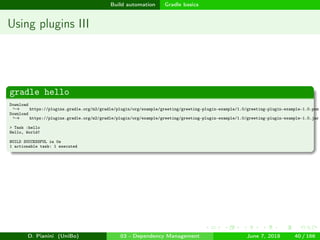
gradle hello
Download
https://plugins.gradle.org/m2/gradle/plugin/org/example/greeting/greeting-plugin-example/1.0/greeting-plugin-example-1.0.pom→
Download
https://plugins.gradle.org/m2/gradle/plugin/org/example/greeting/greeting-plugin-example/1.0/greeting-plugin-example-1.0.jar→
> Task :hello
Hello, World!
BUILD SUCCESSFUL in 0s
1 actionable task: 1 executed
D. Pianini (UniBo) 03 - Dependency Management June 7, 2018 40 / 166
images/logo
Build automation Gradle basics
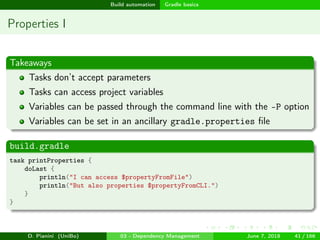
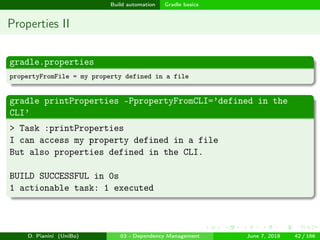
Properties I
Takeaways
Tasks don’t accept parameters
Tasks can access project variables
Variables can be passed through the command line with the -P option
Variables can be set in an ancillary gradle.properties file
build.gradle
task printProperties {
doLast {
println("I can access $propertyFromFile")
println("But also properties $propertyFromCLI.")
}
}
D. Pianini (UniBo) 03 - Dependency Management June 7, 2018 41 / 166
images/logo
Build automation Gradle basics
Properties II
gradle.properties
propertyFromFile = my property defined in a file
gradle printProperties -PpropertyFromCLI=’defined in the
CLI’
> Task :printProperties
I can access my property defined in a file
But also properties defined in the CLI.
BUILD SUCCESSFUL in 0s
1 actionable task: 1 executed
D. Pianini (UniBo) 03 - Dependency Management June 7, 2018 42 / 166
images/logo
Build automation Gradle basics
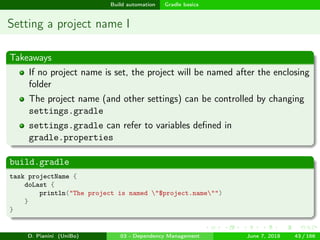
Setting a project name I
Takeaways
If no project name is set, the project will be named after the enclosing
folder
The project name (and other settings) can be controlled by changing
settings.gradle
settings.gradle can refer to variables defined in
gradle.properties
build.gradle
task projectName {
doLast {
println("The project is named "$project.name"")
}
}
D. Pianini (UniBo) 03 - Dependency Management June 7, 2018 43 / 166
images/logo
Build automation Gradle basics
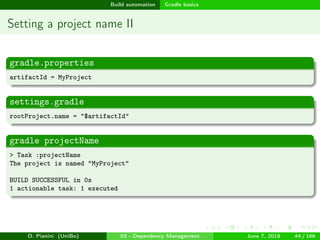
Setting a project name II
gradle.properties
artifactId = MyProject
settings.gradle
rootProject.name = "$artifactId"
gradle projectName
> Task :projectName
The project is named "MyProject"
BUILD SUCCESSFUL in 0s
1 actionable task: 1 executed
D. Pianini (UniBo) 03 - Dependency Management June 7, 2018 44 / 166
images/logo
Build automation Gradle basics
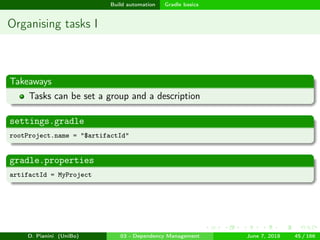
Organising tasks I
Takeaways
Tasks can be set a group and a description
settings.gradle
rootProject.name = "$artifactId"
gradle.properties
artifactId = MyProject
D. Pianini (UniBo) 03 - Dependency Management June 7, 2018 45 / 166
images/logo
Build automation Gradle basics
Organising tasks II
build.gradle
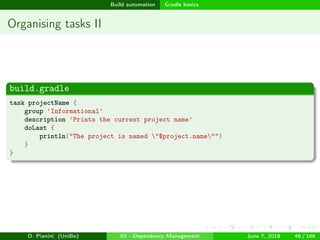
task projectName {
group 'Informational'
description 'Prints the current project name'
doLast {
println("The project is named "$project.name"")
}
}
D. Pianini (UniBo) 03 - Dependency Management June 7, 2018 46 / 166
images/logo
Build automation Gradle basics
Organising tasks III
gradle tasks
> Task :tasks
------------------------------------------------------------
All tasks runnable from root project
------------------------------------------------------------
Build Setup tasks
-----------------
init - Initializes a new Gradle build.
wrapper - Generates Gradle wrapper files.
Help tasks
----------
buildEnvironment - Displays all buildscript dependencies declared in root project 'MyProject'.
components - Displays the components produced by root project 'MyProject'. [incubating]
dependencies - Displays all dependencies declared in root project 'MyProject'.
dependencyInsight - Displays the insight into a specific dependency in root project 'MyProject'.
dependentComponents - Displays the dependent components of components in root project 'MyProject'. [incubating]
help - Displays a help message.
model - Displays the configuration model of root project 'MyProject'. [incubating]
projects - Displays the sub-projects of root project 'MyProject'.
properties - Displays the properties of root project 'MyProject'.
tasks - Displays the tasks runnable from root project 'MyProject'.
Informational tasks
-------------------
projectName - Prints the current project name
To see all tasks and more detail, run gradle tasks --all
To see more detail about a task, run gradle help --task <task>
BUILD SUCCESSFUL in 0s
1 actionable task: 1 executed
D. Pianini (UniBo) 03 - Dependency Management June 7, 2018 47 / 166
images/logo
Build automation Gradle basics
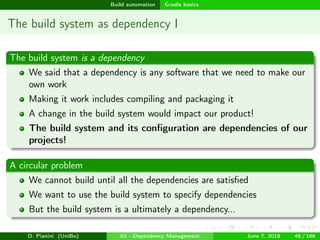
The build system as dependency I
The build system is a dependency
We said that a dependency is any software that we need to make our
own work
Making it work includes compiling and packaging it
A change in the build system would impact our product!
The build system and its configuration are dependencies of our
projects!
A circular problem
We cannot build until all the dependencies are satisfied
We want to use the build system to specify dependencies
But the build system is a ultimately a dependency...
D. Pianini (UniBo) 03 - Dependency Management June 7, 2018 48 / 166
images/logo
Build automation Gradle basics
The build system as dependency II
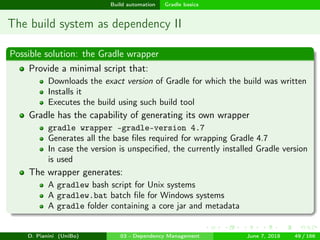
Possible solution: the Gradle wrapper
Provide a minimal script that:
Downloads the exact version of Gradle for which the build was written
Installs it
Executes the build using such build tool
Gradle has the capability of generating its own wrapper
gradle wrapper –gradle-version 4.7
Generates all the base files required for wrapping Gradle 4.7
In case the version is unspecified, the currently installed Gradle version
is used
The wrapper generates:
A gradlew bash script for Unix systems
A gradlew.bat batch file for Windows systems
A gradle folder containing a core jar and metadata
D. Pianini (UniBo) 03 - Dependency Management June 7, 2018 49 / 166
images/logo
Build automation Gradle basics
The build system as dependency III
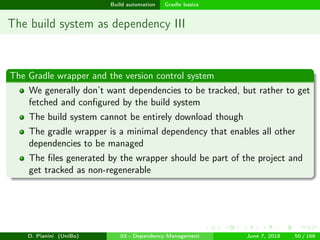
The Gradle wrapper and the version control system
We generally don’t want dependencies to be tracked, but rather to get
fetched and configured by the build system
The build system cannot be entirely download though
The gradle wrapper is a minimal dependency that enables all other
dependencies to be managed
The files generated by the wrapper should be part of the project and
get tracked as non-regenerable
D. Pianini (UniBo) 03 - Dependency Management June 7, 2018 50 / 166
images/logo
Build automation Gradle basics
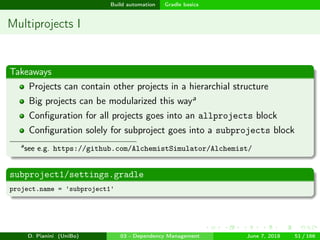
Multiprojects I
Takeaways
Projects can contain other projects in a hierarchial structure
Big projects can be modularized this waya
Configuration for all projects goes into an allprojects block
Configuration solely for subproject goes into a subprojects block
a
see e.g. https://github.com/AlchemistSimulator/Alchemist/
subproject1/settings.gradle
project.name = 'subproject1'
D. Pianini (UniBo) 03 - Dependency Management June 7, 2018 51 / 166
images/logo
Build automation Gradle basics
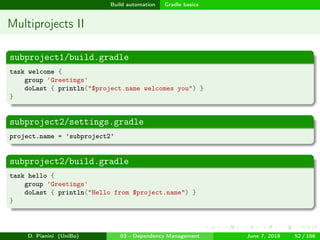
Multiprojects II
subproject1/build.gradle
task welcome {
group 'Greetings'
doLast { println("$project.name welcomes you") }
}
subproject2/settings.gradle
project.name = 'subproject2'
subproject2/build.gradle
task hello {
group 'Greetings'
doLast { println("Hello from $project.name") }
}
D. Pianini (UniBo) 03 - Dependency Management June 7, 2018 52 / 166
images/logo
Build automation Gradle basics
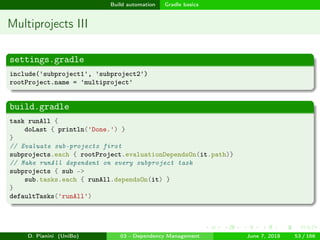
Multiprojects III
settings.gradle
include('subproject1', 'subproject2')
rootProject.name = 'multiproject'
build.gradle
task runAll {
doLast { println('Done.') }
}
// Evaluate sub-projects first
subprojects.each { rootProject.evaluationDependsOn(it.path)}
// Make runAll dependent on every subproject task
subprojects { sub ->
sub.tasks.each { runAll.dependsOn(it) }
}
defaultTasks('runAll')
D. Pianini (UniBo) 03 - Dependency Management June 7, 2018 53 / 166
images/logo
Build automation Gradle basics
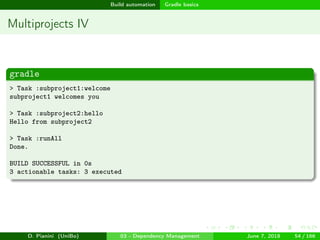
Multiprojects IV
gradle
> Task :subproject1:welcome
subproject1 welcomes you
> Task :subproject2:hello
Hello from subproject2
> Task :runAll
Done.
BUILD SUCCESSFUL in 0s
3 actionable tasks: 3 executed
D. Pianini (UniBo) 03 - Dependency Management June 7, 2018 54 / 166
images/logo
Build automation Gradle basics
Real projects
We now have a good grasp of the foundations
We can imperatively write any process in terms of tasks
We can configure dependencies among tasks
We can modularize builds into multiple sub-projects
From there to building a project (possibly using multiple languages
and libraries) there’s still a long road ahead...
Existing plugins
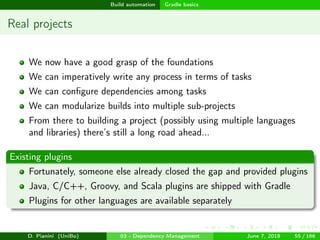
Fortunately, someone else already closed the gap and provided plugins
Java, C/C++, Groovy, and Scala plugins are shipped with Gradle
Plugins for other languages are available separately
D. Pianini (UniBo) 03 - Dependency Management June 7, 2018 55 / 166
images/logo
Build automation Java
Outline
1 Dependency Management
Concept
Example
Dependency trees
Preventing dependency hells
2 Build automation
Introduction to Gradle
Gradle basics
Java
Kotlin, Scala, Groovy, and other JVM languages
C/C++
Other languages
Automated QA
Automated documentation and packaging
D. Pianini (UniBo) 03 - Dependency Management June 7, 2018 56 / 166
images/logo
Build automation Java
The Java plugin [jav]
The Java plugin is included in the Gradle distribution
Introduces the concept of source set
A logical group of sources and resources that share the same
dependencies and classpath
Provides two default source sets:
main — containing the application code and resources
test — extends main and contains tests and related tools
Provides a number of dependency configurations (scopes):
compile — libraries required to compile the project
testCompile — extends compile, including libraries for compiling the
test sources
runtime — extends compile, including libraries required at runtime
but not at compile time
testRuntime — extends runtime and testCompile with libreries
required for test runtime
Provides a number of tasks
D. Pianini (UniBo) 03 - Dependency Management June 7, 2018 56 / 166
images/logo
Build automation Java
Convention over configuration
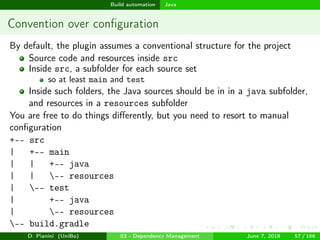
By default, the plugin assumes a conventional structure for the project
Source code and resources inside src
Inside src, a subfolder for each source set
so at least main and test
Inside such folders, the Java sources should be in in a java subfolder,
and resources in a resources subfolder
You are free to do things differently, but you need to resort to manual
configuration
+-- src
| +-- main
| | +-- java
| | -- resources
| -- test
| +-- java
| -- resources
-- build.gradle
D. Pianini (UniBo) 03 - Dependency Management June 7, 2018 57 / 166
images/logo
Build automation Java
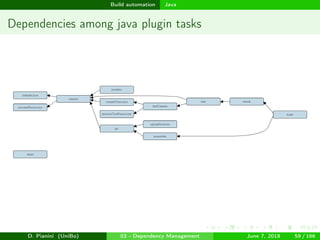
Non-exhaustive list of Java plugin tasks
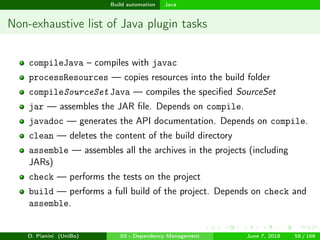
compileJava – compiles with javac
processResources — copies resources into the build folder
compileSourceSet Java — compiles the specified SourceSet
jar — assembles the JAR file. Depends on compile.
javadoc — generates the API documentation. Depends on compile.
clean — deletes the content of the build directory
assemble — assembles all the archives in the projects (including
JARs)
check — performs the tests on the project
build — performs a full build of the project. Depends on check and
assemble.
D. Pianini (UniBo) 03 - Dependency Management June 7, 2018 58 / 166
images/logo
Build automation Java
Dependencies among java plugin tasks
D. Pianini (UniBo) 03 - Dependency Management June 7, 2018 59 / 166
images/logo
Build automation Java
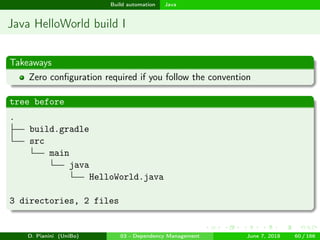
Java HelloWorld build I
Takeaways
Zero configuration required if you follow the convention
tree before
.
build.gradle
src
main
java
HelloWorld.java
3 directories, 2 files
D. Pianini (UniBo) 03 - Dependency Management June 7, 2018 60 / 166
images/logo
Build automation Java
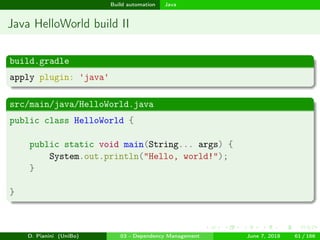
Java HelloWorld build II
build.gradle
apply plugin: 'java'
src/main/java/HelloWorld.java
public class HelloWorld {
public static void main(String... args) {
System.out.println("Hello, world!");
}
}
D. Pianini (UniBo) 03 - Dependency Management June 7, 2018 61 / 166
images/logo
Build automation Java
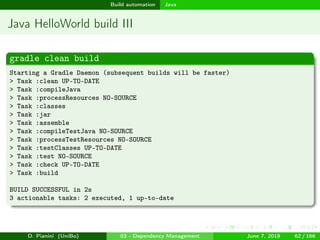
Java HelloWorld build III
gradle clean build
Starting a Gradle Daemon (subsequent builds will be faster)
> Task :clean UP-TO-DATE
> Task :compileJava
> Task :processResources NO-SOURCE
> Task :classes
> Task :jar
> Task :assemble
> Task :compileTestJava NO-SOURCE
> Task :processTestResources NO-SOURCE
> Task :testClasses UP-TO-DATE
> Task :test NO-SOURCE
> Task :check UP-TO-DATE
> Task :build
BUILD SUCCESSFUL in 2s
3 actionable tasks: 2 executed, 1 up-to-date
D. Pianini (UniBo) 03 - Dependency Management June 7, 2018 62 / 166
images/logo
Build automation Java
Java HelloWorld build IV
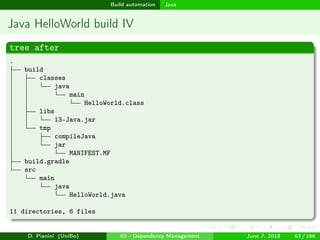
tree after
.
build
classes
java
main
HelloWorld.class
libs
13-Java.jar
tmp
compileJava
jar
MANIFEST.MF
build.gradle
src
main
java
HelloWorld.java
11 directories, 6 files
D. Pianini (UniBo) 03 - Dependency Management June 7, 2018 63 / 166
images/logo
Build automation Java
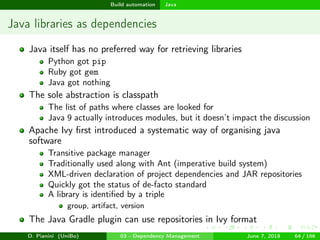
Java libraries as dependencies
Java itself has no preferred way for retrieving libraries
Python got pip
Ruby got gem
Java got nothing
The sole abstraction is classpath
The list of paths where classes are looked for
Java 9 actually introduces modules, but it doesn’t impact the discussion
Apache Ivy first introduced a systematic way of organising java
software
Transitive package manager
Traditionally used along with Ant (imperative build system)
XML-driven declaration of project dependencies and JAR repositories
Quickly got the status of de-facto standard
A library is identified by a triple
group, artifact, version
The Java Gradle plugin can use repositories in Ivy format
D. Pianini (UniBo) 03 - Dependency Management June 7, 2018 64 / 166
images/logo
Build automation Java
OSSRH / The Central Repository
The Maven Central Repository1 is the most famous repository for
open source Java artifacts
Every well known library has artifacts published there
Artifacts are organized in Ivy / Maven format
Safety enforced by a no-retract policy
1
http://search.maven.org/
D. Pianini (UniBo) 03 - Dependency Management June 7, 2018 65 / 166
images/logo
Build automation Java
Java dependencies in Gradle
Repositories are configured in a repositories block
Repositories can be specified by URL
Special entries exist for well known repositories
e.g. mavenCentral()
Dependencies are declared in a dependencies block
Dependencies are identified by an Ivy triple in the format:
group:artifact:version
e.g. it.unibo.alchemist:alchemist-interfaces:7.0.2
Each dependency configuration (build scope) has its own set of
dependencies
D. Pianini (UniBo) 03 - Dependency Management June 7, 2018 66 / 166
images/logo
Build automation Java
(Some of the) Dependency Configurations
compileOnly — Dependencies required for compiling the project that
should not get included at runtime
implementation — Dependencies required for compiling the project,
also required at runtime
runtimeOnly — Dependencies required for runtime, but not for
compiling (e.g. because loaded by reflection)
testCompileOnly — Dependencies required for compiling tests that
should not be included when the tests are executed
testImplementation — Dependencies required for compiling tests,
also required for executing them (e.g. JUnit)
testRuntimeOnly — Dependencies required at test runtime, but not
necessary for compiling the tests
annotationProcessor — Annotation processors used during
compilation. It’s an advanced Java feature.
D. Pianini (UniBo) 03 - Dependency Management June 7, 2018 67 / 166
images/logo
Build automation Java
Dependency management and source sets
For every source set sourceSet , the following configurations are
automatically generated
sourceSet CompileOnly — Dependencies required for compiling the
source set that should not get included at runtime
sourceSet Implementation — Dependencies required for compiling
the source set, also required at runtime
sourceSet RuntimeOnly — Dependencies required for runtime, but
not for compiling (e.g. because loaded by reflection)
sourceSet AnnotationProcessor — Annotation processors used
during compilation.
D. Pianini (UniBo) 03 - Dependency Management June 7, 2018 68 / 166
images/logo
Build automation Java
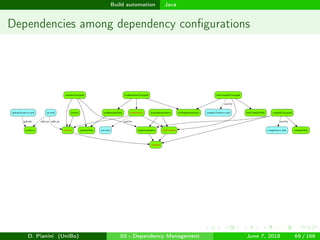
Dependencies among dependency configurations
D. Pianini (UniBo) 03 - Dependency Management June 7, 2018 69 / 166
images/logo
Build automation Java
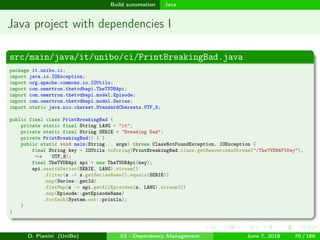
Java project with dependencies I
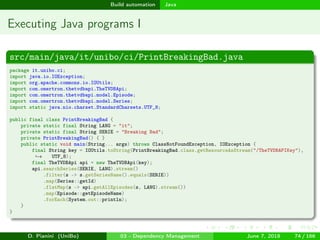
src/main/java/it/unibo/ci/PrintBreakingBad.java
package it.unibo.ci;
import java.io.IOException;
import org.apache.commons.io.IOUtils;
import com.omertron.thetvdbapi.TheTVDBApi;
import com.omertron.thetvdbapi.model.Episode;
import com.omertron.thetvdbapi.model.Series;
import static java.nio.charset.StandardCharsets.UTF_8;
public final class PrintBreakingBad {
private static final String LANG = "it";
private static final String SERIE = "Breaking Bad";
private PrintBreakingBad() { }
public static void main(String... args) throws ClassNotFoundException, IOException {
final String key = IOUtils.toString(PrintBreakingBad.class.getResourceAsStream("/TheTVDBAPIKey"),
UTF_8);→
final TheTVDBApi api = new TheTVDBApi(key);
api.searchSeries(SERIE, LANG).stream()
.filter(s -> s.getSeriesName().equals(SERIE))
.map(Series::getId)
.flatMap(s -> api.getAllEpisodes(s, LANG).stream())
.map(Episode::getEpisodeName)
.forEach(System.out::println);
}
}
D. Pianini (UniBo) 03 - Dependency Management June 7, 2018 70 / 166
images/logo
Build automation Java
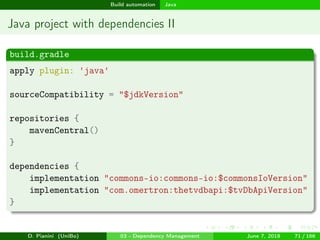
Java project with dependencies II
build.gradle
apply plugin: 'java'
sourceCompatibility = "$jdkVersion"
repositories {
mavenCentral()
}
dependencies {
implementation "commons-io:commons-io:$commonsIoVersion"
implementation "com.omertron:thetvdbapi:$tvDbApiVersion"
}
D. Pianini (UniBo) 03 - Dependency Management June 7, 2018 71 / 166
images/logo
Build automation Java
Java project with dependencies III
gradle.properties
group = it.unibo.apice
artifactId = printbbepisodes
version = 0.0.0
projectLongName = Breaking Bad Episode Titles
projectDescription = A program that fetches information about Breaking Bad on
TheTVDb and prints episodes titles→
licenseName = Apache License 2.0
jdkVersion = 1.8
commonsIoVersion = +
tvDbApiVersion = [1.6, 1.7]
settings.gradle
rootProject.name = "$artifactId"
D. Pianini (UniBo) 03 - Dependency Management June 7, 2018 72 / 166
images/logo
Build automation Java
Java project with dependencies IV
Takeaways
Using The Central Repository is just matter of a method call
Dependencies are specified per-configuration
sourceCompatibility can be specified to enforce a specific bytecode
(and syntax) version
It is a good idea to store properties for the project in the property file
Versions can be specified as exact, ranges, or as latest (risky, don’t!)
D. Pianini (UniBo) 03 - Dependency Management June 7, 2018 73 / 166
images/logo
Build automation Java
Executing Java programs I
src/main/java/it/unibo/ci/PrintBreakingBad.java
package it.unibo.ci;
import java.io.IOException;
import org.apache.commons.io.IOUtils;
import com.omertron.thetvdbapi.TheTVDBApi;
import com.omertron.thetvdbapi.model.Episode;
import com.omertron.thetvdbapi.model.Series;
import static java.nio.charset.StandardCharsets.UTF_8;
public final class PrintBreakingBad {
private static final String LANG = "it";
private static final String SERIE = "Breaking Bad";
private PrintBreakingBad() { }
public static void main(String... args) throws ClassNotFoundException, IOException {
final String key = IOUtils.toString(PrintBreakingBad.class.getResourceAsStream("/TheTVDBAPIKey"),
UTF_8);→
final TheTVDBApi api = new TheTVDBApi(key);
api.searchSeries(SERIE, LANG).stream()
.filter(s -> s.getSeriesName().equals(SERIE))
.map(Series::getId)
.flatMap(s -> api.getAllEpisodes(s, LANG).stream())
.map(Episode::getEpisodeName)
.forEach(System.out::println);
}
}
D. Pianini (UniBo) 03 - Dependency Management June 7, 2018 74 / 166
images/logo
Build automation Java
Executing Java programs II
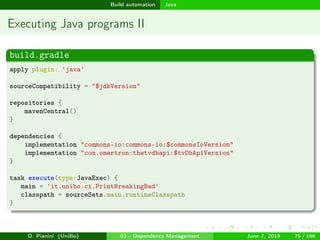
build.gradle
apply plugin: 'java'
sourceCompatibility = "$jdkVersion"
repositories {
mavenCentral()
}
dependencies {
implementation "commons-io:commons-io:$commonsIoVersion"
implementation "com.omertron:thetvdbapi:$tvDbApiVersion"
}
task execute(type:JavaExec) {
main = 'it.unibo.ci.PrintBreakingBad'
classpath = sourceSets.main.runtimeClasspath
}
D. Pianini (UniBo) 03 - Dependency Management June 7, 2018 75 / 166
images/logo
Build automation Java
Executing Java programs III
gradle.properties
group = it.unibo.apice
artifactId = printbbepisodes
version = 0.0.0
projectLongName = Breaking Bad Episode Titles
projectDescription = A program that fetches information about Breaking Bad on
TheTVDb and prints episodes titles→
licenseName = Apache License 2.0
jdkVersion = 1.8
commonsIoVersion = +
tvDbApiVersion = [1.6, 1.7]
settings.gradle
rootProject.name = "$artifactId"
D. Pianini (UniBo) 03 - Dependency Management June 7, 2018 76 / 166
images/logo
Build automation Java
Executing Java programs IV
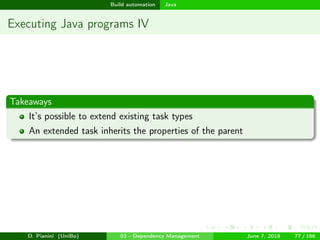
Takeaways
It’s possible to extend existing task types
An extended task inherits the properties of the parent
D. Pianini (UniBo) 03 - Dependency Management June 7, 2018 77 / 166
images/logo
Build automation Kotlin, Scala, Groovy, and other JVM languages
Outline
1 Dependency Management
Concept
Example
Dependency trees
Preventing dependency hells
2 Build automation
Introduction to Gradle
Gradle basics
Java
Kotlin, Scala, Groovy, and other JVM languages
C/C++
Other languages
Automated QA
Automated documentation and packaging
D. Pianini (UniBo) 03 - Dependency Management June 7, 2018 78 / 166
images/logo
Build automation Kotlin, Scala, Groovy, and other JVM languages
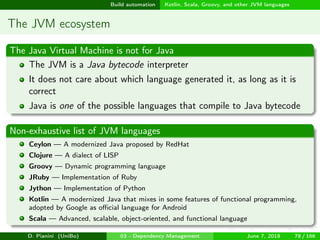
The JVM ecosystem
The Java Virtual Machine is not for Java
The JVM is a Java bytecode interpreter
It does not care about which language generated it, as long as it is
correct
Java is one of the possible languages that compile to Java bytecode
Non-exhaustive list of JVM languages
Ceylon — A modernized Java proposed by RedHat
Clojure — A dialect of LISP
Groovy — Dynamic programming language
JRuby — Implementation of Ruby
Jython — Implementation of Python
Kotlin — A modernized Java that mixes in some features of functional programming,
adopted by Google as official language for Android
Scala — Advanced, scalable, object-oriented, and functional language
D. Pianini (UniBo) 03 - Dependency Management June 7, 2018 78 / 166
images/logo
Build automation Kotlin, Scala, Groovy, and other JVM languages
Interoperability among languages
Languages that compile on the JVM can usually interoperate
How well depends on a number of factors
Multiple of them can be used together in a single project
Possibly along other languages, like C/C++ or Javascript
A well configured build enables using languages as tools, using the right
one for the right task
D. Pianini (UniBo) 03 - Dependency Management June 7, 2018 79 / 166
images/logo
Build automation Kotlin, Scala, Groovy, and other JVM languages
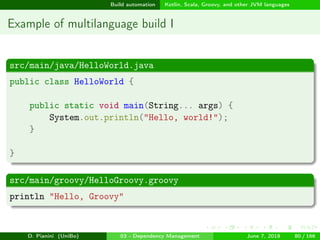
Example of multilanguage build I
src/main/java/HelloWorld.java
public class HelloWorld {
public static void main(String... args) {
System.out.println("Hello, world!");
}
}
src/main/groovy/HelloGroovy.groovy
println "Hello, Groovy"
D. Pianini (UniBo) 03 - Dependency Management June 7, 2018 80 / 166
images/logo
Build automation Kotlin, Scala, Groovy, and other JVM languages
Example of multilanguage build II
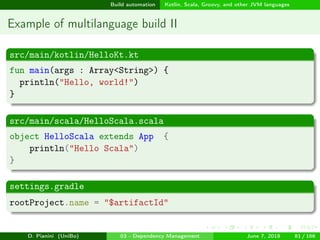
src/main/kotlin/HelloKt.kt
fun main(args : Array<String>) {
println("Hello, world!")
}
src/main/scala/HelloScala.scala
object HelloScala extends App {
println("Hello Scala")
}
settings.gradle
rootProject.name = "$artifactId"
D. Pianini (UniBo) 03 - Dependency Management June 7, 2018 81 / 166
images/logo
Build automation Kotlin, Scala, Groovy, and other JVM languages
Example of multilanguage build III
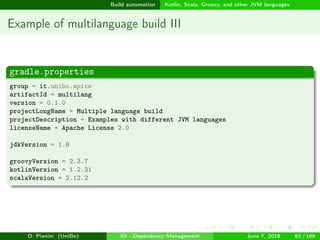
gradle.properties
group = it.unibo.apice
artifactId = multilang
version = 0.1.0
projectLongName = Multiple language build
projectDescription = Examples with different JVM languages
licenseName = Apache License 2.0
jdkVersion = 1.8
groovyVersion = 2.3.7
kotlinVersion = 1.2.31
scalaVersion = 2.12.2
D. Pianini (UniBo) 03 - Dependency Management June 7, 2018 82 / 166
images/logo
Build automation Kotlin, Scala, Groovy, and other JVM languages
Example of multilanguage build IV
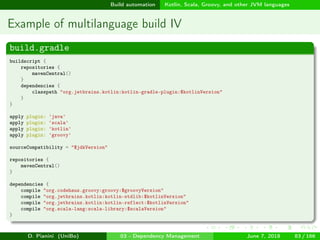
build.gradle
buildscript {
repositories {
mavenCentral()
}
dependencies {
classpath "org.jetbrains.kotlin:kotlin-gradle-plugin:$kotlinVersion"
}
}
apply plugin: 'java'
apply plugin: 'scala'
apply plugin: 'kotlin'
apply plugin: 'groovy'
sourceCompatibility = "$jdkVersion"
repositories {
mavenCentral()
}
dependencies {
compile "org.codehaus.groovy:groovy:$groovyVersion"
compile "org.jetbrains.kotlin:kotlin-stdlib:$kotlinVersion"
compile "org.jetbrains.kotlin:kotlin-reflect:$kotlinVersion"
compile "org.scala-lang:scala-library:$scalaVersion"
}
D. Pianini (UniBo) 03 - Dependency Management June 7, 2018 83 / 166
images/logo
Build automation Kotlin, Scala, Groovy, and other JVM languages
Example of multilanguage build V
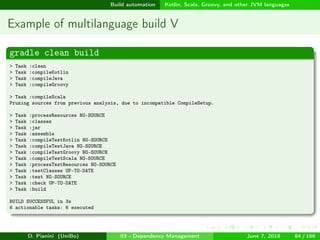
gradle clean build
> Task :clean
> Task :compileKotlin
> Task :compileJava
> Task :compileGroovy
> Task :compileScala
Pruning sources from previous analysis, due to incompatible CompileSetup.
> Task :processResources NO-SOURCE
> Task :classes
> Task :jar
> Task :assemble
> Task :compileTestKotlin NO-SOURCE
> Task :compileTestJava NO-SOURCE
> Task :compileTestGroovy NO-SOURCE
> Task :compileTestScala NO-SOURCE
> Task :processTestResources NO-SOURCE
> Task :testClasses UP-TO-DATE
> Task :test NO-SOURCE
> Task :check UP-TO-DATE
> Task :build
BUILD SUCCESSFUL in 3s
6 actionable tasks: 6 executed
D. Pianini (UniBo) 03 - Dependency Management June 7, 2018 84 / 166
images/logo
Build automation Kotlin, Scala, Groovy, and other JVM languages
Example of multilanguage build VI
Takeaways
Most of the JVM languages (and all those commonly used) are well
supported in Gradle
Either natively (Scala, Groovy) or via third party plugin (Kotlin)
Multiple languages can coexist in the same project
Your mileage may vary!
It is advisable to divide your project in sub-projects for better
interoperability
D. Pianini (UniBo) 03 - Dependency Management June 7, 2018 85 / 166
images/logo
Build automation C/C++
Outline
1 Dependency Management
Concept
Example
Dependency trees
Preventing dependency hells
2 Build automation
Introduction to Gradle
Gradle basics
Java
Kotlin, Scala, Groovy, and other JVM languages
C/C++
Other languages
Automated QA
Automated documentation and packaging
D. Pianini (UniBo) 03 - Dependency Management June 7, 2018 86 / 166
images/logo
Build automation C/C++
C/C++ and Gradle
C and C++ are first class citizens in Gradle
Main features
No classic dependency management for C could be mimicked
You are a bit on your own
There is support for several toolchains (in italic the experimental ones)
GCC and Clang on Linux and other Unix
XCode, GCC (from Macports), and Clang (from Macports) on MacOS
VisualC++, Cygwin32, Cygwin64, and MinGW on Windows
Some care must be provided for cross-compilation
Convention over configuration introduces some unusual ways of
organising code
There are guides for that a
a
https://bit.ly/2LnKHOz
D. Pianini (UniBo) 03 - Dependency Management June 7, 2018 86 / 166
images/logo
Build automation C/C++
Simple C application I
src/main/c/greeting.h
#ifndef EXAMPLE_GREETING_H
#define EXAMPLE_GREETING_H
#define GREETING_STRING "Hello, C native executable!"
#endif
D. Pianini (UniBo) 03 - Dependency Management June 7, 2018 87 / 166
images/logo
Build automation C/C++
Simple C application II
src/main/c/main.c
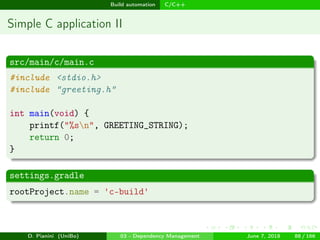
#include <stdio.h>
#include "greeting.h"
int main(void) {
printf("%sn", GREETING_STRING);
return 0;
}
settings.gradle
rootProject.name = 'c-build'
D. Pianini (UniBo) 03 - Dependency Management June 7, 2018 88 / 166
images/logo
Build automation C/C++
Simple C application III
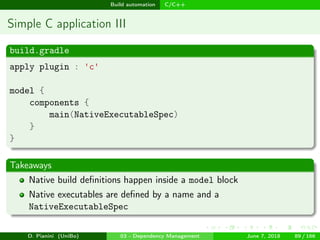
build.gradle
apply plugin : 'c'
model {
components {
main(NativeExecutableSpec)
}
}
Takeaways
Native build definitions happen inside a model block
Native executables are defined by a name and a
NativeExecutableSpec
D. Pianini (UniBo) 03 - Dependency Management June 7, 2018 89 / 166
images/logo
Build automation C/C++
Simple C++ application I
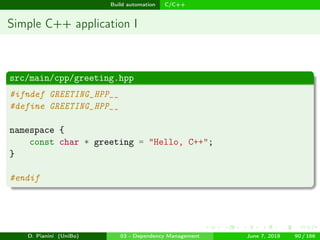
src/main/cpp/greeting.hpp
#ifndef GREETING_HPP__
#define GREETING_HPP__
namespace {
const char * greeting = "Hello, C++";
}
#endif
D. Pianini (UniBo) 03 - Dependency Management June 7, 2018 90 / 166
images/logo
Build automation C/C++
Simple C++ application II
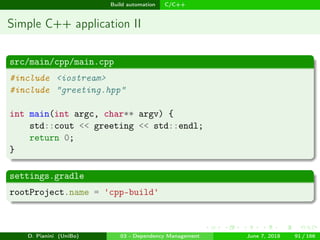
src/main/cpp/main.cpp
#include <iostream>
#include "greeting.hpp"
int main(int argc, char** argv) {
std::cout << greeting << std::endl;
return 0;
}
settings.gradle
rootProject.name = 'cpp-build'
D. Pianini (UniBo) 03 - Dependency Management June 7, 2018 91 / 166
images/logo
Build automation C/C++
Simple C++ application III
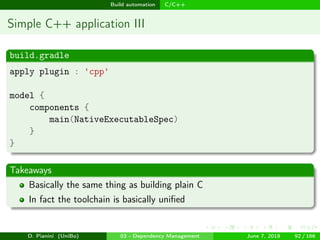
build.gradle
apply plugin : 'cpp'
model {
components {
main(NativeExecutableSpec)
}
}
Takeaways
Basically the same thing as building plain C
In fact the toolchain is basically unified
D. Pianini (UniBo) 03 - Dependency Management June 7, 2018 92 / 166
images/logo
Build automation C/C++
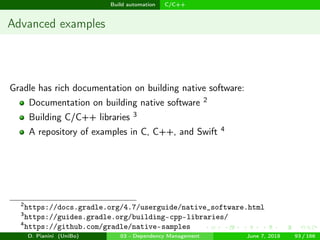
Advanced examples
Gradle has rich documentation on building native software:
Documentation on building native software 2
Building C/C++ libraries 3
A repository of examples in C, C++, and Swift 4
2
https://docs.gradle.org/4.7/userguide/native_software.html
3
https://guides.gradle.org/building-cpp-libraries/
4
https://github.com/gradle/native-samples
D. Pianini (UniBo) 03 - Dependency Management June 7, 2018 93 / 166
images/logo
Build automation Other languages
Outline
1 Dependency Management
Concept
Example
Dependency trees
Preventing dependency hells
2 Build automation
Introduction to Gradle
Gradle basics
Java
Kotlin, Scala, Groovy, and other JVM languages
C/C++
Other languages
Automated QA
Automated documentation and packaging
D. Pianini (UniBo) 03 - Dependency Management June 7, 2018 94 / 166
images/logo
Build automation Other languages
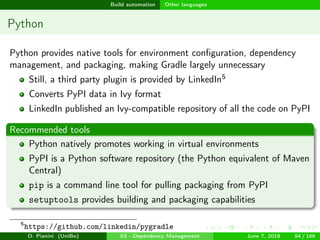
Python
Python provides native tools for environment configuration, dependency
management, and packaging, making Gradle largely unnecessary
Still, a third party plugin is provided by LinkedIn5
Converts PyPI data in Ivy format
LinkedIn published an Ivy-compatible repository of all the code on PyPI
Recommended tools
Python natively promotes working in virtual environments
PyPI is a Python software repository (the Python equivalent of Maven
Central)
pip is a command line tool for pulling packaging from PyPI
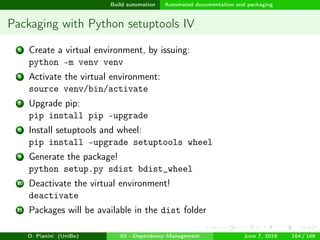
setuptools provides building and packaging capabilities
5
https://github.com/linkedin/pygradle
D. Pianini (UniBo) 03 - Dependency Management June 7, 2018 94 / 166
images/logo
Build automation Other languages
Working with Python virtual environments
A virtual environment for Python isolates application-specific dependencies
from a shared (system-wide) python installation
Python 3.4+ is shipped with the capability of creating a virtual
environment with the pip package manager pre-installed
A new virtual environment can be created by issuing:
python -m venv foldername
Once created, a virtual environment can be entered in using:
source foldername /bin/activate
Commands issued within an activate shell will be executed in the
virtual environment
e.g. pip install xarray would install xarray in the virtual
environment, not system wide.
This enables controlling dependencies’ versions
To get back to a normal shell, issue the command deactivate
D. Pianini (UniBo) 03 - Dependency Management June 7, 2018 95 / 166
images/logo
Build automation Other languages
C# and .NET
Support or C# and other .NET languages is rather faltering
There is an open discussion 6 about supporting .NET in a more official
way
Currently, the best solution is using a third party plugin: 7
Controls msbuild through Gradle
6
https://github.com/gradle/gradle/issues/1428
7
https://github.com/Ullink/gradle-msbuild-plugin
D. Pianini (UniBo) 03 - Dependency Management June 7, 2018 96 / 166
images/logo
Build automation Automated QA
Outline
1 Dependency Management
Concept
Example
Dependency trees
Preventing dependency hells
2 Build automation
Introduction to Gradle
Gradle basics
Java
Kotlin, Scala, Groovy, and other JVM languages
C/C++
Other languages
Automated QA
Automated documentation and packaging
D. Pianini (UniBo) 03 - Dependency Management June 7, 2018 97 / 166
images/logo
Build automation Automated QA
QA and research
Research projects must not be considered “immune” to QA problems
Common issues
Reproducibility — Software/experiment results are inconsistent or non-reproducible
Communicability — The software quality makes it hard to to understand and
contribute, even within the development team
Availability — Research tools are not properly packed and shared, and as such the
rest of the community can not exploit them appropriately
Scaling — Many research projects that may aim to industrial applications won’t be
able to without proper QA
Consistency — The project is written using an inconsistent style, that poses a
barrier to understanding and contribution. This is especially true for teams
Software QA is very time-consuming, performing it manually may
jeopardize the short term success of a research project
Possibly impacting publications negatively
Automatization trades an upfront cost for a long term benefit
D. Pianini (UniBo) 03 - Dependency Management June 7, 2018 97 / 166
images/logo
Build automation Automated QA
The importance of testing
Your project should always have some tests
Why is testing software necessary
Quality assurance — Critical parts of the system can be stressed to
verify their conformance
Bug hunting — Reproducing bug in a controlled setup helps with
quick resolution
Error tracking — If a test is introduced for every defect discovered
during development, a clear trace of errors is maintained
Regression prevention — A good test suite prevents working features
to be compromised by further development
Why testing must be automated
Saves time — manual execution is time expensive
Consistency — manual execution could be not always performed
D. Pianini (UniBo) 03 - Dependency Management June 7, 2018 98 / 166
images/logo
Build automation Automated QA
JUnit
JUnit is one of the most famous frameworks for testing Java software
Unit testing is a in-the-small testing
Though the library is often abused to go well past units
Details are not part of the course
If you are a java developer and are not using Junit, learn it!
The Java Plugin for Gradle includes a nice support for Junit testing
Ancillary frameworks can be used in conjunction JUnit to implement
advanced features
Test Doubles (dummies, stubs, fakes, spies, mocks)
Performance / scalability test
Microbenchmarking
Browser based testing
...
D. Pianini (UniBo) 03 - Dependency Management June 7, 2018 99 / 166
images/logo
Build automation Automated QA
Test automation with Gradle and JUnit I
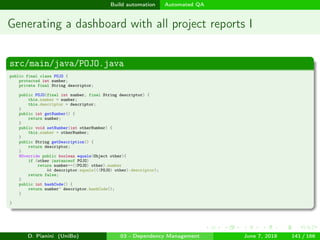
src/main/java/POJO.java
public class POJO {
private int number;
private final String descriptor;
public POJO(final int number, final String descriptor) {
this.number = number;
this.descriptor = descriptor;
}
public int getNumber() {
return number;
}
public void setNumber(int otherNumber) {
this.number = otherNumber;
}
public String getDescription() {
return descriptor;
}
public boolean equals(Object other) {
if (other instanceof POJO) {
final POJO pojo = (POJO) other;
return number == pojo.number && descriptor == pojo.descriptor;
}
return false;
}
}
D. Pianini (UniBo) 03 - Dependency Management June 7, 2018 100 / 166
images/logo
Build automation Automated QA
Test automation with Gradle and JUnit II
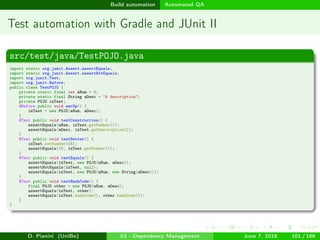
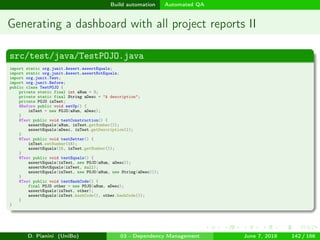
src/test/java/TestPOJO.java
import static org.junit.Assert.assertEquals;
import static org.junit.Assert.assertNotEquals;
import org.junit.Test;
import org.junit.Before;
public class TestPOJO {
private static final int aNum = 3;
private static final String aDesc = "A description";
private POJO inTest;
@Before public void setUp() {
inTest = new POJO(aNum, aDesc);
}
@Test public void testConstruction() {
assertEquals(aNum, inTest.getNumber());
assertEquals(aDesc, inTest.getDescription());
}
@Test public void testSetter() {
inTest.setNumber(15);
assertEquals(15, inTest.getNumber());
}
@Test public void testEquals() {
assertEquals(inTest, new POJO(aNum, aDesc));
assertNotEquals(inTest, null);
assertEquals(inTest, new POJO(aNum, new String(aDesc)));
}
@Test public void testHashCode() {
final POJO other = new POJO(aNum, aDesc);
assertEquals(inTest, other);
assertEquals(inTest.hashCode(), other.hashCode());
}
}
D. Pianini (UniBo) 03 - Dependency Management June 7, 2018 101 / 166
images/logo
Build automation Automated QA
Test automation with Gradle and JUnit III
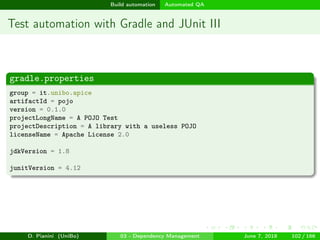
gradle.properties
group = it.unibo.apice
artifactId = pojo
version = 0.1.0
projectLongName = A POJO Test
projectDescription = A library with a useless POJO
licenseName = Apache License 2.0
jdkVersion = 1.8
junitVersion = 4.12
D. Pianini (UniBo) 03 - Dependency Management June 7, 2018 102 / 166
images/logo
Build automation Automated QA
Test automation with Gradle and JUnit IV
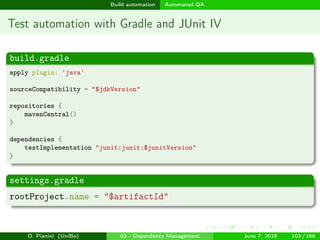
build.gradle
apply plugin: 'java'
sourceCompatibility = "$jdkVersion"
repositories {
mavenCentral()
}
dependencies {
testImplementation "junit:junit:$junitVersion"
}
settings.gradle
rootProject.name = "$artifactId"
D. Pianini (UniBo) 03 - Dependency Management June 7, 2018 103 / 166
images/logo
Build automation Automated QA
Test automation with Gradle and JUnit V
gradle clean build
> Task :clean
> Task :compileJava
> Task :processResources NO-SOURCE
> Task :classes
> Task :compileTestJava
> Task :processTestResources NO-SOURCE
> Task :testClasses
> Task :test FAILED
TestPOJO > testHashCode FAILED
java.lang.AssertionError at TestPOJO.java:41
TestPOJO > testEquals FAILED
java.lang.AssertionError at TestPOJO.java:34
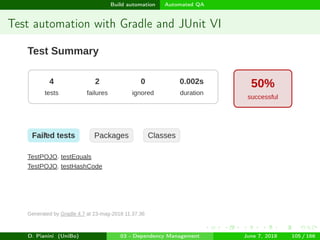
4 tests completed, 2 failed
* What went wrong:
Execution failed for task ':test'.
> There were failing tests. See the report at: [...]/build/reports/tests/test/index.html
BUILD FAILED in 0s
4 actionable tasks: 4 executed
D. Pianini (UniBo) 03 - Dependency Management June 7, 2018 104 / 166
images/logo
Build automation Automated QA
Test automation with Gradle and JUnit VI
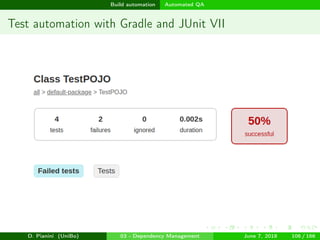
D. Pianini (UniBo) 03 - Dependency Management June 7, 2018 105 / 166
images/logo
Build automation Automated QA
Test automation with Gradle and JUnit VII
D. Pianini (UniBo) 03 - Dependency Management June 7, 2018 106 / 166
images/logo
Build automation Automated QA
Test automation with Gradle and JUnit VIII
D. Pianini (UniBo) 03 - Dependency Management June 7, 2018 107 / 166
images/logo
Build automation Automated QA
Test automation with Gradle and JUnit IX
D. Pianini (UniBo) 03 - Dependency Management June 7, 2018 108 / 166
images/logo
Build automation Automated QA
Test automation with Gradle and JUnit X
Takeaways
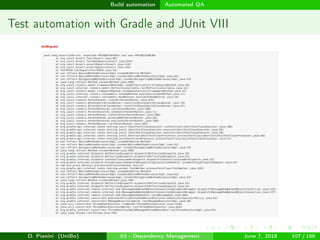
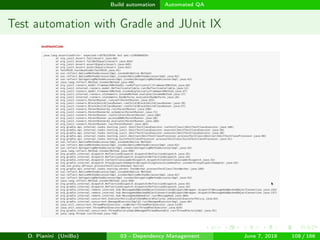
If JUnit is included in the test classpath, the execution of tests is
automatic
Tests are performed at every build
A report is automatically produced
A description of the failures is included in the report
D. Pianini (UniBo) 03 - Dependency Management June 7, 2018 109 / 166
images/logo
Build automation Automated QA
Other frameworks I
C
CUnita is natively supported:
apply plugin: 'cunit-test-suite'
a
http://cunit.sourceforge.net/
C++
Google Testa is natively supported:
apply plugin: 'google-test'
a
https://github.com/google/googletest
D. Pianini (UniBo) 03 - Dependency Management June 7, 2018 110 / 166
images/logo
Build automation Automated QA
Other frameworks II
Javascript
Third party plugina available for Jasmineb.
a
https://github.com/dzhaughnroth/jasmine-gradle-plugin
b
https://jasmine.github.io/
D. Pianini (UniBo) 03 - Dependency Management June 7, 2018 111 / 166
images/logo
Build automation Automated QA
Test coverage
Test coverage detects:
The amount of lines of codes actually tested
The number of branches explored when executing tests
Which lines of code have been tested
Which branches of code have been tested
It can be used as a measure of test quality, and in turn as a measure of
software quality [HLL94], but be aware that high coverage does not
automatically mean high quality software [IH14].
D. Pianini (UniBo) 03 - Dependency Management June 7, 2018 112 / 166
images/logo
Build automation Automated QA
Test when needed, use coverage critically
What coverage actually tells you
If you have X% coverage, you have at least 100-X% uncovered statements
Good practices
When you are working on a new feature, write an automatic test in
place of testing it manually
If you don’t get it right at the first attempt, you will save development
time
You get a free regression test for the future
Every time you walk into a bug, before fixing it write a test that
Systematically fails if the bug is still there
Systematically passes if the bug is not there
Use coverage to spot parts of your software that are untested
Enforcing a coverage level may help with lazy collaborators, but won’t
automatically raise your software quality
Do not bask in the glory of a high coverage
D. Pianini (UniBo) 03 - Dependency Management June 7, 2018 113 / 166
images/logo
Build automation Automated QA
Coverage in Gradle
Coverage tools must understand the language code and tests are
written in
You must pick the right tool for the code you are writing
Gradle integrates the JaCoCo plugin for Java (also covers Scala and
Kotlin, but may be less precise)
Third-party plugins are available for the same and other languages:
Cobertura for Java 8
Scoverage for Scala 9
8
https://github.com/stevesaliman/gradle-cobertura-plugin
9
https://github.com/scoverage/gradle-scoverage
D. Pianini (UniBo) 03 - Dependency Management June 7, 2018 114 / 166
images/logo
Build automation Automated QA
Coverage with Gradle and JaCoCo I
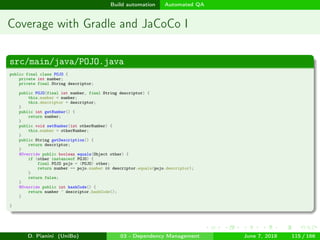
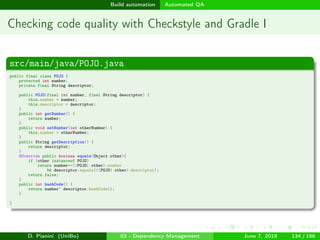
src/main/java/POJO.java
public final class POJO {
private int number;
private final String descriptor;
public POJO(final int number, final String descriptor) {
this.number = number;
this.descriptor = descriptor;
}
public int getNumber() {
return number;
}
public void setNumber(int otherNumber) {
this.number = otherNumber;
}
public String getDescription() {
return descriptor;
}
@Override public boolean equals(Object other) {
if (other instanceof POJO) {
final POJO pojo = (POJO) other;
return number == pojo.number && descriptor.equals(pojo.descriptor);
}
return false;
}
@Override public int hashCode() {
return number ^ descriptor.hashCode();
}
}
D. Pianini (UniBo) 03 - Dependency Management June 7, 2018 115 / 166
images/logo
Build automation Automated QA
Coverage with Gradle and JaCoCo II
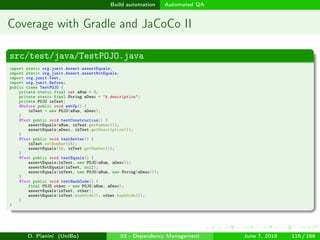
src/test/java/TestPOJO.java
import static org.junit.Assert.assertEquals;
import static org.junit.Assert.assertNotEquals;
import org.junit.Test;
import org.junit.Before;
public class TestPOJO {
private static final int aNum = 3;
private static final String aDesc = "A description";
private POJO inTest;
@Before public void setUp() {
inTest = new POJO(aNum, aDesc);
}
@Test public void testConstruction() {
assertEquals(aNum, inTest.getNumber());
assertEquals(aDesc, inTest.getDescription());
}
@Test public void testSetter() {
inTest.setNumber(15);
assertEquals(15, inTest.getNumber());
}
@Test public void testEquals() {
assertEquals(inTest, new POJO(aNum, aDesc));
assertNotEquals(inTest, null);
assertEquals(inTest, new POJO(aNum, new String(aDesc)));
}
@Test public void testHashCode() {
final POJO other = new POJO(aNum, aDesc);
assertEquals(inTest, other);
assertEquals(inTest.hashCode(), other.hashCode());
}
}
D. Pianini (UniBo) 03 - Dependency Management June 7, 2018 116 / 166
images/logo
Build automation Automated QA
Coverage with Gradle and JaCoCo III
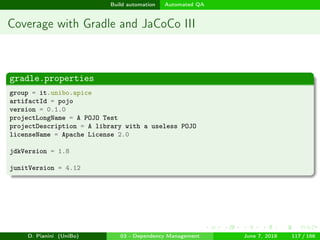
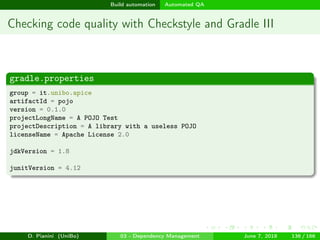
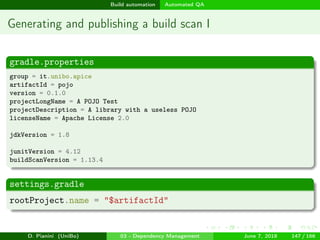
gradle.properties
group = it.unibo.apice
artifactId = pojo
version = 0.1.0
projectLongName = A POJO Test
projectDescription = A library with a useless POJO
licenseName = Apache License 2.0
jdkVersion = 1.8
junitVersion = 4.12
D. Pianini (UniBo) 03 - Dependency Management June 7, 2018 117 / 166
images/logo
Build automation Automated QA
Coverage with Gradle and JaCoCo IV
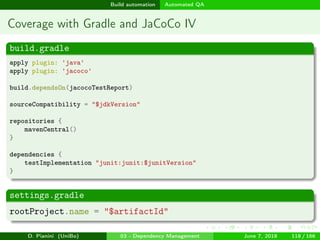
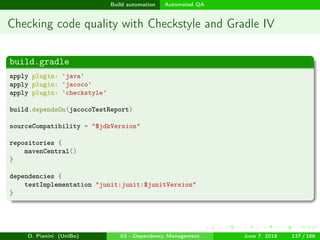
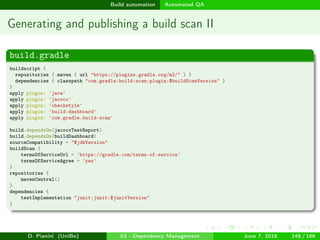
build.gradle
apply plugin: 'java'
apply plugin: 'jacoco'
build.dependsOn(jacocoTestReport)
sourceCompatibility = "$jdkVersion"
repositories {
mavenCentral()
}
dependencies {
testImplementation "junit:junit:$junitVersion"
}
settings.gradle
rootProject.name = "$artifactId"
D. Pianini (UniBo) 03 - Dependency Management June 7, 2018 118 / 166
images/logo
Build automation Automated QA
Coverage with Gradle and JaCoCo V
D. Pianini (UniBo) 03 - Dependency Management June 7, 2018 119 / 166
images/logo
Build automation Automated QA
Coverage with Gradle and JaCoCo VI
D. Pianini (UniBo) 03 - Dependency Management June 7, 2018 120 / 166
images/logo
Build automation Automated QA
Coverage with Gradle and JaCoCo VII
D. Pianini (UniBo) 03 - Dependency Management June 7, 2018 121 / 166
images/logo
Build automation Automated QA
Enforcing code conventions
Tools that enforce code conventions help in:
Spot bugs early by scanning the code for common mistakes
Spot performance pitfalls early by scanning the code for common
mistakes
Intercept practices correct in general but wrong for the specific project
e.g. calling an external random in a simulator (breaks reproducibility)
Raise the understandability of the code by making it looking
homogeneous
Nullify the possibility of having big changesets for minimal actual
changes
e.g. because different developers use systems with different newlines
Raise the communicability of the code by following a set of rules
shared by the community
Produce a report with an indication of the points where code has the
lowest quality
D. Pianini (UniBo) 03 - Dependency Management June 7, 2018 122 / 166
images/logo
Build automation Automated QA
Code checking tools by language I
C
Artistic Stylea
GNU Indentb
Inferc
nsiqcppstyled
Uncrustifye
a
http://astyle.sourceforge.net/
b
http://www.gnu.org/software/indent/
c
http://fbinfer.com/
d
https://code.google.com/archive/p/nsiqcppstyle/
e
http://uncrustify.sourceforge.net/
D. Pianini (UniBo) 03 - Dependency Management June 7, 2018 123 / 166
images/logo
Build automation Automated QA
Code checking tools by language II
C++
Artistic Stylea
cpplintb
KWStylec
Inferd
Uncrustifye
Vera++f
a
http://astyle.sourceforge.net/
b
https://github.com/google/styleguide/tree/gh-pages/cpplint
c
http://kitware.github.io/KWStyle/
d
http://fbinfer.com/
e
http://uncrustify.sourceforge.net/
f
https://bitbucket.org/verateam/vera/wiki/Home
D. Pianini (UniBo) 03 - Dependency Management June 7, 2018 124 / 166
images/logo
Build automation Automated QA
Code checking tools by language III
C#
Artistic Stylea
StyleCopb
Uncrustifyc
a
http://astyle.sourceforge.net/
b
https://github.com/StyleCop
c
http://uncrustify.sourceforge.net/
Go
CPDa
(Go)Checkstyleb
a
https://pmd.github.io/
b
https://github.com/qiniu/checkstyle
D. Pianini (UniBo) 03 - Dependency Management June 7, 2018 125 / 166
images/logo
Build automation Automated QA
Code checking tools by language IV
Java
Artistic Stylea
Checkstyleb
Inferc
PMD/CPDd
SpotBugse
Uncrustifyf
a
http://astyle.sourceforge.net/
b
http://checkstyle.sourceforge.net/
c
http://fbinfer.com/
d
https://pmd.github.io/
e
https://spotbugs.github.io/
f
http://uncrustify.sourceforge.net/
D. Pianini (UniBo) 03 - Dependency Management June 7, 2018 126 / 166
images/logo
Build automation Automated QA
Code checking tools by language V
Javascript
CPDa
ESLintb
StandardJSc
a
https://pmd.github.io/
b
https://eslint.org/
c
https://standardjs.com/
Kotlin
Klinta
Detektb
a
https://github.com/shyiko/ktlint
b
https://github.com/arturbosch/detekt
D. Pianini (UniBo) 03 - Dependency Management June 7, 2018 127 / 166
images/logo
Build automation Automated QA
Code checking tools by language VI
Matlab
CPDa
Matlab Code Analyzerb
MStylec
a
https://pmd.github.io/
b
https://github.com/bastibe/MatlabCodeAnalyzer
c
https://github.com/KEClaytor/MStyle
D. Pianini (UniBo) 03 - Dependency Management June 7, 2018 128 / 166
images/logo
Build automation Automated QA
Code checking tools by language VII
PHP
CPDa
phlintb
PHP Mess Detectorc
progpilotd
a
https://pmd.github.io/
b
https://gitlab.com/phlint/phlint
c
https://phpmd.org/
d
https://github.com/designsecurity/progpilot
D. Pianini (UniBo) 03 - Dependency Management June 7, 2018 129 / 166
images/logo
Build automation Automated QA
Code checking tools by language VIII
Objective-C
Artistic Stylea
CPDb
Inferc
Uncrustifyd
a
http://astyle.sourceforge.net/
b
https://pmd.github.io/
c
http://fbinfer.com/
d
http://uncrustify.sourceforge.net/
D. Pianini (UniBo) 03 - Dependency Management June 7, 2018 130 / 166
images/logo
Build automation Automated QA
Code checking tools by language IX
Python
CPDa
pycodestyle (formerly pep8)b
Pyflakesc
Pylintd
Vera++e
a
https://pmd.github.io/
b
https://github.com/PyCQA/pycodestyle
c
https://github.com/PyCQA/pyflakes
d
https://www.pylint.org/
e
https://bitbucket.org/verateam/vera/wiki/Home
D. Pianini (UniBo) 03 - Dependency Management June 7, 2018 131 / 166
images/logo
Build automation Automated QA
Code checking tools by language X
Ruby
CPDa
RuboCopb
a
https://pmd.github.io/
b
https://github.com/bbatsov/rubocop
Scala
Scalastylea
CPDb
a
http://www.scalastyle.org/
b
https://pmd.github.io/
D. Pianini (UniBo) 03 - Dependency Management June 7, 2018 132 / 166
images/logo
Build automation Automated QA
Code checking tools by language XI
Swift
CPDa
SwiftLintb
a
https://pmd.github.io/
b
https://github.com/realm/SwiftLint
D. Pianini (UniBo) 03 - Dependency Management June 7, 2018 133 / 166
images/logo
Build automation Automated QA
Checking code quality with Checkstyle and Gradle I
src/main/java/POJO.java
public final class POJO {
protected int number;
private final String descriptor;
public POJO(final int number, final String descriptor) {
this.number = number;
this.descriptor = descriptor;
}
public int getNumber() {
return number;
}
public void setNumber(int otherNumber) {
this.number = otherNumber;
}
public String getDescription() {
return descriptor;
}
@Override public boolean equals(Object other){
if (other instanceof POJO)
return number==((POJO) other).number
&& descriptor.equals(((POJO) other).descriptor);
return false;
}
public int hashCode() {
return number^ descriptor.hashCode();
}
}
D. Pianini (UniBo) 03 - Dependency Management June 7, 2018 134 / 166
images/logo
Build automation Automated QA
Checking code quality with Checkstyle and Gradle II
src/test/java/TestPOJO.java
import static org.junit.Assert.assertEquals;
import static org.junit.Assert.assertNotEquals;
import org.junit.Test;
import org.junit.Before;
public class TestPOJO {
private static final int aNum = 3;
private static final String aDesc = "A description";
private POJO inTest;
@Before public void setUp() {
inTest = new POJO(aNum, aDesc);
}
@Test public void testConstruction() {
assertEquals(aNum, inTest.getNumber());
assertEquals(aDesc, inTest.getDescription());
}
@Test public void testSetter() {
inTest.setNumber(15);
assertEquals(15, inTest.getNumber());
}
@Test public void testEquals() {
assertEquals(inTest, new POJO(aNum, aDesc));
assertNotEquals(inTest, null);
assertEquals(inTest, new POJO(aNum, new String(aDesc)));
}
@Test public void testHashCode() {
final POJO other = new POJO(aNum, aDesc);
assertEquals(inTest, other);
assertEquals(inTest.hashCode(), other.hashCode());
}
}
D. Pianini (UniBo) 03 - Dependency Management June 7, 2018 135 / 166
images/logo
Build automation Automated QA
Checking code quality with Checkstyle and Gradle III
gradle.properties
group = it.unibo.apice
artifactId = pojo
version = 0.1.0
projectLongName = A POJO Test
projectDescription = A library with a useless POJO
licenseName = Apache License 2.0
jdkVersion = 1.8
junitVersion = 4.12
D. Pianini (UniBo) 03 - Dependency Management June 7, 2018 136 / 166
images/logo
Build automation Automated QA
Checking code quality with Checkstyle and Gradle IV
build.gradle
apply plugin: 'java'
apply plugin: 'jacoco'
apply plugin: 'checkstyle'
build.dependsOn(jacocoTestReport)
sourceCompatibility = "$jdkVersion"
repositories {
mavenCentral()
}
dependencies {
testImplementation "junit:junit:$junitVersion"
}
D. Pianini (UniBo) 03 - Dependency Management June 7, 2018 137 / 166
images/logo
Build automation Automated QA
Checking code quality with Checkstyle and Gradle V
settings.gradle
rootProject.name = "$artifactId"
D. Pianini (UniBo) 03 - Dependency Management June 7, 2018 138 / 166
images/logo
Build automation Automated QA
Checking code quality with Checkstyle and Gradle VI
config/checkstyle/checkstyle.xml
<?xml version="1.0"?>
<!DOCTYPE module PUBLIC
"-//Puppy Crawl//DTD Check Configuration 1.2//EN"
"http://www.puppycrawl.com/dtds/configuration_1_2.dtd">
<module name="Checker">
<module name="SuppressionCommentFilter" />
<property name="severity" value="warning" />
<module name="Translation" />
<module name="FileTabCharacter">
<property name="fileExtensions" value="java" />
<property name="severity" value="warning" />
</module>
<module name="RegexpSingleline">
<property name="severity" value="warning" />
<property name="format" value="s{2,}$" />
<property name="fileExtensions" value="java,xtend" />
<property name="message" value="Line has trailing spaces." />
</module>
<module name="RegexpSingleline">
<property name="severity" value="warning" />
<property name="format" value="t" />
<property name="fileExtensions" value="java,xtend" />
<property name="message"
value="Line is tab-indented (see Java Code Conventions, Section 4.2)." />
</module>
D. Pianini (UniBo) 03 - Dependency Management June 7, 2018 139 / 166
images/logo
Build automation Automated QA
Generating dashboards
A well organized project has a number of reports
Test results
Test coverage
Several code quality reports (different tools inspect different aspects)
Each report stands alone by default
A dashboard provides an entry point for all the reports produced by
QA tools
Gradle includes a default Build Dashboard plugin
The plugin is currently incubating
D. Pianini (UniBo) 03 - Dependency Management June 7, 2018 140 / 166
images/logo
Build automation Automated QA
Generating a dashboard with all project reports I
src/main/java/POJO.java
public final class POJO {
protected int number;
private final String descriptor;
public POJO(final int number, final String descriptor) {
this.number = number;
this.descriptor = descriptor;
}
public int getNumber() {
return number;
}
public void setNumber(int otherNumber) {
this.number = otherNumber;
}
public String getDescription() {
return descriptor;
}
@Override public boolean equals(Object other){
if (other instanceof POJO)
return number==((POJO) other).number
&& descriptor.equals(((POJO) other).descriptor);
return false;
}
public int hashCode() {
return number^ descriptor.hashCode();
}
}
D. Pianini (UniBo) 03 - Dependency Management June 7, 2018 141 / 166
images/logo
Build automation Automated QA
Generating a dashboard with all project reports II
src/test/java/TestPOJO.java
import static org.junit.Assert.assertEquals;
import static org.junit.Assert.assertNotEquals;
import org.junit.Test;
import org.junit.Before;
public class TestPOJO {
private static final int aNum = 3;
private static final String aDesc = "A description";
private POJO inTest;
@Before public void setUp() {
inTest = new POJO(aNum, aDesc);
}
@Test public void testConstruction() {
assertEquals(aNum, inTest.getNumber());
assertEquals(aDesc, inTest.getDescription());
}
@Test public void testSetter() {
inTest.setNumber(15);
assertEquals(15, inTest.getNumber());
}
@Test public void testEquals() {
assertEquals(inTest, new POJO(aNum, aDesc));
assertNotEquals(inTest, null);
assertEquals(inTest, new POJO(aNum, new String(aDesc)));
}
@Test public void testHashCode() {
final POJO other = new POJO(aNum, aDesc);
assertEquals(inTest, other);
assertEquals(inTest.hashCode(), other.hashCode());
}
}
D. Pianini (UniBo) 03 - Dependency Management June 7, 2018 142 / 166
images/logo
Build automation Automated QA
Generating a dashboard with all project reports III
config/checkstyle/checkstyle.xml
<?xml version="1.0"?>
<!DOCTYPE module PUBLIC
"-//Puppy Crawl//DTD Check Configuration 1.2//EN"
"http://www.puppycrawl.com/dtds/configuration_1_2.dtd">
<module name="Checker">
<module name="SuppressionCommentFilter" />
<property name="severity" value="warning" />
<module name="Translation" />
<module name="FileTabCharacter">
<property name="fileExtensions" value="java" />
<property name="severity" value="warning" />
</module>
<module name="RegexpSingleline">
<property name="severity" value="warning" />
<property name="format" value="s{2,}$" />
<property name="fileExtensions" value="java,xtend" />
<property name="message" value="Line has trailing spaces." />
</module>
<module name="RegexpSingleline">
<property name="severity" value="warning" />
<property name="format" value="t" />
<property name="fileExtensions" value="java,xtend" />
<property name="message"
value="Line is tab-indented (see Java Code Conventions, Section 4.2)." />
</module>
D. Pianini (UniBo) 03 - Dependency Management June 7, 2018 143 / 166
images/logo
Build automation Automated QA
Generating a dashboard with all project reports IV
gradle.properties
group = it.unibo.apice
artifactId = pojo
version = 0.1.0
projectLongName = A POJO Test
projectDescription = A library with a useless POJO
licenseName = Apache License 2.0
jdkVersion = 1.8
junitVersion = 4.12
settings.gradle
rootProject.name = "$artifactId"
D. Pianini (UniBo) 03 - Dependency Management June 7, 2018 144 / 166
images/logo
Build automation Automated QA
Generating a dashboard with all project reports V
build.gradle
apply plugin: 'java'
apply plugin: 'jacoco'
apply plugin: 'checkstyle'
apply plugin: 'build-dashboard'
build.dependsOn(jacocoTestReport)
build.dependsOn(buildDashboard)
sourceCompatibility = "$jdkVersion"
repositories {
mavenCentral()
}
dependencies {
testImplementation "junit:junit:$junitVersion"
}
D. Pianini (UniBo) 03 - Dependency Management June 7, 2018 145 / 166
images/logo
Build automation Automated QA
Gradle build scans
A rich build quickly escalates in complexity
As we want reports to inspect the quality and issues of the project,
we’d like a tool to provide better presentation of the build process itself
e.g. for improving performance
gradle provides “Build Scans” to tackle this issue
Produces a build report and publishes it online
The –scan option enables the features
A plugin exists to prevent the shell to interactively ask to accept the
license agreement
Build scans
A build scan is a shareable and centralized record of a build that provides
insights into what happened and why.
D. Pianini (UniBo) 03 - Dependency Management June 7, 2018 146 / 166
images/logo
Build automation Automated QA
Generating and publishing a build scan I
gradle.properties
group = it.unibo.apice
artifactId = pojo
version = 0.1.0
projectLongName = A POJO Test
projectDescription = A library with a useless POJO
licenseName = Apache License 2.0
jdkVersion = 1.8
junitVersion = 4.12
buildScanVersion = 1.13.4
settings.gradle
rootProject.name = "$artifactId"
D. Pianini (UniBo) 03 - Dependency Management June 7, 2018 147 / 166
images/logo
Build automation Automated QA
Generating and publishing a build scan II
build.gradle
buildscript {
repositories { maven { url "https://plugins.gradle.org/m2/" } }
dependencies { classpath "com.gradle:build-scan-plugin:$buildScanVersion" }
}
apply plugin: 'java'
apply plugin: 'jacoco'
apply plugin: 'checkstyle'
apply plugin: 'build-dashboard'
apply plugin: 'com.gradle.build-scan'
build.dependsOn(jacocoTestReport)
build.dependsOn(buildDashboard)
sourceCompatibility = "$jdkVersion"
buildScan {
termsOfServiceUrl = 'https://gradle.com/terms-of-service'
termsOfServiceAgree = 'yes'
}
repositories {
mavenCentral()
}
dependencies {
testImplementation "junit:junit:$junitVersion"
}
D. Pianini (UniBo) 03 - Dependency Management June 7, 2018 148 / 166
images/logo
Build automation Automated QA
Generating and publishing a build scan III
The result is available at
https://scans.gradle.com/s/qd2mieqffudwk
D. Pianini (UniBo) 03 - Dependency Management June 7, 2018 149 / 166
images/logo
Build automation Automated documentation and packaging
Outline
1 Dependency Management
Concept
Example
Dependency trees
Preventing dependency hells
2 Build automation
Introduction to Gradle
Gradle basics
Java
Kotlin, Scala, Groovy, and other JVM languages
C/C++
Other languages
Automated QA
Automated documentation and packaging
D. Pianini (UniBo) 03 - Dependency Management June 7, 2018 150 / 166
images/logo
Build automation Automated documentation and packaging
Documenting code and generating API documentation
A project should always be shipped with proper documentation
Most documentation must be prepared manually
Readmes
Tutorials
Quickstarts
Guides
The API documentation can often be deduced by proper code
comments
Tools exist that parse code and produce human-accessible API
documentation
Java’s javadoc
Scala’s Scaladoc
Kotlin’s Dokka
Python’s docstrings
...
D. Pianini (UniBo) 03 - Dependency Management June 7, 2018 150 / 166
images/logo
Build automation Automated documentation and packaging
Generating API documentation with Gradle
The methodology varies with languages
The Java plugin has a built in javadoc task
The build task can be declared dependent from javadoc to automate
the generation
Other languages may require a different configuration
e.g. Dokka has a third party plugin, not included in the Kotlin plugin
D. Pianini (UniBo) 03 - Dependency Management June 7, 2018 151 / 166
images/logo
Build automation Automated documentation and packaging
Packaging software
A bunch of scripts or binaries is usually not a good way to distribute
software
Practices differ by languages and project types:
In the JVM ecosystem, usually libraries get published along with
Ivy-style metadata
JVM-based stand-alone programs are shipped as “fat jar”
A jar file containing not just the software itself, but all its dependencies,
in such a way that it can get executed on any standard JVM installation
In Python, setuptools is used to package software
D. Pianini (UniBo) 03 - Dependency Management June 7, 2018 152 / 166
images/logo
Build automation Automated documentation and packaging
Generating Ivy and Maven compatible metadata in Gradle I
While a library jar is automatically produced by the jar task of the Java
plugin, the companion Ivy metadata is not by default
A maven plugin is distributed with the tool
It provides a factory for pom files
It provides an uploadArchives task for preparing a
Maven-compatible distribution
Including a valid POM descriptor
D. Pianini (UniBo) 03 - Dependency Management June 7, 2018 153 / 166
images/logo
Build automation Automated documentation and packaging
Generating Ivy and Maven compatible metadata in Gradle II
gradle.properties
group = it.unibo.datascience
artifactId = pojo
version = 0.1.0
projectLongName = A POJO Test
projectDescription = A library with a useless POJO
licenseName = Apache License 2.0
licenseUrl = https://www.apache.org/licenses/LICENSE-2.0
scmType = scm:git
scmRootUrl = https://github.com/MyTeam
scmLogin = git@github.com:MyTeam
scmRepoName = POJO.git
jdkVersion = 1.8
junitVersion = 4.12
buildScanVersion = 1.13.4
D. Pianini (UniBo) 03 - Dependency Management June 7, 2018 154 / 166
images/logo
Build automation Automated documentation and packaging
Generating Ivy and Maven compatible metadata in Gradle III
build.gradle
buildscript {
repositories { maven { url "https://plugins.gradle.org/m2/" } }
dependencies { classpath "com.gradle:build-scan-plugin:$buildScanVersion" }
}
apply plugin: 'java'
apply plugin: 'jacoco'
apply plugin: 'checkstyle'
apply plugin: 'build-dashboard'
apply plugin: 'com.gradle.build-scan'
apply plugin: 'maven'
build.dependsOn(jacocoTestReport)
build.dependsOn(buildDashboard)
sourceCompatibility = "$jdkVersion"
buildScan {
termsOfServiceUrl = 'https://gradle.com/terms-of-service'
termsOfServiceAgree = 'yes'
}
repositories {
mavenCentral()
}
dependencies {
testImplementation "junit:junit:$junitVersion"
}
uploadArchives {
repositories {
mavenDeployer {
repository(url: "file://$buildDir/maven-format/")
pom.project {
name artifactId
description projectDescription
def ref = "${scmRootUrl}/${artifactId}"
packaging 'jar'
url ref
licenses {
license {
name licenseName
url licenseUrl
}D. Pianini (UniBo) 03 - Dependency Management June 7, 2018 155 / 166
images/logo
Build automation Automated documentation and packaging
Generating a “fat jar” in Gradle I
A fat jar:
Includes all the libraries required at runtime
Is executable
i.e. has a MANIFEST.MF file indicating the class to execute
No default task is provided, we need to write one manually extending the
existing jar
D. Pianini (UniBo) 03 - Dependency Management June 7, 2018 156 / 166
images/logo
Build automation Automated documentation and packaging
Generating a “fat jar” in Gradle II
gradle.properties
group = it.unibo.datascience
artifactId = pojo
version = 0.1.0
projectLongName = A POJO Test
projectDescription = A library with a useless POJO
licenseName = Apache License 2.0
licenseUrl = https://www.apache.org/licenses/LICENSE-2.0
scmType = scm:git
scmRootUrl = https://github.com/MyTeam
scmLogin = git@github.com:MyTeam
scmRepoName = POJO.git
jdkVersion = 1.8
junitVersion = 4.12
buildScanVersion = 1.13.4
D. Pianini (UniBo) 03 - Dependency Management June 7, 2018 157 / 166
images/logo
Build automation Automated documentation and packaging
Generating a “fat jar” in Gradle III
build.gradle
buildscript {
repositories { maven { url "https://plugins.gradle.org/m2/" } }
dependencies { classpath "com.gradle:build-scan-plugin:$buildScanVersion" }
}
apply plugin: 'java'
apply plugin: 'jacoco'
apply plugin: 'checkstyle'
apply plugin: 'build-dashboard'
apply plugin: 'com.gradle.build-scan'
apply plugin: 'maven'
task fatJar(type: Jar, dependsOn: subprojects.compileJava) {
manifest {
attributes 'Implementation-Title': 'Redistributable JAR',
'Implementation-Version': rootProject.version,
'Main-Class': 'MyMain'
}
baseName = "${rootProject.name}-executable"
from(configurations.runtime.collect { it.isDirectory() ? it : zipTree(it) }) {
// remove all signature files
exclude "META-INF/*.SF"
exclude "META-INF/*.DSA"
exclude "META-INF/*.RSA"
exclude '.gradle'
exclude 'build.gradle'
exclude 'gradle'
exclude 'gradlew'
exclude 'gradlew.bat'
}
with jar
}
build.dependsOn(fatJar)
sourceCompatibility = "$jdkVersion"
build.dependsOn(jacocoTestReport)
build.dependsOn(buildDashboard)
buildScan {
termsOfServiceUrl = 'https://gradle.com/terms-of-service'
termsOfServiceAgree = 'yes'
} D. Pianini (UniBo) 03 - Dependency Management June 7, 2018 158 / 166
images/logo
Build automation Automated documentation and packaging
DVCS-Sensible build I
You may want the build system to automatically detect the project version
from the DVCS and act accordingly
e.g. if it is tagged and sits on main, it is a release
Otherwise, it is a beta, and we may want to identify it
No direct support in Gradle
But you can use a full fledged programming language as Groovy...
And there exist a GrGit library for interacting with git!
settings.gradle
rootProject.name = "dvcs-sensitive"
gradle.properties
version = 0.1.0
grgitVersion = 1.7.2
D. Pianini (UniBo) 03 - Dependency Management June 7, 2018 159 / 166
images/logo
Build automation Automated documentation and packaging
DVCS-Sensible build II
build.gradle
apply plugin: 'java'
buildscript {
repositories {
maven { url "https://plugins.gradle.org/m2/" }
}
dependencies {
classpath "org.ajoberstar:gradle-git:${grgitVersion}"
}
}
apply plugin: "org.ajoberstar.grgit"
def currentSha = grgit.head().id
/*
* Check if it is a tagged version
*/
def tags = grgit.tag.list()
def tag = tags.find() { it.commit.id == currentSha }
if (tag == null) {
project.version = "${project.version}-${grgit.head().abbreviatedId}".take(20)
} else if (tag.name == project.version) {
println "This is tagged as the official version ${project.version}"
} else {
project.version = "${project.version}-${tag.name}-${grgit.head().abbreviatedId}".take(20)
}
println "Due to your git repo status, the project version is detected as ${project.version}"
D. Pianini (UniBo) 03 - Dependency Management June 7, 2018 160 / 166
images/logo
Build automation Automated documentation and packaging
Packaging with Python setuptools I
Python provides setuptools for easily packaging your software
1 Create your project. In this case, We create just an empty package:
my_pkg/__init__.py
name = "my_pkg"
2 Create a valid README.md (GitHub flavored Markdown syntax is
supported!)
README.md
# Example Package
This is a simple example package. You can use
[Github-flavored
Markdown](http://https://guides.github.com/features/mastering-markdown/)→
to write your content.
D. Pianini (UniBo) 03 - Dependency Management June 7, 2018 161 / 166
images/logo
Build automation Automated documentation and packaging
Packaging with Python setuptools II
3 Create a LICENSE file
LICENSE
Copyright 2018 Danilo Pianini
Licensed under the Apache License, Version 2.0 (the "License");
you may not use this file except in compliance with the License.
You may obtain a copy of the License at
http://www.apache.org/licenses/LICENSE-2.0
Unless required by applicable law or agreed to in writing, software
distributed under the License is distributed on an "AS IS" BASIS,
WITHOUT WARRANTIES OR CONDITIONS OF ANY KIND, either express or implied.
See the License for the specific language governing permissions and
limitations under the License.
D. Pianini (UniBo) 03 - Dependency Management June 7, 2018 162 / 166
images/logo
Build automation Automated documentation and packaging
Packaging with Python setuptools III
4 Create a setup.py file, along the line of:
setup.py
import setuptools
with open("README.md", "r") as fh:
long_description = fh.read()
setuptools.setup(
name="my_pkg",
version="0.1.0",
author="Danilo Pianini",
author_email="danilo.pianini@unibo.it",
description="A small example package",
long_description=long_description,
long_description_content_type="text/markdown",
url="https://github.com/DanySK/example-project",
packages=setuptools.find_packages(),
classifiers=(
"Programming Language :: Python :: 3",
"License :: OSI Approved :: Apache Software License",
"Operating System :: OS Independent",
),
)
D. Pianini (UniBo) 03 - Dependency Management June 7, 2018 163 / 166
images/logo
Build automation Automated documentation and packaging
Packaging with Python setuptools IV
5 Create a virtual environment, by issuing:
python -m venv venv
6 Activate the virtual environment:
source venv/bin/activate
7 Upgrade pip:
pip install pip –upgrade
8 Install setuptools and wheel:
pip install –upgrade setuptools wheel
9 Generate the package!
python setup.py sdist bdist_wheel
10 Deactivate the virtual environment!
deactivate
11 Packages will be available in the dist folder
D. Pianini (UniBo) 03 - Dependency Management June 7, 2018 164 / 166
images/logo
References
References I
J.R. Horgan, S. London, and M.R. Lyu.
Achieving software quality with testing coverage measures.
Computer, 27(9):60–69, sep 1994.
Laura Inozemtseva and Reid Holmes.
Coverage is not strongly correlated with test suite effectiveness.
In Proceedings of the 36th International Conference on Software Engineering, ICSE 2014,
pages 435–445, New York, NY, USA, 2014. ACM.
The java plugin - gradle user manual.
http://archive.is/DIyUx.
(Accessed on 05/22/2018).
Terence Parr.
The Definitive ANTLR 4 Reference.
Pragmatic Bookshelf, 2nd edition, 2013.
The LogBack team.
Logback project.
https://logback.qos.ch/.
Accessed: 2017-05-05.
D. Pianini (UniBo) 03 - Dependency Management June 7, 2018 165 / 166
images/logo
References
References II
The tuProlog team.
How not to maintain your dependencies.
https://bitbucket.org/danysk/exploded-repository-example.
Accessed: 2017-05-05.
D. Pianini (UniBo) 03 - Dependency Management June 7, 2018 166 / 166

Enforce reproducibility: dependency management and build automation

  • 1.
    images/logo Developing, maintaining, andsharing software tools for research Enforce reproducibility: dependency management and build automation Danilo Pianini danilo.pianini@unibo.it Alma Mater Studiorum—Università di Bologna Ph.D. course in Data Science and Computation June 7, 2018 - Bologna (Italy) D. Pianini (UniBo) 03 - Dependency Management June 7, 2018 1 / 166
  • 2.
    images/logo Outline 1 Dependency Management Concept Example Dependencytrees Preventing dependency hells 2 Build automation Introduction to Gradle Gradle basics Java Kotlin, Scala, Groovy, and other JVM languages C/C++ Other languages Automated QA Automated documentation and packaging D. Pianini (UniBo) 03 - Dependency Management June 7, 2018 2 / 166
  • 3.
    images/logo Dependency Management Concept Outline 1Dependency Management Concept Example Dependency trees Preventing dependency hells 2 Build automation Introduction to Gradle Gradle basics Java Kotlin, Scala, Groovy, and other JVM languages C/C++ Other languages Automated QA Automated documentation and packaging D. Pianini (UniBo) 03 - Dependency Management June 7, 2018 3 / 166
  • 4.
    images/logo Dependency Management Concept Theconcept of dependency Any software depends on other software All the runtime base libraries (think of java.lang.* and System.*) All the other core libraries Possibly, external resources (e.g., images, sounds, translation files...) Normally, this software depends on other software That depend on other software That depend on other software, and so on... A normal applications has a tree of dependencies D. Pianini (UniBo) 03 - Dependency Management June 7, 2018 3 / 166
  • 5.
    images/logo Dependency Management Example Outline 1Dependency Management Concept Example Dependency trees Preventing dependency hells 2 Build automation Introduction to Gradle Gradle basics Java Kotlin, Scala, Groovy, and other JVM languages C/C++ Other languages Automated QA Automated documentation and packaging D. Pianini (UniBo) 03 - Dependency Management June 7, 2018 4 / 166
  • 6.
    images/logo Dependency Management Example Example:print titles Requirements Write a program that: Visits TheTVDB.org (public TV Series database) Searches for a series Download the titles of all the episodes Prints them on screen Questions Estimate how much code (in Java) you’d need to write How much code can be just inherited from existing, public libraries? D. Pianini (UniBo) 03 - Dependency Management June 7, 2018 4 / 166
  • 7.
    images/logo Dependency Management Example Maybeless code than you may expect src/main/java/it/unibo/ci/PrintBreakingBad.java package it.unibo.ci; import java.io.IOException; import org.apache.commons.io.IOUtils; import com.omertron.thetvdbapi.TheTVDBApi; import com.omertron.thetvdbapi.model.Episode; import com.omertron.thetvdbapi.model.Series; import static java.nio.charset.StandardCharsets.UTF_8; public final class PrintBreakingBad { private static final String LANG = "it"; private static final String SERIE = "Breaking Bad"; private PrintBreakingBad() { } public static void main(String... args) throws ClassNotFoundException, IOException { final String key = IOUtils.toString(PrintBreakingBad.class.getResourceAsStream("/TheTVDBAPIKey"), UTF_8);→ final TheTVDBApi api = new TheTVDBApi(key); api.searchSeries(SERIE, LANG).stream() .filter(s -> s.getSeriesName().equals(SERIE)) .map(Series::getId) .flatMap(s -> api.getAllEpisodes(s, LANG).stream()) .map(Episode::getEpisodeName) .forEach(System.out::println); } } D. Pianini (UniBo) 03 - Dependency Management June 7, 2018 5 / 166
  • 8.
    images/logo Dependency Management Example Trickrevealed I used a few existing libraries! Google Guava Used for referencing the UTF-8 Charset without using Strings (less error-prone) Apache Commons I/O Used for converting a resource stream pointing to a String Omertron’s thetvdbapi Queries TheTVDB given a valid API key, hiding all the HTTP communication and XML parsing But wait, there is more! I only needed three libraries to get the job done. But are those libraries using other libraries? D. Pianini (UniBo) 03 - Dependency Management June 7, 2018 6 / 166
  • 9.
    images/logo Dependency Management Dependencytrees Outline 1 Dependency Management Concept Example Dependency trees Preventing dependency hells 2 Build automation Introduction to Gradle Gradle basics Java Kotlin, Scala, Groovy, and other JVM languages C/C++ Other languages Automated QA Automated documentation and packaging D. Pianini (UniBo) 03 - Dependency Management June 7, 2018 7 / 166
  • 10.
    images/logo Dependency Management Dependencytrees The actual dependency tree +--- com.google.guava:guava:+ -> 19.0-rc2 +--- commons-io:commons-io:+ -> 2.4 --- com.omertron:thetvdbapi:+ -> 1.7 +--- org.slf4j:slf4j-api:1.7.9 --- org.yamj:api-common:1.2 +--- org.apache.commons:commons-lang3:3.3.2 +--- commons-dbcp:commons-dbcp:1.4 | --- commons-pool:commons-pool:1.5.4 -> 1.6 +--- commons-pool:commons-pool:1.6 +--- commons-codec:commons-codec:1.10 +--- org.apache.httpcomponents:httpclient:4.3.6 | +--- org.apache.httpcomponents:httpcore:4.3.3 | +--- commons-logging:commons-logging:1.1.3 | --- commons-codec:commons-codec:1.6 -> 1.10 --- org.slf4j:slf4j-api:1.7.9 Libraries depend on other libraries All the libraries must be in the classpath! D. Pianini (UniBo) 03 - Dependency Management June 7, 2018 7 / 166
  • 11.
    images/logo Dependency Management Preventingdependency hells Outline 1 Dependency Management Concept Example Dependency trees Preventing dependency hells 2 Build automation Introduction to Gradle Gradle basics Java Kotlin, Scala, Groovy, and other JVM languages C/C++ Other languages Automated QA Automated documentation and packaging D. Pianini (UniBo) 03 - Dependency Management June 7, 2018 8 / 166
  • 12.
    images/logo Dependency Management Preventingdependency hells Towards a dependency hell I This was a toy program, consisting of a single Java source file of some twenty lines of code. Regardless, it requires 12 external libraries in order to run. Libraries explosion It is very common for a non-toy project to get past 50 dependencies Alchemist, big but not huge, counts more than 120 dependencies Hard to search, download and verify compatibilities by hand Version conflicts soon arise one of your direct dependencies uses library A at version 1 another uses library A at version 2 you have a so-called transitive dependency conflict on A Upgrading by hand requires, time, effort and tons of testing D. Pianini (UniBo) 03 - Dependency Management June 7, 2018 8 / 166
  • 13.
    images/logo Dependency Management Preventingdependency hells Towards a dependency hell II Source import Duplication More library code than product code Extremely difficult to update Style inconsistencies Different quality metrics Duplication Unmaintainable D. Pianini (UniBo) 03 - Dependency Management June 7, 2018 9 / 166
  • 14.
    images/logo Dependency Management Preventingdependency hells Towards a dependency hell III Binary import (copy of so/dll/jar in the repo) At every update, a new jar must be included, along with all its dependencies Being a compressed binary file, its hard to write diffs Git must store a copy of the file for each version (even if very little changed actually) The repository size explodes Take a look at [tt] for an anti-pattern Trust me, you want an automated tool to get you out of this hell. D. Pianini (UniBo) 03 - Dependency Management June 7, 2018 10 / 166
  • 15.
    images/logo Dependency Management Preventingdependency hells Desiderata Declarative dependency specification Automatic fetch and retrieve of the required dependencies Automatic and configurable version conflict resolution Multiple dependency scopes: We need JUnit for our tests, but we don’t want any of our production sources to use its APIs (test scope differs from compile scope) also, we don’t want to embed JUnit in our production dependency set (test scope differs from runtime scope) We need Logback [tea] for our runtime, but we want our code to depend only on the SLF4J APIs for reusability (runtime scope larger than compile scope) We want ANTLR4 [Par13] for generating some source code, but we only want its runtime once this phase is concluded (custom scope) Configurable software sources D. Pianini (UniBo) 03 - Dependency Management June 7, 2018 11 / 166
  • 16.
    images/logo Dependency Management Preventingdependency hells Possible desired code repositories { // Where to find software packets mavenCentral() jCenter() } dependencies { // Which software packets we need in each lifecycle phase sourceGeneration 'org.antlr:antlr4:4.7' compile 'org.slf4j:slf4j-api:1.7.25' compile 'org.antlr:antlr-runtime:3.5.2' testCompile 'junit:junit:4.12' runtime 'ch.qos.logback:logback-classic:1.2.2' testRuntime 'ch.qos.logback:logback-classic:1.2.2' } D. Pianini (UniBo) 03 - Dependency Management June 7, 2018 12 / 166
  • 17.
    images/logo Build automation Moar automation Dependencymanagement is just the first need that arises. What you really want to automatize Dependency management Software compilation Test execution compilation Documentation generation Reports generation Artefacts assemblage Artefacts signing Everything that goes from declaring what your software needs to having it ready for deployment Except actually developing the project D. Pianini (UniBo) 03 - Dependency Management June 7, 2018 13 / 166
  • 18.
    images/logo Build automation Imperative style Instructionson what to do No explicit convention Very high flexibility Easy to customize in depth High duplication among projects with similar conventions Hard to get started with a “standard” project Often does not deal with dependencies (they are typically declarative) Examples Custom scripts (in bash or similar languages) CMake Apache Ant D. Pianini (UniBo) 03 - Dependency Management June 7, 2018 14 / 166
  • 19.
    images/logo Build automation Declarative style Aconfiguration with a the settings of the project Default configuration based on a convention Low flexibility Hard to customize in depth Custom behaviour must be implemented separately, e.g. as plugin Low duplication among projects following the convention Very easy to get started with a conventional project Examples Apache Ivy (dependencies only) Apache Maven Python pip D. Pianini (UniBo) 03 - Dependency Management June 7, 2018 15 / 166
  • 20.
    images/logo Build automation Introductionto Gradle Outline 1 Dependency Management Concept Example Dependency trees Preventing dependency hells 2 Build automation Introduction to Gradle Gradle basics Java Kotlin, Scala, Groovy, and other JVM languages C/C++ Other languages Automated QA Automated documentation and packaging D. Pianini (UniBo) 03 - Dependency Management June 7, 2018 16 / 166
  • 21.
    images/logo Build automation Introductionto Gradle Gradle I Idea Pick the best of “declarative” build systems, such as Apache Maven Dependency resolution Conventions for easily building “standard” projects Extensibility by plugin Pick the best from “imperative” build systems, such as Apache Ant. Extreme flexibility Customization by scripting D. Pianini (UniBo) 03 - Dependency Management June 7, 2018 16 / 166
  • 22.
    images/logo Build automation Introductionto Gradle Gradle II Features The build is written in a Groovy based DSL Inherits from Ant the concept of “target” (renamed as “task”) Automagic resolution of the order in which tasks should be executed Built-in dependency resolution as Maven (SBT and Ant rely on Apache Ivy) Incremental builds Parallel task execution Supports many languages Java, Scala, Groovy, and C/C++ are first class citizens Others supported via plugin Maven-style extensibility via plugins D. Pianini (UniBo) 03 - Dependency Management June 7, 2018 17 / 166
  • 23.
    images/logo Build automation Introductionto Gradle Gradle III Diffusion Replacing Ant+Ivy and Maven as reference build system for Java and other JVM based languages Gaining momentum also in the C/C++ community (assembler, c, cpp, objective-c, and objective-cpp are set to be included in the base distribution) Selected by Google as preferred build system for Android Android Studio by default configures a Gradle build under the hood Well integrated in several IDEs (Eclipse, IntelliJ, Visual Studio, XCode) D. Pianini (UniBo) 03 - Dependency Management June 7, 2018 18 / 166
  • 24.
    images/logo Build automation Introductionto Gradle Gradle IV Details Created in 2008 by Gradleware Mostly implemented in Java 5, with an outer layer in Groovy Free - both as in freedom (Apache License 2.0) and as in beer (no fees required) Source code available on GitHub Thorough documentation - though some advanced use requires some good personal initiative... D. Pianini (UniBo) 03 - Dependency Management June 7, 2018 19 / 166
  • 25.
    images/logo Build automation Introductionto Gradle Under the hood The Gradle build script is a valid Groovy script (if you consider the Gradle API) Anything that has not a valid Groovy syntax is not a valid Gradle build script Groovy makes it easy to create DSLs, Gradle is built relying on such a feature Everything you write is actually proper Groovy code (method calls, closures, and so on), but (you’ll see) that aspect is very nicely hidden At the high level, the feeling is to just have to configure an existing plugin, much like Maven, for most of the things you normally do When needed, it is easy to configure custom behavior, or fiddle with the internals, in a functional or imperative fashion D. Pianini (UniBo) 03 - Dependency Management June 7, 2018 20 / 166
  • 26.
    images/logo Build automation Gradlebasics Outline 1 Dependency Management Concept Example Dependency trees Preventing dependency hells 2 Build automation Introduction to Gradle Gradle basics Java Kotlin, Scala, Groovy, and other JVM languages C/C++ Other languages Automated QA Automated documentation and packaging D. Pianini (UniBo) 03 - Dependency Management June 7, 2018 21 / 166
  • 27.
    images/logo Build automation Gradlebasics Gradle concepts Project - from the Gradle documentation What a project represents depends on what it is that you are doing with Gradle. For example, a project might represent a library JAR or a web application. It might represent a distribution ZIP assembled from the JARs produced by other projects. A project does not necessarily represent a thing to be built. It might represent a thing to be done, such as deploying your application to staging or production environments. Task - from the Gradle documentation Each project is made up of one or more tasks. A task represents some atomic piece of work which a build performs. This might be compiling some classes, creating a JAR, generating Javadoc, or publishing some archives to a repository. D. Pianini (UniBo) 03 - Dependency Management June 7, 2018 21 / 166
  • 28.
    images/logo Build automation Gradlebasics My first Gradle build I Takeaways A Gradle build is configured in the build.gradle file. build.gradle task hello { doLast { println 'Hello world!' } } D. Pianini (UniBo) 03 - Dependency Management June 7, 2018 22 / 166
  • 29.
    images/logo Build automation Gradlebasics My first Gradle build II gradle tasks –all > Task :tasks ------------------------------------------------------------ All tasks runnable from root project ------------------------------------------------------------ Build Setup tasks ----------------- init - Initializes a new Gradle build. wrapper - Generates Gradle wrapper files. Help tasks ---------- buildEnvironment - Displays all buildscript dependencies declared in root project '02-SimpleTask'. components - Displays the components produced by root project '02-SimpleTask'. [incubating] dependencies - Displays all dependencies declared in root project '02-SimpleTask'. dependencyInsight - Displays the insight into a specific dependency in root project '02-SimpleTask'. dependentComponents - Displays the dependent components of components in root project '02-SimpleTask'. [incubating] help - Displays a help message. model - Displays the configuration model of root project '02-SimpleTask'. [incubating] projects - Displays the sub-projects of root project '02-SimpleTask'. properties - Displays the properties of root project '02-SimpleTask'. tasks - Displays the tasks runnable from root project '02-SimpleTask'. Other tasks ----------- hello BUILD SUCCESSFUL in 0s 1 actionable task: 1 executed D. Pianini (UniBo) 03 - Dependency Management June 7, 2018 23 / 166
  • 30.
    images/logo Build automation Gradlebasics My first Gradle build III gradle hello > Task :hello Hello world! BUILD SUCCESSFUL in 0s 1 actionable task: 1 executed D. Pianini (UniBo) 03 - Dependency Management June 7, 2018 24 / 166
  • 31.
    images/logo Build automation Gradlebasics Build scripts are code I Takeaways Groovy can be fully exploited to write programs inside your build script Arbitrary operations can be (pre-/ap-)pended to existing tasks D. Pianini (UniBo) 03 - Dependency Management June 7, 2018 25 / 166
  • 32.
    images/logo Build automation Gradlebasics Build scripts are code II build.gradle task hello { doLast { println 'Hello world!' } } hello.doFirst { 10.times { print "${10 - it} " } println() } hello.doLast { 10.times { print "$it " } println() } D. Pianini (UniBo) 03 - Dependency Management June 7, 2018 26 / 166
  • 33.
    images/logo Build automation Gradlebasics Build scripts are code III gradle hello > Task :hello 10 9 8 7 6 5 4 3 2 1 Hello world! 0 1 2 3 4 5 6 7 8 9 BUILD SUCCESSFUL in 0s 1 actionable task: 1 executed D. Pianini (UniBo) 03 - Dependency Management June 7, 2018 27 / 166
  • 34.
    images/logo Build automation Gradlebasics Task dependencies I Takeaways Tasks depends on other tasks Dependencies can be defined manually Dependencies can be defined lazily (for tasks that do not yet exist) Dependencies can be defined at task definition or later Gradle resolves dependencies automatically D. Pianini (UniBo) 03 - Dependency Management June 7, 2018 28 / 166
  • 35.
    images/logo Build automation Gradlebasics Task dependencies II build.gradle task hello { doLast { println 'Hello world!' } } task prepare { doLast { println 'Preparing environment' } } hello.dependsOn('prepare') // Specify dependency out of task task complete(dependsOn: hello) { // At task creation doLast { println 'Completed.' } } // It is also possible to specify the dependency lazily at task creation even if the other task does not exist, by passing a string→ D. Pianini (UniBo) 03 - Dependency Management June 7, 2018 29 / 166
  • 36.
    images/logo Build automation Gradlebasics Task dependencies III gradle tasks –all > Task :tasks ------------------------------------------------------------ All tasks runnable from root project ------------------------------------------------------------ Build Setup tasks ----------------- init - Initializes a new Gradle build. wrapper - Generates Gradle wrapper files. Help tasks ---------- buildEnvironment - Displays all buildscript dependencies declared in root project '04-TaskDependencies'. components - Displays the components produced by root project '04-TaskDependencies'. [incubating] dependencies - Displays all dependencies declared in root project '04-TaskDependencies'. dependencyInsight - Displays the insight into a specific dependency in root project '04-TaskDependencies'. dependentComponents - Displays the dependent components of components in root project '04-TaskDependencies'. [incubating] help - Displays a help message. model - Displays the configuration model of root project '04-TaskDependencies'. [incubating] projects - Displays the sub-projects of root project '04-TaskDependencies'. properties - Displays the properties of root project '04-TaskDependencies'. tasks - Displays the tasks runnable from root project '04-TaskDependencies'. Other tasks ----------- complete hello prepare BUILD SUCCESSFUL in 0s 1 actionable task: 1 executed D. Pianini (UniBo) 03 - Dependency Management June 7, 2018 30 / 166
  • 37.
    images/logo Build automation Gradlebasics Task dependencies IV gradle complete > Task :prepare Preparing environment > Task :hello Hello world! > Task :complete Completed. BUILD SUCCESSFUL in 0s 3 actionable tasks: 3 executed D. Pianini (UniBo) 03 - Dependency Management June 7, 2018 31 / 166
  • 38.
    images/logo Build automation Gradlebasics Dynamic tasks I Takeaways Tasks can be created programmatically The -q flag quietens the output build.gradle task task0 { doLast { print '0 ' } } 100.times { n -> task "task${n+1}"(dependsOn: "task$n") { doLast { print "${n + 1} " } } } D. Pianini (UniBo) 03 - Dependency Management June 7, 2018 32 / 166
  • 39.
    images/logo Build automation Gradlebasics Dynamic tasks II gradle -q task42 0 1 2 3 4 5 6 7 8 9 10 11 12 13 14 15 16 17 18 19 20 21 22 23 24 25 26 27 28 29 30 31 32 33 34 35 36 37 38 39 40 41 42 → → D. Pianini (UniBo) 03 - Dependency Management June 7, 2018 33 / 166
  • 40.
    images/logo Build automation Gradlebasics Adding properties to tasks I Takeaways Tasks can enriched with properties by using ext Such properties can be accessed by other tasks build.gradle task myTask { ext.myProperty = "My Interesting property" } task printProperty { doLast { println myTask.myProperty } } D. Pianini (UniBo) 03 - Dependency Management June 7, 2018 34 / 166
  • 41.
    images/logo Build automation Gradlebasics Adding properties to tasks II gradle printProperty > Task :printProperty My Interesting property BUILD SUCCESSFUL in 1s 1 actionable task: 1 executed D. Pianini (UniBo) 03 - Dependency Management June 7, 2018 35 / 166
  • 42.
    images/logo Build automation Gradlebasics Configuring default tasks I Takeaways A set of tasks can be selected to be executed automatically in case no task is manually specified build.gradle task task0 { doLast { print '0 ' } } 100.times { n -> task "task${n+1}"(dependsOn: "task$n") { doLast { print "${n + 1} " } } } defaultTasks('task8', 'task13') D. Pianini (UniBo) 03 - Dependency Management June 7, 2018 36 / 166
  • 43.
    images/logo Build automation Gradlebasics Configuring default tasks II gradle > Task :task0 0 > Task :task1 1 > Task :task2 2 > Task :task3 3 > Task :task4 4 > Task :task5 5 > Task :task6 6 > Task :task7 7 > Task :task8 8 > Task :task9 9 > Task :task10 10 > Task :task11 11 > Task :task12 12 > Task :task13 13 BUILD SUCCESSFUL in 0s 14 actionable tasks: 14 executed D. Pianini (UniBo) 03 - Dependency Management June 7, 2018 37 / 166
  • 44.
    images/logo Build automation Gradlebasics Using plugins I Takeaways A plugin is a container of tasks A huge number of plugins exist Plugin configuration happens in a buildscript block Repositories where to download plugins are specified in a repositories block Usually repositories are in Maven (Ivy) format, there is specific support for that The plugin executables must be specified in a classpath block Plugins, once included, need to be applied explicitly Once applied, tasks and configurations introduced by the plugin are available for the buildscript D. Pianini (UniBo) 03 - Dependency Management June 7, 2018 38 / 166
  • 45.
    images/logo Build automation Gradlebasics Using plugins II build.gradle buildscript { repositories { maven { url "https://plugins.gradle.org/m2/" } } dependencies { classpath "gradle.plugin.org.example.greeting:greeting-plugin-example:1.0" } } apply plugin: "org.example.greeting" D. Pianini (UniBo) 03 - Dependency Management June 7, 2018 39 / 166
  • 46.
    images/logo Build automation Gradlebasics Using plugins III gradle hello Download https://plugins.gradle.org/m2/gradle/plugin/org/example/greeting/greeting-plugin-example/1.0/greeting-plugin-example-1.0.pom→ Download https://plugins.gradle.org/m2/gradle/plugin/org/example/greeting/greeting-plugin-example/1.0/greeting-plugin-example-1.0.jar→ > Task :hello Hello, World! BUILD SUCCESSFUL in 0s 1 actionable task: 1 executed D. Pianini (UniBo) 03 - Dependency Management June 7, 2018 40 / 166
  • 47.
    images/logo Build automation Gradlebasics Properties I Takeaways Tasks don’t accept parameters Tasks can access project variables Variables can be passed through the command line with the -P option Variables can be set in an ancillary gradle.properties file build.gradle task printProperties { doLast { println("I can access $propertyFromFile") println("But also properties $propertyFromCLI.") } } D. Pianini (UniBo) 03 - Dependency Management June 7, 2018 41 / 166
  • 48.
    images/logo Build automation Gradlebasics Properties II gradle.properties propertyFromFile = my property defined in a file gradle printProperties -PpropertyFromCLI=’defined in the CLI’ > Task :printProperties I can access my property defined in a file But also properties defined in the CLI. BUILD SUCCESSFUL in 0s 1 actionable task: 1 executed D. Pianini (UniBo) 03 - Dependency Management June 7, 2018 42 / 166
  • 49.
    images/logo Build automation Gradlebasics Setting a project name I Takeaways If no project name is set, the project will be named after the enclosing folder The project name (and other settings) can be controlled by changing settings.gradle settings.gradle can refer to variables defined in gradle.properties build.gradle task projectName { doLast { println("The project is named "$project.name"") } } D. Pianini (UniBo) 03 - Dependency Management June 7, 2018 43 / 166
  • 50.
    images/logo Build automation Gradlebasics Setting a project name II gradle.properties artifactId = MyProject settings.gradle rootProject.name = "$artifactId" gradle projectName > Task :projectName The project is named "MyProject" BUILD SUCCESSFUL in 0s 1 actionable task: 1 executed D. Pianini (UniBo) 03 - Dependency Management June 7, 2018 44 / 166
  • 51.
    images/logo Build automation Gradlebasics Organising tasks I Takeaways Tasks can be set a group and a description settings.gradle rootProject.name = "$artifactId" gradle.properties artifactId = MyProject D. Pianini (UniBo) 03 - Dependency Management June 7, 2018 45 / 166
  • 52.
    images/logo Build automation Gradlebasics Organising tasks II build.gradle task projectName { group 'Informational' description 'Prints the current project name' doLast { println("The project is named "$project.name"") } } D. Pianini (UniBo) 03 - Dependency Management June 7, 2018 46 / 166
  • 53.
    images/logo Build automation Gradlebasics Organising tasks III gradle tasks > Task :tasks ------------------------------------------------------------ All tasks runnable from root project ------------------------------------------------------------ Build Setup tasks ----------------- init - Initializes a new Gradle build. wrapper - Generates Gradle wrapper files. Help tasks ---------- buildEnvironment - Displays all buildscript dependencies declared in root project 'MyProject'. components - Displays the components produced by root project 'MyProject'. [incubating] dependencies - Displays all dependencies declared in root project 'MyProject'. dependencyInsight - Displays the insight into a specific dependency in root project 'MyProject'. dependentComponents - Displays the dependent components of components in root project 'MyProject'. [incubating] help - Displays a help message. model - Displays the configuration model of root project 'MyProject'. [incubating] projects - Displays the sub-projects of root project 'MyProject'. properties - Displays the properties of root project 'MyProject'. tasks - Displays the tasks runnable from root project 'MyProject'. Informational tasks ------------------- projectName - Prints the current project name To see all tasks and more detail, run gradle tasks --all To see more detail about a task, run gradle help --task <task> BUILD SUCCESSFUL in 0s 1 actionable task: 1 executed D. Pianini (UniBo) 03 - Dependency Management June 7, 2018 47 / 166
  • 54.
    images/logo Build automation Gradlebasics The build system as dependency I The build system is a dependency We said that a dependency is any software that we need to make our own work Making it work includes compiling and packaging it A change in the build system would impact our product! The build system and its configuration are dependencies of our projects! A circular problem We cannot build until all the dependencies are satisfied We want to use the build system to specify dependencies But the build system is a ultimately a dependency... D. Pianini (UniBo) 03 - Dependency Management June 7, 2018 48 / 166
  • 55.
    images/logo Build automation Gradlebasics The build system as dependency II Possible solution: the Gradle wrapper Provide a minimal script that: Downloads the exact version of Gradle for which the build was written Installs it Executes the build using such build tool Gradle has the capability of generating its own wrapper gradle wrapper –gradle-version 4.7 Generates all the base files required for wrapping Gradle 4.7 In case the version is unspecified, the currently installed Gradle version is used The wrapper generates: A gradlew bash script for Unix systems A gradlew.bat batch file for Windows systems A gradle folder containing a core jar and metadata D. Pianini (UniBo) 03 - Dependency Management June 7, 2018 49 / 166
  • 56.
    images/logo Build automation Gradlebasics The build system as dependency III The Gradle wrapper and the version control system We generally don’t want dependencies to be tracked, but rather to get fetched and configured by the build system The build system cannot be entirely download though The gradle wrapper is a minimal dependency that enables all other dependencies to be managed The files generated by the wrapper should be part of the project and get tracked as non-regenerable D. Pianini (UniBo) 03 - Dependency Management June 7, 2018 50 / 166
  • 57.
    images/logo Build automation Gradlebasics Multiprojects I Takeaways Projects can contain other projects in a hierarchial structure Big projects can be modularized this waya Configuration for all projects goes into an allprojects block Configuration solely for subproject goes into a subprojects block a see e.g. https://github.com/AlchemistSimulator/Alchemist/ subproject1/settings.gradle project.name = 'subproject1' D. Pianini (UniBo) 03 - Dependency Management June 7, 2018 51 / 166
  • 58.
    images/logo Build automation Gradlebasics Multiprojects II subproject1/build.gradle task welcome { group 'Greetings' doLast { println("$project.name welcomes you") } } subproject2/settings.gradle project.name = 'subproject2' subproject2/build.gradle task hello { group 'Greetings' doLast { println("Hello from $project.name") } } D. Pianini (UniBo) 03 - Dependency Management June 7, 2018 52 / 166
  • 59.
    images/logo Build automation Gradlebasics Multiprojects III settings.gradle include('subproject1', 'subproject2') rootProject.name = 'multiproject' build.gradle task runAll { doLast { println('Done.') } } // Evaluate sub-projects first subprojects.each { rootProject.evaluationDependsOn(it.path)} // Make runAll dependent on every subproject task subprojects { sub -> sub.tasks.each { runAll.dependsOn(it) } } defaultTasks('runAll') D. Pianini (UniBo) 03 - Dependency Management June 7, 2018 53 / 166
  • 60.
    images/logo Build automation Gradlebasics Multiprojects IV gradle > Task :subproject1:welcome subproject1 welcomes you > Task :subproject2:hello Hello from subproject2 > Task :runAll Done. BUILD SUCCESSFUL in 0s 3 actionable tasks: 3 executed D. Pianini (UniBo) 03 - Dependency Management June 7, 2018 54 / 166
  • 61.
    images/logo Build automation Gradlebasics Real projects We now have a good grasp of the foundations We can imperatively write any process in terms of tasks We can configure dependencies among tasks We can modularize builds into multiple sub-projects From there to building a project (possibly using multiple languages and libraries) there’s still a long road ahead... Existing plugins Fortunately, someone else already closed the gap and provided plugins Java, C/C++, Groovy, and Scala plugins are shipped with Gradle Plugins for other languages are available separately D. Pianini (UniBo) 03 - Dependency Management June 7, 2018 55 / 166
  • 62.
    images/logo Build automation Java Outline 1Dependency Management Concept Example Dependency trees Preventing dependency hells 2 Build automation Introduction to Gradle Gradle basics Java Kotlin, Scala, Groovy, and other JVM languages C/C++ Other languages Automated QA Automated documentation and packaging D. Pianini (UniBo) 03 - Dependency Management June 7, 2018 56 / 166
  • 63.
    images/logo Build automation Java TheJava plugin [jav] The Java plugin is included in the Gradle distribution Introduces the concept of source set A logical group of sources and resources that share the same dependencies and classpath Provides two default source sets: main — containing the application code and resources test — extends main and contains tests and related tools Provides a number of dependency configurations (scopes): compile — libraries required to compile the project testCompile — extends compile, including libraries for compiling the test sources runtime — extends compile, including libraries required at runtime but not at compile time testRuntime — extends runtime and testCompile with libreries required for test runtime Provides a number of tasks D. Pianini (UniBo) 03 - Dependency Management June 7, 2018 56 / 166
  • 64.
    images/logo Build automation Java Conventionover configuration By default, the plugin assumes a conventional structure for the project Source code and resources inside src Inside src, a subfolder for each source set so at least main and test Inside such folders, the Java sources should be in in a java subfolder, and resources in a resources subfolder You are free to do things differently, but you need to resort to manual configuration +-- src | +-- main | | +-- java | | -- resources | -- test | +-- java | -- resources -- build.gradle D. Pianini (UniBo) 03 - Dependency Management June 7, 2018 57 / 166
  • 65.
    images/logo Build automation Java Non-exhaustivelist of Java plugin tasks compileJava – compiles with javac processResources — copies resources into the build folder compileSourceSet Java — compiles the specified SourceSet jar — assembles the JAR file. Depends on compile. javadoc — generates the API documentation. Depends on compile. clean — deletes the content of the build directory assemble — assembles all the archives in the projects (including JARs) check — performs the tests on the project build — performs a full build of the project. Depends on check and assemble. D. Pianini (UniBo) 03 - Dependency Management June 7, 2018 58 / 166
  • 66.
    images/logo Build automation Java Dependenciesamong java plugin tasks D. Pianini (UniBo) 03 - Dependency Management June 7, 2018 59 / 166
  • 67.
    images/logo Build automation Java JavaHelloWorld build I Takeaways Zero configuration required if you follow the convention tree before . build.gradle src main java HelloWorld.java 3 directories, 2 files D. Pianini (UniBo) 03 - Dependency Management June 7, 2018 60 / 166
  • 68.
    images/logo Build automation Java JavaHelloWorld build II build.gradle apply plugin: 'java' src/main/java/HelloWorld.java public class HelloWorld { public static void main(String... args) { System.out.println("Hello, world!"); } } D. Pianini (UniBo) 03 - Dependency Management June 7, 2018 61 / 166
  • 69.
    images/logo Build automation Java JavaHelloWorld build III gradle clean build Starting a Gradle Daemon (subsequent builds will be faster) > Task :clean UP-TO-DATE > Task :compileJava > Task :processResources NO-SOURCE > Task :classes > Task :jar > Task :assemble > Task :compileTestJava NO-SOURCE > Task :processTestResources NO-SOURCE > Task :testClasses UP-TO-DATE > Task :test NO-SOURCE > Task :check UP-TO-DATE > Task :build BUILD SUCCESSFUL in 2s 3 actionable tasks: 2 executed, 1 up-to-date D. Pianini (UniBo) 03 - Dependency Management June 7, 2018 62 / 166
  • 70.
    images/logo Build automation Java JavaHelloWorld build IV tree after . build classes java main HelloWorld.class libs 13-Java.jar tmp compileJava jar MANIFEST.MF build.gradle src main java HelloWorld.java 11 directories, 6 files D. Pianini (UniBo) 03 - Dependency Management June 7, 2018 63 / 166
  • 71.
    images/logo Build automation Java Javalibraries as dependencies Java itself has no preferred way for retrieving libraries Python got pip Ruby got gem Java got nothing The sole abstraction is classpath The list of paths where classes are looked for Java 9 actually introduces modules, but it doesn’t impact the discussion Apache Ivy first introduced a systematic way of organising java software Transitive package manager Traditionally used along with Ant (imperative build system) XML-driven declaration of project dependencies and JAR repositories Quickly got the status of de-facto standard A library is identified by a triple group, artifact, version The Java Gradle plugin can use repositories in Ivy format D. Pianini (UniBo) 03 - Dependency Management June 7, 2018 64 / 166
  • 72.
    images/logo Build automation Java OSSRH/ The Central Repository The Maven Central Repository1 is the most famous repository for open source Java artifacts Every well known library has artifacts published there Artifacts are organized in Ivy / Maven format Safety enforced by a no-retract policy 1 http://search.maven.org/ D. Pianini (UniBo) 03 - Dependency Management June 7, 2018 65 / 166
  • 73.
    images/logo Build automation Java Javadependencies in Gradle Repositories are configured in a repositories block Repositories can be specified by URL Special entries exist for well known repositories e.g. mavenCentral() Dependencies are declared in a dependencies block Dependencies are identified by an Ivy triple in the format: group:artifact:version e.g. it.unibo.alchemist:alchemist-interfaces:7.0.2 Each dependency configuration (build scope) has its own set of dependencies D. Pianini (UniBo) 03 - Dependency Management June 7, 2018 66 / 166
  • 74.
    images/logo Build automation Java (Someof the) Dependency Configurations compileOnly — Dependencies required for compiling the project that should not get included at runtime implementation — Dependencies required for compiling the project, also required at runtime runtimeOnly — Dependencies required for runtime, but not for compiling (e.g. because loaded by reflection) testCompileOnly — Dependencies required for compiling tests that should not be included when the tests are executed testImplementation — Dependencies required for compiling tests, also required for executing them (e.g. JUnit) testRuntimeOnly — Dependencies required at test runtime, but not necessary for compiling the tests annotationProcessor — Annotation processors used during compilation. It’s an advanced Java feature. D. Pianini (UniBo) 03 - Dependency Management June 7, 2018 67 / 166
  • 75.
    images/logo Build automation Java Dependencymanagement and source sets For every source set sourceSet , the following configurations are automatically generated sourceSet CompileOnly — Dependencies required for compiling the source set that should not get included at runtime sourceSet Implementation — Dependencies required for compiling the source set, also required at runtime sourceSet RuntimeOnly — Dependencies required for runtime, but not for compiling (e.g. because loaded by reflection) sourceSet AnnotationProcessor — Annotation processors used during compilation. D. Pianini (UniBo) 03 - Dependency Management June 7, 2018 68 / 166
  • 76.
    images/logo Build automation Java Dependenciesamong dependency configurations D. Pianini (UniBo) 03 - Dependency Management June 7, 2018 69 / 166
  • 77.
    images/logo Build automation Java Javaproject with dependencies I src/main/java/it/unibo/ci/PrintBreakingBad.java package it.unibo.ci; import java.io.IOException; import org.apache.commons.io.IOUtils; import com.omertron.thetvdbapi.TheTVDBApi; import com.omertron.thetvdbapi.model.Episode; import com.omertron.thetvdbapi.model.Series; import static java.nio.charset.StandardCharsets.UTF_8; public final class PrintBreakingBad { private static final String LANG = "it"; private static final String SERIE = "Breaking Bad"; private PrintBreakingBad() { } public static void main(String... args) throws ClassNotFoundException, IOException { final String key = IOUtils.toString(PrintBreakingBad.class.getResourceAsStream("/TheTVDBAPIKey"), UTF_8);→ final TheTVDBApi api = new TheTVDBApi(key); api.searchSeries(SERIE, LANG).stream() .filter(s -> s.getSeriesName().equals(SERIE)) .map(Series::getId) .flatMap(s -> api.getAllEpisodes(s, LANG).stream()) .map(Episode::getEpisodeName) .forEach(System.out::println); } } D. Pianini (UniBo) 03 - Dependency Management June 7, 2018 70 / 166
  • 78.
    images/logo Build automation Java Javaproject with dependencies II build.gradle apply plugin: 'java' sourceCompatibility = "$jdkVersion" repositories { mavenCentral() } dependencies { implementation "commons-io:commons-io:$commonsIoVersion" implementation "com.omertron:thetvdbapi:$tvDbApiVersion" } D. Pianini (UniBo) 03 - Dependency Management June 7, 2018 71 / 166
  • 79.
    images/logo Build automation Java Javaproject with dependencies III gradle.properties group = it.unibo.apice artifactId = printbbepisodes version = 0.0.0 projectLongName = Breaking Bad Episode Titles projectDescription = A program that fetches information about Breaking Bad on TheTVDb and prints episodes titles→ licenseName = Apache License 2.0 jdkVersion = 1.8 commonsIoVersion = + tvDbApiVersion = [1.6, 1.7] settings.gradle rootProject.name = "$artifactId" D. Pianini (UniBo) 03 - Dependency Management June 7, 2018 72 / 166
  • 80.
    images/logo Build automation Java Javaproject with dependencies IV Takeaways Using The Central Repository is just matter of a method call Dependencies are specified per-configuration sourceCompatibility can be specified to enforce a specific bytecode (and syntax) version It is a good idea to store properties for the project in the property file Versions can be specified as exact, ranges, or as latest (risky, don’t!) D. Pianini (UniBo) 03 - Dependency Management June 7, 2018 73 / 166
  • 81.
    images/logo Build automation Java ExecutingJava programs I src/main/java/it/unibo/ci/PrintBreakingBad.java package it.unibo.ci; import java.io.IOException; import org.apache.commons.io.IOUtils; import com.omertron.thetvdbapi.TheTVDBApi; import com.omertron.thetvdbapi.model.Episode; import com.omertron.thetvdbapi.model.Series; import static java.nio.charset.StandardCharsets.UTF_8; public final class PrintBreakingBad { private static final String LANG = "it"; private static final String SERIE = "Breaking Bad"; private PrintBreakingBad() { } public static void main(String... args) throws ClassNotFoundException, IOException { final String key = IOUtils.toString(PrintBreakingBad.class.getResourceAsStream("/TheTVDBAPIKey"), UTF_8);→ final TheTVDBApi api = new TheTVDBApi(key); api.searchSeries(SERIE, LANG).stream() .filter(s -> s.getSeriesName().equals(SERIE)) .map(Series::getId) .flatMap(s -> api.getAllEpisodes(s, LANG).stream()) .map(Episode::getEpisodeName) .forEach(System.out::println); } } D. Pianini (UniBo) 03 - Dependency Management June 7, 2018 74 / 166
  • 82.
    images/logo Build automation Java ExecutingJava programs II build.gradle apply plugin: 'java' sourceCompatibility = "$jdkVersion" repositories { mavenCentral() } dependencies { implementation "commons-io:commons-io:$commonsIoVersion" implementation "com.omertron:thetvdbapi:$tvDbApiVersion" } task execute(type:JavaExec) { main = 'it.unibo.ci.PrintBreakingBad' classpath = sourceSets.main.runtimeClasspath } D. Pianini (UniBo) 03 - Dependency Management June 7, 2018 75 / 166
  • 83.
    images/logo Build automation Java ExecutingJava programs III gradle.properties group = it.unibo.apice artifactId = printbbepisodes version = 0.0.0 projectLongName = Breaking Bad Episode Titles projectDescription = A program that fetches information about Breaking Bad on TheTVDb and prints episodes titles→ licenseName = Apache License 2.0 jdkVersion = 1.8 commonsIoVersion = + tvDbApiVersion = [1.6, 1.7] settings.gradle rootProject.name = "$artifactId" D. Pianini (UniBo) 03 - Dependency Management June 7, 2018 76 / 166
  • 84.
    images/logo Build automation Java ExecutingJava programs IV Takeaways It’s possible to extend existing task types An extended task inherits the properties of the parent D. Pianini (UniBo) 03 - Dependency Management June 7, 2018 77 / 166
  • 85.
    images/logo Build automation Kotlin,Scala, Groovy, and other JVM languages Outline 1 Dependency Management Concept Example Dependency trees Preventing dependency hells 2 Build automation Introduction to Gradle Gradle basics Java Kotlin, Scala, Groovy, and other JVM languages C/C++ Other languages Automated QA Automated documentation and packaging D. Pianini (UniBo) 03 - Dependency Management June 7, 2018 78 / 166
  • 86.
    images/logo Build automation Kotlin,Scala, Groovy, and other JVM languages The JVM ecosystem The Java Virtual Machine is not for Java The JVM is a Java bytecode interpreter It does not care about which language generated it, as long as it is correct Java is one of the possible languages that compile to Java bytecode Non-exhaustive list of JVM languages Ceylon — A modernized Java proposed by RedHat Clojure — A dialect of LISP Groovy — Dynamic programming language JRuby — Implementation of Ruby Jython — Implementation of Python Kotlin — A modernized Java that mixes in some features of functional programming, adopted by Google as official language for Android Scala — Advanced, scalable, object-oriented, and functional language D. Pianini (UniBo) 03 - Dependency Management June 7, 2018 78 / 166
  • 87.
    images/logo Build automation Kotlin,Scala, Groovy, and other JVM languages Interoperability among languages Languages that compile on the JVM can usually interoperate How well depends on a number of factors Multiple of them can be used together in a single project Possibly along other languages, like C/C++ or Javascript A well configured build enables using languages as tools, using the right one for the right task D. Pianini (UniBo) 03 - Dependency Management June 7, 2018 79 / 166
  • 88.
    images/logo Build automation Kotlin,Scala, Groovy, and other JVM languages Example of multilanguage build I src/main/java/HelloWorld.java public class HelloWorld { public static void main(String... args) { System.out.println("Hello, world!"); } } src/main/groovy/HelloGroovy.groovy println "Hello, Groovy" D. Pianini (UniBo) 03 - Dependency Management June 7, 2018 80 / 166
  • 89.
    images/logo Build automation Kotlin,Scala, Groovy, and other JVM languages Example of multilanguage build II src/main/kotlin/HelloKt.kt fun main(args : Array<String>) { println("Hello, world!") } src/main/scala/HelloScala.scala object HelloScala extends App { println("Hello Scala") } settings.gradle rootProject.name = "$artifactId" D. Pianini (UniBo) 03 - Dependency Management June 7, 2018 81 / 166
  • 90.
    images/logo Build automation Kotlin,Scala, Groovy, and other JVM languages Example of multilanguage build III gradle.properties group = it.unibo.apice artifactId = multilang version = 0.1.0 projectLongName = Multiple language build projectDescription = Examples with different JVM languages licenseName = Apache License 2.0 jdkVersion = 1.8 groovyVersion = 2.3.7 kotlinVersion = 1.2.31 scalaVersion = 2.12.2 D. Pianini (UniBo) 03 - Dependency Management June 7, 2018 82 / 166
  • 91.
    images/logo Build automation Kotlin,Scala, Groovy, and other JVM languages Example of multilanguage build IV build.gradle buildscript { repositories { mavenCentral() } dependencies { classpath "org.jetbrains.kotlin:kotlin-gradle-plugin:$kotlinVersion" } } apply plugin: 'java' apply plugin: 'scala' apply plugin: 'kotlin' apply plugin: 'groovy' sourceCompatibility = "$jdkVersion" repositories { mavenCentral() } dependencies { compile "org.codehaus.groovy:groovy:$groovyVersion" compile "org.jetbrains.kotlin:kotlin-stdlib:$kotlinVersion" compile "org.jetbrains.kotlin:kotlin-reflect:$kotlinVersion" compile "org.scala-lang:scala-library:$scalaVersion" } D. Pianini (UniBo) 03 - Dependency Management June 7, 2018 83 / 166
  • 92.
    images/logo Build automation Kotlin,Scala, Groovy, and other JVM languages Example of multilanguage build V gradle clean build > Task :clean > Task :compileKotlin > Task :compileJava > Task :compileGroovy > Task :compileScala Pruning sources from previous analysis, due to incompatible CompileSetup. > Task :processResources NO-SOURCE > Task :classes > Task :jar > Task :assemble > Task :compileTestKotlin NO-SOURCE > Task :compileTestJava NO-SOURCE > Task :compileTestGroovy NO-SOURCE > Task :compileTestScala NO-SOURCE > Task :processTestResources NO-SOURCE > Task :testClasses UP-TO-DATE > Task :test NO-SOURCE > Task :check UP-TO-DATE > Task :build BUILD SUCCESSFUL in 3s 6 actionable tasks: 6 executed D. Pianini (UniBo) 03 - Dependency Management June 7, 2018 84 / 166
  • 93.
    images/logo Build automation Kotlin,Scala, Groovy, and other JVM languages Example of multilanguage build VI Takeaways Most of the JVM languages (and all those commonly used) are well supported in Gradle Either natively (Scala, Groovy) or via third party plugin (Kotlin) Multiple languages can coexist in the same project Your mileage may vary! It is advisable to divide your project in sub-projects for better interoperability D. Pianini (UniBo) 03 - Dependency Management June 7, 2018 85 / 166
  • 94.
    images/logo Build automation C/C++ Outline 1Dependency Management Concept Example Dependency trees Preventing dependency hells 2 Build automation Introduction to Gradle Gradle basics Java Kotlin, Scala, Groovy, and other JVM languages C/C++ Other languages Automated QA Automated documentation and packaging D. Pianini (UniBo) 03 - Dependency Management June 7, 2018 86 / 166
  • 95.
    images/logo Build automation C/C++ C/C++and Gradle C and C++ are first class citizens in Gradle Main features No classic dependency management for C could be mimicked You are a bit on your own There is support for several toolchains (in italic the experimental ones) GCC and Clang on Linux and other Unix XCode, GCC (from Macports), and Clang (from Macports) on MacOS VisualC++, Cygwin32, Cygwin64, and MinGW on Windows Some care must be provided for cross-compilation Convention over configuration introduces some unusual ways of organising code There are guides for that a a https://bit.ly/2LnKHOz D. Pianini (UniBo) 03 - Dependency Management June 7, 2018 86 / 166
  • 96.
    images/logo Build automation C/C++ SimpleC application I src/main/c/greeting.h #ifndef EXAMPLE_GREETING_H #define EXAMPLE_GREETING_H #define GREETING_STRING "Hello, C native executable!" #endif D. Pianini (UniBo) 03 - Dependency Management June 7, 2018 87 / 166
  • 97.
    images/logo Build automation C/C++ SimpleC application II src/main/c/main.c #include <stdio.h> #include "greeting.h" int main(void) { printf("%sn", GREETING_STRING); return 0; } settings.gradle rootProject.name = 'c-build' D. Pianini (UniBo) 03 - Dependency Management June 7, 2018 88 / 166
  • 98.
    images/logo Build automation C/C++ SimpleC application III build.gradle apply plugin : 'c' model { components { main(NativeExecutableSpec) } } Takeaways Native build definitions happen inside a model block Native executables are defined by a name and a NativeExecutableSpec D. Pianini (UniBo) 03 - Dependency Management June 7, 2018 89 / 166
  • 99.
    images/logo Build automation C/C++ SimpleC++ application I src/main/cpp/greeting.hpp #ifndef GREETING_HPP__ #define GREETING_HPP__ namespace { const char * greeting = "Hello, C++"; } #endif D. Pianini (UniBo) 03 - Dependency Management June 7, 2018 90 / 166
  • 100.
    images/logo Build automation C/C++ SimpleC++ application II src/main/cpp/main.cpp #include <iostream> #include "greeting.hpp" int main(int argc, char** argv) { std::cout << greeting << std::endl; return 0; } settings.gradle rootProject.name = 'cpp-build' D. Pianini (UniBo) 03 - Dependency Management June 7, 2018 91 / 166
  • 101.
    images/logo Build automation C/C++ SimpleC++ application III build.gradle apply plugin : 'cpp' model { components { main(NativeExecutableSpec) } } Takeaways Basically the same thing as building plain C In fact the toolchain is basically unified D. Pianini (UniBo) 03 - Dependency Management June 7, 2018 92 / 166
  • 102.
    images/logo Build automation C/C++ Advancedexamples Gradle has rich documentation on building native software: Documentation on building native software 2 Building C/C++ libraries 3 A repository of examples in C, C++, and Swift 4 2 https://docs.gradle.org/4.7/userguide/native_software.html 3 https://guides.gradle.org/building-cpp-libraries/ 4 https://github.com/gradle/native-samples D. Pianini (UniBo) 03 - Dependency Management June 7, 2018 93 / 166
  • 103.
    images/logo Build automation Otherlanguages Outline 1 Dependency Management Concept Example Dependency trees Preventing dependency hells 2 Build automation Introduction to Gradle Gradle basics Java Kotlin, Scala, Groovy, and other JVM languages C/C++ Other languages Automated QA Automated documentation and packaging D. Pianini (UniBo) 03 - Dependency Management June 7, 2018 94 / 166
  • 104.
    images/logo Build automation Otherlanguages Python Python provides native tools for environment configuration, dependency management, and packaging, making Gradle largely unnecessary Still, a third party plugin is provided by LinkedIn5 Converts PyPI data in Ivy format LinkedIn published an Ivy-compatible repository of all the code on PyPI Recommended tools Python natively promotes working in virtual environments PyPI is a Python software repository (the Python equivalent of Maven Central) pip is a command line tool for pulling packaging from PyPI setuptools provides building and packaging capabilities 5 https://github.com/linkedin/pygradle D. Pianini (UniBo) 03 - Dependency Management June 7, 2018 94 / 166
  • 105.
    images/logo Build automation Otherlanguages Working with Python virtual environments A virtual environment for Python isolates application-specific dependencies from a shared (system-wide) python installation Python 3.4+ is shipped with the capability of creating a virtual environment with the pip package manager pre-installed A new virtual environment can be created by issuing: python -m venv foldername Once created, a virtual environment can be entered in using: source foldername /bin/activate Commands issued within an activate shell will be executed in the virtual environment e.g. pip install xarray would install xarray in the virtual environment, not system wide. This enables controlling dependencies’ versions To get back to a normal shell, issue the command deactivate D. Pianini (UniBo) 03 - Dependency Management June 7, 2018 95 / 166
  • 106.
    images/logo Build automation Otherlanguages C# and .NET Support or C# and other .NET languages is rather faltering There is an open discussion 6 about supporting .NET in a more official way Currently, the best solution is using a third party plugin: 7 Controls msbuild through Gradle 6 https://github.com/gradle/gradle/issues/1428 7 https://github.com/Ullink/gradle-msbuild-plugin D. Pianini (UniBo) 03 - Dependency Management June 7, 2018 96 / 166
  • 107.
    images/logo Build automation AutomatedQA Outline 1 Dependency Management Concept Example Dependency trees Preventing dependency hells 2 Build automation Introduction to Gradle Gradle basics Java Kotlin, Scala, Groovy, and other JVM languages C/C++ Other languages Automated QA Automated documentation and packaging D. Pianini (UniBo) 03 - Dependency Management June 7, 2018 97 / 166
  • 108.
    images/logo Build automation AutomatedQA QA and research Research projects must not be considered “immune” to QA problems Common issues Reproducibility — Software/experiment results are inconsistent or non-reproducible Communicability — The software quality makes it hard to to understand and contribute, even within the development team Availability — Research tools are not properly packed and shared, and as such the rest of the community can not exploit them appropriately Scaling — Many research projects that may aim to industrial applications won’t be able to without proper QA Consistency — The project is written using an inconsistent style, that poses a barrier to understanding and contribution. This is especially true for teams Software QA is very time-consuming, performing it manually may jeopardize the short term success of a research project Possibly impacting publications negatively Automatization trades an upfront cost for a long term benefit D. Pianini (UniBo) 03 - Dependency Management June 7, 2018 97 / 166
  • 109.
    images/logo Build automation AutomatedQA The importance of testing Your project should always have some tests Why is testing software necessary Quality assurance — Critical parts of the system can be stressed to verify their conformance Bug hunting — Reproducing bug in a controlled setup helps with quick resolution Error tracking — If a test is introduced for every defect discovered during development, a clear trace of errors is maintained Regression prevention — A good test suite prevents working features to be compromised by further development Why testing must be automated Saves time — manual execution is time expensive Consistency — manual execution could be not always performed D. Pianini (UniBo) 03 - Dependency Management June 7, 2018 98 / 166
  • 110.
    images/logo Build automation AutomatedQA JUnit JUnit is one of the most famous frameworks for testing Java software Unit testing is a in-the-small testing Though the library is often abused to go well past units Details are not part of the course If you are a java developer and are not using Junit, learn it! The Java Plugin for Gradle includes a nice support for Junit testing Ancillary frameworks can be used in conjunction JUnit to implement advanced features Test Doubles (dummies, stubs, fakes, spies, mocks) Performance / scalability test Microbenchmarking Browser based testing ... D. Pianini (UniBo) 03 - Dependency Management June 7, 2018 99 / 166
  • 111.
    images/logo Build automation AutomatedQA Test automation with Gradle and JUnit I src/main/java/POJO.java public class POJO { private int number; private final String descriptor; public POJO(final int number, final String descriptor) { this.number = number; this.descriptor = descriptor; } public int getNumber() { return number; } public void setNumber(int otherNumber) { this.number = otherNumber; } public String getDescription() { return descriptor; } public boolean equals(Object other) { if (other instanceof POJO) { final POJO pojo = (POJO) other; return number == pojo.number && descriptor == pojo.descriptor; } return false; } } D. Pianini (UniBo) 03 - Dependency Management June 7, 2018 100 / 166
  • 112.
    images/logo Build automation AutomatedQA Test automation with Gradle and JUnit II src/test/java/TestPOJO.java import static org.junit.Assert.assertEquals; import static org.junit.Assert.assertNotEquals; import org.junit.Test; import org.junit.Before; public class TestPOJO { private static final int aNum = 3; private static final String aDesc = "A description"; private POJO inTest; @Before public void setUp() { inTest = new POJO(aNum, aDesc); } @Test public void testConstruction() { assertEquals(aNum, inTest.getNumber()); assertEquals(aDesc, inTest.getDescription()); } @Test public void testSetter() { inTest.setNumber(15); assertEquals(15, inTest.getNumber()); } @Test public void testEquals() { assertEquals(inTest, new POJO(aNum, aDesc)); assertNotEquals(inTest, null); assertEquals(inTest, new POJO(aNum, new String(aDesc))); } @Test public void testHashCode() { final POJO other = new POJO(aNum, aDesc); assertEquals(inTest, other); assertEquals(inTest.hashCode(), other.hashCode()); } } D. Pianini (UniBo) 03 - Dependency Management June 7, 2018 101 / 166
  • 113.
    images/logo Build automation AutomatedQA Test automation with Gradle and JUnit III gradle.properties group = it.unibo.apice artifactId = pojo version = 0.1.0 projectLongName = A POJO Test projectDescription = A library with a useless POJO licenseName = Apache License 2.0 jdkVersion = 1.8 junitVersion = 4.12 D. Pianini (UniBo) 03 - Dependency Management June 7, 2018 102 / 166
  • 114.
    images/logo Build automation AutomatedQA Test automation with Gradle and JUnit IV build.gradle apply plugin: 'java' sourceCompatibility = "$jdkVersion" repositories { mavenCentral() } dependencies { testImplementation "junit:junit:$junitVersion" } settings.gradle rootProject.name = "$artifactId" D. Pianini (UniBo) 03 - Dependency Management June 7, 2018 103 / 166
  • 115.
    images/logo Build automation AutomatedQA Test automation with Gradle and JUnit V gradle clean build > Task :clean > Task :compileJava > Task :processResources NO-SOURCE > Task :classes > Task :compileTestJava > Task :processTestResources NO-SOURCE > Task :testClasses > Task :test FAILED TestPOJO > testHashCode FAILED java.lang.AssertionError at TestPOJO.java:41 TestPOJO > testEquals FAILED java.lang.AssertionError at TestPOJO.java:34 4 tests completed, 2 failed * What went wrong: Execution failed for task ':test'. > There were failing tests. See the report at: [...]/build/reports/tests/test/index.html BUILD FAILED in 0s 4 actionable tasks: 4 executed D. Pianini (UniBo) 03 - Dependency Management June 7, 2018 104 / 166
  • 116.
    images/logo Build automation AutomatedQA Test automation with Gradle and JUnit VI D. Pianini (UniBo) 03 - Dependency Management June 7, 2018 105 / 166
  • 117.
    images/logo Build automation AutomatedQA Test automation with Gradle and JUnit VII D. Pianini (UniBo) 03 - Dependency Management June 7, 2018 106 / 166
  • 118.
    images/logo Build automation AutomatedQA Test automation with Gradle and JUnit VIII D. Pianini (UniBo) 03 - Dependency Management June 7, 2018 107 / 166
  • 119.
    images/logo Build automation AutomatedQA Test automation with Gradle and JUnit IX D. Pianini (UniBo) 03 - Dependency Management June 7, 2018 108 / 166
  • 120.
    images/logo Build automation AutomatedQA Test automation with Gradle and JUnit X Takeaways If JUnit is included in the test classpath, the execution of tests is automatic Tests are performed at every build A report is automatically produced A description of the failures is included in the report D. Pianini (UniBo) 03 - Dependency Management June 7, 2018 109 / 166
  • 121.
    images/logo Build automation AutomatedQA Other frameworks I C CUnita is natively supported: apply plugin: 'cunit-test-suite' a http://cunit.sourceforge.net/ C++ Google Testa is natively supported: apply plugin: 'google-test' a https://github.com/google/googletest D. Pianini (UniBo) 03 - Dependency Management June 7, 2018 110 / 166
  • 122.
    images/logo Build automation AutomatedQA Other frameworks II Javascript Third party plugina available for Jasmineb. a https://github.com/dzhaughnroth/jasmine-gradle-plugin b https://jasmine.github.io/ D. Pianini (UniBo) 03 - Dependency Management June 7, 2018 111 / 166
  • 123.
    images/logo Build automation AutomatedQA Test coverage Test coverage detects: The amount of lines of codes actually tested The number of branches explored when executing tests Which lines of code have been tested Which branches of code have been tested It can be used as a measure of test quality, and in turn as a measure of software quality [HLL94], but be aware that high coverage does not automatically mean high quality software [IH14]. D. Pianini (UniBo) 03 - Dependency Management June 7, 2018 112 / 166
  • 124.
    images/logo Build automation AutomatedQA Test when needed, use coverage critically What coverage actually tells you If you have X% coverage, you have at least 100-X% uncovered statements Good practices When you are working on a new feature, write an automatic test in place of testing it manually If you don’t get it right at the first attempt, you will save development time You get a free regression test for the future Every time you walk into a bug, before fixing it write a test that Systematically fails if the bug is still there Systematically passes if the bug is not there Use coverage to spot parts of your software that are untested Enforcing a coverage level may help with lazy collaborators, but won’t automatically raise your software quality Do not bask in the glory of a high coverage D. Pianini (UniBo) 03 - Dependency Management June 7, 2018 113 / 166
  • 125.
    images/logo Build automation AutomatedQA Coverage in Gradle Coverage tools must understand the language code and tests are written in You must pick the right tool for the code you are writing Gradle integrates the JaCoCo plugin for Java (also covers Scala and Kotlin, but may be less precise) Third-party plugins are available for the same and other languages: Cobertura for Java 8 Scoverage for Scala 9 8 https://github.com/stevesaliman/gradle-cobertura-plugin 9 https://github.com/scoverage/gradle-scoverage D. Pianini (UniBo) 03 - Dependency Management June 7, 2018 114 / 166
  • 126.
    images/logo Build automation AutomatedQA Coverage with Gradle and JaCoCo I src/main/java/POJO.java public final class POJO { private int number; private final String descriptor; public POJO(final int number, final String descriptor) { this.number = number; this.descriptor = descriptor; } public int getNumber() { return number; } public void setNumber(int otherNumber) { this.number = otherNumber; } public String getDescription() { return descriptor; } @Override public boolean equals(Object other) { if (other instanceof POJO) { final POJO pojo = (POJO) other; return number == pojo.number && descriptor.equals(pojo.descriptor); } return false; } @Override public int hashCode() { return number ^ descriptor.hashCode(); } } D. Pianini (UniBo) 03 - Dependency Management June 7, 2018 115 / 166
  • 127.
    images/logo Build automation AutomatedQA Coverage with Gradle and JaCoCo II src/test/java/TestPOJO.java import static org.junit.Assert.assertEquals; import static org.junit.Assert.assertNotEquals; import org.junit.Test; import org.junit.Before; public class TestPOJO { private static final int aNum = 3; private static final String aDesc = "A description"; private POJO inTest; @Before public void setUp() { inTest = new POJO(aNum, aDesc); } @Test public void testConstruction() { assertEquals(aNum, inTest.getNumber()); assertEquals(aDesc, inTest.getDescription()); } @Test public void testSetter() { inTest.setNumber(15); assertEquals(15, inTest.getNumber()); } @Test public void testEquals() { assertEquals(inTest, new POJO(aNum, aDesc)); assertNotEquals(inTest, null); assertEquals(inTest, new POJO(aNum, new String(aDesc))); } @Test public void testHashCode() { final POJO other = new POJO(aNum, aDesc); assertEquals(inTest, other); assertEquals(inTest.hashCode(), other.hashCode()); } } D. Pianini (UniBo) 03 - Dependency Management June 7, 2018 116 / 166
  • 128.
    images/logo Build automation AutomatedQA Coverage with Gradle and JaCoCo III gradle.properties group = it.unibo.apice artifactId = pojo version = 0.1.0 projectLongName = A POJO Test projectDescription = A library with a useless POJO licenseName = Apache License 2.0 jdkVersion = 1.8 junitVersion = 4.12 D. Pianini (UniBo) 03 - Dependency Management June 7, 2018 117 / 166
  • 129.
    images/logo Build automation AutomatedQA Coverage with Gradle and JaCoCo IV build.gradle apply plugin: 'java' apply plugin: 'jacoco' build.dependsOn(jacocoTestReport) sourceCompatibility = "$jdkVersion" repositories { mavenCentral() } dependencies { testImplementation "junit:junit:$junitVersion" } settings.gradle rootProject.name = "$artifactId" D. Pianini (UniBo) 03 - Dependency Management June 7, 2018 118 / 166
  • 130.
    images/logo Build automation AutomatedQA Coverage with Gradle and JaCoCo V D. Pianini (UniBo) 03 - Dependency Management June 7, 2018 119 / 166
  • 131.
    images/logo Build automation AutomatedQA Coverage with Gradle and JaCoCo VI D. Pianini (UniBo) 03 - Dependency Management June 7, 2018 120 / 166
  • 132.
    images/logo Build automation AutomatedQA Coverage with Gradle and JaCoCo VII D. Pianini (UniBo) 03 - Dependency Management June 7, 2018 121 / 166
  • 133.
    images/logo Build automation AutomatedQA Enforcing code conventions Tools that enforce code conventions help in: Spot bugs early by scanning the code for common mistakes Spot performance pitfalls early by scanning the code for common mistakes Intercept practices correct in general but wrong for the specific project e.g. calling an external random in a simulator (breaks reproducibility) Raise the understandability of the code by making it looking homogeneous Nullify the possibility of having big changesets for minimal actual changes e.g. because different developers use systems with different newlines Raise the communicability of the code by following a set of rules shared by the community Produce a report with an indication of the points where code has the lowest quality D. Pianini (UniBo) 03 - Dependency Management June 7, 2018 122 / 166
  • 134.
    images/logo Build automation AutomatedQA Code checking tools by language I C Artistic Stylea GNU Indentb Inferc nsiqcppstyled Uncrustifye a http://astyle.sourceforge.net/ b http://www.gnu.org/software/indent/ c http://fbinfer.com/ d https://code.google.com/archive/p/nsiqcppstyle/ e http://uncrustify.sourceforge.net/ D. Pianini (UniBo) 03 - Dependency Management June 7, 2018 123 / 166
  • 135.
    images/logo Build automation AutomatedQA Code checking tools by language II C++ Artistic Stylea cpplintb KWStylec Inferd Uncrustifye Vera++f a http://astyle.sourceforge.net/ b https://github.com/google/styleguide/tree/gh-pages/cpplint c http://kitware.github.io/KWStyle/ d http://fbinfer.com/ e http://uncrustify.sourceforge.net/ f https://bitbucket.org/verateam/vera/wiki/Home D. Pianini (UniBo) 03 - Dependency Management June 7, 2018 124 / 166
  • 136.
    images/logo Build automation AutomatedQA Code checking tools by language III C# Artistic Stylea StyleCopb Uncrustifyc a http://astyle.sourceforge.net/ b https://github.com/StyleCop c http://uncrustify.sourceforge.net/ Go CPDa (Go)Checkstyleb a https://pmd.github.io/ b https://github.com/qiniu/checkstyle D. Pianini (UniBo) 03 - Dependency Management June 7, 2018 125 / 166
  • 137.
    images/logo Build automation AutomatedQA Code checking tools by language IV Java Artistic Stylea Checkstyleb Inferc PMD/CPDd SpotBugse Uncrustifyf a http://astyle.sourceforge.net/ b http://checkstyle.sourceforge.net/ c http://fbinfer.com/ d https://pmd.github.io/ e https://spotbugs.github.io/ f http://uncrustify.sourceforge.net/ D. Pianini (UniBo) 03 - Dependency Management June 7, 2018 126 / 166
  • 138.
    images/logo Build automation AutomatedQA Code checking tools by language V Javascript CPDa ESLintb StandardJSc a https://pmd.github.io/ b https://eslint.org/ c https://standardjs.com/ Kotlin Klinta Detektb a https://github.com/shyiko/ktlint b https://github.com/arturbosch/detekt D. Pianini (UniBo) 03 - Dependency Management June 7, 2018 127 / 166
  • 139.
    images/logo Build automation AutomatedQA Code checking tools by language VI Matlab CPDa Matlab Code Analyzerb MStylec a https://pmd.github.io/ b https://github.com/bastibe/MatlabCodeAnalyzer c https://github.com/KEClaytor/MStyle D. Pianini (UniBo) 03 - Dependency Management June 7, 2018 128 / 166
  • 140.
    images/logo Build automation AutomatedQA Code checking tools by language VII PHP CPDa phlintb PHP Mess Detectorc progpilotd a https://pmd.github.io/ b https://gitlab.com/phlint/phlint c https://phpmd.org/ d https://github.com/designsecurity/progpilot D. Pianini (UniBo) 03 - Dependency Management June 7, 2018 129 / 166
  • 141.
    images/logo Build automation AutomatedQA Code checking tools by language VIII Objective-C Artistic Stylea CPDb Inferc Uncrustifyd a http://astyle.sourceforge.net/ b https://pmd.github.io/ c http://fbinfer.com/ d http://uncrustify.sourceforge.net/ D. Pianini (UniBo) 03 - Dependency Management June 7, 2018 130 / 166
  • 142.
    images/logo Build automation AutomatedQA Code checking tools by language IX Python CPDa pycodestyle (formerly pep8)b Pyflakesc Pylintd Vera++e a https://pmd.github.io/ b https://github.com/PyCQA/pycodestyle c https://github.com/PyCQA/pyflakes d https://www.pylint.org/ e https://bitbucket.org/verateam/vera/wiki/Home D. Pianini (UniBo) 03 - Dependency Management June 7, 2018 131 / 166
  • 143.
    images/logo Build automation AutomatedQA Code checking tools by language X Ruby CPDa RuboCopb a https://pmd.github.io/ b https://github.com/bbatsov/rubocop Scala Scalastylea CPDb a http://www.scalastyle.org/ b https://pmd.github.io/ D. Pianini (UniBo) 03 - Dependency Management June 7, 2018 132 / 166
  • 144.
    images/logo Build automation AutomatedQA Code checking tools by language XI Swift CPDa SwiftLintb a https://pmd.github.io/ b https://github.com/realm/SwiftLint D. Pianini (UniBo) 03 - Dependency Management June 7, 2018 133 / 166
  • 145.
    images/logo Build automation AutomatedQA Checking code quality with Checkstyle and Gradle I src/main/java/POJO.java public final class POJO { protected int number; private final String descriptor; public POJO(final int number, final String descriptor) { this.number = number; this.descriptor = descriptor; } public int getNumber() { return number; } public void setNumber(int otherNumber) { this.number = otherNumber; } public String getDescription() { return descriptor; } @Override public boolean equals(Object other){ if (other instanceof POJO) return number==((POJO) other).number && descriptor.equals(((POJO) other).descriptor); return false; } public int hashCode() { return number^ descriptor.hashCode(); } } D. Pianini (UniBo) 03 - Dependency Management June 7, 2018 134 / 166
  • 146.
    images/logo Build automation AutomatedQA Checking code quality with Checkstyle and Gradle II src/test/java/TestPOJO.java import static org.junit.Assert.assertEquals; import static org.junit.Assert.assertNotEquals; import org.junit.Test; import org.junit.Before; public class TestPOJO { private static final int aNum = 3; private static final String aDesc = "A description"; private POJO inTest; @Before public void setUp() { inTest = new POJO(aNum, aDesc); } @Test public void testConstruction() { assertEquals(aNum, inTest.getNumber()); assertEquals(aDesc, inTest.getDescription()); } @Test public void testSetter() { inTest.setNumber(15); assertEquals(15, inTest.getNumber()); } @Test public void testEquals() { assertEquals(inTest, new POJO(aNum, aDesc)); assertNotEquals(inTest, null); assertEquals(inTest, new POJO(aNum, new String(aDesc))); } @Test public void testHashCode() { final POJO other = new POJO(aNum, aDesc); assertEquals(inTest, other); assertEquals(inTest.hashCode(), other.hashCode()); } } D. Pianini (UniBo) 03 - Dependency Management June 7, 2018 135 / 166
  • 147.
    images/logo Build automation AutomatedQA Checking code quality with Checkstyle and Gradle III gradle.properties group = it.unibo.apice artifactId = pojo version = 0.1.0 projectLongName = A POJO Test projectDescription = A library with a useless POJO licenseName = Apache License 2.0 jdkVersion = 1.8 junitVersion = 4.12 D. Pianini (UniBo) 03 - Dependency Management June 7, 2018 136 / 166
  • 148.
    images/logo Build automation AutomatedQA Checking code quality with Checkstyle and Gradle IV build.gradle apply plugin: 'java' apply plugin: 'jacoco' apply plugin: 'checkstyle' build.dependsOn(jacocoTestReport) sourceCompatibility = "$jdkVersion" repositories { mavenCentral() } dependencies { testImplementation "junit:junit:$junitVersion" } D. Pianini (UniBo) 03 - Dependency Management June 7, 2018 137 / 166
  • 149.
    images/logo Build automation AutomatedQA Checking code quality with Checkstyle and Gradle V settings.gradle rootProject.name = "$artifactId" D. Pianini (UniBo) 03 - Dependency Management June 7, 2018 138 / 166
  • 150.
    images/logo Build automation AutomatedQA Checking code quality with Checkstyle and Gradle VI config/checkstyle/checkstyle.xml <?xml version="1.0"?> <!DOCTYPE module PUBLIC "-//Puppy Crawl//DTD Check Configuration 1.2//EN" "http://www.puppycrawl.com/dtds/configuration_1_2.dtd"> <module name="Checker"> <module name="SuppressionCommentFilter" /> <property name="severity" value="warning" /> <module name="Translation" /> <module name="FileTabCharacter"> <property name="fileExtensions" value="java" /> <property name="severity" value="warning" /> </module> <module name="RegexpSingleline"> <property name="severity" value="warning" /> <property name="format" value="s{2,}$" /> <property name="fileExtensions" value="java,xtend" /> <property name="message" value="Line has trailing spaces." /> </module> <module name="RegexpSingleline"> <property name="severity" value="warning" /> <property name="format" value="t" /> <property name="fileExtensions" value="java,xtend" /> <property name="message" value="Line is tab-indented (see Java Code Conventions, Section 4.2)." /> </module> D. Pianini (UniBo) 03 - Dependency Management June 7, 2018 139 / 166
  • 151.
    images/logo Build automation AutomatedQA Generating dashboards A well organized project has a number of reports Test results Test coverage Several code quality reports (different tools inspect different aspects) Each report stands alone by default A dashboard provides an entry point for all the reports produced by QA tools Gradle includes a default Build Dashboard plugin The plugin is currently incubating D. Pianini (UniBo) 03 - Dependency Management June 7, 2018 140 / 166
  • 152.
    images/logo Build automation AutomatedQA Generating a dashboard with all project reports I src/main/java/POJO.java public final class POJO { protected int number; private final String descriptor; public POJO(final int number, final String descriptor) { this.number = number; this.descriptor = descriptor; } public int getNumber() { return number; } public void setNumber(int otherNumber) { this.number = otherNumber; } public String getDescription() { return descriptor; } @Override public boolean equals(Object other){ if (other instanceof POJO) return number==((POJO) other).number && descriptor.equals(((POJO) other).descriptor); return false; } public int hashCode() { return number^ descriptor.hashCode(); } } D. Pianini (UniBo) 03 - Dependency Management June 7, 2018 141 / 166
  • 153.
    images/logo Build automation AutomatedQA Generating a dashboard with all project reports II src/test/java/TestPOJO.java import static org.junit.Assert.assertEquals; import static org.junit.Assert.assertNotEquals; import org.junit.Test; import org.junit.Before; public class TestPOJO { private static final int aNum = 3; private static final String aDesc = "A description"; private POJO inTest; @Before public void setUp() { inTest = new POJO(aNum, aDesc); } @Test public void testConstruction() { assertEquals(aNum, inTest.getNumber()); assertEquals(aDesc, inTest.getDescription()); } @Test public void testSetter() { inTest.setNumber(15); assertEquals(15, inTest.getNumber()); } @Test public void testEquals() { assertEquals(inTest, new POJO(aNum, aDesc)); assertNotEquals(inTest, null); assertEquals(inTest, new POJO(aNum, new String(aDesc))); } @Test public void testHashCode() { final POJO other = new POJO(aNum, aDesc); assertEquals(inTest, other); assertEquals(inTest.hashCode(), other.hashCode()); } } D. Pianini (UniBo) 03 - Dependency Management June 7, 2018 142 / 166
  • 154.
    images/logo Build automation AutomatedQA Generating a dashboard with all project reports III config/checkstyle/checkstyle.xml <?xml version="1.0"?> <!DOCTYPE module PUBLIC "-//Puppy Crawl//DTD Check Configuration 1.2//EN" "http://www.puppycrawl.com/dtds/configuration_1_2.dtd"> <module name="Checker"> <module name="SuppressionCommentFilter" /> <property name="severity" value="warning" /> <module name="Translation" /> <module name="FileTabCharacter"> <property name="fileExtensions" value="java" /> <property name="severity" value="warning" /> </module> <module name="RegexpSingleline"> <property name="severity" value="warning" /> <property name="format" value="s{2,}$" /> <property name="fileExtensions" value="java,xtend" /> <property name="message" value="Line has trailing spaces." /> </module> <module name="RegexpSingleline"> <property name="severity" value="warning" /> <property name="format" value="t" /> <property name="fileExtensions" value="java,xtend" /> <property name="message" value="Line is tab-indented (see Java Code Conventions, Section 4.2)." /> </module> D. Pianini (UniBo) 03 - Dependency Management June 7, 2018 143 / 166
  • 155.
    images/logo Build automation AutomatedQA Generating a dashboard with all project reports IV gradle.properties group = it.unibo.apice artifactId = pojo version = 0.1.0 projectLongName = A POJO Test projectDescription = A library with a useless POJO licenseName = Apache License 2.0 jdkVersion = 1.8 junitVersion = 4.12 settings.gradle rootProject.name = "$artifactId" D. Pianini (UniBo) 03 - Dependency Management June 7, 2018 144 / 166
  • 156.
    images/logo Build automation AutomatedQA Generating a dashboard with all project reports V build.gradle apply plugin: 'java' apply plugin: 'jacoco' apply plugin: 'checkstyle' apply plugin: 'build-dashboard' build.dependsOn(jacocoTestReport) build.dependsOn(buildDashboard) sourceCompatibility = "$jdkVersion" repositories { mavenCentral() } dependencies { testImplementation "junit:junit:$junitVersion" } D. Pianini (UniBo) 03 - Dependency Management June 7, 2018 145 / 166
  • 157.
    images/logo Build automation AutomatedQA Gradle build scans A rich build quickly escalates in complexity As we want reports to inspect the quality and issues of the project, we’d like a tool to provide better presentation of the build process itself e.g. for improving performance gradle provides “Build Scans” to tackle this issue Produces a build report and publishes it online The –scan option enables the features A plugin exists to prevent the shell to interactively ask to accept the license agreement Build scans A build scan is a shareable and centralized record of a build that provides insights into what happened and why. D. Pianini (UniBo) 03 - Dependency Management June 7, 2018 146 / 166
  • 158.
    images/logo Build automation AutomatedQA Generating and publishing a build scan I gradle.properties group = it.unibo.apice artifactId = pojo version = 0.1.0 projectLongName = A POJO Test projectDescription = A library with a useless POJO licenseName = Apache License 2.0 jdkVersion = 1.8 junitVersion = 4.12 buildScanVersion = 1.13.4 settings.gradle rootProject.name = "$artifactId" D. Pianini (UniBo) 03 - Dependency Management June 7, 2018 147 / 166
  • 159.
    images/logo Build automation AutomatedQA Generating and publishing a build scan II build.gradle buildscript { repositories { maven { url "https://plugins.gradle.org/m2/" } } dependencies { classpath "com.gradle:build-scan-plugin:$buildScanVersion" } } apply plugin: 'java' apply plugin: 'jacoco' apply plugin: 'checkstyle' apply plugin: 'build-dashboard' apply plugin: 'com.gradle.build-scan' build.dependsOn(jacocoTestReport) build.dependsOn(buildDashboard) sourceCompatibility = "$jdkVersion" buildScan { termsOfServiceUrl = 'https://gradle.com/terms-of-service' termsOfServiceAgree = 'yes' } repositories { mavenCentral() } dependencies { testImplementation "junit:junit:$junitVersion" } D. Pianini (UniBo) 03 - Dependency Management June 7, 2018 148 / 166
  • 160.
    images/logo Build automation AutomatedQA Generating and publishing a build scan III The result is available at https://scans.gradle.com/s/qd2mieqffudwk D. Pianini (UniBo) 03 - Dependency Management June 7, 2018 149 / 166
  • 161.
    images/logo Build automation Automateddocumentation and packaging Outline 1 Dependency Management Concept Example Dependency trees Preventing dependency hells 2 Build automation Introduction to Gradle Gradle basics Java Kotlin, Scala, Groovy, and other JVM languages C/C++ Other languages Automated QA Automated documentation and packaging D. Pianini (UniBo) 03 - Dependency Management June 7, 2018 150 / 166
  • 162.
    images/logo Build automation Automateddocumentation and packaging Documenting code and generating API documentation A project should always be shipped with proper documentation Most documentation must be prepared manually Readmes Tutorials Quickstarts Guides The API documentation can often be deduced by proper code comments Tools exist that parse code and produce human-accessible API documentation Java’s javadoc Scala’s Scaladoc Kotlin’s Dokka Python’s docstrings ... D. Pianini (UniBo) 03 - Dependency Management June 7, 2018 150 / 166
  • 163.
    images/logo Build automation Automateddocumentation and packaging Generating API documentation with Gradle The methodology varies with languages The Java plugin has a built in javadoc task The build task can be declared dependent from javadoc to automate the generation Other languages may require a different configuration e.g. Dokka has a third party plugin, not included in the Kotlin plugin D. Pianini (UniBo) 03 - Dependency Management June 7, 2018 151 / 166
  • 164.
    images/logo Build automation Automateddocumentation and packaging Packaging software A bunch of scripts or binaries is usually not a good way to distribute software Practices differ by languages and project types: In the JVM ecosystem, usually libraries get published along with Ivy-style metadata JVM-based stand-alone programs are shipped as “fat jar” A jar file containing not just the software itself, but all its dependencies, in such a way that it can get executed on any standard JVM installation In Python, setuptools is used to package software D. Pianini (UniBo) 03 - Dependency Management June 7, 2018 152 / 166
  • 165.
    images/logo Build automation Automateddocumentation and packaging Generating Ivy and Maven compatible metadata in Gradle I While a library jar is automatically produced by the jar task of the Java plugin, the companion Ivy metadata is not by default A maven plugin is distributed with the tool It provides a factory for pom files It provides an uploadArchives task for preparing a Maven-compatible distribution Including a valid POM descriptor D. Pianini (UniBo) 03 - Dependency Management June 7, 2018 153 / 166
  • 166.
    images/logo Build automation Automateddocumentation and packaging Generating Ivy and Maven compatible metadata in Gradle II gradle.properties group = it.unibo.datascience artifactId = pojo version = 0.1.0 projectLongName = A POJO Test projectDescription = A library with a useless POJO licenseName = Apache License 2.0 licenseUrl = https://www.apache.org/licenses/LICENSE-2.0 scmType = scm:git scmRootUrl = https://github.com/MyTeam scmLogin = git@github.com:MyTeam scmRepoName = POJO.git jdkVersion = 1.8 junitVersion = 4.12 buildScanVersion = 1.13.4 D. Pianini (UniBo) 03 - Dependency Management June 7, 2018 154 / 166
  • 167.
    images/logo Build automation Automateddocumentation and packaging Generating Ivy and Maven compatible metadata in Gradle III build.gradle buildscript { repositories { maven { url "https://plugins.gradle.org/m2/" } } dependencies { classpath "com.gradle:build-scan-plugin:$buildScanVersion" } } apply plugin: 'java' apply plugin: 'jacoco' apply plugin: 'checkstyle' apply plugin: 'build-dashboard' apply plugin: 'com.gradle.build-scan' apply plugin: 'maven' build.dependsOn(jacocoTestReport) build.dependsOn(buildDashboard) sourceCompatibility = "$jdkVersion" buildScan { termsOfServiceUrl = 'https://gradle.com/terms-of-service' termsOfServiceAgree = 'yes' } repositories { mavenCentral() } dependencies { testImplementation "junit:junit:$junitVersion" } uploadArchives { repositories { mavenDeployer { repository(url: "file://$buildDir/maven-format/") pom.project { name artifactId description projectDescription def ref = "${scmRootUrl}/${artifactId}" packaging 'jar' url ref licenses { license { name licenseName url licenseUrl }D. Pianini (UniBo) 03 - Dependency Management June 7, 2018 155 / 166
  • 168.
    images/logo Build automation Automateddocumentation and packaging Generating a “fat jar” in Gradle I A fat jar: Includes all the libraries required at runtime Is executable i.e. has a MANIFEST.MF file indicating the class to execute No default task is provided, we need to write one manually extending the existing jar D. Pianini (UniBo) 03 - Dependency Management June 7, 2018 156 / 166
  • 169.
    images/logo Build automation Automateddocumentation and packaging Generating a “fat jar” in Gradle II gradle.properties group = it.unibo.datascience artifactId = pojo version = 0.1.0 projectLongName = A POJO Test projectDescription = A library with a useless POJO licenseName = Apache License 2.0 licenseUrl = https://www.apache.org/licenses/LICENSE-2.0 scmType = scm:git scmRootUrl = https://github.com/MyTeam scmLogin = git@github.com:MyTeam scmRepoName = POJO.git jdkVersion = 1.8 junitVersion = 4.12 buildScanVersion = 1.13.4 D. Pianini (UniBo) 03 - Dependency Management June 7, 2018 157 / 166
  • 170.
    images/logo Build automation Automateddocumentation and packaging Generating a “fat jar” in Gradle III build.gradle buildscript { repositories { maven { url "https://plugins.gradle.org/m2/" } } dependencies { classpath "com.gradle:build-scan-plugin:$buildScanVersion" } } apply plugin: 'java' apply plugin: 'jacoco' apply plugin: 'checkstyle' apply plugin: 'build-dashboard' apply plugin: 'com.gradle.build-scan' apply plugin: 'maven' task fatJar(type: Jar, dependsOn: subprojects.compileJava) { manifest { attributes 'Implementation-Title': 'Redistributable JAR', 'Implementation-Version': rootProject.version, 'Main-Class': 'MyMain' } baseName = "${rootProject.name}-executable" from(configurations.runtime.collect { it.isDirectory() ? it : zipTree(it) }) { // remove all signature files exclude "META-INF/*.SF" exclude "META-INF/*.DSA" exclude "META-INF/*.RSA" exclude '.gradle' exclude 'build.gradle' exclude 'gradle' exclude 'gradlew' exclude 'gradlew.bat' } with jar } build.dependsOn(fatJar) sourceCompatibility = "$jdkVersion" build.dependsOn(jacocoTestReport) build.dependsOn(buildDashboard) buildScan { termsOfServiceUrl = 'https://gradle.com/terms-of-service' termsOfServiceAgree = 'yes' } D. Pianini (UniBo) 03 - Dependency Management June 7, 2018 158 / 166
  • 171.
    images/logo Build automation Automateddocumentation and packaging DVCS-Sensible build I You may want the build system to automatically detect the project version from the DVCS and act accordingly e.g. if it is tagged and sits on main, it is a release Otherwise, it is a beta, and we may want to identify it No direct support in Gradle But you can use a full fledged programming language as Groovy... And there exist a GrGit library for interacting with git! settings.gradle rootProject.name = "dvcs-sensitive" gradle.properties version = 0.1.0 grgitVersion = 1.7.2 D. Pianini (UniBo) 03 - Dependency Management June 7, 2018 159 / 166
  • 172.
    images/logo Build automation Automateddocumentation and packaging DVCS-Sensible build II build.gradle apply plugin: 'java' buildscript { repositories { maven { url "https://plugins.gradle.org/m2/" } } dependencies { classpath "org.ajoberstar:gradle-git:${grgitVersion}" } } apply plugin: "org.ajoberstar.grgit" def currentSha = grgit.head().id /* * Check if it is a tagged version */ def tags = grgit.tag.list() def tag = tags.find() { it.commit.id == currentSha } if (tag == null) { project.version = "${project.version}-${grgit.head().abbreviatedId}".take(20) } else if (tag.name == project.version) { println "This is tagged as the official version ${project.version}" } else { project.version = "${project.version}-${tag.name}-${grgit.head().abbreviatedId}".take(20) } println "Due to your git repo status, the project version is detected as ${project.version}" D. Pianini (UniBo) 03 - Dependency Management June 7, 2018 160 / 166
  • 173.
    images/logo Build automation Automateddocumentation and packaging Packaging with Python setuptools I Python provides setuptools for easily packaging your software 1 Create your project. In this case, We create just an empty package: my_pkg/__init__.py name = "my_pkg" 2 Create a valid README.md (GitHub flavored Markdown syntax is supported!) README.md # Example Package This is a simple example package. You can use [Github-flavored Markdown](http://https://guides.github.com/features/mastering-markdown/)→ to write your content. D. Pianini (UniBo) 03 - Dependency Management June 7, 2018 161 / 166
  • 174.
    images/logo Build automation Automateddocumentation and packaging Packaging with Python setuptools II 3 Create a LICENSE file LICENSE Copyright 2018 Danilo Pianini Licensed under the Apache License, Version 2.0 (the "License"); you may not use this file except in compliance with the License. You may obtain a copy of the License at http://www.apache.org/licenses/LICENSE-2.0 Unless required by applicable law or agreed to in writing, software distributed under the License is distributed on an "AS IS" BASIS, WITHOUT WARRANTIES OR CONDITIONS OF ANY KIND, either express or implied. See the License for the specific language governing permissions and limitations under the License. D. Pianini (UniBo) 03 - Dependency Management June 7, 2018 162 / 166
  • 175.
    images/logo Build automation Automateddocumentation and packaging Packaging with Python setuptools III 4 Create a setup.py file, along the line of: setup.py import setuptools with open("README.md", "r") as fh: long_description = fh.read() setuptools.setup( name="my_pkg", version="0.1.0", author="Danilo Pianini", author_email="danilo.pianini@unibo.it", description="A small example package", long_description=long_description, long_description_content_type="text/markdown", url="https://github.com/DanySK/example-project", packages=setuptools.find_packages(), classifiers=( "Programming Language :: Python :: 3", "License :: OSI Approved :: Apache Software License", "Operating System :: OS Independent", ), ) D. Pianini (UniBo) 03 - Dependency Management June 7, 2018 163 / 166
  • 176.
    images/logo Build automation Automateddocumentation and packaging Packaging with Python setuptools IV 5 Create a virtual environment, by issuing: python -m venv venv 6 Activate the virtual environment: source venv/bin/activate 7 Upgrade pip: pip install pip –upgrade 8 Install setuptools and wheel: pip install –upgrade setuptools wheel 9 Generate the package! python setup.py sdist bdist_wheel 10 Deactivate the virtual environment! deactivate 11 Packages will be available in the dist folder D. Pianini (UniBo) 03 - Dependency Management June 7, 2018 164 / 166
  • 177.
    images/logo References References I J.R. Horgan,S. London, and M.R. Lyu. Achieving software quality with testing coverage measures. Computer, 27(9):60–69, sep 1994. Laura Inozemtseva and Reid Holmes. Coverage is not strongly correlated with test suite effectiveness. In Proceedings of the 36th International Conference on Software Engineering, ICSE 2014, pages 435–445, New York, NY, USA, 2014. ACM. The java plugin - gradle user manual. http://archive.is/DIyUx. (Accessed on 05/22/2018). Terence Parr. The Definitive ANTLR 4 Reference. Pragmatic Bookshelf, 2nd edition, 2013. The LogBack team. Logback project. https://logback.qos.ch/. Accessed: 2017-05-05. D. Pianini (UniBo) 03 - Dependency Management June 7, 2018 165 / 166
  • 178.
    images/logo References References II The tuPrologteam. How not to maintain your dependencies. https://bitbucket.org/danysk/exploded-repository-example. Accessed: 2017-05-05. D. Pianini (UniBo) 03 - Dependency Management June 7, 2018 166 / 166