Emacsでの翻訳
Emacsで訳す、gettextで国際化されたソフトウェア

     IWAI, Masaharu (iwaim)
       Vine Linuxパッケージャ
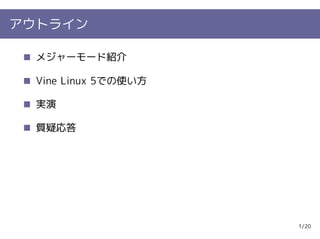
アウトライン

  メジャーモード紹介

  Vine Linux 5での使い方

  実演

  質疑応答


                      1/20
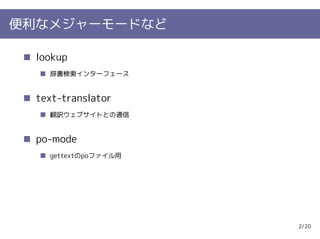
便利なメジャーモードなど

  lookup
    辞書検索インターフェース


  text-translator
    翻訳ウェブサイトとの通信


  po-mode
    gettextのpoファイル用


                      2/20
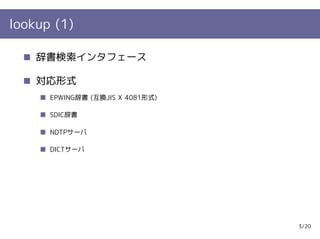
lookup (1)

    辞書検索インタフェース

    対応形式
      EPWING辞書 (互換JIS X 4081形式)

      SDIC辞書

      NDTPサーバ

      DICTサーバ


                                  3/20
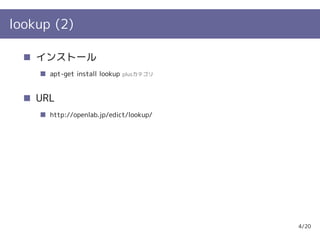
lookup (2)

    インストール
      apt-get install lookup   plusカテゴリ


    URL
      http://openlab.jp/edict/lookup/


                                          4/20
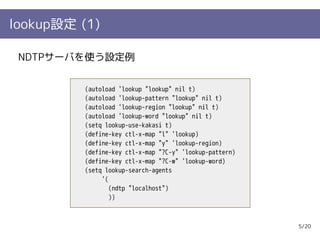
lookup設定 (1)

 NDTPサーバを使う設定例


          (autoload 'lookup "lookup" nil t)
          (autoload 'lookup-pattern "lookup" nil t)
          (autoload 'lookup-region "lookup" nil t)
          (autoload 'lookup-word "lookup" nil t)
          (setq lookup-use-kakasi t)
          (define-key ctl-x-map "l" 'lookup)
          (define-key ctl-x-map "y" 'lookup-region)
          (define-key ctl-x-map "?C-y" 'lookup-pattern)
          (define-key ctl-x-map "?C-w" 'lookup-word)
          (setq lookup-search-agents
               '(
                  (ndtp "localhost")
                  ))


                                                          5/20
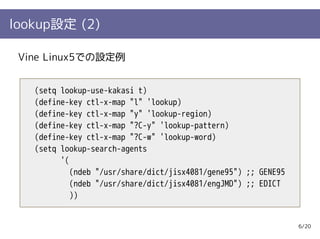
lookup設定 (2)

 Vine Linux5での設定例


   (setq lookup-use-kakasi t)
   (define-key ctl-x-map "l" 'lookup)
   (define-key ctl-x-map "y" 'lookup-region)
   (define-key ctl-x-map "?C-y" 'lookup-pattern)
   (define-key ctl-x-map "?C-w" 'lookup-word)
   (setq lookup-search-agents
         '(
            (ndeb "/usr/share/dict/jisx4081/gene95") ;; GENE95
            (ndeb "/usr/share/dict/jisx4081/engJMD") ;; EDICT
            ))


                                                                 6/20
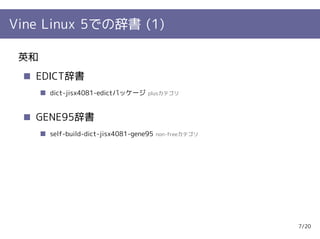
Vine Linux 5での辞書 (1)

 英和
   EDICT辞書
      dict-jisx4081-edictパッケージ     plusカテゴリ


   GENE95辞書
      self-build-dict-jisx4081-gene95   non-freeカテゴリ


                                                       7/20
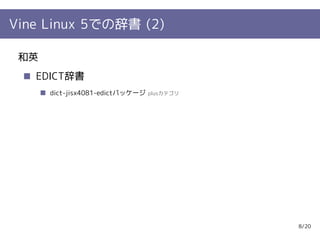
Vine Linux 5での辞書 (2)

 和英
   EDICT辞書
      dict-jisx4081-edictパッケージ   plusカテゴリ


                                            8/20
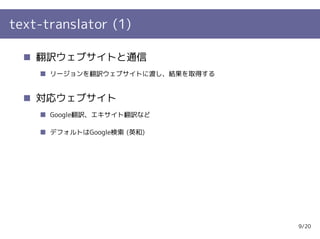
text-translator (1)

    翻訳ウェブサイトと通信
      リージョンを翻訳ウェブサイトに渡し、結果を取得する


    対応ウェブサイト
      Google翻訳、エキサイト翻訳など

      デフォルトはGoogle検索 (英和)


                                  9/20
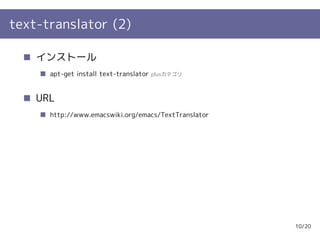
text-translator (2)

    インストール
      apt-get install text-translator   plusカテゴリ


    URL
      http://www.emacswiki.org/emacs/TextTranslator


                                                      10/20
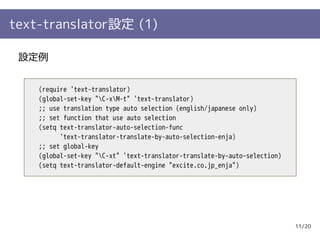
text-translator設定 (1)

 設定例


    (require 'text-translator)
    (global-set-key "C-xM-t" 'text-translator)
    ;; use translation type auto selection (english/japanese only)
    ;; set function that use auto selection
    (setq text-translator-auto-selection-func
          'text-translator-translate-by-auto-selection-enja)
    ;; set global-key
    (global-set-key "C-xt" 'text-translator-translate-by-auto-selection)
    (setq text-translator-default-engine "excite.co.jp_enja")


                                                                            11/20
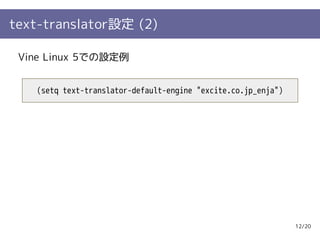
text-translator設定 (2)

 Vine Linux 5での設定例


   (setq text-translator-default-engine "excite.co.jp_enja")


                                                               12/20
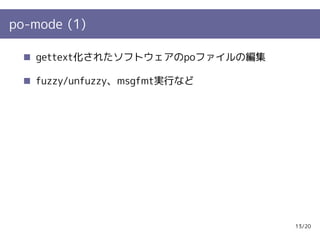
po-mode (1)

   gettext化されたソフトウェアのpoファイルの編集

   fuzzy/unfuzzy、msgfmt実行など


                                 13/20
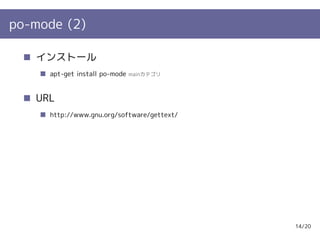
po-mode (2)

   インストール
     apt-get install po-mode   mainカテゴリ


   URL
     http://www.gnu.org/software/gettext/


                                            14/20
po-mode設定 (1)

 設定例


   (autoload 'po-mode "po-mode")
   (setq auto-mode-alist (cons '(".po[tx]?'|.po." . po-mode)
                               auto-mode-alist))


                                                                         15/20
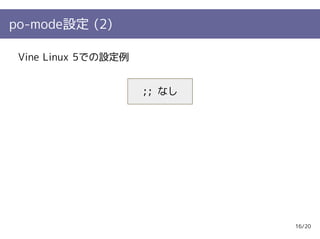
po-mode設定 (2)

 Vine Linux 5での設定例


                     ;; なし


                             16/20
po-modeキーバインド

とりあえず覚えておくキーバインド
  u       : 次の未翻訳に移動

  [tab]   : unfuzzy (fuzzyをとる)

  C-j     : 翻訳元の文字列を翻訳箇所にコピー

  [Enter] : 翻訳モードに入る

  C-c C-c : 翻訳モードを終了する

  s       : 翻訳箇所のソースコードを開く

  V       : 保存してmsgfmt実行
                                 17/20
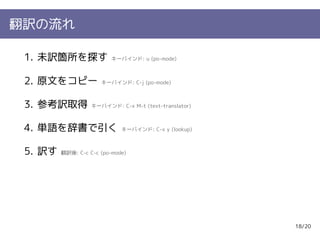
翻訳の流れ

 1. 未訳箇所を探す               キーバインド: u (po-mode)


 2. 原文をコピー            キーバインド: C-j (po-mode)


 3. 参考訳取得          キーバインド: C-x M-t (text-translator)


 4. 単語を辞書で引く                 キーバインド: C-x y (lookup)


 5. 訳す   翻訳後: C-c C-c (po-mode)


                                                       18/20
実演

とりあえず何か訳してみる


               19/20
質疑応答

なにかあれば。


          20/20

Emacsでの翻訳 - Emacsで訳す、gettextで国際化されたソフトウェア

  • 1.
  • 2.
    アウトライン メジャーモード紹介 Vine Linux 5での使い方 実演 質疑応答 1/20
  • 3.
    便利なメジャーモードなど lookup 辞書検索インターフェース text-translator 翻訳ウェブサイトとの通信 po-mode gettextのpoファイル用 2/20
  • 4.
    lookup (1) 辞書検索インタフェース 対応形式 EPWING辞書 (互換JIS X 4081形式) SDIC辞書 NDTPサーバ DICTサーバ 3/20
  • 5.
    lookup (2) インストール apt-get install lookup plusカテゴリ URL http://openlab.jp/edict/lookup/ 4/20
  • 6.
    lookup設定 (1) NDTPサーバを使う設定例 (autoload 'lookup "lookup" nil t) (autoload 'lookup-pattern "lookup" nil t) (autoload 'lookup-region "lookup" nil t) (autoload 'lookup-word "lookup" nil t) (setq lookup-use-kakasi t) (define-key ctl-x-map "l" 'lookup) (define-key ctl-x-map "y" 'lookup-region) (define-key ctl-x-map "?C-y" 'lookup-pattern) (define-key ctl-x-map "?C-w" 'lookup-word) (setq lookup-search-agents '( (ndtp "localhost") )) 5/20
  • 7.
    lookup設定 (2) VineLinux5での設定例 (setq lookup-use-kakasi t) (define-key ctl-x-map "l" 'lookup) (define-key ctl-x-map "y" 'lookup-region) (define-key ctl-x-map "?C-y" 'lookup-pattern) (define-key ctl-x-map "?C-w" 'lookup-word) (setq lookup-search-agents '( (ndeb "/usr/share/dict/jisx4081/gene95") ;; GENE95 (ndeb "/usr/share/dict/jisx4081/engJMD") ;; EDICT )) 6/20
  • 8.
    Vine Linux 5での辞書(1) 英和 EDICT辞書 dict-jisx4081-edictパッケージ plusカテゴリ GENE95辞書 self-build-dict-jisx4081-gene95 non-freeカテゴリ 7/20
  • 9.
    Vine Linux 5での辞書(2) 和英 EDICT辞書 dict-jisx4081-edictパッケージ plusカテゴリ 8/20
  • 10.
    text-translator (1) 翻訳ウェブサイトと通信 リージョンを翻訳ウェブサイトに渡し、結果を取得する 対応ウェブサイト Google翻訳、エキサイト翻訳など デフォルトはGoogle検索 (英和) 9/20
  • 11.
    text-translator (2) インストール apt-get install text-translator plusカテゴリ URL http://www.emacswiki.org/emacs/TextTranslator 10/20
  • 12.
    text-translator設定 (1) 設定例 (require 'text-translator) (global-set-key "C-xM-t" 'text-translator) ;; use translation type auto selection (english/japanese only) ;; set function that use auto selection (setq text-translator-auto-selection-func 'text-translator-translate-by-auto-selection-enja) ;; set global-key (global-set-key "C-xt" 'text-translator-translate-by-auto-selection) (setq text-translator-default-engine "excite.co.jp_enja") 11/20
  • 13.
    text-translator設定 (2) VineLinux 5での設定例 (setq text-translator-default-engine "excite.co.jp_enja") 12/20
  • 14.
    po-mode (1) gettext化されたソフトウェアのpoファイルの編集 fuzzy/unfuzzy、msgfmt実行など 13/20
  • 15.
    po-mode (2) インストール apt-get install po-mode mainカテゴリ URL http://www.gnu.org/software/gettext/ 14/20
  • 16.
    po-mode設定 (1) 設定例 (autoload 'po-mode "po-mode") (setq auto-mode-alist (cons '(".po[tx]?'|.po." . po-mode) auto-mode-alist)) 15/20
  • 17.
    po-mode設定 (2) VineLinux 5での設定例 ;; なし 16/20
  • 18.
    po-modeキーバインド とりあえず覚えておくキーバインド u : 次の未翻訳に移動 [tab] : unfuzzy (fuzzyをとる) C-j : 翻訳元の文字列を翻訳箇所にコピー [Enter] : 翻訳モードに入る C-c C-c : 翻訳モードを終了する s : 翻訳箇所のソースコードを開く V : 保存してmsgfmt実行 17/20
  • 19.
    翻訳の流れ 1. 未訳箇所を探す キーバインド: u (po-mode) 2. 原文をコピー キーバインド: C-j (po-mode) 3. 参考訳取得 キーバインド: C-x M-t (text-translator) 4. 単語を辞書で引く キーバインド: C-x y (lookup) 5. 訳す 翻訳後: C-c C-c (po-mode) 18/20
  • 20.
  • 21.