
Image courtesy of Maxxelli
Image courtesy of energyprojectresources.org
WORKSHOP AGENDA
October 2015
Image courtesy of waystobuildabusinessonline.com
e-Payment Fundamentals 3
1. Understanding Electronic Payment
System and its Environment
2. Navigating How E-Payment Works
3. Valuing E-Cash Systems and its
Opportunities
4. Comprehending E-Cash and its
Implementation
5. Identifying Challenges of E-Cash
6. Understanding E-Payment Risks
October 2015 e-Payment Fundamentals 4
Day 1 and Day 2
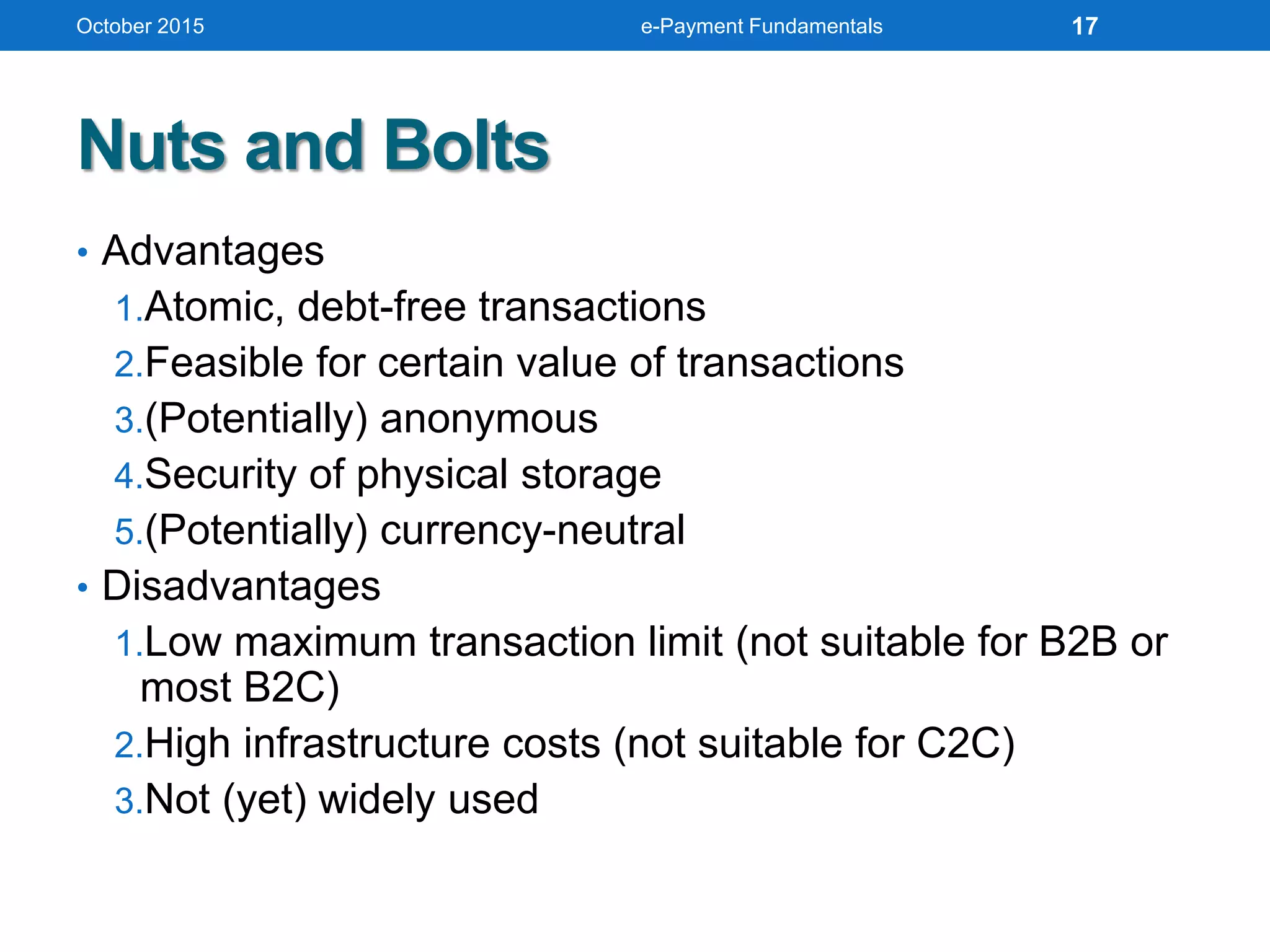
UNDERSTANDING
E-PAYMENT SYSTEM AND ITS
ENVIRONMENT
October 2015 e-Payment Fundamentals 5
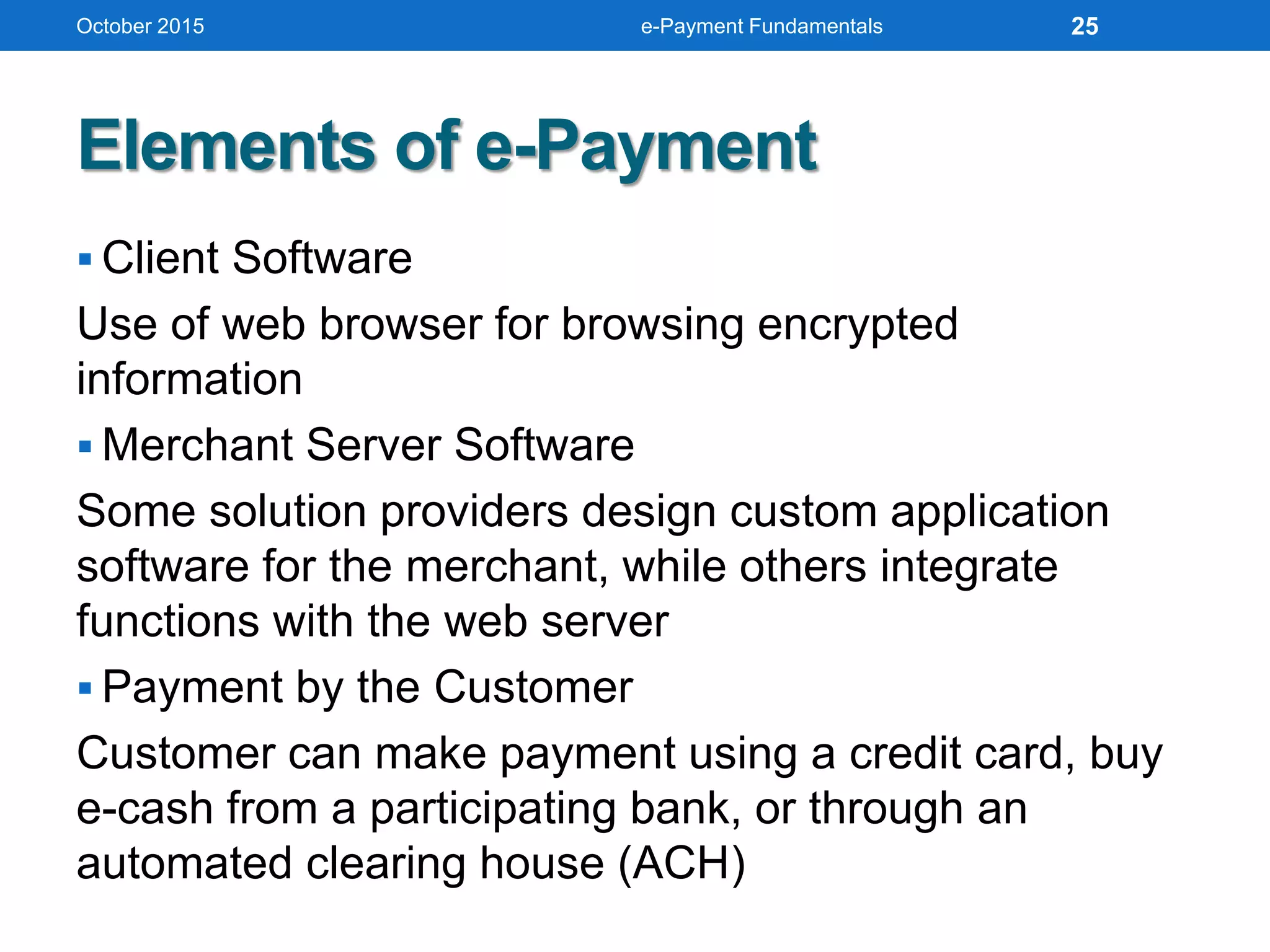
What Electronic Payment System is
A financial exchange takes place online
between buyers and sellers in the form of
digital financial instrument such as
encrypted credit card numbers, electronic
cheques or digital cash backed by a bank or
an intermediary.
In short, EPS is a system helping the user to make online
payment for their shopping or other activities.
October 2015 e-Payment Fundamentals 6
EPS Advantages
• Decreasing technology cost
Technology used in the networks is
decreasing day by day.
• Reduced operational and processing cost
Processing cost of various commerce
activities becomes very less (as
saving both paper and time.
• Increasing number of e-commerce sites
October 2015 e-Payment Fundamentals 7
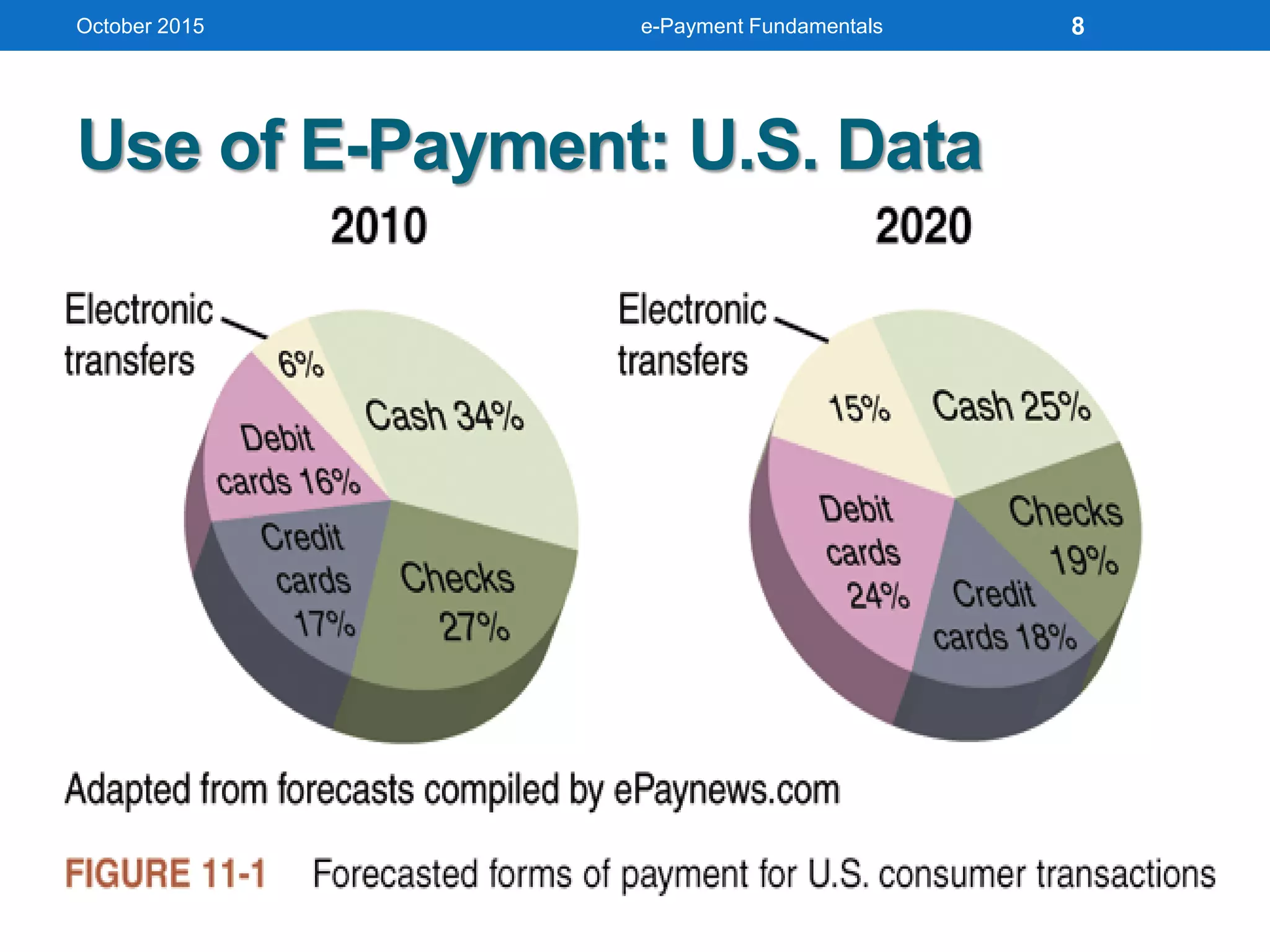
Use of E-Payment: U.S. Data
October 2015 e-Payment Fundamentals 8
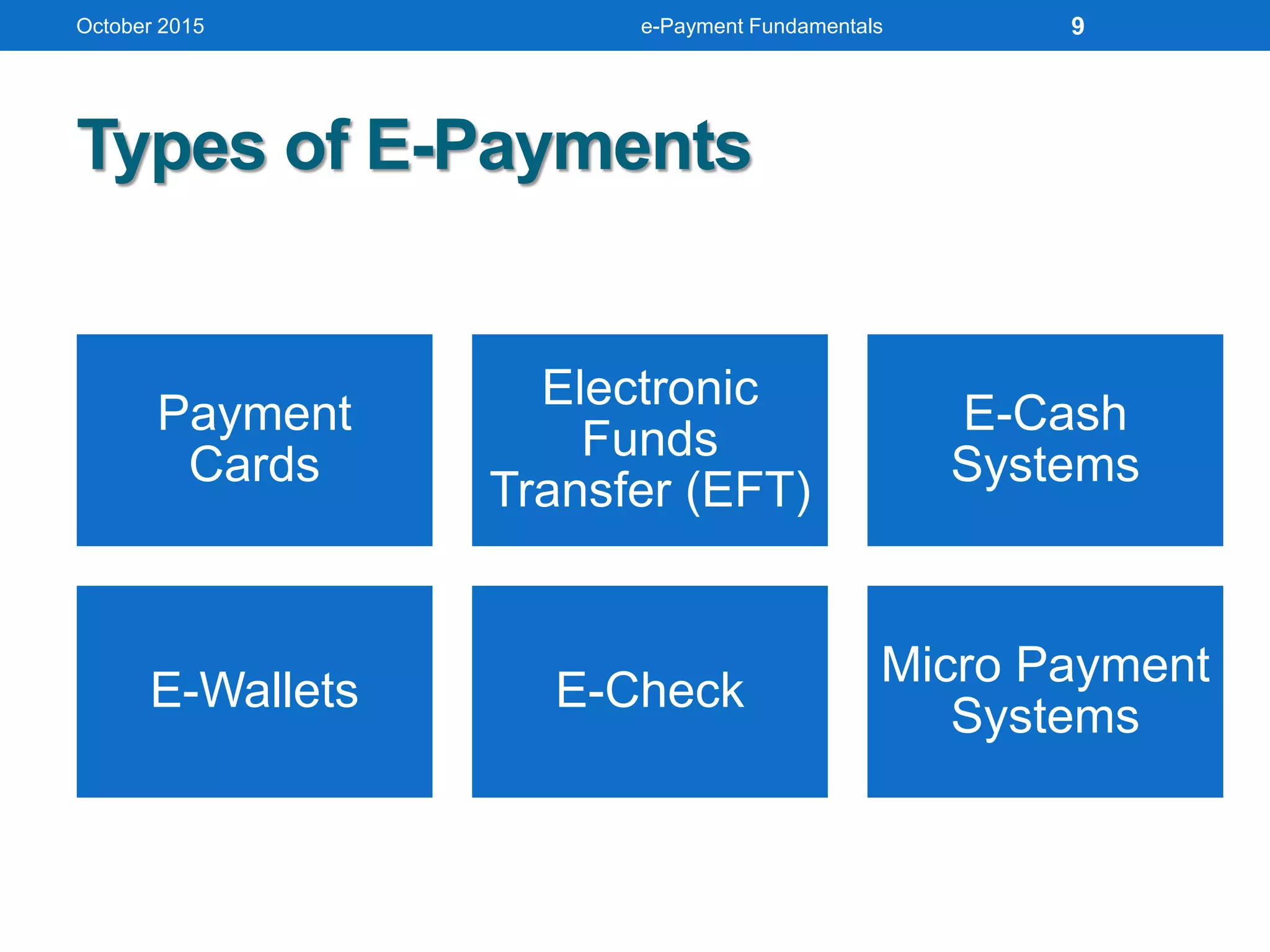
Types of E-Payments
October 2015 e-Payment Fundamentals
Payment
Cards
Electronic
Funds
Transfer (EFT)
E-Cash
Systems
E-Wallets E-Check
Micro Payment
Systems
9
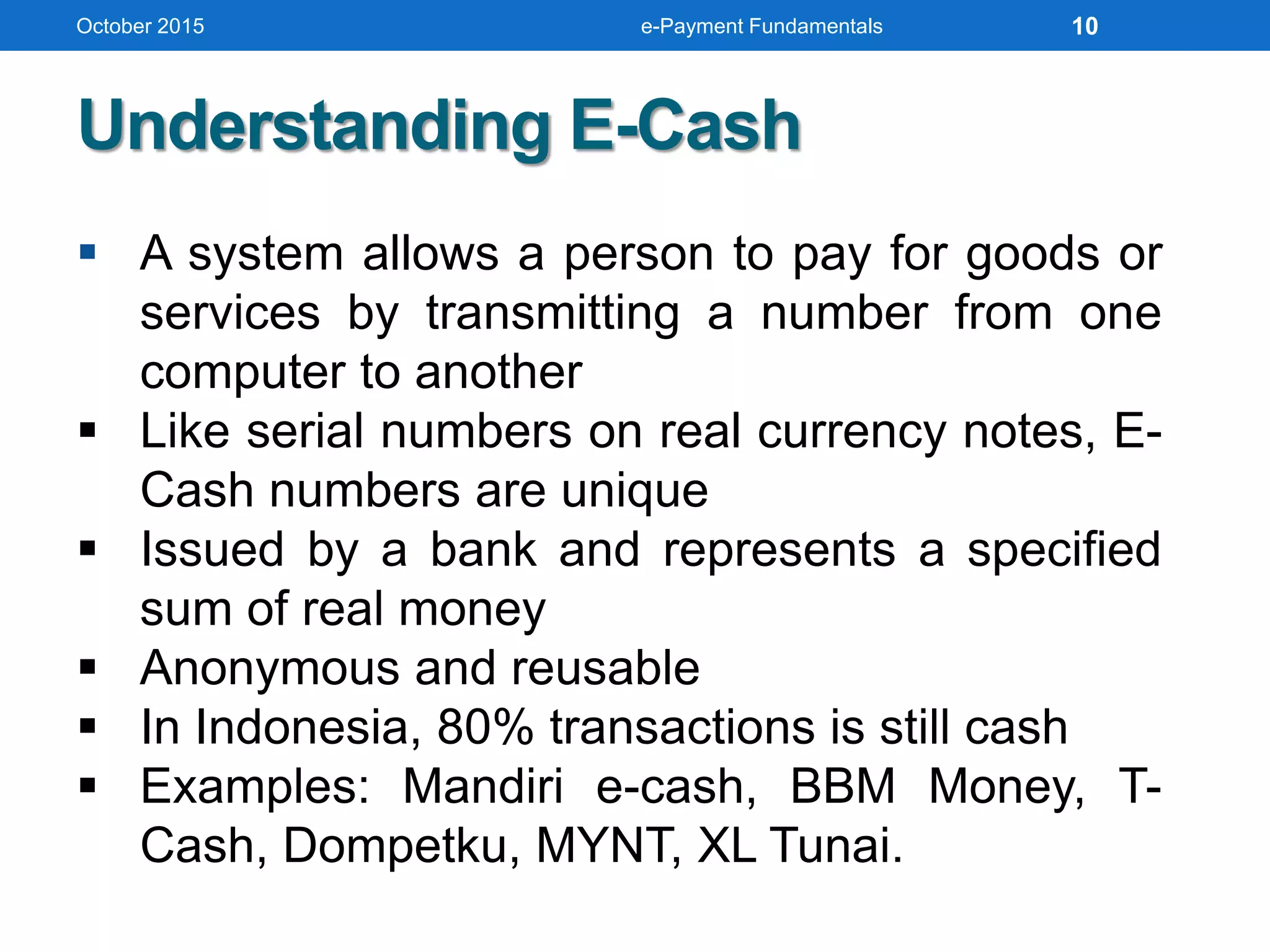
 A system allows a person to pay for goods or
services by transmitting a number from one
computer to another
 Like serial numbers on real currency notes, E-
Cash numbers are unique
 Issued by a bank and represents a specified
sum of real money
 Anonymous and reusable
 In Indonesia, 80% transactions is still cash
 Examples: Mandiri e-cash, BBM Money, T-
Cash, Dompetku, MYNT, XL Tunai.
Understanding E-Cash
October 2015 e-Payment Fundamentals 10
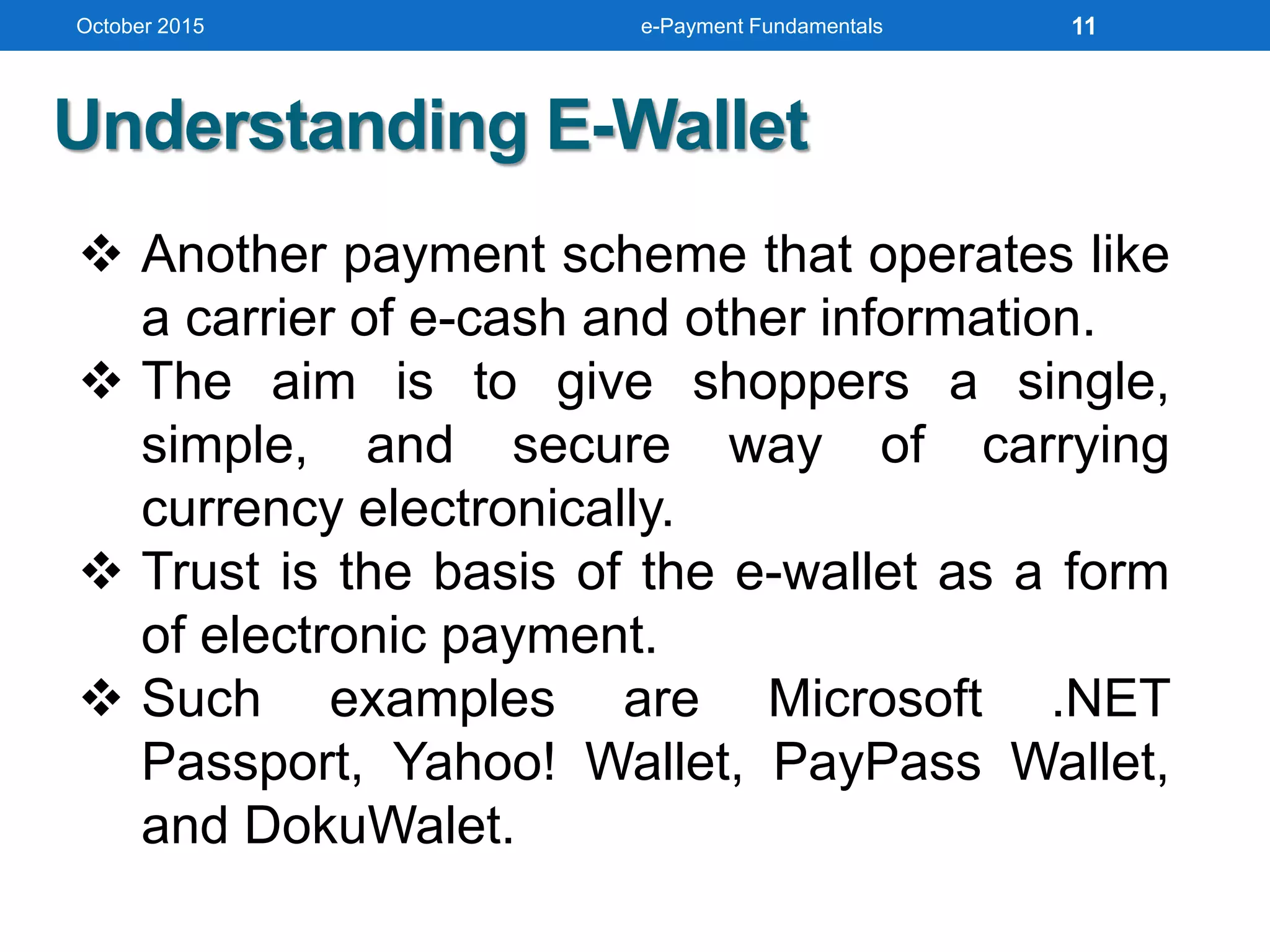
 Another payment scheme that operates like
a carrier of e-cash and other information.
 The aim is to give shoppers a single,
simple, and secure way of carrying
currency electronically.
 Trust is the basis of the e-wallet as a form
of electronic payment.
 Such examples are Microsoft .NET
Passport, Yahoo! Wallet, PayPass Wallet,
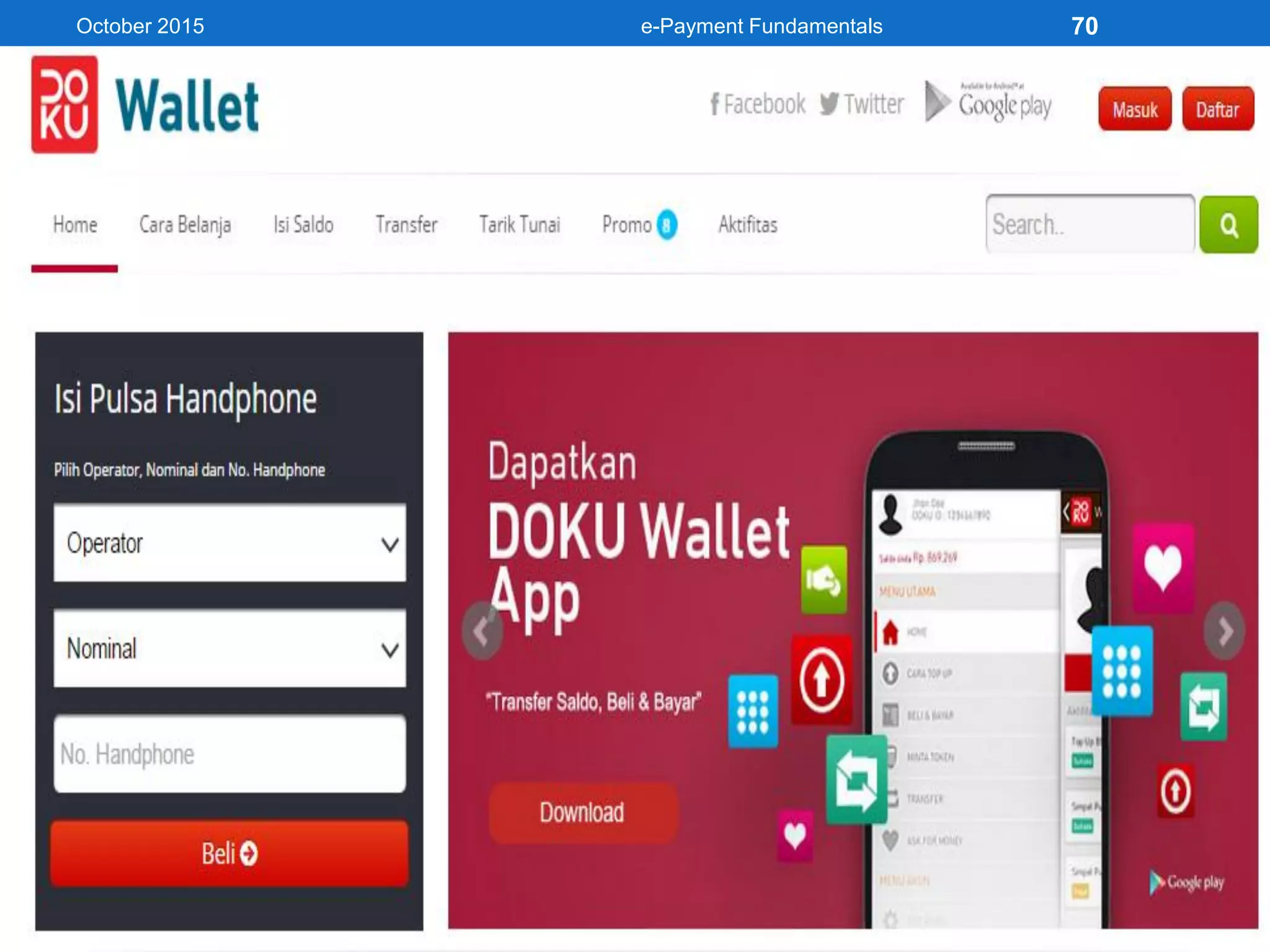
and DokuWalet.
Understanding E-Wallet
October 2015 e-Payment Fundamentals 11
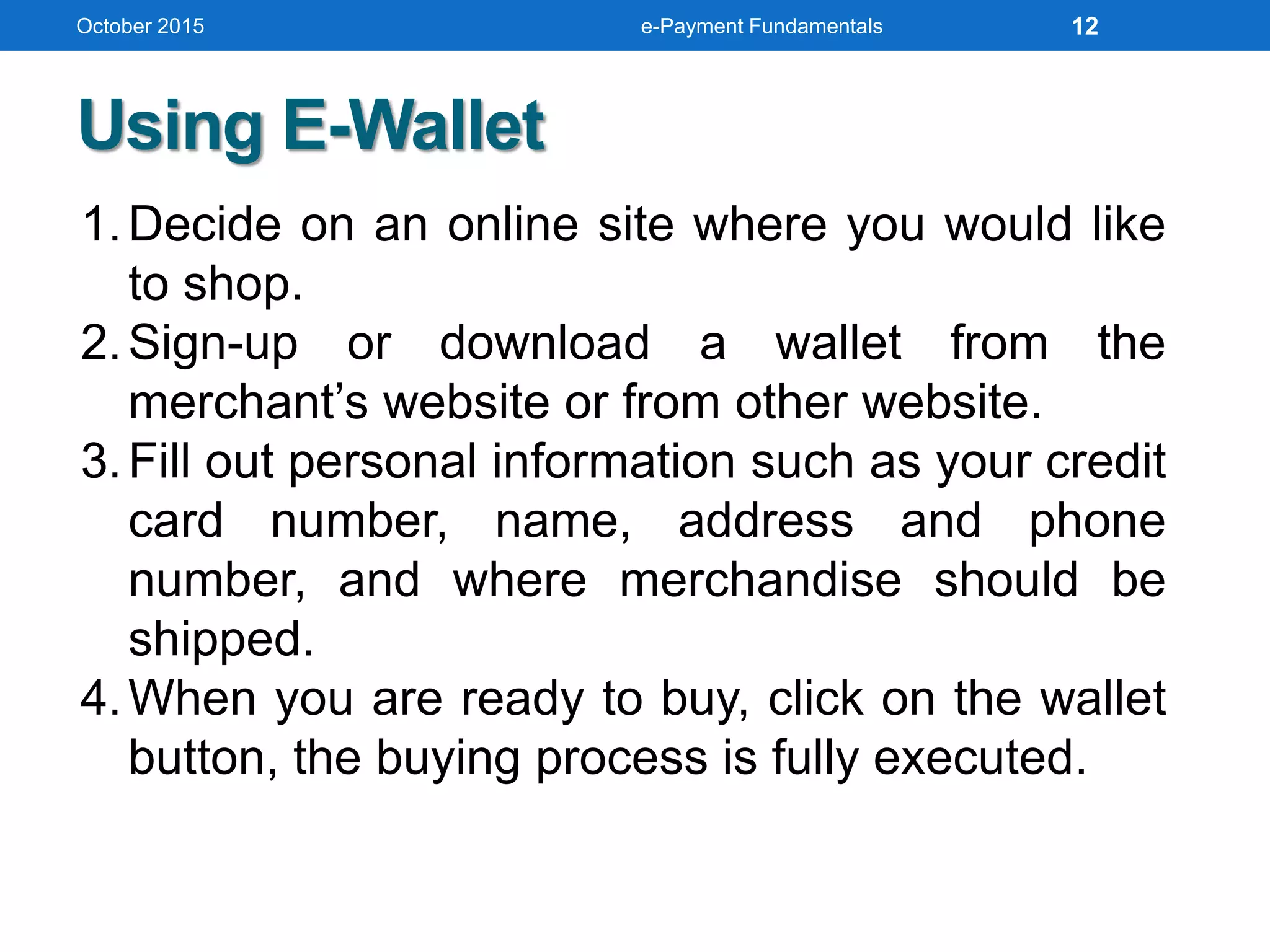
1.Decide on an online site where you would like
to shop.
2.Sign-up or download a wallet from the
merchant’s website or from other website.
3.Fill out personal information such as your credit
card number, name, address and phone
number, and where merchandise should be
shipped.
4.When you are ready to buy, click on the wallet
button, the buying process is fully executed.
Using E-Wallet
October 2015 e-Payment Fundamentals 12
Smart Cards
Any pocket-sized card with embedded
integrated circuits which can process data
As known as Chip Card, ICC Card
Flazz, Toll Mandiri, Starbucks Card, etc
Contact
Have a contact area of 1cm comprising
several gold-plated contact pads
These pads provide electrical
connectivity when inserted into a reader
October 2015 e-Payment Fundamentals 13
Smart Cards (cont’d)
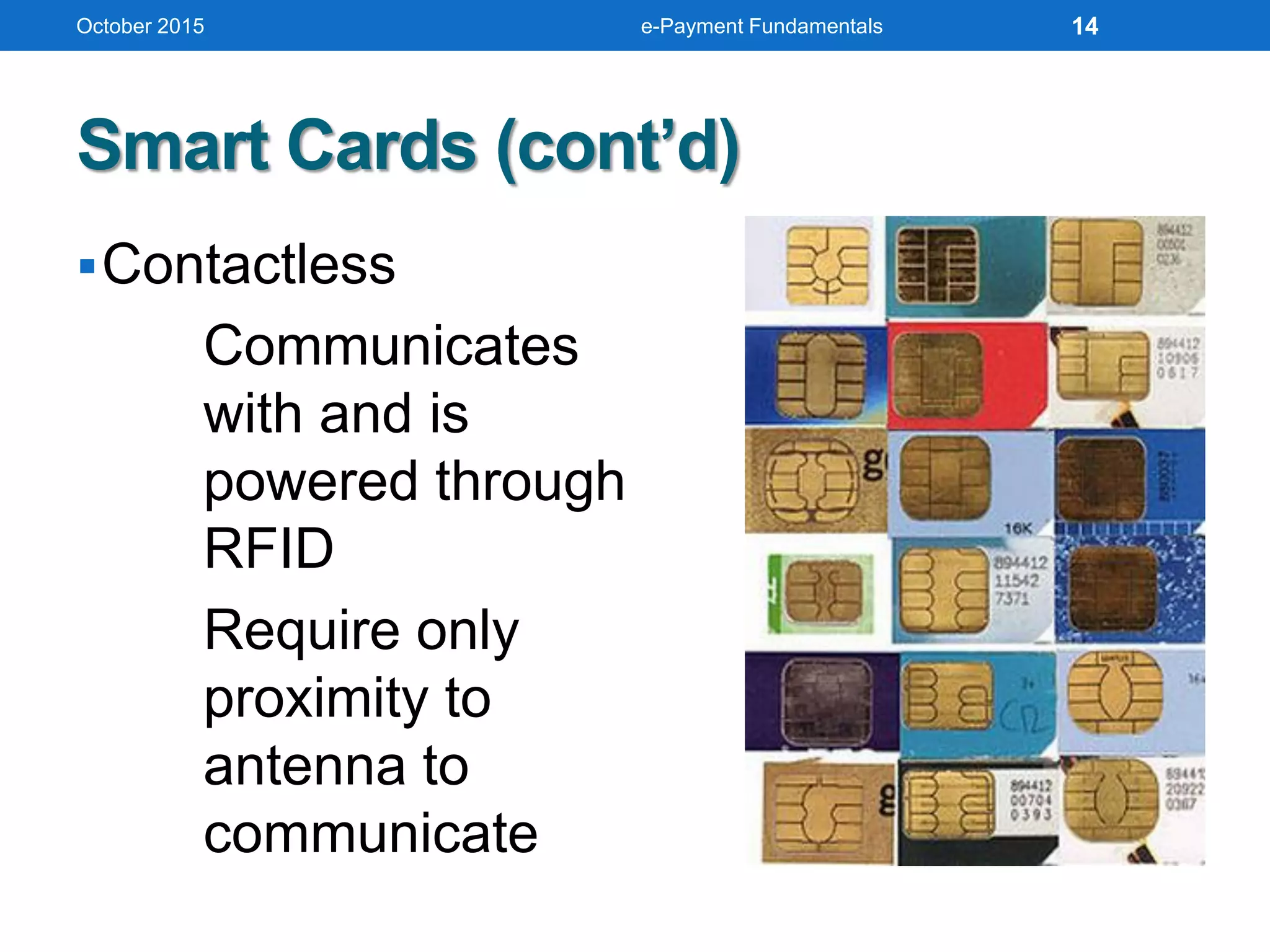
Contactless
Communicates
with and is
powered through
RFID
Require only
proximity to
antenna to
communicate
October 2015 e-Payment Fundamentals 14
Navigating Smart Cards
• Magnetic stripe
• 140 bytes
• Memory cards
• 1-4 KB memory, no processor
• Optical memory cards
• 4 megabytes read-only (CD-like)
• Microprocessor cards
• Embedded microprocessor
• (OLD) 8-bit processor, 16 KB ROM, 512 bytes RAM
• Equivalent power to IBM XT PC
• 32-bit processors now available
October 2015 e-Payment Fundamentals 15
Navigating Smart Cards (cont’d)
• Available for over 10 years
• So far not successful in U.S., but popular in
Europe, Australia, and Japan
• Smart cards gradually reappearing in U.S.;
success depends on:
• Critical mass of smart cards that support
applications
• Compatibility between smart cards, card-reader
devices, and applications
October 2015 e-Payment Fundamentals 16
Nuts and Bolts
• Advantages
1.Atomic, debt-free transactions
2.Feasible for certain value of transactions
3.(Potentially) anonymous
4.Security of physical storage
5.(Potentially) currency-neutral
• Disadvantages
1.Low maximum transaction limit (not suitable for B2B or
most B2C)
2.High infrastructure costs (not suitable for C2C)
3.Not (yet) widely used
October 2015 e-Payment Fundamentals 17
Mondex Smart Card
• Holds and dispenses electronic cash
(Smart-card based, stored-value card)
• Developed by MasterCard International
• Requires specific card reader, called Mondex
terminal, for merchant or customer to use card
over Internet
• Supports micro-payments and works both online
and off-line at stores or over the telephone
• Secret chip-to-chip transfer protocol
October 2015 e-Payment Fundamentals 18
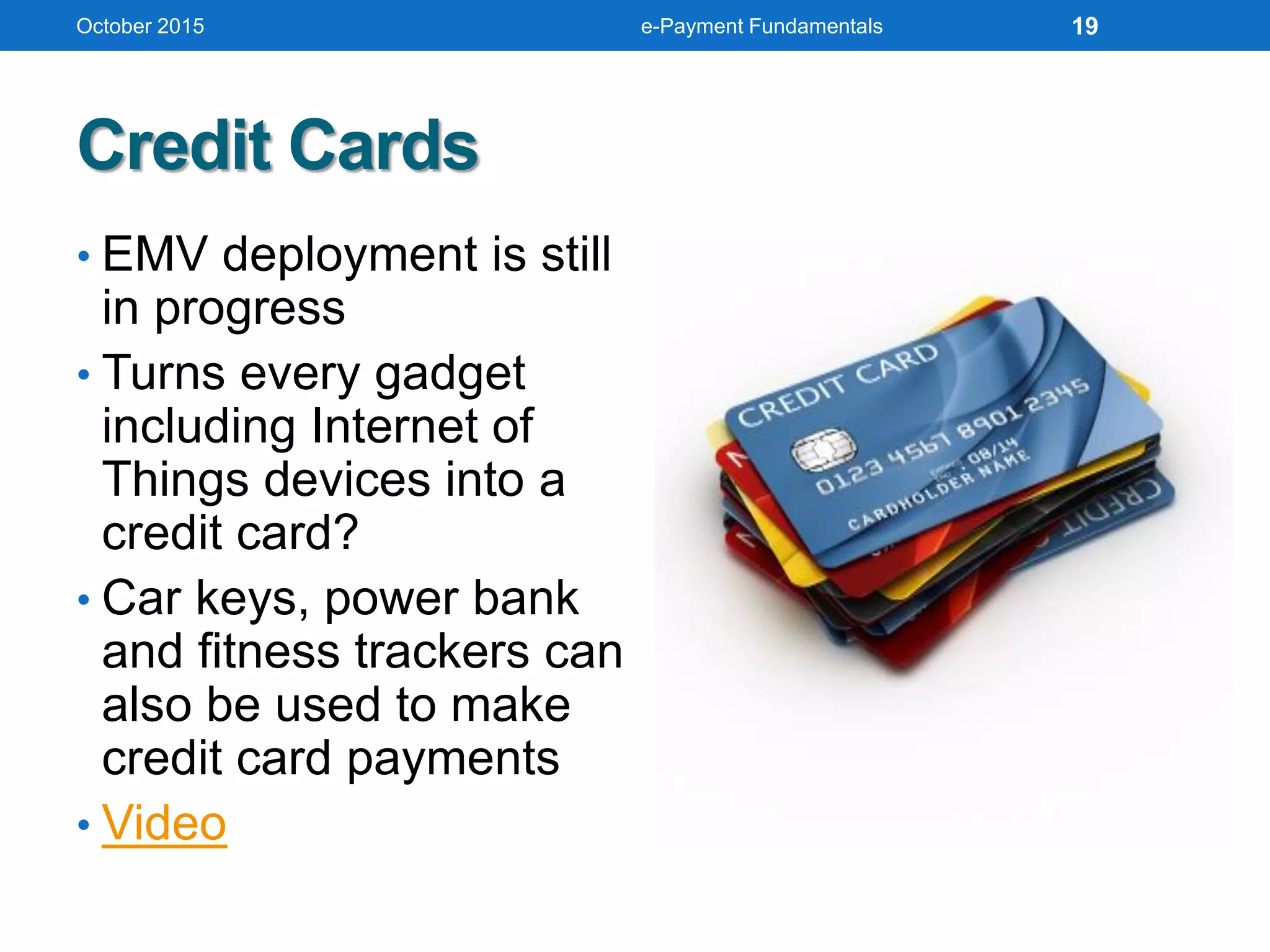
Credit Cards
• EMV deployment is still
in progress
• Turns every gadget
including Internet of
Things devices into a
credit card?
• Car keys, power bank
and fitness trackers can
also be used to make
credit card payments
• Video
October 2015 e-Payment Fundamentals 19
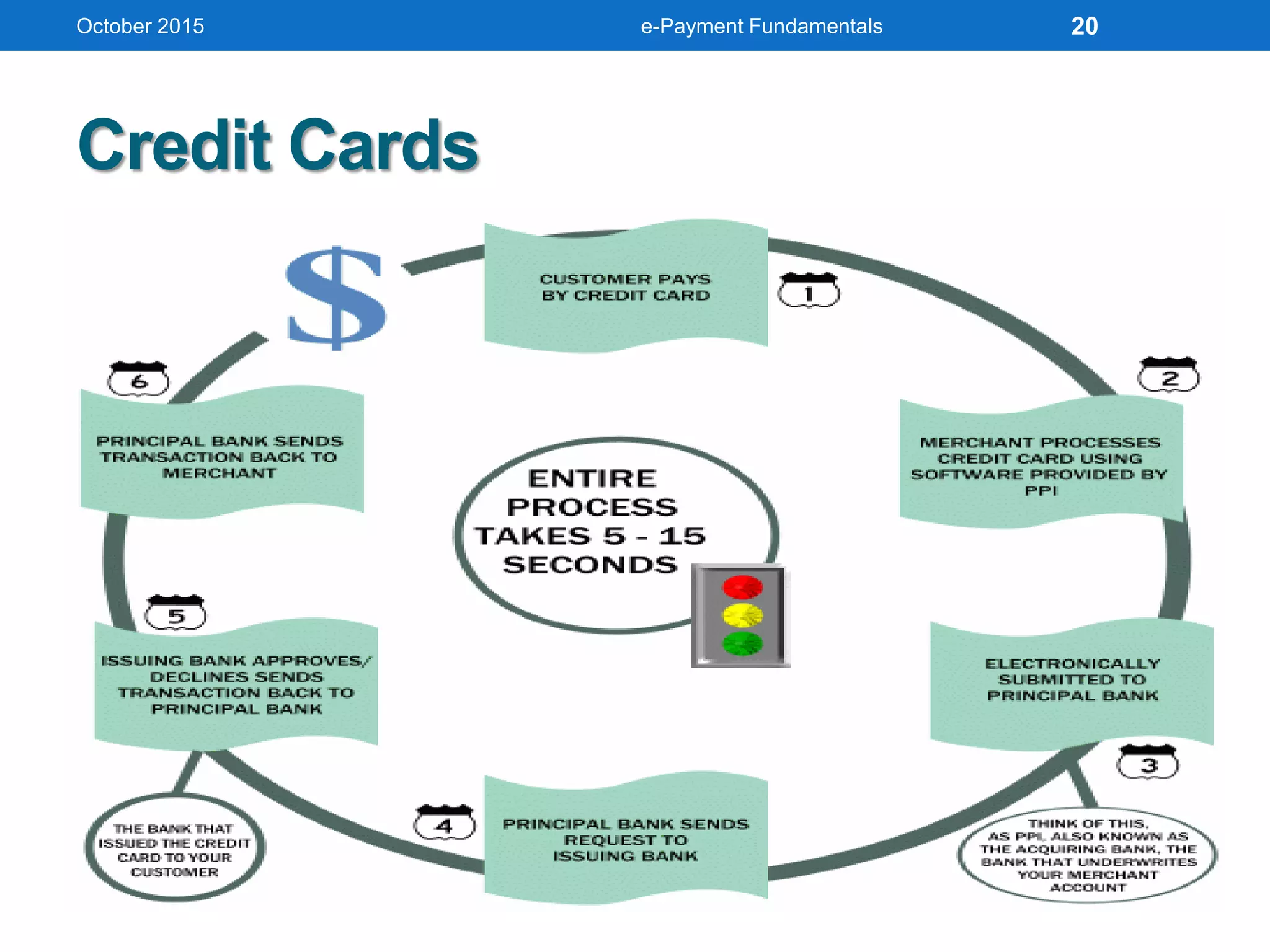
Credit Cards
October 2015 e-Payment Fundamentals 20
Electronic Credit Cards
• Credit-card-sized device
holds other credit cards
• Swap from card to card
• Even store gift cards inside
its ultra-thin innards
• Uses low-power Bluetooth
to connect to our iOS
device coupled with a
standard credit-card reader
• Holds up to eight cards
• EMV-NFC ready
• Video 1 and 2
October 2015 e-Payment Fundamentals 21
Image courtesy of Techcrunch
October 2015 e-Payment Fundamentals 22
Image courtesy of Flint
Video
Nuts and Bolts
• Used for the majority of Internet purchases
• Has a preset spending limit in particular
• Currently convenient method
• Expensive e-payment mechanism
• MasterCard: $0.29 + 2% of transaction value
• Disadvantages
• Does not work for small amount (too
expensive)
October 2015 e-Payment Fundamentals 23
NAVIGATING
HOW E-PAYMENT WORKS
October 2015 e-Payment Fundamentals 24
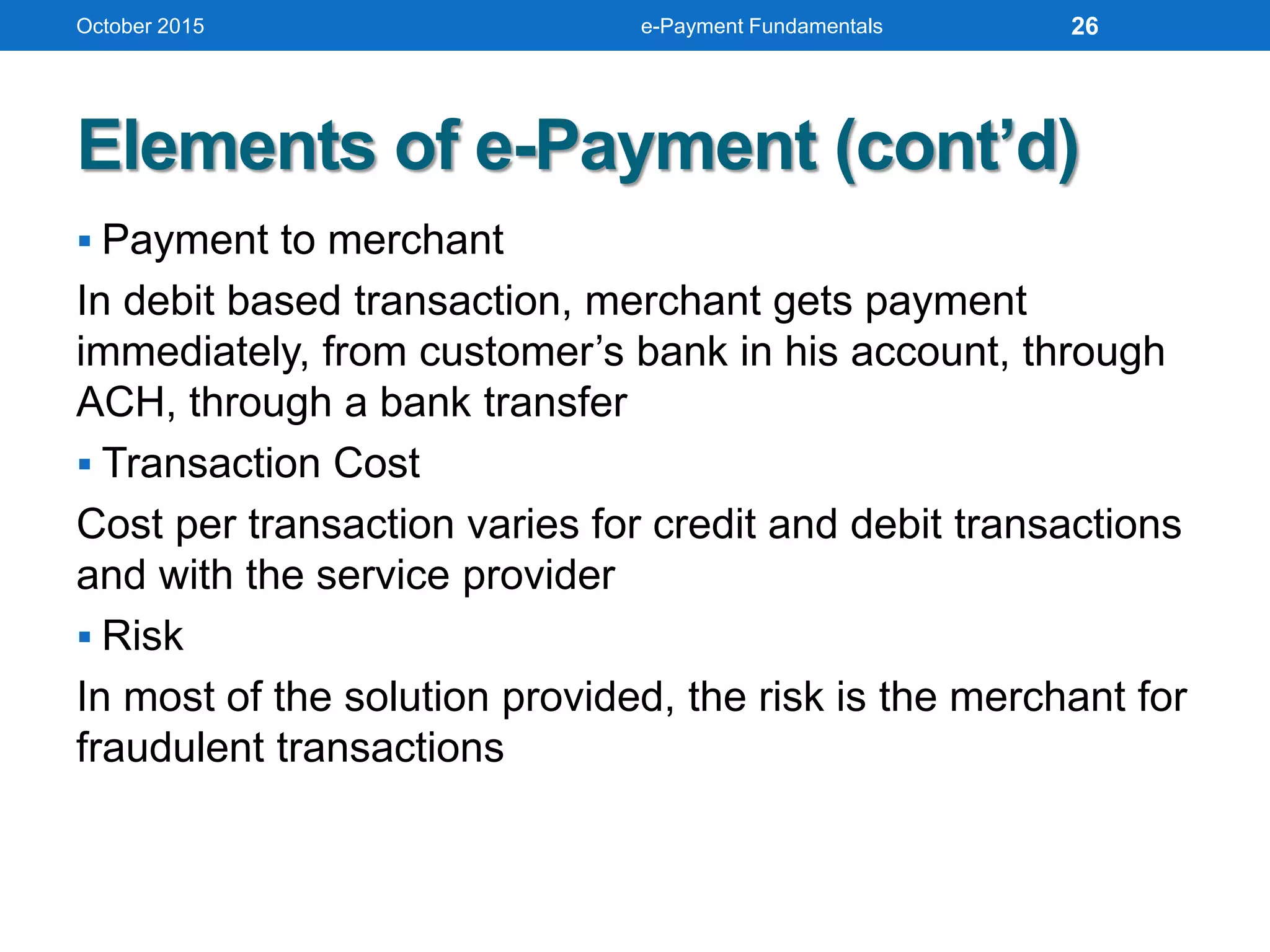
Elements of e-Payment
 Client Software
Use of web browser for browsing encrypted
information
 Merchant Server Software
Some solution providers design custom application
software for the merchant, while others integrate
functions with the web server
 Payment by the Customer
Customer can make payment using a credit card, buy
e-cash from a participating bank, or through an
automated clearing house (ACH)
October 2015 e-Payment Fundamentals 25
Elements of e-Payment (cont’d)
 Payment to merchant
In debit based transaction, merchant gets payment
immediately, from customer’s bank in his account, through
ACH, through a bank transfer
 Transaction Cost
Cost per transaction varies for credit and debit transactions
and with the service provider
 Risk
In most of the solution provided, the risk is the merchant for
fraudulent transactions
October 2015 e-Payment Fundamentals 26
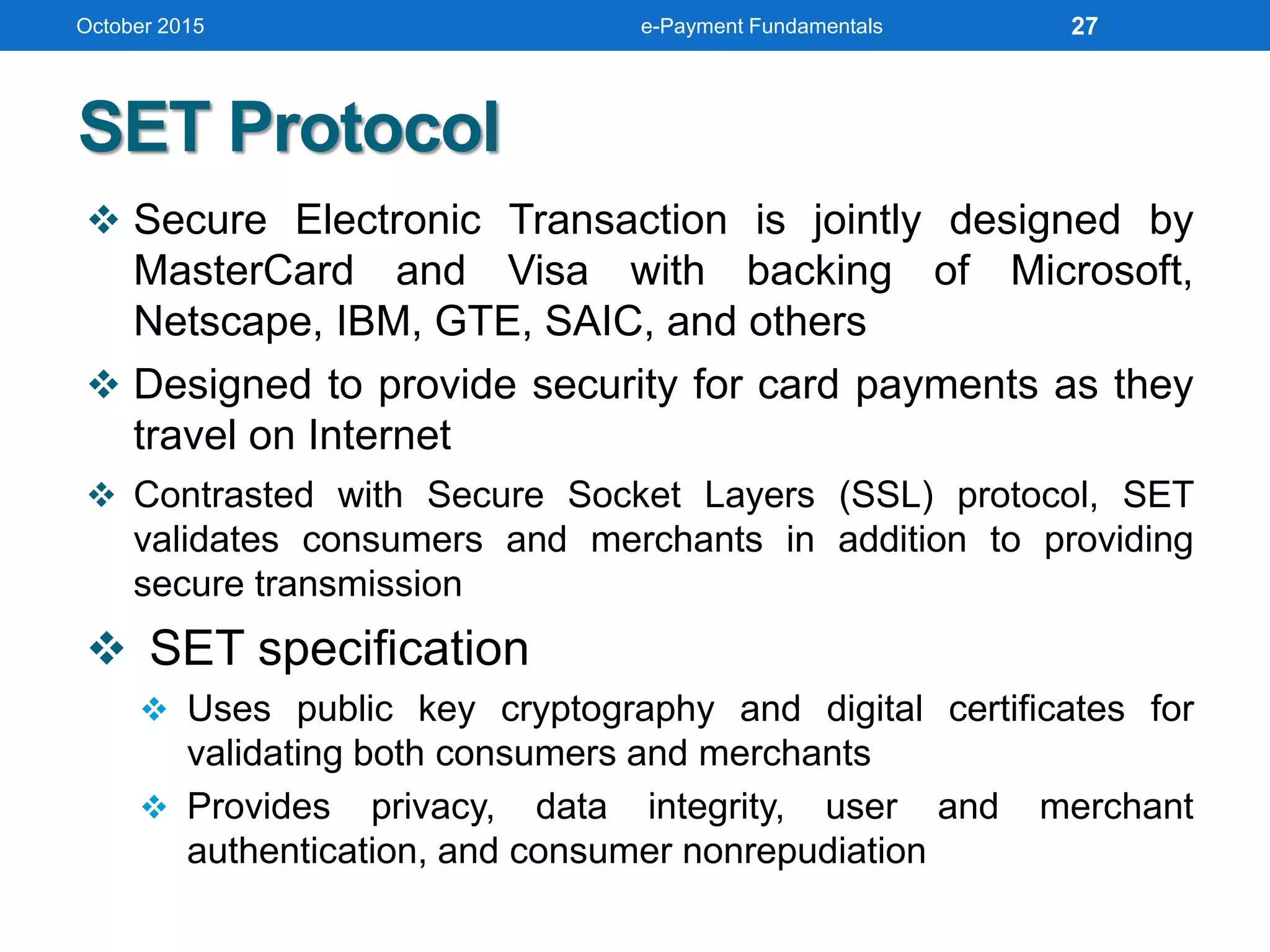
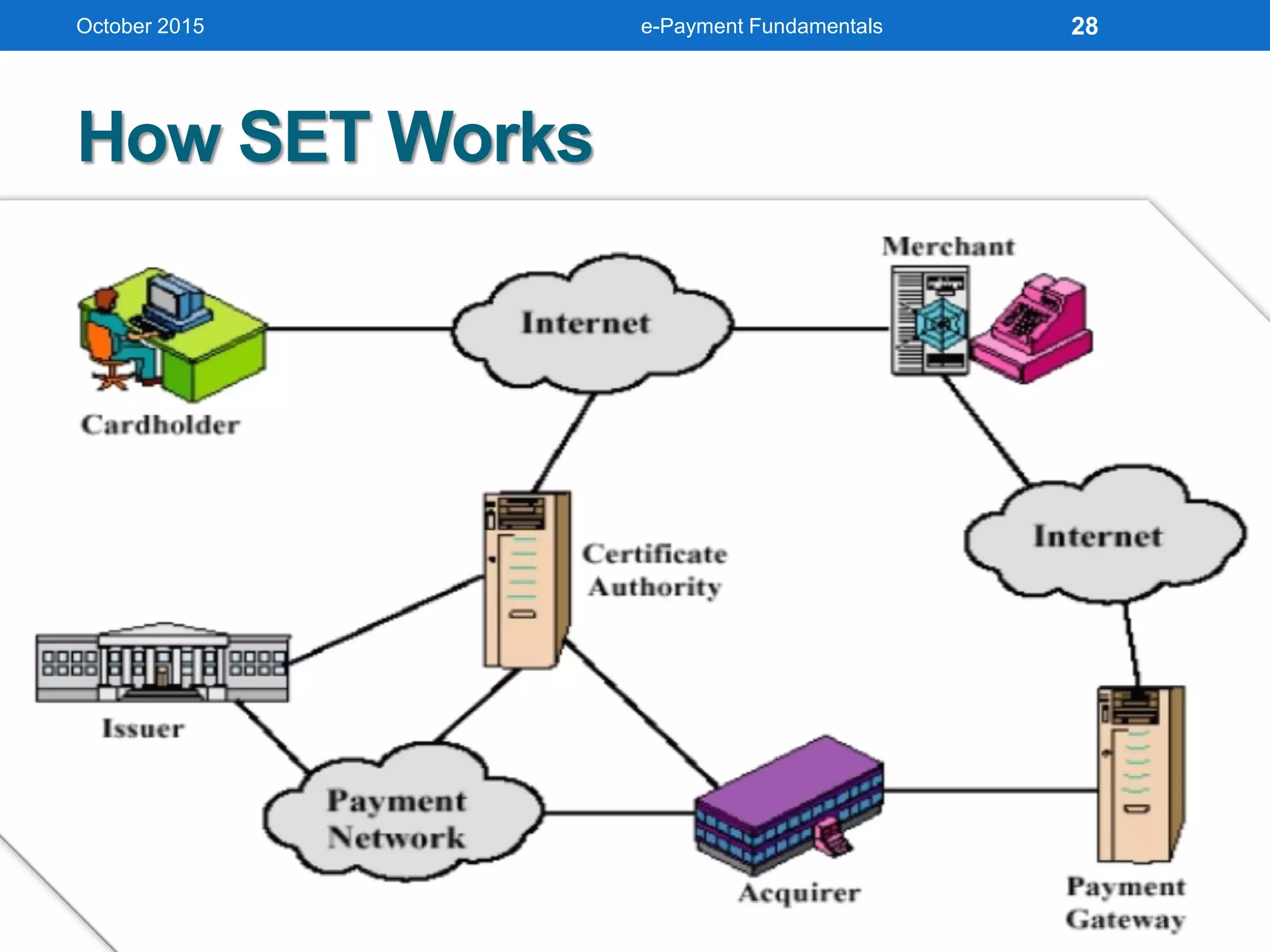
SET Protocol
 Secure Electronic Transaction is jointly designed by
MasterCard and Visa with backing of Microsoft,
Netscape, IBM, GTE, SAIC, and others
 Designed to provide security for card payments as they
travel on Internet
 Contrasted with Secure Socket Layers (SSL) protocol, SET
validates consumers and merchants in addition to providing
secure transmission
 SET specification
 Uses public key cryptography and digital certificates for
validating both consumers and merchants
 Provides privacy, data integrity, user and merchant
authentication, and consumer nonrepudiation
October 2015 e-Payment Fundamentals 27
How SET Works
October 2015 e-Payment Fundamentals 28
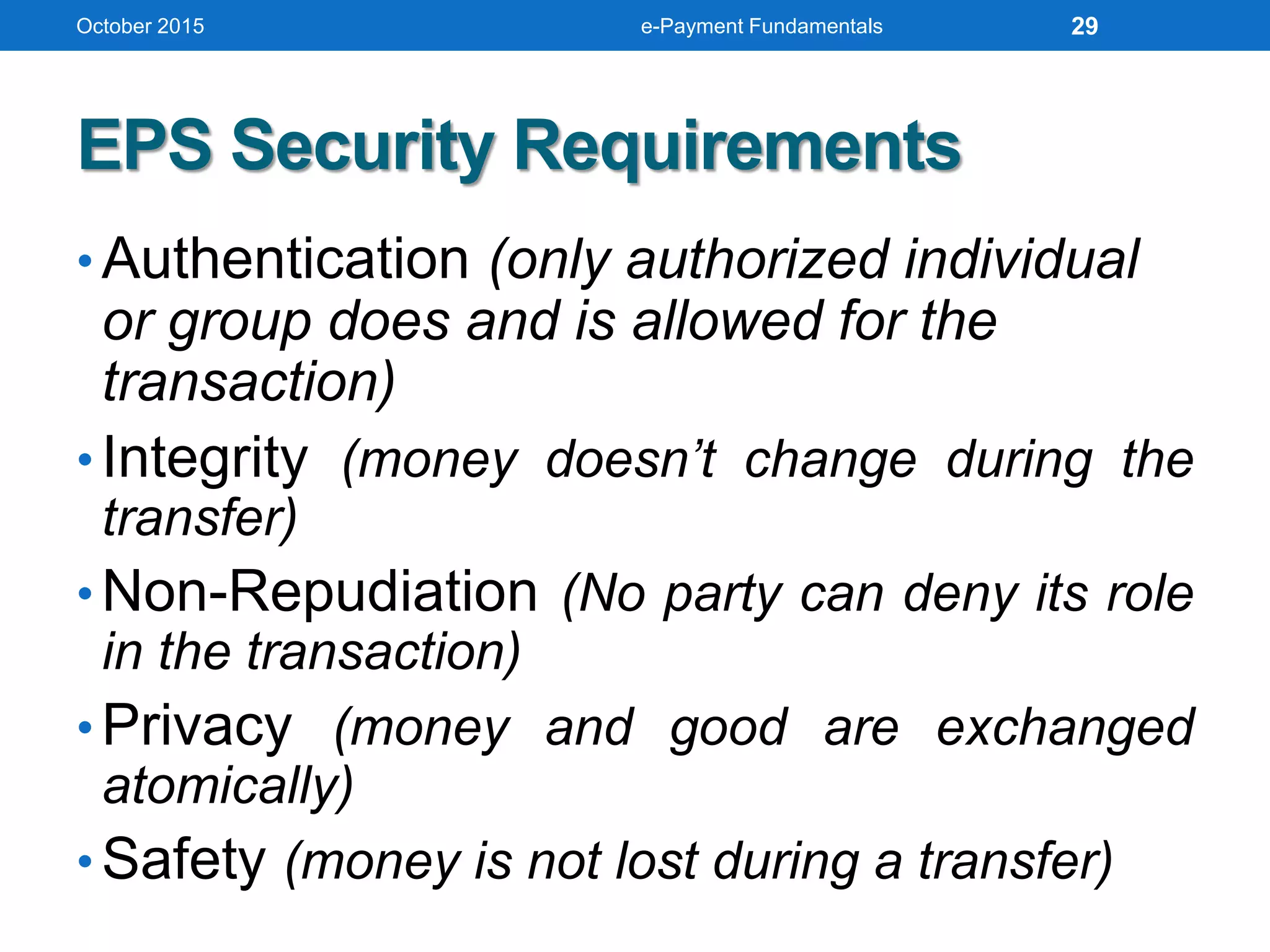
EPS Security Requirements
• Authentication (only authorized individual
or group does and is allowed for the
transaction)
• Integrity (money doesn’t change during the
transfer)
• Non-Repudiation (No party can deny its role
in the transaction)
• Privacy (money and good are exchanged
atomically)
• Safety (money is not lost during a transfer)
October 2015 e-Payment Fundamentals 29
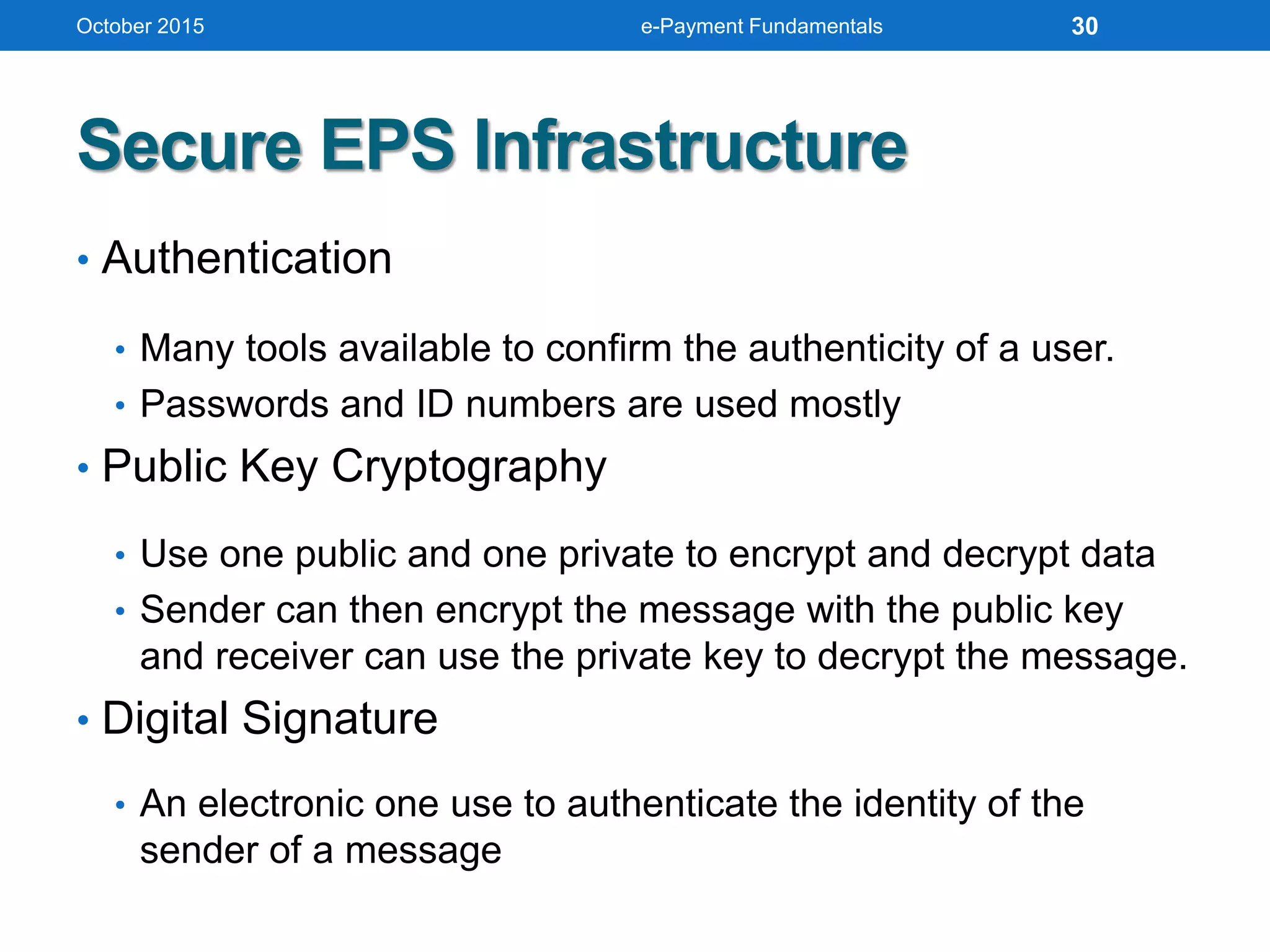
Secure EPS Infrastructure
• Authentication
• Many tools available to confirm the authenticity of a user.
• Passwords and ID numbers are used mostly
• Public Key Cryptography
• Use one public and one private to encrypt and decrypt data
• Sender can then encrypt the message with the public key
and receiver can use the private key to decrypt the message.
• Digital Signature
• An electronic one use to authenticate the identity of the
sender of a message
October 2015 e-Payment Fundamentals 30
Secure EPS Infrastructure (cont’d)
• Secure Sockets Layer (SSL)
• Commonly used protocol for managing the security of a
message transmission
• Uses the public-and-private key encryption system
• Program layer located between HTTP and TCP
• Certificate
• The issuer verified the identity of the individual
• Symantec Certificates
• GeoTrust
October 2015 e-Payment Fundamentals 31
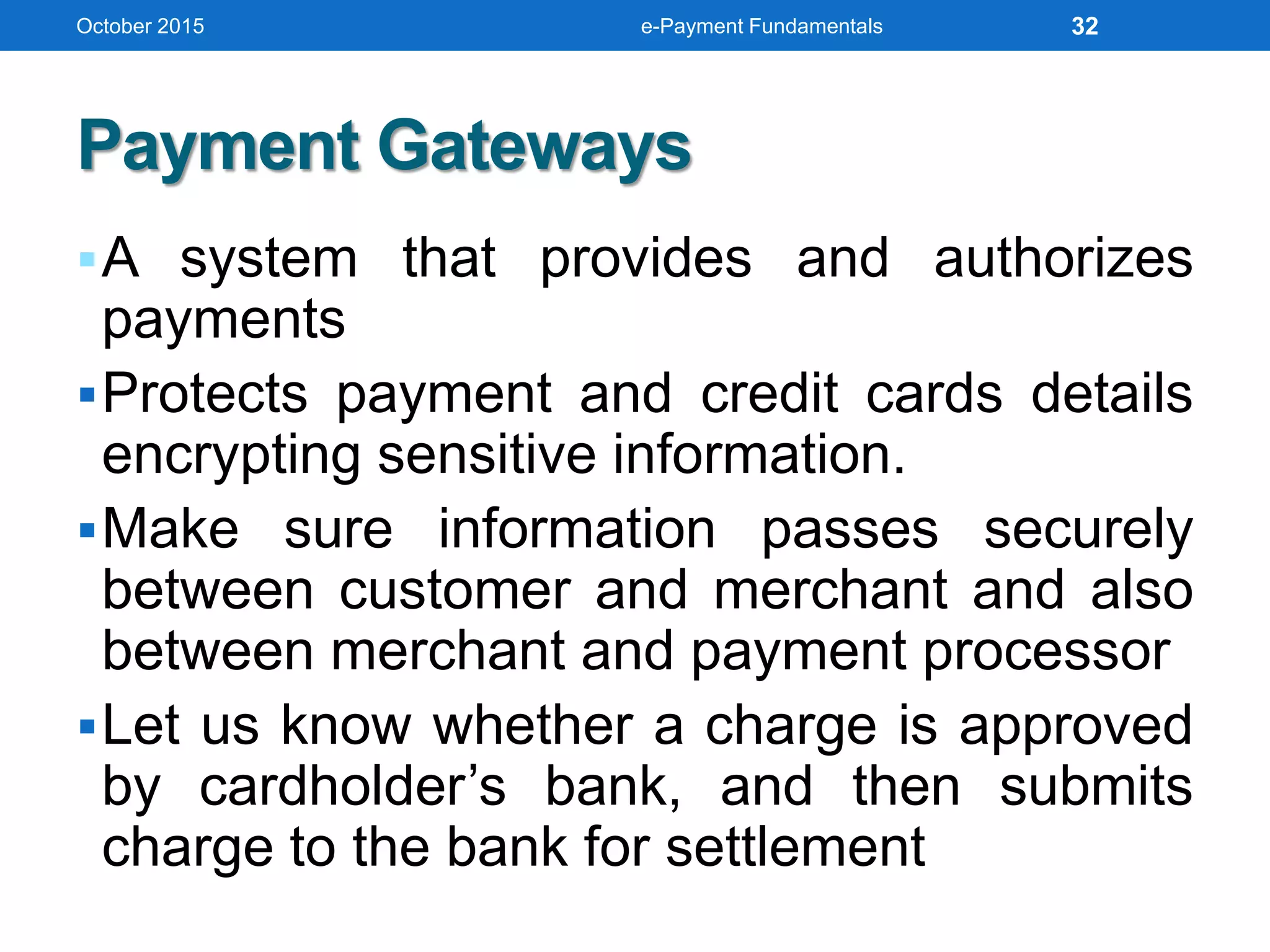
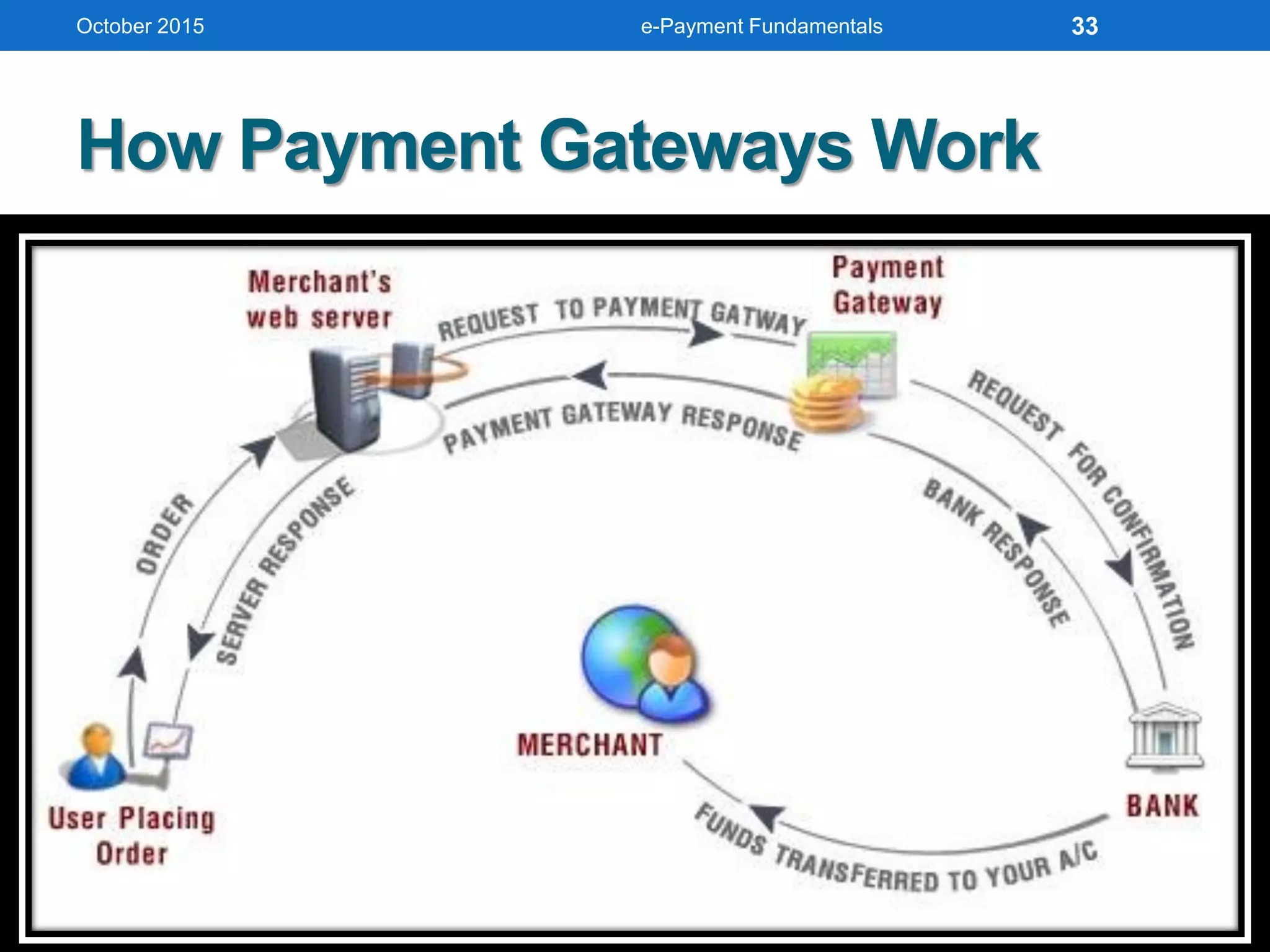
Payment Gateways
A system that provides and authorizes
payments
Protects payment and credit cards details
encrypting sensitive information.
Make sure information passes securely
between customer and merchant and also
between merchant and payment processor
Let us know whether a charge is approved
by cardholder’s bank, and then submits
charge to the bank for settlement
October 2015 e-Payment Fundamentals 32
How Payment Gateways Work
October 2015 e-Payment Fundamentals 33
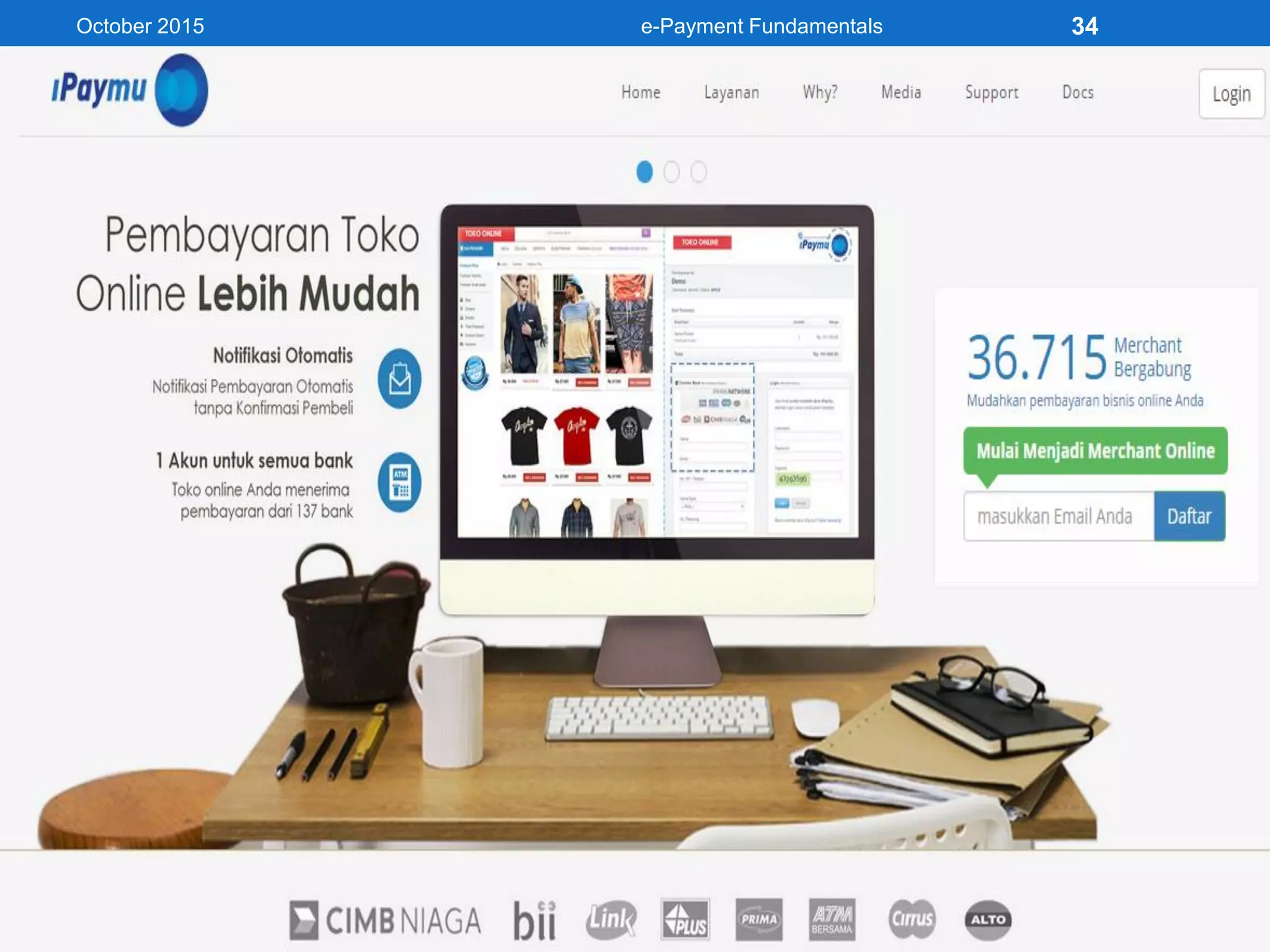
October 2015 e-Payment Fundamentals 34
Payment Service Provider
• As known as Payment Processor
• A system that connects cardholder’s bank
with merchant’s bank, and card brands
(e.g. Visa, Mastercard, Discover, etc.)
• Take money from cardholder’s bank
account and deliver it to merchant’s bank
account
• More than 900 payment providers in the
world (300 offer services for Europe and
North-America)
October 2015 e-Payment Fundamentals 35
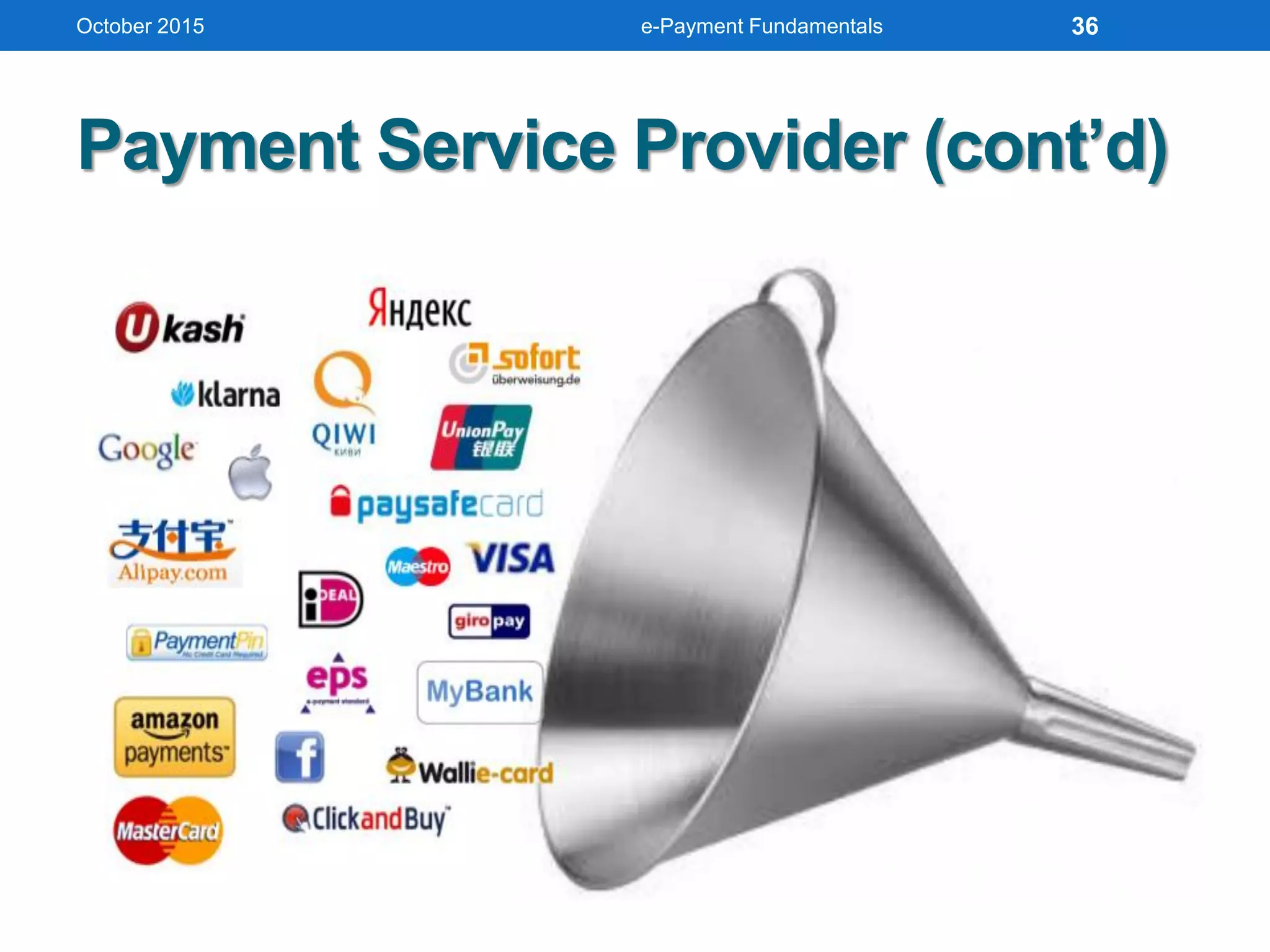
Payment Service Provider (cont’d)
October 2015 e-Payment Fundamentals 36
October 2015 e-Payment Fundamentals
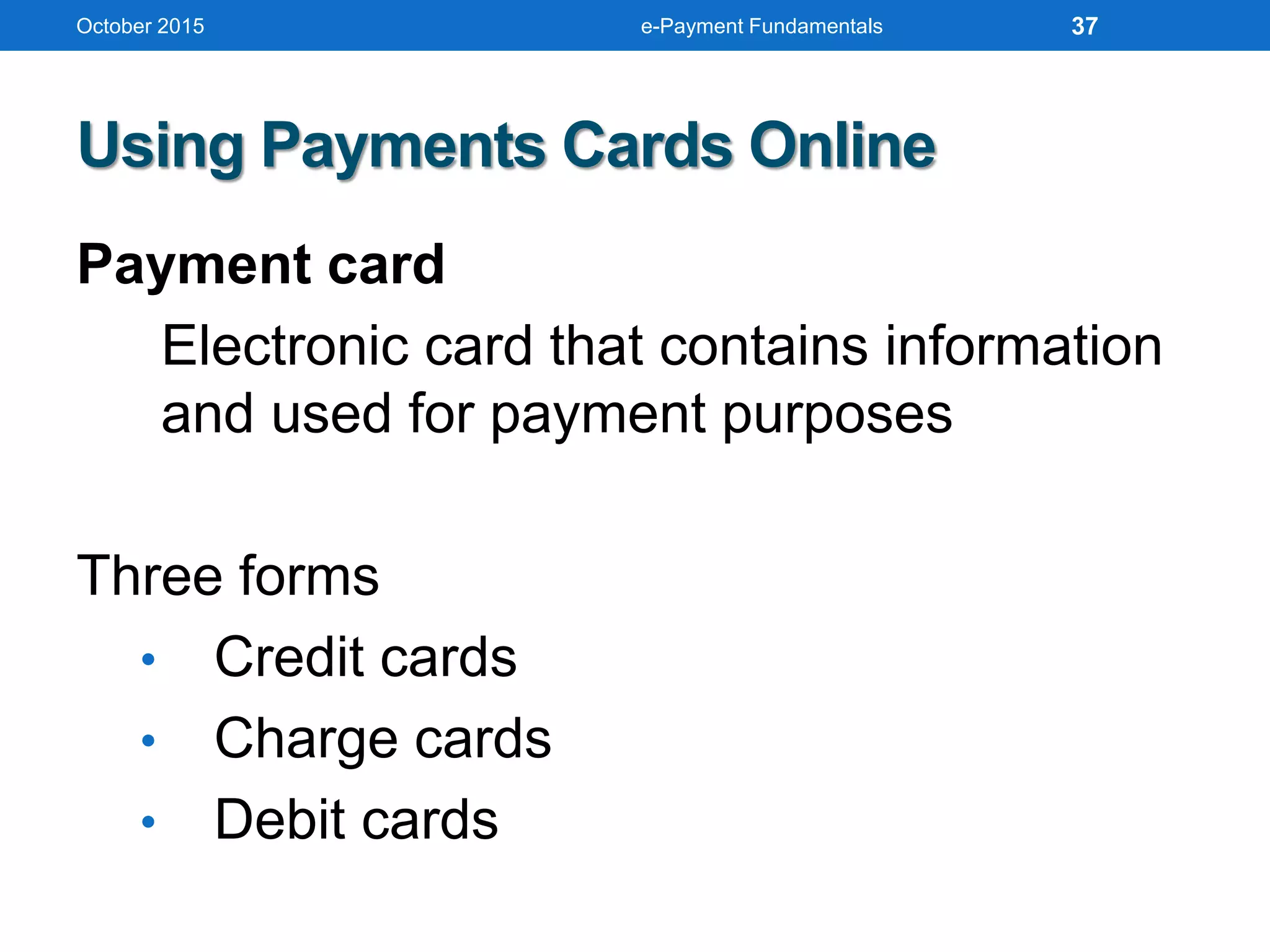
Using Payments Cards Online
Payment card
Electronic card that contains information
and used for payment purposes
Three forms
• Credit cards
• Charge cards
• Debit cards
37
October 2015 e-Payment Fundamentals
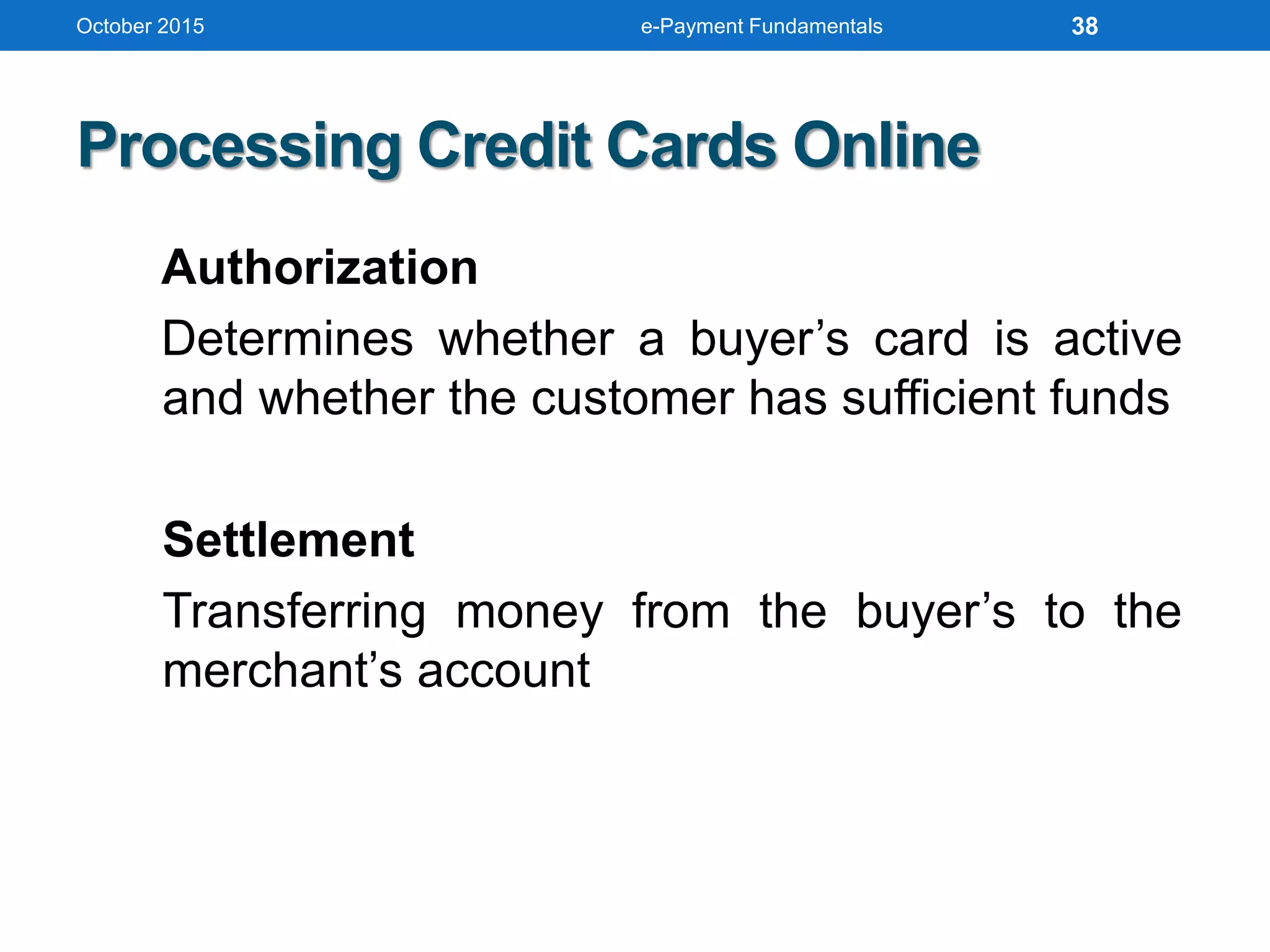
Processing Credit Cards Online
Authorization
Determines whether a buyer’s card is active
and whether the customer has sufficient funds
Settlement
Transferring money from the buyer’s to the
merchant’s account
38
October 2015 e-Payment Fundamentals
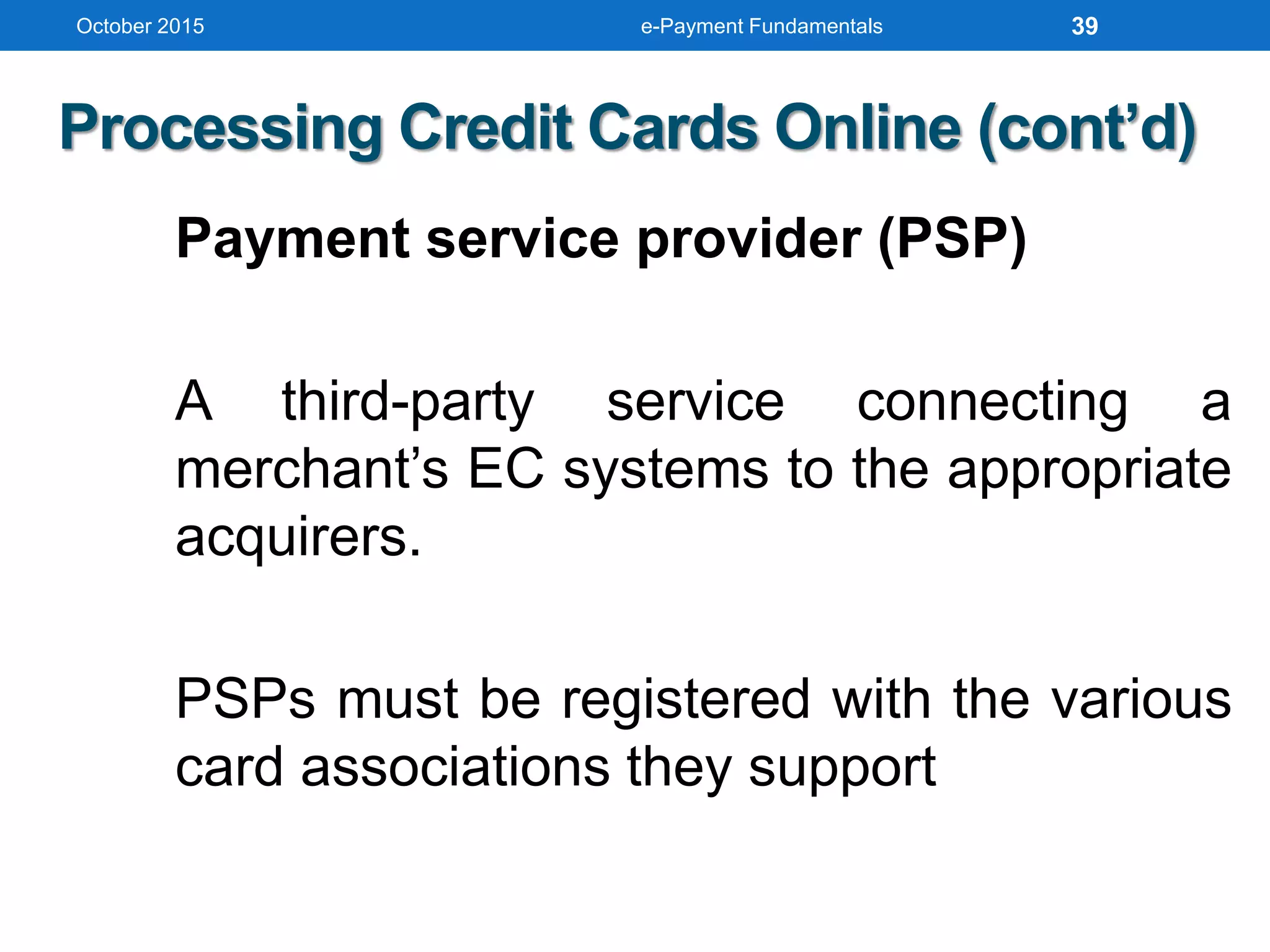
Processing Credit Cards Online (cont’d)
Payment service provider (PSP)
A third-party service connecting a
merchant’s EC systems to the appropriate
acquirers.
PSPs must be registered with the various
card associations they support
39
October 2015 e-Payment Fundamentals
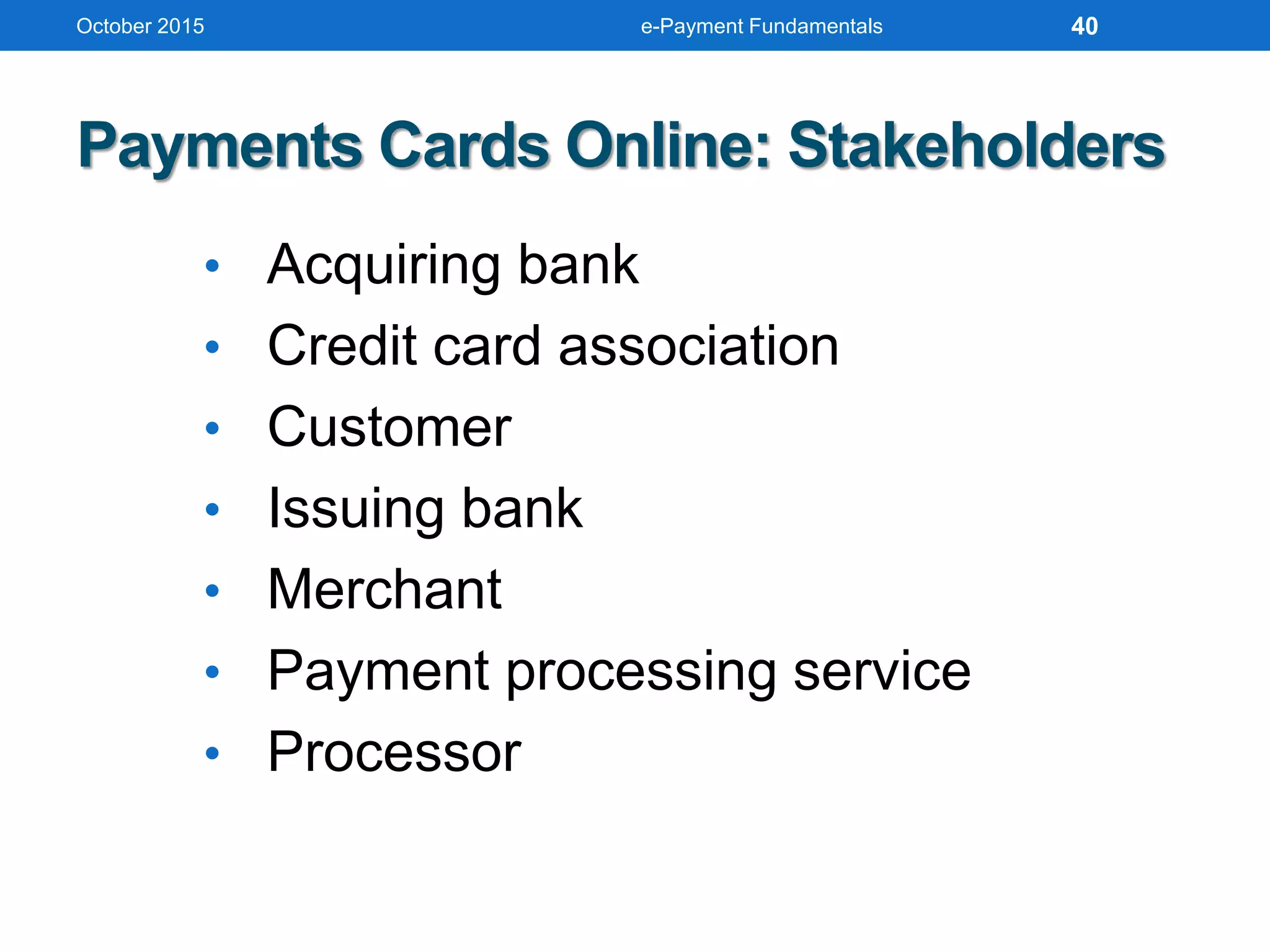
Payments Cards Online: Stakeholders
• Acquiring bank
• Credit card association
• Customer
• Issuing bank
• Merchant
• Payment processing service
• Processor
40
October 2015 e-Payment Fundamentals
Fraudulent Credit Card Transactions
Address Verification System
(AVS)
Detects fraud by comparing the
address entered on a Web page
with the address information on
file with cardholder’s issuing
bank
41
October 2015 e-Payment Fundamentals
Fraudulent Credit Card Transactions (cont’d)
Card Verification Number (CVN)
Detects fraud by comparing the
verification number printed on the
signature strip on the back of the card
with the information on file with the
cardholder’s issuing bank
42
October 2015 e-Payment Fundamentals
Fraudulent Credit Card Transactions (cont’d)
Additional tools used to combat fraud
include:
• Manual review
• Fraud screens and decision models
• Negative files
• Card association payer authentication
services
43
Smart Cards
As known as Stored-Value Cards
Contact Card
A smart card containing a small gold
plate on the face that when inserted in
a smart card reader makes contact
and passes data to and from the
embedded microchip
October 2015 e-Payment Fundamentals 44
Smart Cards (cont’d)
Contactless (Proximity) Card
A smart card containing a small gold
plate on the face that when inserted in
a smart card reader makes contact
and passes data to and from the
embedded microchip
October 2015 e-Payment Fundamentals 45
Smart Cards (cont’d)
Smart Card Reader
Activates and reads the contents of the chip on a
smart card, usually passing the information on to a
host system
Smart Card Operating System
Special system that handles file management,
security, input/output (I/O), and command execution
and provides an application programming interface
(API) for a smart card
October 2015 e-Payment Fundamentals 46
October 2015 e-Payment Fundamentals
Application of Smart Cards
• Retail Purchases
E-Purse
Smart card application that loads money
from a card holder’s bank account onto the
smart card’s chip
Common Electronic Purse Specification
(CEPS)
Standards governing the operation and
interoperability of e-purse offerings
• Transit Fares
• E-Identification
47
October 2015 e-Payment Fundamentals
Application of Smart Cards (cont’d)
Transit Fares
To eliminate the inconvenience of multiple
types of tickets used in public transportation,
most major transit operators in the US are
implementing smart card fare-ticketing systems
E-Identification
Because they have the capability to store
personal information, including pictures,
biometric identifiers, digital signatures, and
private security keys, smart cards are being
used in a variety of identification, access
control, and authentication applications
48
October 2015 e-Payment Fundamentals
Application of Smart Cards (cont’d)
• In Health Care Industry
• Storing vital medical information in case of
emergencies
• Preventing patients from obtaining multiple
prescriptions from different physicians
• Verifying a patient’s identity and insurance
coverage
• Speeding up the hospital or emergency room
admissions process
49
October 2015 e-Payment Fundamentals
Securing Smart Cards
• Smart cards store or provide access to
either valuable assets or to sensitive
information
• Because of this, they must be secured
against theft, fraud, or misuse
• The possibility of hacking into a smart card
is classified as a “class 3” attack, which
means that the cost of compromising the
card far exceeds the benefits
50
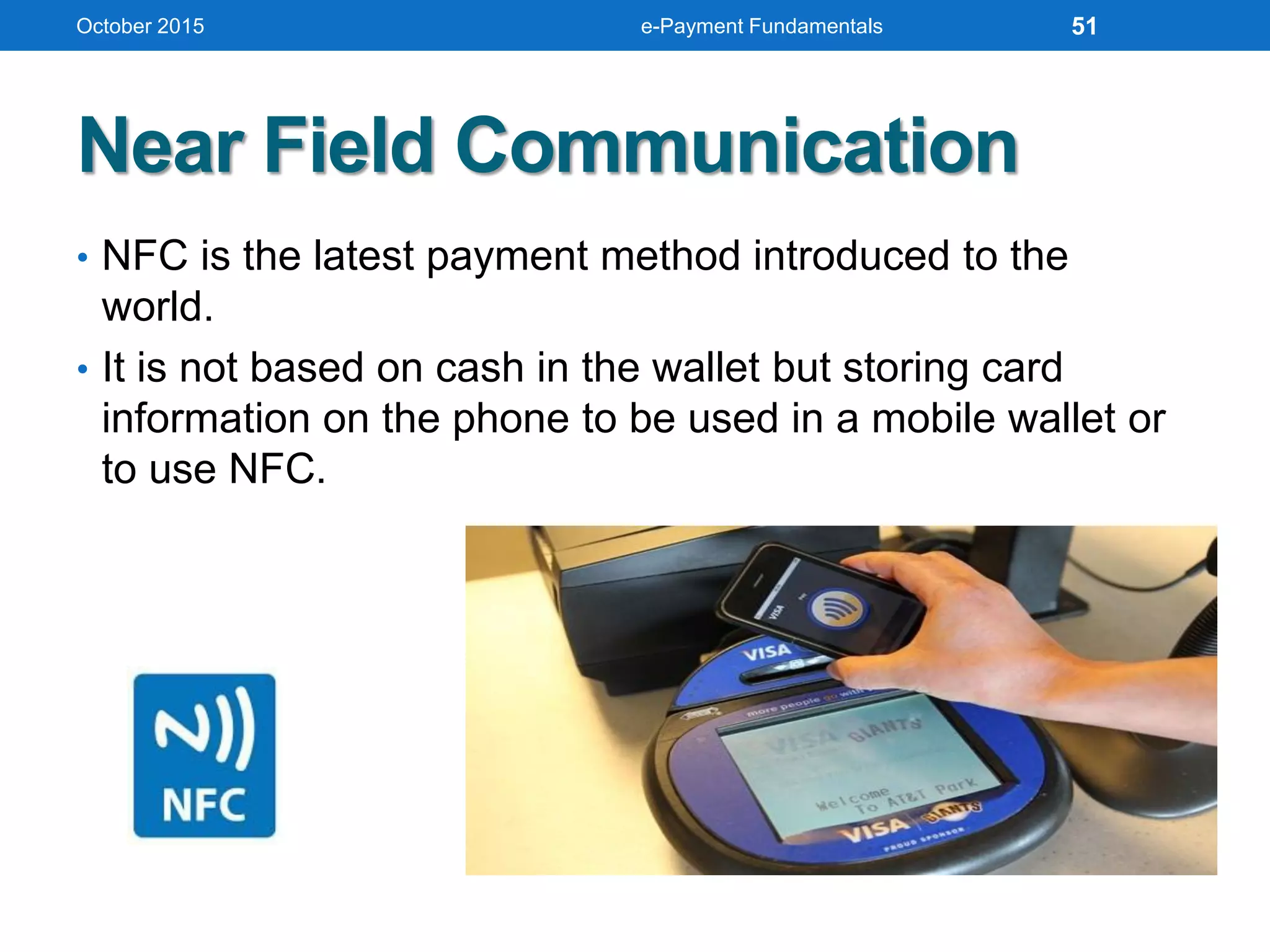
Near Field Communication
• NFC is the latest payment method introduced to the
world.
• It is not based on cash in the wallet but storing card
information on the phone to be used in a mobile wallet or
to use NFC.
October 2015 e-Payment Fundamentals 51
VALUING E-CASH AND ITS
OPPORTUNITIES
October 2015 e-Payment Fundamentals 52
E-Cash Conceptual Framework
There are four major components in an electronic cash system:
 Issuers
 Customers
 Merchants or traders
 Regulators.
Issuers can be banks, or non-bank institutions
Customers are referred to users who spend E-Cash
Merchants and traders are vendors who receive E-Cash
Regulators are defined as related authorities or state tax
agencies.
October 2015 e-Payment Fundamentals 53
Stages of Transaction
Account Setup
Customers will need to obtain E-Cash accounts
through certain issuers. Merchants who would like to
accept E-Cash will also need to arrange accounts from
various E-Cash issuers.
Issuers typically handle accounting for customers and
merchants.
Purchase
Customers purchase certain goods or services,
merchants tokens which represent equivalent E-Cash.
Purchase information is usually encrypted when
transmitting in the networks.
October 2015 e-Payment Fundamentals 54
Stages of Transaction (cont’d)
Authentication
Merchants will need to contact E-Cash issuers
about the purchase and the amount of E-Cash
involved.
E-Cash issuers will then authenticate the
transaction and approve the amount E-Cash
involved.
October 2015 e-Payment Fundamentals 55
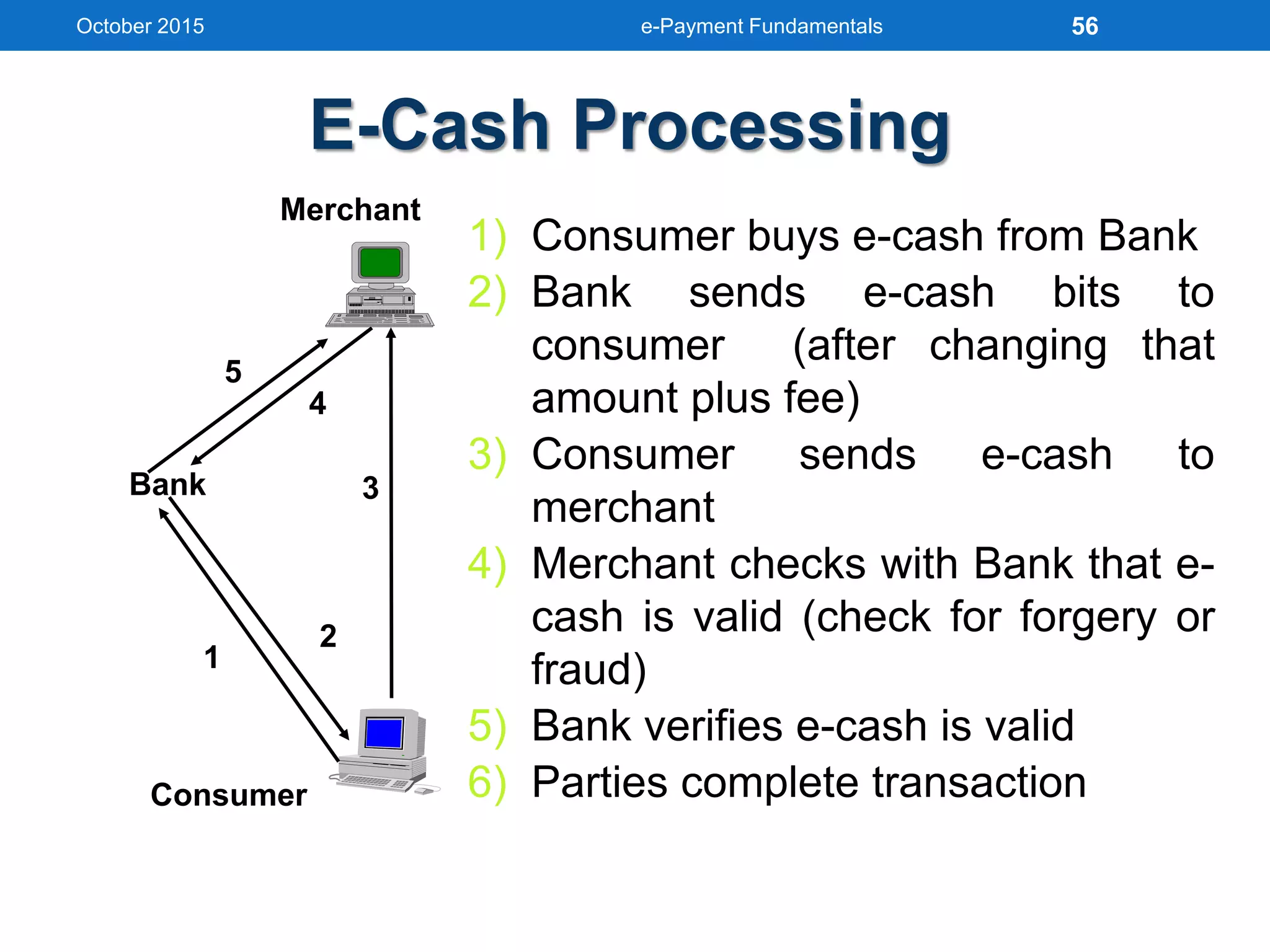
E-Cash Processing
3
4
2
1
5
Bank
Consumer
Merchant
1) Consumer buys e-cash from Bank
2) Bank sends e-cash bits to
consumer (after changing that
amount plus fee)
3) Consumer sends e-cash to
merchant
4) Merchant checks with Bank that e-
cash is valid (check for forgery or
fraud)
5) Bank verifies e-cash is valid
6) Parties complete transaction
October 2015 e-Payment Fundamentals 56
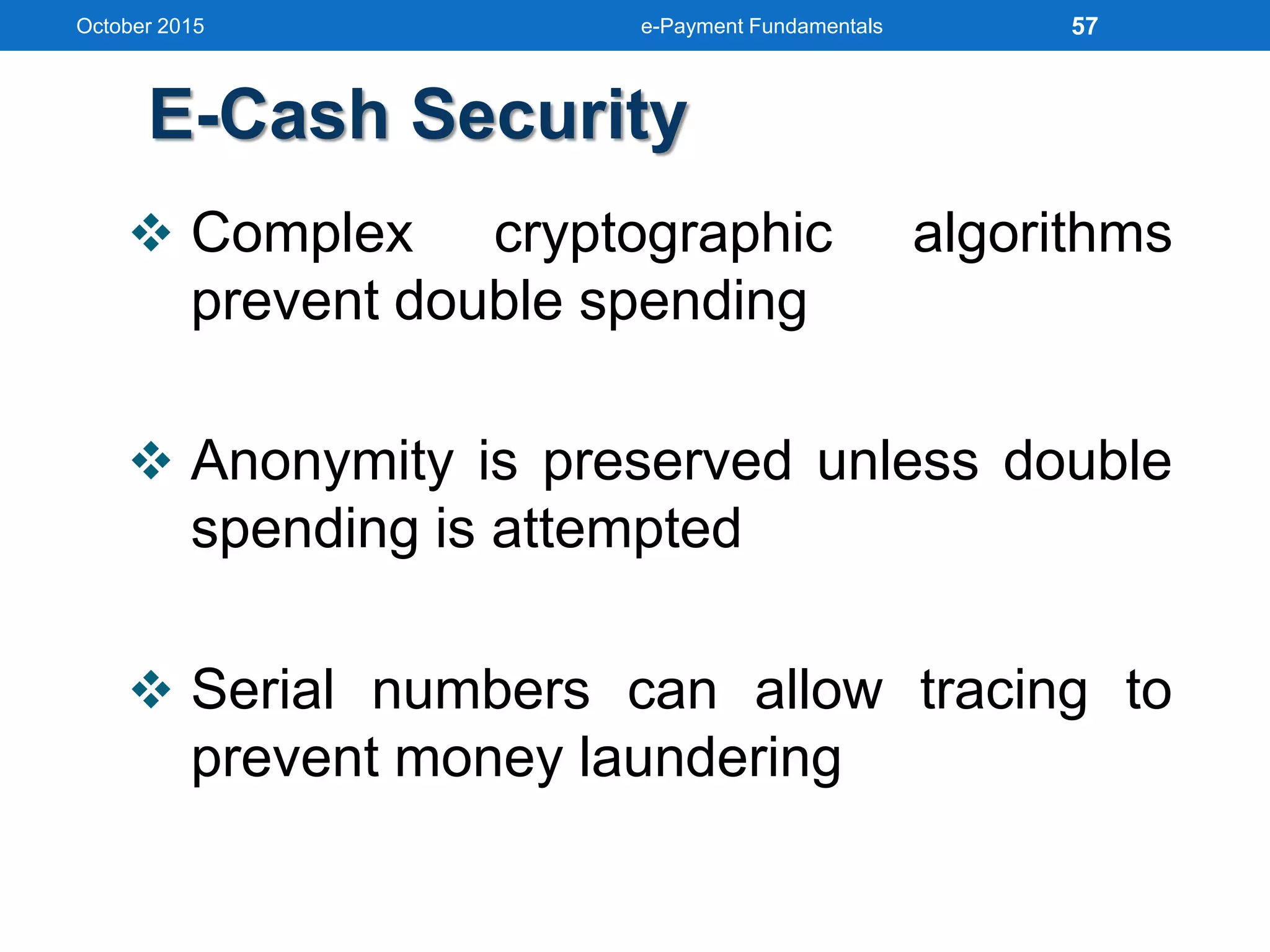
E-Cash Security
 Complex cryptographic algorithms
prevent double spending
 Anonymity is preserved unless double
spending is attempted
 Serial numbers can allow tracing to
prevent money laundering
October 2015 e-Payment Fundamentals 57
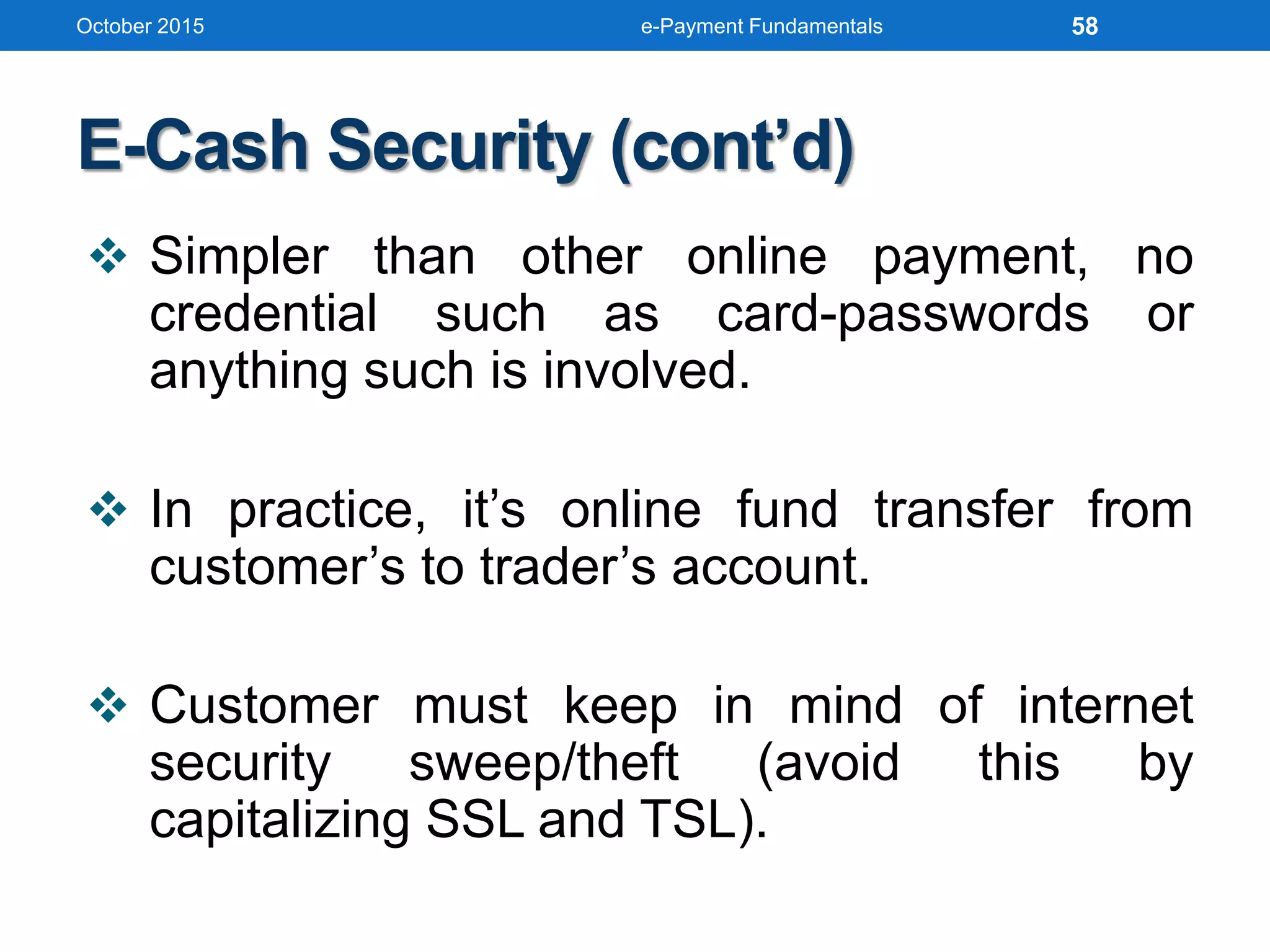
E-Cash Security (cont’d)
 Simpler than other online payment, no
credential such as card-passwords or
anything such is involved.
 In practice, it’s online fund transfer from
customer’s to trader’s account.
 Customer must keep in mind of internet
security sweep/theft (avoid this by
capitalizing SSL and TSL).
October 2015 e-Payment Fundamentals 58
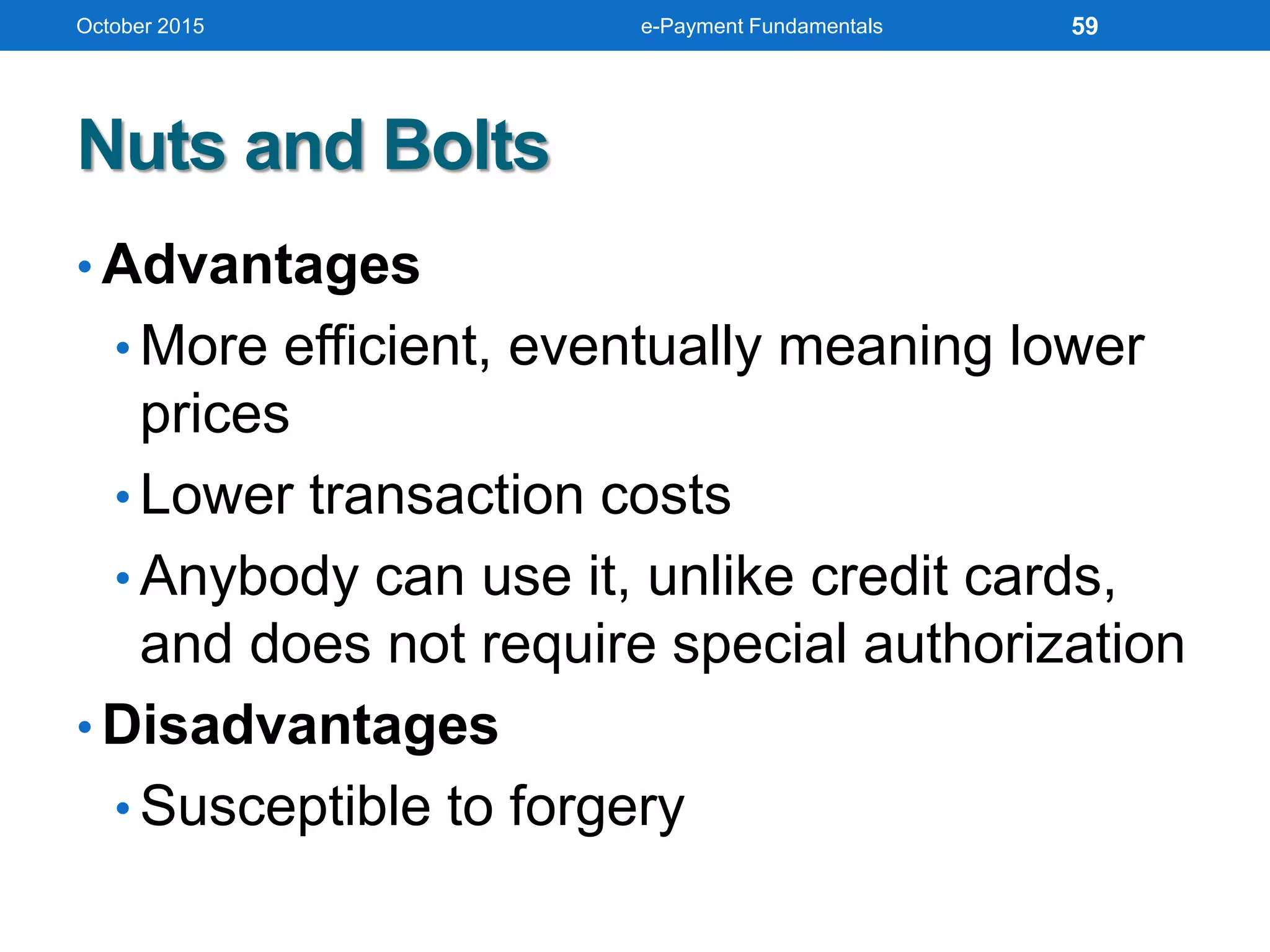
Nuts and Bolts
• Advantages
• More efficient, eventually meaning lower
prices
• Lower transaction costs
• Anybody can use it, unlike credit cards,
and does not require special authorization
• Disadvantages
• Susceptible to forgery
October 2015 e-Payment Fundamentals 59
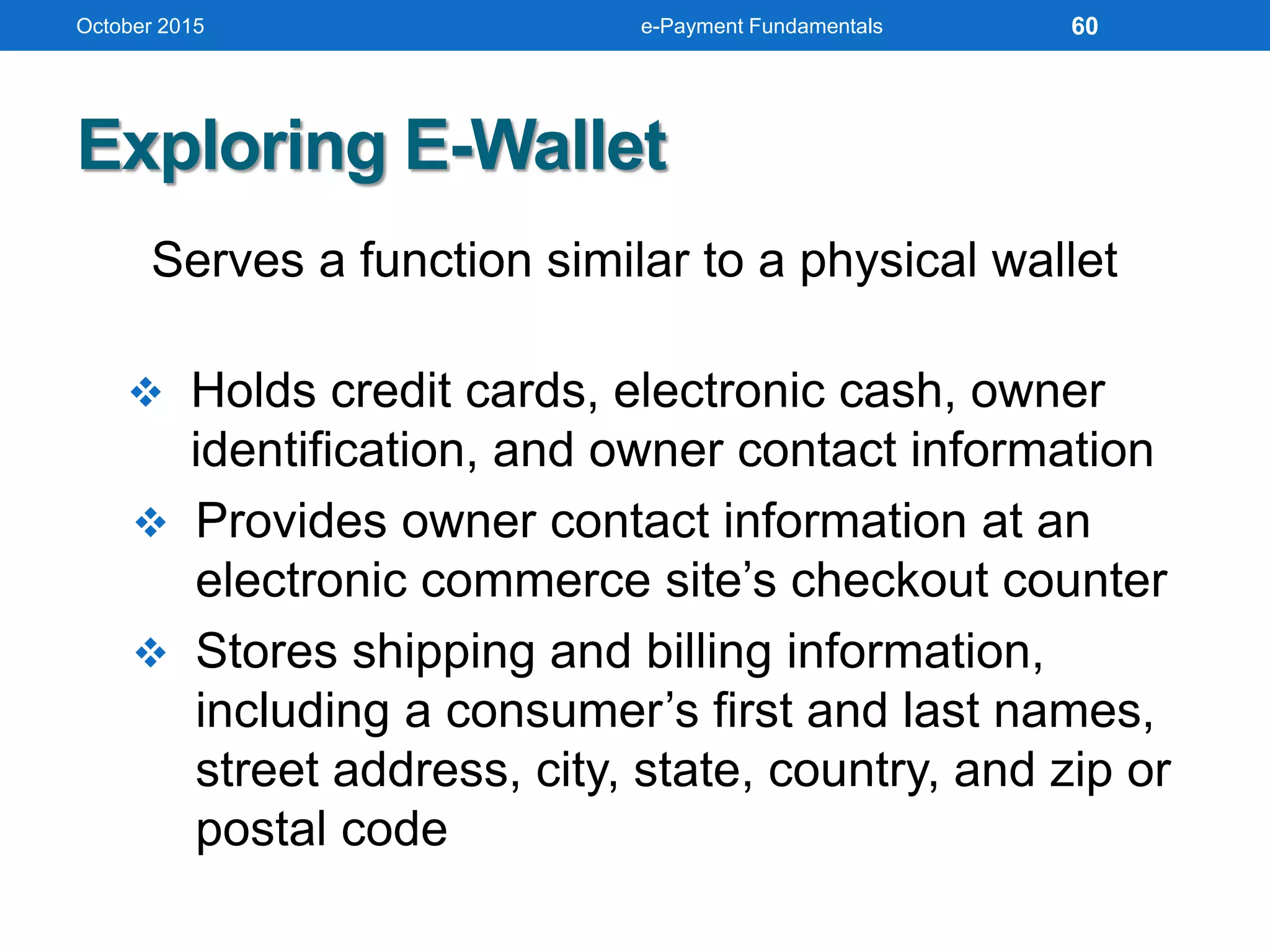
Exploring E-Wallet
Serves a function similar to a physical wallet
 Holds credit cards, electronic cash, owner
identification, and owner contact information
 Provides owner contact information at an
electronic commerce site’s checkout counter
 Stores shipping and billing information,
including a consumer’s first and last names,
street address, city, state, country, and zip or
postal code
October 2015 e-Payment Fundamentals 60
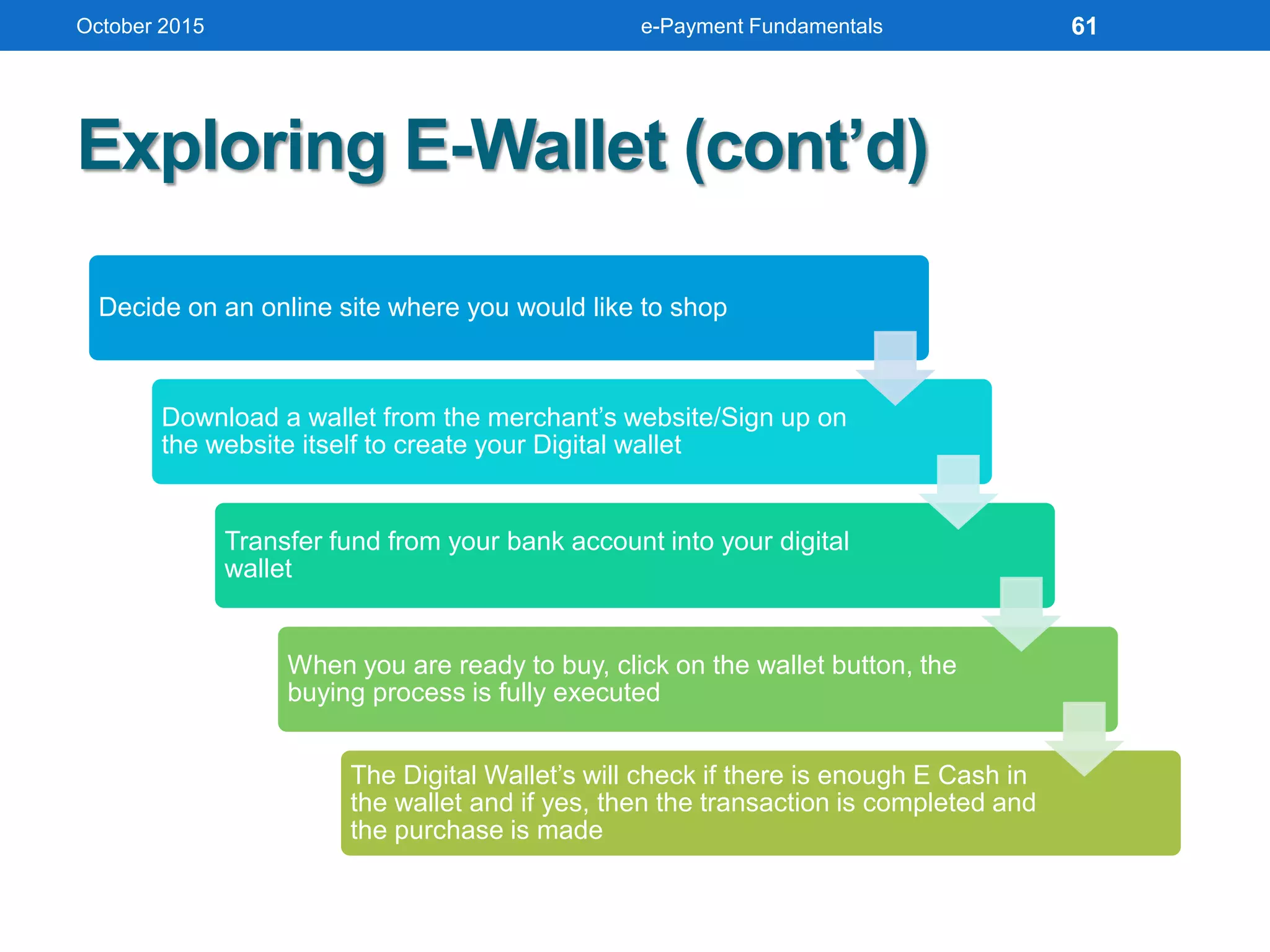
Exploring E-Wallet (cont’d)
Decide on an online site where you would like to shop
Download a wallet from the merchant’s website/Sign up on
the website itself to create your Digital wallet
Transfer fund from your bank account into your digital
wallet
When you are ready to buy, click on the wallet button, the
buying process is fully executed
The Digital Wallet’s will check if there is enough E Cash in
the wallet and if yes, then the transaction is completed and
the purchase is made
October 2015 e-Payment Fundamentals 61
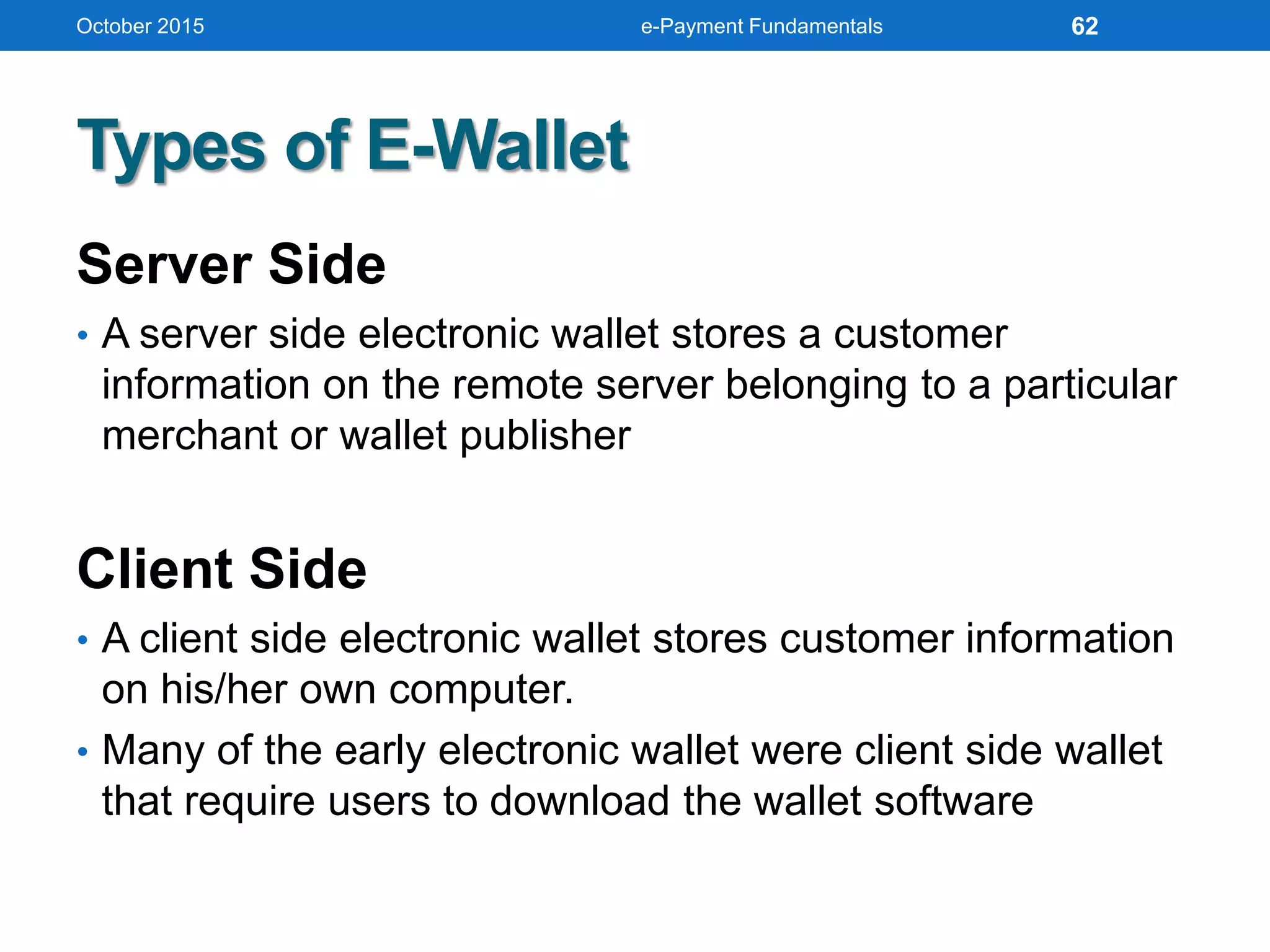
Types of E-Wallet
Server Side
• A server side electronic wallet stores a customer
information on the remote server belonging to a particular
merchant or wallet publisher
Client Side
• A client side electronic wallet stores customer information
on his/her own computer.
• Many of the early electronic wallet were client side wallet
that require users to download the wallet software
October 2015 e-Payment Fundamentals 62
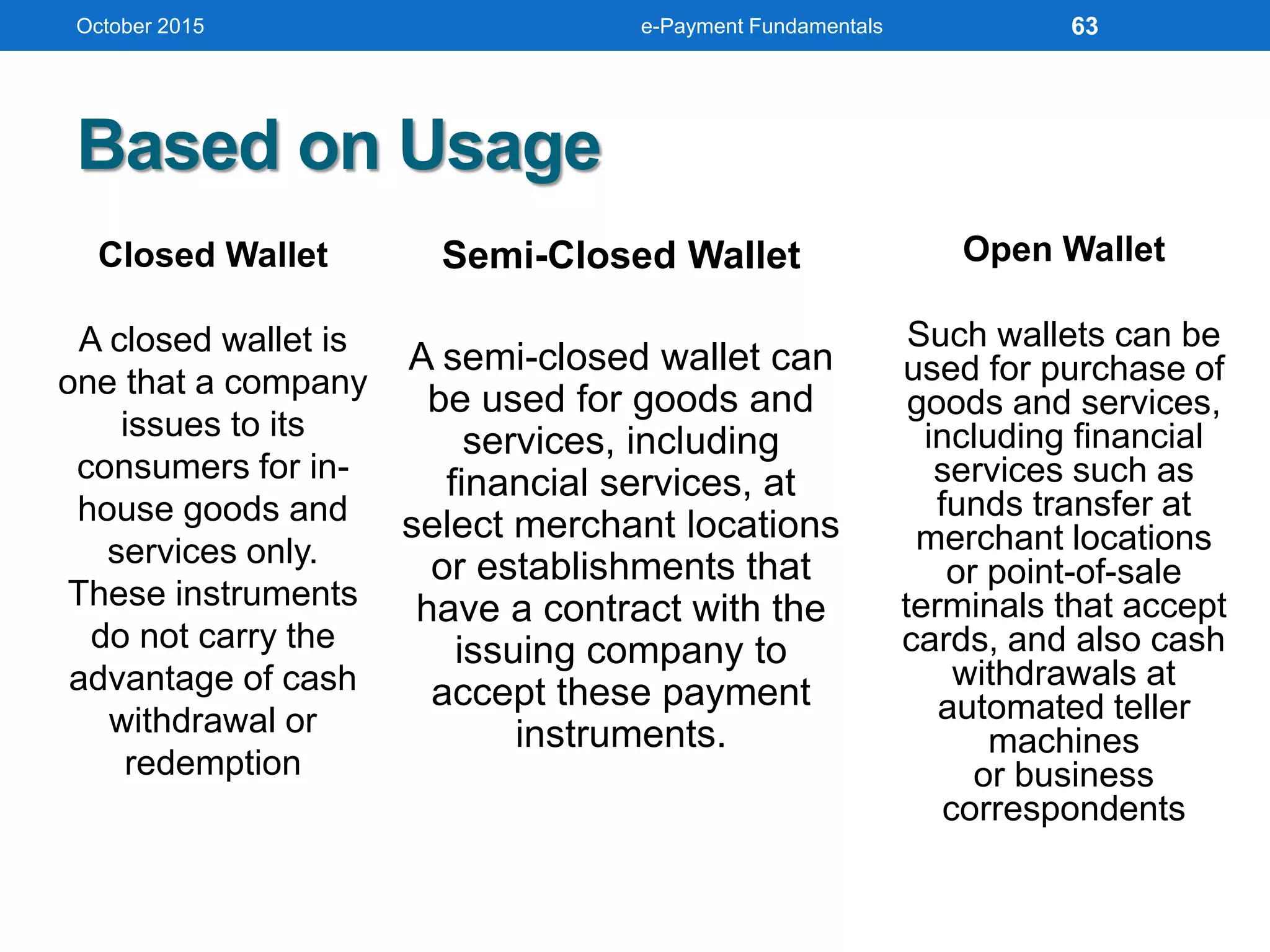
Based on Usage
October 2015 e-Payment Fundamentals
Closed Wallet
A closed wallet is
one that a company
issues to its
consumers for in-
house goods and
services only.
These instruments
do not carry the
advantage of cash
withdrawal or
redemption
Semi-Closed Wallet
A semi-closed wallet can
be used for goods and
services, including
financial services, at
select merchant locations
or establishments that
have a contract with the
issuing company to
accept these payment
instruments.
Open Wallet
Such wallets can be
used for purchase of
goods and services,
including financial
services such as
funds transfer at
merchant locations
or point-of-sale
terminals that accept
cards, and also cash
withdrawals at
automated teller
machines
or business
correspondents
63
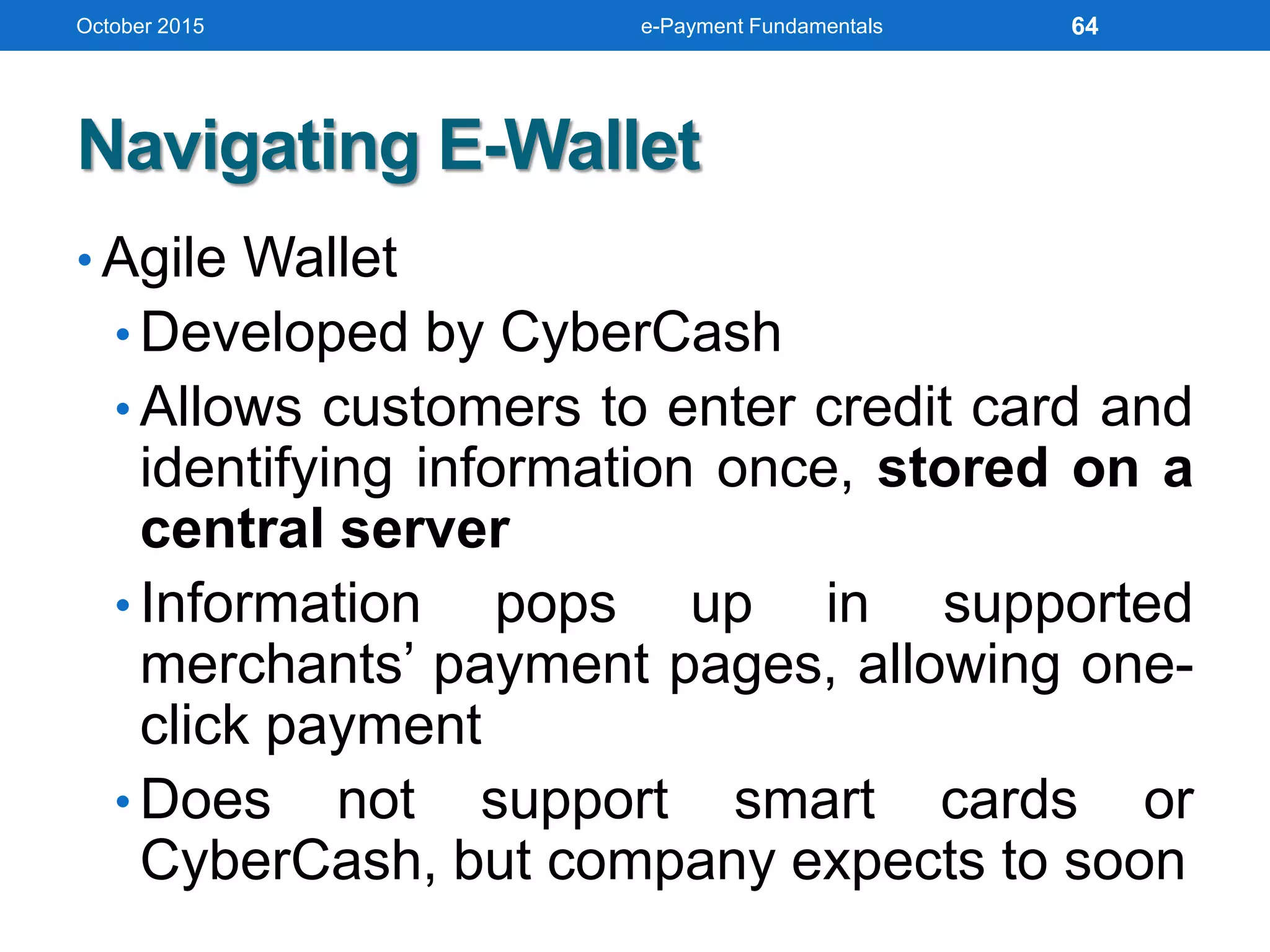
Navigating E-Wallet
• Agile Wallet
• Developed by CyberCash
• Allows customers to enter credit card and
identifying information once, stored on a
central server
• Information pops up in supported
merchants’ payment pages, allowing one-
click payment
• Does not support smart cards or
CyberCash, but company expects to soon
October 2015 e-Payment Fundamentals 64
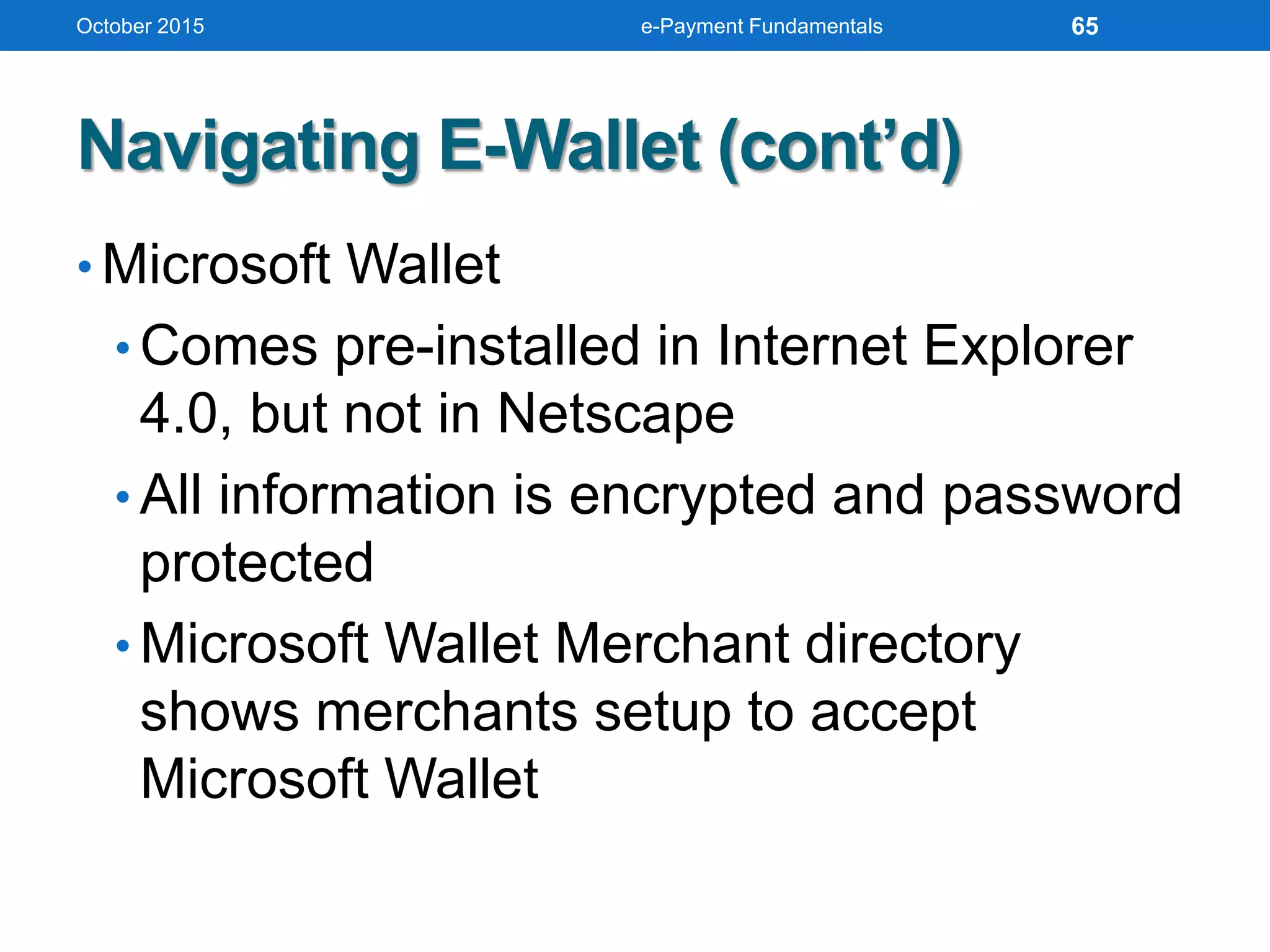
Navigating E-Wallet (cont’d)
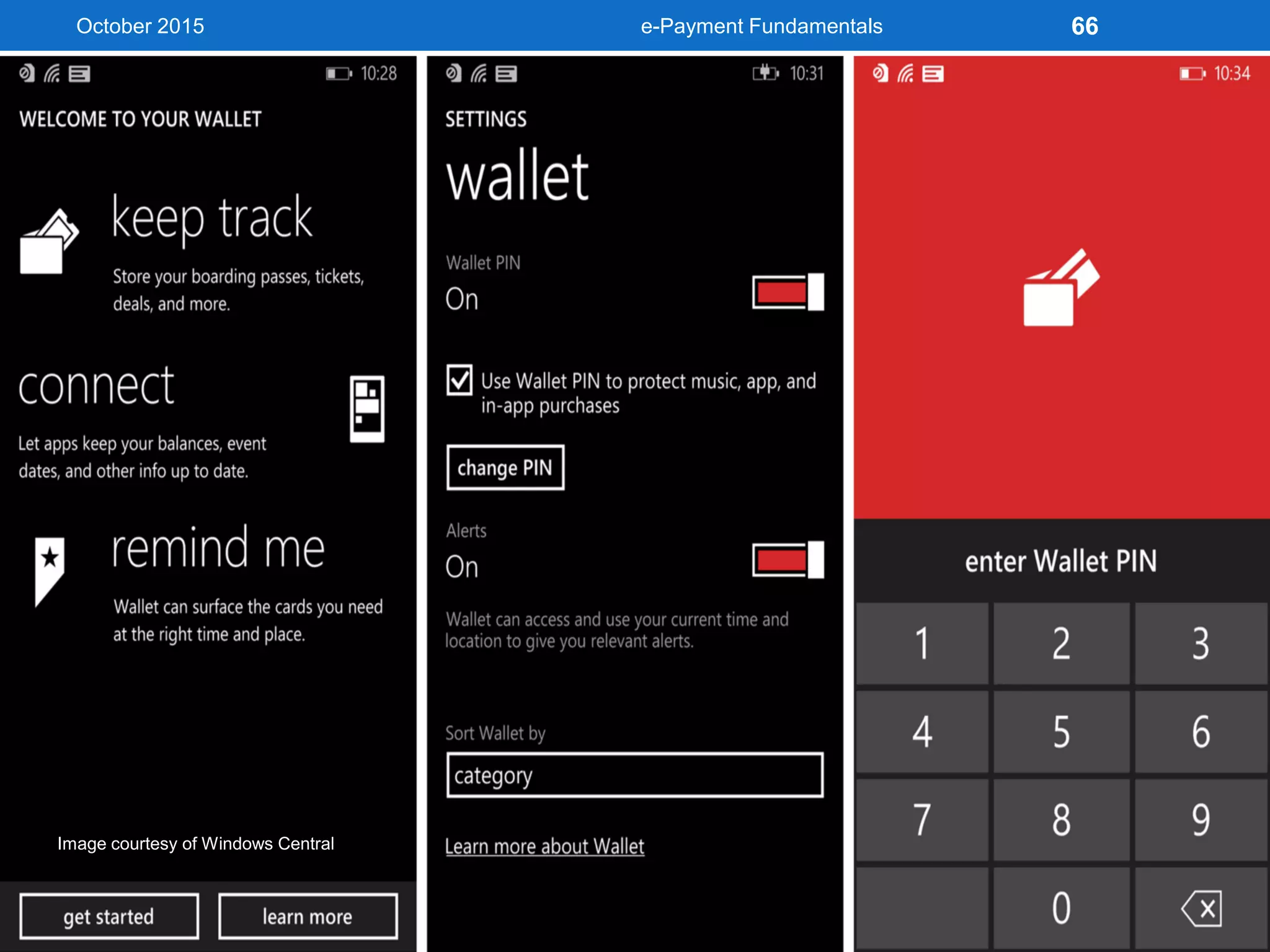
• Microsoft Wallet
• Comes pre-installed in Internet Explorer
4.0, but not in Netscape
• All information is encrypted and password
protected
• Microsoft Wallet Merchant directory
shows merchants setup to accept
Microsoft Wallet
October 2015 e-Payment Fundamentals 65
October 2015 e-Payment Fundamentals 66
Image courtesy of Windows Central
Navigating E-Wallet (cont’d)
Google Wallet
• Mobile payment system developed by Google
• Allows users to store debit cards, credit cards,
loyalty cards etc
• Uses Near Field Communication to make secure
payments fast and convenient by tapping the
phone on pay press enable terminal
• Works with 30,00,000+ MasterCard merchant
locations
October 2015 e-Payment Fundamentals 67
October 2015 e-Payment Fundamentals 68
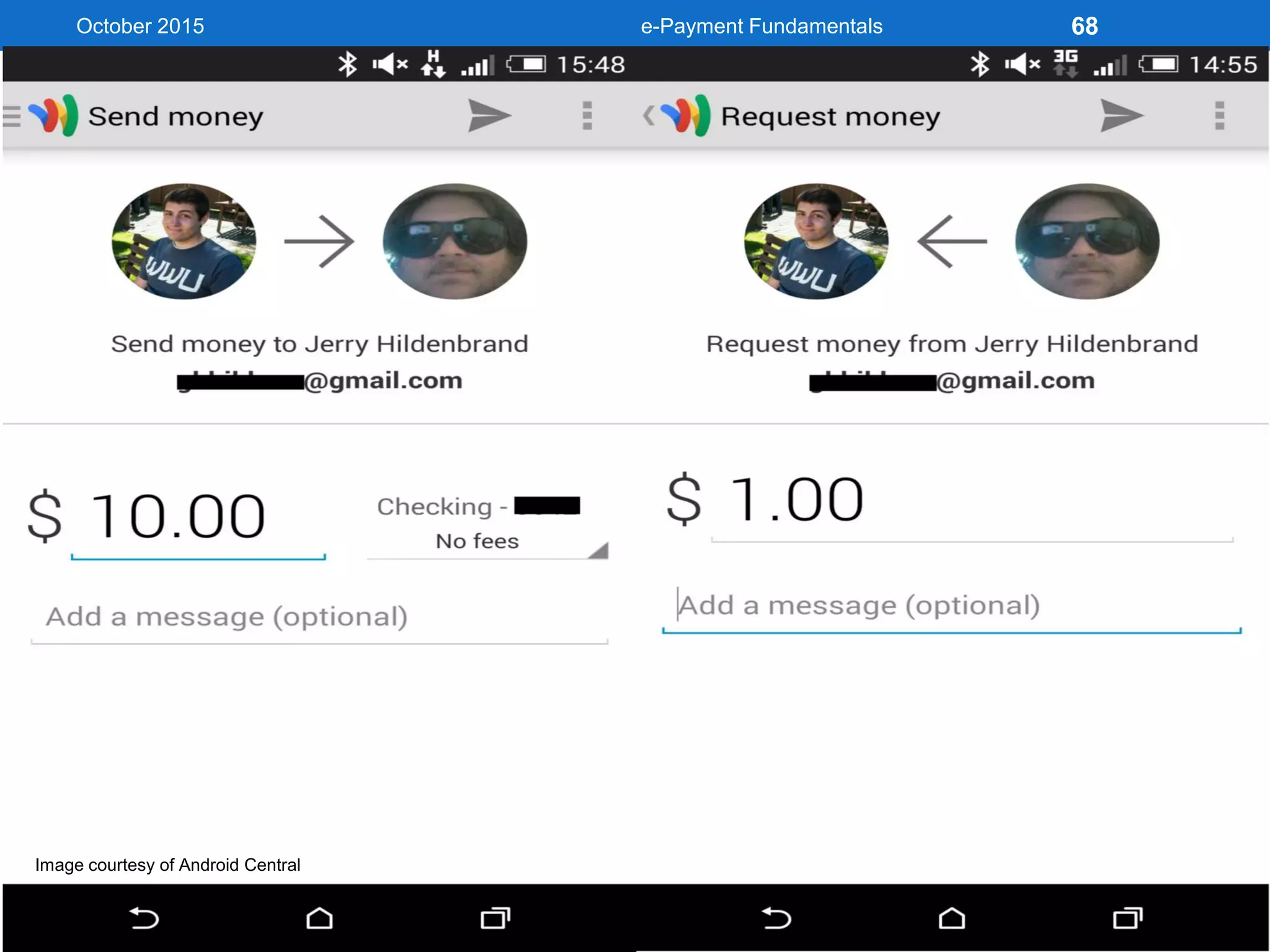
Image courtesy of Android Central
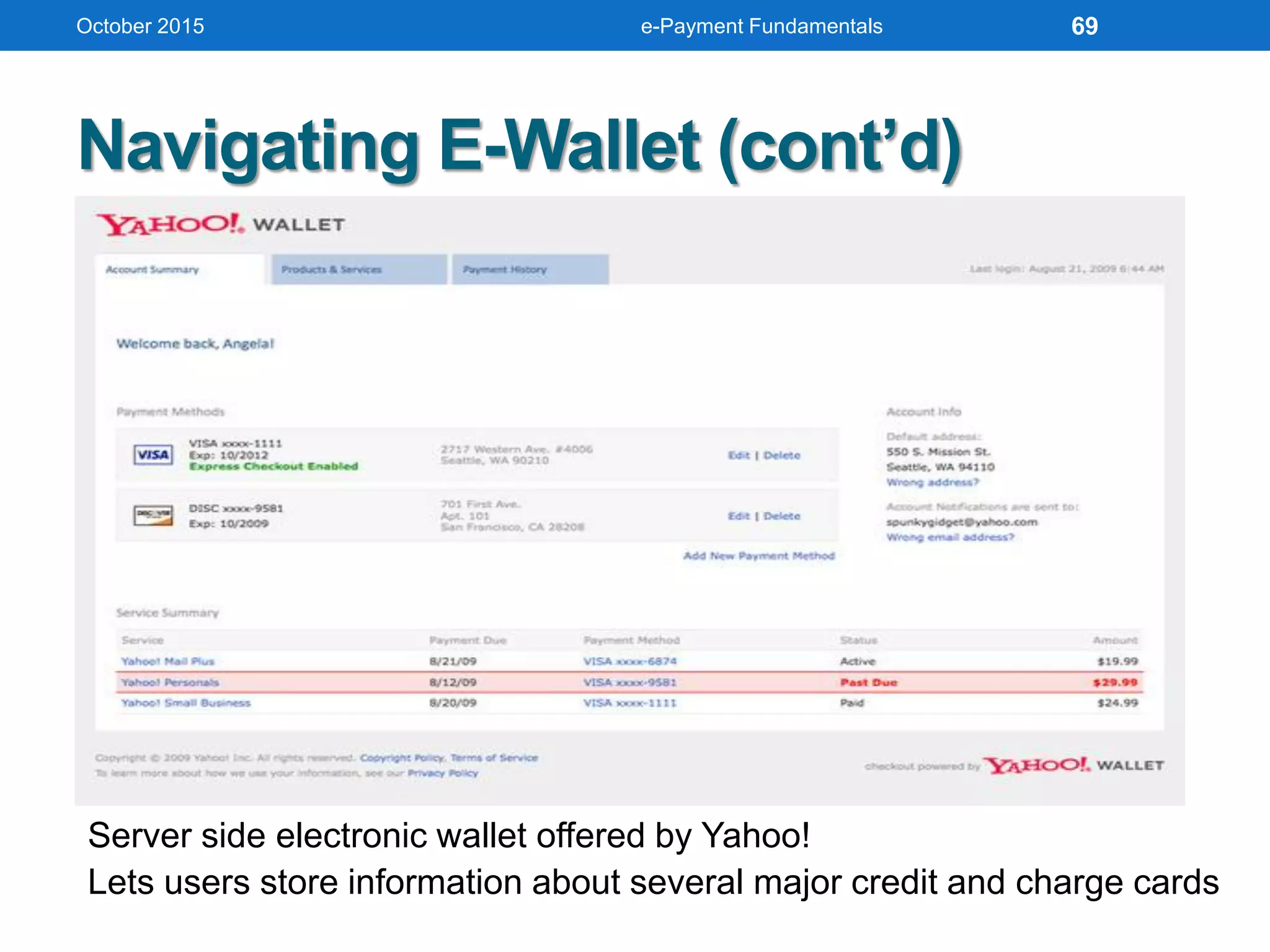
Server side electronic wallet offered by Yahoo!
Lets users store information about several major credit and charge cards
Navigating E-Wallet (cont’d)
October 2015 e-Payment Fundamentals 69
October 2015 e-Payment Fundamentals 70
Advantages of E-Wallet
• Convenience
Makes online shopping easier because it fills in an
online order form automatically
• Competitive Advantage
A great advantage for online merchants,
because customers sometimes abandon online
purchases if they feel the order form is too confusing
or frustrating
• Greater revenue opportunities
Open up a new aspect of payment methods in large
markets introducing many business opportunities
and greater potential revenue
October 2015 e-Payment Fundamentals 71
• System Outages
Information for E-Wallets are stores on the cloud of
business server, therefore the risk of a system
malfunction or shut down is always present.
• Security
Must ensure their customers’ information is
encrypted and well protected.
• Investment
Initial monetary investment is quite large as it
requires the development of the software as well as
continual maintenance.
Disadvantages of E-Wallet
October 2015 e-Payment Fundamentals 72
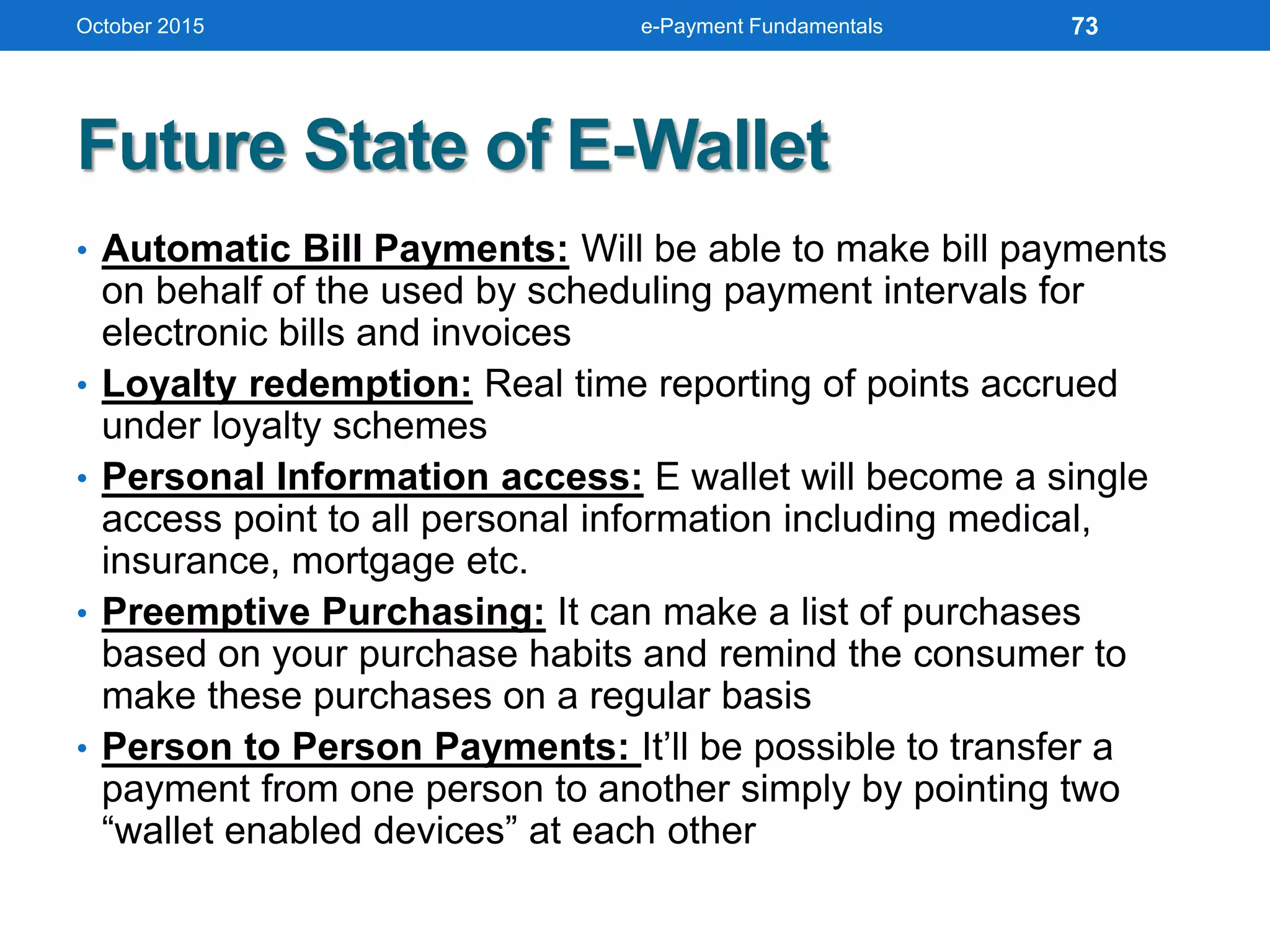
Future State of E-Wallet
• Automatic Bill Payments: Will be able to make bill payments
on behalf of the used by scheduling payment intervals for
electronic bills and invoices
• Loyalty redemption: Real time reporting of points accrued
under loyalty schemes
• Personal Information access: E wallet will become a single
access point to all personal information including medical,
insurance, mortgage etc.
• Preemptive Purchasing: It can make a list of purchases
based on your purchase habits and remind the consumer to
make these purchases on a regular basis
• Person to Person Payments: It’ll be possible to transfer a
payment from one person to another simply by pointing two
“wallet enabled devices” at each other
October 2015 e-Payment Fundamentals 73
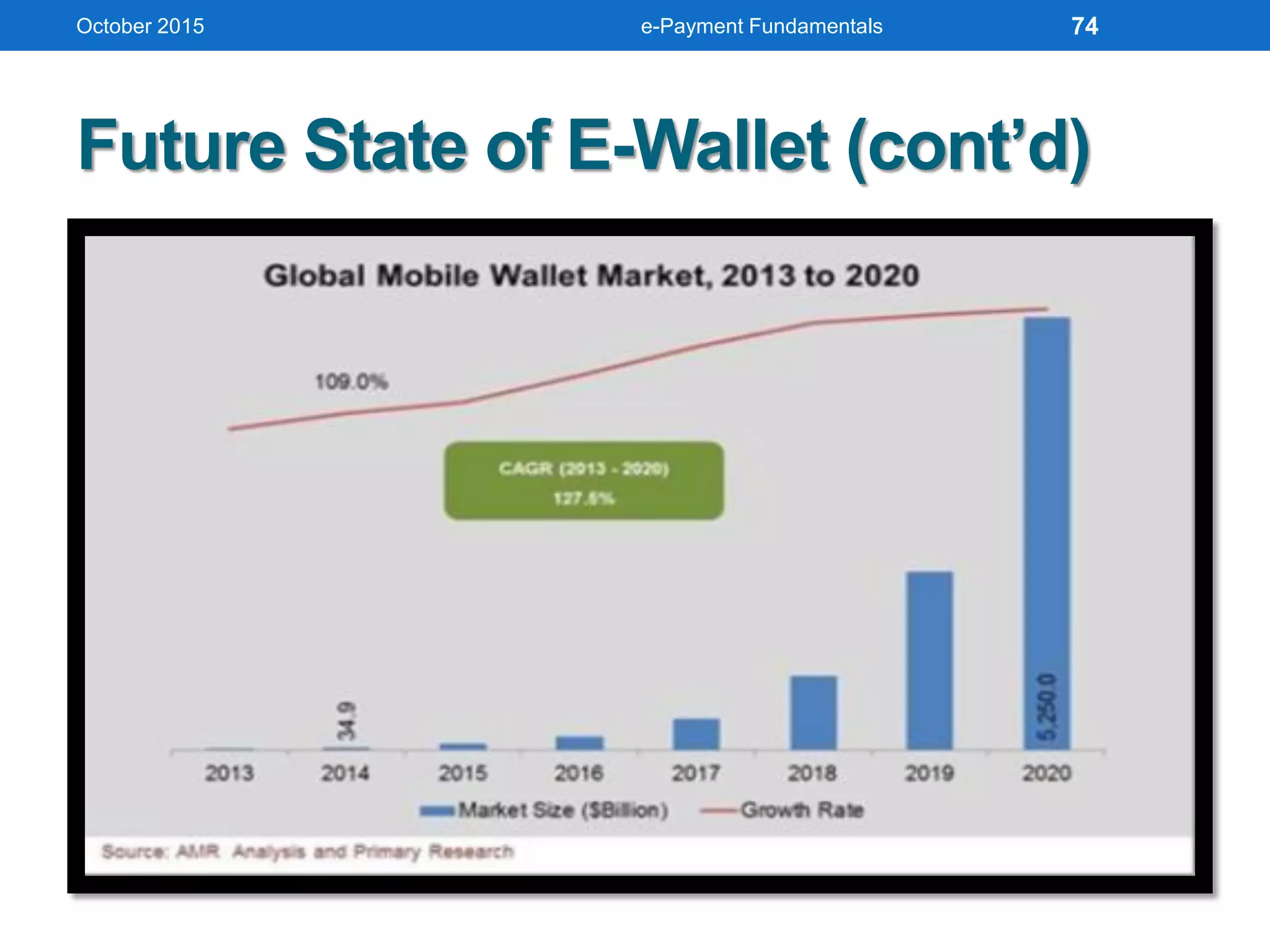
Future State of E-Wallet (cont’d)
October 2015 e-Payment Fundamentals 74
October 2015 e-Payment Fundamentals
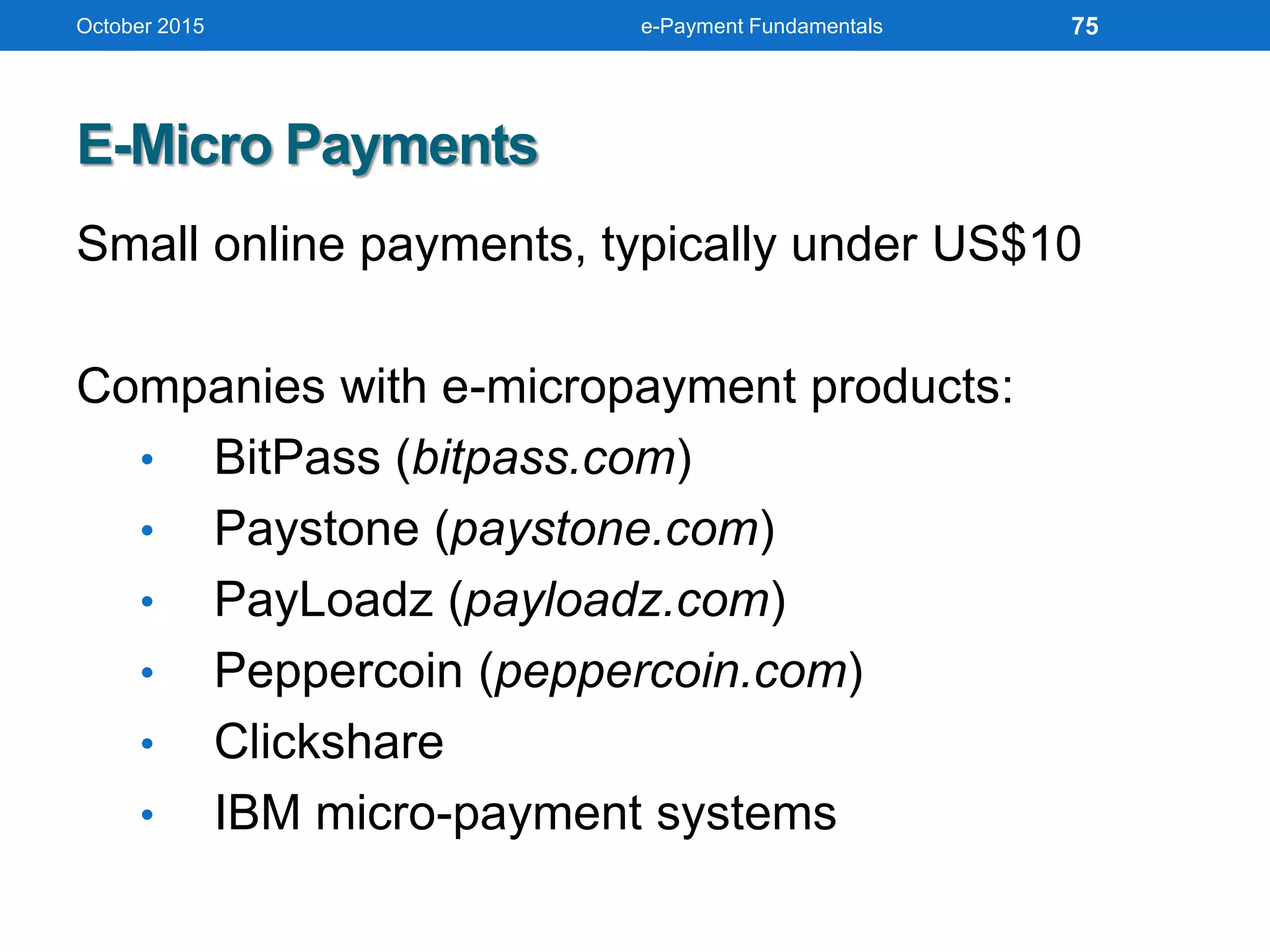
E-Micro Payments
Small online payments, typically under US$10
Companies with e-micropayment products:
• BitPass (bitpass.com)
• Paystone (paystone.com)
• PayLoadz (payloadz.com)
• Peppercoin (peppercoin.com)
• Clickshare
• IBM micro-payment systems
75
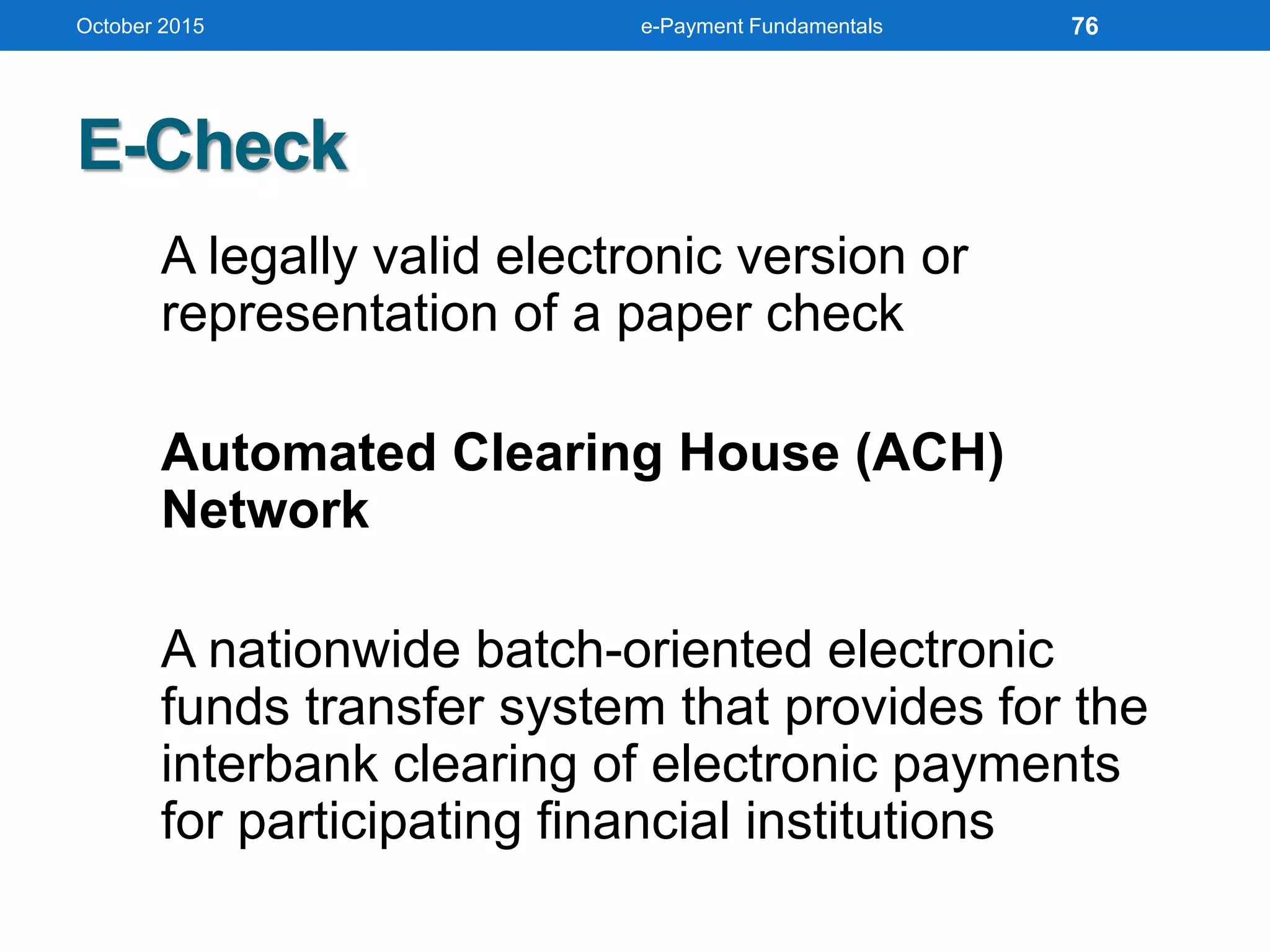
E-Check
A legally valid electronic version or
representation of a paper check
Automated Clearing House (ACH)
Network
A nationwide batch-oriented electronic
funds transfer system that provides for the
interbank clearing of electronic payments
for participating financial institutions
October 2015 e-Payment Fundamentals 76
Bitcoin, Here We Go
• First decentralized digital/virtual currency
• Peer-to-Peer currency with mathematic
protection
• No centralized control/Central Bank
• Based on cryptographic proof (SHA256)
instead of trust
• Developed by a person/group under
pseudonym of Satoshi Nakamoto (2008)
• Operational since early 2009
• No financial institutions involved or managed
October 2015 e-Payment Fundamentals 77
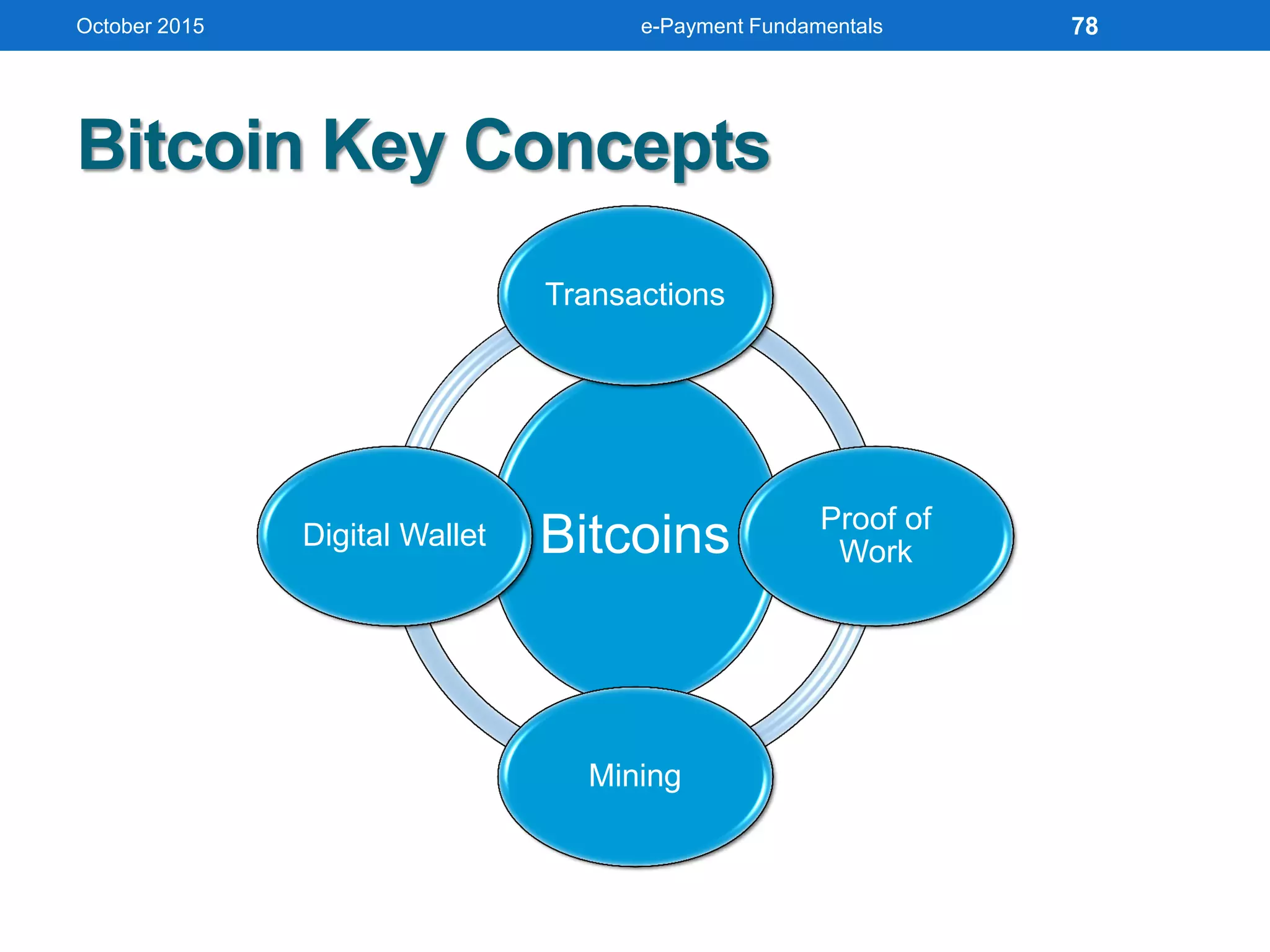
Bitcoin Key Concepts
October 2015 e-Payment Fundamentals
Bitcoins
Transactions
Proof of
Work
Mining
Digital Wallet
78
Bitcoin Advantages
• BTC software unchangeable without majority users within
entire network accepting the change
• While majority of nodes are honest, attackers cannot harm
the system
• Attacker would need astronomical computer power to
corrupt block chain
• No government can print more money
• Anonymity
• Lower global transaction costs
• New bubble may emerge (?): Oct13 = USD150 while Nov13
is more than USD500
• March 2013: BTC passed 1 Billion USD (around 11 million
Bitcoins in circulation)
October 2015 e-Payment Fundamentals 79
BTC Transactions
•Straight away between owner and
receiver
•Broadcasted through Peer-to-Peer
(P2P) network
•All are public but anonymous
•Mining nodes collects the transactions
into Blocks
October 2015 e-Payment Fundamentals 80
BTC Transactions (cont’d)
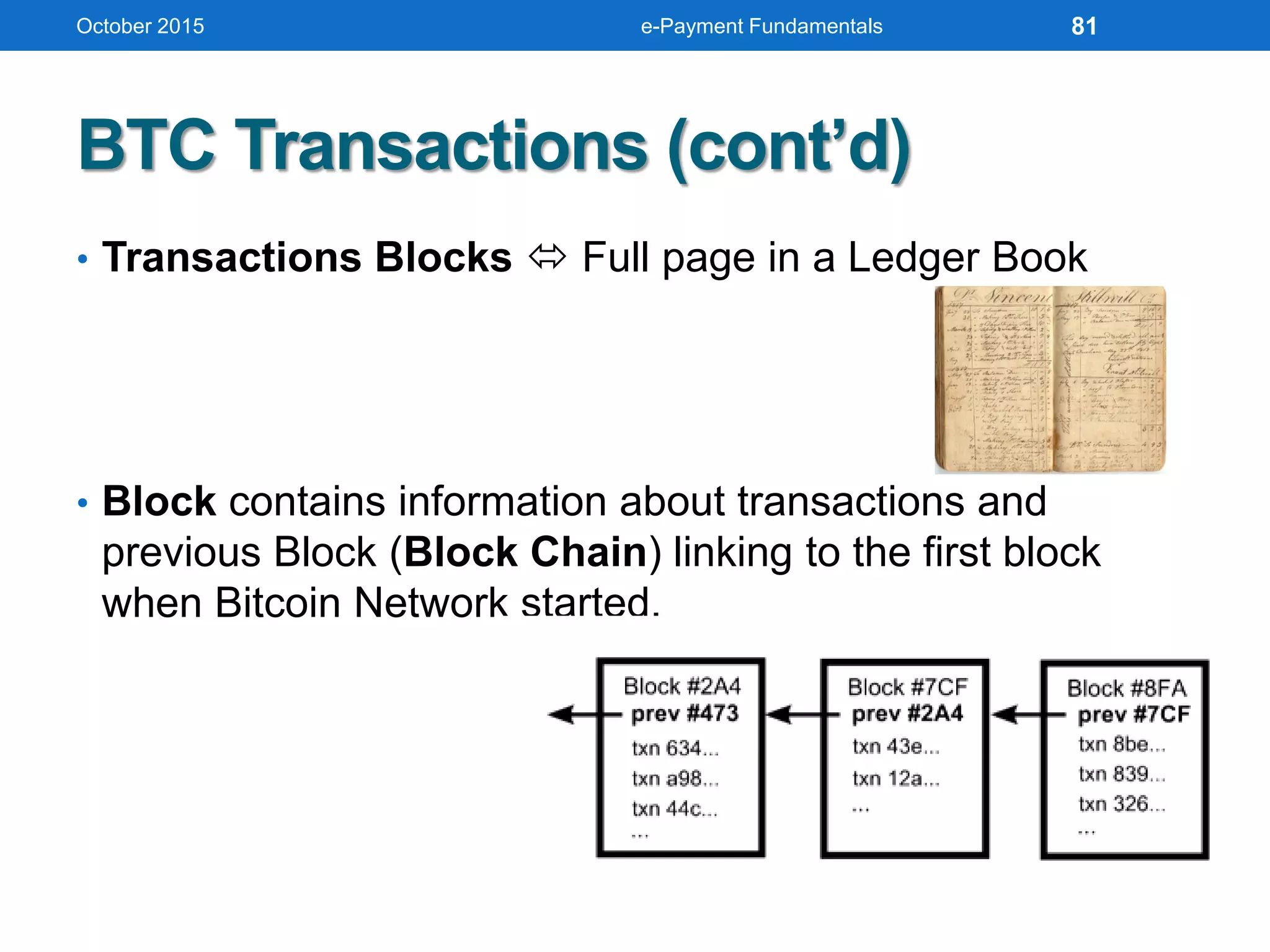
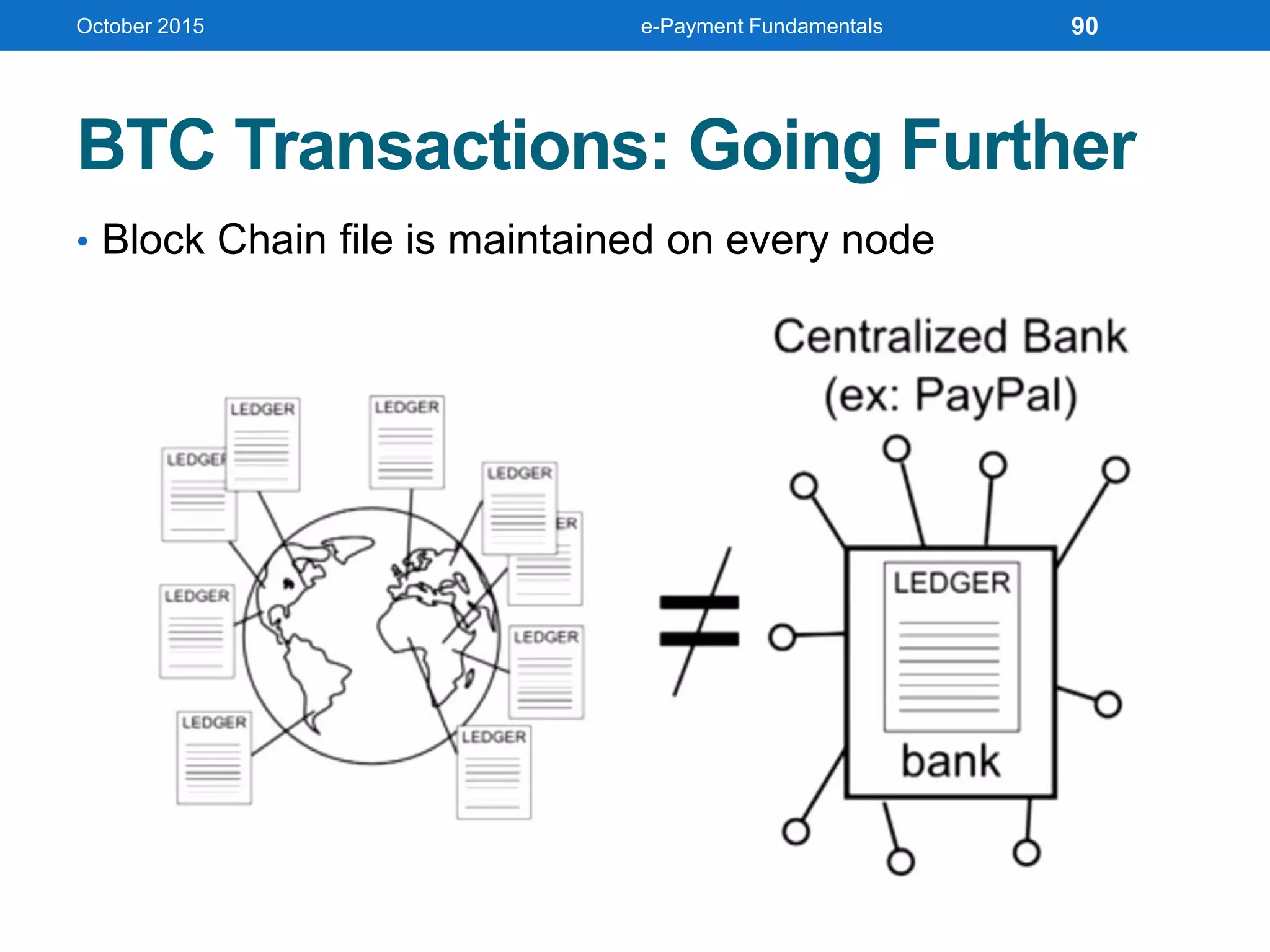
• Transactions Blocks  Full page in a Ledger Book
• Block contains information about transactions and
previous Block (Block Chain) linking to the first block
when Bitcoin Network started.
October 2015 e-Payment Fundamentals 81
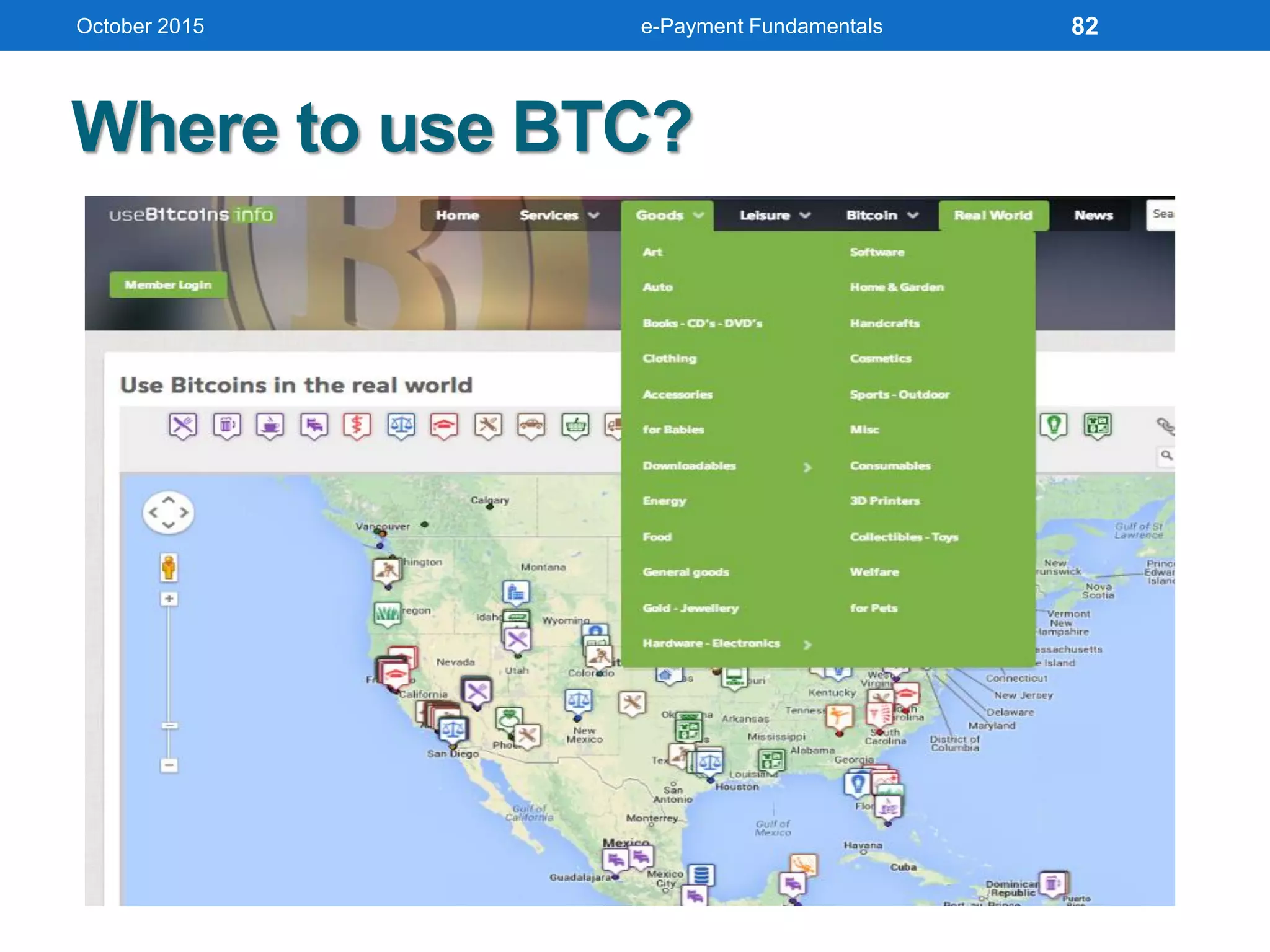
Where to use BTC?
October 2015 e-Payment Fundamentals 82
COMPREHENDING E-CASH
AND ITS IMPLEMENTATION
October 2015 e-Payment Fundamentals 83
Benefits of E-Check
• Reduces merchant’s administrative costs by
providing faster and less paper-intensive
collection of funds
• Improves efficiency of deposit process for
merchants and financial institutions
• Speeds the checkout process for consumers
• Provides consumers with more information
about their purchases on their account
statements
• Reduces float period and number of checks
that bounce because of insufficient funds
(NSFs)
October 2015 e-Payment Fundamentals 84
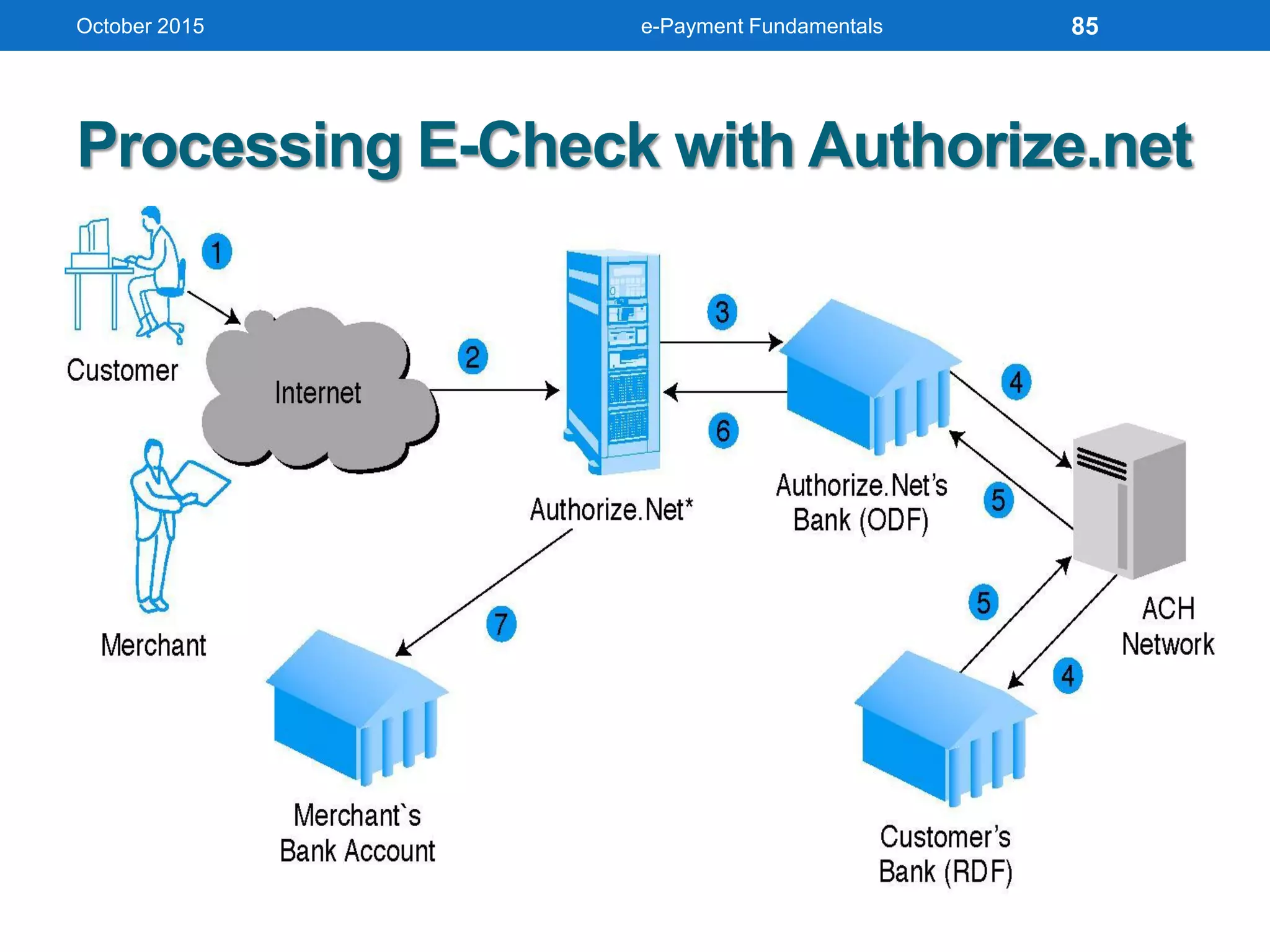
Processing E-Check with Authorize.net
October 2015 e-Payment Fundamentals 85
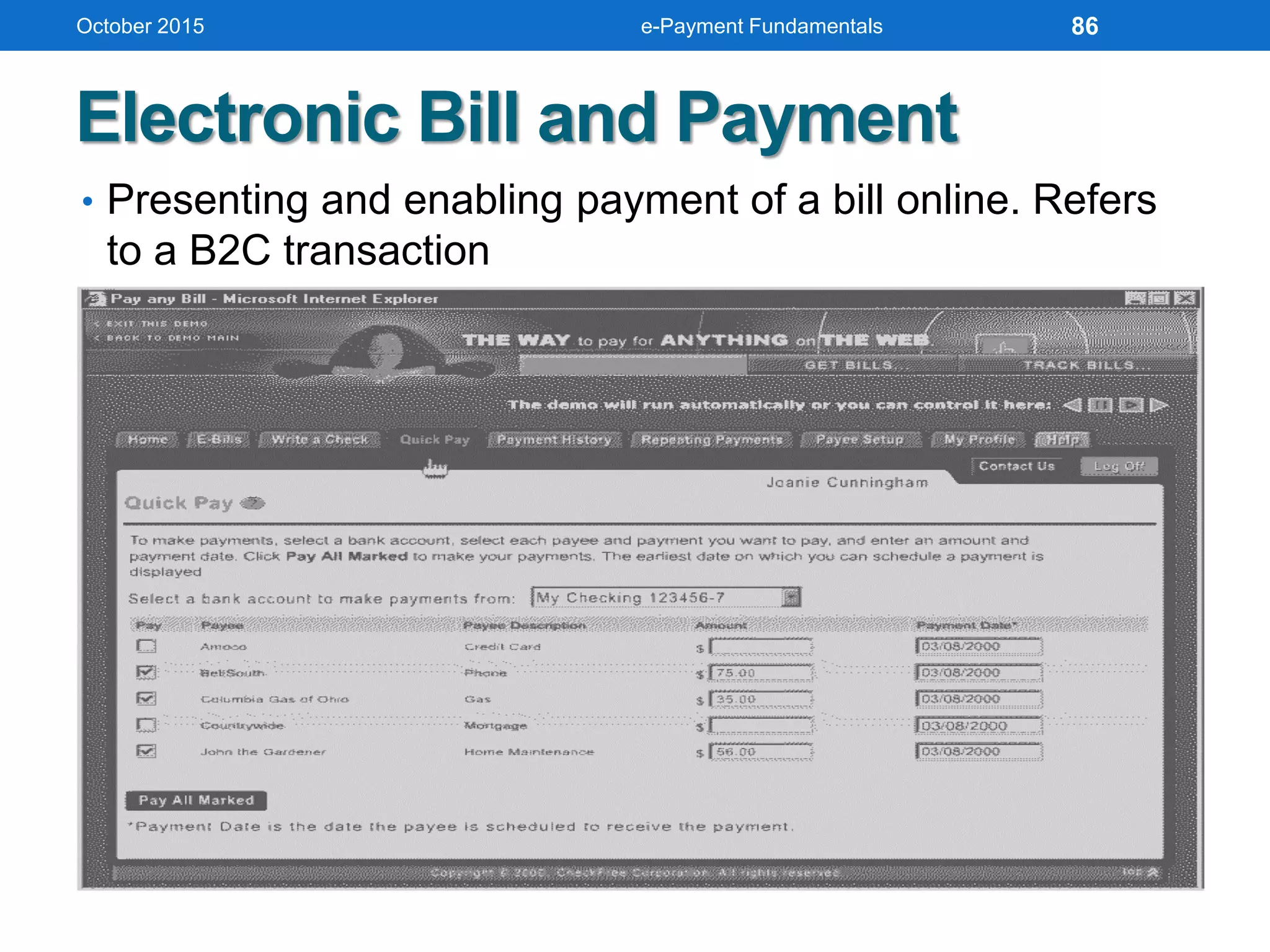
Electronic Bill and Payment
• Presenting and enabling payment of a bill online. Refers
to a B2C transaction
October 2015 e-Payment Fundamentals 86
Electronic Bill and Payment (cont’d)
Types of E-Billing
• Online banking
• Biller direct
• Bill consolidator
Advantages of E-Billing
• Reduction in expenses related to billing and processing
payments
• Electronic advertising inserts can be customized to the
individual customer
• Reduces customer’s expenses
October 2015 e-Payment Fundamentals 87
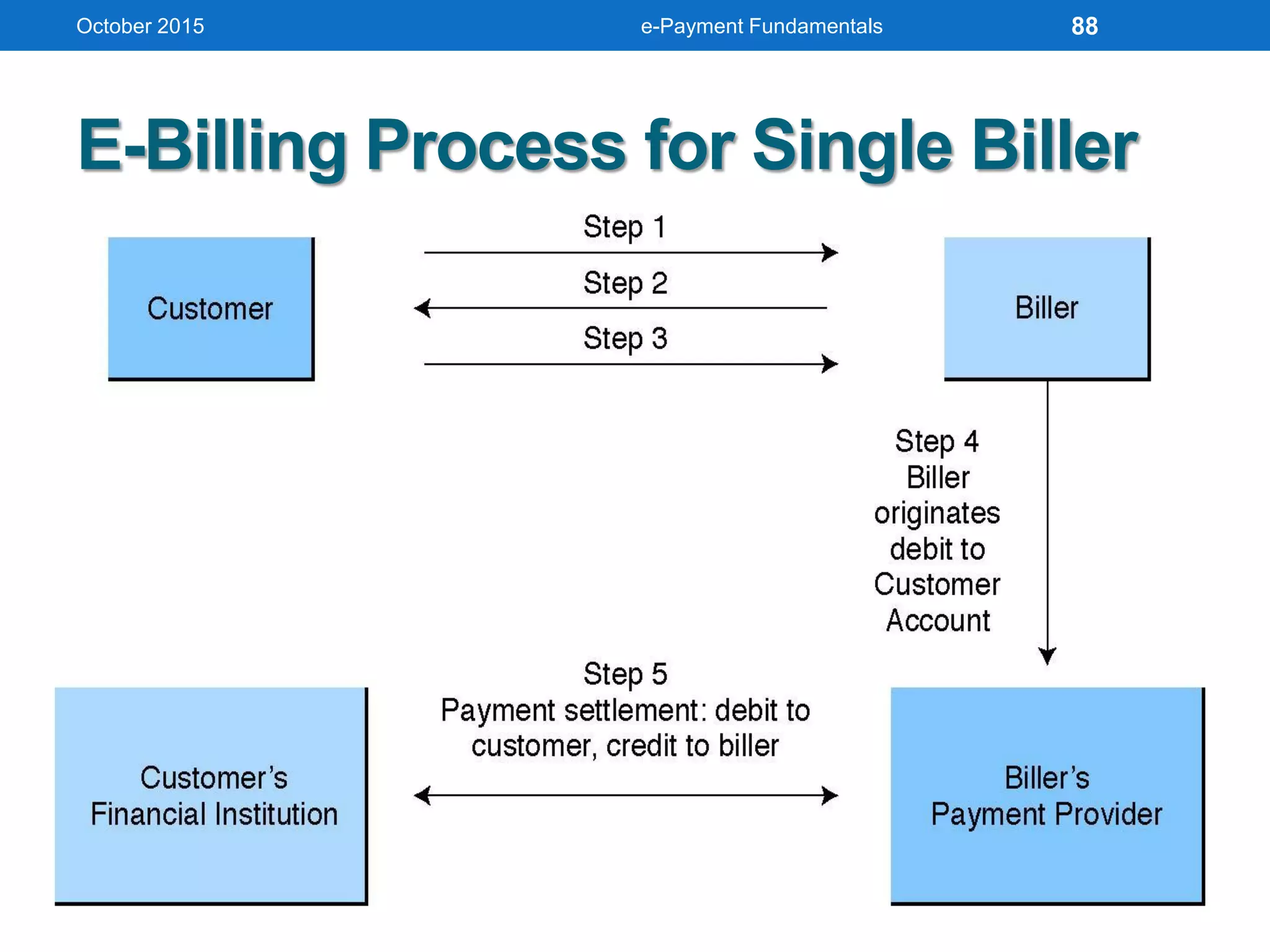
E-Billing Process for Single Biller
October 2015 e-Payment Fundamentals 88
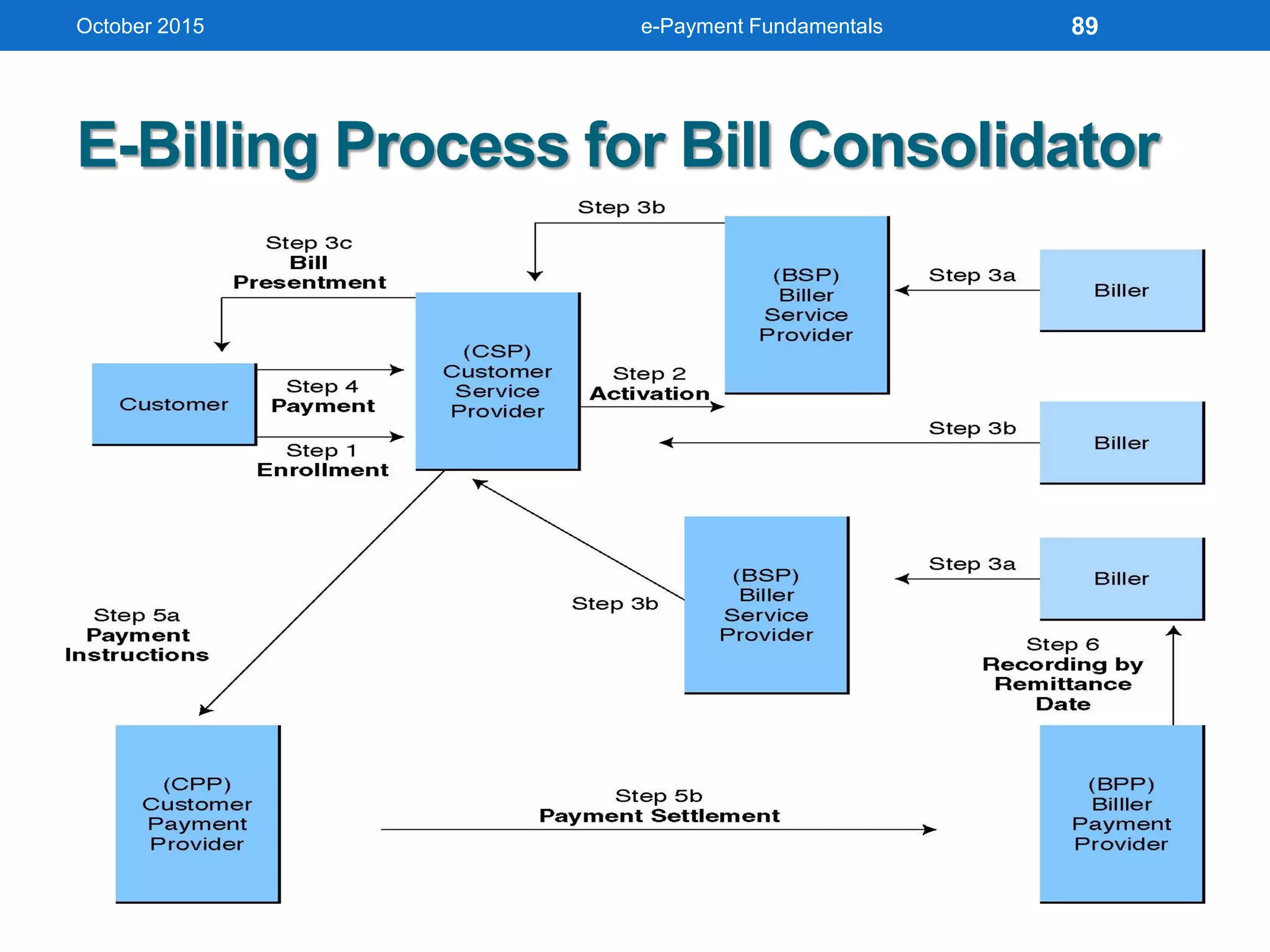
E-Billing Process for Bill Consolidator
October 2015 e-Payment Fundamentals 89
BTC Transactions: Going Further
• Block Chain file is maintained on every node
October 2015 e-Payment Fundamentals 90
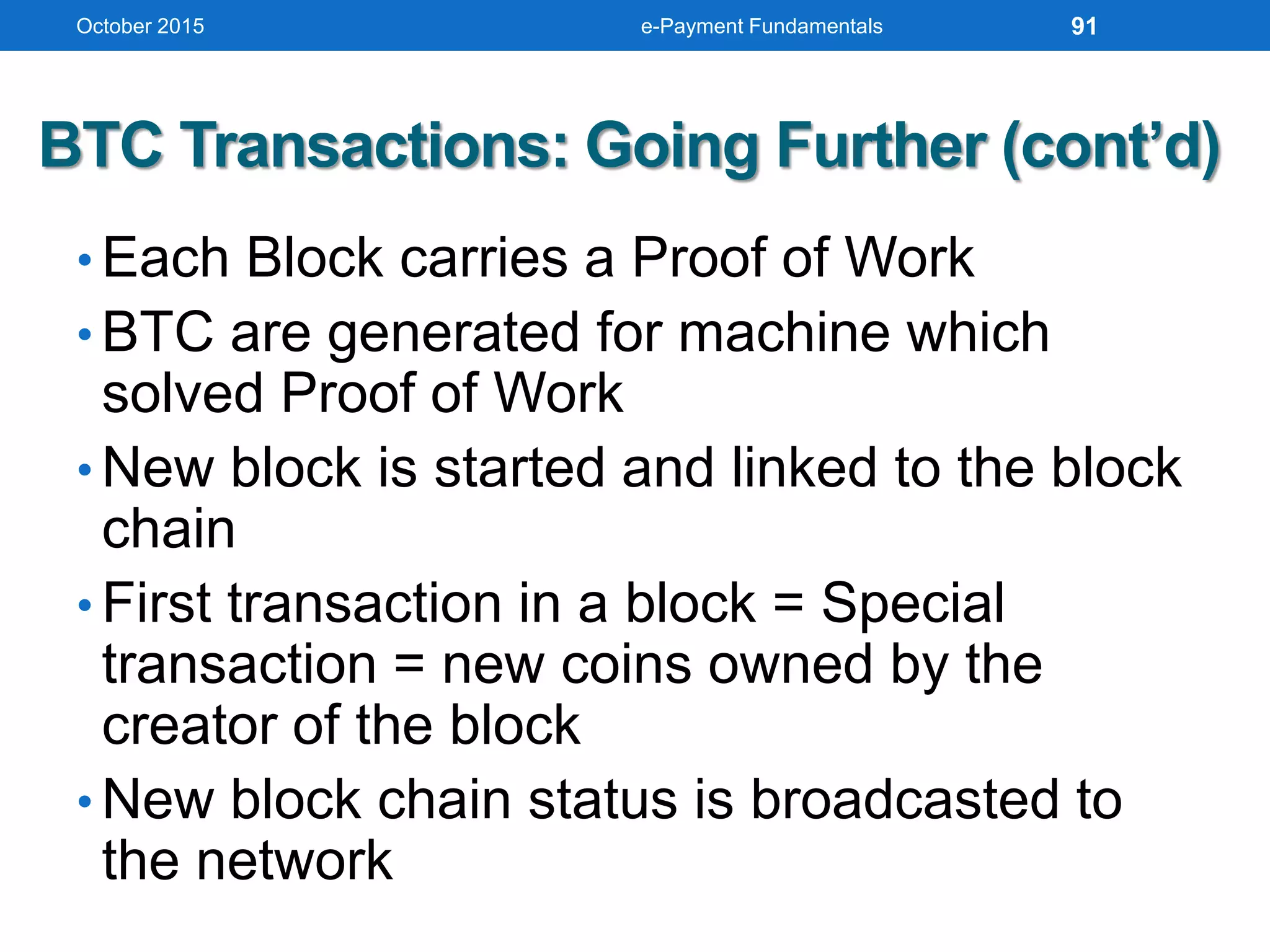
BTC Transactions: Going Further (cont’d)
• Each Block carries a Proof of Work
• BTC are generated for machine which
solved Proof of Work
• New block is started and linked to the block
chain
• First transaction in a block = Special
transaction = new coins owned by the
creator of the block
• New block chain status is broadcasted to
the network
October 2015 e-Payment Fundamentals 91
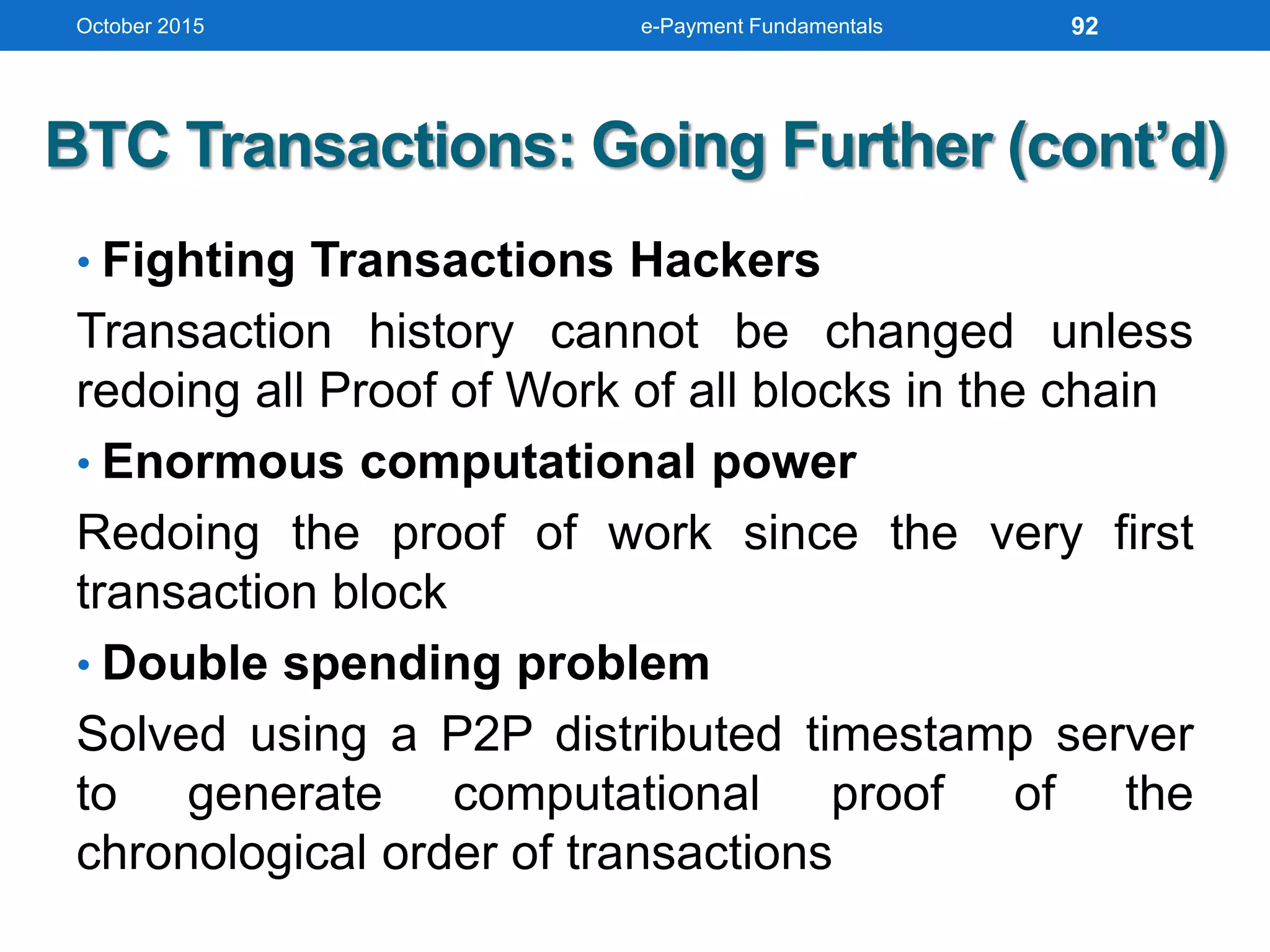
BTC Transactions: Going Further (cont’d)
• Fighting Transactions Hackers
Transaction history cannot be changed unless
redoing all Proof of Work of all blocks in the chain
• Enormous computational power
Redoing the proof of work since the very first
transaction block
• Double spending problem
Solved using a P2P distributed timestamp server
to generate computational proof of the
chronological order of transactions
October 2015 e-Payment Fundamentals 92
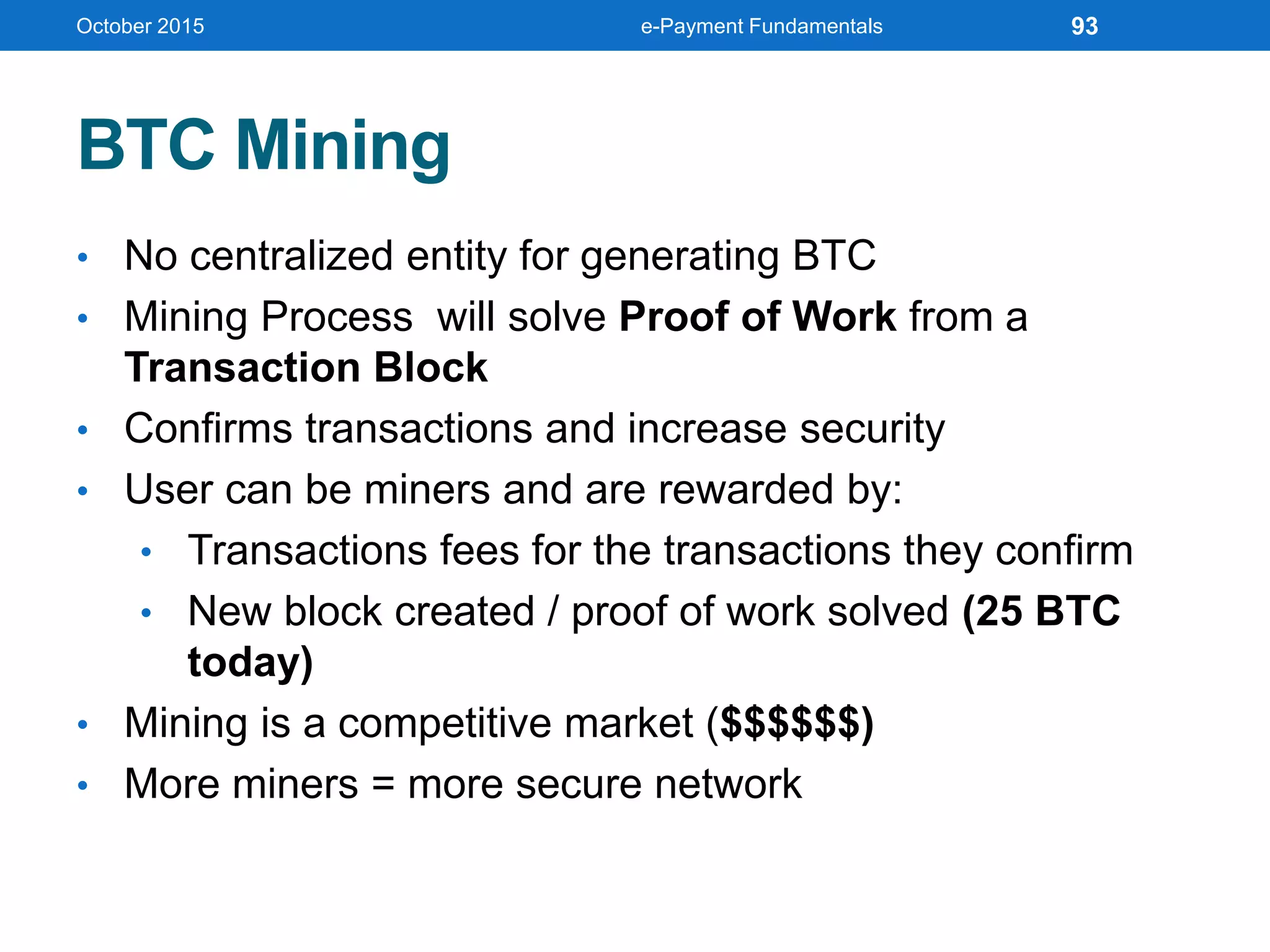
BTC Mining
• No centralized entity for generating BTC
• Mining Process will solve Proof of Work from a
Transaction Block
• Confirms transactions and increase security
• User can be miners and are rewarded by:
• Transactions fees for the transactions they confirm
• New block created / proof of work solved (25 BTC
today)
• Mining is a competitive market ($$$$$$)
• More miners = more secure network
October 2015 e-Payment Fundamentals 93
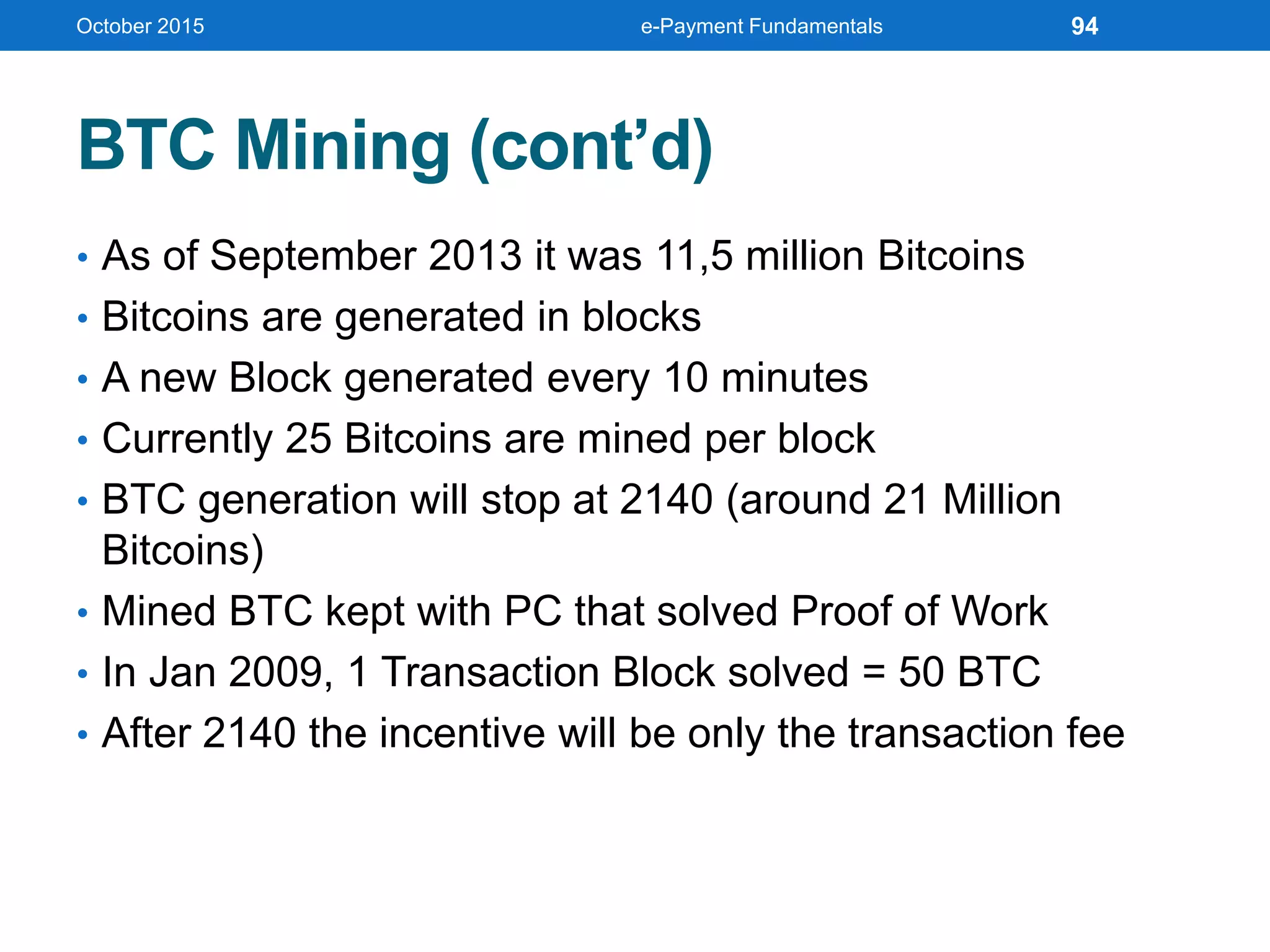
BTC Mining (cont’d)
• As of September 2013 it was 11,5 million Bitcoins
• Bitcoins are generated in blocks
• A new Block generated every 10 minutes
• Currently 25 Bitcoins are mined per block
• BTC generation will stop at 2140 (around 21 Million
Bitcoins)
• Mined BTC kept with PC that solved Proof of Work
• In Jan 2009, 1 Transaction Block solved = 50 BTC
• After 2140 the incentive will be only the transaction fee
October 2015 e-Payment Fundamentals 94
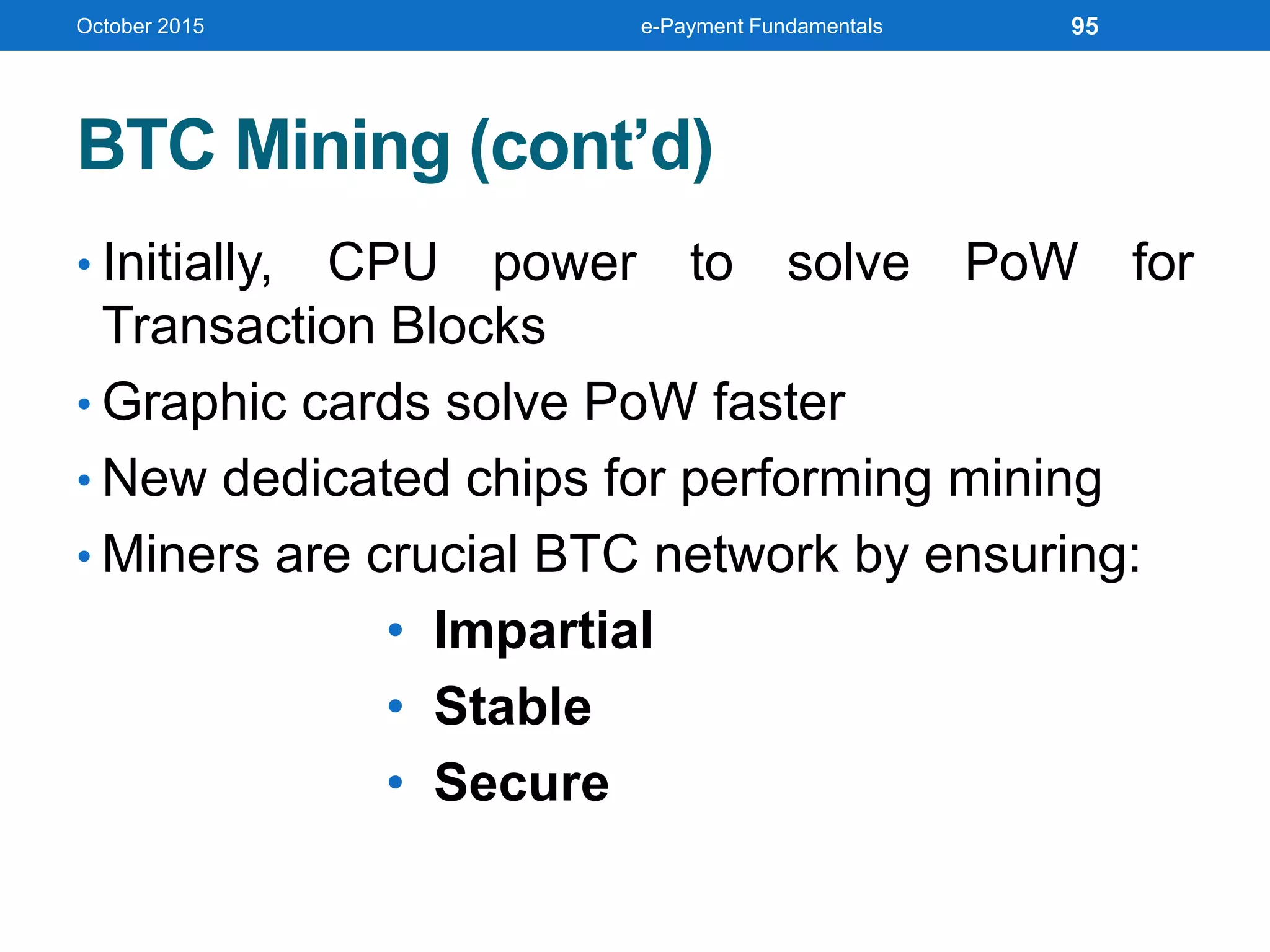
BTC Mining (cont’d)
• Initially, CPU power to solve PoW for
Transaction Blocks
• Graphic cards solve PoW faster
• New dedicated chips for performing mining
• Miners are crucial BTC network by ensuring:
• Impartial
• Stable
• Secure
October 2015 e-Payment Fundamentals 95
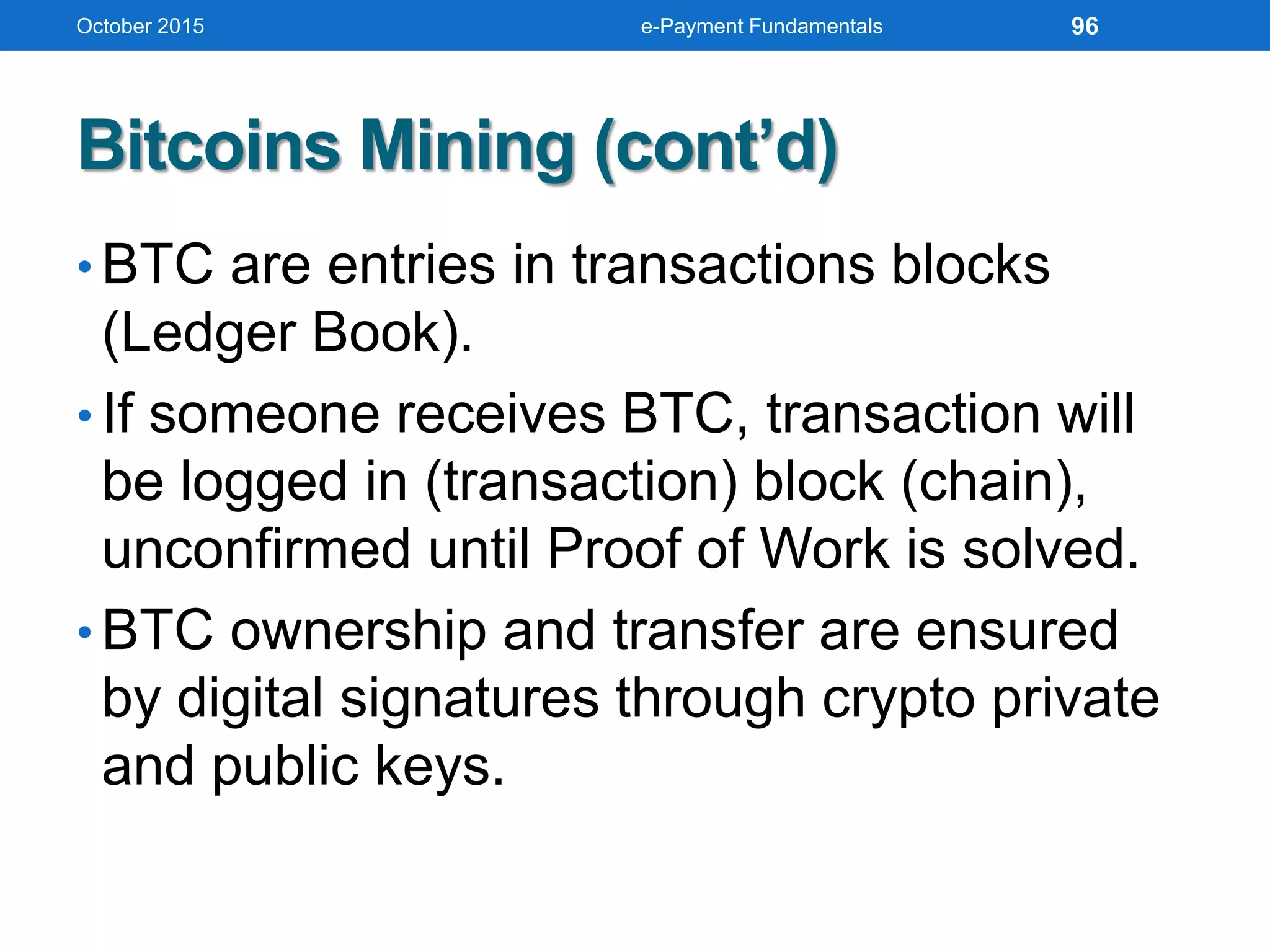
Bitcoins Mining (cont’d)
• BTC are entries in transactions blocks
(Ledger Book).
• If someone receives BTC, transaction will
be logged in (transaction) block (chain),
unconfirmed until Proof of Work is solved.
• BTC ownership and transfer are ensured
by digital signatures through crypto private
and public keys.
October 2015 e-Payment Fundamentals 96
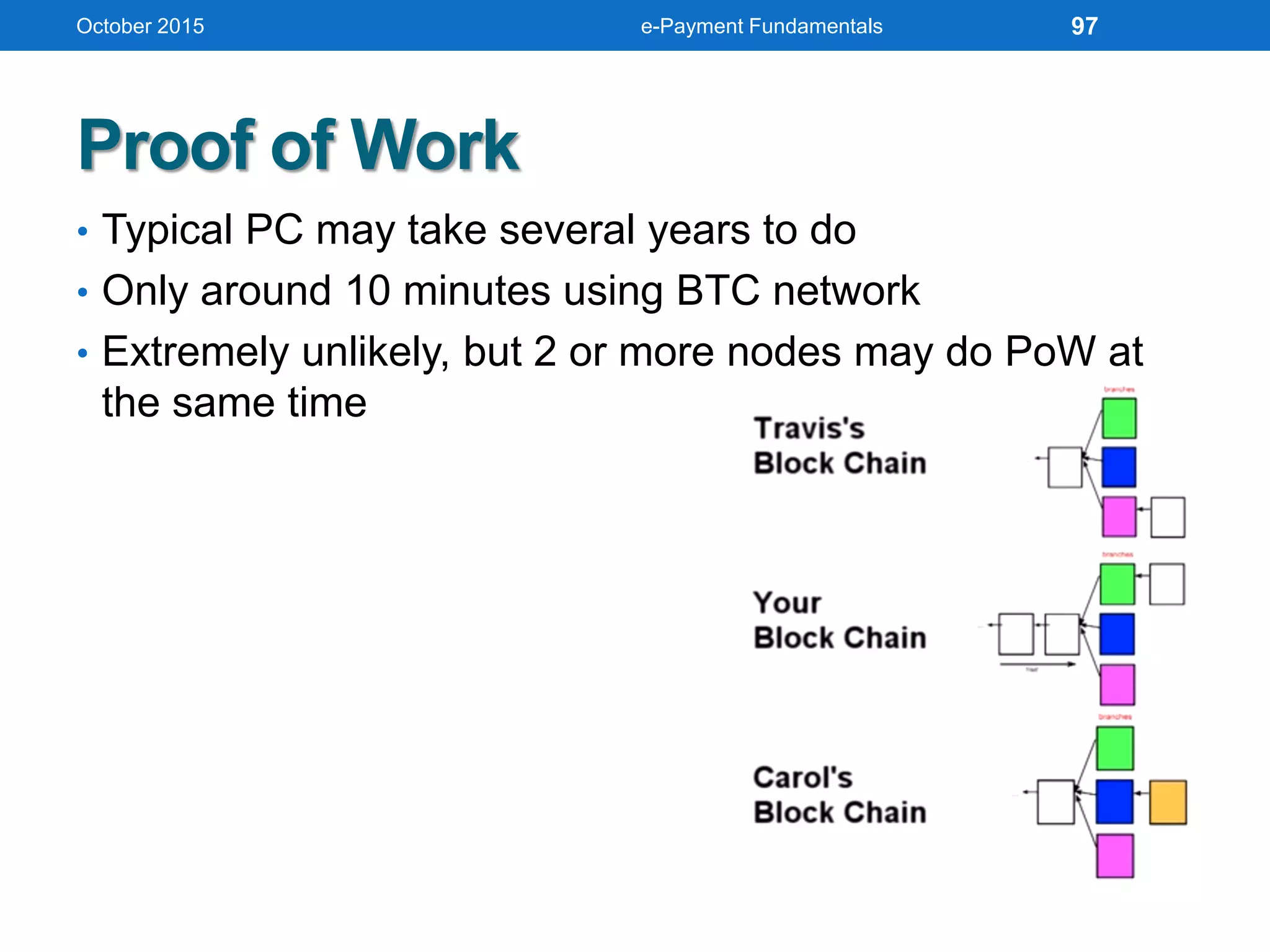
Proof of Work
• Typical PC may take several years to do
• Only around 10 minutes using BTC network
• Extremely unlikely, but 2 or more nodes may do PoW at
the same time
October 2015 e-Payment Fundamentals 97
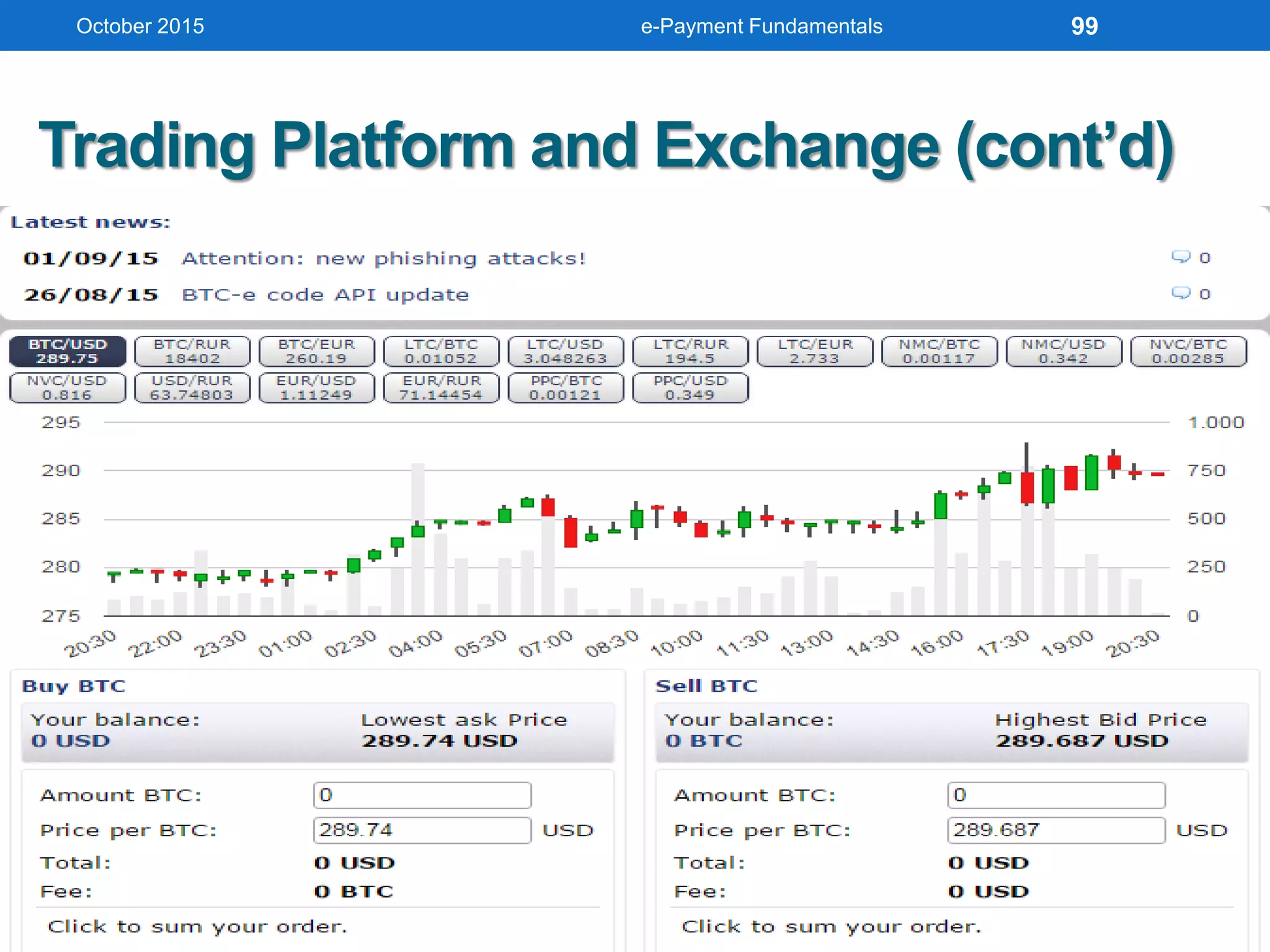
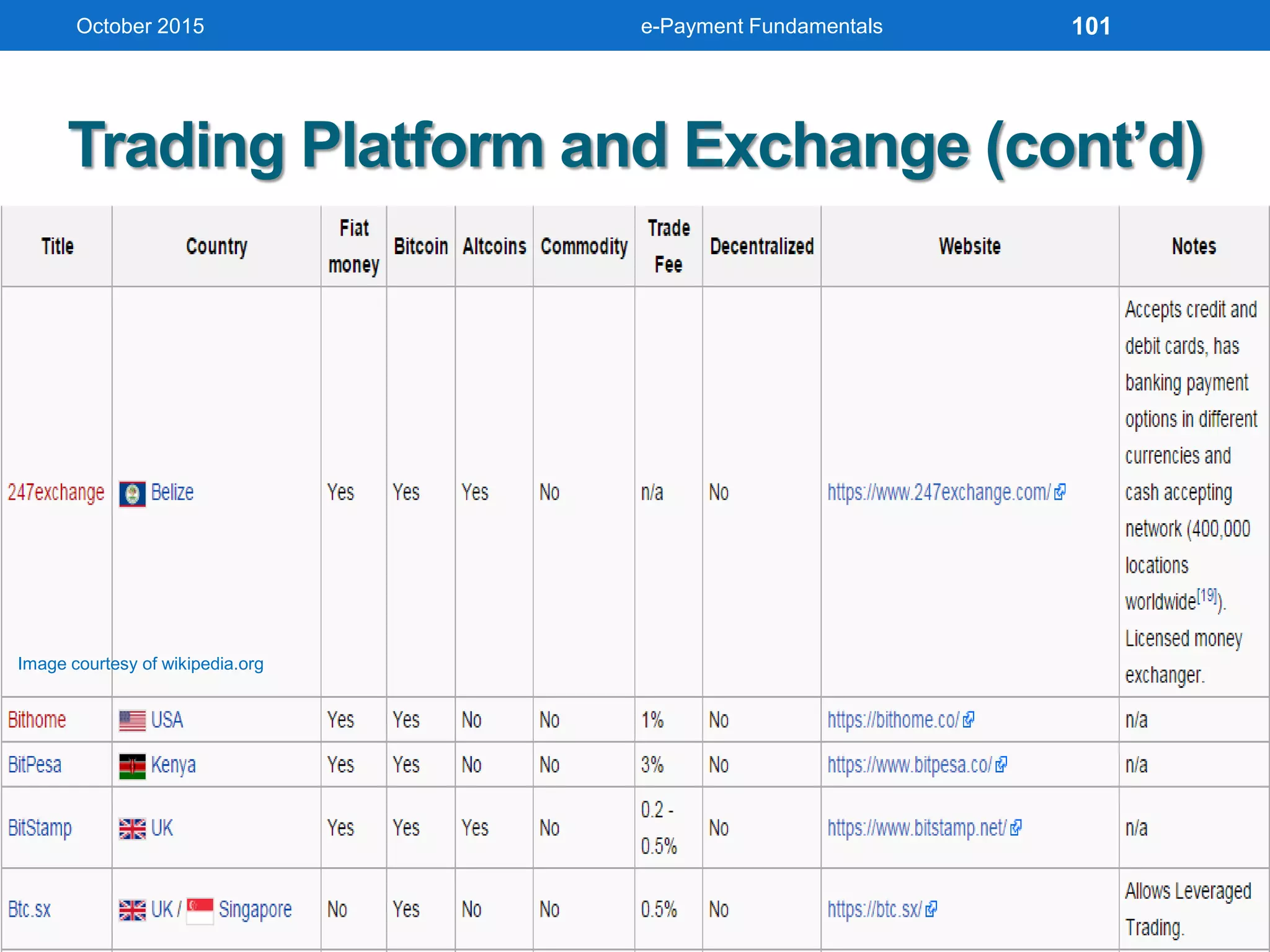
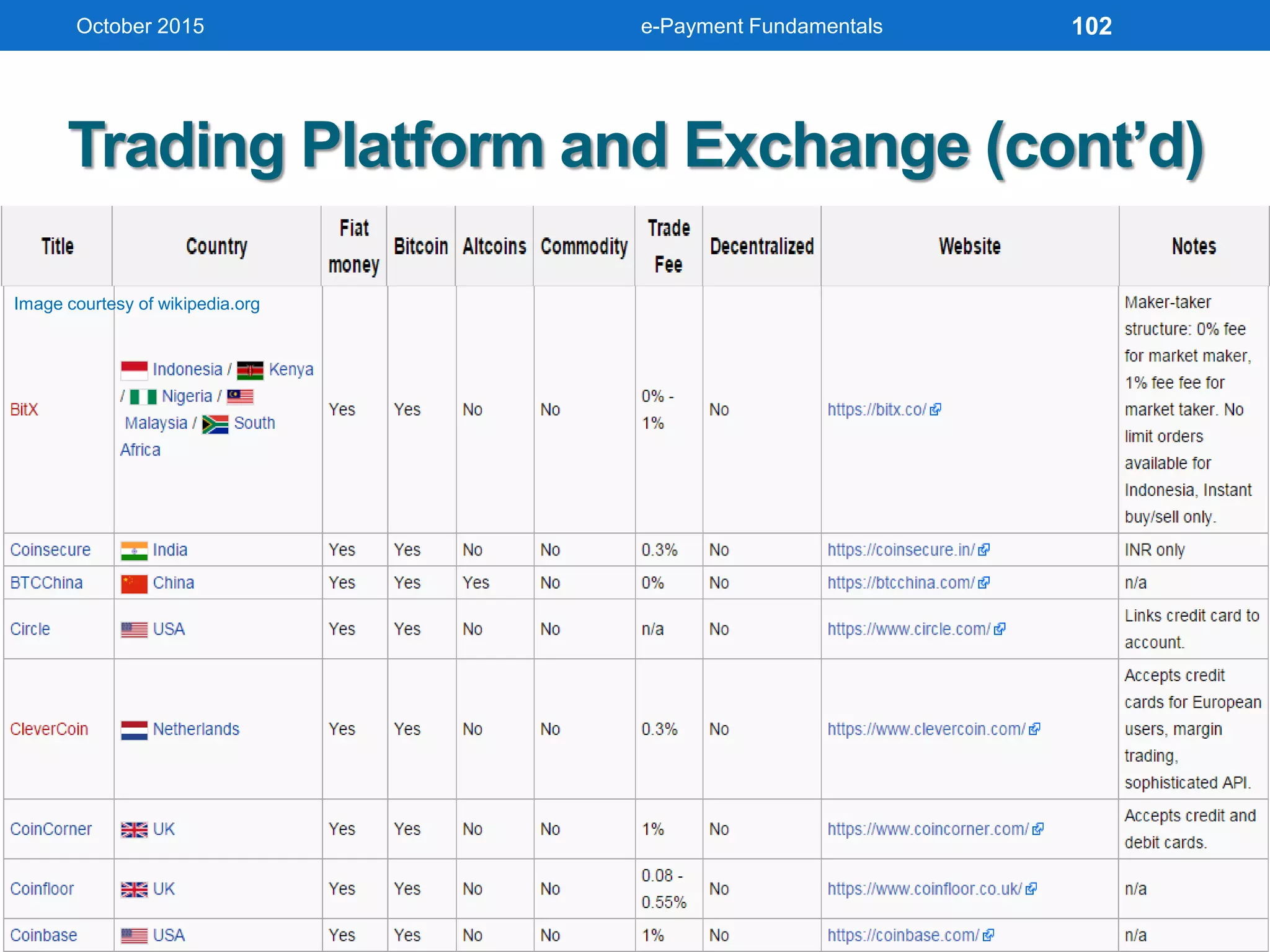
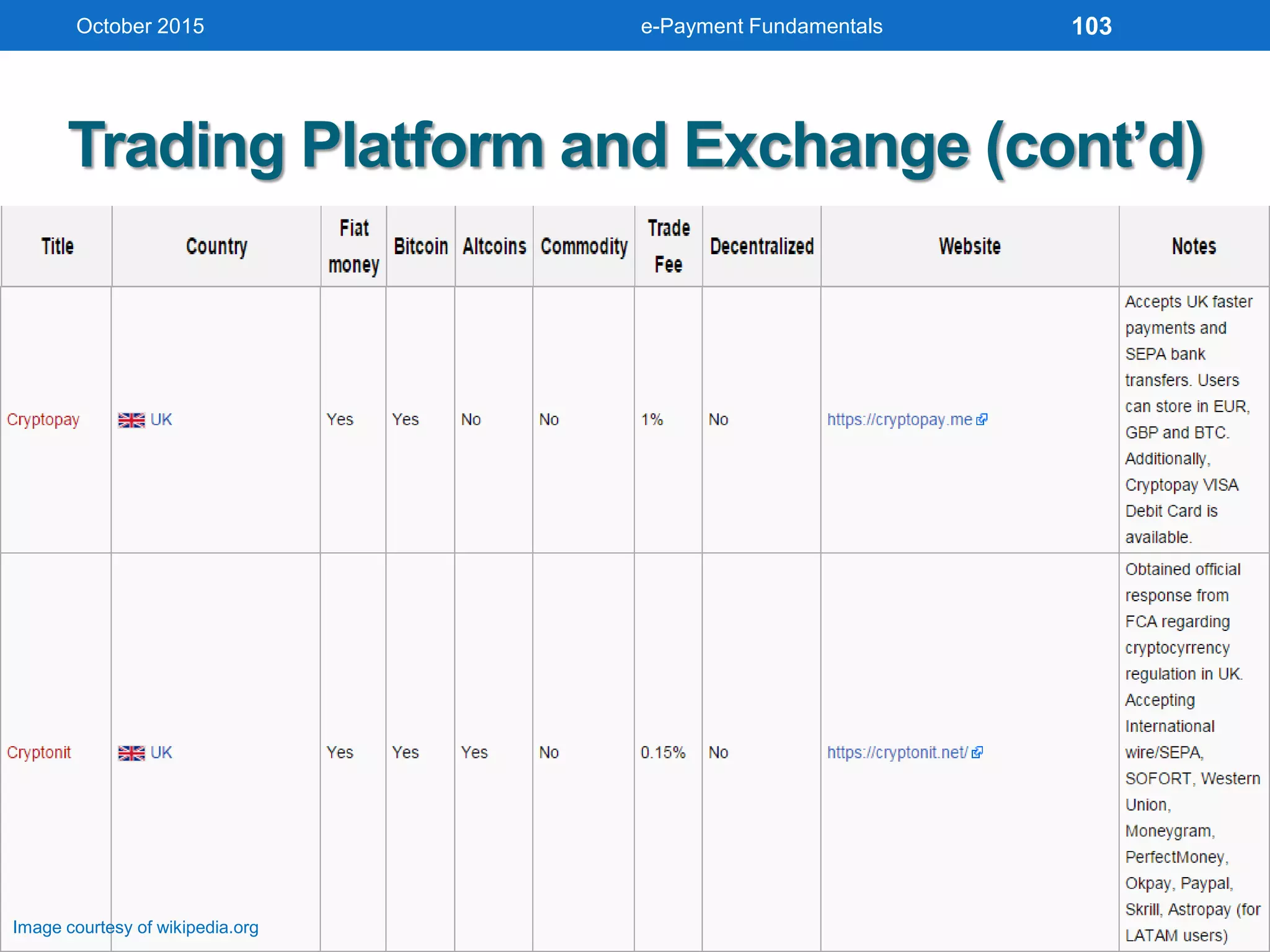
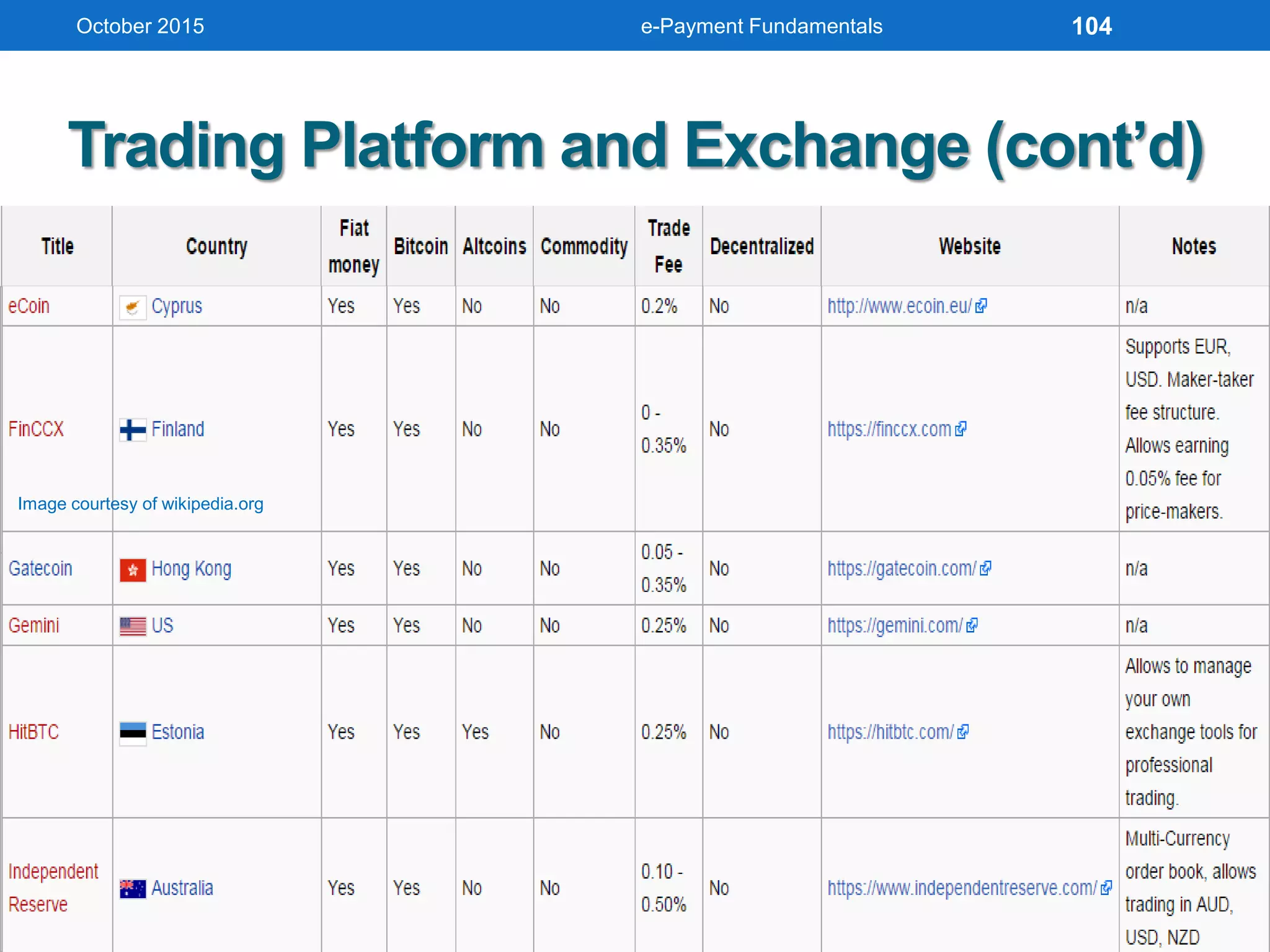
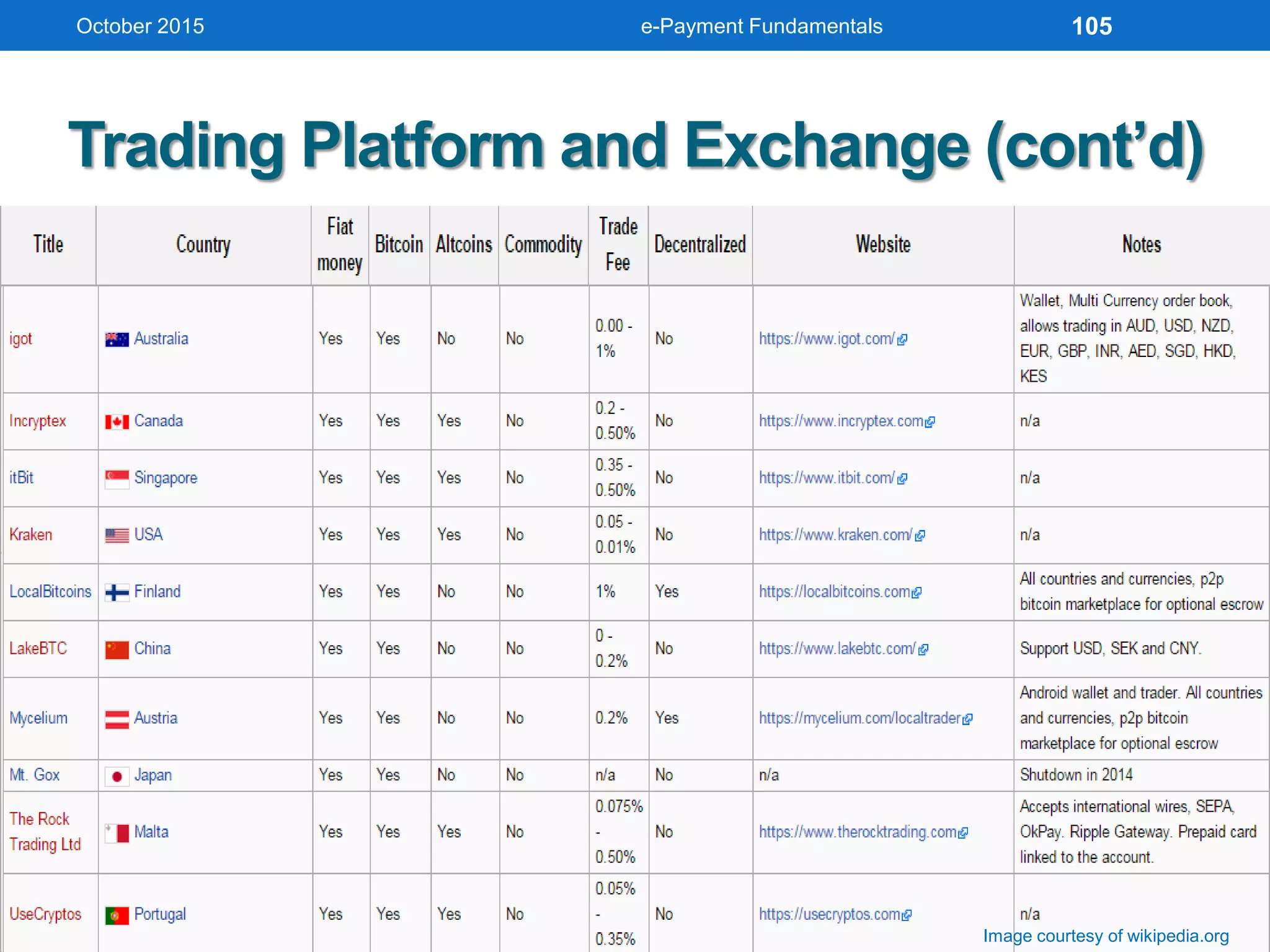
Trading Platform and Exchange (cont’d)
• BTC-e
Digital currency trading platform and exchange
Founded in July 2011, HQ in Russia
As of Feb15 handles 2.5% all Bitcoin exchange
volume
Allows trading between currencies USD, RUR and
EUR, and cryptocurrencies Bitcoin, Litecoin,
Namecoin, Novacoin, and Peercoin
Been component of CoinDesk Bitcoin Price Index
(Sep13)
October 2015 e-Payment Fundamentals 98
Trading Platform and Exchange (cont’d)
October 2015 e-Payment Fundamentals 99
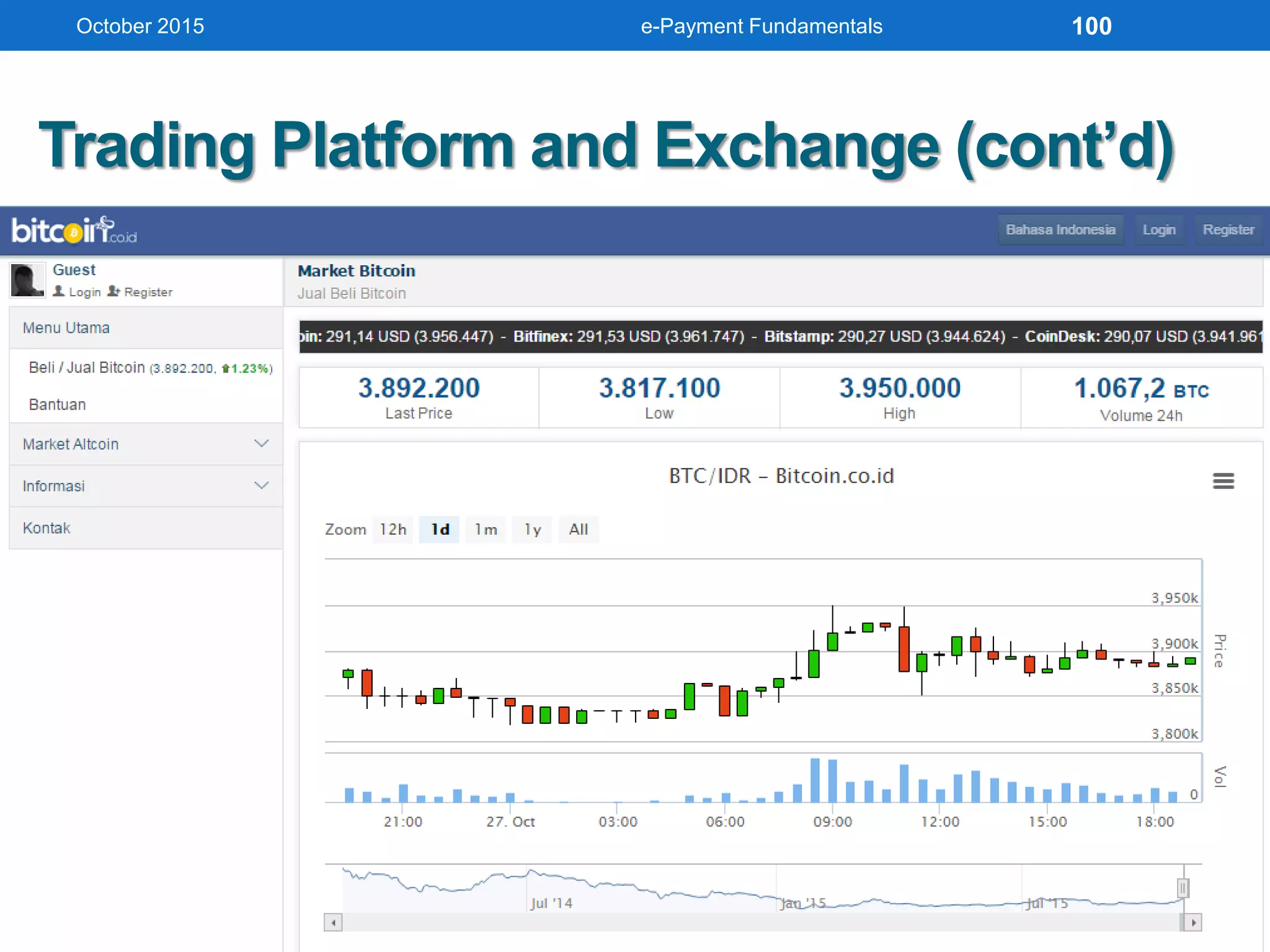
Trading Platform and Exchange (cont’d)
• BTC-e
Digital currency trading platform and exchange
Founded in July 2011, HQ in Russia
As of Feb15 handles 2.5% all Bitcoin exchange
volume
Allows trading between currencies USD, RUR and
EUR, and cryptocurrencies Bitcoin, Litecoin,
Namecoin, Novacoin, and Peercoin
Been component of CoinDesk Bitcoin Price Index
(Sep13)
October 2015 e-Payment Fundamentals 100
Trading Platform and Exchange (cont’d)
October 2015 e-Payment Fundamentals
Image courtesy of wikipedia.org
101
Trading Platform and Exchange (cont’d)
October 2015 e-Payment Fundamentals
Image courtesy of wikipedia.org
102
Trading Platform and Exchange (cont’d)
October 2015 e-Payment Fundamentals
Image courtesy of wikipedia.org
103
Trading Platform and Exchange (cont’d)
October 2015 e-Payment Fundamentals
Image courtesy of wikipedia.org
104
Trading Platform and Exchange (cont’d)
October 2015 e-Payment Fundamentals
Image courtesy of wikipedia.org
105
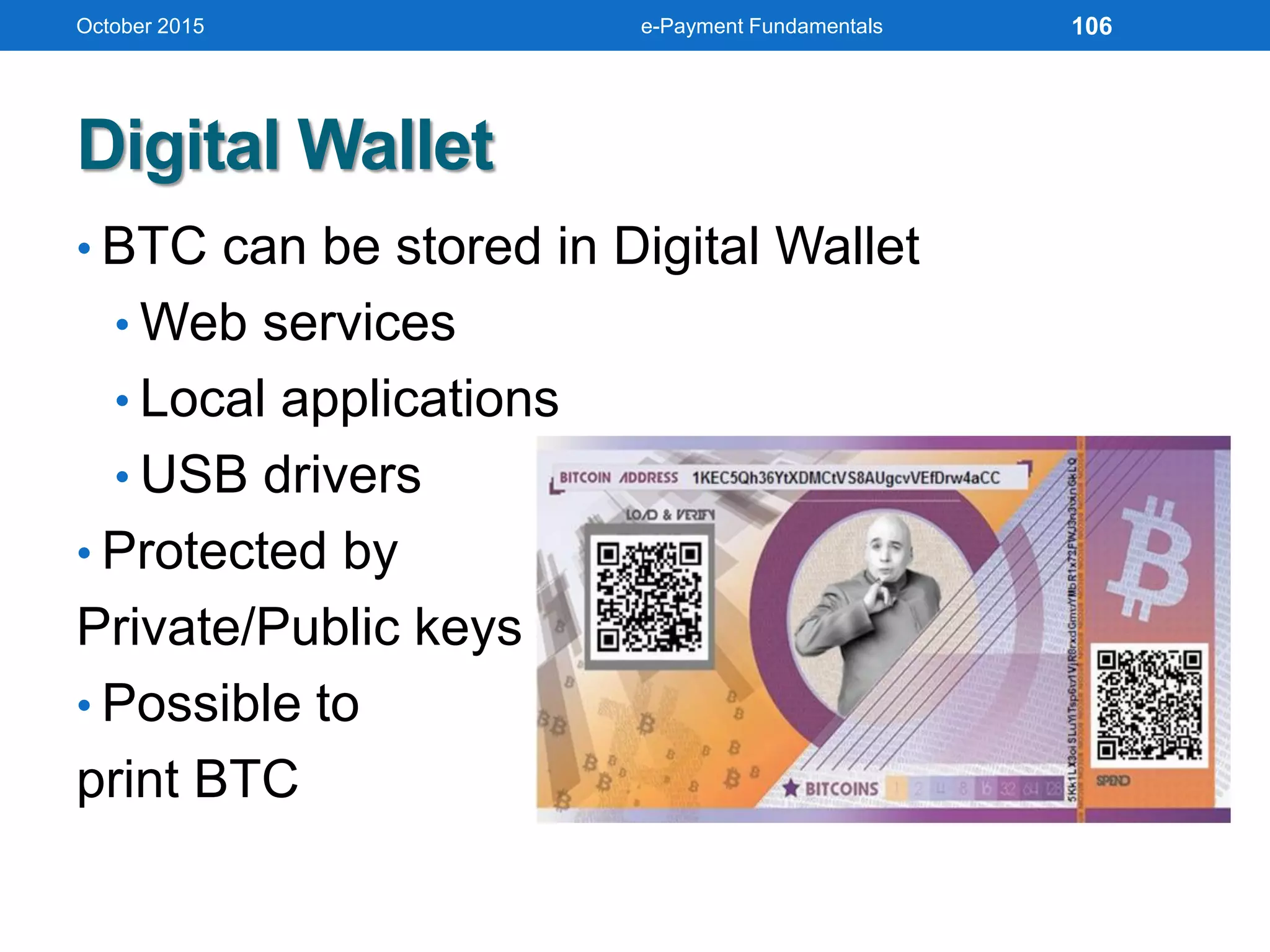
Digital Wallet
• BTC can be stored in Digital Wallet
• Web services
• Local applications
• USB drivers
• Protected by
Private/Public keys
• Possible to
print BTC
October 2015 e-Payment Fundamentals 106
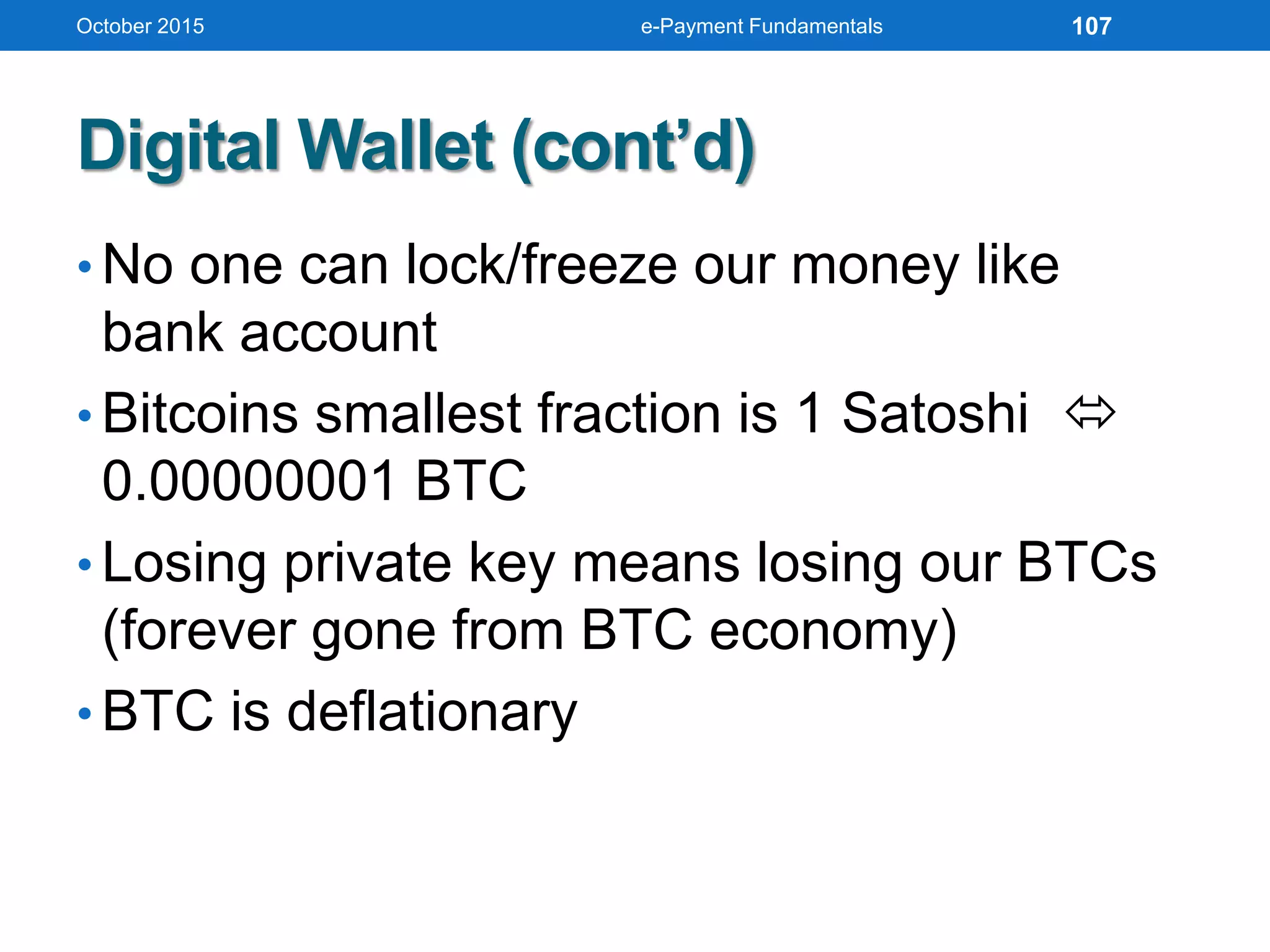
Digital Wallet (cont’d)
• No one can lock/freeze our money like
bank account
• Bitcoins smallest fraction is 1 Satoshi 
0.00000001 BTC
• Losing private key means losing our BTCs
(forever gone from BTC economy)
• BTC is deflationary
October 2015 e-Payment Fundamentals 107
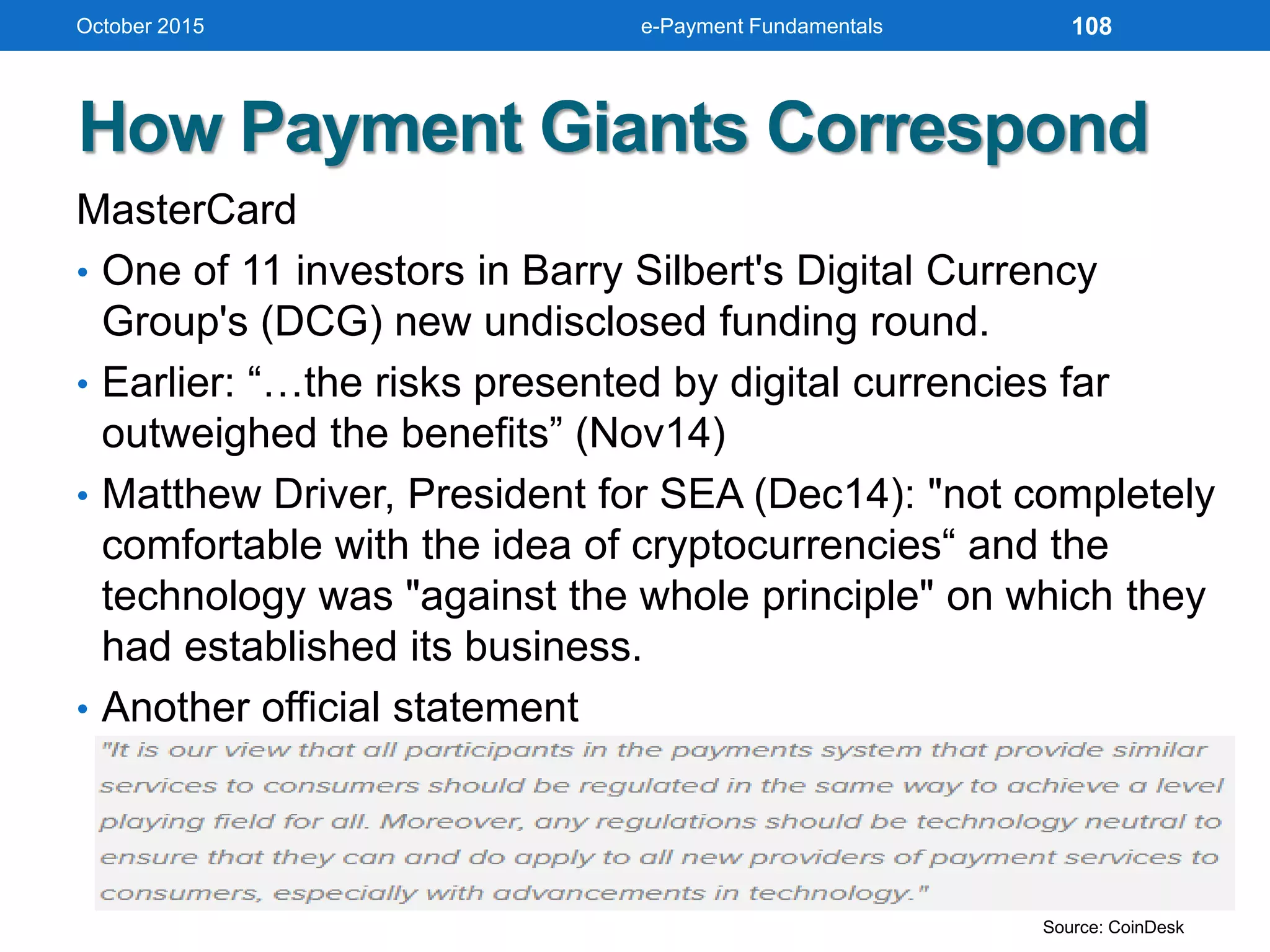
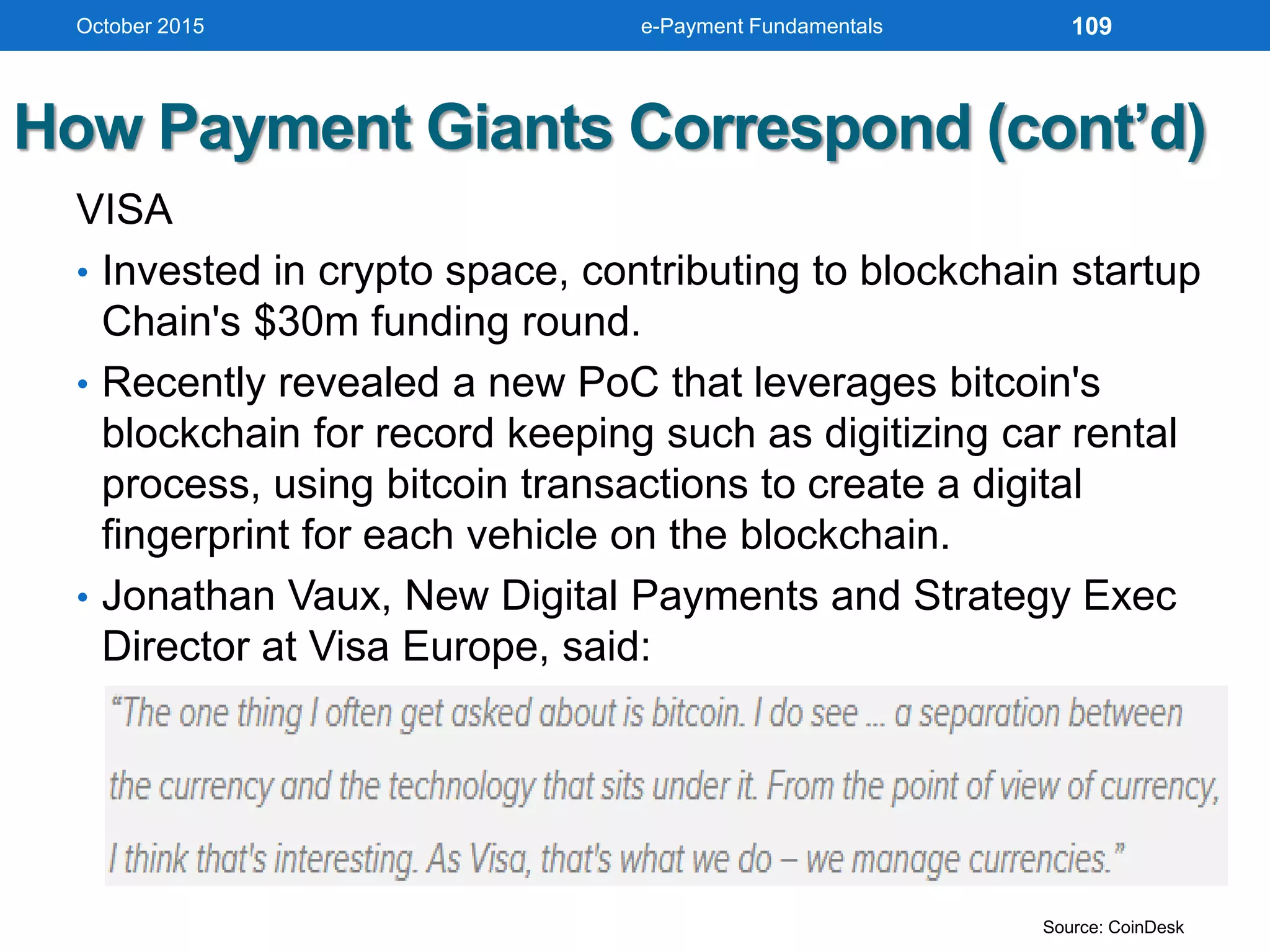
How Payment Giants Correspond
MasterCard
• One of 11 investors in Barry Silbert's Digital Currency
Group's (DCG) new undisclosed funding round.
• Earlier: “…the risks presented by digital currencies far
outweighed the benefits” (Nov14)
• Matthew Driver, President for SEA (Dec14): "not completely
comfortable with the idea of cryptocurrencies“ and the
technology was "against the whole principle" on which they
had established its business.
• Another official statement
October 2015 e-Payment Fundamentals 108
Source: CoinDesk
How Payment Giants Correspond (cont’d)
VISA
• Invested in crypto space, contributing to blockchain startup
Chain's $30m funding round.
• Recently revealed a new PoC that leverages bitcoin's
blockchain for record keeping such as digitizing car rental
process, using bitcoin transactions to create a digital
fingerprint for each vehicle on the blockchain.
• Jonathan Vaux, New Digital Payments and Strategy Exec
Director at Visa Europe, said:
October 2015 e-Payment Fundamentals 109
Source: CoinDesk
How Payment Giants Correspond (cont’d)
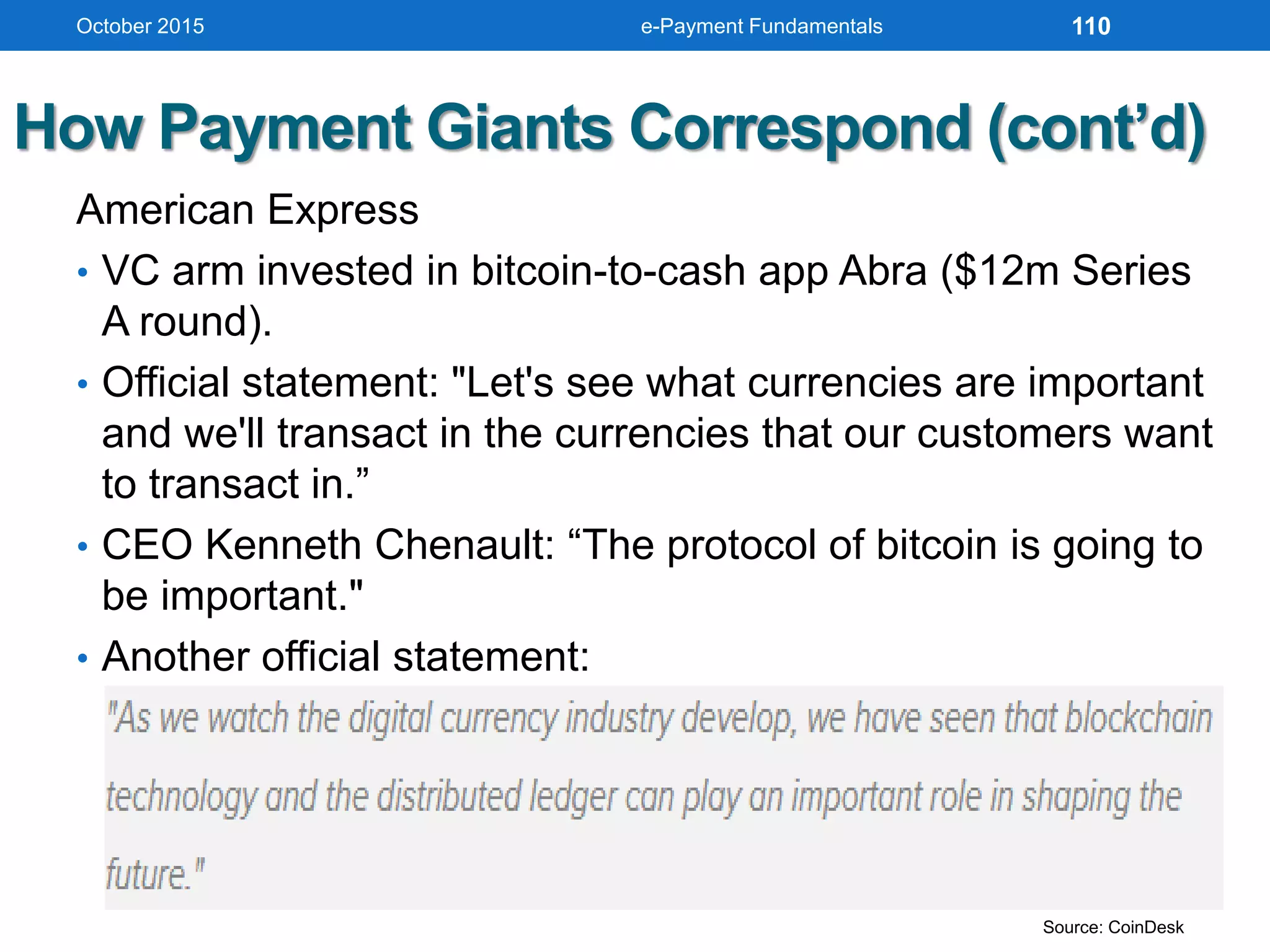
American Express
• VC arm invested in bitcoin-to-cash app Abra ($12m Series
A round).
• Official statement: "Let's see what currencies are important
and we'll transact in the currencies that our customers want
to transact in.”
• CEO Kenneth Chenault: “The protocol of bitcoin is going to
be important."
• Another official statement:
October 2015 e-Payment Fundamentals 110
Source: CoinDesk
How Payment Giants Correspond (cont’d)
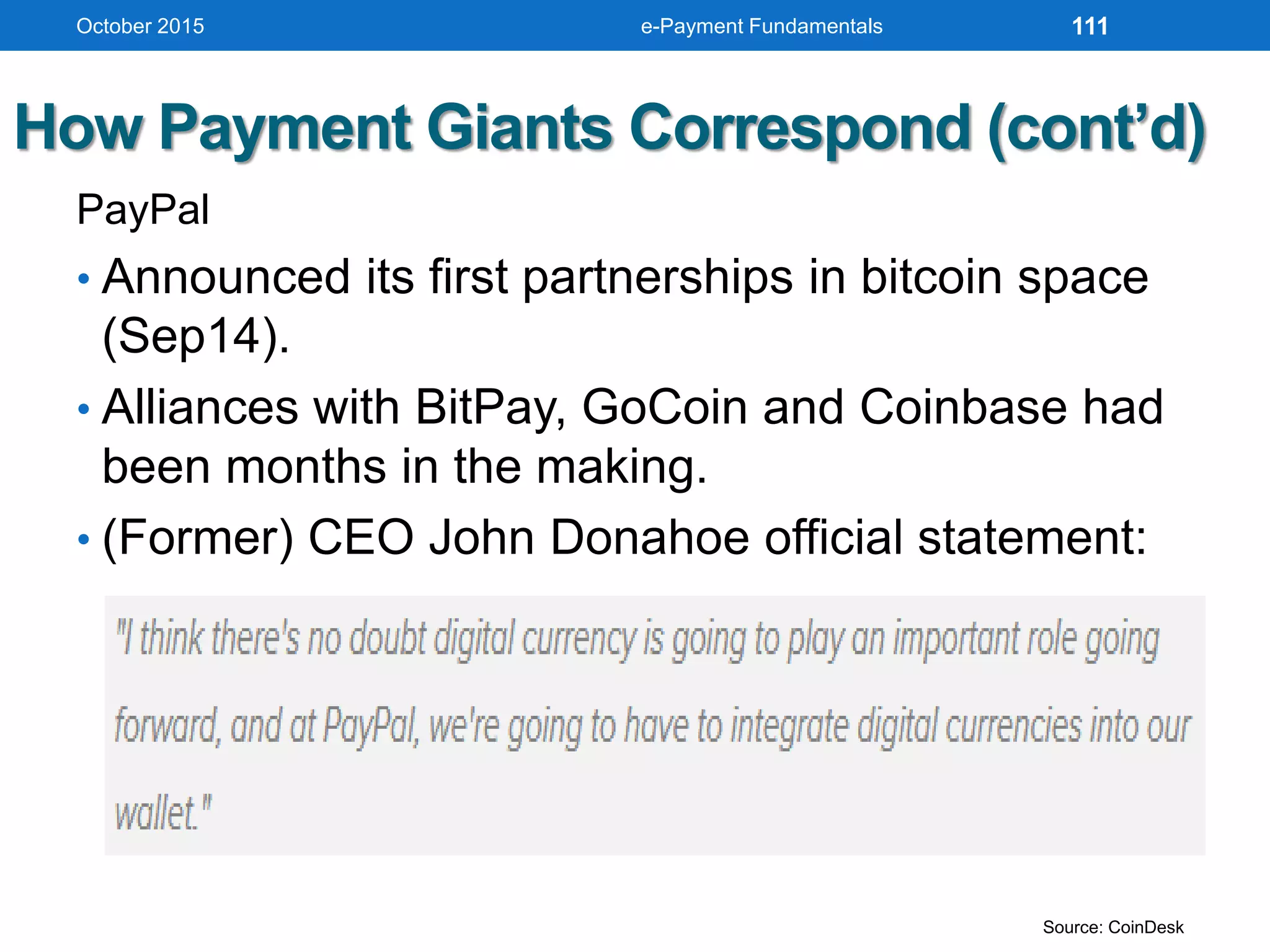
PayPal
• Announced its first partnerships in bitcoin space
(Sep14).
• Alliances with BitPay, GoCoin and Coinbase had
been months in the making.
• (Former) CEO John Donahoe official statement:
October 2015 e-Payment Fundamentals 111
Source: CoinDesk
IDENTIFYING
CHALLENGES OF E-CASH
October 2015 e-Payment Fundamentals 112
Electronic Payments
Current B2B Payment Practices
• Financial supply chains of most companies are
characterized by inefficiencies created by a number of
factors, including:
• The time required to create, transfer, and process paper
documentation
• The cost and errors associated with manual creation
and reconciliation of documentation
• The lack of transparency in inventory and cash positions
when goods are in the supply chain
• Disputes arising from inaccurate or missing data
• Fragmented point solutions that do not address the
complete end-to-end processes of the trade cycle
October 2015 e-Payment Fundamentals 113
Electronic Payments (cont’d)
Enterprise Invoice Presentment and
Payment (EIPP)
Presenting and paying B2B invoices
online
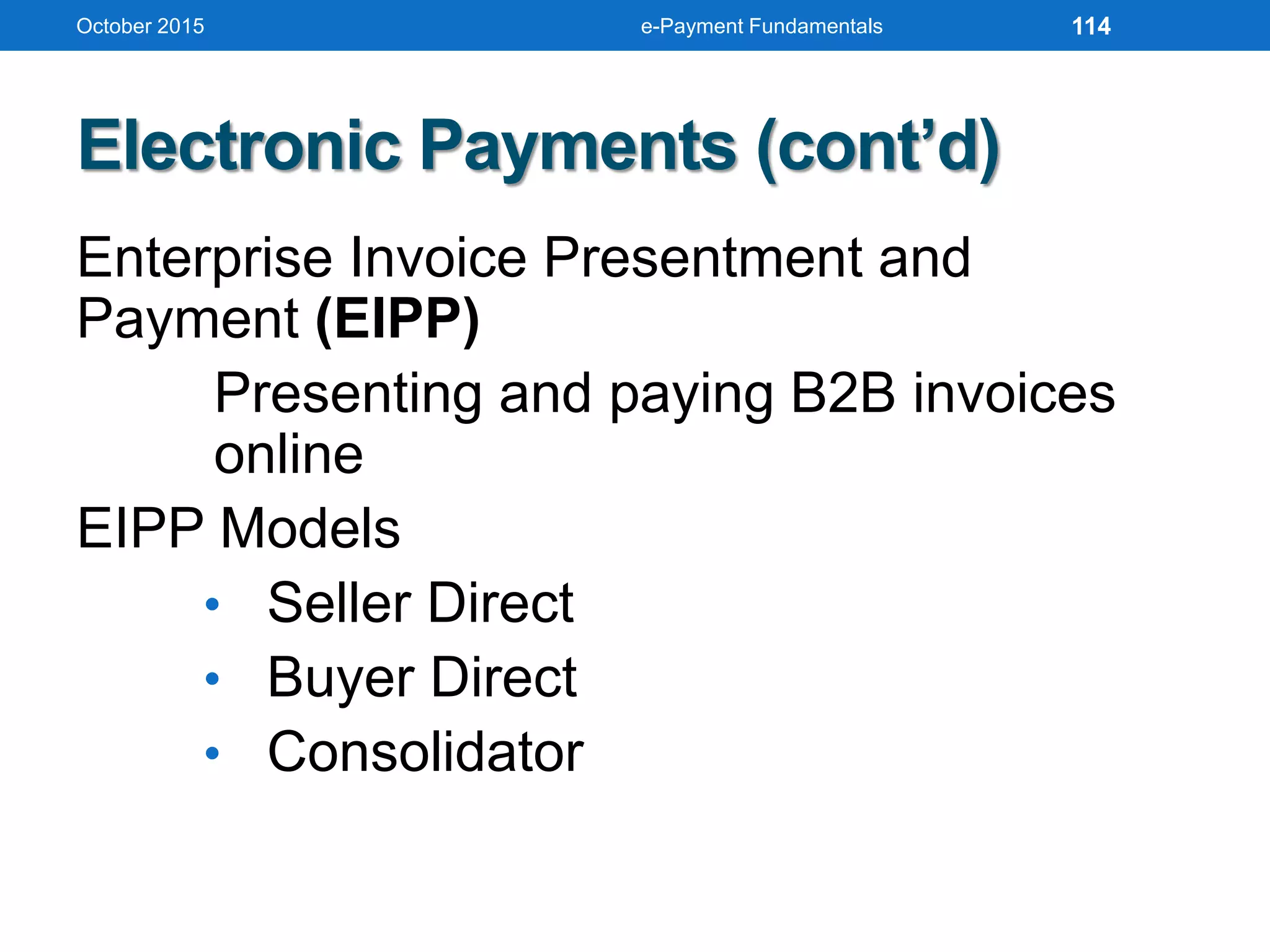
EIPP Models
• Seller Direct
• Buyer Direct
• Consolidator
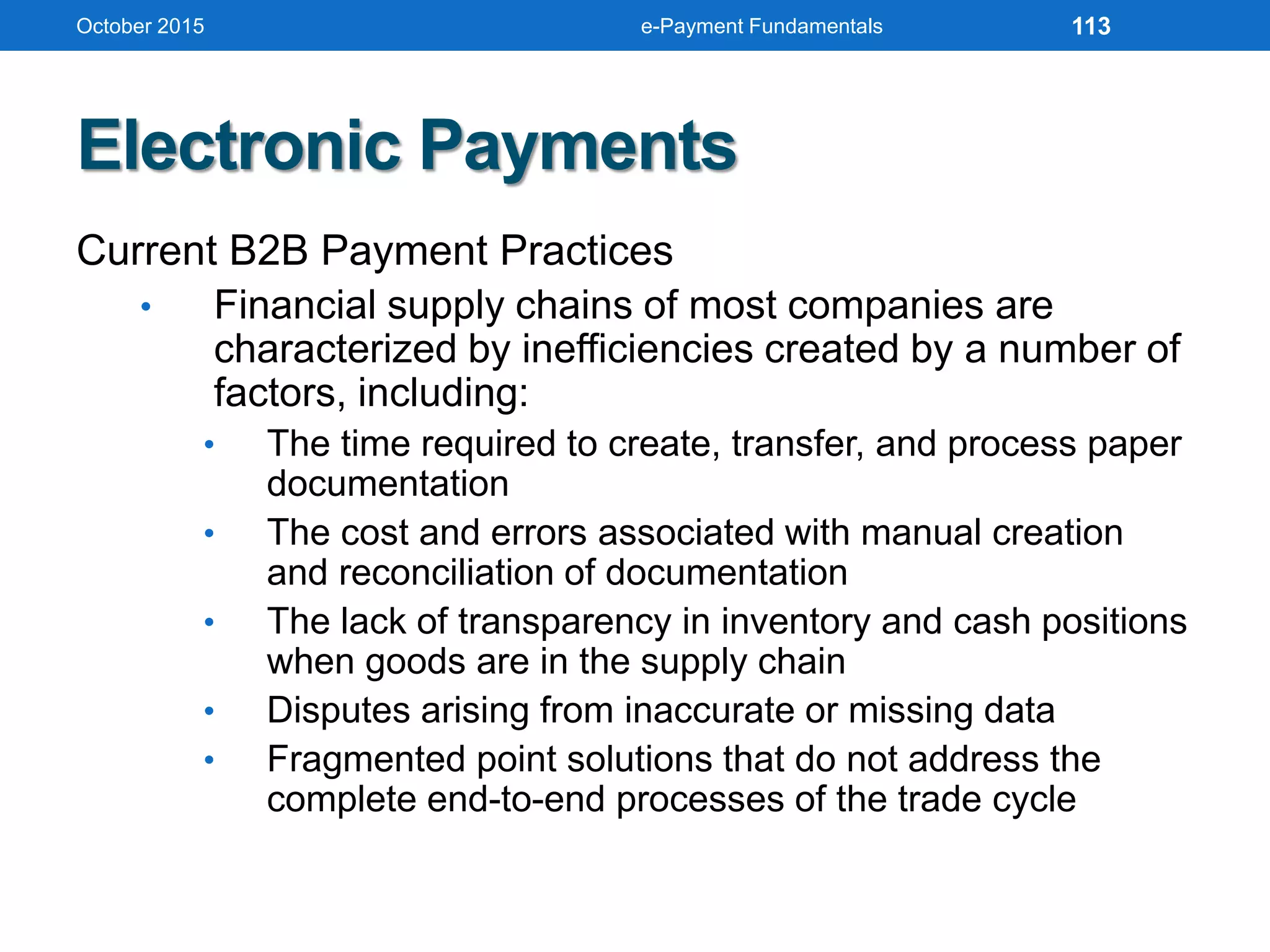
October 2015 e-Payment Fundamentals 114
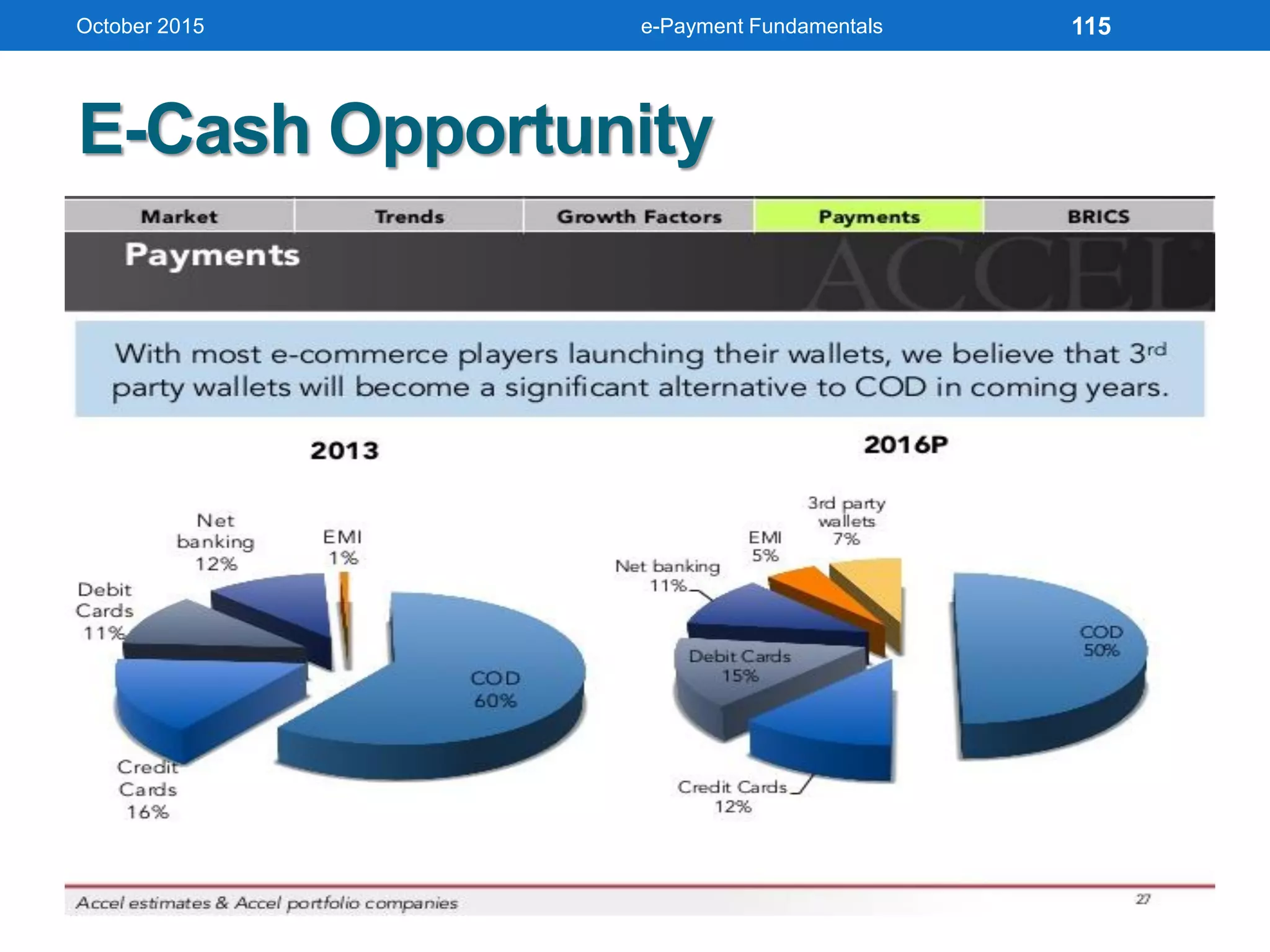
E-Cash Opportunity
October 2015 e-Payment Fundamentals 115
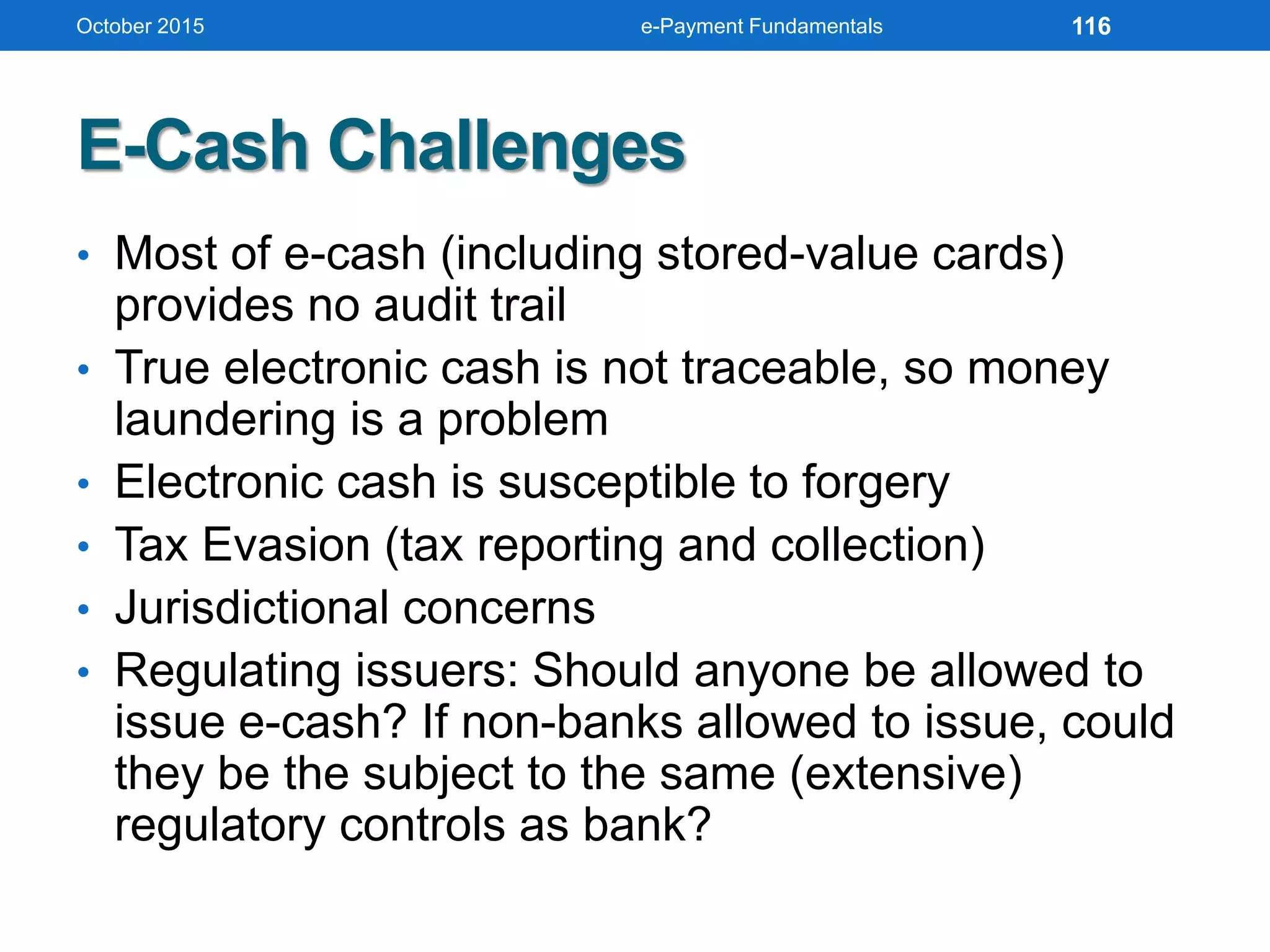
E-Cash Challenges
• Most of e-cash (including stored-value cards)
provides no audit trail
• True electronic cash is not traceable, so money
laundering is a problem
• Electronic cash is susceptible to forgery
• Tax Evasion (tax reporting and collection)
• Jurisdictional concerns
• Regulating issuers: Should anyone be allowed to
issue e-cash? If non-banks allowed to issue, could
they be the subject to the same (extensive)
regulatory controls as bank?
October 2015 e-Payment Fundamentals 116
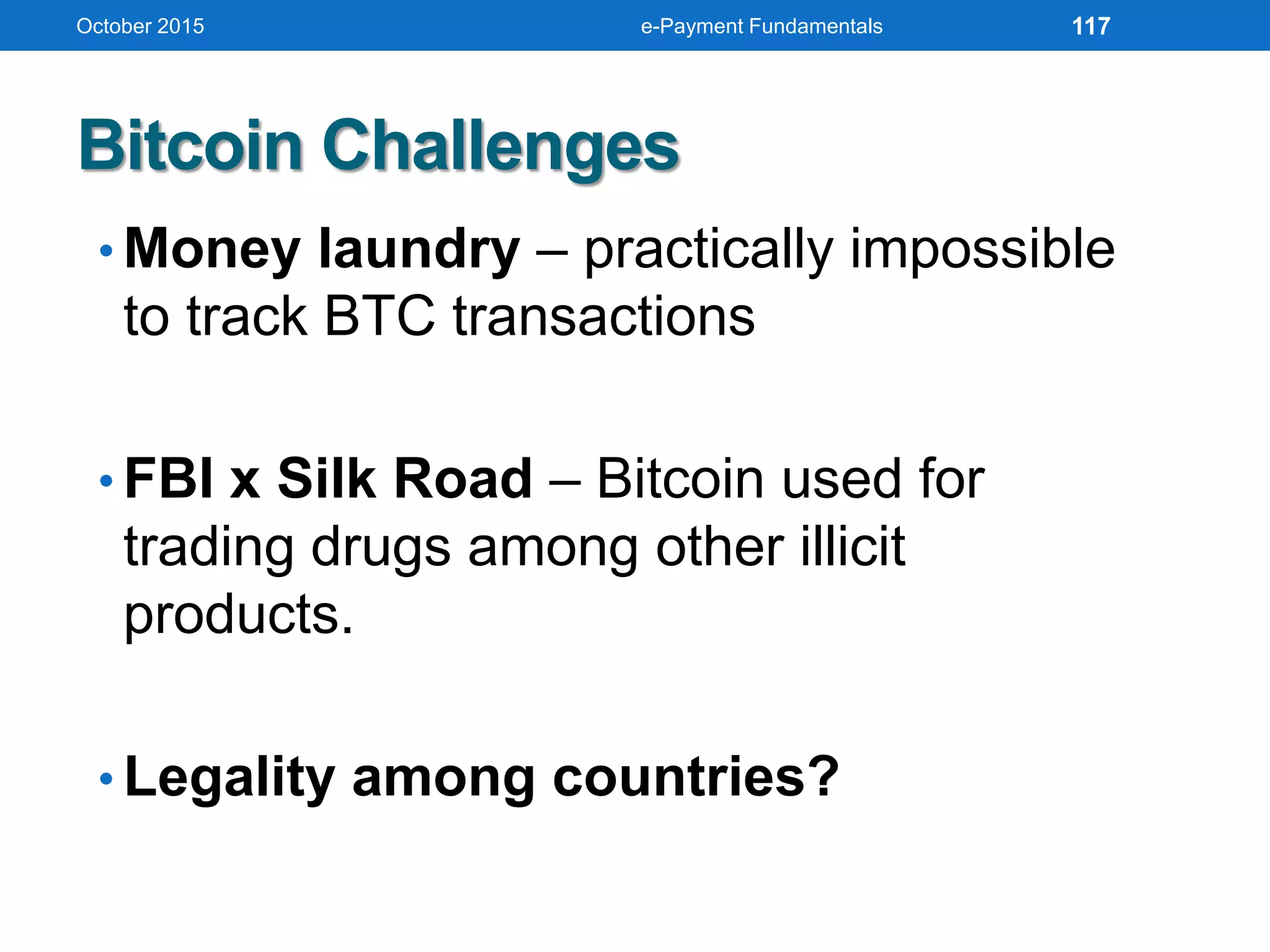
• Money laundry – practically impossible
to track BTC transactions
• FBI x Silk Road – Bitcoin used for
trading drugs among other illicit
products.
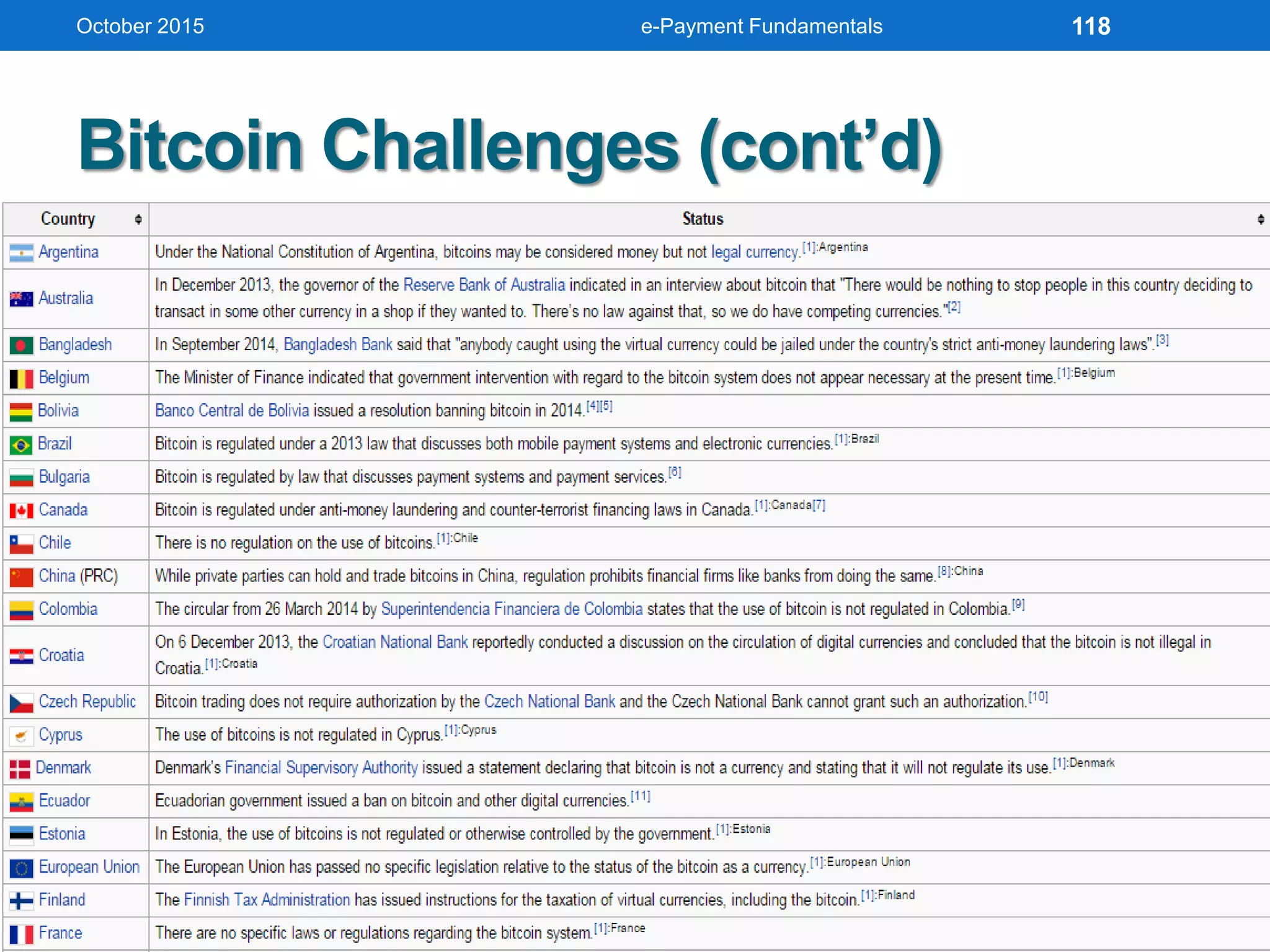
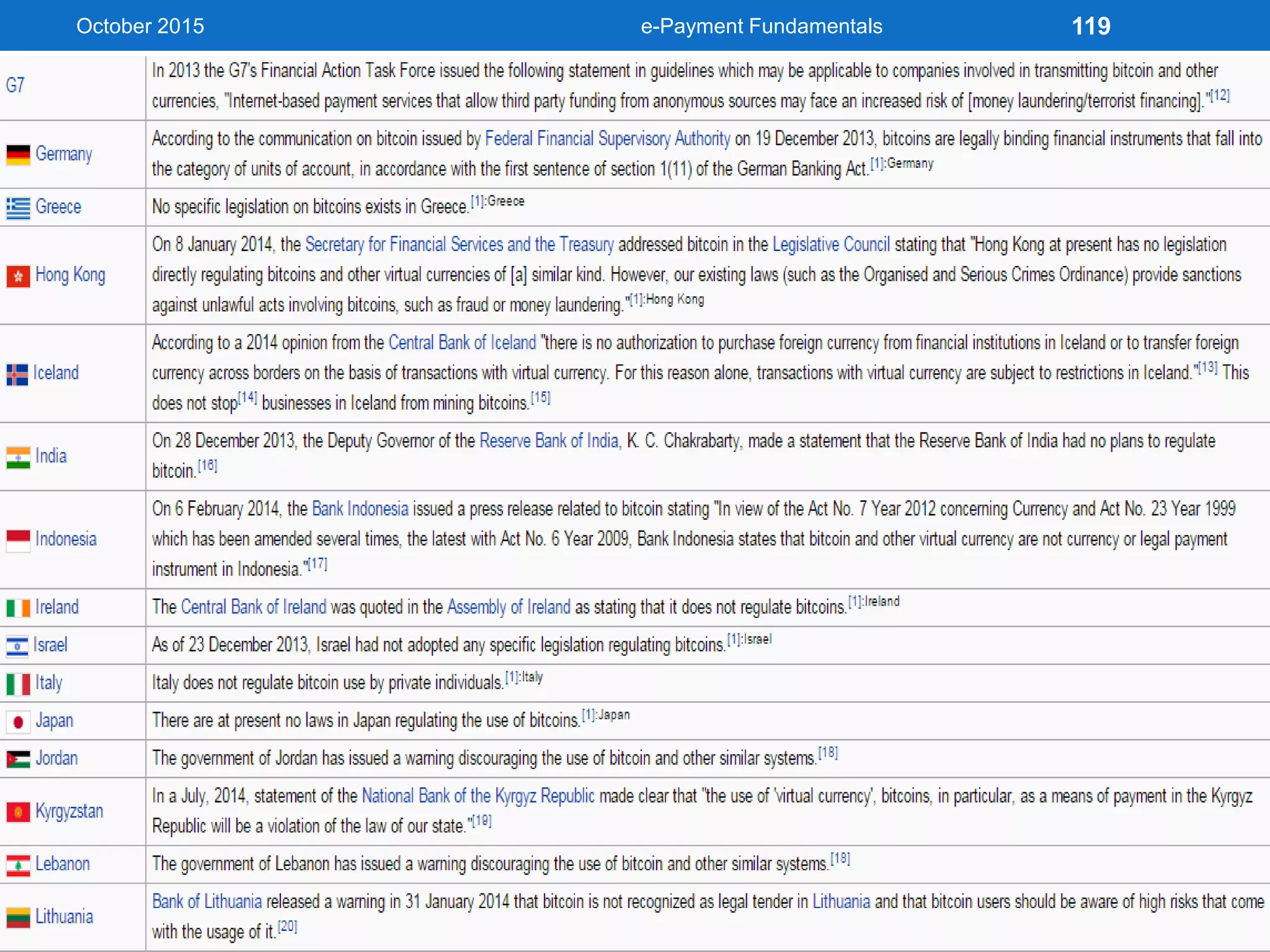
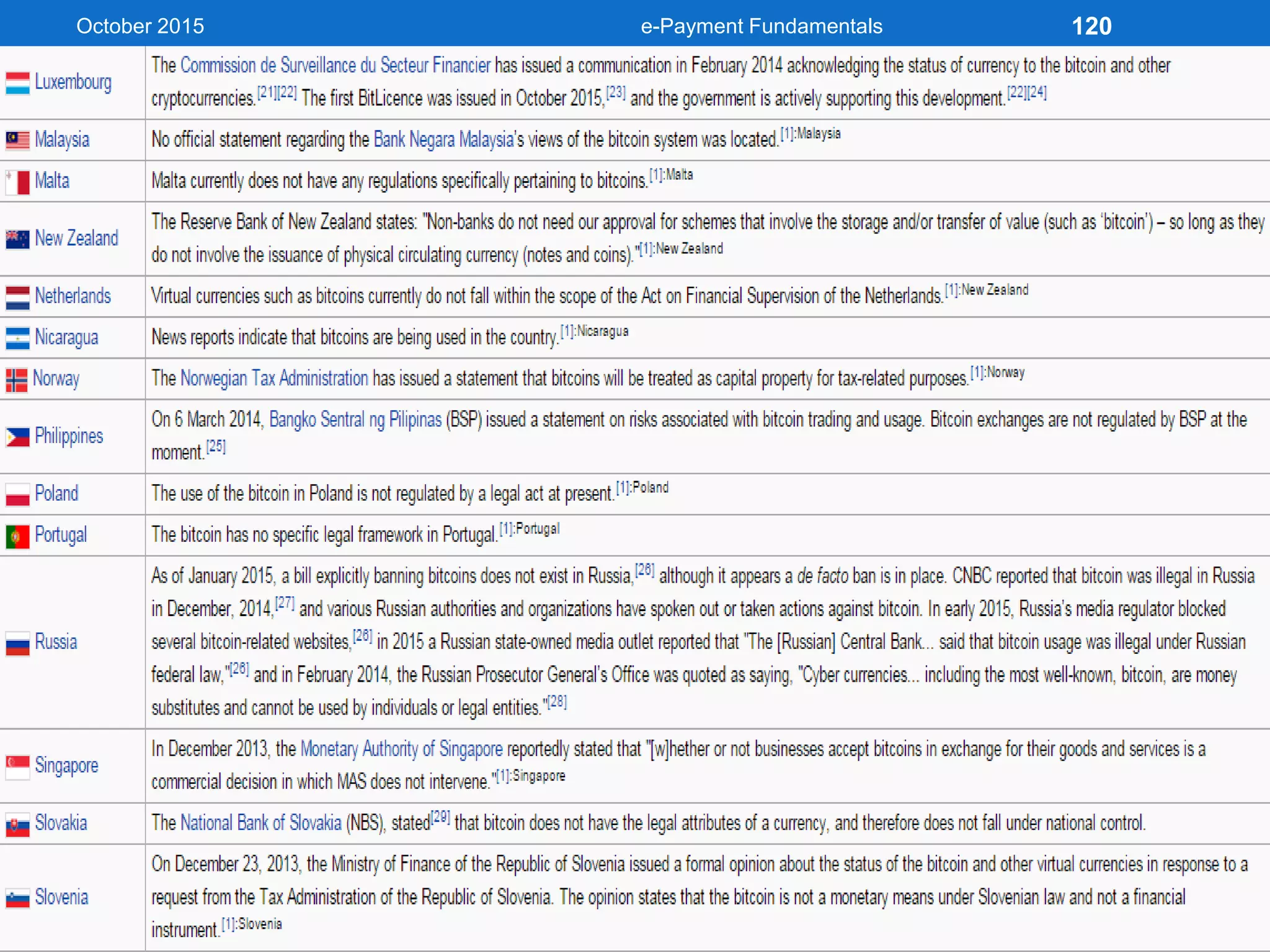
• Legality among countries?
Bitcoin Challenges
October 2015 e-Payment Fundamentals 117
Bitcoin Challenges (cont’d)
October 2015 e-Payment Fundamentals 118
Bitcoin Challenges (cont’d)
October 2015 e-Payment Fundamentals 119
October 2015 e-Payment Fundamentals 120
October 2015 e-Payment Fundamentals 121
UNDERSTANDING E-
PAYMENT RISKS
October 2015 e-Payment Fundamentals 122
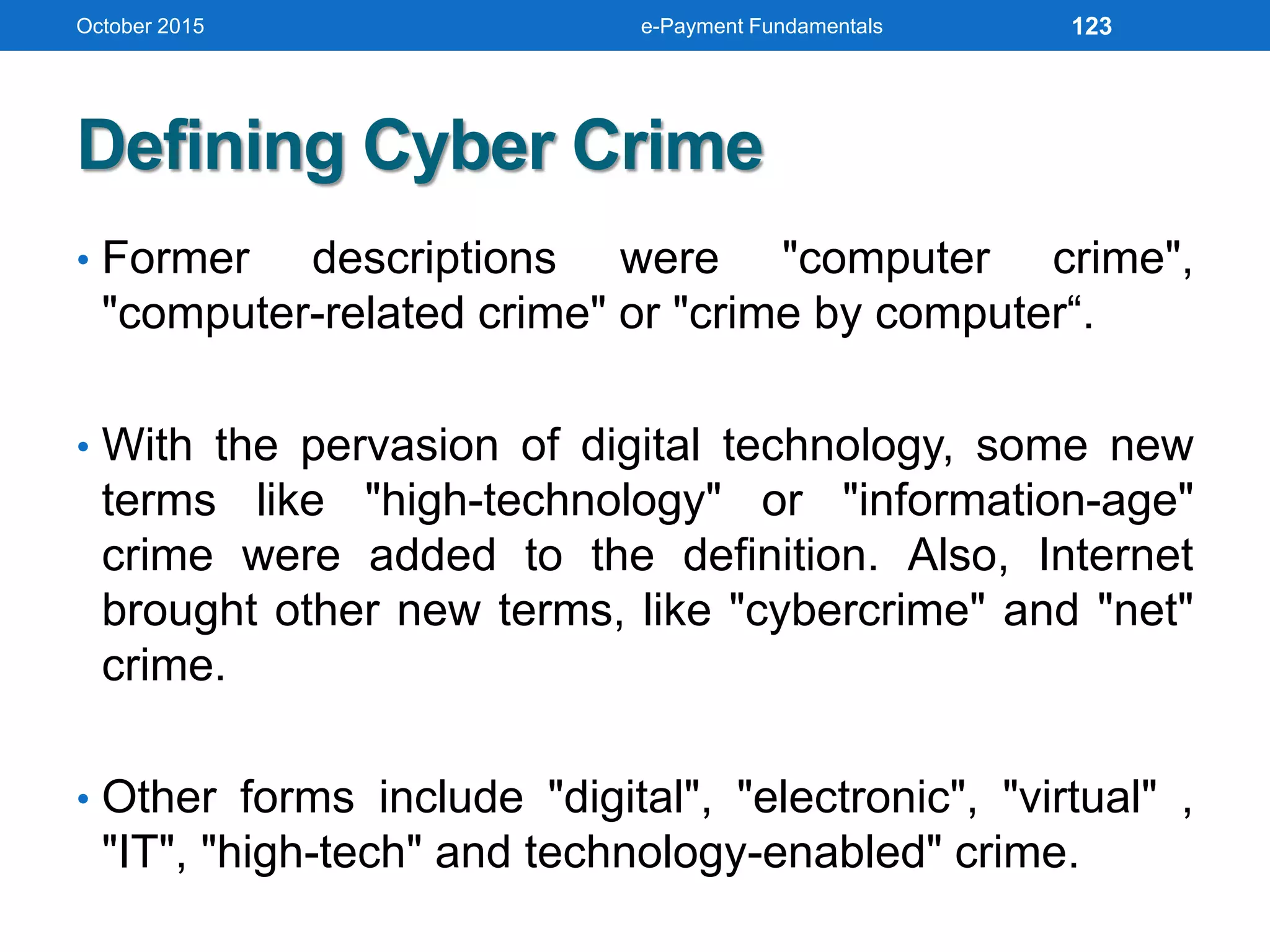
Defining Cyber Crime
• Former descriptions were "computer crime",
"computer-related crime" or "crime by computer“.
• With the pervasion of digital technology, some new
terms like "high-technology" or "information-age"
crime were added to the definition. Also, Internet
brought other new terms, like "cybercrime" and "net"
crime.
• Other forms include "digital", "electronic", "virtual" ,
"IT", "high-tech" and technology-enabled" crime.
October 2015 e-Payment Fundamentals 123
October 2015
Source: IBM [1] UNODC Comprehensive Study on Cybercrime, 2013
e-Payment Fundamentals 124
October 2015
Source: IBM
[2] FBI: Crime in the United States 2013
[3] United California Bank Robbery
[4] Center for Strategic and International Studies
e-Payment Fundamentals 125
October 2015
Source: IBM [6] ESG: http://bit.ly/1xzTmUW
e-Payment Fundamentals 126
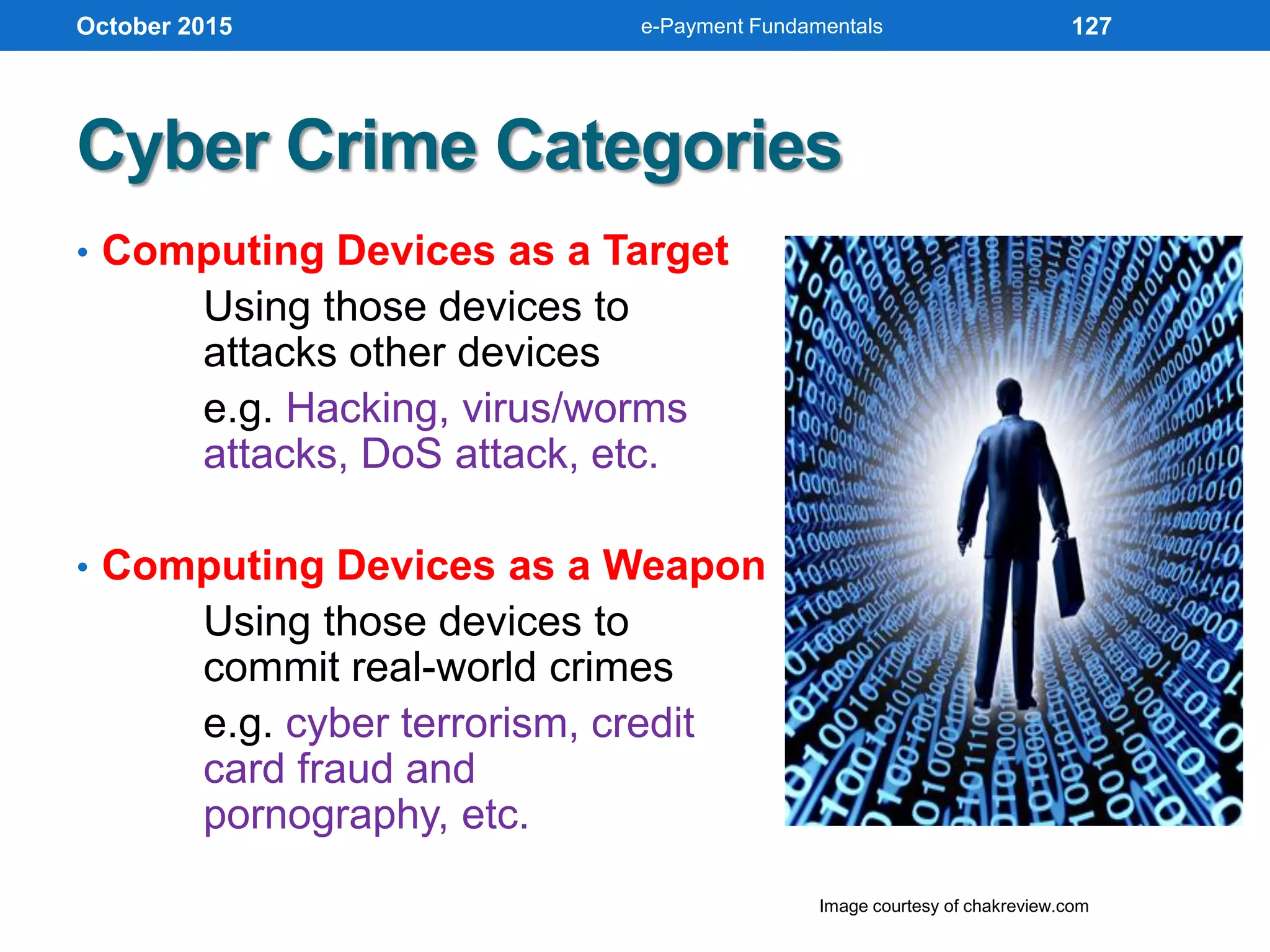
Cyber Crime Categories
• Computing Devices as a Target
Using those devices to
attacks other devices
e.g. Hacking, virus/worms
attacks, DoS attack, etc.
• Computing Devices as a Weapon
Using those devices to
commit real-world crimes
e.g. cyber terrorism, credit
card fraud and
pornography, etc.
October 2015
Image courtesy of chakreview.com
e-Payment Fundamentals 127
Cyber Crime Categories (cont’d)
From victim point of views:
1. Cyber crime on Persons
e.g. Harassment occurred in cyberspace,
or through the use of cyberspace (sexual,
racial, religious, or other) and cyber bullying.
2. Cyber crime on Groups/Organizations
Targeting particular or certain organizations
or groups whether profit or non-profit. Often
time those who reside as financial industry
players.
October 2015 e-Payment Fundamentals 128
Cyber Crime Categories (cont’d)
3. Cyber crime on Property
e.g. Computer vandalism (destruction of others'
property), transmission of harmful programs,
unauthorized intrusion through cyber
space, unauthorized possession of computer
information.
4. Cyber crime on Government
e.g. Cyber terrorism is one distinct kind of crime in
this category.
October 2015 e-Payment Fundamentals 129
In 2014 Federal Bureau Investigation (FBI)
unveils from the most frequent one:
• Viruses
• Employee abuse of internet privileges
• Unauthorized access by insiders
• Denial of Service
• System penetration from the outside
• Theft of proprietary information
• Sabotage of data/networks
• Proving/scanning systems
• Financial fraud
Notable Cyber Attacks
October 2015 e-Payment Fundamentals 130
 Manipulate data
integrity
 Installed a sniffer
 Stole password
files
 Trojan logons
 IP spoofing
Notable Cyber Attacks (cont’d)
October 2015
Image courtesy of @TrojanLax
e-Payment Fundamentals 131
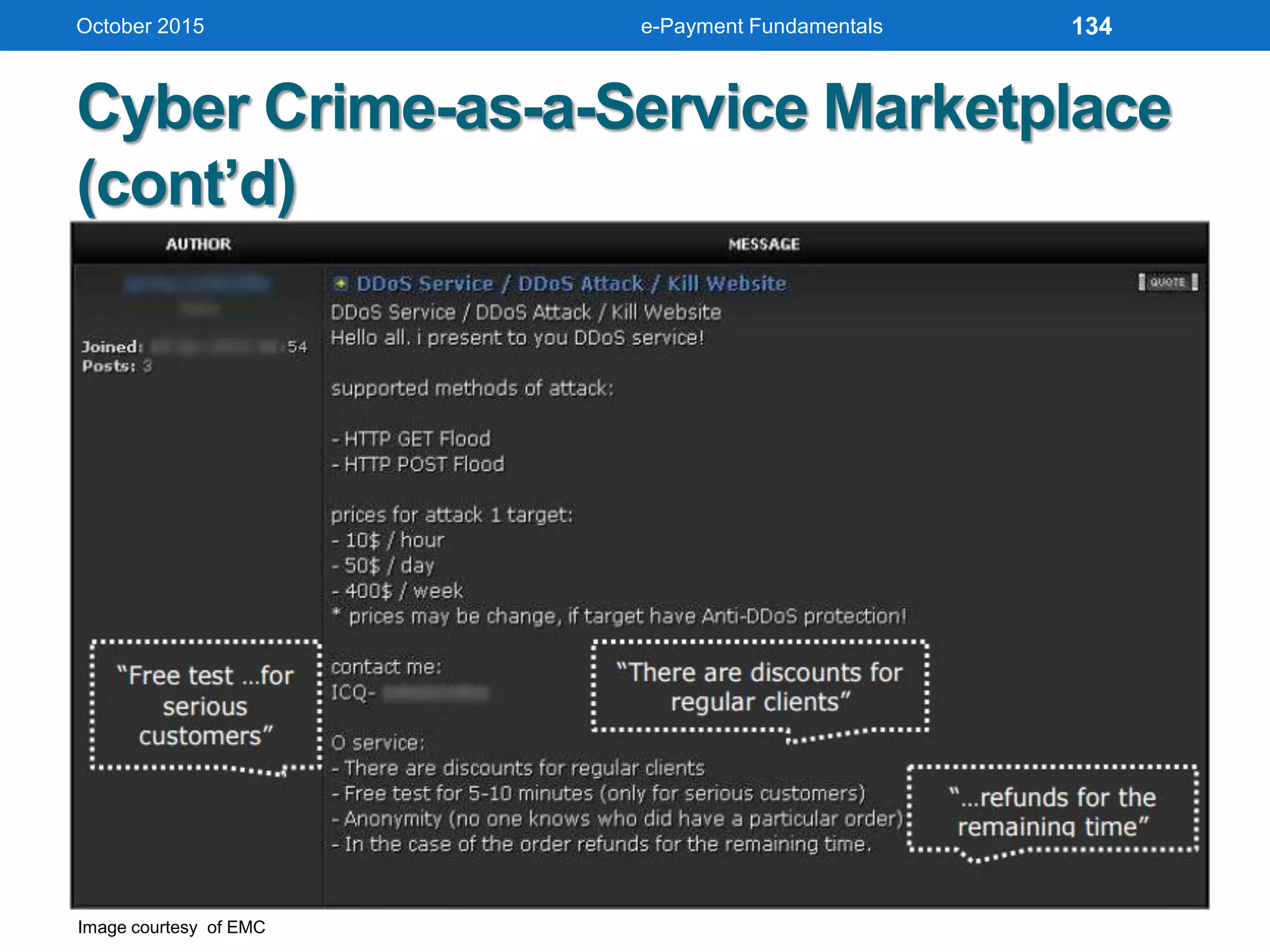
Cyber Crime-as-a-Service Marketplace
• Continues to mature over the past two years.
• Enables more fraudsters to cash in without needing
to understand the chain of fraud, how to phish or
spam, or IT infrastructure requirements.
• Becomes fiercely competitive.
• Cybercrime 'service providers' must work harder than
ever before to win and keep 'customers.’
• Generalized increase in quality of malware produced.
• Enables much larger pool of bad actors with no
technical knowledge to profit from.
October 2015 e-Payment Fundamentals 132
Cyber Crime-as-a-Service Marketplace
(cont’d)
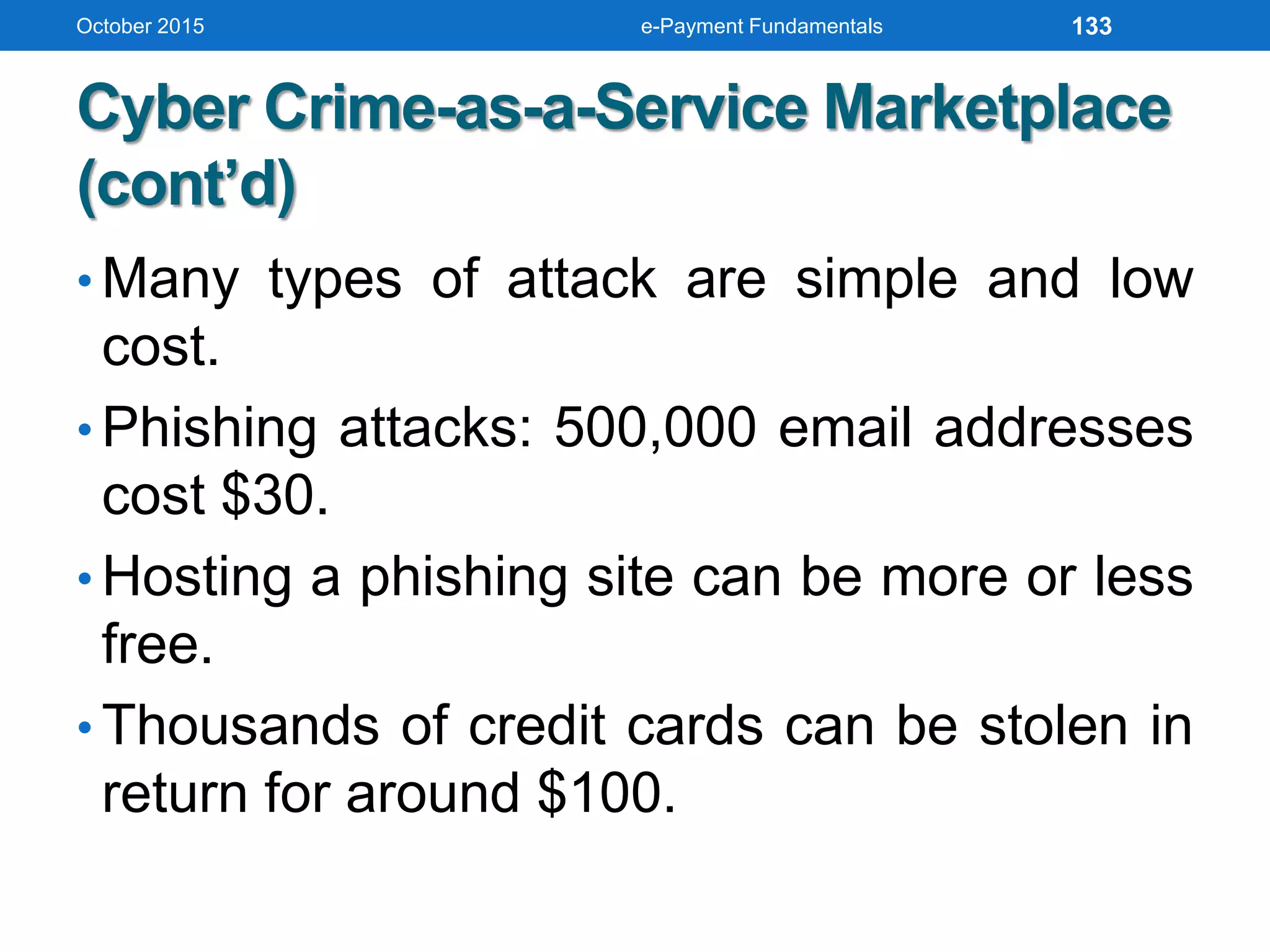
• Many types of attack are simple and low
cost.
• Phishing attacks: 500,000 email addresses
cost $30.
• Hosting a phishing site can be more or less
free.
• Thousands of credit cards can be stolen in
return for around $100.
October 2015 e-Payment Fundamentals 133
Cyber Crime-as-a-Service Marketplace
(cont’d)
October 2015
Image courtesy of EMC
e-Payment Fundamentals 134
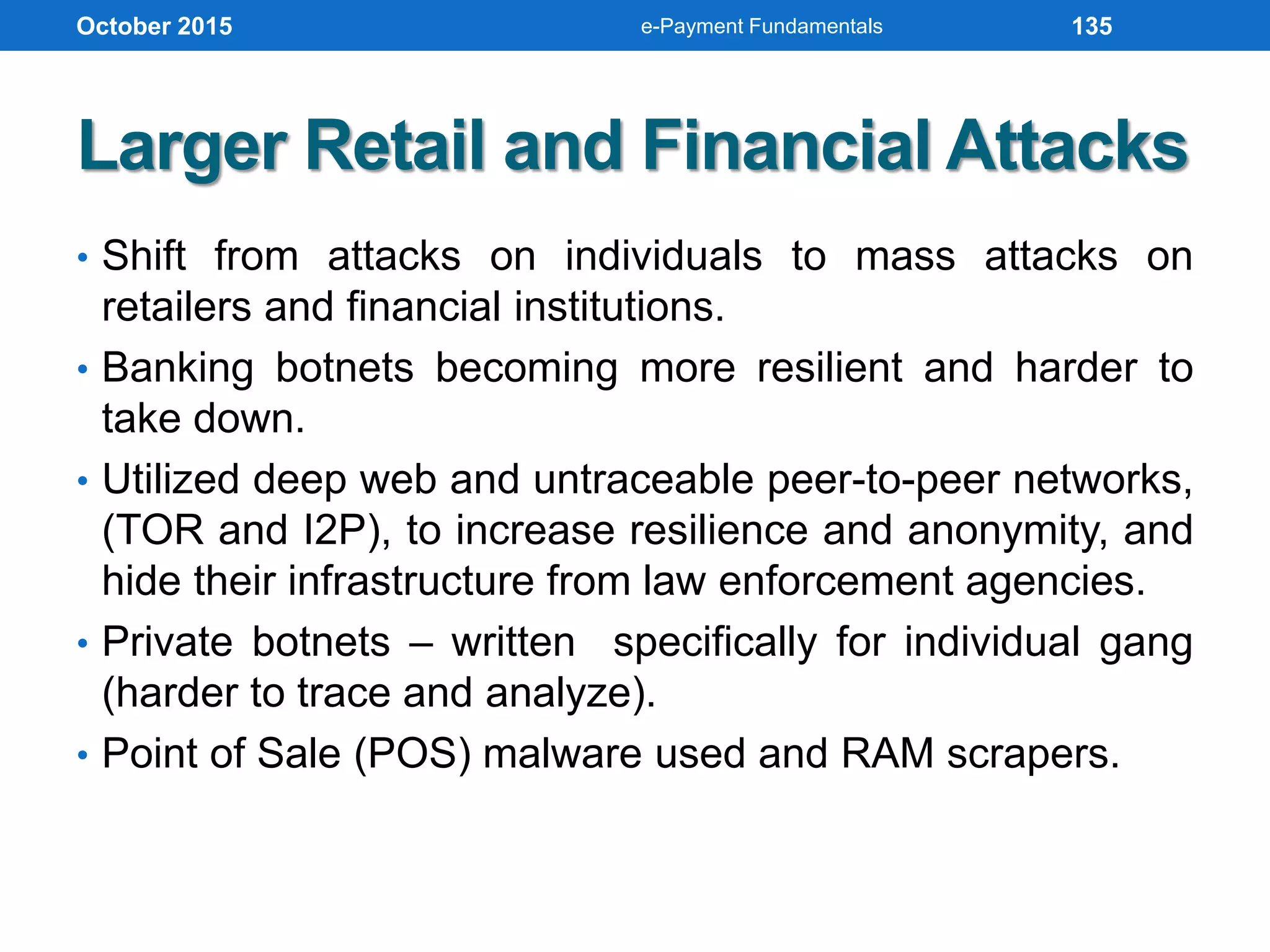
Larger Retail and Financial Attacks
• Shift from attacks on individuals to mass attacks on
retailers and financial institutions.
• Banking botnets becoming more resilient and harder to
take down.
• Utilized deep web and untraceable peer-to-peer networks,
(TOR and I2P), to increase resilience and anonymity, and
hide their infrastructure from law enforcement agencies.
• Private botnets – written specifically for individual gang
(harder to trace and analyze).
• Point of Sale (POS) malware used and RAM scrapers.
October 2015 e-Payment Fundamentals 135
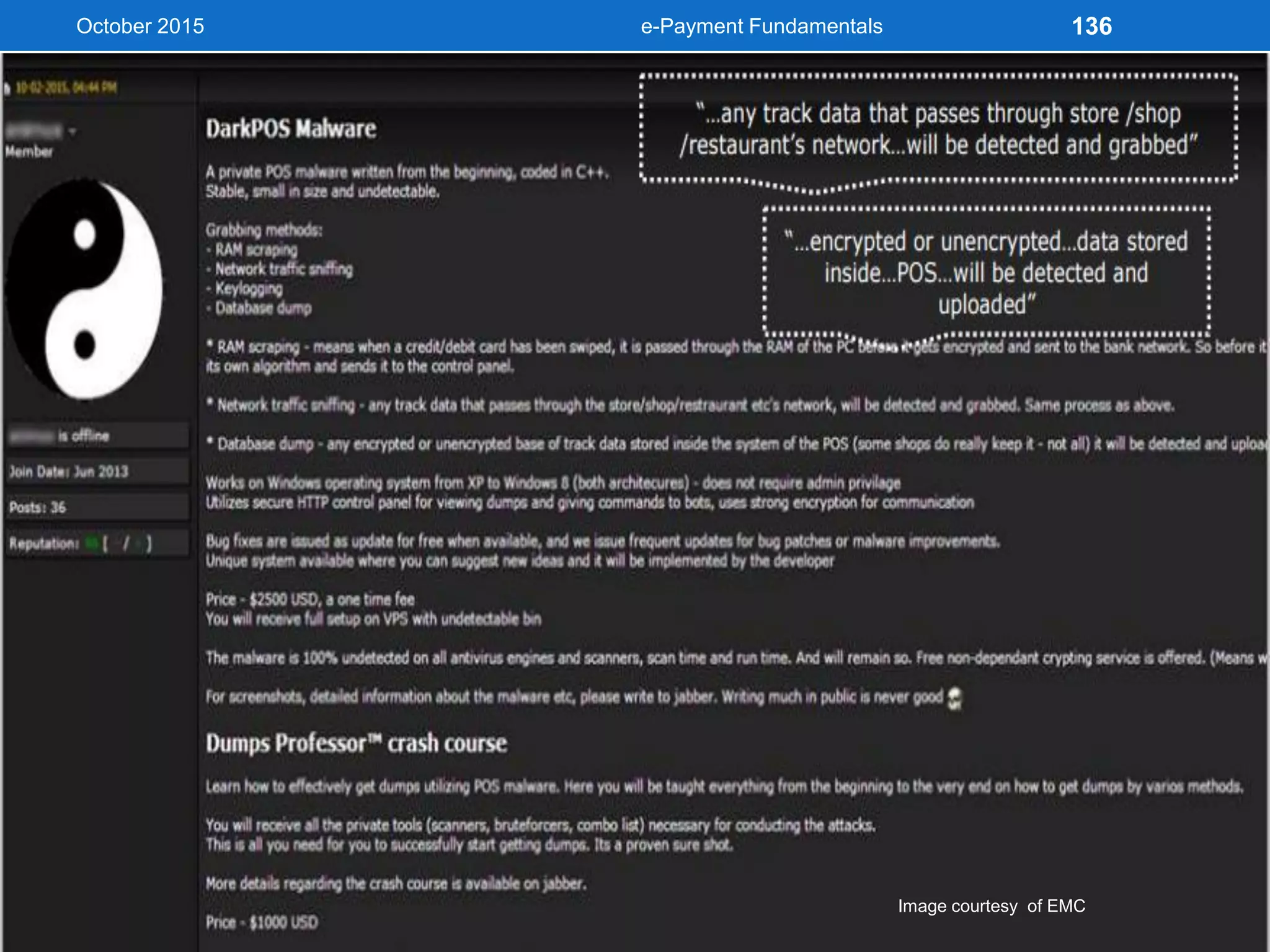
October 2015
Image courtesy of EMC
e-Payment Fundamentals 136
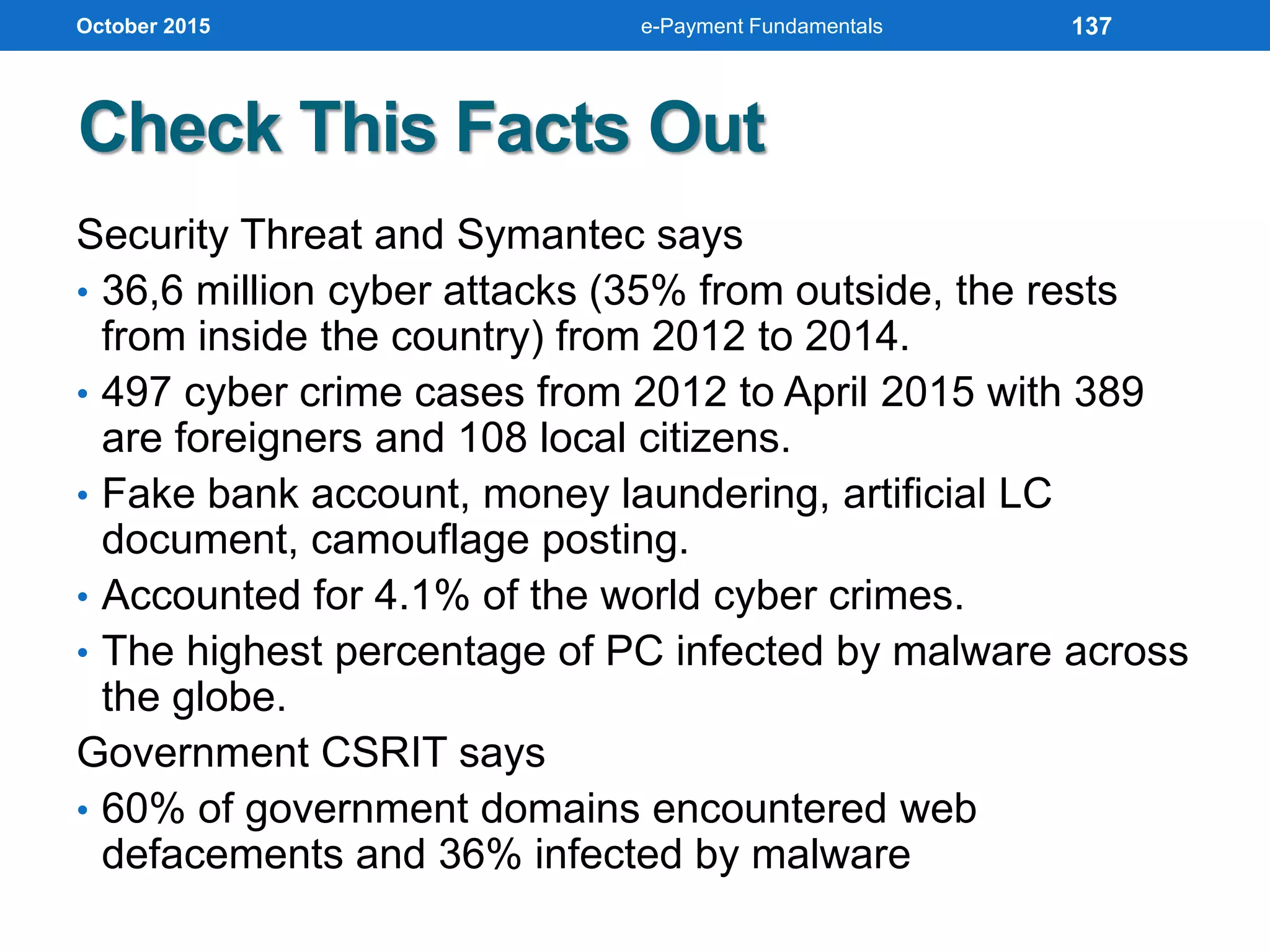
Check This Facts Out
Security Threat and Symantec says
• 36,6 million cyber attacks (35% from outside, the rests
from inside the country) from 2012 to 2014.
• 497 cyber crime cases from 2012 to April 2015 with 389
are foreigners and 108 local citizens.
• Fake bank account, money laundering, artificial LC
document, camouflage posting.
• Accounted for 4.1% of the world cyber crimes.
• The highest percentage of PC infected by malware across
the globe.
Government CSRIT says
• 60% of government domains encountered web
defacements and 36% infected by malware
October 2015 e-Payment Fundamentals 137
Check This Facts Out (cont’d)
• According to Norton latest Cyber
Crime report, global consumer
cyber crime cost over than USD
150bn annually.
• Yet the figures for Indonesia are
unknown.
• Dakaadvisory predicts around USD
2.3bn in 2013 by multiplying
number of victims with cost per
victim.
• From Ministry of Communication
and IT’s total budget of USD 500m,
1% allocated for Cyber Security.
October 2015 e-Payment Fundamentals 138
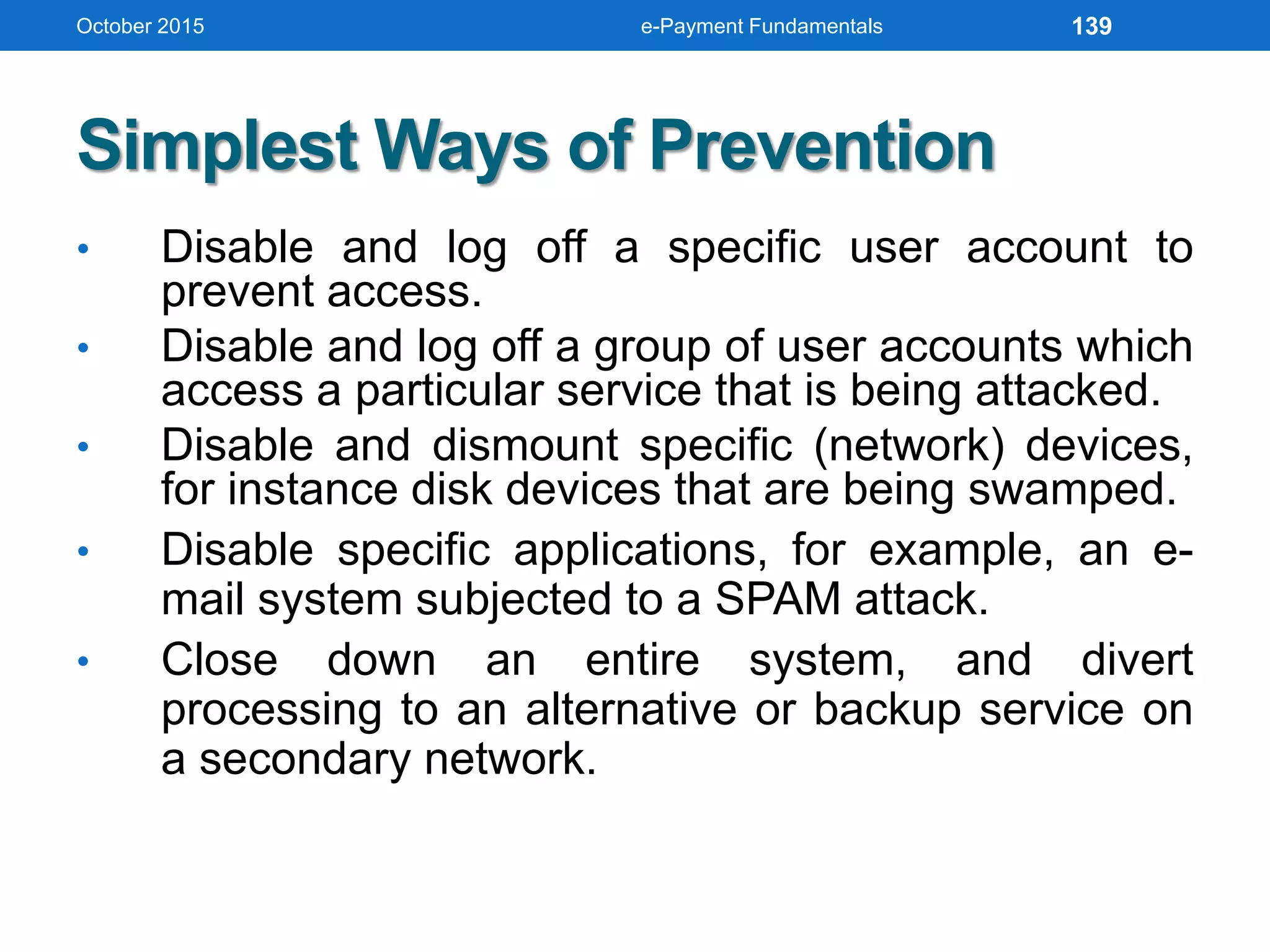
Simplest Ways of Prevention
• Disable and log off a specific user account to
prevent access.
• Disable and log off a group of user accounts which
access a particular service that is being attacked.
• Disable and dismount specific (network) devices,
for instance disk devices that are being swamped.
• Disable specific applications, for example, an e-
mail system subjected to a SPAM attack.
• Close down an entire system, and divert
processing to an alternative or backup service on
a secondary network.
October 2015 e-Payment Fundamentals 139
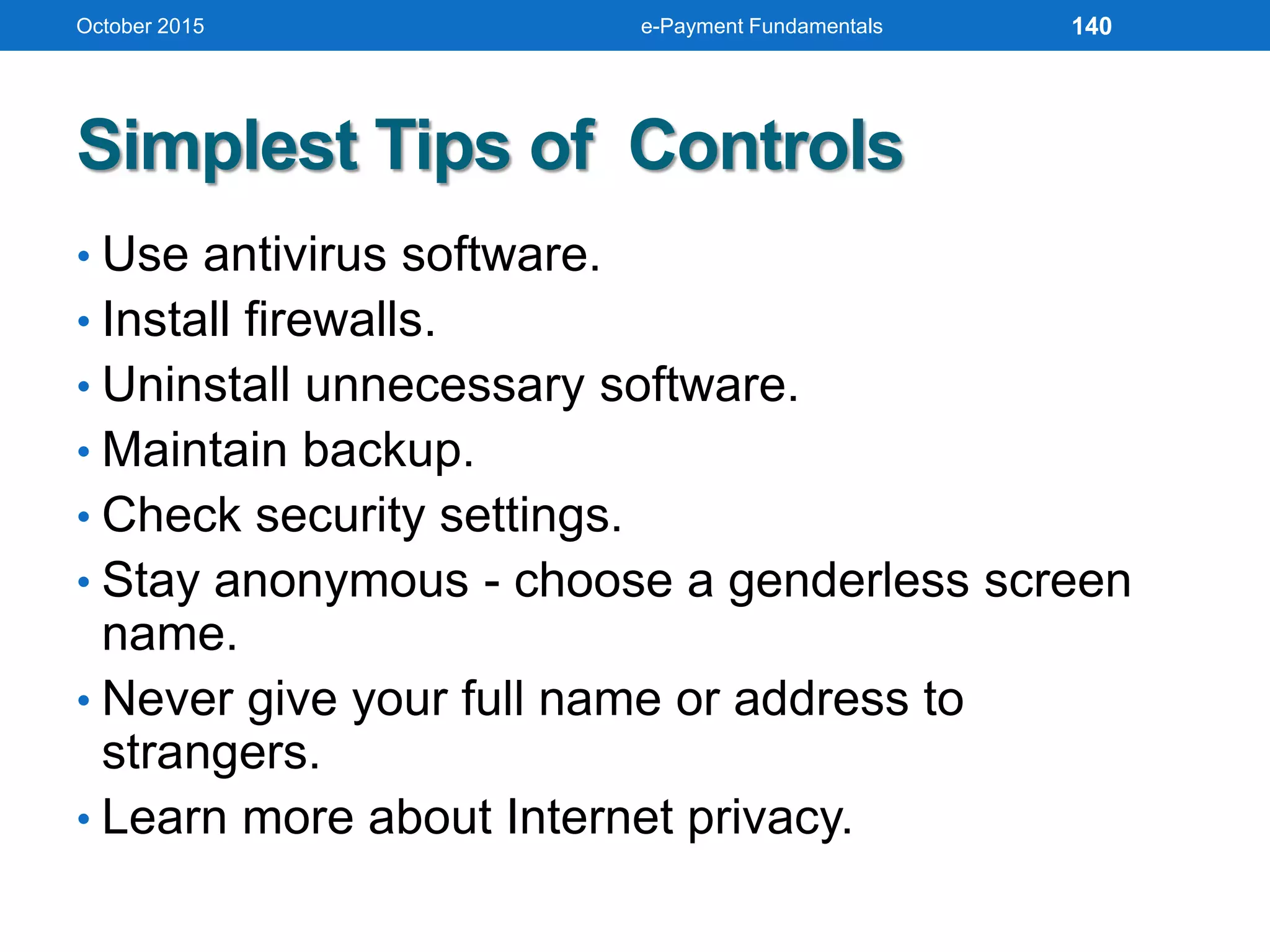
Simplest Tips of Controls
• Use antivirus software.
• Install firewalls.
• Uninstall unnecessary software.
• Maintain backup.
• Check security settings.
• Stay anonymous - choose a genderless screen
name.
• Never give your full name or address to
strangers.
• Learn more about Internet privacy.
October 2015 e-Payment Fundamentals 140
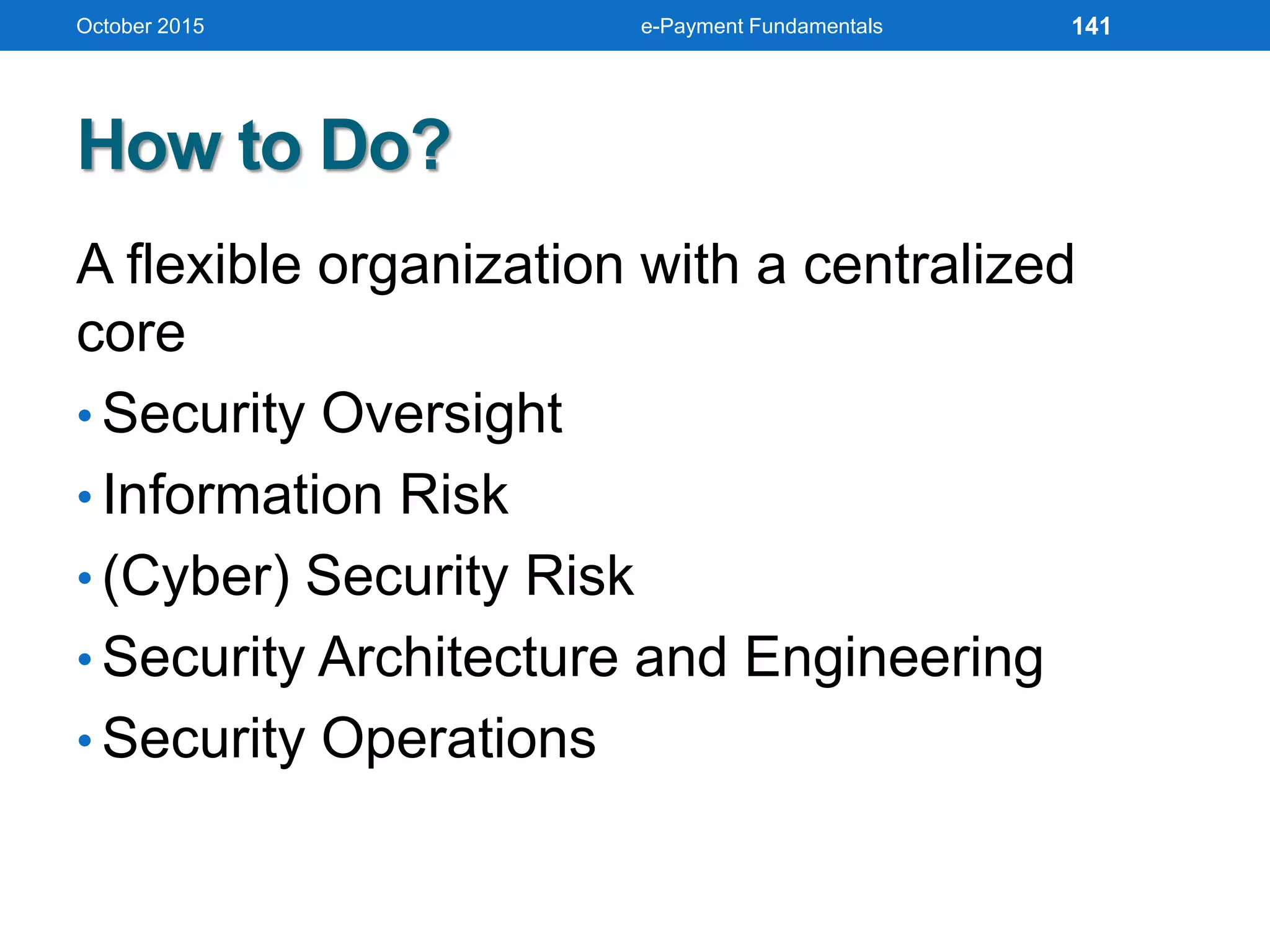
How to Do?
A flexible organization with a centralized
core
• Security Oversight
• Information Risk
• (Cyber) Security Risk
• Security Architecture and Engineering
• Security Operations
October 2015 e-Payment Fundamentals 141
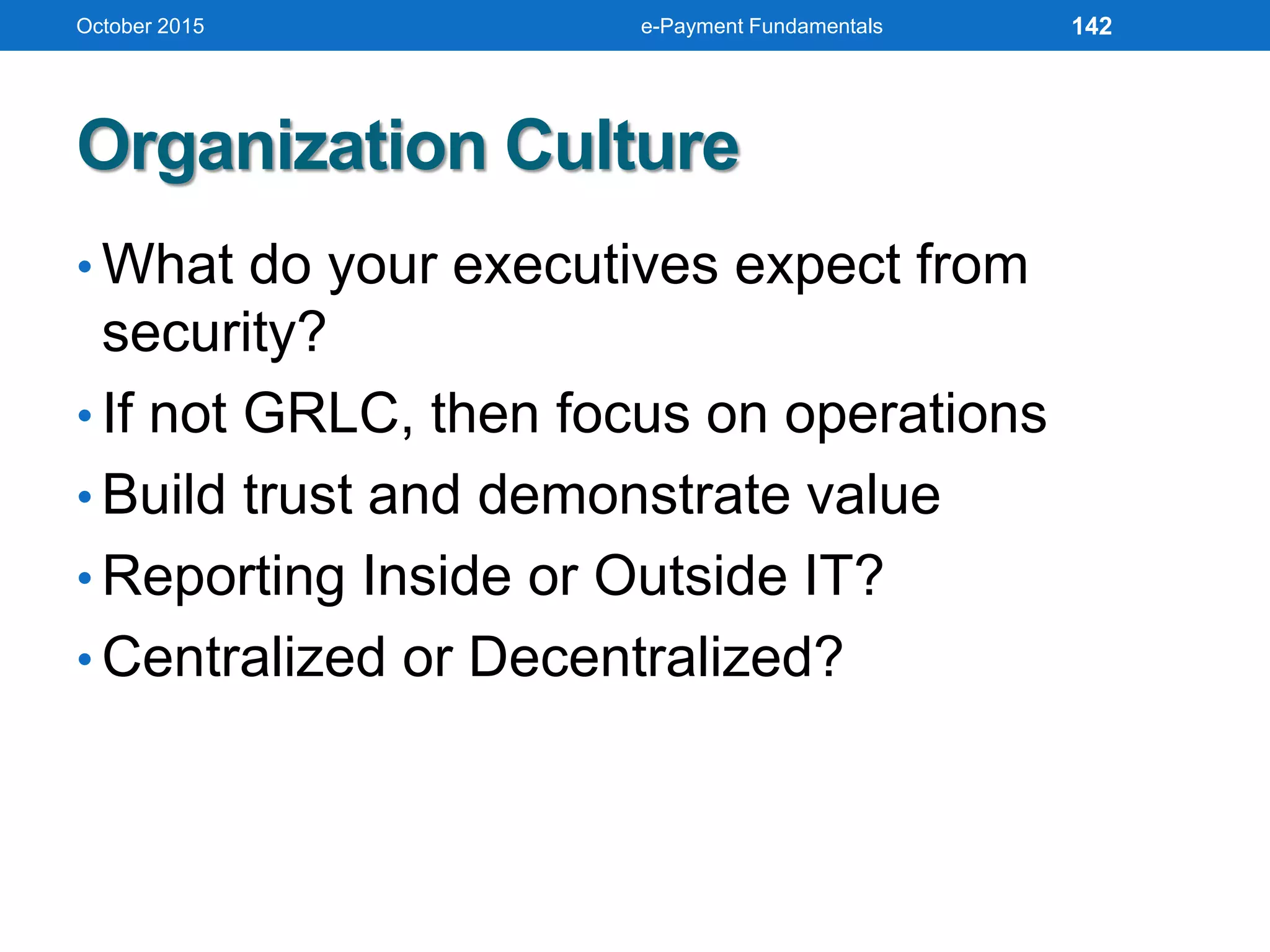
Organization Culture
• What do your executives expect from
security?
• If not GRLC, then focus on operations
• Build trust and demonstrate value
• Reporting Inside or Outside IT?
• Centralized or Decentralized?
October 2015 e-Payment Fundamentals 142
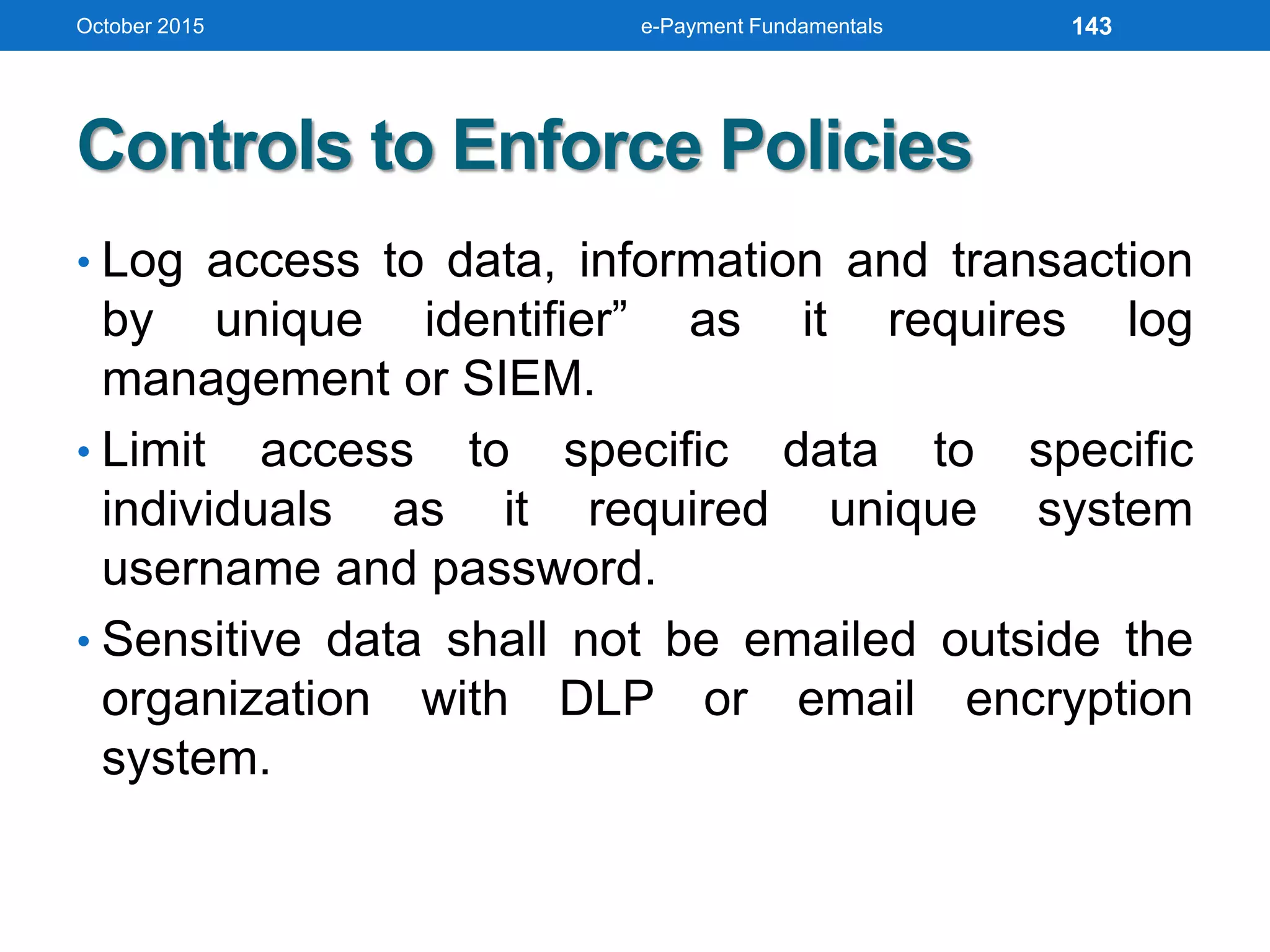
Controls to Enforce Policies
• Log access to data, information and transaction
by unique identifier” as it requires log
management or SIEM.
• Limit access to specific data to specific
individuals as it required unique system
username and password.
• Sensitive data shall not be emailed outside the
organization with DLP or email encryption
system.
October 2015 e-Payment Fundamentals 143
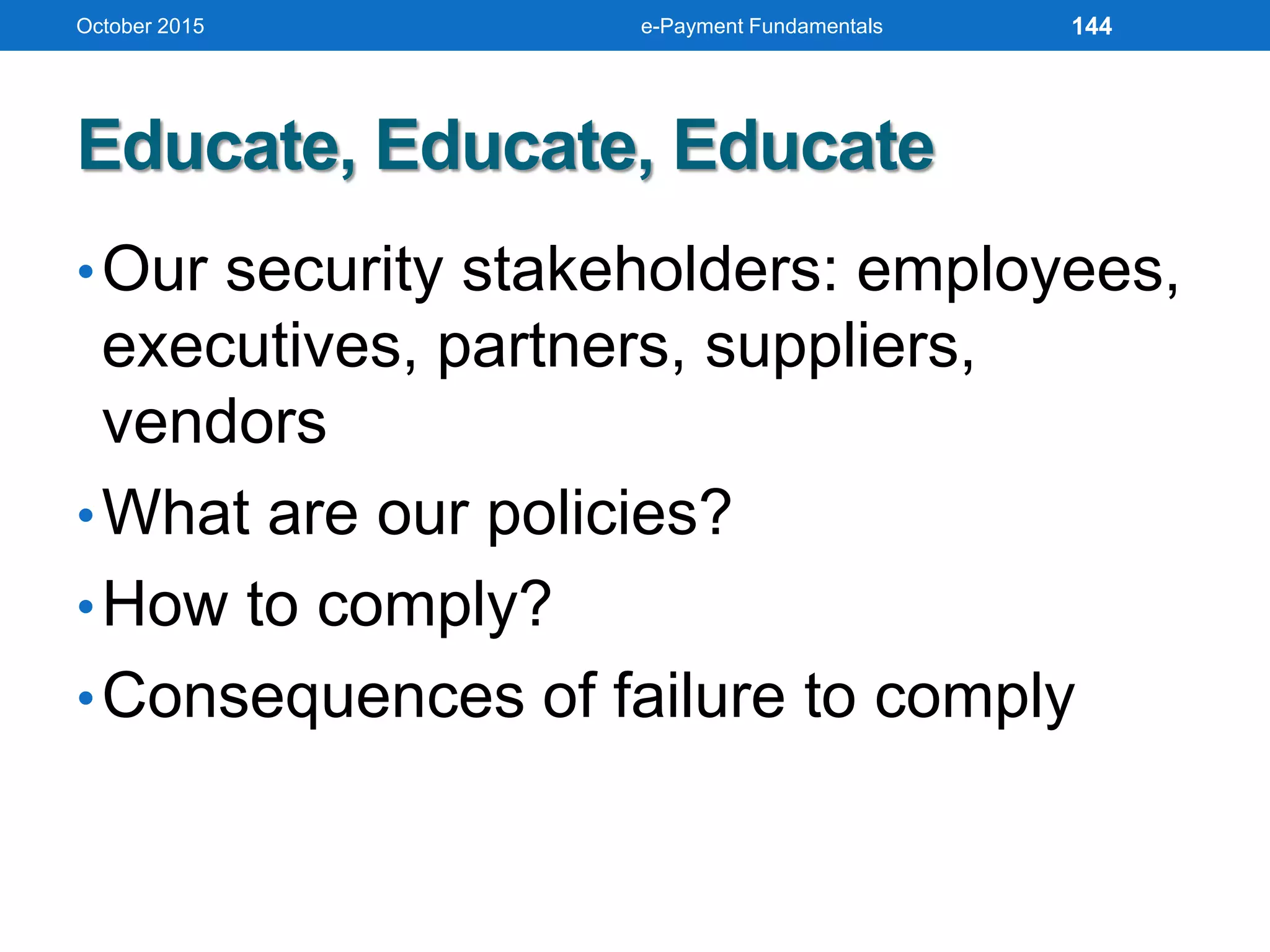
Educate, Educate, Educate
•Our security stakeholders: employees,
executives, partners, suppliers,
vendors
•What are our policies?
•How to comply?
•Consequences of failure to comply
October 2015 e-Payment Fundamentals 144
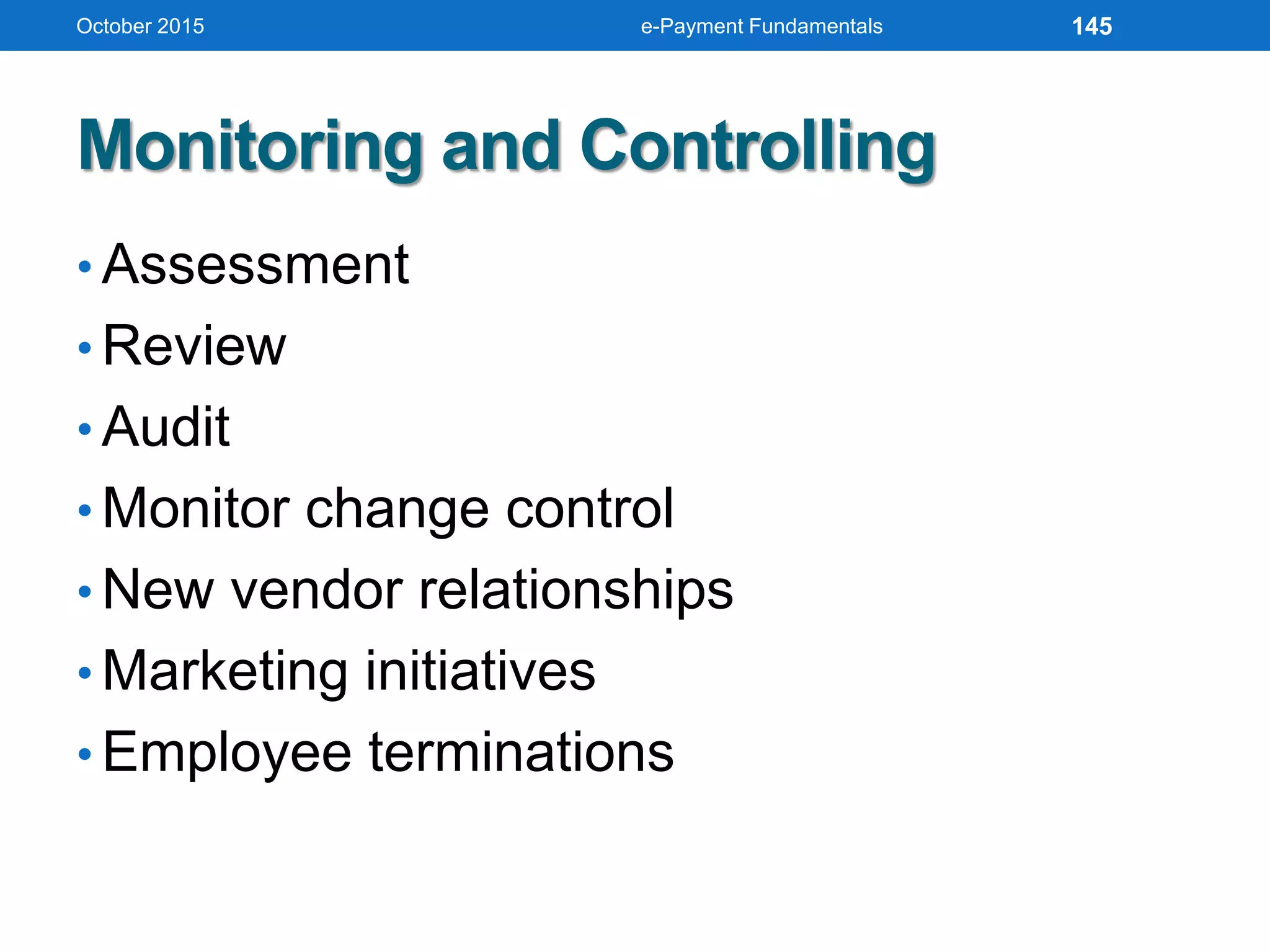
Monitoring and Controlling
• Assessment
• Review
• Audit
• Monitor change control
• New vendor relationships
• Marketing initiatives
• Employee terminations
October 2015 e-Payment Fundamentals 145
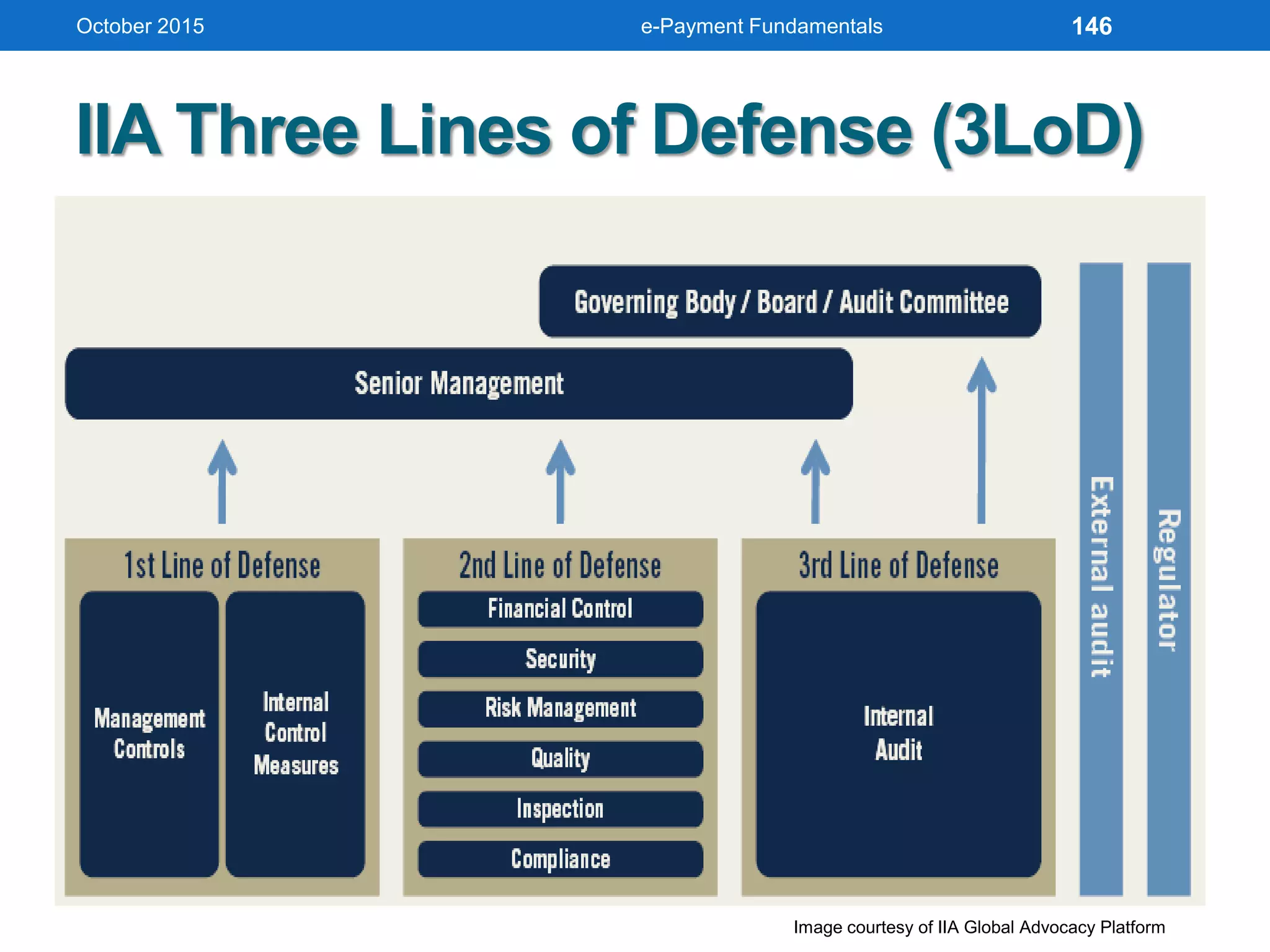
IIA Three Lines of Defense (3LoD)
October 2015 e-Payment Fundamentals
Image courtesy of IIA Global Advocacy Platform
146
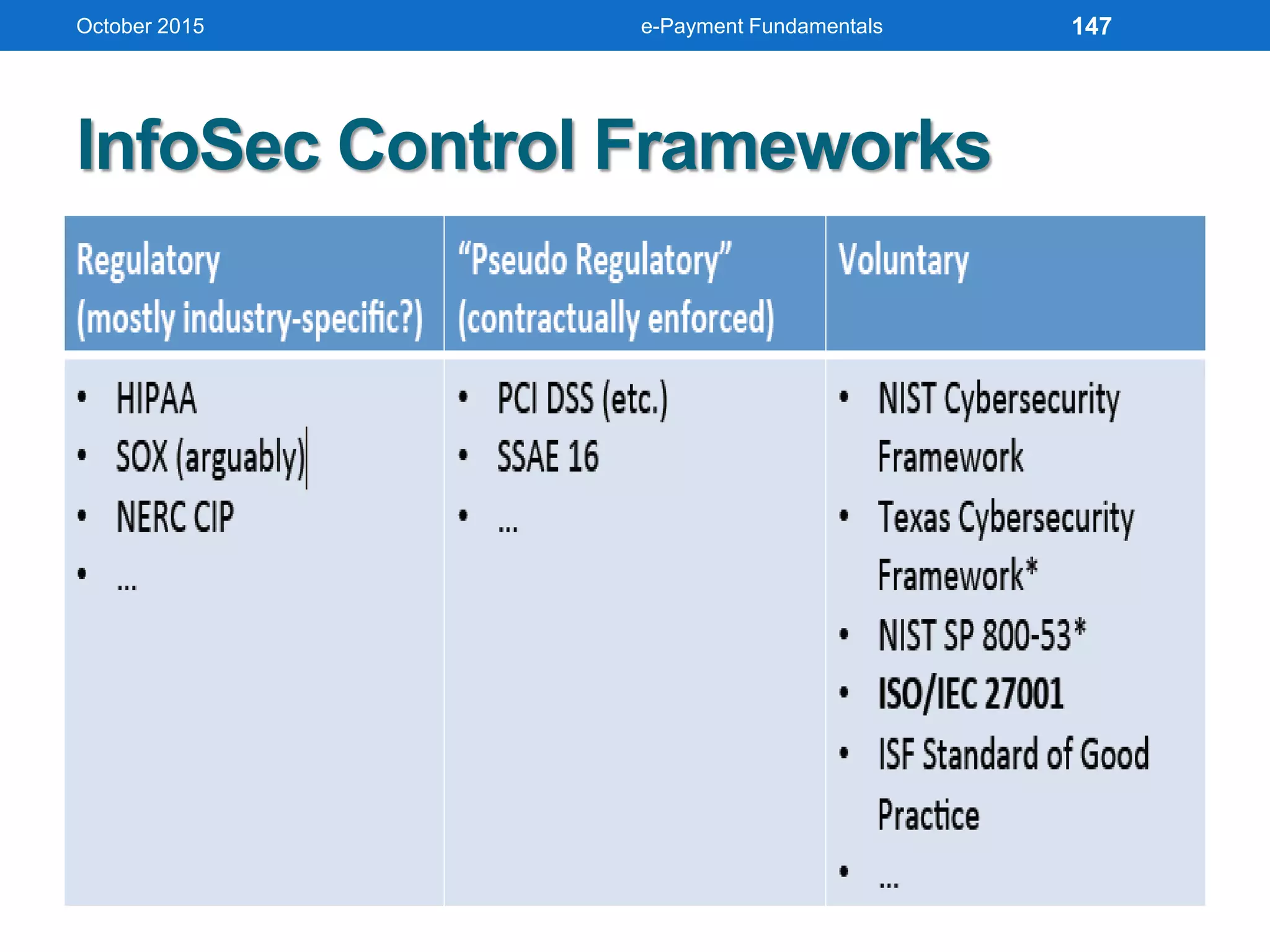
InfoSec Control Frameworks
October 2015 e-Payment Fundamentals 147
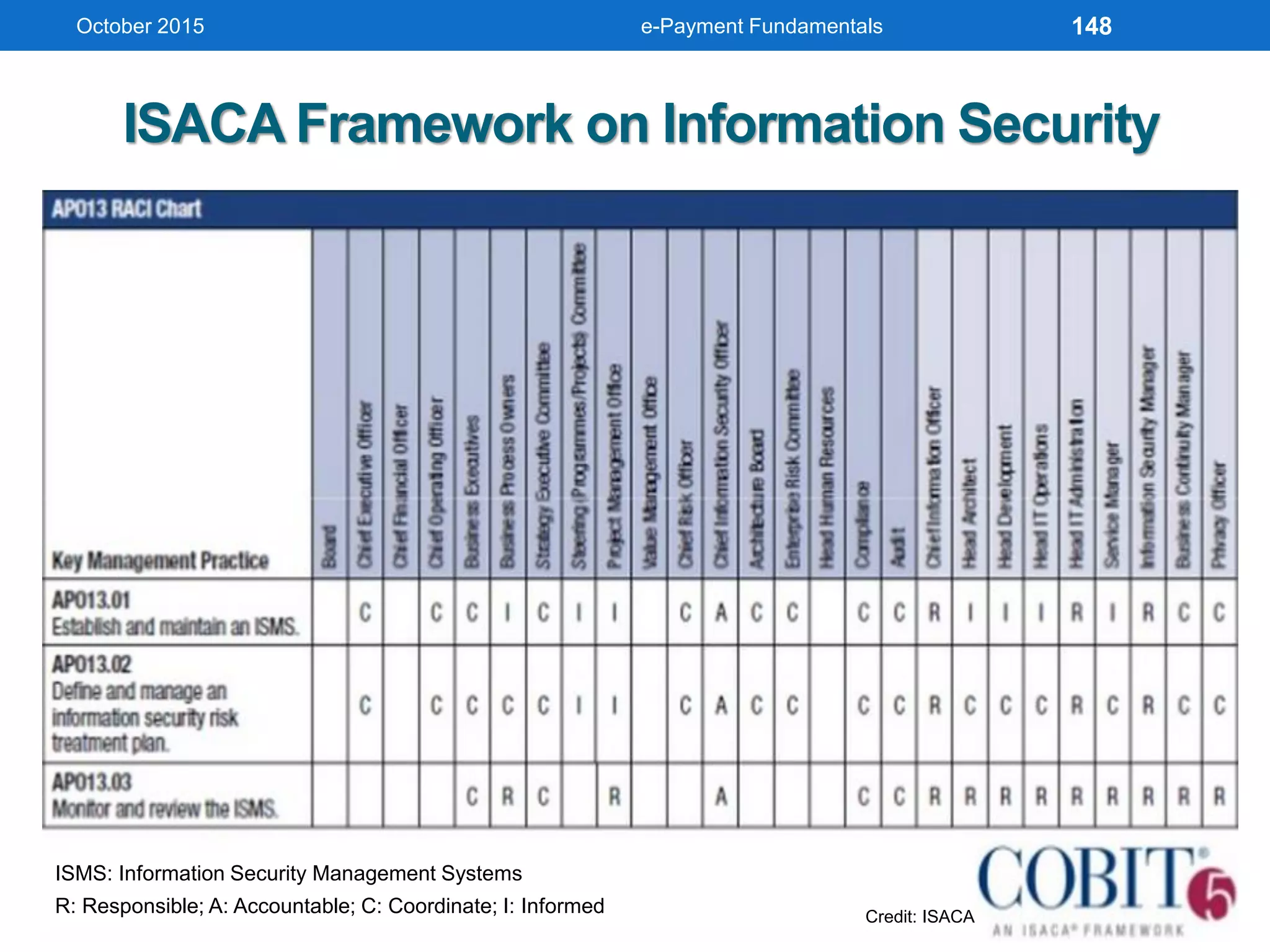
ISACA Framework on Information Security
October 2015
ISMS: Information Security Management Systems
R: Responsible; A: Accountable; C: Coordinate; I: Informed Credit: ISACA
e-Payment Fundamentals 148
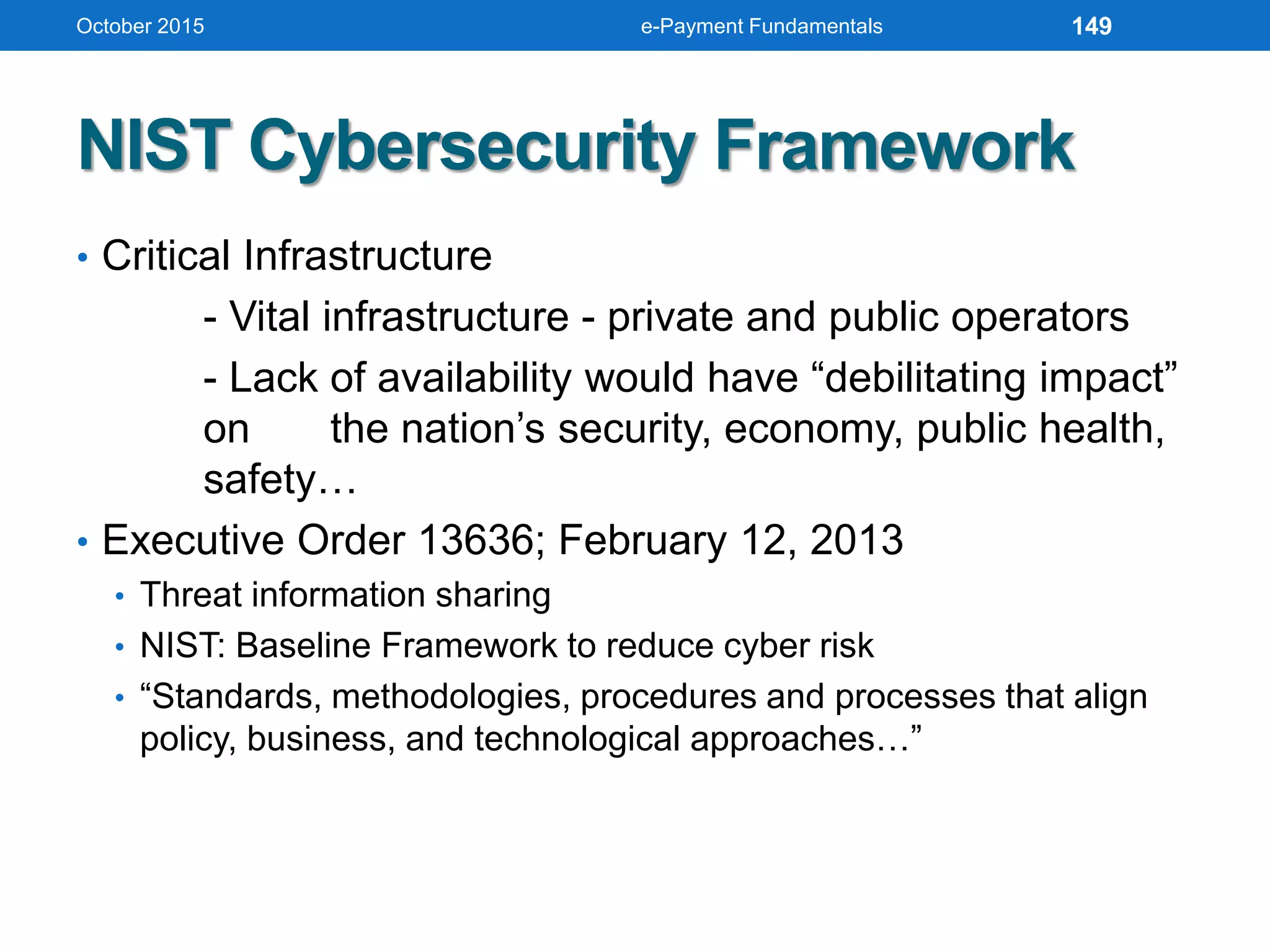
NIST Cybersecurity Framework
• Critical Infrastructure
- Vital infrastructure - private and public operators
- Lack of availability would have “debilitating impact”
on the nation’s security, economy, public health,
safety…
• Executive Order 13636; February 12, 2013
• Threat information sharing
• NIST: Baseline Framework to reduce cyber risk
• “Standards, methodologies, procedures and processes that align
policy, business, and technological approaches…”
October 2015 e-Payment Fundamentals 149
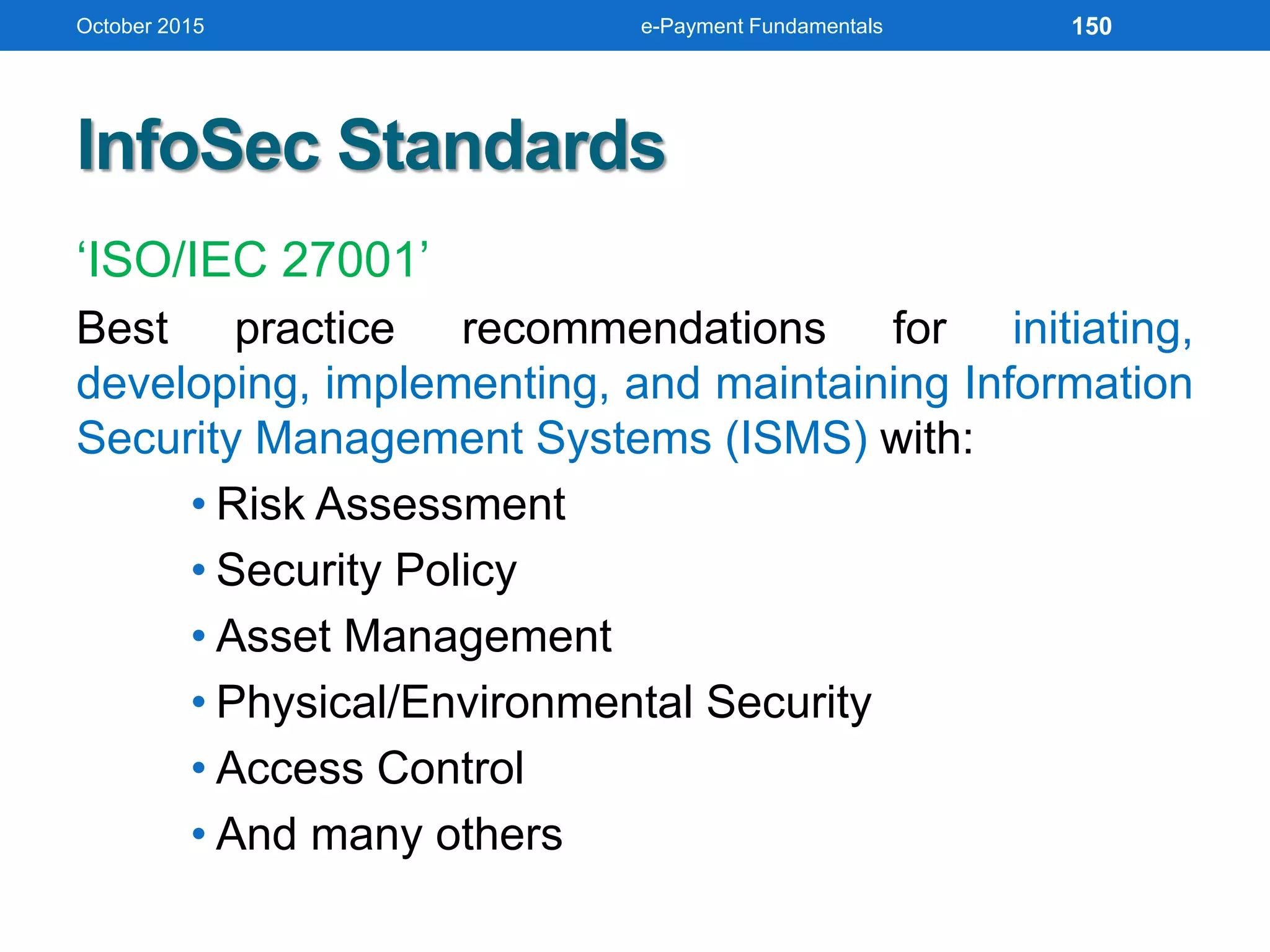
InfoSec Standards
‘ISO/IEC 27001’
Best practice recommendations for initiating,
developing, implementing, and maintaining Information
Security Management Systems (ISMS) with:
• Risk Assessment
• Security Policy
• Asset Management
• Physical/Environmental Security
• Access Control
• And many others
October 2015 e-Payment Fundamentals 150
InfoSec Standards (cont’d)
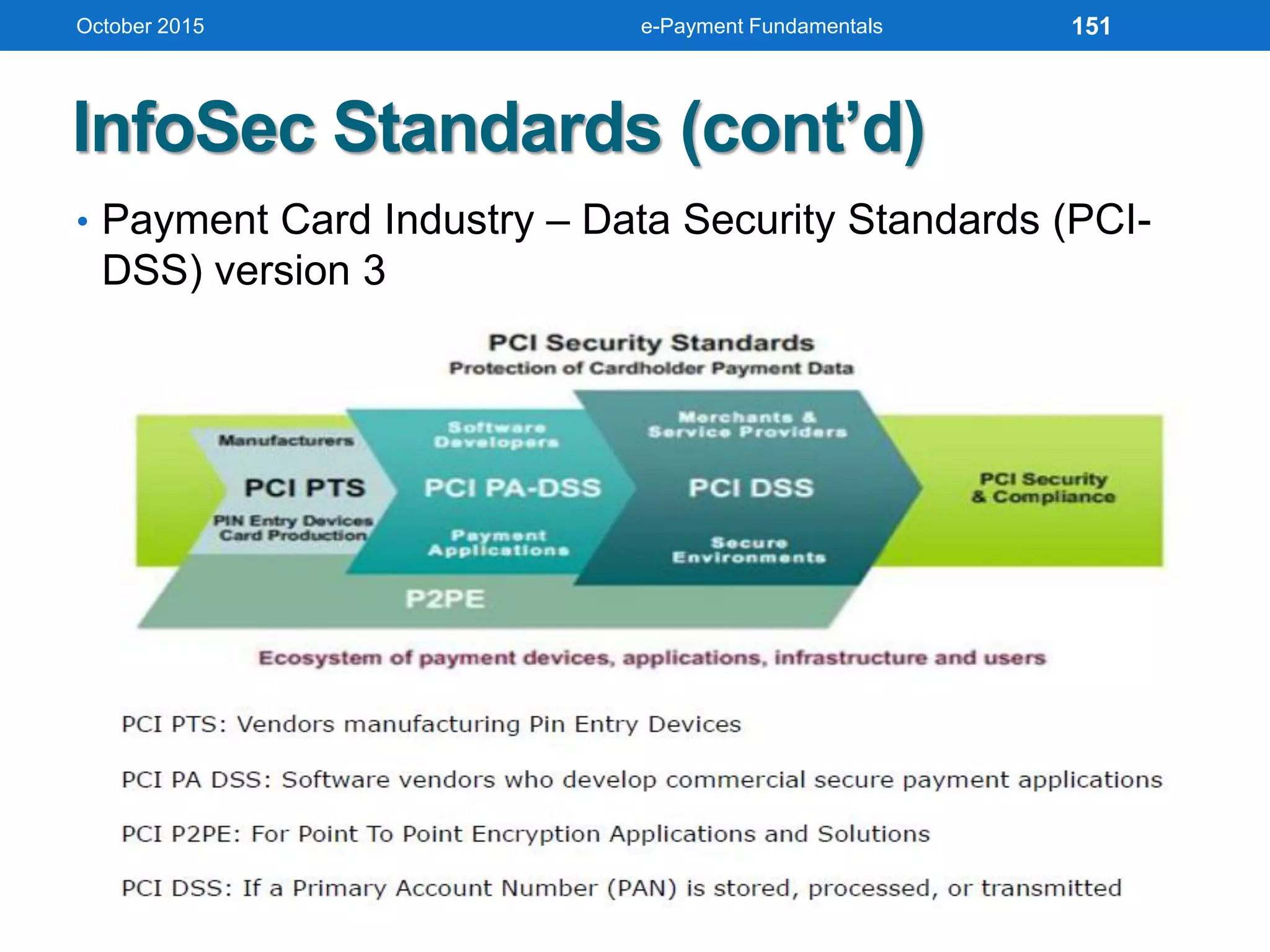
• Payment Card Industry – Data Security Standards (PCI-
DSS) version 3
October 2015 e-Payment Fundamentals 151
InfoSec Standards (cont’d)
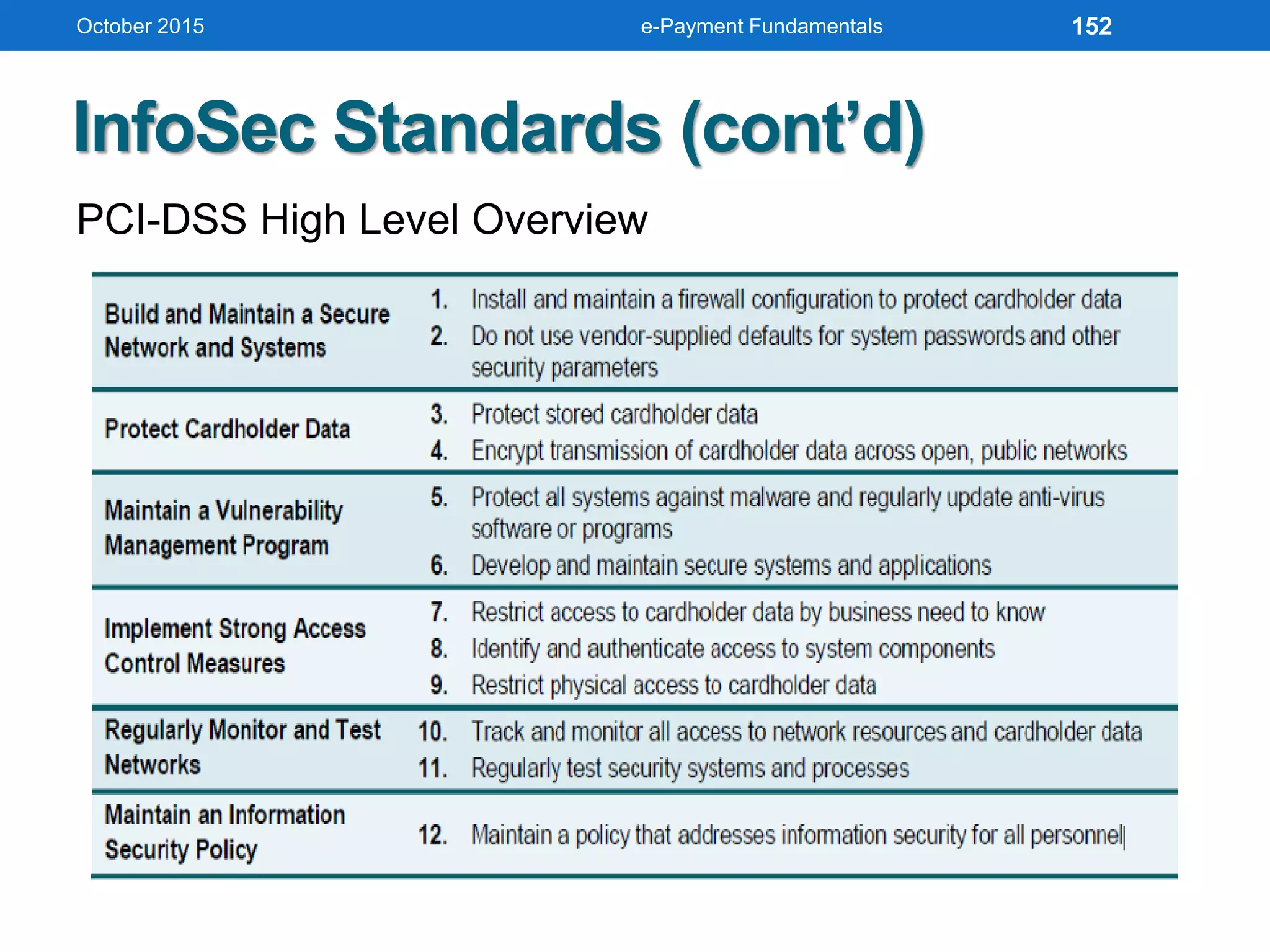
PCI-DSS High Level Overview
October 2015 e-Payment Fundamentals 152
InfoSec Standards (cont’d)
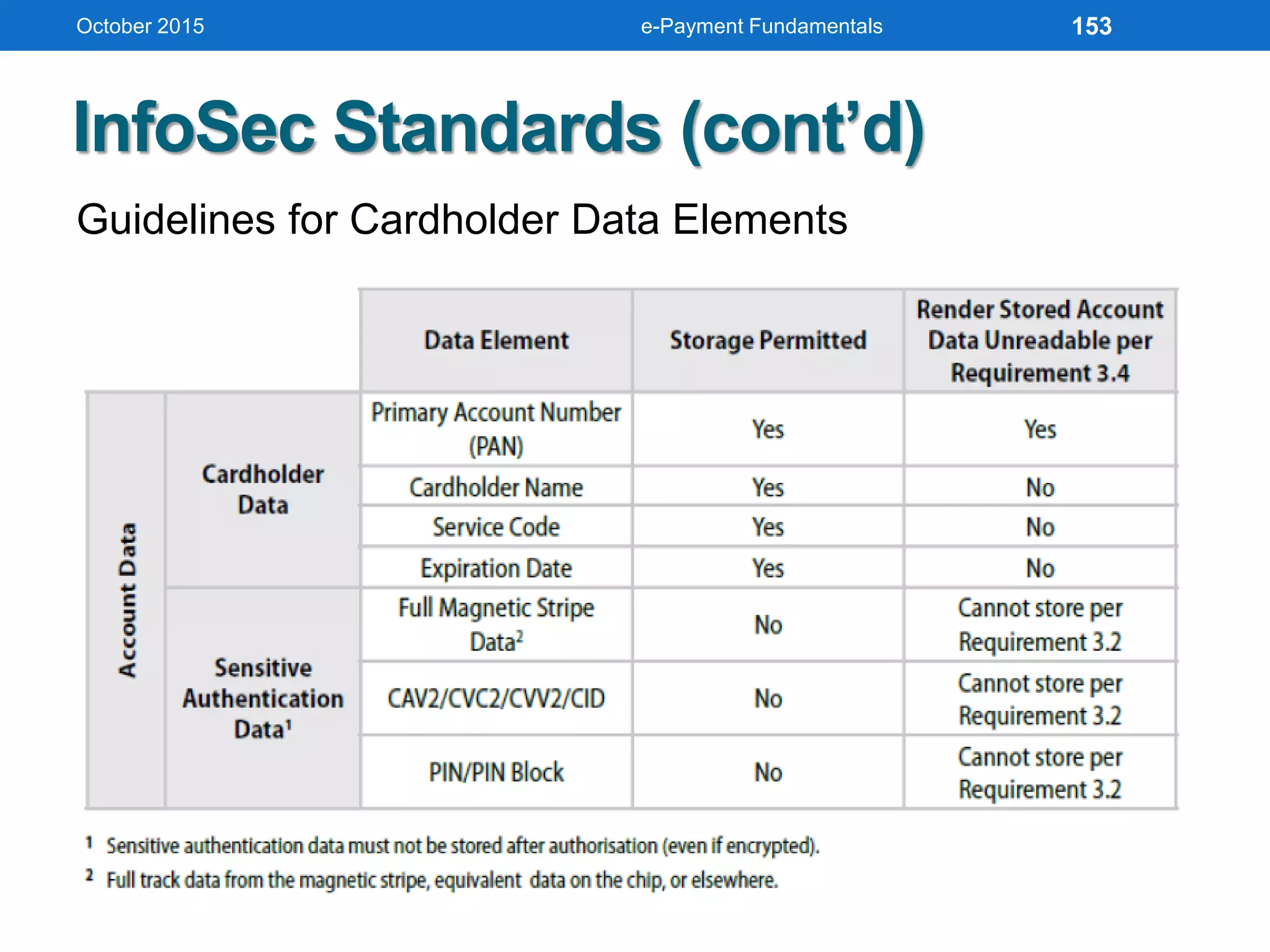
Guidelines for Cardholder Data Elements
October 2015 e-Payment Fundamentals 153
By Utilizing Such Framework and Standard
Reduce complexity of activities and processes
Deliver better understanding of information
security
Attain cost-effectiveness in managing privacy
and security
Enhance user satisfaction with the
arrangements and outcomes
Improve integration of information security
October 2015 e-Payment Fundamentals 154
By Utilizing Such Framework and Standard (cont’d)
Inform risk decisions and risk awareness
Enhance prevention, detection and
recovery
Reduce probability and impact of
security incidents
Leverage support for organization
innovation and competitiveness
October 2015 e-Payment Fundamentals 155
October 2015
Thank You!
Image courtesy of rebajhoffman.com
e-Payment Fundamentals 156

Electronic Payment Fundamentals: When Tech Embracing Payment Industry

  • 1.
  • 2.
    Image courtesy ofenergyprojectresources.org
  • 3.
    WORKSHOP AGENDA October 2015 Imagecourtesy of waystobuildabusinessonline.com e-Payment Fundamentals 3
  • 4.
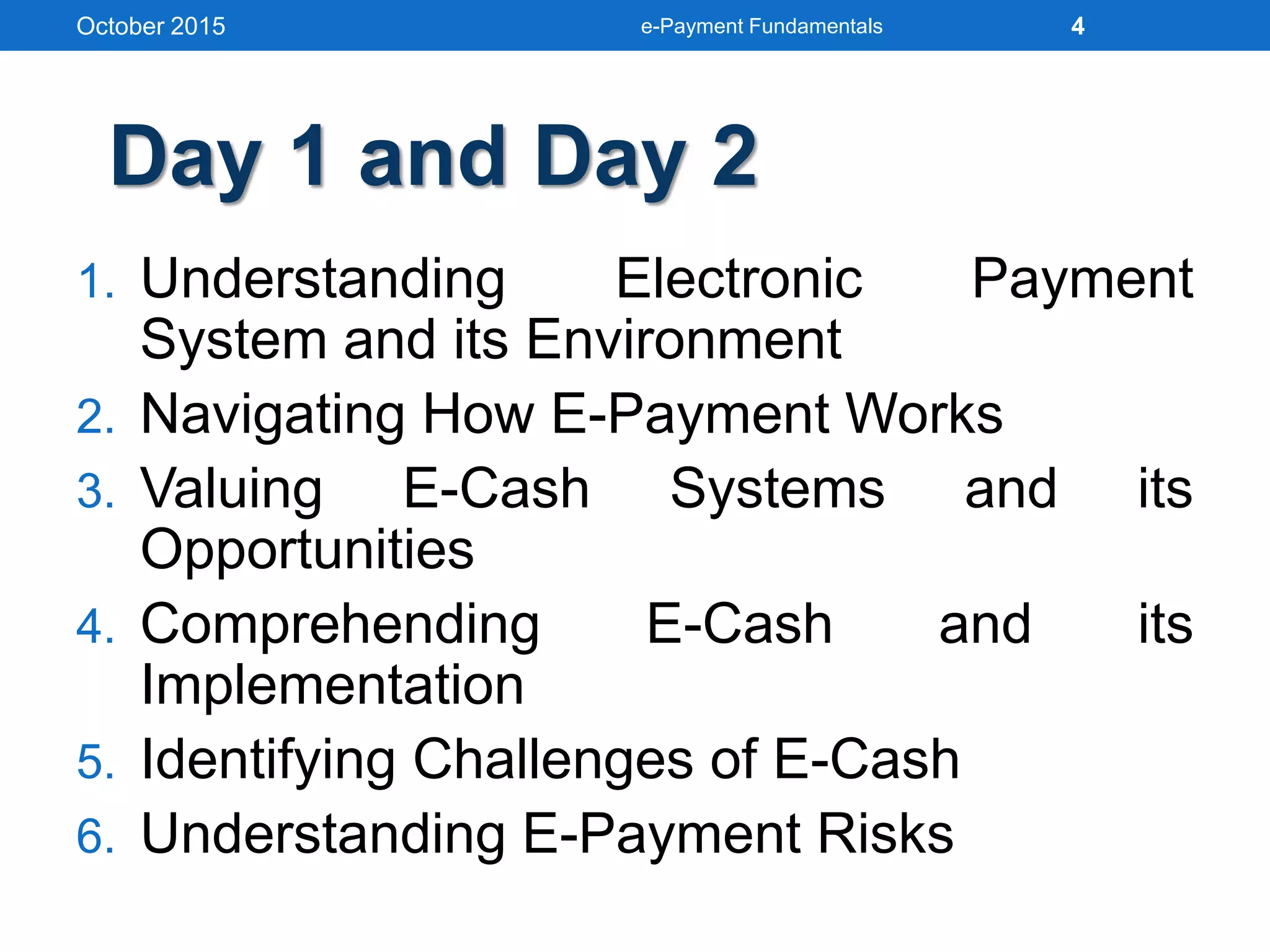
    1. Understanding ElectronicPayment System and its Environment 2. Navigating How E-Payment Works 3. Valuing E-Cash Systems and its Opportunities 4. Comprehending E-Cash and its Implementation 5. Identifying Challenges of E-Cash 6. Understanding E-Payment Risks October 2015 e-Payment Fundamentals 4 Day 1 and Day 2
  • 5.
    UNDERSTANDING E-PAYMENT SYSTEM ANDITS ENVIRONMENT October 2015 e-Payment Fundamentals 5
  • 6.
    What Electronic PaymentSystem is A financial exchange takes place online between buyers and sellers in the form of digital financial instrument such as encrypted credit card numbers, electronic cheques or digital cash backed by a bank or an intermediary. In short, EPS is a system helping the user to make online payment for their shopping or other activities. October 2015 e-Payment Fundamentals 6
  • 7.
    EPS Advantages • Decreasingtechnology cost Technology used in the networks is decreasing day by day. • Reduced operational and processing cost Processing cost of various commerce activities becomes very less (as saving both paper and time. • Increasing number of e-commerce sites October 2015 e-Payment Fundamentals 7
  • 8.
    Use of E-Payment:U.S. Data October 2015 e-Payment Fundamentals 8
  • 9.
    Types of E-Payments October2015 e-Payment Fundamentals Payment Cards Electronic Funds Transfer (EFT) E-Cash Systems E-Wallets E-Check Micro Payment Systems 9
  • 10.
     A systemallows a person to pay for goods or services by transmitting a number from one computer to another  Like serial numbers on real currency notes, E- Cash numbers are unique  Issued by a bank and represents a specified sum of real money  Anonymous and reusable  In Indonesia, 80% transactions is still cash  Examples: Mandiri e-cash, BBM Money, T- Cash, Dompetku, MYNT, XL Tunai. Understanding E-Cash October 2015 e-Payment Fundamentals 10
  • 11.
     Another paymentscheme that operates like a carrier of e-cash and other information.  The aim is to give shoppers a single, simple, and secure way of carrying currency electronically.  Trust is the basis of the e-wallet as a form of electronic payment.  Such examples are Microsoft .NET Passport, Yahoo! Wallet, PayPass Wallet, and DokuWalet. Understanding E-Wallet October 2015 e-Payment Fundamentals 11
  • 12.
    1.Decide on anonline site where you would like to shop. 2.Sign-up or download a wallet from the merchant’s website or from other website. 3.Fill out personal information such as your credit card number, name, address and phone number, and where merchandise should be shipped. 4.When you are ready to buy, click on the wallet button, the buying process is fully executed. Using E-Wallet October 2015 e-Payment Fundamentals 12
  • 13.
    Smart Cards Any pocket-sizedcard with embedded integrated circuits which can process data As known as Chip Card, ICC Card Flazz, Toll Mandiri, Starbucks Card, etc Contact Have a contact area of 1cm comprising several gold-plated contact pads These pads provide electrical connectivity when inserted into a reader October 2015 e-Payment Fundamentals 13
  • 14.
    Smart Cards (cont’d) Contactless Communicates withand is powered through RFID Require only proximity to antenna to communicate October 2015 e-Payment Fundamentals 14
  • 15.
    Navigating Smart Cards •Magnetic stripe • 140 bytes • Memory cards • 1-4 KB memory, no processor • Optical memory cards • 4 megabytes read-only (CD-like) • Microprocessor cards • Embedded microprocessor • (OLD) 8-bit processor, 16 KB ROM, 512 bytes RAM • Equivalent power to IBM XT PC • 32-bit processors now available October 2015 e-Payment Fundamentals 15
  • 16.
    Navigating Smart Cards(cont’d) • Available for over 10 years • So far not successful in U.S., but popular in Europe, Australia, and Japan • Smart cards gradually reappearing in U.S.; success depends on: • Critical mass of smart cards that support applications • Compatibility between smart cards, card-reader devices, and applications October 2015 e-Payment Fundamentals 16
  • 17.
    Nuts and Bolts •Advantages 1.Atomic, debt-free transactions 2.Feasible for certain value of transactions 3.(Potentially) anonymous 4.Security of physical storage 5.(Potentially) currency-neutral • Disadvantages 1.Low maximum transaction limit (not suitable for B2B or most B2C) 2.High infrastructure costs (not suitable for C2C) 3.Not (yet) widely used October 2015 e-Payment Fundamentals 17
  • 18.
    Mondex Smart Card •Holds and dispenses electronic cash (Smart-card based, stored-value card) • Developed by MasterCard International • Requires specific card reader, called Mondex terminal, for merchant or customer to use card over Internet • Supports micro-payments and works both online and off-line at stores or over the telephone • Secret chip-to-chip transfer protocol October 2015 e-Payment Fundamentals 18
  • 19.
    Credit Cards • EMVdeployment is still in progress • Turns every gadget including Internet of Things devices into a credit card? • Car keys, power bank and fitness trackers can also be used to make credit card payments • Video October 2015 e-Payment Fundamentals 19
  • 20.
    Credit Cards October 2015e-Payment Fundamentals 20
  • 21.
    Electronic Credit Cards •Credit-card-sized device holds other credit cards • Swap from card to card • Even store gift cards inside its ultra-thin innards • Uses low-power Bluetooth to connect to our iOS device coupled with a standard credit-card reader • Holds up to eight cards • EMV-NFC ready • Video 1 and 2 October 2015 e-Payment Fundamentals 21 Image courtesy of Techcrunch
  • 22.
    October 2015 e-PaymentFundamentals 22 Image courtesy of Flint Video
  • 23.
    Nuts and Bolts •Used for the majority of Internet purchases • Has a preset spending limit in particular • Currently convenient method • Expensive e-payment mechanism • MasterCard: $0.29 + 2% of transaction value • Disadvantages • Does not work for small amount (too expensive) October 2015 e-Payment Fundamentals 23
  • 24.
    NAVIGATING HOW E-PAYMENT WORKS October2015 e-Payment Fundamentals 24
  • 25.
    Elements of e-Payment Client Software Use of web browser for browsing encrypted information  Merchant Server Software Some solution providers design custom application software for the merchant, while others integrate functions with the web server  Payment by the Customer Customer can make payment using a credit card, buy e-cash from a participating bank, or through an automated clearing house (ACH) October 2015 e-Payment Fundamentals 25
  • 26.
    Elements of e-Payment(cont’d)  Payment to merchant In debit based transaction, merchant gets payment immediately, from customer’s bank in his account, through ACH, through a bank transfer  Transaction Cost Cost per transaction varies for credit and debit transactions and with the service provider  Risk In most of the solution provided, the risk is the merchant for fraudulent transactions October 2015 e-Payment Fundamentals 26
  • 27.
    SET Protocol  SecureElectronic Transaction is jointly designed by MasterCard and Visa with backing of Microsoft, Netscape, IBM, GTE, SAIC, and others  Designed to provide security for card payments as they travel on Internet  Contrasted with Secure Socket Layers (SSL) protocol, SET validates consumers and merchants in addition to providing secure transmission  SET specification  Uses public key cryptography and digital certificates for validating both consumers and merchants  Provides privacy, data integrity, user and merchant authentication, and consumer nonrepudiation October 2015 e-Payment Fundamentals 27
  • 28.
    How SET Works October2015 e-Payment Fundamentals 28
  • 29.
    EPS Security Requirements •Authentication (only authorized individual or group does and is allowed for the transaction) • Integrity (money doesn’t change during the transfer) • Non-Repudiation (No party can deny its role in the transaction) • Privacy (money and good are exchanged atomically) • Safety (money is not lost during a transfer) October 2015 e-Payment Fundamentals 29
  • 30.
    Secure EPS Infrastructure •Authentication • Many tools available to confirm the authenticity of a user. • Passwords and ID numbers are used mostly • Public Key Cryptography • Use one public and one private to encrypt and decrypt data • Sender can then encrypt the message with the public key and receiver can use the private key to decrypt the message. • Digital Signature • An electronic one use to authenticate the identity of the sender of a message October 2015 e-Payment Fundamentals 30
  • 31.
    Secure EPS Infrastructure(cont’d) • Secure Sockets Layer (SSL) • Commonly used protocol for managing the security of a message transmission • Uses the public-and-private key encryption system • Program layer located between HTTP and TCP • Certificate • The issuer verified the identity of the individual • Symantec Certificates • GeoTrust October 2015 e-Payment Fundamentals 31
  • 32.
    Payment Gateways A systemthat provides and authorizes payments Protects payment and credit cards details encrypting sensitive information. Make sure information passes securely between customer and merchant and also between merchant and payment processor Let us know whether a charge is approved by cardholder’s bank, and then submits charge to the bank for settlement October 2015 e-Payment Fundamentals 32
  • 33.
    How Payment GatewaysWork October 2015 e-Payment Fundamentals 33
  • 34.
    October 2015 e-PaymentFundamentals 34
  • 35.
    Payment Service Provider •As known as Payment Processor • A system that connects cardholder’s bank with merchant’s bank, and card brands (e.g. Visa, Mastercard, Discover, etc.) • Take money from cardholder’s bank account and deliver it to merchant’s bank account • More than 900 payment providers in the world (300 offer services for Europe and North-America) October 2015 e-Payment Fundamentals 35
  • 36.
    Payment Service Provider(cont’d) October 2015 e-Payment Fundamentals 36
  • 37.
    October 2015 e-PaymentFundamentals Using Payments Cards Online Payment card Electronic card that contains information and used for payment purposes Three forms • Credit cards • Charge cards • Debit cards 37
  • 38.
    October 2015 e-PaymentFundamentals Processing Credit Cards Online Authorization Determines whether a buyer’s card is active and whether the customer has sufficient funds Settlement Transferring money from the buyer’s to the merchant’s account 38
  • 39.
    October 2015 e-PaymentFundamentals Processing Credit Cards Online (cont’d) Payment service provider (PSP) A third-party service connecting a merchant’s EC systems to the appropriate acquirers. PSPs must be registered with the various card associations they support 39
  • 40.
    October 2015 e-PaymentFundamentals Payments Cards Online: Stakeholders • Acquiring bank • Credit card association • Customer • Issuing bank • Merchant • Payment processing service • Processor 40
  • 41.
    October 2015 e-PaymentFundamentals Fraudulent Credit Card Transactions Address Verification System (AVS) Detects fraud by comparing the address entered on a Web page with the address information on file with cardholder’s issuing bank 41
  • 42.
    October 2015 e-PaymentFundamentals Fraudulent Credit Card Transactions (cont’d) Card Verification Number (CVN) Detects fraud by comparing the verification number printed on the signature strip on the back of the card with the information on file with the cardholder’s issuing bank 42
  • 43.
    October 2015 e-PaymentFundamentals Fraudulent Credit Card Transactions (cont’d) Additional tools used to combat fraud include: • Manual review • Fraud screens and decision models • Negative files • Card association payer authentication services 43
  • 44.
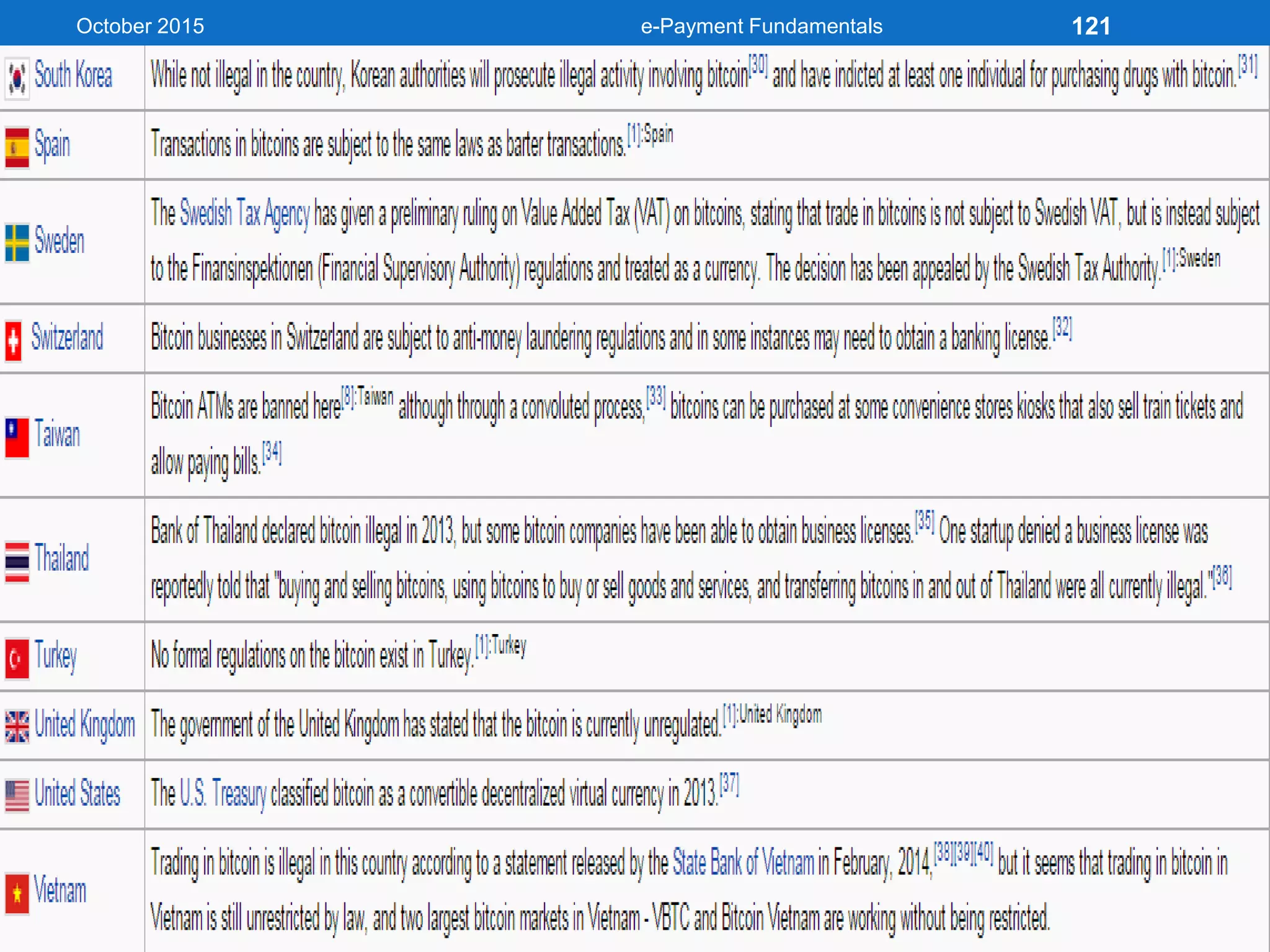
    Smart Cards As knownas Stored-Value Cards Contact Card A smart card containing a small gold plate on the face that when inserted in a smart card reader makes contact and passes data to and from the embedded microchip October 2015 e-Payment Fundamentals 44
  • 45.
    Smart Cards (cont’d) Contactless(Proximity) Card A smart card containing a small gold plate on the face that when inserted in a smart card reader makes contact and passes data to and from the embedded microchip October 2015 e-Payment Fundamentals 45
  • 46.
    Smart Cards (cont’d) SmartCard Reader Activates and reads the contents of the chip on a smart card, usually passing the information on to a host system Smart Card Operating System Special system that handles file management, security, input/output (I/O), and command execution and provides an application programming interface (API) for a smart card October 2015 e-Payment Fundamentals 46
  • 47.
    October 2015 e-PaymentFundamentals Application of Smart Cards • Retail Purchases E-Purse Smart card application that loads money from a card holder’s bank account onto the smart card’s chip Common Electronic Purse Specification (CEPS) Standards governing the operation and interoperability of e-purse offerings • Transit Fares • E-Identification 47
  • 48.
    October 2015 e-PaymentFundamentals Application of Smart Cards (cont’d) Transit Fares To eliminate the inconvenience of multiple types of tickets used in public transportation, most major transit operators in the US are implementing smart card fare-ticketing systems E-Identification Because they have the capability to store personal information, including pictures, biometric identifiers, digital signatures, and private security keys, smart cards are being used in a variety of identification, access control, and authentication applications 48
  • 49.
    October 2015 e-PaymentFundamentals Application of Smart Cards (cont’d) • In Health Care Industry • Storing vital medical information in case of emergencies • Preventing patients from obtaining multiple prescriptions from different physicians • Verifying a patient’s identity and insurance coverage • Speeding up the hospital or emergency room admissions process 49
  • 50.
    October 2015 e-PaymentFundamentals Securing Smart Cards • Smart cards store or provide access to either valuable assets or to sensitive information • Because of this, they must be secured against theft, fraud, or misuse • The possibility of hacking into a smart card is classified as a “class 3” attack, which means that the cost of compromising the card far exceeds the benefits 50
  • 51.
    Near Field Communication •NFC is the latest payment method introduced to the world. • It is not based on cash in the wallet but storing card information on the phone to be used in a mobile wallet or to use NFC. October 2015 e-Payment Fundamentals 51
  • 52.
    VALUING E-CASH ANDITS OPPORTUNITIES October 2015 e-Payment Fundamentals 52
  • 53.
    E-Cash Conceptual Framework Thereare four major components in an electronic cash system:  Issuers  Customers  Merchants or traders  Regulators. Issuers can be banks, or non-bank institutions Customers are referred to users who spend E-Cash Merchants and traders are vendors who receive E-Cash Regulators are defined as related authorities or state tax agencies. October 2015 e-Payment Fundamentals 53
  • 54.
    Stages of Transaction AccountSetup Customers will need to obtain E-Cash accounts through certain issuers. Merchants who would like to accept E-Cash will also need to arrange accounts from various E-Cash issuers. Issuers typically handle accounting for customers and merchants. Purchase Customers purchase certain goods or services, merchants tokens which represent equivalent E-Cash. Purchase information is usually encrypted when transmitting in the networks. October 2015 e-Payment Fundamentals 54
  • 55.
    Stages of Transaction(cont’d) Authentication Merchants will need to contact E-Cash issuers about the purchase and the amount of E-Cash involved. E-Cash issuers will then authenticate the transaction and approve the amount E-Cash involved. October 2015 e-Payment Fundamentals 55
  • 56.
    E-Cash Processing 3 4 2 1 5 Bank Consumer Merchant 1) Consumerbuys e-cash from Bank 2) Bank sends e-cash bits to consumer (after changing that amount plus fee) 3) Consumer sends e-cash to merchant 4) Merchant checks with Bank that e- cash is valid (check for forgery or fraud) 5) Bank verifies e-cash is valid 6) Parties complete transaction October 2015 e-Payment Fundamentals 56
  • 57.
    E-Cash Security  Complexcryptographic algorithms prevent double spending  Anonymity is preserved unless double spending is attempted  Serial numbers can allow tracing to prevent money laundering October 2015 e-Payment Fundamentals 57
  • 58.
    E-Cash Security (cont’d) Simpler than other online payment, no credential such as card-passwords or anything such is involved.  In practice, it’s online fund transfer from customer’s to trader’s account.  Customer must keep in mind of internet security sweep/theft (avoid this by capitalizing SSL and TSL). October 2015 e-Payment Fundamentals 58
  • 59.
    Nuts and Bolts •Advantages • More efficient, eventually meaning lower prices • Lower transaction costs • Anybody can use it, unlike credit cards, and does not require special authorization • Disadvantages • Susceptible to forgery October 2015 e-Payment Fundamentals 59
  • 60.
    Exploring E-Wallet Serves afunction similar to a physical wallet  Holds credit cards, electronic cash, owner identification, and owner contact information  Provides owner contact information at an electronic commerce site’s checkout counter  Stores shipping and billing information, including a consumer’s first and last names, street address, city, state, country, and zip or postal code October 2015 e-Payment Fundamentals 60
  • 61.
    Exploring E-Wallet (cont’d) Decideon an online site where you would like to shop Download a wallet from the merchant’s website/Sign up on the website itself to create your Digital wallet Transfer fund from your bank account into your digital wallet When you are ready to buy, click on the wallet button, the buying process is fully executed The Digital Wallet’s will check if there is enough E Cash in the wallet and if yes, then the transaction is completed and the purchase is made October 2015 e-Payment Fundamentals 61
  • 62.
    Types of E-Wallet ServerSide • A server side electronic wallet stores a customer information on the remote server belonging to a particular merchant or wallet publisher Client Side • A client side electronic wallet stores customer information on his/her own computer. • Many of the early electronic wallet were client side wallet that require users to download the wallet software October 2015 e-Payment Fundamentals 62
  • 63.
    Based on Usage October2015 e-Payment Fundamentals Closed Wallet A closed wallet is one that a company issues to its consumers for in- house goods and services only. These instruments do not carry the advantage of cash withdrawal or redemption Semi-Closed Wallet A semi-closed wallet can be used for goods and services, including financial services, at select merchant locations or establishments that have a contract with the issuing company to accept these payment instruments. Open Wallet Such wallets can be used for purchase of goods and services, including financial services such as funds transfer at merchant locations or point-of-sale terminals that accept cards, and also cash withdrawals at automated teller machines or business correspondents 63
  • 64.
    Navigating E-Wallet • AgileWallet • Developed by CyberCash • Allows customers to enter credit card and identifying information once, stored on a central server • Information pops up in supported merchants’ payment pages, allowing one- click payment • Does not support smart cards or CyberCash, but company expects to soon October 2015 e-Payment Fundamentals 64
  • 65.
    Navigating E-Wallet (cont’d) •Microsoft Wallet • Comes pre-installed in Internet Explorer 4.0, but not in Netscape • All information is encrypted and password protected • Microsoft Wallet Merchant directory shows merchants setup to accept Microsoft Wallet October 2015 e-Payment Fundamentals 65
  • 66.
    October 2015 e-PaymentFundamentals 66 Image courtesy of Windows Central
  • 67.
    Navigating E-Wallet (cont’d) GoogleWallet • Mobile payment system developed by Google • Allows users to store debit cards, credit cards, loyalty cards etc • Uses Near Field Communication to make secure payments fast and convenient by tapping the phone on pay press enable terminal • Works with 30,00,000+ MasterCard merchant locations October 2015 e-Payment Fundamentals 67
  • 68.
    October 2015 e-PaymentFundamentals 68 Image courtesy of Android Central
  • 69.
    Server side electronicwallet offered by Yahoo! Lets users store information about several major credit and charge cards Navigating E-Wallet (cont’d) October 2015 e-Payment Fundamentals 69
  • 70.
    October 2015 e-PaymentFundamentals 70
  • 71.
    Advantages of E-Wallet •Convenience Makes online shopping easier because it fills in an online order form automatically • Competitive Advantage A great advantage for online merchants, because customers sometimes abandon online purchases if they feel the order form is too confusing or frustrating • Greater revenue opportunities Open up a new aspect of payment methods in large markets introducing many business opportunities and greater potential revenue October 2015 e-Payment Fundamentals 71
  • 72.
    • System Outages Informationfor E-Wallets are stores on the cloud of business server, therefore the risk of a system malfunction or shut down is always present. • Security Must ensure their customers’ information is encrypted and well protected. • Investment Initial monetary investment is quite large as it requires the development of the software as well as continual maintenance. Disadvantages of E-Wallet October 2015 e-Payment Fundamentals 72
  • 73.
    Future State ofE-Wallet • Automatic Bill Payments: Will be able to make bill payments on behalf of the used by scheduling payment intervals for electronic bills and invoices • Loyalty redemption: Real time reporting of points accrued under loyalty schemes • Personal Information access: E wallet will become a single access point to all personal information including medical, insurance, mortgage etc. • Preemptive Purchasing: It can make a list of purchases based on your purchase habits and remind the consumer to make these purchases on a regular basis • Person to Person Payments: It’ll be possible to transfer a payment from one person to another simply by pointing two “wallet enabled devices” at each other October 2015 e-Payment Fundamentals 73
  • 74.
    Future State ofE-Wallet (cont’d) October 2015 e-Payment Fundamentals 74
  • 75.
    October 2015 e-PaymentFundamentals E-Micro Payments Small online payments, typically under US$10 Companies with e-micropayment products: • BitPass (bitpass.com) • Paystone (paystone.com) • PayLoadz (payloadz.com) • Peppercoin (peppercoin.com) • Clickshare • IBM micro-payment systems 75
  • 76.
    E-Check A legally validelectronic version or representation of a paper check Automated Clearing House (ACH) Network A nationwide batch-oriented electronic funds transfer system that provides for the interbank clearing of electronic payments for participating financial institutions October 2015 e-Payment Fundamentals 76
  • 77.
    Bitcoin, Here WeGo • First decentralized digital/virtual currency • Peer-to-Peer currency with mathematic protection • No centralized control/Central Bank • Based on cryptographic proof (SHA256) instead of trust • Developed by a person/group under pseudonym of Satoshi Nakamoto (2008) • Operational since early 2009 • No financial institutions involved or managed October 2015 e-Payment Fundamentals 77
  • 78.
    Bitcoin Key Concepts October2015 e-Payment Fundamentals Bitcoins Transactions Proof of Work Mining Digital Wallet 78
  • 79.
    Bitcoin Advantages • BTCsoftware unchangeable without majority users within entire network accepting the change • While majority of nodes are honest, attackers cannot harm the system • Attacker would need astronomical computer power to corrupt block chain • No government can print more money • Anonymity • Lower global transaction costs • New bubble may emerge (?): Oct13 = USD150 while Nov13 is more than USD500 • March 2013: BTC passed 1 Billion USD (around 11 million Bitcoins in circulation) October 2015 e-Payment Fundamentals 79
  • 80.
    BTC Transactions •Straight awaybetween owner and receiver •Broadcasted through Peer-to-Peer (P2P) network •All are public but anonymous •Mining nodes collects the transactions into Blocks October 2015 e-Payment Fundamentals 80
  • 81.
    BTC Transactions (cont’d) •Transactions Blocks  Full page in a Ledger Book • Block contains information about transactions and previous Block (Block Chain) linking to the first block when Bitcoin Network started. October 2015 e-Payment Fundamentals 81
  • 82.
    Where to useBTC? October 2015 e-Payment Fundamentals 82
  • 83.
    COMPREHENDING E-CASH AND ITSIMPLEMENTATION October 2015 e-Payment Fundamentals 83
  • 84.
    Benefits of E-Check •Reduces merchant’s administrative costs by providing faster and less paper-intensive collection of funds • Improves efficiency of deposit process for merchants and financial institutions • Speeds the checkout process for consumers • Provides consumers with more information about their purchases on their account statements • Reduces float period and number of checks that bounce because of insufficient funds (NSFs) October 2015 e-Payment Fundamentals 84
  • 85.
    Processing E-Check withAuthorize.net October 2015 e-Payment Fundamentals 85
  • 86.
    Electronic Bill andPayment • Presenting and enabling payment of a bill online. Refers to a B2C transaction October 2015 e-Payment Fundamentals 86
  • 87.
    Electronic Bill andPayment (cont’d) Types of E-Billing • Online banking • Biller direct • Bill consolidator Advantages of E-Billing • Reduction in expenses related to billing and processing payments • Electronic advertising inserts can be customized to the individual customer • Reduces customer’s expenses October 2015 e-Payment Fundamentals 87
  • 88.
    E-Billing Process forSingle Biller October 2015 e-Payment Fundamentals 88
  • 89.
    E-Billing Process forBill Consolidator October 2015 e-Payment Fundamentals 89
  • 90.
    BTC Transactions: GoingFurther • Block Chain file is maintained on every node October 2015 e-Payment Fundamentals 90
  • 91.
    BTC Transactions: GoingFurther (cont’d) • Each Block carries a Proof of Work • BTC are generated for machine which solved Proof of Work • New block is started and linked to the block chain • First transaction in a block = Special transaction = new coins owned by the creator of the block • New block chain status is broadcasted to the network October 2015 e-Payment Fundamentals 91
  • 92.
    BTC Transactions: GoingFurther (cont’d) • Fighting Transactions Hackers Transaction history cannot be changed unless redoing all Proof of Work of all blocks in the chain • Enormous computational power Redoing the proof of work since the very first transaction block • Double spending problem Solved using a P2P distributed timestamp server to generate computational proof of the chronological order of transactions October 2015 e-Payment Fundamentals 92
  • 93.
    BTC Mining • Nocentralized entity for generating BTC • Mining Process will solve Proof of Work from a Transaction Block • Confirms transactions and increase security • User can be miners and are rewarded by: • Transactions fees for the transactions they confirm • New block created / proof of work solved (25 BTC today) • Mining is a competitive market ($$$$$$) • More miners = more secure network October 2015 e-Payment Fundamentals 93
  • 94.
    BTC Mining (cont’d) •As of September 2013 it was 11,5 million Bitcoins • Bitcoins are generated in blocks • A new Block generated every 10 minutes • Currently 25 Bitcoins are mined per block • BTC generation will stop at 2140 (around 21 Million Bitcoins) • Mined BTC kept with PC that solved Proof of Work • In Jan 2009, 1 Transaction Block solved = 50 BTC • After 2140 the incentive will be only the transaction fee October 2015 e-Payment Fundamentals 94
  • 95.
    BTC Mining (cont’d) •Initially, CPU power to solve PoW for Transaction Blocks • Graphic cards solve PoW faster • New dedicated chips for performing mining • Miners are crucial BTC network by ensuring: • Impartial • Stable • Secure October 2015 e-Payment Fundamentals 95
  • 96.
    Bitcoins Mining (cont’d) •BTC are entries in transactions blocks (Ledger Book). • If someone receives BTC, transaction will be logged in (transaction) block (chain), unconfirmed until Proof of Work is solved. • BTC ownership and transfer are ensured by digital signatures through crypto private and public keys. October 2015 e-Payment Fundamentals 96
  • 97.
    Proof of Work •Typical PC may take several years to do • Only around 10 minutes using BTC network • Extremely unlikely, but 2 or more nodes may do PoW at the same time October 2015 e-Payment Fundamentals 97
  • 98.
    Trading Platform andExchange (cont’d) • BTC-e Digital currency trading platform and exchange Founded in July 2011, HQ in Russia As of Feb15 handles 2.5% all Bitcoin exchange volume Allows trading between currencies USD, RUR and EUR, and cryptocurrencies Bitcoin, Litecoin, Namecoin, Novacoin, and Peercoin Been component of CoinDesk Bitcoin Price Index (Sep13) October 2015 e-Payment Fundamentals 98
  • 99.
    Trading Platform andExchange (cont’d) October 2015 e-Payment Fundamentals 99
  • 100.
    Trading Platform andExchange (cont’d) • BTC-e Digital currency trading platform and exchange Founded in July 2011, HQ in Russia As of Feb15 handles 2.5% all Bitcoin exchange volume Allows trading between currencies USD, RUR and EUR, and cryptocurrencies Bitcoin, Litecoin, Namecoin, Novacoin, and Peercoin Been component of CoinDesk Bitcoin Price Index (Sep13) October 2015 e-Payment Fundamentals 100
  • 101.
    Trading Platform andExchange (cont’d) October 2015 e-Payment Fundamentals Image courtesy of wikipedia.org 101
  • 102.
    Trading Platform andExchange (cont’d) October 2015 e-Payment Fundamentals Image courtesy of wikipedia.org 102
  • 103.
    Trading Platform andExchange (cont’d) October 2015 e-Payment Fundamentals Image courtesy of wikipedia.org 103
  • 104.
    Trading Platform andExchange (cont’d) October 2015 e-Payment Fundamentals Image courtesy of wikipedia.org 104
  • 105.
    Trading Platform andExchange (cont’d) October 2015 e-Payment Fundamentals Image courtesy of wikipedia.org 105
  • 106.
    Digital Wallet • BTCcan be stored in Digital Wallet • Web services • Local applications • USB drivers • Protected by Private/Public keys • Possible to print BTC October 2015 e-Payment Fundamentals 106
  • 107.
    Digital Wallet (cont’d) •No one can lock/freeze our money like bank account • Bitcoins smallest fraction is 1 Satoshi  0.00000001 BTC • Losing private key means losing our BTCs (forever gone from BTC economy) • BTC is deflationary October 2015 e-Payment Fundamentals 107
  • 108.
    How Payment GiantsCorrespond MasterCard • One of 11 investors in Barry Silbert's Digital Currency Group's (DCG) new undisclosed funding round. • Earlier: “…the risks presented by digital currencies far outweighed the benefits” (Nov14) • Matthew Driver, President for SEA (Dec14): "not completely comfortable with the idea of cryptocurrencies“ and the technology was "against the whole principle" on which they had established its business. • Another official statement October 2015 e-Payment Fundamentals 108 Source: CoinDesk
  • 109.
    How Payment GiantsCorrespond (cont’d) VISA • Invested in crypto space, contributing to blockchain startup Chain's $30m funding round. • Recently revealed a new PoC that leverages bitcoin's blockchain for record keeping such as digitizing car rental process, using bitcoin transactions to create a digital fingerprint for each vehicle on the blockchain. • Jonathan Vaux, New Digital Payments and Strategy Exec Director at Visa Europe, said: October 2015 e-Payment Fundamentals 109 Source: CoinDesk
  • 110.
    How Payment GiantsCorrespond (cont’d) American Express • VC arm invested in bitcoin-to-cash app Abra ($12m Series A round). • Official statement: "Let's see what currencies are important and we'll transact in the currencies that our customers want to transact in.” • CEO Kenneth Chenault: “The protocol of bitcoin is going to be important." • Another official statement: October 2015 e-Payment Fundamentals 110 Source: CoinDesk
  • 111.
    How Payment GiantsCorrespond (cont’d) PayPal • Announced its first partnerships in bitcoin space (Sep14). • Alliances with BitPay, GoCoin and Coinbase had been months in the making. • (Former) CEO John Donahoe official statement: October 2015 e-Payment Fundamentals 111 Source: CoinDesk
  • 112.
    IDENTIFYING CHALLENGES OF E-CASH October2015 e-Payment Fundamentals 112
  • 113.
    Electronic Payments Current B2BPayment Practices • Financial supply chains of most companies are characterized by inefficiencies created by a number of factors, including: • The time required to create, transfer, and process paper documentation • The cost and errors associated with manual creation and reconciliation of documentation • The lack of transparency in inventory and cash positions when goods are in the supply chain • Disputes arising from inaccurate or missing data • Fragmented point solutions that do not address the complete end-to-end processes of the trade cycle October 2015 e-Payment Fundamentals 113
  • 114.
    Electronic Payments (cont’d) EnterpriseInvoice Presentment and Payment (EIPP) Presenting and paying B2B invoices online EIPP Models • Seller Direct • Buyer Direct • Consolidator October 2015 e-Payment Fundamentals 114
  • 115.
    E-Cash Opportunity October 2015e-Payment Fundamentals 115
  • 116.
    E-Cash Challenges • Mostof e-cash (including stored-value cards) provides no audit trail • True electronic cash is not traceable, so money laundering is a problem • Electronic cash is susceptible to forgery • Tax Evasion (tax reporting and collection) • Jurisdictional concerns • Regulating issuers: Should anyone be allowed to issue e-cash? If non-banks allowed to issue, could they be the subject to the same (extensive) regulatory controls as bank? October 2015 e-Payment Fundamentals 116
  • 117.
    • Money laundry– practically impossible to track BTC transactions • FBI x Silk Road – Bitcoin used for trading drugs among other illicit products. • Legality among countries? Bitcoin Challenges October 2015 e-Payment Fundamentals 117
  • 118.
    Bitcoin Challenges (cont’d) October2015 e-Payment Fundamentals 118
  • 119.
    Bitcoin Challenges (cont’d) October2015 e-Payment Fundamentals 119
  • 120.
    October 2015 e-PaymentFundamentals 120
  • 121.
    October 2015 e-PaymentFundamentals 121
  • 122.
    UNDERSTANDING E- PAYMENT RISKS October2015 e-Payment Fundamentals 122
  • 123.
    Defining Cyber Crime •Former descriptions were "computer crime", "computer-related crime" or "crime by computer“. • With the pervasion of digital technology, some new terms like "high-technology" or "information-age" crime were added to the definition. Also, Internet brought other new terms, like "cybercrime" and "net" crime. • Other forms include "digital", "electronic", "virtual" , "IT", "high-tech" and technology-enabled" crime. October 2015 e-Payment Fundamentals 123
  • 124.
    October 2015 Source: IBM[1] UNODC Comprehensive Study on Cybercrime, 2013 e-Payment Fundamentals 124
  • 125.
    October 2015 Source: IBM [2]FBI: Crime in the United States 2013 [3] United California Bank Robbery [4] Center for Strategic and International Studies e-Payment Fundamentals 125
  • 126.
    October 2015 Source: IBM[6] ESG: http://bit.ly/1xzTmUW e-Payment Fundamentals 126
  • 127.
    Cyber Crime Categories •Computing Devices as a Target Using those devices to attacks other devices e.g. Hacking, virus/worms attacks, DoS attack, etc. • Computing Devices as a Weapon Using those devices to commit real-world crimes e.g. cyber terrorism, credit card fraud and pornography, etc. October 2015 Image courtesy of chakreview.com e-Payment Fundamentals 127
  • 128.
    Cyber Crime Categories(cont’d) From victim point of views: 1. Cyber crime on Persons e.g. Harassment occurred in cyberspace, or through the use of cyberspace (sexual, racial, religious, or other) and cyber bullying. 2. Cyber crime on Groups/Organizations Targeting particular or certain organizations or groups whether profit or non-profit. Often time those who reside as financial industry players. October 2015 e-Payment Fundamentals 128
  • 129.
    Cyber Crime Categories(cont’d) 3. Cyber crime on Property e.g. Computer vandalism (destruction of others' property), transmission of harmful programs, unauthorized intrusion through cyber space, unauthorized possession of computer information. 4. Cyber crime on Government e.g. Cyber terrorism is one distinct kind of crime in this category. October 2015 e-Payment Fundamentals 129
  • 130.
    In 2014 FederalBureau Investigation (FBI) unveils from the most frequent one: • Viruses • Employee abuse of internet privileges • Unauthorized access by insiders • Denial of Service • System penetration from the outside • Theft of proprietary information • Sabotage of data/networks • Proving/scanning systems • Financial fraud Notable Cyber Attacks October 2015 e-Payment Fundamentals 130
  • 131.
     Manipulate data integrity Installed a sniffer  Stole password files  Trojan logons  IP spoofing Notable Cyber Attacks (cont’d) October 2015 Image courtesy of @TrojanLax e-Payment Fundamentals 131
  • 132.
    Cyber Crime-as-a-Service Marketplace •Continues to mature over the past two years. • Enables more fraudsters to cash in without needing to understand the chain of fraud, how to phish or spam, or IT infrastructure requirements. • Becomes fiercely competitive. • Cybercrime 'service providers' must work harder than ever before to win and keep 'customers.’ • Generalized increase in quality of malware produced. • Enables much larger pool of bad actors with no technical knowledge to profit from. October 2015 e-Payment Fundamentals 132
  • 133.
    Cyber Crime-as-a-Service Marketplace (cont’d) •Many types of attack are simple and low cost. • Phishing attacks: 500,000 email addresses cost $30. • Hosting a phishing site can be more or less free. • Thousands of credit cards can be stolen in return for around $100. October 2015 e-Payment Fundamentals 133
  • 134.
    Cyber Crime-as-a-Service Marketplace (cont’d) October2015 Image courtesy of EMC e-Payment Fundamentals 134
  • 135.
    Larger Retail andFinancial Attacks • Shift from attacks on individuals to mass attacks on retailers and financial institutions. • Banking botnets becoming more resilient and harder to take down. • Utilized deep web and untraceable peer-to-peer networks, (TOR and I2P), to increase resilience and anonymity, and hide their infrastructure from law enforcement agencies. • Private botnets – written specifically for individual gang (harder to trace and analyze). • Point of Sale (POS) malware used and RAM scrapers. October 2015 e-Payment Fundamentals 135
  • 136.
    October 2015 Image courtesyof EMC e-Payment Fundamentals 136
  • 137.
    Check This FactsOut Security Threat and Symantec says • 36,6 million cyber attacks (35% from outside, the rests from inside the country) from 2012 to 2014. • 497 cyber crime cases from 2012 to April 2015 with 389 are foreigners and 108 local citizens. • Fake bank account, money laundering, artificial LC document, camouflage posting. • Accounted for 4.1% of the world cyber crimes. • The highest percentage of PC infected by malware across the globe. Government CSRIT says • 60% of government domains encountered web defacements and 36% infected by malware October 2015 e-Payment Fundamentals 137
  • 138.
    Check This FactsOut (cont’d) • According to Norton latest Cyber Crime report, global consumer cyber crime cost over than USD 150bn annually. • Yet the figures for Indonesia are unknown. • Dakaadvisory predicts around USD 2.3bn in 2013 by multiplying number of victims with cost per victim. • From Ministry of Communication and IT’s total budget of USD 500m, 1% allocated for Cyber Security. October 2015 e-Payment Fundamentals 138
  • 139.
    Simplest Ways ofPrevention • Disable and log off a specific user account to prevent access. • Disable and log off a group of user accounts which access a particular service that is being attacked. • Disable and dismount specific (network) devices, for instance disk devices that are being swamped. • Disable specific applications, for example, an e- mail system subjected to a SPAM attack. • Close down an entire system, and divert processing to an alternative or backup service on a secondary network. October 2015 e-Payment Fundamentals 139
  • 140.
    Simplest Tips ofControls • Use antivirus software. • Install firewalls. • Uninstall unnecessary software. • Maintain backup. • Check security settings. • Stay anonymous - choose a genderless screen name. • Never give your full name or address to strangers. • Learn more about Internet privacy. October 2015 e-Payment Fundamentals 140
  • 141.
    How to Do? Aflexible organization with a centralized core • Security Oversight • Information Risk • (Cyber) Security Risk • Security Architecture and Engineering • Security Operations October 2015 e-Payment Fundamentals 141
  • 142.
    Organization Culture • Whatdo your executives expect from security? • If not GRLC, then focus on operations • Build trust and demonstrate value • Reporting Inside or Outside IT? • Centralized or Decentralized? October 2015 e-Payment Fundamentals 142
  • 143.
    Controls to EnforcePolicies • Log access to data, information and transaction by unique identifier” as it requires log management or SIEM. • Limit access to specific data to specific individuals as it required unique system username and password. • Sensitive data shall not be emailed outside the organization with DLP or email encryption system. October 2015 e-Payment Fundamentals 143
  • 144.
    Educate, Educate, Educate •Oursecurity stakeholders: employees, executives, partners, suppliers, vendors •What are our policies? •How to comply? •Consequences of failure to comply October 2015 e-Payment Fundamentals 144
  • 145.
    Monitoring and Controlling •Assessment • Review • Audit • Monitor change control • New vendor relationships • Marketing initiatives • Employee terminations October 2015 e-Payment Fundamentals 145
  • 146.
    IIA Three Linesof Defense (3LoD) October 2015 e-Payment Fundamentals Image courtesy of IIA Global Advocacy Platform 146
  • 147.
    InfoSec Control Frameworks October2015 e-Payment Fundamentals 147
  • 148.
    ISACA Framework onInformation Security October 2015 ISMS: Information Security Management Systems R: Responsible; A: Accountable; C: Coordinate; I: Informed Credit: ISACA e-Payment Fundamentals 148
  • 149.
    NIST Cybersecurity Framework •Critical Infrastructure - Vital infrastructure - private and public operators - Lack of availability would have “debilitating impact” on the nation’s security, economy, public health, safety… • Executive Order 13636; February 12, 2013 • Threat information sharing • NIST: Baseline Framework to reduce cyber risk • “Standards, methodologies, procedures and processes that align policy, business, and technological approaches…” October 2015 e-Payment Fundamentals 149
  • 150.
    InfoSec Standards ‘ISO/IEC 27001’ Bestpractice recommendations for initiating, developing, implementing, and maintaining Information Security Management Systems (ISMS) with: • Risk Assessment • Security Policy • Asset Management • Physical/Environmental Security • Access Control • And many others October 2015 e-Payment Fundamentals 150
  • 151.
    InfoSec Standards (cont’d) •Payment Card Industry – Data Security Standards (PCI- DSS) version 3 October 2015 e-Payment Fundamentals 151
  • 152.
    InfoSec Standards (cont’d) PCI-DSSHigh Level Overview October 2015 e-Payment Fundamentals 152
  • 153.
    InfoSec Standards (cont’d) Guidelinesfor Cardholder Data Elements October 2015 e-Payment Fundamentals 153
  • 154.
    By Utilizing SuchFramework and Standard Reduce complexity of activities and processes Deliver better understanding of information security Attain cost-effectiveness in managing privacy and security Enhance user satisfaction with the arrangements and outcomes Improve integration of information security October 2015 e-Payment Fundamentals 154
  • 155.
    By Utilizing SuchFramework and Standard (cont’d) Inform risk decisions and risk awareness Enhance prevention, detection and recovery Reduce probability and impact of security incidents Leverage support for organization innovation and competitiveness October 2015 e-Payment Fundamentals 155
  • 156.
    October 2015 Thank You! Imagecourtesy of rebajhoffman.com e-Payment Fundamentals 156