Objectives
At the endof the period, the students should be able to:
•Define CSS
•Set up web pages with CSS
•Demonstrate using basic CSS syntax
•Demonstrate using CSS for styling text font, and properties.
•Enumerate CSS layout properties and positioning.
3.
Overview
CSS is shortfor Cascading Style Sheets and is the
preferred way for setting the look and feel of a website.
HTML defines the content and how your webpage is
organised while CSS defines the colour, size and positioning
of text and HTML tags.
4.
CSS Style
• Thereare three ways of including CSS in a webpage
inline, internal or embedded and external CSS.
• Inline
• Internal
• External
5.
CSS Style
• Thereare three ways of including CSS in a webpage
inline, internal or embedded and external CSS.
• Inline
• Setting the style. In the attribute tag
• Internal
• External
6.
CSS Style
• Thereare three ways of including CSS in a webpage
inline, internal or embedded and external CSS.
• Inline
• Internal
• Using style tag within the HTML header
• External
7.
CSS Style
• Thereare three ways of including CSS in a webpage
inline, internal or embedded and external CSS.
• Inline
• Internal
• External
• Linking an HTML file to an external CSS file
8.
Text Properties
Text propertiesserve to set the appearance of individual characters in a word or line of text.
• Color Property
• Direction
• Letter Spacing
• Word spacing
• Text-indent
• Text Align
• Text-decoration
9.
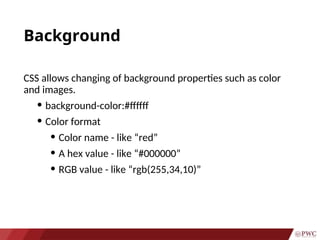
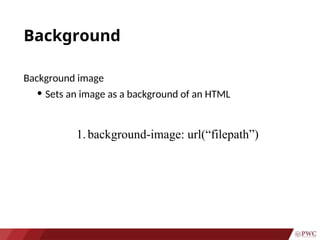
Background
CSS allows changingof background properties such as color
and images.
• background-color:#ffffff
• Color format
• Color name - like “red”
• A hex value - like “#000000”
• RGB value - like “rgb(255,34,10)”
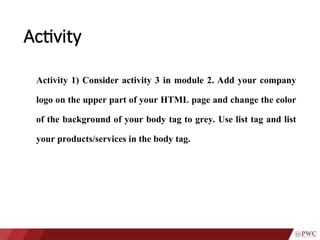
Activity
Activity 1) Consideractivity 3 in module 2. Add your company
logo on the upper part of your HTML page and change the color
of the background of your body tag to grey. Use list tag and list
your products/services in the body tag.