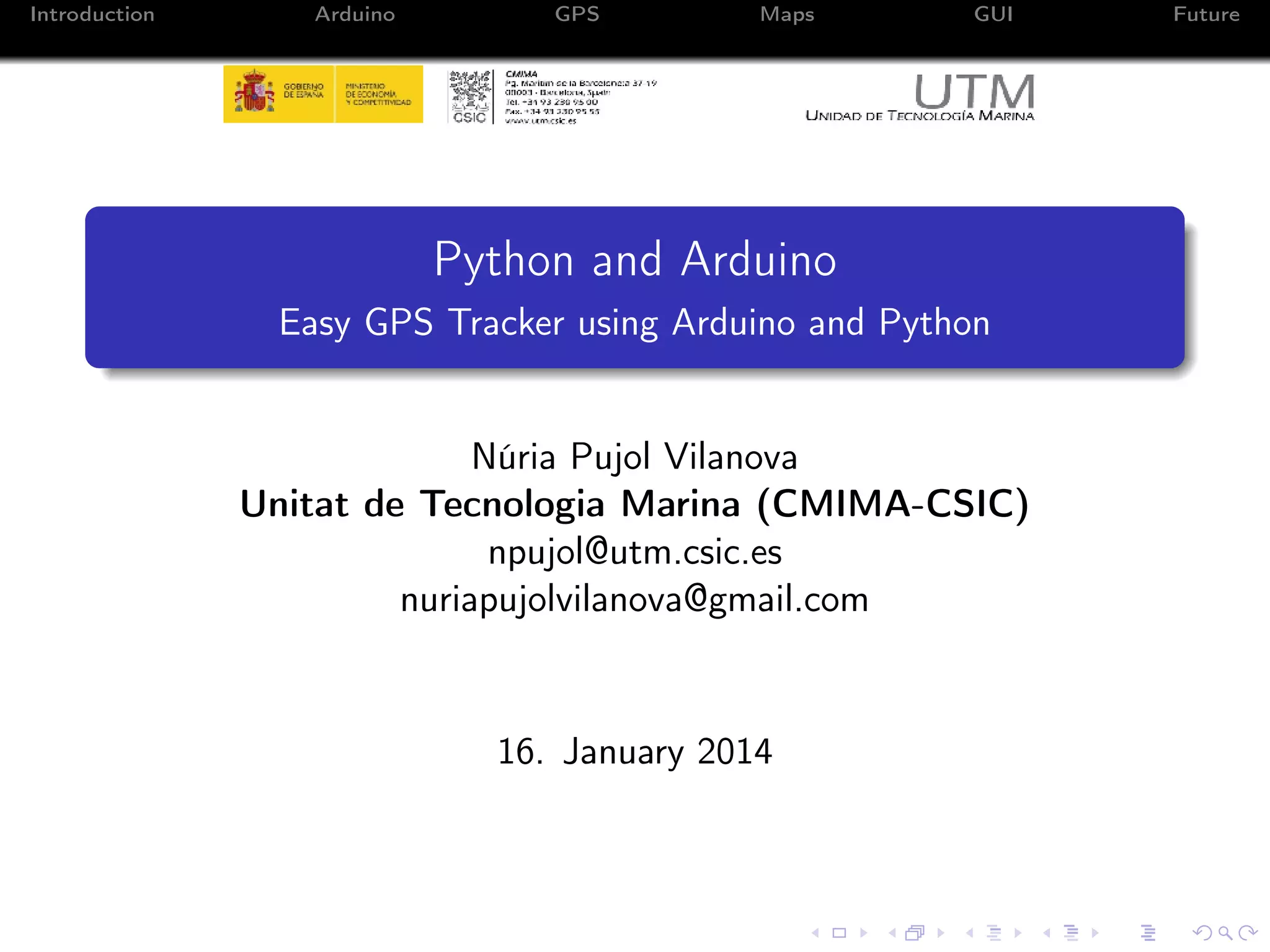
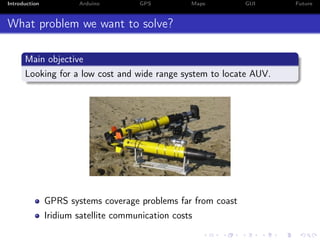
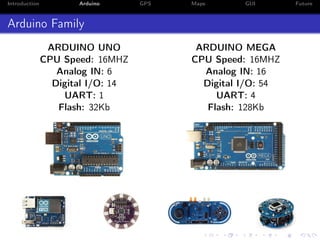
This document describes creating an easy GPS tracker using an Arduino and Python. The goal is to develop a low-cost system with wide range to locate autonomous underwater vehicles (AUVs). It discusses using an Arduino with a GPS module to get location data and transmitting it via XBee radios. Python libraries are used to program the Arduino and process NMEA GPS strings. A graphical user interface (GUI) is created with PyQt to display the vehicle's position on georeferenced maps. Future plans include optimizing the system, testing coverage range, conducting field tests, adding bearing and range calculations between devices, and developing AUV utilities that use XBee communications.




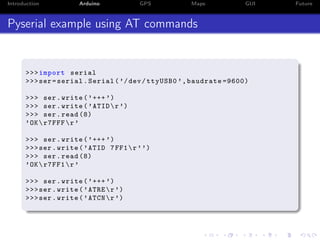

![Introduction
Arduino
GPS
Maps
Programing example with Arduino IDE
void loop (){
byteGPS = 0;
byteGPS = gps . read ();
while ( byteGPS != ’$ ’ ){
byteGPS = gps . read ();
}(*)
byteGPS = gps . read ();
if ( byteGPS == ’G ’ ){ (*)
while ( byteGPS != ’* ’)
{
byteGPS = gps . read ();
GPS [ i ] = byteGPS ;
i ++;
}(*)
while (j < i ){
Serial . write ( char ( GPS [ j ]));
j ++;
}
Serial . println ();
}
}
(*) Missing lines of code
GUI
Future](https://image.slidesharecdn.com/npujolgpstracker-140118084302-phpapp02/85/Easy-GPS-Tracker-using-Arduino-and-Python-11-320.jpg)
![Introduction
Arduino
GPS
Maps
Programing example with Python
from arduino import Arduino
import time
b = Arduino ( ’/ dev / ttyUSB0 ’)
pin = 9
# declare output pins as a list / tuple
b . output ([ pin ])
for xrange (10):
b . setHigh ( pin )
time . sleep (1)
print b . getState ( pin )
b . setLow ( pin )
print b . getState ( pin )
time . sleep (1)
b . close ()
https://github.com/vascop/Python-Arduino-Proto-API-v2/
GUI
Future](https://image.slidesharecdn.com/npujolgpstracker-140118084302-phpapp02/85/Easy-GPS-Tracker-using-Arduino-and-Python-12-320.jpg)


![Introduction
Arduino
GPS
Maps
GUI
Future
How to plot a GeoTIFF?
from osgeo import gdal
import matplotlib . pyplot as plt
gtif = gdal . Open ( ’ canal . tif ’)
gtif . G et P r o j e c t i o n R e f ()
gtif_array = gtif . ReadAsArray ()
tfw = gtif . G et G eo Tr a ns f or m ()
A ,D ,B ,E ,C , F = tfw [1] , tfw [2] , tfw [4] , tfw [5] , tfw [0] , tfw [3]
L = gtif . RasterXSize
H = gtif . RasterYSize
BLX , BLY , TRX , TRY =C , F , C +( L * A ) , F +( H *( E ))
extent =[ BLX , TRX , TRY , BLY ]
fig = plt . figure ()
axes = fig . add_subplot (111)
axes . t i c k l a b e l _ f o r m a t ( useOffset = False , axis = ’ both ’)
plt . imshow ( gtif_array [:3 ,: ,:]. transpose ((1 ,2 ,0)) , extent = extent )
plt . show ()](https://image.slidesharecdn.com/npujolgpstracker-140118084302-phpapp02/85/Easy-GPS-Tracker-using-Arduino-and-Python-17-320.jpg)
![Introduction
Arduino
GPS
Maps
GUI
How to plot a TIFF?
import matplotlib . pyplot as plt
twf_values =[]
file = open ( ’ c a na l_ E TR 89 _ H3 1 . tfw ’ , " r " )
for line in file :
twf_values . append ( float ( line ))
A , D , B , E , C , F = twf_values
file . close ()
file_im = plt . imread ( ’ ca na l _E T R8 9_ H 31 . tif ’ , " r " )
L = len ( file_im [1 , :])
H = len ( file_im [: , 1])
BLX , BLY , TRX , TRY =C , F , C +( L * A ) , F +( H *( E ))
fig = plt . figure ()
axes = fig . add_subplot (111)
axes . t i c k l a b e l _ f o r m a t ( useOffset = False ,
axis = ’ both ’)
plt . imshow ( file_im , extent =[ BLX , TRX , TRY , BLY ])
plt . show ()
Future](https://image.slidesharecdn.com/npujolgpstracker-140118084302-phpapp02/85/Easy-GPS-Tracker-using-Arduino-and-Python-18-320.jpg)




![Getting Started with Apache Spark: Big Data Made Simple [Free Meetup]](https://cdn.slidesharecdn.com/ss_thumbnails/apachesparkgettingstarted-260203175547-8361bcc3-thumbnail.jpg?width=640&height=640&fit=bounds)


