HTML DOM Part-II
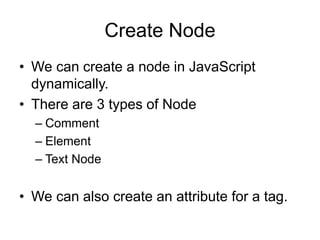
Create Node
• We can create a node in JavaScript
dynamically.
• There are 3 types of Node
– Comment
– Element
– Text Node
• We can also create an attribute for a tag.
Create Comment Node
• createComment(string)
– Creates a text comment of the form
<!- - string - ->, where string is the comment
content.
For ex:
comNode=document.createComment(“just a
comment”);
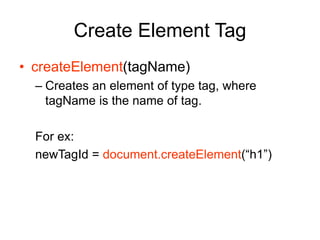
Create Element Tag
• createElement(tagName)
– Creates an element of type tag, where
tagName is the name of tag.
For ex:
newTagId = document.createElement(“h1”)
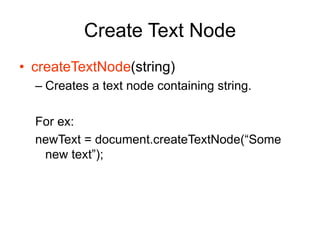
Create Text Node
• createTextNode(string)
– Creates a text node containing string.
For ex:
newText = document.createTextNode(“Some
new text”);
Create attribute
• We can dynamically create an attribute.
• createAttribute(attributeName)
– Creates an attribute with attribute name as
argument.
– We will see an example of this later.
Join all stuff
newNode = document.createElement(“p”);
newText = document.createTextNode(“new text”);
If I write this code in JavaScript, It wont display
anything on browser.
I need to join newNode and newText and insert
them in the web page document to view it.
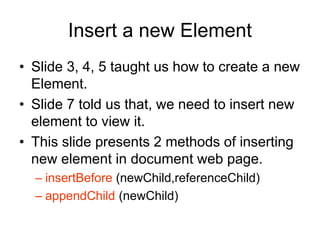
Insert a new Element
• Slide 3, 4, 5 taught us how to create a new
Element.
• Slide 7 told us that, we need to insert new
element to view it.
• This slide presents 2 methods of inserting
new element in document web page.
– insertBefore (newChild,referenceChild)
– appendChild (newChild)
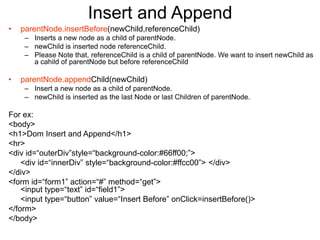
Insert and Append
• parentNode.insertBefore(newChild,referenceChild)
– Inserts a new node as a child of parentNode.
– newChild is inserted node referenceChild.
– Please Note that, referenceChild is a child of parentNode. We want to insert newChild as
a cahild of parentNode but before referenceChild
• parentNode.appendChild(newChild)
– Insert a new node as a child of parentNode.
– newChild is inserted as the last Node or last Children of parentNode.
For ex:
<body>
<h1>Dom Insert and Append</h1>
<hr>
<div id=“outerDiv”style=“background-color:#66ff00;”>
<div id=“innerDiv” style=“background-color:#ffcc00”> </div>
</div>
<form id=“form1” action=“#” method=“get”>
<input type=“text” id=“field1”>
<input type=“button” value=“Insert Before” onClick=insertBefore()>
</form>
</body>
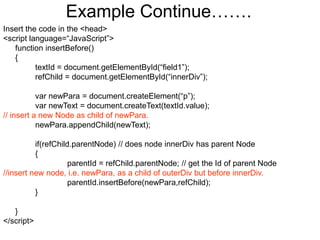
Example Continue…….
Insert the code in the <head>
<script language=“JavaScript”>
function insertBefore()
{
textId = document.getElementById(“field1”);
refChild = document.getElementById(“innerDiv”);
var newPara = document.createElement(“p”);
var newText = document.createText(textId.value);
// insert a new Node as child of newPara.
newPara.appendChild(newText);
if(refChild.parentNode) // does node innerDiv has parent Node
{
parentId = refChild.parentNode; // get the Id of parent Node
//insert new node, i.e. newPara, as a child of outerDiv but before innerDiv.
parentId.insertBefore(newPara,refChild);
}
}
</script>

dom.ppt

  • 1.
  • 2.
    Create Node • Wecan create a node in JavaScript dynamically. • There are 3 types of Node – Comment – Element – Text Node • We can also create an attribute for a tag.
  • 3.
    Create Comment Node •createComment(string) – Creates a text comment of the form <!- - string - ->, where string is the comment content. For ex: comNode=document.createComment(“just a comment”);
  • 4.
    Create Element Tag •createElement(tagName) – Creates an element of type tag, where tagName is the name of tag. For ex: newTagId = document.createElement(“h1”)
  • 5.
    Create Text Node •createTextNode(string) – Creates a text node containing string. For ex: newText = document.createTextNode(“Some new text”);
  • 6.
    Create attribute • Wecan dynamically create an attribute. • createAttribute(attributeName) – Creates an attribute with attribute name as argument. – We will see an example of this later.
  • 7.
    Join all stuff newNode= document.createElement(“p”); newText = document.createTextNode(“new text”); If I write this code in JavaScript, It wont display anything on browser. I need to join newNode and newText and insert them in the web page document to view it.
  • 8.
    Insert a newElement • Slide 3, 4, 5 taught us how to create a new Element. • Slide 7 told us that, we need to insert new element to view it. • This slide presents 2 methods of inserting new element in document web page. – insertBefore (newChild,referenceChild) – appendChild (newChild)
  • 9.
    Insert and Append •parentNode.insertBefore(newChild,referenceChild) – Inserts a new node as a child of parentNode. – newChild is inserted node referenceChild. – Please Note that, referenceChild is a child of parentNode. We want to insert newChild as a cahild of parentNode but before referenceChild • parentNode.appendChild(newChild) – Insert a new node as a child of parentNode. – newChild is inserted as the last Node or last Children of parentNode. For ex: <body> <h1>Dom Insert and Append</h1> <hr> <div id=“outerDiv”style=“background-color:#66ff00;”> <div id=“innerDiv” style=“background-color:#ffcc00”> </div> </div> <form id=“form1” action=“#” method=“get”> <input type=“text” id=“field1”> <input type=“button” value=“Insert Before” onClick=insertBefore()> </form> </body>
  • 10.
    Example Continue……. Insert thecode in the <head> <script language=“JavaScript”> function insertBefore() { textId = document.getElementById(“field1”); refChild = document.getElementById(“innerDiv”); var newPara = document.createElement(“p”); var newText = document.createText(textId.value); // insert a new Node as child of newPara. newPara.appendChild(newText); if(refChild.parentNode) // does node innerDiv has parent Node { parentId = refChild.parentNode; // get the Id of parent Node //insert new node, i.e. newPara, as a child of outerDiv but before innerDiv. parentId.insertBefore(newPara,refChild); } } </script>