Dive into PySpark
MATEUSZ BUŚKIEWICZ
2
WHO AM I?
Nice to meet you!
• I'm Mateusz
• I work as a Technical Lead @ Base CRM
• Over the years I was involved in many data engineering and data science
projects, lots of them were built with PySpark
• Let's dive into PySpark!
3
AGENDA
What are we going to cover?
• Extremely short introduction to PySpark
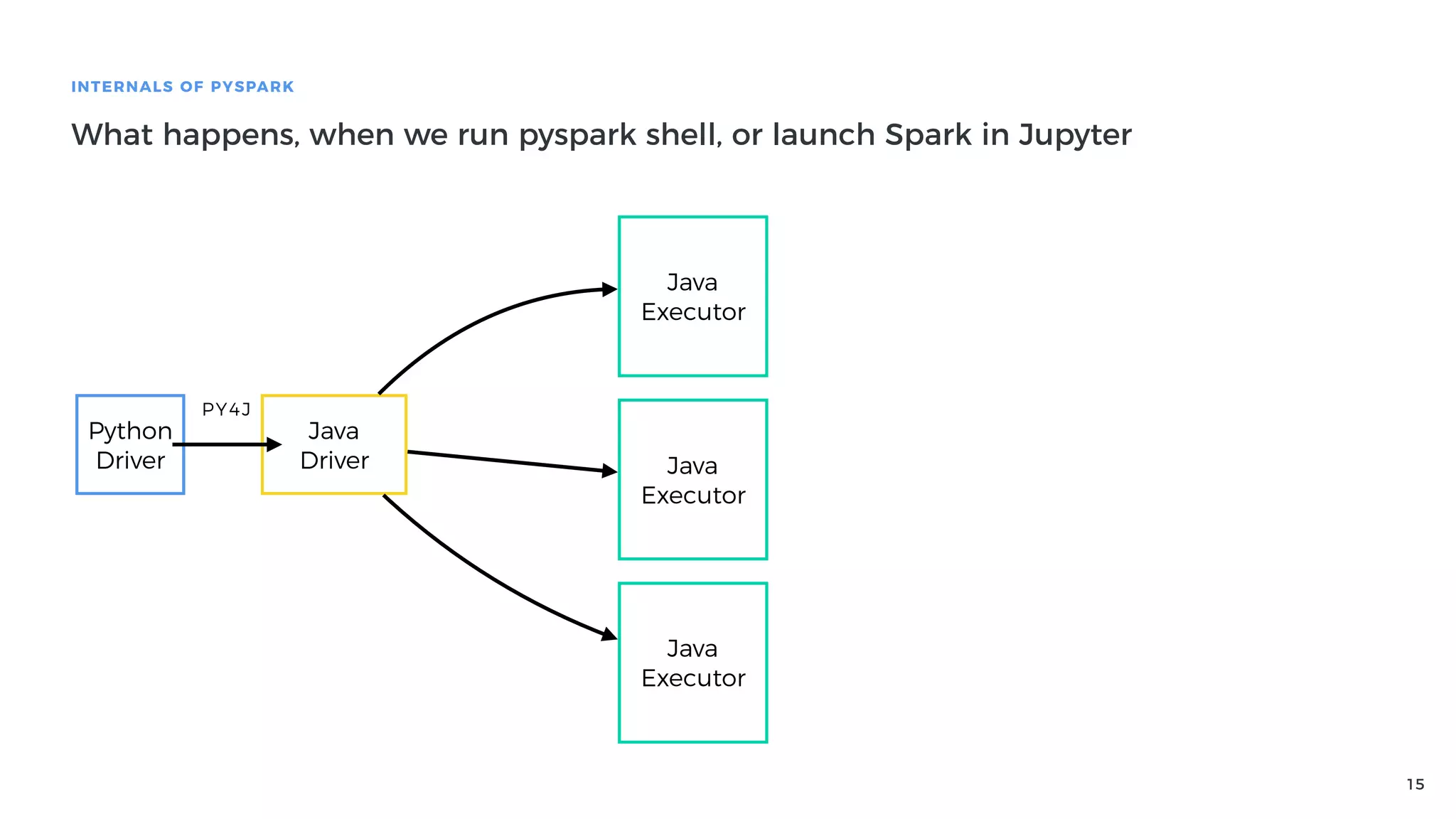
• Internals of PySpark - how does it work and what are the implications?
• Best practices & tips for writing high-performance PySpark applications
• #1 Avoiding Python execution
• #2 Asynchronous execution
• #3 Vectorized UDFs
• #4 Better Algorithms
• #5 Configuration
• #6 Testing
4
What is PySpark?
5
WHAT IS PYSPARK?
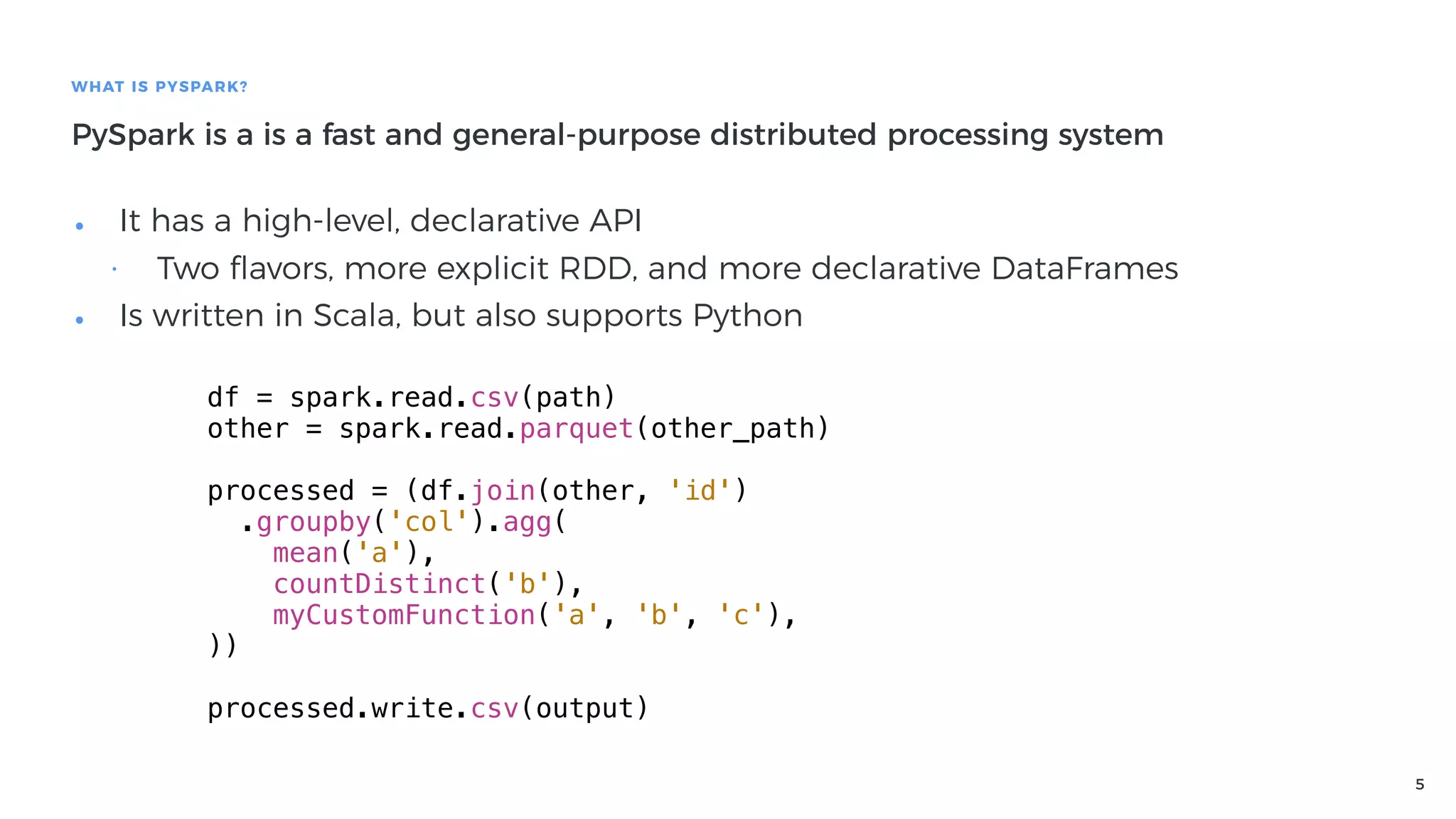
PySpark is a is a fast and general-purpose distributed processing system
• It has a high-level, declarative API
• Two flavors, more explicit RDD, and more declarative DataFrames
• Is written in Scala, but also supports Python
df = spark.read.csv(path)
other = spark.read.parquet(other_path)
processed = (df.join(other, 'id')
.groupby('col').agg(
mean('a'),
countDistinct('b'),
myCustomFunction('a', 'b', 'c'),
))
processed.write.csv(output)
6
Internals of PySpark
How does it work and what are the implications?
7
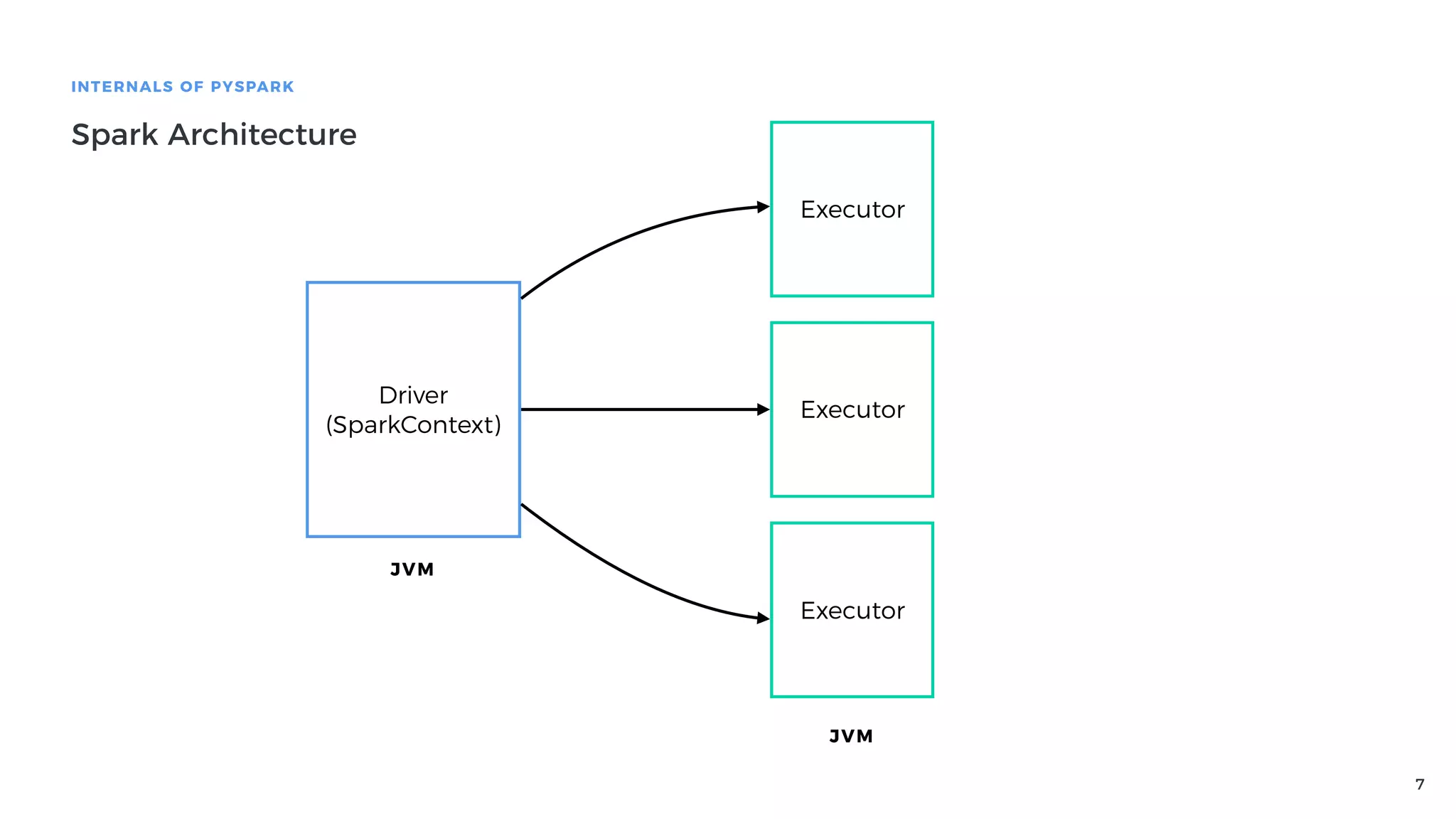
INTERNALS OF PYSPARK
Spark Architecture
Driver
(SparkContext)
Executor
Executor
Executor
JVM
JVM
8
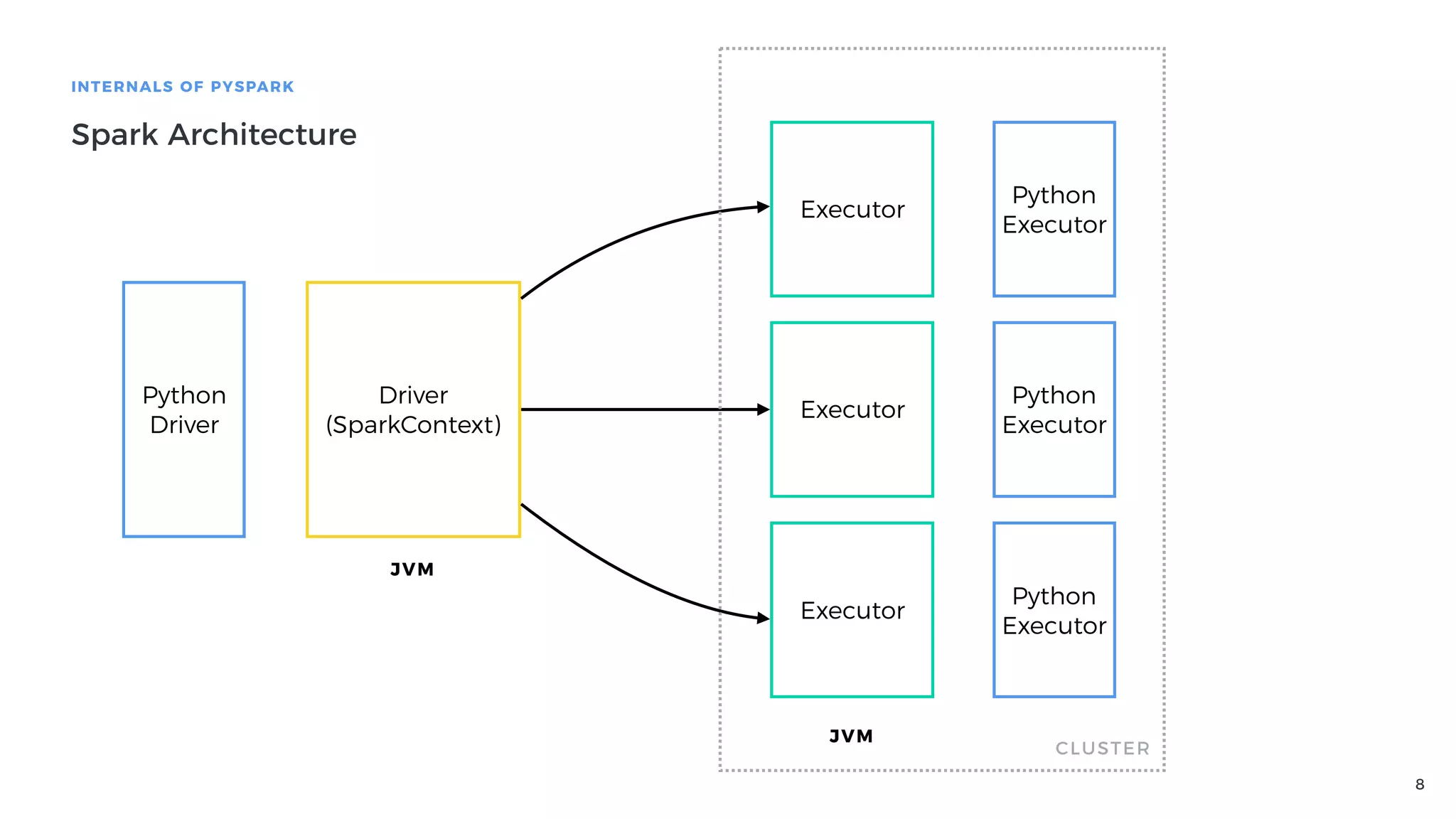
INTERNALS OF PYSPARK
Spark Architecture
Driver
(SparkContext)
Executor
Executor
Executor
JVM
JVM
Python
Driver
Python
Executor
Python
Executor
Python
Executor
CLUSTER
9
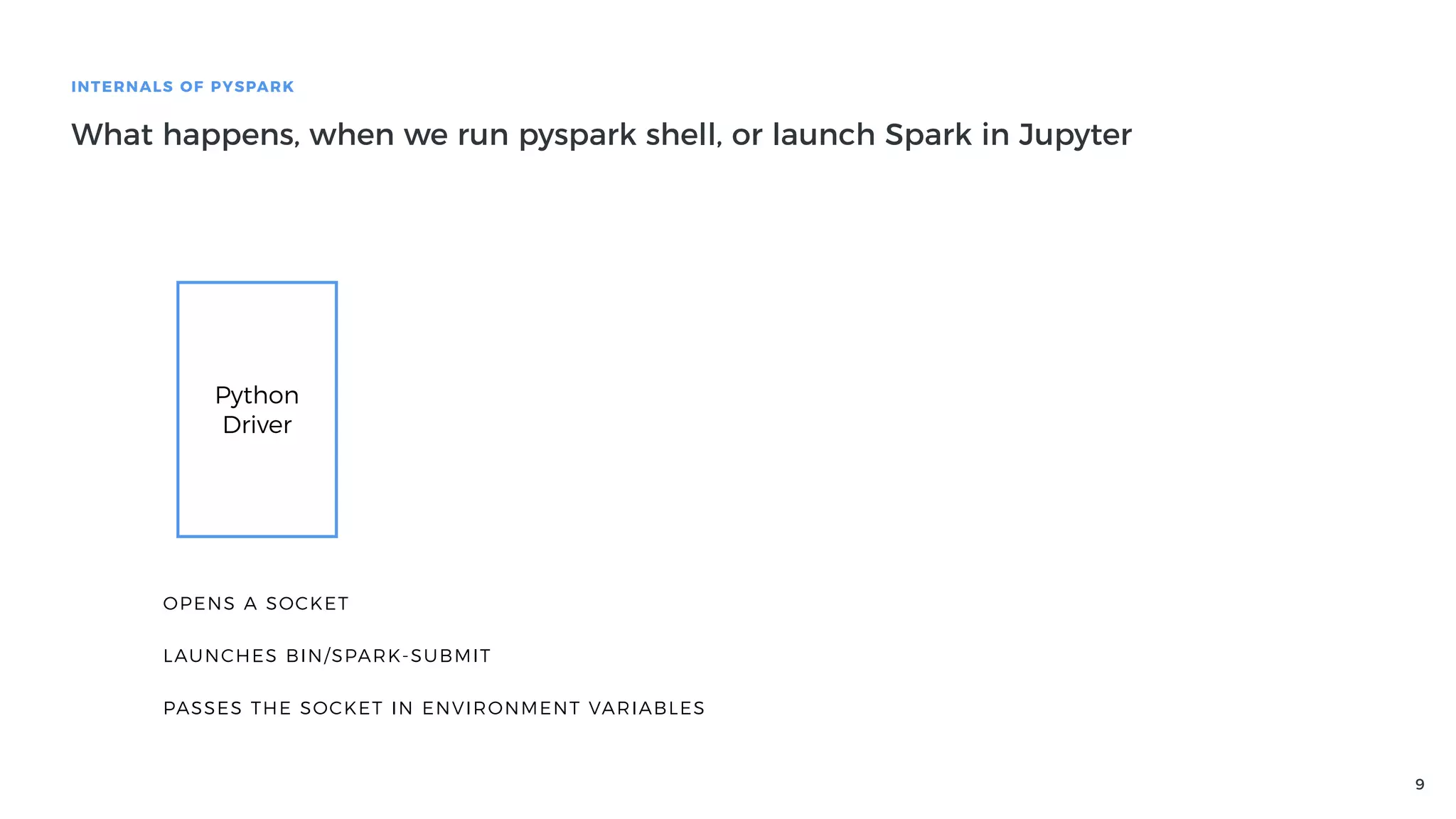
INTERNALS OF PYSPARK
What happens, when we run pyspark shell, or launch Spark in Jupyter
Python
Driver
OPENS A SOCKET
LAUNCHES BIN/SPARK-SUBMIT
PASSES THE SOCKET IN ENVIRONMENT VARIABLES
10
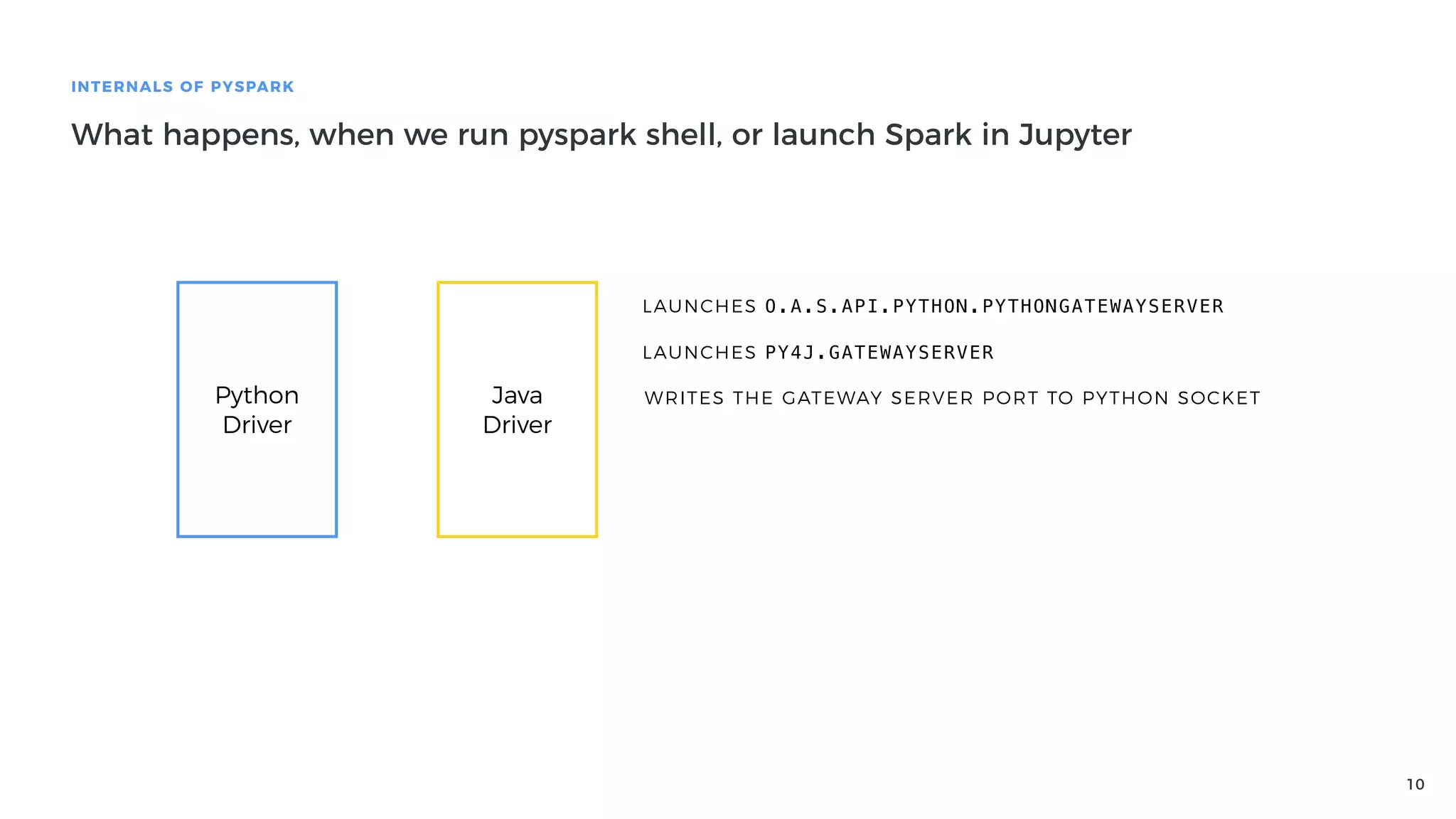
INTERNALS OF PYSPARK
What happens, when we run pyspark shell, or launch Spark in Jupyter
Python
Driver
Java
Driver
LAUNCHES O.A.S.API.PYTHON.PYTHONGATEWAYSERVER
LAUNCHES PY4J.GATEWAYSERVER
WRITES THE GATEWAY SERVER PORT TO PYTHON SOCKET
11
INTERNALS OF PYSPARK
What happens, when we run pyspark shell, or launch Spark in Jupyter
Python
Driver
Java
Driver
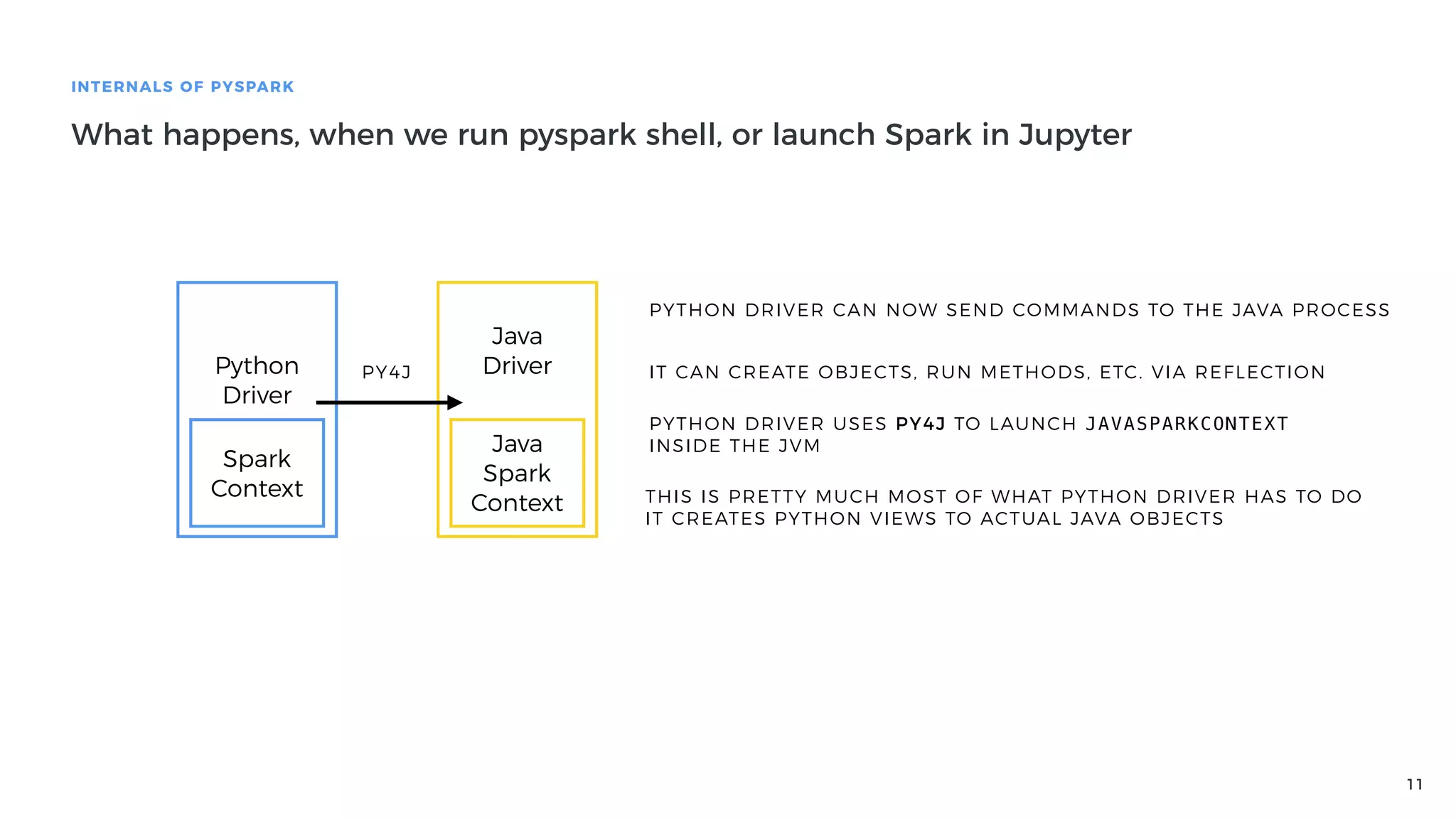
PYTHON DRIVER CAN NOW SEND COMMANDS TO THE JAVA PROCESS
IT CAN CREATE OBJECTS, RUN METHODS, ETC. VIA REFLECTION
PYTHON DRIVER USES PY4J TO LAUNCH JAVASPARKCONTEXT
INSIDE THE JVMJava
Spark
Context
Spark
Context THIS IS PRETTY MUCH MOST OF WHAT PYTHON DRIVER HAS TO DO
IT CREATES PYTHON VIEWS TO ACTUAL JAVA OBJECTS
PY4J
12
INTERNALS OF PYSPARK
How Py4J works
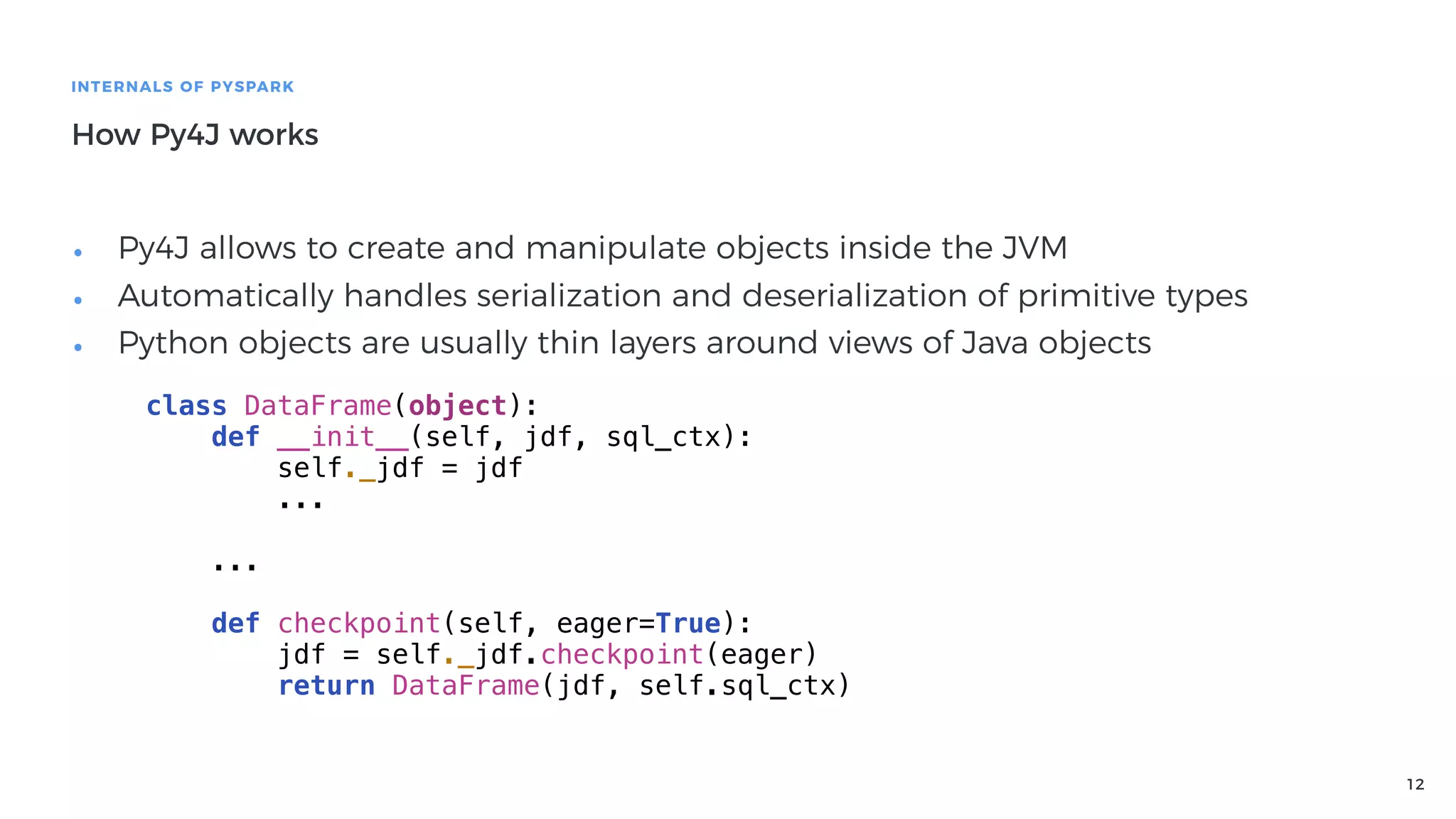
• Py4J allows to create and manipulate objects inside the JVM
• Automatically handles serialization and deserialization of primitive types
• Python objects are usually thin layers around views of Java objects
class DataFrame(object):
def __init__(self, jdf, sql_ctx):
self._jdf = jdf
...
...
def checkpoint(self, eager=True):
jdf = self._jdf.checkpoint(eager)
return DataFrame(jdf, self.sql_ctx)
13
INTERNALS OF PYSPARK
How Py4J works
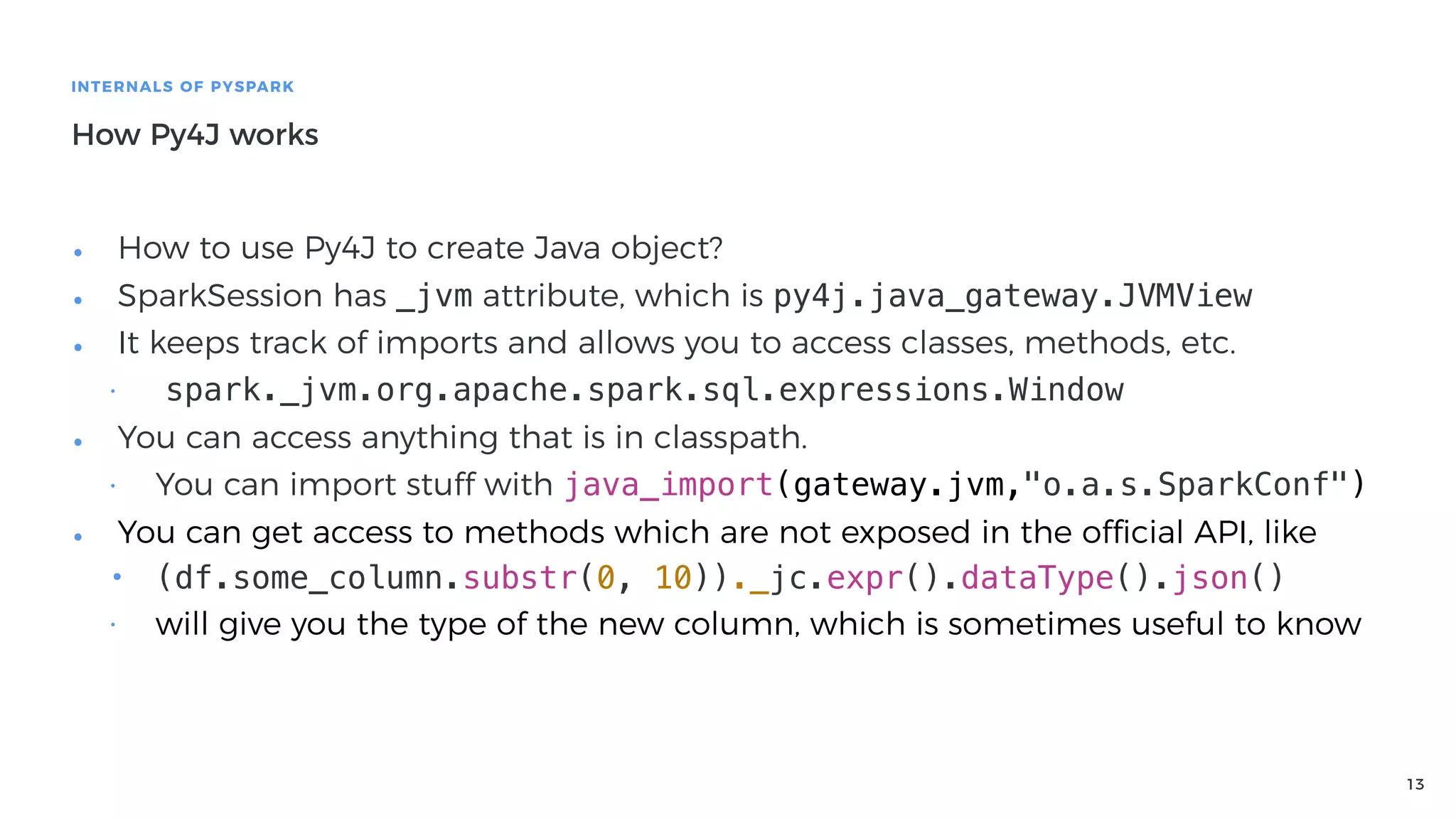
• How to use Py4J to create Java object?
• SparkSession has _jvm attribute, which is py4j.java_gateway.JVMView
• It keeps track of imports and allows you to access classes, methods, etc.
• spark._jvm.org.apache.spark.sql.expressions.Window
• You can access anything that is in classpath.
• You can import stuff with java_import(gateway.jvm,"o.a.s.SparkConf")
• You can get access to methods which are not exposed in the official API, like
• (df.some_column.substr(0, 10))._jc.expr().dataType().json()
• will give you the type of the new column, which is sometimes useful to know
14
INTERNALS OF PYSPARK
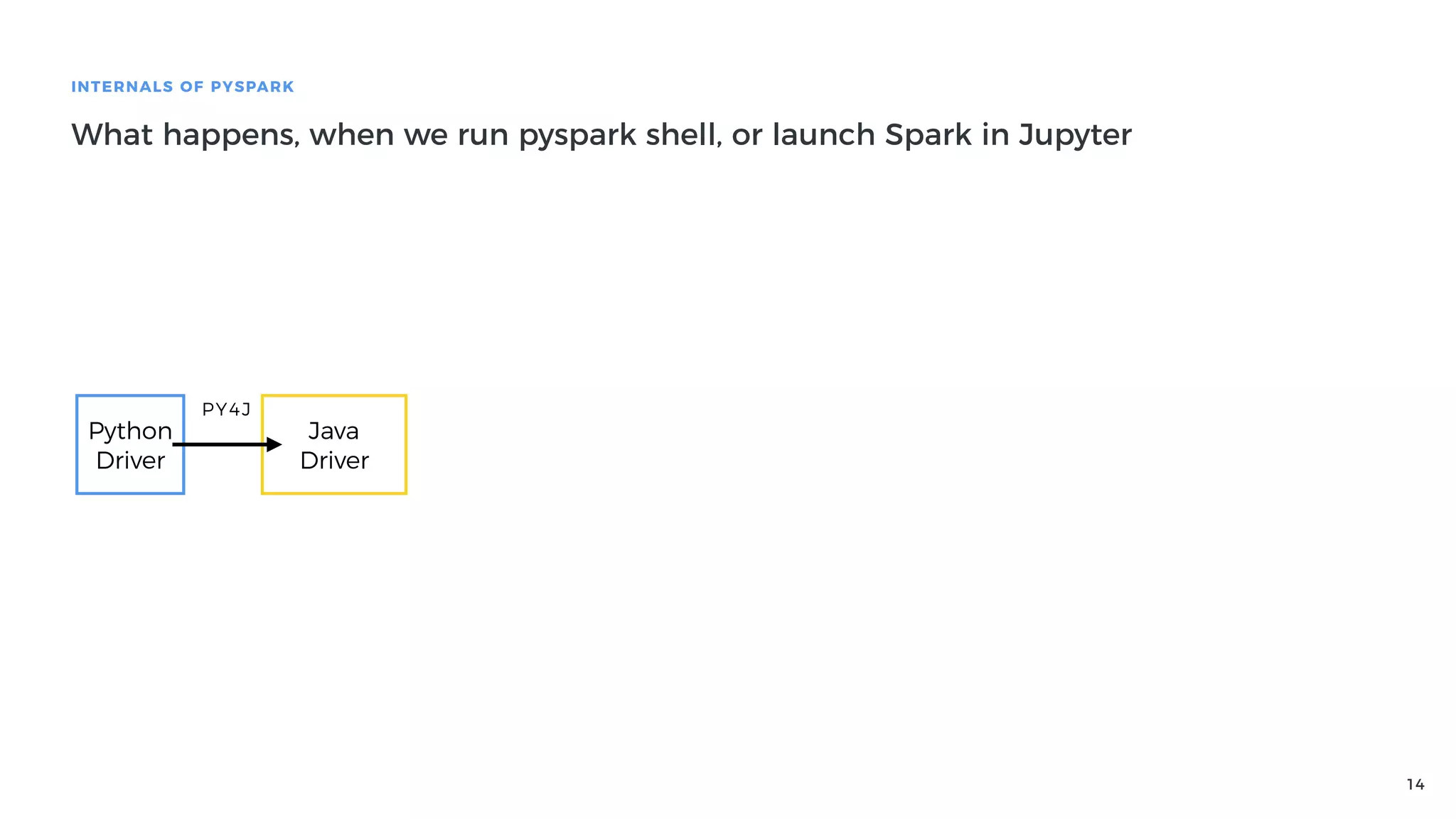
What happens, when we run pyspark shell, or launch Spark in Jupyter
Python
Driver
Java
Driver
PY4J
15
INTERNALS OF PYSPARK
What happens, when we run pyspark shell, or launch Spark in Jupyter
Python
Driver
Java
Driver
PY4J
Java
Executor
Java
Executor
Java
Executor
16
INTERNALS OF PYSPARK
What happens, when we run pyspark shell, or launch Spark in Jupyter
Python
Driver
Java
Driver
PY4J
Java
Executor
Java
Executor
Java
Executor
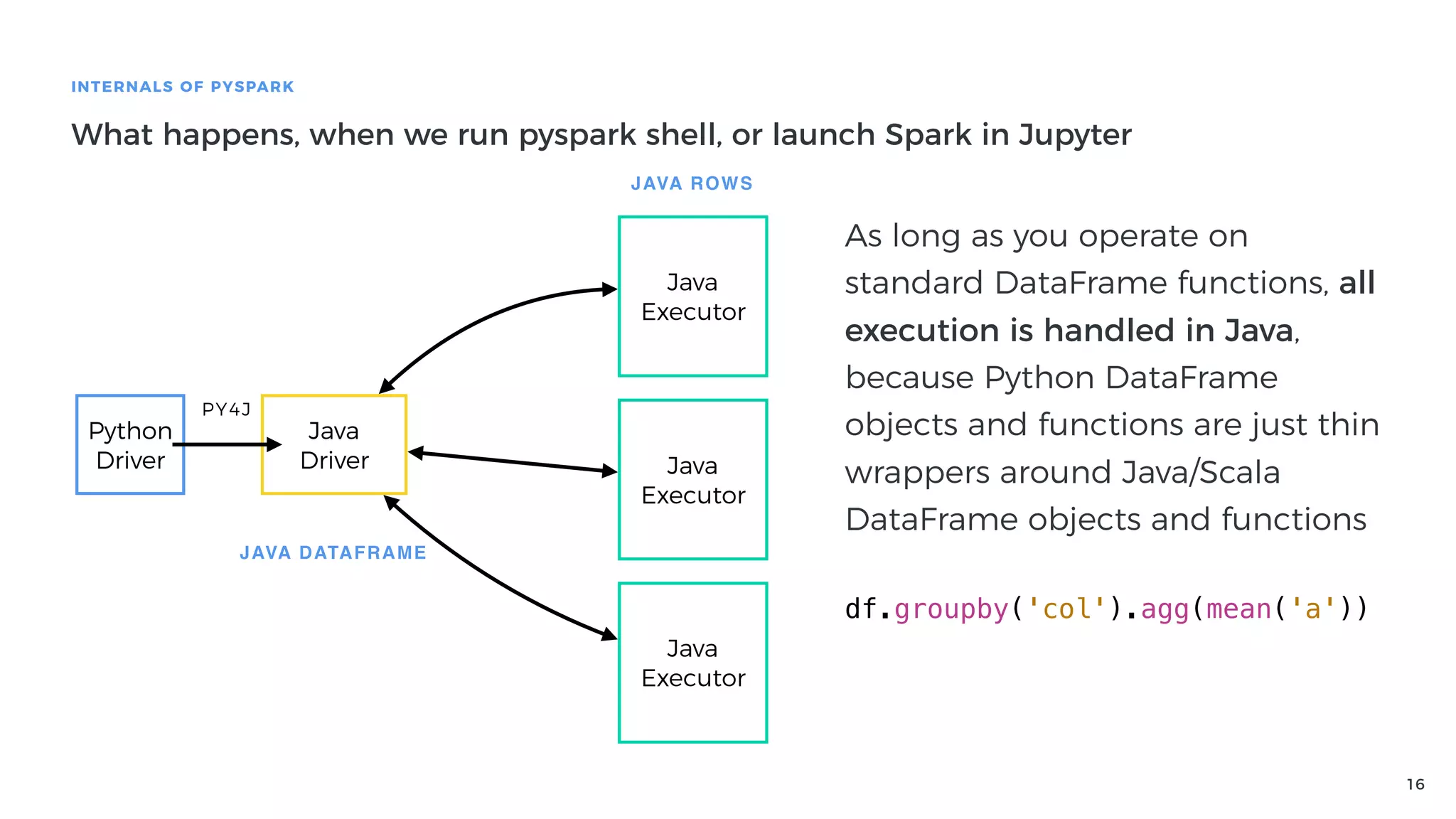
As long as you operate on
standard DataFrame functions, all
execution is handled in Java,
because Python DataFrame
objects and functions are just thin
wrappers around Java/Scala
DataFrame objects and functions
df.groupby('col').agg(mean('a'))
JAVA DATAFRAME
JAVA ROWS
17
INTERNALS OF PYSPARK
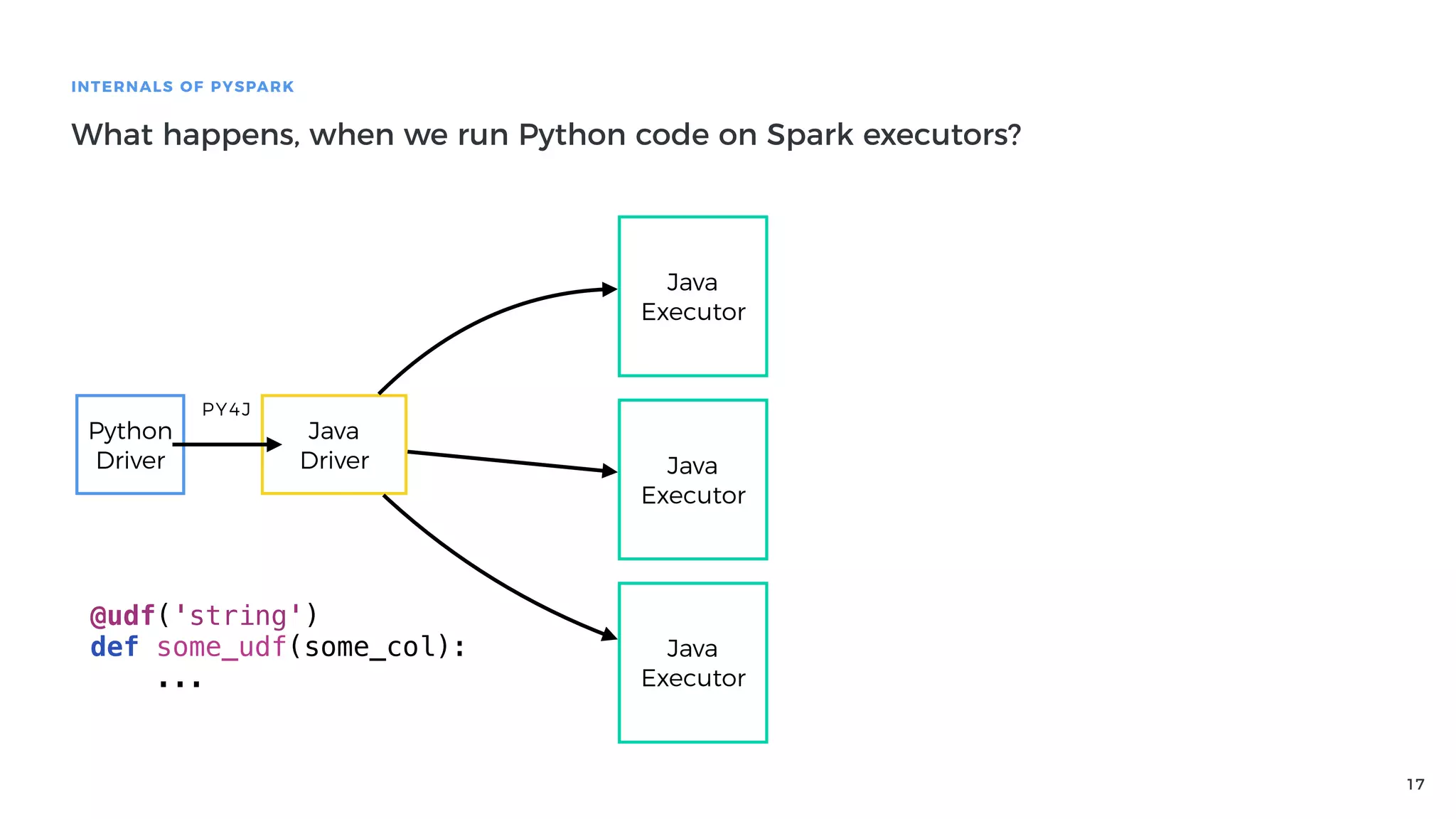
What happens, when we run Python code on Spark executors?
Python
Driver
Java
Driver
PY4J
Java
Executor
Java
Executor
Java
Executor
@udf('string')
def some_udf(some_col):
...
18
INTERNALS OF PYSPARK
What happens, when we run Python code on Spark executors?
Python
Driver
Java
Driver
PY4J
Java
Executor
Java
Executor
Java
Executor
@udf('string')
def some_udf(some_col):
...
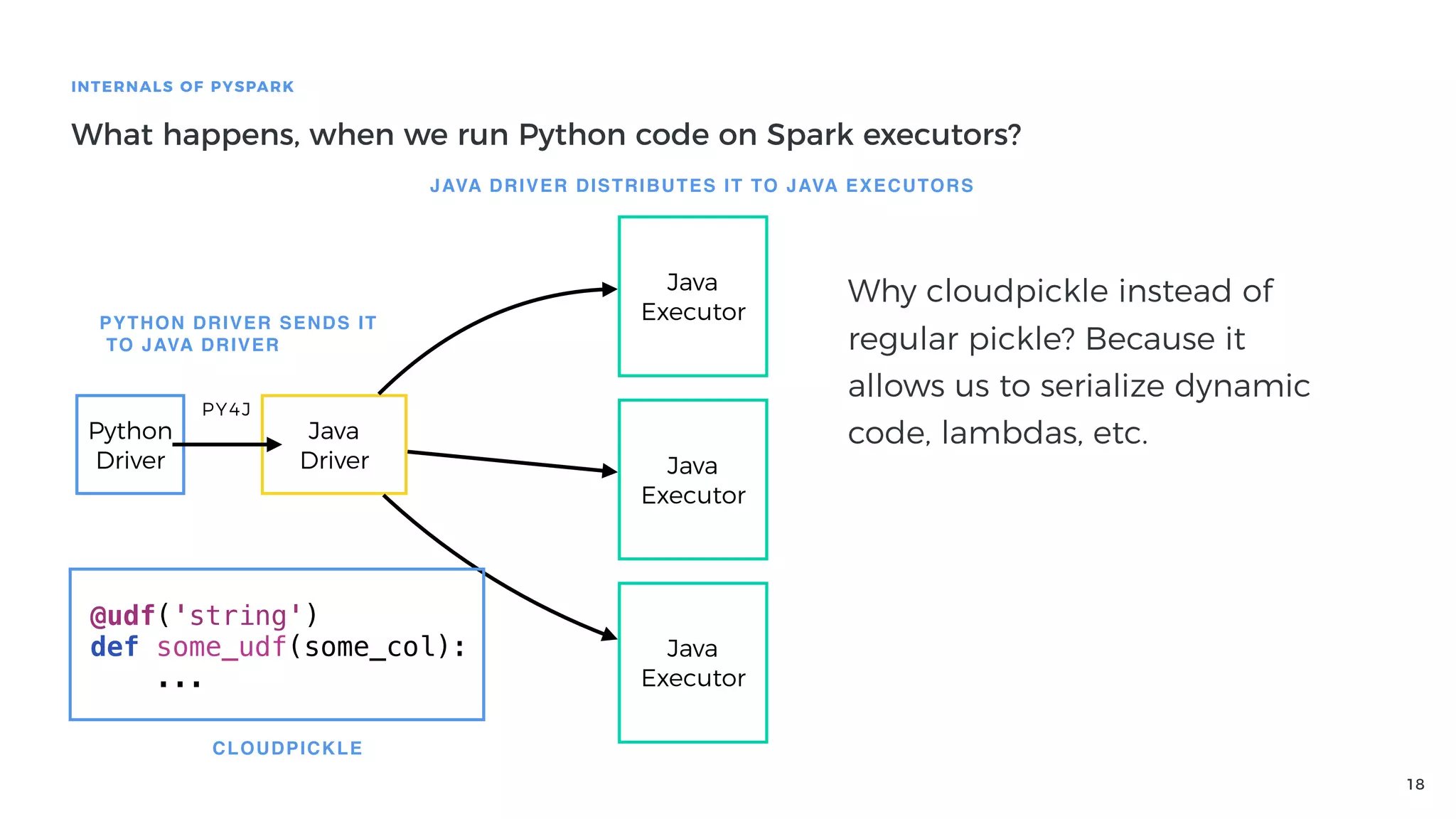
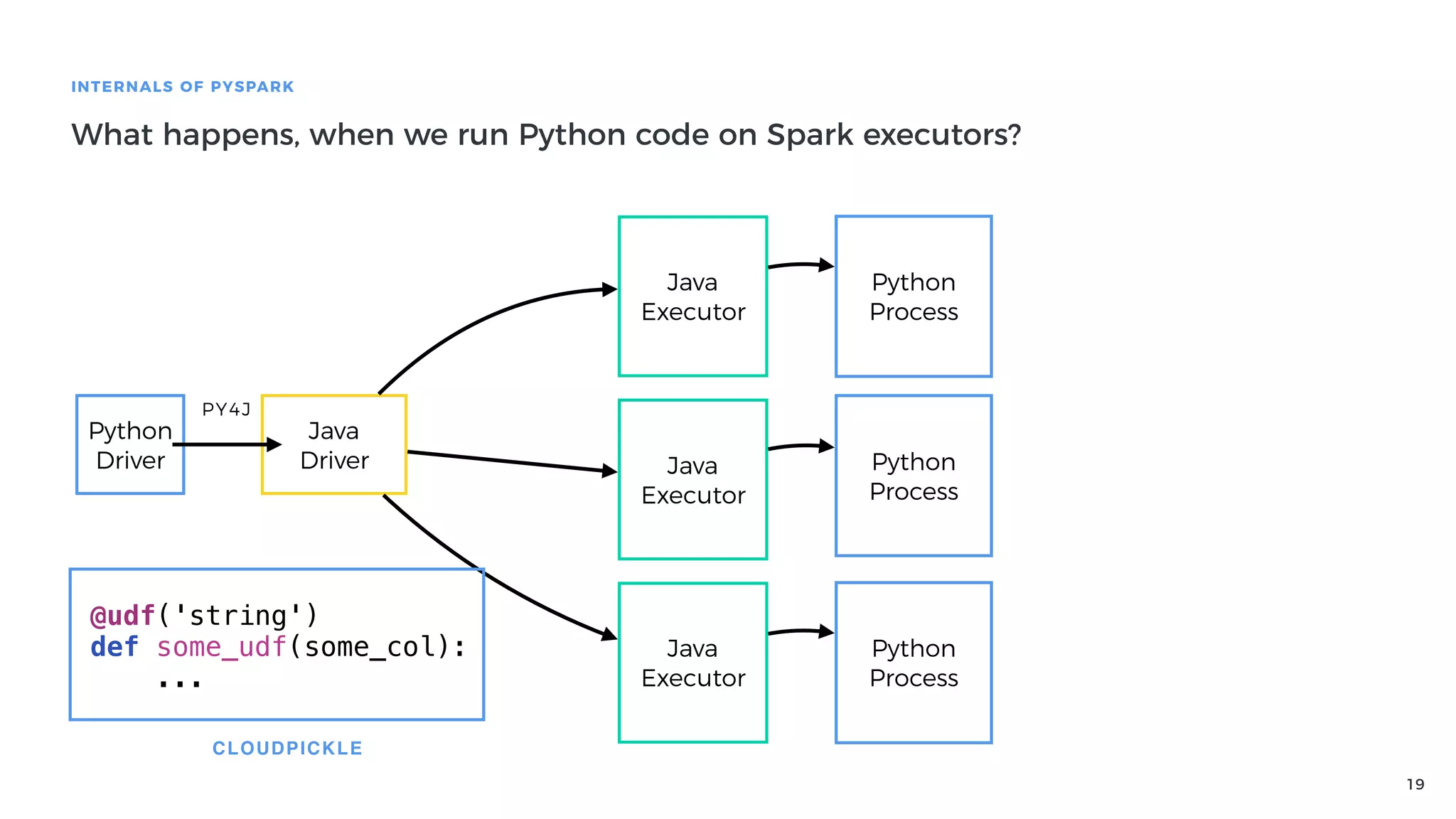
CLOUDPICKLE
PYTHON DRIVER SENDS IT
TO JAVA DRIVER
JAVA DRIVER DISTRIBUTES IT TO JAVA EXECUTORS
Why cloudpickle instead of
regular pickle? Because it
allows us to serialize dynamic
code, lambdas, etc.
19
INTERNALS OF PYSPARK
What happens, when we run Python code on Spark executors?
Python
Driver
Java
Driver
PY4J
Java
Executor
Java
Executor
Java
Executor
@udf('string')
def some_udf(some_col):
...
CLOUDPICKLE
Python
Process
Python
Process
Python
Process
20
INTERNALS OF PYSPARK
What happens, when we run Python code on Spark executors?
Python
Driver
Java
Driver
PY4J
Java
Executor
Java
Executor
Java
Executor
@udf('string')
def some_udf(some_col):
...
CLOUDPICKLE
Python
Process
Python
Process
Python
Process
Python
Process
Python
Process
Python
Process
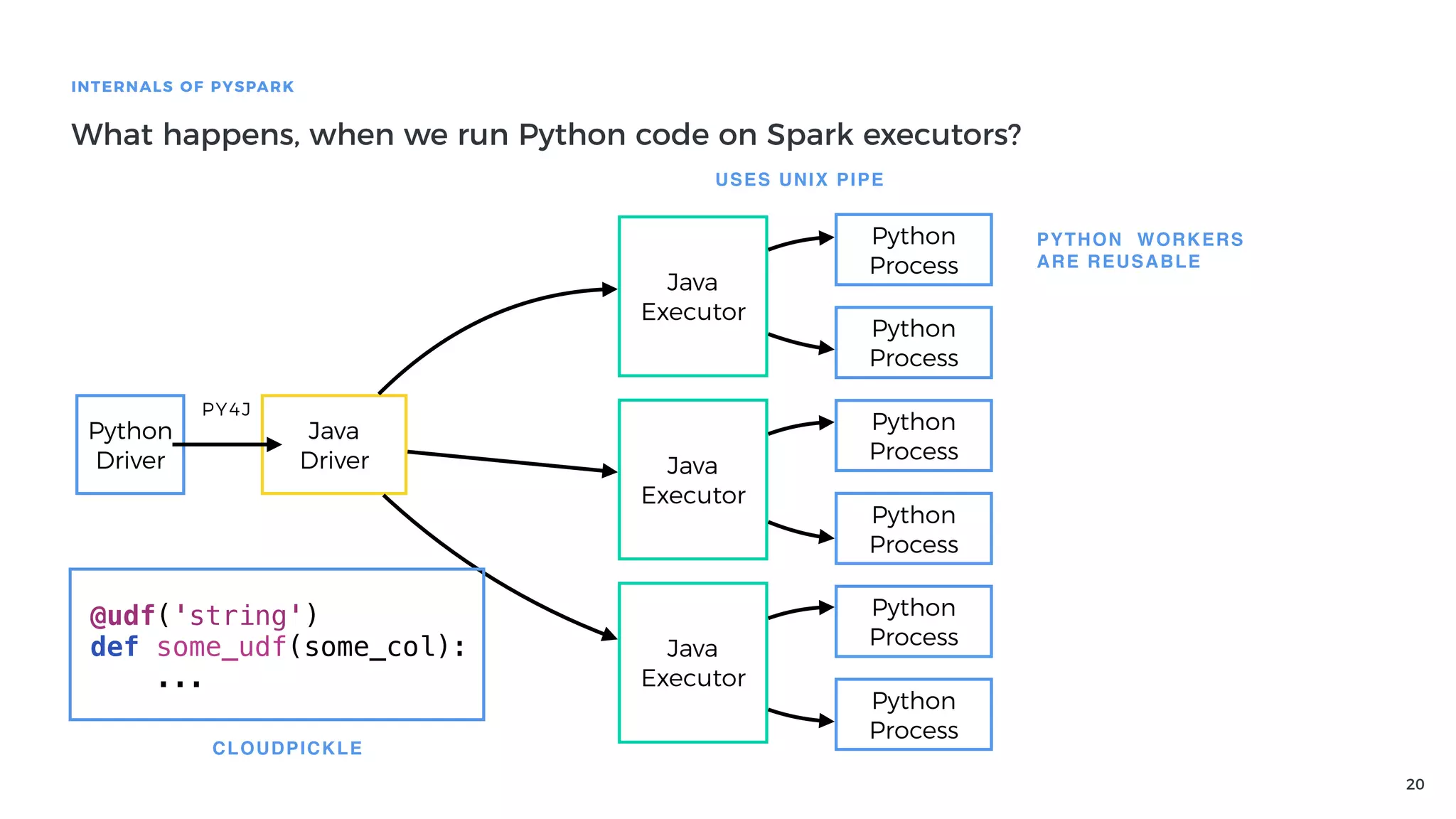
USES UNIX PIPE
PYTHON WORKERS
ARE REUSABLE
21
INTERNALS OF PYSPARK
What happens, when we run Python code on Spark executors?
Python
Driver
Java
Driver
PY4J
Java
Executor
Java
Executor
Java
Executor
@udf('string')
def some_udf(some_col):
...
CLOUDPICKLE
Python
Process
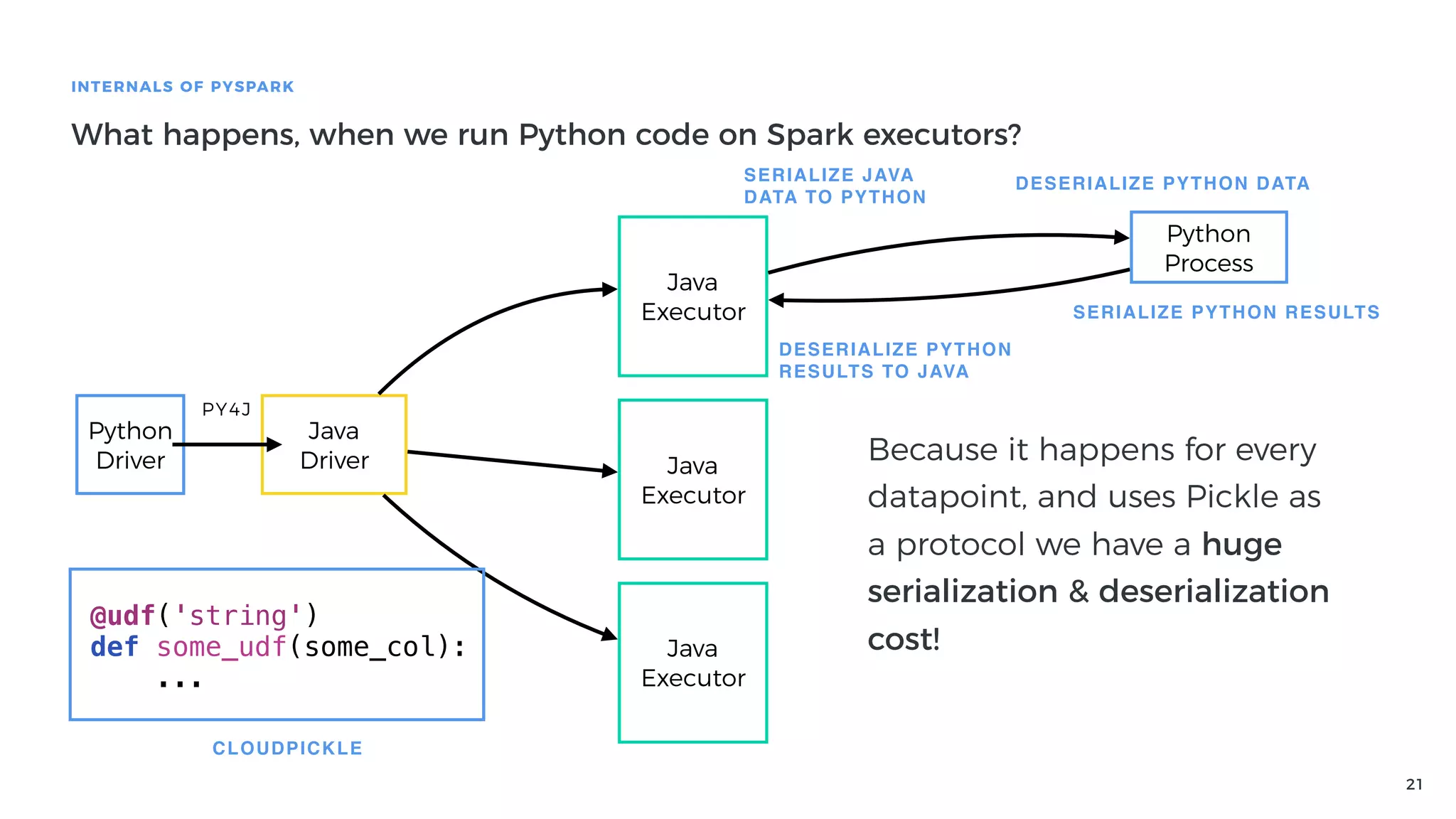
SERIALIZE JAVA
DATA TO PYTHON
DESERIALIZE PYTHON DATA
SERIALIZE PYTHON RESULTS
DESERIALIZE PYTHON
RESULTS TO JAVA
Because it happens for every
datapoint, and uses Pickle as
a protocol we have a huge
serialization & deserialization
cost!
22
INTERNALS OF PYSPARK
What happens, when we run Python code on Spark executors?
Python
Driver
Java
Driver
PY4J
Java
Executor
Java
Executor
Java
Executor
@udf('string')
def some_udf(some_col):
...
CLOUDPICKLE
Python
Process
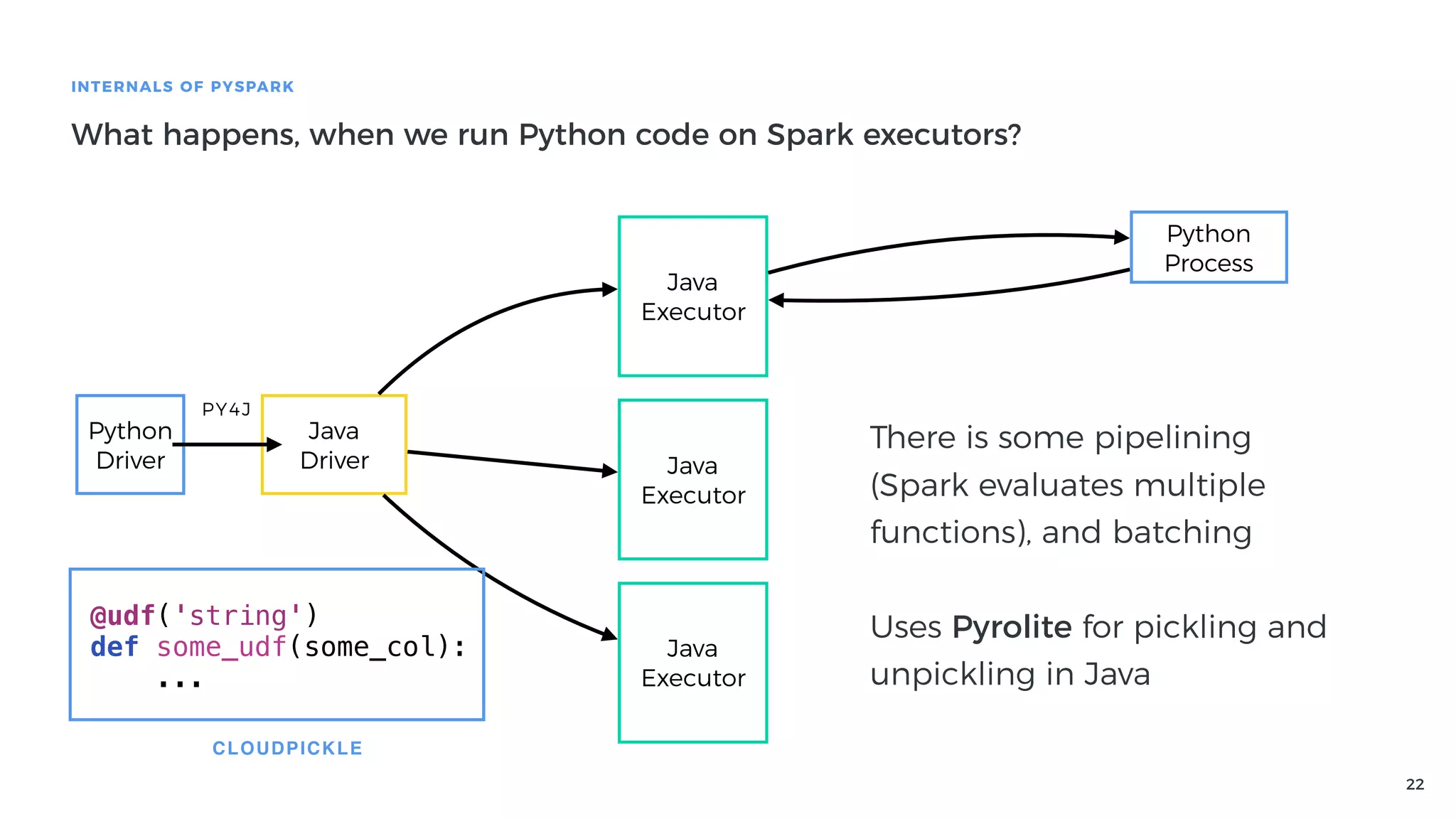
There is some pipelining
(Spark evaluates multiple
functions), and batching
Uses Pyrolite for pickling and
unpickling in Java
23
INTERNALS OF PYSPARK
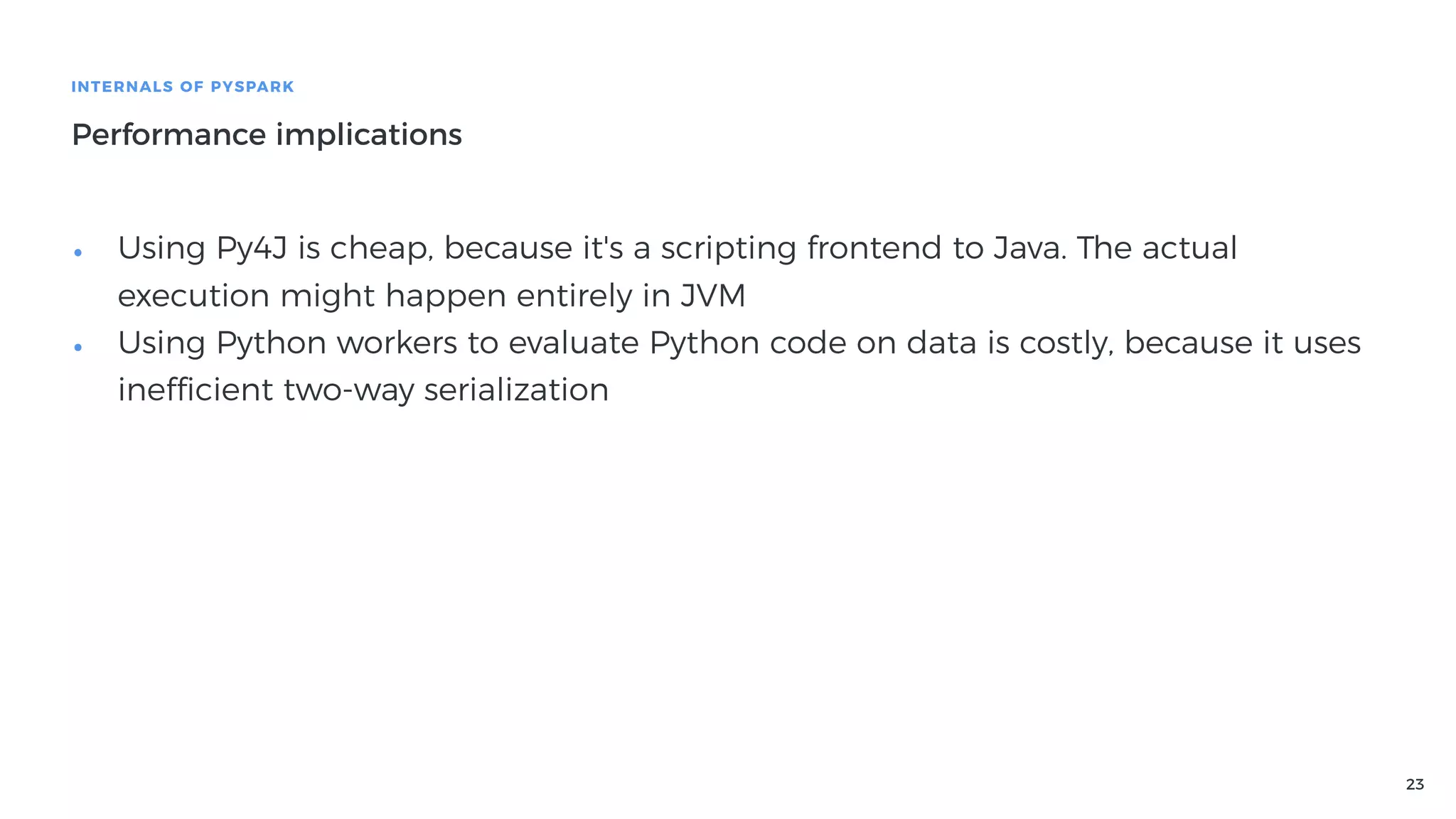
Performance implications
• Using Py4J is cheap, because it's a scripting frontend to Java. The actual
execution might happen entirely in JVM
• Using Python workers to evaluate Python code on data is costly, because it uses
inefficient two-way serialization
24
Best practices & tips for writing
high-performance PySpark applications
25
BEST PRACTICES & TIPS FOR WRITING HIGH-PERFORMANCE PYSPARK APPLICATIONS
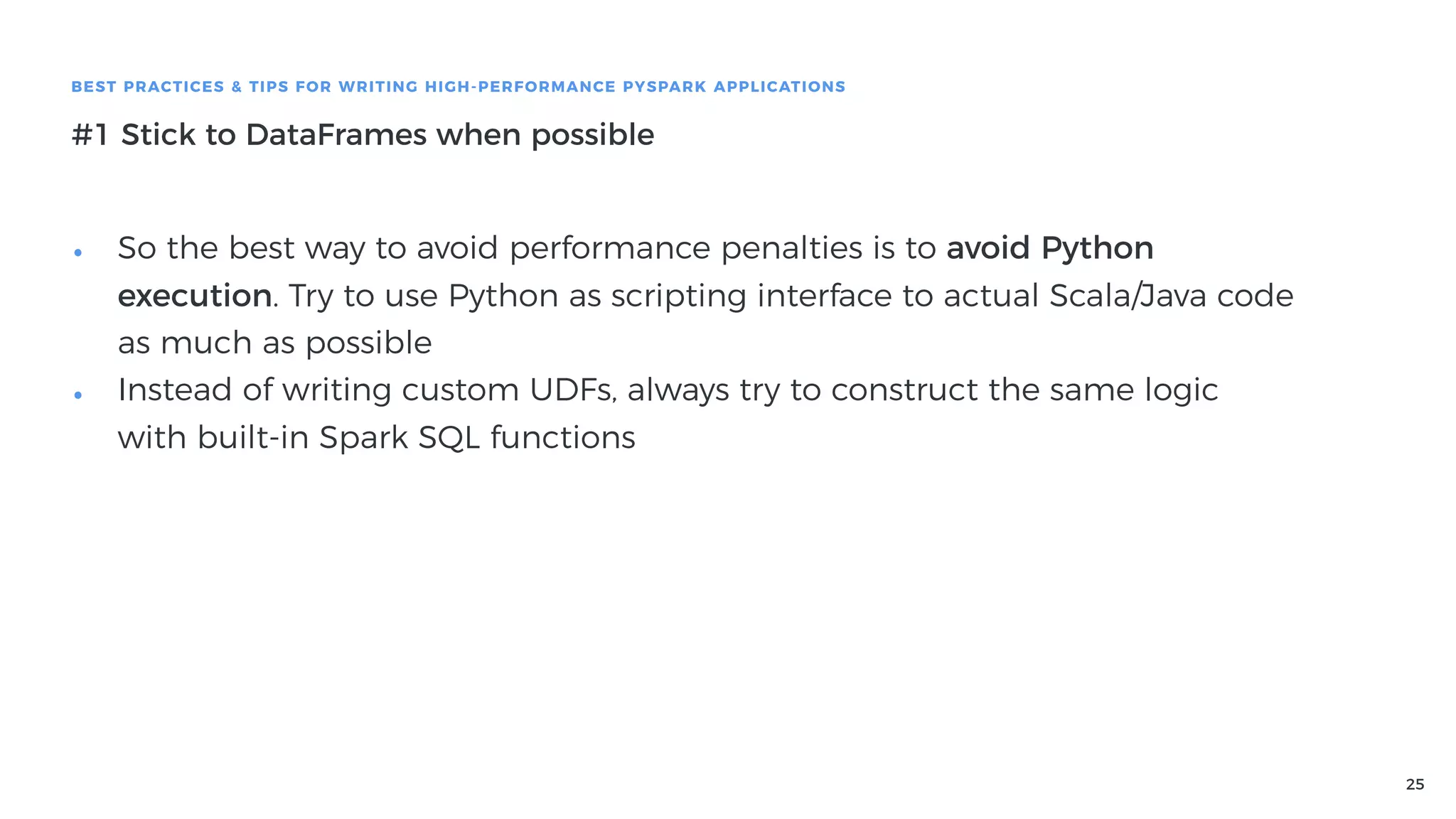
#1 Stick to DataFrames when possible
• So the best way to avoid performance penalties is to avoid Python
execution. Try to use Python as scripting interface to actual Scala/Java code
as much as possible
• Instead of writing custom UDFs, always try to construct the same logic
with built-in Spark SQL functions
26
BEST PRACTICES & TIPS FOR WRITING HIGH-PERFORMANCE PYSPARK APPLICATIONS
#1 Stick to DataFrames when possible
• Example: Bucketing numerical columns, like pd.cut
• Return labels for half-open bins to which each value of column belongs
<0 ͢ A
(0, 10] ͢ B
(10, 20] ͢ c
>20 ͢ D
27
BEST PRACTICES & TIPS FOR WRITING HIGH-PERFORMANCE PYSPARK APPLICATIONS
#1 Stick to DataFrames when possible
• Let's start with UDF implementation
@udf('string')
def cut_udf(value, bins, labels):
ranges = izip_longest(chain([None], bins), bins)
ranges_with_labels = zip(ranges, labels)
for (gt, lte), label in ranges_with_labels:
left_check = gt is None or value > gt
right_check = lte is None or value <= lte
if left_check and right_check:
return label
return None
28
BEST PRACTICES & TIPS FOR WRITING HIGH-PERFORMANCE PYSPARK APPLICATIONS
#1 Stick to DataFrames when possible
• Let's start with UDF implementation
@udf('string')
def cut_udf(value, bins, labels):
ranges = izip_longest(chain([None], bins), bins)
ranges_with_labels = zip(ranges, labels)
for (gt, lte), label in ranges_with_labels:
left_check = gt is None or value > gt
right_check = lte is None or value <= lte
if left_check and right_check:
return label
return None
29
BEST PRACTICES & TIPS FOR WRITING HIGH-PERFORMANCE PYSPARK APPLICATIONS
#1 Stick to DataFrames when possible
• Let's start with UDF implementation
@udf('string')
def cut_udf(value, bins, labels):
ranges = izip_longest(chain([None], bins), bins)
ranges_with_labels = zip(ranges, labels)
for (gt, lte), label in ranges_with_labels:
left_check = gt is None or value > gt
right_check = lte is None or value <= lte
if left_check and right_check:
return label
return None
30
BEST PRACTICES & TIPS FOR WRITING HIGH-PERFORMANCE PYSPARK APPLICATIONS
#1 Stick to DataFrames when possible
• You'd like to call it like this:


• But you can't you need to create array literals and it looks weird
df.select(cut_udf(
'number',
[0, 10, 20],
["A", "B", "C"],
))
df.select(cut_udf(
'number',
array(lit(0), lit(10), lit(20)),
array(lit("A"), lit("B"), lit("C"), lit("D")),
))
31
BEST PRACTICES & TIPS FOR WRITING HIGH-PERFORMANCE PYSPARK APPLICATIONS
#1 Stick to DataFrames when possible
• How to get rid of this UDF and use pure Spark SQL / DataFrames?
• First of all, we don't need to pass bins and labels to every invocation
def cut(c, bins, labels):
ranges = izip_longest(chain([None], bins), bins)
ranges_with_labels = zip(ranges, labels)
@udf('string')
def _cut(value):
for (gt, lte), label in ranges_with_labels:
left_check = gt is None or value > gt
right_check = lte is None or value <= lte
if left_check and right_check:
return label
return None
return _cut(c)
32
BEST PRACTICES & TIPS FOR WRITING HIGH-PERFORMANCE PYSPARK APPLICATIONS
#1 Stick to DataFrames when possible
• We can build the inner logic using when and otherwise built-in functions
def cut(col, bins, labels):
ranges = izip_longest(chain([None], bins), bins)
ranges_with_labels = zip(ranges, labels)
conditions = [lit(None).cast(str)]
for (gt, lte), label in ranges_with_labels:
left_check = lit(True) if gt is None else col > lit(gt)
right_check = lit(True) if lte is None else col <= lit(lte)
condition = when(left_check & right_check, label)
conditions.append(condition)
condition = reduce(lambda a, b: b.otherwise(a), conditions)
return condition
33
BEST PRACTICES & TIPS FOR WRITING HIGH-PERFORMANCE PYSPARK APPLICATIONS
#1 Stick to DataFrames when possible
• We got rid of UDF entirely, and can call this function like this:


• Readability of the cut function might be slightly worse, but has improved
performance because it avoids Python execution with all the attached
costs
df.select(cut(
col('number'),
[0, 10, 20],
["A", "B", "C", "D"],
))
34
BEST PRACTICES & TIPS FOR WRITING HIGH-PERFORMANCE PYSPARK APPLICATIONS
#1 Stick to DataFrames when possible
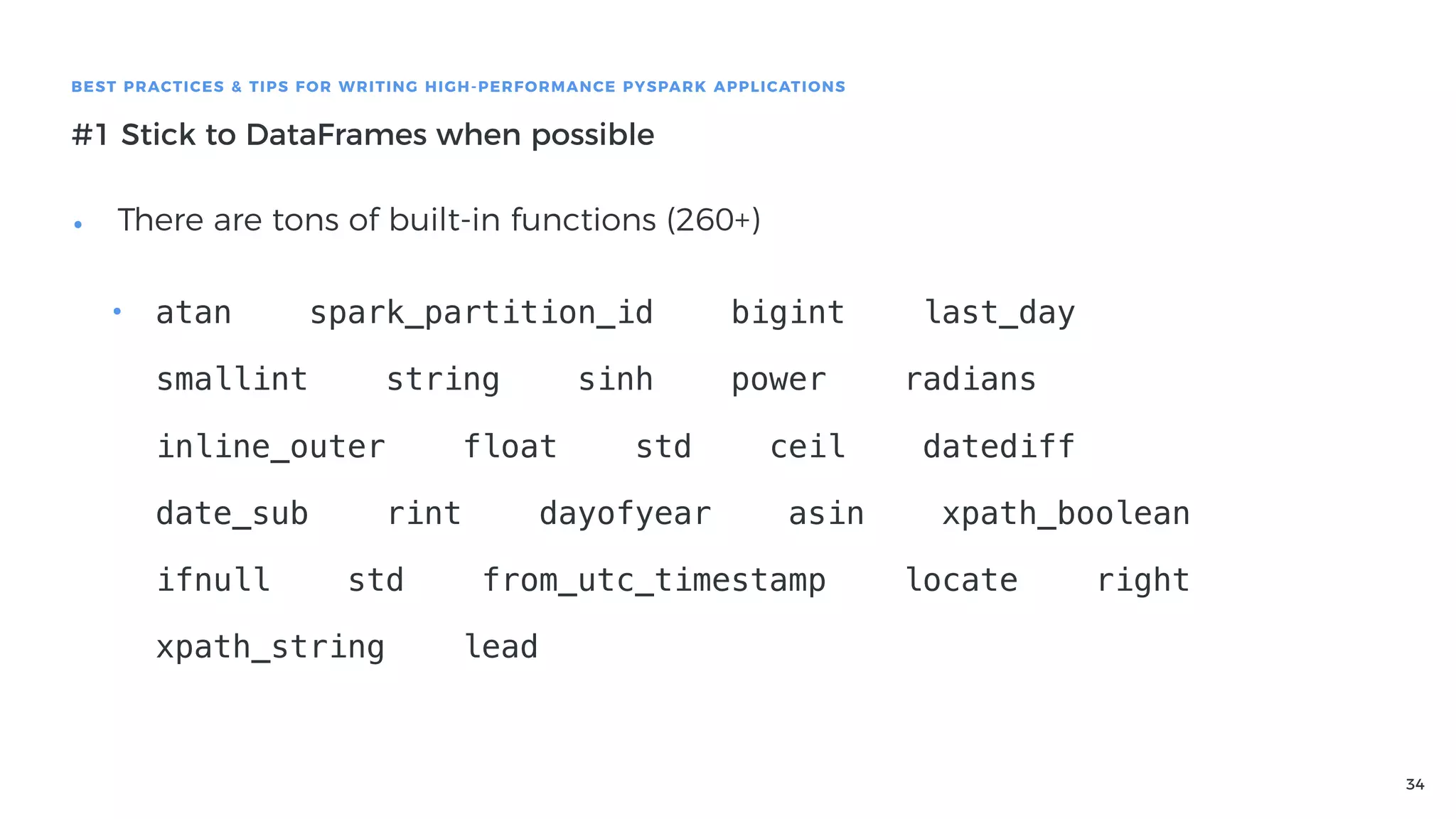
• There are tons of built-in functions (260+)

• atan spark_partition_id bigint last_day
smallint string sinh power radians
inline_outer float std ceil datediff
date_sub rint dayofyear asin xpath_boolean
ifnull std from_utc_timestamp locate right
xpath_string lead
35
BEST PRACTICES & TIPS FOR WRITING HIGH-PERFORMANCE PYSPARK APPLICATIONS
#1 Stick to DataFrames when possible
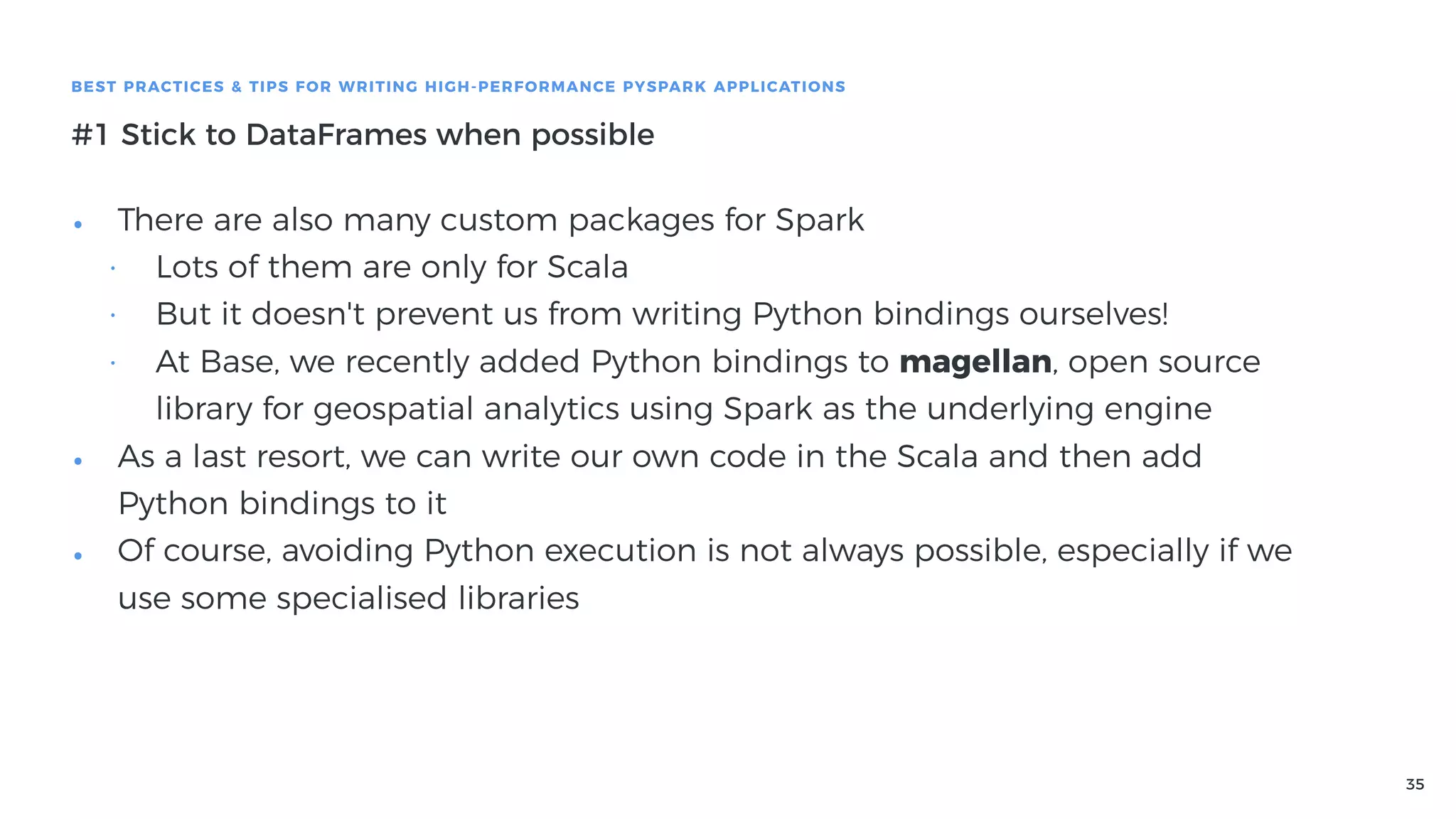
• There are also many custom packages for Spark
• Lots of them are only for Scala
• But it doesn't prevent us from writing Python bindings ourselves!
• At Base, we recently added Python bindings to magellan, open source
library for geospatial analytics using Spark as the underlying engine
• As a last resort, we can write our own code in the Scala and then add
Python bindings to it
• Of course, avoiding Python execution is not always possible, especially if we
use some specialised libraries
36
BEST PRACTICES & TIPS FOR WRITING HIGH-PERFORMANCE PYSPARK APPLICATIONS
#2 Asynchronous execution
• If you perform an interactive analysis, it's painful to wait for the results
• Let me know, if it sounds familiar:
• You wrote a piece of code like this


• Then you wait... And keep refreshing Application UI
df.select(countDistinct('account_id')).collect()
37
BEST PRACTICES & TIPS FOR WRITING HIGH-PERFORMANCE PYSPARK APPLICATIONS
#2 Asynchronous execution
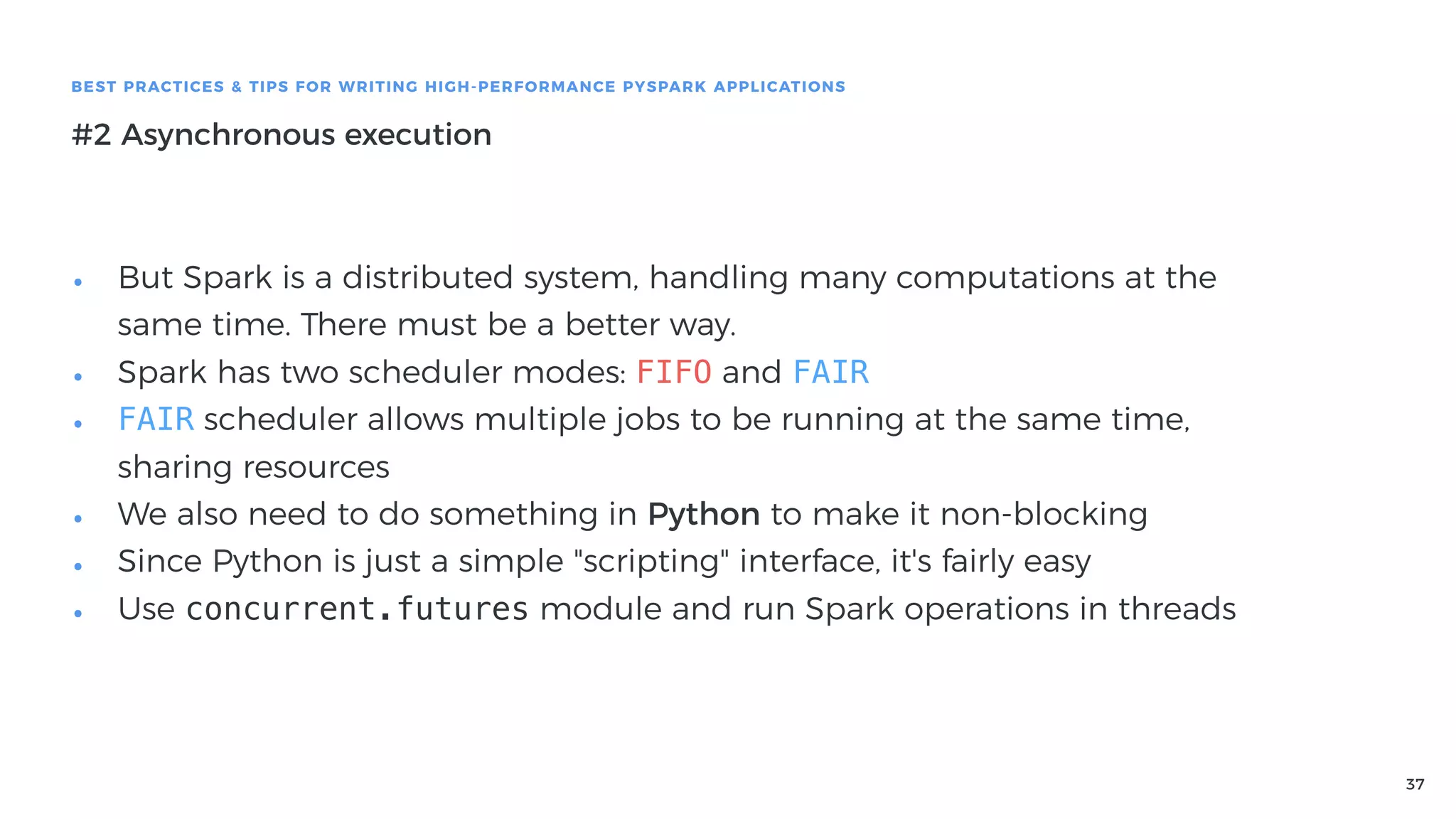
• But Spark is a distributed system, handling many computations at the
same time. There must be a better way.
• Spark has two scheduler modes: FIFO and FAIR
• FAIR scheduler allows multiple jobs to be running at the same time,
sharing resources
• We also need to do something in Python to make it non-blocking
• Since Python is just a simple "scripting" interface, it's fairly easy
• Use concurrent.futures module and run Spark operations in threads
38
BEST PRACTICES & TIPS FOR WRITING HIGH-PERFORMANCE PYSPARK APPLICATIONS
#2 Asynchronous execution
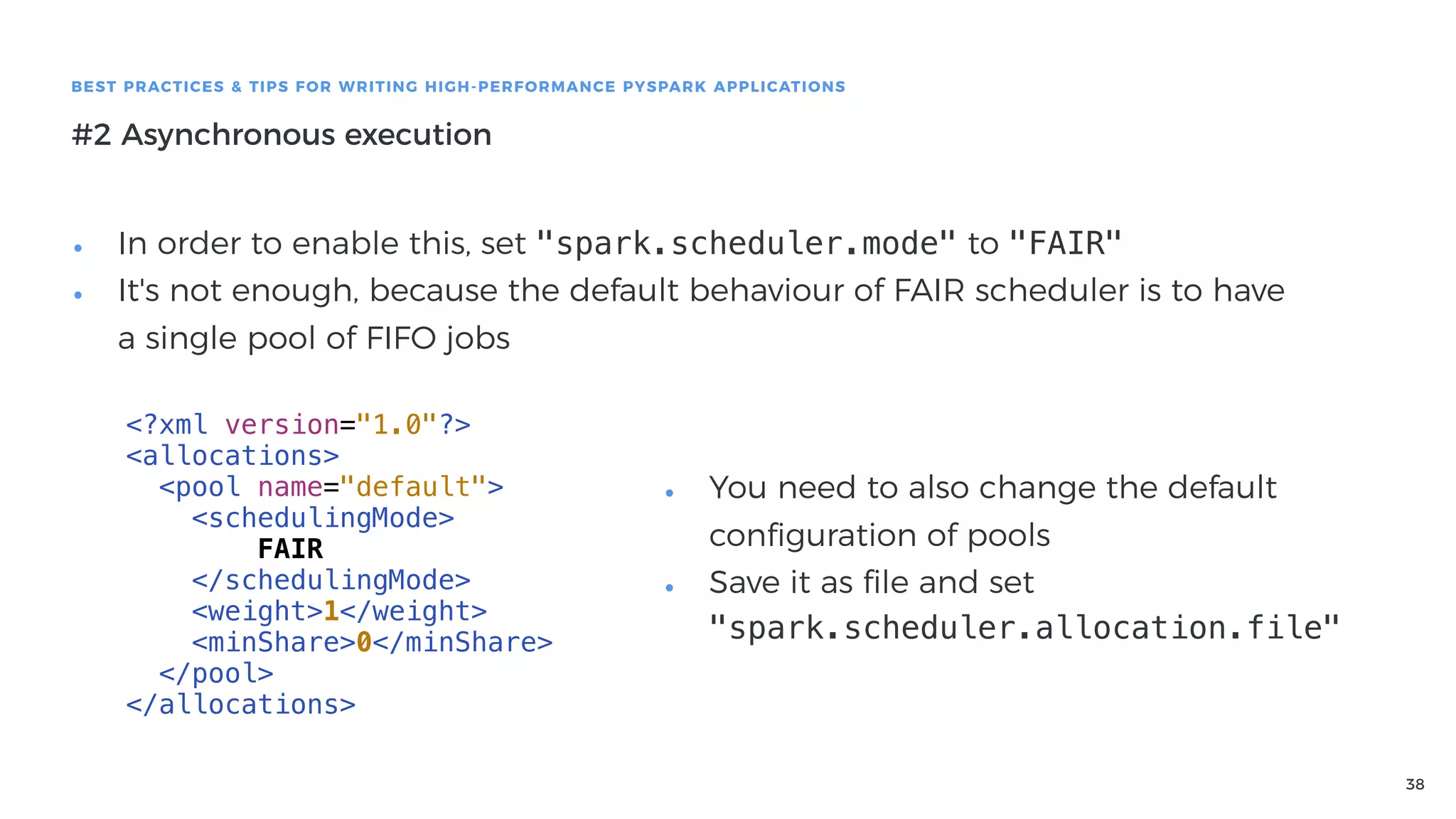
• In order to enable this, set "spark.scheduler.mode" to "FAIR"
• It's not enough, because the default behaviour of FAIR scheduler is to have
a single pool of FIFO jobs
<?xml version="1.0"?>
<allocations>
<pool name="default">
<schedulingMode>
FAIR
</schedulingMode>
<weight>1</weight>
<minShare>0</minShare>
</pool>
</allocations>
• You need to also change the default
configuration of pools
• Save it as file and set
"spark.scheduler.allocation.file"
39
BEST PRACTICES & TIPS FOR WRITING HIGH-PERFORMANCE PYSPARK APPLICATIONS
#2 Asynchronous execution
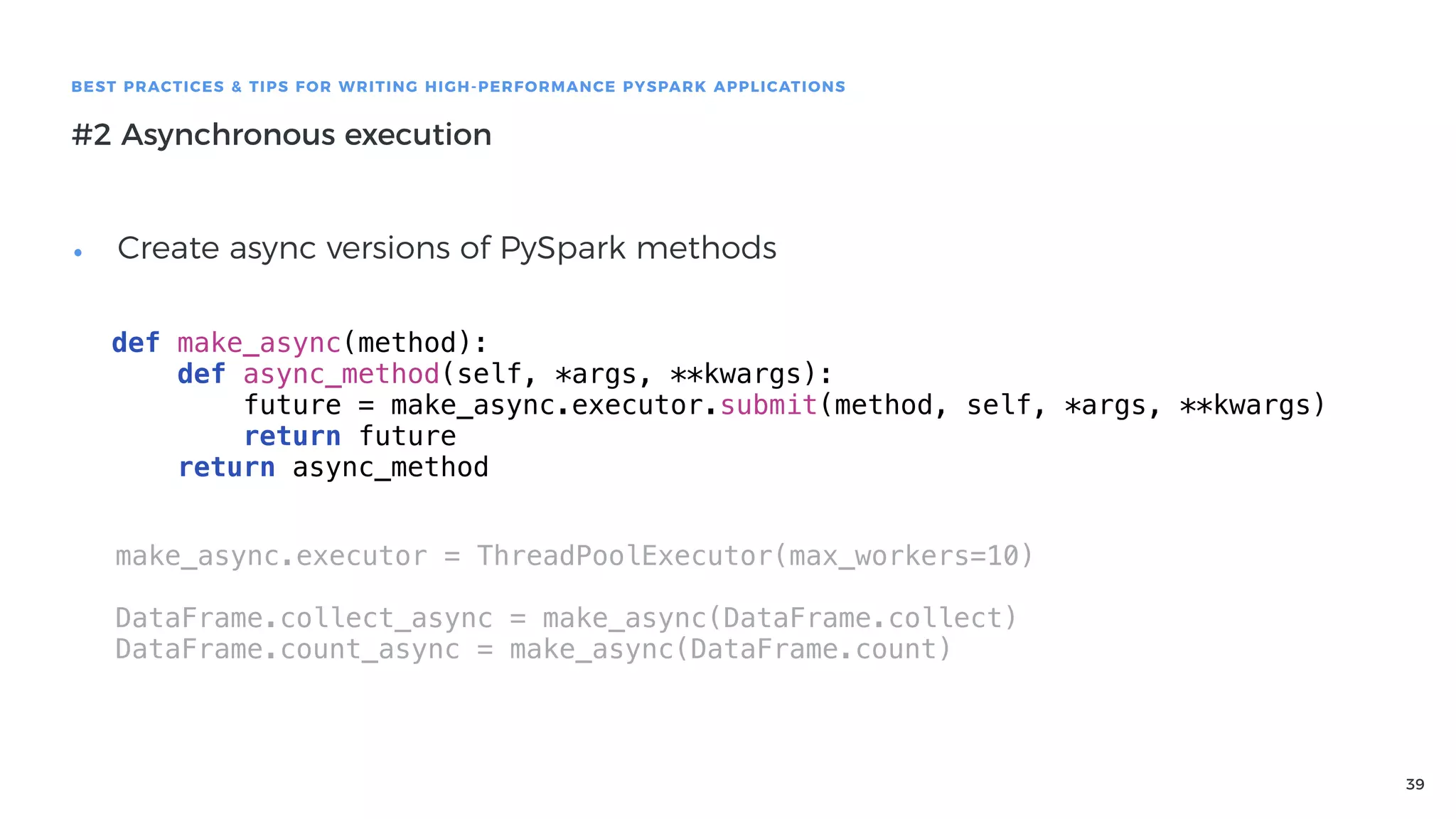
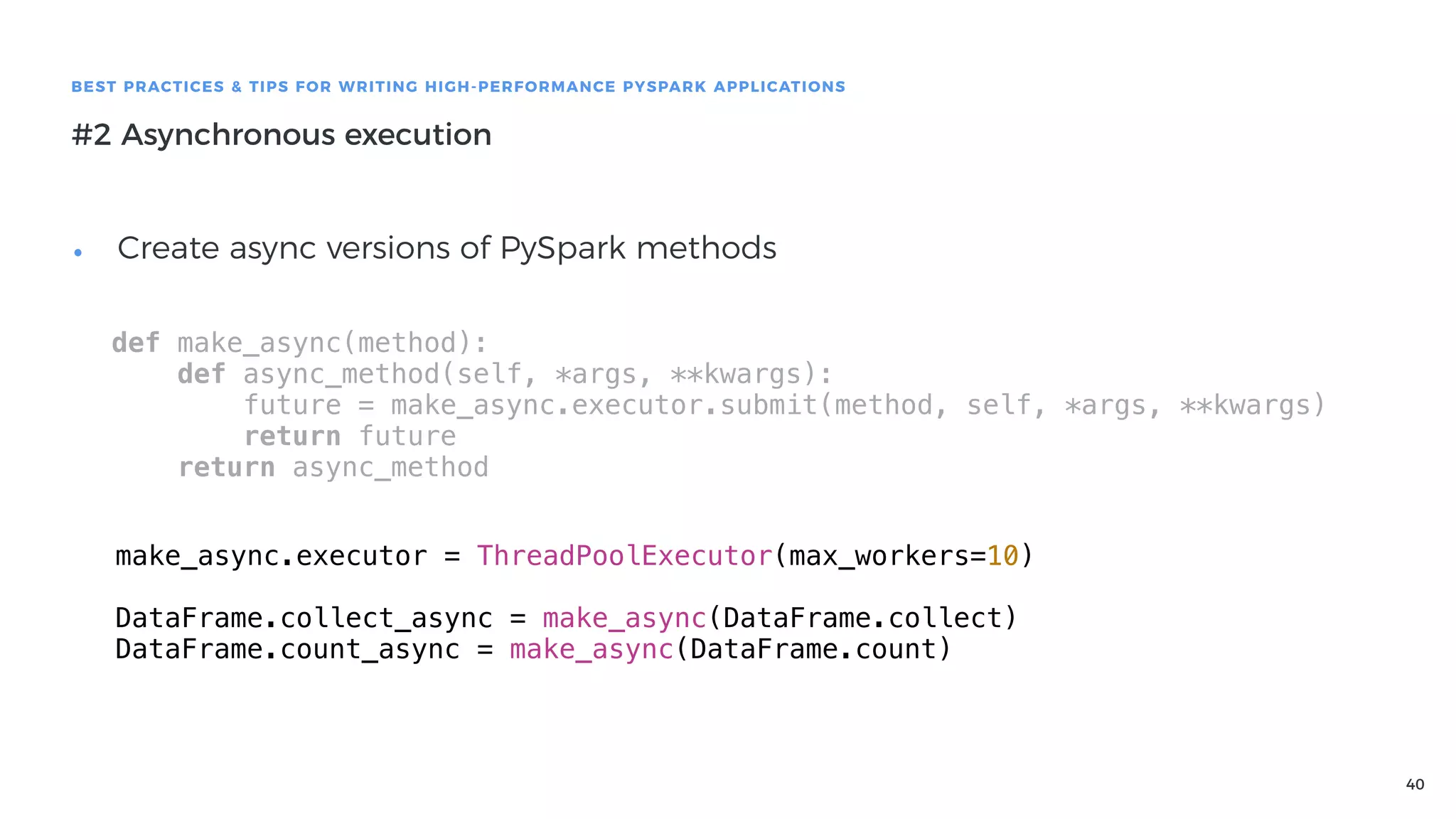
• Create async versions of PySpark methods
def make_async(method):
def async_method(self, *args, **kwargs):
future = make_async.executor.submit(method, self, *args, **kwargs)
return future
return async_method
make_async.executor = ThreadPoolExecutor(max_workers=10)
DataFrame.collect_async = make_async(DataFrame.collect)
DataFrame.count_async = make_async(DataFrame.count)
40
BEST PRACTICES & TIPS FOR WRITING HIGH-PERFORMANCE PYSPARK APPLICATIONS
#2 Asynchronous execution
• Create async versions of PySpark methods
def make_async(method):
def async_method(self, *args, **kwargs):
future = make_async.executor.submit(method, self, *args, **kwargs)
return future
return async_method
make_async.executor = ThreadPoolExecutor(max_workers=10)
DataFrame.collect_async = make_async(DataFrame.collect)
DataFrame.count_async = make_async(DataFrame.count)
41
BEST PRACTICES & TIPS FOR WRITING HIGH-PERFORMANCE PYSPARK APPLICATIONS
#2 Asynchronous execution
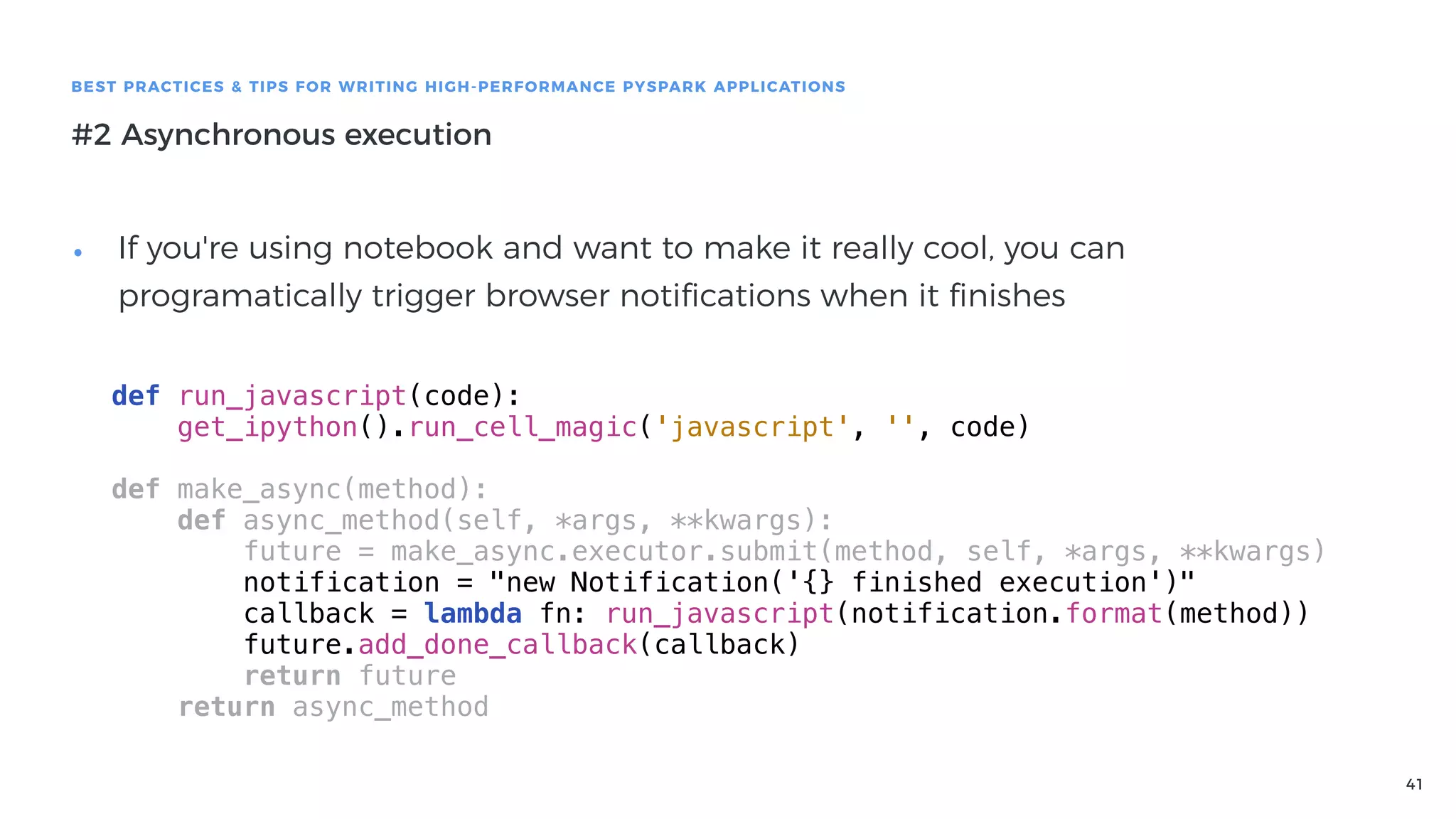
• If you're using notebook and want to make it really cool, you can
programatically trigger browser notifications when it finishes
def run_javascript(code):
get_ipython().run_cell_magic('javascript', '', code)
def make_async(method):
def async_method(self, *args, **kwargs):
future = make_async.executor.submit(method, self, *args, **kwargs)
notification = "new Notification('{} finished execution')"
callback = lambda fn: run_javascript(notification.format(method))
future.add_done_callback(callback)
return future
return async_method
42
BEST PRACTICES & TIPS FOR WRITING HIGH-PERFORMANCE PYSPARK APPLICATIONS
#2 Asynchronous execution
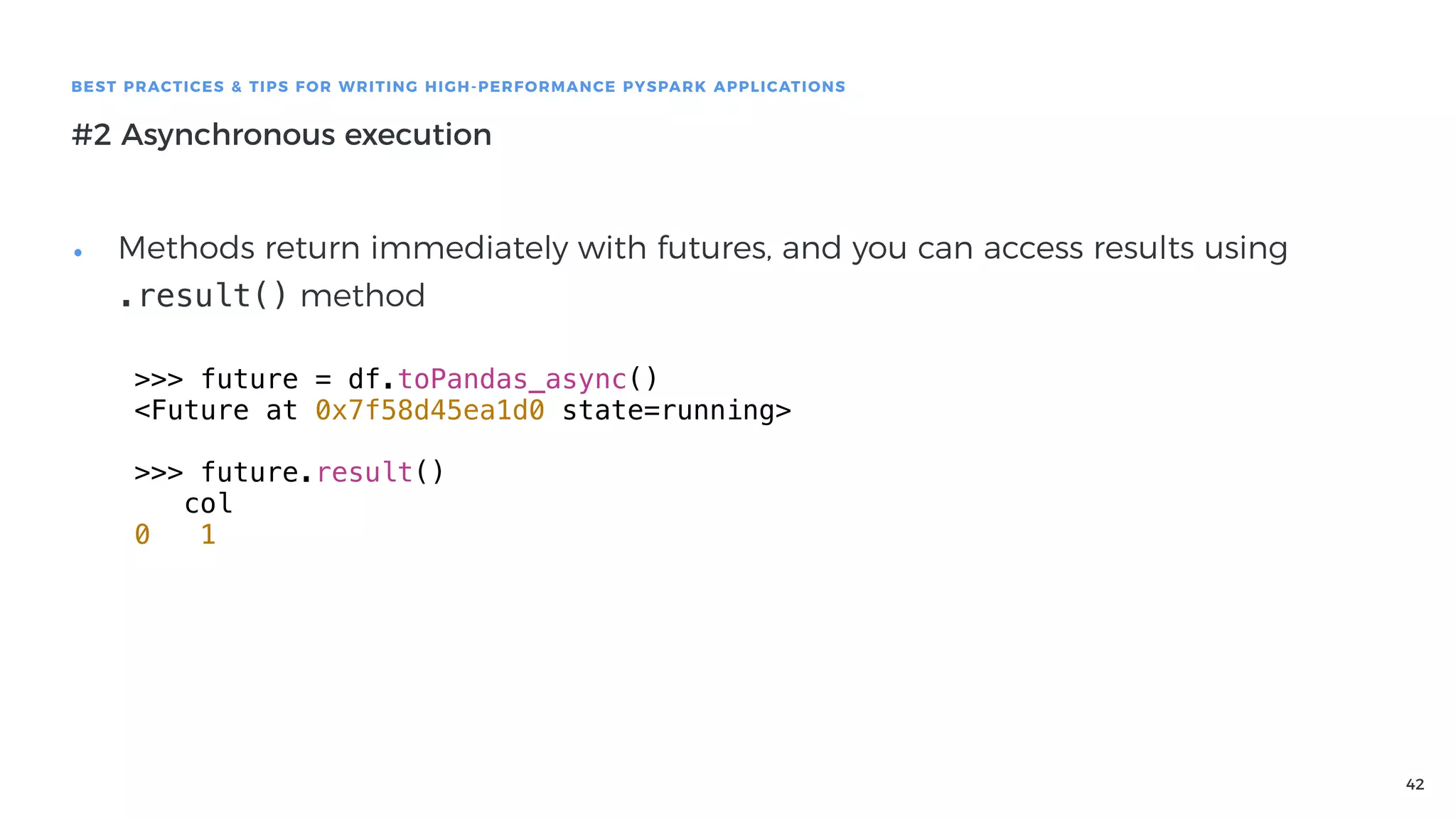
• Methods return immediately with futures, and you can access results using
.result() method
>>> future = df.toPandas_async()
<Future at 0x7f58d45ea1d0 state=running>
>>> future.result()
col
0 1
43
BEST PRACTICES & TIPS FOR WRITING HIGH-PERFORMANCE PYSPARK APPLICATIONS
#3 Vectorized UDFs
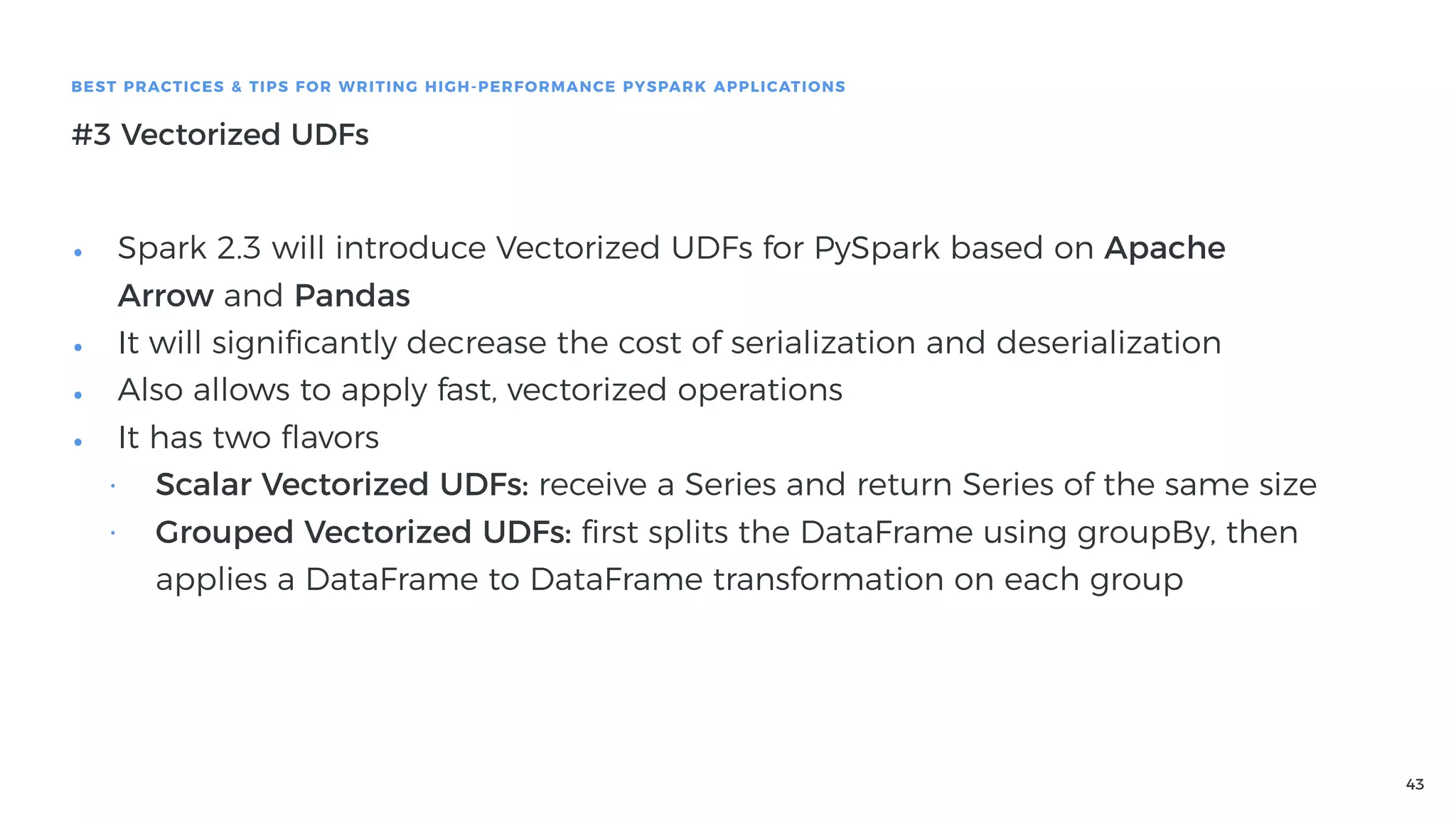
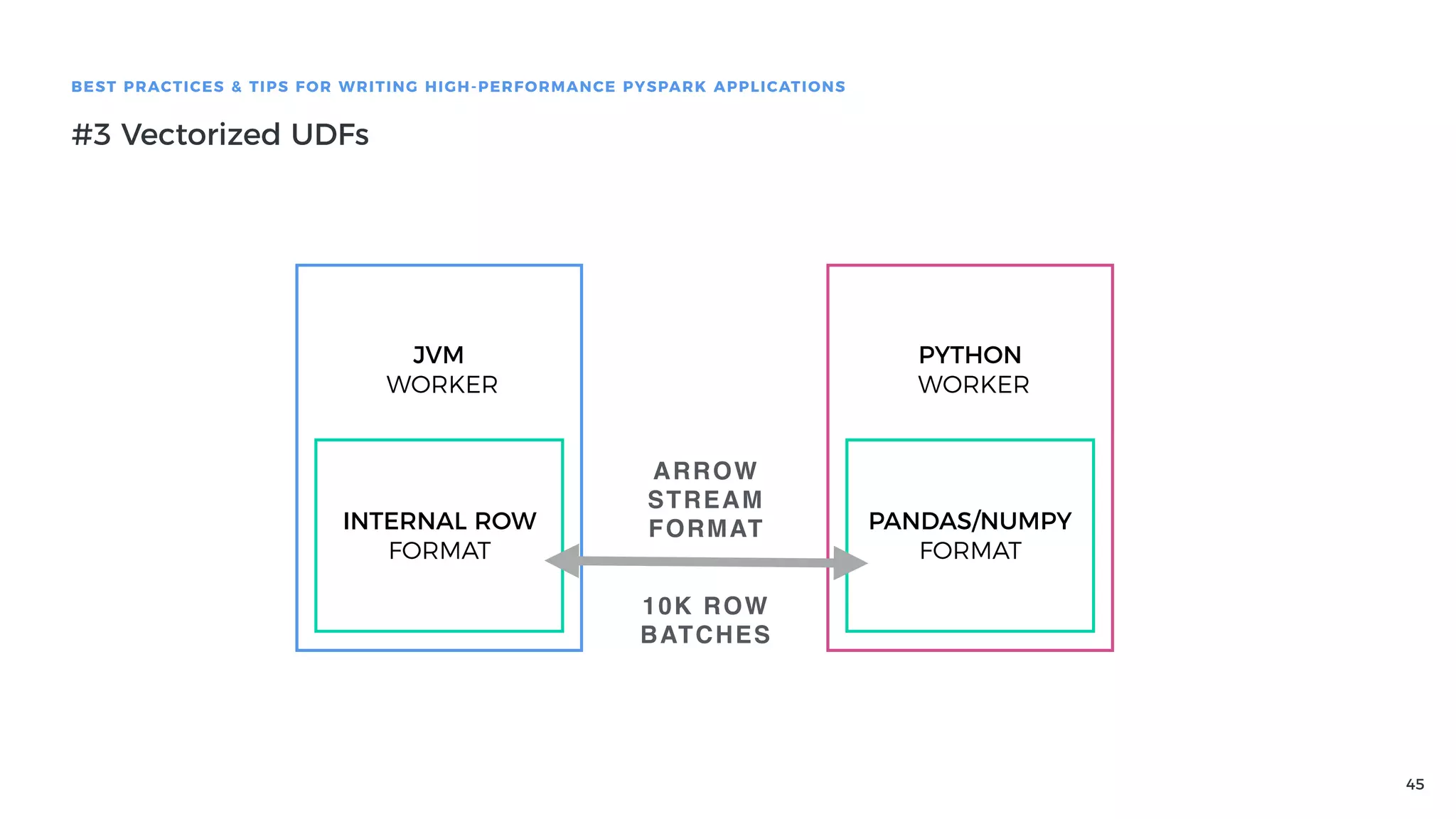
• Spark 2.3 will introduce Vectorized UDFs for PySpark based on Apache
Arrow and Pandas
• It will significantly decrease the cost of serialization and deserialization
• Also allows to apply fast, vectorized operations
• It has two flavors
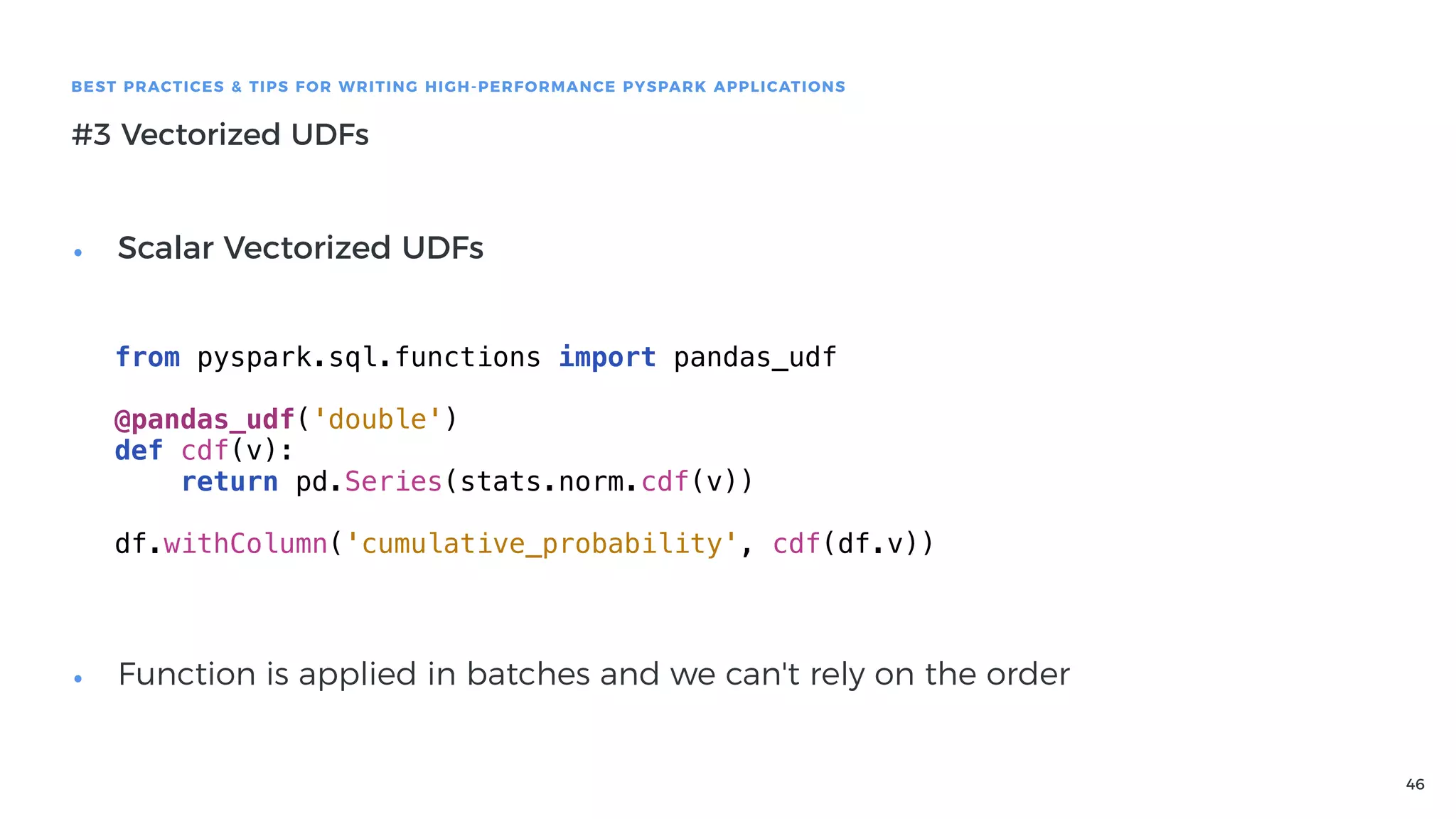
• Scalar Vectorized UDFs: receive a Series and return Series of the same size
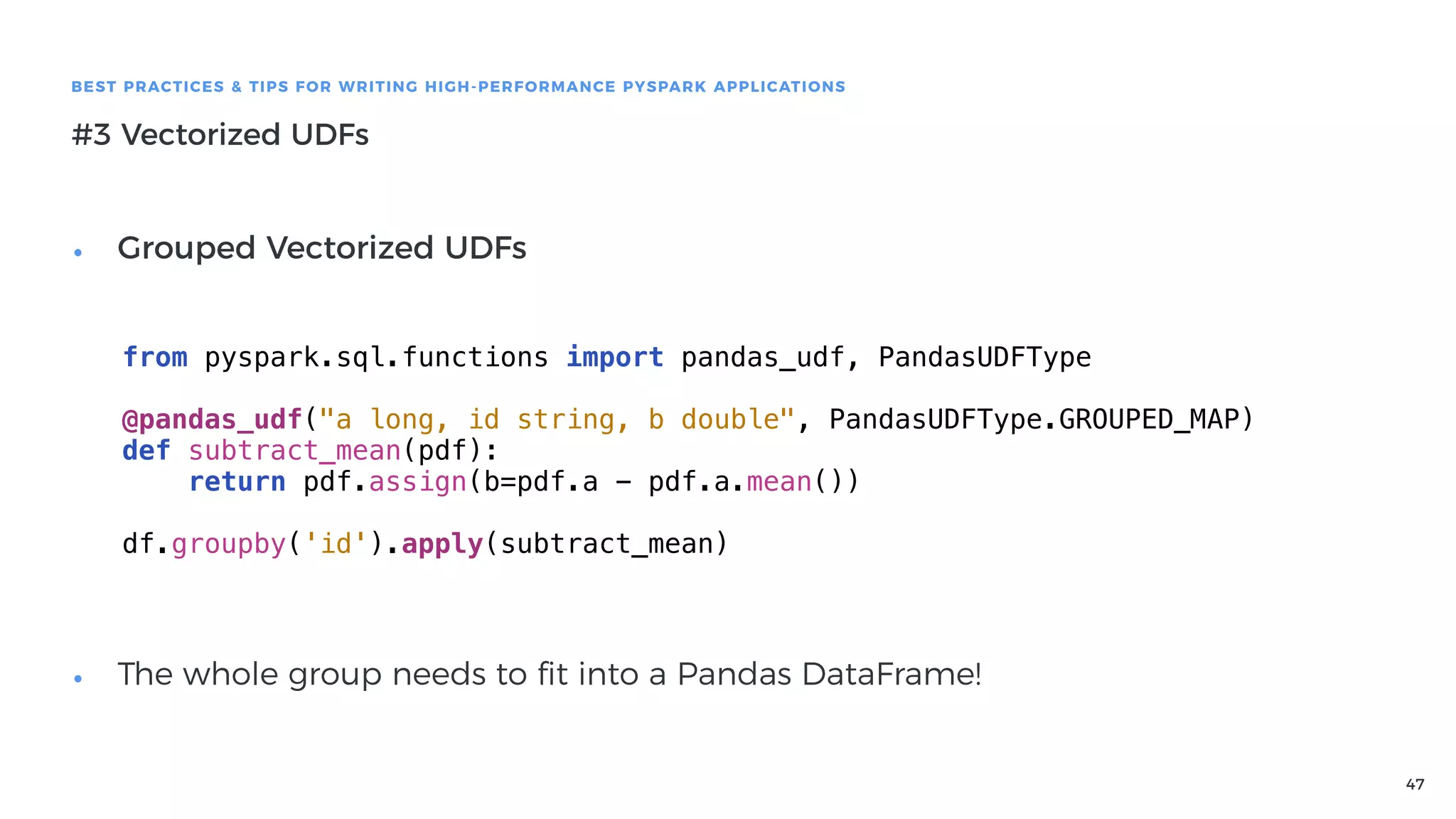
• Grouped Vectorized UDFs: first splits the DataFrame using groupBy, then
applies a DataFrame to DataFrame transformation on each group
44
BEST PRACTICES & TIPS FOR WRITING HIGH-PERFORMANCE PYSPARK APPLICATIONS
#3 Vectorized UDFs
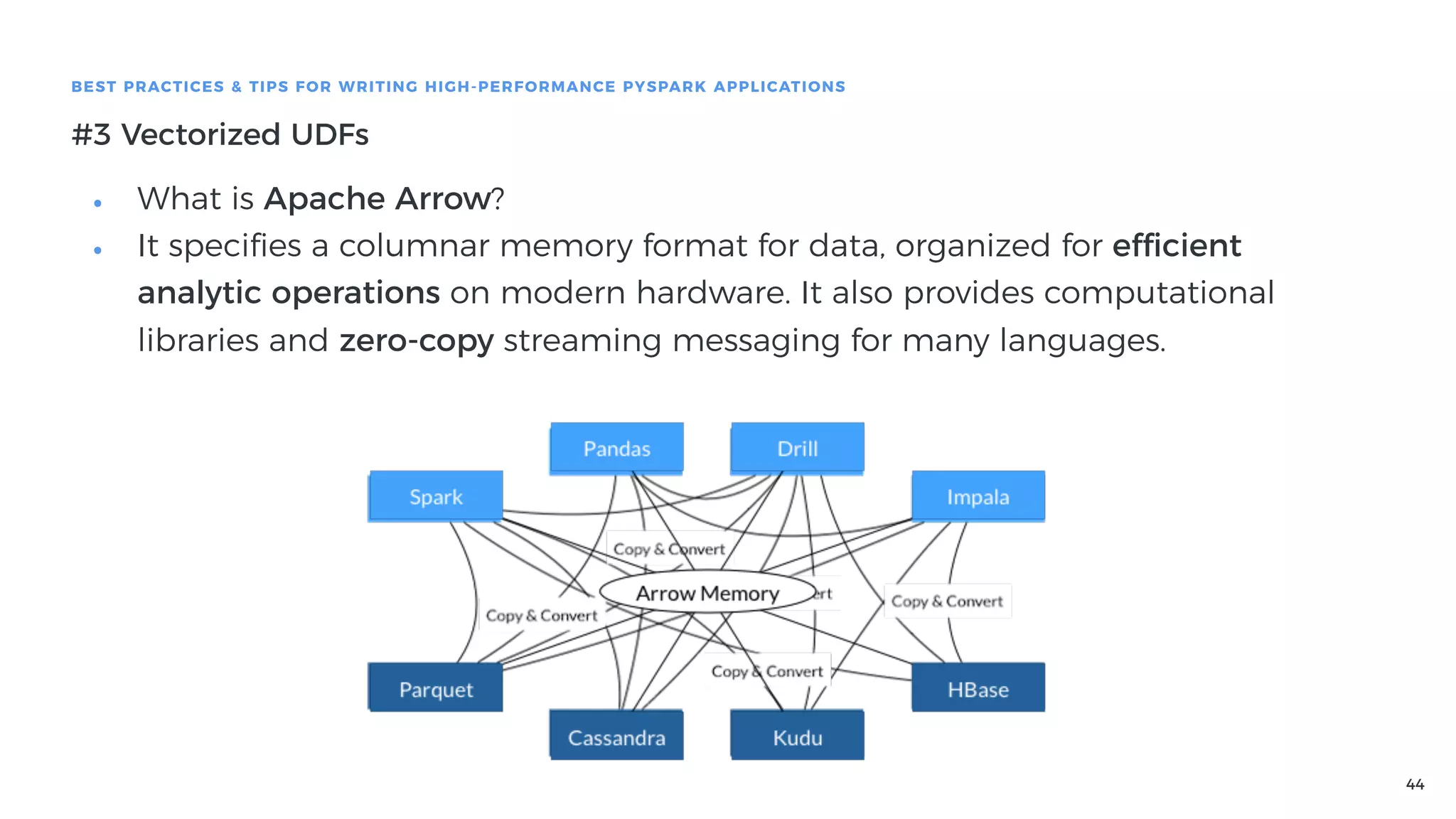
• What is Apache Arrow?
• It specifies a columnar memory format for data, organized for efficient
analytic operations on modern hardware. It also provides computational
libraries and zero-copy streaming messaging for many languages.
45
BEST PRACTICES & TIPS FOR WRITING HIGH-PERFORMANCE PYSPARK APPLICATIONS
#3 Vectorized UDFs
JVM
WORKER
INTERNAL ROW
FORMAT
PYTHON
WORKER
PANDAS/NUMPY
FORMAT
ARROW
STREAM
FORMAT
10K ROW
BATCHES
46
BEST PRACTICES & TIPS FOR WRITING HIGH-PERFORMANCE PYSPARK APPLICATIONS
#3 Vectorized UDFs
from pyspark.sql.functions import pandas_udf
@pandas_udf('double')
def cdf(v):
return pd.Series(stats.norm.cdf(v))
df.withColumn('cumulative_probability', cdf(df.v))
• Scalar Vectorized UDFs


• Function is applied in batches and we can't rely on the order
47
BEST PRACTICES & TIPS FOR WRITING HIGH-PERFORMANCE PYSPARK APPLICATIONS
#3 Vectorized UDFs
• Grouped Vectorized UDFs


• The whole group needs to fit into a Pandas DataFrame!
from pyspark.sql.functions import pandas_udf, PandasUDFType
@pandas_udf("a long, id string, b double", PandasUDFType.GROUPED_MAP)
def subtract_mean(pdf):
return pdf.assign(b=pdf.a - pdf.a.mean())
df.groupby('id').apply(subtract_mean)
48
BEST PRACTICES & TIPS FOR WRITING HIGH-PERFORMANCE PYSPARK APPLICATIONS
Even more tips & best practices
• There is a lot more to cover
• More efficient algorithms for data processing. Not only PySpark, a general
problem
• Solving skewed joins with key salting
• Using secondary sort to process grouped & sorted data
• Configuration tips, how to specify worker's memory, etc.
• How to write tests for PySpark applications
• Maybe next time! :)
49
Thanks!
Before we jump to questions,
I have small request!
50
Leave me feedback
Go to: bit.do/pyspark
Thanks!

Dive into PySpark

  • 1.
  • 2.
    2 WHO AM I? Niceto meet you! • I'm Mateusz • I work as a Technical Lead @ Base CRM • Over the years I was involved in many data engineering and data science projects, lots of them were built with PySpark • Let's dive into PySpark!
  • 3.
    3 AGENDA What are wegoing to cover? • Extremely short introduction to PySpark • Internals of PySpark - how does it work and what are the implications? • Best practices & tips for writing high-performance PySpark applications • #1 Avoiding Python execution • #2 Asynchronous execution • #3 Vectorized UDFs • #4 Better Algorithms • #5 Configuration • #6 Testing
  • 4.
  • 5.
    5 WHAT IS PYSPARK? PySparkis a is a fast and general-purpose distributed processing system • It has a high-level, declarative API • Two flavors, more explicit RDD, and more declarative DataFrames • Is written in Scala, but also supports Python df = spark.read.csv(path) other = spark.read.parquet(other_path) processed = (df.join(other, 'id') .groupby('col').agg( mean('a'), countDistinct('b'), myCustomFunction('a', 'b', 'c'), )) processed.write.csv(output)
  • 6.
    6 Internals of PySpark Howdoes it work and what are the implications?
  • 7.
    7 INTERNALS OF PYSPARK SparkArchitecture Driver (SparkContext) Executor Executor Executor JVM JVM
  • 8.
    8 INTERNALS OF PYSPARK SparkArchitecture Driver (SparkContext) Executor Executor Executor JVM JVM Python Driver Python Executor Python Executor Python Executor CLUSTER
  • 9.
    9 INTERNALS OF PYSPARK Whathappens, when we run pyspark shell, or launch Spark in Jupyter Python Driver OPENS A SOCKET LAUNCHES BIN/SPARK-SUBMIT PASSES THE SOCKET IN ENVIRONMENT VARIABLES
  • 10.
    10 INTERNALS OF PYSPARK Whathappens, when we run pyspark shell, or launch Spark in Jupyter Python Driver Java Driver LAUNCHES O.A.S.API.PYTHON.PYTHONGATEWAYSERVER LAUNCHES PY4J.GATEWAYSERVER WRITES THE GATEWAY SERVER PORT TO PYTHON SOCKET
  • 11.
    11 INTERNALS OF PYSPARK Whathappens, when we run pyspark shell, or launch Spark in Jupyter Python Driver Java Driver PYTHON DRIVER CAN NOW SEND COMMANDS TO THE JAVA PROCESS IT CAN CREATE OBJECTS, RUN METHODS, ETC. VIA REFLECTION PYTHON DRIVER USES PY4J TO LAUNCH JAVASPARKCONTEXT INSIDE THE JVMJava Spark Context Spark Context THIS IS PRETTY MUCH MOST OF WHAT PYTHON DRIVER HAS TO DO IT CREATES PYTHON VIEWS TO ACTUAL JAVA OBJECTS PY4J
  • 12.
    12 INTERNALS OF PYSPARK HowPy4J works • Py4J allows to create and manipulate objects inside the JVM • Automatically handles serialization and deserialization of primitive types • Python objects are usually thin layers around views of Java objects class DataFrame(object): def __init__(self, jdf, sql_ctx): self._jdf = jdf ... ... def checkpoint(self, eager=True): jdf = self._jdf.checkpoint(eager) return DataFrame(jdf, self.sql_ctx)
  • 13.
    13 INTERNALS OF PYSPARK HowPy4J works • How to use Py4J to create Java object? • SparkSession has _jvm attribute, which is py4j.java_gateway.JVMView • It keeps track of imports and allows you to access classes, methods, etc. • spark._jvm.org.apache.spark.sql.expressions.Window • You can access anything that is in classpath. • You can import stuff with java_import(gateway.jvm,"o.a.s.SparkConf") • You can get access to methods which are not exposed in the official API, like • (df.some_column.substr(0, 10))._jc.expr().dataType().json() • will give you the type of the new column, which is sometimes useful to know
  • 14.
    14 INTERNALS OF PYSPARK Whathappens, when we run pyspark shell, or launch Spark in Jupyter Python Driver Java Driver PY4J
  • 15.
    15 INTERNALS OF PYSPARK Whathappens, when we run pyspark shell, or launch Spark in Jupyter Python Driver Java Driver PY4J Java Executor Java Executor Java Executor
  • 16.
    16 INTERNALS OF PYSPARK Whathappens, when we run pyspark shell, or launch Spark in Jupyter Python Driver Java Driver PY4J Java Executor Java Executor Java Executor As long as you operate on standard DataFrame functions, all execution is handled in Java, because Python DataFrame objects and functions are just thin wrappers around Java/Scala DataFrame objects and functions df.groupby('col').agg(mean('a')) JAVA DATAFRAME JAVA ROWS
  • 17.
    17 INTERNALS OF PYSPARK Whathappens, when we run Python code on Spark executors? Python Driver Java Driver PY4J Java Executor Java Executor Java Executor @udf('string') def some_udf(some_col): ...
  • 18.
    18 INTERNALS OF PYSPARK Whathappens, when we run Python code on Spark executors? Python Driver Java Driver PY4J Java Executor Java Executor Java Executor @udf('string') def some_udf(some_col): ... CLOUDPICKLE PYTHON DRIVER SENDS IT TO JAVA DRIVER JAVA DRIVER DISTRIBUTES IT TO JAVA EXECUTORS Why cloudpickle instead of regular pickle? Because it allows us to serialize dynamic code, lambdas, etc.
  • 19.
    19 INTERNALS OF PYSPARK Whathappens, when we run Python code on Spark executors? Python Driver Java Driver PY4J Java Executor Java Executor Java Executor @udf('string') def some_udf(some_col): ... CLOUDPICKLE Python Process Python Process Python Process
  • 20.
    20 INTERNALS OF PYSPARK Whathappens, when we run Python code on Spark executors? Python Driver Java Driver PY4J Java Executor Java Executor Java Executor @udf('string') def some_udf(some_col): ... CLOUDPICKLE Python Process Python Process Python Process Python Process Python Process Python Process USES UNIX PIPE PYTHON WORKERS ARE REUSABLE
  • 21.
    21 INTERNALS OF PYSPARK Whathappens, when we run Python code on Spark executors? Python Driver Java Driver PY4J Java Executor Java Executor Java Executor @udf('string') def some_udf(some_col): ... CLOUDPICKLE Python Process SERIALIZE JAVA DATA TO PYTHON DESERIALIZE PYTHON DATA SERIALIZE PYTHON RESULTS DESERIALIZE PYTHON RESULTS TO JAVA Because it happens for every datapoint, and uses Pickle as a protocol we have a huge serialization & deserialization cost!
  • 22.
    22 INTERNALS OF PYSPARK Whathappens, when we run Python code on Spark executors? Python Driver Java Driver PY4J Java Executor Java Executor Java Executor @udf('string') def some_udf(some_col): ... CLOUDPICKLE Python Process There is some pipelining (Spark evaluates multiple functions), and batching Uses Pyrolite for pickling and unpickling in Java
  • 23.
    23 INTERNALS OF PYSPARK Performanceimplications • Using Py4J is cheap, because it's a scripting frontend to Java. The actual execution might happen entirely in JVM • Using Python workers to evaluate Python code on data is costly, because it uses inefficient two-way serialization
  • 24.
    24 Best practices &tips for writing high-performance PySpark applications
  • 25.
    25 BEST PRACTICES &TIPS FOR WRITING HIGH-PERFORMANCE PYSPARK APPLICATIONS #1 Stick to DataFrames when possible • So the best way to avoid performance penalties is to avoid Python execution. Try to use Python as scripting interface to actual Scala/Java code as much as possible • Instead of writing custom UDFs, always try to construct the same logic with built-in Spark SQL functions
  • 26.
    26 BEST PRACTICES &TIPS FOR WRITING HIGH-PERFORMANCE PYSPARK APPLICATIONS #1 Stick to DataFrames when possible • Example: Bucketing numerical columns, like pd.cut • Return labels for half-open bins to which each value of column belongs <0 ͢ A (0, 10] ͢ B (10, 20] ͢ c >20 ͢ D
  • 27.
    27 BEST PRACTICES &TIPS FOR WRITING HIGH-PERFORMANCE PYSPARK APPLICATIONS #1 Stick to DataFrames when possible • Let's start with UDF implementation @udf('string') def cut_udf(value, bins, labels): ranges = izip_longest(chain([None], bins), bins) ranges_with_labels = zip(ranges, labels) for (gt, lte), label in ranges_with_labels: left_check = gt is None or value > gt right_check = lte is None or value <= lte if left_check and right_check: return label return None
  • 28.
    28 BEST PRACTICES &TIPS FOR WRITING HIGH-PERFORMANCE PYSPARK APPLICATIONS #1 Stick to DataFrames when possible • Let's start with UDF implementation @udf('string') def cut_udf(value, bins, labels): ranges = izip_longest(chain([None], bins), bins) ranges_with_labels = zip(ranges, labels) for (gt, lte), label in ranges_with_labels: left_check = gt is None or value > gt right_check = lte is None or value <= lte if left_check and right_check: return label return None
  • 29.
    29 BEST PRACTICES &TIPS FOR WRITING HIGH-PERFORMANCE PYSPARK APPLICATIONS #1 Stick to DataFrames when possible • Let's start with UDF implementation @udf('string') def cut_udf(value, bins, labels): ranges = izip_longest(chain([None], bins), bins) ranges_with_labels = zip(ranges, labels) for (gt, lte), label in ranges_with_labels: left_check = gt is None or value > gt right_check = lte is None or value <= lte if left_check and right_check: return label return None
  • 30.
    30 BEST PRACTICES &TIPS FOR WRITING HIGH-PERFORMANCE PYSPARK APPLICATIONS #1 Stick to DataFrames when possible • You'd like to call it like this:


 • But you can't you need to create array literals and it looks weird df.select(cut_udf( 'number', [0, 10, 20], ["A", "B", "C"], )) df.select(cut_udf( 'number', array(lit(0), lit(10), lit(20)), array(lit("A"), lit("B"), lit("C"), lit("D")), ))
  • 31.
    31 BEST PRACTICES &TIPS FOR WRITING HIGH-PERFORMANCE PYSPARK APPLICATIONS #1 Stick to DataFrames when possible • How to get rid of this UDF and use pure Spark SQL / DataFrames? • First of all, we don't need to pass bins and labels to every invocation def cut(c, bins, labels): ranges = izip_longest(chain([None], bins), bins) ranges_with_labels = zip(ranges, labels) @udf('string') def _cut(value): for (gt, lte), label in ranges_with_labels: left_check = gt is None or value > gt right_check = lte is None or value <= lte if left_check and right_check: return label return None return _cut(c)
  • 32.
    32 BEST PRACTICES &TIPS FOR WRITING HIGH-PERFORMANCE PYSPARK APPLICATIONS #1 Stick to DataFrames when possible • We can build the inner logic using when and otherwise built-in functions def cut(col, bins, labels): ranges = izip_longest(chain([None], bins), bins) ranges_with_labels = zip(ranges, labels) conditions = [lit(None).cast(str)] for (gt, lte), label in ranges_with_labels: left_check = lit(True) if gt is None else col > lit(gt) right_check = lit(True) if lte is None else col <= lit(lte) condition = when(left_check & right_check, label) conditions.append(condition) condition = reduce(lambda a, b: b.otherwise(a), conditions) return condition
  • 33.
    33 BEST PRACTICES &TIPS FOR WRITING HIGH-PERFORMANCE PYSPARK APPLICATIONS #1 Stick to DataFrames when possible • We got rid of UDF entirely, and can call this function like this:


 • Readability of the cut function might be slightly worse, but has improved performance because it avoids Python execution with all the attached costs df.select(cut( col('number'), [0, 10, 20], ["A", "B", "C", "D"], ))
  • 34.
    34 BEST PRACTICES &TIPS FOR WRITING HIGH-PERFORMANCE PYSPARK APPLICATIONS #1 Stick to DataFrames when possible • There are tons of built-in functions (260+)
 • atan spark_partition_id bigint last_day smallint string sinh power radians inline_outer float std ceil datediff date_sub rint dayofyear asin xpath_boolean ifnull std from_utc_timestamp locate right xpath_string lead
  • 35.
    35 BEST PRACTICES &TIPS FOR WRITING HIGH-PERFORMANCE PYSPARK APPLICATIONS #1 Stick to DataFrames when possible • There are also many custom packages for Spark • Lots of them are only for Scala • But it doesn't prevent us from writing Python bindings ourselves! • At Base, we recently added Python bindings to magellan, open source library for geospatial analytics using Spark as the underlying engine • As a last resort, we can write our own code in the Scala and then add Python bindings to it • Of course, avoiding Python execution is not always possible, especially if we use some specialised libraries
  • 36.
    36 BEST PRACTICES &TIPS FOR WRITING HIGH-PERFORMANCE PYSPARK APPLICATIONS #2 Asynchronous execution • If you perform an interactive analysis, it's painful to wait for the results • Let me know, if it sounds familiar: • You wrote a piece of code like this
 
 • Then you wait... And keep refreshing Application UI df.select(countDistinct('account_id')).collect()
  • 37.
    37 BEST PRACTICES &TIPS FOR WRITING HIGH-PERFORMANCE PYSPARK APPLICATIONS #2 Asynchronous execution • But Spark is a distributed system, handling many computations at the same time. There must be a better way. • Spark has two scheduler modes: FIFO and FAIR • FAIR scheduler allows multiple jobs to be running at the same time, sharing resources • We also need to do something in Python to make it non-blocking • Since Python is just a simple "scripting" interface, it's fairly easy • Use concurrent.futures module and run Spark operations in threads
  • 38.
    38 BEST PRACTICES &TIPS FOR WRITING HIGH-PERFORMANCE PYSPARK APPLICATIONS #2 Asynchronous execution • In order to enable this, set "spark.scheduler.mode" to "FAIR" • It's not enough, because the default behaviour of FAIR scheduler is to have a single pool of FIFO jobs <?xml version="1.0"?> <allocations> <pool name="default"> <schedulingMode> FAIR </schedulingMode> <weight>1</weight> <minShare>0</minShare> </pool> </allocations> • You need to also change the default configuration of pools • Save it as file and set "spark.scheduler.allocation.file"
  • 39.
    39 BEST PRACTICES &TIPS FOR WRITING HIGH-PERFORMANCE PYSPARK APPLICATIONS #2 Asynchronous execution • Create async versions of PySpark methods def make_async(method): def async_method(self, *args, **kwargs): future = make_async.executor.submit(method, self, *args, **kwargs) return future return async_method make_async.executor = ThreadPoolExecutor(max_workers=10) DataFrame.collect_async = make_async(DataFrame.collect) DataFrame.count_async = make_async(DataFrame.count)
  • 40.
    40 BEST PRACTICES &TIPS FOR WRITING HIGH-PERFORMANCE PYSPARK APPLICATIONS #2 Asynchronous execution • Create async versions of PySpark methods def make_async(method): def async_method(self, *args, **kwargs): future = make_async.executor.submit(method, self, *args, **kwargs) return future return async_method make_async.executor = ThreadPoolExecutor(max_workers=10) DataFrame.collect_async = make_async(DataFrame.collect) DataFrame.count_async = make_async(DataFrame.count)
  • 41.
    41 BEST PRACTICES &TIPS FOR WRITING HIGH-PERFORMANCE PYSPARK APPLICATIONS #2 Asynchronous execution • If you're using notebook and want to make it really cool, you can programatically trigger browser notifications when it finishes def run_javascript(code): get_ipython().run_cell_magic('javascript', '', code) def make_async(method): def async_method(self, *args, **kwargs): future = make_async.executor.submit(method, self, *args, **kwargs) notification = "new Notification('{} finished execution')" callback = lambda fn: run_javascript(notification.format(method)) future.add_done_callback(callback) return future return async_method
  • 42.
    42 BEST PRACTICES &TIPS FOR WRITING HIGH-PERFORMANCE PYSPARK APPLICATIONS #2 Asynchronous execution • Methods return immediately with futures, and you can access results using .result() method >>> future = df.toPandas_async() <Future at 0x7f58d45ea1d0 state=running> >>> future.result() col 0 1
  • 43.
    43 BEST PRACTICES &TIPS FOR WRITING HIGH-PERFORMANCE PYSPARK APPLICATIONS #3 Vectorized UDFs • Spark 2.3 will introduce Vectorized UDFs for PySpark based on Apache Arrow and Pandas • It will significantly decrease the cost of serialization and deserialization • Also allows to apply fast, vectorized operations • It has two flavors • Scalar Vectorized UDFs: receive a Series and return Series of the same size • Grouped Vectorized UDFs: first splits the DataFrame using groupBy, then applies a DataFrame to DataFrame transformation on each group
  • 44.
    44 BEST PRACTICES &TIPS FOR WRITING HIGH-PERFORMANCE PYSPARK APPLICATIONS #3 Vectorized UDFs • What is Apache Arrow? • It specifies a columnar memory format for data, organized for efficient analytic operations on modern hardware. It also provides computational libraries and zero-copy streaming messaging for many languages.
  • 45.
    45 BEST PRACTICES &TIPS FOR WRITING HIGH-PERFORMANCE PYSPARK APPLICATIONS #3 Vectorized UDFs JVM WORKER INTERNAL ROW FORMAT PYTHON WORKER PANDAS/NUMPY FORMAT ARROW STREAM FORMAT 10K ROW BATCHES
  • 46.
    46 BEST PRACTICES &TIPS FOR WRITING HIGH-PERFORMANCE PYSPARK APPLICATIONS #3 Vectorized UDFs from pyspark.sql.functions import pandas_udf @pandas_udf('double') def cdf(v): return pd.Series(stats.norm.cdf(v)) df.withColumn('cumulative_probability', cdf(df.v)) • Scalar Vectorized UDFs


 • Function is applied in batches and we can't rely on the order
  • 47.
    47 BEST PRACTICES &TIPS FOR WRITING HIGH-PERFORMANCE PYSPARK APPLICATIONS #3 Vectorized UDFs • Grouped Vectorized UDFs


 • The whole group needs to fit into a Pandas DataFrame! from pyspark.sql.functions import pandas_udf, PandasUDFType @pandas_udf("a long, id string, b double", PandasUDFType.GROUPED_MAP) def subtract_mean(pdf): return pdf.assign(b=pdf.a - pdf.a.mean()) df.groupby('id').apply(subtract_mean)
  • 48.
    48 BEST PRACTICES &TIPS FOR WRITING HIGH-PERFORMANCE PYSPARK APPLICATIONS Even more tips & best practices • There is a lot more to cover • More efficient algorithms for data processing. Not only PySpark, a general problem • Solving skewed joins with key salting • Using secondary sort to process grouped & sorted data • Configuration tips, how to specify worker's memory, etc. • How to write tests for PySpark applications • Maybe next time! :)
  • 49.
    49 Thanks! Before we jumpto questions, I have small request!
  • 50.
    50 Leave me feedback Goto: bit.do/pyspark
  • 51.