
Better presentations
Les Johnson
How to give a bad presentation


           Have no clear point
           Do not identify benefits
           Have no clear flow
           Make the text too detailed
           Have too many slides
           Run over time, take too long
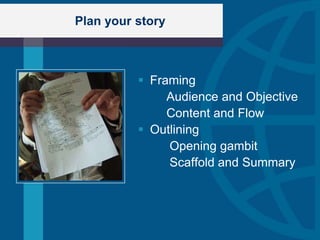
Plan your story


           Framing
               Audience and Objective
               Content and Flow
           Outlining
               Opening gambit
               Scaffold and Summary
Preview of this presentation


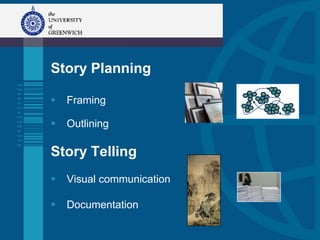
      Story Planning

         Framing

         Outlining

      Story Telling
         Visual communication

         Documentation
Preview
Story Planning

 Framing
   Outlining

Story Telling
   Visual communication

   Documentation
The art of persuasion: advocacy


           Carry them by their handles
           Pathos: Getting into the audience‟s mind
           Translate features into benefits
           “What‟s in it for me?”
           Your presentation their needs
           Don‟t rely on them making inferences
Know your audience


   The objective (to understand, believe, behave)
   Audience knowledge level/s
   Audience‟s wants/needs (benefits)
   Relevant external factors
   When, where, what
   questions allowed?
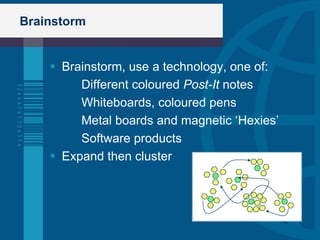
Brainstorm


     Brainstorm, use a technology, one of:
         Different coloured Post-It notes
         Whiteboards, coloured pens
         Metal boards and magnetic „Hexies‟
         Software products
     Expand then cluster
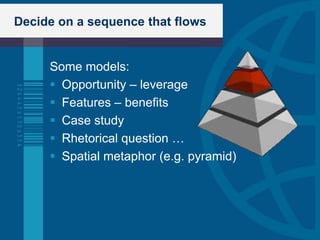
Decide on a sequence that flows


     Some models:
      Opportunity – leverage
      Features – benefits
      Case study
      Rhetorical question …
      Spatial metaphor (e.g. pyramid)
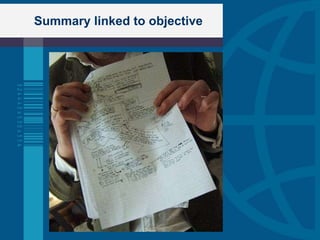
Summary linked to objective
Preview


Story Planning

   Framing

 Outlining

Story Telling
   Visual communication

   Rehearsal and Documentation
Find an Opening Gambit


  “How do you paint a picture of infinity? How
  do you dance about death? How do you
  draw a diagram explaining entropy?”

     To seize attention
     To ease you in
     To launch your presentation
Link to the objective


  The Unique Selling Point
        What you (or your unit) does
        Couple of sentences only
  Validation [optional]
        A significant achievement
        An impressive endorsement
  Call for action
        I know you will want to sign up
        Clear explicit
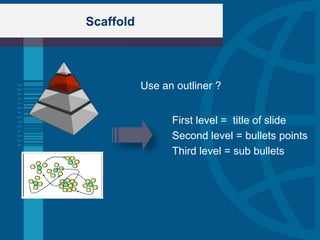
Scaffold


           Use an outliner ?


                 First level = title of slide
                 Second level = bullets points
                 Third level = sub bullets
Preview


   Tell them what‟s coming
   As if only one slide available
   Why not enlist the flow model?
   Link to objective
   Comes after opening gambit
   Say how long you will speak
Preview

Story Planning

   Framing

   Scaffolding

Story Telling

 Visual communication
   Documentation
A key concept


   Slides are not documents
   Do not send slides in advance
   If needed, send executive summary before
   Do not give slides as a handout
   A presentation serves only one purpose
   Notes Page View is a document
Psychology of perception


            Everything is „read‟
            Text: left to right, top to bottom
            Graphs: left to right, bottom to top
            Design for minimum eye sweeps
            Less is more
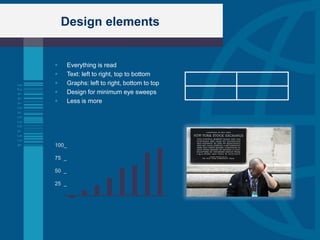
Design elements


      Everything is read
      Text: left to right, top to bottom
      Graphs: left to right, bottom to top
      Design for minimum eye sweeps
      Less is more


100_

75 _

50 _

25 _
Text graphics


 Minimize eye sweeps
      6 lines, each 6 words
      Only two levels
      Large font: 24 point
 Bullets are headlines not sentences
 Exception: direct quote
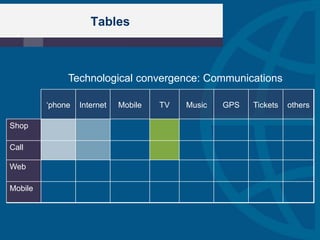
Tables


              Technological convergence: Communications

         „phone   Internet   Mobile   TV   Music   GPS   Tickets   others

Shop

Call

Web

Mobile
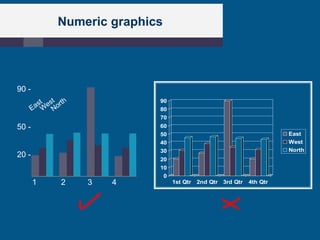
Numeric graphics


90 -
                          90
                          80
                          70
50 -                      60
                          50                                         East
                          40                                         West
                          30                                         North
20 -
                          20
                          10
                           0
       1   2   3   4           1st Qtr   2nd Qtr 3rd Qtr   4th Qtr
Pictorial graphics


     Pictures are memorable
     Don‟t decorate
     Create an individual style
     Avoid text on images
     Avoid overlapping images
     Show what you mean
Navigational aids


    Pictorial graphics can aid navigation
    Design your slides to connect
    Bumpers / Progressive agenda
    Flow model
    Indexing
    Animations to conceal/reveal
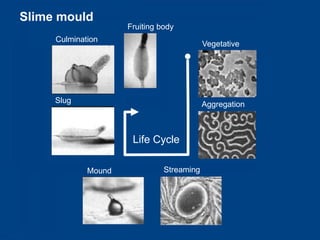
Slime mould
                     Fruiting body
     Culmination
                                           Vegetative


     Slug                                  Aggregation


                      Life Cycle

             Mound             Streaming
The storyboard view


      20 slides a view (or outline)
      Look for groups
      Do they reflect your flow structure?
      Shift around as needed
      Edit to show connections
Post view


 Recycle your preview slide
 Link to objective
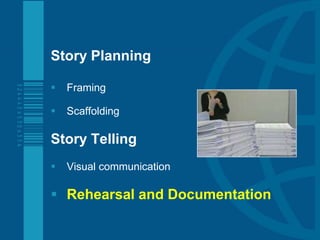
Preview

Story Planning

   Framing

   Scaffolding

Story Telling
   Visual communication

 Rehearsal and Documentation
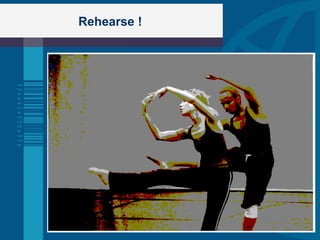
Rehearse !
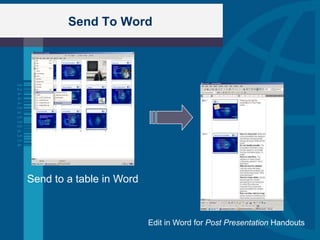
Send To Word


Send to a table in Word


                          Edit in Word for Post Presentation Handouts
Story Planning

   Framing

   Outlining

Story Telling
   Visual communication

   Documentation
Appendix
Acknowledgements


     You are free to use this template for your personal
     and work related presentations
        Don’t
         Make this template available on a website for
          download. This includes file sharing networks like
          Slideshare, Myspace, Facebook, bit torrent etc
         Pass off any of Presentation Helper‟s art work as
          your own work

You can find this free template and many more
on the Presentation Helper website
www.presentationhelper.co.uk
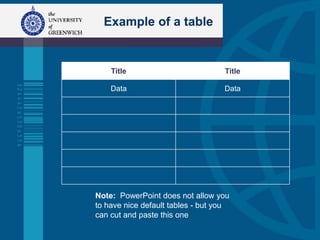
Example of a table


    Title                          Title

    Data                           Data


Note: PowerPoint does not allow you
to have nice default tables - but you
can cut and paste this one

Delivering better presentations

  • 1.
  • 2.
    How to givea bad presentation  Have no clear point  Do not identify benefits  Have no clear flow  Make the text too detailed  Have too many slides  Run over time, take too long
  • 4.
    Plan your story  Framing Audience and Objective Content and Flow  Outlining Opening gambit Scaffold and Summary
  • 5.
    Preview of thispresentation Story Planning  Framing  Outlining Story Telling  Visual communication  Documentation
  • 6.
    Preview Story Planning  Framing  Outlining Story Telling  Visual communication  Documentation
  • 7.
    The art ofpersuasion: advocacy  Carry them by their handles  Pathos: Getting into the audience‟s mind  Translate features into benefits  “What‟s in it for me?”  Your presentation their needs  Don‟t rely on them making inferences
  • 8.
    Know your audience  The objective (to understand, believe, behave)  Audience knowledge level/s  Audience‟s wants/needs (benefits)  Relevant external factors  When, where, what  questions allowed?
  • 9.
    Brainstorm  Brainstorm, use a technology, one of: Different coloured Post-It notes Whiteboards, coloured pens Metal boards and magnetic „Hexies‟ Software products  Expand then cluster
  • 10.
    Decide on asequence that flows Some models:  Opportunity – leverage  Features – benefits  Case study  Rhetorical question …  Spatial metaphor (e.g. pyramid)
  • 11.
  • 12.
    Preview Story Planning  Framing  Outlining Story Telling  Visual communication  Rehearsal and Documentation
  • 13.
    Find an OpeningGambit “How do you paint a picture of infinity? How do you dance about death? How do you draw a diagram explaining entropy?” To seize attention To ease you in To launch your presentation
  • 14.
    Link to theobjective  The Unique Selling Point What you (or your unit) does Couple of sentences only  Validation [optional] A significant achievement An impressive endorsement  Call for action I know you will want to sign up Clear explicit
  • 15.
    Scaffold Use an outliner ? First level = title of slide Second level = bullets points Third level = sub bullets
  • 16.
    Preview  Tell them what‟s coming  As if only one slide available  Why not enlist the flow model?  Link to objective  Comes after opening gambit  Say how long you will speak
  • 17.
    Preview Story Planning  Framing  Scaffolding Story Telling  Visual communication  Documentation
  • 18.
    A key concept  Slides are not documents  Do not send slides in advance  If needed, send executive summary before  Do not give slides as a handout  A presentation serves only one purpose  Notes Page View is a document
  • 19.
    Psychology of perception  Everything is „read‟  Text: left to right, top to bottom  Graphs: left to right, bottom to top  Design for minimum eye sweeps  Less is more
  • 20.
    Design elements  Everything is read  Text: left to right, top to bottom  Graphs: left to right, bottom to top  Design for minimum eye sweeps  Less is more 100_ 75 _ 50 _ 25 _
  • 21.
    Text graphics  Minimizeeye sweeps 6 lines, each 6 words Only two levels Large font: 24 point  Bullets are headlines not sentences  Exception: direct quote
  • 22.
    Tables Technological convergence: Communications „phone Internet Mobile TV Music GPS Tickets others Shop Call Web Mobile
  • 23.
    Numeric graphics 90 - 90 80 70 50 - 60 50 East 40 West 30 North 20 - 20 10 0 1 2 3 4 1st Qtr 2nd Qtr 3rd Qtr 4th Qtr
  • 24.
    Pictorial graphics  Pictures are memorable  Don‟t decorate  Create an individual style  Avoid text on images  Avoid overlapping images  Show what you mean
  • 25.
    Navigational aids  Pictorial graphics can aid navigation  Design your slides to connect  Bumpers / Progressive agenda  Flow model  Indexing  Animations to conceal/reveal
  • 26.
    Slime mould Fruiting body Culmination Vegetative Slug Aggregation Life Cycle Mound Streaming
  • 27.
    The storyboard view  20 slides a view (or outline)  Look for groups  Do they reflect your flow structure?  Shift around as needed  Edit to show connections
  • 28.
    Post view  Recycleyour preview slide  Link to objective
  • 29.
    Preview Story Planning  Framing  Scaffolding Story Telling  Visual communication  Rehearsal and Documentation
  • 30.
  • 31.
    Send To Word Sendto a table in Word Edit in Word for Post Presentation Handouts
  • 32.
    Story Planning  Framing  Outlining Story Telling  Visual communication  Documentation
  • 33.
  • 34.
    Acknowledgements You are free to use this template for your personal and work related presentations Don’t  Make this template available on a website for download. This includes file sharing networks like Slideshare, Myspace, Facebook, bit torrent etc  Pass off any of Presentation Helper‟s art work as your own work You can find this free template and many more on the Presentation Helper website www.presentationhelper.co.uk
  • 35.
    Example of atable Title Title Data Data Note: PowerPoint does not allow you to have nice default tables - but you can cut and paste this one

Editor's Notes

  • #31 Before you finalize the documentation, rehearse! Rehearsal gives you a good idea of how long the presentation takes from beginning to end and from preview to end. To give a performance, you may have to cut the content down and perhaps even think through the narrative again. A performance should take longer than it does to read your slides. It should certainly take longer than flipping through and skim reading them. Normally, you should leave some time for questions.Speak out aloud without skipping, running over the words, or mumbling what you intend to say to your audience. This is what rehearsal means. You do not get actors saying "and here I will give a speech about Julius Caesar's Last Will and Testament". No, they say out loud: "I come not to praise Caesar but to bury him ....“ Any other form of “rehearsal” is unproductive The aim of a rehearsal is embodiment (http://www.embodimentworkshops.org/). All other forms of rehearsal are forms of distancing or avoidance. When you can advocate for the audience you can focus on benefits, rather than features. Habitually ask yourself on behalf of the audience: What’s in it for me? It’s a good idea to answer audience questions in your presentation. This is important because <statement of benefit>. What does this mean for you? Why am I telling you this? Who cares? So what? And? (All asked rhetorically and answered.) In rehearsal, when your colleagues spot a feature in your draft presentation without a link to a benefit ask them to ask you one of these question. Brief them: Every element of your presentation must be linked to a benefit.By talking your way through the entire presentation, making the key points and the internal connections, you will come to perfect your story and its embodiment. Without embodiment your presentation will be less persuasive. You will feel vaguely false and drop the story in favour of content (where you will feel safe). The most important aspect of rehearsal is that it extends your comfort level. When you rehearse you should not try to be a good presenter: you should try to be a real presenter. A little practice each time you go out will pay great dividends.