

Delivering Presentations for
       Stakeholders
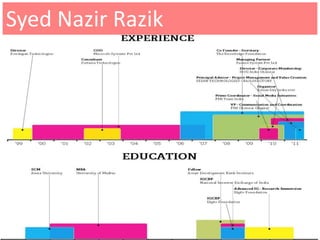
        Syed Nazir Razik
  Nov 22, 2011 09:00 – 12.30pm
      syed@railsfactory.org
        © 2006-11 Rails Factory | www.railsfactory.com
Syed Nazir Razik
Introduction
  • As a Team Member, you WILL be giving
    presentations
  • It would be good, if you were good
  • This presentation will help you be better
    – Point out pitfalls
    – Set some rules
    – Give some examples of do’s
Background
 • To communicate effectively, you must state
   your facts in a simple, concise and
   interesting manner.
 • The central purpose of any presentation,
   written, oral or visual, is communication.
 • You can entertain, inform, excite and even
   shock an audience in virtually any exchange
   of information.
Ask Yourself
  • What do you want to accomplish with your
    presentation?
  • Are you giving the presentation to inspire people
    to volunteer for your cause?
  • Do you need a short, simple presentation that
    leaves the viewer wanting to know more or an
    involved longer presentation that teaches
    audience members how to do a specific task?
Someone’s Rules
 •   KNOW YOUR SUBJECT MATTER .
 •   KNOW YOUR AUDIENCE .
 •   KNOW YOURSELF (and your limits)
 •   DEVELOP A THEME
 •   PREPARE YOUR SCRIPT
     – The opening
     – The Body
     – The Summary
In Advance
 • Think through the practical issues—where and
   how you'll be delivering the presentation.
 • Know the room in which you'll be presenting, how
   big your audience might be, what kind of
   handouts you'll need, and so on.
 • Thinking your presentation through before you
   begin will help you make the right choices as you
   pull everything together.
Use walkthroughs !
  • Select the appropriate Visual Aids
  • Make sure that everything you need will be on site:
     – PC
     – Screen
     – Mike
     – Handouts
  • Rehearse, rehearse, and rehearse
     – For timing
     – For your comfort with the materials
     – Solicit criticism
Introduction to Slides
  •   The purpose is communication
  •   Use text to support the communication
  •   Use pictures only to simplify the complex
  •   Use animations for complex relationships
  •   Visuals should support not distract
  •   Sound only when absolutely necessary
Fonts and Colors !
  • Choose a plain font and stick to it

  • Try to maintain a maximum of four to six lines of
    text per slide

  • Use font sizes large enough to view from
    anywhere in the room

  • Try NOT to use fonts smaller than 28
Backgrounds
 • Choose a consistent background and keep it
   throughout the presentation
 • IF you want a different background it should be
   used to bring attention to ONE slide
 • Choose one type of transition (this is not a
   movie)
 • Use complementary colors (colors that are
   opposite on the color wheel)
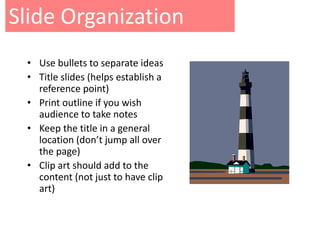
Slide Organization
 • Use bullets to separate ideas
 • Title slides (helps establish a
   reference point)
 • Print outline if you wish
   audience to take notes
 • Keep the title in a general
   location (don’t jump all over
   the page)
 • Clip art should add to the
   content (not just to have clip
   art)
Final Points !
  •   Include only necessary information
  •    Slide content should be self evident
  •    Avoid busy or data intensive slides
  •    Seven words to a line, seven lines to a slide
      (guideline, not a rule)
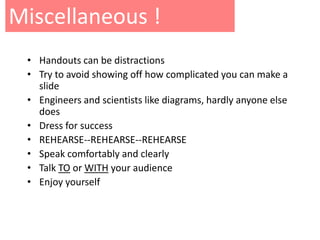
Miscellaneous !
 • Handouts can be distractions
 • Try to avoid showing off how complicated you can make a
   slide
 • Engineers and scientists like diagrams, hardly anyone else
   does
 • Dress for success
 • REHEARSE--REHEARSE--REHEARSE
 • Speak comfortably and clearly
 • Talk TO or WITH your audience
 • Enjoy yourself
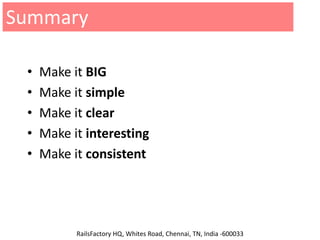
Summary

 •   Make it BIG
 •   Make it simple
 •   Make it clear
 •   Make it interesting
 •   Make it consistent                             Email: info@railsfactory.com


                                                    http://www.twitter.com/railsfactory


           RailsFactory HQ, Whites Road, Chennai, TN, India -600033

Railsfactory delivering presentations

  • 1.
    Delivering Presentations for Stakeholders Syed Nazir Razik Nov 22, 2011 09:00 – 12.30pm syed@railsfactory.org © 2006-11 Rails Factory | www.railsfactory.com
  • 2.
  • 3.
    Introduction •As a Team Member, you WILL be giving presentations • It would be good, if you were good • This presentation will help you be better – Point out pitfalls – Set some rules – Give some examples of do’s
  • 4.
    Background • Tocommunicate effectively, you must state your facts in a simple, concise and interesting manner. • The central purpose of any presentation, written, oral or visual, is communication. • You can entertain, inform, excite and even shock an audience in virtually any exchange of information.
  • 5.
    Ask Yourself • What do you want to accomplish with your presentation? • Are you giving the presentation to inspire people to volunteer for your cause? • Do you need a short, simple presentation that leaves the viewer wanting to know more or an involved longer presentation that teaches audience members how to do a specific task?
  • 6.
    Someone’s Rules • KNOW YOUR SUBJECT MATTER . • KNOW YOUR AUDIENCE . • KNOW YOURSELF (and your limits) • DEVELOP A THEME • PREPARE YOUR SCRIPT – The opening – The Body – The Summary
  • 7.
    In Advance •Think through the practical issues—where and how you'll be delivering the presentation. • Know the room in which you'll be presenting, how big your audience might be, what kind of handouts you'll need, and so on. • Thinking your presentation through before you begin will help you make the right choices as you pull everything together.
  • 8.
    Use walkthroughs ! • Select the appropriate Visual Aids • Make sure that everything you need will be on site: – PC – Screen – Mike – Handouts • Rehearse, rehearse, and rehearse – For timing – For your comfort with the materials – Solicit criticism
  • 9.
    Introduction to Slides • The purpose is communication • Use text to support the communication • Use pictures only to simplify the complex • Use animations for complex relationships • Visuals should support not distract • Sound only when absolutely necessary
  • 10.
    Fonts and Colors! • Choose a plain font and stick to it • Try to maintain a maximum of four to six lines of text per slide • Use font sizes large enough to view from anywhere in the room • Try NOT to use fonts smaller than 28
  • 11.
    Backgrounds • Choosea consistent background and keep it throughout the presentation • IF you want a different background it should be used to bring attention to ONE slide • Choose one type of transition (this is not a movie) • Use complementary colors (colors that are opposite on the color wheel)
  • 12.
    Slide Organization •Use bullets to separate ideas • Title slides (helps establish a reference point) • Print outline if you wish audience to take notes • Keep the title in a general location (don’t jump all over the page) • Clip art should add to the content (not just to have clip art)
  • 13.
    Final Points ! • Include only necessary information • Slide content should be self evident • Avoid busy or data intensive slides • Seven words to a line, seven lines to a slide (guideline, not a rule)
  • 14.
    Miscellaneous ! •Handouts can be distractions • Try to avoid showing off how complicated you can make a slide • Engineers and scientists like diagrams, hardly anyone else does • Dress for success • REHEARSE--REHEARSE--REHEARSE • Speak comfortably and clearly • Talk TO or WITH your audience • Enjoy yourself
  • 15.
    Summary • Make it BIG • Make it simple • Make it clear • Make it interesting • Make it consistent Email: info@railsfactory.com http://www.twitter.com/railsfactory RailsFactory HQ, Whites Road, Chennai, TN, India -600033