Debug Android
Debugging
● ADB command
● Debugging on Android Studio
○ System Log
○ Setting Breakpoint
○ Android Device Monitor
ADB(Android Debug Bridge)
● Versatile command line tool that lets you
communicate with an emulator instance or connected
Android-powered device.
● Also provides a Unix shell that you can use to run a
variety of commands on an emulator or connected
device
● http://developer.android.com/tools/help/adb.html
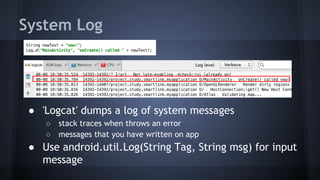
System Log
● 'Logcat' dumps a log of system messages
○ stack traces when throws an error
○ messages that you have written on app
● Use android.util.Log(String Tag, String msg) for input
message
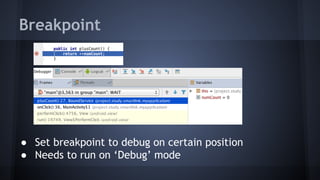
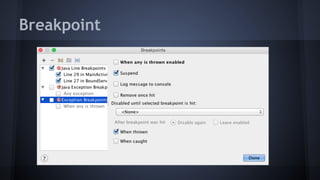
Breakpoint
● Set breakpoint to debug on certain position
● Needs to run on ‘Debug’ mode
Breakpoint
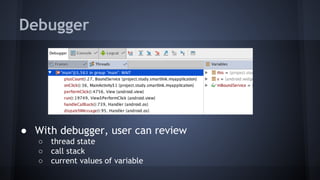
Debugger
● With debugger, user can review
○ thread state
○ call stack
○ current values of variable
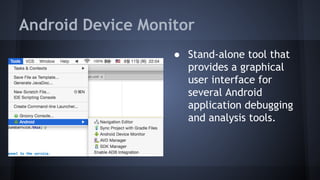
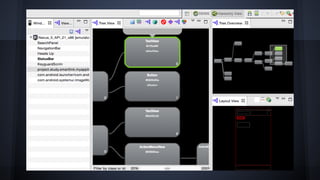
Android Device Monitor
● Stand-alone tool that
provides a graphical
user interface for
several Android
application debugging
and analysis tools.
Debug android

Debug android

  • 1.
  • 2.
    Debugging ● ADB command ●Debugging on Android Studio ○ System Log ○ Setting Breakpoint ○ Android Device Monitor
  • 3.
    ADB(Android Debug Bridge) ●Versatile command line tool that lets you communicate with an emulator instance or connected Android-powered device. ● Also provides a Unix shell that you can use to run a variety of commands on an emulator or connected device ● http://developer.android.com/tools/help/adb.html
  • 4.
    System Log ● 'Logcat'dumps a log of system messages ○ stack traces when throws an error ○ messages that you have written on app ● Use android.util.Log(String Tag, String msg) for input message
  • 5.
    Breakpoint ● Set breakpointto debug on certain position ● Needs to run on ‘Debug’ mode
  • 6.
  • 7.
    Debugger ● With debugger,user can review ○ thread state ○ call stack ○ current values of variable
  • 8.
    Android Device Monitor ●Stand-alone tool that provides a graphical user interface for several Android application debugging and analysis tools.