UNIT 1
Database System and Data Models
Database Management System
(09CE1302)
Department of Computer Engineering
Faculty of Diploma Studies
- Surabhi Palkar (Assistant Professor) 1
What is Data?
Prof. Surabhi Palkar
Database Management System (09CE1302)
2
What is Data?
Prof. Surabhi Palkar
Database Management System (09CE1302)
 Data is a collection of one or more values.
 These values are nothing meaningful but raw, unstructured facts
and descriptions such as characters, numbers or any other data
type.
 Generally, the data has no meaningful purpose or significance.
 The data is processed appropriately to make it meaningful
otherwise it has little or no meaning to human beings.
3
What is Information?
4
Prof. Surabhi Palkar
Database Management System (09CE1302)
What is Information?
5
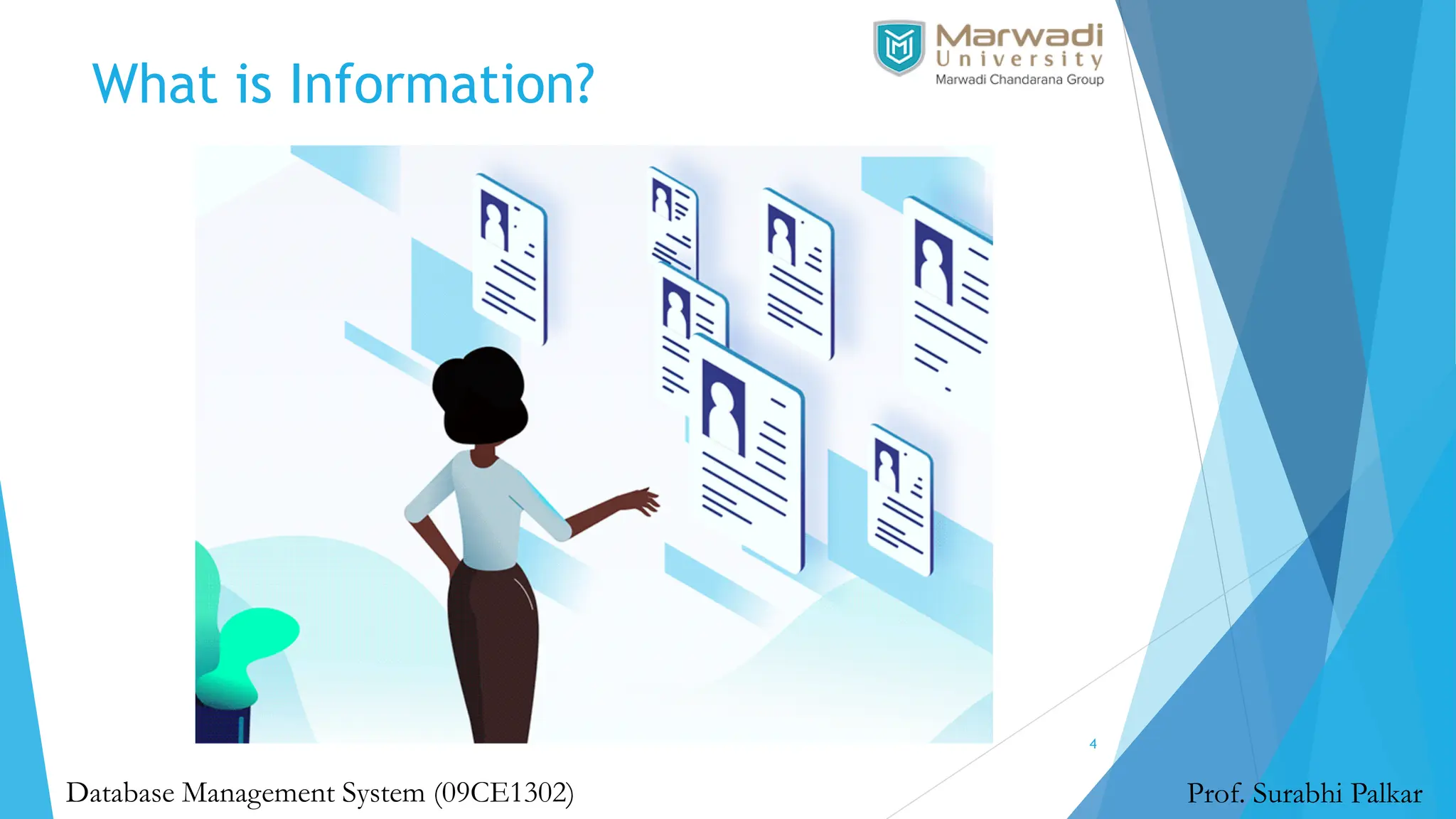
 Information is a set of organized or interpreted data that has
already been processed in a meaningful manner according to
given requirements.
 It is processed, structured or presented in the desired context
to make it meaningful and useful so that human beings can
read, understand and use it.
 Information is processed data that includes data with context,
relevance, and purpose which helps to reduce undetectability
and reduce uncertainty.
Prof. Surabhi Palkar
Database Management System (09CE1302)
What is Database?
6
Prof. Surabhi Palkar
Database Management System (09CE1302)
What is Database?
7
Prof. Surabhi Palkar
Database Management System (09CE1302)
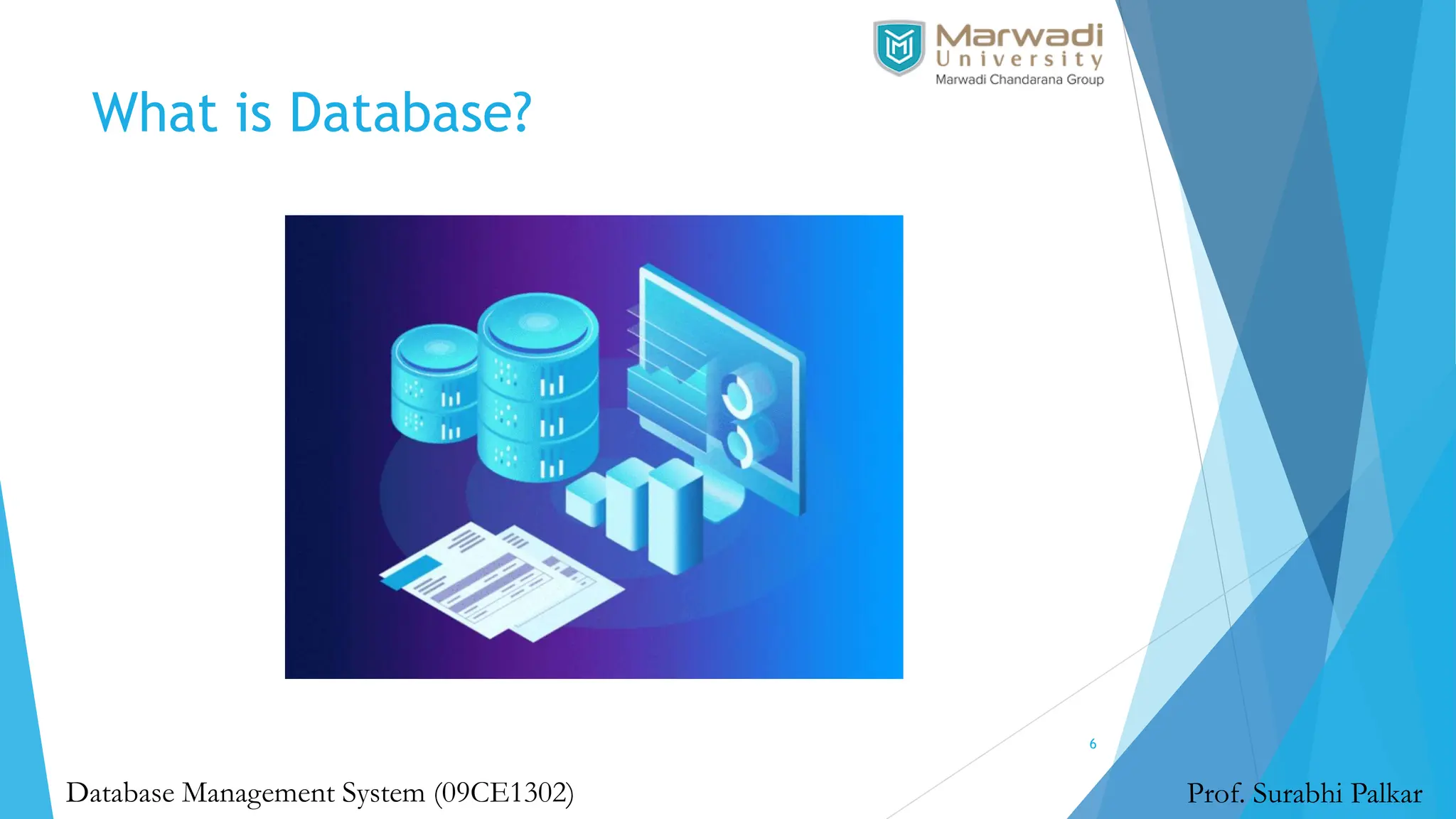
 A database is an organized collection of data, so that it
can be easily accessed and managed.
 You can organize data into tables, rows, columns, and
index it to make it easier to find relevant information.
 The main purpose of the database is to operate a large
amount of information by storing, retrieving, and
managing data.
 Modern databases are managed by the database
management system (DBMS).
 SQL or Structured Query Language is used to operate on
the data stored in a database.
What is Database Management System?
8
Prof. Surabhi Palkar
Database Management System (09CE1302)
What is Database Management System?
9
Prof. Surabhi Palkar
Database Management System (09CE1302)
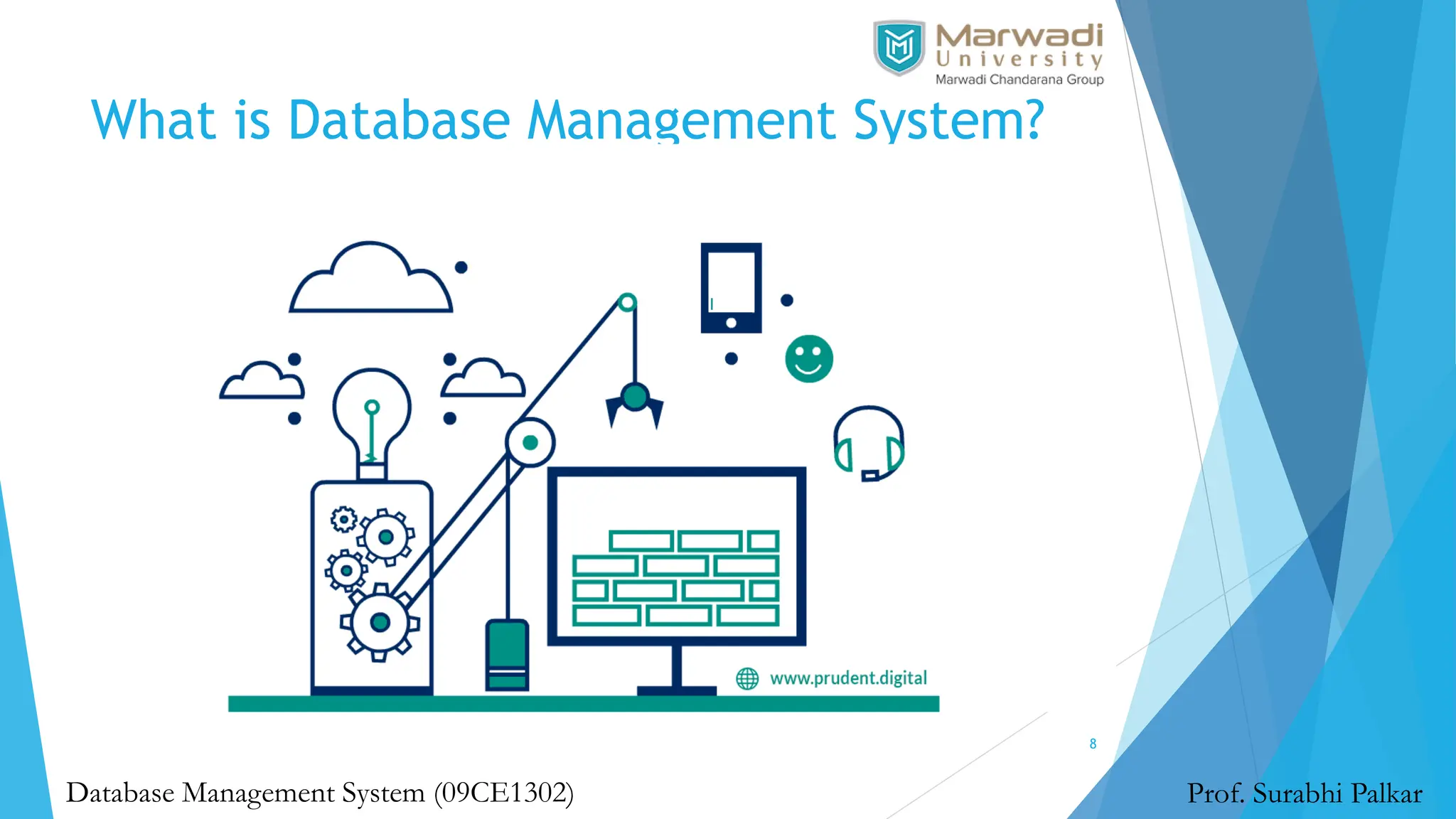
 A database-management system (DBMS) is a collection of
interrelated data and a set of programs to access those
data.
 The collection of data, usually referred to as the
database, contains information relevant to an enterprise.
 The primary goal of a DBMS is to provide a way to store
and retrieve database information that is both convenient
and efficient.
What is File System?
10
Prof. Surabhi Palkar
Database Management System (09CE1302)
 A File Management system allows access to single files or
tables at a time.
 In a File System, data is directly stored in a set of files.
 It contains flat files that have no relation to other files (when
only one table is stored in a single file, then this file is known
as a flat file).
 This typical file-processing system is supported by a
conventional operating system.
 The system stores permanent records in various files, and it
needs different application programs to extract records from,
and add records to, the appropriate files.
What is Relational Database
Management System?
11
Prof. Surabhi Palkar
Database Management System (09CE1302)
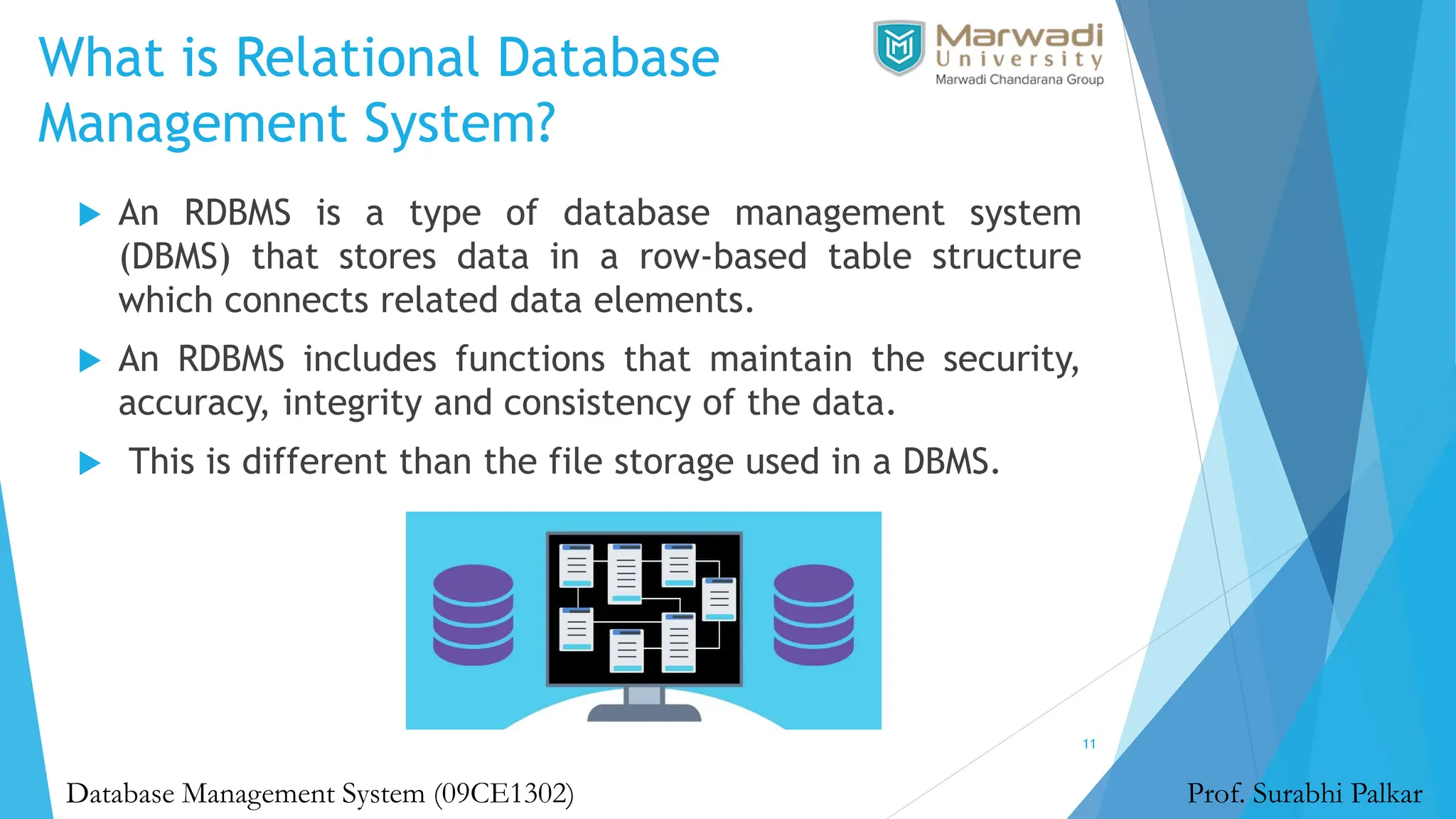
 An RDBMS is a type of database management system
(DBMS) that stores data in a row-based table structure
which connects related data elements.
 An RDBMS includes functions that maintain the security,
accuracy, integrity and consistency of the data.
 This is different than the file storage used in a DBMS.
Advantages of DBMS over File System
12
Prof. Surabhi Palkar
Database Management System (09CE1302)
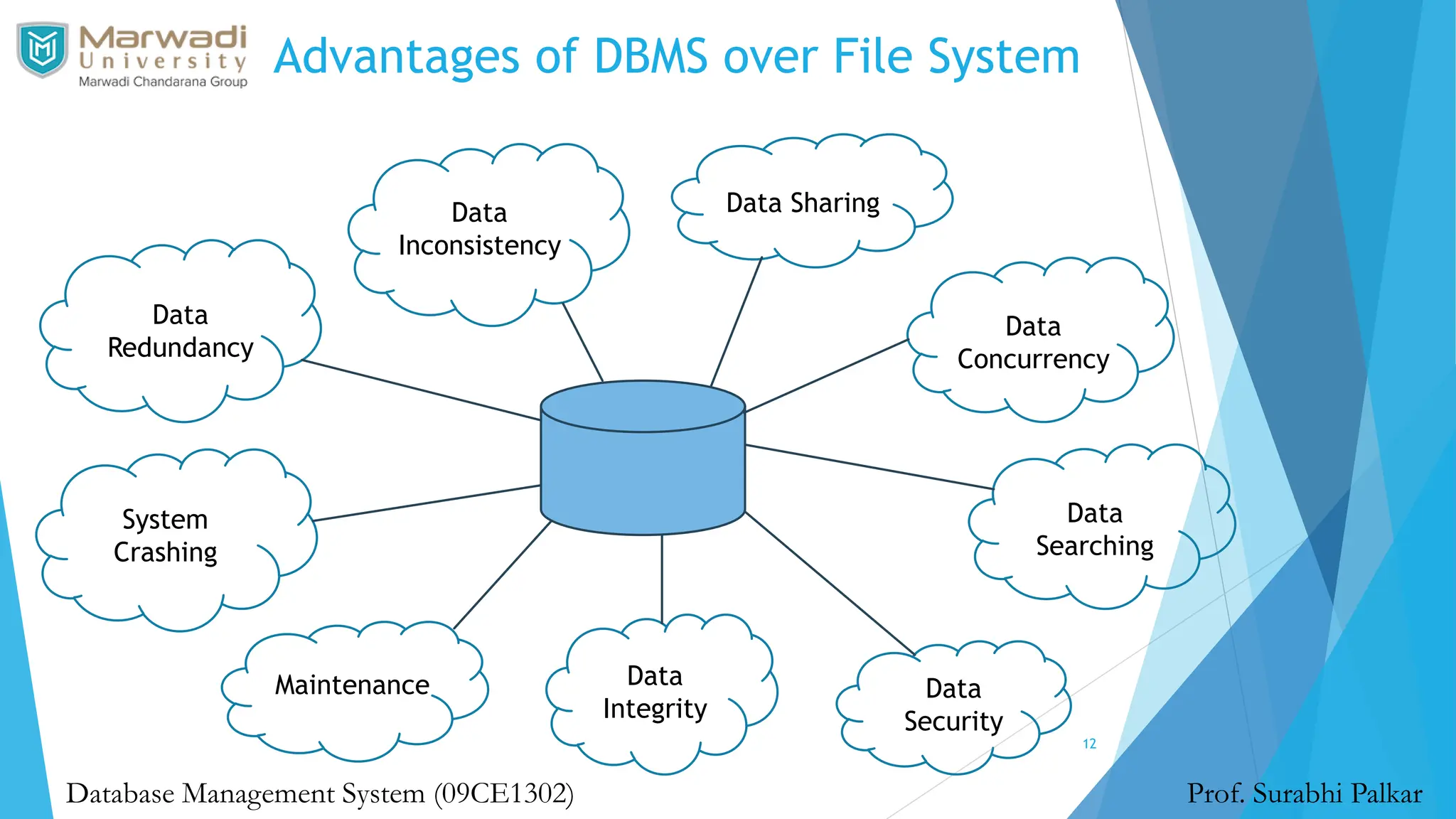
Data
Redundancy
Data
Inconsistency
Data Sharing
Data
Concurrency
Data
Searching
Data
Integrity
Data
Security
System
Crashing
Maintenance
Summary
13
Prof. Surabhi Palkar
Database Management System (09CE1302)
Data Models
14
Prof. Surabhi Palkar
Database Management System (09CE1302)
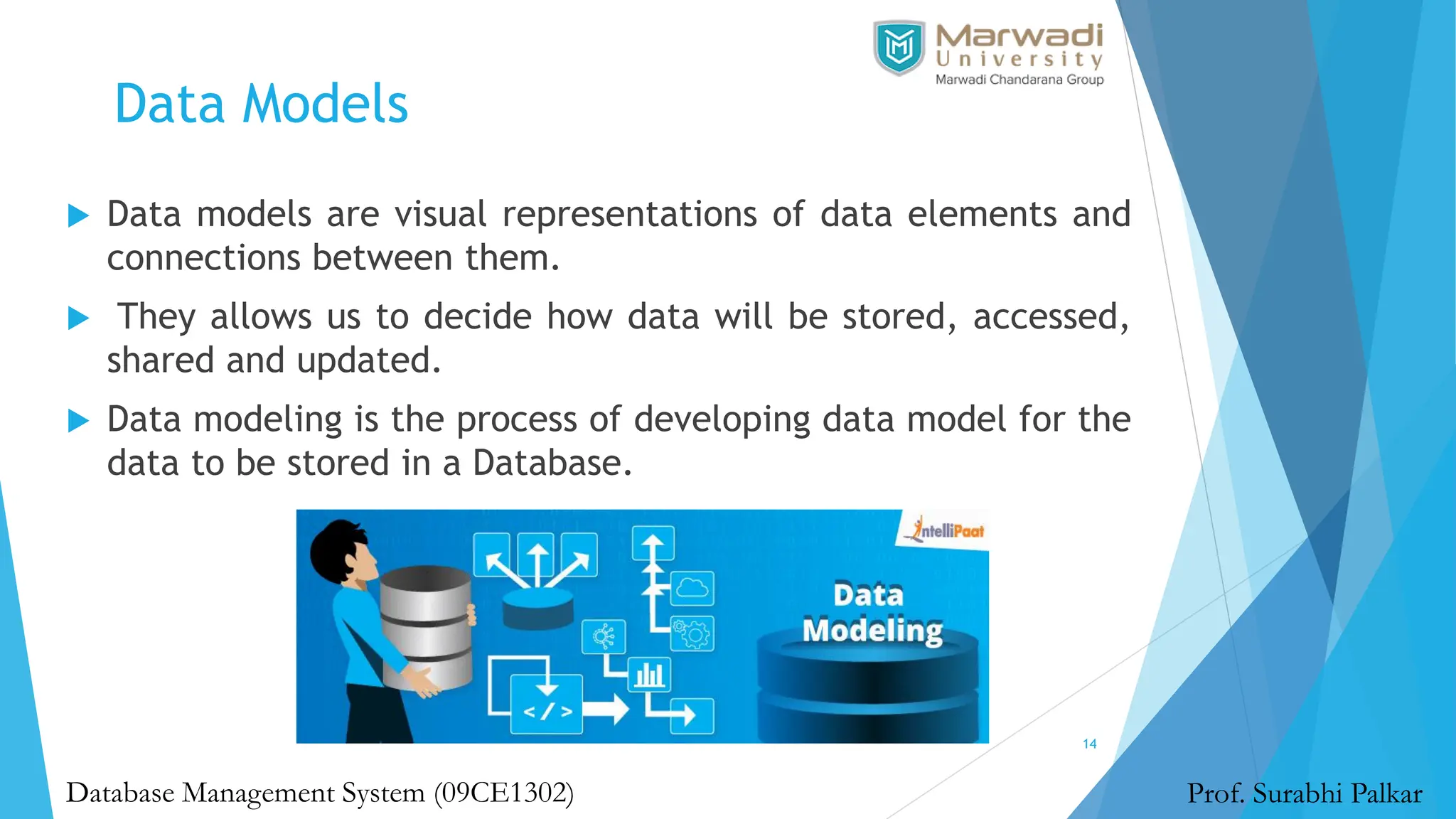
 Data models are visual representations of data elements and
connections between them.
 They allows us to decide how data will be stored, accessed,
shared and updated.
 Data modeling is the process of developing data model for the
data to be stored in a Database.
Types of Data Models
15
Prof. Surabhi Palkar
Database Management System (09CE1302)
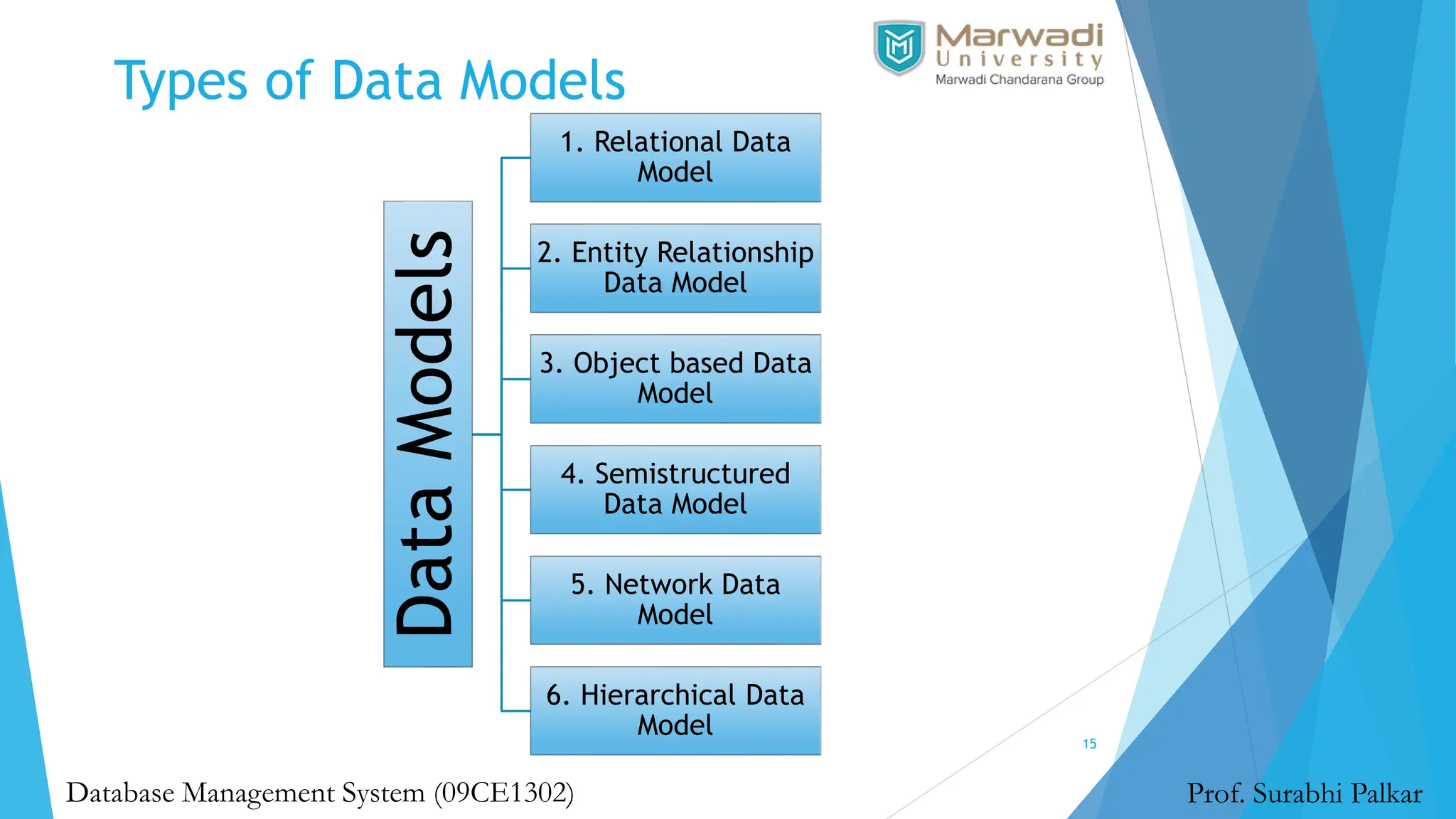
Data
Models
1. Relational Data
Model
2. Entity Relationship
Data Model
3. Object based Data
Model
4. Semistructured
Data Model
5. Network Data
Model
6. Hierarchical Data
Model
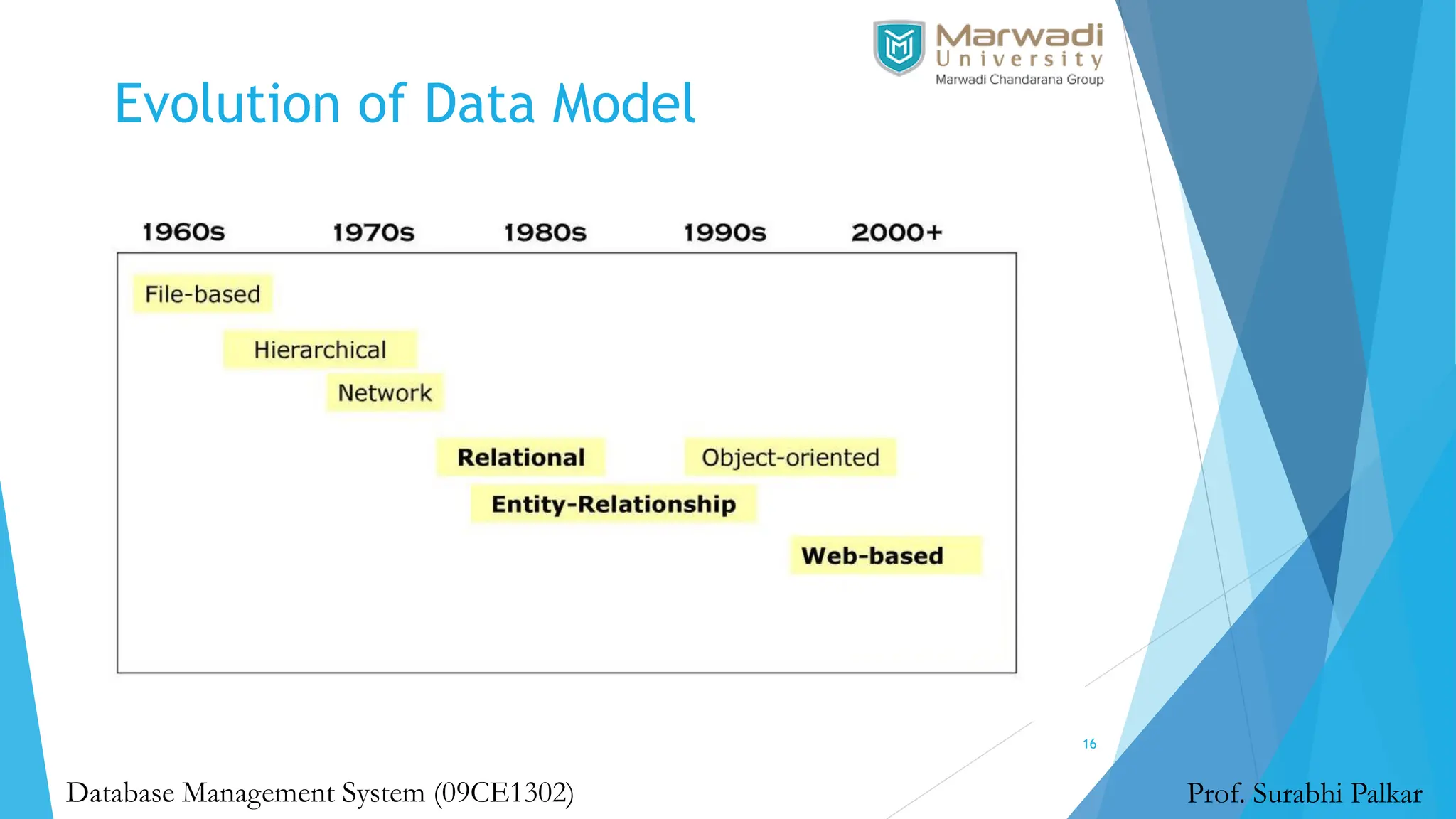
Evolution of Data Model
16
Prof. Surabhi Palkar
Database Management System (09CE1302)
Hierarchical Data Model
17
Prof. Surabhi Palkar
Database Management System (09CE1302)
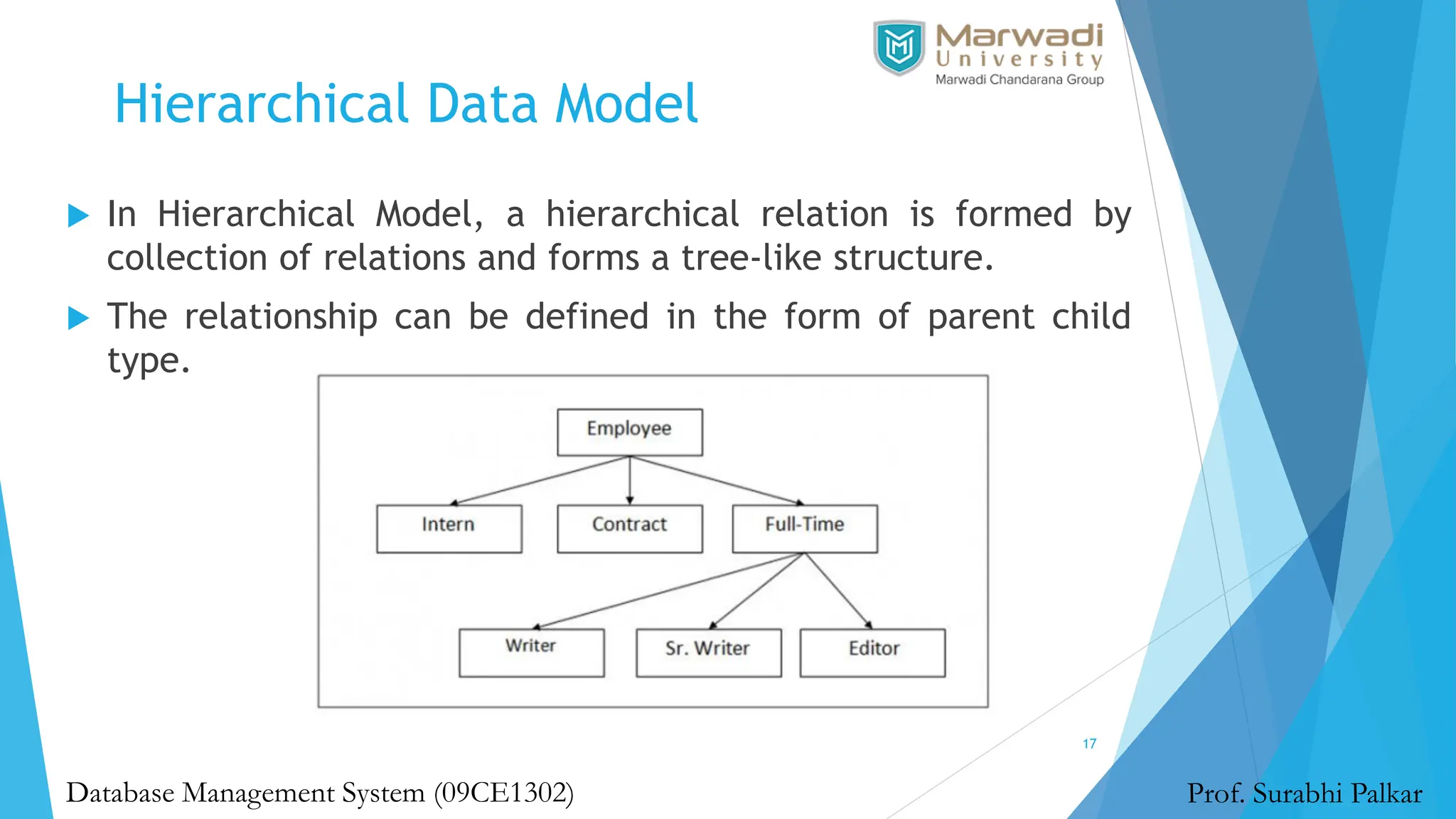
 In Hierarchical Model, a hierarchical relation is formed by
collection of relations and forms a tree-like structure.
 The relationship can be defined in the form of parent child
type.
Hierarchical Data Model
18
Prof. Surabhi Palkar
Database Management System (09CE1302)
 The hierarchical Model is one of the oldest models in the data
model which was developed by IBM, in the 1950s.
 In a hierarchical model, data are viewed as a collection of
tables, or we can say segments that form a hierarchical
relation.
 In this, the data is organized into a tree-like structure where
each record consists of one parent record and many children.
Network Data Model
19
Prof. Surabhi Palkar
Database Management System (09CE1302)
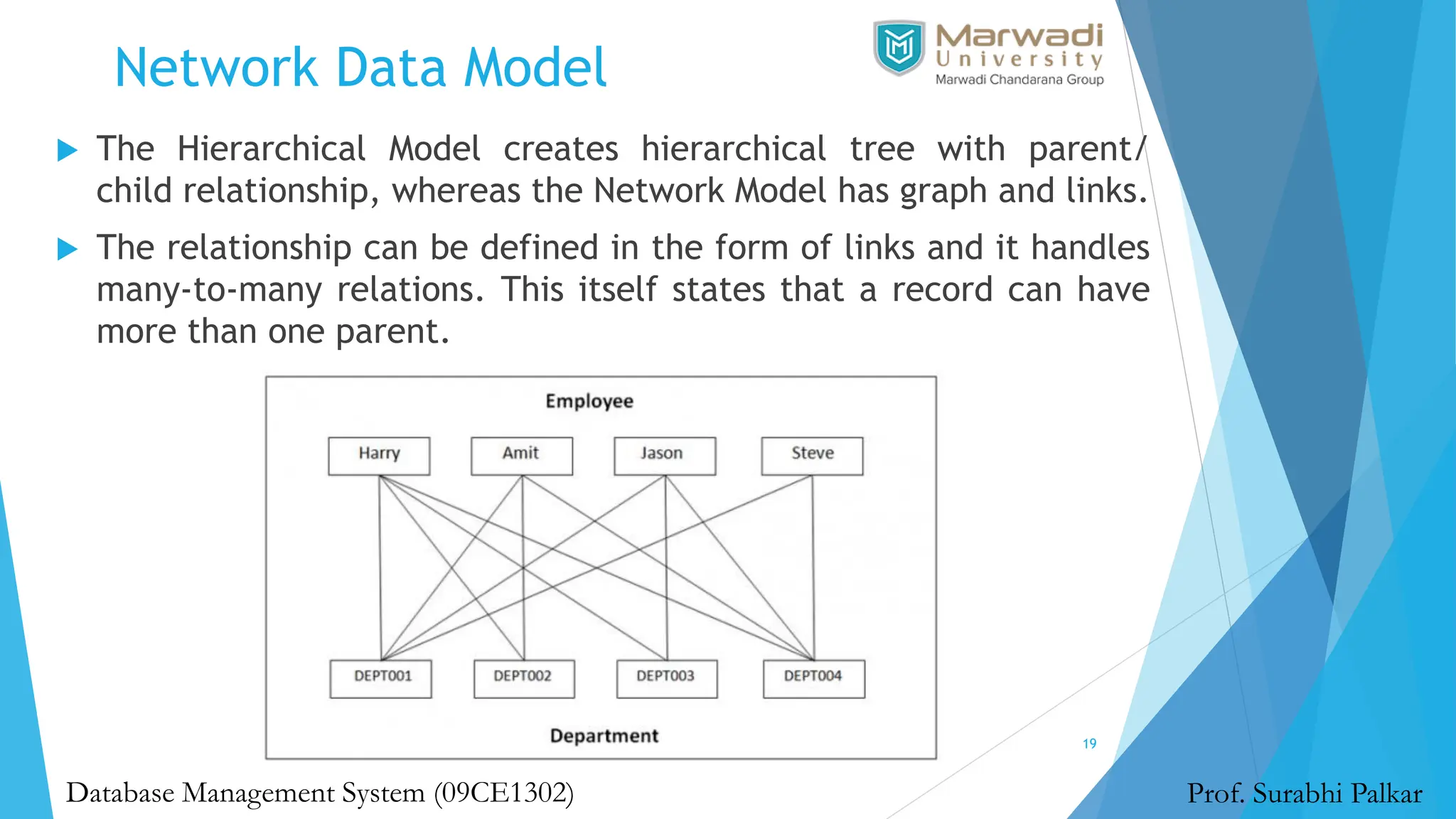
 The Hierarchical Model creates hierarchical tree with parent/
child relationship, whereas the Network Model has graph and links.
 The relationship can be defined in the form of links and it handles
many-to-many relations. This itself states that a record can have
more than one parent.
Network Data Model
20
Prof. Surabhi Palkar
Database Management System (09CE1302)
 The Network Model was formalized by the Database Task group
in the 1960s.
 This model is the generalization of the hierarchical model.
 This model can consist of multiple parent segments and these
segments are grouped as levels but there exists a logical
association between the segments belonging to any level.
Mostly, there exists a many-to-many logical association
between any of the two segments.
Relational Data Model
21
Prof. Surabhi Palkar
Database Management System (09CE1302)
 This type of model designs the data in the form of rows and
columns within a table.
 Thus, a relational model uses tables for representing data and
in-between relationships. Tables are also called relations.
 This model was initially described by Edgar F. Codd, in 1969.
The relational data model is the widely used model which is
primarily used by commercial data processing applications.
Entity-Relationship Data Model
22
Prof. Surabhi Palkar
Database Management System (09CE1302)
 An ER model is the logical representation of data as objects
and relationships among them.
 These objects are known as entities, and relationship is an
association among these entities.
 This model was designed by Peter Chen and published in 1976
papers. It was widely used in database designing.
 A set of attributes describe the entities.
 For example, student_name, student_id describes the
'student' entity.
Object based Data Model
23
Prof. Surabhi Palkar
Database Management System (09CE1302)
 An extension of the ER model with notions of functions,
encapsulation, and object identity, as well. This model supports a
rich type system that includes structured and collection types.
 Thus, in 1980s, various database systems following the object-
oriented approach were developed.
 Here, the objects are nothing but the data carrying its properties.
 In the Object-Oriented Data Model, data and their relationships are
contained in a single structure which is referred to as an object in
this data model.
 In this, real-world problems are represented as objects with
different attributes. All objects have multiple relationships
between them.
 Basically, it is a combination of Object Oriented programming and a
Relational Database Model.
Semi-structured Data Model
24
Prof. Surabhi Palkar
Database Management System (09CE1302)
 This type of data model is different from the other three data
models.
 The semistructured data model allows the data specifications at
places where the individual data items of the same type may have
different attributes sets.
 The Extensible Markup Language, also known as XML, is widely used
for representing the semistructured data.
 Although XML was initially designed for including the markup
information to the text document, it gains importance because of
its application in the exchange of data.
 Semi-Structured data models deal with the data in a flexible way.
Some entities may have extra attributes and some entities may
have some missing attributes. Basically, you can represent data
here in a flexible way.
Advantages of Data Models
25
Prof. Surabhi Palkar
Database Management System (09CE1302)
 Data Models help us in representing data accurately.
 It helps us in finding the missing data and also in minimizing
Data Redundancy.
 Data Model provides data security in a better way.
 The data model should be detailed enough to be used for
building the physical database.
 The information in the data model can be used for defining
the relationship between tables, primary and foreign keys,
and stored procedures.
Basic Building blocks of Data Models
26
Prof. Surabhi Palkar
Database Management System (09CE1302)
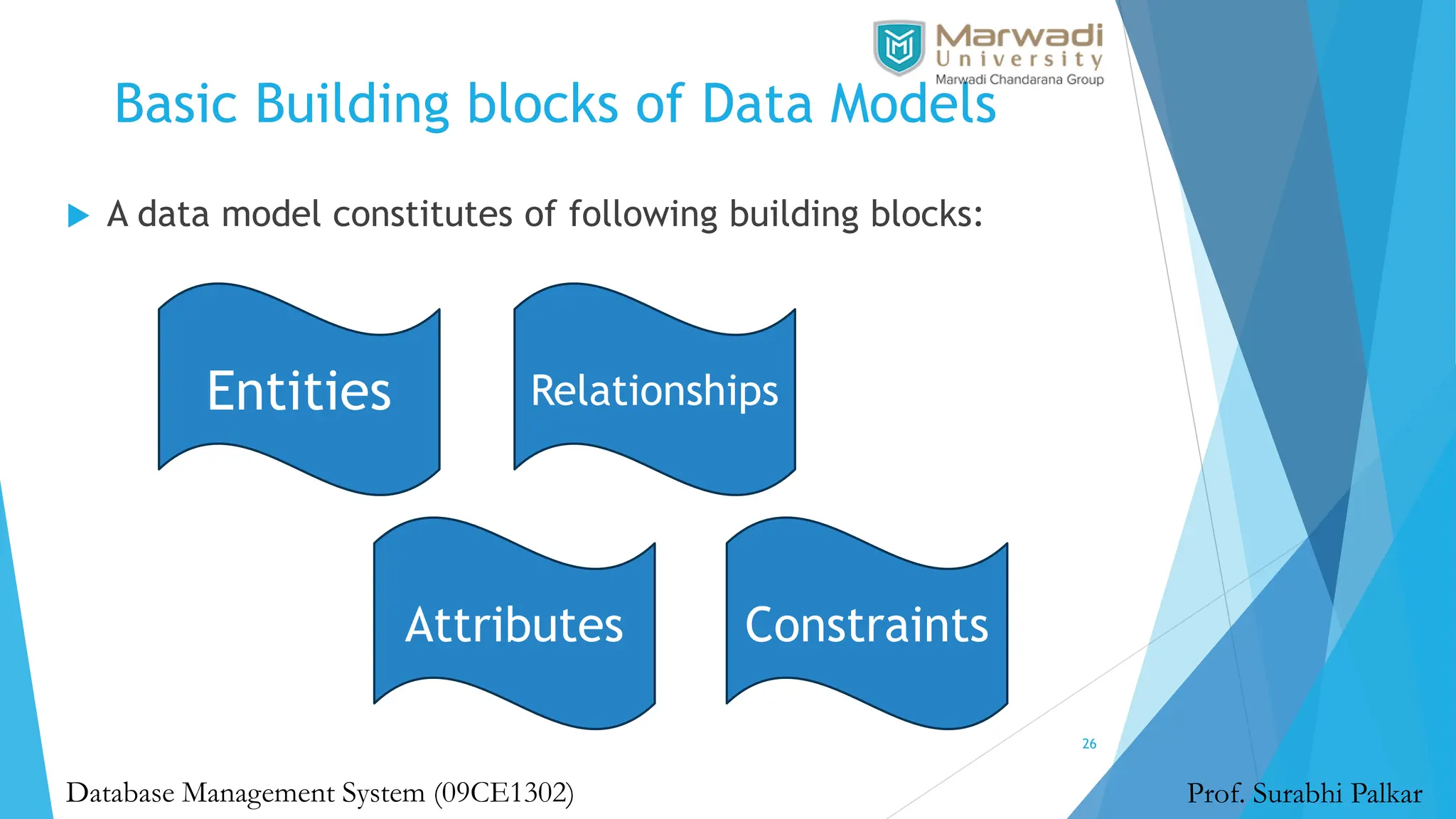
 A data model constitutes of following building blocks:
Entities
Attributes
Relationships
Constraints
Basic Building blocks of Data Models
27
Prof. Surabhi Palkar
Database Management System (09CE1302)
 Entities: Entities are real time objects that exist. It can be a person,
place, object, event, concept. Entities are represented by a rectangle box
containing the entity name in it. Example: Student, employee.
 Attributes: It is the set of characteristics representing an entity. It is
represented by a ellipse symbol with attribute name on it. Example: A
student has attributes like name, roll number, age and much more.
 Relationship: It describes the association between two entities. It is
represented using diamond symbol containing relationship name with it.
The data model generally uses three kinds of relationships: one to many,
many to many, one to one. Example: The relationship between two
entities Student and Class has many to many relationship.
 Constraints: Constraints are conditions applied on the data. It provides
the data integrity. Example: A student can take a maximum of 2 books
from the library is applied as a constraint on the student database.
Business Rules
28
Prof. Surabhi Palkar
Database Management System (09CE1302)
 Business rules are set of approved guidelines or framework
within an organization. They simplify daily operations of any
organization.
 From an engineering perspective, a business rule is set of
reusable logic.
 Examples:
 Hierarchy of decision making and approving company invoices
 Company policies in taking medical leave
 At database level, business rules will become constraints.
 Example: Each customers invoice should have an unique
identifying number.
Business Rules
29
Prof. Surabhi Palkar
Database Management System (09CE1302)
 So what are Constraints?
The word gives you the meaning – Limitations!
 What do we limit?
The behavior/process/mechanism/pattern of organization.
 Constraints allows you to maintain a unique structure of the
database.
What is Data Abstraction?
30
Prof. Surabhi Palkar
Database Management System (09CE1302)
What is Data Abstraction?
31
Prof. Surabhi Palkar
Database Management System (09CE1302)
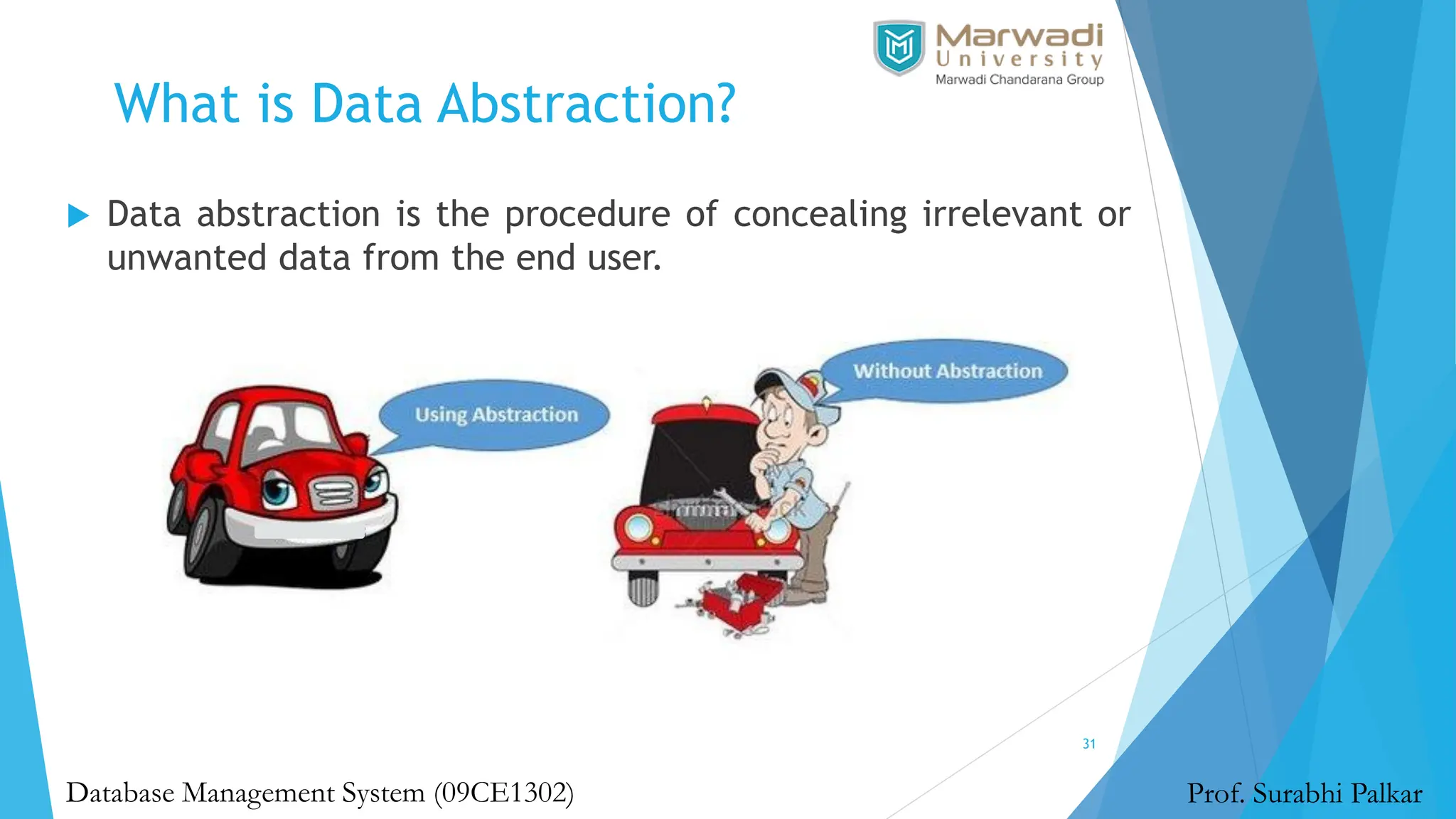
 Data abstraction is the procedure of concealing irrelevant or
unwanted data from the end user.
Degrees of Data Abstraction
32
Prof. Surabhi Palkar
Database Management System (09CE1302)
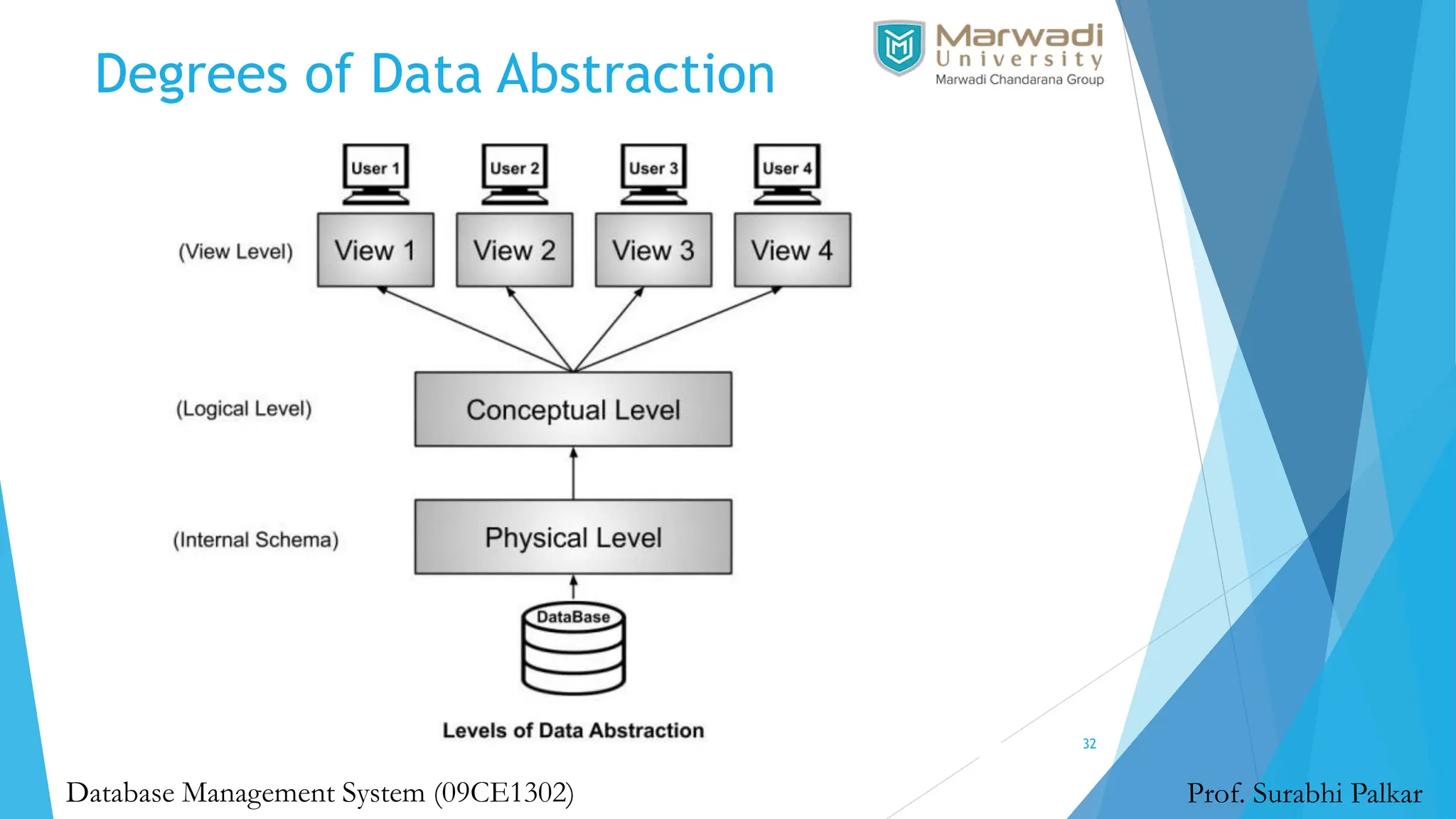
1. Physical or Internal Level
33
Prof. Surabhi Palkar
Database Management System (09CE1302)
 The physical or internal level is the lowest level of data
abstraction in the database management system.
 It is the layer that defines how data is actually stored in the
database. It defines methods to access the data in the database.
 It defines complex data structures in detail, so it is very complex
to understand, which is why it is kept hidden from the end user.
 Data Administrators (DBA) decide how to arrange data and where
to store data.
 The Data Administrator (DBA) is the person whose role is to
manage the data in the database at the physical or internal level.
 There is a data center that securely stores the raw data in detail
on hard drives at this level.
2. Logical or Conceptual level
34
Prof. Surabhi Palkar
Database Management System (09CE1302)
 The logical or conceptual level is the intermediate or next
level of data abstraction.
 It explains what data is going to be stored in the database and
what the relationship is between them.
 It describes the structure of the entire data in the form of
tables.
 The logical level or conceptual level is less complex than the
physical level.
 With the help of the logical level, Data Administrators (DBA)
abstract data from raw data present at the physical level.
3. View or External Level
35
Prof. Surabhi Palkar
Database Management System (09CE1302)
 View or External Level is the highest level of data abstraction.
 There are different views at this level that define the parts of
the overall data of the database.
 This level is for the end-user interaction; at this level, end
users can access the data based on their queries.
Advantages of Data Abstraction
36
Prof. Surabhi Palkar
Database Management System (09CE1302)
 Users can easily access the data based on their queries.
 It provides security to the data stored in the database.
 Database systems work efficiently because of data abstraction.

Database System and Data Models - DBMS - MU

  • 1.
    UNIT 1 Database Systemand Data Models Database Management System (09CE1302) Department of Computer Engineering Faculty of Diploma Studies - Surabhi Palkar (Assistant Professor) 1
  • 2.
    What is Data? Prof.Surabhi Palkar Database Management System (09CE1302) 2
  • 3.
    What is Data? Prof.Surabhi Palkar Database Management System (09CE1302)  Data is a collection of one or more values.  These values are nothing meaningful but raw, unstructured facts and descriptions such as characters, numbers or any other data type.  Generally, the data has no meaningful purpose or significance.  The data is processed appropriately to make it meaningful otherwise it has little or no meaning to human beings. 3
  • 4.
    What is Information? 4 Prof.Surabhi Palkar Database Management System (09CE1302)
  • 5.
    What is Information? 5 Information is a set of organized or interpreted data that has already been processed in a meaningful manner according to given requirements.  It is processed, structured or presented in the desired context to make it meaningful and useful so that human beings can read, understand and use it.  Information is processed data that includes data with context, relevance, and purpose which helps to reduce undetectability and reduce uncertainty. Prof. Surabhi Palkar Database Management System (09CE1302)
  • 6.
    What is Database? 6 Prof.Surabhi Palkar Database Management System (09CE1302)
  • 7.
    What is Database? 7 Prof.Surabhi Palkar Database Management System (09CE1302)  A database is an organized collection of data, so that it can be easily accessed and managed.  You can organize data into tables, rows, columns, and index it to make it easier to find relevant information.  The main purpose of the database is to operate a large amount of information by storing, retrieving, and managing data.  Modern databases are managed by the database management system (DBMS).  SQL or Structured Query Language is used to operate on the data stored in a database.
  • 8.
    What is DatabaseManagement System? 8 Prof. Surabhi Palkar Database Management System (09CE1302)
  • 9.
    What is DatabaseManagement System? 9 Prof. Surabhi Palkar Database Management System (09CE1302)  A database-management system (DBMS) is a collection of interrelated data and a set of programs to access those data.  The collection of data, usually referred to as the database, contains information relevant to an enterprise.  The primary goal of a DBMS is to provide a way to store and retrieve database information that is both convenient and efficient.
  • 10.
    What is FileSystem? 10 Prof. Surabhi Palkar Database Management System (09CE1302)  A File Management system allows access to single files or tables at a time.  In a File System, data is directly stored in a set of files.  It contains flat files that have no relation to other files (when only one table is stored in a single file, then this file is known as a flat file).  This typical file-processing system is supported by a conventional operating system.  The system stores permanent records in various files, and it needs different application programs to extract records from, and add records to, the appropriate files.
  • 11.
    What is RelationalDatabase Management System? 11 Prof. Surabhi Palkar Database Management System (09CE1302)  An RDBMS is a type of database management system (DBMS) that stores data in a row-based table structure which connects related data elements.  An RDBMS includes functions that maintain the security, accuracy, integrity and consistency of the data.  This is different than the file storage used in a DBMS.
  • 12.
    Advantages of DBMSover File System 12 Prof. Surabhi Palkar Database Management System (09CE1302) Data Redundancy Data Inconsistency Data Sharing Data Concurrency Data Searching Data Integrity Data Security System Crashing Maintenance
  • 13.
    Summary 13 Prof. Surabhi Palkar DatabaseManagement System (09CE1302)
  • 14.
    Data Models 14 Prof. SurabhiPalkar Database Management System (09CE1302)  Data models are visual representations of data elements and connections between them.  They allows us to decide how data will be stored, accessed, shared and updated.  Data modeling is the process of developing data model for the data to be stored in a Database.
  • 15.
    Types of DataModels 15 Prof. Surabhi Palkar Database Management System (09CE1302) Data Models 1. Relational Data Model 2. Entity Relationship Data Model 3. Object based Data Model 4. Semistructured Data Model 5. Network Data Model 6. Hierarchical Data Model
  • 16.
    Evolution of DataModel 16 Prof. Surabhi Palkar Database Management System (09CE1302)
  • 17.
    Hierarchical Data Model 17 Prof.Surabhi Palkar Database Management System (09CE1302)  In Hierarchical Model, a hierarchical relation is formed by collection of relations and forms a tree-like structure.  The relationship can be defined in the form of parent child type.
  • 18.
    Hierarchical Data Model 18 Prof.Surabhi Palkar Database Management System (09CE1302)  The hierarchical Model is one of the oldest models in the data model which was developed by IBM, in the 1950s.  In a hierarchical model, data are viewed as a collection of tables, or we can say segments that form a hierarchical relation.  In this, the data is organized into a tree-like structure where each record consists of one parent record and many children.
  • 19.
    Network Data Model 19 Prof.Surabhi Palkar Database Management System (09CE1302)  The Hierarchical Model creates hierarchical tree with parent/ child relationship, whereas the Network Model has graph and links.  The relationship can be defined in the form of links and it handles many-to-many relations. This itself states that a record can have more than one parent.
  • 20.
    Network Data Model 20 Prof.Surabhi Palkar Database Management System (09CE1302)  The Network Model was formalized by the Database Task group in the 1960s.  This model is the generalization of the hierarchical model.  This model can consist of multiple parent segments and these segments are grouped as levels but there exists a logical association between the segments belonging to any level. Mostly, there exists a many-to-many logical association between any of the two segments.
  • 21.
    Relational Data Model 21 Prof.Surabhi Palkar Database Management System (09CE1302)  This type of model designs the data in the form of rows and columns within a table.  Thus, a relational model uses tables for representing data and in-between relationships. Tables are also called relations.  This model was initially described by Edgar F. Codd, in 1969. The relational data model is the widely used model which is primarily used by commercial data processing applications.
  • 22.
    Entity-Relationship Data Model 22 Prof.Surabhi Palkar Database Management System (09CE1302)  An ER model is the logical representation of data as objects and relationships among them.  These objects are known as entities, and relationship is an association among these entities.  This model was designed by Peter Chen and published in 1976 papers. It was widely used in database designing.  A set of attributes describe the entities.  For example, student_name, student_id describes the 'student' entity.
  • 23.
    Object based DataModel 23 Prof. Surabhi Palkar Database Management System (09CE1302)  An extension of the ER model with notions of functions, encapsulation, and object identity, as well. This model supports a rich type system that includes structured and collection types.  Thus, in 1980s, various database systems following the object- oriented approach were developed.  Here, the objects are nothing but the data carrying its properties.  In the Object-Oriented Data Model, data and their relationships are contained in a single structure which is referred to as an object in this data model.  In this, real-world problems are represented as objects with different attributes. All objects have multiple relationships between them.  Basically, it is a combination of Object Oriented programming and a Relational Database Model.
  • 24.
    Semi-structured Data Model 24 Prof.Surabhi Palkar Database Management System (09CE1302)  This type of data model is different from the other three data models.  The semistructured data model allows the data specifications at places where the individual data items of the same type may have different attributes sets.  The Extensible Markup Language, also known as XML, is widely used for representing the semistructured data.  Although XML was initially designed for including the markup information to the text document, it gains importance because of its application in the exchange of data.  Semi-Structured data models deal with the data in a flexible way. Some entities may have extra attributes and some entities may have some missing attributes. Basically, you can represent data here in a flexible way.
  • 25.
    Advantages of DataModels 25 Prof. Surabhi Palkar Database Management System (09CE1302)  Data Models help us in representing data accurately.  It helps us in finding the missing data and also in minimizing Data Redundancy.  Data Model provides data security in a better way.  The data model should be detailed enough to be used for building the physical database.  The information in the data model can be used for defining the relationship between tables, primary and foreign keys, and stored procedures.
  • 26.
    Basic Building blocksof Data Models 26 Prof. Surabhi Palkar Database Management System (09CE1302)  A data model constitutes of following building blocks: Entities Attributes Relationships Constraints
  • 27.
    Basic Building blocksof Data Models 27 Prof. Surabhi Palkar Database Management System (09CE1302)  Entities: Entities are real time objects that exist. It can be a person, place, object, event, concept. Entities are represented by a rectangle box containing the entity name in it. Example: Student, employee.  Attributes: It is the set of characteristics representing an entity. It is represented by a ellipse symbol with attribute name on it. Example: A student has attributes like name, roll number, age and much more.  Relationship: It describes the association between two entities. It is represented using diamond symbol containing relationship name with it. The data model generally uses three kinds of relationships: one to many, many to many, one to one. Example: The relationship between two entities Student and Class has many to many relationship.  Constraints: Constraints are conditions applied on the data. It provides the data integrity. Example: A student can take a maximum of 2 books from the library is applied as a constraint on the student database.
  • 28.
    Business Rules 28 Prof. SurabhiPalkar Database Management System (09CE1302)  Business rules are set of approved guidelines or framework within an organization. They simplify daily operations of any organization.  From an engineering perspective, a business rule is set of reusable logic.  Examples:  Hierarchy of decision making and approving company invoices  Company policies in taking medical leave  At database level, business rules will become constraints.  Example: Each customers invoice should have an unique identifying number.
  • 29.
    Business Rules 29 Prof. SurabhiPalkar Database Management System (09CE1302)  So what are Constraints? The word gives you the meaning – Limitations!  What do we limit? The behavior/process/mechanism/pattern of organization.  Constraints allows you to maintain a unique structure of the database.
  • 30.
    What is DataAbstraction? 30 Prof. Surabhi Palkar Database Management System (09CE1302)
  • 31.
    What is DataAbstraction? 31 Prof. Surabhi Palkar Database Management System (09CE1302)  Data abstraction is the procedure of concealing irrelevant or unwanted data from the end user.
  • 32.
    Degrees of DataAbstraction 32 Prof. Surabhi Palkar Database Management System (09CE1302)
  • 33.
    1. Physical orInternal Level 33 Prof. Surabhi Palkar Database Management System (09CE1302)  The physical or internal level is the lowest level of data abstraction in the database management system.  It is the layer that defines how data is actually stored in the database. It defines methods to access the data in the database.  It defines complex data structures in detail, so it is very complex to understand, which is why it is kept hidden from the end user.  Data Administrators (DBA) decide how to arrange data and where to store data.  The Data Administrator (DBA) is the person whose role is to manage the data in the database at the physical or internal level.  There is a data center that securely stores the raw data in detail on hard drives at this level.
  • 34.
    2. Logical orConceptual level 34 Prof. Surabhi Palkar Database Management System (09CE1302)  The logical or conceptual level is the intermediate or next level of data abstraction.  It explains what data is going to be stored in the database and what the relationship is between them.  It describes the structure of the entire data in the form of tables.  The logical level or conceptual level is less complex than the physical level.  With the help of the logical level, Data Administrators (DBA) abstract data from raw data present at the physical level.
  • 35.
    3. View orExternal Level 35 Prof. Surabhi Palkar Database Management System (09CE1302)  View or External Level is the highest level of data abstraction.  There are different views at this level that define the parts of the overall data of the database.  This level is for the end-user interaction; at this level, end users can access the data based on their queries.
  • 36.
    Advantages of DataAbstraction 36 Prof. Surabhi Palkar Database Management System (09CE1302)  Users can easily access the data based on their queries.  It provides security to the data stored in the database.  Database systems work efficiently because of data abstraction.