Internet Week supports New York’s vibrant tech-based
economy and celebrates the entrepreneurial spirit and
global impact of technology on business, entertainment
and culture. The festival highlights the innovators
building the new economy and creating opportunity,
while educating and empowering attendees to
succeed.
•
•
•
•
•
•
•
•
•
•
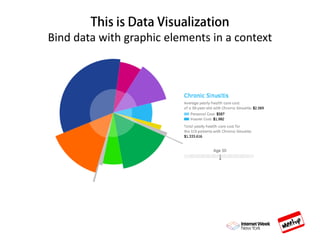
Data visualization is a general term that describes any
effort to help people understand the significance
of data by placing it in a visual context.
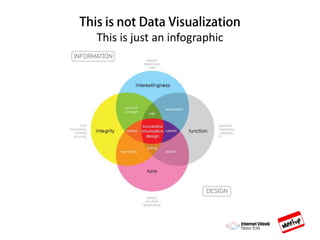
This is just an infographic
Bind data with graphic elements in a context
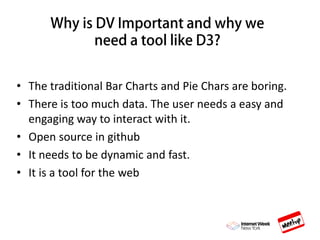
• The traditional Bar Charts and Pie Chars are boring.
• There is too much data. The user needs a easy and
engaging way to interact with it.
• Open source in github
• It needs to be dynamic and fast.
• It is a tool for the web
D3 vs Jquery
Jquery: Easy to use. Less code. More Stable.
Compatible. Uses lots of plug-ins.
D3: Learning curve. Data binding. Physics engine. Works
in modern browsers. Uses SVGs a lot. Lots of code.
SVG are scalable vector graphics. They are an HTML element. You
cannot embed a HTML element inside another SVG.
It supports interactivity and animation
SVG images can be searched, indexed, scripted, and compressed.
SVG images can be printed with high quality at any resolution.
Modified through script and CSS
SVG images can contain hyperlinks to other documents
Enjoys of pretty good support in desktop and mobile browsers. It
does not work in IE9and below.
Its browser dependent. Always define your heights and widths.
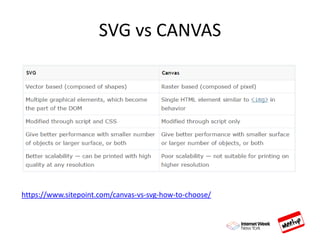
SVG vs CANVAS
https://www.sitepoint.com/canvas-vs-svg-how-to-choose/
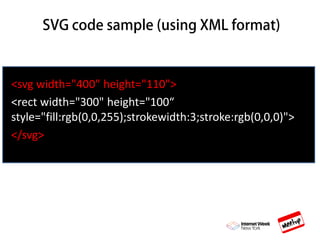
<svg width="400" height="110">
<rect width="300" height="100“
style="fill:rgb(0,0,255);strokewidth:3;stroke:rgb(0,0,0)">
</svg>
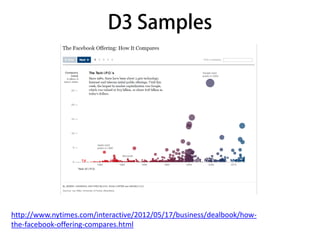
http://www.nytimes.com/interactive/2012/05/17/business/dealbook/how-
the-facebook-offering-compares.html
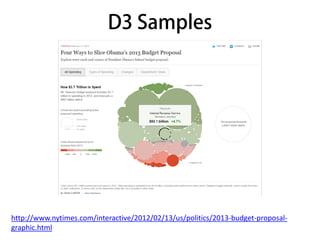
http://www.nytimes.com/interactive/2012/02/13/us/politics/2013-budget-proposal-
graphic.html
D3 Application Document Structure
<!DOCTYPE HTML>
<html>
<style>
<body>
[CONTENT]
<script src="d3.js"></script>
<script src="myscripts.js"></script>
</body>
</html>
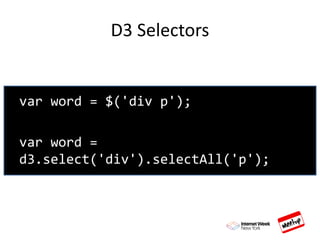
D3 Selectors
var word = $('div p');
var word =
d3.select('div').selectAll('p');
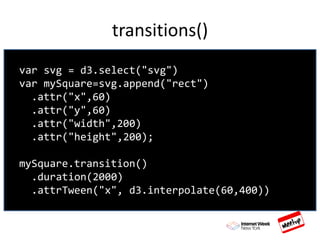
transitions()
var svg = d3.select("svg")
var mySquare=svg.append("rect")
.attr("x",60)
.attr("y",60)
.attr("width",200)
.attr("height",200);
mySquare.transition()
.duration(2000)
.attrTween("x", d3.interpolate(60,400))
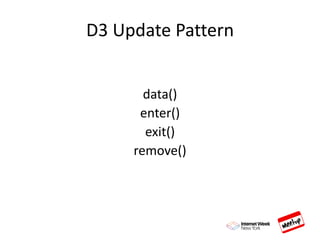
D3 Update Pattern
data()
enter()
exit()
remove()
DATA()
d3.selectAll('p')
.data([0, 1, 2, 3, 4, 5]);
ENTER()
d3.selectAll('p')
.data([0, 1, 2, 3, 4, 5])
.enter();
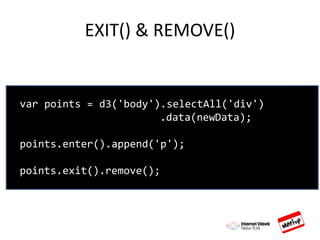
EXIT() & REMOVE()
var points = d3('body').selectAll('div')
.data(newData);
points.enter().append('p');
points.exit().remove();
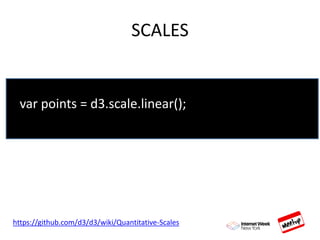
SCALES
var points = d3.scale.linear();
https://github.com/d3/d3/wiki/Quantitative-Scales
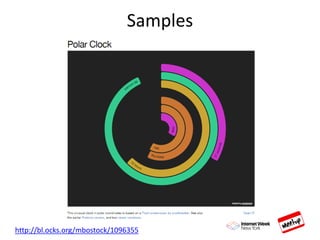
Samples
http://bl.ocks.org/mbostock/1096355
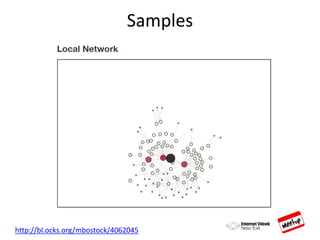
Samples
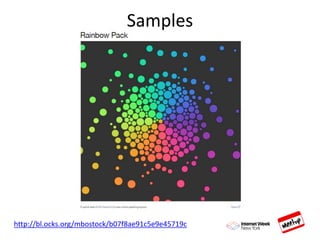
http://bl.ocks.org/mbostock/4062045
http://bl.ocks.org/mbostock/b07f8ae91c5e9e45719c
Samples
Can I use D3 in mobile applications?
Projects with D3
http://pykih.github.io/PykCharts.js/
https://github.com/densitydesign/raw/
https://plot.ly/
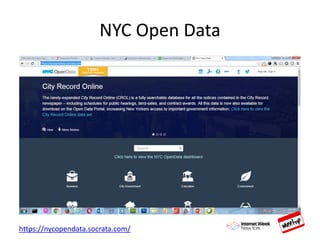
NYC Open Data
https://nycopendata.socrata.com/
Links and Tutorials
TEDTalk about DV
https://www.youtube.com/watch?v=5Zg-C8AAIGg
D3.js youtube playlist
https://www.youtube.com/watch?v=n5NcCoa9dDU&list=PL6il2r9i3Bq
H9PmbOf5wA5E1wOG3FT22p
Lynda.com
FreecodeBootcamp.com
Best Practices for DV
https://www.youtube.com/watch?v=pD_OvRtH0aY

Data visualization with d3 may19